Choosing the right Website Security plan starts with understanding your site’s unique risk profile. Malware, hacking, and DDoS attacks don’t discriminate by site size, but your protection needs do. Niya Digital is an authorized reseller, not the operator of the underlying security technology. Overall website security depends on many factors beyond any single provider’s control; proper credential practices, timely plugin updates, and secure server configuration remain your responsibility.
What Makes Website Security Plans Different?
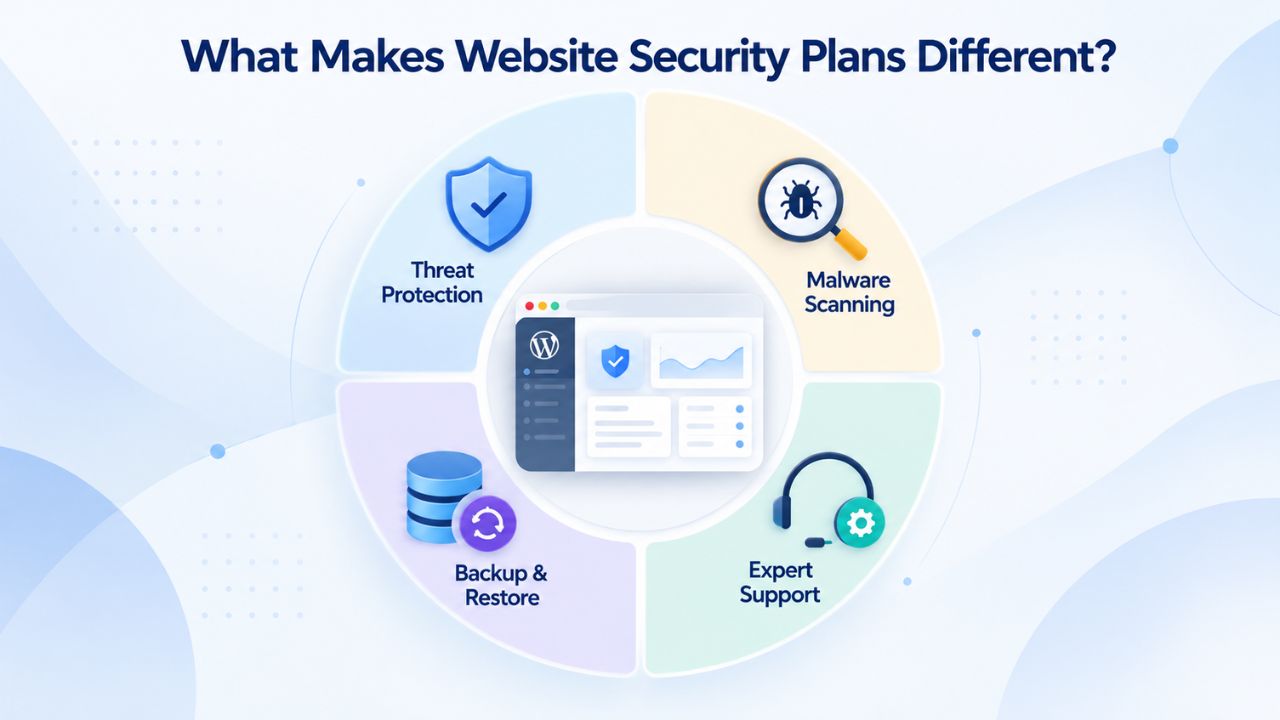
Website Security plans are not simply “more or less” of the same service; each tier is designed for different types of sites and risk scenarios. All three tiers include foundational protections powered by Sucuri (GoDaddy Website Security): malware scanning, a Web Application Firewall, DDoS protection, and blacklist monitoring. The key differences lie in backup storage, cleanup allowances, response speed, and recovery options, factors that directly determine how fast you can bounce back if an incident occurs. Understanding these trade-offs is the first step in choosing the right plan.
How Tier Structure Protects Different Site Types
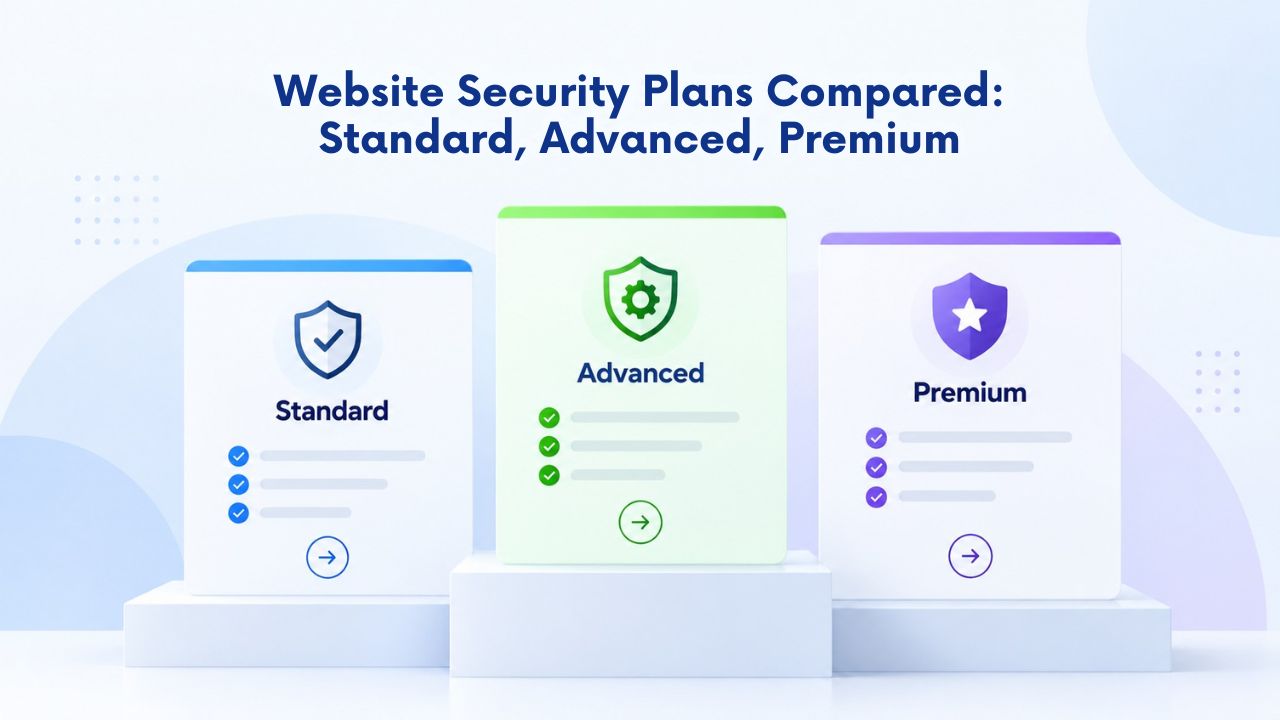
Website security is not a one-size-fits-all problem. A small business blog, an ecommerce store handling customer payments, and a corporate site with confidential data face vastly different threat landscapes and recovery needs. These three tiers reflect that reality: Standard provides baseline annual protection for modest-risk sites; Advanced adds backup storage and multiple cleanup allowances for growing businesses; Premium offers unlimited recovery capacity and priority support for mission-critical operations.
Matching your site’s actual risk profile to the right tier means you pay only for the protection you need and get the recovery speed your business demands if something goes wrong. Niya Digital’s team has found that businesses often underestimate the value of fast incident support; downtime costs money, and faster cleanup means faster revenue recovery. Your tier choice directly affects both technical capacity, how many cleanups you’re allowed annually, and human response speed, which determines how soon an incident is prioritized and resolved.
The Role of Ongoing Support in Tier Selection
Beyond features, each tier bundles different levels of support and cleanup capacity. Through Niya Digital’s reseller platform, customers gain not just Sucuri (GoDaddy Website Security)’s scanning and firewall technology but also account guidance, onboarding assistance, and direct support during incident response. A small informational site with no customer data may find Standard’s annual cleanup sufficient; a growing ecommerce platform needs the reassurance of multiple cleanups per year and fast backup restoration. Your tier choice reflects not just technical features, but the operational support infrastructure behind your site when a crisis occurs.
Website Security Plans & Pricing
Protect your website with flexible security plans designed to safeguard your data, prevent threats, and maintain reliable online performance. Choose the right level of protection for your business needs, with essential security features that help keep your website secure, available, and trusted by visitors.
Website Security Essential
Detect and remove malware. Malware scan and removal.
- Protection for unlimited pages within a single website
- 12-hour response time
- Unlimited malware removal
- Blacklist monitoring & removal*
- Multiple site protection available
Website Security Deluxe
Proactively secure your site. Malware scan and removal + ongoing protection.
- Protection for unlimited pages within a single website
- 12-hour response time
- Unlimited malware removal
- Blacklist monitoring & removal*
- WAF malware prevention**
- CDN performance accelerator***
- Multiple site protection available
Website Security Express
Fix my hacked site now. Expedited malware removal + ongoing protection.
- Protect one site
- 30-minute response time
- Unlimited malware removal
- Blacklist monitoring & removal*
- WAF malware prevention**
- CDN performance accelerator***
Malware Scanning & Threat Detection
All three Website Security plans include the same malware-scanning engine powered by Sucuri (GoDaddy Website Security). This cloud-based scanning system detects a broad range of threats: traditional malware, backdoors, redirects, SEO spam, defacement, and phishing injections. The scanning engine combines signature-based detection (known malware patterns) with heuristic analysis (behavioral anomalies that suggest new or modified threats). The threat landscape evolves constantly; Sucuri’s scanning methodology is designed to catch both established threats and novel attack patterns.
Configurable Scanning Frequency Across All Tiers
All plans share the ability to set your scanning frequency. Depending on your site’s activity level and risk tolerance, you can choose 30-minute, 12-hour, or once-per-day scanning intervals. More frequent scans mean faster threat detection, but also more operational overhead. A low-traffic informational site may choose once-per-day scanning to minimize resource use; a high-traffic ecommerce store or a site in a targeted industry might opt for 30-minute intervals to catch injections within minutes of deployment.
This flexibility means you’re not locked into a scanning schedule that doesn’t match your site’s actual threat window. A newly launched ecommerce platform may start with daily scans, then move to 12-hour scans once you’re handling regular customer transactions. As your site matures, you can adjust based on observed threats and your risk tolerance. This configurability is a core principle of the Website Protection offered across all tiers; you control the detection intensity.
How Malware Detection Translates to Real Protection
Sucuri (GoDaddy Website Security)’s scanning engine runs both cloud-based and server-side scans for comprehensive visibility. The cloud-based layer monitors your site from the outside, checking for signs of compromise visible to visitors, malicious redirects, injected content, or obfuscated code. The server-side layer inspects your files and database from within, using a lightweight PHP agent to flag unauthorized changes or known malicious patterns. Together, these scans provide near-real-time alerts if malware is detected. All three plans trigger the same detection process, meaning your ability to spot threats early is identical regardless of tier. What changes is your capacity to clean them up and your timeline for doing so, the critical differentiators that follow.
Cleanup & Incident Response Speed
This is where tiers diverge meaningfully. Website Security’s cleanup and incident response capacity scales directly with your plan. When malware is detected, response speed and cleanup allowance become critical. Standard plans include one site cleanup per year; Advanced and Premium plans offer multiple or unlimited cleanups annually. Response times differ too: Standard and Advanced allow up to 72 hours for cleanup completion, while Premium prioritizes Premium customers with up-to-8-hour response targets. Even more importantly, response times differ: Standard and Advanced allow up to 72 hours for cleanup completion, while Premium prioritizes Premium customers with up-to-8-hour response targets.
Standard & Advanced Cleanup Allowances
The Standard plan includes one (1) malware cleanup and blacklist removal per year for the duration of your subscription. This is genuine insurance against typical single-infection scenarios. If your site is compromised once a year or less frequently, Standard covers it completely at no additional cost. The 72-hour cleanup window means you’re protected, but not urgently; cleanup can take up to three days. For sites that don’t handle sensitive customer data and have modest traffic, this tradeoff makes sense: you gain detection and basic recovery at a lower cost and lower urgency level.
Advanced is designed for growing businesses that need more incident capacity. You unlock multiple cleanups per year and the same Web Application Firewall, DDoS Protection, and malware scanning as Standard, but with a critical addition: the ability to restore from backup or request professional cleanup multiple times within your subscription term. The 72-hour response time remains unchanged, but the multiple-cleanup allowance recognizes that growing sites sometimes face more than one incident per year. Whether from competitor targeting, automated botnet scanning, or repeat vulnerabilities in outdated plugins, Advanced provides the incident insurance that reflects realistic threat exposure for an active, revenue-generating website.
Premium’s Unlimited Cleanup & Priority Response
Premium is the tier for sites where downtime directly costs money. You get unlimited malware cleanup and blacklist removal, no annual cap, and, crucially, an up-to-8-hour response-time SLA for cleanup requests. This means Premium customers’ incidents are routed to the top of the queue. For ecommerce sites, SaaS platforms, and mission-critical business tools, the difference between 72-hour and 8-hour response time can mean thousands of dollars in prevented downtime. Unlimited cleanup also reflects the reality that highly targeted sites may face repeat attacks or complex infections that require multiple professional cleanups. Website Security premium cleanup support is part of the Incident Response capability included in all plans. Premium prioritizes yours and removes the cleanup ceiling entirely.
Website Backup & One-Click Restore
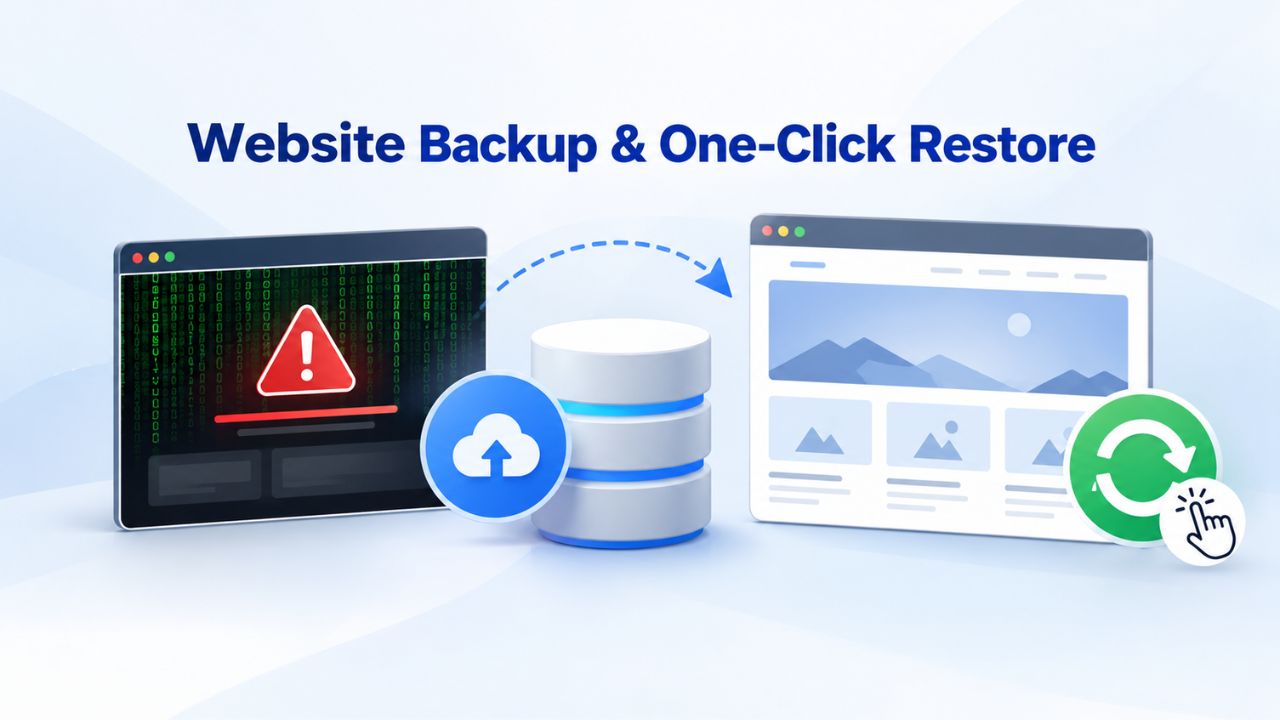
Backup and recovery represent perhaps the most consequential tier difference. A malware infection doesn’t just need detection and cleanup; it needs recovery. If your site’s files, database, or theme have been modified by malware, the question becomes: do you restore to a known-good state, or do you manually hunt for and remove each piece of malicious code? Backup storage lets you answer that question instantly. Depending on your plan, you can choose no backup storage, 25 GB of daily backups, or unlimited backup storage with one-click restore.
Standard & Advanced Backup Options
Standard plans do not include backup storage. If your site is infected, recovery relies on manual cleanup by Sucuri (GoDaddy Website Security)’s team or on external backups you maintain separately through your hosting provider or a third-party backup service. Manual cleanup is thorough but time-intensive and takes up to 72 hours. For sites with simple structure and low complexity, this may be acceptable. For anything handling customer data or running mission-critical functions, no backup means recovery is slower and less certain; you depend on a third-party cleanup process rather than your own restore point.
Advanced adds 25 GB of secure, automatically generated daily backups stored outside your server. If an infection occurs, you can use one-click restore to revert to a clean version of your site from the previous day or earlier. This capability reduces recovery time from “days of manual cleanup” to “minutes of automated restore.”
For most growing businesses, 25 GB of backup space covers your site’s files, database, and theme completely. The trade-off is that your restore point goes back only as far as the previous day’s backup; if an infection persisted across multiple backups undetected, you may need to restore to an earlier point. The combination of Advanced’s multiple cleanups per year and daily backups creates redundancy: you can restore or have professionals clean your live site, if you prefer.
Premium Unlimited Backup & Recovery Depth
Premium provides unlimited backup storage with the same one-click restore capability. This removes the 25 GB constraint, letting you keep a deep backup history and restore from any point, not just the previous day. For sites with large amounts of content, high-resolution imagery, or video libraries, unlimited backup means you’re never constrained by storage limits. You can restore to a backup from a week ago, a month ago, or any intermediate point, giving you maximum flexibility if a sophisticated attack persisted undetected for several days. Premium’s 8-hour response time, unlimited cleanup allowances, and unlimited backup storage create a safety net with abundant recovery options: restore to any previous state instantly, or have professionals prioritize your cleanup within hours.
Which Plan Fits Your Site’s Risk Profile?
Tier selection hinges on three fundamental questions: How critical is my site to my business? How much data does it handle? How visible is it to attackers? Your answers determine how much incident capacity and recovery speed you actually need. A small informational blog with no customer data, modest traffic, and low visibility faces lower statistical risk of attack. A medium-traffic site holding customer information or operating ecommerce systems faces moderate risk. High-traffic sites, payment processors, and sites in targeted industries (healthcare, finance, legal) face higher risk and more repeat attacks. This isn’t a judgment; it’s statistical reality. Threat actors focus effort where there’s money or data.
Understanding Risk Factors & Incident Capacity
Your site’s risk profile is determined by several overlapping factors: traffic volume (high-traffic sites are more valuable targets), data sensitivity (sites holding customer data or payment information attract more attacks), industry visibility (healthcare and financial sites face persistent threats), and attack history (if you’ve been targeted before, you’ll likely be targeted again).
Standard provides baseline detection and annual recovery; it assumes you tolerate occasional risk and downtime. Advanced provides escalating incident capacity, multiple cleanups per year, and backup storage for sites where threats are more likely or where downtime costs more. Premium removes the cleanup ceiling and prioritizes response, assuming your site’s downtime cost exceeds the plan cost, an assumption that becomes mathematically obvious for ecommerce operations and SaaS platforms.
Cost per incident is the often-overlooked decision factor. On the surface, Premium costs more than Standard. But if a single incident on your ecommerce site costs you five hours of downtime at USD 500/hour in lost revenue, that single incident costs USD 2,500, and Premium’s 8-hour response often prevents it entirely. Advanced’s backup restoration can recover your site in minutes, not days. Standard’s 72-hour window can cost you a week of customer trust and search-engine ranking hits. Your tier choice becomes an investment decision: what’s the true cost of downtime on my site, and what plan ensures I can recover within that time window?
Business-Impact Tiers & Decision Framework
Business impact varies radically by industry and site type. A restaurant’s website going down for 24 hours means missed reservations and customer frustration, costly, but recoverable. An online retail store down for 24 hours means lost sales, refund complaints, and damaged search ranking, potentially USD 10,000+. A SaaS platform or payment processor down for even 4 hours is catastrophic, affecting dozens or hundreds of dependent businesses.
These are the real decision boundaries between tiers. Standard makes sense if your site’s downtime is inconvenient but not catastrophic. Advanced makes sense if downtime costs real money but not your business continuity. Premium makes sense if downtime threatens your business’s ability to operate. Niya Digital’s team has found that businesses often realize too late which tier they actually needed; the first incident forces the upgrade. Choosing the right tier upfront saves that painful lesson.
Plan Comparison Table
| Feature | Standard | Advanced | Premium |
|---|---|---|---|
| Websites Protected | 1 | 1 | 1 |
| Malware Scanning | ✓ Daily configurable | ✓ Daily configurable | ✓ Daily configurable |
| Web Application Firewall (WAF) | ✓ Cloud-based | ✓ Cloud-based | ✓ Cloud-based |
| DDoS Protection | ✓ Advanced mitigation | ✓ Advanced mitigation | ✓ Advanced mitigation |
| Blacklist Monitoring & Removal | ✓ Included | ✓ Included | ✓ Included |
| Annual Cleanup Allowance | 1x per year | Multiple per year | Unlimited |
| Cleanup Response Time | Up to 72 hours | Up to 72 hours | Up to 8 hours |
| Website Backup Storage | None | 25 GB daily | Unlimited daily |
| One-Click Restore | Not available | ✓ Available | ✓ Available |
| Backup Retention Depth | N/A | Previous 30 days | Full history |
| Search Engine Blacklist Removal | ✓ Included | ✓ Included | ✓ Included |
| Browser Security Warning Removal | ✓ Included | ✓ Included | ✓ Included |
Protect Your Site Today
Website Security tiers deliver the same malware-scanning, firewall, and DDoS-protection technology, but with different incident capacity and recovery speed. Niya Digital’s Website Security Service combines that underlying technology with expert onboarding, account management, and direct support during incidents. Explore your plan options to find the protection level that matches your site’s actual risk profile and recovery needs. Start protecting your site with a plan built for your business’s unique requirements.
Standard: Best for Modest Traffic & Limited Risk
Standard is designed for site owners who want detection and basic recovery but don’t have urgent recovery needs. Your site might be a small business blog, a portfolio, an informational resource, or a low-traffic site where downtime is inconvenient but not catastrophic. Standard includes malware scanning, a Web Application Firewall, DDoS protection, blacklist monitoring, and one annual cleanup. You get the same threat-detection engine as higher tiers and the same Sucuri (GoDaddy Website Security)-powered firewall stopping common attacks.
Who Standard Protects Well
Standard works best if your site is low-profile, holds no customer data, and recovers from downtime without significant financial impact. The once-yearly cleanup allowance is genuine insurance: you’re protected against typical infection scenarios without paying for overcapacity. The 72-hour cleanup window is acceptable if your site can tolerate a few days offline while professionals identify and remove malicious code. Scanning frequencies remain fully customizable; you can choose 30-minute scans if you’re cautious, or daily scans if you prefer lower overhead. The annual cleanup is sufficient for sites that don’t attract ongoing targeted attacks or operate in low-risk industries.
Standard is also appropriate if you’re testing website security for the first time and want to understand the basics before committing to a higher tier. The service includes full malware scanning, WAF protection, and DDoS mitigation, so you get genuine, professional-grade security at the entry level. You can always upgrade to Advanced or Premium later if your site grows or your threat exposure increases. There’s no commitment penalty, and Niya Digital handles the transition seamlessly when you’re ready to move up.
When Standard Falls Short
Standard falls short if your site processes payments, handles sensitive customer information, or faces ongoing targeting. The single annual cleanup limit means you’re gambling that one infection per year won’t happen, or that you won’t be targeted twice. Many active small businesses experience more than one security incident annually; Standard would leave you paying out of pocket for additional cleanups or going unprotected. The lack of backup storage means recovery relies entirely on professional cleanup, which takes up to 72 hours, an eternity if you’re losing customers per hour of downtime. For any site where customer trust or data protection is essential, Standard’s limitations become apparent quickly in an incident.
Standard also makes less sense if your site is targeted by competitors or if you operate in a regulated industry (healthcare, financial services, legal). In those contexts, malware doesn’t just mean downtime; it means compliance violations, customer notification requirements, and potential liability. Standard’s annual cleanup leaves you exposed for 364 days if you’re hit twice. If your business has grown past hobby status and customers depend on your site, Standard’s insurance is insufficient.
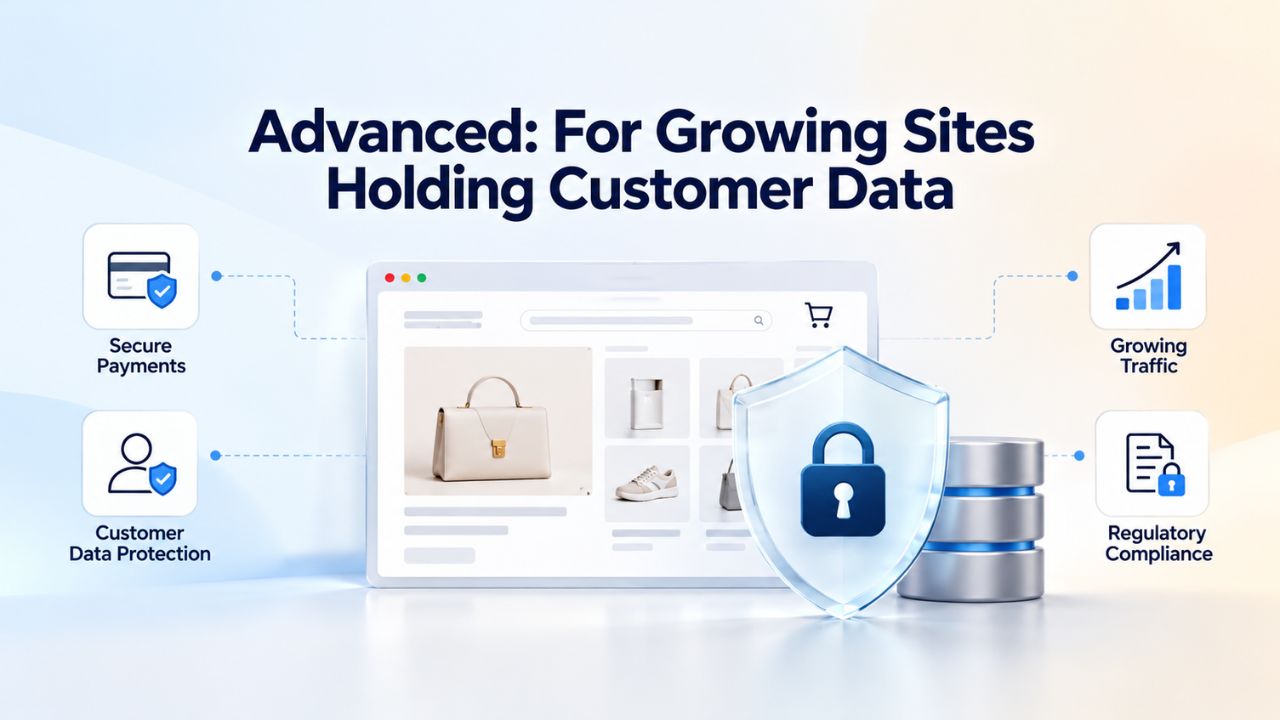
Advanced: For Growing Sites Holding Customer Data
Advanced is the midpoint tier, designed for businesses that have moved beyond informational-only content and now hold customer data, process payments, or depend on their site for revenue. Advanced includes everything Standard offers, same malware scanning, WAF, DDoS protection, plus 25 GB of daily automatic backups and one-click restore capability. You unlock multiple cleanups per year, giving you more incident insurance. The 72-hour response time remains, but the backup-restore option often means recovery in hours rather than days.
When Advanced Is the Right Choice
Advanced is ideal for small ecommerce sites, professional services with customer databases, membership sites, and any business where site downtime costs money directly. The 25 GB backup storage covers most small-to-medium sites fully, unless you’re running a media-heavy site with massive image or video libraries; 25 GB of backup space captures your entire site state. Daily automatic backups mean you’re always one day away from a known-good state. The multiple-cleanup allowance recognizes that growing sites sometimes face more than one incident per year, perhaps from competitor targeting, automated botnet scanning, or repeat vulnerabilities in outdated plugins.
Advanced is the tier where “if something happens, we recover quickly and with minimal data loss” becomes standard practice, not a hope. You have backup insurance to restore within minutes if something goes wrong, and multiple professional cleanups if you face repeat threats. For a growing business where customers are starting to depend on your site, Advanced marks the inflection point where downtime costs money and incident capacity becomes worth the investment. Niya Digital’s team has found that most small businesses handling customer data upgrade to Advanced within their first year; it’s the tier where protection becomes business-critical rather than a nice-to-have.
Limitations of Advanced
Advanced still operates on a 72-hour cleanup SLA, which matters if your site generates significant revenue per hour. An ecommerce store losing USD 1,000/day in sales during a three-day cleanup window isn’t looking at Advanced’s cost; it’s looking at USD 3,000 in lost revenue. The 25 GB backup cap may be tight if your site holds large files or extensive media libraries; if you run an image-heavy photography portfolio or host video content, you might exceed the limit. The multiple-cleanup allowance is more generous than Standard but still finite; highly targeted sites may exhaust it. Advanced is a strong choice for growing businesses that don’t yet have the 24/7 uptime criticality of enterprise platforms or heavily revenue-dependent operations.
Premium: Maximum Protection for High-Value Sites
Premium is built for sites where downtime is measured in lost revenue per hour and where incident complexity demands all available response capacity. Premium includes unlimited malware cleanups and removal, unlimited backup storage with daily automatic backups, and an up-to-8-hour cleanup-response SLA. Premium customers’ incidents jump the queue ahead of Standard and Advanced requests. This isn’t just a feature; it’s operational reality: when your site is compromised, your incident gets routed to Sucuri (GoDaddy Website Security)’s senior team immediately.
Who Needs Premium’s Full Capacity
Premium is appropriate for ecommerce sites generating significant daily revenue, SaaS platforms with paying customers, payment processors, and highly targeted or sensitive sites (healthcare, finance, media). If your site’s downtime costs more than the plan cost in a single hour, Premium is the economically rational choice. The 8-hour response time matters: it’s the difference between “fixed by end of business” and “waiting until next week.” The unlimited backup storage removes guesswork about whether your backups cover everything; if you run a media-rich site or handle massive datasets, you’re never constrained by a 25 GB limit. Unlimited cleanup allowances reflect the reality that repeat targeted attacks or complex infections may require professional intervention multiple times a year.
For payment processors and financial platforms, Premium isn’t optional; it’s required. If your site processes transactions on behalf of customers, a single hour of downtime affects their business, creates compliance logging requirements, and potentially triggers customer notifications. The 8-hour SLA means your incident is resolved before the end of the day. For healthcare sites, the same applies: patient data compromises trigger HIPAA notification requirements and regulatory penalties; Premium’s unlimited cleanup and priority response ensure you’re never waiting in a queue while compliance obligations stack up.
Premium as an Incident Safeguard
Premium doesn’t prevent incidents, but it ensures that when an incident occurs, you have maximum leverage to recover quickly and completely. The combination of 8-hour response, unlimited backup history, and unlimited cleanup capacity means you’re never constrained by plan limits during a crisis. For sites handling customer payments or sensitive data, this predictability and recovery capacity often justify the higher cost; a single data breach or ransomware infection can cost USD 100,000+ in response, customer notification, regulatory penalties, and lost business. Premium’s incident-response priority and backup depth are the difference between recovering in hours and recovering over weeks while you negotiate with attackers or wait for forensic analysis.
Risk Profile & Tier Recommendation Table
| Site Type & Scenario | Threat Risk Level | Data Sensitivity | Recovery Urgency | Recommended Tier | Primary Reason |
|---|---|---|---|---|---|
| Small blog / portfolio | Low | Minimal | Low | Standard | Infrequent threats; annual cleanup sufficient; no customer data at risk |
| Membership / community site | Moderate | Moderate | Moderate | Advanced | Customer databases require backup; multiple cleanups hedge repeat targeting |
| Ecommerce (revenue-dependent) | Moderate-High | High | High | Advanced or Premium | Downtime costs revenue; backup restoration critical; multiple cleanups necessary |
| SaaS platform | High | High | Critical | Premium | Customer uptime dependency; 8-hour SLA essential; unlimited cleanup for complex threats |
| Healthcare / financial | High | Critical | Critical | Premium | Regulatory compliance; data breach penalties; incident response priority non-negotiable |
| High-traffic content site | Moderate | Low-Moderate | Moderate | Advanced | Visitor disruption; SEO recovery time; backup restoration prevents ranking loss |
| Payment processor | Critical | Critical | Critical | Premium | Transaction continuity essential; blacklist removal critical; unlimited cleanup for sophisticated threats |
| API / developer platform | High | High | High | Premium | Dependent services affected by downtime; incident response speed operationally critical |
Comparing Managed Website Security to DIY Solutions
Website Security plans through Niya Digital represent managed, professionally backed security. The alternative is a DIY approach: installing free or paid security plugins, managing your own backups, and responding to incidents yourself. Understanding this comparison clarifies what each tier provides and why many businesses conclude that managed security is worth the cost.
Managed vs. DIY Security: How They Differ
A Website Security plan includes proactive scanning (detection), a cloud-based firewall (prevention), and professional malware-cleanup services (response). You configure your scanning frequency and backup retention, but the provider handles day-to-day monitoring and incident-response heavy lifting. When Sucuri (GoDaddy Website Security) detects malware, you’re notified and offered cleanup services at no additional cost, within your plan’s cleanup allowance. Response times are guaranteed: up to 72 hours for Standard/Advanced and up to 8 hours for Premium. You gain certainty about incident handling and timeline.
DIY plugins like Wordfence, iThemes Security, or Sucuri’s own free plugin give you scanning and hardening tools you manage yourself. The advantage is lower upfront cost: many plugins are free or charge modest annual fees. The disadvantage is that you become the responder. If malware is detected at 2 a.m. on a weekend, you’re responsible for the cleanup, or you pay a separate incident-response service at emergency rates.
Backups require your own backup plugin and storage management, often on the same server as your site, which means a server-level compromise can take down both your site and your backup. You decide on scanning frequency, backup retention, and recovery strategy. For technically experienced site owners with time to spare, this can work. For business owners without security expertise, the DIY approach often means delayed response and incomplete recovery.
Why Managed Website Security Pays for Itself
Website Security plans through Niya Digital transfer both the scanning load and the incident-response responsibility to professionals. You no longer wake up to a hacked site and scramble to figure out the next step; you have a support contact and a known cleanup SLA. The cost difference between DIY and managed is often recovered on the first incident, where professional cleanup and backup restoration prevent days of downtime.
For any business where site uptime directly affects revenue or reputation, managed Website Security shifts from a “nice-to-have” to an economic necessity. Niya Digital’s team has found that businesses often implement DIY security, experience an incident that takes days to resolve manually, then upgrade to managed security; the upgrade cost is trivial compared to the downtime that a managed plan would have prevented.
Managed security also includes human expertise during a crisis. When an incident occurs, you’re not searching forums for cleanup advice or trying to interpret technical scanner output; an expert team prioritizes your issue according to your SLA and guides you through verification and recovery. That human layer- account guidance, onboarding support, and hands-on incident response- is what distinguishes a managed service from a DIY plugin. You’re not buying scanning software; you’re buying access to a security operations team that stops what they’re doing when your incident comes in.
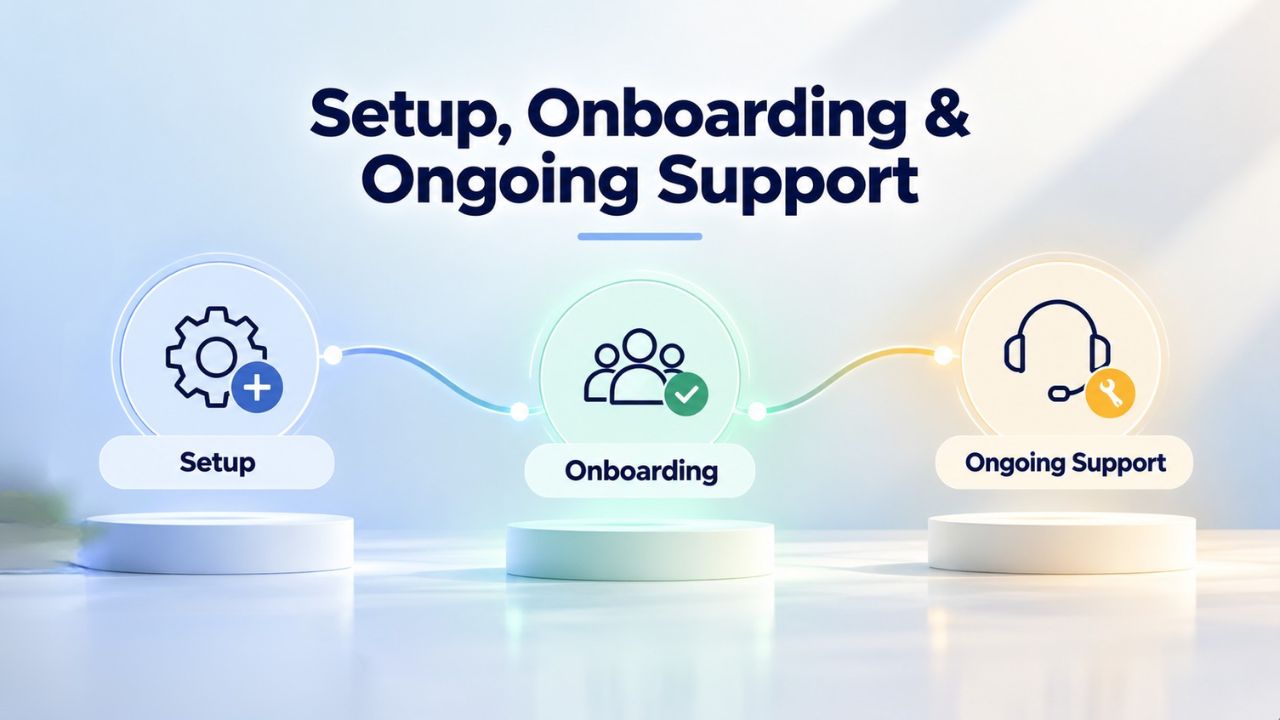
Setup, Onboarding & Ongoing Support
Niya Digital’s value as a reseller extends beyond bundling Sucuri (GoDaddy Website Security)’s technology; it includes account setup, onboarding guidance, and ongoing incident support. Sucuri owns the underlying scanning and firewall technology, but the customer-facing experience and incident-response support flow through Niya Digital. This means you have a single, accessible point of contact for all account-related and incident-response needs.
Account Setup, Configuration & Management
When you purchase a Website Security plan through Niya Digital, the onboarding process covers plan activation, SSL certificate integration (if needed), scanning-frequency selection, and backup-schedule configuration. Niya Digital’s support team guides you through these decisions based on your site type and risk profile, ensuring your plan is configured for your actual needs from day one. This is particularly valuable if you’re new to Website Security or unsure about scanning frequency or backup retention best practices. You won’t be left to puzzle through a technical dashboard alone; you’ll have guidance tailored to your business.
Throughout your subscription, Niya Digital manages your account on the reseller side: billing, renewals, plan changes, and feature updates. If you need to adjust your plan, say, upgrading from Standard to Advanced because your site now handles customer payments, Niya Digital handles the transition smoothly. This continuity means you have a single point of contact for all account-related questions, rather than juggling multiple vendor relationships or navigating a complex corporate support portal. Your relationship is with Niya Digital, not with a massive impersonal cloud provider.
Incident Response & Priority Support
When malware is detected, or an attack occurs, Niya Digital serves as your frontline support contact. You report the issue to Niya Digital; Niya Digital coordinates with Sucuri (GoDaddy Website Security)’s cleanup team to ensure your incident is prioritized according to your plan’s SLA. For Premium customers, this means your issue is flagged for an 8-hour response. For Standard/Advanced, you’re covered within 72 hours. The Niya Digital team handles status updates, confirms cleanup completion, and verifies that your site has been restored to a clean state.
This human-layer support is often the difference between a stressful incident and a managed recovery process. You’re not navigating a ticket system alone or trying to interpret technical malware reports; Niya Digital’s team communicates with you in plain English, explaining what happened, what’s being done, and when it will be resolved. That transparency and accessibility turn Website Security from a technical service into a business continuity tool. When your site is down, you need someone you can call who knows your situation, understands your urgency, and has the authority to prioritize your recovery.
Start Your Website Security Strategy Today
Your choice reflects your site’s actual risk profile, the cost of downtime to your business, and the recovery speed you need when an incident occurs. Niya Digital’s Website Security Service combines that underlying technology with expert onboarding, account management, and direct support during incidents. Select the plan that matches your site’s needs today, knowing you can upgrade anytime as your business grows or your threat exposure changes.
Frequently Asked Questions
What’s the difference between malware scanning and malware cleanup?
Malware scanning is continuous automated detection: the system checks for malicious code, backdoors, and compromised files. Malware cleanup is professional remediation: removing detected threats and restoring your site to a clean state. Scanning is included in all tiers at no additional cost; cleanup is included within your plan’s allowance. Standard includes one cleanup per year; Advanced includes multiple cleanups; Premium includes unlimited cleanups. Scanning can happen in minutes; cleanup takes up to 72 hours (Standard/Advanced) or 8 hours (Premium) because forensic analysis and careful code removal require time and expertise.
Do I need a separate backup plan if my hosting provider offers backups?
Hosting-provider backups are valuable but not a substitute for Website Security backups. Hosting backups are often stored on the same infrastructure as your live site, so that a server-level compromise can corrupt both your site and your backup at the same time. Website Security backups are stored independently off-site and designed specifically for security recovery. One-click restore in Advanced and Premium is faster than requesting your host restore from an older backup. For comprehensive protection, use both: your host’s backups for general disaster recovery, Website Security backups for malware-specific recovery.
Can I upgrade from Standard to Advanced or Premium later?
Yes, you can upgrade your plan at any time without penalty. Niya Digital handles plan transitions, and new plan features typically become available immediately after the upgrade is processed. If you start with Standard and later realize you need backup storage or faster response times, upgrading is straightforward. Many businesses start with Standard as they’re testing Website Security, then upgrade as their site grows and customer data handling increases. There’s no commitment lock-in; you upgrade whenever your needs change.
How does the one-click restore feature work exactly?
One-click restore reverts your entire website to a previous clean backup with a single action via your Niya Digital account dashboard. When you initiate a restore, your current files and database are replaced with the version from the backup you select. This typically completes within minutes, putting your site back online in a known-good state. You can then verify functionality and confirm that malware has been removed. One-click restore is much faster than waiting for professional cleanup because it happens automatically without manual inspection, which is ideal when fast recovery is critical.
What happens if I need more cleanups than my plan allows?
Standard includes one cleanup per year; if you need a second within that year, contact Niya Digital support. You may be offered a temporary additional cleanup or suggested to upgrade to Advanced or Premium for the remainder of your term. Advanced plans include multiple cleanups, and Premium includes unlimited cleanups so that you won’t hit this constraint on higher tiers. Niya Digital’s support team will help you determine the best path if you’re approaching your cleanup limit, whether that’s an upgrade or a one-time supplemental cleanup.
Are all Website Security plans powered by the same scanning technology?
Yes, all three tiers use the same Sucuri (GoDaddy Website Security)-powered malware-scanning engine, Web Application Firewall, and DDoS protection. The scanning and detection quality is identical across Standard, Advanced, and Premium. What differs is incident-response capacity: your annual cleanup allowance, your backup storage, and your response-time SLA if you need professional cleanup. You’re not buying better detection with higher tiers; you’re buying more recovery options and faster support.
Can I customize my scanning frequency, or is it preset?
You fully control your scanning frequency. You can choose 30-minute, 12-hour, or once-per-day intervals based on your site’s activity level and risk tolerance. More frequent scans catch threats faster but use slightly more server resources. A low-traffic blog might choose daily scans; a high-traffic ecommerce store might choose 30-minute scans. You’re not locked into a preset schedule; you configure it based on your site’s actual needs and can change it anytime.
What if my backup storage exceeds 25 GB on the Advanced plan?
Advanced plans include 25 GB of daily backup storage, which covers most small-to-medium websites completely. If your site regularly exceeds 25 GB, typically due to large media libraries, high-resolution images, or video storage, Premium’s unlimited backup storage removes that constraint entirely. You can also discuss storage solutions with Niya Digital support; they may suggest optimizing your site’s media or advising whether Premium is necessary for your use case. Most sites stay well under 25 GB and never encounter this limit.
How long does malware cleanup actually take?
Response times depend on your plan. Standard and Advanced provide cleanup within 72 hours of notification to Niya Digital. Premium provides cleanup within 8 hours. “Cleanup” means forensic analysis, malicious code removal, and verification that your site is clean. Response time is when the cleanup team starts work; actual completion time varies based on infection complexity. Simple malware infections might be cleaned in hours; sophisticated backdoors or rootkits can take longer. The SLA guarantees the process starts within that timeframe, not that your site will be back online instantly.
Do I still need an SSL certificate if I have Website Security?
Yes, SSL and Website Security complement each other. SSL encrypts data in transit between your visitor’s browser and your server, protecting sensitive information from eavesdropping. Website Security protects against malware infection, DDoS attacks, and brute-force attempts. Both are recommended for any site that matters to your business. SSL protects privacy; Website Security protects integrity and availability. You need both layers to provide comprehensive protection.
Can Website Security work with any hosting provider?
Website Security through Niya Digital works with most hosting environments: shared hosting, VPS, dedicated servers, and managed WordPress hosting. The Sucuri (GoDaddy Website Security) WAF operates as a cloud-based reverse proxy, sitting between your visitors and your server, so it requires no special hosting configuration. Malware scanning includes cloud-based analysis and optional server-side scanning. Niya Digital support can confirm compatibility with your specific hosting setup during onboarding; in nearly all cases, no changes are needed.
What should I do if Google flags my site as unsafe?
If your site appears in Google’s “This site contains malware” warning, contact Niya Digital immediately. Your site needs malware cleanup and removal from Google’s blacklist. Website Security plans include malware cleanup, blacklist monitoring, and removal. Niya Digital coordinates with Sucuri to clean your site, then submits it for Google’s re-review. Depending on your plan, this happens within 72 hours (Standard/Advanced) or 8 hours (Premium). Once Google verifies your site is clean, the warning is removed, and your search ranking recovery begins.
Do all Website Security plans include DDoS protection?
Yes, all three tiers include advanced DDoS mitigation via the Sucuri (GoDaddy Website Security) WAF and globally distributed Anycast network. The protection level is identical across Standard, Advanced, and Premium. DDoS protection activates automatically once your plan is set up; you don’t configure it. The tiers differ in incident-response speed and backup capacity, not the underlying DDoS mitigation technology.
If I downgrade from Premium to Standard, do I lose my backup history?
When you downgrade from Premium to Standard, you lose access to Premium’s backup storage. Sucuri (GoDaddy Website Security) typically archives or deletes backups created while you’re on Premium, depending on its retention policy. If you later re-upgrade to Premium, you start with new daily backups; older archives won’t be retained unless you’ve requested specific retention with Niya Digital. If you plan to downgrade, contact Niya Digital support beforehand to discuss backup archival options or confirm which backups will be retained.
Is there a free trial or money-back guarantee?
Niya Digital website security plans typically offer a 30-day money-back guarantee. You can try the service and get a full refund within 30 days if you’re unsatisfied, excluding cleanup costs if Sucuri (GoDaddy Website Security) has already removed malware from your site. This lets you test Website Security risk-free and confirm the plan is right for you. Check Niya Digital’s website for current trial terms, as eligibility may vary by region. Niya Digital support can answer questions about guarantee terms and your specific situation.
Glossary
- Malware: Malicious software or code designed to compromise your website, steal data, disrupt operations, or serve as an entry point for further attacks. Includes viruses, trojans, backdoors, ransomware, worms, and other forms of malicious code injections.
- Web Application Firewall (WAF): A cloud-based security layer that inspects incoming web traffic, identifies malicious requests (SQL injection, cross-site scripting, brute-force attempts), and blocks them before they reach your server. Works as a reverse proxy between your visitors and your site.
- DDoS (Distributed Denial of Service): A cyberattack in which multiple sources flood your website with traffic to overwhelm your server and knock your site offline, disrupting access for legitimate visitors and causing revenue loss and reputation damage.
- Blacklist: A list maintained by web browsers (Chrome, Firefox, Safari) and search engines (Google) that flags websites suspected of being hacked, containing malware, or used for phishing. Being blacklisted erodes visitor trust, triggers browser warnings, and damages search rankings.
- Brute-Force Attack: An automated attack that repeatedly attempts login credentials to your website’s admin panel or server, using common passwords, dictionary words, or credential lists to gain unauthorized access and establish backdoors.
- One-Click Restore: A feature that lets site owners revert their entire website to a previous clean backup with a single action, typically completed within minutes, restoring all files and the the database to a known-good state without manual recovery effort.
- Security Monitoring: Continuous automated surveillance of your website for malware, suspicious behavior, unauthorized file changes, unusual traffic patterns, and other signs of compromise, with real-time alerts if threats are detected.