You’re browsing an online store and ready to buy, but hesitation strikes. The checkout page displays no visible security indicator. You pause and wonder: Is my payment truly safe here? Will this company protect my personal information? This doubt costs e-commerce businesses billions annually, as customers abandon transactions without trust signals. A website trust seal, a visual badge verifying your site meets specific security and legitimacy standards, directly addresses that hesitation. Niya Digital’s website security services are powered by Sucuri malware scanning, a Web Application Firewall, and DDoS mitigation infrastructure.
What Is a Website Trust Seal?
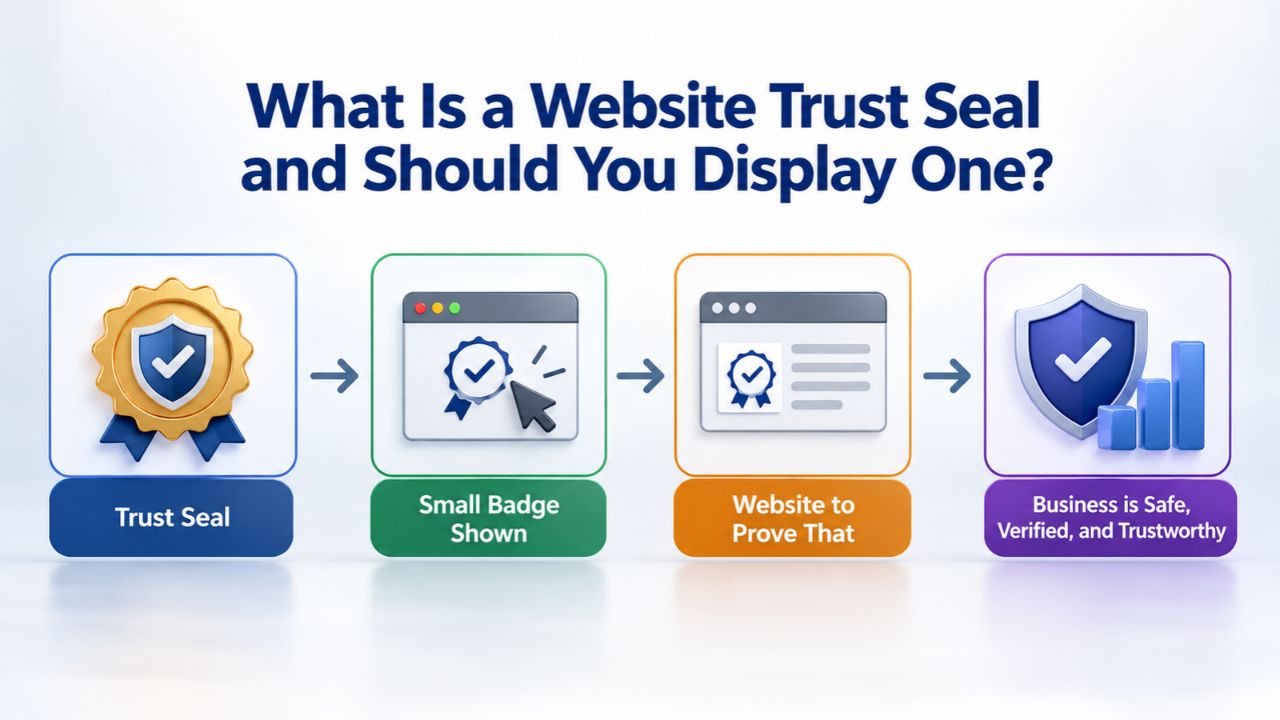
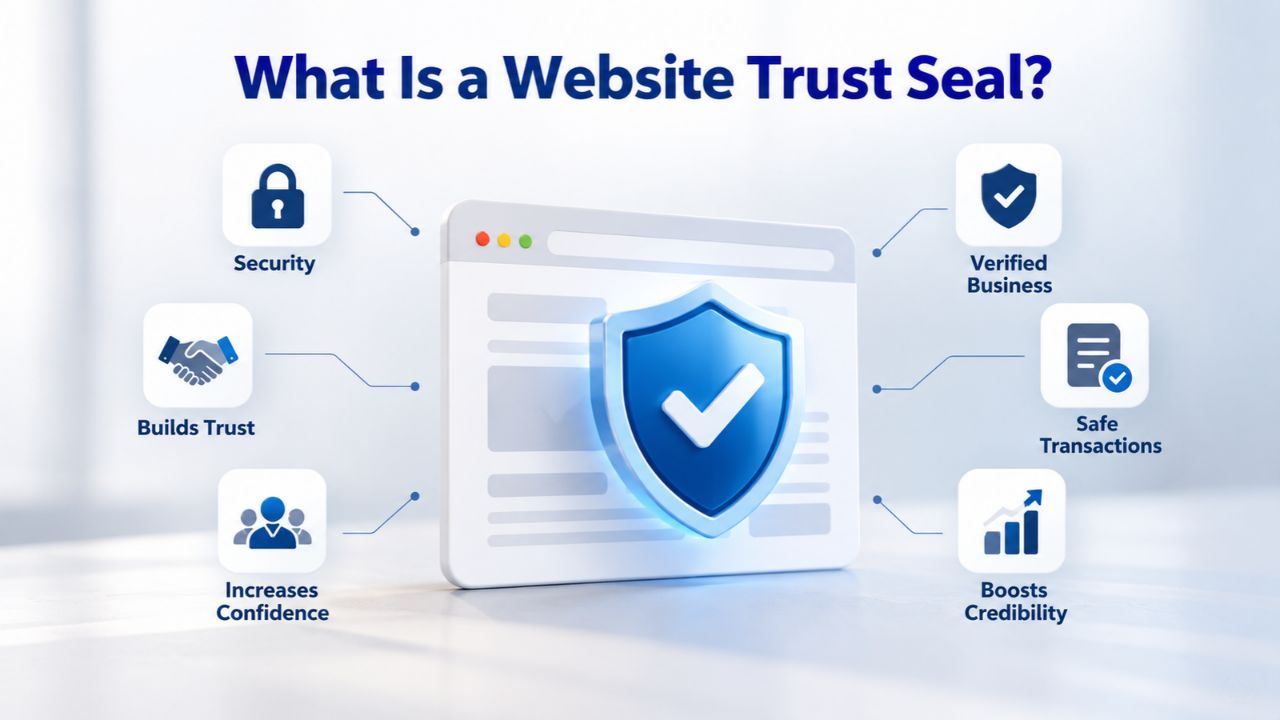
A trust seal is a visual badge displayed prominently on your website to communicate to visitors that your site meets established security standards or business legitimacy requirements. When visitors encounter a recognized trust seal, they gain immediate confidence that their data will be encrypted, your business operates legitimately, and an independent trusted third party has verified your security practices. The seal functions as a powerful shorthand security credential. This single recognizable graphic conveys “this site protects visitor data” without requiring customers to read lengthy security documentation or policies they likely wouldn’t understand.
Core Purpose and Verification Mechanics
A trust seal is an assurance symbol that demonstrates a website’s legitimacy and helps visitors decide whether they can trust the site with their personal information. Third-party trust seal companies, typically the same organizations issuing SSL certificates or conducting professional security assessments, collect comprehensive data about your business and website, then verify your legitimacy through business registration checks, domain ownership confirmation, and security scanning. Once verification is complete, they authorize you to display a branded badge proving this verification to your visitors.
When a visitor sees your trust seal and wants to learn more, they can click it to open a verification window with detailed information about your security status. This window typically shows the date of your most recent malware scan, business registration details and company information, SSL certificate validity confirmation, or other verification data depending on the specific seal type and issuer.
Trust seals combine the visual badge with backend verification infrastructure that confirms your website’s security status in real time through automated checking systems. A truly legitimate, credible seal updates itself automatically; if your SSL certificate approaches expiration, your malware scan becomes overdue, or your business registration lapses, the seal either disappears entirely, changes color to indicate a warning, or displays cautionary messaging. Static seals that remain unchanged for weeks or months are a major red flag for security-conscious visitors and experienced users.
Where Seals Appear and What Visitors See When They Click
Trust seals are commonly placed in the website footer, on the checkout page, next to payment input fields, or on the About Us page, depending on the seal type, your business model, and the placement strategy you develop. Placement during the checkout process represents the highest-impact location because visitors encounter the seal at the exact critical moment when they’re deciding whether to trust your site with their payment information- the precise moment when security confidence matters most to their purchasing decision.
When a visitor clicks your seal, they’re immediately shown a pop-up window or new browser window containing detailed security verification information. For example, the Sucuri Trust Seal, powered by Sucuri’s comprehensive Website AntiVirus product, displays security information including definitive confirmation that the site is malware-free, is not currently blacklisted by major security providers, and displays the specific date of the most recent malware scan performed on the website.
Business verification seals, like those provided by the Better Business Bureau (BBB), link directly to your detailed business profile showing your accreditation status, complete business contact information, and aggregated customer reviews and ratings. This clickable verification layer, this transparency and verifiable proof, is precisely what distinguishes a legitimate, trustworthy seal from a counterfeit or non-functional badge. Fake seals either cannot be clicked, fail to display any verification information when clicked, or link to unrelated pages.
Website Security Plans & Pricing
Protect your website with flexible security plans designed to safeguard your data, prevent threats, and maintain reliable online performance. Choose the right level of protection for your business needs, with essential security features that help keep your website secure, available, and trusted by visitors.
Website Security Essential
Detect and remove malware. Malware scan and removal.
- Protection for unlimited pages within a single website
- 12-hour response time
- Unlimited malware removal
- Blacklist monitoring & removal*
- Multiple site protection available
Website Security Deluxe
Proactively secure your site. Malware scan and removal + ongoing protection.
- Protection for unlimited pages within a single website
- 12-hour response time
- Unlimited malware removal
- Blacklist monitoring & removal*
- WAF malware prevention**
- CDN performance accelerator***
- Multiple site protection available
Website Security Express
Fix my hacked site now. Expedited malware removal + ongoing protection.
- Protect one site
- 30-minute response time
- Unlimited malware removal
- Blacklist monitoring & removal*
- WAF malware prevention**
- CDN performance accelerator***
Types of Trust Seals and Their Distinct Functions
Not all trust seals operate identically. Different seal types focus on different verification aspects: some concentrate on data encryption security, others emphasize business legitimacy verification, and still others highlight accepted payment methods and fraud protection. Choosing the right seal type for your business model, customer base, and industry vertical ensures your badge genuinely resonates with your target audience. They deliver real value to both your business and your visitors.
Security Seals and Real-Time Malware Scanning Verification
Security seals confirm that a website protects sensitive visitor information through SSL encryption, daily malware scans, or a combination of both. These security seals typically come from established Certificate Authorities (CAs) or specialized Website Security Service providers and tell visitors your site has undergone professional security scanning and has been verified free of malware infections, phishing code, trojans, backdoors, or other malicious content. When you display a legitimate security seal backed by genuine daily malware scanning, your visitors receive definitive proof that your site undergoes continuous active monitoring, proof that your security is not a one-time check performed years ago, but instead represents ongoing vigilance.
Some sophisticated security seals display different status indicators based on your site’s current security posture and configuration. A seal might show a “Malware Free” status if your site currently contains no malware and is not blacklisted by major security providers, or a “Protected” status if your site also has an active Web Application Firewall and content delivery network blocking incoming attacks before they reach your server. This dynamic status updating is a critical security feature; it ensures your seal always reflects your site’s current security posture rather than an outdated certification that may no longer apply. Some seals even display the specific date and time of the most recent security scan, allowing visitors to confirm your monitoring frequency.
Business Verification Seals and Payment Security Badges
Business verification seals confirm that the business exists, maintains a legitimate registered business address, and is officially recognized as a legal entity by appropriate government authorities. The Better Business Bureau (BBB) seal represents the most widely recognized and trusted business verification seal across North America.
When you display a legitimate BBB seal on your website, clicking the seal directs visitors to your complete BBB profile page, where they can review your business registration details, accreditation level status, complaint history, and aggregated customer reviews and ratings. This type of business verification seal works particularly well for service-based businesses, consultants, digital agencies, plumbers, electricians, contractors, and small businesses that don’t process credit card payments directly but need to establish legitimacy and credibility.
Payment badges display the recognizable logos of accepted payment methods, Visa, Mastercard, PayPal, Apple Pay, and Google Pay, to clearly communicate to customers that your checkout supports secure, widely trusted payment options they already know and use. Unlike security seals that require third-party verification and certification, payment badges don’t require any verification process; you display the official logos of the payment systems your business accepts. However, payment badges deliver maximum conversion impact when combined with genuine security seals, since visitors want confirmation that both the payment processing is secure and that your website represents a safe, protected environment for their transaction.
Why Trust Seals Matter Significantly for E-Commerce and Online Sales
For e-commerce businesses that process customer payments directly, a trust seal represents far more than an attractive visual decoration. The presence or complete absence of a visible, credible trust signal directly influences whether customers complete their intended purchase or abandon their shopping cart to shop elsewhere. This decision point represents genuine business revenue at stake.
Conversion Impact Research and What Customer Studies Reveal
Research conducted across numerous e-commerce platforms consistently demonstrates that displaying proper trust seals measurably lifts conversion rates and reduces shopping cart abandonment. According to extensive research by Comodo (a major Certificate Authority), 88% of US online shoppers surveyed said trust seals matter for e-commerce websites. In comparison, 70% of shoppers surveyed reported canceling a transaction specifically because the website did not display any visible trust seal. That single statistic communicates the genuine business stakes. For every ten visitors who arrive at your site ready to buy, seven may abandon their transaction and shop elsewhere if they cannot find a visible security verification badge.
Real-world case studies from established businesses implementing trust seals show measurable, substantial conversion rate improvements. Blue Fountain Media reported a forty-two percent increase in sales conversions after adding a recognized security seal to their website; VirtualSheetMusic documented a thirty-one percent conversion rate increase after implementing a seal; and MyEnergySolution.com reported registrations increased one hundred thirty-seven percent within thirty days of displaying a trust seal. These results depend heavily on audience demographics, industry vertical, and placement strategy, but the overall pattern remains consistent for e-commerce sites, especially those processing payments directly or collecting sensitive customer information.
Business Types and Industries That Benefit Most from Trust Seals
Trust seals demonstrate the strongest conversion impact for e-commerce websites, financial services companies, healthcare-related businesses, and any website that collects payment information or sensitive personal data directly from visitors. For established, well-known brands with strong brand recognition and customer loyalty, adding another trust seal may have little measurable impact; their existing reputation already signals security and legitimacy. However, for smaller companies, newer businesses, startups, or businesses in industries with historical trust issues, a credible third-party trust seal can be the deciding factor in a hesitant customer’s purchasing decision.
Niya Digital’s team has observed across numerous customer interactions that websites with active malware scanning and comprehensive Website Security monitoring report noticeably higher visitor confidence levels than websites displaying trust seals without any real security infrastructure backing them, a finding suggesting that trust seals paired with genuine, ongoing Website Security Services produce the strongest possible trust signal and most impressive conversion results. Industry research also shows that seals drive far greater conversion gains for lesser-known businesses and websites with past trust issues than for established companies with strong brand recognition, making them a particularly valuable tool for small business websites trying to build credibility.
How Trust Seals Psychologically Build Genuine Visitor Confidence
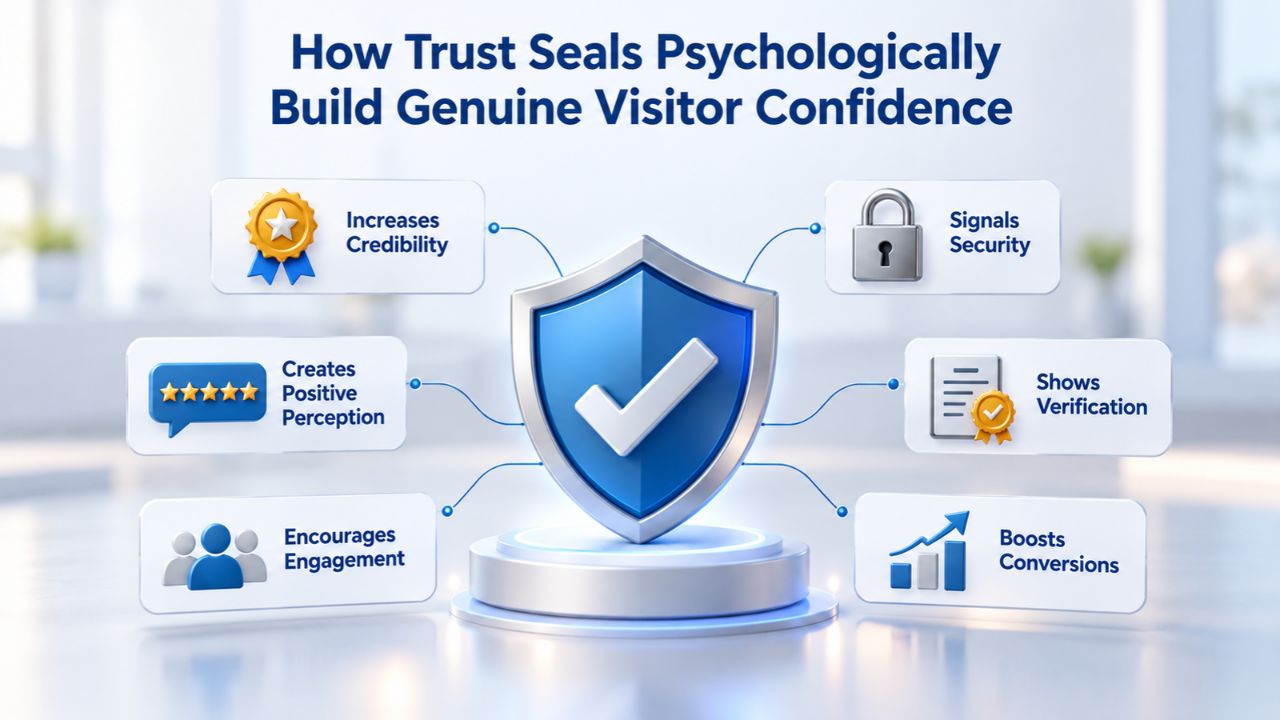
The psychological mechanism behind trust seals operates straightforwardly: a professional, recognizable visual badge from an established, trusted authority significantly reduces uncertainty and apprehension in visitors’ minds. When customers land on your website for the first time, they make rapid automatic judgments about whether the site appears trustworthy and safe. A strategically positioned trust seal speeds up that decision by providing immediate third-party verification and credibility, eliminating the need for visitors to verify your security claims through independent research.
Visual Trust Signals and Recognized Brand Authority
A trust seal communicates that a trusted independent third party has verified your website’s identity and security practices, which substantially builds credibility and confidence with prospective customers. The seal’s visual prominence, design quality, and professional presentation all matter; a well-designed, well-positioned security badge signals that your business takes visitor security seriously and invests in protection. Conversely, a seal that’s hard to find on your site, displayed in a low-quality format, or placed alongside dozens of other badges dilutes its impact and may appear suspicious to sophisticated visitors.
Research on consumer behavior consistently shows that three out of four consumers surveyed believed a website displaying a recognized trust seal is genuinely secure. When a specific, well-known seal is displayed, 74% of consumers report increased trust in the brand and substantially increased confidence in making purchases. Consumer recognition of the seal issuer matters considerably; a security seal from an established, well-known Certificate Authority or security company carries substantially more weight with customers than an unfamiliar badge from an unknown or obscure third party. This means selecting only seals your target audience recognizes, or that directly relate to your security setup, produces far better results than displaying every seal you can acquire.
Real-Time Verification Systems and Transparency as Trust Builders
Dynamic trust seals check your website’s security status in real time and update the badge display to reflect current security standing, continuously confirming active encryption, malware-free status, current business legitimacy, and active monitoring. If your website is infected with malware and flagged during a subsequent security scan, the dynamic seal updates immediately to reflect that threat status. If your SSL certificate nears expiration or expires, the seal’s appearance changes accordingly. This continuous, real-time feedback mechanism ensures your seal reflects your website’s current security status, not a historical certification that may no longer apply.
Transparency and verifiable proof substantially reinforce visitor trust and confidence. When visitors click your seal and review a detailed security report including the exact date of your most recent malware scan, your current blacklist status across major security providers, and SSL certificate validity confirmation, they gain genuine confidence that your security represents active, ongoing monitoring rather than a one-time check. This transparency also protects your business reputation; if a genuine security issue emerges, your dynamic seal updates or disappears automatically, alerting you and your visitors that immediate attention is required rather than letting a false sense of security persist and potentially damage your reputation when the issue is eventually discovered.
Optimal Placement Strategy for Maximum Conversion Impact
Placement strategy proves just as important as the seal itself when implementing trust seals on your website. Extensive research examining consumer behavior and conversion rate optimization patterns consistently demonstrates that trust seals positioned during high-anxiety moments, particularly during the checkout process, drive substantially stronger results than seals relegated to the site footer or other less-critical locations. Strategic placement keeps visitors focused on your security when security concerns most influence their decisions.
Checkout Forms and Payment-Critical Pages as Prime Real Estate
Trust seals perform best when placed near the call-to-action button or embedded within the checkout form itself, especially next to payment entry fields. This specific placement strategy directly addresses the psychological moment when visitor anxiety peaks most intensely, precisely when customers are preparing to enter sensitive credit card numbers or bank account information. A security seal positioned visibly at that exact critical instant reassures customers that their payment data will be encrypted and protected from interception.
The checkout page or payment form is the most critical and valuable place to display a trust seal on your website. Your seal should appear prominently and remain visible as visitors confirm their payment or proceed through the final stages of entering sensitive financial information. Some checkout implementations display the seal immediately adjacent to the “Pay Now,” “Place Order,” or “Complete Purchase” button. In contrast, others embed the seal directly within the form itself near the credit card input fields. Both approaches work as long as the seal stays clearly visible at the moment of decision.
Product Pages, Footer Locations, and Secondary Placement Strategies
Product pages benefit substantially from trust seals displayed near the product price and “Add to Cart” button, signaling website security and safety before the customer proceeds to checkout. This earlier placement stage builds confidence gradually, reducing pre-checkout abandonment by establishing credibility and security messaging before customers commit to their purchase. Footer placement works well for broader, site-wide credibility signals; business verification seals, BBB accreditation badges, or general security seals perform well in the footer because research indicates nearly thirty percent of survey respondents specifically look for security information and policy references there.
However, footer-only seal placement has minimal direct conversion impact compared to placing seals near purchase-decision points, because most customers have already decided their purchase likelihood by the time they scroll to the footer. Best-practice recommendations suggest displaying security seals prominently near your call-to-action buttons and within checkout forms, where they influence active purchase decisions; reserve footer placement for business verification badges and compliance certifications that reinforce overall brand legitimacy across your site, but don’t expect footer placement alone to impact conversion rates meaningfully.
Trust Seal Placement Effectiveness and Conversion Impact Table
| Placement Location | Seal Type Best Suited | Visitor Decision Point | Typical Conversion Impact |
|---|---|---|---|
| Checkout Form (Payment Fields) | Security Seals, Payment Badges | Final payment commitment moment | Highest, directly addresses anxiety at payment entry |
| Product Pages (Near Add-to-Cart) | Security Seals, Business Verification | Product-to-checkout transition | High, influences add-to-cart and checkout decisions |
| Homepage (Hero Section/Above Fold) | Business Verification, BBB Accreditation | Initial site credibility assessment | Moderate, establishes first-impression legitimacy |
| Shopping Cart Page | Security Seals, Payment Badges | Final pre-checkout checkpoint | High, reinforces security before form entry |
| Site Footer (Sitewide) | Business Verification, Compliance Badges | Post-decision legitimacy reinforcement | Low-to-Moderate, context-dependent effectiveness |
| Login or Account Pages | Security Seals | Customer data access protection | Moderate-to-High, sensitive data context |
| Contact Us / About Us Pages | Business Verification, BBB Seal | Establishes business authenticity narrative | Moderate, reinforces company legitimacy |
Optimize Your Placement Strategy with Professional Website Security
Strategic seal placement means nothing without real security backing it. Niya Digital’s Website Security Service combines malware scanning, Web Application Firewall protection, and monitoring with seamless trust seal integration. As a result, your placement strategy converts visitors into customers with confidence. Learn how proper protection layers amplify your seal’s effectiveness.
Distinguishing Dynamic Seals from Static Badges
A critical distinction exists between genuinely dynamic trust seals and simple static badge images that masquerade as trust seals. Understanding the difference between live, continuously updating seals and static images is critical to selecting a seal that protects your reputation and maintains visitor trust over time.
How Dynamic Seals Continuously Reflect Live Security Status
A dynamic trust seal checks your website’s security status and threat landscape in real time through automated backend systems and continuously updates the badge display to accurately reflect your current security standing, verifying active encryption, malware-free status, current business legitimacy, and ongoing monitoring activity. If your website suddenly becomes infected with malware and is flagged during a subsequent automated security scan, a dynamic seal updates immediately to reflect that threat detection. If your SSL certificate approaches its expiration date or expires, the seal’s appearance changes to warn visitors and alert you to required action. This continuous, real-time feedback loop ensures your seal consistently reflects your website’s actual security status.
Dynamic seals operate through backend connections to comprehensive Website Security monitoring infrastructure that automatically performs ongoing scans and continuous security checks on your site status around the clock. Every time a visitor clicks your seal to view security details, they see current data: today’s malware scan results, today’s blacklist verification checks, and today’s security status assessment. This information’s freshness and accuracy make dynamic seals genuinely credible and convincing to visitors. A seal showing scan results from three weeks ago becomes effectively meaningless as a trust signal.
Why Outdated and Expired Seals Actively Damage Your Credibility
A static seal that remains unchanged for weeks or months, showing the same scan date month after month, actively damages visitor trust rather than building it. Sophisticated visitors and security-conscious individuals quickly notice when a seal’s last-documented scan date is months old. They immediately draw the obvious conclusion: either your website has completely stopped monitoring its security, or the seal is fake and non-functional. If a seal displays outdated information, features a broken verification link, or produces no verification information when clicked, visitors’ trust and confidence in your business plummet immediately.
A broken, expired, or non-functional seal actually represents a worse outcome than displaying no seal whatsoever, because it actively signals to visitors that something is wrong with your site, that either your security monitoring has been abandoned or your seal is fraudulent. This creates negative reputation risk. This critical reality means choosing a Website Security Service that maintains genuine real-time monitoring and automatic seal updates is essential to protecting your brand. An outdated seal signals to visitors that your site has been neglected; a current seal shows your site receives active, ongoing protection and monitoring.
Connecting Trust Seals to Continuous Comprehensive Website Security Monitoring
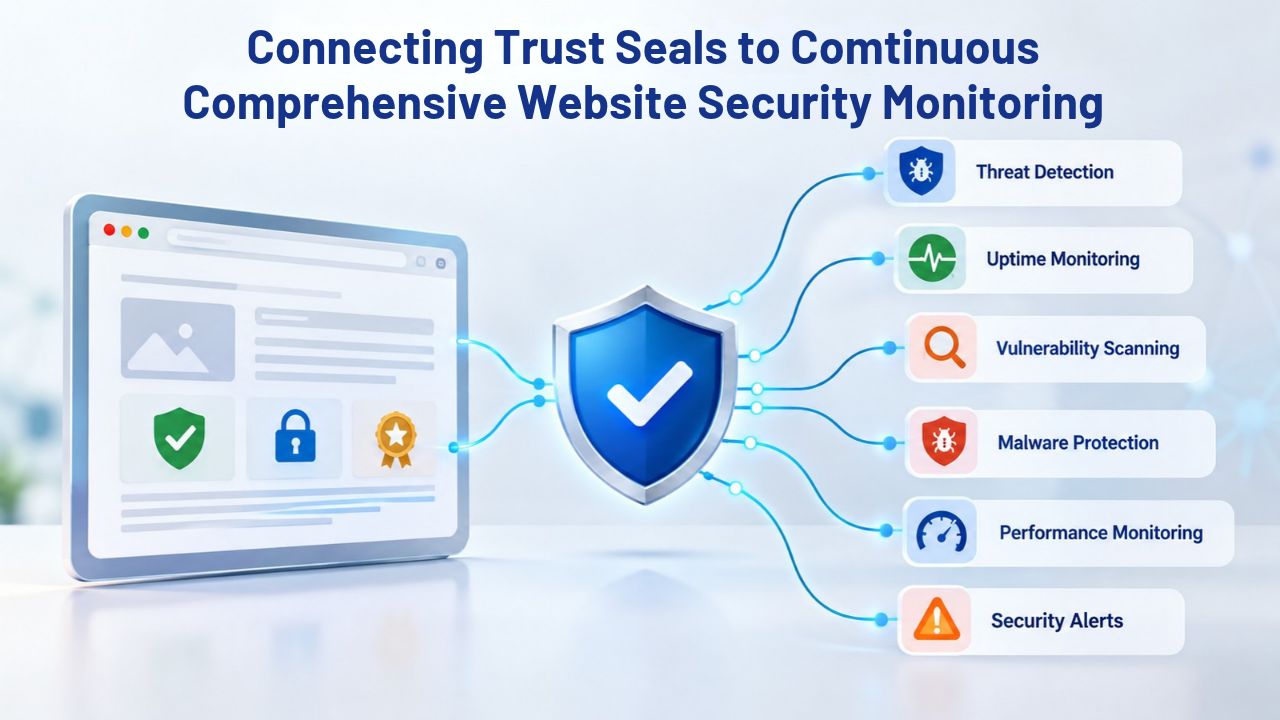
A trust seal’s credibility depends entirely on the strength of the security monitoring infrastructure supporting it. A badge displayed without real malware scanning, blacklist monitoring, or professional threat detection represents nothing more than decorative graphics. Understanding how top-tier trust seals integrate with genuine Website Security monitoring helps you select solutions that build authentic trust rather than false confidence.
Malware Scanning as the Foundation of Credible Trust Seals
Trust seals linked to ongoing security monitoring, including daily malware scanning, help prevent your site from appearing on search engine blacklists and in browser security warnings. When your website becomes infected with malware or injected with malicious code, major search engines like Google and web browsers like Chrome flag the entire site with prominent red warning screens. Visitors immediately see alarming messages like “This site may be hacked” or “This site contains malware,” prompting them to leave without browsing or purchasing. Daily automated malware scanning detects infections early, enabling rapid remediation before search engines or browsers flag and blacklist your site.
Your trust seal becomes genuinely meaningful and credible only when it reflects this active protection and monitoring. A seal displayed alongside continuous malware scanning tells visitors that your site is actively monitored and that emerging threats will be detected quickly and removed promptly. Without real scanning infrastructure and monitoring behind the badge, the seal is just a graphic. When you combine your seal with genuine Website Security monitoring, however, the badge becomes a symbol representing real protection, not false marketing.
Reputation Monitoring Systems and Preventing Blacklist Designation
Beyond core malware detection, comprehensive Website Protection includes active reputation monitoring that continuously tracks whether your site appears on search engine blacklists, antivirus vendor blocklists, or browser warning lists maintained by major security providers. Reputation monitoring ensures your website and business communications reach your intended visitors uninterrupted by tracking search engine and proprietary malware lists to prevent browsers or search engines from blocking your website. If your site becomes mistakenly flagged by security systems, or if an attack actually occurs, reputation monitoring detects the problem and alerts you immediately so you can fix it before substantial visitor traffic is lost to security warnings.
When your trust seal is backed by genuine, comprehensive reputation monitoring infrastructure, clicking the seal shows your visitors not just that your site is currently malware-free, but also that it’s not blacklisted by Google Safe Browsing, Norton antivirus, McAfee, or other major security provider lists. This layered, multi-faceted verification communicates substantially more credible protection than a seal without supporting infrastructure. Visitors gain confidence knowing that your site has been assessed against multiple major security databases and cleared by all of them.
Understanding Common Misconceptions About Trust Seals
Trust seals are powerful tools for building visitor confidence, but business owners and website managers often misunderstand them. Clarifying precisely what seals can realistically accomplish and what they cannot promise helps you establish accurate expectations and avoid wasting resources on seals that don’t genuinely fit your business needs.
Realistic Expectations About What Trust Seals Can and Cannot Promise
A trust seal does not guarantee that your website will never experience a security breach, will never contain malware, or will never experience a security incident of any kind. Seals function as verification badges, not as prevention shields or protection systems. Seals can legitimately promise that your website has undergone professional verification and scanning, and that visitors can trust the verification information is current and authentic. A security seal tells visitors, “this site was professionally scanned today and found to be free from malware,” not “this site is completely unhackable” or “a security breach will never occur here.”
Similarly, a business verification seal does not guarantee that the business is financially stable, that customer transactions will be fulfilled perfectly, that customer service will be responsive, or that the business will remain in operation indefinitely. A business verification seal verifies only that the business is registered with the appropriate authorities and maintains legitimate business status. Understanding these realistic limitations helps you choose seal types that match your actual value proposition and security capabilities, rather than overselling what your seal represents or making claims it can’t support.
How to Verify Whether a Seal Is Legitimate
A legitimate trust seal displays three defining characteristics:
(1) the seal is clickable and opens a detailed verification report or window containing specific information;
(2) the report displays genuinely current data, today’s scan date, current business registration status, present SSL certificate validity, etc.; and
(3) the seal updates automatically or disappears entirely if the underlying verification lapses or expires. A broken link, outdated or inconsistent information, or a seal that never changes are major red flags indicating the seal is counterfeit, expired, or unmaintained.
Visitors should be able to click the seal and trace it back to the issuing authority’s website; for example, a security seal should link to the issuer’s verification page, and a BBB seal should link to the business profile on the BBB’s official website. If the seal leads nowhere or redirects to an unrelated generic landing page, it’s not a legitimate verification badge. Smart visitors perform these verification checks automatically, so maintaining legitimate seal functionality is critical to preserving your reputation.
Choosing the Right Trust Seal for Your Specific Business
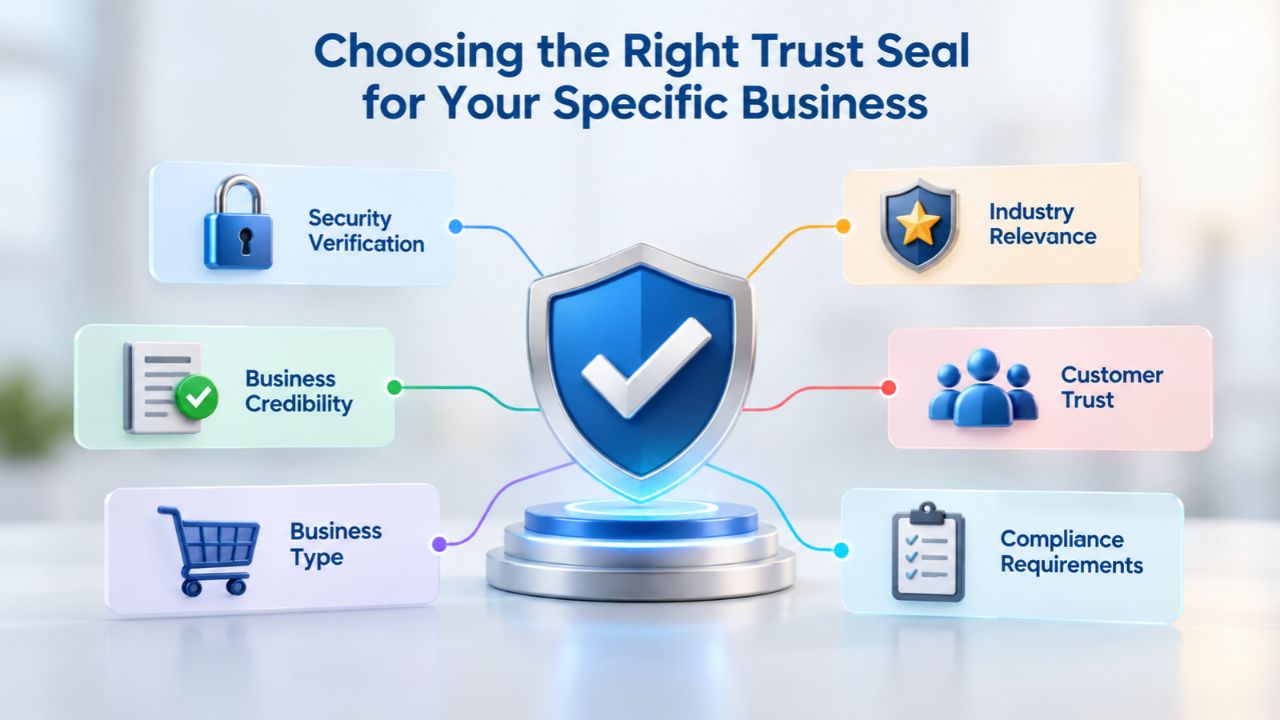
Selecting the right trust seal requires carefully matching the seal type to your business model, target customer base, and existing security infrastructure. A seal that works well for an e-commerce store may not suit a SaaS application, professional services firm, or content blog.
Strategic Seal Selection Based on Your Business Model
E-commerce stores that process customer payments directly need security seals and payment badges to reassure nervous buyers. Online retailers benefit most from seals backed by daily malware scanning and SSL verification, especially from established, recognized security providers. Service-based businesses, consultants, digital agencies, contractors, and repair services often benefit more from business verification seals like BBB accreditation, since they frequently don’t process credit cards directly but need to establish legitimacy and credibility with prospective clients.
SaaS applications and software-as-a-service companies may prioritize security certifications and compliance badges over traditional trust seals; SOC 2 certification, ISO 27001, or industry-specific compliance badges may matter substantially more to enterprise customers than a general security seal. Financial institutions and healthcare providers typically display compliance seals and security certifications alongside or instead of general security seals, since their customers expect proof of regulatory compliance. Matching your seal type to what your specific audience actually cares about and what genuinely differentiates your security posture produces far better results than displaying every possible seal you can acquire.
Evaluating Recognized Seals Against Lesser-Known Alternatives
Seals from established Certificate Authorities and recognized security providers enjoy substantially higher consumer recognition and trust in the marketplace. These seals deliver measurable conversion lift because most customers recognize them and understand what they represent. Lesser-known or niche seals may not have the same impact, though a genuine seal from any recognized provider is better than showing no seal at all.
However, research indicates that some seals can lower conversion rates or have a neutral impact, likely because most visitors don’t recognize them and therefore don’t understand the intended message. This evidence underscores the importance of choosing a seal that your specific target audience recognizes and trusts. Before implementing a lesser-known seal, honestly ask yourself: would my target customers recognize and trust this badge? If the answer is no, you should consider adopting a more recognized alternative or pairing a lesser-known seal with prominently visible Website Security monitoring infrastructure. Hence, the seal’s credibility rests on the visible security infrastructure behind it.
Getting Started with Website Security and Trust Seals
Implementing a trust seal on your website represents an important step toward building visitor confidence. The implementation process varies by seal provider and website platform, but the fundamental steps remain consistent. Beyond the technical steps, the most important factor is ensuring your seal is backed by real, continuous Website Security monitoring. As a result, your badge reflects genuine protection rather than a static image.
Implementation Process and Adding a Seal to Your Website
Adding a trust seal to your website starts with choosing a reputable provider, such as an established Certificate Authority, a comprehensive Website Security Service provider, or a business verification organization like the BBB. Most providers generate an embedded code snippet (typically JavaScript or HTML code) that you copy and paste into your website’s source code or into a widget area in your site builder platform. Most modern website platforms, including WordPress, Shopify, Wix, Squarespace, and others, offer straightforward ways to add custom code snippets without direct server access or technical expertise.
For WordPress websites specifically, the process involves accessing your website’s Widgets or Plugins area, adding a text widget to your desired location (footer, sidebar, or custom area), and pasting the seal code snippet into that widget. Most Website Security Service providers and certificate issuers offer simple plugins or apps (for WordPress, Shopify, and other platforms) where installation is essentially a one-click process that requires no technical knowledge. Website builders like Wix, Squarespace, and Shopify offer code-injection areas designed for this purpose. If your seal provider offers a dedicated plugin or app for your platform, that’s usually your fastest implementation path.
Maintaining Active Seal Status and Ongoing Effectiveness
After installation, your seal requires ongoing attention and monitoring to remain effective. If your SSL certificate expires, your malware scan becomes overdue, or your business registration lapses, a properly configured dynamic seal will automatically update, change color, or disappear entirely, and this behavior is intentional and correct. This automatic updating is a feature, not a bug; it ensures your seal always reflects your actual security status rather than displaying false confidence. To keep your seal performing effectively, maintain continuous, active Website Security monitoring and malware scanning through your chosen provider; renew your SSL certificate well before it expires; keep your Website Security Service subscription current and in good standing; and monitor your seal’s display status through your provider’s dashboard.
Many Website Security Services providers, including those powered by Sucuri (GoDaddy Website Security), offer real-time monitoring alerts and notifications if your seal status changes or if a security issue is detected, so you’re notified immediately rather than discovering the problem only after visitors have lost confidence in your website’s security. Check your provider’s dashboard regularly to confirm monitoring is running properly and your seal displays as expected.
Website Security Protection and Performance Layers Table
| Security Layer | Core Function | Visitor Trust Impact | Seal Display Component |
|---|---|---|---|
| Automated Malware Scanning | Daily detection of malicious code, backdoors, and trojans | Directly demonstrates active monitoring | Displays current scan date and malware-free status |
| Blacklist Reputation Monitoring | Tracks status across Google Safe Browsing, Norton, McAfee, and others | Confirms site not flagged by major security providers | Seal reflects blacklist clearance confirmation |
| Web Application Firewall (WAF) | Blocks SQL injection, cross-site scripting, and DDoS attacks at perimeter | Communicates proactive attack prevention | Seal shows “Protected” status when WAF active |
| SSL Certificate Monitoring | Verifies certificate validity, expiration, and proper configuration | Ensures encryption always active and valid | Seal confirms encryption status instantly |
| 24/7 Uptime Monitoring | Confirms site accessibility around the clock | Shows site remains available to customers continuously | Seal reflects current site availability status |
| Professional Incident Response | Expert team responds to and cleans up security incidents when they occur | Demonstrates access to professional security expertise | Seal backed by real support, not automated systems alone |
Ready to Establish Visitor Confidence?
Building genuine visitor trust requires combining visible security signals with real, ongoing Website Security monitoring. Niya Digital’s Website Security Service, powered by Sucuri (GoDaddy Website Security)’s industry-leading malware scanning and Web Application Firewall technology, integrates seamlessly with trust seal implementation to ensure your badge always reflects current, genuine protection. Explore comprehensive plans that include continuous malware scanning, blacklist monitoring, and professional incident response.
Frequently Asked Questions
What is the precise difference between an SSL certificate seal and a comprehensive trust seal?
An SSL certificate seal, often called a “site seal,” specifically verifies that your website uses encryption to protect data traveling between the visitor’s browser and your server, typically the HTTPS protocol. A trust seal is much broader and may include SSL verification plus business legitimacy verification and malware scanning. Many modern trust seals include SSL verification as one component among several. In contrast, a comprehensive trust seal verifies that your business is registered as legitimate and that your site undergoes malware scanning. For e-commerce that requires payment processing, you need both protection layers and both types of seals.
How frequently should my trust seal update or refresh its information?
Dynamic trust seals should update every single time your Website Security Service runs a malware scan, typically daily for most professional services. Your seal’s display should consistently show today’s or yesterday’s scan date. If your seal displays a scan date from weeks or months ago, either your monitoring has lapsed, or the seal is static rather than dynamic. Log into your seal provider’s dashboard regularly to confirm scanning remains active and your seal updates as expected.
Can I safely display multiple trust seals simultaneously on my website?
Yes, but strategic limitations apply. Multiple seals can effectively reinforce trust if they represent different verified statuses, for example, a security seal from one provider, BBB accreditation, and payment method logos addressing different customer concerns. However, excessive badge clutter dilutes impact and creates visual confusion. Best practice recommends selecting two to four complementary seals that address different trust concerns rather than accumulating dozens of badges across every page.
What happens when my trust seal suddenly disappears or changes color unexpectedly?
A seal that disappears or changes color is alerting you to a problem, typically that your Website Security subscription has lapsed, your scheduled malware scan is overdue, your SSL certificate has expired, or your site has been flagged for malware or blacklisting. Check your seal provider’s dashboard immediately to identify and address the underlying issue. A broken or missing seal signals to visitors that your security infrastructure has failed, so rapid resolution is critical to protecting your reputation.
Do trust seals actually increase e-commerce conversions measurably?
Yes, particularly for e-commerce businesses. Research shows that 88% of US online shoppers consider trust seals important, and 70% have canceled transactions because of missing seals. However, conversion impact depends heavily on industry, target audience, and placement; e-commerce sites see stronger results than information sites, and checkout placement drives better results than footer placement alone. Trust seals represent one important factor among many influencing purchase decisions, not a standalone conversion guarantee.
Can displaying a fake or outdated trust seal harm my website’s credibility?
Absolutely. A seal with outdated scan dates, broken verification links, or no verification information damages trust more than showing no seal at all, signaling negligence or deception. Sophisticated visitors and security-conscious browsers notice stale seals immediately. Always ensure your seal is backed by active monitoring and displays current, accurate information.
Which matters more: a recognized seal brand or current scan dates?
Current scan dates matter more. A seal showing today’s or recent dates from any provider demonstrates active monitoring. In contrast, an outdated seal from a famous brand suggests your site has been abandoned. That said, a current seal from a recognized, established provider combines brand recognition with active verification for maximum impact and visitor confidence.
Do I need a trust seal if my hosting provider is already well-trusted and established?
A trusted hosting provider certainly adds credibility, but doesn’t replace a trust seal. Hosting providers manage server infrastructure; they don’t scan your website for malware or verify your business legitimacy. A trust seal adds a visible, clickable verification layer that your host’s reputation cannot provide. For e-commerce or sites collecting sensitive data, both a reputable host and an active trust seal are recommended together.
What should I do immediately if my website gets hacked and my seal disappears?
Your seal will disappear or show warning status if malware is detected or your site is blacklisted. While concerning, this protects your reputation by preventing false security claims. Contact your Website Security Service provider immediately to begin malware removal and remediation. Once your site is cleaned and removed from blacklists, your seal will automatically update to reflect restored security status.
How do trust seals relate to my site’s search engine optimization and rankings?
Trust seals don’t directly impact SEO rankings, but they can support them indirectly. Websites with malware infections or blocklist flags can face ranking penalties from Google; continuous malware scanning helps catch infections early and prevent these penalties. Additionally, some search engines display “Seal-in-Search” features showing trust seals in result listings, providing slight visibility boosts.
Should I use a free trust seal, or should I invest in a professional paid seal?
Free seals exist but often lack genuine, continuous Website Security monitoring. Paid seals from established providers typically include daily malware scanning, comprehensive blacklist monitoring, and updated verification data, making them worthwhile for e-commerce or sites handling sensitive customer data. A professional seal backed by real, continuous monitoring is substantially more valuable than a free static badge.
How do I integrate a trust seal into my specific website platform or CMS?
Most Website Security Services provide integration guides and documentation for WordPress, Shopify, Wix, Squarespace, and other platforms. Typically, you copy a code snippet into a widget or plugin area. If your provider offers a dedicated plugin or app for your platform, one-click installation is usually available. Contact your seal provider’s support team if integration instructions for your specific platform aren’t clear.
What kind of Website Protection should a trust seal actually represent?
A credible trust seal represents genuine, continuous Website Security monitoring, including daily malware scanning, real-time blacklist checking, SSL certificate monitoring, Web Application Firewall protection, incident response capabilities, and rapid malware removal services. The seal functions as a visible representation of this comprehensive protection. Seals without this infrastructure behind them are essentially meaningless graphics.
Should I display my trust seal in email marketing campaigns to customers?
Yes, when appropriate and relevant. Displaying a trust seal in emails to existing customers reinforces security confidence and can increase email-to-purchase conversion rates. Include the seal in email footers as a clickable link returning to your site’s trust verification page. Don’t overload email content with excessive badges; one or two carefully placed seals per email is optimal.
What is the actual difference between a trust seal and a security badge?
These terms are often used interchangeably, though technically a “security badge” may refer specifically to SSL/encryption verification. At the same time, a “trust seal” encompasses broader verification, including business legitimacy and malware scanning. Most modern trust seals combine multiple verification components, SSL, malware scanning, and business verification, into a single integrated badge. Review your provider’s documentation to confirm what specific verifications your badge represents.
Glossary
- Blacklist / Blocklist: A list maintained by search engines (Google Safe Browsing), web browsers (Chrome, Firefox, Safari), or antivirus software vendors (Norton, McAfee, Avast) of websites identified as containing malware, phishing content, ransomware, or other security threats. Sites appearing on blocklists are warned about or blocked entirely from visitor access.
- Certificate Authority (CA): A trusted third-party organization that issues digital security certificates (including SSL certificates) and verifies the identity and security legitimacy of websites. Certificate Authorities frequently provide trust seals and security badges as part of their verification services.
- A dynamic seal: Uses real-time verification technology to update automatically and continuously reflect a website’s current security status, including recent scan dates, encryption validity status, and malware detection results. Dynamic seals contrast sharply with static seals that display single, unchanging images.
- Extended Validation (EV) SSL: The highest security tier of SSL certificates, requiring thorough third-party verification of business identity, legitimacy, and ownership. EV certificates display distinctive green address bar indicators in web browsers, communicating maximum security assurance to visitors.
- Malware Scanning: Automated, systematic examination of website files, databases, server code, and embedded content to detect viruses, trojans, backdoors, ransomware, and other harmful malicious programs injected by attackers.
- Reputation Monitoring: Continuous surveillance and checking of whether a website appears on search engine blacklists, browser warning lists, antivirus software vendor blocklists, or other security provider reputation databases.
- Trust Seal / Trust Badge: A recognizable visual badge, logo, or graphic displayed prominently on a website to communicate that the site meets specific, independently verified security standards or business legitimacy requirements.
- Web Application Firewall (WAF): Specialized security infrastructure and technology that monitors, filters, and blocks incoming web traffic and requests to prevent common web application attacks, including SQL injection, cross-site scripting (XSS), cross-site request forgery (CSRF), and distributed denial-of-service (DDoS) attempts, before they reach website servers.