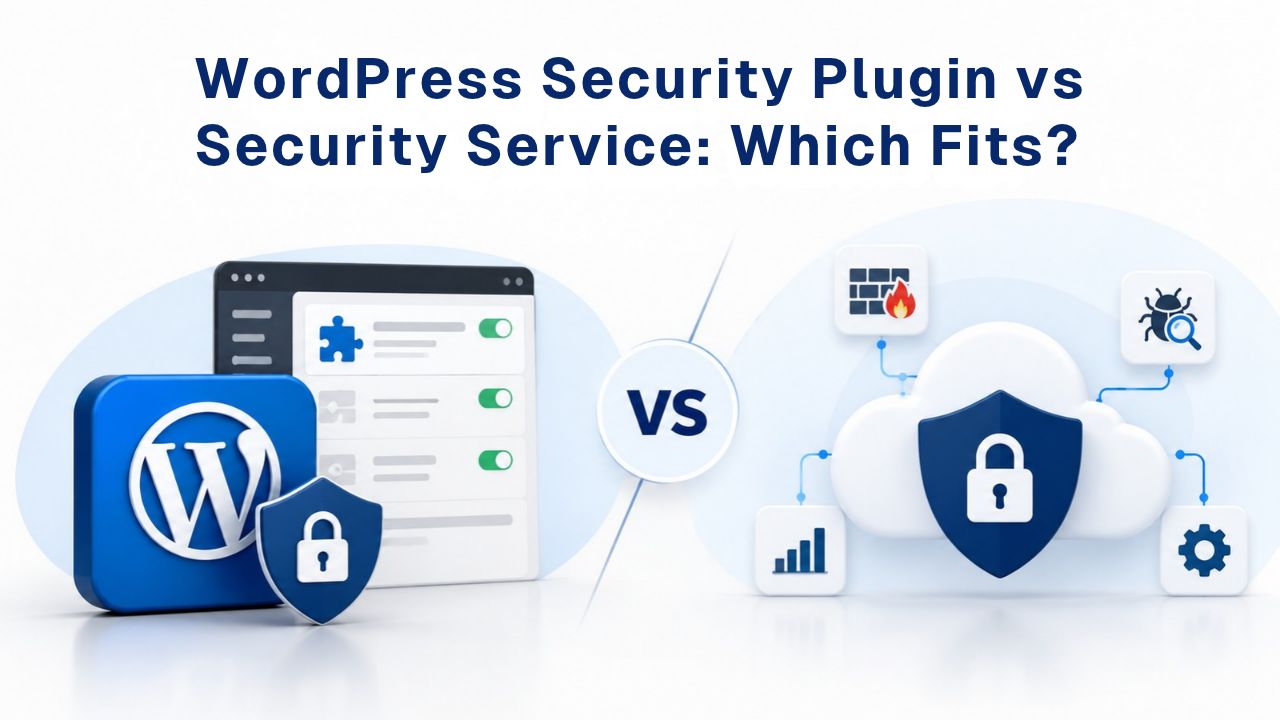
Your WordPress site faces constant threats, malware injections, brute-force login attacks, and sophisticated network-level exploits designed to steal customer data or hold your site hostage. When a browser flags your site with a malware warning or search engines remove you from results, recovery becomes urgent and expensive. The choice between a DIY security plugin and a managed website security service determines how quickly you detect threats, respond to incidents, and restore visitor trust. Niya Digital offers a Website Security Service powered by Sucuri’s malware-scanning engine, Web Application Firewall, and DDoS-mitigation infrastructure. Website security depends on multiple factors outside any single provider’s control; server configuration, CMS and plugin update discipline, and password practices all matter significantly.
How WordPress Security Plugins Protect Your Site
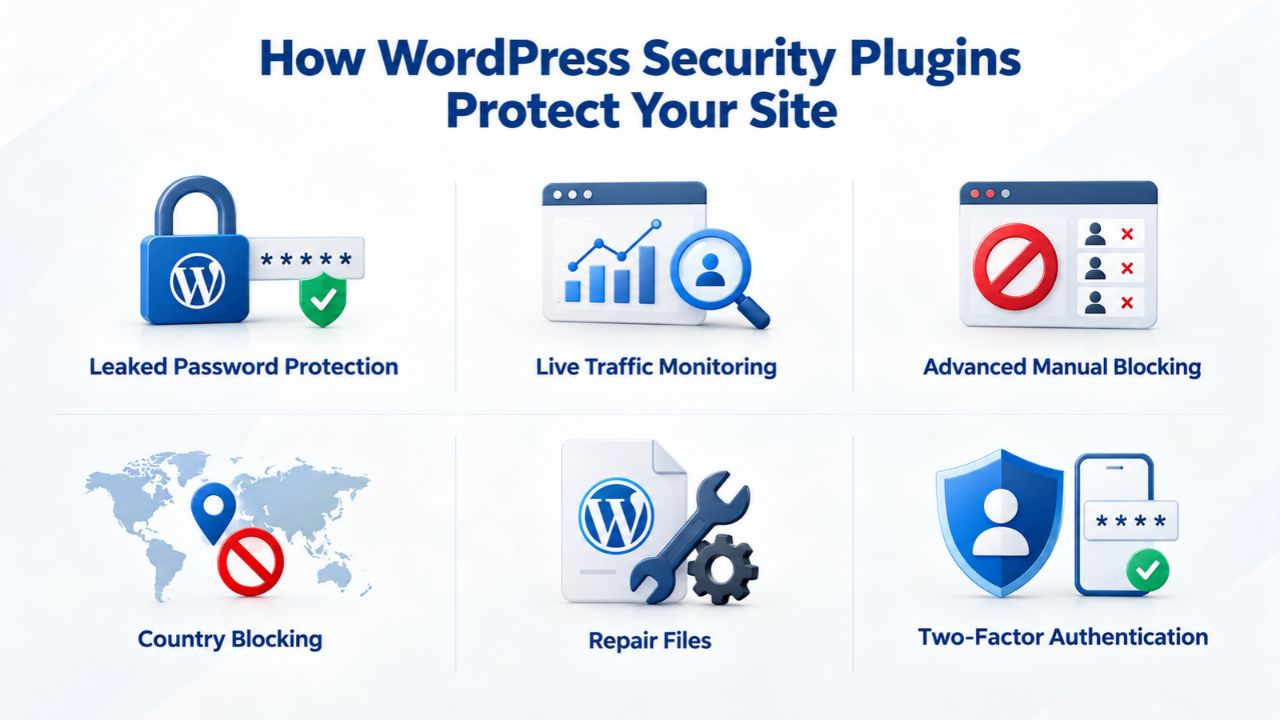
WordPress security plugins install directly into your content management system, running local scans and configurable defenses at the application level. They represent the self-managed security model, where you control scan frequency, firewall rules, update schedules, and the full incident-response workflow.
Understanding Plugin-Based Detection Mechanics
WordPress security plugins detect malware through three primary methods. File-integrity checks compare your WordPress core files, themes, and plugins against known-clean versions from the official repository and flag any unauthorized changes. Signature-based detection scans your files against a regularly updated database of known malware code patterns; each new threat signature is added by the plugin vendor’s security research team. Database scans examine your WordPress database, looking for injected code hidden in post content, user entries, or database tables. Attackers commonly hide malicious scripts in database records to persist even after file cleanups.
The plugin runs entirely on your hosting server’s processing power, which means detection speed depends directly on your server’s resources and the scan frequency you configure. GoDaddy’s Website Security platform lets you choose from multiple scan intervals: every 30 minutes for high-traffic sites, every 12 hours for moderate sites, or once daily for lower-traffic installations. This flexibility matters because more frequent scans use more server resources, which can slow your site during scan windows. Most plugin-based malware removal happens manually: when the plugin detects an infection, you receive an alert and must personally investigate the malware, determine whether to quarantine or delete suspicious files, research how to remove it, or purchase a paid cleanup service bundled with the plugin.
Plugin-Level Firewall and Hardening Features
WordPress security plugins implement application-level firewalls by filtering login attempts and blocking known attack patterns at your site’s login page and XML-RPC interface. Brute-force protection locks out users after a set number of failed login attempts, typically 5–10 failed passwords in a row. Plugins sync with global blocklists of known attacker IP addresses to pre-emptively block malicious traffic before it ever reaches your login form. File-change monitoring alerts you if any WordPress file is modified unexpectedly, which helps detect sophisticated backdoors that don’t trigger malware signatures.
Plugins have a fundamental architectural limitation: they cannot stop network-level Distributed Denial of Service (DDoS) attacks because those attacks reach your hosting server before your plugin code ever executes. A DDoS attack is essentially a flood of traffic from thousands of compromised computers all hitting your site simultaneously; your plugin runs on your server and sees nothing until after the attack traffic has already arrived and begun overwhelming your resources. Similarly, plugins operate only at the application layer; they cannot filter incoming traffic at the network or infrastructure level. This means plugin security is always reactive, one step behind an attacker who has already penetrated your CMS environment.
Website Security Plans & Pricing
Protect your website with flexible security plans designed to safeguard your data, prevent threats, and maintain reliable online performance. Choose the right level of protection for your business needs, with essential security features that help keep your website secure, available, and trusted by visitors.
Website Security Essential
Detect and remove malware. Malware scan and removal.
- Protection for unlimited pages within a single website
- 12-hour response time
- Unlimited malware removal
- Blacklist monitoring & removal*
- Multiple site protection available
Website Security Deluxe
Proactively secure your site. Malware scan and removal + ongoing protection.
- Protection for unlimited pages within a single website
- 12-hour response time
- Unlimited malware removal
- Blacklist monitoring & removal*
- WAF malware prevention**
- CDN performance accelerator***
- Multiple site protection available
Website Security Express
Fix my hacked site now. Expedited malware removal + ongoing protection.
- Protect one site
- 30-minute response time
- Unlimited malware removal
- Blacklist monitoring & removal*
- WAF malware prevention**
- CDN performance accelerator***
How Managed Website Security Services Protect Your Site
A managed website security service operates at the network and infrastructure level, intercepting threats before they reach your hosting server. Niya Digital’s Website Security Service, powered by Sucuri (GoDaddy Website Security)’s infrastructure, combines cloud-based malware scanning, a Web Application Firewall (WAF), and DDoS mitigation under centralized 24/7 monitoring and professional incident response.
Network-Level Threat Detection and Blocking
Sucuri’s malware-scanning engine uses a hybrid approach: remote cloud scanning monitors your site continuously. At the same time, an optional server-side agent scans your file system from within your hosting environment. Remote scanning catches threats without consuming your server resources; the cloud service does the heavy computational work. The Sucuri Web Application Firewall (WAF) is cloud-based and runs on a globally distributed network, positioned between the internet and your hosting server. Every visitor request passes through the WAF, which analyzes incoming traffic looking for SQL injection attempts, cross-site scripting (XSS) payloads, brute-force patterns, and other known attack signatures, blocking malicious requests in real time before they reach your WordPress installation.
When the WAF detects a malicious request, it blocks the request immediately, logs it for analysis, and continues allowing legitimate traffic through. Your site never sees the attack. Sucuri’s DDoS mitigation infrastructure deflects attack traffic at the network edge, absorbing and filtering volume-based and protocol-level attacks before they consume your hosting bandwidth. During a large DDoS attack, the managed service absorbs millions of malicious requests while your legitimate visitors experience normal site performance. This is the critical architectural difference: a managed service protects against threats your plugin can never see by stopping attacks before they reach your infrastructure.
Incident Response and Hands-On Support
When malware is detected, Sucuri provides guaranteed response times for cleanup, from 4 to 12 hours depending on your plan level. A dedicated security team investigates the infection, determines its scope, isolates the malicious files or code, removes the malware, and restores your site from verified clean backups.
Niya Digital’s team manages your onboarding, provides account management and escalation, and coordinates directly with Sucuri’s security operations center during an incident; you have a human point of contact who understands your site and can communicate progress. By contrast, plugin users must research the infection themselves, download security advisories, run cleanup commands manually or learn complex file-restoration procedures, and may need to hire an external security consultant if the cleanup exceeds their technical capacity.
Key Differences in Scope and Coverage
The most significant operational difference is scope of protection. WordPress security plugins defend only your application layer, the CMS code and database. Managed services defend simultaneously at the application layer (malware scanning), the infrastructure layer (WAF), and the network layer (DDoS mitigation).
What Each Approach Stops
| Security Layer | Threat Type | WordPress Plugin | Managed Service | Why It Matters |
|---|---|---|---|---|
| Application | Malware in files | ✓ Scans & alerts | ✓ Detects + removes | Plugin relies on you to act; service handles cleanup automatically |
| Application | Database injection | ✓ Scans database | ✓ Scans + removal | Plugin finds it; service team removes it within SLA timeframe |
| Application | Brute-force attacks | ✓ Rate-limits login | ✓ Rate-limits + WAF blocks | Service blocks attacks before they reach your server |
| Application | SQL injection/XSS | Limited | ✓ WAF blocks before reaching server | Plugin cannot intercept; service stops attack at entry point |
| Network | DDoS attacks | ✗ Cannot defend | ✓ Mitigation at network edge | Plugin is useless here; attack floods server before code runs |
| Network | Malicious bots | Limited | ✓ WAF filters bad bot traffic | Service identifies and blocks bad bots at the firewall |
| Monitoring | Blacklist tracking | ✗ No monitoring | ✓ Continuous monitoring | Service watches for Google/browser blacklist flags automatically |
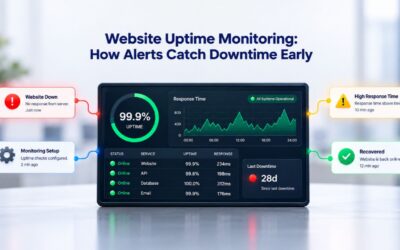
| Uptime | Monitoring & alerts | ✗ No monitoring | ✓ 24/7 uptime monitoring | Service detects downtime and alerts you immediately |
Coverage Limitations and Site-Risk Assessment
The plugin-versus-service choice hinges on your site’s business model and the attack surface you present. Personal blogs, portfolio sites, and informational resources rarely attract DDoS attacks or sophisticated network-layer threats; attackers target high-value sites for financial return or data theft. Small sites with minimal traffic, no sensitive data, and no revenue dependency can operate safely with plugin-only security because they’re not worth attacking. E-commerce sites, membership platforms, content delivery systems, and any site handling customer personal data or payments become attractive targets for network-level attacks; they justify the attacker’s effort.
Site Cleanup, Recovery, and Downtime Impact
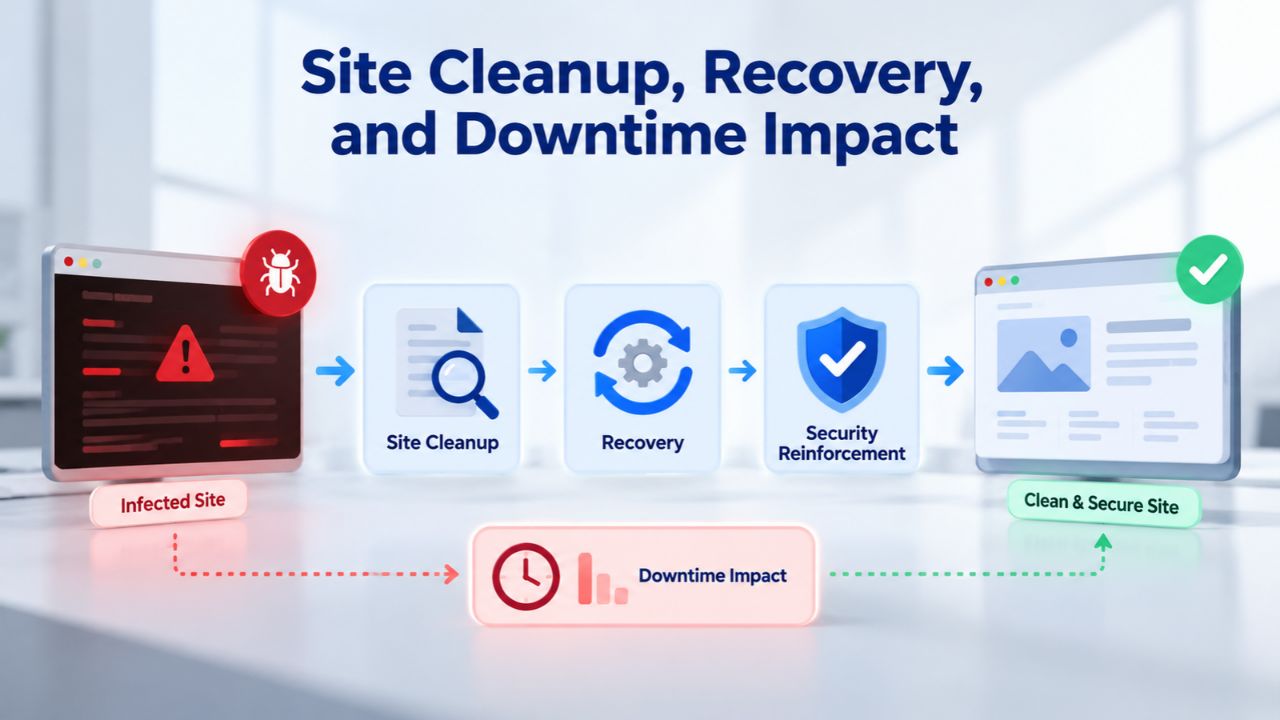
When malware is discovered on your site, the speed and completeness of recovery directly affect your business reputation, search engine rankings, and customer trust. Google’s Safe Browsing technology automatically blacklists sites with detected malware, displaying prominent warnings in search results and blocking visitors in Chrome and Firefox. Customers see “This site may be hacked” and avoid your site. Recovery requires proving malware removal to Google, waiting for their verification, and requesting delisting, a process that can take days to weeks depending on infection complexity.
Plugin-Based Cleanup Workflow
With a WordPress security plugin, the workflow is entirely your responsibility. When the plugin alerts you to malware, you must first diagnose the infection, examine log files, compare file hashes, research the specific malware signatures detected, and determine whether the alert is genuine or a false positive. You then decide whether to quarantine suspicious files, delete them, or restore from backup. If you misidentify a file and delete your site’s core functionality, you risk breaking your site for customers.
If the plugin cannot remove the malware automatically, you hire a security consultant for emergency cleanup (typically 500–2,000 depending on complexity) or purchase a paid cleanup add-on bundled with the plugin (99–299 per incident). Only after you’ve personally verified that all malware is removed can you submit your site to Google for manual review and request removal from the blacklist. The entire process- diagnosis, cleanup, and recovery- can take days or weeks.
Managed Service Cleanup and Recovery
When Niya Digital’s Website Security Service detects malware, incident response initiates immediately. Sucuri’s security team handles the full investigation, quarantine, cleaning, and verification process, restoring your site from verified clean backups and ensuring no malware traces remain. Cleanup response times are guaranteed from 4 to 12 hours depending on plan level, significantly faster than DIY cleanup or waiting for external consultants. You communicate with one point of contact, your Niya account manager, who coordinates directly with Sucuri’s operations center, provides status updates, and handles all technical details. Once cleanup is verified, the service automatically resubmits your site to Google for delisting. The managed service handles the entire recovery workflow while you focus on business continuity.
For e-commerce sites, membership platforms, or any business where downtime costs revenue directly, this operational difference is the entire value proposition: downtime means lost sales and damaged customer relationships; managed incident response minimizes both.
Operational Burden: Configuration, Updates, and Monitoring
Managing a plugin-based security posture requires ongoing active involvement; you must keep the plugin updated, configure firewall rules, interpret security alerts, and make judgment calls about suspicious activity. Managing a service requires initial setup and then delegating monitoring to professionals.
Your Responsibility with a Plugin
You must keep your security plugin updated, as outdated plugins have known vulnerabilities that attackers actively exploit. You configure scan frequency; too infrequent and you miss infections; too frequent and your server performance suffers. You receive alerts about suspicious login attempts, file changes, and malware signatures, and must personally decide which are genuine threats and which are false positives.
Experienced site owners can develop alert fatigue and miss real threats amid dozens of daily notifications. For any firewall rule tuning, deciding which IP addresses to block, creating custom protection rules, or adjusting sensitivity thresholds, you need technical knowledge or must hire external help. Plugin backup features require you to remember to test restores periodically; a backup that cannot be restored is useless during a crisis.
Niya Digital’s team has observed that many small business owners either misconfigure their security plugins, leaving significant gaps, or disable plugins after alert fatigue makes them feel like noise. As a result, sites run outdated plugin versions and disabled protections, leaving them exposed to threats the owners believe are mitigated.
What a Managed Service Handles
Niya Digital manages your Web Application Firewall configuration, continuously updates malware signatures and attack-pattern detection, and handles all monitoring and rule tuning on your behalf. Monitoring runs 24/7 without your involvement; alerts reach you only when action is required, not for every scanned file or suspicious pattern. Backups are automated and tested; recovery is guaranteed by the service level agreement (SLA). Niya Digital’s team provides hands-on onboarding support, guiding you through initial setup, answering configuration questions, and adjusting firewall rules based on your site’s legitimate traffic patterns so you avoid false-positive blocking. This operational offloading appeals to busy site owners: you trade a monthly service fee for the time you would otherwise spend configuring, monitoring, and troubleshooting security tools.
Protect Your WordPress Site Today
If your site handles customer data or your business depends on uptime, Niya Digital’s Website Security Service eliminates the guesswork and operational burden. Guided setup, hands-on account management, and direct coordination with Sucuri’s 24/7 security operations center give you professional protection without the complexity.
Compliance and Trust: Regulatory Requirements and Search Engine Recovery
If your site handles customer payments, collects personal data, or operates under data-protection regulations, security monitoring and audit trails become compliance requirements, not optional security hardening.
Regulatory Monitoring and Evidence
PCI DSS (Payment Card Industry Data Security Standard) requires websites processing credit card payments to implement active threat monitoring and documented incident response. Payment processors conduct regular compliance audits that verify you detect and respond to breaches within defined timeframes, with forensic evidence and timestamps. A plugin’s local server logs may satisfy basic requirements, but managed services provide centralized audit trails, incident tickets, response timelines, and documented cleanup procedures, evidence that professional auditors recognize and trust. When your server is compromised, attackers can modify or delete local logs to cover their tracks; cloud-based logs from the managed service are independent, and an attacker inside your hosting environment can’t tamper with them.
GDPR (General Data Protection Regulation) requires rapid breach notification if personal data is exposed, along with evidence of remediation within strict timeframes. A managed security service provides incident documentation, automatic notifications to your account manager, and coordinated communication with regulators. The service’s incident report and forensic analysis become part of your compliance evidence.
Search Engine Ranking Impact and Recovery
Google’s Safe Browsing system flags sites with detected malware and removes them from search results. During the blacklist period, your site receives zero organic search traffic, a catastrophic impact for any business dependent on search engine visitors. Recovery time depends entirely on how fast the malware is detected and cleaned, then verified and resubmitted to Google. A managed service submits your site for delisting automatically once cleanup is confirmed; a plugin user must request manual review after personally cleaning the site, adding days or weeks to recovery. This delay, multiplied across weeks of lost search traffic, often exceeds the cost of a full year of managed security service.
Cost and Total Cost of Ownership
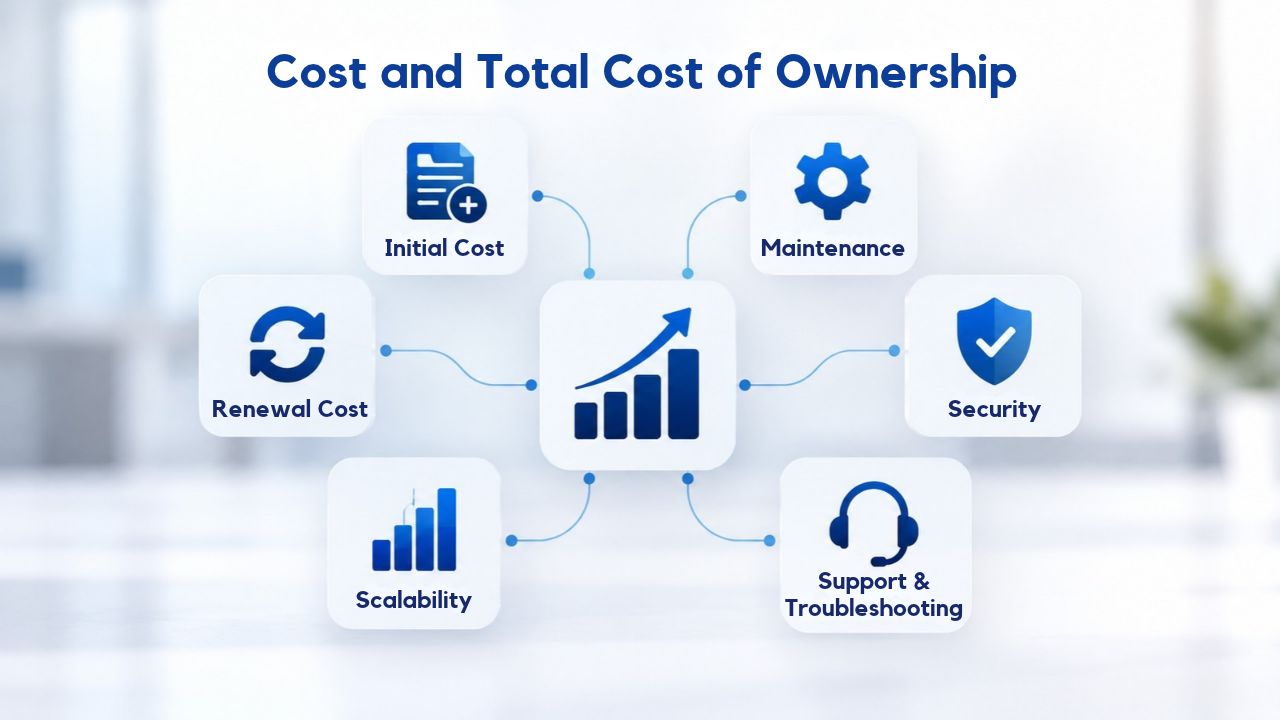
Plugin-based security has a lower per-transaction cost but includes hidden incident expenses; managed services cost more upfront but fold incident response into the service level agreement.
Understanding Plugin Economics
Self-managed WordPress security requires weighing multiple cost factors. Free WordPress security plugins offer baseline malware detection but limited features. If your site is infected and you manage cleanup yourself, you invest dozens of hours researching the malware, learning cleanup procedures, and testing your backups. If you hire an external consultant for emergency cleanup, you pay 500–2,000 depending on infection complexity.
If your site is blacklisted by Google and organic traffic disappears for a week, that lost revenue opportunity, combined with the time required to recover search ranking, often exceeds what you would spend on a year of managed security. A plugin provides genuine value for small blogs with no business revenue dependency, portfolios, and informational sites where downtime has minimal financial impact.
Understanding Managed Service Economics
Managed website security services operate on a subscription model where you pay a regular fee and receive comprehensive protection plus incident response. The service covers malware scanning, WAF maintenance, DDoS mitigation infrastructure, 24/7 monitoring, incident response, and blacklist removal coordination. For an e-commerce site or a business where downtime directly costs revenue, the annual service investment is recouped within a single avoided incident. For a small blog with no revenue dependency, the service cost may not justify itself unless you lack the time and technical knowledge to manage a plugin effectively.
Decision Matrix: Site Type and Recommended Approach
| Site Type | Monthly Traffic | Customer Data | Business Revenue Dependency | Recommended Approach | Why |
|---|---|---|---|---|---|
| Personal blog | <1K | None | None | Plugin-based | Low risk; cost-effective; owner has time |
| Local service business | 1K–10K | Minimal | Moderate | Plugin + monitoring | Some risk; owner tech-savvy; growth potential |
| Small e-commerce | 10K–50K | Payment data | High | Managed service | PCI compliance, downtime costs sales |
| Professional services | 10K–100K | Client data | High | Managed service | Reputation critical, data sensitivity high |
| High-traffic/SaaS | 100K+ | Sensitive user data | Critical | Managed service + plugin | DDoS risk, regulatory compliance, 24/7 uptime required |
When Each Approach Makes Sense
Your site’s traffic volume, business model, and the sensitivity of data you handle determine which security approach is appropriate.
Choose a Plugin If:
Your site is a personal blog, hobby project, or informational resource with no revenue dependency; downtime and brief blacklists don’t impact your business. You have the time to investigate alerts, update the plugin regularly, and do basic malware cleanup or restore from backups. Your hosting provider has strong server-level security practices, and you trust their infrastructure. Your site has no compliance requirements (PCI DSS, GDPR, HIPAA, SOC 2). You’re budget-conscious and willing to accept longer recovery times if infected, knowing you’ll hire external help only if necessary. Your site doesn’t handle customer payments or sensitive personal data. You have a regular backup routine and have tested your restore procedures so you can recover quickly if needed.
Choose a Managed Service If:
Your site processes payments or handles customer personal data subject to regulatory compliance (PCI DSS, GDPR, HIPAA). Your business depends directly on uptime and search rankings; downtime costs you revenue, customer trust, or business operations. You operate a high-traffic site (10K+ monthly visitors) that attracts DDoS attacks as a normal threat. You lack the technical capacity to manage a security plugin effectively, interpret alerts accurately, or execute incident cleanup yourself. You want a single point of contact for security questions, incident support, and regulatory compliance documentation. Your hosting provider integrates managed security (like Niya Digital’s service through your domain registrar). You want guaranteed cleanup response times and automatic blacklist removal coordination to minimize business disruption.
Niya Digital’s team has observed that small e-commerce sites and professional-service businesses (consulting agencies, financial services, medical practices) often migrate from plugin-only security to managed service protection after their first malware incident; the cost of downtime makes the managed-service fee obviously worth it in hindsight, and they become willing to invest proactively instead of reactively.
Making the Transition from Plugin to Managed Service
If you’re currently running a security plugin and decide that managed service protection makes business sense, the transition is straightforward and requires no downtime.
Migration Steps and Timeline
Start by backing up your current site configuration, DNS records, and any custom firewall rules from your plugin;; this helps you remember your security setup preferences. If your plugin provides detailed firewall logs or blocklists of IPs you’ve manually blocked, save those for reference so you can potentially reapply important rules to the managed service. Set up your domain with Niya Digital’s Website Security Service through your account; Niya’s onboarding team guides you through the entire process, usually completing the initial DNS and nameserver changes within 10–30 minutes.
The Web Application Firewall and malware scanning activate immediately once DNS propagates through the global network, typically 2–24 hours depending on your domain registrar and TTL settings. You can keep your existing plugin active during the transition period for added redundancy; once the managed service is fully active and you’ve verified that scans are working correctly, you can deactivate the plugin to reduce server overhead.
What You Lose and Gain
You lose direct local control of scan frequency and firewall rule configuration; the managed service manages these parameters for you, which most site owners welcome because it eliminates ongoing configuration burden. You gain automatic DDoS mitigation that plugins cannot provide, professional 24/7 incident response and investigation, centralized monitoring and alerting, guaranteed cleanup within defined SLAs, and automatic blacklist removal coordination with Google and browsers. DNS routing through the managed service hides your hosting IP address and server details from attackers, providing security hardening no plugin can match. Your site becomes more resilient to attacks and less likely to be discovered by potential attackers.
Building Your Complete Website Security Strategy
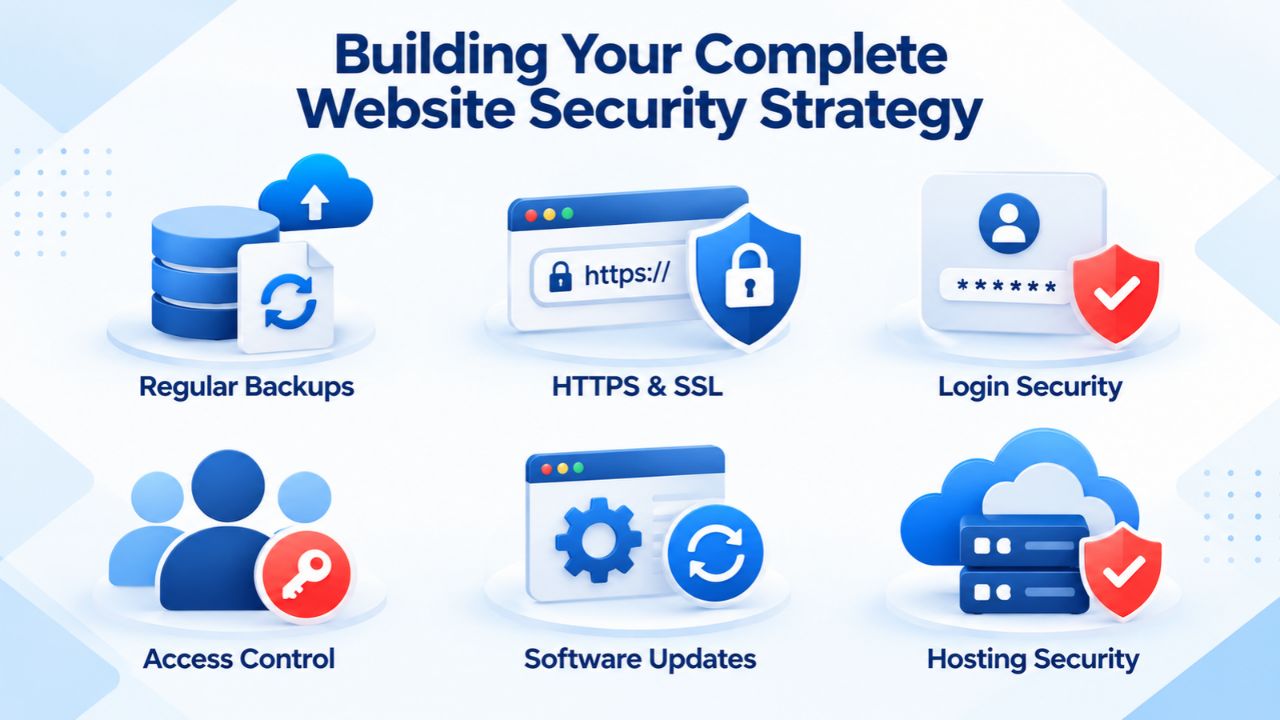
Security is not a one-time implementation or a single technology solution; it requires ongoing attention, regular updates, and a multi-layered approach that extends beyond plugins or managed services. The strongest security posture combines your chosen primary defense (plugin or managed service) with complementary practices and technologies that address the gaps each approach leaves. A comprehensive strategy ensures that even if one layer fails, other protections remain effective.
Layering Your Defenses: Defense in Depth
No single security solution, whether a plugin or managed service, eliminates all threats, because attackers constantly discover new vulnerability types and adapt their methods faster than any single vendor can respond. Defense in depth means implementing security at multiple layers: the network layer (DDoS mitigation), the application firewall layer (WAF), the platform layer (WordPress hardening), and the access control layer (strong passwords, two-factor authentication). Sucuri’s layered approach combines cloud-based WAF, malware scanning, and incident response, but this doesn’t eliminate the need for plugin-level hardening, disabling file editing, restricting admin access, and limiting login attempts at the WordPress level.
Running a managed service and a security plugin simultaneously creates genuine redundancy: the plugin monitors your site from within WordPress and can catch application-level threats before they spread; the managed service stops network-layer attacks your plugin never sees. WordPress.org’s official hardening documentation recommends implementing multiple protection layers; this isn’t overkill, it’s the industry standard for high-value sites. For e-commerce sites or businesses processing sensitive data, this layered approach is the appropriate security posture, not an optional luxury.
Ongoing Maintenance and Updates: Keeping Your Defenses Current
Security threats evolve constantly as attackers discover new vulnerabilities and develop new exploitation techniques. Keeping WordPress core, all themes, and all plugins updated isn’t optional maintenance; it’s the critical foundation that makes every other security measure effective. Outdated plugins and themes contain known vulnerabilities that attackers exploit automatically with published exploit code; your WordPress installation becomes vulnerable to trivial attacks that updated versions would block. GoDaddy’s Website Security scanning and any managed service can detect compromises resulting from known vulnerabilities. Still, they cannot prevent the compromise from happening in the first place.
Establish a regular update schedule: enable automatic updates for WordPress core (your hosting provider can often handle this), review and manually update themes and plugins at least monthly, and subscribe to security mailing lists for plugins you rely on so you’re immediately aware when critical vulnerabilities are announced.
For sites handling sensitive data or business-critical operations, consider a staging environment where you test plugin and theme updates before deploying them to your live site; this prevents update-related breakage. Your managed service provider and account manager can advise on best practices for your specific setup. Regular updates, a strong security plugin or managed service, and backup discipline create a security posture that can weather most threats and recover quickly from any incident that does occur.
Secure Your Site With Confidence Today
Don’t wait for a security incident to make protection a priority. Niya Digital’s Website Security Service, combined with ongoing maintenance practices, gives your site comprehensive, layered protection against evolving threats. Whether you’re starting from scratch or upgrading from a plugin-only approach, professional guidance and 24/7 monitoring eliminate the guesswork.
Frequently Asked Questions
Can I run a WordPress security plugin and a managed security service simultaneously for extra protection?
Yes, absolutely. Running both adds genuine redundancy; the plugin catches application-level threats. It monitors your site from within, while the managed service catches network-layer and DDoS threats your plugin cannot defend against. This “defense in depth” strategy is common for high-traffic or high-value sites. You do need to configure the plugin carefully to avoid false-positive alerts triggered by the managed service’s WAF, so work with your account manager to tune compatibility settings.
Will switching to a managed service cause downtime or break my existing site?
No. DNS changes propagate silently in the background without affecting your site’s availability. Your site stays live and fully accessible throughout the transition. Once the managed service is fully active and you’ve verified everything works correctly, you can adjust plugin settings or deactivate the plugin to reduce server load. The entire migration typically takes 30 minutes of setup plus 2–24 hours for DNS propagation, with no interruption to your visitors.
What happens if my site is flagged as malware-infected by Google while I’m using a managed service?
The managed service continuously monitors Google’s Safe Browsing list. If your site is flagged, incident response starts immediately. Sucuri’s security team investigates, cleans the infection, and verifies removal. The service automatically resubmits your site to Google for delisting verification. Recovery typically takes 24–72 hours after cleanup verification, depending on Google’s scanning schedule and verification confirmation.
Can a managed service detect malware that my security plugin already missed?
Yes, frequently. Managed services use network-level and server-level detection mechanisms that plugins cannot access. They monitor for DDoS attacks, network reconnaissance, and attack patterns before any WordPress code executes. If you’ve been infected for weeks without discovering it, migrating to a managed service often reveals additional hidden threats during the initial deep scan that your plugin missed.
How frequently does the managed service scan my site for malware?
Scanning frequency depends on your service plan. Standard plans include daily scans; advanced plans offer more frequent scanning and faster response times. Niya Digital’s account managers can recommend the optimal frequency based on your site’s traffic volume, update practices, and risk profile. Regardless of scan frequency, the Web Application Firewall and DDoS protection run continuously 24/7.
Do I still need to update WordPress, themes, and plugins if I have a managed security service?
Yes, absolutely. Security updates patch newly discovered vulnerabilities in WordPress core, themes, and plugins. A managed service can detect and clean existing infections, but it cannot prevent attackers from exploiting new vulnerabilities. Keeping WordPress, themes, and plugins updated is your responsibility and remains the most cost-effective security practice. Many sites become infected specifically because they run outdated plugins or themes with known, documented vulnerabilities that attackers exploit automatically.
What happens during a large-scale DDoS attack? Will my site go offline?
Sucuri’s DDoS mitigation infrastructure routes attack traffic away from your server at the network edge, absorbing and filtering malicious requests. Legitimate visitor traffic reaches your site normally. Most DDoS attacks are mitigated invisibly, with no noticeable disruption to your visitors. Extremely large, sophisticated attacks may cause brief slowdowns during the peak attack period, but your site remains online and accessible; this is a dramatic improvement over plugin-only security, where a DDoS attack immediately overwhelms your server.
Can I downgrade my plan or cancel the managed security service if my needs change?
Yes. Most managed security plans offer flexible billing, month-to-month subscriptions or annual plans with cancellation options. Niya Digital’s support team can discuss plan changes as your needs evolve, including downgrading to lower-tier plans to reduce costs while maintaining coverage.
If I stop using a managed security service, what happens to my security logs and incident history?
Cloud-based security logs are tied to your active plan. Before canceling service, you should export any compliance-required incident reports, forensic analyses, or audit trails needed for regulatory compliance or business records. If you’re considering cancellation mainly because of cost, speak with your account manager first; they may recommend a lower-tier plan that maintains essential protection at a lower cost.
Does a managed website security service also protect my email or just my website?
Website security services specifically protect your website domain, traffic, and hosting. Email security, spam filtering, phishing detection, and email-based threat prevention are a separate security product. Niya Digital offers complementary email security solutions if you need comprehensive protection across both your website and email systems.
What’s the difference between Niya Digital and other managed security providers?
Niya Digital resells Sucuri (GoDaddy Website Security)’s proven infrastructure and adds its own onboarding, account management, and customer support. You benefit from Sucuri’s malware-detection engine, global DDoS-mitigation network, and security operations expertise, plus Niya Digital’s hands-on support during setup and incidents. When comparing providers, focus on response times, cleanup allowances, whether you get a human point of contact, and how easy it is to integrate with your existing domain registrar or hosting provider.
If I’m on a tight budget, can I start with a plugin and upgrade to a managed service later?
Yes. Start with a security plugin as your foundational protection; if you experience an infection or blacklist incident, the cost of downtime and recovery typically justifies upgrading to a managed service. Alternatively, if your site grows and handles more traffic or customer data, upgrade then. Niya Digital offers entry-level plans that you can upgrade to higher tiers as your protection needs increase.
How does Niya Digital handle false-positive alerts or blocked legitimate traffic?
The Niya Digital team monitors your account and adjusts WAF rules based on your site’s legitimate traffic patterns. During onboarding, the team learns what normal traffic looks like for your site and tunes the firewall accordingly. If you experience false positives after setup, where legitimate visitors or services get blocked, contact your account manager, and they’ll investigate and adjust rules, typically within 24 hours.
Can I request extra malware cleanup beyond my plan’s annual allowance?
Yes. Your plan includes a set number of cleanups per year depending on which tier you choose. If you need additional cleanups beyond that allowance, Niya Digital’s support team can arrange expedited cleanup for an additional service fee. Advanced and Premium plans include multiple cleanups or unlimited cleanups, so if you operate a high-risk site, those tiers protect you against unexpected incidents.
What security certifications and compliance standards does Sucuri maintain?
Sucuri (GoDaddy Website Security) undergoes regular third-party security audits and maintains compliance with PCI DSS standards, which is critical for any provider handling payment card data. Niya Digital, as an authorized reseller, provides direct access to certification documentation, audit reports, and compliance evidence needed for your own regulatory requirements. Ask your account manager for specific certifications relevant to your industry or compliance obligations.
Glossary
- Malware: Malicious software designed to infiltrate, damage, steal data from, or disrupt the normal operation of a website or visitor’s computer without permission or knowledge.
- Web Application Firewall (WAF): A cloud-based security filter positioned between incoming internet traffic and your website server that inspects every request for malicious patterns and blocks attacks before they reach your site.
- DDoS Attack: A Distributed Denial of Service attack that floods a website with traffic from thousands of compromised computers simultaneously, designed to overwhelm server resources and take the site offline.
- Brute-Force Attack: Automated repeated attempts to guess a login password by systematically trying many password combinations until one succeeds, overwhelming login protections.
- Blacklisting: Automatic listing of a website by a browser (Chrome, Firefox, Safari) or search engine (Google, Bing) as malware-infected or unsafe, warning visitors not to visit and blocking access.
- Incident Response: The coordinated process of detecting a security breach, investigating its scope, isolating the threat, removing malicious code, restoring from clean backups, and verifying complete remediation before returning to normal operations.