Why Ecommerce Sites Are High-Value Targets
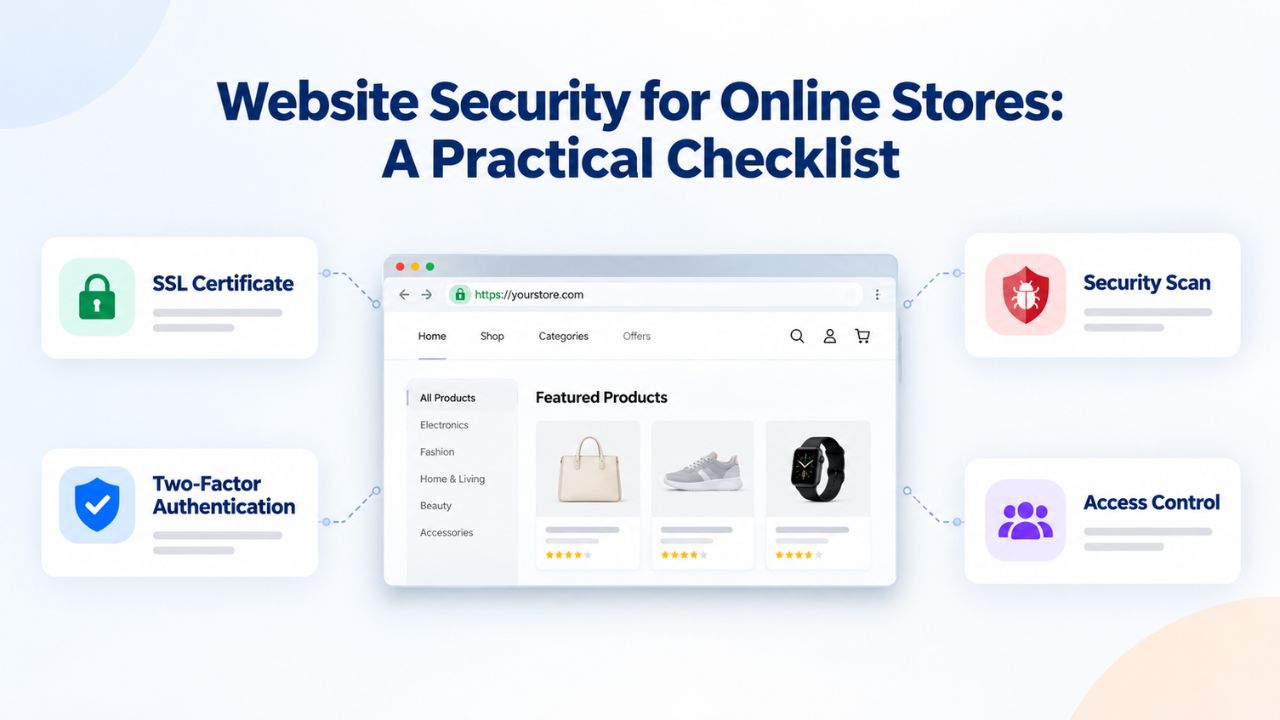
Online stores handle two things attackers prize most: payment data and customer personal information. A single compromised ecommerce site can expose thousands of credit card numbers, delivery addresses, and order history, all monetizable on the dark web. This makes online retailers persistent targets, regardless of store size.
Unique vulnerabilities of selling online
Ecommerce platforms like WooCommerce and Magento power millions of online stores worldwide. WooCommerce powers nearly 6 million online stores worldwide. Magento Community Edition has over 239,000 active websites. When a vulnerability is discovered in a popular platform, attackers scan the internet for vulnerable installations and exploit them at scale. In 2024, analysis of 1.1 million infected websites revealed malware and malicious redirects accounted for 74.7% of detected infections, with 822,651 websites infected with malware.
The Balada Injector campaign demonstrates this scale. The Balada Injector campaign was one of the most prevalent threats in 2024, with 149,351 detected infections on websites hosted by multiple providers. Payment checkout pages face especially aggressive targeting. More than 7,000 ecommerce sites have been infected with malicious JavaScript designed to harvest customers’ payment card details during checkout. This card-skimming malware is often hidden in minimized code or default HTML headers, making it extremely difficult to spot without dedicated malware scanning. Store owners frequently don’t realize they’ve been compromised for weeks or months, by which time thousands of credit cards may have been stolen and sold to cybercriminals.
Direct revenue and reputation impact
The financial stakes are enormous. During Black Friday 2024, Fourlis Group (IKEA’s franchise in Greece and Romania) saw its ecommerce platform completely collapse after a security incident, resulting in €15 million in lost sales and downtime that extended into March 2025. Competitors immediately captured that revenue. Beyond immediate sales loss, a hacked site can permanently damage customer trust. 95% of visitors leave immediately when they see a malware warning, and Google search traffic drops to near-zero if it’s flagged. Recovering that trust and search traffic can take months, even after you clean and restore the site.
Website Security Plans & Pricing
Protect your website with flexible security plans designed to safeguard your data, prevent threats, and maintain reliable online performance. Choose the right level of protection for your business needs, with essential security features that help keep your website secure, available, and trusted by visitors.
Website Security Essential
Detect and remove malware. Malware scan and removal.
- Protection for unlimited pages within a single website
- 12-hour response time
- Unlimited malware removal
- Blacklist monitoring & removal*
- Multiple site protection available
Website Security Deluxe
Proactively secure your site. Malware scan and removal + ongoing protection.
- Protection for unlimited pages within a single website
- 12-hour response time
- Unlimited malware removal
- Blacklist monitoring & removal*
- WAF malware prevention**
- CDN performance accelerator***
- Multiple site protection available
Website Security Express
Fix my hacked site now. Expedited malware removal + ongoing protection.
- Protect one site
- 30-minute response time
- Unlimited malware removal
- Blacklist monitoring & removal*
- WAF malware prevention**
- CDN performance accelerator***
Payment Security & PCI Compliance: Non-Negotiable Baseline
Every ecommerce site that accepts, stores, processes, or transmits credit card data must comply with the Payment Card Industry Data Security Standard (PCI DSS). This isn’t optional. Merchants who outsource payment processing to third-party providers often assume they’re exempt; they’re not. Understanding your compliance obligations is essential for protecting your business and your customers.
What PCI DSS requires of every ecommerce merchant
All merchants handling credit card data must comply with PCI DSS, encompassing those who collect, store, process, or transmit such information. The PCI Security Standards Council outlines mandatory compliance requirements tailored to ecommerce merchants, including detailed guidelines, considerations, and reporting procedures. PCI DSS is divided into 12 requirements across six control objectives, and every ecommerce website, regardless of size or transaction volume, must comply with the standards set forth by PCI DSS.
This obligation applies even if you use secure payment services such as Stripe, PayPal, or Recurly. Small merchants are not excluded from PCI DSS requirements either. Using a payment processor reduces your responsibility for storing cardholder data, but it doesn’t eliminate it; you remain responsible for protecting the payment form itself, your website’s overall security posture, and maintaining access controls. PCI DSS version 4.0, mandatory from March 2025, introduces strict requirements around managing client-side scripts, meaning you must actively protect the JavaScript and external code your checkout page loads.
The six PCI DSS control objectives create a comprehensive security framework. Maintain a secure network with firewalls and proper network segmentation. Implement and maintain access control mechanisms to ensure only authorized personnel can access cardholder data. Protect cardholder data with encryption and strong security practices. Maintain security monitoring and logging to detect unauthorized access. Maintain a clear information security policy and incident response plan. Finally, conduct regular security assessments and maintain compliance documentation. Together, these objectives ensure your ecommerce site meets the highest industry standards for payment security.
How WAF and malware scanning support PCI compliance
A Web Application Firewall (WAF) helps you meet PCI DSS Requirements 1 and 2 by filtering malicious traffic before it reaches your server. WAFs play a critical role in meeting PCI DSS requirements for online stores. In particular, WAFs can help you comply with PCI DSS requirements 1 & 2. Continuous malware scanning meets monitoring and logging requirements by alerting you to infections before they affect customers.
Together, these two tools form the foundation of PCI compliance for ecommerce. WAF rules can be configured to block known attack patterns, including SQL injection, cross-site scripting (XSS), and brute-force login attempts that attackers use to breach payment systems. Malware scanning detects unauthorized code or modifications that might have already made it onto your server, triggering investigation and remediation before data is stolen.
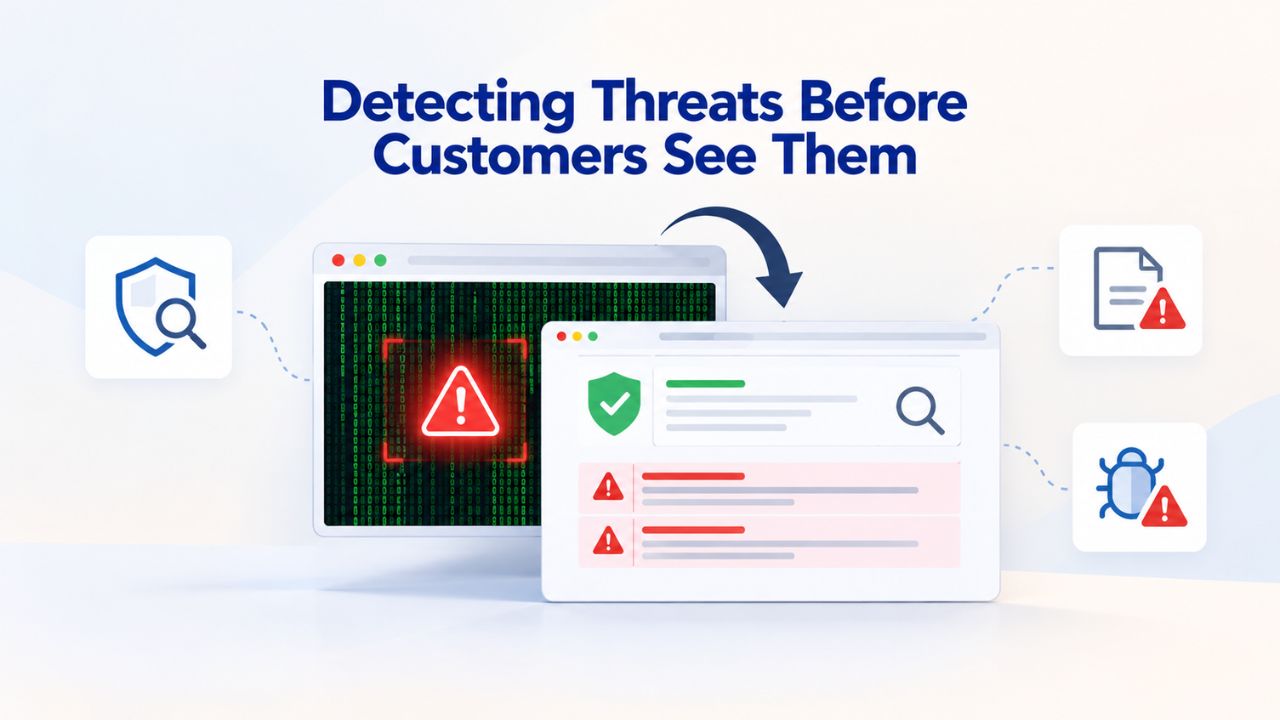
Detecting Threats Before Customers See Them
If malware or a hacking attempt goes undetected, Google, Chrome, and Safari will find it first and warn your customers before you even know there’s a problem. Continuous monitoring and rapid scanning are your first line of defense against data loss and revenue collapse. The faster you detect a breach, the fewer customers are affected, and the faster you can recover.
How malware detection works
Sucuri’s proactive protection includes daily scans at fixed intervals to identify and alert website owners to any security incident quickly. These scans examine your site’s files, code, and behavior patterns for signs of malware, suspicious redirects, injected JavaScript, and other malicious modifications. Detection happens both on a schedule and in real time; if a visitor’s browser or a search engine’s crawler detects unusual behavior, alerts are triggered immediately. Different types of malware require different detection signatures: card-skimmers that harvest payment data, redirect scripts that take visitors to phishing sites, cryptocurrency miners that consume server resources, backdoors that give attackers persistent access, and SEO spam that injects unwanted links to manipulate search rankings.
When malware is detected, Google uses strict policies to protect search traffic from malware, and search authorities like Bing and Google may eventually blocklist the website to prevent search traffic from navigating to the hacked site. This is automatic; you don’t get a grace period. The faster your detection system alerts you, the faster you can take your site offline to limit exposure, scan for the extent of the breach, and begin cleanup. Delaying action by even 24 hours can mean thousands more stolen credit cards and a longer recovery process.
Google Search Console and browser warnings
Google Search Console includes a ‘Security Issues’ tab that reports on harmful activities like site hacks and malware, notifying webmasters about anything on their site that prompts Google Chrome to display a warning to visitors. Common warnings include “This site may be hacked,” “The site ahead contains malware,” and “Deceptive site ahead.” Browser warnings are triggered by detected threats; search engine warnings follow shortly after. These warnings appear as red interstitial pages that block normal site access and display prominent warnings that deter nearly all visitors.
If a warning just appeared, it likely happened within the last 24–48 hours. Search engines and antivirus engines scan and detect malware continuously. The speed of detection means the window for remediation is narrow; every day a warning remains active costs you traffic, sales, and customer trust. If your site appears in Search Console’s Security Issues tab, remediation must happen immediately. Once affected pages are cleaned, webmasters can request a review from Google’s team, but recovery can take weeks even after cleanup as Google re-indexes your site and evaluates its safety.
Website Security Essentials: Threat Types & Mitigation Strategies
| Threat Type | How It Works | Common Entry Point | Detection Method | Primary Mitigation |
|---|---|---|---|---|
| Malware (file injection) | Attacker uploads malicious files or modifies existing code to execute unauthorized commands | Unpatched plugin, weak FTP password, admin account takeover | Malware scanner detects file signatures and code patterns | Daily scanning, WAF, 2FA on admin |
| Card-skimming JavaScript | Hidden script harvests cardholder data during checkout before sending to payment processor | Checkout page injection via compromised plugin or admin account | Malware scanner detects injected scripts, CSP violations | File integrity monitoring, Content Security Policy |
| DDoS attacks (volumetric) | Attacker floods your server with fake traffic, overwhelming bandwidth and causing site outage | Publicly accessible IP address or domain name | Sudden traffic spike, server resource exhaustion, lag | DDoS mitigation service, Anycast networks |
| Credential stuffing | Attacker tests stolen usernames/passwords at login pages, trying to access customer or admin accounts | Lists of credentials from other company breaches sold on dark web | Multiple failed login attempts from same IP, bot signatures | 2FA, brute-force protection, login rate limiting |
| Brute-force attacks | Attacker systematically tries common passwords (123456, password, etc.) on known admin/user accounts | Weak or default passwords on admin accounts | Failed login attempts, unusual login patterns from many IPs | Strong password policy, 2FA, login lockout after N failures |
| SEO spam injection | Attacker injects links to spam or phishing sites to manipulate search rankings and steal traffic | Compromised plugin, weak admin access, unpatched CMS | Suspicious links in page source code, manual review of backlinks | Malware scanner, admin access control, regular code audits |
Protecting Against DDoS Attacks During Peak Traffic
DDoS attacks don’t steal data; they knock your site offline by flooding it with fake traffic. For ecommerce, this is catastrophic during peak sales periods, when every minute of downtime means lost revenue and lost customer confidence. Understanding DDoS attacks and how to defend against them is critical for maintaining uptime during Black Friday, Cyber Monday, the holiday season, and other peak traffic events.
Why ecommerce is a high-value DDoS target
The median cost of a high-impact outage reached roughly $2 million per hour in 2025. For ecommerce sites earning millions each day during the holiday season, even a few minutes of downtime can cost tens of thousands of dollars, not to mention customer frustration. Network-layer DDoS attacks surged 34.4 million times in full-year 2025, more than 3x the 11.4 million seen in 2024. Attackers have learned that ecommerce sites will pay extortion demands (ransom DDoS) to stay online during critical sales periods.
During the 2024 holiday season, automated bots made up 57% of ecommerce traffic, surpassing human shoppers for the first time. This surge creates both opportunity and risk: legitimate bot traffic (price monitoring, search engine crawling) mixes with malicious bot traffic (credential stuffing, DDoS volumetric attacks), making it harder to distinguish real customers from attackers. A single DDoS attack during Q4 can cost more than you spend on security in an entire year.
How DDoS mitigation works: layers matter
DDoS attacks come in multiple flavors, and each requires different mitigation. Volumetric attacks (UDP floods, SYN floods, amplification attacks) overwhelm bandwidth by sending enormous volumes of fake traffic. Layer 3 and 4 mitigation spreads traffic across a global network to absorb the flood. Application-level attacks (HTTP floods, bot-driven requests, credential-stuffing attacks) target checkout pages and login forms. A Web Application Firewall filters these requests in real time, distinguishing legitimate traffic from attack patterns.
Sucuri Web Application Firewall (WAF protection) prevents DDoS attacks by intercepting and inspecting incoming website traffic before it reaches the server. When a user accesses a site protected by the Sucuri WAF, their request first passes through the WAF. By stopping attacks at the WAF level, Sucuri ensures only legitimate, safe traffic reaches the server, enhancing security and protecting websites from vulnerabilities and malicious activity. This layered approach, combining network-level protection with application-level filtering, helps keep your site online even during sophisticated, multi-vector attacks.
Hardening Your CMS and Admin Access
Most ecommerce hacks start with weak or stolen admin credentials, unpatched CMS installations, or vulnerable plugins. Hardening your platform means closing these doors before attackers can even try. A compromised admin account gives attackers full control of your site, payment settings, customer data, and backups, making it a top target.
WooCommerce security essentials and best practices
WooCommerce security best practices include hardening WordPress, keeping plugins and themes up to date, implementing secure coding practices, and protecting user data. This includes regularly checking for and installing updates for WooCommerce and all plugins, monitoring and auditing your store’s security to identify potential vulnerabilities before they can be exploited, and backing up your WooCommerce store for quick recovery from security incidents. The top three most common malware signatures created for Magento websites have been repurposed to target WooCommerce, indicating that attackers are actively shifting focus to the WordPress ecosystem.
This shift means a vulnerable WooCommerce store can be compromised within hours of a known plugin vulnerability going public. Attackers run automated scanners 24/7, looking for sites running outdated versions of popular plugins like WooCommerce, Yoast SEO, Wordfence, and others. As soon as a new vulnerability is disclosed, attackers scan millions of sites and exploit unpatched installations. Enabling automatic updates for security patches is critical; many stores delay updates for fear of compatibility issues, but the risk of unpatched vulnerabilities far outweighs the risk of a minor compatibility problem that’s usually easy to fix.
Magento hardening and admin protection
Magento security hardening includes creating a unique admin URL, installing an SSL certificate and forcing site-wide HTTPS, enabling two-factor authentication (2FA) on all admin accounts, keeping Magento and all extensions updated, using Magento Security Extensions, and hosting on VPS or dedicated servers rather than shared hosting. Adobe (Magento) provides a free Security Scan tool that helps all merchants detect security vulnerabilities. The principle is consistent across both platforms: outdated software has known vulnerabilities.
Creating a unique admin URL (changing /admin to something like /my-admin-portal-7382) immediately protects you from automated scanner bots that look for the default path. This single change blocks 95% of automated brute-force attacks. Combined with 2FA, which requires possession of a phone or authenticator device even if an attacker steals your password, these two changes eliminate most common admin account takeovers. Hosting on VPS or dedicated servers rather than shared hosting isolates your site from other users’ potential vulnerabilities; a compromised neighbor’s site on a shared server can become a pivot point to attack yours.
Protect Your Ecommerce Store From Threats Today
Securing an ecommerce store alone is complex and risky. Niya Digital’s Website Security Service gives you continuous malware scanning, a Web Application Firewall, DDoS protection, and hands-on incident response support, so you can focus on running your business. At the same time, experts protect your customers’ data 24/7. From early threat detection to professional cleanup, you get the support most store owners desperately need when crises occur.
Backup & Disaster Recovery: Your Insurance Policy
A clean backup taken before an attack happened is your fastest recovery path. Without one, cleanup can take weeks. With one, you can restore to a clean state in hours. Backup strategy is often overlooked in favor of flashier security tools, but it’s arguably the most critical decision you’ll make for recovery resilience.
Why clean backups matter more than cleanup
When your site is hacked, you have two recovery options: manually remove malicious code (slow, error-prone, often incomplete) or restore from a clean backup (fast, guaranteed clean, reduces downtime). Before fixing a hacked WooCommerce site, back up the compromised version first. This feels counterintuitive but is crucial for forensic analysis and incident investigation. However, backup strategy matters: a backup taken after infection occurred is useless. The fastest and safest recovery method is to revert to a verified clean backup taken before the attack. This means establishing a backup schedule before trouble strikes and regularly testing restoration to ensure backups are genuinely clean and complete.
Manual cleanup requires deep technical knowledge of PHP, database structure, and malware signatures. Even professional security experts sometimes miss backdoors or residual malicious code, leading to re-infection within days. Restoring from backup eliminates this risk; the malware is gone because you’re reverting the entire site to a pre-attack state. This is why clean backups are insurance: they guarantee a known-good state, whereas manual cleanup is always a bet that you’ve found and removed everything malicious.
Backup frequency and testing
Backup frequency depends on update frequency and business criticality. GoDaddy Website Security Standard plans include one site cleanup per year; Advanced and Premium plans offer multiple cleanups per year and daily automatic backups. If you add new products, update plugins, or add customer data daily, daily backups are prudent. If your site is mostly static, weekly backups may suffice. Rule of thumb: match your backup frequency to how quickly new data accumulates that you can’t afford to lose.
Testing is critical. Restoring a backup without testing it first is a gamble; you might discover during an actual emergency that the backup is corrupted, incomplete, or also infected. Schedule monthly restore tests on a staging environment to confirm backups work. Document the restoration procedure (takes 30 minutes? 2 hours?) and identify any dependencies (database password needed? specific file permissions required?). Untested backups create false confidence; tested backups are true insurance.
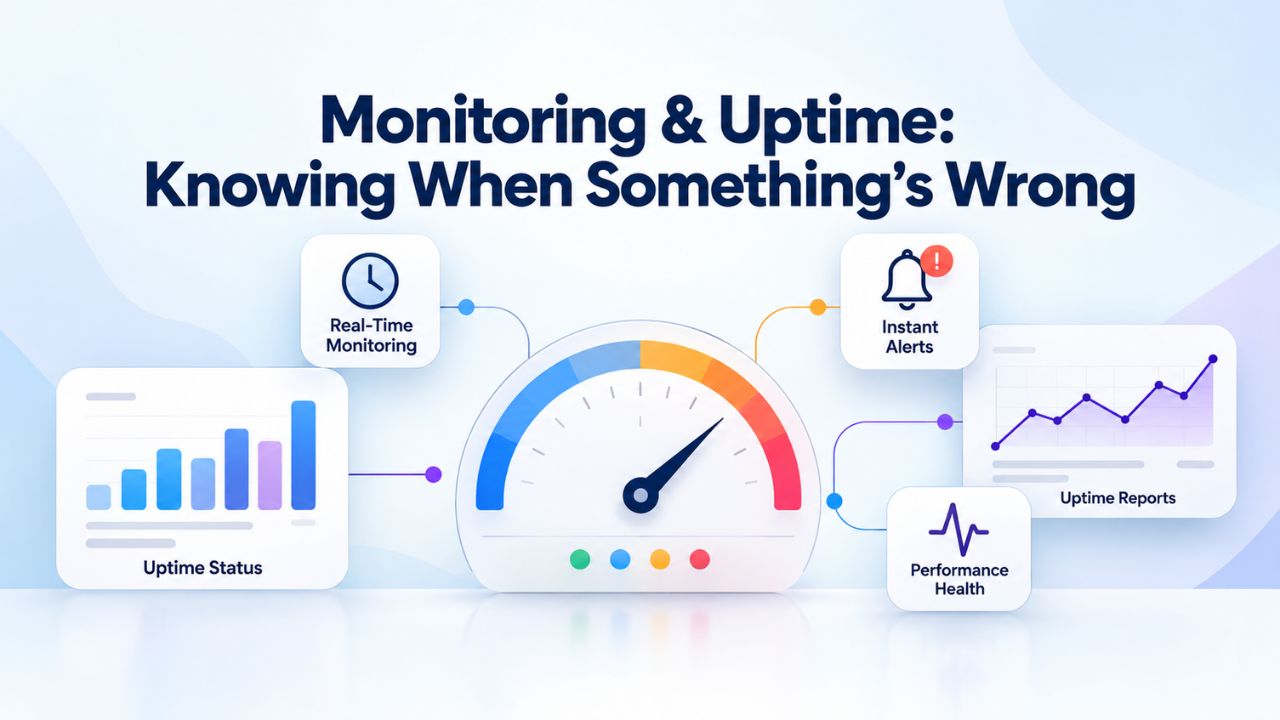
Monitoring & Uptime: Knowing When Something’s Wrong
Early detection saves your reputation and your revenue. A monitoring service watches your site 24/7 and alerts you to malware, downtime, and unusual traffic patterns before customers notice. The difference between a contained incident and a full-blown crisis is often just a few hours of early detection.
Continuous security monitoring and alerts
Effective monitoring tracks multiple signals simultaneously: file integrity (changes to core files), traffic anomalies (sudden spikes or unusual patterns), DNS health (hijacking attempts), uptime/response time (performance degradation), and security-specific alerts (malware detection, firewall blocks). Sucuri’s cloud-based monitoring includes continuous website scanning that monitors for malware, DNS anomalies, uptime, and redirect anomalies. Each signal provides different insight into site health. File integrity changes alert you to potential compromise. Traffic anomalies help you detect DDoS attacks or bot activity. DNS monitoring catches hijacking attempts that try to redirect your domain to a phishing site.
Niya Digital’s team has found that most store owners discover a hack only after customers report it or Google sends a warning, meaning the infection has been live for days or weeks. Proactive monitoring flips this timeline: the security platform detects and alerts you, and you respond before customers are affected. A 2 AM alert about suspicious file changes allows you to investigate and remediate before peak business hours, preventing customer-facing impact. A real-time alert about unusual traffic patterns lets you activate DDoS mitigation instantly, keeping your site online during an attack.
Audit logs and incident investigation
Once a breach is detected, logs are critical for understanding what happened, proving to customers and payment processors that you’ve remediated it, and improving security to prevent recurrence. If a security incident occurs, critical first steps are to notify affected parties and begin an investigation. Gathering information surrounding the incident can help determine the potential cause. Adobe Commerce provides tools to assist with incident analysis. Logs answer essential questions: When did the intrusion occur? How did the attacker gain access? What data was accessed? Were there multiple entry points?
Detailed logs also satisfy compliance requirements. Payment processors, regulators, and customers all ask for evidence that you detected the breach, took it seriously, and remediated it thoroughly. Logs showing continuous monitoring that detected the breach within 24 hours, plus complete removal records, demonstrate due diligence. Logs showing no monitoring until a customer complained look negligent and can result in fines or forced security audits.
Website Security Compliance & Monitoring: Decision Matrix
| Protection Layer | What It Protects Against | Monitoring Approach | Response Time | Best Practice Frequency |
|---|---|---|---|---|
| Malware scanning | File-level infections, injected code, unauthorized modifications | Signature-based and heuristic detection scanning | Continuous or daily (detect within 24 hours) | Daily minimum; continuous recommended |
| Web Application Firewall | Attack patterns, SQL injection, XSS, bot traffic, credential stuffing | Real-time traffic inspection; rule-based blocking | Real-time (block before reaching server) | Always on; rules reviewed weekly |
| DDoS mitigation | Volumetric attacks, Layer 3/4 floods, HTTP floods, bot-driven requests | Traffic pattern analysis, anomaly detection | Real-time or within minutes | Always on; capacity tested quarterly |
| Backup & recovery | Data loss, complete site compromise, ransomware encryption | Backup creation and storage verification | N/A (preventative; tested in recovery) | Daily to weekly; restore tested monthly |
| Monitoring & uptime | Downtime, performance degradation, DNS hijacking, unusual traffic patterns | Continuous pings, response time checks, DNS monitoring | Continuous alerts; human response within 15 minutes | Always on; escalation procedures reviewed quarterly |
| Access control & 2FA | Unauthorized admin login, account takeover, credential theft | Login attempt logging, failed authentication monitoring | Immediate alert upon suspicious activity | Logs reviewed daily; 2FA on all admin accounts |
| Patch management | Known vulnerabilities, outdated plugin exploits, system vulnerabilities | Software version detection, vulnerability scanning | Depends on patch severity (critical: hours; routine: weekly) | Security patches within 24–48 hours; major versions within 30 days |
Incident Response Planning: When (Not If) Things Go Wrong
No prevention strategy is 100% effective. Sites get hacked. Preparation is the difference between a recoverable incident and a catastrophic one. An incident response plan tells everyone exactly what to do, who to call, and in what order. Without one, people panic, decisions are delayed, and recovery takes longer.
Build your incident response team and document procedures.
A data breach response checklist is only useful if your team knows how to execute it under pressure. Most ecommerce sellers create a breach protocol and then file it away, only to discover during an actual incident that key contacts are outdated, responsibilities are unclear, or critical systems weren’t included in the plan. Your incident response plan should be a living document, reviewed and tested quarterly. It should include:
- Incident Management Point of Contact (IMPOC): A single person with authority and knowledge to coordinate response.
- Key contacts: Hosting provider, payment processor, security vendor, legal counsel, customers (if a data breach occurs).
- Response steps in order: Isolate site, scan for extent of breach, restore from backup, verify cleanup, notify affected parties, request review from Google.
- Decision criteria: When to take site offline vs. take it to maintenance mode; when to call in professional help.
- Communication templates: What to say to customers if their data was affected; what to say to payment processors.
Having this plan written down and accessible means your team can act decisively during a crisis, when emotions run high, and confusion is easy. Testing the plan quarterly (even a tabletop exercise where you walk through steps verbally) ensures everyone knows their role.
Recovery steps: what to do immediately after discovering a hack
When a website is hacked, the first step is to limit damage without panicking. Isolate the site, renew all access, restore from a clean backup, remove harmful code, and implement permanent security measures. A systematic intervention is required to preserve evidence, verify cleanup, and prevent recurrence. Recovering a hacked site can take days or weeks and cost thousands in lost sales. Google blacklists hacked sites, removing them from search results; recovery of rankings can take weeks even after cleanup. This underscores why prevention is far cheaper than recovery.
The immediate recovery timeline is crucial. Within the first 30 minutes, isolate the site (take it offline or put it in maintenance mode) and notify your hosting provider. Within the first 2 hours, identify the extent of the breach (what was accessed? what data was stolen?). Within 4 hours, restore from a clean backup and verify all services work. Within 8 hours, re-scan to confirm malware is gone and check Search Console for alerts. Within 1 day, submit review requests to Google and your payment processor. The entire recovery process, from initial detection to verified cleanup, should take less than 24 hours for a prepared organization.
Third-Party Payment Processors & Supply-Chain Security
Using a payment processor doesn’t eliminate your security responsibility. You remain accountable for the rest of your ecommerce infrastructure and for vetting your processor’s own security. Understanding the division of responsibility between you and your processor is essential to maintain compliance and protect customer data.
Your payment processor’s responsibility vs. yours
Using secure payment services such as Stripe, PayPal, or Recurly does not exempt your ecommerce site from adhering to PCI DSS obligations. When payment processing is outsourced, the processor handles cardholder data security. You handle everything else: your website code, admin access, plugins, user credentials, and the checkout page itself. Maintaining secure payment processes significantly boosts customer trust and strengthens your online store’s overall security posture. If an attacker injects a card-skimming script into your checkout page, the processor’s security doesn’t protect you; you’ve already been compromised on your own infrastructure.
This division of responsibility is often misunderstood. Merchants think, “I use Stripe, so I’m PCI compliant.” In reality, you’re only compliant if your entire site, not just the payment processor, meets PCI standards. Stripe handles payment data encryption and storage. You handle website security (malware scanning, WAF, access control, patching). Stripe validates your integration; you validate your plugin security. This shared responsibility requires diligence on both sides.
Verify processor security and incident response capability.
Before signing up with a payment processor, confirm it’s PCI DSS validated and ask about its incident response process. Practice using your payment service provider’s (PSP’s) incident response hotline before an emergency. Document the results of each drill and update your checklist based on what you learned. If your processor is breached, they should notify you within specific timeframes (often 24–72 hours). Know who to call and what information they’ll need. Ask for their incident response SLA in writing.
Also confirm they provide SOC 2 Type II attestation (demonstrates they have security controls in place) and proof of PCI DSS validation (shows they’ve been audited independently). Reputable processors like Stripe, PayPal, and Square publicly post their security certifications on their websites. If your processor can’t provide proof of compliance, that’s a red flag that they may not meet the standards required to protect your customers’ data.
User Access Control & Credential Hygiene
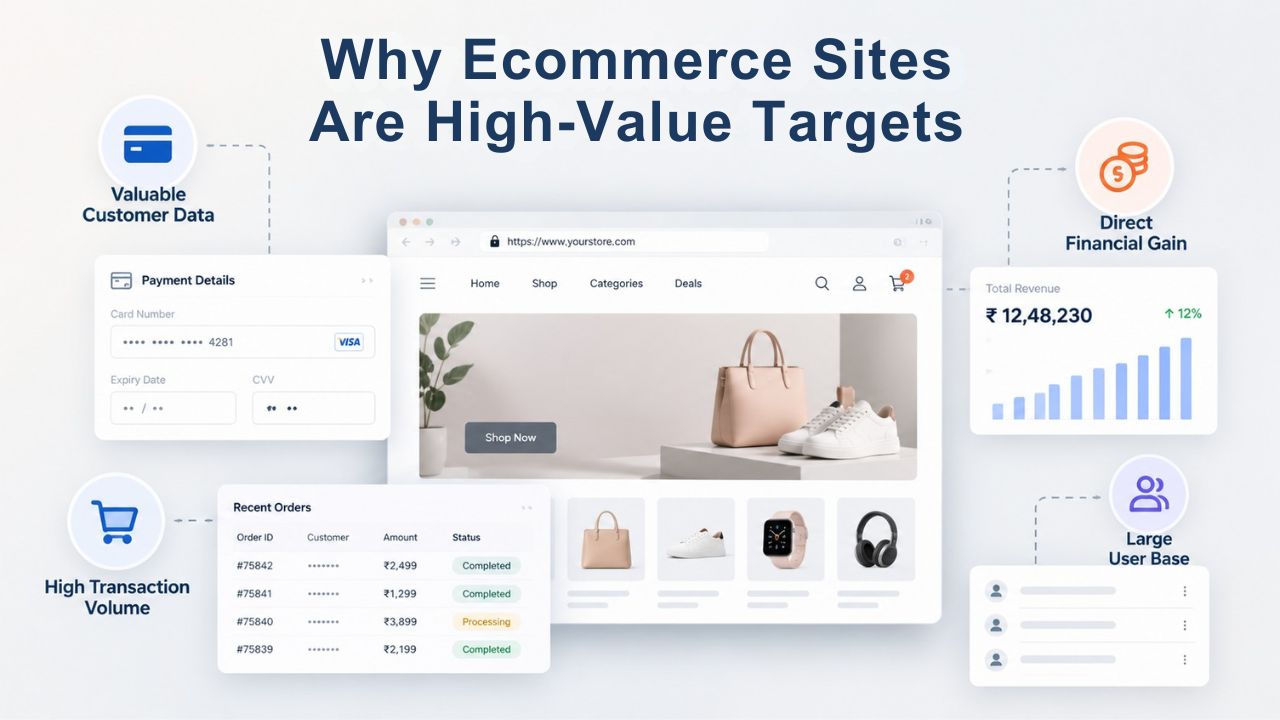
Admin account takeover is often the entry point for ecommerce hacks. Strong passwords and multi-factor authentication (2FA) close this door. Strict access control policies across your team prevent unauthorized changes and limit damage if credentials are compromised.
Two-factor authentication (2FA) is now table stakes.
Two-factor authentication serves as the new gold standard for security and will mitigate most password-related security risks. Additionally, obscuring the path to the admin panel can help prevent intrusions. The same applies to WooCommerce and other platforms. 2FA means login requires something you know (password) and something you have (phone, authenticator app, hardware key). Even if an attacker steals your password via phishing or a data breach, they can’t access your admin panel without your phone.
Make 2FA mandatory for all admin and editor accounts, not optional. Many store owners skip 2FA to avoid the inconvenience, not realizing the risk. A compromised admin account can change payment processor settings, redirect customer funds, modify product pages, or reset all passwords, costing tens of thousands in hours to recover. Enabling 2FA takes about 30 seconds per account and blocks 99% of unauthorized admin access. Setup is simple: most platforms support Google Authenticator, SMS codes, or hardware keys like YubiKey.
Password policy and access control
Strong password policies include a minimum of 12 characters (16+ for admin), a mix of uppercase/lowercase/numbers/symbols, no reuse of old passwords, and changing passwords after a suspected compromise. Never use the same password across multiple sites, since a breach of one site exposes credentials for all sites that use that password. Use a password manager (1Password, LastPass, Bitwarden) to generate and store unique passwords for each service.
Beyond passwords, apply least-privilege access: developers should not have admin access; customer support should not have database access; freelancers should not have permanent access to payment settings. Revoke access immediately when someone leaves the team, or the project ends. Audit access quarterly to catch dormant accounts that still have permissions. Each person should have the minimum permissions required for their job, no more. This principle, called least privilege, is one of the strongest security practices and is required by PCI DSS.
Keeping Your Site Updated & Secure Long-Term
The last line of defense is staying ahead of threats: keeping your platform, plugins, themes, and server software up to date. Updates are your primary tool for patching known vulnerabilities before attackers exploit them at scale. Staying current shifts you from reactive responder to proactive defender.
Why staying current is non-negotiable
Like all ecommerce software, you must use the latest version to keep your environment secure. If you ignore or postpone these patches, you compromise your security and endanger your customers’ data. Every major release of WordPress, WooCommerce, Magento, and popular plugins includes security patches. Delaying updates means running code that attackers already know how to exploit. The typical timeline: vulnerability disclosed → patch released → attackers begin scanning for unpatched installations → exploitation begins. Your window to patch is often measured in days, not weeks.
Cybercriminals actively scan for sites running outdated versions of WordPress, WooCommerce, or Magento, as these contain known, easily exploitable flaws. A site running WordPress 5.0 (released 2018) with unpatched plugins is a known target. Within hours of a major vulnerability being disclosed, exploit code appears on the dark web. Within days, thousands of sites are compromised. The cost of staying current (a few hours of testing per month) is microscopic compared to the cost of recovery from a major breach.
Create an update schedule and automate where possible.
Enable automatic updates for security patches (both core platform and plugins). Manual updates work too; ensure someone is responsible and checks weekly. For major version upgrades (e.g., Magento 2.3 → 2.4), test on a staging environment first to ensure no plugin incompatibilities. Beyond platform updates, stay current on web server software (Apache, Nginx), PHP or your application runtime, SSL/TLS certificates (never let them expire; set reminders 30 days out), database software (MySQL, PostgreSQL), and third-party integrations (payment gateways, shipping APIs, analytics tools).
Document your update schedule: which components update when, who is responsible, what testing is required. A schedule ensures updates happen consistently, not whenever someone remembers. Many sites are compromised because update responsibility is unclear; everyone assumes someone else will handle it, and nothing gets done. Clarity and automation prevent this.
Build Your Security Foundation With Expert Support
A comprehensive website security strategy requires continuous attention across detection, prevention, response, and recovery. Niya Digital’s Website Security Service combines malware scanning, Web Application Firewall protection, DDoS mitigation, and expert incident response to keep your ecommerce site online and customers safe. From 24/7 monitoring to professional cleanup after a breach, you get expert support handling the technical details while you focus on growing your business.
Frequently Asked Questions
How often should I scan my ecommerce site for malware?
Daily or continuous scanning is the standard for ecommerce. Malware can be injected in hours; daily scans ensure detection within 24 hours of infection. Platforms like Sucuri scan continuously, alerting you as soon as they detect a threat rather than waiting for a scheduled scan window. For stores handling payment data, the cost of continuous scanning ($10–15/month) is negligible compared to an undetected breach (thousands to tens of thousands). Continuous scanning provides the earliest possible detection, giving you the maximum recovery window before customers are affected.
What’s the difference between a WAF and a regular firewall?
A traditional firewall (on your server or network) blocks traffic based on IP address and port; it’s a blunt instrument. A Web Application Firewall (WAF) inspects the content of web requests and blocks SQL injection, cross-site scripting (XSS), brute-force login attempts, and bot traffic. For ecommerce, a WAF is essential because most attacks target the application layer (checkout, login, forms), not the network layer. A WAF sits in front of your server and filters malicious requests before they reach your code, preventing attackers from exploiting vulnerabilities in your applications even if those vulnerabilities exist.
Do I still need PCI DSS compliance if I use a third-party payment processor?
Yes. Using a processor like Stripe or PayPal reduces your responsibility for storing cardholder data, but you remain responsible for your entire payment flow. Your checkout page, admin access, website code, plugins, and SSL certificate must all be secure. PCI compliance is mandatory for all merchants accepting credit cards, regardless of processor choice. Even if your payment processor handles data encryption, you’re still liable if your site is compromised because of negligent security practices. Think of it this way: the processor protects the vault; you protect everything leading to the vault.
How long does it take to recover from a malware infection?
With a clean backup, 2–4 hours. Without one, 1–3 weeks. Recovery requires scanning to identify all infected files, removing malicious code manually (error-prone) or restoring from backup (fast), re-scanning to verify cleanup, and requesting review from Google Search Console. Even after technical cleanup, search engine rankings can take weeks to recover. Prevention is always cheaper than recovery. A single day of downtime during peak season costs more than a year of backup/monitoring services.
What should my incident response plan include?
A written plan listing:
(1) your incident management point of contact and their phone number,
(2) your hosting provider’s support line,
(3) your security vendor’s emergency hotline,
(4) your payment processor’s incident line,
(5) the steps to take in order (isolate, scan, restore, verify, notify),
(6) communication templates for customers if data was exposed, and
(7) a schedule to test the plan quarterly.
Having this plan written down and accessible means your team can act decisively during a crisis, when emotions run high, and confusion is easy.
Is 2FA really necessary for every admin account?
Yes, mandatory for all admin and editor accounts. 2FA prevents unauthorized logins even if a password is phished, breached elsewhere, or guessed via brute force. Every major ecommerce platform now supports 2FA (Google Authenticator, SMS, hardware keys). Setup takes 5 minutes per account. The security gain far outweighs the inconvenience. A compromised admin account can reset all passwords, change payment settings, or give attackers permanent backdoor access, costing thousands to recover.
Can I recover a site on my own if it’s been hacked, or do I need professional help?
Depends on your technical skill and the infection’s complexity. If malware is simple (injected HTML), you may remove it yourself. If a backdoor was installed, cleanup is much harder, and you may miss residual code, leading to re-infection. For ecommerce sites handling payment data, professional incident response is recommended to ensure complete remediation and PCI compliance documentation. Sucuri’s incident response team specializes in ecommerce cleanup and ensures no malicious code remains hidden.
How do I know if my payment processor is secure?
Ask for proof:
(1) PCI DSS validation certificate (shows they’ve been audited),
(2) SOC 2 Type II attestation (shows they have security controls in place),
(3) incident response SLA (e.g., notification within 24 hours if breached).
Check their security/compliance page on their website. Reputable processors like Stripe, PayPal, and Square publicly post their security certifications. If your processor can’t or won’t provide proof, that’s a red flag.
What should I do if my site is flagged with a malware warning by Google?
First, don’t panic; malware warnings are solvable.
(1) Clean your site completely (malware removed, backdoors closed).
(2) Go to Google Search Console and navigate to Security & Manual Actions > Security Issues.
(3) Review the detected issues and confirm they’re resolved.
(4) Click “Request a review.” Google will re-scan within hours to days.
Once cleared, the warning disappears and your site reappears in search results. The process usually takes 3–7 days from cleanup to full recovery.
How do I know if my site is running outdated software?
Check your admin panel for update notifications (most platforms display these prominently), use a security scanner like Sucuri SiteCheck to detect outdated versions, or check your plugins/themes list for yellow update badges. For Magento, use the free Adobe Security Scan tool. For WordPress/WooCommerce, visit the Updates section in the admin dashboard. Make updating a weekly habit; set a calendar reminder for Friday mornings to check for updates and deploy them before the weekend.
What’s the most common entry point for ecommerce hacks?
Unpatched plugins and weak admin credentials tied for first. WooCommerce and Magento both warn that outdated plugins with known vulnerabilities are actively exploited at scale. Enforce 2FA and keep plugins current to block 80% of intrusions. A vulnerable plugin discovered on Monday can result in thousands of compromised sites by Wednesday if owners haven’t patched.
Should I back up my site if it’s already infected?
Yes. Back up the infected version before cleanup. This serves two purposes:
(1) forensic investigation (you can analyze how the attack happened), and
(2) you preserve evidence in case of payment processor or legal disputes.
Then restore from a clean backup (taken before infection) for actual recovery. Keeping the infected version helps you understand the vulnerability that was exploited, improving security going forward.
How do I choose between WooCommerce and Magento from a security standpoint?
Both are secure if kept up to date. WooCommerce (WordPress-based) relies on the WordPress security community; Magento is more heavyweight and requires dedicated server resources. Security depends more on maintenance (updates, 2FA, monitoring) than platform choice. WooCommerce is easier for small stores; Magento scales better for enterprise. Both have official security guides. Choose based on your scale and technical skill, not security alone.
What’s a “backdoor” in the context of website hacking?
A backdoor is hidden code an attacker leaves behind that gives them ongoing access without a password. Even after you remove the visible malware, a backdoor lets the attacker re-infect your site within hours. That is why professional cleanup matters: experts scan for and remove backdoors you might miss. Clean backups (taken before infection) automatically eliminate backdoors because they restore the site to its pre-attack state.
Do I need DDoS protection if I’m not a huge target?
DDoS attacks increasingly target small and medium businesses because they have fewer defenses. Smaller, stealthier DDoS attacks can degrade site performance by 35% or cost tens of thousands per hour in lost sales. If your store runs during peak seasons (Q4, holiday sales), DDoS protection is recommended. Ransomware DDoS (extortion + attack) is growing. Basic DDoS protection is often bundled with website security services, making it cost-effective insurance.
Glossary
- Brute-force attack: An automated attempt to gain unauthorized access to an account or system by systematically trying many username/password combinations, often using lists of credentials stolen from other breaches (credential stuffing).
- Malware: Malicious software, including viruses, trojans, worms, ransomware, and spyware, designed to damage systems, steal data, or disrupt operations. Website malware often includes card-skimmers that harvest payment data and redirect scripts that send visitors to phishing sites.
- DDoS (Distributed Denial of Service): An attack that overwhelms a website with fake traffic from many sources at once, making it inaccessible to legitimate visitors and causing downtime and lost revenue.
- WAF (Web Application Firewall): A cloud-based or server-side security layer that inspects web traffic in real time and blocks malicious requests, SQL injection, XSS, brute-force attacks, and bot traffic before they reach your website’s code.
- PCI DSS (Payment Card Industry Data Security Standard): A globally mandatory set of 12 security requirements established by Visa, Mastercard, American Express, Discover, and JCB. All merchants accepting credit cards must comply to protect cardholder data.
- Incident Response Plan: A documented procedure defining steps to take when a security breach occurs, including who to notify, when to isolate systems, how to restore from backup, and how to communicate with customers and regulators.