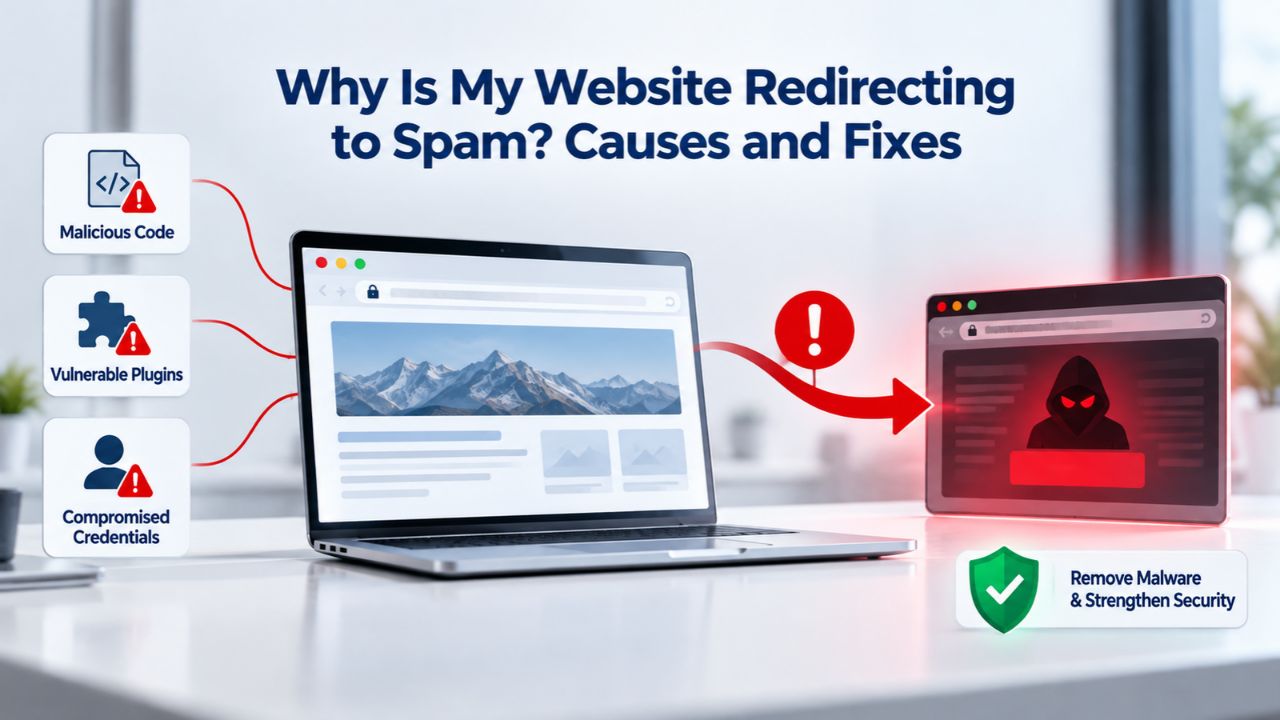
Your website visitors arrive through search results excited to find what they’re looking for, only to be instantly redirected to pill ads, fake tech support pages, or spam content in languages they don’t understand. From your admin dashboard, everything looks fine: the site loads normally, your plugins are there, and your content is intact. Niya Digital’s Website Security Service, powered by Sucuri malware scanning, Web Application Firewall, and incident response expertise, helps identify and eliminate these redirects while closing the vulnerabilities attackers exploited to get in.
What Is a Spam Redirect and Why It’s a Malware Problem
A spam redirect is not a broken setting or a legitimate plugin feature gone wrong. When a website suddenly starts sending visitors to completely different domains without the site owner’s knowledge or permission, malware is responsible. These redirects are carefully engineered by attackers who have gained unauthorized access to your site and injected malicious code designed to remain hidden while diverting as much traffic as possible to pages the attacker controls. The attacker’s motivation is straightforward: they want to hijack your site’s existing visitor traffic and search engine authority for their own profit, whether through SEO spam ranking, ad fraud, credential theft, or malware distribution.

Why Redirect Malware Spreads Silently
Redirect malware rarely appears in plain text because attackers deliberately encode and obfuscate their code to evade detection by both automated security scanners and human reviewers. The malicious code hides in one of four primary locations: in your .htaccess file (which controls server-level routing), in injected JavaScript (which loads invisibly on every page), in your WordPress database or a rogue plugin installed without your knowledge, or in your DNS records (if the attacker compromised your domain registrar account).
Many site owners remain completely unaware of the infection for weeks or months because their admin dashboard loads normally; the redirect affects only visitor traffic from search engines or external links, leaving the website’s backend appearing untouched and legitimate. This invisibility is precisely why attackers prefer redirect malware: they profit from your traffic without you noticing quickly enough to shut them down.
The infection persists and spreads because each day it operates undetected, it diverts more visitor sessions, accumulates more search authority value for the attacker, and causes increasingly severe damage to your site’s reputation with both search engines and the browsers that flag it as unsafe. Once your site is flagged as unsafe by Google Safe Browsing or other security authorities, every visitor, even those who find your legitimate search result, will see a warning and either leave immediately or click through with significant hesitation. The attacker has essentially turned your domain into a liability, transforming years of built-up search authority into a vector for their own fraudulent schemes while simultaneously destroying your ability to attract organic traffic.
The Business Case for Early Detection
The scale of redirect malware is staggering and growing. In 2024 alone, Sucuri (GoDaddy Website Security) scanned over 70.8 million websites globally and detected 822,651 websites actively infected with malware and malicious redirects, an average of approximately 3,214 new infections per day. An estimated 1.66% of all scanned websites were infected, marking the highest infection rate recorded in recent comparable years. Redirect malware represents a dominant portion of SEO spam threats: over 50% of all malware Sucuri cleaned in the analyzed periods was SEO spam, and malicious redirects alone account for a significant share of that spam. The Balada Injector campaign alone, one of many active redirect malware campaigns, infected 149,351 websites in 2024 across multiple hosting providers globally.
Because redirect malware is so widespread and search engines now treat infected sites as an urgent threat to their users, detection triggers automatic warnings, ranking penalties, and visibility suppression in search results. Every day your site remains infected, your search rankings drop, your visitor traffic collapses, and your brand reputation erodes. Early detection and removal aren’t optional; they are essential to minimize damage and speed recovery. The business case for proactive malware scanning is simple: preventing or catching an infection early costs far less in recovery time, downtime, and lost ranking authority than rebuilding after months of silent infection.
Website Security Plans & Pricing
Protect your website with flexible security plans designed to safeguard your data, prevent threats, and maintain reliable online performance. Choose the right level of protection for your business needs, with essential security features that help keep your website secure, available, and trusted by visitors.
Website Security Essential
Detect and remove malware. Malware scan and removal.
- Protection for unlimited pages within a single website
- 12-hour response time
- Unlimited malware removal
- Blacklist monitoring & removal*
- Multiple site protection available
Website Security Deluxe
Proactively secure your site. Malware scan and removal + ongoing protection.
- Protection for unlimited pages within a single website
- 12-hour response time
- Unlimited malware removal
- Blacklist monitoring & removal*
- WAF malware prevention**
- CDN performance accelerator***
- Multiple site protection available
Website Security Express
Fix my hacked site now. Expedited malware removal + ongoing protection.
- Protect one site
- 30-minute response time
- Unlimited malware removal
- Blacklist monitoring & removal*
- WAF malware prevention**
- CDN performance accelerator***
Where Spam Redirects Hide: Four Hidden Locations
Understanding where malware redirects hide is critical because each location requires a different detection method and removal approach. Attackers deliberately place their code in locations that are difficult to find through standard website administration tools, which is why comprehensive, professional scanning, including both automated and manual inspection, is necessary for thorough cleanup.
.htaccess and Server-Level Rules
The .htaccess file is a small text configuration file located in your website’s root directory that controls how your web server handles all incoming requests before your website software (WordPress, Joomla, Drupal, etc.) even starts processing them. This file controls URL rewriting rules, compression settings, caching headers, and other server-level behaviors.
An attacker who gains access to your hosting account through stolen credentials, unpatched vulnerabilities, or other means can edit the .htaccess file to insert a rewrite rule that redirects all traffic, or traffic matching specific patterns, to a malicious domain before your content management system ever gets involved. From a pure attacker perspective, this is ideal because the redirect happens at the server level, below any plugin-based security a site owner might have installed.
The problem for site owners is that many standard WordPress security plugins scan only PHP files and database content, never examining .htaccess or other server-level files. Additionally, many site owners never directly interact with their .htaccess file through the WordPress admin panel, so they have no reason to suspect it has been modified. Detecting and removing .htaccess redirects requires a full file-system backup and manual inspection, or professional server-side scanning that specifically checks server configuration files. That is why professional malware removal teams use specialized tools that scan at the server level, not just within the WordPress application.
JavaScript Injections and Database Content
Attackers frequently inject malicious JavaScript code directly into your WordPress database, embedding it in post content, custom fields, theme files, or plugin files. JavaScript executes in visitors’ browsers, so injected JS-based redirects are invisible in your admin area but active and functional for every visitor.
Injected code often uses base64 encoding or other obfuscation techniques to hide its purpose from casual inspection, and attackers may use PHP eval() functions combined with base64_decode to execute encoded payloads that remain hidden even from site owners who examine theme or plugin files. Some attackers also create hidden admin accounts or database backdoors that persist even after an infection is supposedly cleaned, allowing them to quickly re-infect the site without exploiting the original vulnerability again.
Database-level and backdoor infections are incredibly difficult to catch without proper server-side scanning and manual analysis by security experts. A basic malware scanner might detect the redirect behavior, but identifying and removing the actual injected code requires either deep knowledge of PHP and database structures (for DIY cleanup) or access to professional tools and expertise that can scan your entire database for anomalies, hidden accounts, and suspicious code patterns. Missing even a single backdoor means that weeks or months later, after you believe you’ve cleaned your site and recovered your rankings, the infection will suddenly return as the attacker reuses their hidden access point to re-inject malware.
DNS Hijacking and Domain-Account Compromise
The most deceptive and difficult redirect attacks happen at the DNS (Domain Name System) level when attackers gain access to your domain registrar account or DNS provider account. If an attacker can change your DNS records, they can point your entire domain to their own servers, which means all traffic, before it even reaches your hosting provider, gets redirected to attacker-controlled infrastructure.
This is fundamentally different from a website infection because it’s not your website files that are compromised; it’s your domain registration itself that has been hijacked. A site owner might perform an otherwise perfect cleanup of their web hosting account, removing all malware and securing all files, only to discover that visitors are still being redirected because the DNS records themselves still point to the attacker’s servers.
Preventing DNS hijacking requires securing your domain registrar account with a strong, unique password and two-factor authentication, regularly monitoring your DNS records to ensure they still point to your legitimate hosting provider, and immediately contacting your registrar if you suspect unauthorized changes. Unlike malware cleaning, which can be performed on your hosting account, DNS hijacking recovery requires direct intervention at the registrar level. It cannot be fixed by cleaning your website files. This is also why professional incident response teams ask site owners about domain registrar security as part of their post-compromise hardening process: they’re working to close all potential re-infection vectors, not just the obvious website file compromise.
How to Detect a Spam Redirect: From Visual Signs to Professional Scanning
Detection is your first line of defense against the ongoing damage redirect malware causes. Some indicators are visible to the site owner and visitors, while others require professional scanning tools to uncover. Understanding different detection methods helps you identify infections quickly and act before they cause permanent damage to your search rankings and brand reputation.
Visible Warning Signs and User Behavior
Sometimes the clearest sign your site has been compromised is when visitors report unusual behavior. A visitor might click your legitimate search result, land on your site, and within milliseconds be redirected to a pharmacy site, a fake tech-support page, or a gambling site. Other visitors might report strange pop-ups appearing over your content, aggressive warning messages claiming their computer is infected, or unusually high numbers of ads loading on your pages. From your admin perspective, if you notice your site’s traffic suddenly spiking or visitors spending zero seconds on pages before bouncing back to Google, that’s another red flag suggesting redirects are occurring for some visitors (often those arriving from search engines specifically).
You can also manually check whether your site appears in Google search results with a warning banner. Search for your site’s name or domain in Google and look carefully at the search results. If Google displays a red “This site may harm your computer” or “This site appears to be hacked” warning beneath your site’s title and URL, the search engine has definitely detected malware on your domain.
Another manual check is to run a site:yourdomain.com search in Google to list all pages Google has indexed from your site. If you see unfamiliar URLs, pages you never created, with titles you don’t recognize, filled with spam keywords or links, attackers have created hidden spam pages in your WordPress database or file system. These hidden pages are indexed by Google, which means the search engine has crawled them and included them in its index, and that’s how Google becomes aware that your site is compromised.
Professional Malware Scanning: Remote and Server-Side Layers
Visual signs provide an important alert, but they are not definitive proof of malware, and they typically represent advanced infections that have already done significant damage. Professional malware scanning is the only way to confirm whether your site is infected definitively and to identify all instances and locations of malware.
Sucuri (GoDaddy Website Security) offers two complementary layers of detection: remote scanning and server-side scanning. Remote scanning operates from outside your server, accessing your website the same way a visitor would access it, and scanning the HTML, JavaScript, and other frontend content for signs of malware. This approach is fast and doesn’t require special access to your hosting account, but it cannot detect malware hidden in your server’s backend files; it can only find threats that render or execute on your site’s public-facing pages.
Server-side scanning provides a deeper inspection because it actually logs into your hosting account (with your permission and credentials) and examines all your files at the server level, including .htaccess files, PHP files, plugins, themes, and database contents. This approach can detect hidden malware, backdoors, and injected code that never appears on your website’s frontend and therefore never gets scanned by remote-only tools.
Sucuri’s detection methodology uses signature-based scanning, which means it compares your files against a database of known malware patterns and code signatures. If your theme file contains the same obfuscated eval() + base64_decode pattern that Sucuri’s threat researchers have identified as a known malware variant, it will be flagged for review and removal. The dual-layer approach (remote + server-side) ensures that virtually no malware can hide: remote scanning catches anything that executes on your frontend, and server-side scanning catches anything hiding in your backend files and database.
Google Search Console and Blacklist Monitoring
Google Search Console is a free tool Google provides to help site owners monitor how Google sees their website. Within Google Search Console, you’ll find a “Security Issues” report that displays any malware Google has detected on your site. If Google has flagged your domain as infected, this report will show you the nature of the threat (malware, hacked content, deceptive pages, unwanted software, etc.). It may provide some examples of the infected URLs or threats detected. This is one of the clearest signals that your site needs immediate attention and professional cleanup.
Beyond Google, other security authorities, including Norton, AVG, McAfee SiteAdvisor, and the Phish Tank database, maintain their own blacklists of dangerous sites. Sucuri monitors these multiple blacklisting authorities simultaneously, so if your site is flagged by any major blacklist, Sucuri’s scanning will detect that and alert you to the problem. Checking your site’s status across multiple blacklists gives you a comprehensive picture of how many browsers, search engines, and security tools have marked your domain as dangerous.
The SEO Damage: How Malware Destroys Rankings, Traffic, and Recovery Timeline
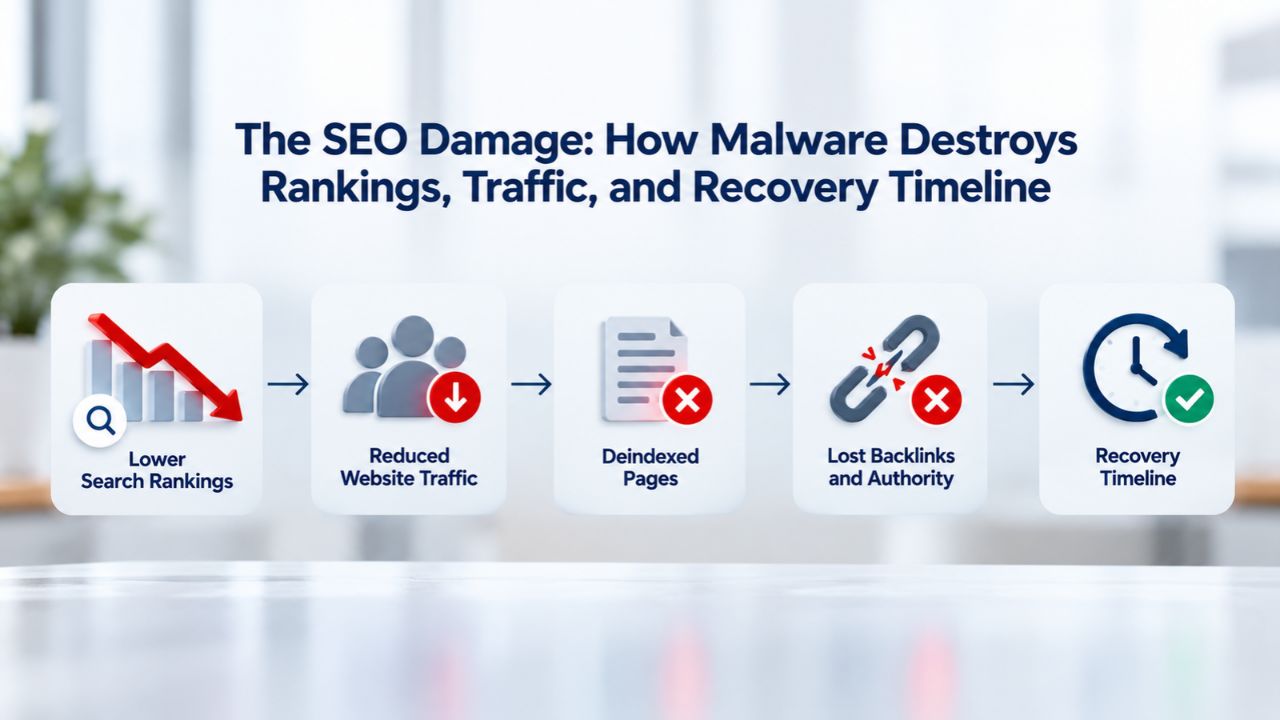
The damage that spam redirect malware causes to your search visibility is swift, severe, and long-lasting. Understanding the scope of this damage clarifies why rapid response and professional cleanup are so critical to minimizing financial impact and recovery time. A website can lose months or years of carefully built search authority in days once malware is detected and flagged.
Immediate Ranking and Traffic Collapse
Once malware is detected, whether by Google’s automated scanning, by a user report, or by your own detection efforts, search engines immediately take action to protect their users from your site. Research shows hacked sites lose an average of 76% of their keyword rankings within the first few days after detection. This is not a gradual decline; it’s a dramatic, sudden collapse in visibility.
Your site doesn’t just drop a few positions for competitive keywords; it can disappear entirely from the first page, the first 10 pages, or even out of Google’s search results entirely for many keywords you’ve worked to rank for. Simultaneously, your organic traffic plummets because even the few visitors who do find your site in search results will see a warning, either from their browser, from Google’s own search result snippet, or from both, and most will not click through to visit an “unsafe” or “hacked” site.
The mechanism behind this is straightforward: search engines prioritize user safety above almost everything else. A site flagged as containing malware is a liability to the search engine because any user who visits it might get infected or compromised. Therefore, search engines suppress infected sites in their results as a protective measure. This means that even if your site is completely clean and legitimate, and your content matches what someone searched for, Google may still show you lower in results or with warning banners because the search engine cannot trust that you maintain security. Your site’s brand-new ranking authority and relevance are overridden by the safety penalty, and that penalty persists for weeks or months after cleanup.
Long-Term Recovery Timeline and Ranking Restoration
The path from detection to full ranking recovery is frustratingly slow. Research from security professionals and statements from Google’s own John Mueller confirm that even after you’ve completely cleaned your site and removed all malware, the recovery process takes substantial time. Google malware reviews, which you request through Google Search Console after cleanup, typically process within a few days, and if your site is clean, Google may lift the blacklist warning within 24 hours.
However, this doesn’t mean your rankings instantly restore to pre-hack levels. Instead, it means Google lifts the “this site is infected” warning and begins re-evaluating your site’s search authority and rankings. The full recovery process, where your rankings return to their pre-compromise positions, typically requires 2–4 months and sometimes longer, depending on how long your site was infected before detection and whether other underlying SEO issues exist.
Recovery takes so long because Google’s trust systems consider multiple signals, and a compromised site represents a major trust violation. Spam links and malware injected by attackers can remain in Google’s index for months after you remove them; Google must recrawl your site multiple times to confirm the malware is gone and reindex your legitimate content in place of the spam.
Additionally, malware-infected periods often cause cascade effects: your site may have lost backlinks, your content may have been defaced or hidden, and your visitors may have stopped visiting or trusting you. Rebuilding trust with Google, your visitors, and the broader internet takes time and consistent, strong security practices. If your site had pre-existing SEO issues before the hack, being compromised often forces Google’s algorithm to re-evaluate the entire site, which can slow recovery as Google reassesses what content is legitimate and relevant. The full timeline from detection through complete ranking recovery can easily span 3–6 months in complex cases, which is why preventing infection is infinitely preferable to recovering from one.
Reputational Impact Beyond Search Rankings
Beyond search engine ranking loss, malware infection directly damages your brand reputation and visitor trust. Even users who see your legitimate search result and are warned by their browser that your site may be dangerous face a difficult decision: click through anyway and risk potential compromise, or click on a competitor’s result instead. Most choose the competitor. Furthermore, visitors who were infected while your site hosted malware, whether through drive-by download malware, credential theft, or other attack vectors, may hold a grudge against your brand even after you’ve cleaned up.
The damage to user trust can persist long after the infection is resolved. Additionally, if your site’s compromise involved exfiltration of customer data, payment information, or personal details, you may face not only the immediate compliance obligations of notifying affected users and regulators but also the long-term reputational cost of being publicly associated with a data breach. This broader brand damage is sometimes more costly than the direct revenue loss from ranking collapse, particularly for businesses that depend on customer trust and repeat visits.
How Website Owners Get Compromised: Common Entry Points and Vulnerabilities
Understanding how attackers initially compromised your site is essential because closing that vulnerability is the only way to prevent re-compromise after cleanup. Attackers don’t gain access through luck or magic; they exploit specific, identifiable weaknesses in your website’s code, configuration, or security practices. Identifying and patching these weaknesses is the core of post-compromise hardening.
Outdated Plugins and Themes as the Primary Attack Vector
Outdated plugins and themes represent the single largest category of WordPress compromise, accounting for 55.9% of all WordPress hacks analyzed in security research. Each WordPress plugin and theme is separate software that requires regular updates to patch security vulnerabilities. When a developer discovers a security flaw in their plugin code, they release an update to patch it.
However, many site owners delay updates because they fear the update will break their site, or they forget to apply updates regularly. Attackers deliberately scan the internet looking for websites still running outdated, vulnerable versions of popular plugins. They use automated tools that can test thousands of sites per day against known vulnerabilities, quickly identifying which sites haven’t updated yet. Once an attacker finds a vulnerable site, they can exploit it within seconds to gain file access, database access, or both, and begin injecting malware.
The attacker’s advantage is that many WordPress developers publish security patches publicly, which means the exact nature of the vulnerability is also public information. An attacker can take a publicly disclosed vulnerability, write automated exploitation code, and begin scanning every WordPress site on the internet within hours of the patch being released. The window of vulnerability, the time between when the patch is released and when a site owner applies it, is exactly when attackers are most active. A site owner who delays applying security updates isn’t being cautious; they’re increasing their risk of compromise during the period when attackers are most actively hunting for vulnerable targets.
Weak Passwords and Brute-Force Login Attacks
Weak passwords are another dominant compromise vector, involved in 81% of all hacking-related breaches according to security research. WordPress sites are frequently targeted by automated brute-force attacks: attackers use scripts that attempt thousands or millions of username and password combinations against your WordPress login page, trying common passwords like “password123,” “admin123,” or names and dates associated with the site’s business.
If your admin account password is weak or predictable, an attacker can crack it within minutes or hours with a brute-force attack. Once they have admin credentials, they can upload malicious plugins, inject code into theme files, create hidden admin accounts, or modify your database directly. A weak password essentially gives attackers a skeleton key to your entire site. Many site owners also reuse the same password across multiple accounts and sites, so a password compromised on one service might grant attackers access to WordPress, hosting accounts, email, and other critical systems.
Even strong passwords can be compromised through secondary attacks. If an attacker gains access to your email account, they can use WordPress’s password reset functionality to take over your WordPress admin account. If your hosting control panel (cPanel, Plesk, etc.) is compromised through a weak password, attackers can modify file permissions, access databases, or directly edit files. The security of your WordPress admin account is only as strong as the security of all the systems connected to it (your email, your hosting account, etc.). This is why professional hardening after a compromise includes forcing password changes across all connected accounts, implementing two-factor authentication on admin accounts and email, and auditing all other user accounts on the site.
SQL Injection and Cross-Site Scripting (XSS) Vulnerabilities
SQL injection and XSS are technical vulnerabilities in poorly coded or unpatched plugins and themes that allow attackers to inject malicious code into your database or into pages served to visitors. SQL injection happens when a plugin fails to properly validate user input in a form, search field, or URL parameter, allowing an attacker to insert SQL commands that directly manipulate your database.
An attacker might use SQL injection to add a hidden admin account, exfiltrate customer data, or insert malware code into database records. XSS vulnerabilities work similarly but execute attacker code in visitors’ browsers rather than on your server; an attacker might inject JavaScript that redirects visitors, steals session cookies, or captures login credentials. Both vulnerability types are preventable through secure coding practices and regular security updates, which is why keeping plugins and themes updated is so critical.
The insidious aspect of SQL injection and XSS is that they’re often found in lesser-known, less-maintained plugins or themes. A plugin that hasn’t been updated in two years might have dozens of unpatched vulnerabilities. A custom theme built in-house by a developer with limited security knowledge might contain XSS or SQL injection flaws that persist for years. Even careful site owners who always apply WordPress core updates can miss these vulnerabilities in third-party code. This is another reason professional vulnerability scanning and ongoing monitoring matter: automated scanners can identify many SQL injection and XSS vulnerabilities before attackers do, giving you time to patch them proactively.
Ready to Protect Your Website From Malware?
Spam redirects and malware infections are serious threats, but they are preventable and recoverable with the right expertise and tools. If you suspect your website is compromised, or if you want to implement proactive malware scanning and a Web Application Firewall to prevent infections before they happen, Niya Digital’s Website Security Service provides detection, removal, and ongoing protection powered by Sucuri (GoDaddy Website Security)’s industry-leading malware research team and security infrastructure. We handle the technical complexity of scanning, cleanup, and hardening so you can focus on running your business while maintaining visitor trust and search engine visibility.
How Sucuri Detects Redirect Malware: Scanning Technology and Threat Detection
Professional malware detection combines automated pattern matching with human expertise to identify malware that evades casual inspection. Understanding how these detection systems work gives you confidence in professional scanning results and clarifies why DIY tools often miss advanced threats.
Remote Scanning: Monitoring Frontend Code for Malicious Patterns
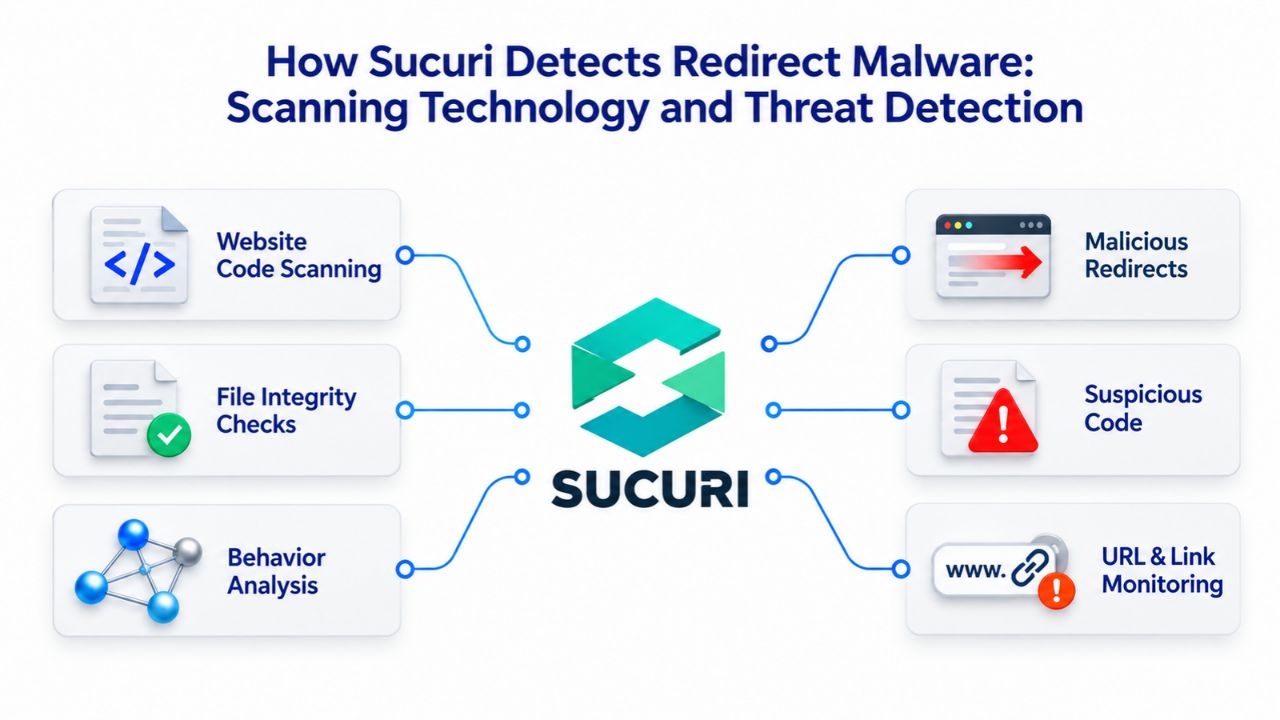
Remote scanning operates from outside your server, accessing your website as a visitor would and inspecting the HTML, CSS, JavaScript, images, and other assets that render in a visitor’s browser. Sucuri’s remote scanning tool, known as SiteCheck, continuously monitors your site’s frontend for signs of infection: obfuscated JavaScript injections, hidden iframes that load malicious content, redirect codes hidden in page templates, malicious tracking pixels, and other frontend-level threats.
Remote scanning is fast: a full site scan typically completes in minutes, and it doesn’t require special access to your hosting account or technical knowledge on your part. The scan mimics what search engines and security browsers see when they crawl your site, so remote scanning will detect malware that renders on your frontend.
However, remote scanning has a critical limitation: it cannot detect malware that hides in your backend files and never renders on your public-facing website. An attacker who stores malware in a hidden subdirectory, in database records that aren’t displayed on any page, or in server configuration files won’t be caught by frontend-only scanning.
Additionally, some sophisticated attackers deliberately disable their malware during security scans or configure it to only activate for specific types of visitors (search engines get clean pages, while regular visitors get redirected), making detection even harder. This is why server-side scanning is a necessary complementary layer; it goes behind the scenes and inspects all files and database contents directly, regardless of whether that code ever renders publicly.
Server-Side Scanning: Deep Inspection of Backend Files and Database
Server-side scanning requires access to your hosting account. It involves logging into your server via SSH or FTP to examine all your files, including .htaccess, PHP files, themes, plugins, database contents, and hidden directories. This approach is slower than remote scanning (a comprehensive server-side scan might take hours for a large site) but far more thorough. Server-side scanning can detect backdoors hidden in obscure PHP files, malware encoded in database records, unauthorized admin accounts, and suspicious modifications to core WordPress files. Sucuri’s server-side scanner can access PHP files directly, so it can detect sophisticated malware that uses encoding, obfuscation, or indirect execution techniques to hide its purpose.
The combination of remote and server-side scanning ensures comprehensive coverage: remote scanning catches anything active on your frontend, and server-side scanning catches anything hidden in backend files. Sucuri’s detection methodology relies on signature-based matching, comparing your files against a database of known malware signatures maintained by Sucuri’s threat researchers, plus anomaly detection that flags suspicious code patterns even if they don’t exactly match a known threat.
When malware researchers discover a new malware variant, they decode it, extract its unique signatures and patterns, and add those signatures to the detection database. Over time, this database becomes incredibly comprehensive, allowing Sucuri to detect even sophisticated, previously unknown malware variants by recognizing code patterns similar to threats that have been analyzed in the past.
Indicators of Compromise and Continuous Monitoring
Sucuri’s detection systems continuously monitor websites for Indicators of Compromise (IOCs), including suspicious patterns, unusual file modifications, suspicious outbound connections, unexpected database changes, and other signs of malware activity. Rather than waiting for a scheduled scan, continuous monitoring alerts you immediately if suspicious activity is detected on your site. This lets you respond within hours rather than days, potentially stopping malware before it causes major damage.
Additionally, Sucuri monitors multiple security blacklists, Google Safe Browsing, Norton, McAfee SiteAdvisor, Phish Tank, and others, to detect the moment your site is flagged by any of these authorities. If your domain appears on any blacklist, Sucuri’s monitoring alerts you immediately, so you can begin cleanup and removal before Google’s algorithm suppresses your search visibility.
The Malware Removal Process: Professional Cleanup From Detection Through Hardening
Malware removal is not a single action; it’s a structured, multi-stage process that requires both automated tools and human expertise. Understanding each stage helps you know what to expect and why professional cleanup is complex and time-consuming.
Malware Removal Process and Timeline
| Removal Stage | Duration | Primary Activities | Expected Outcome |
|---|---|---|---|
| Assessment & Analysis | 1–2 days | Examine infection scope, identify root cause, document vulnerable systems, develop removal strategy | Detailed removal plan tailored to your site |
| Automated Cleanup | 24–72 hours | Upload removal scripts, scan files and database, automatically delete malware, remove hidden accounts, eliminate known backdoors | Majority of malware removed from server |
| Manual Threat Review | 1–2 days | Human expert review of suspicious code, sophisticated threat identification, backdoor verification, re-infection vector detection | Advanced threats removed, re-infection prevented |
| Verification & Testing | Hours | Final scanning confirms complete malware removal, test site functionality, verify no redirects remain, check Safe Browsing status | Confirmation site is clean and functional |
| Blacklist Removal | 2–7 days | Manually request removal from Google, Norton, McAfee, other blacklist authorities; await authority re-scans | Removal from security blacklists |
Step 1: Assessment and Preparation
When you submit a malware removal request to Sucuri (GoDaddy Website Security), the first step is a thorough assessment. You provide details about the issues you’re experiencing, your hosting environment, your server type, and your login credentials (SSH, SFTP, or FTP access). Sucuri’s initial assessment team accesses your hosting account and reviews your site’s overall health and configuration: they check your WordPress version, scan your file system and database for obvious red flags, review your plugin and theme list, and document the scope of the infection.
This assessment phase determines how complex the cleanup will be, whether the infection is limited to a few files or pervasive throughout your database, whether backdoors are present, and whether re-infection vectors are likely. This information helps the cleanup team develop a removal strategy tailored to your specific situation.
During assessment, the team also examines your server configuration, file permissions, and access controls to understand how the attacker likely gained initial access. Did they exploit a vulnerable plugin? Did they use brute-forced credentials? Is there a structural security weakness in your hosting setup that needs to be addressed? Understanding the root cause is essential because closing that vulnerability is the only way to prevent the same attack from happening again immediately after cleanup. The assessment phase might take 1–2 days depending on site complexity and Sucuri’s current queue volume. Still, it’s essential for ensuring that cleanup is thorough and that re-infection vulnerabilities are identified for later patching.
Step 2: Automated Cleanup and Threat Removal
Once the assessment is complete, Sucuri’s cleanup team begins the automated removal phase. The team uploads specialized PHP-based scripts and tools to your server that scan your entire file system and database, automatically identifying and removing known malware signatures and patterns.
These automated cleanup scripts leverage years of malware research and are optimized to handle the most common infections quickly and reliably. The scripts will delete infected files, remove injected database content, delete hidden admin accounts, and eliminate backdoors that match known patterns. By default, Sucuri’s cleanup process saves backups of every file touched during cleanup, so if something goes wrong or if you need to reference the original infected state for compliance or legal purposes, that information is preserved.
The automated cleanup phase typically completes within 24–72 hours depending on the size and complexity of your site. During this phase, your site may experience some downtime or instability as scripts scan your database or remove infected files. Communication with your Sucuri analyst is important during this phase. If the automated cleanup encounters an issue or needs to confirm removal of a particular file, the analyst will contact you before proceeding. Automated tools handle most of the removal work. Still, they rely on known signatures, so if your site contains a truly novel or custom malware variant that doesn’t match known patterns, the automated phase alone may not catch everything. This is why manual review follows.
Step 3: Manual Analysis and Threat Refinement
After automated cleanup completes, Sucuri’s threat analysis team manually reviews remaining anomalies and suspicious code patterns. These are experienced security researchers who understand malware behavior at a deep level and can identify sophisticated threats that automated tools might miss. They examine areas flagged by the automated tools as suspicious but not definitively malicious, review unusual code in theme or plugin files, check database records for suspicious modifications, and search for indicators that might suggest backdoors or re-infection vectors. This manual phase is crucial for advanced or custom malware that doesn’t match known signatures, for sophisticated attackers who intentionally obfuscate their code, and to ensure no re-infection backdoors are left behind.
The manual analysis phase adds 1–2 days to the overall cleanup timeline but is essential to ensure thorough removal and prevent re-infection. An attacker with months of access to your site might have hidden multiple backdoors, injected code in multiple locations, or created sophisticated re-infection mechanisms. A quick automated cleanup alone would remove the obvious malware but might leave backdoors in place, meaning your site could be reinfected within days after you believe you’ve cleaned it. This is why many sites that attempt self-service DIY cleanup get reinfected: they remove visible malware but miss hidden persistence mechanisms. Professional cleanup’s manual phase specifically exists to prevent this scenario.
Step 4: Blacklist Removal and Post-Cleanup Verification
Once malware removal is complete, the cleanup team runs a final verification scan to confirm the infection is gone and no malware remains on your site. They run comprehensive scans to ensure no suspicious code remains in files or database records; they verify that any hidden admin accounts have been removed; and they check that your site loads normally without redirects or other malicious behavior.
If your site was flagged by Google Safe Browsing or other blacklists before cleanup, the Sucuri cleanup team manually submits blacklist removal requests on your behalf to Google, Norton, McAfee, and other authorities. These requests inform the security authorities that your site has been cleaned and ask them to re-scan your domain and remove the malware warning from their blacklists.
The blacklist removal phase is critical because even after you’ve cleaned your site perfectly, visitors will still see browser warnings if your domain remains flagged by security authorities. Malware warnings are removed automatically once blacklist operators re-scan your site and confirm it’s clean, but this re-scanning doesn’t happen instantly; it can take days or weeks. Sucuri’s manual blacklist removal request speeds up this process by directly notifying these authorities that your site has been cleaned, allowing them to prioritize your re-scan and remove your domain from their blacklists faster. This phase may take several days, but it’s essential for restoring visitor trust and search engine visibility.
Closing Security Holes: Preventing Re-Infection After Cleanup
Removing malware is only half the battle. The second half, and arguably the more important half, is closing the vulnerabilities that allowed the infection in the first place. Without proper hardening, attackers can reinfect your site within weeks or months by exploiting the same weaknesses and understanding these hardening steps and implementing them immediately after cleanup is essential for long-term security.
Patching Vulnerabilities and Updating WordPress Completely
After malware removal, update WordPress core, all plugins, and all themes to their latest versions. Attackers often gain access through outdated, vulnerable plugins, so keeping every component of your WordPress installation current eliminates most known attack vectors. Beyond updates, remove any plugins or themes you’re not actively using. Each unused plugin is a potential attack vector that you’re not monitoring or updating. If a vulnerability is discovered in an unused plugin, attackers can exploit it while you’re not paying attention. Deactivated but undeleted plugins are particularly dangerous because many site owners forget they exist and may not update them when a vulnerability is disclosed.
Additionally, review your WordPress file permissions and ensure that your directories and files have appropriate permissions. Your .htaccess file should be readable but not writable by website visitors; your wp-config.php should be protected from direct web access, and your wp-content directory should have restricted permissions. Ask your hosting provider to implement additional server-level protections, such as ModSecurity (a Web Application Firewall running on your server) or other hardening measures. These configurations won’t prevent all attacks, but they will block many basic, automated attempts that target thousands of sites daily. Your hosting provider can advise on what’s available for your specific hosting environment.
Strengthening Credentials and Implementing Two-Factor Authentication
Change all your WordPress admin passwords immediately after cleanup, and make those passwords strong, unique, and different from passwords you use on other sites. A strong password should be at least 12–16 characters long, include uppercase and lowercase letters, numbers, and symbols, and avoid common words, names, or dates associated with your business. Additionally, change your FTP/SSH credentials, hosting control panel password, and email account password. If attackers accessed your WordPress admin account, they may also have accessed other accounts through password managers or recovered credentials.
Beyond password changes, implement two-factor authentication (2FA) on all admin accounts. WordPress 2FA options include third-party authenticator apps (Google Authenticator, Authy, Microsoft Authenticator), email-based verification, or SMS codes. With 2FA enabled, even if an attacker compromises your WordPress password, they cannot access your admin account without also accessing your phone or email account. This additional security layer is particularly important for high-value targets (e-commerce sites, sites handling customer data) and for sites that have already been compromised once.
Installing and Configuring a Web Application Firewall
A Web Application Firewall (WAF) is a cloud-based security layer that sits between your visitors and your website, filtering incoming traffic and blocking requests that match known attack patterns. A WAF prevents many common attacks from ever reaching your site: SQL injection attempts are blocked, brute-force login attempts are throttled or blocked, XSS attacks are filtered, and automated attack scanners are turned away. Sucuri (GoDaddy Website Security) provides a cloud-based WAF that protects WordPress sites by inspecting all traffic and implementing security rules developed by threat researchers. These rules are regularly updated as new attack techniques are discovered, ensuring that your WAF defenses improve over time without any action required on your part.
A WAF cannot prevent every possible attack; a determined attacker with specific knowledge of your site may still find ways to exploit custom code or business-logic vulnerabilities unique to your site. Additionally, a WAF does nothing to prevent attacks that exploit vulnerabilities in your code if the vulnerability is subtle or if the attack is disguised as legitimate traffic. However, a WAF blocks most automated attacks and common exploitation techniques. Implementing a WAF as part of post-compromise hardening means that future attacks will face significant additional friction: attackers scanning your site will encounter security challenges they hadn’t anticipated, increasing the likelihood that they move on to an easier target.
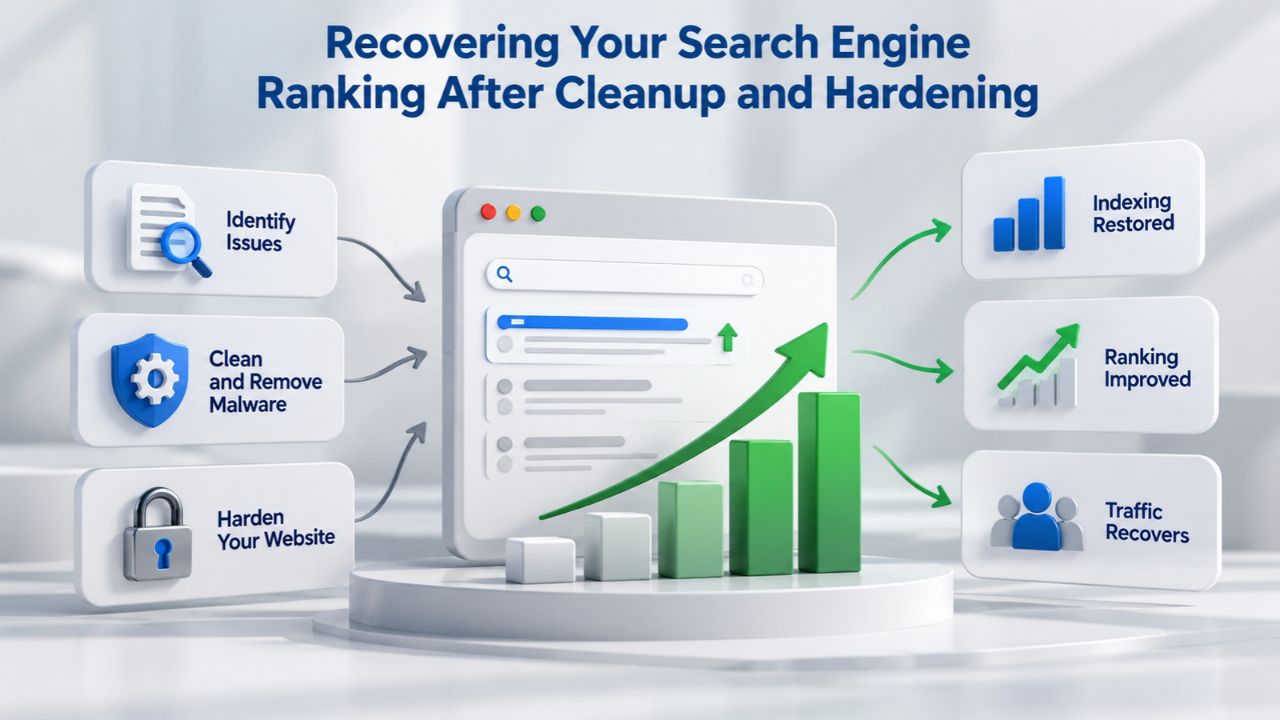
Recovering Your Search Engine Ranking After Cleanup and Hardening
Once you’ve removed malware and closed vulnerabilities, your site’s search visibility won’t instantly return. Search engines need to be notified that your site is clean and needs to re-evaluate your site’s trust and authority. This recovery phase requires patience and proper steps in Google Search Console.
Requesting a Malware Review From Google Search Console
Before requesting a malware review from Google, you must be completely certain that your site is clean. Absolutely confirm that no malware files remain on your server, that all URLs load without unexpected redirects or pop-ups, that your site functions as intended, and that Google Safe Browsing no longer detects new threats on your site. You can verify this by running a final malware scan through Sucuri or another security scanner and by testing your site in an incognito browser window. Only proceed to Google Search Console once you’re completely confident your site is clean.
Navigate to your Google Search Console account and find the “Security Issues” report in the left sidebar. If Google has flagged your site for malware, you’ll see a summary of the security issues detected. At the bottom of the Security Issues section, you’ll find a “Request a Review” button. Click this button and provide detailed information about the malware infection you discovered, the steps you took to clean your site (specific tools used, files removed, changes made), and the security measures you’ve implemented to prevent future compromise (2FA, plugin updates, WAF installation, etc.).
Provide as much specific detail as possible; Google reviewers evaluate these requests manually and are more likely to approve requests that demonstrate thorough cleanup and prevention measures. After submitting your request, Google will manually re-scan your site to verify that malware is gone. Depending on the complexity of your situation and Google’s current queue, this review typically processes within a few days.
Timeline for Search Ranking and Traffic Recovery
Once Google approves your malware review and lifts the malware warning, your search visibility will begin recovering, but full recovery takes time. If your site’s only issue was the malware (i.e., you had no pre-existing SEO problems before infection), Google may restore some of your rankings within 24 hours of approval.
However, full restoration to pre-infection ranking positions typically requires 2–4 months because Google needs to recrawl your site thoroughly, re-index your legitimate content in place of any spam that was injected during the infection, and re-evaluate your site’s trustworthiness and authority. Additionally, spam links created by attackers during the infection will remain in Google’s index for months after you remove them from your site; Google must automatically process the removal and devalue those links over time.
If your site had pre-existing SEO problems before the infection (poor site structure, thin content, slow page speed), the malware infection might have forced Google to re-evaluate your entire site more thoroughly. In these cases, recovery can take 4–6 months or longer as Google works through its re-assessment. This is why prevention is infinitely preferable to recovery: the months of lost traffic and ranking authority during recovery far outweigh the investment in proactive security measures. If you experienced significant ranking recovery delays, take this opportunity to address any SEO issues alongside your security improvements; improving your site structure, updating old content, and optimizing page speed will all contribute to faster recovery.
Monitoring Your Recovery and Addressing Manual Penalties
Monitor your site’s ranking and traffic in Google Search Console and in your analytics tools as recovery progresses. You should see organic traffic and keyword rankings gradually improve in the weeks after your malware review approval. If recovery stalls or your rankings don’t return after 2–3 months, check whether Google has applied any manual penalties to your site. Some severe compromises result in Google’s human reviewers manually applying a penalty on top of the automatic malware suppression.
In these cases, submit a “Reconsideration Request” through Google Search Console, explaining the infection, your cleanup process, and the security measures you’ve implemented. This request alerts Google to review your site manually again and potentially lift the manual penalty once it’s confirmed that cleanup is complete.
Managed Security vs. DIY Cleanup: Making the Right Decision for Your Website
When your site is compromised, you face a decision: clean it yourself using available tools and your technical knowledge, or hire professional incident responders to handle the cleanup. This decision depends on your technical capabilities, your site’s complexity, and your risk tolerance.
When DIY Cleanup Might Be Appropriate
DIY cleanup is best for site owners with technical expertise who caught the infection early, before it causes ranking damage, and who are willing to spend days or weeks on remediation. For everyone else, which includes most small business owners and non-technical site owners, DIY cleanup is risky and time-consuming.
Why Professional Removal Reduces Risk and Accelerates Recovery
Professional malware removal by experts powering Sucuri (GoDaddy Website Security) reduces re-infection risk, saves you time, and ensures nothing is missed. Professionals have access to specialized tools, years of malware research data, and experience handling thousands of infections across diverse hosting environments and WordPress configurations. They know where attackers hide malware, how to detect sophisticated obfuscation and encoding techniques, and how to identify persistence mechanisms that might allow re-infection. Perhaps most importantly, they perform comprehensive server-side scanning that catches malware hiding in backend files and database records, the locations where DIY tools most commonly fail.
Beyond cleanup, professional security services provide ongoing monitoring and protection through malware scanning and Web Application Firewall technology. These ongoing defenses catch future threats before they cause damage, so you can focus on running your business instead of worrying about security. For e-commerce sites, sites handling customer data, and sites where downtime directly translates to lost revenue, the ROI on professional security services is clear and immediate.
| Threat Type | Common Entry Point | Detection Method | Recommended Response |
|---|---|---|---|
| .htaccess redirect | Stolen hosting credentials, vulnerable FTP | Server-side scanning, file inspection | Remove malicious rewrite rules, audit credentials |
| JavaScript injection | Outdated plugin vulnerability | Remote scanning, page source inspection | Remove injected code, update all plugins |
| Database malware | SQL injection, admin compromise | Server-side scanning, database audit | Clean database records, remove hidden accounts |
| Backdoor access | All compromise types | Signature scanning, anomaly detection | Remove backdoor files and accounts, audit access logs |
| DNS hijacking | Compromised registrar account | DNS record monitoring, resolution checking | Contact registrar, restore legitimate DNS records |
Stop Wasting Time on DIY Security, Get Professional Protection Today
Niya Digital’s Website Security Service, powered by Sucuri’s proven incident response infrastructure and threat research, takes security off your plate. Whether your site is currently infected or you’re determined to prevent future compromise, our team handles continuous scanning, rapid response, and expert cleanup, so you can run your business with confidence instead of worrying about security. Stop guessing whether your site is truly clean. Start protecting it professionally.
Frequently Asked Questions
What is malware scanning and how does it work?
Malware scanning uses automated tools to inspect website files and database contents for malicious code. Sucuri (GoDaddy Website Security) offers two scanning types: remote scanning examines your site from outside your server, accessing it as a visitor would, and detecting threats that render on your frontend; server-side scanning logs into your hosting account and inspects all backend files, detecting malware hiding in places visitors never see. Both use signature-based detection, matching code patterns against a database of known malware variants maintained by threat researchers. Regular scanning, daily, weekly, or on-demand depending on your plan, provides continuous threat detection.
How long does malware removal usually take?
The removal timeline depends on infection complexity and your service plan SLA. Simple single-file infections are cleaned in 24–48 hours; complex multi-file infections with backdoors take 3–7 days. Plans with guaranteed SLAs are prioritized; standard plans experience longer waits during high-volume periods. The timeline includes assessment, automated cleanup, manual review, blacklist removal requests, and final verification. After cleanup completes, you must request a review in Google Search Console, which is processed within a few days. Full recovery of search rankings takes months, not days.
Can I clean my site myself, or do I need professional help?
DIY cleanup is possible if you have SSH/FTP access comfort, database backup knowledge, and PHP familiarity, and only if the infection is caught early. However, missing even one backdoor can lead to re-compromise weeks later, which is far more costly than professional cleanup upfront. Professional removal is recommended for e-commerce sites, sites with large user databases, or owners unfamiliar with server administration. Professional cleanup costs less than re-infection and the time lost recovering rankings. For most site owners, professional help provides faster, more reliable cleanup.
Will my search rankings come back after cleanup?
Google’s malware review typically takes a few days. If your site is clean, search visibility may begin recovering within 24 hours of approval. Still, full ranking recovery to pre-hack positions takes 2–4 months depending on infection duration and whether other SEO issues exist. The recovery timeline also depends on how long your site was infected; longer infection means more extensive ranking damage. Requesting a malware review through Google Search Console and submitting a reconsideration request (if applicable) accelerates recovery. Patience and consistent security practices help.
What is a backdoor and why is it dangerous?
A backdoor is a hidden access point or account attackers leave in files or database records, allowing them to re-infect your site even after initial malware removal. Backdoors often hide in hidden admin accounts, encoded PHP files, or database triggers. If cleanup misses even one backdoor, your site becomes re-infected days or weeks later- what security professionals call “re-compromise.” Professional removal specifically scans for and removes all backdoors to prevent this re-infection cycle that plagues DIY cleanup attempts.
How do I know if my website is currently hacked?
Common signs include unexpected redirects to other sites, browser or Google warnings (“this site may harm your computer”), unfamiliar pages in search results (site:yoursite.com search), or visitors reporting strange pop-ups. Professional confirmation requires running a malware scan through Sucuri SiteCheck or checking Google Search Console’s Security Issues report. Visual signs warrant immediate investigation, but professional scanning is the only definitive way to confirm infection and identify all instances of malware. Use multiple detection methods to verify comprehensively.
What is a Web Application Firewall and does it prevent hacking?
A WAF is a cloud-based security layer between visitors and your site that filters malicious traffic before it reaches your server. It blocks SQL injection attempts, brute-force login attempts, XSS attacks, and stops automated scanners. A WAF cannot prevent every attack or vulnerability, but it blocks most automated threats, giving your site time to patch vulnerabilities. WAF is most effective combined with regular plugin updates, strong passwords, and monitoring. It’s a critical layer of defense, but not a complete solution on its own.
Do I need both malware scanning and a firewall, or just one?
Use both for comprehensive protection. Malware scanning detects infections after they occur; a firewall prevents many attacks from happening in the first place. A comprehensive security service and layered approach means threats face multiple defensive barriers. Neither alone is sufficient; the combined approach significantly reduces risk and catches both known and novel threats. Redundancy is essential for security.
What causes a website to be redirected to spam in the first place?
Redirect malware enters through outdated plugins/themes (55.9% of hacks), weak passwords (81% of breaches), SQL injection in poorly coded forms, or cross-site scripting vulnerabilities. Attackers automate scanning to find these weaknesses. Once inside, they inject code into .htaccess files, database records, JavaScript, or DNS records to hijack traffic. Prevention requires updating software immediately, using strong, unique passwords, implementing two-factor authentication, removing unused plugins, installing a Web Application Firewall, and running regular malware scans. Layered prevention is more effective than relying on single measures.
How do I prevent my site from being hacked in the future?
Update WordPress core, plugins, and themes immediately when updates are released (55.9% of hacks exploit outdated software). Use strong, unique passwords and enforce two-factor authentication on admin accounts. Remove unused plugins and themes. Install a Web Application Firewall to block common attacks. Run regular malware scans to catch early infections. Monitor your site for unusual activity using uptime and security monitoring. Implement these practices consistently rather than attempting one-time hardening. Consistent security hygiene is more effective than sporadic high-effort fixes.
What is SEO spam and how does malware redirect relate to it?
SEO spam is malware-injected content or redirects designed to abuse your site’s search ranking for attacker profit. Attackers inject spam links, hidden pages, or redirect code to funnel your search traffic to their sites. Sucuri cleans over 50% of malware annually, and it’s SEO spam. Spam redirects are a specific form of SEO spam; they directly funnel your ranking power and visitor traffic to attacker domains, harming your search visibility and visitor trust at the same time. SEO spam damages both users and site owners.
What should I do if Google flagged my site for malware?
First, verify the flag in Google Search Console’s Security Issues report. Ensure your site is 100% clean using a professional malware scanner before requesting review; submitting requests while infected can label you a “Repeat Offender” and block new submissions for 30 days. Submit a malware review request explaining your cleanup steps. Google typically responds within days. If Google applied a manual penalty, submit a reconsideration request explaining the hack, cleanup, and prevention measures. Detailed cleanup documentation speeds up Google’s review process.
Can re-infection happen after cleanup?
Yes, re-infection is common if backdoors or original vulnerabilities aren’t fully removed. This is why comprehensive cleanup, including server-side scanning and backdoor removal, is critical. After cleanup, immediately patch the vulnerability allowing initial compromise (update plugins, fix code, strengthen passwords, implement a firewall). Ongoing monitoring and malware scans catch re-infection quickly if it occurs despite preventive steps. Professional cleanup with multiple verification stages reduces re-infection risk compared to DIY cleanup. Long-term monitoring is essential for catching rapid re-infection attempts.
What recovery steps should I take immediately after cleanup?
After cleanup:
(1) Change all admin and FTP passwords.
(2) Update WordPress core, plugins, and themes to the latest versions.
(3) Remove unused plugins and themes.
(4) Verify the site loads correctly without redirects.
(5) Check Google Search Console Security Issues report.
(6) Submit a malware review request if Google flagged the site.
(7) Implement a Web Application Firewall if not already present.
(8) Enable two-factor authentication on admin accounts.
(9) Set up ongoing malware monitoring.
(10) Audit all user accounts and remove suspicious ones.
How does a Web Application Firewall help prevent future infections?
A WAF blocks many attack attempts before they reach your website: SQL injection attempts are filtered, brute-force login attempts are throttled or blocked, XSS attacks are prevented, and automated vulnerability scanners are turned away. The firewall rules are regularly updated as new attack techniques emerge. Additionally, WAF analytics help you understand what attacks target your site, allowing you to prioritize hardening efforts. Combined with regular updates and strong passwords, WAF significantly reduces the likelihood of future compromise. No solution prevents all attacks.
Glossary
- Backdoor: A hidden access point or unauthorized user account left by attackers in website files or database records that persists after initial malware removal, allowing attackers to re-infect a site repeatedly without exploiting new vulnerabilities.
- Blacklist/Blacklisting: The process by which security authorities, including Google Safe Browsing, browsers like Chrome and Firefox, and security vendors, flag and maintain lists of websites containing malware, phishing content, or other threats, warning users before they visit flagged sites.
- Brute-Force Attack: An automated attack method that attempts thousands or millions of username and password combinations against a login page, systematically trying common passwords until the correct credentials are discovered and account access is gained.
- Incident Response: The structured process of detecting, analyzing, containing, and removing malware from a compromised website, typically involving both automated scanning and manual analysis by security experts to ensure complete threat removal.
- Malware Scanning: Automated inspection of website files, database contents, and server configurations using pattern-matching technology to identify and report malicious code, vulnerabilities, and unauthorized modifications that indicate compromise.
- Redirect Malware: Malicious code injected into a website that automatically redirects visitors to attacker-controlled domains, typically for SEO spam abuse, ad fraud, malware distribution, or credential theft.
- SEO Spam: A malware-based attack strategy in which attackers inject spam links, hidden pages, or redirect code into a compromised site to abuse its search engine authority and funnel organic traffic to attacker-controlled pages.
- SQL Injection: A code injection attack where attackers insert malicious SQL commands into input fields or URL parameters, allowing them to manipulate the website’s database directly and perform unauthorized actions like stealing data or creating backdoor accounts.
- Web Application Firewall (WAF): A cloud-based security service that filters HTTP/HTTPS traffic in real time, blocking malicious requests, including SQL injection attempts, brute-force attacks, cross-site scripting attacks, and automated vulnerability scanners, before they reach a website’s server.