Your website is often the first point of contact customers have with your business. When malware infects your site or a hacker breaks through, that damage compounds quickly: traffic drops, data leaks, trust erodes, and recovery becomes expensive and time-consuming. Two critical security tools defend websites, but they work at different stages of an attack: a website malware scanner detects infections that have already reached your server and removes them.
At the same time, a Web Application Firewall (WAF) blocks attacks before they ever arrive. Many site owners wonder which tool matters more. Based on real-world attack patterns, the answer is both, but understanding their distinct roles helps you build the right website security foundation for your specific risk level. Niya Digital is an authorized reseller of Sucuri website security services.
What Malware Scanning Actually Detects
A website malware scanner is your site’s forensic investigator and immunity system rolled into one. It runs scheduled or continuous scans of your website’s files, databases, and server configurations, searching for injected malicious code, backdoors, rootkits, and suspicious patterns that indicate compromise. Unlike antivirus software that protects a single computer, a website malware scanner operates at the infrastructure level, examining thousands of files and database records simultaneously to identify threats that a single compromised file might contain.

How Malware Detection Methods Work
Modern malware detection relies on three complementary techniques working together to catch different threat types. Signature-based detection matches file patterns, code snippets, and behavioral sequences against a continuously updated database of known malware signatures. This approach is fast and highly reliable for identifying familiar threats; as soon as a scan runs, known malware is flagged within seconds. The limitation is obvious: newly created malware variants that attackers have specifically engineered to evade known signatures slip through until researchers analyze them and update the signature database.
Heuristic analysis takes a different approach, examining code structure and behavior patterns rather than exact matches. If code contains suspicious operations (unusual API calls, suspicious registry modifications, shell spawning, network connections to known malicious servers), the scanner flags it as likely malware even if the exact code sequence has never been seen before. This method catches new malware variants and polymorphic malware that intentionally changes its signature to evade detection. The tradeoff is false positives; legitimate code performing unusual operations can sometimes trigger alerts, requiring manual review to confirm malicious intent.
Behavioral monitoring watches for runtime activity patterns that indicate active malware execution. A website malware scanner with behavioral monitoring tracks file system writes (new files appearing in unusual locations), outbound network connections (your server contacting known malicious IP addresses), database query patterns (unexpected data exfiltration), and process creation (new processes spawning unexpectedly). This real-time layer catches infections in progress, even before traditional signatures are available. Sucuri (GoDaddy Website Security)’s scanning engine, which powers Niya Digital’s Website Security Service, combines all three detection methods into a layered approach that balances speed, accuracy, and coverage.
Scan frequency directly determines detection lag, which is crucial for risk management. A daily scan means an attacker who injects malware at 11 PM has potentially 23 hours before the scan runs and detection occurs. During that undetected window, the malware works, redirecting visitors to phishing sites, harvesting credentials, exfiltrating data, and recruiting the server for botnet activities. Continuous real-time monitoring shrinks this window to minutes or hours, though at a higher computational cost. For sites handling customer payment data or personal information, this difference is the difference between a minor incident and a major breach.
What Malware Scanning Actually Removes
Once malware is positively identified, malware removal involves a multi-step process that goes far beyond simply deleting the infected file. A professional malware removal service first analyzes the infection’s scope and mechanism: Did the attacker use a backdoor to maintain persistent access? Are there multiple injection points? Has the database been modified? What data was exposed? Understanding the full extent of the compromise is essential because incomplete malware removal can leave backdoors intact, allowing re-compromise within hours.
Common malware found during cleanup includes injected redirect code that silently sends visitors to spam or phishing sites, backdoor files that give attackers remote access even after the initial vulnerability is patched, database-level injections that steal customer credentials and payment information, and cryptominers that abuse server resources to generate cryptocurrency for the attacker. Each type requires different removal techniques. A backdoor might be hidden in a legitimate-looking file, requiring source-code analysis to locate and remove the malicious portions while preserving legitimate functionality. A database injection might require restoring the database from a clean backup because the malware has contaminated data at a foundational level.
Niya Digital’s Website Security Service includes hands-on malware removal as part of its incident response. Cleanup complexity determines turnaround time: straightforward injected-code removal (a few lines of malicious PHP or JavaScript in commonly compromised files) typically completes within hours to one business day. Complex compromises involving multiple backdoors, database-level attacks, custom-coded exploits, or site-wide infections may require three to five business days, particularly if your site uses custom code that needs forensic analysis.
A critical limitation, however, is fundamental: malware removal only works after an infection occurs. By definition, the attacker has already breached your site, accessed your data, and compromised visitor trust. If your goal is preventing attacks before they ever land on your server, malware scanning alone cannot achieve that, which is where a Web Application Firewall becomes indispensable.
Website Security Plans & Pricing
Protect your website with flexible security plans designed to safeguard your data, prevent threats, and maintain reliable online performance. Choose the right level of protection for your business needs, with essential security features that help keep your website secure, available, and trusted by visitors.
Website Security Essential
Detect and remove malware. Malware scan and removal.
- Protection for unlimited pages within a single website
- 12-hour response time
- Unlimited malware removal
- Blacklist monitoring & removal*
- Multiple site protection available
Website Security Deluxe
Proactively secure your site. Malware scan and removal + ongoing protection.
- Protection for unlimited pages within a single website
- 12-hour response time
- Unlimited malware removal
- Blacklist monitoring & removal*
- WAF malware prevention**
- CDN performance accelerator***
- Multiple site protection available
Website Security Express
Fix my hacked site now. Expedited malware removal + ongoing protection.
- Protect one site
- 30-minute response time
- Unlimited malware removal
- Blacklist monitoring & removal*
- WAF malware prevention**
- CDN performance accelerator***
How a Web Application Firewall Stops Attacks in Real-Time
A Web Application Firewall is your site’s active gatekeeper, standing between every visitor request and your origin server. It filters HTTP and HTTPS traffic in real-time, examining every request for signs of attack, and blocking or rate-limiting malicious requests within milliseconds, before a single malicious byte reaches your website’s code, your database, or your visitors’ browsers. The WAF operates at the application layer, meaning it understands web-specific attack patterns (SQL injection, cross-site scripting, path traversal) in ways that network-level firewalls cannot.
What a WAF Blocks and How
A Web Application Firewall’s core function is rule-based threat filtering. Sucuri (GoDaddy Website Security)’s WAF maintains pre-configured rule sets updated daily from global threat intelligence feeds. These rules recognize attack patterns including SQL injection (inserting database commands into login forms to bypass authentication or extract data), cross-site scripting or XSS (injecting malicious JavaScript into response pages to steal visitor session cookies or credentials), path traversal (attempting to access files outside the intended directory using sequences like ../../../etc/passwd), and brute-force login attempts (automated tools trying thousands of password combinations rapidly).
Beyond pattern matching, the WAF logs and reports every blocked request, giving you visibility into the attack landscape targeting your specific site. You see which attack types are most common, which IP addresses are attempting exploits, what times attacks peak, and which parts of your application are targeted most. This intelligence is invaluable for hardening: if a specific plugin is being attacked repeatedly, you know to update or remove that plugin. If attacks spike during off-hours, you know automated scanners are targeting your site rather than targeted attackers.
Custom WAF rules allow even more precise defense. If your site uses a custom plugin with a known vulnerability, you can write a rule blocking the specific attack payload without waiting for a general signature update. If you notice a pattern of attacks exploiting a particular feature, you can block that feature entirely at the WAF level while your development team patches the underlying code.
Rule-based blocking is deterministic; the same malicious request blocked today will be blocked tomorrow with absolute consistency, providing the predictable, repeatable defense that sophisticated attackers must plan around. However, this determinism is also a limitation: attackers constantly craft new variants and zero-day exploits specifically designed to evade known rules, which is exactly why malware scanning remains essential.
Real-Time Prevention vs Post-Incident Response
The key difference between a Web Application Firewall and malware scanning is timing and the stage of the attack. A WAF operates in the prevention phase, blocking attacks in real time as they attempt to reach your site; response happens in milliseconds, before damage occurs. Malware scanning operates in the detection and recovery phase, identifying and removing infections after they succeed and settle into your infrastructure; response happens in hours to days, after damage has been inflicted.
Neither tool alone is sufficient against sophisticated attackers. A Web Application Firewall might successfully block 99% of common attack patterns. Still, an attacker with knowledge of a zero-day vulnerability in your CMS can bypass WAF rules entirely by exploiting code the WAF doesn’t yet have signatures for.
In that case, the WAF fails silently (the attack succeeds), and malware scanning becomes your backup: the attacker injects malware, your scanner detects it during the next scan cycle, and you clean and patch before the attacker causes further damage. Conversely, a site with only malware scanning might catch infections eventually, but during the detection lag, malware is actively working: redirecting visitors, harvesting credentials, spreading to other sites. A Web Application Firewall prevents most of those attacks from landing in the first place.
This is the principle of layered website protection: one tool’s gaps are another’s strength. A website relying solely on a WAF assumes all novel attacks will be detected quickly through rule updates, a risky assumption against determined attackers. A website relying solely on malware scanning accepts detection lag and active malware compromise as a cost of doing business, an unacceptable risk for sites handling sensitive data. Combining both layers creates a defense-in-depth strategy: prevention (WAF) handles most attacks, detection and response (malware scanning) handles what bypasses prevention, and regular patching and hardening close the gaps neither tool can fully cover.
Common Attack Scenarios and Which Layer Stops Them
Real-world website attacks rarely follow simple patterns. Understanding where each security tool excels, and where both are necessary, clarifies why redundancy is essential.

Known Attacks and Prevention
SQL injection attacks remain one of the most common threats to database-driven websites. An attacker enters malicious SQL code into a login form, search box, or URL parameter, attempting to bypass authentication, extract customer data, or modify database contents directly. A properly configured Web Application Firewall recognizes SQL syntax and dangerous command sequences (UNION SELECT, DROP TABLE, comment syntax). It blocks the malicious request before it ever reaches your application code. The attacker never gets past the WAF; no malware is injected; no damage occurs. The WAF has prevented the attack entirely at the network boundary.
Brute force protection through rate-limiting works similarly. An attacker (or an automated tool controlled by an attacker) attempts to log in using thousands of password combinations. A WAF can detect this attack pattern- multiple failed login attempts from the same IP address in a short time window- and respond by rate-limiting (requiring increasingly long delays between attempts), temporarily blocking the offending IP, or requiring additional verification. Again, the attack is defeated at the application boundary before it reaches your core authentication system.
Complex Attacks Requiring Both Layers
But now consider a realistic scenario that defeats simple defenses. An attacker discovers a zero-day vulnerability in a WordPress plugin your site uses. This vulnerability is unknown to Sucuri, unknown to WordPress security researchers, unknown to the broader security community. Your Web Application Firewall has no rule for this attack because the rule doesn’t yet exist. The attacker crafts a request that exploits this vulnerability, bypasses your WAF (because the WAF doesn’t recognize the attack pattern), and reaches your website. The vulnerability is triggered; the attacker gains access; the attacker installs a backdoor plugin, giving persistent access for future visits.
Now days pass. Your website malware scanner runs its scheduled scan. The scanner detects the backdoor’s suspicious file patterns (behavioral analysis flagging unusual file modifications and persistence mechanisms), identifies it as malicious, and alerts you. Your incident-response team removes the backdoor, patches the vulnerable plugin, and hardens your system against similar exploits. The Web Application Firewall is updated with new rules blocking exploitation of this specific vulnerability. But here’s the critical point: without malware scanning, you might never have discovered the backdoor. It would have continued executing, harvesting data and sending it to the attacker’s command-and-control server, for weeks or months.
This scenario illustrates why no single security tool is sufficient. A WAF stops known attacks reliably. Malware scanning catches what bypasses the WAF. If both fail, sophisticated, targeted attackers can succeed. But together- prevention plus detection plus response- create a defense strategy that survives even determined adversaries.
Attack Type and Which Security Layer Stops It
| Attack Type | Web Application Firewall | Malware Scanner & Removal | Outcome |
|---|---|---|---|
| SQL Injection (known pattern) | Blocks at entry | Not applicable | Attack prevented at network boundary |
| Brute-Force Login (rate-limited) | Rate-limits/blocks after threshold | Not applicable | Attack defeated; credentials protected |
| Zero-Day Plugin Exploit | May miss if signature unavailable | Detects injected malware post-compromise | WAF gap → malware injection → scanner catches it |
| Backdoor/Persistent Access | Not applicable (legitimate admin) | Detects suspicious files and persistence mechanisms | Malware found and removed via malware removal |
| Cross-Site Scripting (XSS) | Blocks injected scripts | Detects if malware persists in response pages | Combined defense stops injection and persistence |
| Compromised Admin Credentials | Cannot stop legitimate admin login | Detects backdoor plugins installed by attacker | Firewall bypassed through valid login; scanner finds damage |
| Defacement/Content Injection | Depends on rule sophistication | Detects file modifications and injected content | Combined defense catches both injection and persistence |
When Attackers Chain Multiple Vectors Together
Sophisticated attackers understand both tool limitations and combine tactics to defeat layered defenses. An attacker might launch a phishing campaign targeting your site administrators and steal an admin credential through social engineering (the WAF cannot stop this; it’s not an HTTP-level attack). The attacker uses the stolen credential to log into your admin panel legitimately (no WAF rule matches legitimate login attempts). Once inside, the attacker installs a malicious plugin. The plugin doesn’t trigger WAF rules because it’s installed through legitimate admin channels. Days later, your website malware scanner detects the backdoor. But by then, the attacker has harvested your customer database, copied your plugin code for future attacks, and established a foothold for future re-compromise.
This scenario reveals a crucial insight: Niya Digital’s team has found that most website compromises involve multiple attack vectors working together, credential exploitation, unpatched plugins, WAF-bypassing zero-days, and persistence mechanisms. No single defensive tool handles this complexity. A complete website security strategy requires a WAF to block common attacks, malware scanning to catch what slips through, regular software updates to eliminate known vulnerabilities, strong credential management to prevent social engineering compromise, and ongoing monitoring to detect suspicious activity. Niya Digital’s Website Security Service bundles these layers- Web Application Firewall, malware scanning and removal, monitoring, and hands-on incident response- precisely because real-world attacks are multifaceted.
Malware Scanning Strengths and Honest Limitations
When Malware Scanning is Your Crucial Backup
Website malware scanning excels at what might otherwise go undetected forever: thorough forensic analysis of compromised infrastructure. If you suspect your site has been hacked, a comprehensive scan provides definitive answers: exactly which files are infected, where malware is hiding, what data may have been exfiltrated, and how deep the compromise extends. Signature-based scanning detects known malware with high confidence, and continuous scanning, running multiple times daily or in real-time, keeps detection lag minimal. For sites that have already been compromised, cleaned, and delisted from search-engine blacklists, ongoing malware scanning assures that no residual infections remain lurking in forgotten corners of your file system.
A website malware removal service is also non-negotiable for sites handling customer payment data or personal information under regulatory scrutiny. If malware is discovered, professional removal reduces compliance risk: your team can quickly notify affected customers, formally document the incident, and demonstrate prompt remediation to regulators and auditors. DIY cleanup often misses hidden backdoors and persistence mechanisms, leaving vulnerability open for re-compromise. Professional incident response ensures thorough removal, root-cause analysis (how did the attacker get in?), and hardening recommendations (how do we prevent this vector in the future?). Niya Digital’s incident-response team provides this expertise, helping sites recover faster and more completely than internal teams typically can manage alone.
The Detection Lag and Why It Matters
The central limitation of malware scanning, however, is latency. If your scan runs once daily at 2 AM, an attacker who injects malware at 11 PM has up to 27 hours before detection and alert. During that undetected window, malware is actively working: redirecting visitors to malicious sites (damaging your search rankings and visitor trust), harvesting login credentials (compromising customer accounts), stealing payment data (creating compliance liability), or recruiting your server into a botnet (abusing your bandwidth and reputation).
Even with heuristic analysis, a new malware variant might go undetected for hours before suspicious patterns are recognized. Signature-based detection waits for security researchers to analyze the malware, create a signature, and distribute it globally, a process that can take days for novel threats.
Continuous behavioral monitoring (some advanced scanners monitor file system and process activity in real time) reduces this lag substantially, from hours to minutes or seconds. But continuous monitoring requires significant computational resources and can generate false positives if overly aggressive. For Niya Digital’s Website Security Service, scan frequency depends on your plan tier; daily scans are standard, and higher tiers offer continuous or multiple-daily scans. This means security posture scales with actual risk: high-risk sites (e-commerce, SaaS with user data) can enable continuous scanning to minimize detection lag. Lower-risk sites can run daily scans safely, reducing computational overhead.
For high-risk sites, this latency limitation is exactly why a Web Application Firewall becomes essential. The WAF prevents many attacks from ever landing in the first place, ensuring that attackers can’t establish malware during the detection-lag window. Malware scanning still provides necessary backup coverage for sophisticated attacks that bypass the WAF, but it’s a safety net, not your primary defense.
Choosing Based on Your Website’s Risk Profile
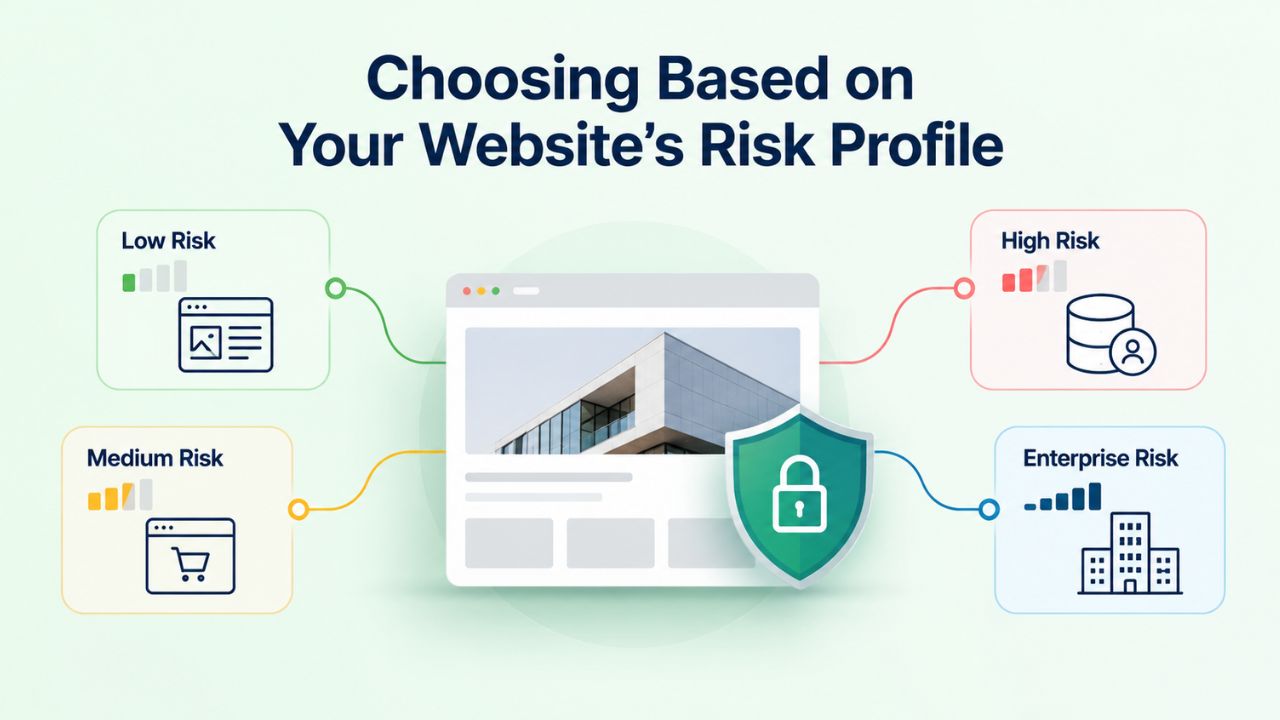
Your site’s specific context, data sensitivity, and business model determine which security tools deserve priority investment. Not every website faces equal risk, and not every security investment delivers equal value.
High-Risk Sites: E-Commerce, User Data, Payment Processing
If your site processes credit-card payments, collects customer personal information, or manages user accounts, you are a high-value target. Attackers actively scan e-commerce and SaaS sites because a successful compromise yields immediate financial value (stolen payment data can be sold for cash) or strategic value (stolen credentials give access to sensitive business systems). For these sites, a Web Application Firewall is foundational and non-negotiable. It blocks most automated attacks and substantially reduces breach risk. But a WAF alone is insufficient; sophisticated attackers targeting high-value sites specifically craft exploits to bypass firewalls. Malware scanning is equally essential: even with excellent WAF coverage, some sophisticated attacks succeed, and rapid detection and removal minimizes damage.
High-risk sites should deploy both tools continuously with high-frequency scanning. Scan frequency should be daily at minimum, with continuous scanning recommended for sites processing real-time payment transactions. Actively monitor and update WAF rules, and write custom rules for known vulnerabilities affecting your specific CMS or plugins. Infrastructure and credential security should be as rigorous as payment processors and healthcare providers maintain; this isn’t overkill, it’s appropriate diligence for sites handling sensitive data.
Site Profile Decision Matrix
| Site Type | Primary Data at Risk | WAF Priority | Malware Scanning Priority | Recommended Scan Frequency | Supporting Security Layers |
|---|---|---|---|---|---|
| E-Commerce (payment processing) | Customer payment data, personal information | Critical/Always | Critical/Always | Daily or continuous | PCI DSS compliance monitoring, incident response team, encrypted backups |
| SaaS/Membership Site | User credentials, personal data, account information | Critical/Always | Critical/Always | Daily or continuous | Access controls, data encryption, DDoS protection, audit logging |
| Healthcare/Medical Practice | Patient data (HIPAA-regulated) | Critical/Always | Critical/Always | Daily or continuous | HIPAA compliance auditing, access logging, encryption, breach notification planning |
| WordPress Blog (personal/small business) | Blog content, visitor comments, author accounts | Important | Important | Daily | Regular plugin/theme updates, admin credential protection, backup system |
| News/Publishing Site | User accounts, article content, subscriber data | Important | Important | Daily | Content backup systems, editorial workflows, comment moderation |
| Brochure/Marketing Site | Company information, contact forms | Important | Important | Daily | Regular content backups, contact form processing |
| High-Traffic/Public API | User metadata, service availability, platform reputation | Critical/Always | Critical/Always | Continuous for sensitive APIs | Rate-limiting, DDoS protection, incident response, infrastructure monitoring |
Lower-Risk Sites: Blogs, Brochure Sites, Limited Data
A small business blog or informational brochure site that doesn’t collect customer data faces lower intrinsic risk from attackers seeking financial gain, but is still a target. Attackers use compromised low-traffic sites as launching pads for spam campaigns, phishing redirects, and cryptomining operations. Your site might not have valuable data, but its traffic and reputation can still be abused. For these sites, a Web Application Firewall provides a better initial return on security investment. WAF protection is faster to deploy (many cloud-based WAFs require minimal configuration changes), and a WAF blocks most automated attacks without significant ongoing overhead.
Website malware scanning is still recommended; even low-risk sites benefit from detection and peace-of-mind monitoring, but can run less frequently. Daily scans are sufficient for sites without real-time data sensitivity. This tiered approach lets smaller businesses protect themselves appropriately to their actual risk level, avoiding over-engineering for threats that don’t match their specific business model.
Get Your Website Protected
Website security isn’t a one-time purchase; it’s a continuous strategy that combines prevention, detection, and rapid response. Niya Digital’s Website Security Service integrates Web Application Firewall protection, malware scanning and professional removal, security monitoring, uptime assurance, and hands-on incident response into a single managed service. No security team required, Niya Digital handles the monitoring, updates, and crisis response while you focus on running your business. Whether your site is already compromised and needs cleanup, or you’re preventing attacks before they happen, the integrated approach delivers both layers of protection working in concert.
Web Application Firewall Strengths and Honest Limitations
Real-Time Blocking and Continuous Rule Updates
A Web Application Firewall’s most significant strength is speed. Malicious requests are blocked within milliseconds of arrival, before they execute your code, touch your database, or reach your visitors’ browsers. This real-time prevention is psychologically and operationally reassuring: you know thousands of known attack patterns are being actively defeated every day, every second. Sucuri (GoDaddy Website Security)’s WAF rules are updated daily based on global threat intelligence feeds, meaning newly discovered attack signatures reach your site within hours rather than days or weeks.
WAF logging also provides visibility that antivirus software cannot match. Every single blocked request is recorded with details: the attack type, the source IP address, the target URL or parameter, the timestamp, and the rule that blocked it. Over time, this log reveals the threat landscape targeting your specific site.
You can see whether attacks are automated (thousands from different IPs in a short window) or targeted (focused attempts on specific features). You can identify which plugins or URLs are attacked most frequently, informing your patching and hardening priorities. You can build custom rules based on patterns you see; if a specific type of exploit targets your site repeatedly, you can create a rule that blocks that payload. At the same time, your team fixes the underlying vulnerability.
Zero-Day Vulnerabilities and Rule Gaps Remain
The critical limitation of any Web Application Firewall, no matter how sophisticated, is that it can only block what it has rules for. Zero-day vulnerabilities, security flaws that attackers have discovered but vendors haven’t patched and security researchers haven’t analyzed, often bypass WAF rules completely because no signature exists yet. If an attacker discovers an unpatched vulnerability in your WordPress plugin before security researchers know about it, that attacker can craft a request that looks legitimate to the WAF but exploits the underlying vulnerability. The WAF has no rule for this novel attack because the attack was unknown thirty seconds ago.
Additionally, WAF rules must balance security and usability. Overly aggressive rules might block legitimate API requests, file uploads, or search queries, frustrating genuine users. If a customer tries to upload a file with special characters in the filename, or a system sends an API request with unusual formatting, an overly strict WAF might reject it as suspicious. Balancing website security against user experience requires ongoing rule tuning, a significant operational burden many small sites can’t afford. For sites without dedicated security staff, a managed WAF service (like Sucuri’s offering) handles this tuning automatically, but even managed services require some customization to your specific applications.
Detection Speed and Response Times: What to Expect
Understanding realistic timelines for both prevention and detection helps you manage expectations and plan incident response appropriately.
Malware Scanner Detection Latency Varies by Method
Malware detection speed depends on both scan frequency and detection method. Signature-based scanning is extremely fast once a signature exists; within seconds of your scan running, known malware is flagged with high confidence. However, brand-new malware variants and polymorphic malware (which intentionally changes its code signature to evade detection) may evade signature-based detection entirely, requiring heuristic analysis to flag suspicious patterns. This heuristic analysis can take hours to days, depending on how quickly security researchers identify the new threat and update signature databases globally.
Continuous behavioral monitoring (advanced scanners that watch file systems and process activity in real-time) reduces this lag to minutes or hours, identifying suspicious runtime patterns even before traditional signatures are available. This approach is computationally expensive, requiring constant monitoring of thousands of files and processes, but for high-risk sites, the protection justifies the cost. For Niya Digital’s Website Security Service, scan frequency depends on your plan tier; daily scans are the standard baseline. Higher-risk tiers also offer continuous or multiple-daily scans. A daily scan means up to 24 hours of potential detection lag; continuous scanning shrinks that window to minutes.
WAF Blocking Latency and Cleanup Turnaround
WAF blocking is instantaneous, measured in milliseconds from request arrival to block decision. However, detecting new threats and creating rules for them requires human analyst time. When a novel attack is discovered, a security researcher must analyze it, understand the vulnerability it exploits, write a WAF rule that blocks the attack without blocking legitimate traffic, and deploy that rule globally across all customer instances. Sucuri (GoDaddy Website Security) performs this analysis and deployment within hours for known threats reported by security researchers. Still, novel or highly targeted attacks may take longer, sometimes days, before a rule is available.
Post-detection malware removal turnaround depends on infection complexity and scope. Straightforward injected-code removal (malicious code injected into a few PHP or JavaScript files in standard locations) typically resolves within hours to one business day. Attackers who hide malware in unusual locations, split it across multiple files, or encode it to evade detection may require additional analysis time. Complex compromises involving multiple backdoors, database-level injections, or custom-developed exploits can take three to five business days, particularly if your site runs custom code that requires forensic analysis. Niya Digital’s incident-response team prioritizes speed to get your site back online and operational, but thorough cleanup often cannot be rushed without risking missed backdoors and re-compromise.
Integration with Other Security Practices
Malware scanning and a Web Application Firewall are powerful individually and devastating together, but they’re still only part of complete website security.
CMS Hardening and Plugin Security Foundation
Most website compromises exploit vulnerabilities in CMS software (WordPress, Drupal, Joomla) or poorly maintained plugins. A comprehensive website security audit includes reviewing which plugins are installed, verifying that they’re all updated to current versions, and identifying outdated or vulnerable plugins that should be removed or replaced. WordPress security hardening includes disabling file editing through the WordPress admin panel (preventing attackers from directly modifying theme/plugin code if they gain access), removing unused plugin and theme editors, using environment-specific configurations and secrets management, and implementing strict file permissions restricting who can modify what.
These hardening practices work alongside WAF and malware scanning to reduce the attack surface that both tools must defend. A site with unpatched plugins and loose file permissions essentially invites attackers. A site with hardened CMS configuration, up-to-date plugins, and restricted file permissions forces attackers to find more sophisticated zero-day exploits. Niya Digital’s Website Security Service includes setup guidance on CMS hardening and security best practices, helping customers deploy their site securely before adding WAF and malware scanning layers. This approach, hardening the foundation first, then monitoring and prevention, creates a far stronger security posture than bolting tools onto a fundamentally vulnerable application.
Credential Hygiene, Monitoring, and Incident Response Coordination
Brute-force attacks succeed against weak passwords and credentials. A Web Application Firewall can rate-limit login attempts, making brute-force attacks slower and more visible. However, a determined attacker with enough computing power or access to credential lists leaked from other breaches can still eventually guess weak passwords. Credential hygiene, enforcing strong, unique passwords for all administrator and high-privilege accounts, requiring two-factor authentication (2FA) for critical access, and regularly rotating passwords for service accounts, eliminates this vector almost entirely.
Alongside WAF and scanning, continuous security monitoring watches for suspicious activity: new admin users appearing without authorization, unusual file modifications outside normal maintenance windows, unexpected outbound traffic from your server, and login attempts from unusual geographic locations. Monitoring catches attacks that WAF and malware scanning might miss, especially insider threats and compromised credentials used legitimately through your normal login process. Niya Digital’s Website Security Service includes security monitoring and real-time alerts, giving you visibility into site behavior and faster incident detection than periodic malware scanning alone provides.
Building Your Complete Website Security Stack
A comprehensive website protection strategy layers multiple defensive technologies, processes, and practices into a system that resists attack and recovers quickly.

The Multi-Layer Model and Defense-in-Depth
Imagine website security as concentric rings of defense. The outermost ring is strong credentials and access control, preventing attackers from gaining legitimate access through stolen or weak passwords. The next ring is a Web Application Firewall that blocks inbound exploits. The next ring is malware scanning, detecting what bypasses the firewall. Inside that is continuous security monitoring that alerts to suspicious activity. At the core are regular software updates and hardening, eliminating known vulnerabilities that attackers depend on. Incident response planning and a trained team sit outside all rings, ready to activate if something penetrates all layers.
No single ring alone is sufficient. Credentials-only defense falls apart when employees reuse passwords across sites, and those sites get breached elsewhere. A WAF-only defense fails against zero-day exploits. Malware-scanning-only defense accepts weeks of undetected compromise. But each layer provides redundancy: if WAF fails, malware scanning catches the breach. If malware scanning is slow to detect, monitoring alerts you to suspicious behavior. If monitoring is insufficient, proper incident response minimizes damage. Together, multiple imperfect layers create a defense strategy that survives individual tool failures.
Niya Digital’s Integrated Approach to Website Security
Niya Digital’s Website Security Service delivers multiple layers under one managed plan: a Web Application Firewall powered by Sucuri (GoDaddy Website Security), malware scanning with professional removal, continuous security monitoring, uptime monitoring, search-engine blacklist monitoring and removal, and hands-on incident response. This removes the complexity of integrating multiple standalone tools from different vendors and ensures all layers work cohesively.
When an incident occurs, Niya Digital coordinates WAF rule updates, malware removal, hardening recommendations, and recovery, eliminating vendor finger-pointing and ensuring comprehensive remediation. The underlying security technology is Sucuri (GoDaddy Website Security)’s proven infrastructure; Niya Digital’s value-add is the customer experience and incident-response partnership.
Making Your Final Decision
By now, the strategic answer is clear: most websites need both malware scanning and a Web Application Firewall. The specific question isn’t “which one” but rather “at what scope and frequency should we deploy both, given our risk profile and budget.”
Quick Decision Framework for Website Protection
Begin with a simple question: Does your site handle sensitive data (payment information, customer personal information, user credentials, healthcare data)? If yes, prioritize a Web Application Firewall immediately; it prevents most attacks before they land. Pair it with continuous or daily malware scanning for backup coverage. If you don’t handle sensitive data, start with a web applicationweb application firewall, add daily malware scanning as budget allows, and plan to upgrade to more frequent scanning if your site grows or threat intelligence suggests elevated risk targeting your industry.
Next question: Is your site actively under attack (detecting suspicious traffic, past compromises, or operating in a high-risk industry like finance or healthcare)? If yes, deploy both tools with high-frequency scanning (daily minimum, continuous recommended) and aggressive WAF rule configurations. Allocate budget for professional incident response and threat monitoring. If no active attack, standard daily scanning and managed WAF rules are sufficient; over-engineering for theoretical threats wastes budget that could be spent elsewhere.
Finally: Can you manage security operations yourself, or do you need managed support? If your team has security expertise and time, consider standalone website firewall and scanning solutions with strong self-service dashboards. If not, which is true for most small-to-medium businesses, a managed service like Niya Digital’s Website Security Service handles monitoring, updates, and crisis response, eliminating the security operations burden from your team.
The Bottom Line: Layered Defense Works
Website security isn’t a single purchase; it’s an evolving strategy that combines multiple tools, practices, and partners. A website malware scanner and a Web Application Firewall address different attack stages and failure modes. Neither alone stops a sophisticated, multi-vector attack; together, they create a defense that catches attacks at multiple stages and recovers quickly if compromise occurs. The integration of both tools, delivered and managed by a provider focused on your success, is the practical path to real protection for site owners without dedicated security staff.
Start Building Your Security Defense Today
Stop wondering if your site is vulnerable. Niya Digital’s Website Security Service brings Web Application Firewall protection, malware detection and professional removal, continuous monitoring, and incident response together into a single managed platform. Your site’s risk profile determines the right plan, whether you need foundational defense or enterprise-grade protection; Niya Digital’s team handles the technical complexity while you run your business. Get a personalized assessment of your site’s security posture and the specific threats targeting your industry.
Frequently Asked Questions
Can a firewall alone protect my website?
A Web Application Firewall can block many inbound attacks by stopping most known attack patterns before they reach your code. However, sophisticated attackers specifically craft exploits to bypass firewall rules using zero-day vulnerabilities, social engineering, or policy gaps. Once an attacker gains access through a firewall gap and injects malware, the firewall cannot detect the malicious code that’s already running inside your infrastructure.
Malware scanning becomes essential then; it detects and removes injected backdoors the firewall missed. For comprehensive website protection, both tools are necessary: the WAF prevents attacks at the entry point, while malware scanning catches what slips through and ensures complete removal and post-incident hardening.
How often should my website be scanned for malware?
Scan frequency depends directly on your site’s risk profile and data sensitivity. E-commerce sites processing credit-card payments and SaaS platforms managing user credentials should scan daily at minimum, with continuous scanning recommended for sites processing real-time transactions or holding high-value data. The detection lag between daily scans (up to 24 hours) is unacceptable for high-risk sites.
Lower-risk sites like informational blogs, brochures, or small businesses can operate safely with daily malware scans, balancing protection against computational cost. Niya Digital’s Website Security Service offers both daily and continuous scanning depending on plan tier, letting you scale security investment to actual risk.
Do I need to update my WordPress plugins if I have a firewall?
Absolutely yes. A Web Application Firewall blocks known attack patterns effectively, but zero-day vulnerabilities and novel exploit vectors bypass firewall rules because signatures haven’t been written yet. Keeping plugins and WordPress core updated closes vulnerabilities before attackers discover and exploit them, eliminating entire attack vectors the WAF would otherwise need to defend against. A firewall is defense-in-depth; it’s not a substitute for fundamental software hygiene. Regular WordPress hardening and plugin maintenance are foundational security practices that every site administrator must maintain.
What’s the difference between a WAF and a traditional network firewall?
A traditional network firewall filters traffic based on IP addresses, ports, and network protocols, deciding what traffic reaches your server. A Web Application Firewall filters traffic based on the content and context of HTTP/HTTPS requests, examining whether a request looks like an SQL injection attack, XSS payload, or other web-layer exploit. A network firewall operates at layers 3–4 of the networking stack; a WAF operates at layer 7 (application layer). For website protection, a WAF is specifically engineered to stop web-based attacks because it understands web-application attack patterns that network firewalls cannot recognize.
If my site is hacked, could a firewall have prevented it?
Possibly, but not certainly. If an attacker used a known attack pattern, a properly configured Web Application Firewall would likely have blocked it at the network boundary before exploitation occurred. If an attacker used a zero-day vulnerability unknown to security researchers, brute-forced a weak administrator credential, or used a supply-chain attack (compromising a plugin developer’s servers before your site downloaded the plugin), the firewall probably couldn’t have prevented it. This is exactly why malware scanning and other defensive layers matter: no single tool provides complete protection, but layered defenses survive individual tool failures.
How long does malware removal take?
Simple injected-code malware removal (malicious JavaScript or PHP injected into a few files) typically completes within hours to one business day. Complex compromises involving multiple backdoors, database-level attacks, rootkits, or custom-coded malware may take three to five business days, particularly if your site uses custom code that requires forensic analysis.
Niya Digital’s incident-response team prioritizes speed to minimize your site’s downtime and business impact. Turnaround depends directly on infection scope, complexity, and how thoroughly the attacker covered their tracks.
Will a firewall slow down my website?
A well-configured cloud-based Web Application Firewall adds minimal latency, typically under 100 milliseconds. User-perceived slowdown depends more on your hosting infrastructure and traffic volume than on the firewall.
Most modern cloud-based WAFs (like Sucuri’s) are optimized for speed and can handle millions of requests per second without noticeable performance degradation for legitimate traffic. Your website’s responsiveness depends primarily on your application code and server configuration, not on upstream WAF filtering.
Can hackers bypass a Web Application Firewall?
Yes, attackers can bypass a WAF using zero-day exploits (vulnerabilities unknown to security researchers and thus without WAF signatures), social engineering (stealing administrator credentials and logging in legitimately), policy gaps (exploiting features you intentionally allowed through the firewall for legitimate users), or supply-chain attacks (compromising a vendor you trust).
This is precisely why layered website protection matters: if a firewall gap is exploited, malware scanning detects the injected malware, monitoring catches suspicious activity, and incident response minimizes damage. No single layer is impenetrable; multiple layers survive individual failures.
What should I do if my site is flagged by Google as unsafe?
First, determine why Google flagged the site: malware detected by Google’s scanner, suspicious redirect behavior, phishing content, or defacement. Have a professional service scan your site for malware, such as Sucuri. Remove any infections via professional malware removal.
Patch all vulnerabilities and update all software. Request a manual review from Google Search Console once you’ve verified cleanup. Niya Digital’s incident-response team can guide you through the entire process, coordinate with Google, and help restore your site’s search visibility and reputation faster than you could alone.
Is paid website security worth it, or should I use free tools?
Free website security tools sometimes offer basic malware scanning, but lack real-time prevention (WAF), continuous monitoring, incident response, and expert support. For business-critical sites or sites handling customer data, paid managed website security isn’t optional; it’s a business cost.
The cost of a compromise (downtime, data loss, regulatory fines, reputational damage) far exceeds annual security investment by orders of magnitude. Free tools are a reasonable starting point for very low-risk sites; they’re not sufficient for e-commerce, SaaS, healthcare, or any site handling sensitive information.
How does Niya Digital’s firewall work differently from others?
Niya Digital’s Website Security Service uses Sucuri (GoDaddy Website Security)’s WAF technology, which is updated daily with global threat intelligence. The technical infrastructure is enterprise-grade. Niya Digital’s distinctive value is in the customer experience and incident response: managed onboarding secures your site quickly, proactive account management keeps your WAF rules current as your site changes, and hands-on incident response means that when a compromise occurs, experts coordinate cleanup rather than leaving you to navigate vendor support alone. Sucuri (GoDaddy Website Security)’s proven infrastructure underpins the Web Application Firewall and scanning technology; Niya Digital’s partnership and support layer multiplies that value.
Does a firewall protect me from DDoS attacks?
Yes, partially. A Web Application Firewall can mitigate small-to-medium DDoS attacks by rate-limiting malicious traffic, detecting obvious attack patterns, and using WAF rules to drop traffic from botnet sources. Large-scale DDoS attacks (millions of requests per second) that aim to overwhelm your server capacity require dedicated DDoS protection infrastructure.
This global network absorbs the attack volume far away from your origin server. Niya Digital’s Website Security Service includes DDoS protection powered by Sucuri (GoDaddy Website Security)’s mitigation network, which absorbs and deflects attacks without site downtime.
Do I need malware scanning if my site is new and has minimal traffic?
Yes. Attackers target new sites indiscriminately using automated scanners that look for common vulnerabilities, regardless of traffic volume, age, or content. A newly launched site with weak password protection or unpatched plugins is often compromised faster than established sites with multiple security layers.
Malware scanning provides early detection and alerts before an attacker establishes persistence. Starting with website security best practices from day one, including malware scanning, strong credentials, and regular updates, prevents the scenario where you discover a compromise months later, after the damage is already done.
What’s the difference between malware scanning and antivirus software?
Antivirus software protects a single computer by scanning local files against a database of known malware signatures and alerting if threats are found. Website malware scanning protects entire server infrastructure, scanning server-level code, databases, configuration files, and log files simultaneously across potentially thousands of files and database tables.
Antivirus is host-based (single-machine focus); website malware scanning is infrastructure-level and designed to detect compromises across multi-file, multi-layer web applications. A server antivirus might miss malware hidden in database tables or encoded in ways antivirus signatures don’t recognize; a specialized website malware scanner uses web-specific detection methods to find malware that host-based scanners typically miss.
How does incident response work if my site is compromised?
When you report a compromise to Niya Digital’s incident-response team, they begin an immediate investigation: analyzing server logs to determine how the attacker entered, identifying all infected files, determining what data was accessed, and locating any backdoors or persistence mechanisms.
The team then removes all detected malware, patches the vulnerable code path the attacker used, updates WAF rules to prevent re-compromise through that vector, and coordinates with you on customer notification if personal data was exposed. The team documents root causes and provides hardening recommendations to prevent similar incidents. You get expert support 24/7, not just automated scanning, but professional incident management that minimizes downtime and damage.
Glossary
- Brute-Force Attack: Automated attempts to gain unauthorized access by rapidly trying many password combinations or username variations against a login form, API, or service. Rate-limiting and account lockouts are common defenses.
- Incident Response: The coordinated process of identifying a security breach, investigating its scope and cause, containing further damage, removing malware or backdoors, and recovering systems to normal operation. Professional incident response minimizes downtime and ensures thorough remediation.
- Malware: Malicious software designed to harm a website, steal data, or abuse server resources. Types include viruses (self-replicating code), worms (network-spreading malware), trojans (code disguised as legitimate), backdoors (persistent remote access), rootkits (kernel-level access), and cryptominers (resource-stealing).
- SQL Injection: An attack inserting malicious SQL database commands into input fields (login forms, search boxes), exploiting unsanitized input handling to access, modify, or delete database contents without authorization.
- Web Application Firewall (WAF): A network security layer that filters HTTP/HTTPS requests before they reach a website’s origin server, blocking requests that match known attack signatures or policy violations. Operates at the application layer rather than the network layer.
- Website Blacklist/Flagging: Search engines or browsers marking a website as unsafe or malicious, typically due to detected malware, phishing content, or suspicious redirects. Flagged sites display warning messages, reducing visitor traffic and trust.
- Zero-Day Vulnerability: A security vulnerability unknown to the software vendor, giving attackers a temporary advantage to exploit before patches are released or security researchers develop signatures. Named “zero-day” because vendors have zero days to respond.