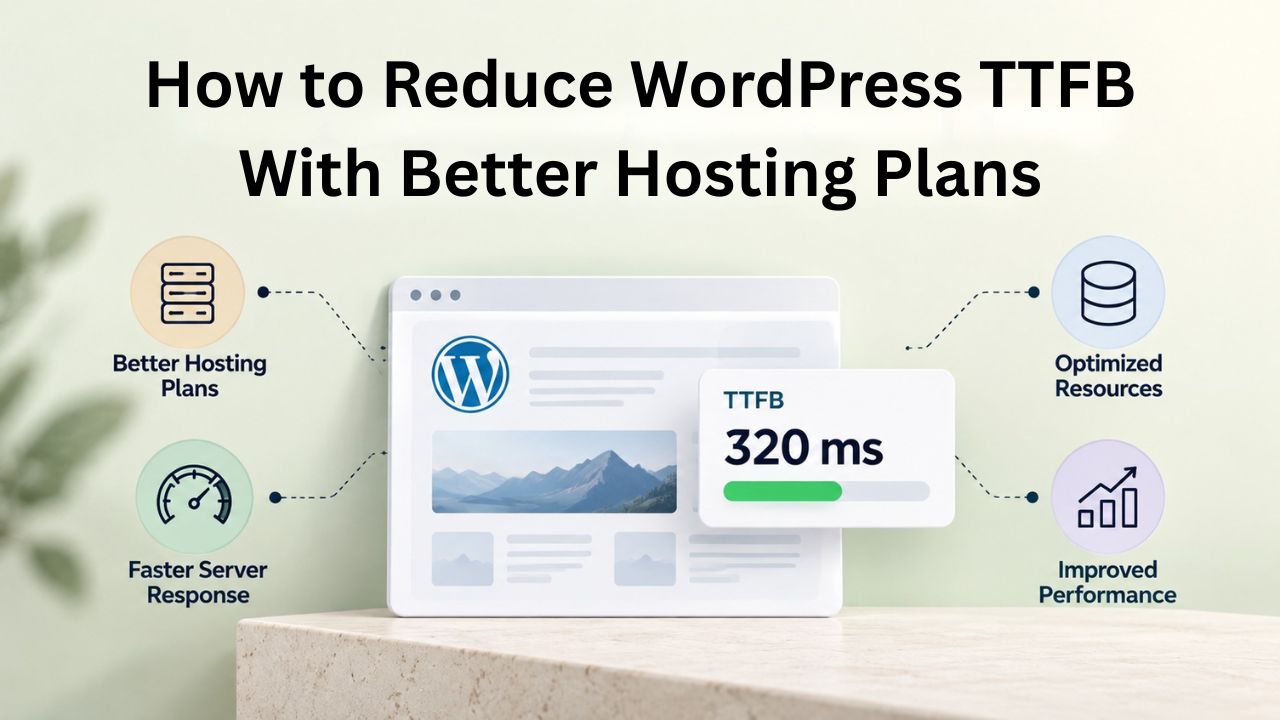
When your WordPress site takes three seconds to load, visitors leave before anything appears. The culprit is often hosting, not plugins. Time to First Byte (TTFB) measures how long your server takes to respond, setting the floor for every performance metric that follows. Niya Digital delivers its managed WordPress hosting in partnership with an enterprise-grade cloud infrastructure partner, optimizing every layer from server hardware to caching architecture to ensure your site performs at its best.
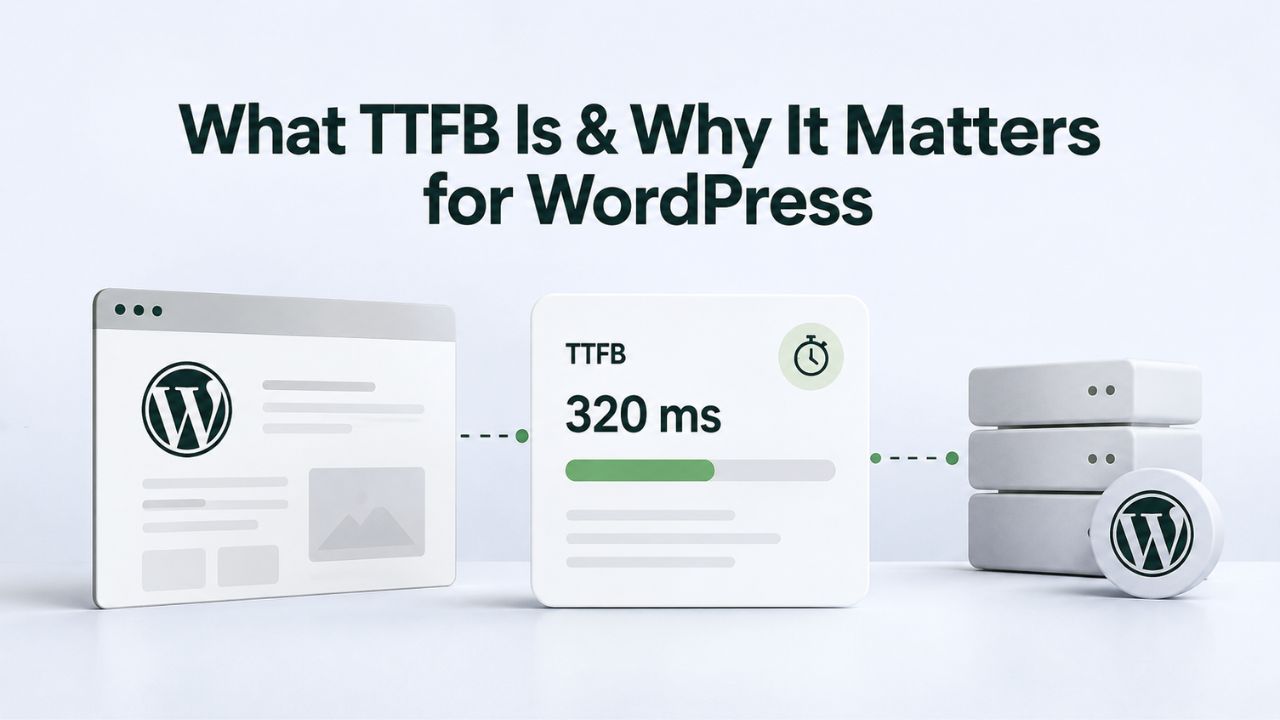
What TTFB Is & Why It Matters for WordPress
Time to First Byte sits at the foundation of page speed. It’s the first thing a performance test measures, and it determines whether your optimization efforts can succeed. Understanding TTFB is the first step to diagnosing whether your hosting is holding you back. Many WordPress site owners struggle with slow page loads for years before realizing TTFB diagnostics can reveal the real problem in minutes.
TTFB Definition & Core Web Vitals Connection
TTFB refers to the time between a browser sending a request and receiving the first byte of the server response. It includes three critical components: DNS lookup time (resolving your domain name to an IP address), network roundtrip latency (the time for data to travel from the visitor’s location to your server), and server processing time (how long your server takes to execute PHP, query the database, and assemble your WordPress template). Your server must handle all of these steps sequentially, execute PHP code, query the database for content and settings, assemble your WordPress template with that data, and deliver the response, all before the first byte leaves the server and starts traveling back to the visitor’s browser.
TTFB is not itself a Core Web Vital, but it directly impacts the ones that are. A high TTFB delays Largest Contentful Paint (LCP), pushing your entire page load time upward. If your server takes 800 milliseconds to respond, LCP cannot load faster than 0.8 seconds plus the time to render all content. This creates a hard ceiling that no frontend optimization can lower. A visitor waiting for the server to respond cannot see or interact with your page and is increasingly likely to leave and visit a competitor instead. From the visitor’s perspective, slow TTFB feels like your site is broken.
Why TTFB Affects User Experience & SEO
Google recommends that sites maintain TTFB of 0.8 seconds or less. Anything above 600 milliseconds triggers a “Reduce server response time” warning in PageSpeed Insights, a clear signal that your hosting or server configuration needs attention. Users notice slow TTFB immediately; the page feels unresponsive and sluggish, even if the assets that follow load quickly. Studies show that 53% of mobile visitors abandon pages that take longer than three seconds to load, and TTFB directly determines when that clock starts ticking.
From an SEO perspective, page speed influences rankings in several ways. Google uses Core Web Vitals as ranking signals, and LCP is directly dependent on TTFB. Slow server response times correlate with higher bounce rates, lower engagement metrics, and reduced conversion rates, all signals that Google’s algorithm interprets as poor user experience. When performance is part of your value proposition, whether you’re running an e-commerce store, a SaaS application, or a media site, even a 100-millisecond improvement in TTFB affects how many visitors stay on your site long enough to convert.
WordPress Pricing Plans
Choose the WordPress hosting plan that fits your website needs, with reliable performance, security, storage, backups, and tools to help your site grow.
WordPress Basic
A great way to get started.
- 1 website
- 10 GB NVMe storage
- Unmetered bandwidth
- Free SSL Certificate *
- WordPress pre-installed
- Weekly backups
- Web Application Firewall
- Daily malware scans
- One-time malware removal

WordPress Deluxe
Improve your site performance with Cloudflare CDN.
- 1 website
- 20 GB NVMe storage
- Unmetered bandwidth
- Free SSL Certificate *
- WordPress pre-installed
- Daily backups
- Web Application Firewall
- Daily malware scans
- One-time malware removal
- Up to 2x faster performance with global Cloudflare CDN **
- Enhanced security with DDoS protection
- Staging site
WordPress Ultimate
Add online marketing with more sites, storage and security.
- 1 website
- 30 GB NVMe storage
- Unmetered bandwidth
- Free SSL Certificate *
- WordPress pre-installed
- Daily + on-demand backups
- Web Application Firewall
- Daily malware scans
- Unlimited malware removal
- Up to 2x faster performance with global Cloudflare CDN **
- Enhanced security with DDoS protection
- Staging site
- WordPress code optimizer
- Smart WordPress plugin manager
- Sell online with WooCommerce
How to Measure Your WordPress TTFB
Before you can improve TTFB, you need a baseline. Measuring reveals whether the problem is your hosting infrastructure, your WordPress configuration, your database design, or something else entirely. Many site owners have spent weeks optimizing plugins and themes only to discover that the real bottleneck was their hosting environment all along.
Free Tools for TTFB Testing
Google PageSpeed Insights is the standard way to check TTFB. Navigate to PageSpeed Insights, enter your URL, run the test, and look for the “Wait” metric under the “Optimize for Core Web Vitals” section. The tool reports server response time as part of TTFB and flags it if your TTFB exceeds healthy thresholds. WebPageTest and GTmetrix also show TTFB in their waterfall charts, often labeled “Waiting (TTFB)” or “Time to First Byte,” making it easy to spot among other performance data points.
For quick checks during development or troubleshooting, use Google Chrome’s developer tools. Open the Network tab, reload a page, and click the first request (your homepage or the page you’re testing). In the Timing section, you’ll find “Waiting for server response,” which directly corresponds to your TTFB. Repeat the test from different geographic locations if your audience is global, network latency varies significantly by region, and a user in Australia may experience a different TTFB than a user in New York, even from the same server. Tools like WebPageTest let you run tests from multiple locations simultaneously, giving you a comprehensive picture of TTFB across your entire potential audience.
Interpreting Your TTFB Results
TTFB under 200 milliseconds is excellent. Well-configured managed WordPress hosting achieves this with proper caching and optimization. Between 200 and 600 milliseconds is acceptable but improvable; your site won’t be penalized, but you’re leaving performance gains on the table. Above 600 milliseconds, server-side issues actively limit your performance and likely affect user experience and search rankings.
Watch for inconsistency across test runs. If your TTFB fluctuates wildly- sometimes 200ms, sometimes 1000ms- your hosting may be overloaded during peak traffic times, or your site may be processing unexpectedly heavy requests (large plugin operations, slow database queries that block on certain pages, external API calls on init). Consistent slowness suggests a baseline hosting limitation that configuration alone cannot fix, pointing to the need for a hosting upgrade rather than more tuning. Some fluctuation is normal, but if your TTFB varies by more than 50%, that’s a sign worth investigating.
The Hosting Foundation: How Server Architecture Affects TTFB
Hosting is not a commodity. Where your site runs determines what TTFB is even possible, regardless of caching or code optimization. You can install every caching plugin in the WordPress repository, but if your hosting environment is fundamentally undersized or oversold, you will never achieve excellent TTFB. Think of hosting as a building’s foundation: you can decorate the interior beautifully, but if the foundation is weak, structural problems will eventually emerge.
Shared Hosting vs. Managed WordPress Performance
On shared hosting, multiple websites compete for the same server resources. Picture 50 to 100 WordPress sites all running on the same physical server, each with 2 CPU cores and 2 GB of RAM nominally allocated, but all drawing from the same pool. When one site experiences a traffic surge, perhaps from a social media post or ad campaign, that site consumes available resources, leaving less for everyone else.
Your site then experiences throttling as the server queues your requests. Shared hosting typically delivers TTFB of 800 milliseconds to 2 seconds uncached, often spiking much higher during peak hours. Top-tier shared hosts with better resource management average around 400 milliseconds; budget shared hosts sit near 800 milliseconds or worse, sometimes reaching multiple seconds during traffic spikes.
Managed WordPress hosting isolates your site. Your plan gets dedicated PHP workers (the processes that execute WordPress code), dedicated database resources (your own database instance or guaranteed allocation), and caching built into the stack at multiple layers. You’re no longer competing with 99 other sites for resources. Managed WordPress hosting achieves 200–500 milliseconds uncached TTFB with optimization, and often reaches sub-100ms TTFB for cached pages. The difference isn’t subtle; it’s 2–10 times faster at baseline. Managed hosting also includes automatic server-level caching, so your cached pages return in 40–100 milliseconds consistently, regardless of traffic volume. This consistency is critical for user experience; visitors know your site will be responsive, and search engines reward that predictability.
Resource Allocation & the TTFB Ceiling
Every hosting plan has a resource ceiling: CPU cores, memory (RAM), disk I/O speed and bandwidth, and concurrent PHP-FPM workers. When your site hits that ceiling under load, TTFB rises sharply as requests queue. A page that normally takes 150 milliseconds to generate can jump to 600+ milliseconds when the server runs out of available PHP workers and requests must wait in a queue. Understanding your hosting’s resource limits is crucial for capacity planning; you need to know at what traffic level your site will start experiencing slowdowns.
[Niya Digital’s team has found that sites migrating from oversold shared servers to managed plans typically see TTFB improvements of 60–80% within the first week, even before optimization]. The infrastructure change alone dramatically improves baseline performance. Everything you add afterward, enabling caching, upgrading PHP, tuning the database, builds on a much stronger foundation. Rather than starting with a ceiling of 800ms and trying to optimize downward, you start with a ceiling of 300ms and can optimize toward excellence. This difference compounds across every subsequent optimization you apply.
Layered Caching: The Single Biggest TTFB Improvement
Caching is the highest-ROI optimization available. A single caching layer reduces TTFB more dramatically than any code change or database tweak. Caching works by storing results of expensive operations (generating HTML, querying the database, executing PHP code) so that future requests can be served from the cache without repeating that work. Different caching layers serve different purposes, and the most effective performance strategies use multiple caching layers together.
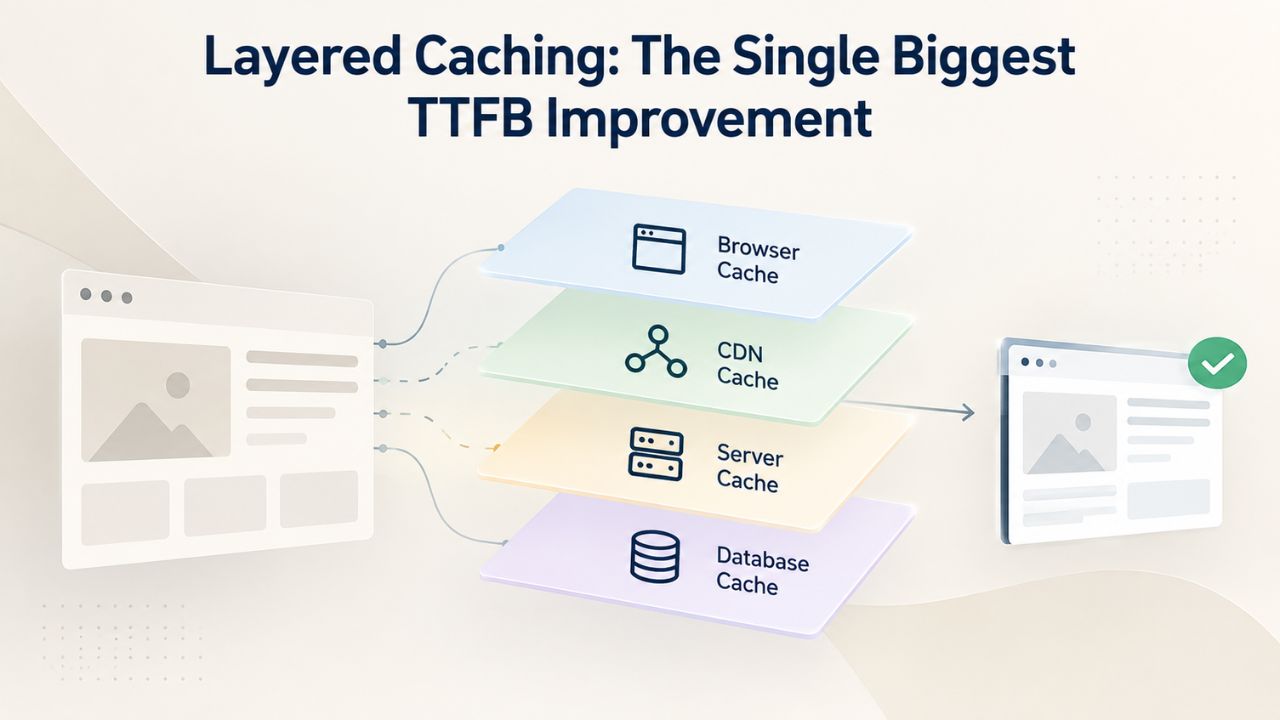
Full-Page Caching & Server Response Time
Full-page caching stores rendered HTML on your server, bypassing PHP execution and database queries entirely. When a visitor lands on a cached page, your web server reads a pre-rendered file from disk or memory and returns it directly to the browser; WordPress never starts, no plugin runs, no database query executes, and no PHP code runs. This transforms TTFB from 400–800 milliseconds uncached to 20–80 milliseconds cached on the same server. The performance difference is dramatic and immediately noticeable to visitors. A cached page can load in roughly the time it takes for data to travel from your server to the visitor’s location.
Most managed WordPress hosting plans include full-page caching out of the box. If you’re on a VPS or dedicated server, install a caching plugin like WP Super Cache or LiteSpeed Cache (if your server uses LiteSpeed). The performance difference is immediate and measurable; enable it, and your cached TTFB typically drops by 70–90% compared to uncached pages. For most WordPress sites, full-page caching alone is worth more than all other optimizations combined for TTFB improvement. However, you still need the other optimizations to improve uncached TTFB and handle cache invalidation when content updates.
Object Caching for WordPress Database Queries
Object caching stores database query results in fast, persistent memory (Redis or Memcached) across visitor requests. When the first visitor loads your homepage, WordPress queries your database 30+ times to assemble the page (fetching options, posts, metadata, user data, theme data, and more). Those query results go into Redis or Memcached. The second visitor’s request finds those results already in memory: no database roundtrip, no disk I/O, no waiting. The queries execute in microseconds instead of milliseconds. For dynamic pages and high-query sites, this multiplies into massive improvements.
Redis Object Cache reduces TTFB by up to 80% on dynamic pages. A real WooCommerce store without Redis: 48 database queries per page load, 420 milliseconds TTFB. Same store with Redis enabled: 4 queries (92% reduction), 68 milliseconds TTFB. That’s not just faster; that’s the difference between a sluggish experience and a snappy one. Object caching is most valuable for sites with membership areas, WooCommerce stores, heavy plugin activity, or any site where many queries execute on uncached pages. For simple static blogs with few queries, the benefit is smaller, but even there, object caching provides measurable improvement, especially under load.
PHP Version & Server Optimization
Your hosting’s PHP version and server configuration either unlock or constrain TTFB improvements. A single version upgrade can deliver measurable speed gains that compound with other optimizations. PHP is constantly improving, and each major version includes compiler optimizations and language improvements that translate directly into faster code execution.
Upgrading to PHP 8.x for Performance Gains
PHP 8.x delivers 20–40% better performance than PHP 7.x for WordPress workloads. Each major PHP version includes compiler optimizations, faster built-in functions, and language improvements that add up to significant performance gains. Upgrading from PHP 7.4 to 8.1 is often a simple one-click change in your hosting control panel and requires no code changes. PHP 8.0 introduced JIT (Just-In-Time) compilation, which pre-compiles hot code paths into native machine code. PHP 8.1 added enums and readonly properties. PHP 8.2 added readonly classes and intersection types. PHP 8.3 further improved error handling and performance.
Real-world data from managed WordPress hosting providers: WordPress 6.2.2 on PHP 7.4 delivers 147 requests per second; on PHP 8.3, the same site handles 165 requests per second, a 12% improvement in throughput. For TTFB, that translates to 100–200 milliseconds saved per page load. Test your site after upgrading to catch any plugin incompatibilities (rare these days, but important to verify), but most modern WordPress plugins support PHP 8.x. The performance improvement is well worth the minimal testing effort. If you’re still running PHP 7.4 or earlier, upgrading to PHP 8.3 is one of the highest-impact changes you can make.
Server Configuration: OPcache & NVMe Storage
OPcache is a PHP extension that compiles your PHP code into bytecode once, then reuses that compiled version for every request. Most hosting providers enable OPcache by default, but verify it’s active in your hosting control panel. Properly configured OPcache with appropriate memory allocation cuts PHP execution time roughly in half by eliminating the need to recompile code on every request. OPcache is essentially free performance; once enabled, it works transparently without any action on your part. The only consideration is memory: a larger OPcache buffer can cache more code, reducing the chance of cache misses.
Storage matters too. Traditional HDD (hard disk drive) storage introduces 10–50 millisecond disk latency per read operation. Every time WordPress loads a file, queries the database, or reads configuration, it waits for the disk. NVMe SSD storage drops that to under 1 millisecond. When WordPress bootstraps, loads configuration, and accesses your database, faster storage speeds up TTFB. Many managed WordPress hosts include NVMe as standard; cheap shared hosting often still uses HDD, which is a significant limitation. If you’re considering a hosting upgrade, make sure the provider uses NVMe storage; it’s a crucial part of baseline performance.
TTFB Optimization Techniques & Impact
| Optimization Technique | Difficulty | Expected TTFB Improvement | Prerequisites | When to Apply |
|---|---|---|---|---|
| Enable Full-Page Caching | Easy | 60–80% reduction | Web server or caching plugin | Immediately on any plan |
| Enable Object Caching (Redis) | Easy-Moderate | 50–80% on dynamic pages | Redis server, plugin | WooCommerce or membership sites |
| Upgrade to PHP 8.x | Easy | 10–20% improvement | Hosting support for PHP 8.x | When plugins are compatible |
| Optimize Database Queries | Moderate | 10–15% improvement | Query Monitor plugin, slow query log | After other optimizations |
| Upgrade to Managed Hosting | Moderate | 60–80% baseline improvement | Migration planning | Primary bottleneck is hosting |
| Add Object + Page Caching | Moderate | 80–90% overall | Both technologies on host | For maximum performance |
| Upgrade to Edge Caching (CDN) | Moderate | 90%+ on cached pages | CDN service, setup | Global audience sites |
Ready to Improve Your TTFB?
Your hosting plan determines the TTFB floor for your site. Niya Digital’s managed WordPress hosting includes server-level caching, Redis object caching, PHP 8.x, and NVMe storage, pre-configured for the fastest baseline TTFB and the tools to optimize further. Don’t spend weeks tuning a slow hosting environment when you could migrate to a platform built for performance. Explore our managed plans to see how much faster your site can be.
Database Optimization & Query Performance
Your database drives a substantial portion of TTFB. Every query your WordPress site runs adds milliseconds. A single slow query can spike TTFB by 100ms or more. Optimization here compounds with hosting improvements, and efficient queries on excellent hosting create the fastest possible performance.
Indexing & Slow Query Diagnosis
Slow database queries are the #1 cause of high TTFB. WordPress queries your database dozens of times per page load to fetch posts, metadata, options, user data, and more. If those queries lack proper indexes, MySQL must scan entire tables sequentially instead of looking up rows directly using an index. A missing index can turn a 1-millisecond query into a 50-millisecond query. Over dozens of queries, this adds up to hundreds of milliseconds of wasted time on every page load.
Identify slow queries using the Query Monitor plugin (free). Install it, run your site under realistic traffic, then review Query Monitor’s results to see which database queries execute and how long they take. Queries taking over 10 milliseconds are candidates for optimization. Add indexes to frequently queried columns like post_id, post_status, user_id, and any custom fields you filter on regularly. Most hosting providers include tools to view and optimize the slow query log in your control panel. By reviewing your database logs, you can identify which queries run most often and take the most total time, then prioritize indexing those.
Buffer Pools & Autoloaded Options
MySQL’s InnoDB Buffer Pool caches table data directly in RAM. The default size of 128 MB is a legacy default from when servers had minimal RAM and is far too small for most WordPress sites. If your buffer pool is too small, MySQL reads data from disk repeatedly during each page load, spiking TTFB dramatically. Ask your hosting provider to increase the InnoDB buffer pool to at least 50% of available server RAM. On a server with 16 GB of RAM, for example, an 8 GB buffer pool is reasonable.
Autoloaded WordPress options are another common culprit that accumulates over time. Every single page load retrieves all autoloaded options from the database (any option with ‘autoload’ => true). If you’ve accumulated 500+ autoloaded options totaling 1+ MB of data, retrieving it adds noticeable latency to every page load. Plugins often create autoloaded options and never clean them up when they’re uninstalled or disabled. Use a plugin like WP-Optimize to clean up unused autoloaded options, delete post revisions older than 30 days, remove expired transients, and remove spam comments. Keep total autoloaded data under 800 KB to maintain healthy TTFB.
Is TTFB Your Hosting or Your WordPress?
Not all TTFB problems are hosting problems. Sometimes the issue is WordPress configuration, plugins, or queries. Diagnosis determines the fix. Understanding what’s causing your TTFB is essential because it determines whether you need to change hosting, optimize WordPress, or both.
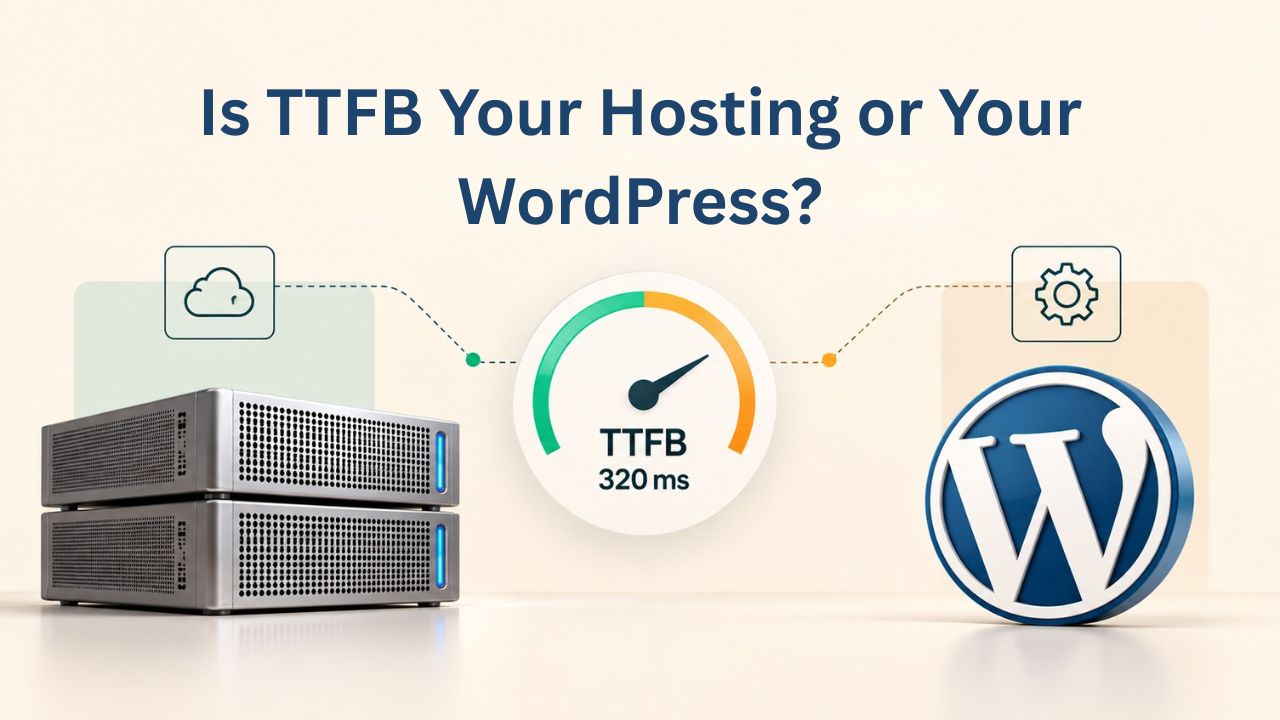
Diagnosing the Real Bottleneck
High TTFB + slow page load = hosting problem. Your server can’t respond fast enough. Upgrading hosting, enabling caching, or moving to a faster region will help. High TTFB + fast page load after first byte = WordPress problem. Your server responds quickly, but PHP execution or asset load is slow; optimize plugins and assets instead.
Test this with a simple diagnostic: create a test.php file in your WordPress root with <?php echo “ok”; ?>. Load it and check TTFB. If it’s fast (under 50ms), PHP and the server are responding normally, which means any TTFB slowness on your WordPress pages is due to WordPress code, plugins, or database queries. If test.php is slow, your hosting or server configuration is the bottleneck. If test.php is fast but your homepage is slow, WordPress or your plugins are the issue, and you should focus on plugin optimization, caching, and database tuning rather than a hosting upgrade.
When Plugins & Themes Cause TTFB Slowness
Heavy WordPress plugins, especially page builders and e-commerce systems, run code on every page load. A plugin that executes a custom database query on the init hook, before caching kicks in, adds 20–50 milliseconds to TTFB directly. Poorly written themes with inline database queries or expensive loops have the same effect. Some plugins run external API calls on every page load (checking licenses, fetching data, validating something), which adds network latency on top of processing time.
Deactivate plugins one by one and measure TTFB after each deactivation. If TTFB drops significantly after disabling a particular plugin, you’ve found the culprit. Consider uninstalling unnecessary plugins or replacing heavy builders with lightweight alternatives. For WooCommerce sites with multiple product-related plugins, object caching (Redis) can reduce most query overhead without removing functionality. Some plugins like Jetpack or Akismet can be configured to defer processing or batch operations, reducing per-page impact.
Realistic TTFB Benchmarks Across Hosting Plans
Understanding what’s achievable on different hosting types sets realistic expectations and guides your plan choice. These benchmarks reflect typical industry performance for similar site types and traffic levels.
Typical TTFB Performance by Hosting Type
| Hosting Type | Uncached TTFB | Cached TTFB | Resource Model | Typical Traffic Capacity | Best For |
|---|---|---|---|---|---|
| Budget Shared | 800–2,000ms | 300–500ms | 50–100+ sites per server | Up to 5K monthly | Blogs, hobby sites, portfolios |
| Standard Shared | 400–800ms | 150–300ms | 20–50 sites per server | 5K–50K monthly | Small business sites |
| Managed WordPress | 300–600ms uncached | 40–100ms cached | Dedicated PHP workers, Redis, caching | 50K–500K monthly | Growing businesses, WooCommerce |
| Cloud/VPS (managed) | 200–500ms uncached | 30–80ms cached | Configurable resources, auto-scaling | 100K–2M+ monthly | High-traffic sites, agencies |
| Edge-cached (CDN) | 5–30ms | 5–30ms | Geographic distribution | Any | Global audiences, media sites |
A real example: a local services site on shared hosting had an uncached TTFB of 2.8 seconds and a cached TTFB of 1.6 seconds. After migration to managed WordPress hosting with NVMe and Redis, cached TTFB dropped to 90 milliseconds and uncached TTFB to 520 milliseconds, a 94% improvement for cached pages and an 82% improvement for uncached pages in a single move. Additional optimization brought uncached TTFB to 300ms within a month.
Migration TTFB Improvements
Migrations from oversold shared hosting to managed plans consistently show 60–80% TTFB improvements within the first week, before any additional code changes. The infrastructure change alone provides massive value by giving your site dedicated resources and proper server configuration. Add PHP upgrades, database optimization, or caching refinement, and you’ll see additional gains that compound. Many sites see 80%+ total improvement in cached TTFB after a full migration-plus-optimization strategy.
When evaluating a hosting upgrade, ask the provider for TTFB benchmarks from comparable sites on their platform: what TTFB do sites with similar traffic and plugin counts achieve? Reputable managed WordPress providers publish real performance data and are happy to share it. Avoid providers that won’t share specific numbers, use vague language, or use outdated hardware. The best providers run periodic benchmarks and keep customers updated on performance improvements from infrastructure upgrades.
Common TTFB Mistakes & How to Avoid Them
Most sites don’t need to be slow. These preventable mistakes cause unnecessarily high TTFB. Understanding common pitfalls helps you avoid repeating the same mistakes thousands of other site owners make.
Oversold Servers & Undersized Resources
Cheap hosting works by packing as many sites as possible onto one server. With 200+ sites sharing 4 CPU cores and 8 GB of RAM, every site suffers from contention and queueing. When traffic spikes on one site (even another site’s traffic, not yours), all other sites slow down because resources are consumed. Overselling appears as inconsistent TTFB, sometimes 200ms, sometimes 800ms or worse, with no pattern based on your own traffic. Your site is fast when other sites are quiet and slow when others are busy, which is the opposite of ideal.
Check for overselling by monitoring your site’s TTFB at different times of day and throughout the week. If TTFB spikes between 9 AM and 5 PM (typical peak traffic hours), your hosting is likely oversold. Graph TTFB over time and look for patterns tied to the time of day. If you see this pattern, upgrade hosting. Look for a provider that guarantees resource limits, dedicated CPU cores, dedicated memory, or containerized environments where your allocation is reserved and protected from other customers’ traffic.
Ignoring Caching & Database Bloat
Hosting without caching is leaving performance on the table. If your managed WordPress plan includes server-level caching and you haven’t enabled it, you’re paying for the feature and not using it. Check whether caching is active in your hosting control panel, or ask your support team to enable it. Some hosts require you to activate caching per-site; others enable it automatically.
Database bloat accumulates slowly and invisibly over months and years. Post revisions (WordPress saves every edit as a separate revision), expired transients (temporary data stored in the database), spam comments, and orphaned plugin metadata all accumulate. After a year, your database can grow from 50 MB to 500 MB, with 80% waste. Each query takes longer. Running queries against bloated tables means more I/O, more processing, more latency. Use WP-Optimize or WP-Sweep monthly to clean up. Remove post revisions older than 30 days, remove expired transients, and remove spam comments. This 30-minute monthly task improves TTFB by 10–20% and keeps your database efficient.
Choosing a Hosting Plan Built for TTFB Optimization
Not all managed WordPress hosting is equal. The best plans are built with TTFB as a baseline requirement, not an afterthought. Hosting built for WordPress performance includes every layer of optimization as standard.
What to Look for in Managed WordPress Hosting
Performance-focused managed WordPress hosting includes several non-negotiable features. Server-level full-page caching should be included automatically and enabled by default, not sold as an upgrade. Object caching (Redis or Memcached) should be included at no extra cost. PHP should default to version 8.x with OPcache enabled and properly configured. Storage should be NVMe SSD, never HDD. Database servers should have properly sized buffer pools and read-only replicas for distributing query load during high traffic.
Ask your potential hosting provider directly: Do you include object caching? Is it Redis or Memcached? What PHP versions are supported, and what’s the default? Do you publish actual TTFB benchmarks on your website? How do you handle traffic spikes? What’s your SLA for uptime and support response times? Providers confident in their TTFB performance will answer these questions directly and provide specific numbers. Vague answers or deflection are red flags.
The TTFB Value Proposition
The right hosting plan pays for itself through a better user experience and stronger search rankings. A site that loads in 200 milliseconds instead of 1 second ranks higher in search results (all else being equal), converts better, and loses fewer visitors to bounce or abandonment. The difference feels noticeable to every user. It compounds: a user who experiences fast loading is more likely to browse multiple pages, spend more time on your site, and return for future visits. Search engines reward this engagement.
Managed WordPress hosting costs more than shared hosting, but the TTFB improvement alone justifies the cost for any site with real traffic. If you’re running a business on WordPress- e-commerce, SaaS, lead generation, content publishing, anything with revenue tied to it- TTFB optimization is not optional. The improvement in conversion rate, engagement, and SEO from reducing TTFB from 1 second to 200 milliseconds often generates more revenue than the hosting upgrade costs, sometimes within the first month.
Ready to Optimize Your TTFB Across Every Layer?
You now understand how hosting, caching, and optimization compound to improve TTFB. Your next step is evaluating whether your current hosting meets your performance needs. Niya Digital’s managed WordPress hosting includes every optimization layer pre-configured: full-page caching, object caching with Redis, PHP 8.x, and NVMe storage, eliminating manual tuning and complexity. Compare our plans and see how much faster your site can be.
Frequently Asked Questions
What does TTFB mean in website performance testing?
TTFB stands for Time to First Byte. It measures the time between when a browser requests a page and when the server sends back the first byte of data. TTFB includes network latency, DNS lookup, and server processing time. It’s the single most useful diagnostic metric in web performance because it shows whether your hosting, not your WordPress configuration, is the bottleneck. A low TTFB indicates a healthy, responsive server.
How much does TTFB impact Core Web Vitals and SEO?
A high TTFB directly delays Largest Contentful Paint (LCP), pushing your entire page load time upward. If your server takes 800 milliseconds to respond, LCP cannot be faster than 0.8 seconds plus rendering time. Google uses page experience signals in rankings, so improving TTFB improves your SEO. Lower TTFB also reduces bounce rates and increases engagement, creating a virtuous cycle of improved metrics.
Is 600 milliseconds TTFB considered good or bad?
600 milliseconds is the warning threshold in Google PageSpeed Insights. Anything above 600ms triggers a “Reduce server response time” warning. Between 200 and 600 milliseconds is acceptable but improvable; you’re not penalized, but you’re not optimized either. Under 200 milliseconds is excellent and is achievable with managed WordPress hosting and caching enabled.
Can I improve TTFB without changing hosting?
Partial improvements are possible. Enabling caching can reduce cached TTFB from 1 second to 300 milliseconds. Upgrading PHP or optimizing the database adds another 50–100 milliseconds. But if your hosting itself is oversold or uses old hardware, you cannot achieve sub-200ms TTFB. Hosting sets the floor; optimization builds on that foundation.
What’s the difference between full-page caching and object caching?
Full-page caching stores entire rendered HTML pages, so subsequent visitors receive the pre-built page without PHP or database execution. This returns a cached page in 20–80 milliseconds. Object caching stores database query results in Redis/Memcached so repeated queries are served from memory instead of disk. Object caching helps uncached pages execute faster but doesn’t eliminate PHP overhead entirely. Both are valuable and work together.
How much faster is PHP 8.x compared to PHP 7.x for WordPress?
PHP 8.x delivers 20–40% better performance than PHP 7.x. Real-world testing shows WordPress 6.2.2 handling 147 requests per second on PHP 7.4 versus 165 requests per second on PHP 8.3, a 12% throughput gain. For TTFB, this translates to a 100–200 milliseconds improvement per page load. Most modern plugins support PHP 8.x.
Should I upgrade to managed WordPress hosting just for TTFB?
If TTFB is consistently above 600 milliseconds and you’re on shared hosting, upgrading is the single biggest improvement you can make. Managed plans deliver 60–80% TTFB improvements immediately. The faster baseline makes every subsequent optimization more impactful.
How do I know if my database is slowing down my TTFB?
Install Query Monitor and load your site. Review which queries execute and how long they take. Queries over 10 milliseconds are candidates for optimization. Use the slow query log in your hosting control panel to identify frequently-run slow queries. Add indexes to commonly filtered columns.
What is a good TTFB target for WordPress sites?
Google recommends TTFB under 0.8 seconds (800 milliseconds). Anything under 200 milliseconds is excellent and achievable with managed WordPress hosting. For cached pages, aim for 30–100 milliseconds. For uncached pages on a managed plan, 300–500 milliseconds is solid performance.
Does using a CDN improve TTFB?
A CDN improves geographic latency for static assets (images, CSS, JavaScript) but does not directly improve TTFB. TTFB measures the time to receive the first byte of your HTML page, which is generated by your origin server. However, edge caching at a CDN’s Point of Presence can cache entire HTML pages, reducing TTFB to 5–30 milliseconds globally.
How often should I measure TTFB?
Measure TTFB immediately after making significant changes (hosting migration, caching setup, PHP upgrade, database optimization) to confirm improvements. After that, measure monthly to track trends. If TTFB spikes suddenly, investigate immediately; it often signals a hosting issue, a plugin change, or database bloat.
Can plugins cause high TTFB?
Plugins can add PHP execution overhead, but plugins rarely cause TTFB alone. If a plugin runs a database query on every page load before caching kicks in, it adds 20–50 milliseconds. Heavy page builders and WooCommerce can add 100+ milliseconds uncached. Use Query Monitor to identify slow plugin queries. Object caching (Redis) mitigates most overhead.
What’s the relationship between server hardware and TTFB?
Server hardware determines TTFB potential. NVMe storage is 10–50x faster than HDD. More CPU cores allow more concurrent requests. More RAM enables larger caching buffers. Oversold hosting forces queueing even on powerful hardware. Choosing a host with modern hardware and proper resource allocation is essential.
Should I choose PHP 8.4 or 8.5 over PHP 8.3?
PHP 8.3 to 8.4 shows minimal TTFB improvement (<5% in most cases). Unless your hosting supports 8.4 or 8.5 and you’ve tested compatibility, staying on 8.3 is fine. The biggest leap is 7.4 to 8.1–8.3. Focus upgrades on bigger optimizations first (caching, hosting, database tuning).
How does Redis compare to Memcached for WordPress TTFB?
Both reduce TTFB by storing queries in RAM. Redis is preferred because it persists data across restarts and supports complex data structures. Memcached is simpler and slightly faster for basic key-value lookups. For most WordPress sites, Redis Object Cache is the standard choice. Most managed hosts include Redis.
What TTFB improvement can I expect from a hosting migration?
Migrating from oversold shared hosting to managed WordPress typically delivers 60–80% improvement immediately. Real example: uncached TTFB dropped from 2.8 seconds to 520 milliseconds (82% improvement). Additional gains come from enabling Redis (60–80% on dynamic pages), upgrading PHP (10–20%), and optimizing the database (10–15%). Combined changes can reduce TTFB from 2+ seconds to under 200 milliseconds.
Glossary
- TTFB (Time to First Byte): The time between a browser sending a request to a web server and receiving the first byte of the server’s response. TTFB measures server responsiveness and sets the floor for all subsequent page-load metrics. It’s the single most important performance metric for diagnosing hosting-level issues.
- Core Web Vitals: Google’s user experience metrics that influence search rankings. They include Largest Contentful Paint (LCP), Interaction to Next Paint (INP), and Cumulative Layout Shift (CLS). TTFB directly impacts LCP, making server response time crucial for overall Core Web Vitals scores.
- LCP (Largest Contentful Paint): The time it takes for the largest visible element on a page to appear on screen. A high TTFB directly delays LCP because the server must respond before rendering can begin. Improving TTFB is often the fastest way to improve LCP.
- Object Caching: A performance technique that stores database query results in fast, persistent memory (Redis or Memcached) across multiple requests. Subsequent visitors receive cached results without querying the database again, dramatically reducing database load and TTFB on dynamic pages.
- Page Caching: A technique that stores fully rendered HTML pages on disk or in memory and serves them directly to visitors without executing PHP or querying the database. The most efficient caching layer for TTFB improvement, reducing response times by 80–95%.
- Managed WordPress Hosting: Hosting specifically optimized for WordPress, with server-level caching, object caching, PHP tuning, and WordPress-specific security all included and pre-configured out of the box. Designed to provide excellent TTFB without requiring manual optimization.
- NVMe SSD Storage: High-speed solid-state drive storage that delivers 1–5 millisecond disk access times. Much faster than traditional HDD storage (10–50ms) and standard SATA SSD (5–10ms), enabling faster database access and file I/O on every request.