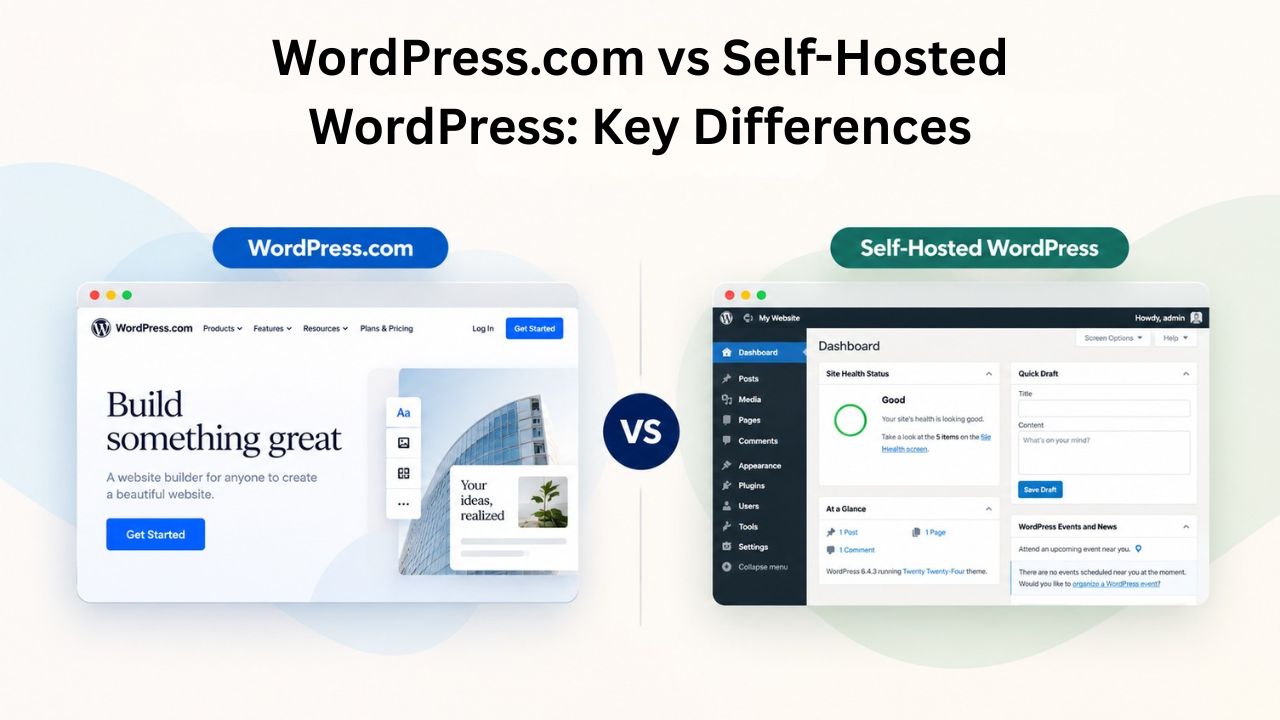
WordPress powers 43.5% of the internet, and understanding how the platform divides into two fundamentally different deployment models is essential for anyone building a website. WordPress.com and self-hosted WordPress run the same underlying software, yet they diverge dramatically in control, flexibility, maintenance responsibility, and growth potential. Niya Digital delivers WordPress hosting plans in partnership with an enterprise-grade cloud infrastructure partner, optimizing self-hosted WordPress performance at scale. The infrastructure partner is referred to generically throughout and never identified by a real company name.
The Core Architecture: Understanding Hosted vs. Self-Hosted Models
The fundamental difference between WordPress.com and self-hosted WordPress comes down to who handles hosting and who controls the infrastructure. WordPress.com is a fully hosted platform operated by Automattic, the company co-founded by WordPress’s creator Matt Mullenweg. When you use WordPress.com, you’re not installing software on a server you control; you’re using Automattic’s managed service, which runs on their infrastructure and is subject to their policies and technical decisions. Conversely, self-hosted WordPress means you install the free WordPress software from wordpress.org on a hosting provider of your choice, giving you ownership of both the software and the server environment. This architectural difference ripples through every aspect of your website’s capabilities, maintenance burden, customization freedom, and long-term scalability.
The choice between these models determines not just how you build your site today, but how you can evolve it tomorrow. Understanding where the line is drawn between convenience and control is the essential first step.
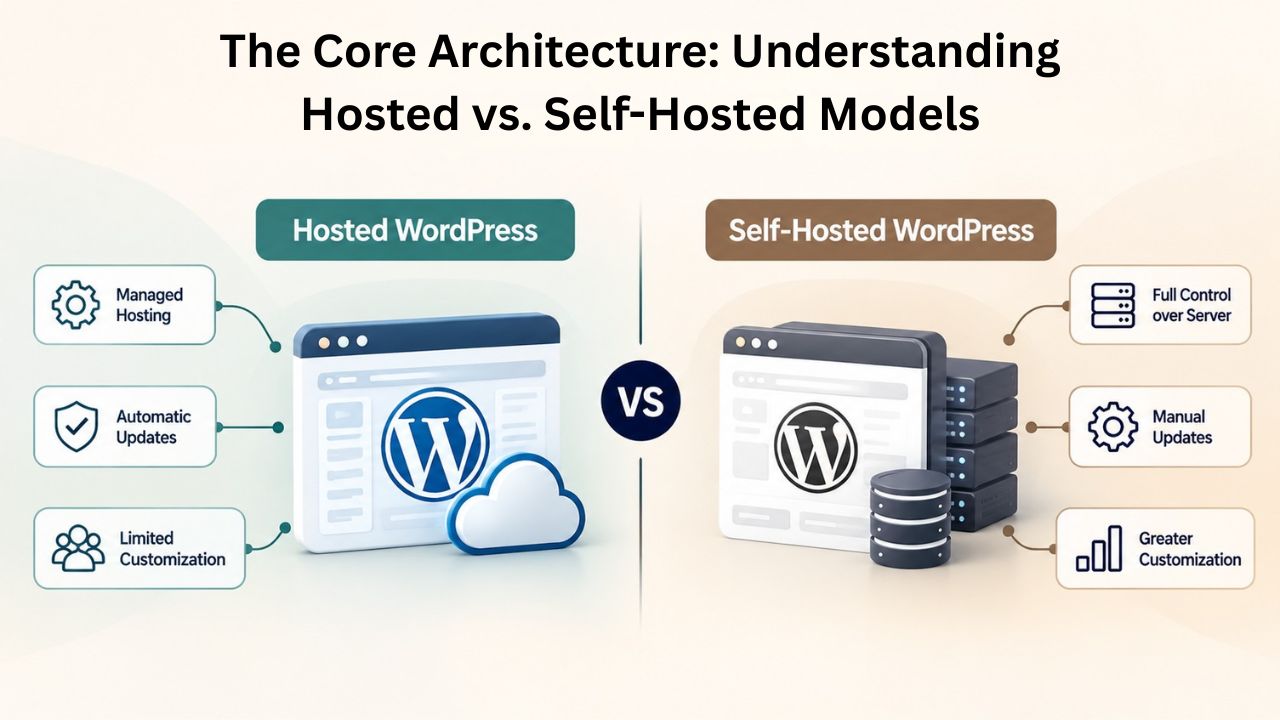
Automattic’s Managed Platform: Simplicity at the Cost of Flexibility
WordPress.com eliminates nearly every hosting-related decision from your workflow. Automattic manages servers, data-center infrastructure, security patches, database optimization, automatic backups, system monitoring, and software updates automatically, invisibly, and comprehensively. You sign up, select a plan, and within minutes you can start publishing content. For someone building a hobby blog, a portfolio, or a simple online presence, this turnkey simplicity is genuinely valuable: no hosting accounts to set up, no domain registrations to juggle separately, no update notifications to manage.
However, this convenience comes with real constraints. WordPress.com prevents users from editing PHP files, installing custom plugins on lower-tier plans, or modifying the underlying hosting environment. The platform enforces these restrictions not out of malice, but out of necessity; maintaining stability across millions of sites requires standardization and control. Your site runs on WordPress.com’s shared servers, and the platform’s architecture means every feature you want beyond its built-in offerings requires upgrading to a higher-tier plan. Free themes are available, but premium and custom themes appear only on paid tiers. Some plans include SEO plugins; others don’t. Advanced customization adds up as you layer upgrades.
The psychological shift is important: on WordPress.com, you’re renting a managed service and accepting its boundaries. Automattic owns the relationship with your hosting provider and makes every technical decision. You gain reliability and support but trade autonomy.
Self-Hosted WordPress: Full Control and Full Responsibility
Self-hosted WordPress inverts the equation entirely. You choose a hosting provider, managed or unmanaged, cheap or premium, shared or dedicated, and you own both the WordPress installation and the server environment. You control every aspect of your site, from themes and plugins to server configuration, database management, and security protocols. This model demands technical responsibility, but it grants unlimited flexibility. Want a specific plugin? Install it. Need a custom theme? Upload it. Require specialized server configuration? You can do it.
The key insight many site owners miss is that self-hosted WordPress doesn’t require you to be a server expert. Many hosting providers, especially managed WordPress hosting providers, handle the technical complexity for you. You keep the freedom to customize and control your site while delegating server maintenance, updates, security monitoring, and performance optimization to professionals. Niya Digital’s team has found that self-hosted WordPress users who invest in managed hosting or partner with a knowledgeable provider get the best of both worlds: full control over their site’s direction and capabilities, plus professional maintenance support that handles the technical burden. Self-hosting becomes a realistic choice for businesses of all sizes when the hosting provider handles the complexity.
WordPress Pricing Plans
Choose the WordPress hosting plan that fits your website needs, with reliable performance, security, storage, backups, and tools to help your site grow.
WordPress Basic
A great way to get started.
- 1 website
- 10 GB NVMe storage
- Unmetered bandwidth
- Free SSL Certificate *
- WordPress pre-installed
- Weekly backups
- Web Application Firewall
- Daily malware scans
- One-time malware removal

WordPress Deluxe
Improve your site performance with Cloudflare CDN.
- 1 website
- 20 GB NVMe storage
- Unmetered bandwidth
- Free SSL Certificate *
- WordPress pre-installed
- Daily backups
- Web Application Firewall
- Daily malware scans
- One-time malware removal
- Up to 2x faster performance with global Cloudflare CDN **
- Enhanced security with DDoS protection
- Staging site
WordPress Ultimate
Add online marketing with more sites, storage and security.
- 1 website
- 30 GB NVMe storage
- Unmetered bandwidth
- Free SSL Certificate *
- WordPress pre-installed
- Daily + on-demand backups
- Web Application Firewall
- Daily malware scans
- Unlimited malware removal
- Up to 2x faster performance with global Cloudflare CDN **
- Enhanced security with DDoS protection
- Staging site
- WordPress code optimizer
- Smart WordPress plugin manager
- Sell online with WooCommerce
Plugin & Theme Customization: Where Extensibility Becomes Your Competitive Advantage
Extending WordPress through plugins and themes is the platform’s defining strength and the primary reason WordPress powers over 43% of the internet. However, WordPress.com and self-hosted WordPress provide radically different levels of access to this ecosystem. For any site owner whose vision extends beyond basic blogging, this difference is mission-critical.
Unlimited Plugin Access: The Self-Hosted Advantage
Self-hosted WordPress gives you unrestricted access to 59,000+ free plugins in the official WordPress Plugin Directory, plus unlimited premium and custom-built plugins tailored to your exact needs. This extensibility is where WordPress’s power becomes apparent. Need a page builder to create complex layouts without coding? Install Elementor, Divi, or Beaver Builder. Want advanced analytics beyond WordPress’s native dashboard? Activate Google Analytics, MonsterInsights, or Jetpack. Require SEO optimization tools? Choose from Yoast, All in One SEO, Rank Math, or Semrush. Building an e-commerce store? WooCommerce and its 1,000+ add-ons unlock unlimited customization. The WordPress ecosystem powers over 60,000 plugins and 13,000+ themes, representing solutions built by thousands of developers for virtually every website need imaginable.
This freedom is why WordPress dominates in business use cases. A plugin can solve a specific operational problem unique to your business model. A premium theme can help your brand stand out in a crowded market. A page builder empowers your team to create without hiring developers. A membership plugin transforms your site into a subscription platform. A booking system turns your website into an operational tool. Self-hosted WordPress places these capabilities entirely in your hands, not locked behind plan upgrades or platform restrictions, but immediately available and fully customizable.
WordPress.com’s Restricted Ecosystem: Limitations by Design
WordPress.com restricts free and lower-tier plan users to a curated, pre-approved set of plugins and prevents custom plugin installation entirely below the Business plan. If you’re building a simple blog on a free WordPress.com account, you get useful built-in features: the Jetpack Stats module for basic analytics, basic widgets for customization, and a limited selection of pre-vetted plugins. But you cannot install the SEO plugin you’ve researched, the custom backup solution your business requires, or the specialized tool your industry uses. Theme access is similarly limited to about 300 WordPress.com-managed designs. Meanwhile, self-hosted users can choose from 11,000+ free themes, plus unlimited premium and custom options.
WordPress.com disables code editing on free and personal plans, and CSS customization requires paid tiers. This isn’t accidental; it’s by design. WordPress.com’s architecture prioritizes platform stability, efficient user support, and security certainty. When Automattic controls every plugin on its platform, they can test each one, maintain version compatibility, patch security vulnerabilities, and provide reliable support. This standardization has real value for beginners. But it also creates a ceiling: at some point, every ambitious site owner bumps against WordPress.com’s boundaries and either accepts those limits or migrates to self-hosted WordPress to break through them.
Maintenance & Technical Responsibility: Who Owns the Ongoing Burden?
Every WordPress installation requires continuous maintenance: security updates, plugin and theme updates, database maintenance, backup management, and server monitoring. A site left unupdated for months becomes vulnerable. The real question isn’t whether maintenance is needed, but who’s responsible for doing it.
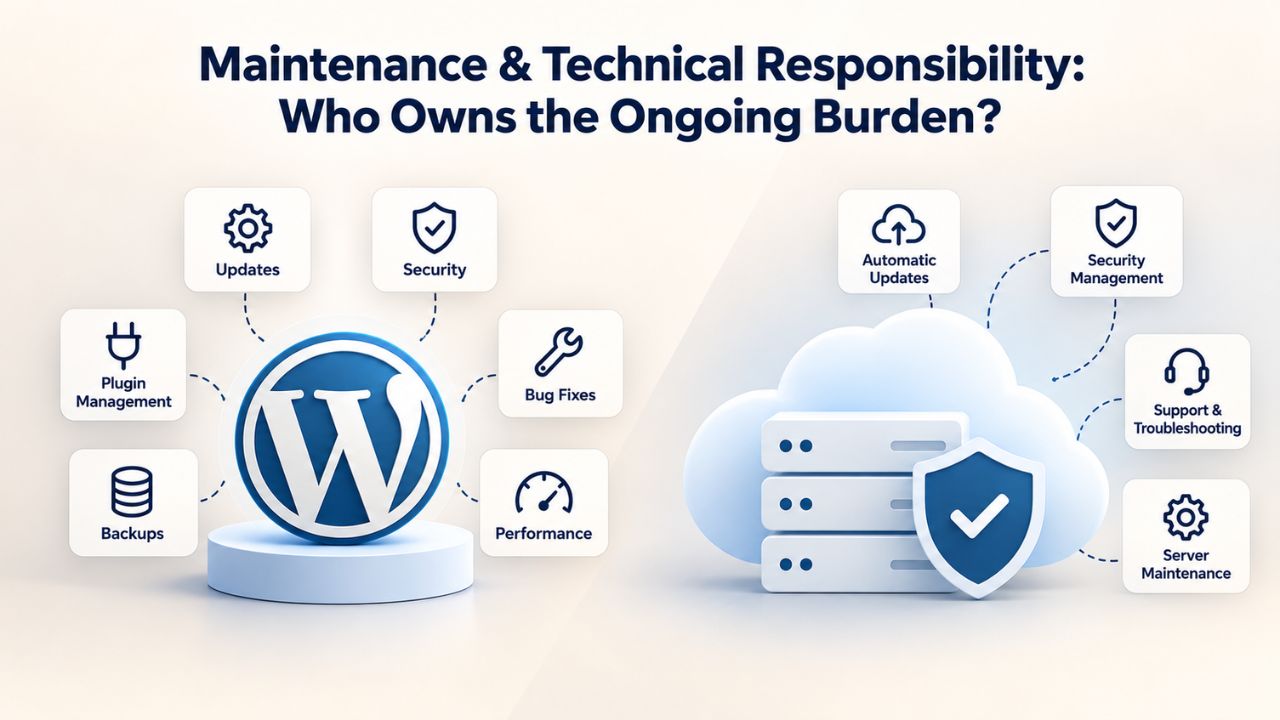
WordPress.com: Maintenance is Invisible and Automatic
WordPress.com users never manually update anything; Automattic automatically applies security patches to WordPress core, upgrades the platform software, updates all plugins and themes, runs daily backups, and monitors server health without user intervention. This hands-off approach eliminates one of the largest pain points of website ownership. You never worry about a failed update breaking your site, a security vulnerability going unpatched while you were on vacation, or a backup system you forgot to test actually working when you need it. For site owners uncomfortable with technical administration, this automatic maintenance is genuinely valuable and frankly, worth paying for.
The trade-off is that you surrender control over timing and implementation. You cannot schedule updates during low-traffic hours to minimize any potential disruption. You cannot test updates in a staging environment first, then roll them out to production after verification. You cannot roll back to a prior version if an update causes unexpected problems. Updates happen on WordPress.com’s timeline and according to WordPress.com’s procedures. This loss of control is acceptable for small blogs and portfolios but becomes constraining for businesses where website uptime and performance directly impact revenue.
Self-Hosted WordPress: Your Responsibility (or Delegate It)
Self-hosted WordPress owners must keep WordPress core, plugins, and themes up to date. This responsibility is non-negotiable from a security perspective. The single most critical WordPress security practice is timely updates; every day an update is delayed is a day an attacker can exploit a known vulnerability. Security researchers discover vulnerabilities constantly, and when they do, developers release patches. If you don’t install those patches within days, you’re running known-vulnerable code. Most WordPress site breaches trace back to outdated software, including plugins or themes with publicly disclosed vulnerabilities.
However, self-hosted doesn’t mean manual, tedious work. Modern hosting platforms, especially managed WordPress hosting providers, apply updates automatically with configurable timing, provide staging environments for safe pre-production testing, and include rollback capabilities if an update causes unexpected problems. Many hosting providers handle WordPress core updates, apply security patches automatically, and offer managed plugin and theme updates as well. With managed WordPress hosting, the provider handles updates, freeing you from the technical burden while preserving full control over what gets installed and how your site is configured. This hybrid approach, using managed hosting for self-hosted WordPress, gives many site owners the best of both models: professional maintenance support plus full customization freedom.
Performance & Core Web Vitals: Why Website Speed Matters More Than Ever
Website performance directly impacts both user experience and search rankings. Slow sites frustrate visitors, increase bounce rates, and reduce conversions. Worse, slow sites rank lower in Google’s search results. Google’s Core Web Vitals measure three key performance metrics: Largest Contentful Paint (LCP, how quickly the main content appears on screen), First Input Delay (FID, how fast the page responds when users interact with it), and Cumulative Layout Shift (CLS, how much the page layout shifts unexpectedly while loading). These three metrics capture what users actually experience when they visit your site.
Google officially confirms Core Web Vitals are a ranking factor and recommends targeting 75th-percentile performance across all three metrics for optimal search visibility. A site that loads in 4 seconds ranks lower than a site that loads in 2 seconds. Unexpected layout shifts frustrate users and erode trust. A site that takes a full second to respond to clicks feels sluggish and broken, even if it’s technically functional. Google’s emphasis on these metrics reflects a broader industry recognition that speed and responsiveness are features, not luxuries.
WordPress.com: Optimized Infrastructure with Limited Customization
WordPress.com’s infrastructure is engineered specifically for WordPress at scale. Automattic’s engineers optimize caching layers, content delivery, database queries, and server resources globally. For most WordPress.com users, site performance is adequate, not exceptional, but functional. The platform handles the infrastructure optimization, and you don’t need to understand caching strategies or server configuration to achieve acceptable performance. This is genuinely valuable for site owners who want a working website without worrying about performance tuning.
However, you cannot fine-tune performance beyond WordPress.com’s built-in settings. If your site grows beyond the platform’s assumptions, or if you need specialized optimizations for your specific use case, you hit a ceiling. You cannot install a custom caching plugin if WordPress.com hasn’t approved it. You cannot configure your server’s PHP settings to optimize database queries. You cannot implement a third-party content delivery network if WordPress.com’s built-in CDN doesn’t integrate with your workflow. Performance remains good, but you cannot drive it to excellent.
Self-Hosted WordPress: Performance Varies Dramatically Based on Hosting Choice
Self-hosted WordPress performance varies wildly based on hosting provider selection and site configuration. A good hosting plan with solid-state drive (SSD) storage, sufficient bandwidth, adequate RAM, and proper caching infrastructure improves overall load time and significantly boosts Largest Contentful Paint (LCP) scores. Conversely, shared hosting often delivers poor Core Web Vitals results because server resources are divided among hundreds or thousands of sites; when another site experiences a traffic spike, your site’s performance suffers.
Google’s performance targets are: Largest Contentful Paint should occur within 2.5 seconds of page load, First Input Delay should stay under 100 milliseconds, and Cumulative Layout Shift should remain below 0.1. Achieving these targets depends on hosting infrastructure quality, active plugin selection (some plugins add significant overhead), image optimization practices, and theme efficiency. Self-hosted WordPress gives you full control over these factors, but you must manage them actively.
Performance Factors Table
| Factor | WordPress.com | Self-Hosted WordPress |
|---|---|---|
| Caching implementation | Automatic, non-configurable varnish/object caching | Fully configurable via plugins or host (Redis, Memcached, Varnish, LiteSpeed) |
| Content Delivery Network | Built-in global CDN included | Optional; depends on hosting provider or third-party integration |
| Database optimization | Managed by Automattic automatically | User responsibility or managed by hosting provider |
| Image lazy-loading | Automatic WordPress native feature | Automatic (WordPress 5.5+) or enhanced via plugins |
| Server resource scaling | Fixed plan-based tiers | Dynamic scaling with managed/cloud hosting or manual with VPS |
| Staging environment | Limited or unavailable | Included with managed hosts; available via plugins for unmanaged |
| Backup frequency | Daily automatic backups included | Daily to hourly automatic backups (managed hosts) or user-managed |
| Performance monitoring | Dashboard analytics provided | Dashboard analytics plus hosting provider monitoring (managed hosts) |
| Update testing | Not available; updates deploy to production | Staging environment for safe testing before production deployment |
| Core Web Vitals optimization | Built-in but not customizable | Full control through plugin, theme, and hosting optimization |
Security Approach: Platform-Managed vs. Owner-Managed Risk
WordPress security operates on two distinct layers: platform-level security (the hosting provider’s firewalls, server hardening, DDoS protection, and infrastructure maintenance) and site-level security (WordPress updates, strong authentication, security plugins, user access controls, and operational best practices). Both layers matter. A secure site on insecure hosting is still vulnerable. Insecure configurations on secure hosting create exploitable gaps.
WordPress.com: Comprehensive Managed Security
WordPress.com handles platform-level security comprehensively: Automattic applies security patches automatically, scans for malware across the platform, filters malicious traffic with aggressive firewalls and rate limiting, protects all sites against brute-force login attacks, and manages SSL certificates transparently. Users don’t need to understand Web Application Firewalls, certificate management, or server-level hardening. Automattic’s security team handles these complexities. For users without security expertise, this managed approach is valuable; you’re not responsible for security mistakes that could expose your site.
The limitation is that you cannot implement custom security measures beyond what WordPress.com provides. If you want a specific security plugin, you’re limited to WordPress.com’s approved list. If you need custom firewall rules or specialized DDoS protection for your specific threat model, you cannot configure it. Security is good and professional, but it’s standardized and non-negotiable.
Self-Hosted WordPress: Security Responsibility Falls to You and Your Host
Self-hosted WordPress security depends on both your hosting provider’s infrastructure and your adherence to WordPress security best practices documented in the WordPress.org Hosting Handbook. Best practices include keeping WordPress core, plugins, and themes updated regularly with security patches, enforcing strong passwords and two-factor authentication across all accounts, maintaining regular automated backups (and actually testing restore procedures), installing and configuring a Web Application Firewall, disabling directory listing to prevent plugin reconnaissance, and using HTTPS (SSL/TLS encryption) for all site traffic.
Managed WordPress hosting providers handle most of this automatically. They implement enterprise-grade firewalls, conduct regular security scans, apply patches automatically, maintain secure backups, monitor for intrusions, and provide security incident response support. This professional approach shifts security responsibility from you to the provider while preserving your control over site customization. For businesses without dedicated security staff, managed WordPress hosting offers security quality that matches or exceeds WordPress.com while maintaining full flexibility.
Ready to Move Forward with Confidence?
You’ve now explored the architectural, technical, and operational differences between WordPress.com and self-hosted WordPress. If you’ve concluded that self-hosted WordPress aligns with your site’s goals but worry about managing the technical complexity alone, managed WordPress hosting bridges that gap perfectly. Professional hosting providers handle updates, security, backups, and performance optimization while you retain complete control over your site’s direction, customization, and capabilities.
Support Model: Getting Reliable Help When You Need It
Website problems don’t wait for business hours. A plugin conflict at midnight, a security incident on a weekend, a sudden performance drop during peak traffic- when issues arise, how quickly you get help and how knowledgeable that help is determines your business impact. The support experience differs fundamentally between the two models.
WordPress.com Support: Standardized and Available but Variable
WordPress.com provides support through a help center, community forums, and live chat for some tiers. Response times and technical expertise are standardized across millions of users on the same platform. For common issues, password resets, domain configuration, and theme installation, documentation is thorough, and support agents can assist quickly. For specialized problems requiring deep WordPress knowledge or custom configuration, support quality becomes variable because agents support many platforms and features, not exclusively WordPress expertise.
Response times vary by plan tier. Higher-tier plans receive priority support. Lower tiers experience longer wait times. For mission-critical issues affecting your business, the standardized support may not respond fast enough. For simple blogs and portfolios, the support is more than adequate.
Self-Hosted WordPress: Support Depends Entirely on Your Hosting Provider
Self-hosted WordPress support quality depends completely on your hosting choice. Shared hosting typically offers generic technical support with limited WordPress-specific expertise; agents can help with account issues but may struggle with plugin conflicts or performance optimization. Managed WordPress hosting providers employ WordPress-trained specialists available 24/7 to help with WordPress-specific issues: plugin conflicts, update failures, theme incompatibilities, performance optimization, security incidents, and migration questions.
Managed WordPress hosting support includes deep WordPress knowledge, access to staging environments for safe testing, migration assistance, and performance optimization consultation. When you call a managed host’s support for a performance issue, you’re talking to someone who understands WordPress caching, database optimization, plugin load patterns, and Core Web Vitals. When you call shared hosting support for the same issue, you’re likely talking to someone who understands servers but not WordPress specifically. This expertise gap is one of the strongest arguments for managed hosting if your team lacks technical depth.
Scalability & Growth: What Happens as Your Website Expands?
Every website starts small and hopes to grow. As your site attracts more traffic, publishes more content, adds more functionality, and accumulates more data, your hosting infrastructure must scale with it. Some platforms scale gracefully; others hit hard limits.
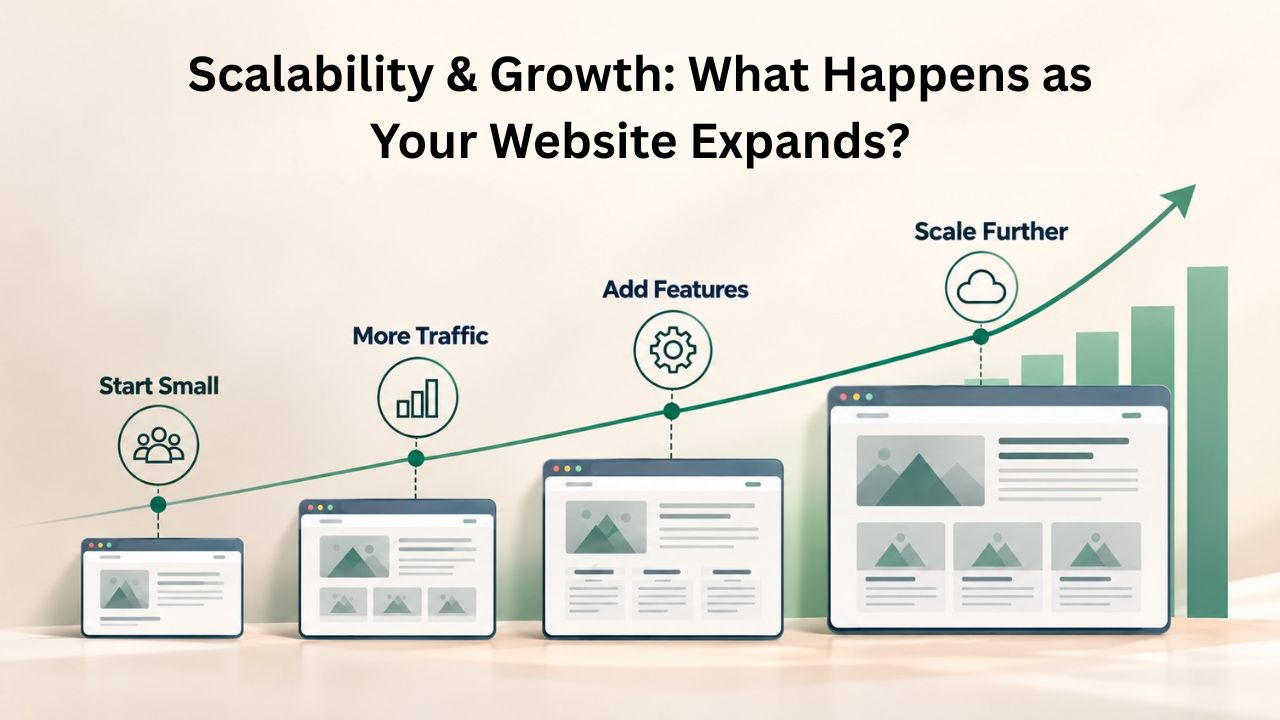
WordPress.com: Growth Means Plan Upgrades
WordPress.com scaling is straightforward but inflexible: you upgrade your plan. More monthly visitors require higher tiers with increased storage, bandwidth, and performance resources. WordPress.com handles the infrastructure scaling automatically; you don’t manage servers, but you’re limited to the predefined tiers WordPress.com offers. If your growth outpaces your current plan, you upgrade. If no higher tier meets your needs, you’re stuck or forced to migrate to self-hosted WordPress.
This approach works well for predictable growth within WordPress.com’s plan structure. It doesn’t work well for unexpected traffic spikes, specialized performance needs, or growth that exceeds WordPress.com’s highest tier. You’re scaling within an envelope defined by WordPress.com’s business model, not by your actual requirements.
Self-Hosted WordPress: Granular Resource Control
Self-hosted WordPress scales based on your hosting choice. Shared hosting has hard limits; you share server resources with other sites, so adding resources for one site impacts all users on that shared server. This becomes inefficient beyond a certain traffic level. Managed WordPress hosting and cloud hosting scale dynamically: you can add CPU, RAM, bandwidth, and storage as needed, often automatically in response to traffic spikes. You pay for resources you use, and you can scale up or down based on actual demand.
This granular control offers cost efficiency and flexibility for growing businesses. A site with seasonal traffic spikes can scale up during peak season and scale down afterward, paying only for the resources it uses. A site that grows steadily can gradually increase resources without hitting hard limits. A site with specialized performance requirements can be tuned precisely for its specific workload.
Cost Structure & Transparency: Understanding the Financial Model
Budget is a practical consideration in any technology decision. The pricing models differ fundamentally between the two approaches, and understanding where costs hide is important for realistic budgeting.
WordPress.com: Transparent Tiers with Cumulative Feature Costs
WordPress.com pricing is visible and plan-based. Free sites are truly free but display WordPress.com branding and limit functionality significantly. Paid plans unlock features progressively: custom domains on the Personal plan, basic plugin access on the Professional plan, advanced features and higher storage on the Business plan. Each feature upgrade lives on a higher tier, so getting a specific capability set means paying for the tier that includes it, whether you need the tier’s other features or not.
Self-Hosted WordPress: Modular and Flexible Costs
Self-hosted WordPress separates hosting, domain registration, and premium plugins or themes into distinct, controllable costs. You select a hosting plan based on your performance and support needs, not on WordPress.com’s feature structure. You select a domain registrar independently. You choose whether to buy premium plugins and themes or use free alternatives. This modularity means you build exactly the feature set you need and pay for exactly what you use, no forced bundling, no paying for features you don’t want.
For small hobby blogs, shared hosting may be cheaper than WordPress.com. For growing businesses, managed WordPress hosting’s included maintenance and support often provides better value than generic shared hosting plus the overhead of managing updates yourself. For complex sites, self-hosted WordPress offers more cost flexibility because you’re not limited to predefined tiers.
Migration Path: Switching Later Is Possible but Has Tradeoffs
If you start on one platform and later want to switch, migration is feasible but involves different complexity and data loss depending on the direction you’re moving.
From WordPress.com to Self-Hosted: Doable but Lossy
Migrating from WordPress.com to self-hosted WordPress involves exporting posts, comments, and media using WordPress.com’s export feature, then importing the exported data into a self-hosted WordPress installation. The WordPress import tool is fairly robust; it transfers posts, pages, comments, and basic metadata. However, WordPress.com-specific data does not migrate: followers, WordPress.com stats, certain theme customizations, and platform-specific features remain with your WordPress.com account.
The process is workable but requires manual steps and carries some risk of data loss for advanced features. You’ll need to reinstall themes and plugins, reconfigure customizations, update all internal links if you’re changing your domain structure, and manually reconfigure any WordPress.com-specific features. For a small blog, this is manageable. For a large site with complex customizations, you might benefit from hiring migration assistance.
From Self-Hosted to Self-Hosted: Routine and Reliable
Migrating between self-hosted hosts is routine in the WordPress community and carries minimal risk if done properly. You can use migration plugins like All-in-One WP Migration or Duplicator to automate the process, hire your new host to migrate for you (many managed hosts offer free migration as an onboarding service), or migrate manually by backing up your WordPress database and files, uploading them to the new host, updating database configuration, and pointing your domain’s DNS records to the new host.
With proper planning, downtime is minimal: test on the new host, verify everything works, then update DNS to cut over. Most migrations complete within hours. Your themes, plugins, customizations, content, and complete site configuration transfer intact. This routine, reliable migration capability is one reason WordPress dominates business use; you can switch hosts without starting over.
From Self-Hosted Back to WordPress.com: Complex and Restrictive
Moving a customized self-hosted WordPress site back to WordPress.com is possible but complex and can cause data loss. You can export content and import it into WordPress.com, but custom plugins, custom themes, specialized code, and advanced customizations are left behind or require reimplementation using WordPress.com’s limited toolset. WordPress.com is a destination for migration from simpler platforms, not a reverse destination for customized self-hosted sites.
Use Cases: Which Model Fits Your Specific Scenario?
The right platform depends on your specific needs, technical comfort level, budget, and growth plans. Different scenarios favor different approaches.
| Scenario | WordPress.com Best For | Self-Hosted WordPress Best For |
|---|---|---|
| Hobby blog or personal journal | Minimal maintenance required, quick setup without technical knowledge, automatic everything, acceptable performance | Want full plugin ecosystem without cost, simple site but aspire to grow with customization freedom |
| Small business website | Simple branding needs, predictable costs, no in-house technical team, acceptable customization through available features | Need custom plugins, themes, SEO tools, or specialized integrations; want to grow beyond WordPress.com’s limitations |
| E-commerce or online store | Limited scope (WordPress.com has basic selling features only on highest tiers) | Full WooCommerce ecosystem, unlimited payment gateway choices, inventory management plugins, product customization |
| Agency managing multiple client sites | Central management dashboard, standardized client environments, isolated security, controlled support burden | Client-specific customization, white-label options, multisite scaling, ability to differentiate service offerings |
| Content publisher or media site | Basic blogging, acceptable analytics, simple categorization | Full SEO plugin ecosystem (Yoast, Rank Math, All in One SEO), unrestricted ad networks and monetization options |
| Membership or subscription business | Requires highest-tier plan, limited membership features | Unlimited membership systems (MemberPress, Restrict Content Pro, Memberful), recurring billing, gated content, member management |
| Scaling business with growth velocity | Hit plan resource limits as traffic accelerates, requires expensive upgrades | Scales dynamically with managed hosting, add resources on demand, customize at every tier, growth doesn’t force expensive tier jumps |
Self-hosted WordPress on managed hosting offers the optimal combination for most business scenarios: you retain complete control over your site’s direction, capabilities, and appearance, while professional support handles technical maintenance, updates, security, and optimization. This model starts small and scales smoothly with your business.
Backup Strategy & Data Portability: Protecting Your Digital Assets
Your website’s content, configuration, and data represent real business value. A catastrophic server failure, ransomware attack, accidental deletion, or plugin conflict can wipe out months or years of work. Understanding how backups work and whether you can recover your data if disaster strikes is non-negotiable. The two platforms approach backup very differently, with significant implications for data security and portability.
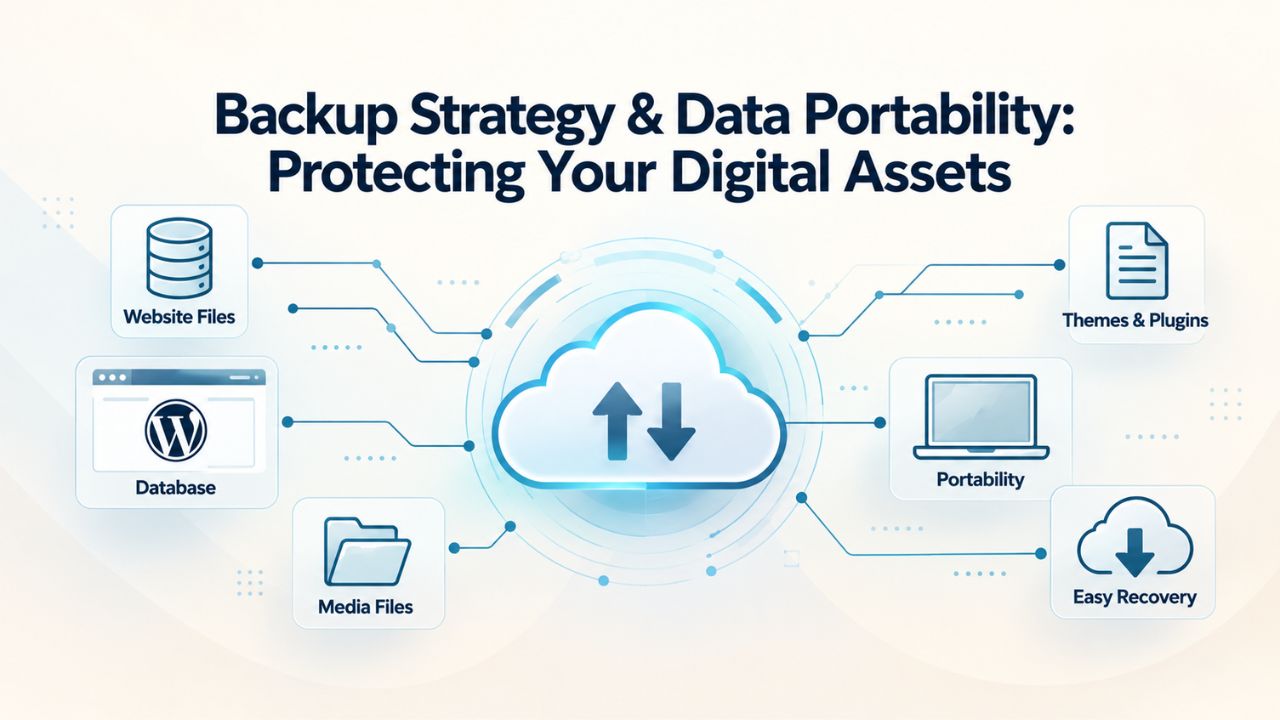
WordPress.com’s Managed Backup Approach
WordPress.com automatically backs up every site daily, storing multiple backup versions that you can restore through the dashboard if something goes wrong. You never need to configure backups, understand backup software, or worry about whether your backup strategy is actually working; Automattic handles everything invisibly. If a plugin breaks your site, you can restore a previous version with a few clicks. If you accidentally delete posts, you can retrieve them from a backup. If your site gets infected with malware, Automattic’s security team can help restore a clean version.
However, accessing your backups requires going through WordPress.com’s interface. You cannot download raw database exports or complete file backups on lower-tier plans. If you decide to migrate to self-hosted WordPress, you’ll export through WordPress.com’s tools, not restore from a complete backup of your site’s infrastructure. WordPress.com owns your backups, stores them on Automattic’s servers, and you access them only through WordPress.com’s restoration processes. This centralized control makes recovery simple but limits your flexibility to analyze backups independently or move them elsewhere without using WordPress.com’s export tools.
Self-Hosted WordPress: Backup Flexibility and Responsibility
Self-hosted WordPress backups work very differently. You (or your hosting provider) are responsible for creating regular backups and ensuring they’re actually recoverable. Managed WordPress hosting providers handle this automatically; they create daily or hourly backups, store them securely, and provide one-click restoration if disaster strikes. You can often access raw database backups and file exports independently, giving you complete data portability.
With managed hosting, you get the convenience of automatic backups plus the flexibility to download complete backups for your own storage, migrate to a different host, or restore independently if needed. Unmanaged hosting puts backup responsibility entirely on you; you must configure backup software, ensure backups run on schedule, test restore procedures regularly, and maintain backup storage. Managed WordPress hosting bridges this gap by automating backups while preserving your data ownership and portability. If you ever want to switch hosts, you can migrate your complete backup to a new provider, maintaining full data independence and control.
Your Path Forward: Choose Your WordPress Future
Understanding the architectural and operational differences between WordPress.com and self-hosted WordPress is the first step toward choosing a platform that supports your goals. If you’ve concluded that self-hosted WordPress’s flexibility and customization power align with your vision, the next step is finding a hosting partner who can handle the technical complexity. Meanwhile, you focus on your business and content.
Frequently Asked Questions
What is the main difference between WordPress.com and WordPress.org?
WordPress.org is the free, open-source CMS software that powers self-hosted websites. WordPress.com is Automattic’s managed hosting service running on WordPress.org software. Self-hosted WordPress means you install WordPress.org on a hosting provider you select. WordPress.com provides simplicity and automatic maintenance but with restrictions on customization. Self-hosted WordPress offers unlimited flexibility but requires you to manage technical aspects yourself or hire a managed host to handle them.
Can I use plugins on WordPress.com?
Plugin access depends on your WordPress.com plan. Free and personal plans disable plugin installation entirely. Professional plans allow limited plugin access through a pre-approved list. Business tier and above permit more plugins, but you still cannot install any of the 59,000+ plugins available to self-hosted WordPress. If plugins are central to your vision, you need self-hosted WordPress.
Do I need coding knowledge to run self-hosted WordPress?
No, coding knowledge is not required for basic self-hosted WordPress operation. Many hosting providers offer one-click WordPress installation, visual page builders, and simple admin interfaces. Beginners can build professional sites without coding. Advanced customization benefits from technical knowledge, but managed WordPress hosting providers employ expert support to bridge that gap when needed.
Is WordPress.com or self-hosted WordPress more secure?
Both can be secure with proper management. WordPress.com handles platform security automatically, which is simpler for beginners but offers limited customization. Self-hosted WordPress security depends on your hosting provider and how well you follow best practices. Managed WordPress hosting providers implement enterprise-grade security that matches or exceeds WordPress.com’s protections while maintaining full customization control.
How do I migrate from WordPress.com to self-hosted WordPress?
Export your content from WordPress.com using their export tool, install WordPress on your new hosting provider, import your exported content, reinstall your themes and plugins, and reconfigure site settings. Many hosting providers offer migration assistance or free migration services. The process is doable, but you’ll lose some WordPress.com-specific features like followers and platform stats.
What hosting should I choose for self-hosted WordPress?
Choose based on your technical comfort, performance needs, and budget. Managed WordPress hosting balances control with convenience, offering automatic updates, professional support, and performance optimization. Shared hosting is cheaper but less performant and offers limited support expertise. Cloud and VPS hosting provide more power for advanced users. Managed hosting typically offers the best value for growing businesses.
Can WordPress.com sites be optimized for Google Core Web Vitals?
WordPress.com handles Core Web Vitals optimization internally through caching and infrastructure tuning. You cannot manually customize optimization beyond WordPress.com’s built-in settings. Self-hosted WordPress gives you full control through caching plugins, image optimization, lazy loading, and hosting quality.
Is WordPress.com or self-hosted WordPress better for SEO?
Self-hosted WordPress gives you unrestricted access to SEO plugins like Yoast, All in One SEO, and Rank Math. WordPress.com restricts SEO tools to the Business tier and above and limits their capabilities. For serious SEO work, self-hosted WordPress provides more control and access to comprehensive ranking tools.
How much does self-hosted WordPress hosting cost?
Self-hosted hosting costs vary widely by type and provider. Shared hosting starts very affordably but limits performance. Managed WordPress hosting costs more but includes maintenance and professional support. Cloud hosting scales with usage. Costs depend on your performance needs and support requirements.
Can I run an e-commerce store on WordPress.com?
WordPress.com free and personal plans don’t support e-commerce. Business and higher tiers allow basic selling features but not full WooCommerce customization. For serious e-commerce, self-hosted WordPress with WooCommerce and unlimited plugins is necessary for customization and revenue optimization.
What is managed WordPress hosting?
Managed WordPress hosting is a specialized self-hosted WordPress service in which the hosting provider automatically handles maintenance, updates, security, backups, and performance optimization. You retain complete control over plugins, themes, and customization while the provider manages the technical burden. It’s ideal for businesses wanting flexibility without managing servers.
How long does it take to migrate to a new WordPress host?
Migration time depends on site size and the method used. Simple sites with migration plugins migrate in an hour. Complex sites often take several hours or days. Many managed hosts offer free professional migration to speed the process. With proper planning and staging, downtime can be minimal or eliminated.
Do I own my WordPress.com site?
You own your content on WordPress.com, but Automattic owns the platform. You cannot download your entire site or fully control the infrastructure. If WordPress.com changes policies or closes, your site is affected. Self-hosted WordPress gives you complete ownership of your installation and data.
Can I switch from WordPress.com to self-hosted later?
Yes. Export your content from WordPress.com and import it into a self-hosted installation. Your posts, pages, and comments transfer. Custom WordPress.com features don’t migrate, but your core content is portable.
What are Core Web Vitals and why do they matter?
Core Web Vitals are Google’s three performance metrics (Largest Contentful Paint, First Input Delay, Cumulative Layout Shift) that measure user experience. Google uses them as a ranking factor. Better Core Web Vitals improve search visibility and user satisfaction. Self-hosted WordPress lets you optimize these metrics through hosting choice, plugins, and configuration.
Which hosting type scales best as my traffic grows?
Managed WordPress hosting and cloud hosting scale dynamically, adding resources automatically as traffic grows. Shared hosting hits hard limits. WordPress.com requires expensive plan upgrades. Self-hosted with managed or cloud hosting offers the most flexible, cost-effective scaling for growing businesses.
Glossary
- Plugin: A software extension that adds functionality to WordPress, such as SEO optimization tools, security features, page builders, e-commerce systems, membership platforms, or specialized industry solutions.
- Theme: A pre-designed template controlling the visual appearance, layout, typography, and styling of a WordPress website; ranges from simple to highly customizable.
- Managed WordPress Hosting: A specialized hosting service specifically optimized for WordPress where the provider handles maintenance, updates, security monitoring, backup management, performance optimization, and technical support automatically while you retain full control over site customization.
- Core Web Vitals: Three key performance metrics Google uses to measure user experience: Largest Contentful Paint (how quickly main content appears), First Input Delay (how fast the page responds to user interaction), and Cumulative Layout Shift (how much content unexpectedly shifts while loading).
- Self-Hosted WordPress: Installing and running the free WordPress.org software on a hosting provider of your choice, giving you complete control over the installation, server environment, plugins, themes, and configuration.
- Migration: Moving a WordPress website from one host to another or from WordPress.com to self-hosted WordPress, transferring all content, database, themes, plugins, and configuration.
- Web Application Firewall (WAF): A security system that monitors and filters malicious web traffic, protecting your site from attacks, brute-force login attempts, and known vulnerabilities.
- Staging Environment: A private, temporary copy of your live WordPress site used for safely testing updates, plugin installations, theme changes, and configuration modifications before applying them to your public site.
- SSH Access: Secure Shell access to your hosting server, allowing advanced users to run commands and perform server-level maintenance directly (typically not available on WordPress.com).