Your website broke after a plugin update, and you found a backup from three months ago, but nothing from last month. When recovery options are limited, the costs multiply fast: lost revenue, damaged customer trust, and weeks of SEO recovery. The key to avoiding this trap is a backup retention policy, a clear plan for how long to keep each backup, how often to take new ones, and where they live. Niya Digital is an authorized reseller of CodeGuard website backup services. Actual data safety depends on many factors outside any single provider’s control, including backup frequency, how quickly issues are noticed, hosting conditions, and credential practices. No backup service guarantees zero data loss or instant recovery for every scenario.
Why Backup Retention Matters
A backup retention policy is simply a set of rules that answers three essential questions: What do I back up? How often? And for how long? Most backup trouble is not caused by the backup job itself. It comes from weak retention decisions. Teams turn on daily backups, feel safe for three months, then discover they kept only seven copies before the oldest ones were automatically deleted. Understanding what a retention policy actually controls and why poor decisions cost real money is the first step toward protection.
What Your Retention Policy Controls
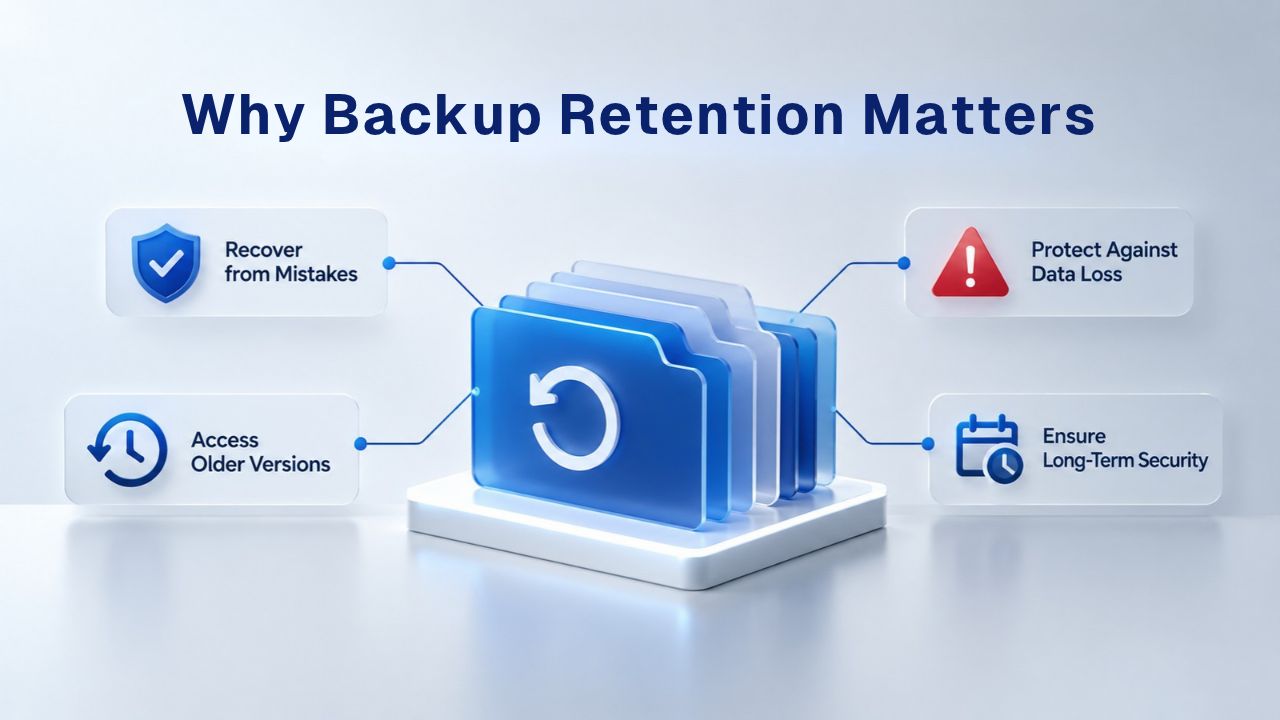
Retention determines how many restore points, snapshots of your site at different points in time, are available at any given moment. It sets the recovery window: if you discover a problem three weeks after it started, can you go back far enough to find a clean version? Retention also drives your storage costs and the server resources required to manage backups over time. A policy that keeps thirty days of daily backups uses thirty times the storage of one backup, but gives you one month of recovery history at any moment.
Retention isn’t just about disaster recovery after a server failure. It’s about having the right backup available for every type of problem: an accidental page deletion noticed the same day, a malware infection discovered weeks later, a plugin update that broke the site yesterday, or a hosting migration gone wrong. Each scenario has a different recovery window, and your retention policy must account for all of them. The broader you keep your recovery window, the more prepared you are for problems discovered at any point in the past.
The Real Cost of Poor Retention Decisions
A backup that exists but is too old is almost as useless as no backup at all. A backup deleted before you need it becomes a nightmare: you discover a problem and realize the one restore point that could have saved you was already removed. Keeping every backup forever wastes storage, slows down backup jobs, and makes restore lists confusing, making it harder to find the version you actually need in a crisis.
Teams often discover the cost of poor retention decisions only when they urgently need a backup. One business ran daily backups for three months, then discovered they’d only kept seven copies in a rolling window, enough for one week. When a malware infection was found to have started three weeks prior, they had no clean backup to restore from. The financial cost of that mistake, combined with the time to rebuild or reconfigure the site, far exceeded what proper retention planning would have cost.
Website Backup Plans & Pricing
Select the Website Backup package that best fits the size and peace of mind requirements of your website. Your data is safeguarded without going over budget thanks to our adaptable choices.
Website Backup 5 GB
Recommended for documents and files.
- Automatic daily backups
- Built-in daily malware scanning
- Back up a file, folder or an entire database
- Continuous security monitoring
- Downloads to local storage
- Easy one-click restore
- Secure cloud storage
- Expert 24/7 customer support
- One website per account

Website Backup 25 GB
Recommended for photos and music.
- Automatic daily backups
- Built-in daily malware scanning
- Back up a file, folder or an entire database
- Continuous security monitoring
- Downloads to local storage
- Easy one-click restore
- Secure cloud storage
- Expert 24/7 customer support
- One website per account
Website Backup 50 GB
Recommended for videos and multimedia.
- Automatic daily backups
- Built-in daily malware scanning
- Back up a file, folder or an entire database
- Continuous security monitoring
- Downloads to local storage
- Easy one-click restore
- Secure cloud storage
- Expert 24/7 customer support
- One website per account
Backup Frequency Recommendations by Site Type
Your site’s update frequency is the first clue to the right backup schedule. A static brochure site updated once a month can afford longer gaps between backups than a WooCommerce store processing orders daily. But frequency alone doesn’t tell the full story. You also need to know what happens if you lose a day’s worth of content or transactions. The table below shows how different site types typically approach frequency and retention, and the rationale behind each choice.
| Site Type | Typical Activity | Backup Frequency | Retention Period | Rationale |
|---|---|---|---|---|
| Static Portfolio/Brochure | Updated 1-2 times/month | Weekly | 4-8 weeks | Content rarely changes; one month covers most incidents |
| Active Blog (2-3 posts/week) | Frequent content + comments | Daily | 1 month | Captures daily work; one month balances recovery depth vs. storage |
| Business Site with Forms | Daily leads and updates | Daily (database hourly) | 1-3 months | Form data changes continuously; regulatory records kept |
| E-Commerce (WooCommerce) | Hourly+ transactions | Daily minimum; hourly preferred | 1-3 months | Transaction data critical; minimize loss to <24 hours |
| Membership/Community | Continuous user activity | Hourly (database) + daily (full) | 2-4 weeks | User content changes constantly; quick recovery needed |
| News/High-Traffic | Multiple posts per day | Hourly | 2-4 weeks | Rapid content changes; editorial consistency critical |
Static and Low-Change Websites
If your site changes only once or twice a month, weekly backups are usually sufficient. Between updates, there’s little new data at risk. If a problem occurs, you can typically revert to the previous week’s backup with minimal loss. The tradeoff is clear: if the site breaks on Tuesday and you don’t notice until Thursday, you’ll need that older backup, so keep at least four to eight weeks on hand. This gives you a safety window that covers most incidents without excessive storage overhead.
A brochure website, portfolio, business card site, or small business directory falls into this category. Weekly backups paired with 4–8 weeks of retention cover nearly every realistic scenario. Storage costs stay low because you capture only one full backup per week, not daily snapshots. Backup jobs complete quickly, and your restore list remains manageable. For many small businesses, this approach is the ideal balance between protection and operational simplicity.
Active Blogs and Content Sites
For blogs publishing 2–3 posts per week or sites with regular comment activity, daily backups are the standard recommendation. Daily frequency captures new content and media uploads throughout the day. If a plugin fails during a publish, if a comment spam attack overwrites pages, or if someone accidentally deletes a post, you have yesterday’s version available. For retention, keeping one month of daily backups balances recovery depth against storage: a month covers most incidents while staying cost-effective.
This applies to any site with regular content creation: news outlets, magazines, active community sites, or portfolio sites updated multiple times per week. The more frequently content changes, the more often you need backups to capture that work. Daily is the sweet spot for most editorial sites: you capture each day’s effort without the storage overhead of hourly backups, but you don’t leave weeks of unprotected work between backups.
Layered Retention Strategy and the 3-2-1 Rule
A single retention window is limiting. Instead, most production websites use a layered or tiered retention strategy: multiple backup tiers at different ages, each serving a different purpose. Recent backups help with quick recovery from immediate problems. Older backups provide historical depth for problems discovered weeks later. Long-term archives also meet compliance requirements without filling your daily storage with unnecessary old copies.
Tiered Retention Keeps Recovery Deep Without Breaking Storage Budgets
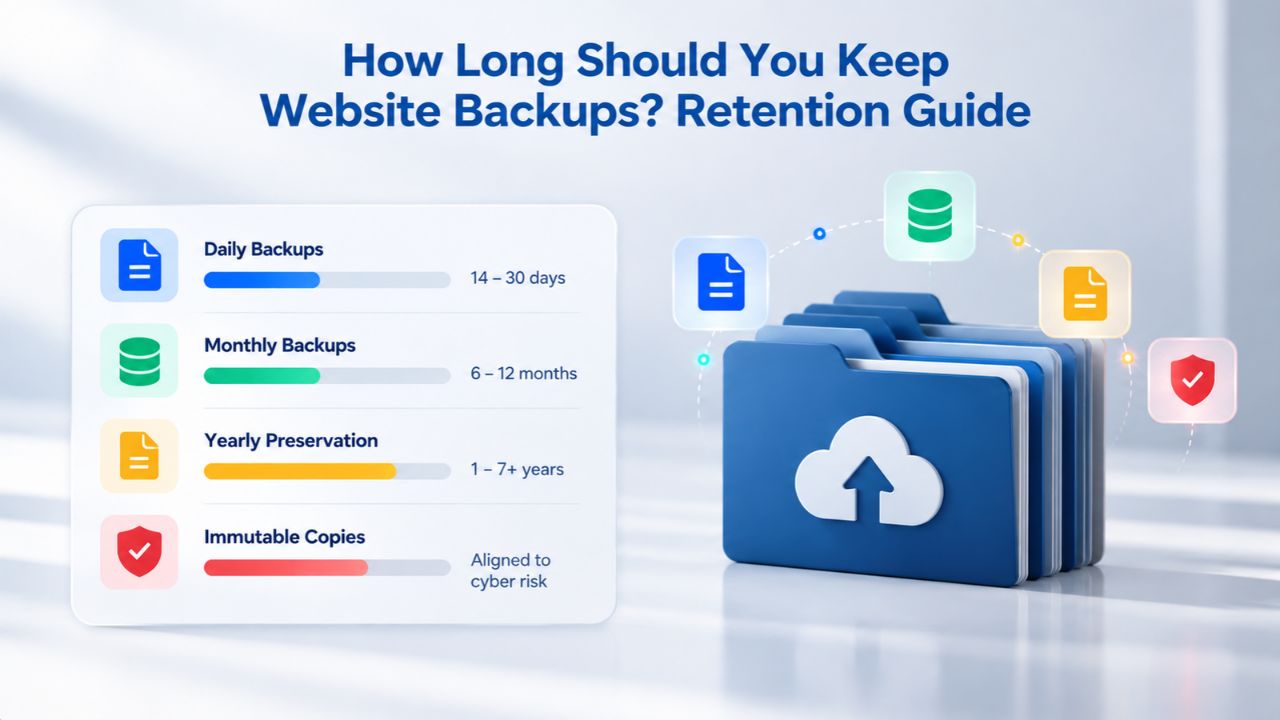
Layered retention keeps recent backups for quick recovery and older backups for historical depth. For example: store daily backups for two weeks, weekly full backups for two months, and monthly archives for six months. This structure gives you multiple restore points (high-frequency daily backups) for recent problems, while still reaching back months if needed, all without storing hundreds of individual daily backups forever. The practical result is a recovery window that grows as you move backward in time, with better restore speeds the closer you stay to recent backups.
A practical example: daily incremental backups stored locally capture changes every 24 hours. Weekly full backups give you full snapshots without the incremental chain. Monthly archives stored in the cloud or off-site provide long-term recovery options. If you need to restore from yesterday, a daily backup is the fastest option. If you need to restore from a month ago, you use a weekly backup. If you need to restore from six months ago for compliance or legal purposes, you have a monthly archive.
The 3-2-1 Rule: Industry Standard for Backup Architecture
A foundational best practice across industries, the 3-2-1 rule recommends three independent copies of your data, stored on at least two different storage media types, with one copy stored off-site or in a geographically isolated location. Each element protects against a different failure mode: three copies protect against single backup failure or corruption; two media types protect against storage-level disasters; one off-site copy protects against site-level disasters like fires, floods, or data-center failures. This isn’t a suggestion for large enterprises; it’s the baseline protection even small businesses should meet.
If your backup lives on the same server as your site, a server failure or security breach can destroy both the live site and the backups at once. Off-site storage in the cloud or a separate geographic region ensures local disasters don’t eliminate your recovery options. The 3-2-1 rule makes this clear: one off-site copy is non-negotiable. Niya Digital’s Website Backup Service, powered by CodeGuard (GoDaddy Website Backup), stores all backups off-site in encrypted cloud storage, automatically satisfying the 3-2-1 rule’s off-site requirement without requiring you to manage a separate cloud account.
How E-Commerce and High-Transaction Sites Differ
Websites processing real-time transactions cannot afford to lose a full day of orders or customer data. An active WooCommerce store with daily or hourly transactions needs a fundamentally different retention strategy than a blog or brochure site. The data is more time-sensitive, the cost of loss is measurable in dollars, and compliance requirements often mandate specific retention periods.

E-Commerce Backup Strategy
An active WooCommerce store with daily or hourly transactions cannot afford to lose a full day of orders. Daily backups are the absolute minimum; many stores run hourly database backups to capture transaction data continuously. During peak seasons, Black Friday, holiday shopping, Cyber Monday, some stores escalate to real-time or sub-hourly backups to ensure zero transaction loss. Retention of 1–3 months is standard to meet accounting requirements, cover customer order-history disputes, and support refund verification.
For membership platforms and booking sites with continuous user activity, the same principle applies. Hourly database backups, combined with daily full-site backups, ensure user-generated content and transaction data are protected at a granular level. The RPO (Recovery Point Objective) for these sites is measured in minutes or hours, not days. A booking platform that loses an hour of reservations faces customer service nightmares, cancellation disputes, and potential regulatory issues with payment processors.
Business Sites with Forms and Lead Data
Websites that collect leads through contact forms, calendars, or booking systems generate critical data every day. A daily full-site backup is essential, but consider hourly database backups specifically. Your database changes frequently as leads arrive; your file system may not change as often. This split approach captures new form submissions and lead data hourly while keeping daily full-site restore points. Retention should reach 1–3 months for regulatory records and lead recovery.
The difference here is priority: lead data is time-sensitive and irreplaceable. If a customer submits a contact form and that data is lost, the contact is lost forever; you can’t recover it. Database backups capture changes to form data, customer records, event calendars, and booking tables in near real-time. This approach is cost-effective because it doesn’t require hourly full-site backups (which are large and storage-intensive), but it protects the data that actually changes and matters most.
Compliance, Data Protection, and Retention Requirements
Many industries have legal or regulatory retention requirements for backups. GDPR, HIPAA, and PCI DSS all touch backup and data retention in different ways. Compliance requirements are not universal; they vary by jurisdiction, industry, and the type of data you store. A business handling customer payment data faces different retention rules than a blog with no personal information. Always confirm with a legal professional which rules apply to your specific business.
GDPR and Backup Data Retention
GDPR doesn’t distinguish between personal data in an active database and personal data in a backup archive. If your backup contains customer email addresses, shipping addresses, or purchase history, that backup is personal data subject to GDPR requirements. This means backup retention and data retention must be aligned per the storage limitation principle (GDPR Article 5(1)(e)). In practice, you can’t keep backups indefinitely without a corresponding business or legal justification.
A key principle: GDPR’s “right to erasure” applies to backup data too. However, GDPR allows “reasonable retention periods for backup integrity” as long as your policy is documented and deletion is enforced when backups expire. You don’t need to delete a backup immediately after a customer’s erasure request; you delete it when it rotates naturally (when it expires under your retention policy). For example, if your retention policy keeps daily backups for 30 days, and a customer requests deletion, they’re deleted when the 30-day window passes, not immediately. The key is documentation and consistency: document your retention policy and apply it the same way to every backup.
Other Regulatory Frameworks and Compliance Considerations
PCI DSS (for payment card data) requires secure backup of cardholder data and retention policies aligned with your business needs, typically 1–3 years for transaction records. HIPAA (for healthcare data) has similar principles: backups must be protected, and retention must align with legal holds and record-keeping requirements. Regulations vary widely by region and industry, and new regulations emerge regularly. What was compliant last year might not be compliant next year.
Work with a legal professional on your specific compliance requirements. Backup retention is just one piece of a compliance program; your policy should also cover access controls (who can access backups), encryption (backups should be encrypted at rest and in transit), and secure deletion procedures (how old backups are securely removed so they can’t be recovered). A retention policy on paper is worthless if your actual backups aren’t encrypted or if access controls are loose. Compliance requires both written policy and operational reality to match.
Protect Your Website Data Now
With Niya Digital’s Website Backup Service, you get daily automatic backups using incremental backups (only changes are captured after the initial full backup), so storage usage stays reasonable even with frequent backups. Setup guidance and account management support help you right-size retention to your actual needs. Niya Digital’s team has found that businesses often choose their retention period based on their RTO and RPO; sites that need to recover within hours typically keep 30–90 days of backups, while sites with longer recovery windows may start with 14–30 days.
Testing Your Backups to Ensure They Work
An untested backup is not a backup. Regular restore testing proves your backups work, data integrity is intact, and you can meet your RTO and RPO in a real incident. Testing bridges the gap between “we have backups” and “we know we can recover,” and that knowledge matters most when a real problem hits at 2 AM on a Friday.
Why Restore Testing Matters
Backup software reports can look perfect while the actual backups are corrupted, incomplete, or unrestorable. A business discovers this only when a real problem occurs, and the restore fails, too late to prevent downtime or data loss. Testing catches restore failures before they become disasters. A business that restores backups quarterly for a year knows they work. A business that never tests has no proof and will discover failure only during a crisis, when the stakes are highest.
For most business websites, a quarterly restore test (four times per year) is the minimum standard. Critical systems should test more often. A restore test means actually restoring a backup to a separate location (not production), verifying the data is intact and accessible, and timing how long the restore takes. Document the results: date, what was restored, time to restore, and pass/fail status. Over time, these records show whether your restore process consistently meets your RTO and whether your backups are staying reliable.
Quarterly Restore Checklist
A practical quarterly routine runs five steps:
(1) Set targets, confirm your documented RTO and RPO.
(2) Restore a backup to a non-production environment.
(3) Time the restore and compare it to your RTO.
(4) Verify data integrity; check that restored files are complete and readable.
(5) Document the results. A restore test that takes 3 hours but your RTO is 2 hours signals you need faster backups, different hardware, or a different backup method altogether.
What to test includes restoring a single file to verify file-level recovery works, restoring the entire database to verify data integrity, and restoring to different hardware or an environment to catch compatibility issues. Each test reveals different potential failures. The goal is confidence: if you’ve restored and verified backups quarterly for a year, you know they work in practice, not just in theory.
Understanding Recovery Point and Time Objectives
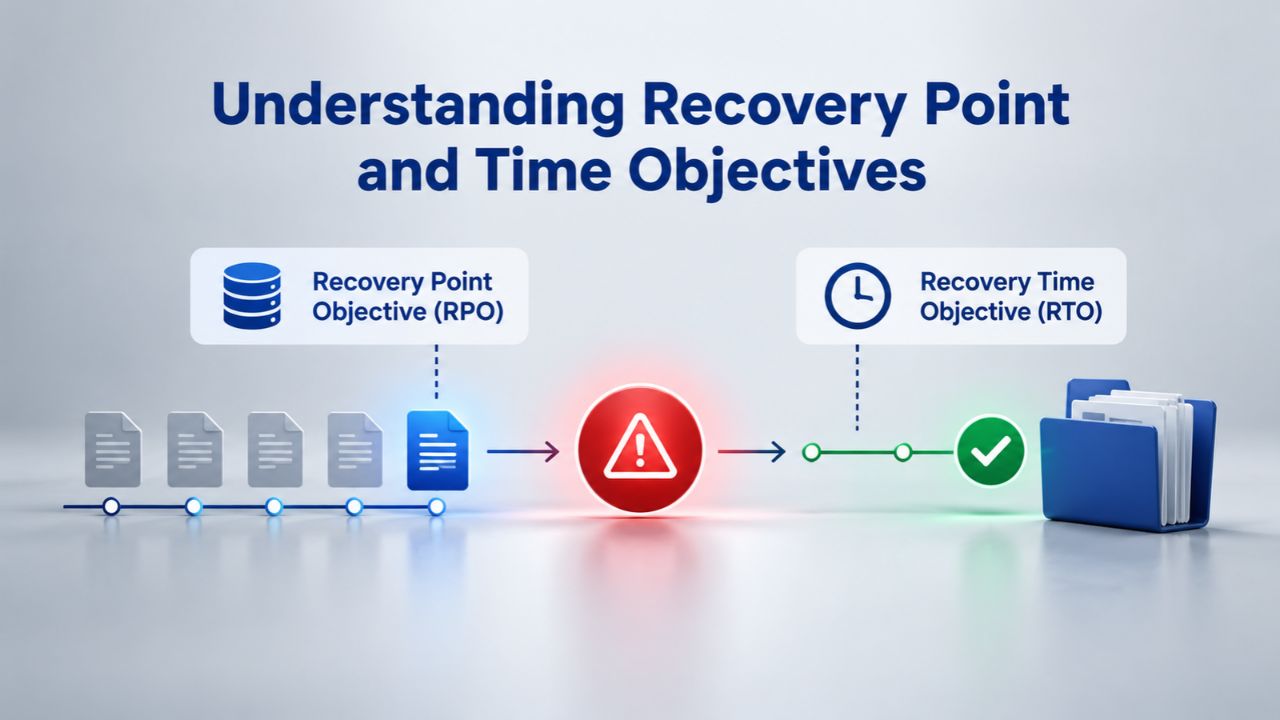
Two metrics drive smart retention decisions: Recovery Point Objective (RPO) and Recovery Time Objective (RTO). These aren’t just IT metrics; they’re business metrics tied to how much downtime and data loss your business can tolerate. Understanding your own RTO and RPO transforms retention from a guess into a decision grounded in real business impact.
Recovery Point Objective: How Much Data Loss Is Acceptable?
RPO answers: How much data loss is acceptable? It’s measured in time. If your RPO is 24 hours, you’re saying “I can afford to lose up to one day’s worth of data.” This directly determines backup frequency. If your RPO is 24 hours, daily backups meet it. If your RPO is 1 hour, you need hourly backups or continuous backups. If your RPO is 15 minutes, backups must run at least every 15 minutes. There’s a direct mathematical relationship: your backup frequency must be at least as frequent as your RPO.
For an e-commerce store, RPO might be 1 hour (one hour of lost orders is tolerable; 24 hours is not). For a brochure website, RPO might be one week (almost nothing on the site changes). For a blog, daily might suffice. For membership sites where user-generated content changes constantly, RPO might be 1–4 hours. Start by asking: If we lost one day’s worth of data, would our business survive? If we lost one hour’s worth of data, how painful would that be? That answer determines your RPO, which then determines your backup frequency.
Recovery Time Objective: How Long Can You Afford Downtime?
RTO answers: How long can the site be down before the business suffers? It’s your maximum acceptable downtime. A retail site during the holiday shopping season might have an RTO of 2 hours; beyond that, lost sales add up fast, and customers move to competitors. A brochure site might tolerate 8 hours. A SaaS platform might have an RTO of 30 minutes because customer churn accelerates after brief outages. These targets influence not just how often you back up, but how fast your restore process needs to be and what infrastructure investments may be justified.
| Risk Scenario | Tolerable Data Loss (RPO) | Max Downtime (RTO) | Backup Frequency | Retention Period |
|---|---|---|---|---|
| Plugin update breaks site | 24 hours | 2-4 hours | Daily | 2+ weeks (pre-update version) |
| Accidental page deletion, noticed immediately | 1 hour | 15 minutes | Hourly | Several days (quick access) |
| Malware/ransomware, detected 3 days later | 48 hours | 4-8 hours | Daily | 7-30 days (find uninfected backup) |
| Server failure, hosting provider down | 24 hours | 1-2 hours | Daily | Off-site backup essential |
| Data deletion, discovered 1 week later | 7 days | 2 hours restore | Daily | 4-week window minimum |
Balancing Retention Against Storage Costs
Backup storage costs climb with retention period and backup frequency. A site that backs up daily and keeps 90 days of backups uses 90 times the storage of a single backup. Over time, this adds up, not just in direct storage costs, but in the server resources required to manage, organize, and access old backups. However, longer retention also provides deeper recovery windows and better compliance coverage. The balance is personal to your business.
When Shorter Retention Is Sufficient
A static website that changes once a month doesn’t need 90 days of retention. Eight to twelve weeks of weekly backups covers nearly every realistic scenario at a fraction of the cost. The tradeoff is a slightly shorter recovery window, but for low-change sites, the risk of losing anything older than one month is low. If you only publish a new page once a month, the odds that you’ll need to recover something from three months ago are minimal.
A business blog with regular content might keep 30 days of daily backups and one month of weekly backups. If a problem appears after two weeks, you restore from a week-old backup (acceptable for most blogs). If a problem appears after a month, you restore from a monthly backup. This tiered approach keeps costs lower than keeping 90 days of daily backups, while still providing reasonable recovery depth. The storage you save can be reinvested in other business priorities.
Incremental Backups Keep Costs Down
After an initial full backup, incremental backups capture only what changed since the last backup. Incremental backups are much smaller than full backups, often 5–10% of full backup size. This means you can afford daily incremental backups for weeks or months at a cost similar to a few full backups. Most automated backup services, including CodeGuard (GoDaddy Website Backup) backups, use this approach: one full backup per week, then daily incremental captures. This keeps storage efficient while maintaining a long retention window.
Combined with layered retention (daily incrementals for 1 month, weekly fulls for 3 months, monthly archives for 6–12 months), incremental backups let you keep deep recovery history without proportional cost growth. A typical arrangement: daily incremental backups (5-10 GB per backup) for 30 days; weekly full backups (50-100 GB per backup) for 12 weeks; monthly archives (50-100 GB per backup) for one year. The total storage is roughly 300-500 GB, expensive for a small business in 2000, but negligible in 2026.
Building a Retention Policy for Your Website
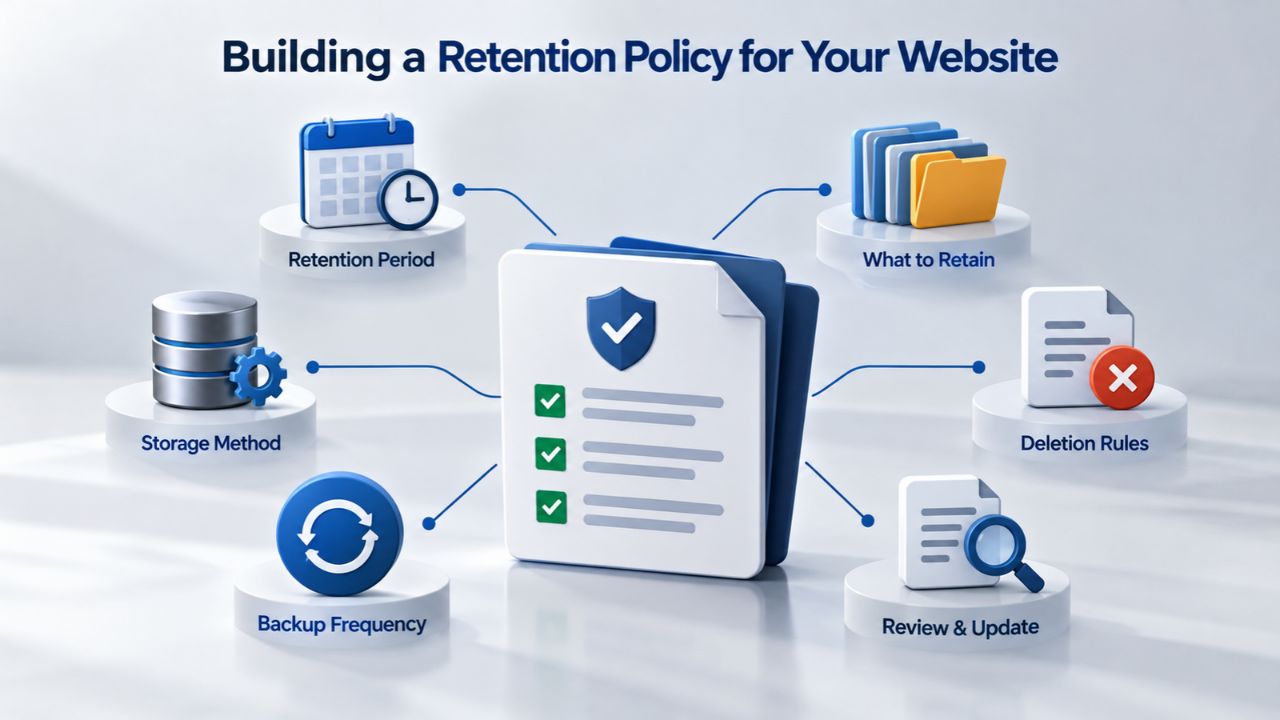
A retention policy doesn’t need to be a fifty-page document. The best policies fit on a single page and cover five essential elements. A documented policy guides you when a real problem hits at 2 AM on a Friday and you need to decide quickly which backup to restore and how to proceed. It’s also your proof of due diligence if a compliance audit asks whether you have a backup plan.
Five Essential Elements of a Retention Policy
- What you back up: Entire website (files + database)? Database only? Specific folders? For most websites, back up everything: files, database, and media. This ensures that a restore from any backup point gives you a complete, consistent site snapshot. Selective backups (database only or files only) can leave restores incomplete or out of sync.
- How often you back up: Daily is the standard for most sites. E-commerce and high-change sites go to hourly. Static sites might use weekly. Choose based on your RPO and how much recent work you can afford to lose. Remember: your backup frequency must be at least as frequent as your RPO. If you can’t afford to lose a day’s work, you need daily backups.
- Retention period: How long do you keep each backup? 30 days of daily backups? 90 days? One year of monthly backups? Align this to your RTO, business needs, and compliance requirements. Longer retention costs more storage but gives you more recovery options. Shorter retention saves money but reduces your recovery window.
- Storage location: Is your backup on-site (same server), local (same hosting account), or off-site (separate cloud provider or region)? The 3-2-1 rule requires at least one off-site copy. On-site and local backups are vulnerable to server failures or data-center-wide outages. Only off-site backups protect against those scenarios.
- Testing schedule: How often do you verify backups work? Quarterly restore tests are standard. Write down your testing cadence and document each test’s results. Keep a record showing that on [date], you restored [backup], it completed in [time], and verification showed [result]. These records prove your backup process works.
Write It Down and Keep It Current
Niya Digital’s team has found that businesses often skip documentation, then scramble when a problem occurs. A one-page policy prevents that scramble and keeps everyone aligned on what to do. Review your policy after major changes: a new plugin or theme, a migration to different hosting, new compliance requirements, or a site redesign. If your site’s activity level changes (traffic doubles, new e-commerce feature added), adjust retention and frequency to match.
A simple template: “We back up [website name] daily with incremental backups using [backup service]. We retain 30 days of daily backups, 12 weeks of weekly backups, and 12 months of monthly backups. All backups are stored off-site in encrypted cloud storage. We test restore capability quarterly. [Name] is responsible for ensuring backups run successfully and testing happens on schedule. That’s it, five sentences that cover the essentials. Post it on your internal wiki, email it to relevant team members, and update it when things change.
Niya Digital Website Backup Service and Configurable Retention
Niya Digital’s Website Backup Service, powered by CodeGuard (GoDaddy Website Backup)’s automated backups, off-site storage, and one-click restore technology, gives you the tools to implement a professional retention policy without managing infrastructure yourself. Retention is not a technical afterthought; it’s a core part of the service, designed to be configured once and then managed automatically.
How Niya Digital Supports Your Retention Strategy
Plans support retention periods that give you flexibility: you choose the window that matches your business needs. All backups are stored off-site in encrypted cloud storage, satisfying the 3-2-1 rule’s off-site requirement without requiring you to manage a separate cloud account or negotiate with another vendor. Each plan includes daily automatic backups using incremental backups (only changes are captured after the initial full backup), so storage usage stays reasonable even with frequent backups.
Niya Digital’s team has found that businesses often choose their retention period based on their RTO and RPO: sites that need to recover within hours typically keep 30–90 days of backups; sites with longer recovery windows may start with 14–30 days. Setup guidance and account management support help you right-size retention to your actual needs. If you’re unsure what retention period to choose, Niya Digital’s onboarding process helps you answer the key questions: How often does your site change? How much data loss can you tolerate? What compliance requirements apply to you?
Getting Started with Automated Backup and Retention
Getting started is straightforward. You connect your website credentials to Niya Digital’s platform, choose your backup frequency and retention period, and automated backups begin immediately. The initial full backup captures your entire website. Subsequent daily backups capture only changes, keeping storage efficient. The platform automatically deletes old backups based on your retention policy, so you don’t have to manage cleanup manually.
If you ever need to restore, Niya Digital’s one-click restore feature makes recovery straightforward. Select the backup date you want to restore from (you’ll see a list of available restore points), and one click starts the restore process. For complex situations, like a malware infection discovered weeks after it started, where you need to find the exact moment before the infection occurred, Niya Digital’s support team can help you identify the right restore point and guide you through the recovery.
Protect Your Website’s Future
The cost of not having a proper backup strategy is immense: unrecovered data, extended downtime, lost customer trust, and potential compliance violations. The cost of implementing one is minimal, a small investment in peace of mind and operational resilience. Your website is where leads arrive, orders are placed, and brand trust is established or lost. Protecting it with automated backups and a clear retention strategy isn’t optional; it’s essential.
Frequently Asked Questions
How long should I keep website backups?
It depends on your site’s activity level and how much data loss you can tolerate. A static site updated monthly can use weekly backups with 4–8 weeks retention. An active blog needs daily backups with at least 30 days retention. An e-commerce store should keep 1–3 months of daily backups to cover transaction history and accounting records. Write your RPO and RTO first; retention follows from those targets.
Is 90 days of retention enough?
For most websites, yes. 90 days covers most incident scenarios: plugin failures, malware discovered within weeks, accidental deletions noticed within a month, migrations gone wrong. For compliance-heavy industries or sites holding long-term customer data, retention might stretch to 6–12 months. Longer retention costs more in storage but buys more recovery history and better compliance coverage.
Can I keep backups forever?
Technically yes, but it creates problems. Infinite retention inflates storage bills, slows down backup processes, and makes restore lists confusing (hundreds of backups to choose from). For GDPR compliance, indefinite retention makes it harder to enforce the right to erasure. A tiered approach- daily for 1 month, weekly for 3 months, monthly for 1 year- is more practical than “keep everything forever.”
What’s the difference between RPO and RTO?
RPO (Recovery Point Objective) is how much data loss you can tolerate, measured in time. RTO (Recovery Time Objective) is how long your site can be down. An e-commerce store might have an RPO of 1 hour (lose up to 1 hour of orders) and an RTO of 2 hours (site can be down for a maximum of 2 hours). Backup frequency is driven by RPO; restore speed is driven by RTO.
Should I back up daily or hourly?
Daily is standard for most websites. Hourly is needed for e-commerce, membership platforms, and sites processing real-time transactions. For static brochure sites, weekly is often sufficient. Match backup frequency to your RPO: if you can’t afford to lose a day’s work, back up daily. If you can’t afford to lose an hour of transactions, back up hourly.
How do I know if my backup is working?
Test it. Restore a backup to a separate location (not production), verify the files are intact and readable, and time how long the restore takes. Do this quarterly at minimum. If you’ve never restored a backup, you don’t know if it works, and that’s when you discover failure during a real crisis when stakes are highest.
What’s the 3-2-1 rule?
Keep three independent copies of your data: one production copy (your live site), plus two backups. Store them on two different media types (disk and cloud, or disk and tape). Keep one copy off-site or in a geographically separate location. This protects against single backup failures, storage failures, and site-level disasters like fires or data-center outages.
Do I need off-site backups?
Yes. A backup on the same server as your site is not real protection; a server failure or security breach can destroy both. Off-site backups in cloud storage or a geographically distant location survive local disasters. The 3-2-1 rule makes this clear: one off-site copy is non-negotiable for any serious protection.
How often should I test restores?
Quarterly (four times per year) is the standard for most business websites. More frequently for critical systems or those handling sensitive data. Each test should include timing the restore against your RTO and verifying data integrity. Document the results to show your backup process is meeting your recovery targets.
Does GDPR affect backup retention?
Yes. GDPR doesn’t exempt backup data from the storage limitation principle. Backup retention and data retention must be aligned. However, GDPR allows reasonable retention periods to ensure backup integrity; deletion happens when the backup expires under your retention policy, not immediately upon request. Document your retention policy and apply it consistently.
What if I discover a problem weeks after it occurred?
This is why retention matters. If you discover a malware infection or data corruption from three weeks ago, you need a backup from before the problem started, likely more than one week old. Keeping 30–90 days of backups ensures you can reach back far enough to find a clean version, even if the problem went unnoticed for weeks.
Can incremental backups reduce my storage costs?
Significantly. After an initial full backup, incremental backups capture only changes, often 5–10% of full backup size. This means you can keep daily incremental backups for months at a cost close to a few full backups. Combined with layered retention (daily incrementals, weekly fulls, monthly archives), incremental backups keep storage efficient while maintaining deep recovery history.
Should my backup retention match my competitors?
No. Retention should match your business needs, not your competitors’. A competitor running 30-day retention might have a lower data change rate than you. A competitor running 6-month retention might have compliance requirements you don’t have. Define your own RPO, RTO, and compliance requirements; retention follows from those.
What’s a practical retention policy template?
Start simple: daily backups for 1 month, weekly full backups for 3 months, monthly archives for 1 year. This covers most recovery scenarios, spreads storage across retention tiers, and includes both recent high-frequency snapshots and long-term archives. Adjust based on your site’s activity, criticality, and compliance rules.
How do I implement layered retention without manual work?
Use automated backup tools with configurable retention schedules. CodeGuard (GoDaddy Website Backup) and Niya Digital’s Website Backup Service both support tiered retention: set daily, weekly, and monthly schedules once, and the tool automatically deletes expired backups. This prevents manual errors and keeps your policy consistent over time.
Glossary
- Backup Retention Policy: A set of rules specifying what data to back up, how often, for how long, and where to store it. It balances recovery capability against storage costs and compliance requirements.
- Incremental Backup: A backup capturing only the data that changed since the last backup (incremental) rather than the entire site (full). Incremental backups are much smaller and faster than full backups, making frequent backups more practical and affordable.
- Full Backup: A complete copy of all files, databases, and media on a website, captured at one point in time. Full backups are larger than incremental backups but can be restored independently without needing a chain of previous backups.
- Off-Site Backup Storage: Backup copies stored in a geographically separate location (a different data center, region, or cloud provider) from the production server. Off-site storage protects against local disasters like fires, floods, or data-center-wide failures.
- Recovery Point Objective (RPO): The maximum acceptable amount of data loss, measured in time. If your RPO is 24 hours, you’re prepared to lose up to one day’s worth of changes if a disaster occurs. RPO drives your backup frequency.
- Recovery Time Objective (RTO): The maximum acceptable downtime for a system or website after a disaster. If your RTO is 4 hours, your recovery plan must restore the site within 4 hours. RTO influences your restore speed and backup strategy.
- Restore Verification (Test Restore): The process of restoring a backup to a separate, non-production environment to verify that the backup works, data is intact, and the restore time meets your RTO. Also called a test restore or recovery test.
- 3-2-1 Rule: A backup best practice recommending three independent copies of data, stored on two different media types, with one copy located off-site. Protects against backup failures, storage failures, and site-level disasters.
- Database Backup: A backup of your website’s database containing dynamic content, posts, comments, user accounts, product listings, orders, etc. Database backups are typically much smaller than full-site backups but capture all changing data.
- Layered Retention: A backup strategy using multiple retention tiers at different ages (daily backups for 1 month, weekly for 3 months, monthly for 1 year) to provide both recent restore points and long-term recovery options without excessive storage.