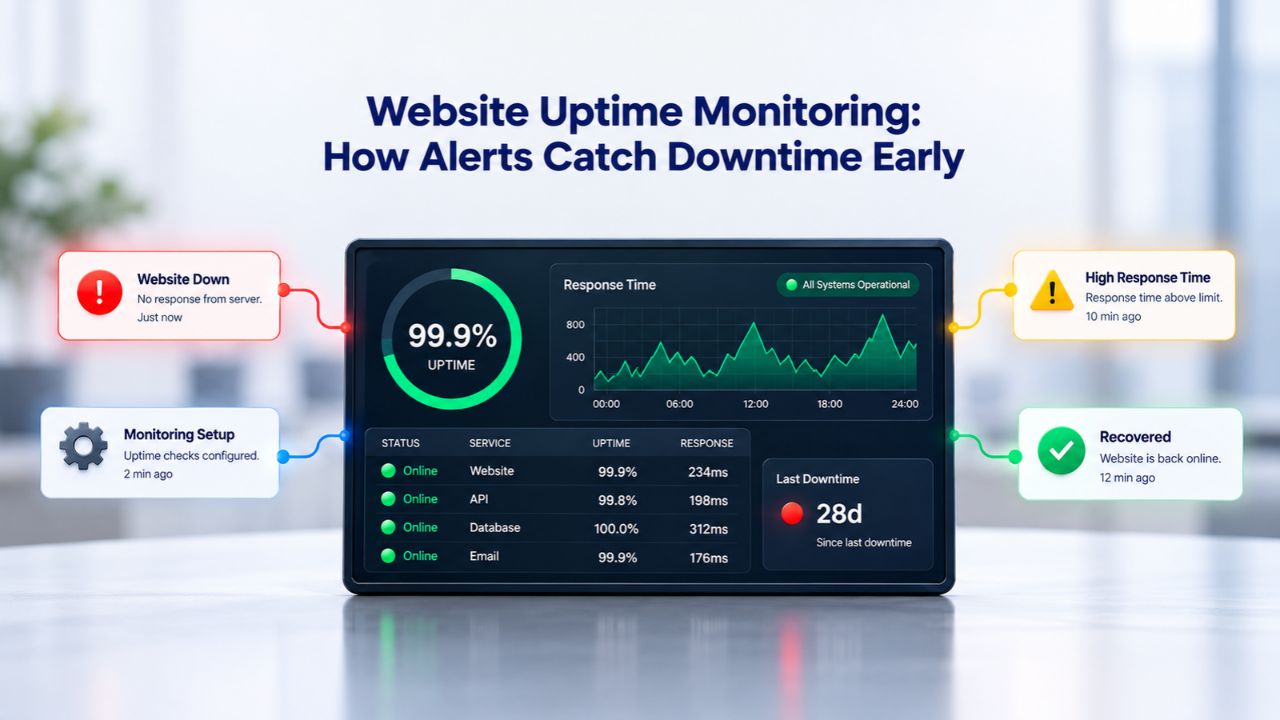
Most websites experience unexpected downtime at least once per month, yet many business owners don’t realize it until customers complain. Website uptime monitoring changes this dynamic by continuously checking your site’s availability, 24/7, and alerting you immediately when problems occur. Niya Digital is an authorized reseller of Sucuri website security services, including uptime monitoring, rather than an operator of its own independent monitoring infrastructure. Overall website security depends on many factors outside any single provider’s control, including server configuration, CMS and plugin update hygiene, credential security practices, and proper incident response procedures.
How Uptime Monitoring Actually Works
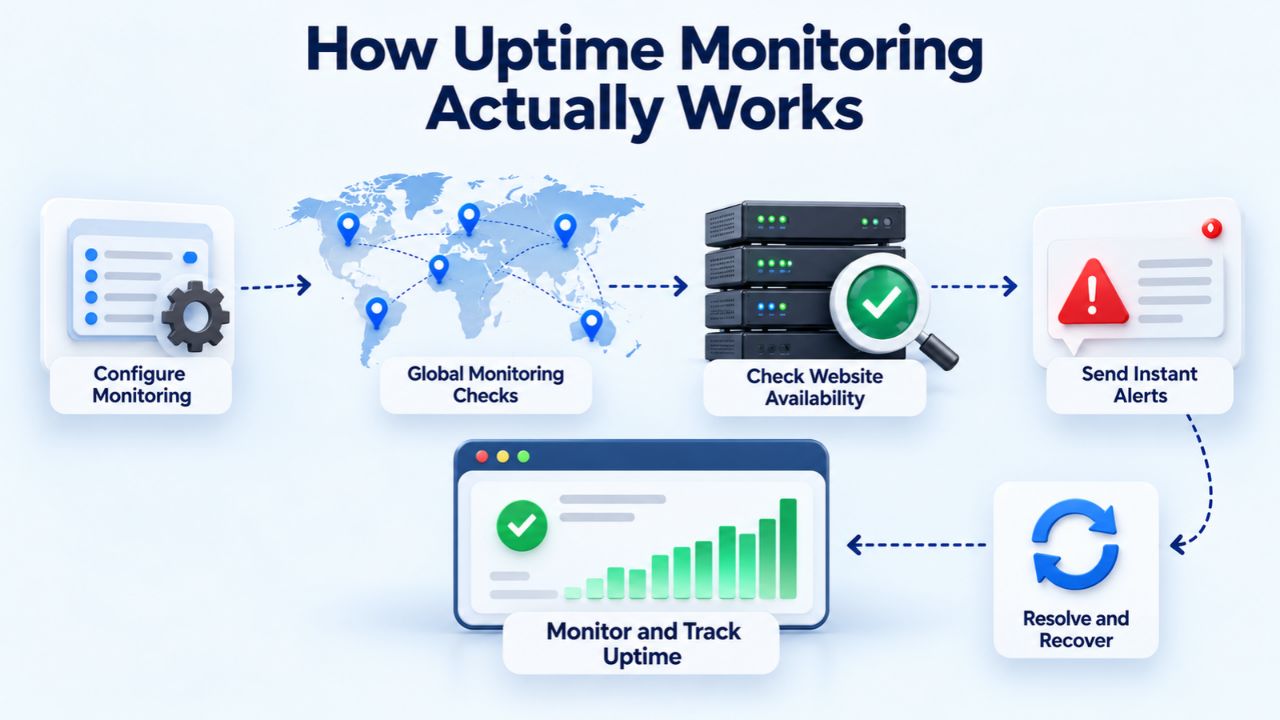
Website uptime monitoring is fundamentally an automated health-check system that verifies your website remains accessible and responsive to visitors around the clock. Unlike manual checking or waiting for customer reports, monitoring sends continuous requests to your site and immediately notifies you the moment something breaks. Understanding how this system operates helps you appreciate why it’s critical for protecting your online presence and revenue.
The Automated Check Process and Response Verification
Uptime monitoring works by sending HTTP or HTTPS requests to your website’s URL at regular intervals, day and night. The monitoring system sends these requests and analyzes the server’s response for specific health indicators. A website is considered operational when the server responds with success status codes (HTTP 200–299), confirming that the page loaded properly. Conversely, the system marks a site as down if it receives error codes (HTTP 40x or 50x), times out after 30 seconds, or fails to connect within 10 seconds.
Each monitoring check is timestamped and logged with full details: the status code returned, response time in milliseconds, and the geographic monitoring location that performed the check. This creates a detailed historical record of your site’s availability and performance patterns. Over time, this data reveals trends, whether downtime occurs at specific times, which types of failures are most common, and how your infrastructure responds under load. This historical perspective helps you spot patterns a single alert might miss, enabling proactive improvements before problems escalate into revenue-impacting outages.
Multi-Location Verification and False Positive Prevention
A single monitoring location checking your site can easily trigger false alarms. To solve this, professional uptime monitoring services use multiple monitoring points spread across different geographic regions worldwide. When one location reports a problem, the system automatically sends verification checks from secondary monitoring points in different continents. This multi-location approach is powerful because regional network issues, CDN edge problems, and DNS propagation delays affect one geographic area but not others. By requiring confirmation from multiple regions before triggering an alert, the system eliminates nearly all false positives while still catching real outages affecting all regions.
The verification process uses consensus logic: the monitoring system collects responses from multiple geographic points and declares a real outage only when three or more regions consistently confirm the problem. This approach eliminates false alarms caused by temporary network hiccups in a single region, DNS delays, brief server slowdowns, or CDN edge-node issues. Studies show multi-location monitoring reduces false-positive alert rates by over 90% compared to single-location checks. When your monitoring system finally alerts you to downtime, you can trust that it’s a genuine problem requiring immediate attention, not a transient network blip that resolved itself seconds ago.
Website Security Plans & Pricing
Protect your website with flexible security plans designed to safeguard your data, prevent threats, and maintain reliable online performance. Choose the right level of protection for your business needs, with essential security features that help keep your website secure, available, and trusted by visitors.
Website Security Essential
Detect and remove malware. Malware scan and removal.
- Protection for unlimited pages within a single website
- 12-hour response time
- Unlimited malware removal
- Blacklist monitoring & removal*
- Multiple site protection available
Website Security Deluxe
Proactively secure your site. Malware scan and removal + ongoing protection.
- Protection for unlimited pages within a single website
- 12-hour response time
- Unlimited malware removal
- Blacklist monitoring & removal*
- WAF malware prevention**
- CDN performance accelerator***
- Multiple site protection available
Website Security Express
Fix my hacked site now. Expedited malware removal + ongoing protection.
- Protect one site
- 30-minute response time
- Unlimited malware removal
- Blacklist monitoring & removal*
- WAF malware prevention**
- CDN performance accelerator***
Why Early Detection Prevents Bigger Problems
The real value of uptime monitoring isn’t knowing your site went down; it’s knowing about it first, before your customers do. This early warning enables rapid response, which directly limits the damage downtime causes to revenue, customer trust, and search engine rankings. Understanding the business impact of early versus late detection helps justify monitoring investments.
The Speed Advantage of Automated Detection Over Manual Monitoring
Manual approaches to detecting downtime are slow, unreliable, and add burden to already-stretched teams. When you manually check your site or rely on internal users to notice problems, detection typically happens minutes or hours after an outage begins. By contrast, automated monitoring systems detect problems within a single polling cycle, often as fast as 60 seconds or less depending on your monitoring frequency settings. Consider the practical difference: if your e-commerce site crashes at 11 AM and you’re checking manually every hour, you’ve already lost an hour of sales. But if automated monitoring alerts you within 60 seconds, your team can start diagnosing and fixing the problem almost immediately.
Professional monitoring also dramatically reduces mean time to detect (MTTD), the interval between when a problem starts and when your team learns about it. When MTTD stays under one minute, combined with a documented incident response procedure, your team can often identify root causes and deploy fixes before customers even realize the site went down. This capability matters because the cost of downtime isn’t evenly distributed; the first 2–5 minutes of an outage cost far less than minutes 10–30. Quick detection lets you hit that narrow window where problems are still recoverable, and customers remain unaware.
Real-World Frequency: Downtime Happens to Most Websites
Industry data reveals a sobering reality: downtime isn’t rare; it’s normal. Analysis of over 1.8 million real outages across tens of thousands of monitored websites shows that 61.4% of sites experience at least one outage over nine months. The average monitored site logs approximately 47 separate outages during this timeframe. These aren’t catastrophic failures; most are brief, routine issues. However, their sheer frequency means downtime isn’t a question of “if” but “when,” and for most websites, “when” happens regularly.
For business-critical sites, this frequency becomes a real operational challenge. Approximately 67.7% of outages start outside normal business hours, meaning the average site experiences roughly 32 incidents on evenings, nights, and weekends annually. This reality makes 24/7 automated monitoring essential; you can’t rely on business-hours teams to catch problems that happen at 3 AM on a Saturday. Without automated alerts, you’re essentially operating blind during off-hours, risking extended downtime that compounds into significant revenue and trust losses. Niya Digital’s team has observed that small businesses underestimate visitor expectations for constant availability, often delaying monitoring investment until a crisis forces the issue. By that point, they’ve already experienced preventable customer loss.
How Monitoring Frequency Affects Detection Speed and Alert Accuracy
Selecting the right monitoring frequency is a strategic decision that balances detection speed against false-positive rates and operational costs. Faster checks catch problems quicker but generate more monitoring traffic and alert volume. Slower checks reduce operational overhead but delay detection. Understanding these trade-offs helps you choose a frequency that matches your business model and downtime tolerance.
The Critical Trade-Off: Speed Versus False Alarms
Monitoring data from Q1 2026 reveals the practical trade-offs between check frequency and outcomes. Thirty-second checks detect incidents in approximately 15 seconds of outage start with a false-positive rate of 0.8%, fast detection but more noise. One-minute checks deliver approximately 30-second detection time with only 0.3% false positives, providing a good balance between speed and alert quality. Five-minute checks take about 2.5 minutes to detect problems but generate only 0.1% false positives, making this interval ideal for sites where occasional detection delays are acceptable. Ten-minute or longer intervals should only serve as backup monitors; primary monitoring should never exceed five-minute intervals for any business-critical site.
Usage patterns show these trade-offs in practice. Free monitoring tiers typically default to five-minute intervals (used by 42% of free-tier monitors) because longer intervals reduce server load and infrastructure costs. Professional users predominantly choose one-minute intervals (38% of monitored sites), balancing speed and operational efficiency. Mission-critical services, particularly fintech, large e-commerce operations, and SaaS platforms where every minute of downtime costs significant revenue, deploy 30-second monitoring (12% of enterprise monitors). Cost and infrastructure load increase substantially with frequency, so your choice should reflect actual business impact, not a desire to feel maximally protected. A blog or marketing site genuinely doesn’t need 30-second checks, whereas an online retailer during peak shopping season absolutely does.
Reducing Alert Fatigue Through Intelligent Confirmation Thresholds
Faster monitoring intervals can overwhelm teams with false alarms if not properly configured. The solution is to set confirmation thresholds: requirements that multiple consecutive failed checks occur before an incident alert fires. For example, requiring three consecutive failed checks before declaring an outage kills about 80% of alert noise from transient network glitches while preserving rapid detection of genuine problems. Similarly, setting minimum incident duration thresholds, alerting only if the issue persists for at least 2–3 minutes, filters out momentary blips that automatically self-resolve.
These configuration choices directly impact whether your team trusts and acts on alerts or develops “alert fatigue,” a dangerous state where teams begin ignoring notifications because previous alerts proved false. When alert fatigue develops, the monitoring system becomes counterproductive; you might finally receive a genuine critical alert that goes unnoticed because your team has trained themselves to ignore the noise. Properly configured monitoring with appropriate confirmation thresholds maintains team alertness and ensures alerts trigger action, not dismissal.
Monitoring Frequency and Detection Trade-Offs
| Interval | Avg. Detection Time | False-Positive Rate | Best Use Case | Infrastructure Load | Cost Level |
|---|---|---|---|---|---|
| 30 seconds | \~15 seconds | 0.8% | Mission-critical, high-revenue sites ($10K+/hr) | High | Premium |
| 1 minute | \~30 seconds | 0.3% | SaaS, e-commerce, significant revenue impact | Medium-High | Professional |
| 2 minutes | \~1 minute | 0.2% | Medium-traffic sites, balanced approach | Medium | Standard |
| 5 minutes | \~2.5 minutes | 0.1% | Blogs, portfolios, low-revenue sites | Low-Medium | Budget |
| 10+ minutes | \~5+ minutes | 0.05% | Backup monitors only, never as primary | Low | Minimal |
The Business Impact of Downtime and What Early Detection Saves
Understanding the real cost of downtime provides essential context for monitoring investment decisions. While many business owners estimate downtime costs based on immediate revenue loss alone, the actual financial impact extends far beyond that, encompassing indirect costs that often exceed direct losses by a factor of 3–10.
Direct and Indirect Downtime Costs That Add Up Quickly
Direct revenue loss during downtime is straightforward to calculate: if your business generates $500,000 in monthly revenue ($60,000 daily, or approximately $11.42 per minute), each minute of unplanned downtime represents direct lost sales. However, this direct cost represents only a small portion of total downtime impact. Indirect costs include SEO damage; search engines penalize sites with extended downtime, potentially dropping rankings for weeks after an outage ends. Brand and trust damage occurs when customers experience unexpected site failures; research shows 47% of users won’t return to a site after experiencing problems.
Support costs surge when team members spend hours fielding customer complaints, investigating root causes, and managing escalations. Employee productivity suffers when staff focus on crisis response instead of normal work. For businesses with customer SLA agreements, downtime can trigger contractual penalties of 10–30 times the direct revenue impact.
Consider a real-world example: an e-commerce site with $10,000 daily revenue experiences a one-hour outage. Direct revenue loss might be $417. However, the SEO impact could reduce organic traffic for months, costing thousands in lost future sales. Customer abandonment and trust erosion might result in 5–10% fewer repeat customers over the next quarter, costing tens of thousands. Support team members spend 20 hours investigating and managing the incident, representing 2,000–5,000 in labor. If the business has SLA agreements with enterprise customers, penalties could reach $5,000–$15,000. Suddenly, a one-hour outage that appeared to cost $417 actually costs the business 30,000–40,000 when all indirect impacts are included. This dramatic difference illustrates why early detection and rapid response matter so profoundly.
Why Early Detection Reduces the Total Financial Impact
The relationship between detection speed and downtime cost is direct and measurable. If your monitoring catches a database crash in one minute instead of detecting it when a customer calls 30 minutes later, you’ve significantly compressed the outage window. That compression prevents escalation, keeps customers from learning about the problem, and enables your team to fix issues while they’re still “fresh” and easier to diagnose. Each minute saved in detection is a minute saved in MTTR (mean time to recovery), directly reducing the incident’s total duration and impact.
Moreover, early detection enables proactive communication. When you know your site is down within 60 seconds, you can post status updates, prepare customer communications, and coordinate your incident response before your support channels flood with complaints. This proactivity preserves customer trust. When users see “we identified the problem at 11:01 AM and restored service at 11:18 AM” instead of discovering the outage through failed page loads and then waiting hours for updates, they perceive the incident as a managed problem rather than a crisis. That difference in perception measurably affects customer retention, brand sentiment, and willingness to recommend your business.
Setting Up Effective Alerts and Notification Channels
Deploying monitoring without properly configuring alert delivery is like installing a smoke detector with the batteries removed. The system detects problems, but alerts never reach your team. Effective alert setup requires choosing appropriate notification channels, configuring proper escalation paths, and testing the entire flow before relying on it in production.
Alert Channels and Delivery Methods That Ensure Visibility
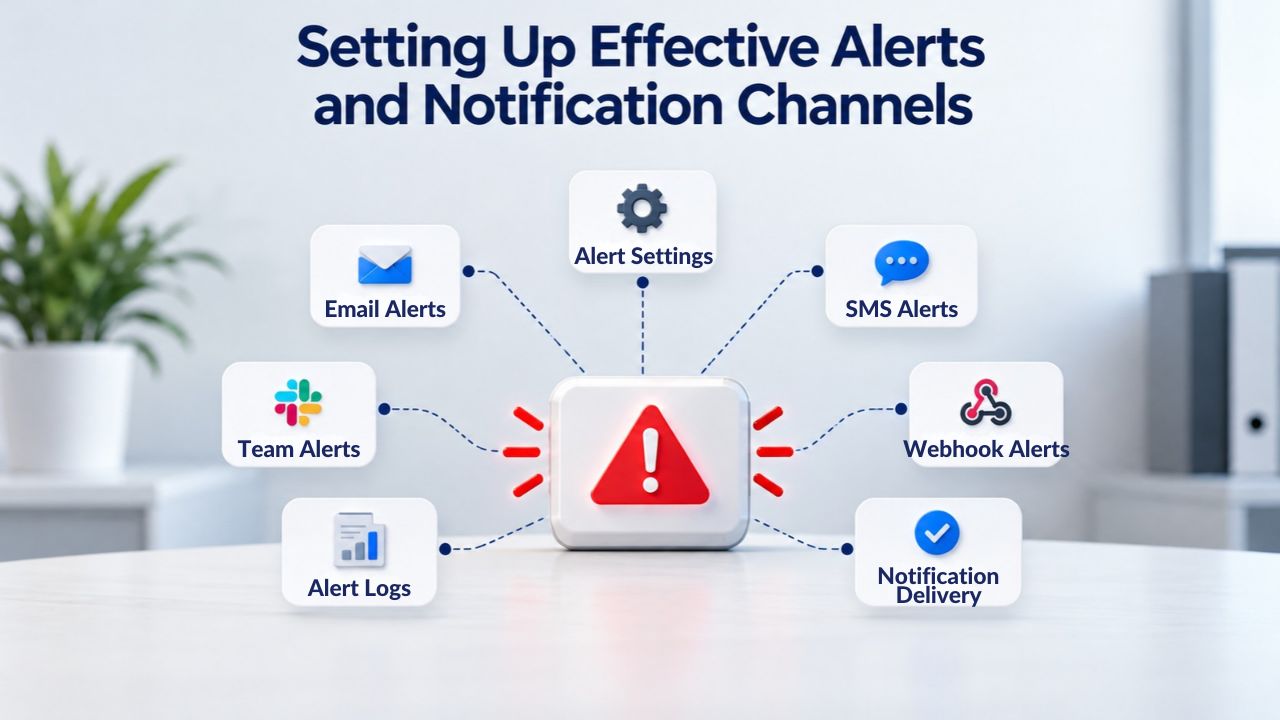
Uptime monitoring platforms typically support multiple alert channels, each serving different purposes in your notification strategy. Email alerts work reliably and create a dated record of incidents for compliance and post-incident analysis. Email works well for awareness but can be missed if team members have heavy email volumes. SMS text message alerts ensure critical incidents reach team members immediately, regardless of email volume or notification filtering. SMS is ideal for pages and escalations on serious incidents.
Slack integration routes alerts directly into team chat channels, enabling immediate visible discussion and coordinated response. Slack works exceptionally well for development teams already using Slack for collaboration. Webhook support enables custom integrations with your internal tools; you could route alerts directly to incident management systems, automatically create tickets, or trigger automated response workflows.
A mature alert strategy typically layers these channels. A primary five-minute check automatically sends to Slack, enabling casual awareness. If the problem persists for 15 minutes, an escalation sends an SMS to the on-call engineer. If 30 minutes elapse without resolution, email alerts notify management. This layered approach ensures critical incidents trigger urgency without creating alert fatigue from every minor blip. Test the entire alert flow, from monitoring detection through message delivery, before you rely on it for real incidents. Too many organizations discover alert delivery failures during actual emergencies, when email systems are misconfigured, or Slack webhooks have expired.
Configuring Alert Types and Priorities for Different Issues
Not all monitoring data warrants the same alert intensity. A sophisticated monitoring configuration differentiates alert types by severity. A 2-second response time delay might trigger a warning-level notification without creating an incident. A complete HTTP 500 error triggers a critical incident. A missing expected page element (detected through keyword monitoring) triggers a security alert for investigation. This layered alerting approach prevents alert fatigue while keeping teams informed of degradation before it becomes critical.
Properly configured monitoring systems allow you to set thresholds and priorities for each type of failure. For example, you might alert on HTTP errors immediately but allow one or two consecutive timeout failures before declaring an outage. You might alert more aggressively during peak business hours (when downtime costs more) and more conservatively during off-peak periods. You might configure SSL certificate expiration warnings to fire 60 days before expiration, giving your team time to plan renewals without rushing. These configurations transform a monitoring system from a simple “up or down” notification into a sophisticated incident detection and triage tool that reflects your actual business priorities and operational capabilities.
Beyond Basic Uptime: Advanced Monitoring Features That Catch Hidden Problems
Basic HTTP uptime monitoring answers whether your site is online and responding. Advanced monitoring features answer harder questions that reveal problems basic monitoring would miss. These extended capabilities detect compromised sites, SSL certificate risks, DNS hijacking attempts, and malicious content changes that appear as uptime but represent serious security threats.
Extended Monitoring Capabilities That Detect Hidden Threats
Uptime monitoring can track HTTP and HTTPS availability, but modern threats require more sophisticated detection. DNS monitoring watches for unauthorized changes to your domain’s nameservers, IP addresses, and mail exchange records, an early warning for domain hijacking attempts that would redirect your site to a malicious copy. SSL certificate monitoring tracks certificate validity, expiration dates, and configuration, alerting weeks before expiration so you have time to renew.
This prevents a certificate from expiring without notice, which can trigger browser security warnings that terrify visitors and tank search traffic. Keyword monitoring verifies that specific expected content appears in your site’s response, catching scenarios where your server returns HTTP 200 (“success”) but displays an error page or maintenance notice instead of actual content.
Defacement detection monitors for unauthorized content changes, a sophisticated attack in which hackers modify your site’s visible content without taking it completely offline. A compromised WordPress site might appear operational by HTTP status codes but serve different (malicious) content to visitors. Defacement detection catches these scenarios by comparing page content against known-good baselines. Security monitoring can also detect suspicious file changes, new administrator accounts, or plugin installations, alerting you to compromise before attackers launch their full attack. These advanced features transform monitoring from “Is the site up?” into “Is the site actually healthy and uncompromised?”
Activation Strategy: Which Monitoring Types Matter for Your Site
Not every site needs every monitoring feature. A straightforward blog or portfolio site mainly needs HTTP uptime monitoring and SSL certificate tracking. An e-commerce site needs all of these plus keyword monitoring on checkout pages (ensuring the purchase flow loads correctly) and defacement detection (catching content injection attacks). A SaaS platform should deploy transaction monitoring that tests complete workflows, login, file upload, configuration changes, simulating what real users do. A financial or healthcare site handling sensitive data should activate aggressive security monitoring alongside uptime checks, treating availability and security as equally critical.
The activation decision should reflect your business model and attack surface. Higher-value targets attract more sophisticated attacks; therefore, higher-risk sites should deploy more comprehensive monitoring. A site generating $50,000 daily revenue absolutely justifies keyword monitoring and defacement detection, since a successful attack on that site costs far more than the monitoring itself. Conversely, a low-traffic informational site doesn’t justify expense on advanced features when basic uptime and SSL monitoring provide adequate protection at lower cost.
Monitoring Types and Security Coverage
| Monitoring Type | What It Checks | Primary Benefit | Alert Scenario |
|---|---|---|---|
| HTTP/HTTPS Availability | Server responds with success status codes | Detects complete downtime | Site returns HTTP 500 or connection fails |
| Response Time Tracking | Page load speed and server response delay | Catches performance degradation | Response time exceeds 5+ seconds |
| DNS Monitoring | Nameserver changes, IP address changes, MX record changes | Detects domain hijacking attempts | Unauthorized DNS modifications detected |
| SSL Certificate Monitoring | Certificate validity, expiration date, configuration errors | Prevents browser security warnings | Certificate expires or invalid configuration |
| Keyword Monitoring | Verifies expected page content appears in response | Catches error pages appearing as “up” | Expected text missing from page response |
| Defacement Detection | Unauthorized content changes on your website | Catches compromised sites serving malware | Page content doesn’t match known-good baseline |
Protect Your Site From Hidden Downtime Costs
Every minute your website is offline risks customer revenue, visitor trust, and your search engine rankings. Niya Digital’s Website Security Service includes continuous uptime monitoring with instant alerts delivered to your phone, email, and team chat, so you’re always the first to know when your site needs attention. Don’t let customers discover your problems; detect and fix them before anyone knows they happened.
Choosing the Right Monitoring Strategy for Your Site Size and Revenue
Monitoring strategies aren’t one-size-fits-all. The appropriate frequency, channels, and features depend on your site’s business model, revenue dependency, traffic volume, and operational capacity to respond to incidents.
Monitoring Tiers Based on Business Type and Revenue Impact
Categorize your site into one of four tiers to determine appropriate monitoring intensity. Tier 1: informational sites (portfolios, blogs, brochures, documentation) where downtime is inconvenient but not revenue-impacting. These sites benefit from 5-minute monitoring checks with email alerts. Your customers don’t depend on immediate access; a brief outage is inconvenient but not financially damaging. Tier 2: small business sites (local services, small e-commerce) generating 1,000–5,000 daily revenue. These sites justify 1-minute checks with SMS alerts for critical issues, keeping downtime brief.
Tier 3: mid-market operations (established e-commerce, SaaS with meaningful revenue) generating 5,000–20,000 daily. These sites demand 30-second to 1-minute checks, Slack integration for team coordination, and advanced monitoring (keyword monitoring, defacement detection). Tier 4: high-value operations (financial services, enterprise SaaS, high-traffic e-commerce) generating $20,000+ daily or handling business-critical functions. These sites require 30-second checks from multiple geographic regions, multi-channel alerts, 24/7 incident response capability, and comprehensive advanced monitoring covering all threat vectors.
The cost difference between tiers is modest compared to the potential impact of downtime. A Tier 2 site adding 1-minute monitoring with SMS alerts costs less than $50 monthly, while a single hour of unplanned downtime could cost $1,000+ in revenue plus indirect damages. This cost-to-benefit ratio justifies monitoring investment for any revenue-bearing site. Similarly, Tier 3 and 4 sites justify much more sophisticated monitoring because the alternative, discovering outages through customer complaints, costs far more than the monitoring service itself.
SLA Commitments and Uptime Targets That Drive Monitoring Decisions
If you’ve committed to customers regarding uptime (e.g., “99.9% uptime” or “no more than 8.76 hours downtime per year”), your monitoring must support that commitment. At 99.9% uptime, you can afford approximately 43.8 minutes of downtime per month. If a typical incident takes 20 minutes to resolve after detection, you can afford only 2–3 major outages monthly before breaking your SLA. This tight margin requires monitoring frequent enough to catch problems immediately and incident response procedures documented and practiced so your team responds fast.
More aggressive SLAs (99.95%, 99.99%) require correspondingly more sophisticated monitoring. At 99.99%, you’re allowed only 4.38 minutes of downtime monthly, an incredibly narrow window that demands 30-second or 1-minute monitoring, multi-region verification, and procedures so well-rehearsed that your team fixes most issues before the five-minute mark. Document your SLA commitments, then design monitoring to help you meet them. Monitoring that doesn’t align with your promises is worse than useless; it creates a false sense of security while you silently violate customer agreements.
Integrating Uptime Monitoring into Your Overall Website Security Strategy
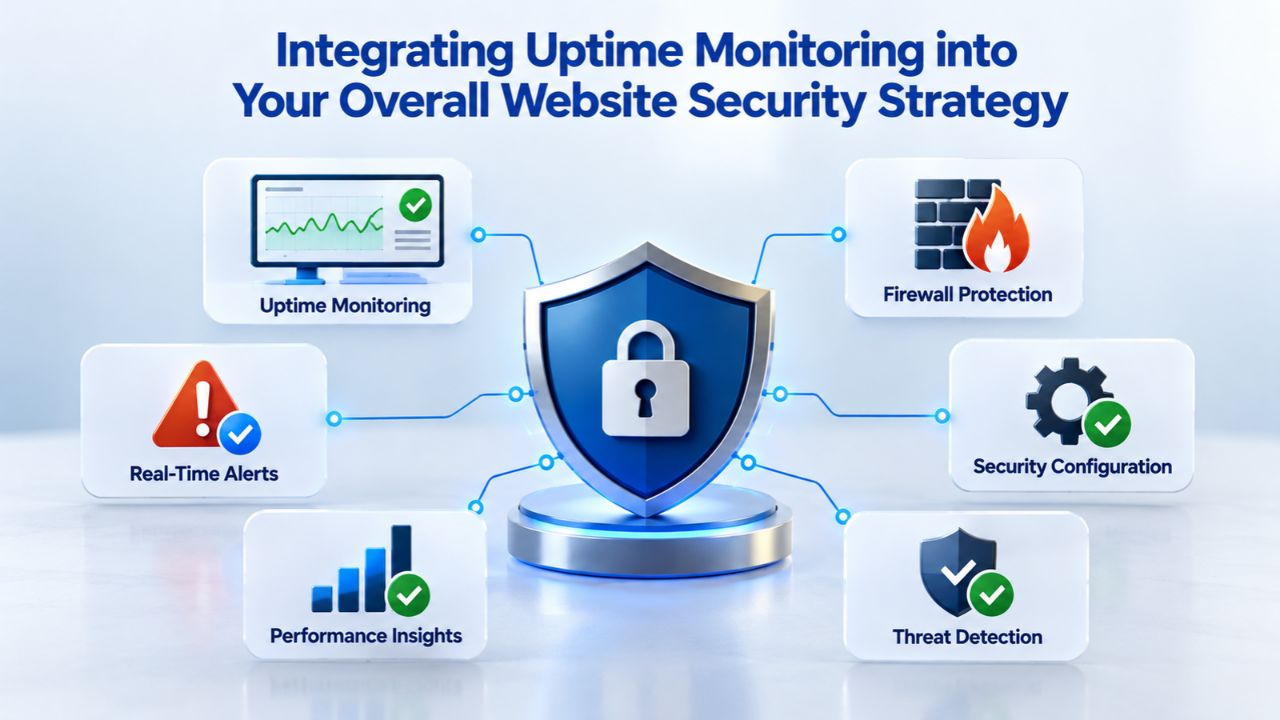
Uptime monitoring is one layer of protection within a comprehensive website security approach. Monitoring detects problems; other layers prevent them. Understanding how monitoring works alongside other security tools helps you build a complete defense instead of relying on a single approach.
The Limits of Monitoring Alone and the Value of Layered Defense
Uptime monitoring tells you that your site went down, but not why. A database crash, DDoS attack, malware infection, hosting provider issue, or code bug all look the same to a basic HTTP check: the site stops responding. To actually prevent downtime, you need additional layers. A Web Application Firewall (WAF) blocks DDoS attacks before they reach your server, preventing downtime from happening in the first place. Malware scanning detects compromises, enabling removal before they escalate into site compromise or data theft. Regular backups enable recovery if your site suffers destructive attacks. Security patches and updates prevent exploitation of known vulnerabilities.
Niya Digital’s Website Security Service, powered by Sucuri (GoDaddy Website Security), combines these layers with uptime monitoring. When monitoring detects an incident, you can scan for malware to determine whether a compromise caused the problem, review WAF logs to see whether an attack occurred, restore from backups if needed, and get incident response support to guide remediation. This layered approach, monitoring plus prevention plus detection plus response capability, creates genuine protection far superior to any single tool alone.
Building an Incident Response Workflow That Activates When Alerts Fire
The most sophisticated monitoring system provides limited value without a documented incident response procedure. When an alert arrives, what happens next? Without a plan, teams flounder, someone checks the site manually, someone calls the hosting provider, someone checks recent deployments, nobody coordinates. Downtime extends unnecessarily while response efforts remain chaotic and inefficient.
Document an incident response workflow covering:
(1) Alert acknowledgment and notification of the on-call responder,
(2) Initial triage: is this a real outage or a false positive?
(3) Severity assessment: how much impact does this incident have?
(4) Investigation steps: check hosting provider status pages, review recent deployments, check application logs, verify backup systems,
(5) Remediation: what’s the fix?
(6) Communication: who needs updates and when?
(7) Escalation: when do you involve additional resources or external support?
(8) Resolution confirmation: what proves the problem is actually fixed?
(9) Post-incident documentation: what caused this, and how do we prevent recurrence?
Rehearse this workflow periodically so when real incidents happen, teams respond from muscle memory rather than improvisation. The difference between practiced response and improvised chaos is often the difference between 5-minute resolution and 2-hour resolution, a difference worth planning for.
Understanding Monitoring Metrics and What They Tell You
Beyond receiving alerts, understanding your monitoring data helps you optimize operations and prevent future incidents. Monitoring systems generate several important metrics that reveal patterns and performance trends.
Key Metrics That Reveal Site Health and Incident Patterns
Mean Time to Detect (MTTD) measures how long your monitoring takes to identify a problem after it starts. Fast MTTD (under 60 seconds) is critical for high-impact sites. Your monitoring frequency directly determines achievable MTTD; if you check every 5 minutes, your best-case MTTD is just over 2.5 minutes on average. Mean Time to Recovery (MTTR) measures how long problems persist after detection, from the moment your team learns about an incident to when the site is fully restored. MTTR depends on your incident response procedures, team expertise, and infrastructure design, not monitoring alone. Together, MTTD and MTTR determine total downtime duration: MTTD 60 seconds + MTTR 5 minutes equals 5.5 minutes total downtime.
Uptime percentage represents the portion of time your site was fully operational. 99.9% uptime allows 43.8 minutes of downtime annually. 99.95% allows 21.9 minutes. 99.99% allows only 4.38 minutes, extremely aggressive and rarely achievable without significant infrastructure redundancy. Response time measurements show how quickly your site responds to requests, alerting you to performance degradation before it becomes a full outage. A site that normally responds in 200ms but suddenly responds in 5,000ms is experiencing problems that monitoring should catch and alert on, enabling the team to respond before frustrated visitors abandon their sessions.
Using Monitoring Data for Trend Analysis and Prevention
Historical monitoring data reveals patterns that enable prevention. If your site consistently experiences slowdowns every Tuesday at 2 PM, this pattern suggests scheduled backups, automated reports, or peak traffic issues that can be addressed. If failures occur monthly on the same date, this might indicate batch processes or automated maintenance. If response times degrade gradually over weeks before spiking into outages, this suggests resource exhaustion (disk space, database connections) that early detection can help you prevent. Advanced monitoring platforms provide reporting dashboards and trend analysis that surface these patterns automatically.
Use this insight to prevent future incidents. If database connection exhaustion causes outages, adjust connection pools or optimize queries. If backups cause performance spikes, reschedule them to off-peak hours. If specific deployments correlate with increased errors, improve your testing and validation procedures before deploying to production. The monitoring data gives you the evidence needed to justify infrastructure improvements to management. Instead of “monitoring is expensive,” you can say “monitoring revealed that we lose approximately $2,000 per quarter to avoidable downtime; investing in monitoring and the infrastructure improvements it identifies provides 6-month payback.”
Planning for Scalable Monitoring as Your Business Grows
As your site grows, your monitoring strategy should scale with it. What works for a startup might not suit an enterprise operation.
Monitoring Evolution: From Startup to Enterprise Scale
Early-stage sites often benefit from simple, inexpensive monitoring, perhaps a basic service checking every 5 minutes with email alerts. As revenue grows and customer dependency increases, investment in more sophisticated monitoring becomes justified. Growth to $10,000+ daily revenue warrants 1-minute checks, multi-channel alerts, and advanced features like defacement detection. Growth to enterprise scale (mission-critical operations, enterprise SaaS with demanding SLAs) requires 30-second checks, multiple monitoring vendors for redundancy (so a monitoring outage doesn’t leave you blind), sophisticated incident management tools, and potentially in-house monitoring development.
Don’t wait until you’re at enterprise scale to think about monitoring strategy. Build good monitoring practices from the start; they’re cheaper to implement early than to retrofit into a mature operation. A startup that implements solid monitoring early develops the team expertise and operational procedures that scale into enterprise capabilities. A startup that skips monitoring and adds it later at enterprise scale must rapidly develop these capabilities under pressure, often poorly.
Building a Monitoring Culture and Practice
Beyond technical tools, uptime monitoring requires organizational commitment. Teams must take alerts seriously and respond promptly. Teams must honor on-call schedules and manage rotations to prevent burnout. Post-incident review procedures must be respected; each incident is an opportunity to prevent recurrence. Alert thresholds must be tuned to be useful rather than noise, which requires ongoing attention and adjustment.
Niya Digital’s team has observed that organizations with the best uptime metrics share certain practices: they treat incident response as a valued skill and invest in team training and development. They document lessons learned and share knowledge across the team. They balance “move fast” product development with “don’t break production” stability concerns. They empower on-call responders to make emergency decisions without lengthy approval chains. These practices separate organizations that merely deploy monitoring from those that use it to protect their business.
Common Monitoring Mistakes and How to Avoid Them
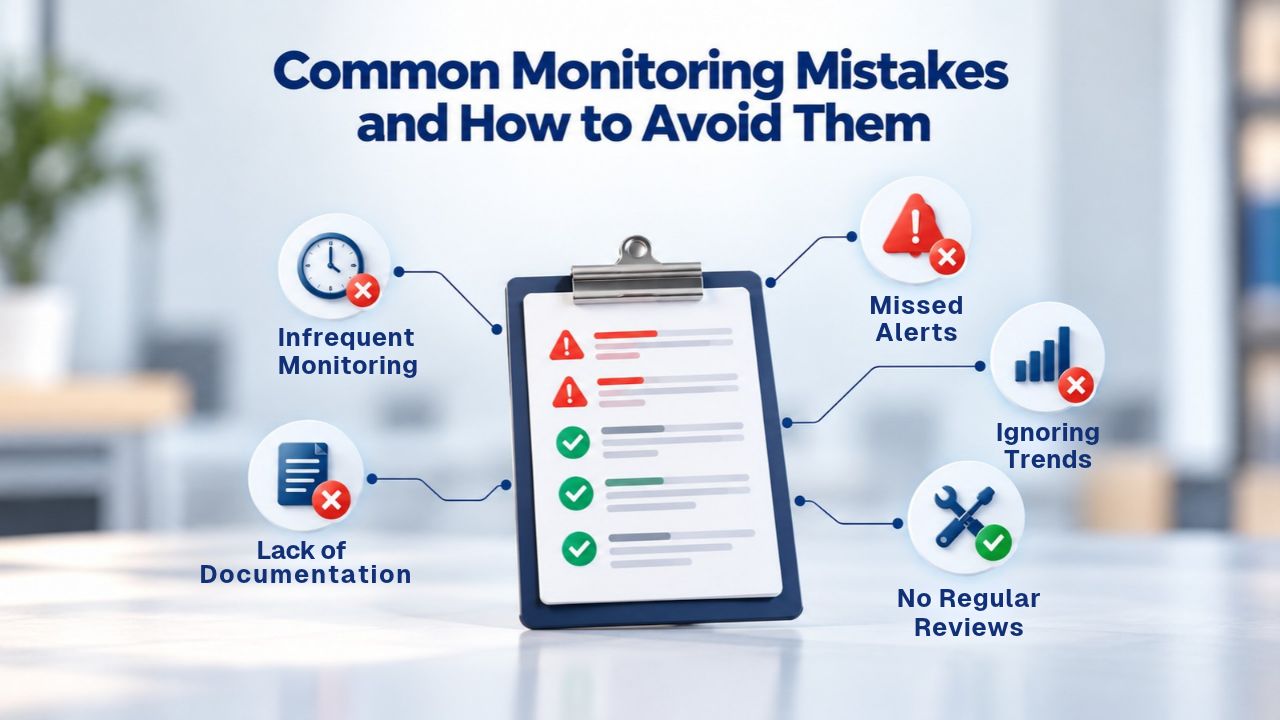
Understanding what doesn’t work helps you implement monitoring effectively.
Alert Configuration Errors That Guarantee Failure
The most common monitoring mistake is misconfiguring alert channels. Teams deploy monitoring, but SMS alerts fail because phone numbers are wrong. Email alerts land in spam filters. Slack webhooks expire, and nobody notices. These configuration failures mean alerts never reach responders, making the monitoring system useless. Solution: test your entire alert chain in production before relying on it. Send test alerts and confirm they arrive through every configured channel. Document all alert configuration, including API keys, webhook URLs, and escalation phone numbers. Review this documentation quarterly to catch expired credentials before they cause failures.
Another critical mistake is setting alert thresholds incorrectly, either so sensitive that false positives generate alert fatigue, or so conservative that real problems go undetected. Solve this by starting conservatively (fewer false positives, accept some detection delay) and gradually tuning toward faster detection as your team becomes comfortable responding to alerts. Monitor your false-positive rate and actively track alert-to-incident conversion rate. If you’re generating 100 alerts per week but only 2 represent real problems, your thresholds are too sensitive and need adjustment.
Monitoring Blind Spots and Feature Gaps to Prevent
Another common mistake is choosing monitoring that only checks HTTP status. A compromised site might respond with HTTP 200 while serving malware. Basic monitoring would report “all’s well” while you’re actively being attacked. Solution: layer your monitoring. Use HTTP status for availability, keyword monitoring for content verification, SSL monitoring for certificate health, and defacement detection to catch compromise. No single monitoring type catches all problems.
Another blind spot: failing to monitor your monitoring system itself. If your monitoring service becomes unavailable, you’re blind. Solution: deploy monitoring from multiple vendors, so a single outage doesn’t leave you unaware. Or implement simple internal heartbeat checks that notify you if external monitoring stops sending data. Organizations often assume their monitoring vendor is infallible; in reality, monitoring services experience outages like all internet services. Redundancy removes this risk.
Start Monitoring Your Website Today
Detecting downtime hours after it starts costs far more than preventing detection delays through proper monitoring. Niya Digital’s Website Security Service includes enterprise-grade uptime monitoring with instant multi-channel alerts, multi-region verification to prevent false positives, and integration with advanced security tools for complete incident response capability. Take control of your website availability and protect your business from the costly consequences of hidden downtime.
Frequently Asked Questions
What is website uptime monitoring and why is it necessary?
Website uptime monitoring is an automated system that continuously checks whether your website remains online, responsive, and functioning correctly. It’s necessary because websites experience unexpected downtime regularly; about 61% of websites have at least one outage per year, and manual detection is too slow. By alerting you within seconds of problems starting, monitoring enables rapid response that minimizes downtime duration and customer impact.
How does multi-location monitoring prevent false alerts?
Multi-location monitoring sends checks from multiple geographic regions worldwide. When one region experiences network problems or DNS delays, it might incorrectly report downtime. By requiring confirmation from multiple regions before triggering an alert, the system distinguishes between genuine outages affecting all regions and transient problems affecting only one location. This reduces false-positive rates by over 90%.
What’s the difference between 30-second, 1-minute, and 5-minute monitoring intervals?
These intervals represent how frequently monitoring checks your site. Thirty-second checks detect problems fastest (approximately 15 seconds on average) but generate more alerts and cost more. One-minute checks offer a good balance, with about 30-second detection time. Five-minute checks are slowest to detect (approximately 2.5 minutes) but cheapest and generate fewer alerts. Choose based on your business model: high-value sites need 30-second checks, medium-value sites do well with 1-minute checks, and low-value sites can use 5-minute checks.
Can monitoring detect security breaches and malware?
Basic HTTP uptime monitoring cannot detect breaches directly. A site serving malware might still respond with an HTTP 200 status. Advanced monitoring features like defacement detection, keyword monitoring (verifying expected content appears), and malware scanning can catch compromises. For complete security, layer uptime monitoring with dedicated malware scanning and Web Application Firewall protection.
How much does website downtime cost a typical business?
Direct downtime costs vary by business model. For a site generating $500,000 monthly revenue, each minute of unplanned downtime represents approximately $11.42 in direct revenue loss. Indirect costs, SEO impact, customer trust damage, support escalation, and SLA penalties typically add 3–10 times the direct impact.
What alerts should I set up for effective monitoring?
Effective alerting layers multiple channels based on severity. A primary check might send to Slack (team awareness). If problems persist past 15 minutes, escalate to SMS for the on-call responder. After 30 minutes, send an email to management. This approach ensures critical problems trigger urgency without alert fatigue from minor issues. Configure thresholds so brief, harmless blips don’t generate alerts, but genuine problems trigger immediate notification.
How quickly does professional monitoring detect problems?
Detection speed depends on monitoring frequency. Thirty-second checks detect problems in about 15 seconds on average; one-minute checks in about 30 seconds; five-minute checks in about 2.5 minutes. Combined with multi-location verification (which adds a few seconds), detection stays fast for real problems while filtering out false alarms from transient issues.
What should I do when I receive a downtime alert?
Immediately verify the alert by loading your site in a browser; confirm it’s a real problem, not a false positive. If confirmed down, check with your hosting provider’s status page. Check if recent deployments or code changes preceded the outage. Review error logs and database status. Implement the fix if you can identify it. If unsure, escalate to your hosting provider’s support. Document what happened and, after the incident, analyze the root cause to prevent recurrence.
Can I use free monitoring tools instead of paid services?
Free tools offer basic monitoring but often check only every 5–10 minutes from a single location, which can generate false positives. Paid services offer faster checks, multi-location verification, multiple alert channels, and detailed reporting. For any business where downtime impacts revenue, paid monitoring costs far less than a single undetected outage.
How does SSL certificate monitoring prevent website problems?
SSL certificate monitoring tracks your website’s security certificate expiration date and validity. If a certificate expires without notice, browsers display security warnings that destroy visitor trust and can trigger search engine ranking penalties. Monitoring alerts 30–90 days before expiration, giving time to renew. It also catches certificate configuration errors and malicious certificate tampering.
What is mean time to detect (MTTD) and why does it matter?
MTTD measures how long passes between when a problem starts and when monitoring alerts your team. Fast MTTD (under 60 seconds) enables rapid response. MTTD depends on monitoring frequency; a five-minute check interval allows a maximum MTTD of about 2.5 minutes. MTTD combined with MTTR (mean time to recovery) determines total downtime. Reducing MTTD from 30 minutes (manual detection) to 30 seconds (automated monitoring) can reduce total downtime from hours to minutes.
How does monitoring support my business SLA commitments?
If you’ve promised customers 99.9% uptime, you can afford only 43.8 minutes of downtime annually. Meeting this commitment requires monitoring frequent enough to detect problems immediately, plus documented and practiced incident response procedures for rapid fixes. Monitoring enables you to document uptime and demonstrate compliance.
Can monitoring prevent downtime from happening?
Monitoring detects downtime but doesn’t prevent it. To prevent downtime, you need other layers: a Web Application Firewall (WAF) blocks DDoS attacks before they reach your server; malware scanning detects compromises; and regular backups enable recovery. Monitoring is the early-warning system that enables rapid response. Prevention requires additional security layers working together.
What is defacement detection and when do I need it?
Defacement detection monitors for unauthorized content changes on your website. Compromised sites might appear “up” by HTTP status but serve malicious content to visitors. Defacement detection catches these scenarios. Small businesses with limited attack exposure might skip this, but e-commerce sites, financial services, and high-value targets should activate defacement detection as part of security monitoring.
How often should I review monitoring data and adjust settings?
Review monitoring performance monthly initially, quarterly once stable. Check alert accuracy (false-positive rate), detection speed (comparing MTTD against frequency settings), and incident patterns (do certain times generate more outages?). Adjust thresholds if false positives are excessive or detection is too slow. Update alert contacts if team members change. Review monitoring coverage periodically as your business grows and evolves.
How does monitoring integrate with incident response procedures?
Monitoring detects incidents; procedures handle response. Document what happens after an alert arrives: Who gets notified? What’s the investigation sequence? When do you escalate? When do you communicate with customers? Test these procedures periodically so teams respond from practiced procedures rather than improvisation during actual crises.
Glossary
- Uptime Monitoring: An automated system that continuously checks website availability at regular intervals and alerts when the site becomes unreachable or unresponsive to users.
- Downtime: Periods when a website or online service is completely unavailable, unresponsive, or returning persistent error codes to users attempting to access it.
- MTTD (Mean Time to Detect): The average duration between when a problem first occurs and when monitoring systems detect and alert about it. Faster MTTD enables quicker team response.
- MTTR (Mean Time to Recovery): The average duration from when a problem is discovered until the affected service is fully restored to normal operation. Faster MTTR depends on team expertise and documented incident procedures.
- False Positive: An alert that fires indicating a problem exists when no real problem actually exists, typically caused by temporary network issues, DNS delays, or regional connectivity problems that resolve before affecting actual users.
- Multi-Location Monitoring: Verification checks sent simultaneously from multiple geographically dispersed monitoring points to confirm real outages and eliminate false alarms caused by localized or regional network issues.
- SSL Certificate: A digital certificate that authenticates a website’s identity and enables encrypted connections between browsers and web servers. Expiration or misconfiguration triggers browser security warnings.
- HTTP Status Code: A three-digit response code from a web server indicating the result of a request. Codes 200–299 indicate success; 400–499 indicate client errors; 500–599 indicate server errors.