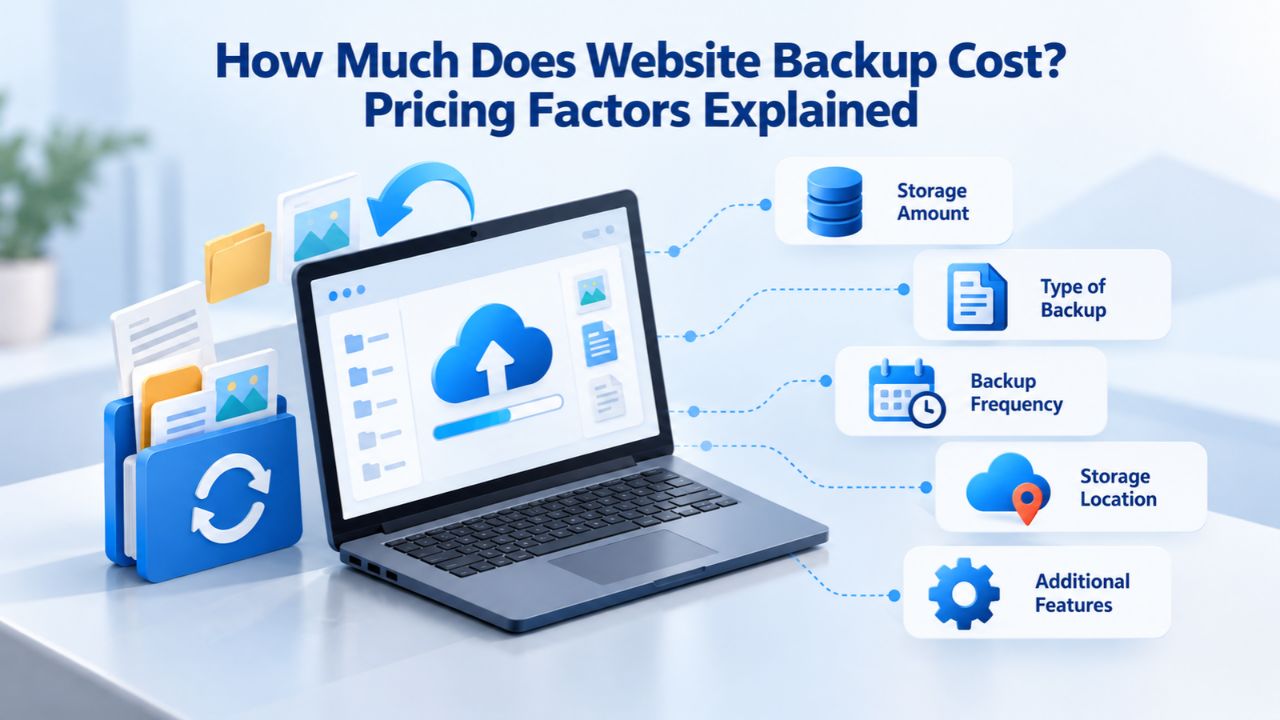
Website backup services cost different amounts depending on how often your site updates, how much historical data you need to retain, and what level of professional support you need during a crisis. Understanding what drives these costs helps you select a backup approach that delivers genuine protection without unnecessary expense.
Why Website Backup Costs Matter More Than You Think
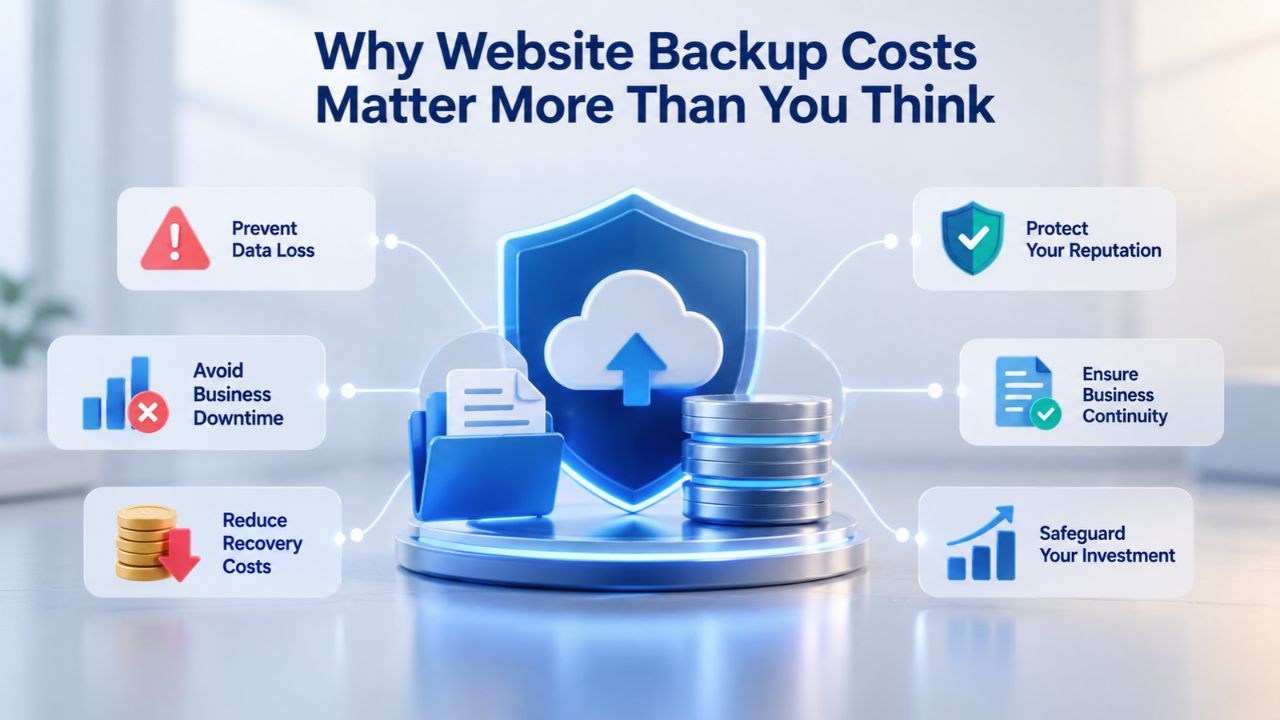
Website backup pricing often feels like an optional line item in your budget. Still, it reflects your organization’s ability to recover from data loss, malware infections, or hosting infrastructure failures without catastrophic downtime and revenue loss.
Subscription vs. Pay-as-You-Go Pricing Models
Website backup pricing comes in two main structural models, each with different cost implications. The subscription model, which is standard across professional backup services, charges a fixed monthly or annual fee based on your chosen plan tier. With this approach, you pay the same amount whether you restore once during the year or never restore at all. This fixed cost model provides predictability: you know your backup expense at the start of each month and can budget accordingly. Subscriptions typically bundle several features into each tier, daily automatic backups, off-site cloud storage, one-click restore capability, and email support. As a result, all users on that tier get the same baseline protection.
The pay-as-you-go model, used by a minority of providers, charges separately for backup frequency, storage overage, restore operations, or premium support. This may sound cheaper at first, but the math can spiral quickly. A business that backs up before major updates, tests restores quarterly, or scales data storage unpredictably often ends up paying significantly more than a fixed subscription would have cost. Most managed backup services default to the subscription model precisely because it aligns incentives: you benefit from frequent backups and thorough testing without penalty, and the provider benefits from predictable recurring revenue. For businesses of any size, this alignment makes subscriptions the more transparent choice.
Real-World Backup Costs Across the Market
The backup market serves sites at wildly different scales, so per-month figures vary accordingly. Industry research tracking managed backup solutions reports a general range of $20 to $100 USD per month for small-to-mid-size websites, the sweet spot for most small businesses, freelancers, and agencies. Within that range, entry-level plans for low-traffic blogs or portfolio sites typically start around 10–20 per month, offering basic daily backups and modest storage.
Growing e-commerce sites, membership communities, and business websites usually land in the 30–60 per month range, where storage increases and managed support becomes standard. Premium tiers with hands-on restore assistance, long-term retention, and priority phone support can exceed $100 per month. Niya Digital’s Website Backup Service fits across this spectrum, with plan options designed to match different site sizes and recovery requirements. Visit the Niya Digital plans page to see current options tailored to your site’s specific needs.
Website Backup Plans & Pricing
Select the Website Backup package that best fits the size and peace of mind requirements of your website. Your data is safeguarded without going over budget thanks to our adaptable choices.
Website Backup 5 GB
Recommended for documents and files.
- Automatic daily backups
- Built-in daily malware scanning
- Back up a file, folder or an entire database
- Continuous security monitoring
- Downloads to local storage
- Easy one-click restore
- Secure cloud storage
- Expert 24/7 customer support
- One website per account

Website Backup 25 GB
Recommended for photos and music.
- Automatic daily backups
- Built-in daily malware scanning
- Back up a file, folder or an entire database
- Continuous security monitoring
- Downloads to local storage
- Easy one-click restore
- Secure cloud storage
- Expert 24/7 customer support
- One website per account
Website Backup 50 GB
Recommended for videos and multimedia.
- Automatic daily backups
- Built-in daily malware scanning
- Back up a file, folder or an entire database
- Continuous security monitoring
- Downloads to local storage
- Easy one-click restore
- Secure cloud storage
- Expert 24/7 customer support
- One website per account
How Backup Frequency Affects Your Monthly Cost
Backup frequency, how often your site is automatically backed up, is one of the most direct cost drivers in website backup services, because it dictates how much storage your backups consume and how much computational work the backup provider performs on your behalf. Daily backups cost more than weekly backups because they require more infrastructure, storage, and monitoring to manage more backup versions.
Daily Backups vs. Weekly Backups: The Cost-Benefit Tradeoff
Daily backups guarantee that any content added or changed within the past 24 hours can be recovered if something goes wrong, reducing the window of potential data loss to the smallest practical unit. CodeGuard (GoDaddy Website Backup) includes daily automatic backups on all plans, meaning the daily-backup feature is built in as a standard rather than sold as an add-on charge.
This design choice makes daily-backup protection accessible even on lower-cost tiers, eliminating the temptation to cheap out on frequency when setting up a new site. Weekly backups, more common on entry-level plans from some providers, create a substantially different risk profile. If your site is compromised or a file is accidentally deleted on day four of a weekly cycle, the most recent good backup is still four days old.
For e-commerce sites processing orders daily, blogs publishing multiple posts per week, membership communities where users add content constantly, or service platforms handling client data in real time, the risk of losing a week’s worth of changes often justifies the daily-backup premium.
Niya Digital’s team has consistently found that small-to-mid-size business owners choose daily backups once they calculate the true cost of recovering from a worst-case scenario where a week of data is genuinely gone. For a low-traffic blog that updates twice a month or a portfolio site that changes only when projects are added, weekly backups might suffice and reduce cost accordingly. The decision hinges on your specific update patterns and how much financial or operational damage losing that data would cause.
On-Demand Backups and Scheduling Flexibility
Some backup services let you trigger manual backups on demand in addition to scheduled automatic backups. These on-demand backups are invaluable insurance before major site changes, plugin updates, theme switches, WordPress or content-management-system upgrades, hosting migrations, or testing new features. By creating an extra recovery point immediately before these high-risk operations, you capture a “clean” snapshot of your site in case the change breaks something. CodeGuard (GoDaddy Website Backup) supports both scheduled daily automatic backups and on-demand manual backups, so you can create extra recovery points before risky operations without paying per-backup fees.
Services that charge per backup or per manual backup can become surprisingly expensive if you frequently test restores, run multiple staging environments, or back up before routine maintenance. A business that backs up monthly before deployments can quickly rack up 2–3 per-backup charges; those costs compound over the year. Fixed monthly plans with unlimited manual backups eliminate this penalty for being careful and testing thoroughly. This design encourages best practices; you can afford to test restore procedures regularly, maintain multiple recovery points for different scenarios, and never second-guess whether to back up before an important change.
| Backup Schedule | Storage Impact | Typical Use Case | When to Use | Key Benefit |
|---|---|---|---|---|
| Daily backups | High (more versions retained) | E-commerce, membership sites, frequently updated content | Sites updated daily or multiple times weekly | Minimizes data loss to 24 hours |
| Weekly backups | Medium (moderate versions) | Blogs with regular posts, standard business sites | Sites updated once or twice per week | Balance between protection and storage cost |
| Monthly backups | Low (fewer versions retained) | Static sites, portfolios, infrequently updated | Sites that rarely change | Lowest storage requirement |
| On-demand only | Variable (manual control) | Before updates/migrations, testing scenarios | Testing or scheduled changes | Explicit control with no ongoing cost |
| Daily + on-demand | Very high (maximum flexibility) | Critical business sites, development environments | Mission-critical or frequently modified | Maximum protection and testing capability |
Storage Allocation and Retention Period: The Hidden Pricing Driver
Storage allocation, the total amount of backup data you can store and retain, is the second-largest cost factor after backup frequency. Your storage needs depend fundamentally on two variables: your website’s total size (files plus database) and how many previous backup versions you want to keep accessible for recovery. A small WordPress blog with minimal traffic and a few years of posts might use 500 MB to 2 GB of storage. An e-commerce site with years of order history, thousands of product images, and customer data can easily occupy 10–50 GB or more. A multi-year media site or agency portfolio with archived projects can reach 100+ GB.
How Storage Tiers Drive Pricing
Most backup services tier pricing by storage amount, with each plan tier bundling a specific storage allocation. CodeGuard (GoDaddy Website Backup) offers plans with backup retention options of 30, 60, 90 days, or infinite retention, letting you choose how far back you can recover. Fixed-tier plans bundle storage into plan pricing (plan A includes 10 GB, plan B includes 50 GB), simplifying the purchase decision and preventing surprise overages. A few backup providers charge per GB, which can be unpredictable if your site grows unexpectedly; fixed-tier plans eliminate that uncertainty by locking in your storage amount at purchase.
Off-site cloud storage, the protected, redundant servers where your backup copies actually reside, represents the most significant cost driver because it demands reliable infrastructure, encryption protocols, data redundancy across geographic regions, continuous monitoring, and network connectivity to ensure backups are both safe and recoverable. This is why off-site backup storage costs substantially more than local-only backups (if you could store them on your own hosting account), and why unlimited-storage guarantees are rarely part of basic plans. The provider must invest in that infrastructure regardless, and they price accordingly to sustain it.
Retention vs. Compliance: When You Need Longer Backup History
Some industries and regulatory environments mandate specific backup retention periods for compliance or investigative purposes. E-commerce sites, membership platforms, and any business handling customer financial or personal data often must retain backup versions for 90 days to one year to comply with data-protection policies, payment-card-industry standards, or regulatory requirements. Organizations in healthcare, finance, or legal fields frequently face mandatory retention periods tied to industry regulations. Keeping backups for extended periods increases storage costs continuously; if you retain 365 days of daily backups for a 20 GB site, you’re consuming roughly 7 TB of cumulative storage (20 GB × ~365 days, accounting for incremental backups taking less space than full backups), and the provider’s storage costs rise accordingly.
If your business has no compliance requirement for long retention, shorter retention periods (30–90 days) reduce cost while still providing sufficient recovery window for most incidents. In practice, most site owners notice problems within a few days of occurrence- a hack, a failed update, an accidental deletion- so a 30-day window covers almost every realistic scenario. Compliance requirements override this calculation entirely: if your industry or business structure mandates longer retention, you need it regardless of cost, and the backup plan must accommodate it. Niya Digital’s plans let you choose your retention needs based on your actual business requirements, avoiding overpayment for storage your site doesn’t legally need while ensuring you meet any obligations that do apply.
Support Level and Hands-On Restore Assistance
Backup pricing also reflects the support level available when you need to restore your site. Self-service restoration, where you log into your account, select a backup version, and trigger a one-click restore on your own, is included in most affordable plans and works well for straightforward problems like accidental file deletion or a bad plugin update.
Self-Service vs. Managed Restore Support
Self-service restore is included on most website backup plans and is straightforward for obvious problems: you select a previous version, click restore, and your site returns to that point in time. However, self-service requires you to know your site’s architecture well enough to pick the right backup, understand whether a full restore or selective file recovery is needed, and execute the restore correctly without introducing new problems. If you’re unfamiliar with your site’s structure, if you’re uncertain which backup to use, or if you’re restoring during a crisis when stress and time pressure cloud judgment, mistakes can happen: restoring the wrong version, corrupting the database during a manual recovery, or choosing a backup that’s itself corrupted.
Managed restore support means you can email or call a backup company’s support team, describe the problem, and have their team recommend the right backup and either guide you through the restore step-by-step or perform the restore for you. CodeGuard (GoDaddy Website Backup) provides 24/7 customer support for backup-related issues through email and knowledge-base resources, with phone support available on higher-tier plans for more urgent situations. For business-critical sites or owners who feel uncomfortable restoring alone, managed support is justified by the peace of mind and reduced risk. For low-risk sites or technically confident owners who have tested restores multiple times, self-service is often sufficient.
Phone Support and Priority Response Times
Entry-level backup plans typically include email support with a response-time window (24 hours is common); mid-tier and premium plans add phone support, allowing you to reach a support agent immediately during a crisis. When your site is down, waiting a day for an email response costs thousands in lost revenue and customer trust; phone support ensures you can reach expertise within minutes and begin recovery immediately.
Niya Digital’s support team is available to guide you through setup, ongoing account management, and restoration procedures. Hence, you never have to tackle a recovery emergency alone or wonder whether you’re making the right choices under pressure. Priority response times on premium plans often include guaranteed 1-hour response to critical incidents, which can translate directly to lower downtime costs and faster business recovery.
Full-Site Backups vs. Selective Backup Options
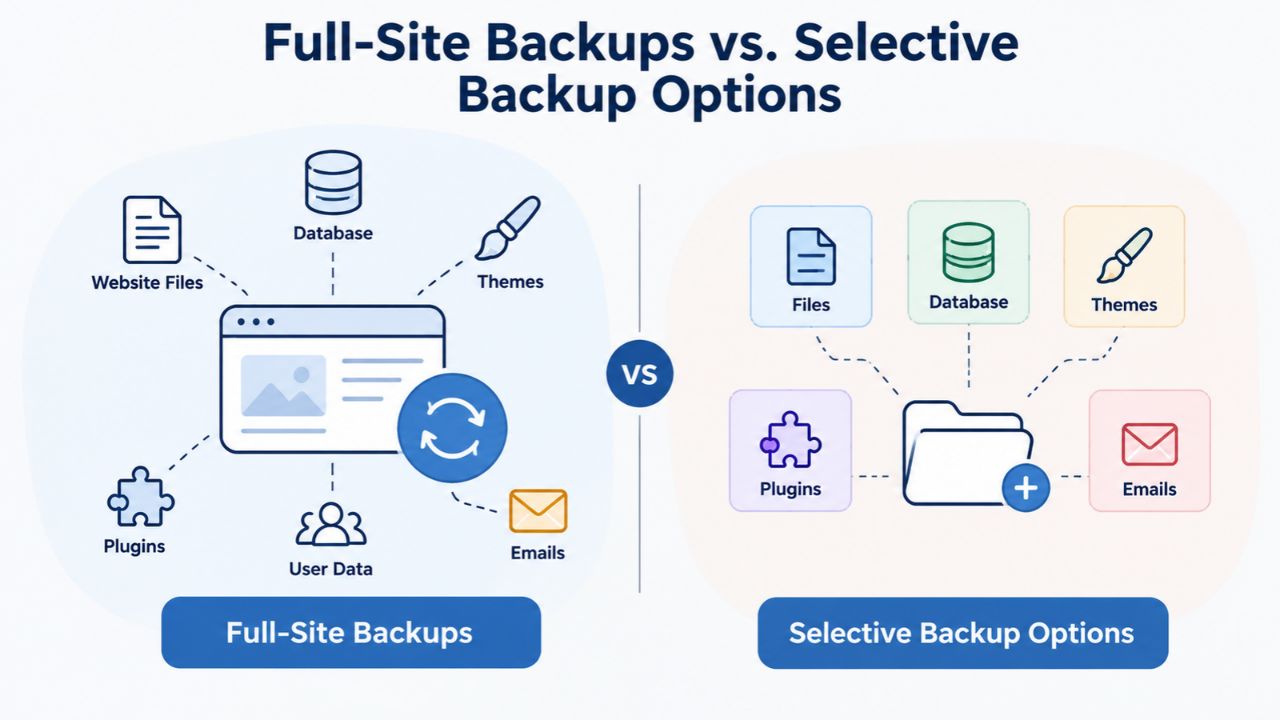
Website backup plans differ in scope: a full-site backup includes your website’s files (themes, plugins, media, custom code) plus the database (user accounts, posts, comments, settings), capturing everything in one complete recovery point. Selective backup options let you choose specific components, database-only, files-only, or custom-directory backups, reducing storage consumption for sites where certain components rarely change.
Full-Site Backup Advantages and Storage Trade-offs
A full-site backup is your safest recovery option because it’s complete and instant: you have everything you need in one version, and restoration doesn’t require matching database dumps with code files or troubleshooting gaps. When a site is compromised, a full-site restore is the forensic best-practice approach: you’re not trying to surgically remove malware from code while keeping new content that arrived after the infection; you’re rolling back to a known-good state entirely. The trade-off is storage: full-site backups consume significantly more space than selective backups, especially if your site has 20+ years of media archives or terabytes of user-generated content.
Most managed backup services default to full-site backups because they’re simpler for users and reduce support costs; you don’t have to know your site’s architecture to restore effectively. CodeGuard (GoDaddy Website Backup) includes full website restore capabilities on all plans, meaning complete site recovery is always available regardless of plan tier. If your site’s storage footprint is genuinely constrained, discuss selective-backup options during onboarding, but default to a full site unless you have a specific reason to limit scope.
Database-Only and Custom Selective Backups
Some backup services offer database-only backups, which capture your site’s content and settings but not the code and theme files. This works reasonably well if your WordPress theme and plugins never change and you mainly want to protect user content and posts. A database-only backup uses roughly 10–30% of the storage a full-site backup would need, noticeably reducing monthly cost. However, if your site is hacked at the code level or plugins are corrupted, a database-only restore won’t fix code-level problems; you’ll restore your content but not your codebase’s security, and the site may remain broken or compromised.
Custom selective backups let you back up specific directories (your media folder and database, excluding theme files) but require knowledge of your site’s file structure and add complexity to restore procedures. During a crisis, complexity is your enemy: if you’re unsure which components to restore, selective backups can delay recovery. Full-site backups eliminate this guesswork and are almost always the better choice for simplicity and reliability.
| Backup Type | Storage Usage | Recovery Speed | Best For | Limitations |
|---|---|---|---|---|
| Full-site backup | Highest (entire site) | Fastest (complete restore) | Comprehensive protection, any incident type | Uses more storage, higher cost |
| Database-only backup | 10–30% of full-site | Fast (content only) | Sites with static code/theme | Doesn’t protect code-level corruption |
| File-only backup | 70–90% of full-site | Slower (requires manual DB sync) | Code or plugin recovery | Misses content/database restoration |
| Custom selective | Variable (user-chosen) | Variable (depends on selection) | Specific problem areas | Requires technical knowledge |
Making the Business Case and Choosing the Right Plan
Website backup pricing ultimately depends on balancing your organization’s actual recovery needs against your operational budget. A small blog or portfolio site with infrequent updates might justify a low-cost backup plan; a growing e-commerce site or membership community probably needs higher-tier protection for daily backups, ample retention, and accessible support.
Calculating ROI on Backup Protection
The return on investment for backup protection becomes obvious when you calculate the true cost of recovering from an incident without one. A site that’s down for one day costs a small business tens of thousands in lost sales and customer dissatisfaction. A site compromised by malware costs thousands in removal services and incurs credit-card processor fines, legal notification obligations, and long-term reputation damage.
A site lost entirely to a hosting provider’s catastrophic failure, while rare, would be unrecoverable without an off-site backup, meaning total business loss. Against these scenarios, an annual backup investment seems less like an expense and more like essential protection. This calculation is especially clear for e-commerce, membership sites, or any business where customer data or transaction history is core to operations.
Multi-Site Plans and Growth Strategy
If you manage multiple websites, backup pricing becomes more favorable per site. CodeGuard (GoDaddy Website Backup) recommends higher-tier plans for users with more than two or three sites, which include higher storage allocations and multi-site volume discounts. If you run three websites at similar individual costs, bundling them under one multi-site plan often saves 15–35% compared to three separate subscriptions. If you currently manage one site but plan to launch more, checking multi-site plan pricing now helps you budget for future growth without budget shock when you launch the next site. Niya Digital’s Website Backup Service supports multi-site management with flexible pricing, so inquire about bundled plans that cover all your sites at a discounted rate.
Explore Niya Digital’s Website Backup Plans
Finding the right backup plan starts with understanding your site’s protection needs and your operational budget. Niya Digital’s Website Backup Service, powered by CodeGuard (GoDaddy Website Backup)’s proven automated backup technology, offers transparent pricing and plans designed for businesses of all sizes, from single-site owners to multi-site management. Compare plans by storage, frequency, and support level to find the plan that fits your recovery needs and gives you confidence in your protection. Niya Digital’s onboarding support team guides you through setup, ensuring backups run automatically from day one without manual effort or technical complexity.
Backup Solutions for WordPress and E-Commerce Platforms
Website backup solutions vary slightly depending on your platform- WordPress, Shopify, Drupal, WooCommerce, custom-built applications- because each has different database structures and file configurations. However, managed backup services like those powered by CodeGuard (GoDaddy Website Backup) handle all major platforms automatically, capturing each platform’s specific structure.
WordPress Plugin vs. Managed Service Comparison
For business-critical sites or owners who’ve experienced a failed restore, the managed-service premium is justified by the difference in outcomes. For hobby sites or low-risk projects, a good WordPress plugin may suffice. The real decision point is what you’d do if a restore failed or went wrong: could you recover your data another way, or would you lose it permanently? If the latter, managed support is non-optional.
E-Commerce and SaaS Platform Backup Solutions
Shopify and other hosted e-commerce platforms handle much of their own backup automatically. Still, you cannot directly restore customer data, order history, or product settings from their backups if something goes wrong. Third-party backup services for Shopify (like Rewind) protect your store data separately from Shopify’s own infrastructure, allowing you to restore to an earlier point if your store is compromised, you accidentally delete products or orders, or a rogue app corrupts your store configuration. These specialized services are often less expensive than general website backup because they focus only on Shopify-specific data, reducing complexity and overhead.
If you run multiple stores or a hybrid site (WordPress storefront plus Shopify backend, for example), Niya Digital’s Website Backup Service can cover the WordPress or custom-built portions. At the same time, store-specific tools handle the e-commerce platform. This layered approach ensures comprehensive protection: your store platform’s native backups cover merchant data, while your website backup covers your custom code and content.
Backup Testing and Off-Site Storage Security
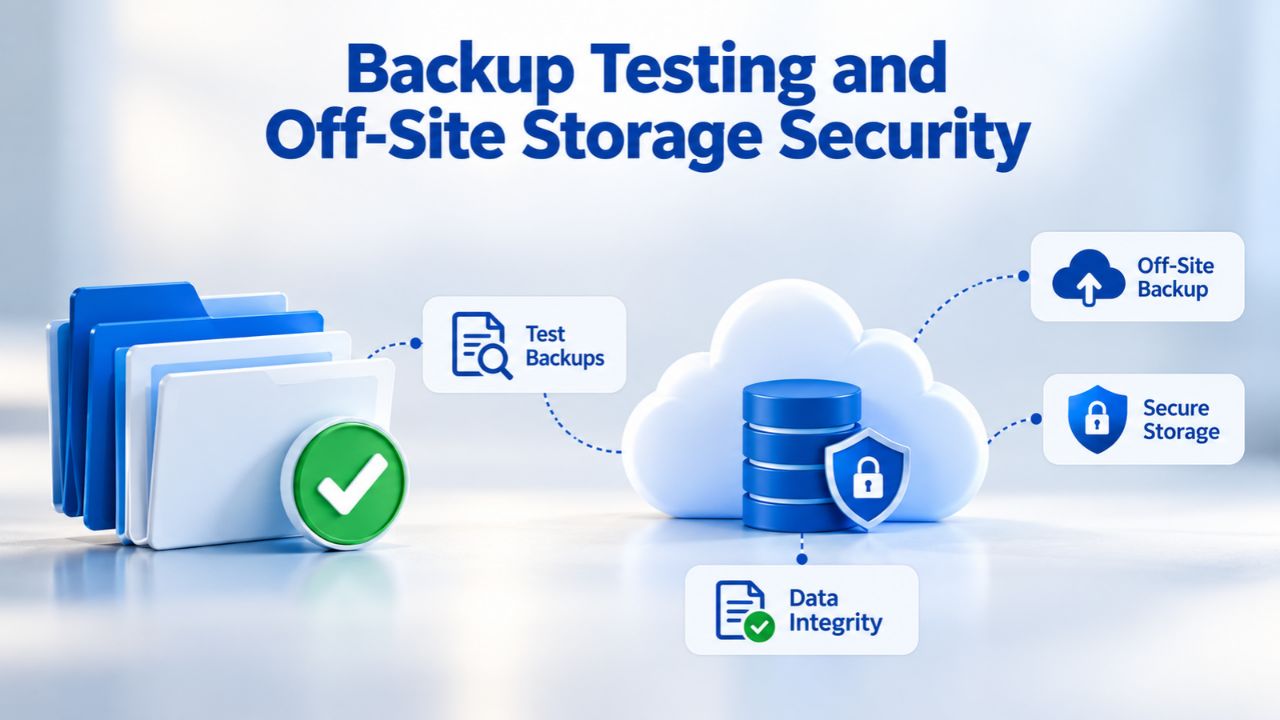
Backup pricing sometimes excludes the cost of actually testing backups to confirm they work when needed. Many organizations back up faithfully but never restore, and discover during a crisis that the backup is corrupted, incomplete, or incompatible with the current site version. Some backup services charge extra for backup verification (automated testing to confirm the backup is valid and restorable), while others include it as a standard feature. Testing is essential but often overlooked until a crisis forces the issue; the best backup practice includes regular verification that backups are both complete and usable.
Automated Testing and Restore Verification
Automated verification checks whether a backup file is complete, valid, and restorable without actually restoring your live site. This feature is typically included in managed backup plans at no extra cost, giving you peace of mind that your backups work as expected. CodeGuard (GoDaddy Website Backup) automatically tracks initial and daily backups to confirm they work correctly, so you know your backups are valid without manual testing. Manual testing, actually restoring a backup to a staging environment to confirm it works end-to-end, requires you to set up a testing environment and spend time verifying the restore process, but is worth doing at least quarterly.
Industry best practice recommends testing a backup at least once per quarter (four times per year) to confirm restore procedures work and to catch backup failures early. For business sites or e-commerce stores, monthly testing is reasonable; it validates that your recovery process works before you need it in an emergency. Niya Digital’s support team can guide you through a test restore if you want expert help, removing guesswork from verification.
Off-Site Storage and Geographic Redundancy
Off-site backup storage protects against hosting provider failures by storing copies on separate servers, often in different geographic regions. CodeGuard (GoDaddy Website Backup) stores backups on Amazon Web Services (AWS) infrastructure, providing market-leading redundancy and resilience so backups survive even catastrophic hosting-level failures. If your hosting provider experiences a catastrophic failure, a fire, power outage, or data center attack affecting multiple servers, backups stored only on that host are lost along with your live site. Off-site backups protect against this by storing copies on independent infrastructure with geographic separation, so no single point of failure can compromise both your live site and its backup.
Off-site backups cost more than local-only backups because they require independent infrastructure, encryption protocols, cross-region redundancy, and continuous monitoring. CodeGuard uses AES-256 server-side encryption to protect backup data at rest; this encryption is included in the service, so you don’t pay extra, but it’s one reason professional backup services cost more than free local backup options. The protection is worth every cent for any business where total data loss could end the business.
Compliance Requirements and Data Residency Considerations
Depending on your industry and location, data-protection regulations may require specific backup retention periods, encryption standards, or audit capabilities. Common regulations affecting backup decisions include GDPR (European data-protection law requiring data deletion upon customer request), HIPAA (healthcare data-protection requirements), and PCI DSS (payment-card-industry data-security standards). Backup services compliant with these regulations often cost more because they require audit trails, retention policies, proof of encryption, and compliance documentation that basic services don’t include. If you process customer payment cards, PCI DSS typically requires retaining transaction data and backup history for at least one year, increasing storage and cost accordingly.
Regulatory Compliance Pricing and Planning
Healthcare organizations under HIPAA must ensure backup services prove encryption and access controls on the infrastructure storing their data, increasing provider compliance costs and subscription price for HIPAA-eligible plans. Entry-level backup plans include basic encryption and standard retention; compliance-focused plans add audit trails (complete records of who accessed what backup when), selective data deletion (the ability to remove a specific customer’s data from all backups upon request, as GDPR requires), and longer retention periods.
If you don’t have specific compliance requirements (GDPR, HIPAA, PCI DSS), standard plans meet your needs. If you operate under strict regulations, investing in a compliance-capable tier protects you from audit exposure and potential penalties. Calculate your actual regulatory obligations before choosing a plan; overpaying for compliance features you don’t legally require wastes budget, while underpaying creates risk and potential liability.
Making Compliance-Focused Choices
Niya Digital’s Website Backup Service can support compliance requirements, but pricing and feature availability depend on your specific regulatory needs and industry. Some jurisdictions require data to remain in specific geographic regions; regional data-residency requirements may limit which backup providers you can use or increase cost if the provider must maintain additional data centers. Most major backup providers, including those using CodeGuard (GoDaddy Website Backup)’s infrastructure, support geographic flexibility for backup location, allowing you to choose where your backups are stored. Discuss compliance requirements with Niya Digital’s team when evaluating plans to ensure the chosen tier meets all obligations and doesn’t leave you exposed to audit findings or regulatory penalties.
Calculating Your Actual Backup Costs and ROI
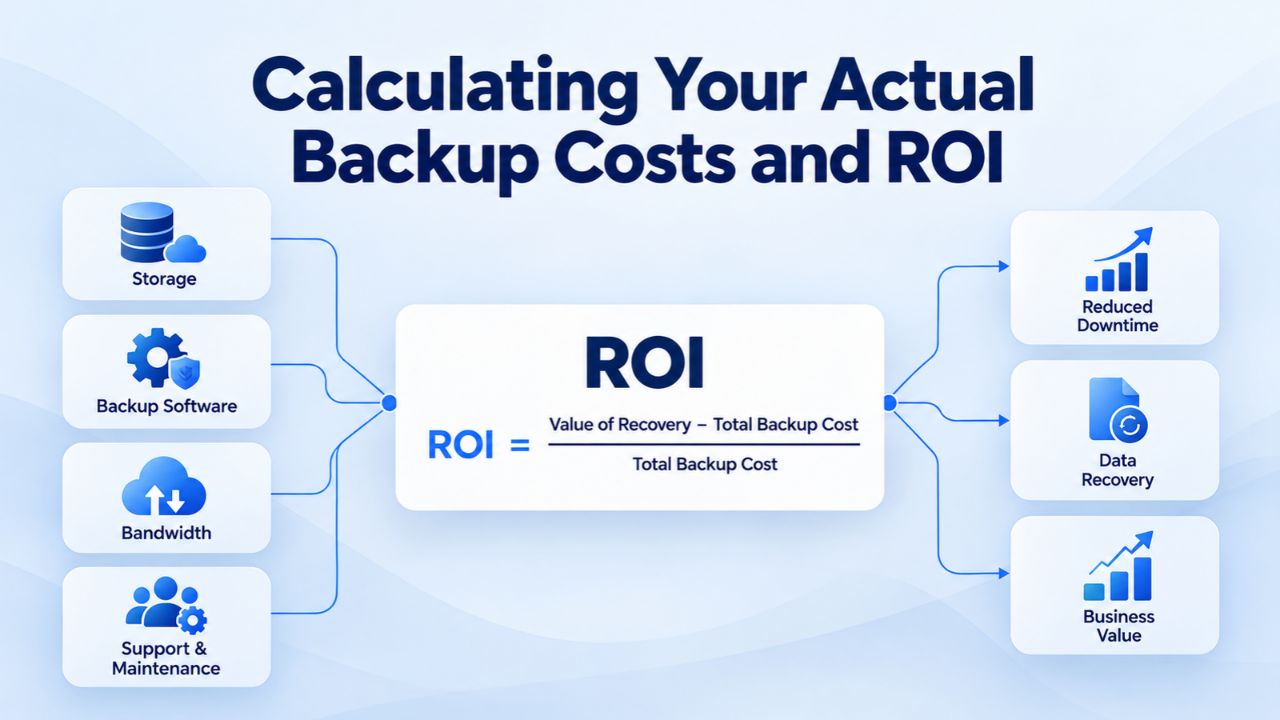
To choose the right backup plan, start by measuring your site’s actual backup needs and total cost of ownership over a year. Log into your hosting control panel (cPanel, Plesk, or your host’s dashboard) and note your total file size and database size. Add 20% to account for site growth over the coming year. Next, decide your required backup frequency (daily vs. weekly) based on how often your site updates and how much data loss you can tolerate. Finally, decide your retention period (30, 60, or 90 days) based on when you typically notice problems and whether compliance requirements apply.
Measuring Site Size and Projecting Growth
A small WordPress blog with minimal traffic might use 500 MB to 2 GB total; a growing e-commerce site with years of order history and product images could reach 10–50 GB or more. Once you know your current size, multiply by your planned retention period to estimate cumulative backup storage.
For example, a 10 GB site with 90-day retention needs roughly 900 GB of cumulative backup storage (10 GB × ~90 days, accounting for incremental backups taking less space than full backups). Managed backup services like Niya Digital’s automatically handle backup compression and incremental storage strategies, so actual storage used is often lower than worst-case projections. Use your size estimate plus retention period to identify the matching plan tier from the offerings available.
Comparing Plans and Calculating Annual Cost
Once you know your storage needs and frequency requirements, identify the plan tier that covers your needs with a small buffer for unexpected growth. Multiply the monthly subscription by 12 to calculate annual cost, then divide by the number of sites to see cost per site if you manage multiple properties.
Compare this to the cost of downtime: a single hour of downtime for a typical business website can cost 5,000–50,000+ depending on site function and industry, so even a $1,000+ annual backup investment pays for itself many times over if it prevents even one incident. Niya Digital’s Website Backup Service pricing is transparent and straightforward so that you can compare total cost against your actual recovery needs with confidence.
Start Your Website Backup Protection Today
Now that you understand the factors driving website backup costs, the next step is evaluating which protection level matches your site’s value and your recovery requirements. Niya Digital’s Website Backup Service provides transparent pricing, professional support, and automated off-site backup powered by CodeGuard (GoDaddy Website Backup)’s proven infrastructure. Whether you run a small blog or a growing e-commerce site, Niya Digital offers a plan designed to match your needs and budget while protecting you from the full cost of data loss or downtime.
Frequently Asked Questions
What factors determine how much website backup costs?
Website backup pricing is determined by storage allocation, backup frequency, retention period, support level, and whether you need specialized compliance features. Daily backups cost more than weekly because they consume more storage and require more infrastructure. Longer retention periods increase cost because backups occupy space for longer. Managed restore support and priority phone access cost more than self-service restoration. Sites with strict compliance requirements (healthcare, finance, payment-card processing) require higher-cost plans that include audit trails and proof of encryption.
Why does off-site backup storage cost more than local-only backup?
Off-site storage requires independent infrastructure separate from your hosting provider, encryption protocols, geographic redundancy, continuous monitoring, and network connectivity to keep backups secure and recoverable. If your hosting provider fails, local backups stored only there are lost too. Off-site backups protect against that scenario by maintaining separate servers in different geographic regions. Professional-grade off-site storage is expensive to operate, and those costs are passed to customers. The protection is worth the cost for any business where total data loss would be catastrophic.
Should I choose daily or weekly backups for my website?
Daily backups cost more but reduce your data-loss window to 24 hours; weekly backups risk losing up to six days of changes. E-commerce sites, membership communities, and sites where user data or transactions matter most benefit from daily backups. Blogs that update a few times per week and static portfolio sites may be fine with weekly backups. Calculate the true cost of losing a week’s data to your business to decide whether daily backups justify the additional expense. Most managed services now include daily backups on all tiers, making daily protection more accessible than it used to be.
How do I know if I need longer backup retention than 30 days?
Most site owners notice problems (hacks, corruption, accidental deletions) within a few days, so 30-day retention covers most real-world scenarios. Compliance requirements (GDPR, HIPAA, PCI DSS) may mandate longer retention regardless of cost. If you need to audit historical incidents, investigate how long a breach went undetected, or support business continuity across longer recovery windows, longer retention makes sense. For typical sites without compliance requirements, 30–60 days offers sufficient protection at lower cost.
Is managed restore support worth the additional cost?
Self-service restore works for straightforward problems if you’re technically comfortable with your site architecture. Managed restore support significantly reduces failure risk during a crisis when you’re stressed and time-pressured. For business-critical sites or owners uncomfortable executing restores alone, managed support is justified by the peace of mind and reduced downtime. For low-risk sites or technically confident owners who have tested restores multiple times, self-service may suffice.
What’s the difference between full-site and database-only backups?
Full-site backups include all your website files (themes, plugins, media, code) plus the database (user accounts, posts, settings), capturing everything in one version. Database-only backups include only your content and settings, not the code. Full-site backups are safer because restoration is complete and instant; they solve code-level corruption and malware at once. Database-only backups use less storage but don’t protect against code-level problems. For most sites, full-site backup is the better choice.
Are WordPress backup plugins cheaper than managed backup services?
WordPress plugins range from free to $200+ per year and often lack off-site storage and the professional support managed services include. Premium WordPress plugins add off-site storage but place restore responsibility entirely on you. Managed backup services cost more monthly but include automated storage, testing, and hands-on support during crises. For business-critical sites, managed service support significantly reduces risk compared to plugin-only backups.
How often should I test my backups to ensure they work?
Industry best practice recommends testing a backup at least quarterly (four times per year) to confirm restore procedures and catch failures early. For business-critical sites, monthly testing is reasonable. Most backups include automated verification that confirms completeness without manual testing. Manual restore testing requires a staging environment but provides comprehensive assurance that your recovery process works end to end.
What happens if my website grows and exceeds my backup storage limit?
Most services allow straightforward plan upgrades mid-term without penalty so that you can grow without surprise overage charges. Monitor your backup storage periodically and upgrade before hitting your limit. Automatically deleting old backups to stay within your limit reduces your recovery window, so upgrading is preferable to letting older backups roll off automatically.
Do I need compliance-focused backup features for my website?
Compliance-focused features are required if you’re subject to data-protection regulations (GDPR, HIPAA, PCI DSS) or industry-specific data-retention requirements. If you handle customer payment cards, PCI DSS typically requires retaining transaction data and verifying backups for at least one year. GDPR requires proof that customer data can be deleted from all backups upon request. If you operate under strict regulations, compliance-capable plans protect you from audit exposure. If you have no compliance requirements, standard plans meet your needs.
What’s the best way to calculate if website backup is worth the cost?
Compare backup investment against the true cost of data loss. A single day of downtime costs small businesses tens of thousands in lost sales and customer dissatisfaction. A compromised site costs thousands in removal services and legal compliance. Without an off-site backup, a site lost entirely is unrecoverable. Against these scenarios, annual backup investment seems less like an expense and more like essential risk management. The ROI typically justifies itself after avoiding just one incident.
How do I choose the right backup plan for my specific website?
Start with your site size (total file and database size). Define your required backup frequency based on how often you update and how much data loss you can tolerate. Decide your retention period based on compliance requirements and when you typically notice problems. Calculate cumulative storage (site size × retention period × days) to estimate total space needed. Match your requirements to available plan tiers. Niya Digital’s plans are transparent and straightforward, so you can align coverage with your needs without overpaying.
Can I reduce backup costs by choosing shorter retention periods?
Yes, shorter retention (30 days instead of 90 days) reduces storage costs because older backups roll off sooner. However, shorter retention limits your recovery window; if you need to recover a backup from 60 days ago but only retain 30 days, you cannot. For compliance-required retention, shorter periods are not an option. For typical sites, 30–60 days covers most scenarios. Choose retention based on actual business recovery needs, not just cost savings.
What’s included in higher-tier backup plans besides more storage?
Higher-tier plans typically include managed restore support, phone access during business hours or 24/7 for critical issues, longer retention periods, faster backup completion, priority response times, audit trails for compliance, and sometimes multi-site management discounts. Inclusions vary by provider, so review plan details carefully when comparing options.
How does multi-site backup pricing work?
Multi-site plans bundle protection for several websites under one subscription, typically at a discounted rate compared to individual site subscriptions. If you manage three sites, a multi-site plan often costs 15–35% less than three single-site subscriptions. Volume discounts increase as site count grows, making multi-site bundling highly attractive for agencies and businesses managing multiple properties.
Glossary
- Automated Backup: Scheduled, hands-off backups that run at regular intervals (daily, weekly, monthly) without manual intervention or oversight. Most managed backup services handle automation completely once setup is finished, capturing your site automatically whether you’re actively working or not.
- Off-Site Storage: Backup storage located on servers completely separate from your hosting provider’s infrastructure, protecting against total hosting-level failure or data center catastrophe. Off-site storage typically uses geographic redundancy (multiple data centers in different regions) to maximize protection and survivability.
- Retention Period: The duration for which backup copies are kept before being automatically deleted. Common retention periods include 30, 60, 90 days, or longer; longer retention increases storage cost but gives you more recovery-point options when diagnosing when a problem started.
- Recovery Point Objective (RPO): The maximum amount of data (measured in time) you can afford to lose in a data-loss incident. Daily backups give you an RPO of 24 hours; weekly backups give an RPO of seven days, meaning you could lose up to a week’s worth of changes if recovery is needed.
- One-Click Restore: A simplified restore process where you select a backup version and trigger restoration with a single action, without manual file transfer, database import, or configuration steps. One-click restore is the most user-friendly restore method and is included on most managed backup plans.
- Full-Site Backup: A complete backup of all website files (themes, plugins, media, custom code) plus database (user accounts, posts, comments, orders, settings), capturing everything needed to restore a site to a specific point in time fully. Full-site backups are the safest backup type but consume more storage than selective backups.
- Database Backup: A backup of only the website’s database (user accounts, posts, comments, product information, orders), excluding website files and application code. Database-only backups use less storage but don’t protect against code-level corruption, malware, or plugin failures.