
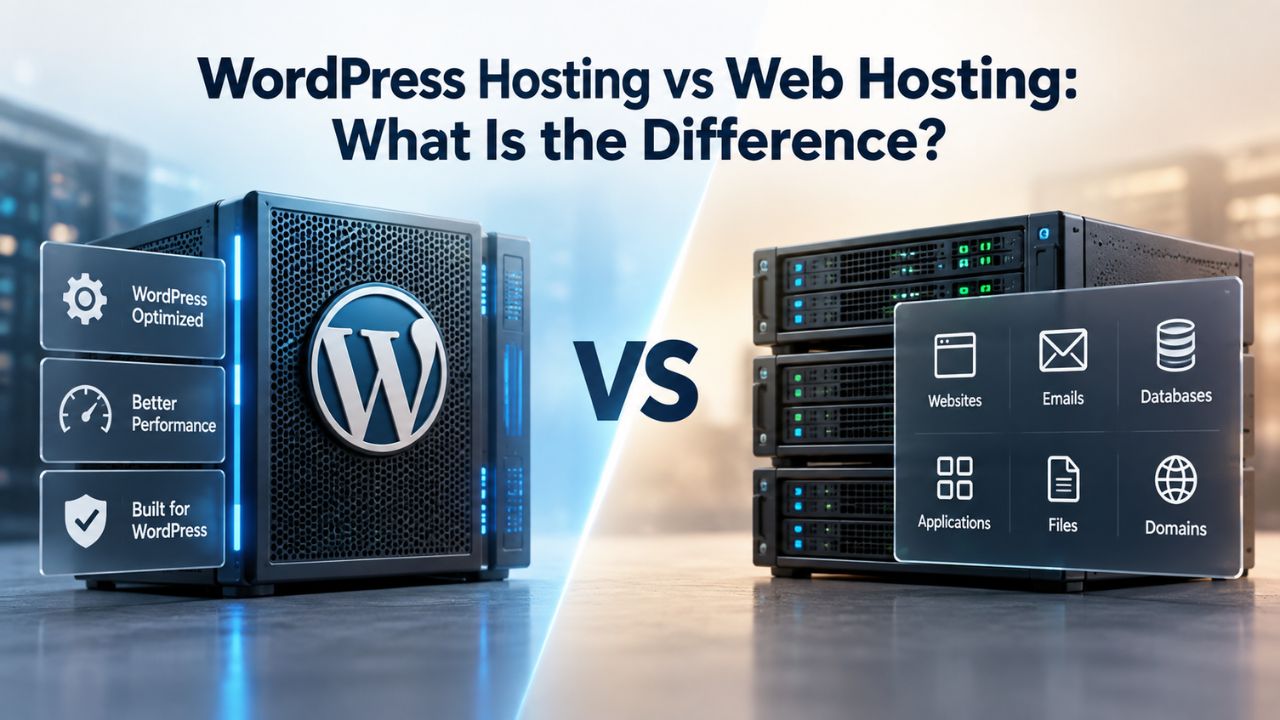
When you’re ready to launch a website, the hosting option you choose shapes everything that follows, from how fast your pages load to how much technical work falls on your shoulders. WordPress hosting and web hosting are often used interchangeably, but they solve different problems. Understanding the distinction helps you pick the right fit for your site’s actual needs, not just the cheapest option available. Niya Digital delivers WordPress hosting in partnership with an enterprise-grade cloud infrastructure partner, ensuring your site runs on optimized, purpose-built systems.
What’s the Real Difference Between WordPress Hosting and Web Hosting?
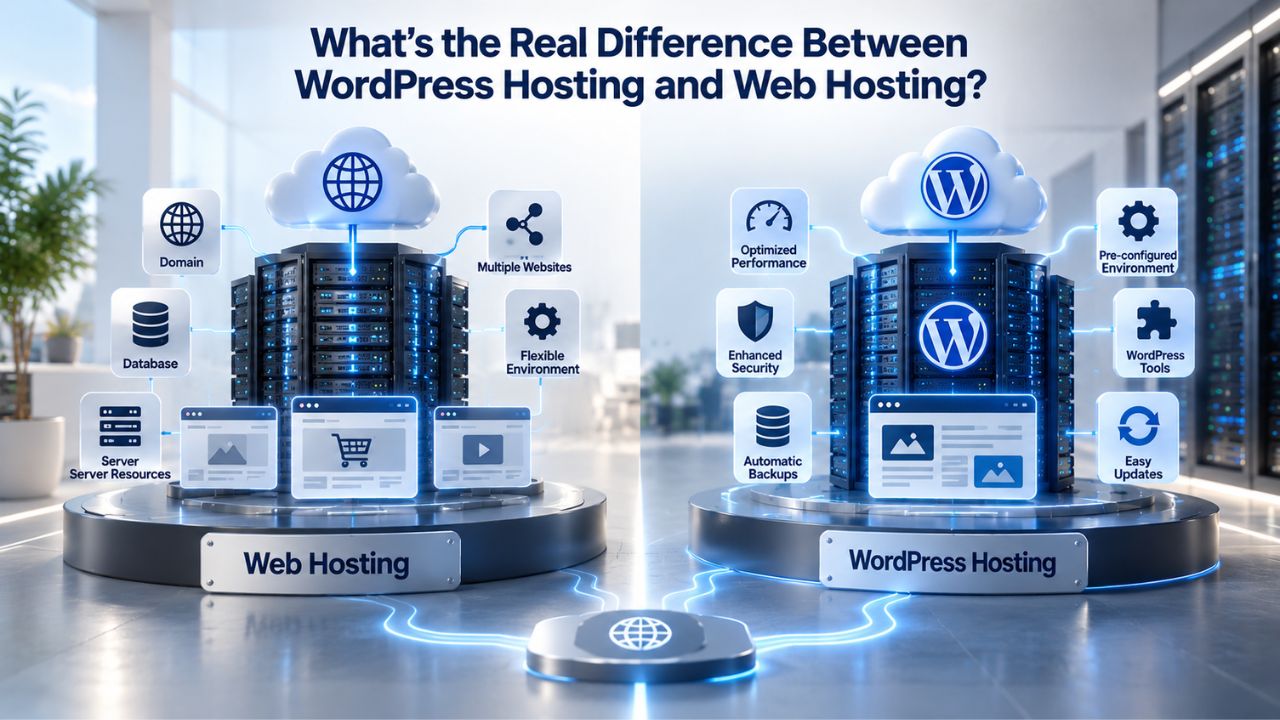
Web hosting is the umbrella term for any service that stores your website’s files on a server and makes them accessible online. A web host handles the infrastructure: servers, security, uptime, and connectivity. According to WordPress.org’s hosting documentation, the hosting environment can support any website: WordPress, another CMS like Joomla, custom-coded applications, or e-commerce platforms built with any framework.
WordPress hosting is a specialized type of web hosting optimized for one platform. Instead of a one-size-fits-all approach, WordPress hosting providers tune the server environment specifically for WordPress’s architecture, database queries, and PHP requirements. This specialization includes features like automatic WordPress core and plugin updates, WordPress-specific caching layers, built-in backup and restore tools, malware scanning tuned to WordPress attack patterns, and a support team trained on WordPress troubleshooting.
The Platform Specialization Trade-off
Web hosting gives you flexibility. You can run WordPress on it, but you can also migrate to another platform later, test multiple CMSs on the same account, or build custom applications that require specific server configurations. This freedom comes with a cost: you manage more setup, updates, and optimization yourself.
WordPress hosting trades flexibility for convenience and performance. You get a turnkey environment where WordPress is the focus, but you’re locked into that platform. If your business needs shift and you want to run both a WordPress blog and a custom Node.js application, you’ll need separate hosting accounts or a different provider entirely. Many site owners accept this constraint because the convenience gains outweigh the lost flexibility, especially if WordPress is their long-term choice.
When Each Model Applies
Choose web hosting if you want multi-platform experimentation, run non-WordPress projects, need advanced server-level control, or plan to grow into custom development. Choose WordPress hosting if you’re confident WordPress is your long-term platform, want someone else handling technical maintenance, or prioritize out-of-the-box performance over server flexibility. Your decision should reflect your business’s actual needs, not a hypothetical future scenario.
WordPress Pricing Plans
Choose the WordPress hosting plan that fits your website needs, with reliable performance, security, storage, backups, and tools to help your site grow.
WordPress Basic
A great way to get started.
- 1 website
- 10 GB NVMe storage
- Unmetered bandwidth
- Free SSL Certificate *
- WordPress pre-installed
- Weekly backups
- Web Application Firewall
- Daily malware scans
- One-time malware removal

WordPress Deluxe
Improve your site performance with Cloudflare CDN.
- 1 website
- 20 GB NVMe storage
- Unmetered bandwidth
- Free SSL Certificate *
- WordPress pre-installed
- Daily backups
- Web Application Firewall
- Daily malware scans
- One-time malware removal
- Up to 2x faster performance with global Cloudflare CDN **
- Enhanced security with DDoS protection
- Staging site
WordPress Ultimate
Add online marketing with more sites, storage and security.
- 1 website
- 30 GB NVMe storage
- Unmetered bandwidth
- Free SSL Certificate *
- WordPress pre-installed
- Daily + on-demand backups
- Web Application Firewall
- Daily malware scans
- Unlimited malware removal
- Up to 2x faster performance with global Cloudflare CDN **
- Enhanced security with DDoS protection
- Staging site
- WordPress code optimizer
- Smart WordPress plugin manager
- Sell online with WooCommerce
Architecture and Resource Allocation: Why It Matters
How a hosting provider allocates server resources directly affects your site’s speed, stability, and ability to handle traffic growth.
Shared Hosting: Resource Pooling and Its Limits
Shared hosting places dozens or even hundreds of independent websites on a single physical server, all drawing from the same CPU, RAM, disk storage, and bandwidth. The hosting company maximizes its hardware investment by packing many customers onto one machine. This drives down your cost, often to just a few dollars per month, but introduces a critical constraint.
When one co-hosted site experiences a traffic spike, misconfigured code, or a brute-force attack, it can consume available server resources and slow down every other site on that machine. WooCommerce stores, membership sites, and sites with concurrent logged-in users are especially vulnerable because logged-in traffic bypasses caching layers and hits the server directly. According to WordPress community research, a handful of simultaneous logged-in users on shared hosting with limited PHP workers can overwhelm server capacity, causing timeouts for all co-hosted sites.
Dedicated and Managed Resources: Isolation and Predictability
Managed WordPress hosting typically provides isolated or dedicated resources. Your site gets committed CPU cores, RAM, and storage that other customers cannot access. This isolation means traffic spikes on neighboring sites don’t degrade your performance. You also get WordPress-specific optimizations: server-level caching, object caching (Redis or Memcached), pre-configured PHP workers tailored to WordPress workloads, and automatic database query optimization.
The trade-off is higher cost, but you also eliminate the surprise performance drops that plague shared hosting sites when neighbors misbehave. The resource predictability means your site performs consistently, whether it’s 2 a.m. or noon, whether your neighbors are idle or slammed.
Performance Impact on Site Speed and Core Web Vitals
Site speed is not just about user experience. Google includes Core Web Vitals, three performance metrics measuring load speed, responsiveness, and visual stability, in its ranking algorithm, meaning hosting type indirectly affects your search visibility.
Understanding TTFB and Server Response Time
Time to First Byte (TTFB) measures how long a browser waits before receiving the first byte of response from your server. Google recommends keeping TTFB under 800 milliseconds at the 75th percentile; values between 800ms and 1,800ms need improvement, and anything above 1,800ms is considered poor. While TTFB isn’t a Core Web Vital, it directly affects your Largest Contentful Paint (LCP, the main content load time), one of the three metrics Google uses for ranking.
On shared hosting, high TTFB often stems from server congestion, overloaded PHP workers, or database bottlenecks as the server serves hundreds of sites. Managed WordPress hosting reduces TTFB by isolating your resources and using caching strategies built for WordPress’s database access patterns. A faster TTFB is the foundation for meeting all three Core Web Vitals benchmarks.
How Hosting Architecture Affects Core Web Vitals
Core Web Vitals consist of Largest Contentful Paint (how quickly your page’s main content appears), Interaction to Next Paint (how responsive the page feels when clicked), and Cumulative Layout Shift (whether page elements move unexpectedly during load). All three improve when your hosting provides fast server response, robust caching, and dedicated PHP workers. Shared hosting often forces compromises on these metrics because the underlying resource constraints make optimization harder.
| Performance Factor | Shared Hosting | Managed WordPress Hosting |
|---|---|---|
| CPU & RAM allocation | Shared among dozens/hundreds of sites | Dedicated or isolated allocation |
| Server response time (TTFB) | Unpredictable; degrades during neighbor spikes | Stable; optimized for WordPress queries |
| Caching strategy | Generic or absent; must install plugins | Built-in, server-level, tuned for WordPress |
| PHP worker processes | Limited (1–2 typical); bottleneck under load | Scaled for concurrent requests |
| Database query optimization | Site owner responsible; often overlooked | Pre-configured and monitored |
| Neighbor impact | High; other sites directly affect yours | Isolated; neighbor activity is irrelevant |
Scalability and Growth: When Shared Hosting Becomes the Bottleneck
As your site grows- more visitors, more product listings, more concurrent logged-in users- shared hosting’s resource limits become a ceiling you cannot break through without switching providers.
The Shared Hosting Scaling Wall
On shared hosting, you cannot add more CPU cores or RAM to your account alone. The hosting company manages that decision at the server level. If you reach the shared server’s limits, your options are to reduce traffic (impossible), optimize aggressively (temporary help), or migrate to a different hosting plan or provider (disruptive). Migration means downtime risk, DNS propagation delays, broken redirects, and uncertainty about whether your site will function identically on the new host. Many site owners delay growth decisions to avoid the friction of switching hosts.
Managed WordPress Hosting and Elastic Growth
Managed WordPress hosting is designed for growth. Many managed hosts run on cloud infrastructure where resources scale dynamically. If your site gets a traffic surge, the platform automatically allocates additional processing power to handle the load. When traffic drops, resources scale back down to avoid waste. This elasticity means your site can grow without ceiling constraints; you can scale from 1,000 monthly visitors to 100,000 without changing providers or hosting plans. Growth becomes a business decision, not a hosting limitation.
Niya Digital’s team has found that sites migrating from shared hosting to managed WordPress hosting often experience not just speed improvements but also the ability to support business growth without repeated migrations and the operational friction they introduce. Predictable scaling is one of the highest-value benefits many site owners discover only after moving to managed WordPress hosting.
Automation and Operational Load: What Gets Handled for You
One of the highest hidden costs of web hosting is the time you spend on maintenance.
Manual Maintenance on Generic Web Hosting
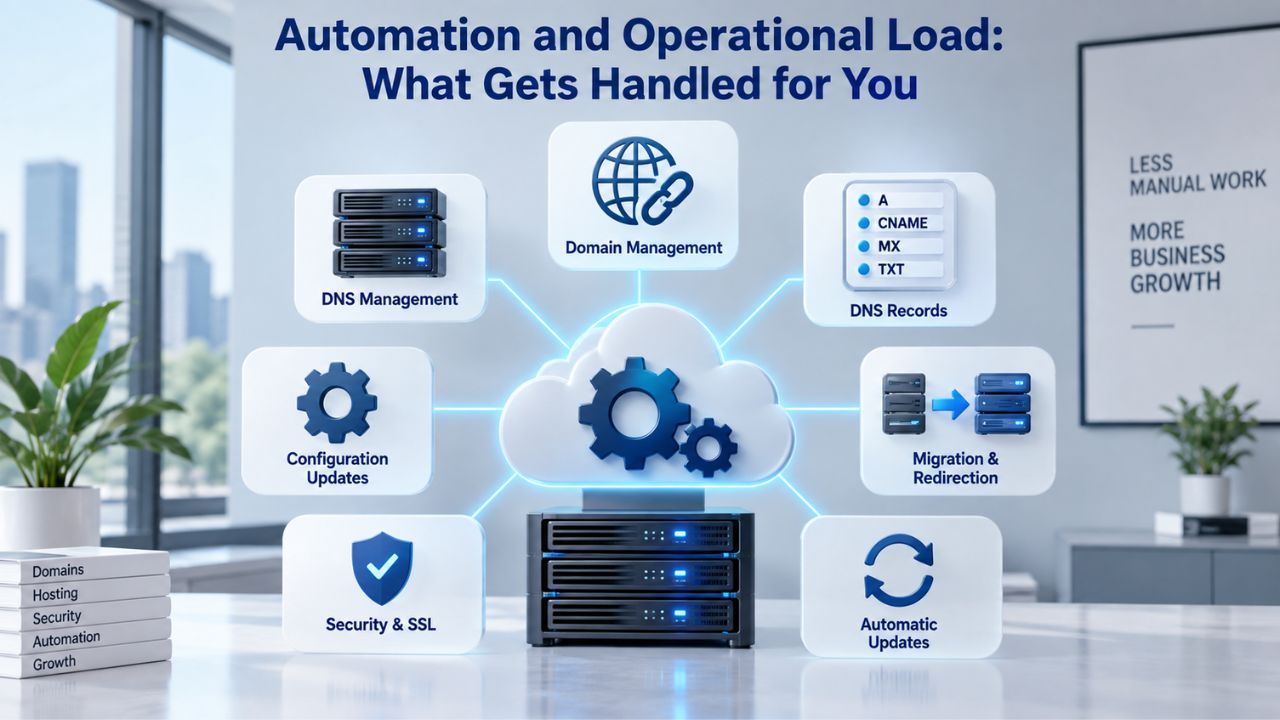
On generic web hosting, you are responsible for keeping WordPress core, themes, and plugins updated. According to WordPress.org’s hosting guidance, outdated software is a primary attack vector. Hackers scan for known vulnerabilities within hours of disclosure. But updates also carry risk: they can break plugins, introduce incompatibilities, or expose bugs that your specific setup triggers. Testing updates on shared hosting is risky because you lack a safe staging environment. Many site owners delay updates, leaving their sites vulnerable to known exploits.
Backups are another manual burden. You can set up a backup plugin, but you have to monitor it, verify it worked, test restoration occasionally, and decide on retention policies. Off-site storage is your responsibility. Files and databases live at risk on a shared server if something goes catastrophically wrong.
Automated Operations in Managed WordPress
WordPress hosting providers automate what matters most: WordPress core updates, plugin updates, backups, and malware scanning. Automatic updates reduce attack surface significantly. Updates roll out on a schedule you define, tested against the provider’s infrastructure before touching your site. Many managed hosts include a staging environment, a hidden copy of your site where you test changes risk-free before deploying to the live version.
Backups are automatic, often triggered on every change, and stored offsite in redundant copies. Restoration is one click. This shifts the operational load from you to a team of engineers whose job is to keep WordPress sites running safely. You focus on content and business; they handle infrastructure.
| Feature | Generic Web Hosting | Managed WordPress Hosting |
|---|---|---|
| WordPress core updates | Manual; your responsibility | Automatic; tested first |
| Plugin/theme updates | Manual; risky without staging | Automatic; deployed safely |
| Backup creation | Manual plugin setup | Automatic; every change |
| Backup storage | Local or your plugin’s service | Offsite, redundant copies |
| Restoration | Manual database/file import | One-click restore to any point |
| Staging environment | Not included | Included; pre-configured |
| Malware scanning | Plugin-based; reactive | Continuous; server-integrated |
| Update testing | Your responsibility | Provider tests on staging |
Get WordPress Hosting Built for Speed and Security
Niya Digital’s managed WordPress hosting includes all the tools you need to launch a fast, secure site: automatic updates, daily backups, staging environments, 24/7 expert support, and cloud infrastructure that scales with your business. Stop worrying about hosting details and start focusing on what matters.
Security and Compliance: Platform-Specific Protection Layers
Security isn’t a binary state: “secure” or “hacked.” It’s a continuous risk-reduction process. Hosting plays a foundational role.
Security Gaps in Generic Web Hosting
On generic web hosting, the hosting provider secures the server hardware, network, and basic infrastructure. But WordPress-specific security is your responsibility. You install security plugins, configure firewalls, harden login pages (rate-limiting, changing the admin username, two-factor authentication), run malware scans, and monitor for unusual activity. These tools work, but they’re reactive and scattered. A malicious plugin, a zero-day exploit in an old WordPress version, or brute-force login attacks can succeed before your plugin catches the threat.
Most vulnerabilities come from outdated or poorly maintained plugins, not WordPress core itself. On shared hosting, your plugin choices affect not just you but the provider’s liability and other customers’ risk exposure. The hosting company has minimal leverage to enforce security standards across hundreds of independent site owners.
Managed WordPress Security Architecture
WordPress hosting providers build security into the stack. Server-level firewalls block known attack patterns before traffic reaches your WordPress installation. Automatic updates patch WordPress and plugins before exploits spread. Malware scanning runs continuously, not on a schedule you hope to remember. Login attempts are rate-limited and monitored at the server level, not just by plugins. SSL certificates are included and auto-renewed, encrypting all data in transit.
Compliance frameworks like PCI-DSS (for payment processing) become more feasible on managed WordPress hosting because the provider handles server-level logging, data residency, backup retention, and audit trails that these standards require. On shared hosting, you’d be implementing these controls in isolation, often duplicating work other customers should share.
Migration, Setup, and Technical Support
Switching hosting is one of the highest-friction operations a site owner faces. How easily a hosting provider assists with this process shapes your decision.
DIY Migration on Generic Hosting
Moving a WordPress site from one generic host to another requires downloading all files (often gigabytes via FTP or SFTP), exporting your database, testing the export’s integrity, uploading files to the new server, importing the database, verifying DNS settings, and testing every page for broken images and links. The process typically takes hours and introduces downtime because DNS changes propagate slowly across the internet. If something breaks mid-transfer, you have to troubleshoot on your own.
Some generic hosts offer migration assistance, but it’s often slow, manual, or comes with an extra fee. Support staff handling dozens of platforms may lack deep WordPress expertise, leaving you to verify technical details yourself.
Managed WordPress Migration Support
Most managed WordPress hosts offer automated migration tools or assisted migration. Host-specific migration tools are faster and more reliable than generic plugins because they’re built to understand the provider’s exact infrastructure. Many complete migrations in hours, not days, with minimal downtime. If something goes wrong, a WordPress-specialized support team investigates and fixes it. You won’t be left debugging an unfamiliar platform.
Setup is equally streamlined. One-click WordPress installation, automatic SSL setup, pre-configured caching, staging sites ready to use, and a control panel customized for WordPress tasks. A new site is ready to publish in under an hour, no server configuration needed. First-time site owners can skip the technical barrier entirely and focus on content.
Support Model and Technical Depth
The quality of technical support often determines how quickly you recover from crises and whether you can focus on your business instead of spending nights troubleshooting.
Generalist Support on Web Hosting
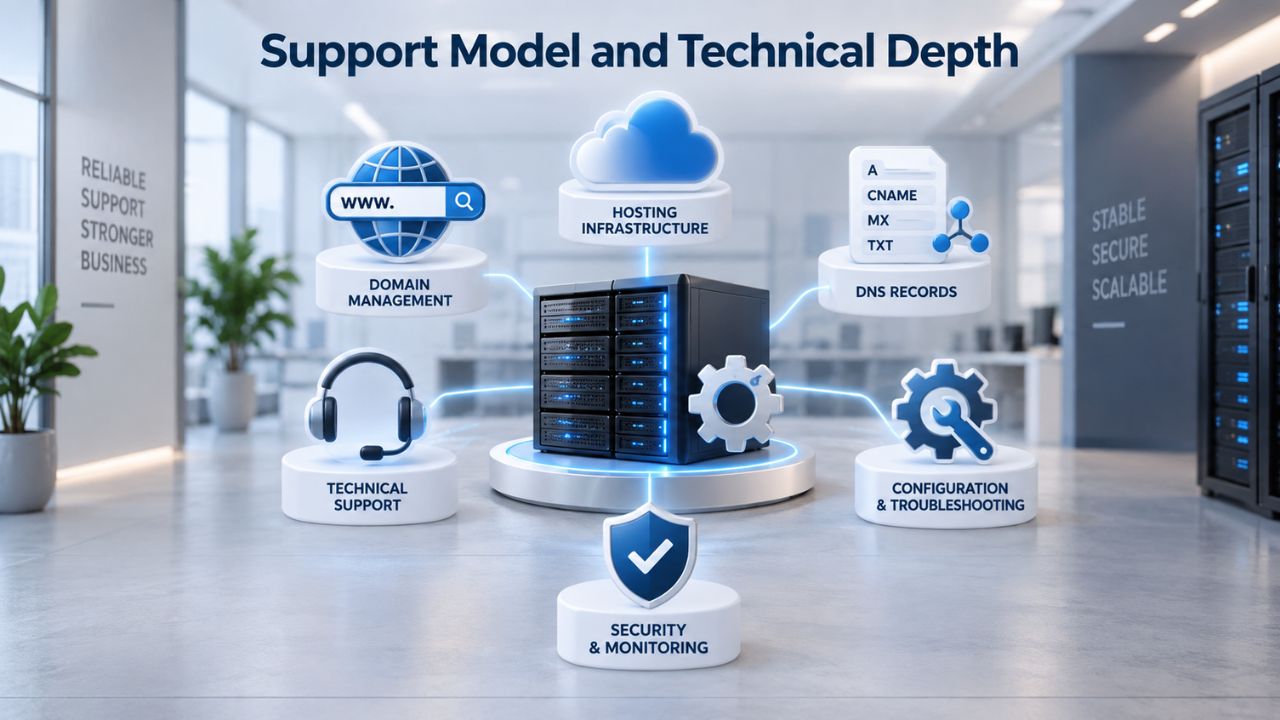
Generic web hosting providers train support staff on many platforms: WordPress, Joomla, custom PHP, Node.js, Python, static sites, and more. A support ticket about WordPress might be handled by someone whose last ticket was about resetting a Drupal database. Their knowledge is broad but shallow. Response times vary; many tier-1 hosts maintain 24/7 chat, but escalations can take days. For advanced WordPress issues, you often end up on forums or hiring a contractor.
WordPress-Specialized Support
Managed WordPress hosts employ engineers who spend their entire workday on WordPress. They know common plugin conflicts, can diagnose performance issues by reading access logs, and can guide you through scaling decisions. Response times are often 1–4 hours for critical issues, with escalation to senior engineers if needed. Many offer proactive monitoring; the provider alerts you before your site crashes, not after. Niya Digital’s 24/7 support team specializes in WordPress hosting, so experts answer your questions rather than generalists.
When to Use Each Hosting Type: A Use-Case Decision Matrix
Your specific situation determines the right fit. This matrix covers common scenarios and the hosting model that best fits each.
Common Use Cases and Optimal Hosting Choices
| Use Case | Hosting Type | Why |
|---|---|---|
| Personal blog, under 10K monthly visitors | Shared web hosting | Cost-effective; traffic predictable; no compliance needs |
| Growing small business site; WooCommerce store launching | Managed WordPress hosting | Shared hosting’s resource limits block e-commerce growth; WordPress-specific features (staging, auto-backups) essential |
| Agency running 20+ client sites | Managed WordPress hosting | Scaling dozens of shared accounts is operationally impossible; managed hosts offer multi-site management dashboards |
| High-traffic content site (100K+ monthly visitors) | Managed WordPress on cloud infrastructure | Only cloud-based scaling handles traffic unpredictably; resource isolation prevents neighbor issues |
| Experimenting with multiple CMS platforms | Generic web hosting or VPS | Flexibility to test Joomla, Drupal, custom code side-by-side |
| Site requiring custom C# .NET applications | Windows web hosting | Shared Linux hosting cannot run .NET; Windows hosting necessary |
| Startup MVP; unsure of platform long-term | Shared web hosting first, migrate later | Low cost to test concept; migration friction is acceptable at this stage |
Most WordPress sites launch on shared hosting to minimize initial cost, then migrate to managed WordPress hosting within 6–12 months as they grow and the pain points of shared hosting become apparent.
Recognizing When It’s Time to Upgrade Your Hosting
The right time to switch hosting is before performance or reliability becomes a crisis. Early warning signs include pages that feel slower than competitors’ sites, crashes or timeouts during traffic spikes, visitor complaints about load times, or support tickets about 500 errors during peak hours. These signals indicate your current hosting is approaching its ceiling.
Another indicator is when maintenance becomes a burden. If you spend hours each month managing updates, running security scans, testing backups, or troubleshooting hosting issues, managed WordPress hosting can reclaim that time. The cost difference often pays for itself in hours saved within the first month. Don’t wait until your site breaks to evaluate hosting; migration during a crisis is stressful and rushed. Evaluate your hosting annually or when you notice performance declining.
Industry Adoption, Market Growth, and the Future of WordPress Hosting
Understanding where WordPress fits in the broader web landscape explains why the WordPress-hosting market has grown faster than generic web hosting.
WordPress’s Dominance and Why Specialization Emerged
WordPress powers 41–43% of all websites globally, and among sites using a known CMS, it commands 60% market share. Over 1.2 million new WordPress sites are added each year, 137 per hour. This scale created demand for hosting purpose-built for WordPress. Generic hosting providers found themselves managing thousands of customers on platforms with overlapping but different needs. Specialized WordPress providers emerged, focusing entirely on WordPress architecture, support, and community. Your WordPress site is now one among hundreds of millions, part of an ecosystem that justifies dedicated infrastructure.
Market Expansion and What It Means for Site Owners
The global WordPress hosting market reached $8.74 billion in 2025 and is projected to reach $13.34 billion by 2032, growing faster than generic web hosting markets. This growth reflects a shift in how businesses prioritize online presence: they want hosting tuned for their platform, not hosting that merely supports it. Managed WordPress services have grown faster than shared hosting because site owners increasingly value convenience and performance over minimal cost. The economics have shifted. Downtime, performance issues, and maintenance burden now cost more than the price premium of managed WordPress hosting.
Niya Digital has spent years supporting WordPress sites on scalable, secure infrastructure. Our hosting plans include automatic WordPress updates, daily backups with one-click restoration, staged deployment environments, server-level caching, malware scanning, and 24/7 WordPress-expert support, all the features that keep WordPress sites running smoothly as they grow. We partner with an enterprise-grade cloud infrastructure partner to deliver the reliability and performance that WordPress demands. Your hosting provider should reflect your confidence in its commitment to WordPress and its ability to support your site’s growth.
Explore Managed WordPress Hosting Solutions
Niya Digital provides managed WordPress hosting plans built on enterprise-grade cloud infrastructure that automatically handles speed optimization, security updates, and scaling. Whether you’re launching a new WordPress site or migrating from slower shared hosting, you’ll get the performance and support your site deserves.
Frequently Asked Questions
What exactly is shared hosting, and who should use it?
Shared hosting places your website on a server with other sites, splitting CPU, RAM, storage, and bandwidth. Use it if you’re running a personal blog, non-profit site, or low-traffic business site where performance isn’t mission-critical, and cost minimization is your primary goal. Expect occasional slowdowns when other sites spike, and be prepared to manage your own WordPress updates and backups.
Can I run WordPress on generic web hosting?
Yes. WordPress has minimal technical requirements: PHP 7.2.24+, MySQL 5.5.5+ or MariaDB 10.6+, HTTPS support, and Apache or Nginx. Most generic web hosts support these baseline specifications. You won’t get WordPress-specific optimizations (caching, auto-updates, malware scanning), but your site will run. You’ll handle more technical work yourself and accept slower performance.
Will migrating from shared hosting to WordPress hosting make my site faster?
Almost certainly. Managed WordPress hosting includes server-level caching, dedicated resources, and PHP/database optimization tuned for WordPress. You’ll likely see TTFB improvements (faster server response time) and better Core Web Vitals scores. The actual speed gain depends on your site’s size and current bottleneck, but 50–100% load-time improvements are common when moving from shared to managed hosting.
How do I migrate my WordPress site to a new host without downtime?
Most managed WordPress hosts offer automated migration tools or assisted migration. You provide login credentials or host access, and the provider’s tool copies all files and databases, tests the migration, and handles DNS switchover. Downtime is usually under an hour. Some hosts minimize downtime further, though genuine zero downtime is technically difficult because DNS propagation delays are outside any one provider’s control.
Is WordPress hosting more expensive than shared hosting?
Yes, typically 2–5x more expensive, depending on traffic tier. But that cost pays for automatic updates, backups, malware scanning, staging environments, faster performance, and expert WordPress support. For sites where downtime costs money (e-commerce, membership sites, service businesses), managed WordPress often pays for itself by preventing revenue-killing outages and performance issues.
What’s a staging environment, and why do I need one?
A staging environment is a hidden, exact copy of your live WordPress site where you test theme changes, plugin updates, and configuration adjustments without affecting visitors. Changes are instant to revert. Managed WordPress hosts include staging environments; shared hosts rarely do. If you’re not testing major changes in a staging environment, you risk breaking your live site for visitors.
Do I need to manage backups myself on WordPress hosting?
No. Managed WordPress hosts handle automatic backups, often daily or on every significant change, and store copies offsite. You can restore your site to any backup point with one click. On shared hosting, backups are usually your responsibility; you set up a plugin and hope it works reliably.
Why does updating WordPress matter if my site works fine?
Outdated WordPress versions are the #1 target for hackers. Security researchers regularly find and disclose vulnerabilities, and attackers scan for sites still running vulnerable versions within hours of disclosure. An unpatched WordPress site is exposed to known exploits. Updates include security patches (protect you from attacks), performance improvements (speed up your site), and new features. Delaying updates is never safe.
What if I start on shared hosting and need to upgrade later?
You can migrate to WordPress hosting or a VPS at any time. The migration is disruptive but manageable; expect a few hours of downtime if you do it yourself, or near-zero downtime if the new host assists. Plan the migration during low-traffic hours to minimize impact on visitors.
How do I know if my current hosting is limiting my WordPress site’s growth?
Signs include: persistent slowness even after optimizing your plugins, crashes during traffic spikes, slow response times in server-level logs, or support tickets from visitors about timeout errors. A managed WordPress host will provide detailed performance diagnostics. If you’re uncertain, reach out to your provider and ask for a server resource audit.
Is WordPress hosting only for WordPress, or can I run other sites?
WordPress hosting is optimized for WordPress. You can run other sites (they’ll still function), but they won’t benefit from WordPress-specific optimizations like auto-updates and server-level caching. If you need to run both WordPress and another platform (e.g., a static site generator or a Node.js app), you’ll need separate hosting accounts or a provider offering multi-platform managed services.
What’s the difference between WordPress hosting and VPS hosting?
VPS (Virtual Private Server) hosting gives you a dedicated virtual machine with full control over the operating system, software, and configuration. WordPress hosting is managed; the provider handles configuration, updates, and optimization for you. VPS is more powerful and flexible but requires technical skills. WordPress hosting is easier but more restrictive. Choose WordPress hosting if you want hands-off hosting; choose VPS if you need deep control.
How long does a WordPress site migration typically take?
With an assisted migration tool or hosting provider support, expect 1–6 hours of total time (including DNS propagation). DIY migration using plugins can take several hours to a full day, including testing. Automated tools are faster because they’re built for the specific infrastructure they’re migrating to, not generic WordPress migration logic.
Can I switch WordPress hosts later if I’m unhappy?
Yes. Your WordPress site is portable. You can export your content, migrate to a different provider, and switch domain DNS. It’s disruptive (expect a few hours of downtime unless the new host assists), but you’re not locked in. Choosing a host you trust and whose support you like reduces the chance you’ll need to switch.
Glossary
- TTFB (Time to First Byte): The time elapsed between a browser requesting a webpage and receiving the first byte of response from the server. Measured in milliseconds; Google recommends keeping TTFB under 800ms for optimal performance and to meet Core Web Vitals benchmarks.
- Core Web Vitals: Three Google-defined performance metrics measuring user experience: Largest Contentful Paint (LCP, how quickly main content loads), Interaction to Next Paint (INP, page responsiveness when clicked), and Cumulative Layout Shift (CLS, unexpected movement of page elements during load). Google uses these metrics in its search ranking algorithm.
- Shared Hosting: A web hosting model where many independent websites share a single physical server’s resources (CPU, RAM, storage, bandwidth). Cost-effective for small sites but prone to performance issues when other sites spike in usage.
- Staging Environment: A hidden replica of a live WordPress site used for testing theme changes, plugin updates, and configuration adjustments before deploying to the live site. Changes made in staging do not affect visitors.
- Caching (server-level): A performance optimization technique that stores pre-generated copies of frequently accessed pages or database query results, reducing server load and speeding up page delivery on repeat visits.


