What PHP Frameworks Are and Why They Matter for cPanel Users
PHP frameworks accelerate development by providing pre-built code, established architectural patterns, and reusable libraries that handle common tasks efficiently. Understanding what frameworks are and how they affect hosting performance is essential when selecting the right tools for your cPanel environment. Frameworks enforce organized code structures, enable team collaboration, and significantly reduce development time.
Frameworks Provide Structure and Speed
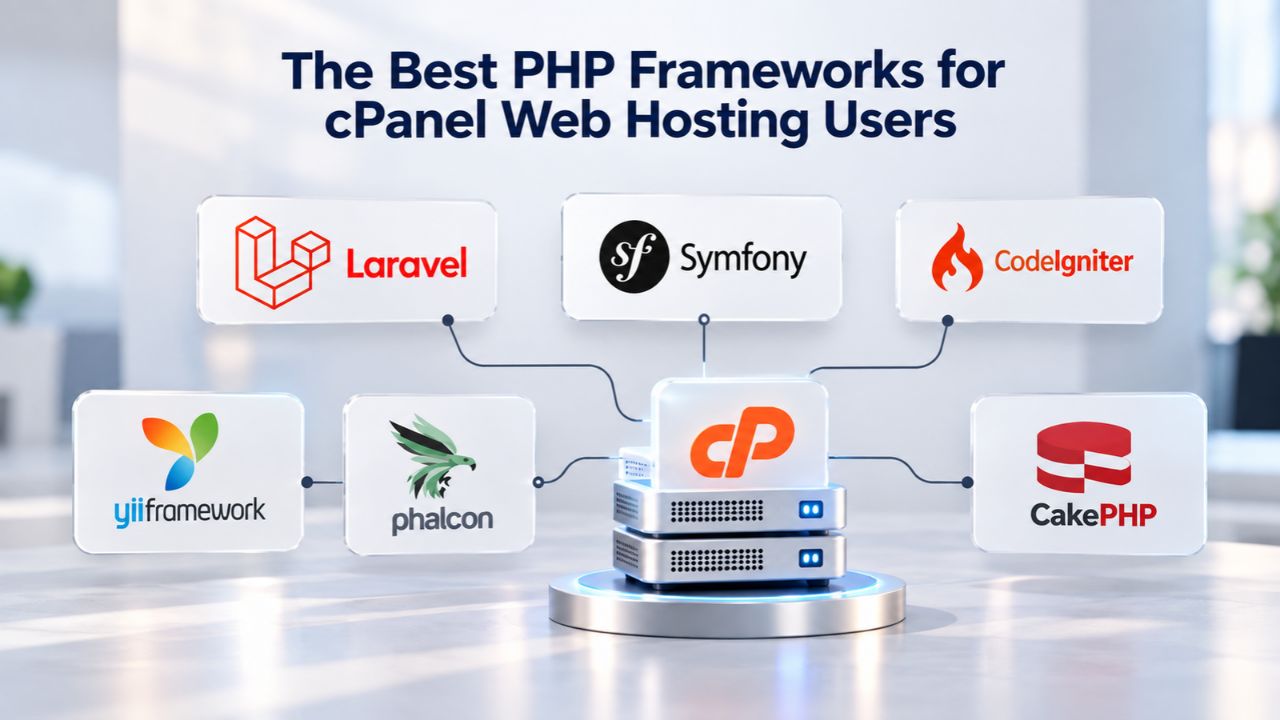
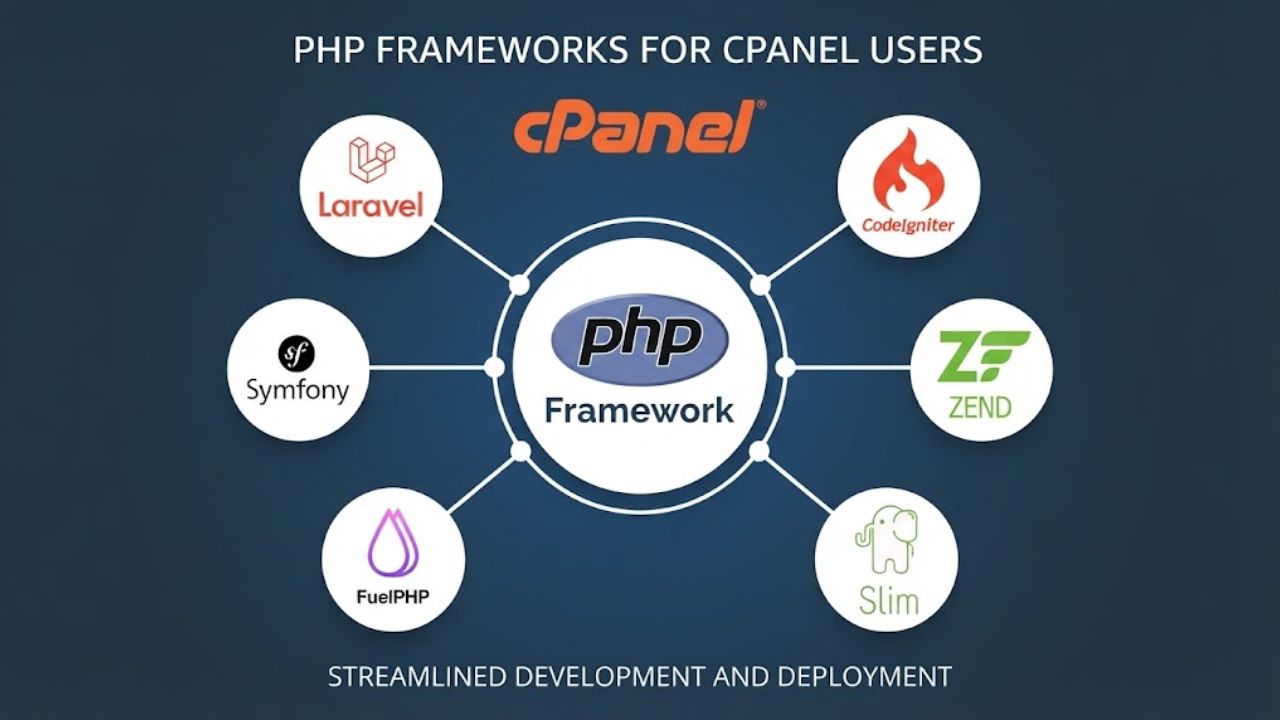
A PHP framework gives you a foundation of pre-written code for database access, authentication, templating, routing, and validation. Instead of building these core functions from scratch for every project, you start with a complete, battle-tested foundation. PHP powers approximately 77% of all websites that use server-side language, and popular PHP frameworks include Laravel, Symfony, CodeIgniter, CakePHP, and Yii, each offering unique benefits for different project types.
Frameworks enforce organized code structures that make maintenance easier and enable teams to collaborate effectively on larger projects. On cPanel shared hosting, the distinction between well-architected and poorly structured code becomes critical. A poorly structured site exhausts CPU and memory limits during traffic spikes, causing slowdowns or crashes that frustrate visitors and damage your reputation. A well-architected framework-based site scales gradually, responds faster even under increasing load, and maintains predictable resource usage that aligns with your actual traffic patterns.
Why Framework Efficiency Matters for Shared Hosting
The framework you select determines not only how quickly you develop but also how efficiently your server handles incoming requests from visitors. Page load speed is a ranking factor in Google’s algorithm and directly impacts user behavior; slow sites drive visitors away before they see your content. A one-second delay in page response reduces conversions by 7%, and 70% of consumers report that page speed significantly influences their purchase decisions.
On shared hosting, every megabyte of framework code consumes memory, every framework initialization routine takes CPU cycles, and these costs multiply rapidly under concurrent traffic from multiple visitors. A framework that runs efficiently on shared hosting leaves headroom for database queries, image processing, and third-party API calls without hitting resource limits. Choosing an appropriately lightweight framework for your project type is one of the best ways to maximize performance on shared hosting without paying for more expensive VPS infrastructure you may not need.
Business Web Hosting Plans & Pricing
Choose the hosting plan that fits your website, WordPress site, or growing business. Compare features, storage, performance, security, and website capacity to find the right hosting environment for your needs.
cPanel Starter
cPanel Hosting that's easy, reliable and lightning-fast.
- 1 website
- 30 GB storage
- Unmetered bandwidth*

cPanel Economy
cPanel Hosting that's easy, reliable and lightning-fast.
- 1 website
- 100 GB space
- Unlimited bandwidth*
- 100 email accounts**
- 10 MySQL databases (1 GB ea.)
cPanel Deluxe
cPanel Hosting that's easy, reliable and lightning-fast.
- Unlimited websites
- Unlimited space
- Unlimited bandwidth*
- 500 email accounts
- 25 MySQL databases (1 GB ea.)
cPanel Ultimate
cPanel Hosting that's easy, reliable and lightning-fast.
- Unlimited websites
- Unlimited space
- Unlimited bandwidth*
- 1000 email accounts
- Unlimited MySQL databases (1 GB ea.)
- 2X Processing power & memory (available for Linux/cPanel only)
- Premium DNS
- 1-year SSL certificate to secure customer data and increase search rankings
*We don't limit the amount of storage and bandwidth your site can use as long as it complies with our Hosting Agreement. Should your website bandwidth or storage usage present a risk to the stability, performance or uptime of our servers, we will notify you via email and may be required to upgrade, or we may restrict the resources your website is using.
**Email account storage is limited to 100 email accounts with 100 MB of total storage.
WordPress Basic
A great way to get started.
- 1 website
- 10 GB NVMe storage
- Unmetered bandwidth
- Free SSL Certificate *
- WordPress pre-installed
- Weekly backups
- Web Application Firewall
- Daily malware scans
- One-time malware removal

WordPress Deluxe
Improve your site performance with Cloudflare CDN.
- 1 website
- 20 GB NVMe storage
- Unmetered bandwidth
- Free SSL Certificate *
- WordPress pre-installed
- Daily backups
- Web Application Firewall
- Daily malware scans
- One-time malware removal
- Up to 2x faster performance with global Cloudflare CDN **
- Enhanced security with DDoS protection
- Staging site
WordPress Ultimate
Add online marketing with more sites, storage and security.
- 1 website
- 30 GB NVMe storage
- Unmetered bandwidth
- Free SSL Certificate *
- WordPress pre-installed
- Daily + on-demand backups
- Web Application Firewall
- Daily malware scans
- Unlimited malware removal
- Up to 2x faster performance with global Cloudflare CDN **
- Enhanced security with DDoS protection
- Staging site
- WordPress code optimizer
- Smart WordPress plugin manager
- Sell online with WooCommerce
*An SSL certificate is included with every site and free for the life of the hosting plan. Certificates are automatically installed, validated and renewed.
Web Hosting Plus Launch
For multiple basic sites.
- 100 GB storage*
- 4 GB RAM
- 2 CPUs
- Unmetered traffic
- 50 websites & databases
- Free, unlimited SSL for all your websites**

Web Hosting Plus Enhance
For high-traffic WordPress, Joomla, and other sites.
- 200 GB storage*
- 8 GB RAM
- 4 CPUs
- Unmetered traffic
- 100 websites & databases
- Free, unlimited SSL for all your websites**
Web Hosting Plus Grow
For advanced eCommerce sites like Magento.
- 300 GB storage*
- 16 GB RAM
- 8 CPUs
- Unmetered traffic
- 150 websites & databases
- Free, unlimited SSL for all your websites**
Web Hosting Plus Expand
For multiple basic sites.
- 400 GB storage*
- 32 GB RAM
- 16 CPUs
- Unmetered traffic
- 200 websites & databases
- Free, unlimited SSL for all your websites**
*The total amount of usable storage capacity for your particular Hosting Service(s) may differ from the represented capacity as there is required space for the operating system(s), system file(s) and other supporting file(s).
**If you cancel the Web Hosting Plus product, you will lose the associated SSL certificate as well.
Evaluating PHP Frameworks: Which Framework Fits cPanel Hosting?
Selecting a framework for cPanel hosting requires matching framework requirements against your hosting environment’s specific constraints and limitations. Different frameworks demand vastly different resources, and understanding these requirements before you commit code is essential for success. The table below compares major frameworks on memory usage, deployment requirements, and shared hosting suitability.
Framework Resource Footprint Determines Scalability
Resource consumption varies dramatically across frameworks, affecting everything from monthly bandwidth usage to response time under load. Laravel applications typically require at least 128MB of RAM for basic functionality, often 256MB or more in real-world scenarios with active plugins and database queries. In comparison, CodeIgniter is a lightweight framework of just 2MB, including documentation. On shared cPanel hosting, the typical memory_limit is 512 MB per account, with max_execution_time set to 90 seconds, a firm boundary that directly affects framework choice immediately.
A microframework like Slim requires only 32MB and has minimal dependencies, making it ideal for simple APIs and focused applications. A full-stack framework like Laravel includes templating engines, ORMs, authentication systems, and validation libraries, consuming significantly more resources but providing more features out of the box. The framework comparison table below illustrates how different frameworks perform against cPanel’s typical resource constraints. This data helps you match framework capabilities to your project needs and hosting constraints. Each framework sits at a different point on the spectrum between simplicity and feature completeness, and your choice depends on your project scope and your team’s comfort level with each platform.
| Framework | Memory Footprint | Composer Required | SSH/CLI Required | Shared Hosting Fit | Best For |
|---|---|---|---|---|---|
| Laravel | 256MB+ | Yes | Yes (Artisan) | Limited (workarounds) | Feature-rich applications, teams planning VPS upgrade |
| Symfony | 200MB+ | Yes | Yes | Limited (enterprise focus) | Large-scale enterprise projects, complex architectures |
| CodeIgniter | 64MB | Optional | No | Excellent | Rapid deployment, simplicity-first approach, shared hosting native |
| Slim | 32MB | Optional | No | Excellent | REST APIs, microservices, single-purpose applications |
| CakePHP | 128MB | Yes | Yes | Moderate | Convention-focused development, rapid prototyping |
| Yii | 100MB | Yes | Yes | Moderate | Component-based architecture, mid-size applications |
| Phalcon | 50MB | No (extension) | No | Good (if available) | Maximum performance, compiled C extension |
Deployment Workflow: Composer and SSH Requirements
Modern PHP frameworks rely on Composer (a package manager) and SSH/command-line access for installation and day-to-day operations. Laravel’s Artisan CLI is essential for database migrations, cache clearing, and route caching, operations most shared hosting providers don’t permit via SSH. CodeIgniter, by contrast, requires minimal setup: upload files, configure a single settings file, and your application runs immediately without any command-line interaction.
cPanel includes Softaculous, a one-click installer that simplifies deployment for supported applications. Softaculous deploys 400+ applications, including WordPress, Joomla, and Drupal, and automatically handles database creation and initial configuration. However, custom frameworks typically require manual setup via FTP and cPanel’s File Manager. If your chosen framework needs Composer and SSH access, and your shared hosting provider restricts shell access or prohibits it entirely, deployment becomes frustrating and error-prone. You’ll need to rely on workarounds like uploading precompiled vendor folders or building code locally and pushing compiled assets, none of which are elegant or efficient solutions for ongoing development.
Laravel: Power with Shared Hosting Trade-offs
Laravel has become the most popular modern PHP framework, beloved by developers for its elegant syntax and comprehensive ecosystem of tools and packages. Laravel is known for its elegant syntax and robust ecosystem, suitable for everything from small startups to large enterprise applications. It includes built-in authentication, email verification, routing with middleware support, caching layers, authorization systems, encryption utilities, and password reset functionality.
Why Laravel Shines (and Struggles) on Shared Hosting
Laravel’s strength is also its main challenge on shared hosting environments, where resources are constrained, and control is limited. The framework includes rich features, a Blade templating engine, Eloquent ORM for database abstraction, queue management systems, scheduled task runners, and numerous other capabilities that consume significant resources and assume command-line access for management. Laravel applications are database-intensive and on shared hosting face connection limits, query execution timeouts, and storage space restrictions; the framework requires specific server configurations that most shared hosting environments struggle to meet consistently.
The public directory must be set as the web root, which cPanel manages through public_html, requiring path adjustments and configuration changes that can make your deployment fragile. Installation and updates rely heavily on Composer, a PHP package manager that requires command-line (SSH) access to download and manage your application’s dependencies. These constraints make Laravel on shared hosting workable but not ideal, requiring workarounds at every step.
When Laravel Works Well and When It Doesn’t
Composer package installation requires SSH access to download and manage dependencies, and most cPanel providers either deny shell access entirely or limit it severely for security reasons. You can work around this limitation by uploading vendor folders manually via FTP or building your code locally and uploading compiled assets. Still, these workarounds are slow, error-prone, and not scalable as your project grows. For small sites with a few hundred visitors monthly and no advanced features, shared hosting can work with significant effort and workarounds.
Shared hosting offers affordability, easy management of a Laravel project with cPanel access, and often includes managed security, server maintenance, automated backups, and dedicated technical support. However, for production sites with meaningful traffic and real business requirements, a VPS becomes the practical, cost-effective choice. The friction of deployment workarounds disappears entirely on VPS infrastructure where you have SSH access and control over your environment.
CodeIgniter: Lightweight Simplicity for Shared Hosting
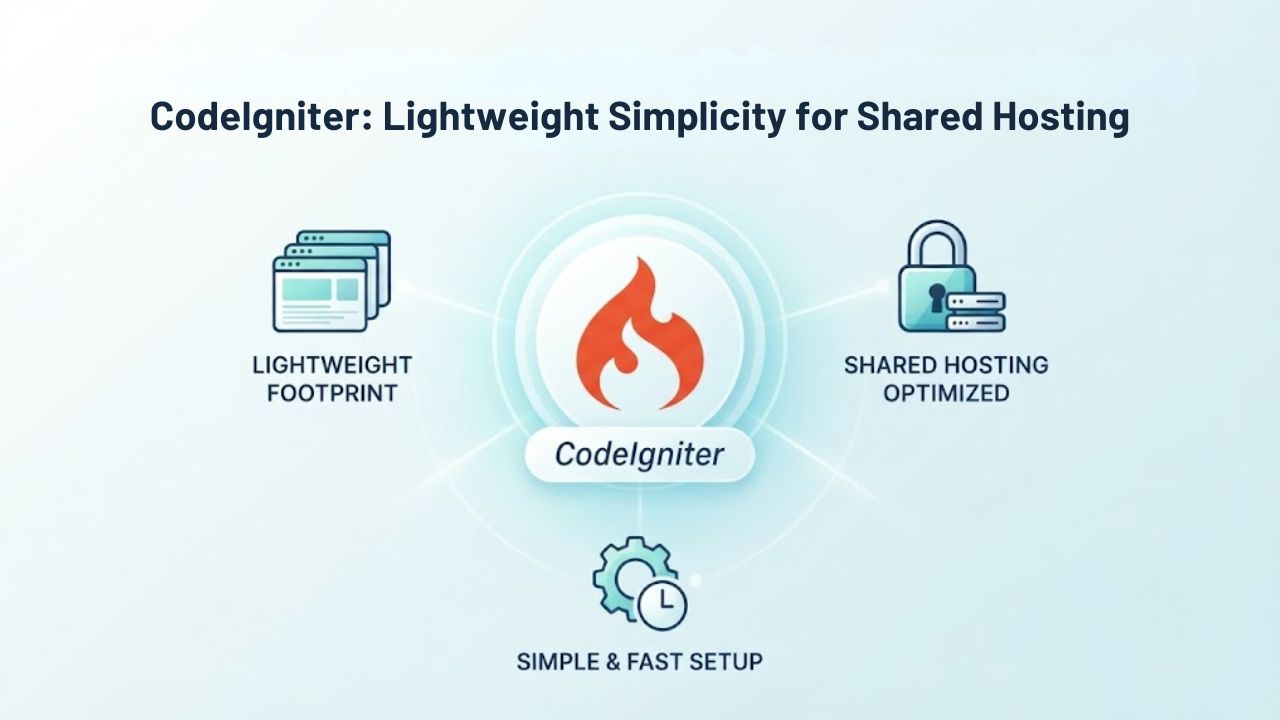
CodeIgniter is a lightweight framework known for its small footprint and suitability for shared hosting environments where resources are constrained and simplicity matters. CodeIgniter is noted for its small footprint and suits shared hosting settings because of its minimal resource requirements and straightforward configuration. At just 2MB, it’s trivial to upload via FTP in seconds. It requires no package manager, build step, command-line configuration, or initialization process.
Setup and Performance on cPanel
Installation is refreshingly straightforward, especially for developers accustomed to the complexity of modern frameworks with extensive initialization steps. Place the contents of CodeIgniter’s public folder in your domain’s Document Root; in cPanel, that’s public_html for your main domain. All other application directories live in your home directory outside the public web root, maintaining security and organization. You manage configuration through simple PHP files edited directly in cPanel’s file manager, not through command-line tools or package managers.
Database queries use CodeIgniter’s intuitive query builder or raw SQL, with no complex ORM abstraction layer to learn and debug. The framework provides just enough structure and tools without forcing you into a rigid architectural pattern. This means you have more responsibility for designing your application’s structure, but you also have complete visibility and control over every aspect of your code. For many developers, this clarity and simplicity is a feature, not a limitation.
When CodeIgniter Is the Right Choice
CodeIgniter is known for its simplicity and efficiency, with high-quality documentation and an active user community that regularly develops tutorials and extensions. For a straightforward business website, e-commerce store, or custom API, CodeIgniter is an ideal choice that works beautifully on shared hosting. You write more of your own code than in Laravel, which means more responsibility for architecture and more potential for bugs if you’re inexperienced, but also clearer control over your application’s behavior and performance characteristics.
This transparency makes it easier to optimize and troubleshoot performance issues on shared hosting. When you hit performance bottlenecks, you can immediately see which queries are slow, which functions consume the most memory, and where caching would help most. This direct visibility into your application’s behavior is invaluable when working within shared hosting’s resource constraints.
Symfony: Enterprise Scale and Shared Hosting Limits
Symfony is one of the world’s most powerful and popular frameworks for enterprise-scale projects, trusted by large organizations and complex applications worldwide. Symfony is built on reusable components and powers many well-known open-source projects including Drupal, Magento, OpenCart, and PHPBB; the framework predates most modern PHP frameworks and has earned trust over more than a decade of continuous development. Its component library is battle-tested through millions of deployments; components from Symfony actually power Laravel under the hood. Large development teams favor Symfony for its flexibility, comprehensive feature set, and ability to handle complex requirements.
Enterprise Features and Shared Hosting Limitations
Symfony is an enterprise-grade framework for teams building complex, long-lived applications with sophisticated requirements and evolving business logic. The framework provides comprehensive tools for dependency injection, event dispatching, form handling, validation, security, caching, and countless other concerns. Its component-based architecture lets teams use only the pieces they need, but even minimal Symfony installations carry substantial overhead compared to lightweight frameworks.
But shared hosting is where Symfony hits its practical limits and fundamental incompatibility becomes clear. The framework assumes resources and control that shared hosting doesn’t guarantee and requires Composer, command-line tools, and deep configuration knowledge beyond what typical shared hosting users have. Installation, updates, and day-to-day management require command-line access and comfort with advanced PHP configuration. Most shared hosting providers can run Symfony, but they don’t provide the SSH access and customization options Symfony development requires.
When to Choose Symfony and When to Look Elsewhere
Some hosting providers explicitly recommend that Symfony projects choose virtual server or cloud server hosting, as the requirements of Symfony make them incompatible with shared hosting cluster architecture. Symfony shines on managed VPS or cloud platforms where you control the entire environment, customize PHP settings, install extensions, and run background workers. On cPanel shared hosting, it’s technically possible but impractical for sites carrying real production traffic and meaningful business requirements.
Consider Symfony only when you’re ready to graduate beyond shared hosting to infrastructure that supports its full capability and complexity. If you’re building something sophisticated enough to need Symfony’s advanced features, you’re likely also ready for the infrastructure investment that Symfony development requires. Symfony and shared hosting don’t match; choose a lighter framework for shared hosting or invest in the VPS infrastructure Symfony deserves.
Ready to Scale Your PHP Framework with Confidence
Whether you’re building your first CodeIgniter site or scaling a mature Laravel application beyond shared hosting limits, the right infrastructure grows with you. Niya Digital’s cPanel hosting provides the foundation to start small and scale confidently as traffic increases. Monitor your resource usage monthly, plan infrastructure upgrades ahead of traffic spikes, and upgrade when your current tier can no longer support your growth.
Micro-Frameworks: Slim, Lumen, and Minimal Overhead
Micro-frameworks strip away everything except essential routing, middleware, and request handling, focusing entirely on performance and simplicity for focused tasks. Microframeworks like Slim suit simple APIs or microservices, with lightweight frameworks prioritizing performance over built-in features. Slim is a PHP micro-framework that lets you create REST APIs and lightweight applications in minutes without bloat or unnecessary overhead. These frameworks excel at specific, focused tasks where you don’t need a CMS, admin panel, built-in authentication, or all-in-one solution.
Shared Hosting Performance and Minimal Resource Usage
Micro-frameworks consume minimal resources: no database abstraction layer overhead, no template engine compilation, no authentication library bloat- just raw PHP execution speed dedicated to your application logic. You can run multiple instances of a lightweight micro-framework on a single shared hosting account without hitting resource limits, handling moderate to high traffic with minimal resource consumption. They require no Composer if you prefer to build without package dependencies, though Composer is available if you want to manage dependencies and third-party packages.
The simplicity of micro-frameworks gives you complete control over every aspect of your application and zero overhead from features you don’t use. There’s no templating engine running in the background, no ORM abstraction layer translating your queries, no authentication library sitting idle if you don’t need it. This radical simplicity makes micro-frameworks scream fast and run incredibly efficiently on shared hosting.
When Micro-Frameworks Are Ideal vs. When They Fall Short
For a simple API backend serving mobile applications, a webhook handler for third-party services, or a lightweight web service, micro-frameworks are ideal. They will outperform larger frameworks by orders of magnitude. However, you build more functionality yourself, requiring more development time and expertise. For a content-heavy blog or e-commerce store that needs rapid development with built-in features, a full-stack framework saves time despite its higher resource cost.
Choose based on your actual use case requirements, not on framework prestige or community size. If you need to build a full-featured application quickly and shared hosting resources allow it, a larger framework might save you months of development time. If you need raw speed and resource efficiency for a focused application, a micro-framework will outperform everything else. The best framework matches your actual requirements, not what looks best on paper or has the most GitHub stars.
Deployment Workflow: Getting Your PHP Framework Live on cPanel
Deploying a PHP framework on cPanel involves uploading your code, creating a MySQL database, configuring your framework’s database connection, and managing ongoing updates throughout your site’s lifetime. cPanel’s Softaculous installer handles popular CMSs well, but not custom frameworks built with Laravel, CodeIgniter, Slim, or others. Understanding the deployment process before you choose a framework is essential for success.
Manual Setup and cPanel Configuration
For custom frameworks, the process involves logging into cPanel’s File Manager, uploading your code to public_html or an appropriate subdirectory, creating a MySQL database through cPanel’s Database Wizard, noting the connection credentials, and configuring your framework to connect and run. You can find your hosting account’s current PHP version in your cPanel dashboard; to change it, go to the hosting control panel, find the version selector, choose your desired PHP version from the list, and save changes. This process takes minutes for simple frameworks like CodeIgniter, and hours for frameworks requiring Composer and complex setup.
The cPanel File Manager provides a web-based interface to upload files, edit configuration, and manage your site’s directory structure. You create MySQL databases and user accounts through cPanel’s Database Wizard, which generates connection credentials for your framework’s configuration file. This process is manageable for developers with basic technical knowledge and doesn’t require command-line experience, making cPanel developer-friendly for those new to server administration.
PHP Version Management and Ongoing Maintenance
cPanel typically supports multiple PHP versions (7.x, 8.x, occasionally newer releases) per domain, allowing you to switch versions if your framework requires a specific release or if plugins encounter compatibility issues. Some frameworks require minimum PHP versions (Laravel 11 requires PHP 8.2+, for example), and cPanel makes switching versions straightforward through the MultiPHP Manager. Always test version changes on non-production sites first to ensure your application remains compatible and functional after the switch.
Ongoing maintenance involves keeping your framework, plugins, and dependencies updated as new versions are released. For frameworks using Composer, you’ll need to handle updates manually or through automated tools if your host provides SSH access. For simpler frameworks like CodeIgniter, updates might involve uploading a new version and running a quick compatibility check. The easier the framework is to deploy, generally the easier it is to maintain over time.
Performance Optimization: Framework Choice Drives Page Speed
Every millisecond matters for search rankings and visitor satisfaction in today’s web environment. A one-second delay in page response can reduce conversions by 7%, and anything over three seconds feels slow to users, risking user dropout, lost revenue, and poor brand perception. Framework overhead contributes to Time to First Byte (TTFB), the time from browser request to the server sending the first data packet. A heavyweight framework with extensive initialization code has slower TTFB than a lightweight one.
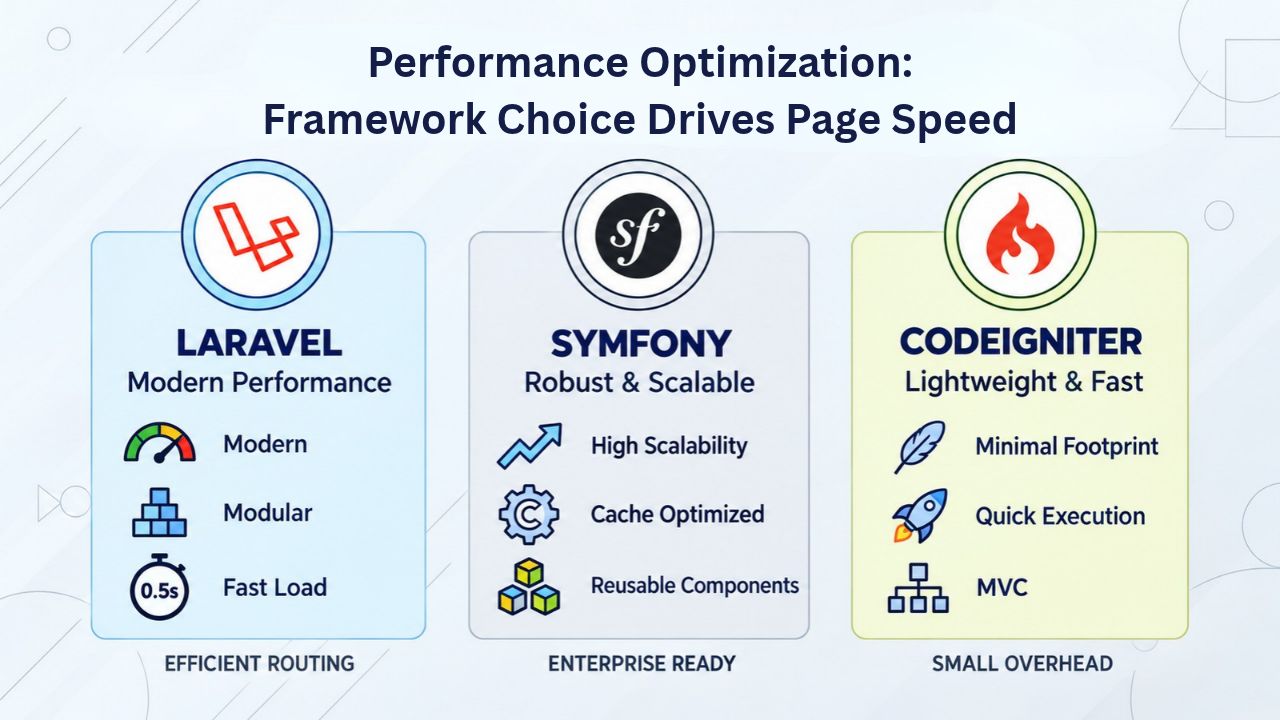
Framework Overhead and Resource Constraints on Shared Hosting
On shared hosting where CPU and memory are constrained, framework choice directly impacts whether you hit resource limits during traffic spikes and seasonal peaks. A framework that requires 256MB per request leaves only 256MB of headroom before hitting the account-level limit. In comparison, a framework requiring 64MB leaves 448MB for database queries, image processing, and concurrent requests. This difference becomes critical when your site experiences a traffic surge from social media or search engine referral.
Some frameworks are optimized for caching more easily than others, which can dramatically affect overall performance. Laravel includes built-in caching with multiple backends (Redis, Memcached, file-based database caching), allowing sophisticated cache strategies without additional development effort. CodeIgniter’s simpler architecture means less to cache automatically, but it also means you write more caching logic explicitly. On shared hosting, application-level caching (query result caching, computed value caching, output buffering) is critical for performance under load.
Caching Strategies and Identifying Bottlenecks
Choose a framework that supports caching well and matches your team’s ability to implement sophisticated cache strategies correctly. Most performance bottlenecks on shared hosting come not from the framework itself, but from unoptimized database queries, large uncompressed images, and poor caching strategy- factors any framework can address, but which require developer attention to fix properly. When you hit performance issues, you need clear visibility into where time is being spent: database queries, framework initialization, template rendering, or external API calls.
| Project Type | Recommended Framework | Setup Time | Shared Hosting Fit | Resource Tier |
|---|---|---|---|---|
| Blog or Small Business | CodeIgniter or WordPress | Hours to 1 day | Excellent | Starter (10–20GB) |
| E-commerce Store | CodeIgniter or Symfony | 2–5 days | Good (CodeIgniter better) | Standard (30GB+) |
| REST API or Microservice | Slim or Lumen | Hours to 1 day | Excellent | Starter (5–10GB) |
| MVP or Rapid Prototype | Laravel | 1–3 days | Moderate (workarounds) | Standard (30GB+) |
| Large Enterprise App | Symfony or Laravel | Weeks to months | Limited (VPS advised) | VPS recommended |
| Multi-tenant SaaS Platform | Laravel or Symfony | Months | No (VPS/Cloud required) | VPS or Cloud required |
Security and Maintenance: Keeping Framework-Based Sites Safe
Frameworks are actively developed; security patches roll out regularly to address discovered vulnerabilities and emerging threats. On shared hosting, you manage all updates yourself; no one automatically patches your Laravel installation or monitors for security issues. GoDaddy Web Hosting (cPanel) provides extended support for technologies outside the standard support period, including end-of-life PHP versions via Extended PHP Support as a paid add-on.
Dependency Management and Security Update Cycles
Extended support is not a substitute for upgrading to current, actively maintained versions of your framework and dependencies. Lightweight frameworks with fewer dependencies (CodeIgniter) are significantly easier to keep current with the latest security patches. Full-stack frameworks with large dependency trees (Laravel with hundreds of Composer packages) take more effort to update safely but benefit from an active developer community that discovers vulnerabilities quickly and releases patches.
Major framework updates typically follow regular schedules, with clear communication about breaking changes and migration paths. Laravel releases new minor versions quarterly and major versions annually, with long-term support (LTS) versions receiving bug fixes for two years and security fixes for three years. Symfony follows a similar schedule with long-term support versions. Staying current with these release cycles keeps your application secure and ensures you have access to the latest performance improvements and features.
Shared Hosting and Security Isolation Realities
Shared hosting means your account shares the server with others, potentially dozens or hundreds of other sites running various software versions and configurations. In shared hosting environments, if one website is compromised, the entire building could become vulnerable, and the breach could spread and lead to data loss. This isn’t a framework issue but an infrastructure reality you must accept when choosing shared hosting. Use strong passwords, keep frameworks updated regularly, follow secure coding practices, use parameterized queries to prevent SQL injection, validate all user input, and consider Web Application Firewalls.
Framework choice doesn’t eliminate shared hosting’s inherent risks, but it does affect how often security patches are released and how easy they are to apply. A framework actively maintained by a large community releases security updates quickly when vulnerabilities are discovered. An abandoned or slowly maintained framework leaves you vulnerable to known exploits for extended periods.
Knowing When to Outgrow Shared Hosting: The VPS Decision Point
When your application regularly hits resource limits, shows 508 Resource Limit Reached errors, slows unexpectedly, or struggles to handle traffic spikes, shared hosting no longer fits your needs, and you need an infrastructure upgrade. For long-running queue workers, Redis caching, Horizon job processing, or custom daemon processes, a VPS is better than shared hosting. If your framework requires specific PHP extensions your cPanel host doesn’t provide, or if you need root access to install custom modules or run background workers, VPS infrastructure is the next logical step.
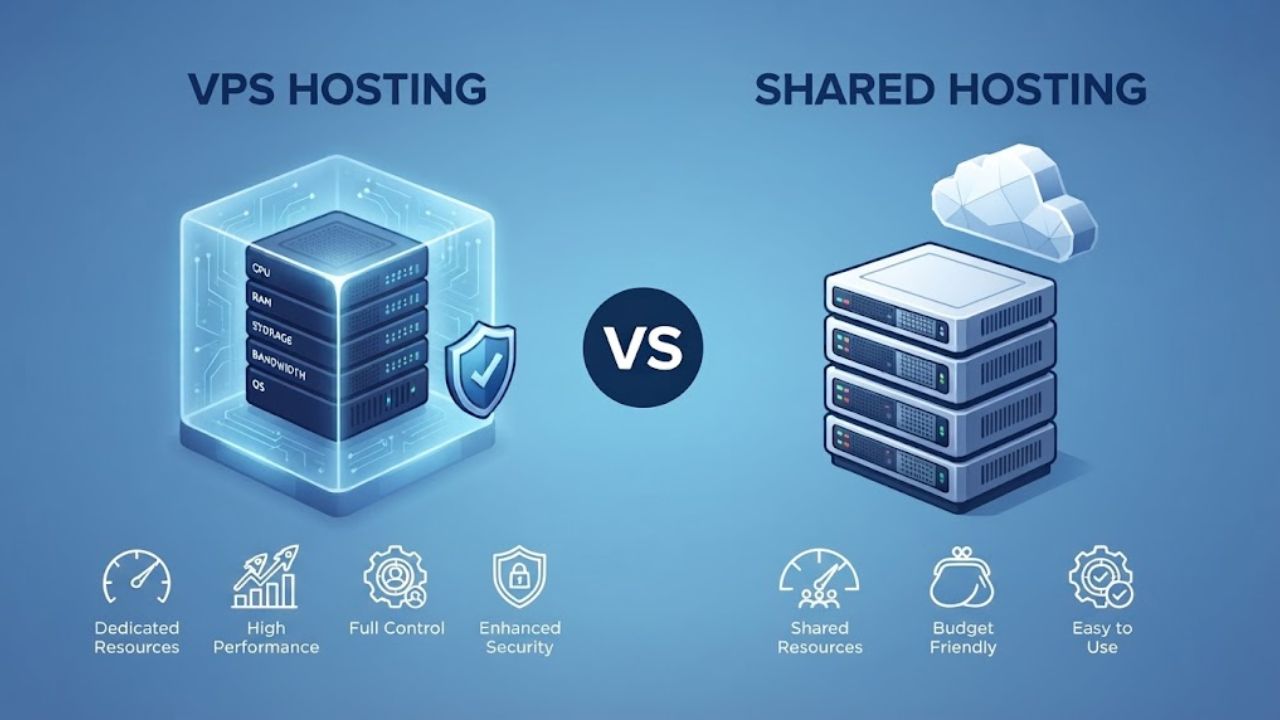
Signs Your Application Has Outgrown Shared Hosting
Scaling from shared to VPS isn’t a failure; it’s a natural progression and a sign your business is growing successfully and generating revenue that justifies infrastructure investment. You’ll recognize when it’s time to upgrade: your site receives frequent resource limit warnings, visitors experience slowdowns during peak traffic times, queue-based tasks (sending emails, processing images, generating reports) fail or time out, and you can’t install the PHP extensions or tools your framework needs. These clear signals indicate shared hosting has reached its limits for your specific application requirements.
Other signs include difficulty managing multiple concurrent users, timeouts during database-heavy operations, and inability to deploy advanced caching strategies because features are unavailable. You might also notice that your development team spends time working around shared hosting limitations instead of building new features. These inefficiencies add up in developer time and lost opportunities, making VPS infrastructure a productivity investment rather than just an expense.
Making the Transition with Confidence and Planning
Shared hosting is ideal for starting because it’s affordable and maintenance-free, requiring no server administration knowledge or ongoing management. VPS is the next tier when your site demands more control, more resources, more customization, or more sophisticated capabilities like background workers. Many successful products and services begin on shared hosting, grow their traffic, and graduate to VPS as they mature. This progression is normal and healthy; VPS hosting (still often cPanel-based) gives you more resources, more control over the server environment, and the ability to run the framework tooling your application needs.
The monthly cost rises, but so does capability. Alternatively, managed platforms like Laravel Forge, Heroku, or Vercel handle deployment automatically, removing infrastructure management entirely. Your choice depends on your team’s expertise and whether you prefer infrastructure control or simplicity and focus on application development. Plan your infrastructure upgrade before hitting limits to avoid emergency decisions made under stress.
Make the Smart Framework Choice for Your Hosting
Choosing the right PHP framework means balancing your project’s feature needs with your hosting environment’s resource limits and capabilities. Niya Digital’s Web Hosting includes full cPanel access, Softaculous one-click installer, support for multiple PHP versions, and managed security features. Start with infrastructure and a framework that match your project’s actual needs today, monitor your resource usage carefully as traffic grows, and upgrade your infrastructure tier when you’re ready to scale.
Frequently Asked Questions
Can I run Laravel on cPanel shared hosting?
A: Yes, but with significant limitations and workarounds required. Laravel requires Composer for package management and Artisan CLI for database migrations, cache clearing, and route caching, features most shared hosting providers restrict via SSH access. You’ll need workarounds like uploading vendor files manually via FTP or building locally and deploying compiled assets. For production sites with real traffic, a VPS is more practical and eliminates operational friction.
Which framework uses the least memory on shared hosting?
Micro-frameworks like Slim use about 32MB per request, while CodeIgniter typically uses around 64 MB. Full-stack frameworks like Laravel consume 256MB or more per concurrent request. Memory usage directly impacts how many concurrent requests your shared hosting can handle before hitting the account-level resource limits and triggering the 508 Resource Limit Reached error that blocks all access.
Does Softaculous install custom PHP frameworks?
No. Softaculous includes one-click installers for 400+ recognized popular applications like WordPress, Joomla, and Drupal, but not for custom frameworks like Laravel, CodeIgniter, or Slim. You’ll need to upload and manually configure these frameworks yourself through cPanel’s File Manager and text editors, which takes longer but gives you complete control over your installation.
How do I choose between Laravel and CodeIgniter?
Choose CodeIgniter if you want simplicity, minimal dependencies, easy deployment, and excellent shared hosting support without workarounds or complicated setup. Choose Laravel if you need rapid development, a comprehensive ecosystem of packages, rich built-in features, and have resources for workarounds or plan to upgrade to a VPS soon anyway.
Can I change PHP versions after deploying a framework?
Yes, absolutely. cPanel’s MultiPHP Manager lets you switch PHP versions per domain independently without affecting other domains. If your framework requires PHP 8.1 and your hosting defaults to PHP 8.0, you can change it directly from cPanel without modifying your framework code or requiring SSH access. Always test on non-production sites first.
What happens if my framework hits the memory limit?
Your site will return an error or crash, displaying a 500 Internal Server Error or similar message to visitors. cPanel shows a 512MB per-account maximum, but the default is often 128–256MB. You can request an increase through your host’s support, but there’s a hard ceiling. Consistently hitting memory limits clearly signals your site has grown beyond shared hosting’s capacity.
Are there security risks running frameworks on shared hosting?
The framework itself isn’t the security risk, but the shared server is inherently less isolated than VPS or dedicated infrastructure. If another account is compromised, yours is at risk too. Mitigate by using strong, unique passwords, keeping frameworks and dependencies updated regularly, following secure coding practices, validating all user input, and using a Web Application Firewall.
How often should I update my PHP framework?
Regularly, at least quarterly at minimum for security reasons. Frameworks release security patches frequently when vulnerabilities are discovered. Set a schedule to review Composer updates for Laravel or check framework release notes monthly. On shared hosting, you’re responsible for updates; no one updates them automatically or notifies you of security patches.
Can I use Node.js or Python frameworks on cPanel hosting?
Most cPanel hosting supports PHP natively; Node.js and Python require special support and often aren’t available on shared hosting plans. Check with your host first before making framework decisions based on non-PHP languages. Niya Digital’s Web Hosting focuses on PHP and its ecosystem. For non-PHP frameworks, a VPS or cloud platform like Heroku is simpler.
When should I upgrade from shared hosting to VPS?
When you hit resource limits regularly, see 508 errors, need SSH access for Composer and framework tools, want to run background queue workers, or require custom server configurations and extensions. These are clear signals your application has outgrown shared hosting and needs VPS resources, control, and capability.
What’s the difference between Softaculous and manual framework installation?
Softaculous automates installation of recognized applications like WordPress in minutes; manual installation takes longer but gives full control over your setup. Use Softaculous for WordPress, Joomla, and Drupal. Use manual setup for CodeIgniter, Slim, and custom frameworks. The trade-off is convenience versus flexibility and control.
Can I run multiple frameworks on the same cPanel account?
Yes, if you have multiple domains registered in your account. Each domain can have its own framework, database, and configuration independently. cPanel manages each domain separately. This is a major advantage of shared hosting: you can experiment with different frameworks without buying multiple hosting accounts.
Is the 99.9% uptime promise reliable?
A 99.9% uptime guarantee applies to the server average, not your individual site specifically. If another account crashes the server or uses all available CPU, your site is affected too. Uptime also depends on your framework’s code quality, your site’s configuration, and your security practices, not just the hosting provider.
What PHP extensions does cPanel support?
Most cPanel hosts support common extensions (cURL, mbstring, PDO, JSON, OpenSSL, and others). Check your host’s documentation for the complete list. If your framework needs a specific extension not listed, verify availability before choosing that framework or selecting that hosting provider for deployment.
How do I migrate from shared hosting to VPS?
Most hosting providers offer migration assistance. Upload your framework files to the VPS, create databases, update configuration files with new database credentials, and point your domain DNS to the new server. Many hosts offer free migration support to make the transition smooth and minimize downtime during the switchover.
Glossary
- Web Hosting: Infrastructure and services making your website accessible to visitors 24/7 across the internet, including server hardware, network connectivity, disk storage, automated backups, and customer support services.
- cPanel: The industry-leading web hosting control panel, a graphical interface for managing domains, databases, email accounts, files, backups, and security settings without command-line access required.
- Framework: A collection of pre-written code, libraries, and architectural patterns providing a structured foundation for building web applications, saving development time and enforcing best practices.
- Composer: A PHP package manager handling downloading, installing, and organizing third-party libraries and dependencies your PHP application needs; requires command-line access to function.
- Softaculous: A one-click application installer built into cPanel, enabling installation of 400+ CMSs and popular applications in minutes without manual file uploads or database setup required.
- ORM (Object-Relational Mapping): A programming technique representing database tables and rows as objects in code, allowing you to query databases using code methods instead of raw SQL queries.
- CLI (Command-Line Interface): A text-based way to interact with your server by typing commands instead of clicking a graphical interface; requires an SSH (Secure Shell) connection.
- Artisan: Laravel’s command-line interface tool for running migrations, clearing caches, managing routes, and performing administrative tasks; requires SSH access to execute.