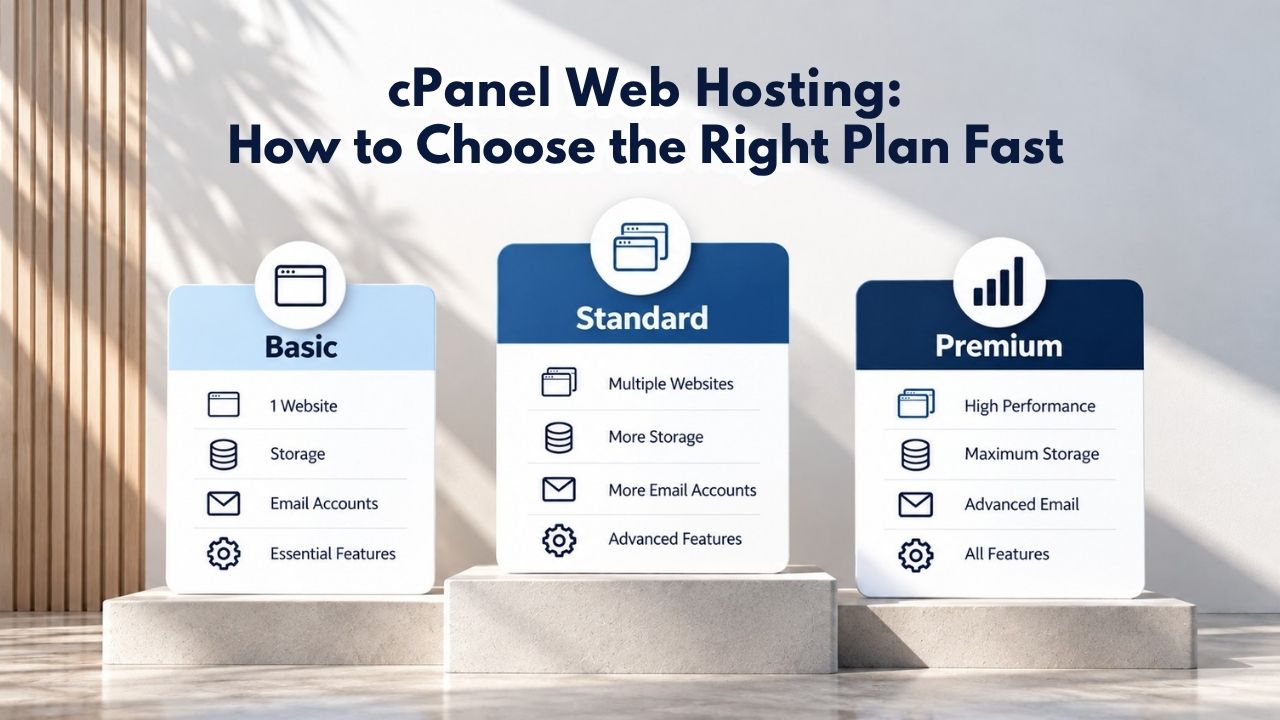
Why Plan Size Matters for Website Success
When you choose a cPanel web hosting plan, you’re selecting both storage capacity and CPU/RAM resources. Storage determines how much data, files, databases, and emails you can keep on the server. CPU and RAM limits determine how many concurrent visitors your site can handle before it slows down or hits resource caps that throttle performance.
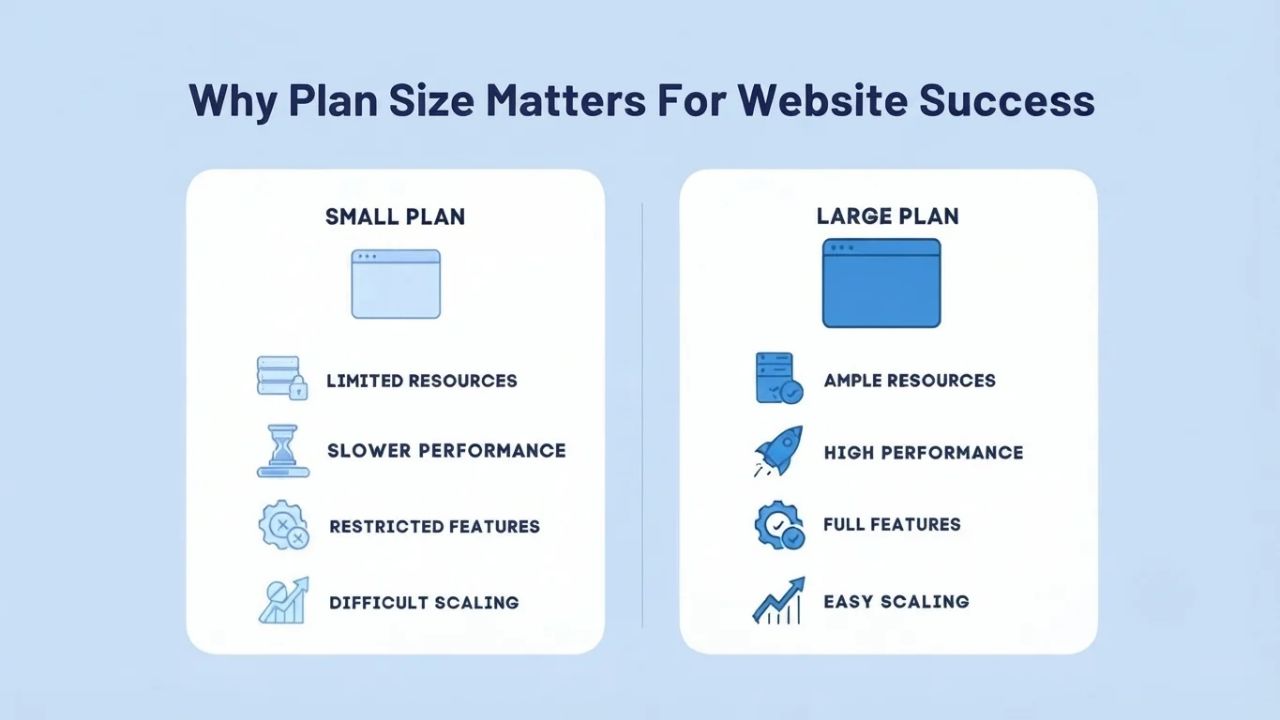
The Real Cost of Undersizing
A site running on an undersized plan experiences measurable, concrete problems that directly impact your business. When storage fills up, your database stops accepting new records, email accounts can’t receive new messages, and automated backups may fail silently, leaving you with no recovery point if something goes wrong. When CPU or memory limits are reached, the server queues requests instead of processing them immediately, causing page load times to climb from milliseconds to seconds. Studies show that 40% of users abandon a site that takes longer than three seconds to load. Slow page load times also harm SEO rankings because search engines like Google use page speed as a core ranking factor.
An undersized plan that degrades performance doesn’t just create a poor user experience; it directly cuts into your business results through lost visitors, lower search visibility, and reduced conversion rates in your sales funnel. Beyond immediate performance issues, undersizing forces crisis-mode upgrades mid-year. Instead of planning resource growth over time, you end up scrambling to upgrade when a traffic spike or new feature pushes you over the limit. Niya Digital’s team has found that customers who assess traffic and storage needs before purchase and monitor usage consistently avoid most mid-plan rescales and the associated downtime risk.
Understanding the Trade-offs of Oversizing
Oversizing carries less urgent risk than undersizing but still wastes resources and money. If you pay for storage and CPU capacity you don’t use, you overspend month to month on unused capacity that provides no benefit. However, oversizing does offer a real advantage: it buys you time and headroom. A plan with generous resource allocation prevents surprise limits, eliminates the stress of monitoring approaching caps, and simplifies growth planning.
Many small business owners choose to oversize deliberately in year one, accepting the cost difference in exchange for stability and the flexibility to focus on growing the business rather than managing hosting resources. The trade-off depends on your budget and risk tolerance. If budget allows, oversize for peace of mind; if budget is tight, right-size based on current needs plus 12 months of projected growth. Either approach is valid; what matters is choosing consciously, not accidentally.
Business Web Hosting Plans & Pricing
Choose the hosting plan that fits your website, WordPress site, or growing business. Compare features, storage, performance, security, and website capacity to find the right hosting environment for your needs.
cPanel Starter
cPanel Hosting that's easy, reliable and lightning-fast.
- 1 website
- 30 GB storage
- Unmetered bandwidth*

cPanel Economy
cPanel Hosting that's easy, reliable and lightning-fast.
- 1 website
- 100 GB space
- Unlimited bandwidth*
- 100 email accounts**
- 10 MySQL databases (1 GB ea.)
cPanel Deluxe
cPanel Hosting that's easy, reliable and lightning-fast.
- Unlimited websites
- Unlimited space
- Unlimited bandwidth*
- 500 email accounts
- 25 MySQL databases (1 GB ea.)
cPanel Ultimate
cPanel Hosting that's easy, reliable and lightning-fast.
- Unlimited websites
- Unlimited space
- Unlimited bandwidth*
- 1000 email accounts
- Unlimited MySQL databases (1 GB ea.)
- 2X Processing power & memory (available for Linux/cPanel only)
- Premium DNS
- 1-year SSL certificate to secure customer data and increase search rankings
*We don't limit the amount of storage and bandwidth your site can use as long as it complies with our Hosting Agreement. Should your website bandwidth or storage usage present a risk to the stability, performance or uptime of our servers, we will notify you via email and may be required to upgrade, or we may restrict the resources your website is using.
**Email account storage is limited to 100 email accounts with 100 MB of total storage.
WordPress Basic
A great way to get started.
- 1 website
- 10 GB NVMe storage
- Unmetered bandwidth
- Free SSL Certificate *
- WordPress pre-installed
- Weekly backups
- Web Application Firewall
- Daily malware scans
- One-time malware removal

WordPress Deluxe
Improve your site performance with Cloudflare CDN.
- 1 website
- 20 GB NVMe storage
- Unmetered bandwidth
- Free SSL Certificate *
- WordPress pre-installed
- Daily backups
- Web Application Firewall
- Daily malware scans
- One-time malware removal
- Up to 2x faster performance with global Cloudflare CDN **
- Enhanced security with DDoS protection
- Staging site
WordPress Ultimate
Add online marketing with more sites, storage and security.
- 1 website
- 30 GB NVMe storage
- Unmetered bandwidth
- Free SSL Certificate *
- WordPress pre-installed
- Daily + on-demand backups
- Web Application Firewall
- Daily malware scans
- Unlimited malware removal
- Up to 2x faster performance with global Cloudflare CDN **
- Enhanced security with DDoS protection
- Staging site
- WordPress code optimizer
- Smart WordPress plugin manager
- Sell online with WooCommerce
*An SSL certificate is included with every site and free for the life of the hosting plan. Certificates are automatically installed, validated and renewed.
Web Hosting Plus Launch
For multiple basic sites.
- 100 GB storage*
- 4 GB RAM
- 2 CPUs
- Unmetered traffic
- 50 websites & databases
- Free, unlimited SSL for all your websites**

Web Hosting Plus Enhance
For high-traffic WordPress, Joomla, and other sites.
- 200 GB storage*
- 8 GB RAM
- 4 CPUs
- Unmetered traffic
- 100 websites & databases
- Free, unlimited SSL for all your websites**
Web Hosting Plus Grow
For advanced eCommerce sites like Magento.
- 300 GB storage*
- 16 GB RAM
- 8 CPUs
- Unmetered traffic
- 150 websites & databases
- Free, unlimited SSL for all your websites**
Web Hosting Plus Expand
For multiple basic sites.
- 400 GB storage*
- 32 GB RAM
- 16 CPUs
- Unmetered traffic
- 200 websites & databases
- Free, unlimited SSL for all your websites**
*The total amount of usable storage capacity for your particular Hosting Service(s) may differ from the represented capacity as there is required space for the operating system(s), system file(s) and other supporting file(s).
**If you cancel the Web Hosting Plus product, you will lose the associated SSL certificate as well.
Understanding cPanel-Based Hosting Plans and Resource Tiers
cPanel is a widely used control-panel software that lets you manage your hosting account via a graphical interface instead of server command lines. Most shared and managed web hosting plans include cPanel access, and the plan tier you choose determines your resource allocations and available features. GoDaddy’s cPanel Web Hosting, which Niya Digital resells through its authorized reseller partnership, organizes plans into four distinct tiers designed to match different site sizes and traffic patterns.
How Plan Tiers Scale Across Hosting Resources
The entry-level tier provides 100 GB of fixed storage, 512 MB of RAM allocated to your account, and supports 20 concurrent connections. This tier is designed for small blogs, portfolios, and informational sites with modest traffic and light resource use. The business tier increases storage to unlimited capacity, maintains 512 MB RAM, and supports 30 concurrent connections. This jump to unlimited storage is significant; it removes the storage cap constraint while keeping other resources moderate for cost efficiency. The premium tier offers unlimited storage, 1 GB RAM, and 40 concurrent connections, suitable for small e-commerce operations and content-heavy sites with meaningful visitor volume.
The highest tier offers unlimited storage, 2 GB RAM, and 50 concurrent connections, designed for agencies managing multiple sites, high-traffic properties, or sophisticated applications demanding sustained computational resources. Every cPanel plan includes the control panel itself, one-click installers for WordPress, WooCommerce, and other CMS platforms, domain and DNS management tools, email hosting with mailbox limits per tier, MySQL database creation and management, automatic SSL certificates, backup functionality, and access to security and performance optimization tools. Most plans also include unmetered bandwidth, a critical feature that means data transfers don’t count against a monthly quota.
What the GoDaddy Infrastructure Means for Your Site
Niya Digital resells hosting infrastructure operated by GoDaddy, one of the world’s largest hosting providers managing over 75 million domains. GoDaddy’s resource-limit documentation specifies that entry-tier plans allow 20 concurrent connections, meaning up to 20 visitor requests can be processed simultaneously. Business tiers allow 30–40 concurrent connections; premium tiers allow 50. Concurrent connections matter because each visitor interaction consumes one connection. If your plan allows 20 concurrent connections and 21 visitors request pages at the same moment, the 21st request queues and waits, slowing that visitor’s page load.
Understanding this limit helps you assess whether a plan can handle your expected traffic without performance degradation during peak hours or promotional events. Unmetered bandwidth protects you from surprise overage charges if traffic spikes during a product launch, viral moment, or seasonal promotion. This infrastructure is robust and well-maintained, but it’s important to understand what you’re getting: you’re renting space on GoDaddy’s servers and network, not getting an isolated, dedicated environment. Shared hosting means other sites share the same physical server with you, though resource limits prevent any single account from impacting others too severely.
Assessing Your Site’s Resource Requirements Before Choosing
Choosing the right plan starts with an honest assessment of what your site actually needs. The primary drivers are expected traffic measured in concurrent users, total data storage for files, databases, and media, application requirements like PHP memory allocation, and growth headroom accounting for expansion over the coming year. Traffic is the number of visitors your site receives, but what matters for plan selection is concurrent users, how many people are actively on your site at the same moment, consuming server resources.
Calculating Storage, Databases, and Traffic Patterns
A personal blog or portfolio site with 5,000 monthly visitors might experience only 1–2 concurrent users at peak browsing times. An online store with 10,000 monthly visitors could hit 10–20 concurrent users simultaneously during sales events or promotions. A news or content site with sudden viral popularity might spike from 5 concurrent users to 100 in minutes. Each traffic pattern requires different resource planning. Storage capacity determines how much data your site can hold. A static HTML blog with 50 posts and no media might use 50 MB total. A WordPress blog with 200 posts, featured images, and plugins could use 2–5 GB.
An online store with hundreds of product images, customer databases, and years of order history could exceed 10 GB without optimization. Database size matters separately because each product listing, customer record, and transaction creates database entries. WordPress, WooCommerce, and PrestaShop all rely on MySQL databases. Sizing the plan means ensuring the database storage allocation and connection limits support your projected growth. GoDaddy cPanel plans cap individual databases at 1 GB by default, with different tiers limiting the total number of databases you can create. Entry-tier plans allow 10 databases; business tiers allow 25; premium tiers allow unlimited.
Understanding Application-Specific Resource Footprints
Before choosing a plan, estimate your current storage usage by checking your site’s actual disk footprint. Then calculate your monthly growth rate: how much new content, media, and data you add each month. Multiply monthly growth by 12 to project one year of expansion. For example, if your site currently uses 2 GB and grows 100 MB per month, you’ll need about 3.2 GB in a year. Choose a plan that accommodates this projection plus a 20% buffer for safety and unexpected needs. Different applications and CMS platforms have different resource requirements that you must account for when selecting a plan.
WordPress typically needs 128 MB of PHP memory per request; complex sites with multiple plugins and themes often need 256 MB or more to handle concurrent requests smoothly. WooCommerce (a WordPress e-commerce plugin) often needs 256+ MB because shopping-cart operations, payment processing, and inventory management are memory-intensive. PHP frameworks like Laravel need similar allocations for their runtime environments.
Before choosing a plan, check your application’s documented system requirements on its official documentation site. If a CMS requires PHP 7.4 or higher and your plan supports PHP 8.0, you’re covered. If it requires 512 MB of PHP memory per process and your plan tier allocates only 512 MB total RAM to your entire account, you’re at the edge of failure when multiple requests run simultaneously.
Choosing the Right Plan by Site Type and Growth Stage
Different site types have predictable resource profiles and growth patterns. Matching your site type to a recommended tier significantly reduces the risk of undersizing or overspending. A personal blog or professional portfolio site typically needs minimal resources because content is mostly static and visitors browse at their own pace without heavy processing. Typical usage is 1–5 GB of storage, with 100–500 monthly visitors generating only 0.1–0.5 concurrent users at peak times.
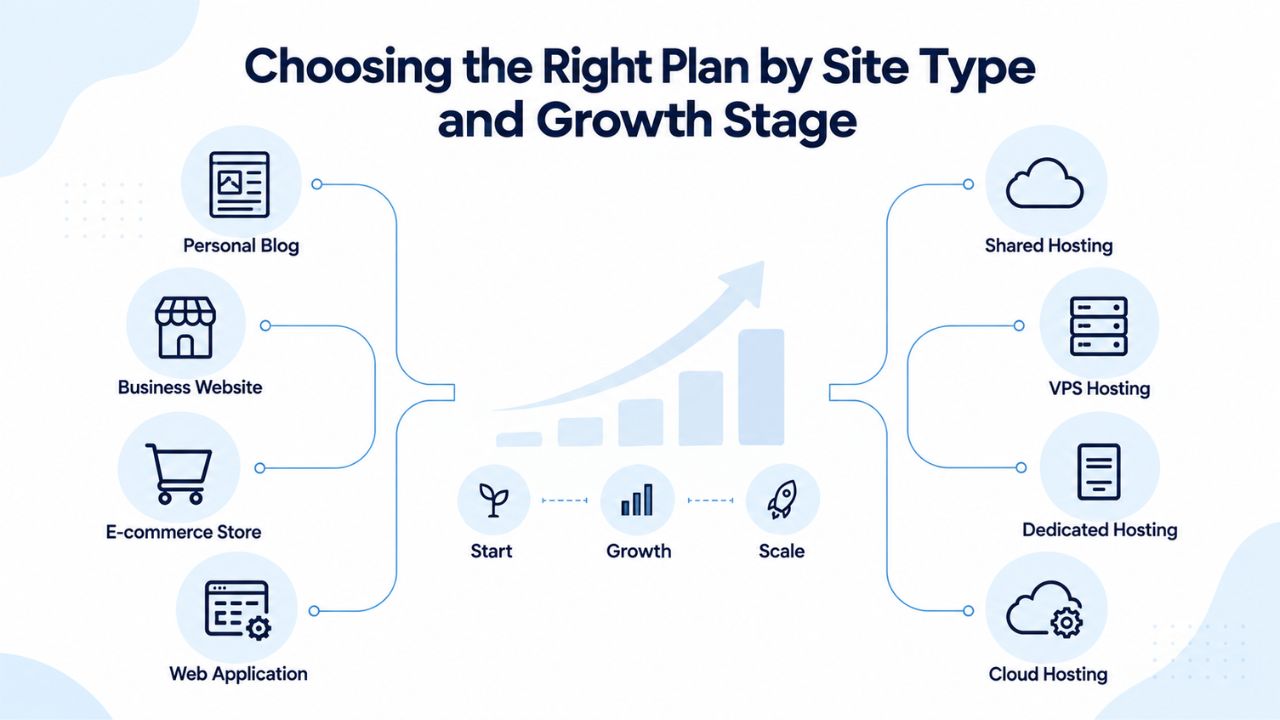
Matching Site Categories to Plan Tiers
An entry-tier plan (Economy or Deluxe) is usually sufficient for blogs and portfolios. These tiers include cPanel, one-click WordPress setup, 100–500 email accounts, and 10–25 database limits, which is more than a single-blog operation needs. Cost is the primary factor here; both tiers are affordable, and neither will be constrained by a blog’s typical traffic pattern or resource consumption. An online store has substantially higher resource needs. Product pages need images and descriptions; category pages need filtering and sorting; the shopping cart requires processing; and the database must store inventory, orders, and customer records.
A store with 100–500 products typically uses 5–20 GB of storage; peak traffic during sales events or seasonal promotions can spike concurrent users to 10–20 simultaneously. WooCommerce (a WordPress e-commerce plugin) and PrestaShop both need at least 256 MB of PHP memory per request and enough database capacity for product data, customer records, and transaction history. An entry-tier plan often falls short because of RAM and concurrent-connection limits. A business-tier plan (Ultimate) with 1 GB RAM, unlimited databases, and 40 concurrent connections typically handles this workload comfortably, with performance stability during traffic spikes.
Multi-Site Hosting and Enterprise Hosting Needs
If you’re hosting multiple client sites or managing an agency portfolio, a single-site plan is the wrong choice from the start. A business-tier or premium plan must support unlimited domains (add-on domains) and high resource allocation. GoDaddy Ultimate and Maximum plans both support unlimited websites and subdomains, allocate 1+ GB RAM and 40+ concurrent connections per account, and support reseller hosting features that let you create sub-accounts for each client with separate billing. This capability is critical for agencies; managing 5, 10, or 20 client sites from one account without resource contention is essential for scale and operational efficiency.
| Site Type | Typical Storage | Monthly Visitors | Concurrent Users (Peak) | Recommended Tier | Why This Tier Fits |
|---|---|---|---|---|---|
| Blog / Portfolio | 1–5 GB | 100–500 | 0.1–0.5 | Economy / Deluxe | Low concurrent traffic; entry-tier CPU/RAM/connections sufficient |
| Small E-Commerce | 5–20 GB | 1,000–5,000 | 5–20 | Ultimate | Requires 1 GB RAM and 40 concurrent connections for cart processing and database queries |
| Content / News Site | 10–50 GB | 5,000–20,000 | 20–50 | Maximum | High database reads during traffic surges; 2 GB RAM and 50 connections needed |
| Agency / Multi-Site | 20–100+ GB | Varies by client | 5–30+ per site | Maximum + Reseller | Unlimited subdomains, databases, email; reseller tier allows client sub-accounts |
| SaaS / Application | 5–50 GB | 1,000–10,000 | 10–30 | Ultimate / Maximum | Persistent database connections and API requests require sustained CPU and memory |
Monitoring Your Plan Fit Using cPanel’s Built-in Tools
Once you’re on a plan, cPanel provides real-time tools to track whether the plan is the right fit for your site’s actual performance. These tools are invaluable for deciding whether to upgrade before you hit limits and experience performance degradation. Log in to cPanel and navigate to the Metrics section. Inside, you’ll find the “Resource Usage” and “Disk Usage” tools that give you a complete picture of your account’s resource consumption.
Understanding the Resource Usage Dashboard
The Resource Usage dashboard displays graphs of your account’s CPU usage, memory (RAM) consumption, entry processes (concurrent connections), and I/O (disk read/write speed) usage over the past 24 hours or a custom timeframe you select. This dashboard shows not just current usage but historical peaks and patterns. If your site spiked to 80% of the entry-process limit during a traffic surge yesterday, the dashboard will clearly show that spike. The “Current Usage” tab gives you a live snapshot of what’s happening right now; the “Dashboard” tab shows whether you’ve ever hit a limit in the past 24 hours, flagged in red if you have.
This distinction matters because single spikes are often temporary events (a backup running, a bulk import processing, or a promotional traffic burst). In contrast, repeated spikes during business hours signal that your plan is genuinely undersized for your normal workload. The Disk Usage tool shows a detailed breakdown of what’s consuming storage: your website files, databases, email accounts, and backups all appear as separate line items with their individual sizes.
If you’re approaching your storage limit at 80% or higher and can’t immediately identify what’s consuming the space, this tool pinpoints the culprit. You might discover that old backups consume 30% of your storage, that a database has grown unexpectedly, or that email accounts have accumulated years of messages and large attachments.
Acting on Monitoring Signals to Plan Ahead
Each discovery points to a specific action: archive or delete old backups, optimize database queries, or clean up old email. Database usage is particularly critical for e-commerce and CMS sites because database growth is often invisible; you don’t see it as file accumulation the way you see downloaded files on your computer. Monitor your cPanel dashboard monthly and watch for three warning patterns:
(1) disk usage consistently above 70% and climbing,
(2) entry-process usage regularly hitting 80% or higher of the limit during peak hours,
(3) database approaching the per-database size limits, hitting 800 MB on a 1 GB limit.
When any of these patterns emerge, start planning an upgrade. Don’t wait until you hit 100% and the site stops working; overshooting a limit often causes request failures. It may briefly take the site offline, creating a poor visitor experience and damaging your search engine trust signal. Most hosting providers, including GoDaddy, let you upgrade between plan tiers without downtime or data loss. Typically, you request an upgrade in your account dashboard, select your new tier, and the change takes effect immediately or within a few hours. Your existing data, files, databases, and emails are fully preserved; you gain access to higher resource limits.
Explore Web Hosting Plans
Choosing the right cPanel plan means understanding your traffic and storage needs upfront. Niya Digital provides personalized setup support to help you select the optimal tier and confirm it remains a good fit as your site grows. If you’re ready to launch or migrate to reliable cPanel hosting with expert guidance, explore our hosting plans and connect with our team to discuss your specific requirements.
Common Plan-Selection Mistakes That Cost Businesses
Years of observing site owners making hosting decisions reveals predictable patterns of error. Learning from these mistakes can save you significant time, money, and performance headaches. Many people choose based only on the lowest upfront cost, attracted by entry-tier plans at the cheapest available rate. However, an entry-tier plan that’s a few dollars per month cheaper than the next tier often fails when traffic grows, or your application demands increase. The cost difference over a year is minimal, but the cost of a slow site that loses customers, ranks poorly in search results, or experiences unexpected downtime is far higher.
The Price-Based Decision and Renewal Surprises
The calculation changes when you factor in business impact, not hosting cost alone. An underperforming plan that loses one customer or one day of sales costs far more than the few dollars you saved on hosting. Hosting companies typically offer promotional pricing for the first year or term, then charge a higher renewal rate after your contract expires. A plan advertised at one rate might renew at a significantly higher rate. Check the renewal cost before committing to a plan. If renewal pricing is much higher and your budget won’t absorb it, factor that into your decision now.
Knowing this upfront prevents surprise bills at renewal and lets you negotiate, plan for the increase, or proactively migrate if needed. Entry-tier plans often cap email accounts at 100; business tiers allow 500 or unlimited. If you’re a solopreneur or small team with just a few email addresses, the entry tier is fine. If you’re a growing company planning to add staff, or if you want to create branded email forwarding addresses for different departments (support@, sales@, info@, billing@), the email account limit matters. Running out of email slots mid-year forces a plan upgrade when you need to add just one more user- poor planning that could be avoided with foresight.
Other Oversight Areas and Growth Planning
If you’re currently hitting 50% of your database connection limit and you expect traffic to double within 12 months, you’ll hit 100% in six months, right in the middle of your peak season. Choose a plan that accommodates not just your current needs but reasonable growth over the next year.
All cPanel plans support backups, but frequency and retention vary significantly by tier. Entry tiers often support weekly backups with 14-day retention; business tiers support daily backups with 30-day retention. If your site handles customer data, financial transactions, or critical business content, daily backups are essential, as they limit potential data loss to 24 hours if something goes wrong.
Planning for Compliance, Security, and Long-term Cost Sustainability
Your plan choice has implications beyond just performance and storage. Compliance requirements, security features, and renewal costs all play important roles in selecting a plan that works for your business long-term. If your site must comply with GDPR (EU data protection), CCPA (California consumer privacy), PCI DSS (payment card industry security standards), or similar regulations, confirm that your plan tier supports the necessary tools and compliance features. You need data export and deletion, activity logging for audits, and privacy-respecting backup processes.
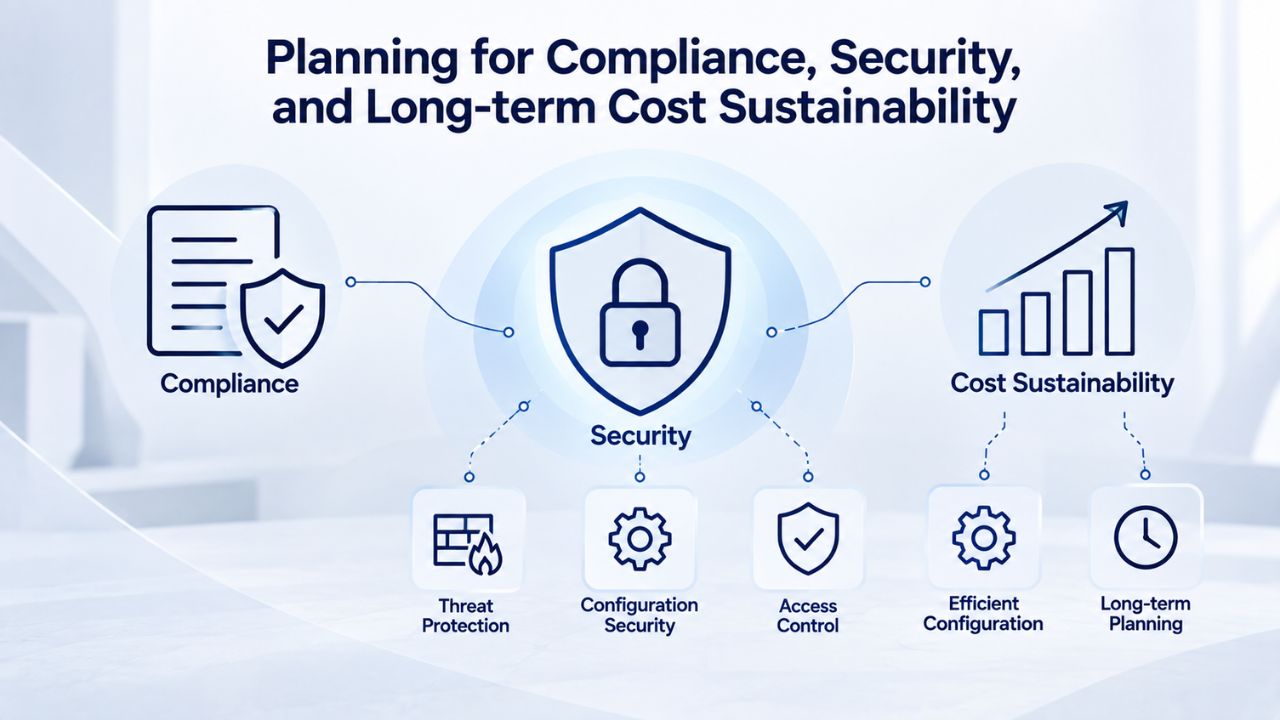
Compliance Tools and Security Hardening Features
Regulations vary by jurisdiction and industry, so research which specific requirements apply to your business. Hosting alone doesn’t guarantee compliance, but your plan tier determines which compliance tools you have to meet your obligations. Higher-tier plans also include enhanced firewall rules, more aggressive DDoS protection, and malware scanning integration.
If you handle credit card payments, customer data, or run a high-value business, security capabilities matter and should factor into your tier selection. Premium tiers often include advanced security tools that entry-tier plans don’t offer, which can be essential for protecting sensitive customer information.
Long-Term Budget Planning and Renewal Costs
Annual or multi-year payment terms often lock in a better per-month cost than month-to-month billing. If you’re confident in your hosting choice and plan to stay for a year or two, committing to a longer term saves money through volume discounts. However, month-to-month billing offers flexibility; if a plan doesn’t work out or you need to change providers, you can switch with just 30 days’ notice, with no financial penalty.
Weigh the cost savings against the flexibility you need. Either way, watch renewal pricing closely. Some providers keep renewal rates close to initial rates; others increase them significantly. Knowing this upfront helps you budget and plan for future renewals or migrations.
Ready to Choose Your cPanel Hosting Plan?
Selecting the right plan balances current needs with realistic growth projections. Start by assessing your site type, expected traffic, storage needs, and application requirements. Use the comparison table above to find a starting-point tier, then verify your choice against your specific application’s official documentation (WordPress, WooCommerce, PrestaShop, or any custom code). Remember: you can always upgrade if you outgrow your plan, but planning correctly upfront saves rescaling costs and keeps your site performing smoothly.
Developing Your Site-Specific Sizing Strategy
Niya Digital provides setup support and ongoing account guidance to help you choose the right plan tier and monitor whether your current allocation still fits as your site grows. Create a simple growth projection for your first year: estimate your current storage, calculate monthly growth, and project year-one needs.
If you’ll need more resources, plan the upgrade now while you have time to coordinate with your business schedule, rather than scrambling during peak season. This proactive approach converts a potentially stressful resource constraint into a planned business decision. Document your assumptions (monthly growth rate, peak traffic timing, application requirements) so you can reference them later when monitoring your actual usage.
Understanding Decision Factors in Your Site’s Context
Every site is different, so matching decision factors to your specific situation matters. Different site types grow at different rates. A blog might add 100 MB per month; an online store might add 1 GB per month. Agencies adding client sites to a reseller account might consume 5 GB per month.
Calculate your own growth rate based on your content addition patterns and project where you’ll be in 6 months and 12 months. Niya Digital’s support team can review your usage history and project when you’ll likely need an upgrade so that you can plan. Proactive planning turns a potentially stressful resource constraint into a planned business decision you control, rather than one you react to.
Plan Selection Checklist: Key Factors to Assess
| Decision Factor | Key Questions | Why It Matters for Plan Choice |
|---|---|---|
| Expected Monthly Traffic | How many visitors in your first 6 months? | Helps estimate peak concurrent users and entry-process consumption |
| Total Site Storage | How many posts, products, or files will you store? | Directly determines storage tier; undersizing forces expensive mid-year upgrades |
| Database Size | Will you store customer data, orders, or large archives? | MySQL database limits vary by tier; plan accordingly to avoid data bottlenecks |
| Email Accounts | How many email addresses will you create? | Entry tiers cap email accounts; growing teams need business tiers |
| Peak Traffic Windows | When does your site get the most traffic? | Determines if concurrent-connection limits support promotional spikes |
| 12-Month Growth Rate | How much do you expect to grow in the next year? | Choose a plan with headroom; plan upgrades in advance |
| Backup Frequency Needs | Is your site business-critical or hobby-level? | Daily backups (business tiers) offer 24-hour recovery; weekly offers 7-day |
| PHP / Application Memory | What are your application’s documented memory requirements? | Undersized RAM allocation throttles performance when concurrent requests run |
| Compliance Requirements | Does your site handle customer data or sensitive information? | Compliance tiers include tools for GDPR, PCI DSS, and audit logging |
Monitoring and Optimizing Plan Performance After Launch
Even with careful planning, real-world usage sometimes surprises you. After you launch your site, ongoing monitoring is key to confirming your plan choice was correct and catching the need for an upgrade early. Log into cPanel once a week and spend five minutes reviewing the Disk Usage and Resource Usage dashboards. If disk usage is climbing 5% per week, calculate when you’ll hit capacity and plan an upgrade weeks in advance.
Weekly Monitoring and Performance Validation
If entry-process usage regularly spikes to 70% or higher during peak hours, that signals it’s time to upgrade. Small, consistent monitoring prevents crisis-mode upgrades and gives you time to plan the change during a low-traffic window.
Beyond cPanel’s dashboard, use free tools like Google PageSpeed Insights or GTmetrix to monitor your site’s load time and performance metrics. If load times creep up and your site’s code hasn’t changed, your hosting plan may be the bottleneck. If load times consistently stay under three seconds and users stay on your site (as shown by low bounce rates), your plan is working well.
External Tools and Professional Support
If you review your resource usage and aren’t certain what the numbers mean or whether you should upgrade, reach out to Niya Digital’s support team. They can review your usage patterns, identify resource bottlenecks (problematic plugins, unoptimized database queries, excessive backups), and recommend whether an upgrade or optimization is the right next step.
Professional guidance here often prevents unnecessary upgrades or identifies genuine upgrades that will solve performance issues. Your hosting provider’s support team has seen thousands of sites at various stages of growth and can help you avoid costly mistakes based on that experience.
When to Move to VPS or Dedicated Hosting
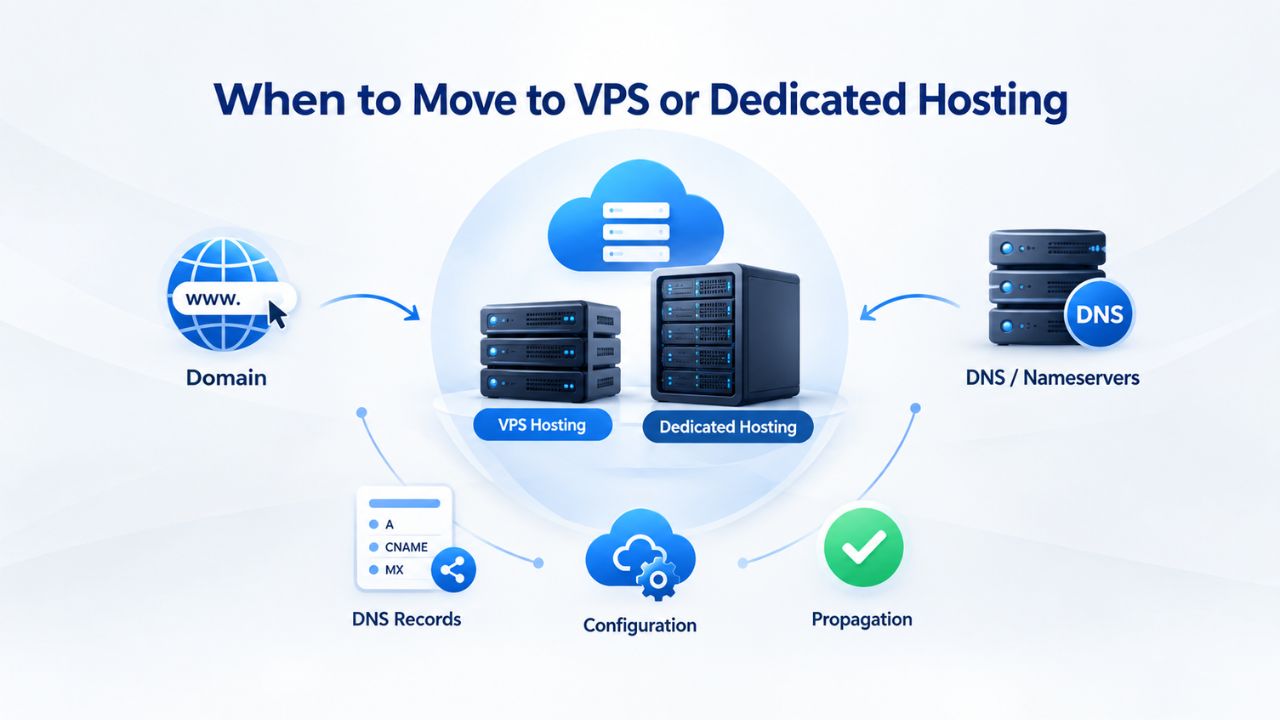
Eventually, some sites outgrow shared hosting entirely. This happens when resource contention with other accounts becomes noticeable, when you need root-level server access to install custom software, or when traffic becomes so high that shared infrastructure cannot reliably serve your needs. At that point, the upgrade path is VPS (Virtual Private Server) hosting, where you get a dedicated slice of a server with guaranteed resources and full control, or Dedicated hosting, where you rent an entire server.
Understanding VPS and Dedicated Hosting Options
Both options cost more than shared hosting but offer scalability and isolation that shared hosting cannot match. VPS hosting gives you a virtual slice of a physical server with guaranteed CPU, RAM, and storage allocations that nobody else can touch. You have full root access, meaning you can install custom software, run background processes, and configure your environment exactly as needed.
Dedicated hosting is the next step up: you rent an entire physical server. This is ideal for very high-traffic sites, complex applications, or situations where you need complete server isolation. GoDaddy and most providers offer easy migration tools and support for customers upgrading from shared to VPS or dedicated plans.
Making the Migration Decision
Niya Digital can help you determine whether your site has outgrown shared hosting and, if needed, facilitate a smooth migration. Signs that you might need VPS or dedicated hosting include:
(1) you’re already on the highest cPanel shared tier and still hitting limits regularly,
(2) you need to install software or run processes that shared hosting doesn’t allow,
(3) you’re hosting a high-traffic site where resource isolation from other customers is important, or
(4) you’re managing multiple applications that each need independent resources and configurations.
Start Hosting with Confidence
Once you’ve chosen your plan and launched, ongoing monitoring ensures you stay on the right tier. Niya Digital’s support team is available to help you interpret cPanel metrics, plan upgrades, and optimize your site’s performance as traffic grows. Whether you’re scaling a small business, launching an online store, or managing multiple client sites, we’re here to support your growth.
Frequently Asked Questions
What’s the difference between storage and bandwidth?
Storage is the space available to hold your files, databases, and emails on the server. Bandwidth is the data transferred between your site and visitors- how many gigabytes of data flow per month. Undersizing storage can break your site because databases can’t grow; undersizing bandwidth usually doesn’t matter for most sites because modern hosting plans include unmetered bandwidth, meaning traffic spikes don’t trigger overage charges.
How many concurrent users can an entry-tier cPanel plan support?
Entry-tier cPanel plans typically support 20–35 concurrent connections. If your site averages 100 monthly visitors with an average session time of one hour, you’re likely looking at only 0.1–0.3 concurrent users at peak times. You can comfortably support 200–300 concurrent visitors on an entry-tier plan. The connection limit matters most for e-commerce sites, SaaS platforms, and news sites where traffic is bursty and peak concurrency spikes much higher.
What is an entry process limit, and why does it matter?
An entry process is a request the server processes at a given moment. Each visitor clicking a link, submitting a form, or loading a page consumes one entry process. If your plan allows 20 entry processes and 21 visitors request pages simultaneously, the 21st request queues and waits, slowing that visitor’s page load. Higher-tier plans have higher entry-process limits, allowing you to serve more simultaneous requests without queuing.
Should I commit to an annual term or stay month-to-month?
Annual or multi-year terms often lock in a better per-month rate than month-to-month billing. If you’re confident in your choice, committing for a year or two saves money. However, month-to-month billing offers flexibility; if the plan doesn’t work out, you can switch providers with just 30 days’ notice. Weigh the discount against the flexibility you need.
How do I know if my site’s slowness is due to the hosting plan or my code?
Slowness due to undersized hosting shows up as high CPU or memory usage in cPanel’s Resource Usage dashboard, especially during traffic spikes. Code-related slowness shows up as high usage even when traffic is low. If you have one visitor on your site and cPanel shows 80% CPU usage, the problem is likely your code (a slow database query, bloated plugin, or inefficient loop). If you have 50 concurrent visitors and high CPU usage, the problem is likely the plan.
Can I upgrade my plan mid-cycle without downtime?
Yes. Most hosting providers, including GoDaddy, let you upgrade between plan tiers without downtime or data loss. You request an upgrade in your account dashboard, select the new tier, and the change takes effect immediately or within hours. Your existing data is preserved completely, and you gain access to higher resource limits.
What happens if I exceed my plan’s resource limits?
When you exceed limits, the server typically throttles your site and queues requests, which can cause pages to load slowly. If you exceed limits severely and sustain them, some providers may temporarily suspend the account to protect other customers’ performance. You won’t lose data, but your site becomes unavailable until you upgrade. That is why proactive monitoring and upgrading are essential.
Is cPanel monitoring enough, or do I need external monitoring tools?
cPanel monitoring is usually enough to detect resource issues and decide whether your plan is the right size. External tools like Uptime Robot (for uptime monitoring) or New Relic (for application performance) add visibility but aren’t essential for plan-sizing decisions. Start with cPanel’s built-in tools; add external monitoring if you want deeper application-level insights.
How often should I upgrade my plan as my site grows?
Most small sites start on an entry-tier plan and don’t need an upgrade for 6–18 months. Growth is gradual; traffic typically takes months to double. Monitor your dashboard monthly; when you consistently approach limits, upgrade to the next tier. A typical progression is Entry → Business → Premium over 2–3 years, depending on growth velocity.
Do I need daily backups, or will weekly backups suffice?
For a blog or portfolio, weekly backups are usually sufficient; you won’t lose significant content between backup cycles. For an e-commerce store, SaaS application, or business-critical site, daily backups are essential because you could lose up to 24 hours of data if something goes wrong. Check what backup frequency your plan includes; many higher-tier plans include daily backups by default.
How do I calculate how much storage I’ll need in one year?
Estimate your current storage usage by checking cPanel’s Disk Usage tool. Calculate your monthly growth rate based on how much new content, products, or data you add each month. Multiply monthly growth by 12 to project one year of expansion. For example, if your site currently uses 2 GB and grows 100 MB per month, you’ll need about 3.2 GB in one year. Choose a plan with an additional 20% buffer for safety.
What renewal pricing surprises should I watch for?
Hosting companies typically offer promotional pricing for the first term, then charge a higher renewal rate after expiration. A plan advertised at one rate might renew at a significantly higher rate. Check the renewal cost before committing. If renewal pricing is much higher and your budget won’t absorb it, factor that into your decision now. Knowing this upfront prevents surprise bills at renewal.
Can I switch hosting providers if I outgrow Niya Digital?
Yes. Most hosting providers offer free site migration tools and support for new customers. If you outgrow cPanel shared hosting entirely and need a dedicated server, managed VPS, or cloud hosting, you can migrate to any provider that supports your application. Niya Digital also offers managed VPS and other tiers if you prefer to stay with the same provider as you grow.
Should I buy domain registration and email hosting from the same provider?
It’s convenient to buy all three from the same provider for simpler management and a single invoice, but it’s not strictly necessary. If Niya Digital offers competitive pricing on domain and email, bundling simplifies setup and support. If you prefer to register your domain elsewhere, you can point it to Niya Digital hosting via DNS settings, with no functional difference.
What should I do during my first month after launch to validate my plan choice?
Monitor cPanel’s Resource Usage and Disk Usage dashboards after launch to see how your site actually performs under real traffic. Check load times using Google PageSpeed Insights. If everything stays well within limits and pages load quickly, you chose the right plan. If you’re approaching limits, you caught the issue early and can upgrade before performance problems occur.
Glossary
- Web Hosting: A service that provides server space and infrastructure to make your website accessible on the internet. Web hosting providers manage physical servers, network connectivity, and security; you store your website files, databases, and email on their servers.
- cPanel: A control-panel software (graphical user interface) that lets you manage your hosting account, including files, databases, email accounts, domains, DNS settings, and backups, without needing command-line or server access.
- Bandwidth: The amount of data transferred between your website and its visitors. Most modern hosting plans include unmetered bandwidth, meaning traffic spikes don’t incur extra charges.
- Concurrent Users: The number of people accessing your site at the same time. Each request consumes one concurrent connection until it completes. Your hosting plan limits concurrent connections; exceeding it causes requests to queue and pages to load slowly.
- Resource Usage: The amount of CPU, memory (RAM), disk space, and bandwidth your site is currently consuming. cPanel’s Resource Usage tool displays this in real time and historically, helping you decide whether your plan is sufficient or needs upgrading.
- MySQL Database: A relational database used by WordPress, WooCommerce, Drupal, and many other applications to store structured data (posts, products, customer records, orders). Your hosting plan limits the number of databases and their individual size.
- Unmetered Bandwidth: A hosting plan feature that does not count or limit the amount of data transferred to your visitors. Traffic spikes do not incur overage charges; you pay a fixed monthly fee regardless of traffic volume.