Your WooCommerce store runs on a shared server with hundreds of other websites, competing for resources. As traffic grows, especially during sales campaigns or seasonal peaks, pages slow, checkouts time out, and customers abandon carts. When shared hosting hits its limits, a VPS hosting platform offers dedicated CPU, RAM, and storage to deliver the performance and control your store needs.
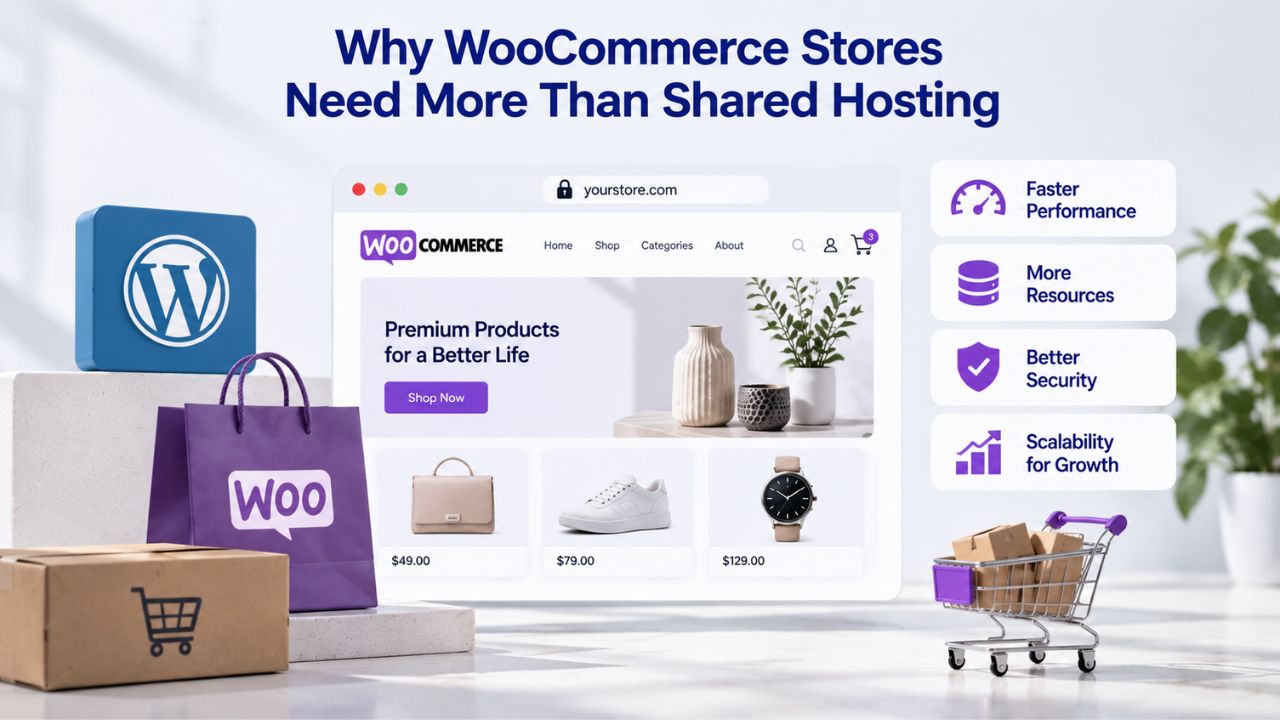
Why WooCommerce Stores Need More Than Shared Hosting
Shared hosting pools hundreds of websites onto one physical server, with each site drawing from a limited resource pool (CPU, RAM, database connections, disk I/O). WooCommerce generates heavy database queries, fetching product catalogs, processing inventory, logging transactions; under traffic spikes, these queries queue up, slowing page load times and triggering timeouts. When store size or traffic exceeds shared hosting’s resource ceiling, performance degrades, and operational complexity increases.
Common Performance Pain Points on Shared Hosting
Shared hosting environments struggle with WooCommerce workloads because the platform’s database-heavy operations exhaust limited resources. A shop with 500 or more products and thousands of monthly visitors often hits PHP memory limits, database connection limits, or CPU throttling without warning. Customers see spinning loaders on product pages, checkout processes hang mid-transaction, and error logs fill with timeout warnings. These performance issues correlate directly with cart abandonment and lost revenue; a single extra second in page load time reduces conversions by 7 percent or more for e-commerce sites.
Beyond performance, shared hosting restricts your configuration options. The hosting provider manages PHP settings, database parameters, and installed extensions globally for all customers. You cannot tune the MySQL buffer pool for your catalog size, enable system-level caching, install custom PECL extensions your store requires, or adjust timeout thresholds for long-running batch jobs. This one-size-fits-all approach works for blogs and brochure sites but fails for data-intensive applications like WooCommerce.
When Dedicated Resources Become Essential
A Virtual Private Server allocates specific CPU cores, RAM, and storage exclusively to your account, eliminating resource contention with other customers. Unlike shared hosting, a traffic spike on a neighboring site doesn’t affect your store’s performance. This isolation enables efficient WooCommerce hosting at any scale, whether you run one store with 100 products or multiple storefronts serving different markets. Database queries execute against isolated resources; PHP processes receive dedicated memory; file I/O does not compete with hundreds of other accounts.
This dedicated allocation also grants root access to configure the server exactly as your store needs. You control which PHP extensions are installed, how the database is tuned, which background services run, and what caching layers are deployed. A developer or operations team gains the flexibility to optimize for WooCommerce workloads in ways impossible on shared hosting. For merchants serious about online performance, scaling to a VPS Server represents the natural upgrade path. At this point, shared hosting’s limitations cost more than dedicated infrastructure.
VPS Hosting Plans & Pricing
Choose the VPS hosting plan that fits your website, application, or business requirements. Select a self-managed VPS for complete server control or a fully managed VPS with a dedicated team of experts to help manage your server.
Self Managed VPS 1 vCPU
1 GB RAM
Entry-level VPS hosting for lightweight websites and applications.
- 1 CPU Core
- 1 GB RAM
- 20 GB SSD Storage
- Linux only, no control panel

Self Managed VPS 2 vCPU
4 GB RAM
VPS hosting with additional CPU and memory for growing websites and applications.
- 2 CPU Cores
- 4 GB RAM
- 100 GB SSD Storage
Self Managed VPS 2 vCPU
8 GB RAM
Additional memory for more demanding websites and applications.
- 2 CPU Cores
- 8 GB RAM
- 100 GB SSD Storage
Self Managed VPS 4 vCPU
8 GB RAM
Increased processing power for business websites and applications.
- 4 CPU Cores
- 8 GB RAM
- 200 GB SSD Storage
Self Managed VPS 4 vCPU
16 GB RAM
High-memory VPS hosting for resource-intensive workloads.
- 4 CPU Cores
- 16 GB RAM
- 200 GB SSD Storage
Self Managed VPS 8 vCPU
16 GB RAM
Powerful VPS resources for demanding business applications.
- 8 CPU Cores
- 16 GB RAM
- 400 GB SSD Storage
Self Managed VPS 8 vCPU
32 GB RAM
Maximum self-managed resources for demanding workloads.
- 8 CPU Cores
- 32 GB RAM
- 400 GB SSD Storage
Fully Managed VPS 1 vCPU
2 GB RAM
Managed VPS hosting with expert server management.
- 1 CPU Core
- 2 GB RAM
- 40 GB SSD Storage
- Dedicated team of experts to fully manage your server
Fully Managed VPS 1 vCPU
4 GB RAM
Managed VPS resources for websites and business applications.
- 1 CPU Core
- 4 GB RAM
- 40 GB SSD Storage
- Dedicated team of experts to fully manage your server
Fully Managed VPS 2 vCPU
4 GB RAM
Managed VPS hosting with additional CPU resources.
- 2 CPU Cores
- 4 GB RAM
- 100 GB SSD Storage
- Dedicated team of experts to fully manage your server
Fully Managed VPS 2 vCPU
8 GB RAM
Managed VPS hosting with additional memory for growing workloads.
- 2 CPU Cores
- 8 GB RAM
- 100 GB SSD Storage
- Dedicated team of experts to fully manage your server
Fully Managed VPS 4 vCPU
8 GB RAM
Higher-performance managed VPS for demanding applications.
- 4 CPU Cores
- 8 GB RAM
- 200 GB SSD Storage
- Dedicated team of experts to fully manage your server
Fully Managed VPS 4 vCPU
16 GB RAM
High-memory managed VPS for resource-intensive workloads.
- 4 CPU Cores
- 16 GB RAM
- 200 GB SSD Storage
- Dedicated team of experts to fully manage your server
Fully Managed VPS 8 vCPU
16 GB RAM
Powerful managed VPS hosting for demanding business workloads.
- 8 CPU Cores
- 16 GB RAM
- 400 GB SSD Storage
- Dedicated team of experts to fully manage your server
Fully Managed VPS 8 vCPU
32 GB RAM
Maximum managed VPS resources for demanding workloads.
- 8 CPU Cores
- 32 GB RAM
- 400 GB SSD Storage
- Dedicated team of experts to fully manage your server
Understanding WooCommerce Resource Requirements
WooCommerce resource needs vary dramatically by store size, product count, and traffic patterns. A small store selling 50 handmade items via a personal brand needs far less infrastructure than a retailer with 5,000 SKUs running daily promotions and handling seasonal traffic spikes. Matching VPS Hosting plan resources to your actual workload prevents waste and performance issues, ensuring your store runs efficiently as it grows.
Small Stores: 0–50 Products, Under 1,000 Monthly Orders
A store in its first year with a limited catalog, moderate traffic, and a few active customers typically needs 1- 2 CPU cores and 1- 4 GB RAM to handle daily operations comfortably. WooCommerce’s official documentation recommends at least 2 GB RAM to avoid memory exhaustion under peak load, especially when multiple plugins are active. For a small operation, a VPS plan with 2 cores and 4 GB RAM covers growth from launch through several thousand monthly orders, assuming typical plugin density and lightweight custom code.
Database size for a small store grows roughly 100 to 200 MB per 1,000 products, meaning your product catalog and customer data remain manageable for years. Storage allocations of 100 GB or more leave ample room for product images, customer uploads, plugin files, backups, and system logs. If you prefer managed support, automatic OS updates, security patching, and expert configuration assistance, fully managed VPS Hosting options shift operational responsibility to your hosting provider, freeing you to focus entirely on selling and marketing your store.
Medium Stores: 51–500 Products, 1,000–10,000 Monthly Orders
Mid-tier stores operate multiple daily promotions, handle concurrent traffic spikes, and run resource-intensive plugins like Yoast SEO, analytics integrations, complex shipping logic, and subscription or membership systems. These workloads require 2 to 4 CPU cores and 4 to 8 GB RAM to keep checkout and product browsing responsive, even during peak traffic. Database sizes reach 500 MB to 1.5 GB as inventory expands and transaction history accumulates. VPS Hosting plans with 4 cores and 8 GB RAM handle medium stores comfortably, with CPU headroom for traffic spikes and RAM for database query caching.
For teams without dedicated sysadmin expertise, fully managed VPS Hosting options include automated updates, backup management, performance monitoring, and a support team to assist with scaling decisions and troubleshooting. This approach offloads server maintenance entirely, letting your team focus on product development, marketing, and customer service. Niya Digital’s team has found that merchants moving from shared hosting to managed VPS typically see 40 to 60 percent improvement in peak-traffic page load times within the first month of optimization.
Large Stores & High-Traffic Operations: 500+ Products, 10,000+ Monthly Orders
Stores with extensive catalogs, complex inventory systems, or traffic patterns exceeding 50,000 monthly pageviews require 4 to 8 CPU cores, 8 to 16 GB or more RAM, and often benefit from database separation, running MySQL on a dedicated server instance to isolate database load from web server traffic. High-traffic operations running simultaneous promotions, flash sales, or seasonal campaigns push the boundaries of a single VPS instance. Dedicated VPS Hosting plans with 8 cores and 16 GB RAM support large-scale operations and provide room to scale through peak seasons.
For enterprise-scale operations, advanced architectures separate concerns: one VPS handles the web tier (WordPress, WooCommerce, PHP processing), another manages the database tier (MySQL, query optimization, replication), and additional instances handle caching layers (Redis, Memcached) or background jobs (order processing, email delivery, inventory sync). This horizontal scaling approach distributes load and prevents any single failure from taking the entire store offline. Niya Digital’s infrastructure supports this advanced topology, enabling merchants to build resilient hosting architectures as their operations mature.
Comparison: Resource Sizing by Store Stage
| Growth Stage | Catalog Size | Monthly Traffic | Recommended CPU | Recommended RAM | Key Focus Areas |
|---|---|---|---|---|---|
| Launch | 10-50 products | Under 1,000 visitors | 1-2 Cores | 1-2 GB | Cost efficiency, core functionality, SSL security |
| Growth | 50-200 products | 1,000-5,000 visitors | 2 Cores | 2-4 GB | Database optimization, image optimization, caching |
| Scaling | 200-500 products | 5,000-20,000 visitors | 2-4 Cores | 4-8 GB | Advanced caching, multi-plugin support, backup automation |
| Enterprise | 500+ products | 20,000+ visitors | 4-8+ Cores | 8-16+ GB | Database separation, load balancing, failover redundancy |
Linux vs Windows for WooCommerce VPS Hosting
Operating system choice affects cost, performance, compatibility, and long-term maintainability. WooCommerce runs on both Linux and Windows, but each brings different trade-offs for hosting infrastructure.
Linux (LAMP/LEMP Stack): Open-Source, Cost-Effective, Community-Supported
Linux hosts the vast majority of WooCommerce stores because the LAMP stack (Linux + Apache + MySQL + PHP) is free, battle-tested, and optimized for web applications. Apache web server provides flexibility and widespread plugin support; Nginx offers superior performance under high concurrency and lower memory overhead. MySQL and MariaDB are mature, open-source database engines with deep optimization communities and extensive documentation. PHP is WooCommerce’s native language, with immediate access to security patches and feature updates from the WordPress core development team.
Linux VPS Hosting plans cost substantially less than Windows equivalents because no operating-system licensing fees apply. Your hosting investment goes entirely toward better hardware, faster processors, more RAM, and better storage, rather than toward annual OS license renewals. The Linux ecosystem means extensive documentation, affordable hosting expertise, and straightforward scaling practices. A new developer can find Linux-specific WooCommerce tutorials, deployment guides, and troubleshooting forums within minutes. Backups, snapshots, database replication, and disaster recovery are Linux-native features with proven reliability across millions of production deployments.
Windows + IIS + SQL Server: Enterprise Features, Licensing Costs, .NET Integration
Windows VPS Hosting suits stores that need Active Directory integration for employee authentication, custom .NET applications running alongside WooCommerce, or legacy ties to Windows-based infrastructure. Windows Server licensing costs significantly more than Linux, adding additional monthly expenses on top of core VPS fees. SQL Server hosting is considerably more expensive than MySQL for equivalent performance. IIS (Internet Information Services) is powerful for enterprise deployments but less widely documented specifically for WooCommerce configurations compared to Apache and Nginx.
Windows excels in enterprise environments with established Microsoft technology stacks; for a pure WooCommerce store, the cost and operational complexity rarely justify the choice. Most small to medium stores derive no benefit from Windows licensing, SQL Server expenses, or IIS configuration requirements. The straightforward path for WooCommerce remains Linux-based VPS Hosting, where open-source components keep infrastructure costs low, and community knowledge is abundant.
Managed vs Unmanaged VPS Support for E-Commerce
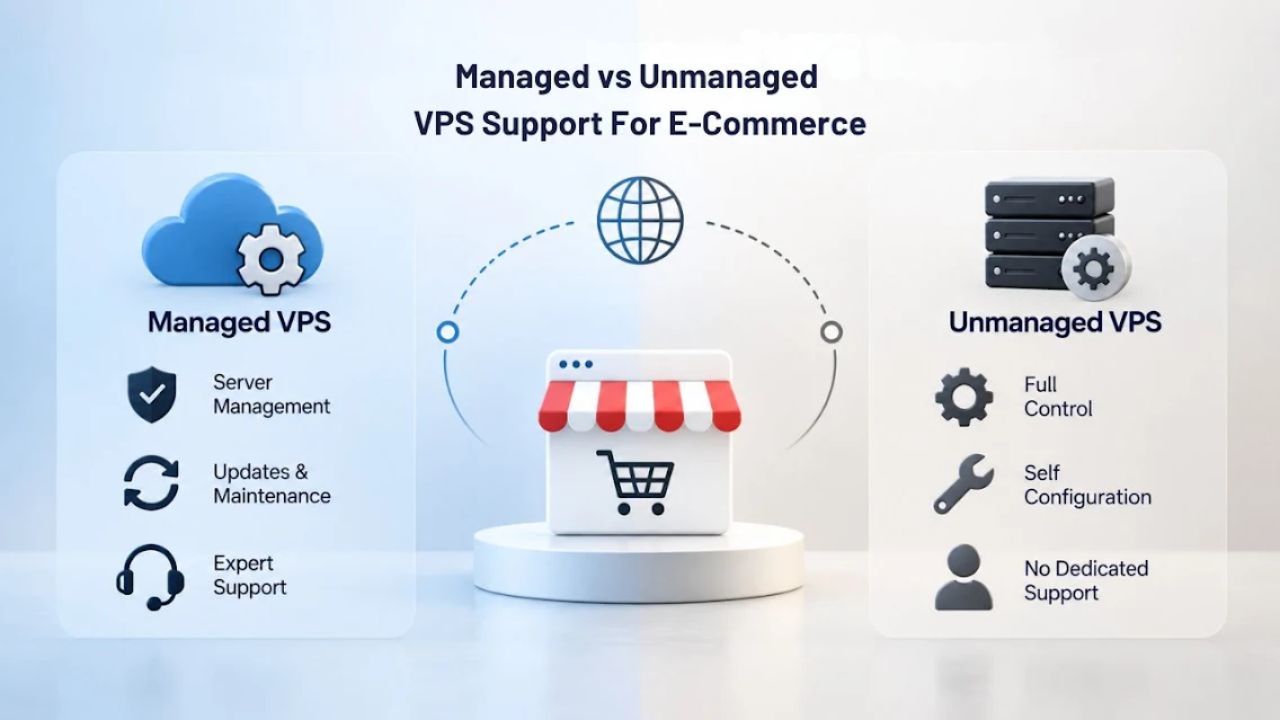
VPS Hosting comes in two support models: managed (provider handles updates and maintenance) and unmanaged (you manage the server yourself). For WooCommerce stores, the choice dramatically affects your time investment, risk profile, and operational overhead.
Unmanaged (Self-Managed) VPS: Full Control, Full Responsibility
An unmanaged VPS provides root access and lets you install any software, but you own all ongoing maintenance. You decide when to update the Linux kernel, PHP runtime, MySQL database engine, and WordPress core, balancing new features against stability and security implications. You configure firewalls, manage SSL certificates, set up backup automation, and monitor disk space without provider oversight. When performance issues emerge, you investigate error logs, identify bottlenecks, and optimize configurations. You respond to security alerts at 3 AM if the store goes down unexpectedly.
Unmanaged VPS Hosting costs less because the provider handles only hardware infrastructure and basic network uptime. You retain maximum flexibility: install experimental extensions, test new databases, deploy custom applications alongside WooCommerce, or run entirely non-standard configurations. Unmanaged hosting suits experienced developers or agencies with full-time DevOps staff already managing servers. If your team updates WordPress daily and maintains strong Linux administration skills, unmanaged VPS offers the lowest-cost path with maximum control. The trade-off remains significant: missed security patches, forgotten backups, or misconfigured firewalls become your liability rather than the provider’s.
Fully Managed VPS Hosting: Hands-Off, Higher Cost, Peace of Mind
Fully managed VPS includes automatic operating-system and security updates, proactive backup scheduling, PHP and MySQL version upgrades timed for WooCommerce compatibility, firewall management, and 24/7 expert support. The hosting provider’s team monitors your server continuously, patches vulnerabilities before exploits become public, and handles routine maintenance tasks without requiring your intervention. You focus entirely on selling products and building your business; the hosting team handles infrastructure administration.
For solo entrepreneurs, small agencies, or teams without dedicated infrastructure staff, managed VPS Hosting eliminates the operational burden and significantly reduces security risk. The value of avoided downtime typically offsets the cost premium, as do prevented breaches and faster troubleshooting when issues do occur. Niya Digital’s fully managed VPS Hosting service includes provisioning assistance, ongoing optimization recommendations, and emergency support, with specialists on call when critical issues surface. For WooCommerce stores where uptime directly translates to revenue, managed hosting offers peace of mind.
Security & Compliance for Online Stores
WooCommerce stores handle customer payment data, email addresses, and personal information, making security and compliance non-negotiable. Every major payment processor and regulatory body expects online retailers to implement baseline security practices and demonstrate compliance with established standards.
PCI DSS Compliance & Payment Card Security
PCI DSS (Payment Card Industry Data Security Standard) is mandatory if your WooCommerce store accepts or stores credit-card data directly. The standard requires firewalls, encrypted data transmission over HTTPS, regular security updates for all systems, role-based access controls, and audit logging to track administrative changes. VPS Hosting gives you full control over firewall rules and system hardening, enabling PCI compliance. Shared hosting often restricts these controls centrally, making full PCI compliance difficult or impossible for store owners.
A VPS on an infrastructure platform can be hardened to PCI standards: enable the firewall to restrict inbound traffic to port 443 (HTTPS only) for customer-facing applications, disable unnecessary services like FTP and Telnet that create attack vectors, configure audit logging to track access, and maintain regular security updates. Regular backups ensure rapid recovery if a security incident occurs. Niya Digital’s VPS Hosting infrastructure, powered by GoDaddy servers, provides the foundation; you configure the application layer for your specific compliance needs.
Baseline Hardening: Firewall, SSL, Updates
WooCommerce security fundamentals start with HTTPS (SSL/TLS encryption) on every customer-facing page, checkout, login, account dashboard, and payment forms. VPS hosting often includes free SSL certificates or managed SSL services to encrypt data in transit. Enable the server firewall to block suspicious traffic and restrict access to essential ports. Apply security updates immediately: Linux kernel patches, PHP runtime updates, MySQL security fixes, and WordPress core patches should be deployed within days of release, not weeks.
Disable unnecessary services that create attack vectors; run minimal service counts; use strong passwords and SSH key-based authentication for server access; implement rate limiting to prevent brute-force attacks; and maintain Web Application Firewall (WAF) rules specific to WordPress and WooCommerce. Shared responsibility is key: the infrastructure provider secures physical servers and network backbone; you secure application configurations, access credentials, and custom code. Neither party can guarantee absolute protection, but this layered approach minimizes common risks and demonstrates due diligence.
Start Scaling Your WooCommerce Store Today
Choosing the right server for WooCommerce balances performance needs, operational control, and support availability. Niya Digital’s VPS Hosting service provides the dedicated resources, security tools, and support options to match any store size, from a startup boutique to a multi-product operation selling across multiple channels. Explore plans, configure your preferred operating system and support tier, and provision a server within minutes.
Database Performance & Optimization
WooCommerce performance lives or dies by database efficiency. The database handles every product query, checkout transaction, inventory update, and customer data retrieval. A slow database means slow pages no matter how much CPU and RAM you allocate to the VPS Hosting infrastructure.
MySQL/MariaDB Tuning for WooCommerce
Database tuning is the first and most impactful optimization step for WooCommerce performance. On a VPS with root access, you can adjust MySQL configuration parameters that shared hosting never exposes to individual customers. Increase innodb_buffer_pool_size to keep frequently accessed tables in memory and avoid expensive disk reads. Enable query caching to store results of repeated queries. Configure log settings for faster writes and better recovery options.
Index optimization matters equally: ensure product, order, and customer tables have proper indexes on frequently queried columns (product IDs, order dates, customer emails, SKU numbers). WooCommerce creates default indexes, but custom queries from third-party plugins often lack optimization. A VPS lets you run slow-query logging to identify problematic queries that take seconds to run, then add indexes or refactor code. Connection pooling reduces overhead for high-concurrency scenarios. This level of granular control is impossible on shared hosting, where the provider chooses global settings for thousands of customers.
Dedicated Database Server for High-Traffic Stores
At scale, separating the web server from the database improves performance and reliability. Run WordPress and WooCommerce on one VPS, and MySQL on a separate dedicated database server. This architecture isolates load: a traffic spike on the web tier doesn’t starve the database of resources; heavy reporting queries don’t slow customer checkout; each server is optimized for its specific role. Database replication ensures failover protection: if the primary database fails, a replica takes over within seconds.
Large retailers often pair multiple web VPS instances with a dedicated database server behind a load balancer, distributing incoming traffic across web servers while centralizing data management. This horizontal scaling approach handles Black Friday traffic spikes, seasonal campaigns, and international growth without overprovisioning single-server hardware. Niya Digital’s VPS Hosting infrastructure supports this advanced topology, enabling merchants to build enterprise-grade architectures as their operations mature from startup to mid-market scale.
Choosing the Right CPU & RAM for Your Store
CPU cores and RAM are the two primary drivers of WooCommerce performance under real-world traffic. Matching them to your actual workload prevents both underpowered bottlenecks that frustrate customers and overpaying for unused capacity.
CPU Cores: Handling Concurrent Requests
Each WooCommerce request- product browse, cart update, checkout process, API call, admin action- consumes a CPU core temporarily while it executes. More concurrent users require more cores to handle simultaneous requests without queuing. A store with 10 simultaneous shoppers might use 1 to 2 cores during peak moments; 50 concurrent users need 2 to 4 cores; 100 concurrent users require 4 to 8 cores. PHP processes typically consume CPU for the duration of a request; Nginx and modern web servers use lightweight threads that handle more concurrency per core.
For small stores, 2 vCPU VPS Hosting plans can last for years. Medium stores handling hundreds of daily visitors benefit from 4 vCPU plans, with room to grow. High-traffic operations scale to 8 vCPU or higher. The advantage of VPS infrastructure: if traffic growth is predictable, you can upgrade CPU mid-month or scale horizontally by adding a second VPS without downtime. Monitor actual CPU usage during peak traffic to right-size your plan; overprovisioning wastes budget, and underprovisioning creates bottlenecks.
RAM: Database Caching & PHP Buffers
RAM holds database query results in memory, avoiding slow disk reads on every request. Size MySQL’s buffer pool to fit your working set: the tables and indexes actively used during peak traffic. For a 500-product store with typical traffic, 4 GB RAM allows a 2 GB buffer pool (dataset caching), 1 GB for PHP process buffers, and 1 GB for system overhead. For a 5,000-product catalog or high-concurrency workload, 8 to 16 GB RAM dramatically improves responsiveness because frequent queries stay cached.
WooCommerce also benefits from persistent caching layers like Redis or Memcached, which require additional RAM and dramatically reduce database hits. A 4 GB VPS plan can allocate 2 GB to the MySQL buffer pool, 1 GB to Redis, and reserve 1 GB for system operations, a configuration supporting thousands of daily shoppers. Niya Digital’s 4 GB and 8 GB VPS Hosting plans match this use case well. Undersizing RAM forces the database to swap to disk, creating a performance cliff where the store appears broken despite adequate CPU cores.
| Store Size | Monthly Orders | Recommended CPU | Recommended RAM | Recommended Storage | Best For |
|---|---|---|---|---|---|
| Small Store | Under 1,000 | 1-2 Cores | 2-4 GB | 40-100 GB | Startups, boutiques, new merchants |
| Medium Store | 1,000-10,000 | 2-4 Cores | 4-8 GB | 100-200 GB | Growing businesses, multiple product lines |
| Large Store | 10,000+ | 4-8 Cores | 8-16+ GB | 200-400+ GB | High-traffic retailers, multi-channel operations |
| Enterprise | 50,000+ | 8+ Cores (distributed) | 16-32+ GB | 400+ GB (distributed) | Large enterprises, marketplace operators |
Backups, Snapshots, and Disaster Recovery
WooCommerce stores are irreplaceable assets. A corrupted plugin, ransomware attack, or accidental deletion can destroy months of product data, customer records, order history, and transaction information. Backups and snapshots aren’t optional extras; they are essential infrastructure that separates thriving businesses from catastrophic failures.
VPS-Native Snapshots & Point-in-Time Recovery
All VPS Hosting plans include backup and snapshot capabilities at the infrastructure level. A snapshot captures the entire server state at one moment- files, databases, configurations, and installed software- and allows restoration to that exact point if something breaks. Snapshots are faster than full backups because they leverage the underlying server’s copy-on-write storage mechanisms. They are perfect for testing plugin updates: take a snapshot, update the plugin, and if the store breaks or conflicts emerge, restore the snapshot in minutes with zero data loss.
Set snapshots to run automatically (nightly is standard for e-commerce operations). Maintain multiple snapshots across different time windows (daily for 7 days, weekly for 4 weeks) so you can recover from attacks or corruption even if you discover them days after the incident. Take manual snapshots before major changes, plugin updates, theme modifications, and server configuration changes; add additional safety nets for risky operations. Niya Digital’s infrastructure provides snapshot management through the control panel; provisioning regular snapshots takes minutes of initial setup.
Application-Level Backups for Disaster Scenarios
Server snapshots cover hardware failure and data corruption, but they assume the VPS itself still exists and is recoverable. For true disaster recovery, complete server loss, region-wide outage, or catastrophic breach, maintain application-level backups: database exports and WordPress file archives stored off-site (cloud storage, separate geographic region). WooCommerce backup best practices recommend both automated and manual backups to multiple physical locations.
Services offering automated website backup can handle this infrastructure: daily database and file backups, encrypted storage with strong access controls, one-click restore capabilities to get the store back online quickly. For critical stores where downtime directly impacts revenue, redundancy between VPS snapshots (for fast recovery) and off-site backups (for disaster scenarios) ensures no single failure takes you offline permanently. Test restores quarterly to confirm backups are valid, and recovery procedures work before a real emergency forces you to rely on them.
One-Click Deployments vs Manual WooCommerce Setup
Provisioning a VPS Server is fast, minutes for hardware allocation and baseline networking. Configuring the operating system, web server, database, PHP runtime, SSL certificates, and WordPress installation, however, is time-consuming and error-prone. VPS Hosting providers typically offer two paths: one-click deployment or manual setup.
One-Click or Guided Deployment
One-click or guided deployment options get you selling within hours rather than days. Your support team provisions WordPress, WooCommerce, and a basic LAMP or LEMP stack automatically. The server ships with recommended configurations: an Nginx web server for speed and efficiency, a MySQL database optimized for WooCommerce, a PHP version matched to WooCommerce requirements, SSL certificate activation, and basic firewall rules to protect against common attacks. Niya Digital’s provisioning assistance guides new customers through this rapid deployment, answering questions about OS choice, managed support options, and initial configuration.
One-click deployment trades customization for speed and reduces the chance of configuration errors. It suits stores launching on tight timelines who don’t need exotic configurations. If your store relies on specific PHP extensions, custom PECL modules, or non-standard database setups, guided setup gets you to a working baseline that you can then customize as needed. Most small to medium stores never need customization beyond this baseline configuration.
Custom Stack Deployment for Advanced Configurations
Experienced developers and DevOps teams often prefer unmanaged VPS and manual setup: SSH into the server, install and configure every component from source or compiled packages. You choose exact versions, tweak every configuration parameter, and integrate custom tooling (CI/CD pipelines, container orchestration, monitoring systems). This approach maximizes control and enables advanced architectures that one-click deployment can’t support.
Manual setup requires Linux proficiency, command-line comfort, and patience during initial configuration, typically several hours to a full day for comprehensive setup. It is the standard for stores running complex architectures: microservices, load balancers, custom APIs, or specialized performance requirements. Niya Digital’s unmanaged VPS Hosting plans support this fully; the infrastructure team provides only the foundation, and you build the application layer exactly as your business requires.
Migrating Your WooCommerce Store from Shared Hosting
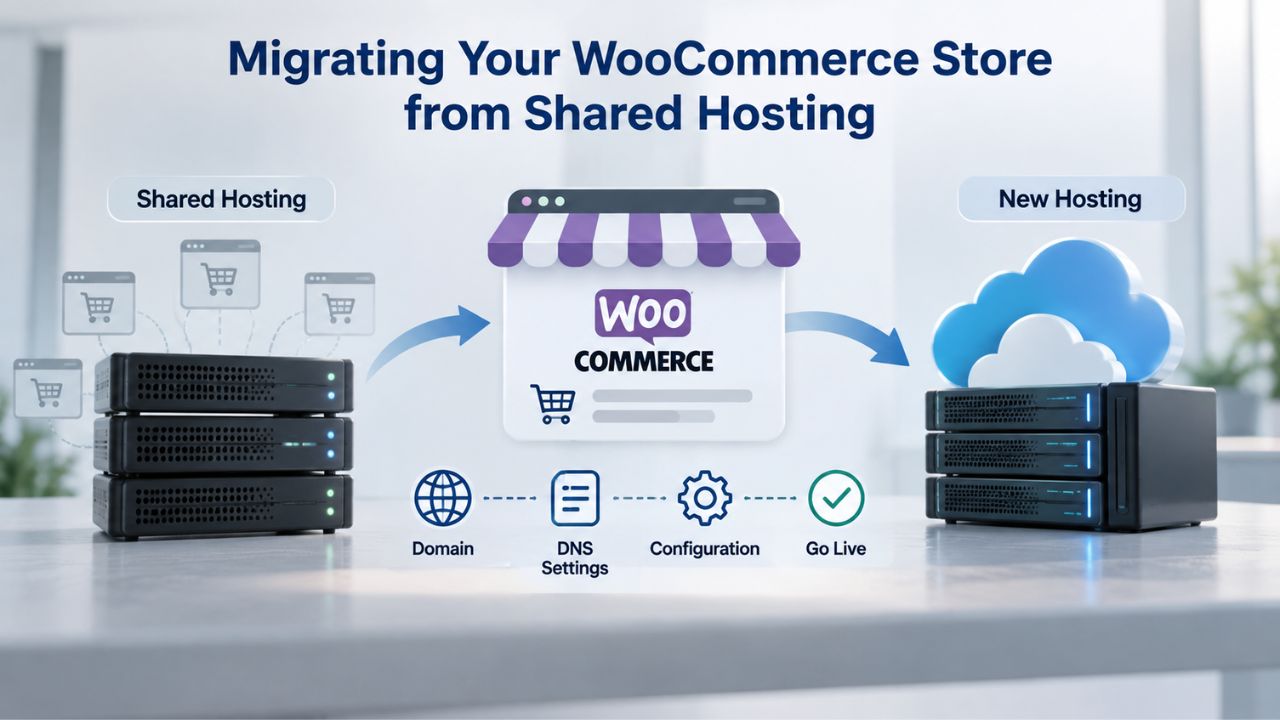
Moving an established store from shared hosting to VPS is a critical operation where mistakes cost revenue and customer trust. Data loss, extended downtime, or corrupted product information can result in days of lost sales and frustrated customers. A methodical migration process minimizes risk and ensures the transition strengthens your operation.
Pre-Migration: Database & File Preparation
Before touching the live store, export your current database using WooCommerce’s native export feature or phpMyAdmin. Download all WordPress files, plugins, themes, uploaded images, and custom code. Test the export on a local development machine: restore the database to your laptop or development server, verify that products load correctly, test the checkout flow end-to-end, and confirm that order processing works. This dry run catches data issues before they affect the live site.
Coordinate the migration during low-traffic periods, early morning, off-season, or between promotional campaigns. Notify customers of a brief maintenance window via email or banner notice. Prepare the new VPS Server in parallel: install WordPress, WooCommerce, and all your plugins on the fresh server without touching the live store. Restore the exported database to the test environment. Upload all custom files (themes, plugins, user uploads). Test thoroughly: browse products in different categories, add items to the cart, complete test checkout transactions, verify that order confirmation emails are sent, check that WooCommerce reports and analytics tracking work correctly, and confirm that third-party integrations (payment gateways, shipping carriers, email services) receive and process orders.
Go-Live & DNS Cutover
Once comprehensive testing passes, update DNS records to point your domain to the new VPS Server. Most registrars allow instant DNS changes; propagation globally takes 4 to 24 hours depending on TTL settings. During propagation, existing customers keep accessing the old shared hosting, while new visitors gradually see the VPS. Once DNS fully propagates globally, decommission the old shared hosting account, after keeping it active for a few days as a final safety net. If you miss critical data, you can quickly revert DNS to recover it.
Monitor the new VPS closely for 48 hours post-migration: watch error logs for PHP warnings or database connection issues, check that orders process completely, confirm payment gateway transactions succeed and synchronize correctly, verify that no 404 errors appear for product images or critical resources, and test customer account access. If unexpected issues emerge, you can revert DNS to the old server in minutes while you troubleshoot. Keep the old shared hosting account active for at least 5 days post-cutover as a safety net against missed data or broken features.
Ready to Upgrade Your Store’s Infrastructure?
WooCommerce stores outgrow shared hosting as traffic and complexity increase. Niya Digital’s VPS Hosting service provides the dedicated resources, security controls, and support options your store needs to scale confidently. Whether you’re launching your first store or expanding an existing operation, find the right plan and get started in minutes.
Frequently Asked Questions
What CPU and RAM do I need for a small WooCommerce store?
A small store with under 100 products and fewer than 1,000 monthly orders runs comfortably on a VPS with 2 CPU cores and 4 GB RAM. This provides dedicated resources and room to grow without overprovisioning. 100 GB of storage handles product images, backups, and system files for years.
Is a managed or unmanaged VPS better for WooCommerce?
A managed VPS is ideal if you lack sysadmin experience or prefer to avoid OS maintenance entirely. An unmanaged VPS costs less if your team can handle updates and backups independently. For solo entrepreneurs or small teams without dedicated infrastructure staff, a managed VPS eliminates operational burden and reduces security risk.
Can I host multiple WooCommerce stores on one VPS?
Yes. A single VPS can host multiple WordPress sites with separate WooCommerce instances, each with its own product catalog, customers, and checkout flow. Configure each store with its own domain, SSL certificate, and MySQL database. A 4-core, 8 GB plan easily supports 3 to 5 modest stores; larger operations may need dedicated instances.
How do I back up my WooCommerce store on a VPS?
All VPS Hosting plans support automated snapshots, which capture full server copies at a point in time. You can also configure database-level backups: use mysqldump to export your database nightly to remote storage. VPS Hosting services with backup automation handle this process, automatically encrypting and storing copies off-site.
What’s the difference between Linux and Windows VPS for WooCommerce?
Linux is the standard for WooCommerce, costs less because no OS licensing applies, and enjoys extensive community support and documentation. Windows is rarely necessary for WooCommerce unless you require .NET integration or enterprise Active Directory features. Linux VPS Hosting provides better performance per dollar for e-commerce.
How do I configure SSL/HTTPS on a VPS?
Most VPS Hosting providers include free or low-cost SSL certificates. Enable HTTPS in WordPress: install an SSL plugin, update site URLs to use https://, and force automatic redirects from http to https. Renew SSL certificates annually or enable automatic renewal to prevent expiration.
Can I upgrade my VPS if my store grows?
Yes. Most VPS Hosting providers allow vertical scaling: upgrade CPU cores and RAM mid-month with minimal or no downtime. For massive growth beyond the largest single-server plan, scale horizontally by adding additional VPS instances for load-balanced architectures or database separation.
What happens if my VPS goes down?
Infrastructure uptime agreements (typically a 99.9% SLA) commit providers to maintain service availability. If hardware fails, snapshots and backups allow rapid recovery to a replacement VPS. Fully managed support includes 24/7 assistance to minimize downtime and facilitate rapid restoration.
How do I migrate from shared hosting to VPS?
Export your database and files from shared hosting, set up WordPress and WooCommerce on the new VPS, restore the database and files, test thoroughly, then update DNS to point to the new server. VPS Hosting providers’ support teams can guide you through this process step by step.
Are there security risks in using unmanaged VPS?
Unmanaged VPS requires you to apply security updates promptly and configure firewalls correctly. Missing updates or misconfiguration exposes your store to breaches. For teams without sysadmin expertise, managed VPS is safer: the provider’s team handles patching and security hardening.
What’s included in managed VPS Hosting service?
Fully managed VPS includes automatic operating-system and PHP updates, daily backup automation, firewall configuration, 24/7 expert support, server monitoring with alerts, and performance optimization recommendations. You focus on your store while the hosting team handles infrastructure.
Can I run WooCommerce Subscriptions or Memberships on a VPS?
Absolutely. VPS Hosting supports any WooCommerce plugin or extension without restriction. Subscriptions, Memberships, Bookings, Multivendor Marketplace, and advanced custom plugins all run without additional licensing or configuration complexity.
How do I monitor performance on my VPS?
Fully managed VPS includes server monitoring and alerts. On an unmanaged VPS, install monitoring tools that track CPU, RAM, disk space, and uptime, with threshold-based alerts. WordPress plugins provide application-level metrics for page load times and database query performance.
What happens to my data if the hosting provider goes out of business?
Your data is stored on the hosting provider’s infrastructure. Maintain regular off-site backups independent of the provider, cloud storage, separate geographic regions, or local archives. Automated backup services help ensure you retain copies of critical data.
Can I switch hosting providers later if needed?
Yes. VPS infrastructure is standardized; migration to another provider involves exporting your database and files, provisioning a server at the new host, restoring your data, and updating DNS. Most providers’ systems make data portable using standard formats.
Glossary
- VPS (Virtual Private Server): A dedicated partition of a physical server, managed by virtualization software, with allocated CPU cores, RAM, storage, and bandwidth. You have root access and full configuration control, which distinguishes it from shared hosting.
- Root Access: Administrator-level permissions on a VPS, allowing you to install software, modify system settings, and control the server without provider restrictions.
- LAMP Stack: Linux operating system + Apache web server + MySQL database + PHP scripting language. A standard, cost-effective architecture for WordPress and WooCommerce hosting.
- LEMP Stack: Linux + Nginx web server + MySQL + PHP. An alternative to LAMP optimized for high-traffic sites where Nginx’s efficient concurrency handling improves performance.
- Snapshot: A point-in-time copy of an entire VPS including files, databases, and system state. Used for rapid backup and recovery without requiring separate backup files.
- Managed VPS Hosting: A VPS service where the provider handles automatic OS updates, security patches, backups, and technical support. Ideal for non-technical store owners.
- Unmanaged VPS Hosting: A VPS where you handle all OS maintenance, updates, backups, and configuration. Lower cost but requires sysadmin expertise and ongoing attention.
- PCI DSS (Payment Card Industry Data Security Standard): A compliance standard for systems handling credit-card data. Requires encryption, firewalls, access controls, and regular security testing.