What Managed and Unmanaged VPS Actually Do
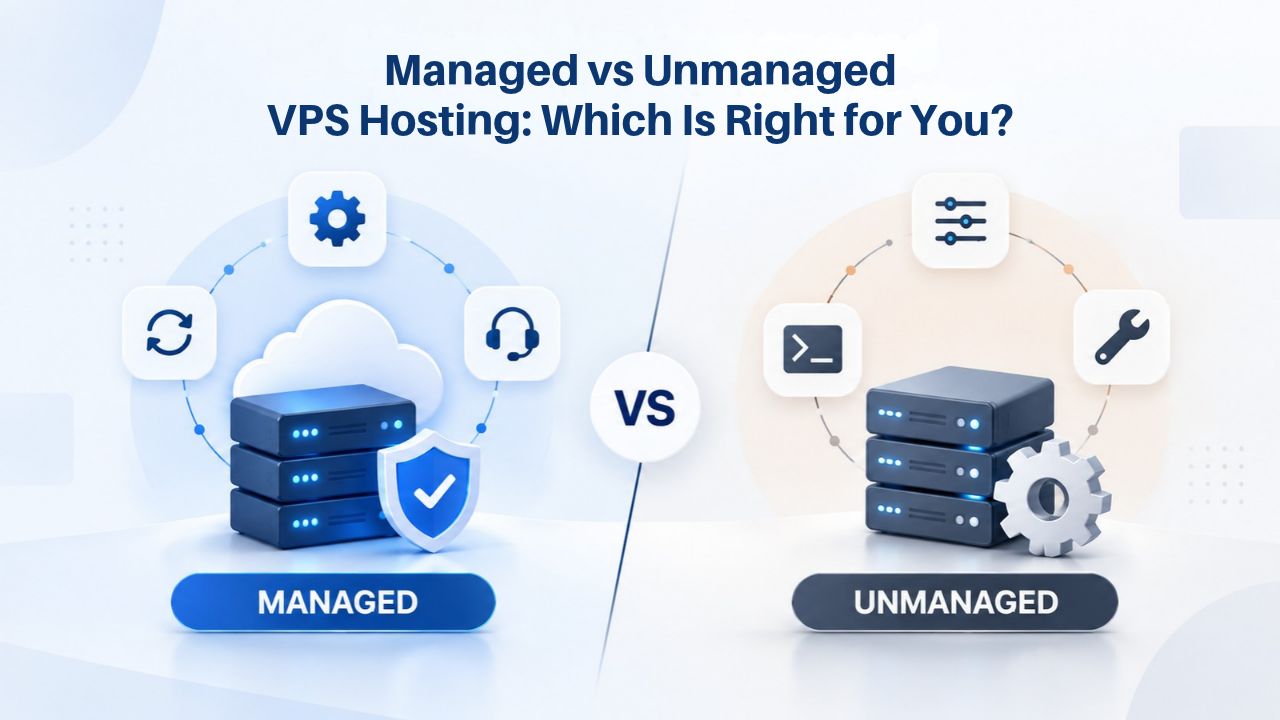
Managed and unmanaged hosting represent two fundamentally different operating models for the same core product: a virtual private server running on shared physical hardware. Both give you your own isolated server environment, but who bears responsibility for administration differs dramatically.
The Core Difference in Responsibility
Managed VPS hosting means your provider handles routine server administration. The team automatically handles operating system updates and security patches, monitors the server around the clock for problems, creates and stores backups on a schedule, and provides 24/7 technical support for server-level issues. You control your application code, your data, and your account settings- everything above the operating system layer. The provider handles everything at the OS layer and below, keeping your server secure, up to date, and backed up without your intervention.
Unmanaged VPS hosting hands you the full server. You get root (administrator) access to the entire system, which means you install and patch the operating system, configure the firewall, set up monitoring, schedule backups, and decide when to upgrade resources. Your provider supplies the hardware and infrastructure; your team owns all server administration. Support is reactive, helping with hardware issues or account settings, not proactive monitoring or patch management. This model demands hands-on technical expertise and ongoing operational commitment.
Where VPS Sits in the Hosting Spectrum
A Virtual Private Server sits between shared hosting and a dedicated server in the hosting hierarchy. With shared hosting, you rent one compartment on a massive shared server alongside hundreds or thousands of other websites. Resources are pooled and shared; one neighbor’s traffic spike can slow your site. With a dedicated server, you lease the entire physical machine; all CPU, RAM, and storage are yours alone, but you also own the full cost and responsibility. A VPS bridges this gap: you get resource isolation (your CPU, RAM, and storage allocations are yours alone, not shared with other customers), but you share the hardware with other VPS customers on the same physical machine.
GoDaddy’s infrastructure powers both the managed and unmanaged models equally. Whether you choose managed or unmanaged through Niya Digital, you’re running on the same virtualization, network, and data-center infrastructure. The difference is purely operational: who makes decisions about OS-level administration, and who is responsible when something goes wrong.
The Customer Responsibility Divide
In a managed VPS, your provider controls when OS patches are applied, what firewall rules are active by default, and whether backups happen daily or weekly. You set application-level security (your code, your credentials, your API keys) and decide business logic. If your application crashes due to a code bug, that’s your responsibility; the infrastructure itself is your provider’s job. The shared responsibility model is clear: they own the OS, you own the application.
In an unmanaged VPS, none of that is anyone’s job but yours. The provider guarantees they won’t shut off your server or modify its network connection. Still, they won’t patch the OS, monitor for intrusions, or back up your data unless you ask them to and accept additional costs. When something breaks, you diagnose and fix it, or call the provider for help troubleshooting at their hourly rate. You own the entire stack: OS, patches, monitoring, backups, and application security.
VPS Hosting Plans & Pricing
Choose the VPS hosting plan that fits your website, application, or business requirements. Select a self-managed VPS for complete server control or a fully managed VPS with a dedicated team of experts to help manage your server.
Self Managed VPS 1 vCPU
1 GB RAM
Entry-level VPS hosting for lightweight websites and applications.
- 1 CPU Core
- 1 GB RAM
- 20 GB SSD Storage
- Linux only, no control panel

Self Managed VPS 2 vCPU
4 GB RAM
VPS hosting with additional CPU and memory for growing websites and applications.
- 2 CPU Cores
- 4 GB RAM
- 100 GB SSD Storage
Self Managed VPS 2 vCPU
8 GB RAM
Additional memory for more demanding websites and applications.
- 2 CPU Cores
- 8 GB RAM
- 100 GB SSD Storage
Self Managed VPS 4 vCPU
8 GB RAM
Increased processing power for business websites and applications.
- 4 CPU Cores
- 8 GB RAM
- 200 GB SSD Storage
Self Managed VPS 4 vCPU
16 GB RAM
High-memory VPS hosting for resource-intensive workloads.
- 4 CPU Cores
- 16 GB RAM
- 200 GB SSD Storage
Self Managed VPS 8 vCPU
16 GB RAM
Powerful VPS resources for demanding business applications.
- 8 CPU Cores
- 16 GB RAM
- 400 GB SSD Storage
Self Managed VPS 8 vCPU
32 GB RAM
Maximum self-managed resources for demanding workloads.
- 8 CPU Cores
- 32 GB RAM
- 400 GB SSD Storage
Fully Managed VPS 1 vCPU
2 GB RAM
Managed VPS hosting with expert server management.
- 1 CPU Core
- 2 GB RAM
- 40 GB SSD Storage
- Dedicated team of experts to fully manage your server
Fully Managed VPS 1 vCPU
4 GB RAM
Managed VPS resources for websites and business applications.
- 1 CPU Core
- 4 GB RAM
- 40 GB SSD Storage
- Dedicated team of experts to fully manage your server
Fully Managed VPS 2 vCPU
4 GB RAM
Managed VPS hosting with additional CPU resources.
- 2 CPU Cores
- 4 GB RAM
- 100 GB SSD Storage
- Dedicated team of experts to fully manage your server
Fully Managed VPS 2 vCPU
8 GB RAM
Managed VPS hosting with additional memory for growing workloads.
- 2 CPU Cores
- 8 GB RAM
- 100 GB SSD Storage
- Dedicated team of experts to fully manage your server
Fully Managed VPS 4 vCPU
8 GB RAM
Higher-performance managed VPS for demanding applications.
- 4 CPU Cores
- 8 GB RAM
- 200 GB SSD Storage
- Dedicated team of experts to fully manage your server
Fully Managed VPS 4 vCPU
16 GB RAM
High-memory managed VPS for resource-intensive workloads.
- 4 CPU Cores
- 16 GB RAM
- 200 GB SSD Storage
- Dedicated team of experts to fully manage your server
Fully Managed VPS 8 vCPU
16 GB RAM
Powerful managed VPS hosting for demanding business workloads.
- 8 CPU Cores
- 16 GB RAM
- 400 GB SSD Storage
- Dedicated team of experts to fully manage your server
Fully Managed VPS 8 vCPU
32 GB RAM
Maximum managed VPS resources for demanding workloads.
- 8 CPU Cores
- 32 GB RAM
- 400 GB SSD Storage
- Dedicated team of experts to fully manage your server
Who Should Choose Managed Support
Managed VPS hosting works best when you want to eliminate operational work as a cost rather than develop the skill. It’s ideal for teams that need reliable infrastructure but lack the in-house expertise or bandwidth to maintain it.
Small Teams, Agencies, and Growing Businesses
Small teams and agencies are the primary audience for managed VPS. An agency managing 10 or more WordPress sites for clients can’t afford to patch each one manually or monitor server health continuously. A three-person SaaS team doesn’t have the capacity to rotate on-call for infrastructure. Managed support means the team focuses on their core product, not server administration. When a security vulnerability is disclosed, the provider patches it immediately; you don’t wake up scrambling to fix it or risk a breach while you’re busy with client work.
Niya Digital’s team has found that most customers moving from shared hosting initially choose managed VPS support while building their infrastructure skills, then migrate to unmanaged within 6–12 months as their DevOps practices formalize. This pattern reflects a realistic transition: you outgrow shared hosting, use managed support to get stable infrastructure quickly, and then invest in learning and automation as your business matures.
Developers and founders building products often use managed VPS to reach market faster. Configuring a firewall correctly, hardening a Linux kernel, and setting up automated monitoring are learned skills that take time to master. Managed hosting lets you launch the business first and defer infrastructure learning until later, or outsource it entirely if your growth means hiring someone else to handle it.
Pre-configured Stacks and Compliance Simplicity
Businesses running common stacks, WordPress, Drupal, Magento, LAMP applications, Node.js with MongoDB, benefit significantly from pre-configured managed environments. Your provider has already tuned the OS for that stack, optimized database settings, and configured backups with your stack in mind. You deploy your app or install the CMS and move forward. This eliminates the setup complexity and configuration errors that plague first-time server administrators.
Compliance-heavy workloads sometimes prefer managed hosting for a specific reason: audit clarity. If your industry requires proof that OS patches are applied on a documented schedule, managed hosting gives you a provider’s audit trail and formal process. You’re not responsible for patching; the provider is, and they’ll show you the evidence. That accountability can simplify audits and compliance reviews, though it also means you’re trusting the provider’s process and staying aligned with their patching schedule.
Who Should Choose Unmanaged
Unmanaged VPS hosting suits teams that need full control, have the expertise to exercise it, and prefer to avoid paying for support they won’t use. It’s ideal for businesses where infrastructure is a competitive advantage or a core part of the operation.

DevOps Teams and Performance-Critical Applications
DevOps teams and senior engineers often choose unmanaged hosting. Customizing the kernel, tuning network parameters, running non-standard OS versions, and compiling software from source all require root access and deep comfort with system administration. Unmanaged gives you that freedom without paying for managed support you won’t use. You can optimize every layer of the stack for your specific workload, which is essential for teams running high-performance systems.
High-performance and latency-sensitive applications often demand unmanaged configuration. A trading platform, a real-time multiplayer game, or a video-streaming service may need kernel-level tuning that no managed provider allows. You need root access to optimize CPU scheduling, memory allocation, and network stack behavior for your specific workload. You might tune TCP window scaling, adjust CPU frequency scaling, or customize the I/O scheduler. These optimizations can mean the difference between acceptable and exceptional performance at scale.
Containerized Environments and Custom Stacks
Containerized and orchestrated environments lean heavily toward unmanaged. Docker, Kubernetes, and other container platforms assume you control the host OS. You’re running application infrastructure, not just an application. You need to tune cgroup limits, manage networking plugins, adjust log rotation, and potentially customize the kernel for container performance. Managed VPS hosting typically doesn’t allow these modifications, making it a poor fit for container-centric architectures.
Businesses with non-standard requirements also need unmanaged access. Maybe you need a specific version of a programming language that isn’t in the managed provider’s pre-configured stack. Maybe you need a specialized database that requires custom kernel modules. Maybe you’re running a legacy application that only works on a specific OS version. Unmanaged gives you the freedom to install and configure whatever you need, without restrictions or delays waiting for provider support.
Compliance Control and Cost Efficiency
Compliance-critical workloads sometimes prefer unmanaged for one important reason: audit control. When you apply patches on your schedule, not the provider’s, you maintain a clear audit trail. You control the exact OS version, build, and security patches applied. Every change is under your version control, and you can prove to auditors exactly what’s running and why. For some regulated industries, that’s a cleaner compliance story: you (the customer) own the OS security posture, and the provider owns the physical infrastructure.
Cost-sensitive teams that have the skills can run unmanaged and avoid the support premium. A bootstrapped startup, a freelancer, or an in-house DevOps person can manage an unmanaged VPS plan and reinvest those savings elsewhere. Across 5, 10, or 20 servers, the cumulative savings can be substantial enough to fund additional infrastructure, tooling, or hiring.
The Time and Skill Prerequisites
Unmanaged requires you to understand Linux or Windows administration, network configuration, and basic database and application deployment. You don’t need to be a certified systems administrator, but you need to be comfortable with a terminal, reading error logs, and troubleshooting configuration files. You should understand basic networking concepts like firewalls, routing, and DNS. You should know how to install packages, manage services, and diagnose common issues.
More importantly, unmanaged requires ongoing time investment. Operating system patches come out monthly, sometimes weekly when security issues emerge. Monitoring logs for intrusion attempts, restarting failed services, and updating application dependencies isn’t a one-time task; it’s a recurring operational cost. You or your team need to budget 5–15 hours per month per server for routine maintenance, more during incident response. If that’s not feasible, managed support becomes cost-effective despite the premium.
The Real Cost Difference: Managed vs Unmanaged
The financial difference between managed and unmanaged hosting is straightforward: managed VPS hosting costs more per month than the equivalent unmanaged plan with the same CPU, RAM, and storage. That premium covers the infrastructure provider’s support team, monitoring software, and the labor hours spent on your account. Whether that premium is worth it depends entirely on your labor costs.
Understanding the Support Premium
The managed premium covers the provider’s infrastructure, monitoring software, support staff, and liability insurance. You’re not paying for a more powerful server; the hardware is identical whether you choose managed or unmanaged. You’re paying for time, someone else’s time, so you don’t have to spend yours on server administration. If you spend more than 5 hours per month managing an unmanaged VPS, managed support is cheaper than your labor. If your time is billable (you’re a consultant, agency, or service provider), the calculation becomes even clearer: hours spent on infrastructure are hours not spent on billable work.
If you don’t have the expertise to manage an unmanaged server safely, managed is also the smarter financial choice, even if the upfront premium seems high. A misconfigured firewall or an unpatched vulnerability on your unmanaged server will cost far more in downtime, breach recovery, or data loss than the managed premium ever would. A single incident- stolen credentials, an unpatched zero-day exploit, or a failed backup during a crisis- can erase months of support savings instantly.
| Feature / Factor | Managed VPS | Unmanaged VPS |
|---|---|---|
| OS-level patching & updates | Provider applies automatically on schedule | Customer responsibility; you control timing |
| Firewall configuration & hardening | Provider baseline + customer can override | Customer full control; provider doesn’t interfere |
| Server monitoring & alerts | 24/7 proactive by provider; automated alerts | Customer responsibility; you set up monitoring tools |
| Backup & snapshot management | Automatic daily by provider; easy restore | Customer responsibility; you schedule and test backups |
| Technical support level | 24/7 pro-active + reactive help-desk | Reactive help-desk only; emergency response SLA |
| Root / admin access | Limited or tiered; provider controls OS layer | Full unrestricted root; you control everything |
| Custom kernel tuning | Not allowed; stability priority | Full customization allowed; performance optimization |
| Best use cases | Agencies, small teams, common stacks | DevOps teams, custom configs, high-performance apps |
| Support response time | 15 min – 2 hours for issues | 1–4 hours; depends on SLA |
| Typical provisioning time | 30 min – 2 hours | 30 min – 2 hours |
When the Math Favors Managed
If your billable rate is $75/hour and you’d spend 10 hours per month managing an unmanaged VPS, that’s $750 in labor per month, far more than any managed support premium. Even at a modest $50/hour rate, 5 hours of infrastructure work per month ($250) quickly exceeds typical managed support costs. The moment you have billable time, managed becomes financially sensible. Your attention and expertise have value; spending them on server patching is inefficient.
If you’re a small team without in-house infrastructure expertise, managed avoids expensive mistakes. Misconfiguring a firewall, missing a patch deadline, or losing data due to failed backups can cost thousands in incident response, recovery, or data breach notification. Managed support prevents these costly scenarios by putting experienced operators in charge of baseline infrastructure safety.
Server Security in Managed vs Unmanaged Environments
Security is often where the managed vs unmanaged choice reveals its real stakes. Both models can be secure, but they distribute responsibility differently.
Security in Managed Environments
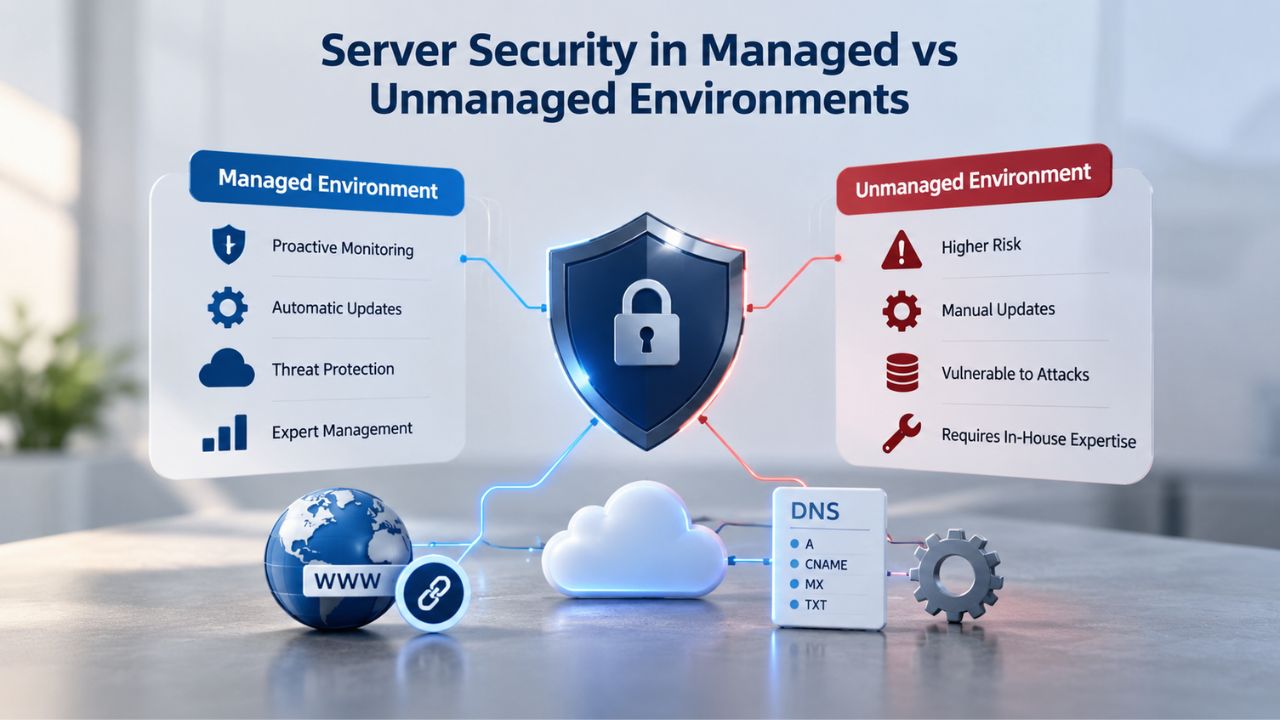
In a managed VPS, the provider applies OS-level security by default. Patches for kernel vulnerabilities arrive automatically as they’re released; you don’t have to remember or schedule them. Baseline firewall rules block common attack vectors at the network edge. DDoS mitigation is applied at the data-center level, protecting your server before traffic even reaches it. If a zero-day vulnerability is disclosed in the Linux kernel or OpenSSH, the provider patches it across their infrastructure; you wake up to a secured server, not an emergency alert.
However, managed is not “secure by default” in the absolute sense. Baseline hardening protects against common, automated attacks, not targeted threats. If your application code has a SQL injection vulnerability, hardened OS rules won’t save you. If you reuse passwords across services or leak API credentials, no provider’s backup system will help. If you run an outdated CMS version with known exploits, that’s your responsibility. Managed removes the OS-level operational burden, but application-level security still rests entirely on you.
Security in Unmanaged Environments
In an unmanaged VPS, you own all security decisions. You apply patches when you decide to, on your schedule. You write the firewall rules that protect your server, deciding which traffic is blocked and which is allowed. You enable SELinux or AppArmor for fine-grained access control, or you don’t. You monitor logs for intrusion attempts and act on what you find. You manage which services run at startup and which are disabled.
This flexibility is powerful; it’s how high-security, compliance-critical environments operate. You can enforce change control processes, maintain detailed audit logs, and implement security policies that managed providers don’t support. But it’s also a risk. You can miss a patch, misconfigure a firewall rule, or fail to rotate credentials. One overlooked vulnerability, and your server becomes a bot in a botnet or a node in a ransomware attack. Unmanaged security depends entirely on your team’s discipline and expertise.
Shared Responsibility Always Applies
Neither managed nor unmanaged is “hands-off secure.” OWASP server-hardening guidance makes clear that security is a partnership: the infrastructure provider handles the physical and network layer, you handle the application and credential layer. In a managed environment, this means: the provider patches the OS, you write secure application code and manage secrets carefully. In an unmanaged environment, you do both, and the provider still handles data-center locks and network isolation.
The common misconception is that managed is “secure” and unmanaged is “risky.” Both are only as secure as the least diligent party. A managed server running a vulnerable application is a liability. An unmanaged server with an experienced operator and strict change control can be more secure than a managed one in careless hands. Security isn’t about the model; it’s about the people operating it.
Secure Your Server Foundation Today
Server security starts with the right infrastructure choice. Whether you choose managed support to offload OS-level patching and hardening, or unmanaged control to enforce your own security policies, Niya Digital’s VPS Hosting service gives you the baseline infrastructure you need. Both models support industry-standard hardening practices and come built on GoDaddy’s secure, redundant network infrastructure.
Performance Tuning & Customization
If your application needs a custom runtime version, non-standard kernel parameters, or workload-specific tuning, managed VPS hosting often won’t allow it. This is the primary technical limitation of managed plans.
Limitations in Managed Environments
Managed plans come pre-configured for stability and consistency. The provider sets the OS version; you can’t upgrade or downgrade it on your schedule. Kernel parameters are optimized for typical workloads, not your specific workload. You can’t recompile the kernel, load custom kernel modules, or adjust CPU scheduling policies. You can’t modify network stack parameters beyond basic firewall rules. This intentionality exists for good reason: shared stability across hundreds of managed customers means the provider doesn’t allow individual customers to modify the shared host’s behavior in ways that could destabilize others on the same physical machine.
If you’re running a pre-configured stack (WordPress, Drupal, Magento, a standard LAMP app), this isn’t a problem; managed environments are optimized for these. But if you’re running a custom application, specialized database, or non-standard stack, managed quickly becomes restrictive. You can’t install the exact database version your app requires. You can’t enable kernel features your workload needs. You can’t optimize memory or CPU behavior for your specific use case.
Full Flexibility in Unmanaged Environments
Unmanaged VPS hosting gives you full technical flexibility. You can compile a custom kernel for your specific CPU or workload, optimizing for your exact hardware. You can adjust memory swappiness, TCP window scaling, or connection tracking limits to match your application’s behavior. You can load custom kernel modules for specialized networking, storage, or security. You can run non-standard OS versions (a specific CentOS release, Alpine Linux, Gentoo, or even FreeBSD, depending on the provider). You can set CPU and memory limits per application using cgroups or systemd slice units, enforcing resource boundaries at the OS level.
This flexibility is essential for latency-critical systems, databases running millions of transactions per second, or applications that need every ounce of performance their hardware provides. A search engine optimizing query latency, a financial trading platform optimizing for microsecond response times, or a media platform optimizing for throughput all need kernel-level tuning. Managed hosting would be a bottleneck; unmanaged is the only option.
The Customization Trade-off
More control means more complexity and ongoing maintenance burden. A kernel compiled for your exact CPU and workload may perform 5–10% faster than a generic kernel. Still, the build process takes time, troubleshooting is harder when something goes wrong, and upgrading the kernel means recompiling and testing. A custom configuration that saves you memory on one server may break when you migrate to new hardware with a different CPU. Your team needs to understand what you’re tuning, why, and how to troubleshoot when it causes problems.
Managed avoids this complexity: one standard configuration across thousands of servers, thoroughly tested and proven stable. An OS patch rolls out smoothly because it’s the same patch everywhere. Unmanaged requires you to weigh customization benefits against the support and maintenance burden of custom configurations across your infrastructure.
Provisioning, Setup & Migration Paths
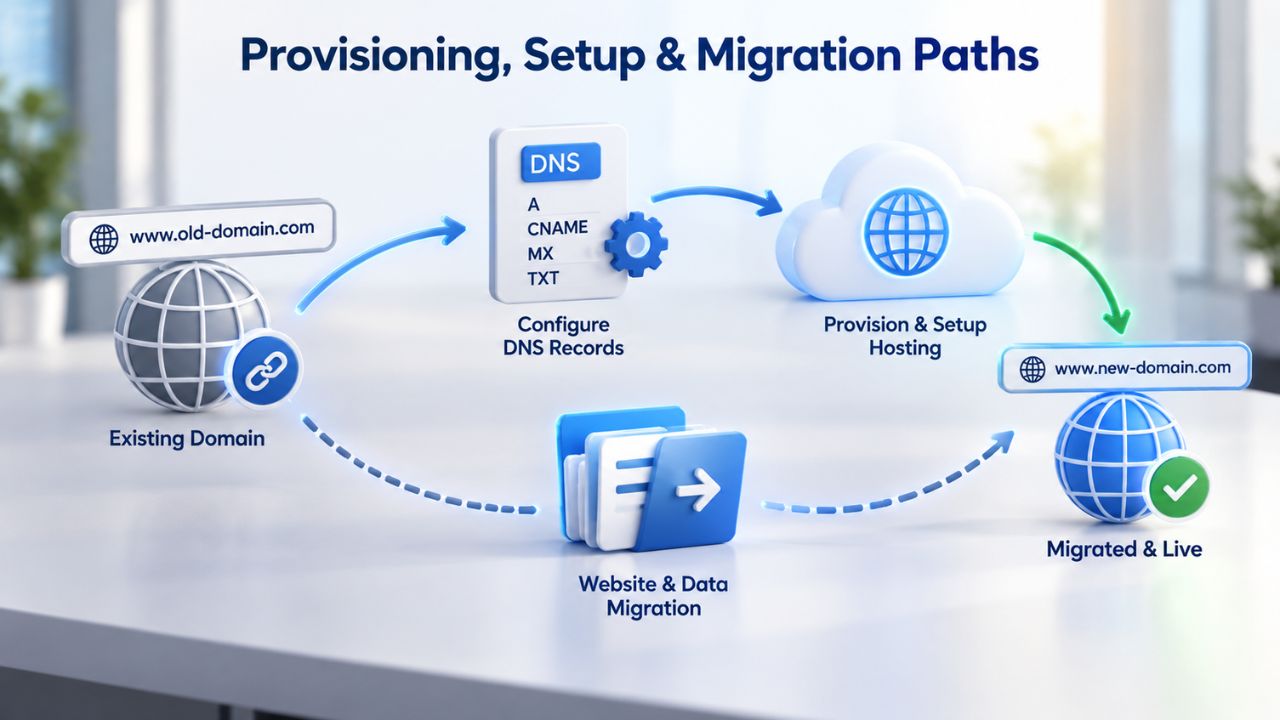
Both managed and unmanaged VPS typically provision quickly, getting you operational within hours rather than days. The provisioning process itself is similar; what differs is the post-provisioning setup and configuration.
Initial Provisioning for Both Models
Initial provisioning for either managed or unmanaged is straightforward. You choose a plan through your provider’s control panel, complete payment, and within minutes to a couple of hours, the provider spins up the server. You receive SSH credentials, and your server is accessible and online. Niya Digital’s provisioning process is streamlined for both managed and unmanaged plans, with typical deployment in the 30-minute to 2-hour window for standard configurations. Speed depends on verification requirements, infrastructure load, and plan tier; higher-end plans may take slightly longer than entry-level ones.
Initial configuration differs sharply between the two models. With a managed VPS, the operating system arrives pre-configured: a security baseline is applied, monitoring is active, backups are scheduled, and support staff is standing by. You can deploy your application immediately. You log in, verify the baseline configuration, upload your code or install your CMS, and you’re running within hours. With an unmanaged VPS, you get a blank server: you install the OS, configure the network and DNS, harden the firewall, set up monitoring, schedule backups, and configure log rotation before you deploy your application. This setup typically takes an experienced administrator 4–8 hours, longer if you’re learning as you go.
Migration Between Models and Providers
Migration between managed and unmanaged on the same provider is feasible and involves managed downtime. If you start on managed and want to move to unmanaged (to save money or gain control), you typically take a snapshot of the managed server, launch an unmanaged server from that snapshot, verify everything works, and switch DNS or traffic to the new one. This usually takes a few hours of careful testing. Migration in the opposite direction (unmanaged to managed for support) is also possible but less common; you’d typically launch a new managed server and migrate applications to it, rather than converting an existing unmanaged server in place.
Migrating between providers (e.g., from another VPS host to Niya Digital) follows a similar pattern: snapshot the old server, transfer the data and configuration to the new one, test thoroughly, and switch. Most VPS providers, including those powering Niya Digital’s service via GoDaddy, support snapshots and live transfers that minimize downtime. The key is thorough testing before switching; a botched migration costs far more than taking a few extra hours to verify everything works.
Support Response & Reliability
“24/7 support” means different things in managed vs unmanaged contexts, and understanding those differences matters for choosing the right model.
Managed Support: Proactive and Comprehensive
A managed VPS typically offers 24/7 technical support where support staff proactively monitor your server and respond to issues before you notice them. If the server hits 90% CPU utilization, monitoring software alerts support, and they contact you to diagnose and resolve the issue. If a critical process crashes, the support team may restart it automatically and notify you. Response to a support ticket might be 15 minutes for emergencies, a few hours for routine issues. Support scope typically includes OS-level help, backup recovery, security patching, and basic troubleshooting. What’s included varies: some managed plans include application-level support (WordPress updates, database tuning), others are strictly OS-level.
Managed support also includes scheduled maintenance windows where providers apply updates and patches. Providers coordinate these windows in advance, often monthly or quarterly, depending on the provider. You get notification of upcoming maintenance, and the provider coordinates the work during low-traffic times when possible. This proactive patching approach is a core managed-support benefit: you don’t have to remember or schedule it; it just happens.
Unmanaged Support: Reactive and Targeted
An unmanaged VPS with 24/7 support usually means you can open a ticket anytime and someone will respond, but support is reactive only. You notice the problem, you contact support, and they help troubleshoot. Response time might be 30 minutes to a few hours depending on the provider’s published SLA. Support scope is typically limited to infrastructure issues (network connectivity, storage, hardware) and account management (billing, plan changes, server restarts). Application debugging, OS configuration advice, or optimization help typically requires paid additional support or escalation.
The unmanaged-support model puts you in the driver’s seat for priorities. If your server is fine but your application is slow, that’s not a support issue; it’s your problem to solve. If your server crashes due to insufficient RAM, support can help you diagnose it and recommend an upgrade, but they won’t troubleshoot your application code or optimize your queries. You own the operational responsibility.
| Aspect | Managed Support | Unmanaged Support |
|---|---|---|
| Proactive monitoring | Yes, 24/7 continuous | No; customer responsibility |
| Typical alert response time | 15–30 min for critical alarms | , (no proactive monitoring) |
| Support ticket response time | 30 min – 2 hours | 1–4 hours depending on SLA |
| OS-level help included | Yes, included in support | Yes, but advisory/help-desk only |
| Application debugging assistance | Often (depends on plan) | No; escalated support costs extra |
| Backup & snapshot help | Yes, managed for you | Yes, if you request; you manage scheduling |
| Patch management | Provider applies automatically | Customer applies; support advises |
| Typical SLA uptime guarantee | Often 99.9% infrastructure uptime | Often 99.9% infrastructure uptime |
Both managed and unmanaged plans typically publish an SLA (Service Level Agreement) promising a specific uptime percentage, often 99.9%, which translates to roughly 45 minutes of acceptable downtime per month. The SLA is a commitment about infrastructure availability (the server is running and accessible), not application uptime (your code isn’t crashing). That distinction matters: if your database process consumes all memory and crashes, that’s an application issue, and the SLA doesn’t protect you, but managed support may help you diagnose and fix it. Unmanaged support typically won’t unless you pay for escalated help.
Scaling & Future Growth
How each model handles growing demands depends on your team’s maturity, your application’s complexity, and your growth trajectory.

Early Stage: Managed VPS Simplicity
Early-stage growth on managed VPS is straightforward and low-friction. Niya Digital’s managed plans accommodate resource upgrades, adding more CPU, RAM, or storage to your existing plan with minimal downtime, usually just a brief restart. As your business grows from 1 server to 3 to 5, managed makes sense: you deploy each new server, support handles baseline provisioning, and your team focuses on the application. As you grow and hire DevOps engineers or senior developers, the operational burden of a managed VPS becomes less appealing. You want to fine-tune kernel parameters, deploy your own monitoring systems, or orchestrate containers, tasks that managed hosting restricts or forbids.
Early-stage growth on unmanaged VPS requires operational skill from day one. If your team lacks sysadmin experience, scaling a fleet of unmanaged servers quickly becomes a burden; you’re managing patches, backups, and monitoring across all of them. But if you’ve invested in automation (Terraform, Ansible, container orchestration), unmanaged scales beautifully. Spinning up 10 new unmanaged servers is as easy as spinning up one, and your infrastructure-as-code scripts configure them all the same way.
Mid-Stage: The Model Transition Point
Mid-stage scaling (10–50 servers) is where the model choice becomes critical and forces a transition. A managed-VPS team typically migrates to unmanaged at this point because managing 50 servers via a managed provider’s control panel is painful; you need automation and direct OS access. You’d spend more time working around managed limitations than managing infrastructure yourself. An unmanaged-from-the-start team is already using infrastructure-as-code and is well-positioned to scale further. They’ve built automation frameworks that make adding new servers trivial.
This is the inflection point where managed reaches its limits. You’ve hired DevOps staff, you’ve learned the operational patterns, and you want autonomy. Staying on managed at 50 servers feels like outgrowing a suit, technically possible but uncomfortable. The transition from managed to unmanaged is often the catalyst for investing in proper infrastructure automation.
Large Scale: Beyond Individual VPS
Enterprise scaling (100+ servers) virtually always moves toward container orchestration (Kubernetes) or managed cloud platforms (AWS, Google Cloud, Azure). At that scale, you’re not buying individual VPS servers; you’re abstracting infrastructure entirely. You define applications in container format, specify resource requirements, and let the orchestration platform handle server provisioning, scaling, and replacement. Managed vs. unmanaged is no longer the relevant question because you’ve moved beyond VPS entirely into a platform-as-a-service or container-orchestration model.
| Growth Stage | Managed VPS Fit | Unmanaged VPS Fit | Next Evolution |
|---|---|---|---|
| Solo developer, 1 site or app | Excellent fit | Good if experienced | Stay managed until growth forces change |
| Small team, 3–5 sites/apps | Good fit | Excellent fit | Managed eases learning; unmanaged if skilled |
| Growing agency, 10+ client sites | Fair (control limits appear) | Excellent fit | Start managed, migrate to unmanaged at 5+ sites |
| Scale-up, 20–50 internal services | Poor (too limiting) | Good fit | Plan infrastructure-as-code and automation |
| Enterprise, 100+ workloads | Not relevant | Not relevant | Migrate to Kubernetes or cloud platform |
Beyond VPS: Cloud Platforms and Container Orchestration
As your infrastructure needs grow, you’ll eventually outgrow individual VPS servers entirely. At that point, you’ll evaluate cloud platforms and container orchestration, which abstract away the VPS model entirely.
When to Consider Cloud Platforms
Cloud platforms like AWS, Google Cloud, or Azure let you provision servers (called instances or compute nodes) on demand, without worrying about the underlying physical hardware. You define your infrastructure as code, and the platform handles provisioning, networking, storage, and scaling.
This abstraction is powerful: you focus on your application, and the cloud provider handles the infrastructure. The tradeoff is less control: you can’t tune the kernel of your instances, and cost complexity: you’re billed for CPU time, storage, data transfer, and services, with pricing that can spiral if you’re not careful.
Container Orchestration and Kubernetes
Many teams at significant scale move to Kubernetes, which orchestrates containerized applications across a cluster of servers. You define your application as a container image and a Kubernetes manifest, and Kubernetes handles deployment, scaling, updates, and restarts if it fails.
Kubernetes is complex to learn and operate, but it’s the industry standard for large-scale applications. Once you’re at the scale where Kubernetes makes sense, individual VPS hosting is no longer relevant; Kubernetes abstracts it entirely.
Explore Your Best VPS Model
Managed VPS hosting removes infrastructure from your plate if you have the budget and don’t need advanced customization. Unmanaged VPS hosting gives you control and efficiency if you or your team can manage the operational responsibility. Niya Digital’s VPS Hosting service offers both managed and unmanaged plans built on GoDaddy’s reliable infrastructure. Compare the plans, assess your team’s needs, and start with the model that fits where you are today.
Frequently Asked Questions
What’s the difference between root access and administrator access?
Root access (on Linux/Unix) and Administrator access (on Windows) are the same concept: full system-level control of the server. With root access, you can install software, modify OS settings, change permissions, and access any file on the server. Without root access, you’re restricted to application-level operations and files you own. Managed VPS typically restricts root access for security and stability; unmanaged VPS gives you full root/administrator permissions, but you’re responsible for using them carefully.
Can I upgrade from unmanaged to managed, or vice versa?
Yes, you can migrate between models on the same provider. You can take a snapshot of your current server and launch a new server with the opposite support model. The migration usually takes a few hours and involves some downtime while you switch DNS or traffic to the new server. Most providers, including those powering Niya Digital’s service, support this migration path smoothly. Contact your provider’s support team to discuss the process and timing for your specific situation.
How long does provisioning take for a managed vs unmanaged VPS?
Typical provisioning time is 15 minutes to 2 hours for both managed and unmanaged, depending on the provider, plan tier, verification requirements, and infrastructure load at the time. Niya Digital’s standard provisioning window is 30 minutes to 2 hours for most configurations. Once provisioned, a managed VPS is ready to deploy applications immediately; an unmanaged VPS requires initial OS configuration before you’re ready for production workloads.
Is managed VPS hosting more secure than unmanaged?
Managed VPS hosting includes baseline security hardening and automatic patching, which reduces common risks from unpatched vulnerabilities and misconfigured firewalls. Unmanaged VPS puts all security decisions in your hands, which allows for stronger hardening but also carries higher risk if you misconfigure something or miss a patch. Neither is inherently more secure; both depend on the operator’s expertise and diligence. Managed is safer for teams without sysadmin experience; unmanaged is safer for teams with strong infrastructure knowledge and strict change control.
Do I need a dedicated IP address, or can I use a shared IP?
Both managed and unmanaged VPS plans typically come with at least one dedicated IP address by default. Shared IPs are rare on VPS plans and are usually not recommended. A dedicated IP is important for email delivery (to avoid spam-list issues) and SSL certificates (to run HTTPS sites without complications). Confirm your plan includes a dedicated IP; most providers allow you to purchase additional dedicated IPs for a small monthly fee if needed.
What support response time should I expect from an unmanaged VPS provider?
Unmanaged support is typically reactive. Ticket response times range from 30 minutes to 4 hours, depending on the issue’s severity and the provider’s published SLA. Emergency issues (server down, network unreachable) may get a faster response than advisory questions (how do I configure X?). Check your provider’s current support policies and SLA documentation for exact response times.
Can I monitor an unmanaged VPS myself, or do I need paid monitoring services?
You can monitor your own unmanaged VPS using open-source tools (Nagios, Zabbix, Prometheus) or third-party monitoring services (Datadog, New Relic, etc.). Many of these tools are free or low-cost for small deployments, and they give you full control over what you monitor. On an unmanaged plan, you’re responsible for monitoring, but you have complete flexibility in how you implement it.
When should I migrate from shared hosting to managed VPS?
Migrate when your shared-hosting resources are insufficient (you’re hitting CPU/RAM/storage limits regularly) and you need isolation for security, performance, or compliance reasons. You also need the capability to manage the VPS yourself or hire someone to do it. Most developers find the migration from shared to managed VPS smooth; both use similar control panels and deployment processes, so the learning curve is gentle.
What happens to my data if the provider shuts down or goes out of business?
Reputable VPS providers have data-center security, redundancy, and data-protection policies in place. If a provider is acquired, your service typically continues under new ownership with minimal disruption. If a provider shuts down, they’re legally obligated to give you advance notice (typically 30–60 days) to migrate your data to another host. Maintain regular offsite backups regardless, as a safety net against unexpected events or provider failures.
Can I run containers (Docker, Kubernetes) on a managed VPS?
Some managed VPS plans allow containerization, but an unmanaged VPS is a better fit for container-native applications. Containers assume you control the host OS and can tune resource limits (cgroups), manage networking, and adjust logging configurations. Managed plans may restrict these capabilities for stability reasons. If containers are central to your architecture, unmanaged is the recommended model; if containers are secondary, a managed plan may work if the provider supports Docker.
How much downtime is acceptable for a VPS?
Most VPS providers offer 99.9% uptime SLAs, which means roughly 45 minutes of acceptable downtime per month. However, this is infrastructure availability (the server is running), not application uptime (your code isn’t crashing or erroring). If your application needs higher availability, you’ll need redundancy, multiple servers with load balancing and failover. A single VPS can’t provide true high availability no matter how good the SLA is.
What’s the typical cost structure for managed versus unmanaged hosting?
Managed VPS hosting generally costs more than unmanaged with equivalent hardware, because you’re paying for support, monitoring, and automated management. The exact difference varies by provider, region, and resource tier. Pricing changes frequently, so check the provider’s current plans for specific figures. Whether the extra cost is worth it depends on your labor costs and available expertise.
Can I install custom software or programming languages on unmanaged VPS?
Yes, one of the main advantages of an unmanaged VPS is that you can install and run any software you want, custom programming languages, specialized databases, experimental tools, anything that can run on the OS. Managed VPS typically restricts this to pre-approved packages and versions for stability. If your application needs a specific tool or unusual configuration, you need an unmanaged VPS.
How do I back up an unmanaged VPS?
You’re responsible for your own backup strategy on unmanaged servers. Most providers offer snapshot capabilities (you can take a point-in-time disk image), and you should use these regularly. You can also set up automated backups to external storage using tools like rsync or Duplicati. Some teams use cloud storage (AWS S3, Google Cloud Storage) for offsite backup. The key is a backup strategy and regular restoration testing; backups that can’t be restored are useless.
What happens if my unmanaged VPS runs out of disk space?
Depending on your configuration, the server might become unstable, or services might fail. Your operating system may become unable to write logs, causing services to behave unpredictably. Databases might crash or corrupt data. The best practice is to monitor disk usage and add storage before you reach capacity. Most providers allow you to upgrade storage with minimal downtime. Alert systems (monitoring tools that email you when disk usage reaches 80% or 90%) are essential for preventing this scenario.
Glossary
- Root Access / Administrator Access: Full system-level control of the server; permission to install software, modify operating system settings, change security rules, and access any file on the system. Linux uses the term “root,” while Windows uses “Administrator.”
- Virtualization / Hypervisor: Technology that divides one physical server into multiple isolated virtual servers, each with its own operating system, applications, and users. The hypervisor manages resource allocation between virtual servers so they don’t interfere with each other.
- SLA (Service Level Agreement): A provider’s written promise about uptime percentage (for example, 99.9%), support response times, and remedies if targets are missed, usually in the form of service credits or account credits.
- Snapshot / Backup: A point-in-time copy of the entire server’s disk state, including the operating system, configuration, and all files. You can restore it to recover from corruption, hacking, or failure. Snapshots are typically faster to restore than full backups.
- Firewall: A software or network rule set that blocks unwanted incoming traffic and allows legitimate traffic based on the security rules you define. Acts as a gatekeeper between your server and the internet.
- Scaling / Scale Up: Adding more CPU, RAM, or storage to a server as traffic or workload grows. Most VPS plans allow scaling with minimal or no downtime, often just a brief restart.
- Provisioning: The process of setting up a new VPS, allocating resources, installing the operating system, applying baseline configuration, and preparing it for your applications.
- Uptime / Uptime Performance: Percentage of time the server is running and accessible without interruption. Expressed as a percentage (99.9% uptime allows roughly 45 minutes of downtime per month). Infrastructure uptime (server running) is different from application uptime (your code not crashing).