Your Next.js application is growing. Shared hosting once worked fine, but now you’re hitting resource limits, slow builds, deployment timeouts, or your site crawling during traffic spikes. You need dedicated infrastructure with root access to configure Node.js, PM2, and Nginx exactly how you want them. A Virtual Private Server gives you that control. Niya Digital is an authorized reseller of virtual server infrastructure operated by GoDaddy, not an independent data-center operator.
Understanding When You Outgrow Shared Hosting
Shared hosting has a clear purpose: get a website live cheaply and quickly. You get email, automated backups, and managed security updates without touching a server. For a WordPress blog or small business site, that’s often enough. But Next.js is a different animal. Your app needs a persistent Node.js process, frequent build cycles, custom environment variables, and the ability to install and configure tools like PM2, Nginx, or Redis, none of which shared hosting allows.

Resource Limits That Trigger the Upgrade
Shared hosting imposes invisible caps on every account: a maximum number of concurrent PHP processes, limited concurrent database connections, and a soft ceiling on CPU usage per time window. When you deploy Next.js with server-side rendering, API routes, and image optimization all on the same account, shared hosting’s process limits kick in. Your builds hang. Your app times out. The host’s automation doesn’t see a crash; it sees “heavy resource use,” and it throttles or temporarily suspends your site. Niya Digital’s team has found that the most common transition point is when a Next.js app reaches 100+ concurrent users and shared hosting’s resource limits show up as slow builds or occasional timeouts.
A Virtual Private Server removes those constraints entirely. You define how many Node.js processes run via PM2, how much RAM to allocate to caching layers like Redis, and what CPU cores are reserved for build jobs versus runtime serving. You own the resource decisions, not the hosting company. This freedom is what makes Next.js viable on a VPS Hosting Provider’s infrastructure. With this control, you can optimize deployments, scale gradually as traffic grows, and avoid a neighbor’s heavy workload affecting your site’s performance.
The Cost of Staying vs. The Cost of Moving
Shared hosting is cheap, but shared hosting’s hidden costs add up quickly. You can’t run cron jobs, a background job queue, or install custom software. To add those features on shared hosting, you’d migrate to a more expensive managed hosting tier anyway. A VPS Hosting solution often costs less than the managed tier and gives you far more control. Beyond the monthly fee, consider the time cost: every workaround you invent to fit Next.js into shared hosting takes engineering effort. Every performance tuning hack costs developer time. A VPS Hosting plan removes those constraints on day one.
The true economics emerge over time. A developer spending 2 hours per month managing shared-hosting workarounds burns several hundred dollars annually in opportunity cost. A VPS Hosting service that saves 5 hours per month pays for itself many times over. You also gain predictable infrastructure: no more “why is my site slow today?” mysteries caused by noisy neighbors. You have a server that behaves consistently, scales with your app, and gives you visibility into exactly what’s running where.
VPS Hosting Plans & Pricing
Choose the VPS hosting plan that fits your website, application, or business requirements. Select a self-managed VPS for complete server control or a fully managed VPS with a dedicated team of experts to help manage your server.
Self Managed VPS 1 vCPU
1 GB RAM
Entry-level VPS hosting for lightweight websites and applications.
- 1 CPU Core
- 1 GB RAM
- 20 GB SSD Storage
- Linux only, no control panel

Self Managed VPS 2 vCPU
4 GB RAM
VPS hosting with additional CPU and memory for growing websites and applications.
- 2 CPU Cores
- 4 GB RAM
- 100 GB SSD Storage
Self Managed VPS 2 vCPU
8 GB RAM
Additional memory for more demanding websites and applications.
- 2 CPU Cores
- 8 GB RAM
- 100 GB SSD Storage
Self Managed VPS 4 vCPU
8 GB RAM
Increased processing power for business websites and applications.
- 4 CPU Cores
- 8 GB RAM
- 200 GB SSD Storage
Self Managed VPS 4 vCPU
16 GB RAM
High-memory VPS hosting for resource-intensive workloads.
- 4 CPU Cores
- 16 GB RAM
- 200 GB SSD Storage
Self Managed VPS 8 vCPU
16 GB RAM
Powerful VPS resources for demanding business applications.
- 8 CPU Cores
- 16 GB RAM
- 400 GB SSD Storage
Self Managed VPS 8 vCPU
32 GB RAM
Maximum self-managed resources for demanding workloads.
- 8 CPU Cores
- 32 GB RAM
- 400 GB SSD Storage
Fully Managed VPS 1 vCPU
2 GB RAM
Managed VPS hosting with expert server management.
- 1 CPU Core
- 2 GB RAM
- 40 GB SSD Storage
- Dedicated team of experts to fully manage your server
Fully Managed VPS 1 vCPU
4 GB RAM
Managed VPS resources for websites and business applications.
- 1 CPU Core
- 4 GB RAM
- 40 GB SSD Storage
- Dedicated team of experts to fully manage your server
Fully Managed VPS 2 vCPU
4 GB RAM
Managed VPS hosting with additional CPU resources.
- 2 CPU Cores
- 4 GB RAM
- 100 GB SSD Storage
- Dedicated team of experts to fully manage your server
Fully Managed VPS 2 vCPU
8 GB RAM
Managed VPS hosting with additional memory for growing workloads.
- 2 CPU Cores
- 8 GB RAM
- 100 GB SSD Storage
- Dedicated team of experts to fully manage your server
Fully Managed VPS 4 vCPU
8 GB RAM
Higher-performance managed VPS for demanding applications.
- 4 CPU Cores
- 8 GB RAM
- 200 GB SSD Storage
- Dedicated team of experts to fully manage your server
Fully Managed VPS 4 vCPU
16 GB RAM
High-memory managed VPS for resource-intensive workloads.
- 4 CPU Cores
- 16 GB RAM
- 200 GB SSD Storage
- Dedicated team of experts to fully manage your server
Fully Managed VPS 8 vCPU
16 GB RAM
Powerful managed VPS hosting for demanding business workloads.
- 8 CPU Cores
- 16 GB RAM
- 400 GB SSD Storage
- Dedicated team of experts to fully manage your server
Fully Managed VPS 8 vCPU
32 GB RAM
Maximum managed VPS resources for demanding workloads.
- 8 CPU Cores
- 32 GB RAM
- 400 GB SSD Storage
- Dedicated team of experts to fully manage your server
Resource Requirements for Next.js Projects
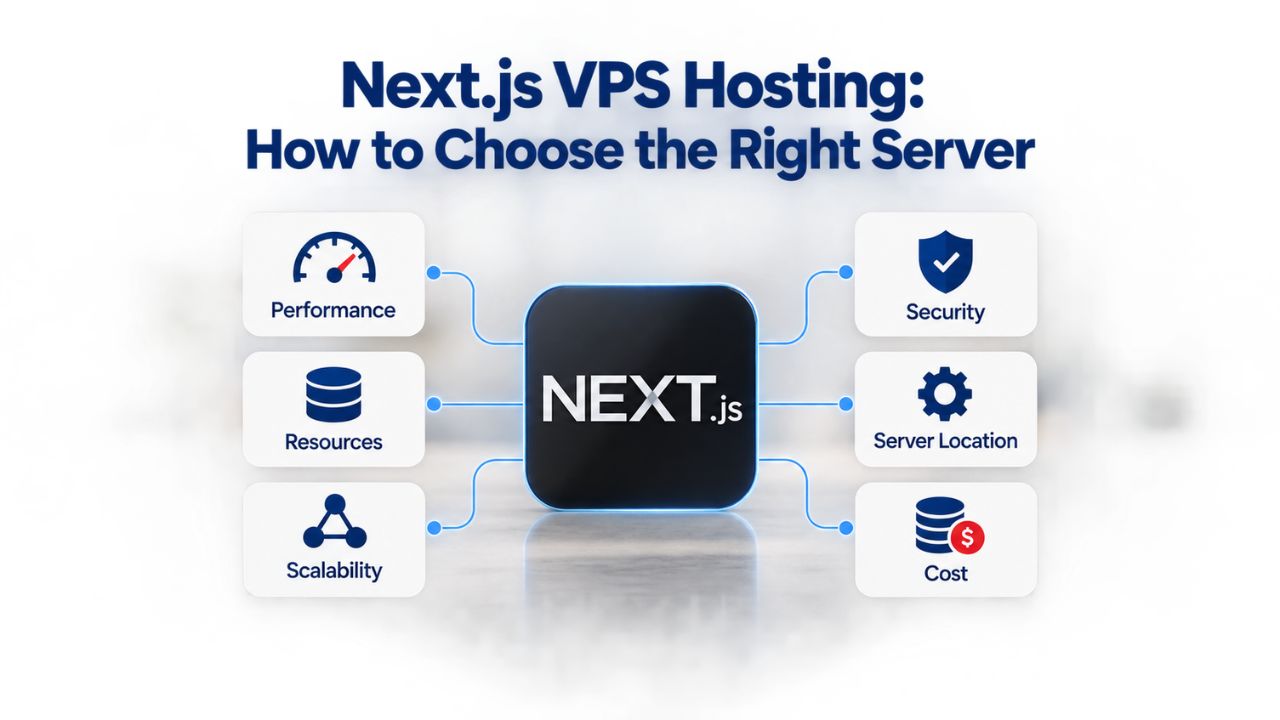
Next.js resource needs vary wildly depending on what your app does. A static-export site with next export uses almost no CPU or RAM at runtime. A full-stack app with server-side rendering, database queries, and file uploads eats CPU during builds and more RAM at runtime. Knowing which tier fits your workload keeps you from overpaying or undersizing. A production Next.js build is RAM-intensive because TypeScript compilation, image optimization, and tree-shaking all happen during npm run build, and can briefly consume 1–2 GB of RAM depending on your codebase size. Once built, the next start runtime server is much lighter, typically 300–500 MB at rest, scaling with traffic. If you deploy multiple times per day or run automated builds, you need enough RAM so builds don’t cause the app to swap to disk, which crushes performance. That rules out the smallest VPS tiers for production workloads.
CPU Cores and Concurrent Requests
Next.js Server Components render on the server per request, which uses CPU to generate HTML. Heavy server-side rendering, complex API routes, or image optimization can consume 50–80% of a single CPU core under moderate load. With PM2 running a single Next.js instance (which is the standard configuration), one CPU core often suffices for light-to-moderate traffic. But if you’re running background jobs, a reverse proxy, or multiple Node.js services on the same machine, you’ll want 2 or 4 cores. A 2 vCPU / 4 GB RAM VPS Hosting tier handles a typical Next.js app serving 100–500 concurrent users; 4 vCPU / 8 GB is safe for 500–2000 users before you need to scale horizontally or add a second VPS.
Storage on a VPS Hosting plan is almost always plentiful. Next.js builds output around 50–200 MB depending on your app size, dependencies, and whether you’re optimizing images. Your node_modules folder can range from 500 MB to 1 GB or more on large projects. A 100 GB SSD VPS Storage allocation easily covers the app code, operating system, application logs, and a comfortable buffer for growth. If you’re storing user-uploaded files or running a database on the same machine, plan accordingly, but that’s a topology question, not a VPS Hosting sizing question at this stage.
RAM: The Real Bottleneck
RAM is where Next.js deployments fail or succeed. During the build phase (npm run build), you need 1–2 GB free to avoid memory pressure. At runtime, the Node.js process grows as your app runs and accumulates request handlers in memory. In production, allocate at least 2–4 GB of RAM if you’re also running Nginx, PM2 monitoring, and the operating system itself. A 1 GB VPS plan is barely viable and only for the simplest static-export apps with virtually no traffic. Niya Digital’s smallest production-grade tier is the real minimum for a Next.js app running on a self-managed VPS Hosting setup, because it provides enough headroom that your builds complete reliably and your app doesn’t swap to disk under normal load.
Linux or Windows: Choosing Your VPS Operating System
Node.js runs on both Linux and Windows, but Linux is the standard for Next.js deployments, not because Windows can’t run it, but because the entire production stack (Nginx, PM2, Docker, Redis, most databases) was built and battle-tested on Linux first. When you search for “deploy Next.js on VPS,” virtually every guide, tutorial, and production example assumes Linux. Windows VPS Hosting costs more because Windows Server licensing is included in the VPS price as an additional fee, and you’ll spend more time troubleshooting because fewer developers run Next.js on Windows Server in production. The ecosystem is simply more mature on Linux.
Linux Distributions for Next.js
Ubuntu 22.04 LTS is the safest default for most teams deploying Next.js. It has five years of long-term support and security updates, the largest community, and the most tutorial coverage online. Most guides on deploying Next.js on a VPS assume Ubuntu or mention it first. If your team has Red Hat experience or cPanel is a requirement for your hosting setup, AlmaLinux 8 or 9 is fully compatible and provides that ecosystem. Debian is minimal and stable but has somewhat less documentation specifically for hosting and deployment tasks. Stick with Ubuntu or AlmaLinux unless you have a specific technical reason not to.
When you provision a VPS Hosting server, you’ll typically choose your operating system at checkout. Pick Ubuntu 22.04 LTS as your default choice. When Niya Digital provisions your server, you’ll get immediate root SSH access and can install any software you need. Updates are straightforward: apt update && apt upgrade runs monthly and keeps your OS current with security patches. This simplicity is why Ubuntu is the most popular choice for Next.js deployments worldwide.
When Windows VPS Hosting Makes Sense (The Exception)
Windows VPS Hosting is the right choice only if you have a genuine Windows dependency: your app relies on .NET Framework or modern .NET, you need MSSQL Server instead of PostgreSQL, you use Active Directory for authentication, or you have Windows-only business software that must run on the same server. For pure Next.js deployments without these dependencies, Windows adds cost and complexity without benefit. Windows VPS Hosting plans cost more per month than Linux equivalents because they must include Windows Server licensing. Fewer tutorials and Stack Overflow answers exist for Windows VPS deployments compared to Linux. Troubleshooting takes longer when you venture off the beaten path.
If you’re certain you need Windows VPS Hosting, ensure your team has Windows system administration experience. Creating users, managing permissions, configuring firewalls, and troubleshooting networking all work differently on Windows than Linux. Remote Desktop (RDP) is convenient for Windows administration but opens a larger attack surface than SSH. For Next.js specifically, Windows offers no performance advantage; in fact, Linux often runs Node.js more efficiently. Choose Windows VPS Hosting only for non-negotiable Windows dependencies, not for comfort or familiarity.
VPS Infrastructure: How Your Virtual Server Actually Works
When you purchase a VPS Hosting service, you’re getting a slice of a physical server, isolated by virtualization technology. Niya Digital’s VPS Hosting infrastructure runs on GoDaddy’s servers using KVM virtualization, a technology that creates completely separate virtual machines on a single physical box, much like VMware or Hyper-V but optimized for hosting at scale. Each VPS Hosting instance has its own dedicated CPU cores (not shared time-sliced cores), its own allocated RAM, and its own disk space, so a neighbor’s traffic spike doesn’t slow you down. The hypervisor isolates each VPS Hosting environment at the kernel level, so each virtual machine behaves like a standalone physical server with its own operating system and its own kernel. You get full root access on Linux, which means you can install anything, configure any network setting, and control everything down to kernel parameters. This differs from shared hosting, where you’re a limited user account on a shared machine with no kernel-level control.

NVMe SSD Storage and Performance
Niya Digital’s VPS Hosting plans use NVMe SSD storage, a modern storage technology that is 3–4 times faster than older SATA SSDs and orders of magnitude faster than spinning HDDs. For Next.js builds, that speed matters tremendously. The build process reads thousands of files, your source code, node_modules folder, build cache, configuration files, and writes the output (.next folder) back to disk. On an HDD or older SATA SSD, a typical build takes 90 seconds. On NVMe, the same build completes in 20–30 seconds. Over 10 deployments a day, that’s 10+ minutes saved. For production deployments where every second of latency affects user experience and CI/CD cost, NVMe is worth the investment.
NVMe storage also reduces application startup time. When PM2 reloads your Next.js app, the process needs to load your .next folder into memory. On NVMe, this happens in milliseconds. On slower storage, it can take seconds. For high-traffic applications that need zero-downtime deployments, NVMe storage means faster reloads and fewer requests queuing behind the restart. The speed gain from NVMe compounds over time: faster builds mean faster feedback loops, faster deployments mean faster bug fixes, and faster I/O means your app responds to requests more quickly.
Snapshot Backups: Point-in-Time Recovery
Niya Digital’s VPS Hosting includes snapshot backups, point-in-time copies of your entire disk at the storage level. These are fast, space-efficient, and don’t require your app to be offline. Set up automatic daily snapshots via Niya Digital’s control panel and keep a 7-day rolling backup window. If your site gets hacked, your code is corrupted, or a bad deploy deletes data, you can restore to yesterday’s snapshot in minutes. Snapshots protect against catastrophic failures, but not data corruption in your app logic; if your app accidentally deletes records, the snapshot will include that deletion.
For a database, also run application-level backups: export your database schema and data to a separate file weekly and store it offline or on cloud storage. This layered approach, snapshots plus database exports, ensures you can recover from almost any failure scenario. Snapshots are your first line of defense for rapid recovery; application-level backups are your insurance policy against data loss. Testing your restore process quarterly ensures you know exactly how long recovery takes and whether your backup strategy actually works when you need it.
Planning Your VPS Tier: Entry, Mid, and High-Resource Levels
Your Next.js workload determines which tier you need. A VPS Hosting plan that’s too small can make your app slow or cause it to crash under load. Too large, and you’re paying for capacity you never use. This decision matrix helps you right-size your VPS Hosting plan based on your actual workload and expected growth. Understanding where your app sits on this spectrum prevents costly mistakes, both undersizing (resulting in poor performance and user complaints) and oversizing (wasting money on unused resources).
| Use Case / Project Type | Recommended vCPU | Recommended RAM | Recommended Storage | Best For |
|---|---|---|---|---|
| Static-export Next.js or internal tool | 1–2 vCPU | 1–2 GB | 20–50 GB | Very low traffic, personal projects, staging environments |
| Small blog or landing page with SSR | 2 vCPU | 4 GB | 50–100 GB | Under 100 concurrent users, small e-commerce |
| Production SaaS or e-commerce storefront | 4 vCPU | 8 GB | 100–200 GB | 100–1000 concurrent users, moderate traffic |
| High-traffic app or multi-service setup | 4–8 vCPU | 16–32 GB | 200–400 GB | 1000+ concurrent users or complex multi-service workload |
Entry Tier (1–2 vCPU, 1–4 GB RAM)
Niya Digital’s entry self-managed VPS Hosting tiers start at the absolute minimum for development and testing. For Next.js, the practical production minimum is 2 vCPU with 4 GB of RAM. This handles a typical production Next.js app with moderate traffic, one or two background jobs, and modest image optimization. Your builds take a bit longer, 60–90 seconds, but they complete without memory pressure or disk swapping. This tier is perfect for startups, side projects, and apps in early stages of growth. The key advantage is affordability: you can start small and upgrade when traffic increases, without committing to a large server from day one.
Entry-tier VPS Hosting is also excellent for staging environments where you want to test deployments, run integration tests, or validate configuration changes before pushing to production. A staging server identical to production (minus traffic volume) catches deployment bugs early. Many teams run both a staging server and a small production server on entry-tier VPS Hosting, keeping costs minimal while maintaining safety through infrastructure parity.
Mid Tier (2–4 vCPU, 8 GB RAM)
Niya Digital’s self-managed options at this level are the comfort zone for growing Next.js apps. Builds are fast. You can run multiple Node.js processes, a caching layer like Redis, and heavy image optimization without slowdown or resource contention. This tier handles 500+ concurrent users easily and scales to 2000+ before you’d need to add a second VPS or refactor for horizontal scaling. This is where most production Next.js applications should start. The mid-tier strikes the right balance: enough resources to handle real traffic without wasting money on unused capacity.
At the mid-tier level, you can also comfortably run additional services alongside your app. Add a Redis instance for caching, run Postgres locally for a small database, or deploy background workers without worrying about resource conflicts. This flexibility makes mid-tier VPS Hosting ideal for growing businesses that need more than a single service but haven’t reached the scale where separate infrastructure makes economic sense.
High-Resource Tier (4–8 vCPU, 16–32 GB RAM)
Niya Digital’s largest self-managed tiers are for large production applications, multiple services on one machine, or data-heavy workloads. If you’re running Next.js plus a local database, cache server, background worker, and monitoring stack, this tier prevents resource contention and ensures consistent performance. It’s also where fully-managed support becomes attractive; at this tier, offloading system administration to Niya Digital’s team is cost-effective because you get professional monitoring, automated updates, and 24/7 expert support. The high-resource tier is designed for businesses where infrastructure has become complex enough to justify dedicated operations expertise.
At high-resource tiers, you can experiment with more sophisticated architectures. Run multiple Next.js instances behind a load balancer on the same machine, add distributed caching, or host auxiliary services like API gateways or webhook processors. Some teams use high-tier servers as staging environments for new infrastructure patterns, testing changes before scaling to multiple machines. This flexibility and capacity support complex workloads and organizational growth.
Managed vs. Self-Managed: The Support Question
Niya Digital’s VPS Hosting service offers both self-managed (you patch the OS, monitor performance, and troubleshoot infrastructure issues) and fully managed (Niya Digital’s team does all of that). The self-managed option gives you maximum control and minimum overhead costs. Fully managed includes 24/7 expert support, automatic OS patching, security monitoring, and system administration so you can focus on your application instead of server operations. The jump from self-managed to fully-managed reflects the real cost of professional system administration: keeping a production server secure, updated, and monitored is a full-time job.
If you’re running one app and have DevOps experience, self-managed is fine and cost-effective. If you’re running multiple projects, you’d rather focus on code than server updates, or you need SLA-backed expert support, fully-managed is worth the cost. Many businesses start with self-managed to keep costs low, then upgrade to fully-managed as the app grows and engineering time becomes more valuable than the support premium.
Start Right-Sized From Day One
Choosing the correct VPS Hosting tier from the start saves you from the pain of undersizing (slow performance, frustrated users) or oversizing (wasted money, frustrated accountant). Niya Digital’s VPS Hosting plans scale with your needs: start small and upgrade as traffic grows, or begin larger if you expect rapid growth. Browse the options and find your perfect fit.
Deployment Architecture: PM2, Nginx, and Automation
A production Next.js deployment on a VPS Server needs three layers: the Node.js app running under a process manager, a reverse proxy handling HTTP/HTTPS, and automated deployment so you can ship code without manual SSH sessions. Skip any layer, and your site can go down when the app crashes without anyone noticing; you can’t deploy without logging in manually; or SSL certificates can expire, and nobody realizes. This is the standard production stack used by thousands of Next.js deployments worldwide. Understanding each layer and why it matters is the foundation of reliable deployments.
Deployment Stack Comparison
| Stack Component | Shared Hosting | VPS Hosting Setup | Notes |
|---|---|---|---|
| Web Server | Pre-configured (Apache/Nginx) | You choose and configure (Nginx, Apache) | VPS gives you full control; shared hosting is locked into the host’s choice |
| Process Manager | None; hosting handles it | PM2 for auto-restart and zero-downtime deployment | VPS requires you to manage process lifecycle; PM2 is industry-standard |
| Reverse Proxy | Built-in (transparent) | Nginx or Apache (you configure) | Reverse proxy is essential in production; VPS requires manual setup |
| Caching Layer | Limited or none for dynamic content | Redis, Memcached (you install and manage) | VPS lets you add caching; shared hosting typically blocks or restricts it |
| Backups | Automated by host | Snapshots (automatic) + application-level backups (manual or scripted) | VPS includes snapshots; you plan application backups separately |
| Security Patching | Handled by host | You patch OS and dependencies | VPS places this responsibility on you; fully-managed transfers it back to the provider |
| SSL/HTTPS | Included; auto-renewed | Let’s Encrypt free cert via Certbot; Nginx terminates SSL | Both can use free SSL; VPS requires certificate management setup |
Process Management with PM2
PM2 is a battle-tested Node.js process manager that automatically restarts your app if it crashes. When your code has a bug and throws an unhandled exception, PM2 detects the crash, logs it, and restarts your app automatically. You configure a file called ecosystem.config.cjs that specifies the app name, entry point, environment variables, how many instances to run, memory limits, and log locations. When you deploy a new build, PM2 can reload the app with zero downtime: the old process finishes serving requests, then the new one takes over. Without PM2, a single crash means manual downtime until you SSH in and manually restart.
To run your Next.js app via PM2 after a build, create an ecosystem.config.cjs file in your repo with the app configuration. Include the app name, the start script (usually npm start or a direct Node.js binary), your environment variables, typically 1 instance for Next.js (since it handles concurrency internally), and memory restart limits. Then pm2 start ecosystem.config.cjs brings it online. From that point, pm2 restart or pm2 reload are one-liners for deployments. You can also configure PM2 to start automatically on system reboot, so your app comes back online if the VPS Server restarts for maintenance or unexpected reasons.
Reverse Proxy with Nginx
Nginx sits between the internet and your Node.js process, handling SSL/TLS termination, caching static assets, and request routing. You configure Nginx to listen on port 80 and 443 (HTTP and HTTPS), then forward requests to your Next.js app running on localhost:3000 behind the firewall. This setup lets you run multiple Node.js services on the same VPS Server without port conflicts, and Nginx can cache static files and API responses so repeated requests never hit Node.js and return instantly. A minimal Nginx config for Next.js points upstream to localhost:3000, sets headers like X-Forwarded-For and X-Forwarded-Proto so your app knows about the original client IP and HTTPS, and terminates SSL encryption.
Let’s Encrypt certificates are free and auto-renewable via Certbot, a tool that runs as a cron job and renews certificates automatically. With Nginx handling HTTP/HTTPS, your app only needs to handle the business logic. Nginx also compresses responses, handles slow clients, and protects your app from certain types of attacks. This separation of concerns- Nginx handles protocol and caching; your app handles features- is the foundation of scalable production deployments. You can upgrade Nginx independently, change routing logic without restarting your app, or add features like rate limiting without touching application code.
Security, Backups, and Hardening on a Self-Managed VPS
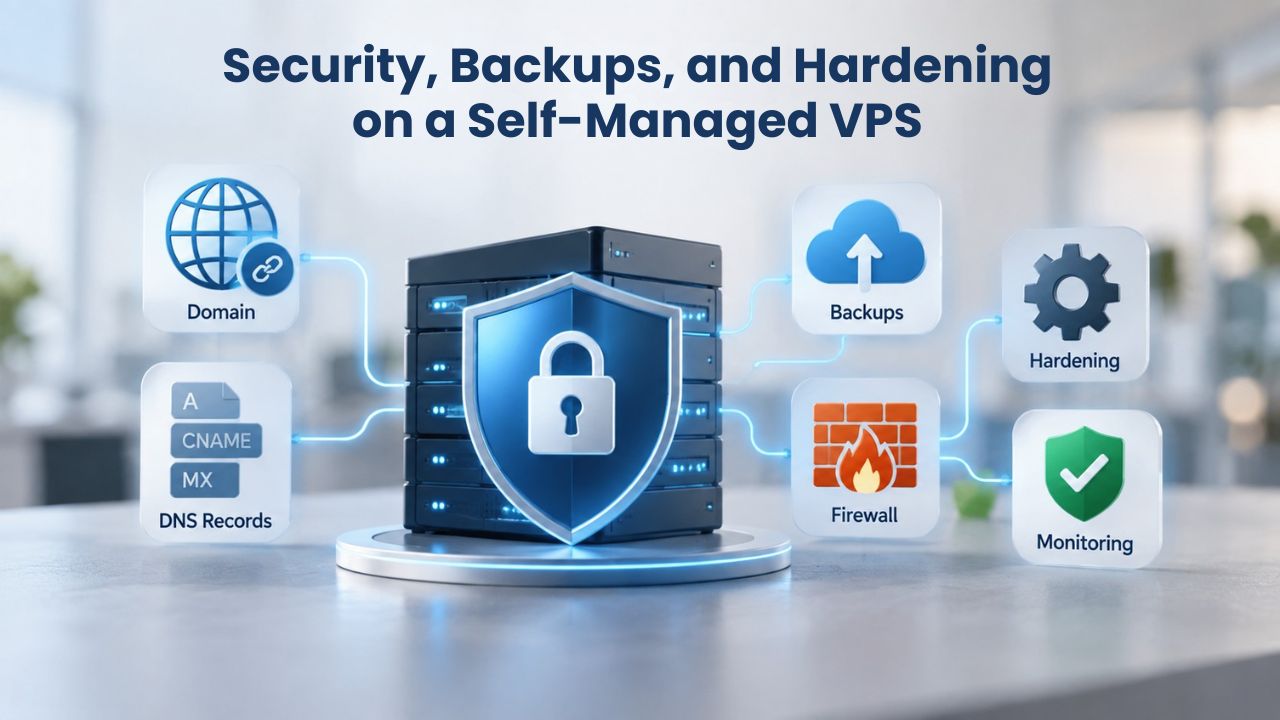
A self-managed VPS Hosting server means you’re responsible for security updates, backups, and baseline hardening. GoDaddy’s infrastructure provides the physical layer, DDoS protection, network isolation, and secure data centers with advanced threat monitoring, while you handle the OS and application layer. This is not as scary as it sounds, but it requires discipline and a clear plan. Most production security breaches stem not from the hosting company, but from outdated server software or weak credentials. Understanding your responsibilities and establishing routines prevents most common security failures.
Backup Strategy for VPS Hosting
Niya Digital’s VPS Hosting includes snapshot backups, point-in-time copies of your entire disk at the storage level. These are fast, space-efficient, and don’t require your app to be offline. Set up automatic daily snapshots via Niya Digital’s control panel and keep a 7-day rolling backup window. If your site gets hacked, your code is corrupted, or a bad deploy deletes data, you can restore to yesterday’s snapshot in minutes. Snapshots protect against catastrophic failures, but not data corruption inside your app logic; if your app accidentally deletes records, the snapshot includes that deletion. For a database, also run application-level backups: export your database schema and data to a separate file weekly and store it offline or on cloud storage.
This layered approach, snapshots plus database exports, ensures you can recover from almost any failure scenario. Snapshots are your first line of defense for rapid recovery; application-level backups are your insurance policy against data loss. Testing your restore process quarterly ensures you know exactly how long recovery takes and whether your backup strategy actually works when you need it. Many teams discover their backups don’t work only when disaster strikes, which is too late. A 15-minute backup test monthly prevents this expensive mistake.
Firewall and Root Access Best Practices
Full root access is powerful and dangerous. Restrict SSH to key-based login only; disable password login entirely. This prevents brute-force attacks from gaining access through weak passwords. Restrict which IP addresses can SSH in; if your team works from an office, whitelist that office’s IP range. Run a firewall (UFW on Ubuntu) that allows only SSH, HTTP, and HTTPS inbound. Create a non-root user for day-to-day work and reserve root for system tasks. Monitor login attempts and use fail2ban to block brute-force attacks after a few failed attempts. Environment secrets, API keys, database passwords, and OAuth secrets should never be in your Git repository.
Use a .env file on the VPS Server loaded at runtime, not checked into version control. Rotate secrets regularly and never log them in application output. Set up centralized logging so you record failed login attempts and security events. Most VPS hosting providers, including Niya Digital, include 24/7 monitoring and alert services; enable them. A compromised VPS Server can do damage far beyond the data it holds: it can be used to attack other sites, send spam, or participate in botnet attacks. Securing your server protects not just your business but the broader internet ecosystem.
Common Next.js Deployment Pitfalls and How to Avoid Them
Even with a solid VPS Server setup and the best intentions, small oversights cause outages and performance issues. Here are the most common ones and how to dodge them before they bite you in production. Learning from others’ mistakes is cheaper than learning from your own in production.
Running Out of RAM During Builds
Your app builds fine on your local laptop with 16 GB of RAM, but on a VPS Server with 4 GB, the build process runs out of memory and fails silently or crashes. Node.js tries to allocate more memory than is available; the OS kills the process, and your deployment fails. Solution: increase swap space on the VPS Server; create a 4–8 GB swap file as a fallback. This is not ideal for normal operation because swap is much slower than RAM, but it’s a safety net during build spikes. Alternatively, upgrade to a VPS Hosting tier with more RAM. Never rely on swap for normal operation, but it can prevent catastrophic build failures as your codebase grows or dependencies increase.
You can also optimize your build script. Disable source maps in production if they’re not needed. Use the –max-old-space-size=2048 flag with Node.js to explicitly allocate more memory to the build process. Some teams also split their build into stages, build once in CI (GitHub Actions), then just run the pre-built app on the VPS Server, which bypasses the build memory issue entirely. This approach also speeds up deployments because the expensive build step happens in parallel on GitHub’s servers, not on your VPS.
Forgetting Environment Variables on Deployment
You commit your app to Git, it deploys successfully, the app starts, but crashes immediately because it can’t connect to your database; the connection string wasn’t in the .env file on the VPS Server. The local test environment had the variable hardcoded or in a different .env file, but production doesn’t. Solution: keep a .env.example file in your repository listing all required variables with dummy values. Use deployment scripts that check for required environment variables and fail loudly if any are missing before the app starts. Use next config validation to fail the build if a required variable is not set, catching this error during build time instead of runtime.
Document your environment setup so new team members know what to configure. Create a deployment checklist that includes “verify .env file” as an explicit step. Better yet, automate this: have your deployment script SSH to the VPS Server and verify that all required environment variables are present before starting the app. GitHub Actions can even run a pre-flight check that lists missing variables and refuses to deploy until they’re fixed. Catching this error during CI/CD is far better than finding out in production.
Database on the Same Machine as the App
Running PostgreSQL and your Next.js app on the same VPS Server sounds convenient and cost-effective, but creates resource contention. When your Next.js app builds, RAM usage spikes, Postgres slows down or crashes, and then your site’s database is unreachable. Your app and database compete for the same CPU, disk I/O, and RAM. Solution: For small projects with minimal traffic, keep it simple. For production workloads serving hundreds of users, run your database on a separate machine or use a managed database service. Many hosting providers offer managed PostgreSQL, MySQL, or MongoDB. It’s slightly more expensive but removes an entire class of scaling and stability problems.
Separating your database also simplifies scaling. When you need a second app server, all app servers can connect to a shared database. When your database grows too large for one machine, you can upgrade the database independently. You can also back up your database separately, which is crucial for data safety. If everything is on one machine and something goes wrong, you lose both your app and your data together.
Scaling Beyond a Single VPS: When to Consider Upgrades
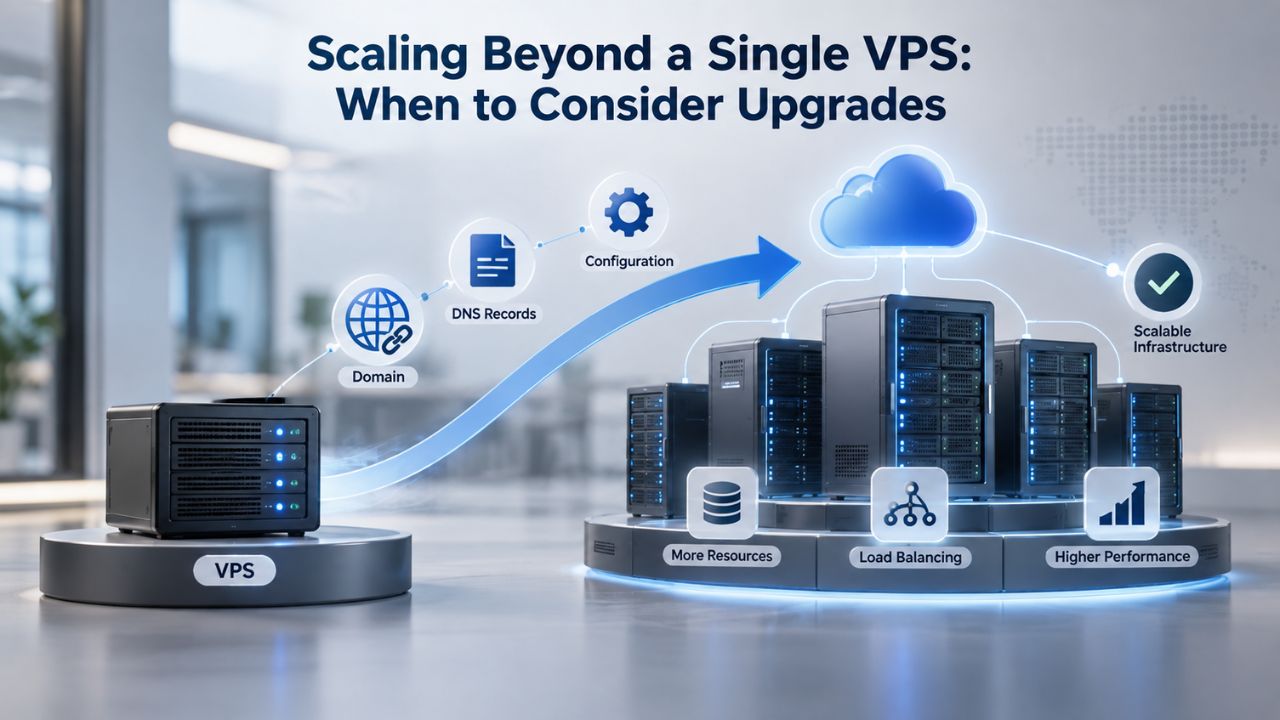
A 4 vCPU / 8 GB VPS Hosting server can handle 1000–2000 concurrent users, depending on your app’s complexity, code efficiency, and database query patterns. Beyond that, you hit the limits of vertical scaling: bigger machines get exponentially more expensive and eventually inefficient. At that point, you move to horizontal scaling: multiple VPS Hosting servers behind a load balancer, all pointing to a shared database and session store like Redis. But before you scale to multiple machines, optimize what you have. Image optimization in Next.js is CPU-expensive; caching optimized images saves CPU cycles. Database queries that run on every page load should be cached or moved to background jobs. API routes that take 500 ms should be profiled and optimized to 50 ms.
A single, well-tuned VPS Hosting server beats two poorly tuned servers every time. Premature scaling is expensive and introduces operational complexity. Start with one well-sized server, measure where your time is going (use profilers and monitoring), and optimize the bottleneck. Often the bottleneck is your database queries, not your Node.js server. Fixing the slow query or adding a cache layer can double your throughput without adding hardware. Only when optimization can’t help anymore should you consider adding more servers.
When a VPS Server is No Longer Enough
If you do scale horizontally to multiple machines, each app server becomes stateless, with no local files stored on a single machine, all sessions stored in Redis, and all static files served from a CDN. At that scale, the marginal cost of another VPS Hosting server is less than your database or CDN bill anyway. The bigger question is whether a Platform-as-a-Service like Vercel or AWS makes more economic sense from an operations perspective; for large teams with dedicated DevOps staff, it often does, because platforms handle deployment, auto-scaling, and monitoring. Watch for these signs you’re outgrowing a single VPS: peak traffic regularly pushes CPU above 80%, your database becomes a bottleneck and queries slow under load, deployments take so long they risk missing traffic windows, or your deploy frequency is limited by manual testing and rollout procedures.
These signal that it’s time to refactor for horizontal scaling or move to a managed platform. Niya Digital’s support team can help you evaluate whether a larger VPS tier, multiple VPS servers, or a platform like Vercel is the right next step for your specific situation. At scale, the question is not “how do we run this cheaper” but “how do we run this reliably with our current team size.” The answer often involves offloading infrastructure operations to a specialist, whether that’s Niya Digital’s fully-managed VPS Hosting support or a platform like Vercel.
VPS Adoption Checklist
A VPS Hosting solution is right for you if most of these statements are true: your Next.js app outgrows shared hosting (slow builds, resource limits, or need for root access); you want predictable monthly costs (fixed price, unmetered bandwidth); you have or can learn basic Linux system administration, or you can afford managed support; you need custom deployment (automated CI/CD, multiple services on one machine, or staging environments); your traffic is 100–2000 concurrent users (beyond 2000, revisit your architecture); and you’re comfortable with responsibility for security patches and backups, or paying for fully-managed support to handle that. If you answered “yes” to 4 or more of these, a VPS Hosting tier from a trusted VPS Hosting Provider is likely the right fit.
Niya Digital’s VPS Hosting service, running on GoDaddy’s infrastructure, offers self-managed and fully-managed tiers. You can start with a small server and scale up as your traffic grows, or start larger if you expect growth. The flexibility to upgrade your VPS Hosting plan without migrating to a different provider is a major advantage. You’re not locked into a platform; you can migrate to another VPS provider at any time. This portability is valuable as your needs evolve.
Understanding VPS Deployment in Production
Once your VPS Hosting server is provisioned and configured, the deployment phase begins. Your app lives in a Git repository; every push to main triggers an automated build pipeline via GitHub Actions or a similar CI/CD tool. GitHub Actions runs npm install, npm run build, and your test suite in its own container. If tests pass, the workflow SSHes into your VPS Server, pulls the latest code, reruns the build there, and tells PM2 to reload. Your site is live with zero downtime; the old process keeps serving existing requests until the new one is ready, then they swap seamlessly. This is the standard production pattern for Next.js on a VPS Hosting Provider’s infrastructure. It’s not magic; it’s reliable automation that removes human error from deployments.
The first setup takes an hour. Every deployment after that is a single git push. That’s when a VPS Hosting solution starts paying for itself in saved time and sanity. You’re no longer manually logging into servers, manually running builds, or praying that nothing breaks between git push and the app being live. Automation is your safety net and your speed multiplier.
Monitoring and Observability
After deployment, monitoring keeps your VPS running smoothly. Use Linux tools like top and htop for real-time CPU and RAM usage, df for disk space, and iostat for disk I/O. For continuous monitoring, set up Prometheus and Grafana or use your VPS Hosting provider’s dashboard. PM2 includes basic process monitoring and can send alerts if an app crashes. Set up alerts so you know immediately if CPU or RAM usage spikes, disk fills up, or an app process exits unexpectedly. Monitoring takes an hour to set up and saves you from discovering problems when your users report them.
Cost Comparison: VPS vs Other Hosting Models
VPS Hosting sits in the middle of the hosting cost spectrum. Shared hosting is cheaper but limited. Dedicated servers cost more but give you a whole machine. Managed platforms like Vercel handle deployment, but pricing scales with usage. A self-managed VPS Hosting server is the sweet spot for most growing Next.js apps; you get most of the power of a dedicated server at a fraction of the cost, and you keep full control over your infrastructure. If your app is very small and traffic is predictable, Vercel might be simpler. If your app is large and traffic varies, a VPS Hosting server with reserved capacity often costs less than Vercel’s usage-based pricing. Do the math for your actual traffic pattern and decide based on numbers, not assumptions.
Ready to Launch Your Next.js App?
Niya Digital’s VPS Hosting plans give you the control and performance modern Next.js applications need, full root access, fast SSD storage, and professional infrastructure. Whether you choose self-managed hosting to keep costs low or fully managed for peace of mind, you get reliable hosting that scales with your app. Explore Niya Digital’s VPS Hosting options today and provision your server in minutes.
Frequently Asked Questions
What is the difference between a VPS and shared hosting for Node.js apps?
Shared hosting pools resources (CPU, RAM, disk) among dozens of accounts and restricts what software you can install. You cannot run Node.js, PM2, or custom databases on shared hosting because the hosting company disables system calls and restricts root access. A VPS Server gives you dedicated resources and full root access, so you control everything. Node.js requires a VPS Hosting plan or higher; shared hosting doesn’t support it.
Can I run Next.js on the smallest VPS Server tier?
Technically yes, but not for production workloads. The smallest tier runs into memory pressure during builds when npm run build tries to compile TypeScript and optimize images, and can’t handle real traffic without swapping to disk, which is slow. For Next.js, the practical minimum for production-grade performance is a tier with 2 vCPU and 4 GB of RAM. That’s when you get fast builds and stable runtime performance under normal load.
Do I need a fully-managed VPS Hosting plan, or is self-managed enough?
If you have Linux experience or a DevOps-capable team, self-managed works fine; you save money by avoiding the managed support premium. If system administration isn’t your strength and you’d rather focus on shipping features, fully-managed support from Niya Digital is worth the cost. Fully-managed plans include OS updates, security patching, monitoring, and expert support, so you never have to SSH in for maintenance and your team can stay focused on your app.
What if my app outgrows a single VPS Server?
You scale horizontally: add a second VPS Hosting server behind a load balancer, both pointing to a shared database and Redis session store. This architecture handles 10,000+ concurrent users. Before you scale, profile your app to find real bottlenecks; often, a single well-tuned VPS Server can handle far more traffic than you expect. Horizontal scaling adds complexity, so do it only when vertical scaling (upgrading your VPS tier) is no longer sufficient.
Can I upgrade my VPS Hosting plan without downtime?
Most VPS Hosting providers, including Niya Digital, allow resource upgrades (RAM, CPU) on a live server with just a brief restart. You configure the new size, and Niya Digital handles the resize; your data stays intact. Plan tier upgrades (changing from one plan to another) are typically faster and can happen with a few seconds of downtime, which most apps can tolerate during off-peak hours.
Is Linux VPS Hosting cheaper than Windows VPS Hosting?
Yes, significantly. Linux VPS Hosting uses a free open-source operating system, so licensing costs nothing. Windows VPS Hosting includes Windows Server licensing, which adds a premium. A comparable Windows VPS Server typically costs more per month than Linux. For Next.js, Linux is standard, so you’d never choose Windows just for cost reasons.
How do I handle SSL/HTTPS on a VPS Hosting server?
Nginx (your reverse proxy) terminates SSL encryption. You get a free SSL certificate from Let’s Encrypt via Certbot, which runs as a cron job and renews automatically before expiration. Nginx handles HTTPS traffic, decrypts it, then forwards plain HTTP to your Next.js app on localhost:3000. Your app never sees the certificate; Nginx handles all of that. This setup is industry-standard on production VPS Hosting servers worldwide.
What’s the difference between VPS Hosting and cloud hosting (AWS, GCP, Azure)?
VPS Hosting is a virtual machine on a shared physical server, billed monthly at a fixed price. Cloud hosting (AWS EC2, etc.) offers similar virtual machines but with per-second billing, auto-scaling groups, managed databases, and more complex pricing. For a single Next.js app, VPS Hosting is simpler and more predictable. Cloud hosting wins if you need global auto-scaling, complex infrastructure, or integration with other cloud services, but it’s overkill for small to medium apps.
Can I back up my VPS Hosting server easily?
Yes, very easily. Niya Digital’s VPS Hosting plans include snapshot backups, automatic point-in-time copies of your entire disk at the storage level. Configure automatic daily snapshots via Niya Digital’s control panel and keep a 7-day rolling backup window. If something goes wrong, you can restore a snapshot in minutes. For application-level backups (database exports, user-generated data), set up a separate automated job that exports your database to cloud storage weekly.
Do I need a CDN with a VPS Hosting server?
Not required, but beneficial. A CDN (Content Delivery Network like Cloudflare) caches your static assets at edge locations worldwide, speeding up content delivery for distant users. For a small Next.js app serving one geographic region, a CDN is optional. For global traffic, a CDN is worth the investment because it speeds up static files and pages without load on your VPS Server.
What’s the easiest way to deploy to a VPS Hosting server?
GitHub Actions (or GitLab CI) running on every git push. Write a workflow that builds your app, runs tests, then SSHes to your VPS Server and restarts PM2. After the first setup (30 minutes), every deployment is just git push. This is far simpler than manual SSH deployments and catches build errors before they reach production.
Can I run multiple apps on a single VPS Hosting server?
Yes, if you have enough resources. Each app runs on a different local port (app 1 on 3000, app 2 on 3001, etc.), and Nginx routes requests by domain name to the correct app. With PM2, you manage all apps in a single configuration file. A 4 vCPU / 8 GB VPS Hosting server can comfortably run 2–3 modest Next.js apps without resource contention.
How do I monitor a VPS Hosting server for performance issues?
Use Linux tools: top or htop for real-time CPU and RAM, df for disk space, iostat for disk I/O. For continuous monitoring and alerting, set up Prometheus and Grafana, or use your VPS Hosting provider’s dashboard. PM2 includes basic process monitoring. Set up alerts so you’re notified if CPU usage spikes, RAM pressure increases, disk usage fills up, or a critical process crashes.
Should I choose Niya Digital’s VPS Hosting over other providers?
Niya Digital resells VPS Hosting infrastructure powered by GoDaddy, which operates global data centers with reliable uptime and network security. Niya Digital’s value-add is the storefront, onboarding support, account management, and expertise. Compare specs, support response times, and overall offerings across several providers. Niya Digital’s VPS Hosting plans are competitive in price and support quality.
What should I do before scaling beyond a single VPS?
Optimize your existing setup first. Use a profiler to find slow database queries and cache them. Implement image optimization and static asset caching. Set up monitoring to understand where CPU and memory are actually going. Often these optimizations buy you 6–12 months of growth on your current VPS tier. Only scale when optimization can’t help anymore.
Glossary
- VPS (Virtual Private Server): A virtual machine running on a shared physical server, with dedicated CPU cores, RAM, and storage allocated exclusively to your account. Each VPS behaves like a standalone physical server with full root access and an isolated operating system, even though multiple VPS instances share the same hardware.
- Root Access: Full administrator-level control over the server operating system and all software, down to kernel-level configuration. Required for installing Node.js, PM2, Nginx, databases, and any custom software your application needs.
- Virtualization: Technology that creates isolated virtual machines on a single physical server using a hypervisor like KVM. Each virtual machine is completely separated from others, so one user’s workload and traffic don’t affect another user’s performance.
- Hypervisor: Software (such as KVM, which powers Niya Digital’s VPS Hosting infrastructure) that abstracts a physical server’s hardware and creates multiple isolated virtual machines. The hypervisor manages CPU time, memory allocation, and disk I/O for all VPS instances running on the physical machine.
- Uptime / SLA: Service Level Agreement specifying guaranteed availability. A 99.9% uptime SLA means the service is available at least 99.9% of the time, allowing about 36 seconds of downtime per month. No provider guarantees 100% uptime because network maintenance and unexpected failures are inevitable.
- Snapshot: A point-in-time copy of a VPS Hosting server’s entire disk, capturing the operating system, all files, and all data at a specific moment. Snapshots are fast to create and restore, making them ideal for disaster recovery and backup strategy.
- Bandwidth: Data transfer per billing cycle. “Unlimited” bandwidth on a VPS Hosting plan typically means data is metered at your line speed (your network connection’s maximum speed) but not capped at a hard gigabyte limit per month.
- Fully-Managed VPS Hosting: VPS Hosting where the provider handles OS updates, security patching, monitoring, backups, and technical support. You focus entirely on your application; the provider handles all infrastructure operations.
- Self-Managed VPS Hosting: VPS Hosting where you handle OS updates, security patches, monitoring, backups, and troubleshooting. You have complete control and flexibility but also full responsibility for keeping the server secure and operational.