What Is n8n and Why Self-Host?
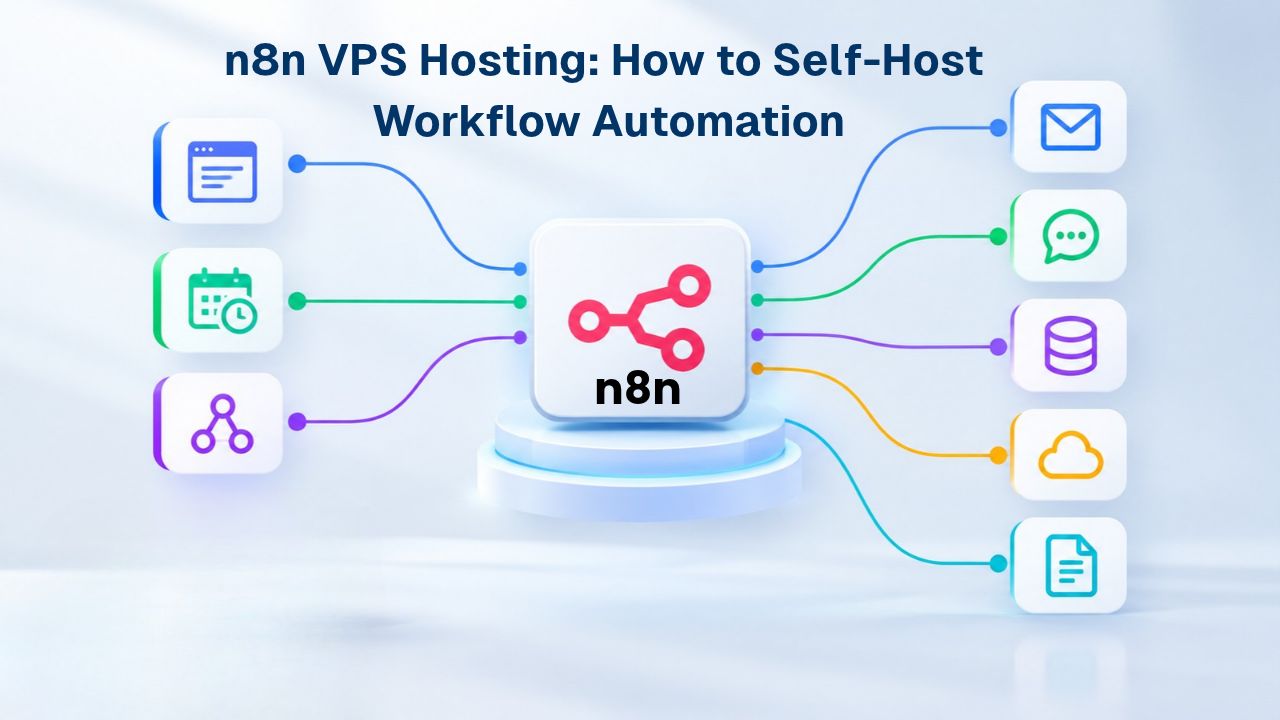
Self-hosting n8n on a VPS lets you escape the limits of cloud automation platforms and run unlimited workflows without metering constraints. n8n is a fair-code, open-source workflow automation platform you can deploy, configure, and scale entirely under your control. Unlike commercial automation SaaS, n8n Community Edition imposes no execution limits, no restrictions on workflow count, and no throttling based on usage tiers.
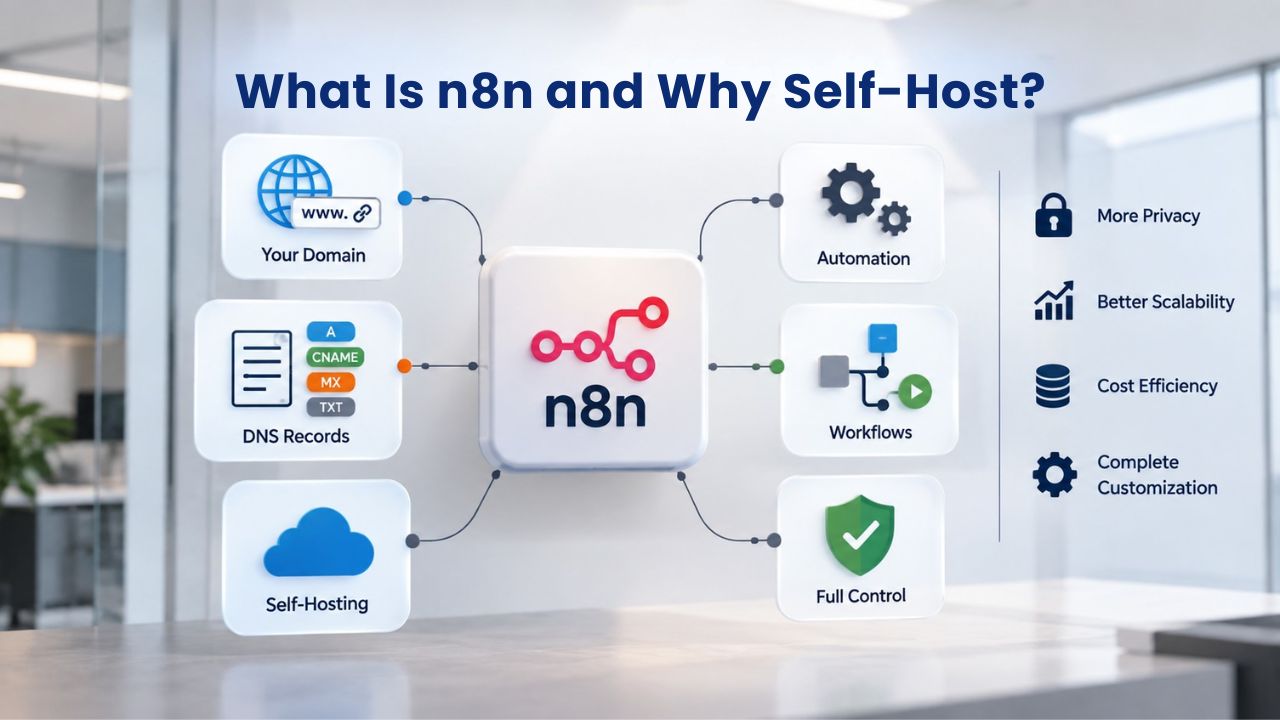
The Self-Hosting Value Proposition
n8n supports 400+ pre-built integrations, custom JavaScript and Python code in any workflow node, native AI capabilities, and webhook-triggered or schedule-based execution. Running it on your own infrastructure means no vendor lock-in, unlimited workflow executions, and the ability to meet strict data residency and compliance mandates that cloud platforms often cannot guarantee. For teams automating customer support ticket routing, lead scoring, financial reconciliation, or ETL pipelines, self-hosting n8n on a VPS Hosting service provides flexibility and scale that managed cloud automation platforms do not.
Self-hosting also means your workflow definitions, credentials, execution history, and automation logic never leave your organization’s servers. This matters enormously for teams handling sensitive data, proprietary integrations, or compliance-heavy processes. You own every bit of infrastructure, control every access log, and set the backup and recovery strategy. The transparency and control are non-negotiable for organizations that treat automation as mission-critical.
When Self-Hosted n8n Makes Sense
Self-hosting works best when your team has basic Linux or Docker familiarity, your organization needs full data control, or you run high-volume automation that would burden your budget under per-unit SaaS pricing models. If you need SSO (single sign-on), team workspaces, version control via Git, or advanced logging, the paid Business or Enterprise editions unlock those features on your own infrastructure without the complexity of a cloud migration.
For hobby projects, one-off integrations, or teams without infrastructure expertise, n8n Cloud (the SaaS option) remains simpler. Still, this guide is for builders who want complete control over their automation platform, data, and infrastructure. If cloud automation platforms’ feature limitations or usage tiers have restricted you, self-hosted n8n on a VPS removes those boundaries entirely.
VPS Hosting Plans & Pricing
Choose the VPS hosting plan that fits your website, application, or business requirements. Select a self-managed VPS for complete server control or a fully managed VPS with a dedicated team of experts to help manage your server.
Self Managed VPS 1 vCPU
1 GB RAM
Entry-level VPS hosting for lightweight websites and applications.
- 1 CPU Core
- 1 GB RAM
- 20 GB SSD Storage
- Linux only, no control panel

Self Managed VPS 2 vCPU
4 GB RAM
VPS hosting with additional CPU and memory for growing websites and applications.
- 2 CPU Cores
- 4 GB RAM
- 100 GB SSD Storage
Self Managed VPS 2 vCPU
8 GB RAM
Additional memory for more demanding websites and applications.
- 2 CPU Cores
- 8 GB RAM
- 100 GB SSD Storage
Self Managed VPS 4 vCPU
8 GB RAM
Increased processing power for business websites and applications.
- 4 CPU Cores
- 8 GB RAM
- 200 GB SSD Storage
Self Managed VPS 4 vCPU
16 GB RAM
High-memory VPS hosting for resource-intensive workloads.
- 4 CPU Cores
- 16 GB RAM
- 200 GB SSD Storage
Self Managed VPS 8 vCPU
16 GB RAM
Powerful VPS resources for demanding business applications.
- 8 CPU Cores
- 16 GB RAM
- 400 GB SSD Storage
Self Managed VPS 8 vCPU
32 GB RAM
Maximum self-managed resources for demanding workloads.
- 8 CPU Cores
- 32 GB RAM
- 400 GB SSD Storage
Fully Managed VPS 1 vCPU
2 GB RAM
Managed VPS hosting with expert server management.
- 1 CPU Core
- 2 GB RAM
- 40 GB SSD Storage
- Dedicated team of experts to fully manage your server
Fully Managed VPS 1 vCPU
4 GB RAM
Managed VPS resources for websites and business applications.
- 1 CPU Core
- 4 GB RAM
- 40 GB SSD Storage
- Dedicated team of experts to fully manage your server
Fully Managed VPS 2 vCPU
4 GB RAM
Managed VPS hosting with additional CPU resources.
- 2 CPU Cores
- 4 GB RAM
- 100 GB SSD Storage
- Dedicated team of experts to fully manage your server
Fully Managed VPS 2 vCPU
8 GB RAM
Managed VPS hosting with additional memory for growing workloads.
- 2 CPU Cores
- 8 GB RAM
- 100 GB SSD Storage
- Dedicated team of experts to fully manage your server
Fully Managed VPS 4 vCPU
8 GB RAM
Higher-performance managed VPS for demanding applications.
- 4 CPU Cores
- 8 GB RAM
- 200 GB SSD Storage
- Dedicated team of experts to fully manage your server
Fully Managed VPS 4 vCPU
16 GB RAM
High-memory managed VPS for resource-intensive workloads.
- 4 CPU Cores
- 16 GB RAM
- 200 GB SSD Storage
- Dedicated team of experts to fully manage your server
Fully Managed VPS 8 vCPU
16 GB RAM
Powerful managed VPS hosting for demanding business workloads.
- 8 CPU Cores
- 16 GB RAM
- 400 GB SSD Storage
- Dedicated team of experts to fully manage your server
Fully Managed VPS 8 vCPU
32 GB RAM
Maximum managed VPS resources for demanding workloads.
- 8 CPU Cores
- 32 GB RAM
- 400 GB SSD Storage
- Dedicated team of experts to fully manage your server
System Requirements: Choosing the Right VPS Size for n8n
n8n is lightweight at rest but scales with workflow complexity and concurrent execution demands. Choosing the right VPS Hosting plan depends on how many workflows you run, how often they execute, and how heavy the data processing is within each workflow. A workflow that pulls data from three APIs, transforms it, and writes results to a database consumes more resources than a simple webhook-triggered notification. Understanding your actual workload patterns helps you avoid both over-provisioning and under-provisioning.
Minimum vs. Recommended Specifications
Minimum system requirements for n8n are 1 vCPU core, 2GB RAM, and 20GB storage, suitable for testing, learning, or running 1–2 light workflows. A GoDaddy VPS plan with 1 vCPU and 2GB RAM running Linux can host a basic single-workflow n8n instance for development or experimentation. This tier is perfect for learning n8n’s features, testing workflow designs, or running non-critical automation before committing to production resources.
However, production deployments benefit from 2+ vCPU cores, 4GB+ RAM, and 50GB+ SSD storage, plus a backup strategy. These specifications prevent resource contention when workflows run concurrently and give you headroom for growth. Most organizations find the sweet spot is starting with 2 vCPU / 4GB RAM, monitoring for a month, then scaling based on observed resource usage patterns. This approach is more cost-effective than guessing at initial sizing.
Resource Sizing and Scaling Considerations
For moderate workloads, 5 to 10 workflows with mixed complexity, some triggering concurrently, a 2 vCPU / 4GB RAM plan is the practical starting point. At this tier, you can run business-critical automation without worry about CPU spikes or memory exhaustion during peak workflow hours. Your team gets peace of mind; your workflows get consistent performance. Agencies and teams running 20+ workflows or heavy data transformation need 4 vCPU cores, 8–16GB RAM, and 100+ GB storage. Scaling beyond that moves to multi-instance deployments with queue mode and external workers, but single-server setups cover most organizational use cases.
Niya Digital’s team has found that organizations often begin with a moderate plan and scale up within weeks as workflow execution patterns clarify. Rather than guessing at initial sizing, start with a 2 vCPU / 4GB plan and monitor resource usage for your actual workloads. VPS providers allow you to upgrade resources without downtime (in most cases), so starting conservatively and scaling up as needed is more cost-effective than over-provisioning from day one.
When to Self-Host vs. Cloud
| Decision Factor | Self-Hosted n8n on VPS | n8n Cloud SaaS |
|---|---|---|
| Data control and sovereignty | Full control; data stays on your servers | Limited to vendor’s data centers and policies |
| Workflow execution limits | Unlimited (hardware-dependent only) | Tiered by plan; metered usage |
| Initial setup complexity | Moderate (Docker, networking, backups) | Minimal (sign up and start immediately) |
| Team infrastructure expertise needed | Basic Linux/Docker knowledge required | None (vendor manages everything) |
| Customization and extensibility | Full; install custom nodes, modify configs | Limited to platform features only |
| Compliance (GDPR/HIPAA) | Fully compliant with proper configuration | Vendor-dependent; may not meet requirements |
| Operational overhead | Moderate (backups, monitoring, updates) | None (vendor handles operations) |
| Best for | Teams needing control, high volume, compliance | Rapid prototyping, non-technical teams |
Installation Methods: Docker, Docker Compose, and Beyond
n8n supports multiple installation paths: Docker and Docker Compose (production-recommended), npm (development), and cloud deployments to AWS, Azure, or managed platforms. For a VPS Hosting provider, Docker Compose is the strongest choice because it bundles n8n, PostgreSQL, and all dependencies in a single, reproducible configuration file. This approach eliminates manual dependency management and makes updates, scaling, and disaster recovery straightforward.
Why Docker Compose for VPS Self-Hosting
Docker Compose simplifies production deployments by defining n8n, the database, networking, and environment variables in one docker-compose.yml file. When you need to update n8n to a newer version, restart containers, migrate to a new VPS, or add a worker process to scale, the Compose setup stays portable and reproducible. You save the configuration file to version control; spinning up a new n8n instance elsewhere becomes a matter of running docker-compose up -d.
Official n8n Docker documentation covers Compose setup with PostgreSQL, environment variable configuration, health checks, and security best practices- everything required for a stable, production-ready instance. The configuration is explicit, so you understand exactly what’s running, where data is stored, and how containers communicate. This transparency is crucial for compliance, audits, and troubleshooting. You never have to guess what’s happening inside your automation platform.
Comparing Installation Approaches
Each installation method serves different purposes depending on your timeline and expertise. Docker (single container) is perfect for rapid local testing; npm is ideal for source-code exploration and development; Kubernetes is enterprise-grade for multi-region deployments. Docker Compose strikes the balance between simplicity and production readiness, making it the standard choice for self-hosted VPS deployments. You get container isolation and reproducibility, easy PostgreSQL configuration, and everything you need for a stable, maintainable automation platform.
The key advantage of Docker Compose is that your entire n8n stack- application, database, and networking- lives in a single version-controlled file. Onboarding new team members, recovering from failures, or migrating to new infrastructure all become straightforward. No manual steps, no forgotten configuration details, no surprises. For VPS Hosting deployments, this predictability is invaluable.
Workflow Architecture Example: From Webhook to Email Report
| Stage | Trigger/Action | Details |
|---|---|---|
| 1. Event Reception | Webhook trigger | External service POSTs form submission to n8n webhook URL |
| 2. Data Validation | Function node | JavaScript validates required fields, formats data |
| 3. Database Write | PostgreSQL connector | Workflow saves form data to n8n’s PostgreSQL database |
| 4. Transformation | Set Variable node | n8n extracts specific fields for downstream processing |
| 5. Scheduled Summary | Schedule trigger (daily) | Separate workflow runs nightly to aggregate daily submissions |
| 6. Report Generation | Function node | JavaScript generates summary statistics and formatted report |
| 7. Email Delivery | Email connector | n8n sends report to designated recipients via SMTP |
| 8. Archive | Database Update | Workflow marks old records as archived to save storage space |
Setting Up a Production-Ready Database
SQLite, the default n8n database, works for testing but locks on concurrent writes, killing performance under real workflows. SQLite uses file-level locking, meaning one workflow execution blocks all others from writing data, creating bottlenecks and timeout failures. This limitation is acceptable for a single test workflow. Still, it becomes unacceptable as soon as you run any real automation with concurrent execution. PostgreSQL is strongly recommended for production because it handles concurrent connections, supports crash recovery via Write-Ahead Logging (WAL), and allows safe backups while n8n runs without interrupting live workflows.
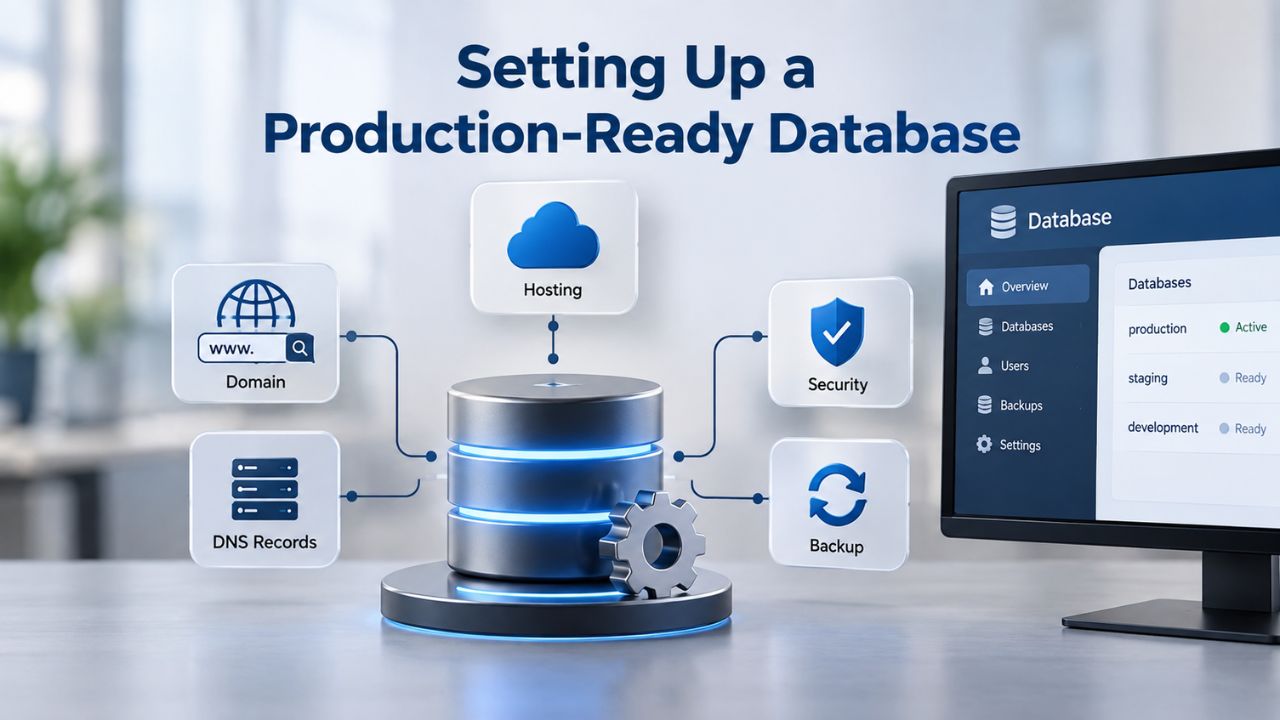
PostgreSQL vs. SQLite for Production
The choice between SQLite and PostgreSQL isn’t close in production automation. SQLite is a file-based database; every write locks the entire database file. If two workflows try to write at the same time, one blocks until the other completes. As your automation grows and workflows execute more frequently, this blocking becomes a severe performance bottleneck. Timeouts increase, workflows fail sporadically, and your team loses confidence in the platform.
PostgreSQL is a true multi-user, multi-writer database designed for exactly this scenario. Thousands of concurrent connections can write simultaneously without blocking each other. PostgreSQL handles this through row-level locking and MVCC (multi-version concurrency control), allowing readers and writers to coexist peacefully. For any production n8n deployment, PostgreSQL is non-negotiable. The setup is straightforward with Docker Compose, and the performance and reliability benefits are substantial and immediately apparent.
Database Configuration and Automated Backups
When running n8n with Docker Compose and PostgreSQL, the database runs in its own container with a persistent Docker volume that survives container restarts. Environment variables define the database name, username, and password; storing credentials in a .env file (never hardcoded in the Compose file) follows security best practices. The n8n application container connects to the PostgreSQL container via Docker’s internal networking, creating an isolated, self-contained system. No external dependencies; everything needed is defined in your Compose file.
Automated PostgreSQL backups are non-negotiable for production. The standard tool is pg_dump, which exports the database to a SQL file you can restore on another VPS if disaster strikes. Cron jobs can automate daily backups; off-server copies (via S3, rsync, or a backup service) protect you against VPS data loss or hardware failure. A single-server backup stored on the same VPS protects against corruption but not hardware failure; off-server backups are essential for true disaster recovery.
Securing Your Self-Hosted n8n Instance
Running n8n on the internet requires deliberate security hardening from day one. n8n instances must use HTTPS with valid SSL certificates when exposed to the web; transmitting credentials, workflow data, and API keys over unencrypted HTTP exposes your automation to man-in-the-middle attacks. A reverse proxy (Nginx or similar) with TLS termination is the production standard, handling SSL offloading and protecting the n8n container from direct internet traffic. The reverse proxy sits between the internet and your n8n application, decrypting HTTPS traffic, inspecting it for attacks, and forwarding clean requests to n8n over localhost.
HTTPS, SSL Certificates, and Reverse Proxies
Let’s Encrypt provides free SSL certificates via Certbot, which renews them automatically before expiration. This automation eliminates the manual burden of certificate renewal; Certbot handles everything in the background. Self-hosted n8n instances behind a reverse proxy use environment variables (e.g., N8N_PROTOCOL=https, WEBHOOK_URL=https://your-domain.com) to ensure webhook URLs are generated correctly. Without these settings, n8n might generate webhook URLs with http://, causing external services to fail when connecting.
The reverse proxy also handles security headers like Strict-Transport-Security (forces HTTPS), X-Frame-Options (prevents clickjacking), and Content-Security-Policy. These headers protect your n8n editor and webhooks from common web attacks. Combined with HTTPS encryption, they create a hardened perimeter that keeps attackers out and keeps your automation data secure in transit.
Webhook Authentication and Access Control
Webhook nodes support built-in authentication: Basic Auth (username/password in headers) or Header Auth (API key verification). Enabling authentication means only services that provide the correct credentials can trigger your workflows. For services like Stripe or GitHub that sign payloads cryptographically, signature verification inside an n8n Function node prevents forged requests that claim to come from the legitimate service.
IP allowlisting at the firewall or reverse proxy layer blocks unauthorized access to your webhook endpoints, ensuring only trusted services can trigger your workflows. You configure your reverse proxy to accept POST requests only from specific IP ranges (e.g., Stripe’s IP addresses, your GitHub instance, your internal services). This defense-in-depth approach- HTTPS encryption, authentication headers, and IP restrictions- makes unauthorized access extremely difficult. Multiple independent layers protect your automation workflows.
Move Forward with Self-Hosted Automation at Scale
Your team deserves an automation platform that scales with your needs, respects your data, and doesn’t impose arbitrary execution limits or metering constraints. Self-hosting n8n on Niya Digital’s VPS Hosting infrastructure gives you that freedom. From initial setup through scaling to dozens of workflows, you maintain complete control over your automation stack, your data, and your compliance posture. Start small, scale as you grow, and never worry about hitting usage tiers or being charged for automation success.
Designing Workflows: Webhooks, Schedules, and Triggers
n8n workflows start with a trigger, an event or schedule that kicks off the automation. Webhook triggers let external services POST to a unique n8n URL, firing the workflow in real time without polling. Schedule triggers use cron expressions or simple intervals to run workflows on a timer, daily reports, hourly data checks, weekly cleanups. Understanding the difference between these trigger types helps you design efficient, responsive automation that serves your business processes.
Webhook Triggers for Real-Time Automation
A webhook trigger generates a unique HTTPS endpoint that you provide to an external service. When Stripe processes a payment, GitHub opens a pull request, or a form is submitted, that external service POSTs to your webhook URL, and n8n executes the workflow instantly. There’s no delay, no polling interval, no waiting for the next scheduled run. The workflow fires immediately, allowing you to react to events in real time. Webhook-triggered workflows are ideal for use cases where delay is unacceptable; a payment received should trigger fulfillment immediately, not wait for the next scheduled check.
Webhook authentication prevents random internet traffic from triggering your workflows; you configure header-based or signature-based authentication so only the intended external service can trigger your workflow. This security layer is essential because anyone on the internet could technically POST to a webhook URL if it were unprotected. With authentication enabled, you can be confident that only Stripe, GitHub, or whatever external service you’ve authorized can trigger your workflows. Your automation is responsive but secure.
Scheduled Workflows and Cron-Based Execution
For scheduled tasks, the Schedule Trigger node accepts cron expressions (e.g., 0 9 * * 1-5 for every weekday at 9 AM UTC) or simple intervals (every 5 minutes, every hour, daily). Cron expressions give you precise control over when workflows run; the cron syntax is standardized across Unix-like systems, so skills transfer to other automation tools. Simple intervals are easier to understand; you don’t need to learn cron syntax. Choose whichever fits your comfort level and requirements.
Combining webhooks and schedules is common and powerful: a webhook receives a customer action (e.g., a form submission), saves data to a database, and a scheduled workflow runs nightly to generate and email a summary report. The real-time webhook captures events as they happen; the scheduled workflow performs batch operations when the time is right. This hybrid approach balances responsiveness with efficiency. Most production automation systems use both trigger types to handle different aspects of their business processes.
Data Sovereignty, Compliance, and Privacy
Self-hosting n8n on your own VPS Hosting infrastructure ensures automation data, workflow definitions, credentials, and execution history never leave your organization’s servers. This principle, data sovereignty, is foundational for regulated industries where data must remain within specific jurisdictions or under direct organizational control. GDPR, HIPAA, and SOC 2 compliance often mandate that sensitive data stay within your control, a requirement that cloud-only SaaS platforms struggle to meet. By self-hosting, you eliminate the vendor from this chain and take direct responsibility for your data.
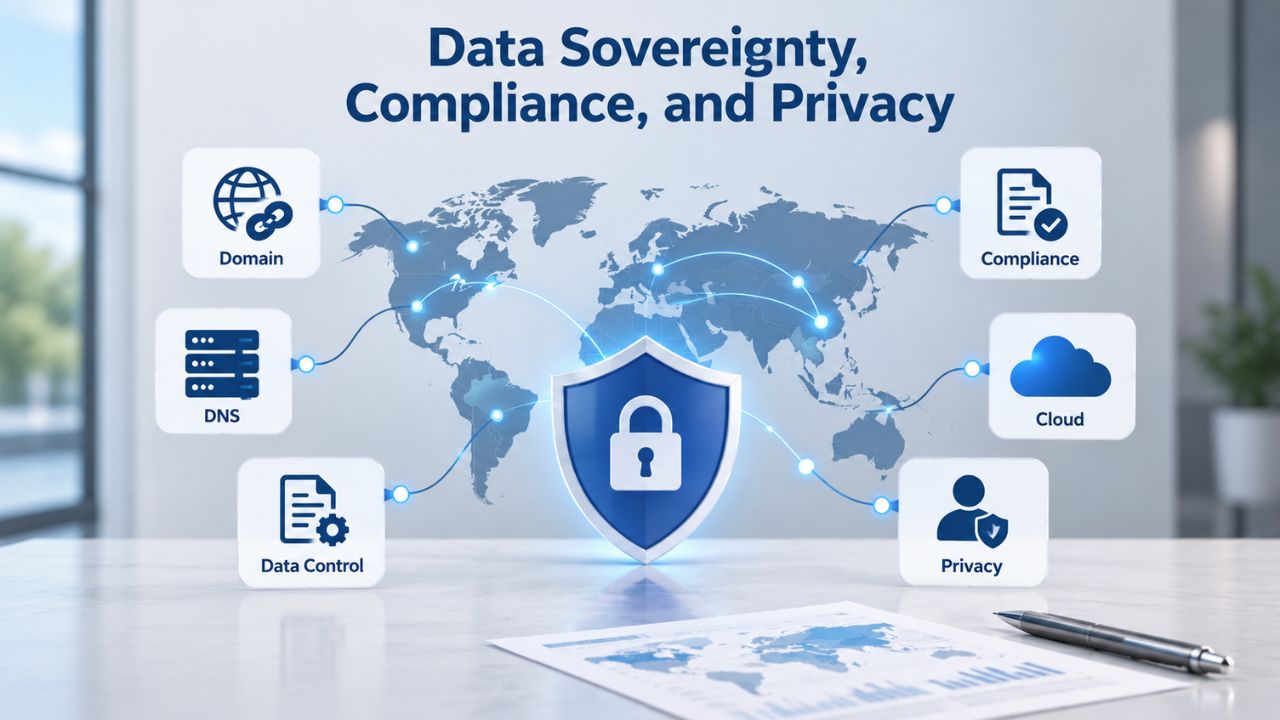
Why Self-Hosting Matters for Data Control
Self-hosting isn’t a compliance shortcut; it’s a foundational shift in how you manage sensitive information. When you self-host n8n on your own VPS, every piece of automation data, customer records, API keys, workflow definitions, and execution logs lives under your roof. You decide which team members can access it, which external systems it connects to, and the retention policy. Cloud SaaS vendors, no matter how reputable, are third parties handling your data. Self-hosting removes the middleman entirely.
This matters profoundly for agencies, healthcare organizations, financial services, and any entity handling proprietary or regulated information. You’re not asking a vendor to certify its security; you’re building security controls yourself and documenting them for auditors. You’re not hoping a vendor’s data center is in a compliant jurisdiction; you’re deploying n8n where you know the data is. This hands-on control is what compliance auditors want to see: direct ownership, documented controls, audit trails.
Meeting GDPR, HIPAA, and Compliance Requirements
Organizations in fintech, healthcare, and legal services frequently treat self-hosting as a compliance mandate, not a preference. GDPR requires that personal data not be transferred outside the EU without explicit safeguards; placing n8n in a European data center satisfies that constraint without requiring vendor compliance audits or data-processing agreements with SaaS providers. You own the data center relationship; you control where data lives. HIPAA-regulated healthcare providers handling Protected Health Information (PHI) often require on-premises or private-cloud deployment because vendor SaaS environments cannot guarantee the data-residency compliance medical regulations demand.
For SOC 2 Type II compliance, having full control over your automation platform’s security, backups, and access logs is a decisive advantage that demonstrates your organization’s commitment to data protection. During SOC 2 audits, auditors want to see that you control your systems, have documented security procedures, and can prove you’ve followed them. Self-hosting n8n gives you that direct control and auditability. You’re not relying on a vendor’s security certification; you’re building and documenting your own.
Backup, Disaster Recovery, and Scaling
PostgreSQL backups are the lifeline of a production n8n deployment. A daily pg_dump export protects against database corruption, accidental deletion, or VPS failure. Storing backups off-server (on S3, a backup service, or a second VPS) ensures a hard-drive failure doesn’t wipe out both your live database and your backup copies. Test restoration quarterly to confirm backups are valid; discovering corrupted backups during an actual disaster is far worse than discovering it during planned testing. Your backup strategy is only as good as your ability to restore from it.
Automated Backups and Off-Server Protection
A backup strategy has multiple layers. First, automated daily backups via cron jobs ensure new backups are created without manual intervention. Second, those backups must be stored off-server, on a separate VPS, in S3, or with a dedicated backup service, so a hardware failure on your primary VPS doesn’t destroy both production and backups simultaneously. Third, test those backups by actually restoring them to a test environment and confirming they work. Many organizations discover their backups are corrupted only when they try to restore after a disaster.
Niya Digital’s team has found that organizations often neglect backup testing until they need a production restore. Set a calendar reminder to test restoration quarterly or after major changes to your n8n setup. It takes 30 minutes and gives you absolute confidence that you can recover from disaster. Documenting your backup and restore procedures is also essential for compliance audits and onboarding new team members. A backup that nobody remembers how to restore is useless.
Scaling from Single Server to Queue Mode
A single VPS runs n8n fine for most organizational use cases. When a single server reaches resource limits- high CPU during peak workflow hours, RAM filling up, storage running low- n8n supports Queue Mode, which separates workflow execution into worker processes. One main process handles the editor and API; separate worker processes pull tasks from a shared queue and execute workflows. This pattern scales to multiple VPS instances, each running workers, without overloading a single node.
Teams typically start with a single VPS, monitor resource usage for 1–2 months, then enable Queue Mode or add worker instances if bottlenecks appear. Monitoring resource usage CPU, RAM, disk I/O) tells you when to scale. Most VPS providers offer dashboards showing historical resource graphs, making it easy to spot trends. If your VPS runs at 80% CPU for hours each day during peak times, scaling up is justified. If CPU averages 20% most of the time, you’re over-provisioned and could downsize. VPS providers like GoDaddy let you upgrade or downgrade resources without downtime (in most cases), so right-sizing is an iterative process.
Common Use Cases for Self-Hosted n8n
Self-hosted n8n excels at automating complex business processes that cloud platforms restrict or meter. Every organization has manual work it could automate but lacks the tools or budget to justify expensive SaaS subscriptions. Self-hosting n8n on a VPS opens up possibilities for teams of any size. Customer service automation routes incoming support tickets to the right team, prioritizes urgent issues, generates AI-drafted responses, and escalates complex cases to senior staff.
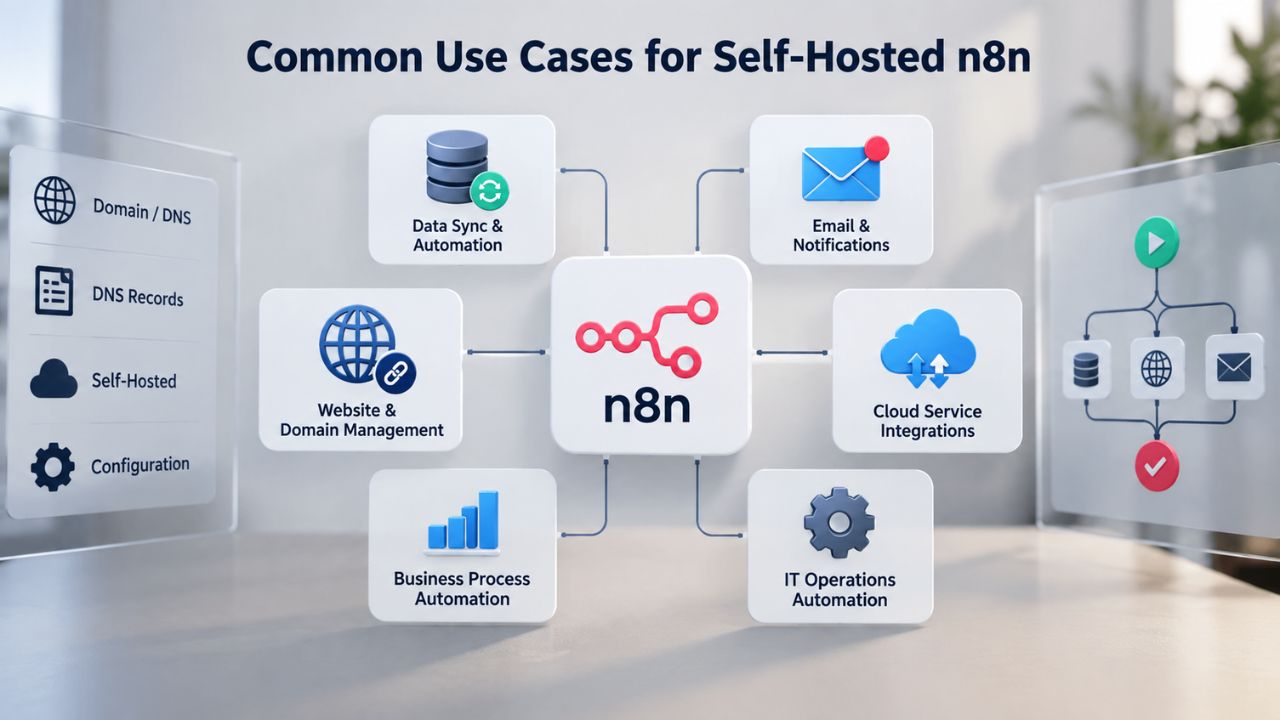
Customer Service and Support Automation
A typical customer service workflow starts when a ticket lands in your support system (Zendesk, Freshdesk, Jira). A webhook fires; n8n receives the ticket details. A Function node extracts the subject line and message body. AI (via OpenAI or Claude) generates a preliminary categorization and severity assessment. Based on the category, the workflow routes the ticket to the appropriate team. High-severity tickets get escalated; standard tickets follow a normal queue. The support team receives emails with all relevant context, reducing time spent hunting for information.
This automation doesn’t require a per-ticket charge, hit usage limits, or throttle during peak support volume. On high-volume days, when support load triples, your automation keeps running smoothly. Cloud-based support automation often hits usage tiers and starts charging extra; self-hosted n8n doesn’t care how many tickets you process. The economics shift entirely in favor of self-hosting once you exceed a certain volume threshold.
Data Integration, Lead Scoring, and Reporting
Lead scoring and CRM integration qualify inbound leads, segment them by engagement level and company, and trigger personalized email sequences without manual intervention. A lead submits a form; a webhook fires; n8n records the submission, enriches it with company data from an external service, scores it based on engagement history, and triggers a follow-up email sequence in your marketing automation platform. Sales teams receive high-scoring leads immediately; low-scoring leads get nurtured automatically.
Data synchronization and ETL pull data from multiple sources (Google Sheets, Salesforce, internal databases), transform it into a standardized format, and load it into a data warehouse or analytical tool. This pattern is essential for data-driven organizations. Instead of manual exports, transformations, and imports- error-prone tasks that waste team time- n8n automates the entire pipeline. Data flows from sources to warehouse on a schedule you define. Analysts always have current data; finance always has current numbers; nobody spends time on manual data wrangling.
Deciding: Self-Hosted n8n vs. Managed Cloud
Choosing between self-hosted n8n and cloud-based automation ultimately comes down to weighing control against operational overhead. Self-hosted n8n gives you complete control: you own the infrastructure, you manage the backups, you decide the security posture, you scale exactly as you need. Cloud n8n removes operational overhead: you sign up, start building workflows, and the vendor handles everything else. The right choice depends on your team’s capabilities, your automation volume, and your long-term vision for automation within your organization.
Evaluating Your Team’s Needs and Expertise
Self-hosting requires basic DevOps knowledge: understanding Docker, basic Linux commands, and database concepts. If your team already has someone comfortable with infrastructure, self-hosting is straightforward. If you’re a marketing team with no DevOps expertise, cloud is simpler. But many teams hire or upskill for DevOps capabilities once they realize the long-term benefits. The learning curve isn’t steep; Docker Compose hides most of the complexity. Within a few hours, someone with general technical aptitude can understand and maintain a self-hosted n8n setup.
Cost is often the deciding factor. If you run one or two light workflows, cloud SaaS is competitive. If you run dozens of workflows or high-volume automation, self-hosting is dramatically more economical. The break-even point varies by provider and plan, but it typically comes faster than organizations expect. Many teams discover that switching to self-hosted n8n pays for infrastructure and setup costs within the first month through reduced SaaS subscriptions.
Cost, Control, and Long-Term Implications
Cloud SaaS is faster to start: no infrastructure setup, no backups to configure, no security hardening. You can build your first workflow in minutes. Self-hosted requires initial investment: setting up Docker, configuring PostgreSQL, securing with HTTPS, testing backups. This investment takes hours, not days, but it’s upfront work. The payoff comes over time as you accumulate workflows and execution volume.
For developers and technical teams, self-hosting on a VPS Hosting plan unlocks the full potential of open-source n8n, letting you customize the application, access execution logs directly, integrate with internal systems, and scale without vendor limitations. For non-technical users or rapid prototyping, SaaS is the faster path to automation. There’s no universal right answer; it depends on your team’s capabilities, automation volume, compliance constraints, and long-term vision for automation within your organization.
Ready to Self-Host Your n8n Automation?
Niya Digital’s VPS Hosting service provides the infrastructure you need: scalable CPU, RAM, and storage; root access; Linux or Windows operating systems; snapshots and backups; and managed or unmanaged support tiers. Whether you’re deploying your first n8n instance or scaling to multiple workers, a VPS Hosting plan lets you choose the exact resources your automation needs. Explore Niya Digital’s offerings to find the tier that fits your workflow complexity and team size.
Frequently Asked Questions
What are the minimum system requirements to run n8n on a VPS?
A minimum of 1 vCPU, 2GB RAM, and 20GB storage runs basic n8n deployments. This suffices for testing or 1–2 light workflows where only occasional execution occurs. Production deployments benefit from 2 vCPU, 4GB+ RAM, and 50GB+ storage to handle sustained concurrent execution without resource exhaustion.
Monitor your VPS during real usage to confirm sizing; upgrade if you see sustained high CPU utilization or memory pressure. Every organization’s usage pattern is different, so starting conservatively and scaling up is prudent.
Is PostgreSQL required for n8n, or can I use SQLite?
SQLite is n8n’s default but unsuitable for production environments. PostgreSQL is strongly recommended because it handles concurrent database writes, supports crash recovery, and allows safe backups while n8n runs without interruption.
SQLite locks the entire database file on writes, causing timeouts and potential corruption under concurrent workflow execution. For anything beyond learning or hobby use, start with PostgreSQL. Setup is straightforward with Docker Compose, and performance benefits are substantial.
How do I secure n8n with HTTPS and SSL on a self-hosted VPS?
Use a reverse proxy (Nginx) with TLS termination and Let’s Encrypt certificates. The reverse proxy handles SSL encryption and offloads it from n8n, which runs behind the proxy on localhost. Certbot automates certificate issuance and renewal, eliminating manual certificate management.
Configure n8n environment variables (N8N_PROTOCOL=https, WEBHOOK_URL=https://your-domain) to ensure webhook URLs are generated correctly. Never expose n8n directly to the internet without HTTPS; in-transit encryption protects credentials, workflow definitions, and automation data.
What’s the difference between n8n Community and paid editions for self-hosting?
Community Edition is free and includes almost all features: 400+ integrations, custom code, unlimited executions, webhooks, schedules, and the visual editor. It lacks SSO, environments, Git version control, and multi-user sharing.
Paid Business and Enterprise editions unlock those features for teams needing governance, audit trails, and role-based access control. Most teams start with the free Community Edition and upgrade only if they need those governance and collaboration features. The free edition is genuinely production-capable.
How often should I back up my n8n database and workflows?
Daily automated backups via pg_dump are the baseline. Store backups off-server (S3, a second VPS, or a backup service) so a single VPS failure doesn’t destroy both live data and backups. Test restoration quarterly to confirm backups are valid and restorable; discovering corrupted backups during an actual disaster is far worse than discovering it during planned testing. For mission-critical automation, consider hourly backups or a managed database service with built-in redundancy and automated recovery.
Can n8n scale to handle hundreds of workflows simultaneously?
A single VPS with 4 vCPU and 16GB RAM runs 20–50 workflows comfortably, depending on workflow complexity. For hundreds of concurrent workflows, Queue Mode distributes execution across multiple worker processes or VPS instances. Each worker pulls tasks from a shared queue, allowing near-linear Scaling. Start with a single server; enable Queue Mode when you approach resource limits. This approach scales smoothly without redesigning your automation platform.
Do I need to configure a reverse proxy (Nginx) in front of n8n?
For any internet-facing n8n instance, yes. A reverse proxy (Nginx) handles HTTPS termination, SSL certificates, and shields the n8n application from direct exposure. It’s also the standard place for firewall rules, IP allowlisting, and rate limiting. Local development (localhost only) can skip the proxy, but production deployments always use one. The reverse proxy is also where you implement security headers that protect against common web attacks.
What’s the difference between webhook triggers and scheduled (cron) workflows?
Webhook triggers fire instantly when an external service POSTs data to a unique n8n URL. Schedule triggers run at fixed intervals or on cron expressions (e.g., daily at 9 AM). Use webhooks for real-time reactions (payment received, form submitted, support ticket opened); use schedules for periodic tasks (daily reports, hourly data syncs, weekly cleanups). Many workflows combine both: webhooks receive events, schedules summarize or report on accumulated data.
Is self-hosted n8n suitable for GDPR/HIPAA compliance?
Self-hosting gives you full control over data location, access logs, and backup practices, critical for GDPR and HIPAA. Data stays within your infrastructure and never touches a vendor’s cloud. However, self-hosting doesn’t automatically ensure compliance; you must configure security, encryption, access controls, and audit logging correctly. Consult your legal and security teams to confirm self-hosted n8n meets your regulatory obligations. Document your security controls and backup procedures for compliance audits.
How do I migrate an existing n8n workflow from cloud to self-hosted?
Export workflows from n8n Cloud via the UI (Settings → Export), then import them into your self-hosted instance. You must re-enter credentials in the self-hosted instance because they’re encrypted locally and not exported for security reasons. Environment variables and custom configurations may differ between cloud and self-hosted; test workflows thoroughly after migration to confirm they execute correctly. The process is straightforward and usually takes only a few minutes per workflow.
What integrations can I use with self-hosted n8n?
All 400+ pre-built integrations available in n8n Cloud work in self-hosted instances. Custom HTTP requests and JavaScript/Python code nodes let you integrate any API not covered by a native node. Self-hosting lets you install community nodes (from npm) that extend n8n’s integration library. No limits apply; self-hosted instances have full access to the n8n ecosystem. You can also extend n8n with custom nodes if you need deeply specialized integrations.
How do I monitor resource usage and optimize n8n performance?
Use standard Linux tools (top, htop, df) to watch CPU, memory, and disk usage during workflow execution. Most VPS providers include a dashboard showing resource graphs over time. If you see sustained high CPU or memory, check for inefficient workflows (unnecessary loops, large data transfers) and optimize them. Upgrade your VPS plan if optimization doesn’t solve the issue. Enable Queue Mode to distribute execution across multiple workers if single-server Scaling reaches limits.
Can I run multiple n8n instances on a single VPS?
Yes, but plan resource allocation carefully. Each instance needs its own PostgreSQL database, port, and environment variables. Running two instances on a 4 vCPU / 8GB VPS is feasible if workflows are light; they’ll share CPU and RAM, so that peak loads may cause contention. For isolation and reliability, run each n8n instance on a separate VPS or use Kubernetes. Most teams start with a single instance per VPS to avoid complexity and resource contention.
What happens if my VPS storage fills up with workflow execution history?
n8n stores execution history and binary data (logs, attachments) on disk. If storage fills, n8n may crash or refuse new executions. Regularly delete old execution history via the UI (Settings → Data → Prune Execution History) or use a scheduled cleanup workflow. Monitor available disk space; upgrade your VPS storage tier before you run out. Off-server backups don’t count as local storage; backing up and deleting old database records frees space for new executions.
How do I set up n8n to handle webhooks from external services?
Create a Webhook trigger node in n8n; it generates a unique HTTPS URL. Configure that URL as the callback or webhook endpoint in the external service (Stripe, GitHub, Zapier, etc.). Add authentication (Basic Auth or Header Auth) to the Webhook node to prevent unauthorized triggers. Test by manually sending data to the webhook URL to confirm n8n receives and processes it correctly. Document the webhook URL and any authentication requirements for the external service’s configuration.
Glossary
- VPS (Virtual Private Server): Isolated server environment with dedicated CPU, RAM, storage, and bandwidth, running on shared physical hardware via virtualization. Provides root or administrator access and full control over operating-system configuration.
- n8n: Open-source, fair-code workflow automation platform supporting 400+ pre-built integrations, custom JavaScript and Python code, unlimited executions, and self-hosting on your own infrastructure without restrictions.
- Webhook: HTTP callback endpoint that accepts POST requests from external services, triggering an n8n workflow in real time when a predefined event occurs in the external system.
- Cron Expression: Standardized scheduling syntax (minute hour day-of-month month day-of-week) used to define recurring tasks, e.g., 0 9 * * 1-5 for 9 AM on weekdays.
- PostgreSQL: Open-source relational database system recommended for production n8n deployments due to concurrent-connection support, crash recovery via Write-Ahead Logging, and safe backup capabilities.
- Root Access: Full administrative control over a VPS server, allowing users to modify operating-system settings, install software, manage system configurations, and implement security controls without restrictions.
- Docker Compose: Tool for defining and running multi-container Docker applications using a single YAML configuration file, simplifying deployment of n8n with PostgreSQL and other services.