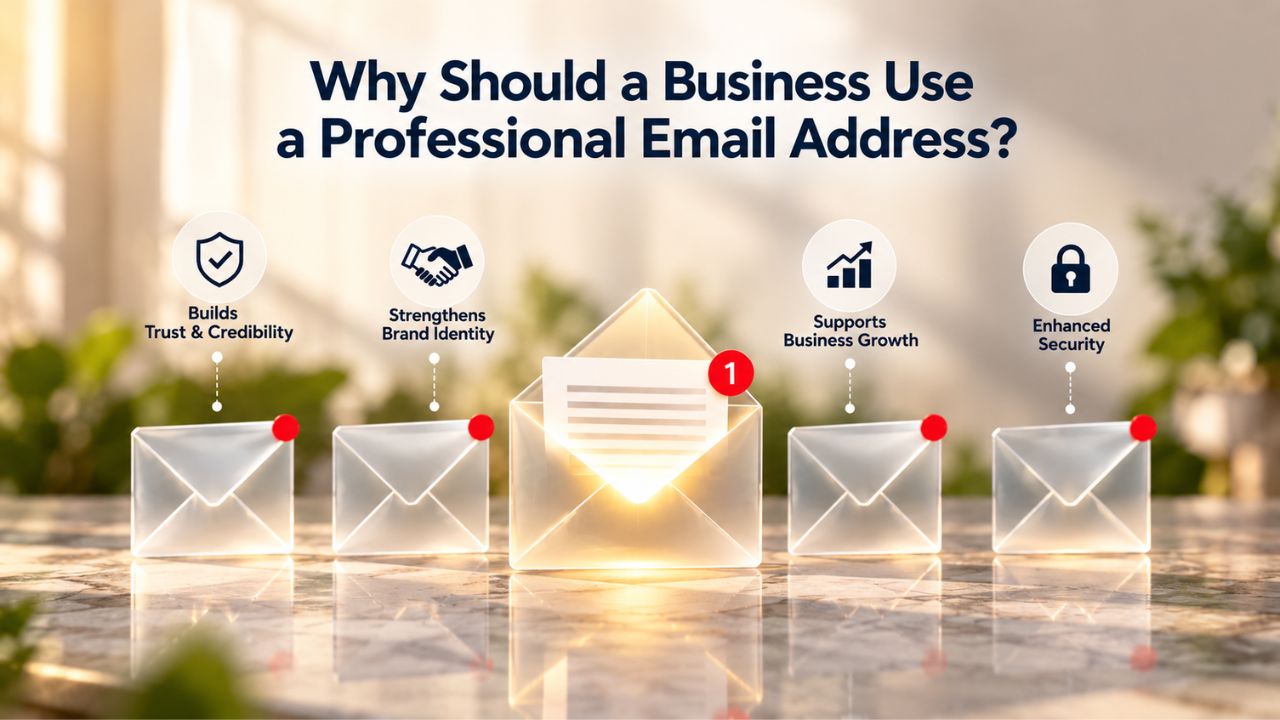
What Professional Email Is & Why Free Email Falls Short
Free email services were built for personal use. They work well for private correspondence, but they were never designed for businesses that need to present a professional image, maintain team access to company communications, or scale infrastructure as they grow. The gap between personal email and Business Email Hosting reflects fundamental differences in ownership, control, security, and how the service treats your data.
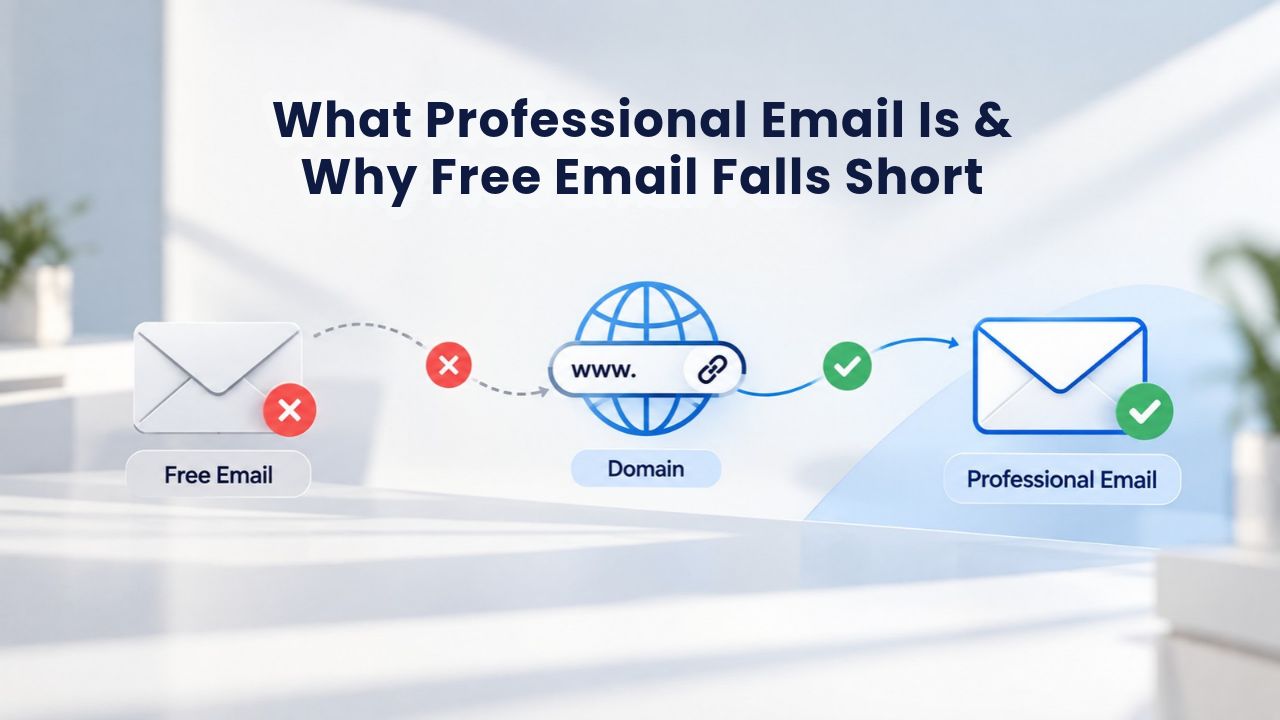
A Custom Domain Addresses the First Problem: Credibility
When prospects receive an email from john@freemail.com instead of john@yourcompany.com, they make an immediate assumption: this is a side project, not an established business. A business email address signals intent and legitimacy from your first contact. Research shows that 65% of people perceive company-branded email addresses as far more credible and trustworthy than personal email accounts. For B2B sales, customer relationships, and professional partnerships, this single credibility signal directly affects how quickly prospects respond and how seriously they take your offer.
For small-business owners, consultants, and service providers, switching to a Professional Email Address removes friction from every first contact. With a custom domain, you create department-specific inboxes (support@, sales@, billing@), maintain ownership of your communications, and reinforce your brand in every email signature. You’re no longer competing on features alone; you’re competing as an established, intentional business before the customer even opens your message.
Free Email Wasn’t Built for Team Compliance or Organizational Control
With a personal free email account, individual users own the account entirely. The employer has no administrative access, no ability to recover the inbox if that person leaves, and no ownership of contacts or ongoing project history stored there. This creates a critical operational and legal problem: if an employee creates support@yourcompany.com using a free email service for customer support, that employee retains ownership of the account and all its data.
Should that professional relationship end, your business has no legal right to access the account, recover customer communications, or maintain continuity with ongoing support requests. This is not a minor inconvenience; it’s an operational liability that compounds with every team member who manages company communications through personal accounts. Professional Email Hosting separates personal accounts from business infrastructure entirely. Your organization retains control, you can delegate access to team members without losing it when they leave, and compliance with data-retention and audit requirements becomes manageable.
Build Instant Credibility With Customers & Partners
The moment a prospect sees your branded email address, they begin judging your business’s legitimacy. Professional Email Hosting transforms how your business is perceived before you speak a single word.
Domain-Based Email as a Credibility Foundation
A business email address built on your own domain instantly signals legitimacy and establishes trust. When clients see an email from your custom domain, it reassures them that they are dealing with a legitimate, intentional business. This credibility compounds across every interaction- in sales conversations, customer support exchanges, invoicing, and partnership outreach. Your email is your first impression.
For local service businesses, consultants, and professional firms, this matters even more. A plumber, accountant, or contractor sending estimates from a branded domain appears established and professional- the kind of business a customer will call back and refer to others. A free email account, by contrast, can make even a mature business look like a one-person operation run on the side. Once you establish a custom-domain email presence, switching back to free email damages the professional identity you’ve built.
Brand Reinforcement Across Every Email Exchange
Every email you send is a branding touchpoint. Your custom email address is memorable, on-brand, and concise, making it easy for customers to recall and use your contact information. When customers see support@yourcompany.com in their inbox week after week, they’re building familiarity with your brand. That consistency- the same branded address, every interaction- is worth far more than the operational cost of Professional Email Hosting.
For businesses managing multiple customer touchpoints (invoices, shipping notifications, support replies, sales follow-ups), a unified branded email domain keeps your brand present in every message. Free email fragments your brand identity; professional email consolidates it. Over time, this consistency builds customer confidence and repeat business.
Protect Your Business Data & Maintain Ownership
Beyond credibility, professional email hosting solves a critical security and ownership problem that free email cannot address. Your business data belongs to your business, not to a consumer service provider or an individual employee.
Who Actually Owns Your Email When It Runs Through Personal Accounts?
Free email is built for one person managing their own life. No overarching organizational control panel exists; the individual user is the sole administrator. This isolation is fine for personal use; for a business, it’s a liability. When an employee who manages company email leaves, you lose their inbox, all its contacts, and all project history stored there.
Professional email hosting separates personal accounts from business accounts explicitly and structurally. Your organization becomes the data custodian. You can manage user access globally, assign inboxes to multiple team members, and ensure business continuity when people change roles. If someone leaves your team, you don’t lose client relationships; you retain access, migrate the account to someone new, and move forward without interruption.
Built-In Security Without Relying on Individual User Behavior
With free email, security depends entirely on individual employees updating their own passwords, enabling two-factor authentication, and managing their own recovery options. This creates inconsistency and risk. Professional email hosting lets you enforce security policies across all team members at once. You can require two-factor authentication, set password standards, configure email forwarding rules, and manage access permissions from a centralized control panel, without relying on individual behavior.
This centralized enforcement is especially critical for businesses handling customer data, payment information, or confidential client communications. Your email infrastructure becomes part of your security posture, not a weak point dependent on individual discipline.
Improve Email Deliverability & Avoid Spam Folders
Even if your emails are well-written and relevant, they can disappear into spam folders. The difference between an inbox and a spam folder is often invisible to the sender. Still, it depends on technical infrastructure that free email providers don’t prioritize for business use.
Why Free Email Gets Penalized by Major ISPs
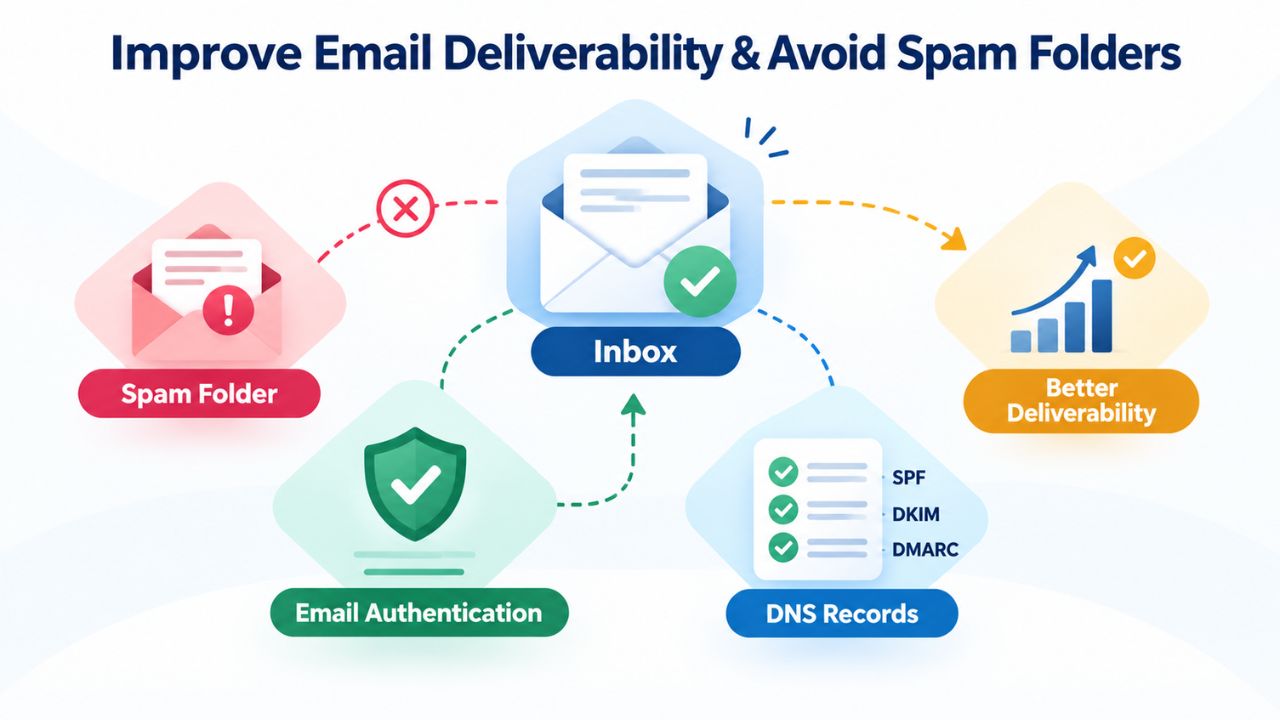
In early 2024, major email providers, including Google and Yahoo, implemented stricter requirements for bulk email senders. These requirements center on email authentication, verification that emails genuinely come from the domain listed in the From: header. Free personal email addresses are widely used for individual communication; when used for business campaigns, major ISP filters are more likely to flag them as spam, and they won’t reach inboxes reliably.
The core issue is technical. Major email providers implement Domain-based Message Authentication, Reporting & Conformance (DMARC), a policy layer that ties sender authentication to domain-level rules, and penalize emails sent from domains that don’t authenticate properly. If you’re sending any volume of business email from a free address, you’re working against the very infrastructure the largest email providers built to filter spam. Your emails lose the authentication signals these providers expect.
Authentication: The Technical Foundation of Email Deliverability
Professional email hosting includes support for SPF (Sender Policy Framework), DKIM (DomainKeys Identified Mail), and DMARC, three authentication protocols that tell receiving mail servers your email is legitimate and hasn’t been altered in transit. When you send from a custom domain with proper authentication, receiving servers have cryptographic proof that your message is genuine.
Using a business email address with proper authentication significantly improves email deliverability. Emails sent from a custom domain are less likely to be flagged as spam or end up in junk folders. These authentication protocols are essential for regulatory compliance and inbox placement, especially for businesses sending transactional emails (order confirmations, password resets, account notifications) or regular customer communications. Without authentication, even legitimate messages struggle to reach inboxes.
Scale Your Communications as Your Business Grows
As your business adds team members, you need email infrastructure that doesn’t fragment across personal accounts. Professional email hosting gives you a centralized system that grows with you.
Multiple Branded Email Accounts in One Unified Platform
Titan Email, offered through Niya Digital, lets you create as many custom-domain email accounts as your business needs. Every employee, department, and service can have their own branded business email address ending in @yourdomainname. This means support@, sales@, billing@, info@, and accounting@ can all exist under one domain and organization.
Team members can access any of these shared inboxes from a single webmail interface or from mobile and desktop apps. When a customer emails support@yourcompany.com, multiple support staff can see the message, claim it, and respond, preventing emails from being missed because they went to one person’s personal inbox. Growing teams require this kind of structured, multi-user email access that free personal accounts cannot provide.
Team Access Without Fragmentation or Data Loss
Niya Digital’s team has found that when businesses centralize their email infrastructure, response times improve and customer inquiries no longer fall through cracks created by scattered mailboxes. With professional email hosting, managers can see shared inboxes, track who handles what, and ensure continuity when someone is out or changes roles.
This visibility and control transform customer support. Instead of hoping that whoever received an email will reply, you can assign tickets, set reminders, and escalate urgent issues. Instead of losing customer context when a salesperson leaves, you move their deals to another rep with full email history intact. Instead of scrambling when the person who handles billing is out sick, another team member can log in and keep managing invoices and payment issues.
Key Factors in Choosing Professional Email: Decision Matrix
| Factor | Why It Matters | Professional Email Impact |
|---|---|---|
| Credibility & First Impressions | Prospects decide whether to trust you before opening your email. Branded email signals established business. | Custom-domain address immediately builds trust and separates you from hobby/side-project perception. |
| Data Ownership & Control | If email is on a personal account, the employee owns it; the business has no access if they leave. | Organization retains full control. Data stays with the business. No continuity risk when people change roles. |
| Team Collaboration & Scaling | Free email fragments team communication across personal inboxes; shared issues go unseen. | Multiple team members access shared inboxes simultaneously. Support requests don’t get lost. Continuity is built in. |
| Email Deliverability | ISPs penalize unauthenticated email, especially from free addresses. Your messages land in spam despite quality content. | SPF, DKIM, DMARC authentication built in. Proper domain setup helps emails reach inboxes instead of spam folders. |
| Compliance & Legal Risk | GDPR, CAN-SPAM, CASL, CCPA require audit trails, consent management, and data security. Free email provides none. | Centralized infrastructure supports audit trails, unsubscribe management, and encryption. Compliance becomes achievable. |
| Security & Data Protection | Personal email lacks organizational security controls. Employees manage their own passwords and two-factor auth (inconsistently). | Admin enforces security policies globally. Two-factor auth, password standards, access controls all centralized. |
Get Ready to Launch: Set Up Professional Email for Your Business
Professional Email Hosting powered by Titan Email gives you a branded presence, stronger deliverability, complete data ownership, and security controls from day one. Niya Digital handles the setup, provides migration assistance, and offers ongoing support so you can focus on running your business.
Meet Compliance & Regulatory Requirements
If your business handles customer data, accepts payments, or operates across multiple regions, email compliance is not optional; it’s a legal requirement backed by serious financial penalties.
Why Email Authentication Is Now Mandatory
SPF, DKIM, and DMARC authentication are now mandatory requirements for high-volume senders under Gmail and Yahoo’s 2024 bulk sender requirements, directly affecting inbox placement. These are not suggestions or best practices; they are technical barriers enforced by the world’s two largest email providers. Failure to implement them results in rejection or heavy filtering of your emails.
GDPR compliance, CAN-SPAM compliance, and other data-protection regulations depend on email infrastructure that lets you track consent, honor unsubscribe requests, and maintain audit trails of customer communications. Free personal email provides none of this. Professional email hosting supports compliance because it builds compliance into the infrastructure itself.
Global Regulations: GDPR, CAN-SPAM, CASL, CCPA
The four major regulatory frameworks that e-commerce, SaaS, and service businesses encounter are CAN-SPAM (United States), GDPR (European Union), CASL (Canada), and CCPA/CPRA (California). Each carries real financial penalties for violations: up to $53,088 per CAN-SPAM violation in the U.S., and up to €20 million or 4% of global annual turnover under GDPR. These figures are not theoretical; regulators actively enforce them against businesses that mishandle email communications or customer data.
Professional email services simplify compliance by providing encrypted storage, audit trails of who accessed what and when, and the technical infrastructure needed to meet these standards. More importantly, they give you the data control and visibility to document consent, honor unsubscribe requests, and retain records, all of which regulators expect. This record-keeping capability is not a luxury; it’s a necessity for any business collecting customer information via email.
Email Authentication Protocols Explained in Plain English
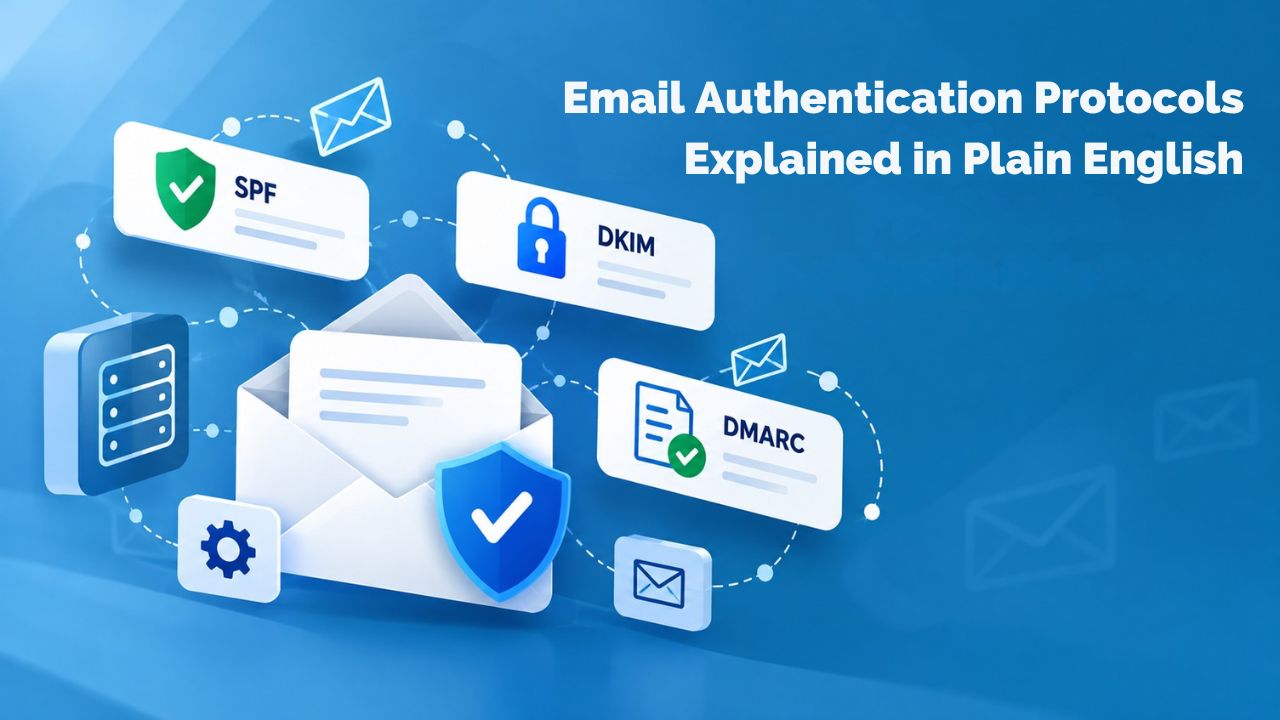
SPF, DKIM, and DMARC sound like alphabet soup, but they’re the technical foundation that separates your legitimate email from spam and phishing attacks. Understanding how they work helps explain why professional email hosting and proper domain setup matter so much for deliverability.
SPF: Authorized Senders on Record
Sender Policy Framework (SPF) is an email authentication protocol defined in RFC 7208 that works like a security checkpoint. Every domain (e.g., yourcompany.com) can publish a DNS TXT record listing which IP addresses and mail servers are authorized to send email on its behalf. This list acts as a “passenger list”; when a receiving mail server processes an email claiming to come from your domain, it checks whether the sending server appears on that authorized list.
When you set up professional email hosting with your domain, your email provider publishes an SPF record that says “only our mail server can send email from this domain.” Without SPF, an attacker could send email impersonating your domain, and receiving mail servers would have no technical way to verify that the message was actually from you. SPF creates that verification layer, protecting your domain from being spoofed and protecting recipients from phishing attacks using your brand.
DKIM and DMARC: Cryptographic Proof and Policy Enforcement
DKIM (DomainKeys Identified Mail) is a cryptographic email authentication protocol defined in RFC 6376 that goes deeper than SPF. DKIM digitally signs emails to prove they haven’t been altered in transit. Your mail server signs each outgoing message with your private key; receiving servers use your public key to verify that the signature is genuine. Think of it as a tamper-evident seal: if an attacker intercepts your email and modifies it, the signature breaks, and the receiving server knows the message was altered.
DMARC (Domain-based Message Authentication, Reporting & Conformance) ties SPF and DKIM together at the domain level and binds the results to a policy. A DMARC policy tells receiving mail servers what to do if an email claims to come from your domain but fails SPF and DKIM checks: reject the message, quarantine it, or allow it with a warning. DMARC also sends reports back to you so you can see which emails passed authentication and which failed, helping you identify and fix deliverability issues before they affect your customers. This feedback loop is critical for ongoing email health.
Mobile & Desktop Access Anywhere
Your team doesn’t work from a desk all day. Professional email hosting gives you full access on mobile, tablet, and desktop without complicated setup or configuration.
Native Apps for iOS and Android
Titan Email, offered through Niya Digital, includes native mobile applications for both iOS and Android. These aren’t forwarding solutions or web wrappers; they’re dedicated email clients that sync your email, calendar, and contacts across all your devices. Download the app, log in with your professional email credentials, and your inbox appears just as it does in the webmail interface.
Native apps keep you responsive even when you’re away from your desk. You can read, compose, and send professional emails from your phone or tablet with the same authentication and security controls as your desktop client. Your team can respond to urgent customer issues immediately, without waiting to get back to the office.
Webmail Access Anywhere, No Installation Required
If you prefer browser-based access or need to check email from an unfamiliar device (a client’s office, a shared computer, a kiosk), webmail is always available. Log in from any browser on any device, and your inbox appears instantly. No installation, no configuration, no app download, just your email, accessible from anywhere with an internet connection. This flexibility is essential for traveling team members, remote workers, and businesses with flexible schedules.
Smooth Migration From Free to Professional Email
Switching from free email to professional hosting sounds complicated, but built-in migration tools and support make it straightforward. You won’t lose emails, contacts, or calendar history during the switch.
Migration Tools Handle the Technical Details
When you move to professional email, you’re not starting from zero. Titan Email, offered through Niya Digital, includes built-in migration tools that transfer your existing email messages, contacts, and calendar from your previous account to your new Titan Email account. The technical details, connection protocols, message format conversion, and folder mapping are handled automatically.
If you run into trouble during migration, Niya Digital’s support team is available to help. This guided migration removes the biggest fear people have about switching providers: losing important emails or contacts. Migration is a solved problem; the tools and support are built in.
Parallel Running Keeps Your Business Uninterrupted
During migration, both email systems can run simultaneously. Your old email account forwards incoming messages to your new professional inbox, so you don’t miss anything while the migration is in progress. Once everything is working and tested, you can retire the old account knowing your messages are preserved and accessible from your new professional address.
This parallel-running approach removes switching risk. You don’t have to cut over to the new system all at once; you can validate that everything is working before you fully transition. Once you’re confident, you can move exclusively to the new system.
Is Professional Email Worth It for Small Businesses?
For solo operations and small teams, professional email costs just a few dollars per month. But the real question isn’t cost; it’s what you gain in credibility, control, and operational peace of mind.

The Real ROI of Looking Established
Small business owners sometimes hesitate on professional email because they think it’s a luxury. It’s not a luxury; it’s a foundation. When you create a professional email address for your business, you immediately improve your company’s perceived reputation and legitimize your brand in the eyes of customers and partners.
For freelancers, consultants, and local service providers, this translates directly into more inquiries, faster quote responses, and more confident customer relationships. For e-commerce, SaaS, and online services, professional email is the bare minimum; customers expect it and judge you for not having it. The investment is visible in every email you send, and that visibility converts into business outcomes.
When to Switch From Free to Professional Email
For most businesses, the switch should happen sooner rather than later. Once you have a domain name and a first customer, you should have a branded email address. Migration is straightforward, support is available, and you won’t lose existing emails. The only real operational cost is the time spent updating your contact information and notifying your network of your new professional email address.
For the ROI, credibility gained, professional image established, and compliance capability unlocked, there’s no better investment in your business identity. Starting early means every customer interaction from day one happens under your professional brand, not under a free-email commodity address.
Professional Email Hosting Features at a Glance
| Feature | Description | Benefit |
|---|---|---|
| Custom Domain Email Addresses | Send and receive from yourname\@yourcompany.com instead of free personal email. | Immediate credibility and brand reinforcement in every customer interaction. |
| Native Mobile Apps (iOS & Android) | Dedicated email clients that sync inbox, calendar, and contacts across devices. | Respond to customers from anywhere. Full access without workarounds or forwarding. |
| Webmail Access | Browser-based email interface. Log in from any device, no installation needed. | Work from any computer or device. No dependency on installed software. |
| Shared Team Inboxes | Multiple team members access support@, sales@, billing@ addresses simultaneously. | Customer emails never go unseen. Team can triage, assign, and track issues together. |
| Email Forwarding & Aliases | Route multiple addresses to one inbox or forward to external addresses. | Flexibility in how you structure team communication without managing separate accounts. |
| Built-In Migration Tools | Transfer existing emails, contacts, and calendar from your old account. | No data loss. Smooth transition to professional email without starting from scratch. |
| SPF, DKIM, DMARC Support | Email authentication protocols built into the platform. | Messages authenticated at the protocol level. Better inbox placement. Protection against domain spoofing. |
| Encryption & Security Controls | Encrypted email storage, two-factor authentication, password policies, access controls. | Data protected against theft. Compliance-ready infrastructure for regulated industries. |
| 24/7 Support | Technical assistance available whenever you need help. | Setup issues resolved quickly. Migration problems handled. Deliverability questions answered. |
| Generous Storage | Plan-based email storage (details at niya.domains). | Retain email history without constant cleanup or archiving. |
Launch Your Professional Email & Own Your Business Identity
Professional Email Hosting powered by Titan Email removes barriers to looking established, staying secure, and reaching your customers’ inboxes. Niya Digital makes setup painless, migration safe, and support available whenever you need it. Stop presenting your business through someone else’s platform and own your professional identity.
Frequently Asked Questions
What is the difference between a professional email address and a free email address?
A professional email address uses your own domain (contact@yourcompany.com), while free email uses a generic provider domain (@gmail.com, @yahoo.com, etc.). Professional email signals established business legitimacy, gives your organization full data ownership and control, offers centralized security policies for your whole team, and includes authentication protocols that improve deliverability. Free email was built for personal use and offers limited administrative features for team collaboration, compliance, or organizational control.
Do I need a website to use professional email?
No. You need a registered domain name, but you don’t need an active website. Many businesses use professional email without a website, or run them on separate hosting platforms. Your domain identifies your email address and routes incoming mail. Domain registration and email hosting can be separate services.
Can I migrate my existing emails to professional email hosting?
Yes. Professional email providers, including Titan Email offered through Niya Digital, include migration tools that automatically transfer your existing messages, contacts, and calendar from your previous account. Support is available to help if you run into issues during migration. You won’t lose your email history or contacts when you switch.
Will professional email improve my inbox delivery rate?
Professional email combined with proper SPF, DKIM, and DMARC configuration supports better inbox placement and may reduce the chance of landing in spam over time. It is not a guarantee, as deliverability depends on multiple factors including sender reputation, email content quality, and list hygiene. However, proper authentication and compliance practices significantly improve your odds compared to unauthenticated email from free addresses.
Is professional email secure?
Professional email includes encryption, two-factor authentication, anti-phishing, and anti-malware protection. Because your organization controls the infrastructure and enforces security policies globally, it is far more secure than free email, where data ownership and security settings rest with individual users. You can require all team members to use two-factor auth and strong passwords, rather than hoping they do it on their own.
How many team members can use professional email?
You can create as many email accounts as your business needs under your domain. Each employee, department, or business function can have its own branded address (support@, sales@, billing@, accounting@, etc.). Team members can access shared inboxes from a single unified webmail interface or from their mobile and desktop apps so that multiple people can manage the same inbox without confusion.
What is SPF, DKIM, and DMARC, and why do they matter?
SPF (Sender Policy Framework), DKIM (DomainKeys Identified Mail), and DMARC (Domain-based Message Authentication, Reporting & Conformance) are email authentication protocols that verify your email is legitimate and hasn’t been altered in transit. Major email providers now require them for bulk senders. Proper setup helps your emails reach inboxes instead of spam folders and protects your domain from being impersonated by attackers sending phishing emails in your name.
Can I use professional email on my phone and tablet?
Yes. Professional email includes native apps for iOS and Android that sync your email, calendar, and contacts across all your devices. You also have webmail access via any browser. Your team can respond to customer issues immediately from anywhere, not just from a desk.
Do I have to keep paying for professional email, or is there a one-time fee?
Professional email is a subscription service. You pay a recurring fee (typically monthly or annually), which covers hosting infrastructure, security, updates, storage, and support.
What happens to my emails if I stop paying for professional email?
This depends on your provider’s policies. Most email hosting providers give you notice and a grace period to download your emails before closing your account. Niya Digital can provide specific details on email retention policies for its plans. Confirm your provider’s policy before signing up so you understand what happens if you pause or cancel.
Is professional email GDPR compliant?
Professional email hosting can support GDPR compliance through encryption, audit trails, and user consent controls. However, compliance isn’t automatic; you must follow GDPR rules on collecting consent, retaining data only as long as necessary, and honoring unsubscribe requests. Your provider should document its compliance framework and data-handling practices. Check with Niya Digital for details on how Titan Email supports GDPR compliance.
Can I use an email alias or forwarding address with professional email?
Yes. Most professional email services support email aliases (alternate addresses that route to the same inbox) and email forwarding (redirecting messages to another address). This lets you use multiple branded addresses without managing separate inboxes. For example, you could have sales@, support@, and billing@ all forward to one team inbox or route to different people as needed.
How long does it take to set up professional email?
Setup is typically fast. If you already own your domain, you can send your first email within minutes by pointing your DNS records to your email provider’s mail server. If you need to register a new domain, it can take 24–48 hours for the domain to become fully active. Full setup, including multiple team accounts and shared inbox configuration, may take a few hours to a day.
What if I forget my password or get locked out of my professional email?
Professional email providers offer password reset and account recovery tools. Support is available 24/7 to help you regain access if you’re locked out. This is a major advantage over free email: you have dedicated support that prioritizes your business continuity, not a generic help forum.
Can I change my professional email address later?
You can add new email addresses under your domain or retire old ones. However, changing your primary email address after it’s published widely and used in customer communications is disruptive. It’s better to choose your email format carefully at the start so you don’t have to ask your entire customer base to update their contact list later.
Glossary
- Custom Domain Email: An email address using a domain name you own (e.g., contact@yourcompany.com), as opposed to a free provider domain (e.g., contact@freemail.com).
- Webmail: Email access through a web browser on any device, without requiring software installation or configuration.
- Email Hosting: A service that provides email infrastructure, storage, and server access, allowing you to send and receive email from your own domain without building or managing your own mail server.
- SPF (Sender Policy Framework): An email authentication protocol defined in RFC 7208 that verifies the sending mail server is authorized to send email from your domain by checking a list of authorized IP addresses published in your domain’s DNS records.
- DKIM (DomainKeys Identified Mail): A cryptographic email authentication protocol defined in RFC 6376 that digitally signs emails so receiving mail servers can verify the message wasn’t altered in transit and genuinely originated from your domain.
- DMARC (Domain-based Message Authentication, Reporting & Conformance): An email authentication policy framework that combines SPF and DKIM results and tells receiving mail servers what to do with unauthenticated email (reject it, quarantine it, or allow it with a warning). It also sends you reports on authentication results.
- Inbox Placement: The likelihood that an email reaches a recipient’s primary inbox folder rather than spam, promotions, updates, or junk folders.
- MX Record: A DNS record that directs incoming email for your domain to the correct mail server, telling the internet where to deliver messages sent to your domain.