Why Professional Email Matters More Than You Think
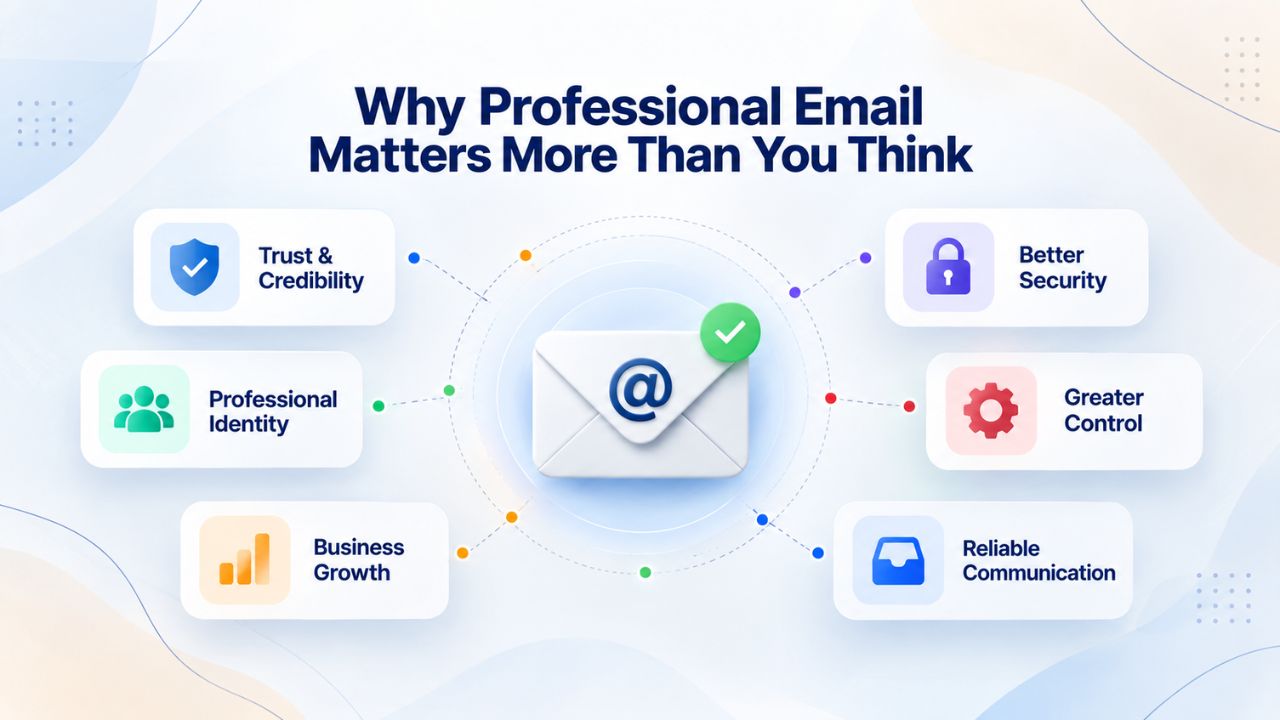
A professional email address on your own domain transforms how customers perceive your business. Free email feels temporary, even risky. A branded email signals stability, organization, and legitimacy. For small business owners, contractors, and growing teams, this shift is often the difference between lost leads and closed deals. When customers see a professional email address, they immediately perceive a business worth trusting with their money and their data. This isn’t merely cosmetic; the email address itself is a trust signal that affects purchasing decisions, response rates, and business outcomes.
The Real Cost of Staying on Free Email
Customers judge professionalism in seconds. When they see an email from your-business@gmail.com, they’re not seeing your business; they’re seeing Gmail. The psychological effect is immediate and damaging to your credibility. Research from IE Domain Registry found that 64% of consumers have little to no trust in businesses using free email addresses, while 77% trust custom domain-specific addresses. That gap isn’t trivial. It directly affects whether customers reply to your message, share payment details, move to a competitor who looks more established, or decide you’re not worth their time. Losing a customer because of an email address that costs you nothing to change is among the most expensive false economies a business can make.
Free email also creates serious deliverability risk that costs you business in ways you’ll never see. Emails from free domains like Gmail or Yahoo are up to 35% more likely to be ignored than emails from branded business addresses. One in five business emails from non-branded domains never reach the inbox because spam filters treat them more aggressively. Your message, even if perfectly crafted, perfectly timed, and exactly what the customer wants to hear, gets filtered before the recipient ever sees it. The email never reaches its destination, and you never know why your marketing effort failed or why a customer didn’t respond.
Building Trust From Your First Email
A custom email like info@yourbusiness.com reinforces your brand name in every interaction and signals that your company is serious, professional, and trustworthy. This is not just an aesthetic preference; it’s a fundamental trust mechanism built into how modern buyers evaluate sellers. Studies show that 85% of people view businesses with branded email addresses as more credible than those using free accounts. When you’re competing for a customer’s attention and their money, that credibility gap becomes your most powerful competitive advantage.
Every email you send from a professional address reinforces that you’re an established, organized business. Niya Digital’s team has found that most businesses experience an immediate shift in customer response rates once they switch to professional email, even before implementing other marketing improvements. A professional email address removes a trust barrier that was quietly costing you business and opportunities you didn’t realize you were losing.
The Trust Factor: Why Custom Domain Emails Build Credibility
Email is often where sales conversations happen. Prospects read your message before they visit your website, call your phone number, or check your social media. A professional email address is the foundation of that first impression and sets the tone for the entire relationship. In business-to-business communication especially, the email address carries enormous weight in determining whether the recipient takes you seriously or dismisses you as unestablished and unworthy of attention.
How Customer Perception Shifts With a Professional Address
Research shows that 75% of Americans say a domain-based email address is a key factor in trusting a small business. This isn’t gatekeeping or snobbery; it’s psychology rooted in years of phishing and spam attacks. A domain-based address looks vetted, official, and permanent. It suggests the company has invested in infrastructure, has legal standing, and plans to stick around. A free address, by contrast, looks like a side project, a test account, or a setup someone threw together without thinking about professionalism.
The impact scales with the stakes of the transaction. For a freelancer offering services, for a consultant pitching strategy, or for a startup seeking partnerships, a professional email address removes an immediate doubt that was preventing the conversation from moving forward. It says, without words: “We’re real. We’re organized. We’re serious about our business. You can trust us with your time and your money.” Recipients make this judgment instantly, in the fraction of a second it takes them to see your email address.
Why Free Email Triggers Spam Filters
The internet has trained email providers to be skeptical of free email addresses because the data tells a clear story spanning decades. Phishing scams and impersonation attempts overwhelmingly come from free email accounts, so email systems flag them more aggressively by default. Email providers can’t distinguish between your legitimate business message and a sophisticated phishing attack, so they default to caution. Even legitimate business email from a free account often lands in spam folders or quarantine. This happens not because you did anything wrong, but because free email addresses statistically correlate with scams.
When you own your domain and use professional email hosting, you control the sender reputation tied to your address. That reputation builds over time as you send consistent, non-spammy messages, and email providers begin to trust messages from your domain more readily. The authentication records you set up (SPF, DKIM, DMARC) provide additional proof to email systems that your messages are legitimate, further improving inbox placement. Over weeks and months, your sender reputation becomes a competitive advantage.
How Email Hosting Works: A Behind-the-Scenes Look
Professional email hosting isn’t magic; it’s a coordinated system of servers, protocols, and DNS records working together to get your message to the right inbox. Understanding the basics helps you appreciate why it’s more reliable than cobbled-together free email solutions and gives you confidence in the technology behind your professional communication. The system is elegant and has been refined over decades of internet history.
The Role of Mail Servers and MX Records
Email hosting operates through dedicated mail servers so you can send and receive messages using addresses on a domain you control (for example, info@yourbusiness.com). Think of your domain name as the street address on a mailbox; the mail server is the mailbox itself. The mail server is a powerful computer system running specialized email software that handles the complex choreography of receiving, storing, routing, and delivering messages worldwide. Your email provider maintains these servers in secure, climate-controlled data centers.
Here’s how the system works in practice: When you register a domain, the Domain Name System (DNS) uses special records called MX records that decide where incoming mail is delivered. Messages travel to your server via the SMTP protocol (Simple Mail Transfer Protocol), which handles sending email between servers and from your email app to the provider. Your email provider maintains the servers that store, send, and retrieve your mail, and manages the technical complexity so you don’t have to build and maintain servers yourself. This abstraction makes professional email hosting accessible to small businesses.
IMAP vs. POP3: How Your Email Gets to Your Device
Once your email arrives on the hosting provider’s servers, you need a way to access it from your phone, tablet, and desktop computer. Two fundamental protocols handle this retrieval, and they work in distinctly different ways that affect how your email experience functions across devices. Understanding the difference helps you choose the setup that works best for your workflow and your team.
IMAP (Internet Message Access Protocol) keeps mail on the server and syncs across multiple devices, so changes you make on your phone appear on your desktop. POP3 (Post Office Protocol 3) downloads mail to one device and typically removes it from the server, freeing up storage but limiting multi-device access. For most business users, IMAP is the better choice; it lets you check email from phone, tablet, and desktop with everything synchronized in real time, so your inbox is always current no matter which device you’re using. Your team stays on the same page about which emails have been read, which have been deleted, and which are pending action.
| Aspect | Free Email (Gmail, Yahoo, AOL) | Professional Email Hosting |
|---|---|---|
| Mail Storage Location | Third-party servers you don’t control | Dedicated servers managed by your provider |
| Domain Ownership | No; you use @gmail.com or @yahoo.com | Yes; you own and control your domain |
| Multi-Device Sync | Basic (usually via Gmail app only) | Full IMAP sync or POP3 download options |
| DNS Records (MX, SPF, DKIM) | You don’t control them | You configure and maintain them |
| Admin Control | None; it’s a personal account | Full; create users, set policies, manage security |
| Security & Encryption | Standard; limited customization | Advanced; TLS/STARTTLS, custom DKIM, 2FA |
| Email Delivery Trust | Lower; flagged more often as spam | Higher; authenticated sender identity |
Understanding Email Authentication (SPF, DKIM, DMARC)
Whether your email reaches the inbox or lands in spam often comes down to three authentication standards: SPF, DKIM, and DMARC. These aren’t buzzwords or technical theater; they’re the actual foundation that tells receiving email servers your message is legitimate and hasn’t been forged or tampered with. Understanding these three layers of protection reveals why professional email hosting is so much more effective than free email for business communication and why setting these up matters.
SPF: Declaring Your Authorized Mail Servers
SPF (Sender Policy Framework) lets domain owners specify the mail servers authorized to send email on their behalf. Think of it as a public guest list published in your domain’s DNS records. You create a text record in your domain’s DNS that lists all the servers officially allowed to send email claiming to be from your domain. When an email arrives at its destination, the receiving server checks the sender’s IP address against your guest list.
SPF alone isn’t foolproof; it can break when email is forwarded to a third party, but it stops many basic spoofing attempts where a scammer tries to send email impersonating your domain. Professional email providers set up SPF records automatically, making this protection work in the background without requiring technical effort from you. Your email provider adds itself to your SPF record so its servers are recognized as authorized to send mail for your domain.
DKIM: Adding a Digital Signature to Your Email
DKIM (DomainKeys Identified Mail) adds a digital signature to your email that proves the message hasn’t been tampered with and really came from your domain. Imagine sealing a letter with a wax stamp; if the seal is broken, you know something’s up. DKIM’s signature appears in the email headers and verifies that the claimed domain sent the email and that it hasn’t been altered in transit. When a customer’s email system receives your message and sees it has a valid DKIM signature from your domain, that’s additional proof the message came from you and is trustworthy.
DKIM survives email forwarding better than SPF, but together they form a more complete defense against spoofing and message tampering. Professional email providers manage DKIM keys and signing automatically, so your messages carry this signature without any effort on your part.
DMARC: Enforcing Authentication and Setting Policy
DMARC (Domain-based Message Authentication, Reporting & Conformance) builds on SPF and DKIM by requiring that at least one of them passes and that the domain aligns with the From header, then defines a policy (none, quarantine, reject) for how receiving servers should handle emails that fail authentication. It ensures SPF and DKIM are followed and tells receiving email systems what to do when authentication fails. DMARC turns SPF and DKIM from optional nice-to-haves into enforceable requirements.
DMARC also produces aggregate reports, so domain owners can see who is sending as them and detect unauthorized use or misconfigurations. This visibility is crucial for protecting your brand reputation and catching any issues before they harm your email deliverability. You’ll see reports showing how many of your emails pass authentication, how many fail, and where they’re coming from.
Features That Make Professional Email Worth It
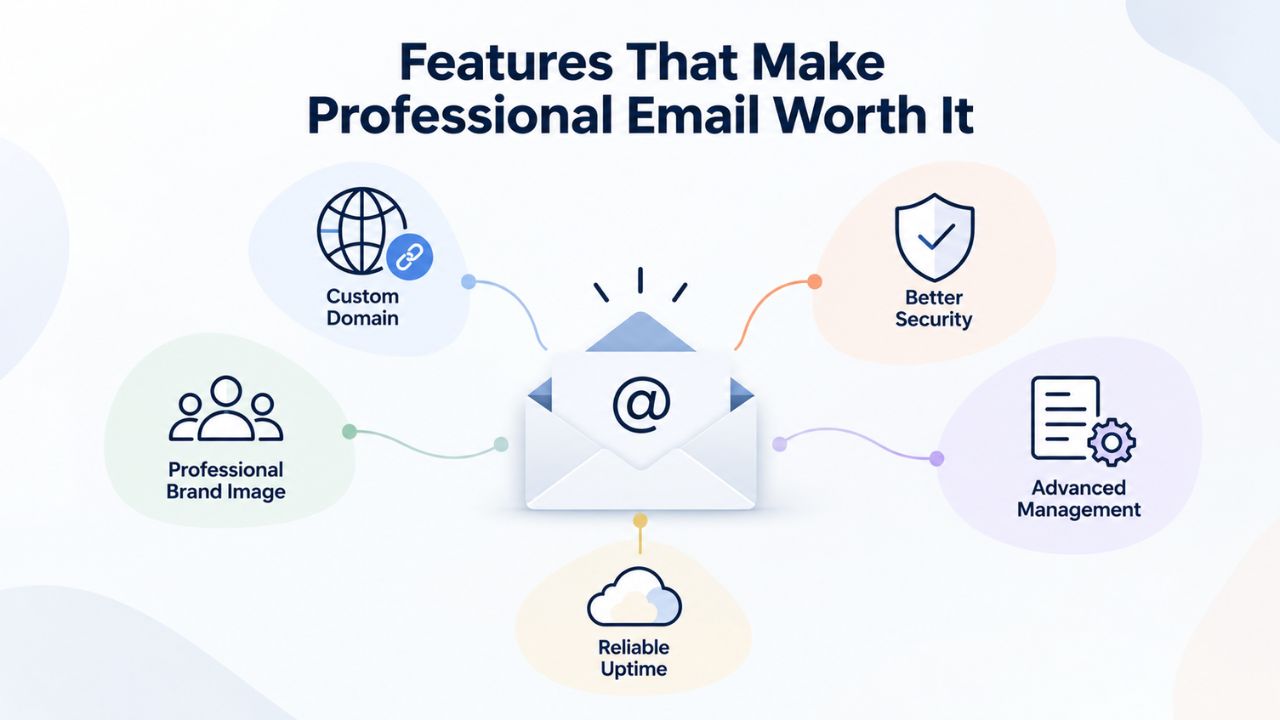
Not all professional email hosting is the same. The best platforms include features that save time, protect your data, and scale with your growing business. These features transform email from a basic necessity into a powerful business tool that your team relies on daily. Titan Email, offered through Niya Digital, includes webmail and native iOS and Android apps, a built-in calendar and contacts, advanced anti-spam and anti-virus protection, and multi-account support. Higher tiers add read receipts, email templates, follow-up reminders, and priority inbox features that give you deeper insight into whether your messages are being read and help you manage communication workflows efficiently.
Security & Compliance Built In
Professional email hosting means you’re not just renting storage; you’re delegating security to specialists who handle it daily and stay ahead of the threat landscape. Advanced security features include two-factor authentication (2FA), custom DKIM signing, data encryption, and external forwarders that help prevent unauthorized access. Many hosting providers also offer compliance support for privacy regulations, audit logs, and retention policies that keep you aligned with industry legal requirements and data protection laws.
For small teams, this is a massive advantage. You get enterprise-grade security without hiring a dedicated IT person or spending hours managing security infrastructure yourself. Your email provider handles malware scanning, spam filtering, phishing detection, and data center security so you can focus on running your business instead of worrying about email security. The provider’s security team stays current with emerging threats that would be impossible for a small business to monitor independently.
Collaboration Tools Included
Email isn’t just about sending messages; it’s about coordinating work across your team and managing schedules efficiently. Hence, everyone stays on the same page. Professional email hosting includes shared calendars, contact groups, and multi-account management, so your team can sync meetings, avoid double-booking, and organize communication by role.
These aren’t fancy extras; they’re time-savers that reduce friction across your business and make team coordination seamless. When your team can view everyone’s calendar and see availability at a glance, scheduling becomes effortless instead of consuming hours of back-and-forth emails.
Start Building Professional Credibility Today With Niya Digital
Professional email isn’t a luxury; it’s the foundation of trustworthy business communication that customers recognize and respect. With Niya Digital’s Professional Email Hosting, powered by Titan Email, you get the custom-domain address, security, and support your business deserves without managing your own mail servers. Start building the brand impression that turns prospects into customers and establish the professional presence that keeps them coming back. Your first customer won’t know whether you have professional email until they notice it’s there, but they’ll definitely notice if it’s missing.
Setting Up Professional Email: The Process Explained
Many business owners assume professional email setup is complicated and time-consuming, requiring technical expertise they don’t have. In reality, it takes minutes to get running and less than an hour to fully configure across all your devices. The process is straightforward, and most providers offer guided setup wizards that walk you through each step with clear instructions. You don’t need technical expertise or networking knowledge to set up professional email; the process is designed for business people, not IT specialists. Your email provider handles the complex parts and abstracts away the technology.
Step 1: Register or Point Your Domain
You start with a domain name, either a new one you register or an existing domain you already own and that’s currently managing a website. Your email provider will guide you to update your domain’s MX records (Mail Exchange records) in your domain’s DNS settings to point to their mail servers. This tells the internet where to deliver email for your domain. Most domain registrars and hosts have a control panel where you update these records in just a few minutes through a simple form.
If you’re setting up SPF and DKIM for the first time, your email provider supplies the exact DNS records you need to add. Most hosting control panels make this a copy-and-paste process, no technical expertise required. You copy the provided text records into the appropriate DNS fields, and the email provider’s system verifies that the records are correct and active. The verification process usually takes a few minutes to propagate across the internet.
Step 2: Create Your Email Accounts
Once DNS records are in place, you create individual email accounts through your email provider’s control panel. You can set up multiple mailboxes for different roles (e.g., sales@yourbusiness.com, support@yourbusiness.com) and configure email forwarding or aliases to route messages to the right team member. Many providers let you do this in seconds through their control panel interface with a few clicks. You give each mailbox a name, assign a password, and it’s ready to use.
Professional email hosting lets you start sending and receiving messages within minutes, with instant webmail access. You can start using your new professional email immediately, no waiting for DNS propagation or server restarts. Send a test email to yourself to confirm everything works, then start using your professional email address across all business communications. Your team members can log in and start sending email from their professional addresses almost immediately.
Professional Email on Any Device: Mobile, Desktop, Webmail
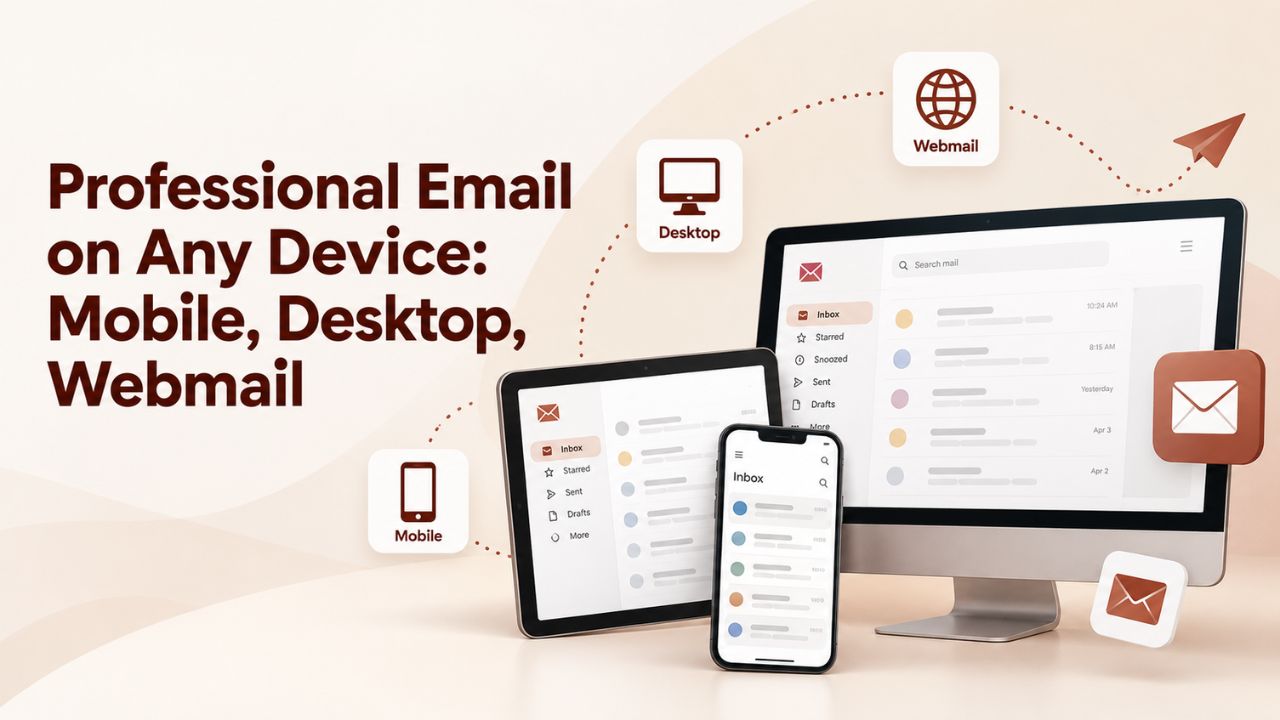
The beauty of professional email hosting is flexibility. You’re not locked into one app or one device. Your email works anywhere you need it, on your phone while you’re with clients, on your desktop at the office, in a browser when you’re traveling. This multi-platform access is essential for modern business, where you need to stay connected no matter where you are or what device is available.
Webmail: Access From Any Browser
Webmail is your browser-based email interface that works on any device with an internet connection. You log in from any computer, at the office, home, a coffee shop, or while traveling, and your inbox is right there. No software installation needed; no compatibility issues; just your email waiting for you in the browser. Most professional email providers offer modern webmail interfaces with search, folders, and features like read receipts and email templates. Webmail works on any device with an internet connection, from older computers to tablets to smartphones.
Webmail is especially useful when you’re traveling or using a device that isn’t your regular computer, because you don’t need to install anything or configure any settings. You simply log in, and your email is immediately available. The interface is usually optimized for speed and includes keyboard shortcuts for power users.
Mobile Apps: iOS, Android, and Sync
Native mobile apps for iOS and Android let you check email, respond to messages, and manage your calendar on the go. Professional email apps include features like swipe-to-delete, push notifications for new mail, and mobile-optimized interfaces that make email management efficient on a small screen. If your hosting provider uses IMAP, any change you make on your phone- reading an email, moving it to a folder, deleting it- syncs back to your desktop and webmail instantly.
This synchronization is crucial for team communication. When you mark an email as read on your phone during a client meeting, your colleagues won’t waste time reading it again on their desktop. Everyone sees the same status across all devices, eliminating duplicate work and confusion about which emails have been addressed.
Desktop Clients: Outlook, Apple Mail, Thunderbird
Professional email hosting works seamlessly with industry-standard desktop email clients that most professionals already use. You can connect Outlook, Apple Mail, Mozilla Thunderbird, or other IMAP/POP3-compatible apps by entering your email hosting provider’s server settings. Setup takes minutes: provide your email address, password, and the IMAP/SMTP server details (your provider supplies these in the control panel). Once configured, your email syncs continuously, and you have access to advanced features like search, rules, offline access, and automatic sorting.
| Access Method | Setup Time | Best For | Sync Across Devices |
|---|---|---|---|
| Webmail (browser) | 1 minute | Quick access, no installation | Yes (real-time with IMAP) |
| Mobile App (iOS/Android) | 5 minutes | On-the-go checking | Yes (IMAP sync) |
| Desktop Client (Outlook, Apple Mail) | 10 minutes | Offline access, advanced features | Yes (with IMAP) |
| POP3 Email Client | 10 minutes | Single-device offline storage | No; local device only |
Migrating from Free Email: What You Need to Know
Switching from free email to professional hosting feels risky. You worry about losing old messages, breaking customer communication, or dealing with downtime that costs you business. You’re concerned that the process might be complicated and technical. These concerns are real, but good email providers have solved them with carefully designed migration processes that protect your data and minimize disruption to your business.
How Email Migration Works
Email migration is the process of transferring your mailbox data, messages, contacts, attachments, and folder structure, from your old email provider to your new host. Most professional hosting providers offer one-click migration tools for common sources (Gmail, Yahoo, Outlook, other IMAP-based hosts). These automated tools handle the technical details, including checking file formats, verifying data integrity, and handling incompatibilities between email systems, so you don’t have to understand the mechanics.
We can begin configuring a new account within an hour; the data migration process typically takes 24–48 hours for small to medium mailboxes, depending on volume. During migration, your old email account stays active, so you don’t lose access to messages or the ability to receive new mail. The migration happens in the background while you continue using your old email normally, without disruption to your daily work.
Zero Downtime: Forwarding and Dual Access
Here’s the safety net that eliminates migration risk: while migration is happening, you can set up email forwarding on your old account to route all new incoming messages to your new professional email. This means your customers and prospects don’t miss anything; messages arrive in your new account in real time, even before the bulk migration is complete. Many email providers also offer IMAP import wizards that let you bring your old messages into your new account at your own pace.
After the migration is complete, you can keep your old account as a backup for historical reference, or close it entirely. You’re in complete control of the process and the timeline. Many businesses run both accounts in parallel for a week or two just to be safe, then switch completely once they’re confident everything is working perfectly. This staged approach eliminates migration risk.
Security & Data Control: Why Ownership Matters
When you use free email, you’re a guest in someone else’s house. Your data lives on their servers, governed by their terms of service and managed according to their priorities. They can change the rules, limit features, or shut down your account at any time without warning. Professional email hosting flips that relationship: you own your data, you own your domain, and the provider manages only the infrastructure. This ownership difference is profound and affects everything about how your email is handled.
Encryption and Data Protection
Professional email hosting encrypts email in transit (TLS/STARTTLS) to reduce eavesdropping risks, and many providers offer additional encryption options for sensitive messages. You control mailbox access through password policies and two-factor authentication. Only authorized team members can access your email, and that access is logged and auditable so you know who accessed what and when.
Unlike free email, where a breach can compromise millions of accounts at once, professional hosting isolates your data in secure environments. Your email is stored in secure data centers with redundancy and backups, protecting critical business communication against loss or catastrophic failure. If a data center has an issue, your email stays safe in replicated backups at other locations worldwide.
Admin Control & Compliance
Professional email hosting gives you administrative control over every aspect of your email system. You can set user permissions, define retention policies, audit email access, and manage data processing in compliance with regulations like GDPR. For growing teams, this control is essential; you can enforce security policies, prevent data loss, and maintain audit trails to meet industry regulations or company policies. You can also decide what happens to email when employees leave the company, ensuring no business information is lost and customer data is protected.
You can also implement policies that protect your business, such as requiring two-factor authentication for all email access, limiting who can forward email externally, or preventing attachments of certain file types. This level of control is impossible with free email, where you have no visibility into security practices or data handling.
Choosing the Right Professional Email Provider for Your Business
Not all professional email hosting providers are created equal. Some focus on simplicity and affordability, while others emphasize enterprise security and compliance. The right provider depends on your business needs, team size, and growth plans. Understanding what to evaluate helps you make a decision that keeps working well as your business scales. The right provider becomes an invisible partner in your business operations, handling email reliably while you focus on customers and growth.

Key Features to Prioritize in Your Selection
The foundation of any professional email decision is reliability and deliverability. Email hosting providers should offer high-availability infrastructure with redundant servers and backups that ensure your messages reach inboxes consistently. Look for uptime guarantees and commitments to message delivery reliability. Beyond basic reliability, features like advanced spam and phishing protection, two-factor authentication, and data encryption are non-negotiable for business communication. Titan Email, offered through Niya Digital, combines these core security features with user-friendly interfaces and responsive support.
Consider your team’s specific workflow and future growth. If your team uses mobile devices extensively, native iOS and Android apps are essential. If you manage multiple clients or departments, multi-account support and alias management become critical. If you handle sensitive data or operate in a regulated industry, compliance features like audit logs, retention policies, and encryption options matter. Evaluate not just what the provider offers today, but what capabilities you’ll need as your team doubles or triples in size.
Support and Migration Assistance Matter
When email problems arise, you need support available immediately, not days later. Professional email providers offer 24/7 technical support via chat, email, or phone, so you can get help whenever issues arise. Good providers also offer guided migration assistance, helping you move from free email or another provider without losing data or disrupting business. Some providers handle the entire migration for you at no additional cost, managing DNS records, importing old messages, and setting up forwarding so you experience zero downtime.
Support quality affects your entire experience. When you have a question about setup, authentication records aren’t working, or a team member gets locked out of their account, responsive support can mean the difference between a five-minute fix and a day-long disruption. Read reviews from current customers and test support responsiveness before committing. Ask about their SLA (Service Level Agreement) for support response times and for guaranteed uptime on email servers.
Join Growing Businesses That Trust Professional Email
Niya Digital’s Professional Email Hosting, powered by Titan Email, gives you everything you need: a custom-domain address that builds credibility instantly, advanced security that protects your data and your customers’ information, responsive support that keeps you connected when problems arise, and collaboration features that scale with your team as you grow. Start today and see how professional email transforms your business relationships and market reputation.
Frequently Asked Questions
What is professional email hosting?
Professional email hosting is a service that manages and stores your business emails on dedicated servers, allowing you to send and receive messages using a custom-domain email address (e.g., info@yourbusiness.com) instead of a generic free provider. Unlike free email, it gives you administrative control over user accounts, advanced security features, compliance support, and tools designed specifically for business communication. You own your domain and control your email data.
How is professional email different from Gmail or Yahoo?
Professional email uses your own domain name (yourcompany.com) instead of Gmail or Yahoo’s generic domain. This looks significantly more credible to customers, improves your email deliverability, and gives you control over sender reputation, authentication records (SPF/DKIM/DMARC), and user accounts. Free email works fine for personal use but signals to business contacts that you’re not organized, established, or serious about your business.
Can I use professional email on my phone?
Yes, absolutely. Most professional email hosting providers offer native apps for iOS and Android, and all support standard email protocols (IMAP/POP3) that work with Apple Mail, Outlook, Gmail app, and other email clients. Your phone, tablet, and desktop stay synchronized with IMAP, so you see the same inbox and messages across all devices, with changes syncing in real time.
How long does it take to set up professional email?
Setup typically takes 15–30 minutes. You update your domain’s DNS records (usually a copy-and-paste process in your domain control panel), create your email accounts through the control panel, and start using webmail or configure your desktop and mobile apps. Once DNS records have propagated, you can send and receive messages within minutes of creating your first account.
Is professional email secure?
Professional email hosting includes advanced security features like two-factor authentication (2FA), encryption in transit (TLS), custom DKIM signing, and data stored in secure data centers with redundant backups. You control access permissions and can audit email use. This is significantly more secure than free email, which is frequently targeted by phishing, hacking, and other attacks because of its popularity.
What are SPF, DKIM, and DMARC?
SPF, DKIM, and DMARC are email authentication standards that prove your emails are legitimate and haven’t been forged or altered. SPF declares which servers are authorized to send email for your domain. DKIM adds a digital signature to each message. DMARC enforces both standards and tells receiving servers what to do if authentication fails. Together, they improve deliverability and protect your brand reputation.
Can I migrate my old email to professional hosting?
Yes, absolutely. Most professional email hosting providers offer one-click migration tools for common sources (Gmail, Yahoo, Outlook, etc.). Migration typically takes 24–48 hours for small to medium mailboxes. During migration, you can set up forwarding on your old account so you don’t miss any messages, and your new professional email begins working immediately.
Will customers be able to reach me during migration?
Yes. You can set up email forwarding on your old account before migration begins, so all new incoming messages are routed to your new professional email. Your old account can stay active as a backup for historical reference, or you can close it after migration. Customers will experience zero disruption.
How much does professional email hosting cost?
Professional email hosting is an affordable investment in your business credibility and security. Pricing varies by provider and plan, offering flexible options for businesses of all sizes. Most providers offer discounts for annual billing or multiple mailboxes, making it economical even for growing teams. Check with your provider for current pricing options.
Can I create multiple email addresses for my team?
Yes, absolutely. Professional email hosting lets you create multiple mailboxes (sales@yourbusiness.com, support@yourbusiness.com, etc.) and manage them from a single admin panel. You can set different permissions for each user and even create email aliases that forward to specific team members, allowing you to organize communication by department or function.
What happens to my email if I change hosting providers?
Your email stays yours because you own your domain. When you migrate to a new host, you update your DNS/MX records to point to the new provider, and your email keeps working. Most providers assist with migration so nothing is lost in the transition. Your domain name is portable and belongs to you, not the hosting provider.
Do I need a website to use professional email hosting?
No, absolutely not. Professional email hosting is separate from web hosting. You only need a domain name and an email hosting provider. Many businesses use professional email long before they have a website, and some use professional email without ever building a website, focusing entirely on email communication.
What if I forget my email password?
Most professional email hosting providers offer password recovery through your account admin panel or a recovery email address you set during setup. If you’re the domain administrator, you have additional recovery and reset options. Contact your provider’s support team if you’re locked out; they can restore access quickly without lengthy identity verification.
Can I access my email offline?
It depends on your setup. If you use IMAP with a desktop client like Outlook or Apple Mail, recent emails are cached locally and available offline. POP3 downloads emails to your device and stores them locally, so older messages are available offline. Webmail requires an active internet connection to access your inbox.
Is Titan Email available worldwide?
Niya Digital’s Professional Email Hosting, powered by Titan Email, is sold globally. Pricing and plan details vary by region and reseller. Check Niya Digital’s website or contact their support team to confirm availability and current information in your location.
Glossary
- DKIM (DomainKeys Identified Mail): An email authentication method that adds a digital signature to outgoing emails, proving they come from your domain and haven’t been altered in transit. Receiving email systems verify this signature to confirm message authenticity.
- IMAP (Internet Message Access Protocol): A protocol that retrieves emails from a server and keeps them synced across multiple devices (phone, tablet, desktop). Changes made on one device appear on all others in real time, ensuring everyone sees the same inbox status.
- Mail Server: A computer system that handles sending, receiving, and storing email messages. Professional email hosting uses dedicated mail servers managed by the provider, so you don’t have to build, maintain, or monitor your own infrastructure.
- MX Record (Mail Exchange Record): A DNS record that tells the internet where to deliver email for your domain. It points incoming mail to your email hosting provider’s servers and directs messages to the correct destination.
- POP3 (Post Office Protocol 3): A protocol that downloads emails from a server to a single device and typically removes them from the server afterward, freeing up storage space but limiting access to that single device.
- Professional Email / Business Email: A custom-domain email address managed by a professional hosting provider (e.g., info@yourbusiness.com), distinct from personal free email services like Gmail or Yahoo that use generic domains.
- SPF (Sender Policy Framework): An email authentication standard that declares which mail servers are authorized to send email on behalf of your domain, helping prevent email spoofing, impersonation, and fraud targeting your brand.
- Webmail: A web-based interface for accessing email through a browser, with no software installation required. Accessible from any device with an internet connection and works on phones, tablets, and computers equally well.