
What Makes an Email Address Professional?
Professional email distinguishes itself from free, consumer-grade addresses primarily through domain ownership and authentication. An email address like hello@company.com signals that the sender controls a registered domain and has invested in business infrastructure. hello@gmail.com, by contrast, is associated with personal communication and often triggers heightened scrutiny in corporate email filters. Understanding this distinction is critical for business credibility.

The Legitimacy Gap Between Free and Custom-Domain Addresses
Free email services (@gmail, @yahoo, @outlook personal accounts) offer real advantages: they’re free, easy to set up, and familiar. But they signal less formality to recipients, particularly in B2B contexts. Recipients perceive custom domain addresses as more credible, and research on business communication norms indicates that a custom domain address increases recipient trust and reduces the likelihood that a message lands in a spam folder due to sender reputation alone. Many corporate email filters deprioritize or block entire free-email providers to reduce phishing and credential-theft attacks. Your brand, whether solo or multi-person, benefits from an address that reflects your domain, not a third-party provider’s.
A professional email address also prevents domain impersonation. When a prospect receives a message that appears to come from your domain, but the sender isn’t affiliated with your company, email authentication protocols (discussed below) help flag the forgery. Free email accounts cannot prove domain ownership, so they can’t provide this defense.
Why Managed Email Hosting Is the Modern Approach for Professional Addresses
Twenty years ago, professional email required building and maintaining your own mail server, a technically demanding task requiring deep infrastructure knowledge. Managed email hosting has since become the standard. Services like Titan Email, offered through Niya Digital, abstract away server administration, DNS complexity, and security patching, letting businesses focus on communication itself.
You own your domain and control your email identity; the provider handles the infrastructure. This trade-off, ceding some control for dramatic simplicity, is why the vast majority of small and medium-sized businesses choose managed hosting over self-hosting.
Custom Domain: Your Email Identity and Brand
Your domain is your brand. When a prospect sees support@acme-consulting.com, they immediately know who you are. That identity matters in every business email exchange and is the foundation of professional email hosting.
How Custom Domains Tie Email Identity to Brand
A custom domain in your email address, one you own or your business controls, creates a direct link between your communication and your brand. This differs fundamentally from merely having a branded signature in a free email account. When you send from your domain, email authentication protocols cryptographically tie that message to your domain registration, making forgery far harder. Clients and partners can trust that an email from your domain actually came from your organization.
Additionally, having multiple team members under a single domain (support@company.com, sales@company.com, finance@company.com) creates a unified brand presence without forcing everyone to juggle separate free accounts. This unified structure, consolidated inboxes, shared contact management, and consistent branding, is why most growing businesses move to managed email hosting as their first infrastructure upgrade.
Preventing Domain Impersonation Through Authentication
Domain impersonation (also called “lookalike” attacks) is one of the most common phishing tactics. An attacker registers a domain similar to yours (e.g., acme-consultin.com instead of acme-consulting.com) and sends spoofed emails appearing to come from your domain. Without email authentication, recipients have no way to distinguish the forgery. Email authentication protocols, SPF, DKIM, and DMARC, are the industry-standard defense.
They cryptographically verify that an email actually came from your domain’s authorized mail servers. A professional email address backed by proper authentication eliminates this forgery risk. Niya Digital’s team has found that customers who configure SPF, DKIM, and DMARC see immediate improvements in inbox placement because recipient mail systems trust messages from authenticated domains.
Email Authentication Protocols: Technical Foundation
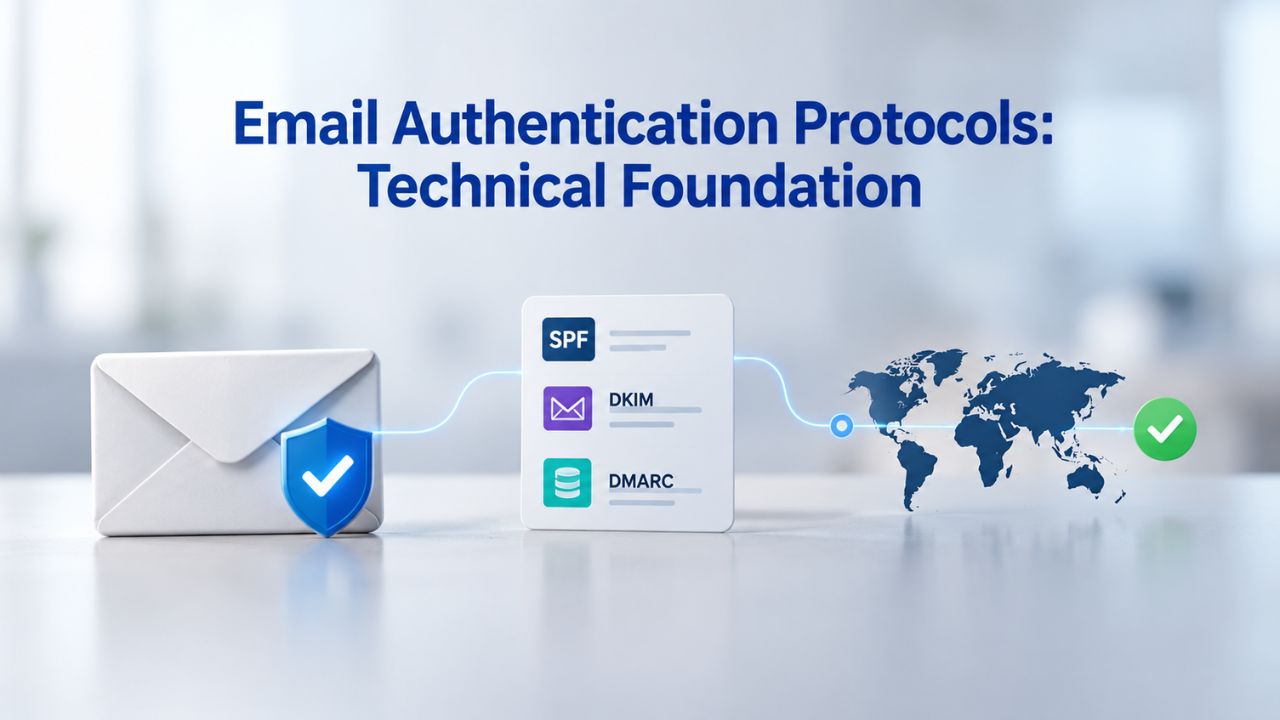
Three email authentication protocols, SPF, DKIM, and DMARC, form the backbone of modern email deliverability. They don’t guarantee inbox placement, but they significantly improve the odds by proving your domain identity to recipient mail systems. Every managed email hosting service, including Titan Email, supports these protocols.
SPF, DKIM, and DMARC Explained Plainly
SPF (Sender Policy Framework), per RFC 7208 published by the IETF, allows you to specify which mail servers are authorized to send email from your domain. When a recipient’s mail system receives an email claiming to come from your domain, it checks your SPF record (a simple DNS entry) to confirm the sending server is on your approved list. If not, the email can be flagged or rejected. SPF alone isn’t foolproof, but it stops casual spoofing.
DKIM (DomainKeys Identified Mail), as defined in RFC 6376, cryptographically signs every email sent from your domain using a private key you keep secret. Recipient mail systems verify the signature using a public key stored in your DNS. If the signature is valid, the recipient can be confident the email came from your domain and hasn’t been altered in transit. Like SPF, DKIM requires DNS configuration, but managed email hosts handle this automatically.
DMARC (Domain-based Message Authentication, Reporting & Conformance), defined in RFC 7489, ties SPF and DKIM together into a unified policy. It tells recipient mail systems what to do if an email fails SPF or DKIM checks (quarantine, reject, or report). DMARC also generates reports showing which messages passed or failed authentication so that you can troubleshoot deliverability. It’s the “policy layer” that makes SPF and DKIM actionable at scale.
Why Authentication Matters for Inbox Placement
Email filters at major providers (Gmail, Yahoo, Microsoft, corporate gateways) use sender authentication as one signal among many to determine inbox placement. An unauthenticated domain looks suspicious by default. It might still deliver, but it’s more likely to land in spam. A domain with all three protocols correctly configured signals legitimacy.
Over time, as your domain builds a positive reputation (legitimate mail, recipients don’t mark you as spam, low bounce rates), authentication becomes an asset. Authentication alone won’t guarantee inbox placement; a domain with poor reputation or bulk-spam-like sending patterns will still land in spam. Still, it dramatically improves your odds, especially for new domains starting from zero reputation.
Deliverability and Inbox Placement: Setting Realistic Expectations
Improving email deliverability is one of the main reasons businesses adopt professional email hosting. But “deliverability” is frequently misunderstood, and it’s worth being clear about what managed hosting can and cannot do.
Email Hosting Supports Better Deliverability, Not Guaranteed Results
Email hosting cannot guarantee that your messages will reach the inbox every time. Inbox placement depends on dozens of factors beyond any provider’s control: your domain reputation, sender reputation (the IP address reputation), email content, recipient engagement rates, spam complaints, bounce rates, and the recipient’s mail system policies. What professional email hosting, especially hosting that supports SPF, DKIM, and DMARC, can do is remove the obvious obstacles. Many corporate filters block free email addresses outright. Unauthenticated domains are treated with suspicion. Poor email infrastructure suggests your emails might be malicious or spam.
Niya Digital’s Professional Email Hosting, powered by Titan Email, provides layered spam and phishing protection via third-party email-deliverability and reputation-database integration. This includes content filtering (blocking emails with known malware or phishing patterns), sender-reputation monitoring (ensuring you don’t send from blacklisted IPs), and protocol enforcement (ensuring SPF, DKIM, and DMARC are correctly configured). None of this guarantees you’ll avoid spam folders, but it substantially reduces the risk over time as your domain builds a positive history.
Sender Reputation and Content Quality: Both Drive Inbox Placement
Two dimensions drive inbox placement: who you are (sender reputation, tracked by domain and IP) and what you send (content reputation, tracked by spam complaints, bounces, and engagement). A domain with excellent authentication and a clean reputation but sending spam content will still land in spam.
Conversely, a sender with great content but no authentication and a brand-new domain will struggle at first. Professional email hosting helps you control the “who” side; how you use that email determines the “what” side. Staying off spam lists, encouraging engagement, and removing inactive addresses are practices you control. Email hosting gives you the infrastructure to do it right.
Managed Hosting Versus Self-Hosting: Why Most Businesses Choose Managed
The technical and operational trade-offs between managing your own mail server and using managed email hosting are stark. Understanding this trade-off is critical for deciding whether professional email hosting is right for you.

The Case for Managed Email Hosting
Managing your own email server requires expertise in DNS, mail-server software (like Postfix or Microsoft Exchange), security patching, backup and recovery, and IP-reputation monitoring. You’re responsible for uptime, responding to security vulnerabilities, and ensuring your outgoing IP reputation stays clean. If you send from a blacklisted IP, no amount of authentication can help. Most small businesses lack in-house expertise to do this reliably, and hiring that expertise costs far more than buying managed hosting.
Managed hosting inverts the risk: your email provider, in this case, Titan Email, offered through Niya Digital, assumes responsibility for infrastructure, security updates, and reputation monitoring. You get a stable, audited platform, 24/7 support, and the knowledge that your email is backed by a company whose business depends on good deliverability. You pay per user per month, but you avoid the hidden costs of failed deliverability, downtime, and the time you’d spend managing infrastructure yourself.
When Self-Hosting Might Apply and When It Doesn’t
Large enterprises with dedicated IT staff sometimes self-host because they have specific compliance or data-residency requirements that managed hosting can’t meet, or because email volume makes per-user pricing prohibitive. For virtually every small and medium-sized business, self-hosting is a poor trade-off.
The cost to hire and retain email-infrastructure expertise, the liability risk if your email goes down, and the opportunity cost of your IT team’s attention usually far exceed the price of a managed email-hosting plan. Titan Email is built precisely for this market segment: businesses that need professional email without the infrastructure burden.
Choose Niya Digital’s Professional Email Hosting
Professional email is the foundation of business credibility and deliverability. Niya Digital’s Professional Email Hosting, powered by Titan Email, gives you custom-domain email, multi-device access, authentication support, and 24/7 help, without the complexity of self-hosting. If you’re still using free email for business, switching will improve your trust and inbox placement immediately. Setup is straightforward, migration is smooth, and support is always there.
Choosing Your Email Provider: Key Evaluation Criteria
Not all email hosting is equal. When evaluating a provider, look for capabilities and commitments that match your business needs. The following table summarizes the key decision factors for evaluating managed email hosts:
Essential Features: Device Support and Multi-Device Sync
Professional email hosting should support access from every device: desktop, mobile, and web. Webmail (browser-based email, no app installation) is essential as a fallback; if your email client crashes or you’re without your laptop, webmail lets you access your inbox from any browser. A modern provider should offer native apps for iOS and Android, with cross-device sync, offline access, and IMAP access for third-party desktop clients (Outlook, Apple Mail, Thunderbird), so you’re not locked into a specific email client.
Titan Email provides webmail, native iOS and Android apps, and IMAP/SMTP access for third-party clients, giving you flexibility across your entire workflow. This multi-device requirement isn’t optional; your team uses email everywhere, and your hosting should enable that without friction.
Provider Reliability: Support Quality and Backup Guarantees
Email is mission-critical for most businesses. If your email goes down or stops delivering, your business stops moving. Your email provider should offer 24/7 support via email, live chat, or phone, and should respond to critical issues within hours, not days. Your provider should maintain offsite backups and have a documented disaster-recovery plan. If a data center goes down, your email should failover to another center automatically, with no downtime.
Niya Digital provides 24/7 support for its Titan Email customers, with dedicated account management for team accounts. Titan Email uses geo-redundant backups and multi-datacenter failover, so your email is available even if one facility fails. Read reviews and ask for references before committing; support quality and backup transparency separate good providers from mediocre ones.
| Decision Factor | Why It Matters | What to Look For |
|---|---|---|
| Mailbox Capacity | Determines how many users your system can support | Ability to add mailboxes easily as you grow |
| Storage Per User | Affects long-term email retention and archive needs | 25–75 GB standard; upgrade options available |
| Device Support | Ensures you can access email anywhere you work | IMAP/SMTP, native apps, webmail all supported |
| Security Features | Protects sensitive business communications | 2FA, encryption, audit logs, admin controls |
| Email Authentication | Improves deliverability and prevents spoofing | SPF, DKIM, DMARC setup in control panel |
| Migration Support | Reduces risk and complexity when switching | Guided migration, tools, or full provider assistance |
| Customer Support | Critical when email issues occur | 24/7 availability, multiple contact channels |
| Compliance Features | Meets regulatory and legal requirements | Audit logs, data retention, backup policies |
Webmail (browser-based email) is your safety net. If your email client crashes or you’re without your laptop, webmail lets you access your inbox from any browser. A professional email provider should offer both webmail and native apps, so you’re never stuck. If one breaks, the other works. Titan Email provides webmail, native iOS and Android apps, and IMAP/SMTP access for third-party desktop clients, giving you flexibility across your entire workflow.
Mobile and Multi-Device Access: Email Everywhere You Work
Professional email has to work everywhere you work. This means more than “can I check email on my phone”; it means full feature parity across devices, instant sync, and offline reliability.
Webmail and Native Apps: Redundant Access Methods
Webmail (browser-based email) is your safety net. If your email client crashes, you’re traveling without your laptop, or your phone battery dies, webmail ensures you can always access your inbox from any browser. But webmail can be slow and feature-limited compared to native apps.
Native apps (iOS/Android) are fast, support push notifications, and sync locally so you can read and compose offline. A professional email provider should offer both, so you’re never stuck. If one breaks, the other works.
Syncing Across Desktop, Phone, and Tablet Instantly
Your team expects email to sync instantly across all their devices. An email you read on your phone should appear as read on your desktop. A draft you start on your laptop should be available on your mobile phone. This requires a robust sync architecture and support for standard protocols like IMAP.
Cheap email providers often cut corners, using proprietary sync that only works with their own apps. Titan Email supports full IMAP sync, meaning you can use your email client of choice, Outlook, Apple Mail, Gmail web, or Titan’s own apps, and stay in sync everywhere.
Email Migration: Moving to Professional Hosting Securely
One of the biggest concerns for businesses considering professional email is the migration itself. What happens to existing emails? Will mail bounce during the switch? How long does it take? Managed hosting providers have solved this problem through standard processes.
How Email Migration Works Without Data Loss
Email migration from a free provider (Gmail, Yahoo) or another hosted provider involves these steps: First, you configure your DNS to point to your new email provider (by updating MX records). Second, you use migration tools (provided by your new host) to import all your existing emails and contacts from the old account. Third, you set up email forwarding on the old account to catch any mail that arrives during the transition.
The entire process typically takes 1–4 hours for a small business, depending on mailbox size and complexity. Titan Email includes built-in migration tools and documentation to guide you through the process. Niya Digital also provides migration support as part of its service, so if you hit a snag, a team that knows Titan Email inside-out can help troubleshoot.
What Happens to Email During DNS Transitions
Many business owners worry that changing DNS will cause email to disappear. In reality, email is designed to be forgiving during DNS transitions. Email systems retry for days if they can’t deliver a message. When you update your MX record to point to your new email provider, new mail starts routing there immediately. Old mail in your previous provider’s system stays there until you migrate it.
You can keep the old account active for weeks or months as a backup while gradually moving team members to the new system. The key is not to rush and to keep detailed documentation of which email accounts have moved when. Niya Digital can coordinate with your previous provider to ensure a smooth transition and confirm that nothing was lost.
Multi-Account and Team Management: Scaling Beyond One Inbox
As your business grows, you need multiple people managing email under your domain. Professional email hosting handles this elegantly, supporting everything from solo founders to growing teams.
Creating and Managing Multiple Team Accounts
With professional email hosting, you can create as many email addresses as you need, all under your domain. support@company.com, sales@company.com, hr@company.com, and john@company.com can all exist at the same time, each with its own password and permissions.
This gives your team a unified brand presence while keeping inboxes separate. Managers can create and deprovision accounts without involving IT; team members can set up their own devices; and your billing is transparent (one cost per mailbox per month). Titan Email supports unlimited mailbox creation under your domain, scaling instantly as you hire.
Delegation and Shared Inbox Patterns
Some teams need shared inboxes, a support@ address that several people manage, or a finance@ account that an accountant and CFO both need to access. Professional email hosting supports this through delegation (giving someone permission to access another mailbox while keeping their own inbox separate) or shared mailboxes (a single inbox multiple people can access and manage together). Titan Email supports both patterns, and Niya Digital’s documentation explains how to set them up and troubleshoot permissions if an employee leaves and needs to be removed.
Compliance and Data Protection: Email as a Business Record
Depending on your industry, email might be subject to regulatory requirements around retention, access, and data residency. Professional hosting addresses these concerns far better than free email ever could.
Email Data Residency, Encryption, and Retention
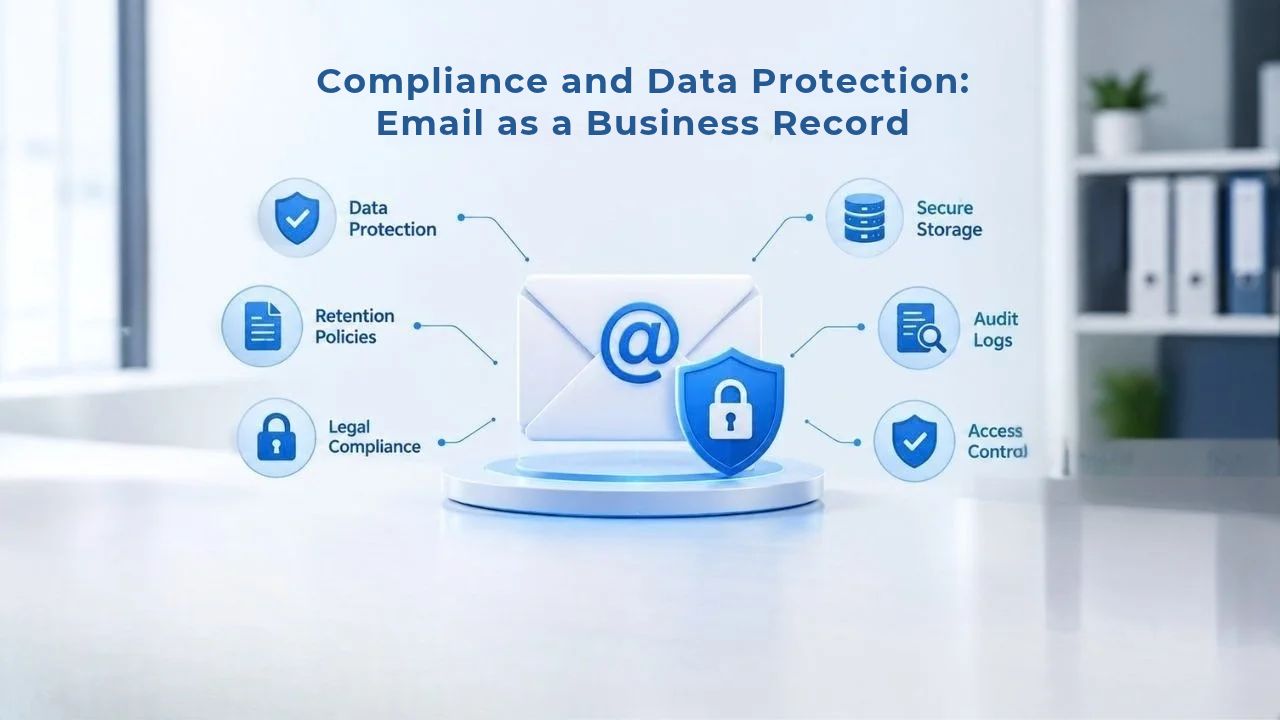
Some businesses (especially in regulated industries like healthcare, finance, or law) need to know exactly where their email data lives. Free email providers don’t offer this control. Most managed email hosts, including Titan Email, allow you to choose data residency (e.g., EU data centers for GDPR compliance, or US-only for regulated financial data). Data should be encrypted both in transit (TLS between mail servers) and at rest (encrypted storage), and your provider should document both.
Niya Digital customers can verify Titan Email’s data-residency and encryption policies on its official documentation. Your provider should maintain automated backups and allow you to restore individual emails or entire mailboxes if something is deleted. You should also have a clear email retention policy: how long messages are kept, when they’re deleted, and under what circumstances. Titan Email maintains redundant backups across multiple data centers and offers per-user storage limits that increase with higher-tier plans, so you can store email as long as you need. Understand your own regulatory obligations, then confirm your provider meets them before signing up.
Legal Hold, Backup, and Disaster Recovery
Your email provider should maintain offsite backups and have a documented disaster-recovery plan. If a data center goes down, your email should failover to another center automatically, with no downtime. Titan Email uses geo-redundant backups and multi-datacenter failover, so your email is available even if one facility fails. This is a major advantage over self-hosting: free providers have SLAs (service-level agreements) that commit to uptime, but they’re not always transparent about recovery. Professional hosting allows you to set retention policies (e.g., delete all email after 7 years) and place individual mailboxes on legal hold (temporarily preventing deletion even after the retention period expires). This is essential for regulatory compliance and litigation readiness.
The following checklist helps you evaluate whether a professional email provider meets your compliance and data-protection requirements:
| Capability | What to Look For | Titan Email Support |
|---|---|---|
| Data Residency | Choice of data center location (EU, US, etc.) | Configurable; supports GDPR compliance |
| Encryption in Transit | TLS encryption for all email communication | Built-in; automatic |
| Encryption at Rest | Encrypted storage of email data on servers | Built-in; default for all accounts |
| Two-Factor Authentication | 2FA option for account security | Available; recommended |
| Retention Policies | Ability to set email deletion schedules | Admin-configurable per mailbox |
| Legal Hold | Prevents deletion during litigation/audit | Supported; per-account settings |
| Backup Redundancy | Multiple data center backups | Geo-redundant; automatic |
| Audit Logs | Track admin actions and email access | Available; detailed logging |
| HIPAA/GDPR/SOC 2 Compliance | Certification for regulated industries | Check current certifications |
| Disaster Recovery | RTO/RPO commitments and recovery procedures | Published SLAs available |
Ready to Switch to Professional Email?
Professional email hosting powered by Titan Email is no longer a luxury; it’s a practical necessity for any business that wants to be taken seriously. Custom-domain email improves deliverability, prevents impersonation, unifies your brand, and scales as you grow. Niya Digital removes the technical burden, providing setup support, 24/7 help, and direct control over your email environment. If you’re still using free email for business communication, the ROI of switching is immediate.
Frequently Asked Questions
Q: Do I need my own domain to use professional email hosting?
Yes. Professional email hosting ties your email identity to a domain you own or control. You can either transfer an existing domain to your email provider or register a new domain alongside your email plan. If you already own a domain registered elsewhere, most email hosting services (including Titan Email through Niya Digital) allow you to update your DNS settings to point to their mail servers, so you don’t have to move your domain registration itself.
What’s the difference between professional email hosting and free email like Gmail?
Free email uses a shared domain (@gmail.com, @yahoo.com), limiting credibility and deliverability in B2B contexts. Professional email gives you a custom domain (@yourcompany.com), so you control your identity. Professional hosting also provides business-grade features like multi-device sync, 24/7 support, and compliance tools that free email doesn’t offer.
How long does it take to set up professional email?
For a small business, setup typically takes 1–4 hours. You’ll purchase your plan, configure your DNS (update MX records), provision mailboxes for your team, and set up each person’s devices. If you’re migrating from a previous email provider, add another 1–2 hours to import existing emails and set up forwarding. Niya Digital provides step-by-step guides and support to walk you through the process.
Will setting up professional email interrupt my current email service?
No. When you update your DNS (MX records), new emails start routing to your new provider immediately, but old mail in your previous account stays there until you migrate it. You can run both systems in parallel for days or weeks while you move team members over. Email systems retry failed deliveries so that mail won’t bounce or disappear.
What happens if my email provider goes down? Is my email backed up?
Professional email hosts maintain redundant backups across multiple data centers. If one center fails, your email automatically fails over to another, with no downtime or data loss. Titan Email uses geo-redundant backups and multi-datacenter failover, so your email is always available. This is a major advantage over self-hosting and over free email providers, which may not have transparent backup policies.
Can I use professional email on my phone and desktop at the same time?
Yes. Professional email hosts support multi-device sync, so your email stays in sync across all your devices. A message you read on your phone will appear as read on your desktop. Drafts, folders, and settings all sync automatically. Titan Email provides native apps for iOS and Android, webmail for any browser, and IMAP access for third-party desktop clients like Outlook or Apple Mail.
How much does professional email cost?
Pricing varies by provider and plan. Most professional email hosting for small businesses ranges from a few dollars to $12 or more per user per month, depending on storage, features, and support level. Pricing varies by provider, plan, and region; check current plans for exact figures. Niya Digital offers Titan Email under its own tiered plans; visit Niya Digital’s plans page for current rates.
What are SPF, DKIM, and DMARC, and why do I need them?
These are email authentication protocols. SPF tells recipient mail systems which servers are authorized to send from your domain. DKIM cryptographically signs your emails so they can’t be forged. DMARC ties SPF and DKIM together and tells systems what to do if authentication fails. Together, they prove your emails are legitimate and significantly improve inbox placement. Most email hosts configure these automatically, but understanding them helps you troubleshoot deliverability issues.
Can I access my email if I use multiple email addresses or accounts?
Yes. Professional email hosting supports multiple email accounts under one domain (support@company.com, sales@company.com, john@company.com) and allows you to manage them from a single dashboard. Some providers also support delegation (accessing another person’s mailbox with permission) or shared mailboxes (multiple people accessing a single inbox). Titan Email supports all of these patterns.
What happens to my email if I leave my current provider?
Your emails belong to you, and a reputable provider will help you migrate them. When you leave, you export your emails (or your new provider imports them on your behalf) and update your DNS to route new email to your new host. You own your domain, so you’re never locked in. Niya Digital provides migration support to ensure a smooth transition and no data loss.
Is professional email hosting secure?
Reputable email hosts use encryption in transit (TLS between mail servers) and at rest (encrypted storage), maintain offsite backups, provide two-factor authentication, and keep security software up-to-date. Free email providers vary widely in security commitment. Professional hosting is a major security upgrade over free email, especially if you’re handling sensitive business information.
Can I integrate professional email with my CRM or marketing automation tool?
Yes. Professional email hosts that support standard protocols (IMAP, SMTP, OAuth) can integrate with CRMs, email-marketing platforms, and business software. Titan Email supports these integrations, so you can use email hosting from Niya Digital alongside your other tools without forcing everything into a single ecosystem.
What if an employee leaves? How do I remove their email?
Most professional email hosts provide an admin dashboard where you can deprovision accounts in seconds. The former employee can no longer access their mailbox, but their emails remain in the system if you need to reference them for compliance or continuity. You can also set up email forwarding (e.g., forwarding to a manager) before deleting an account, so no incoming mail is lost.
How do I know if my professional email provider is reliable?
Look for providers with published uptime SLAs (service-level agreements), customer reviews on third-party sites, and transparent disaster-recovery policies. Check whether they use multiple data centers, maintain backups, and offer 24/7 support. Niya Digital customers can review Titan Email’s commitments and contact Niya support with questions about reliability and compliance.
Can I set up email forwarding or aliases with professional email hosting?
Yes. Most professional email hosts support both email forwarding (routing messages from one address to another) and aliases (multiple email addresses pointing to the same mailbox). For example, you might set up support@company.com, help@company.com, and info@company.com all routing to a single shared inbox or to different team members. Titan Email supports both patterns, and Niya Digital’s documentation explains how to configure them in your control panel.
Glossary
- Custom Domain: A domain name you own or control (e.g., company.com) used as the basis for email addresses (e.g., user@company.com), rather than a generic free-email domain like gmail.com.
- DKIM (DomainKeys Identified Mail): An email authentication protocol that cryptographically signs emails from your domain, proving they haven’t been forged or altered in transit.
- DMARC (Domain-based Message Authentication, Reporting & Conformance): An email policy framework that ties SPF and DKIM together, telling recipient mail systems how to handle authentication failures and providing reports on email delivery.
- MX Record: A DNS record that specifies which mail server(s) are responsible for receiving email for a domain. Updating your MX record is the primary step in switching email providers.
- SPF (Sender Policy Framework): An email authentication protocol that specifies which mail servers are authorized to send email from your domain, preventing spoofing.
- Webmail: Browser-based email access, requiring no software installation. Allows you to check email from any device with a web browser.