
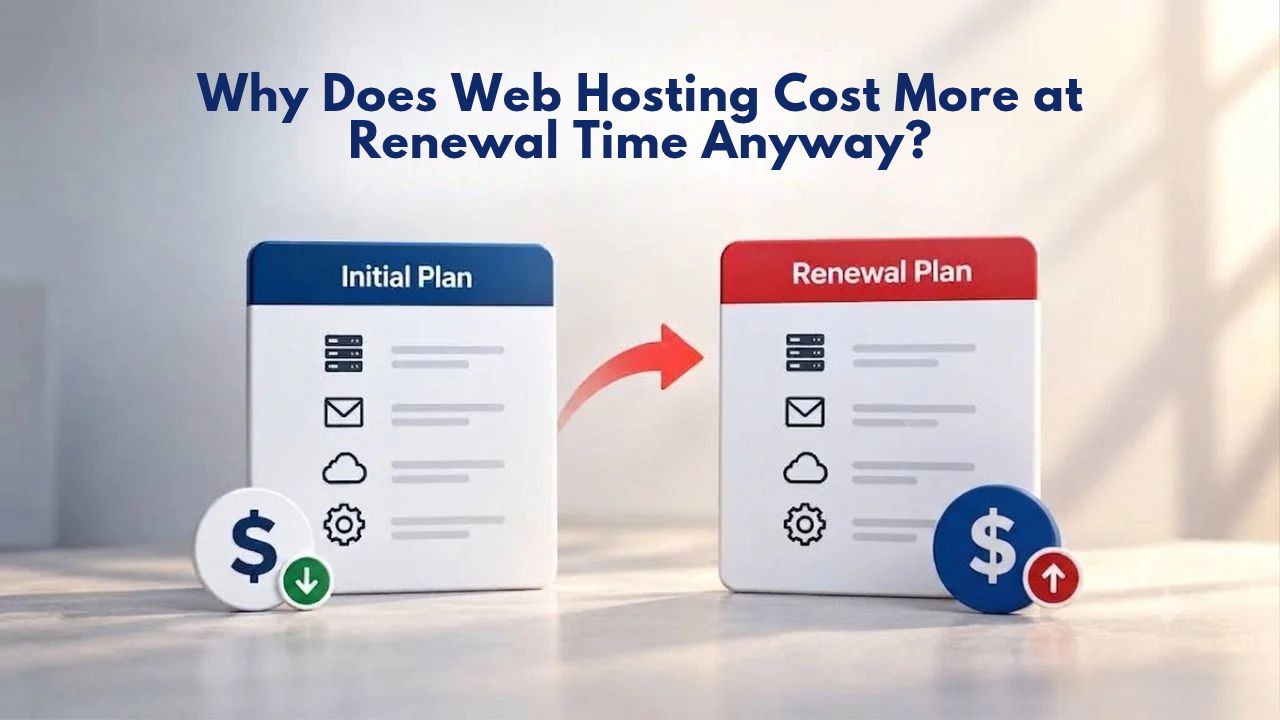
The Reality of Renewal Pricing
Web hosting renewal pricing differs from introductory pricing for legitimate reasons rooted in how web hosting businesses operate and what they must pay to keep services running. When you see a hosting plan advertised with an attention-grabbing introductory rate, that price rarely reflects what you’ll pay when the plan renews. Instead, that introductory offer is a customer-acquisition strategy, a deliberate business tool designed to lower the barrier to entry for new customers trying a hosting provider for the first time.
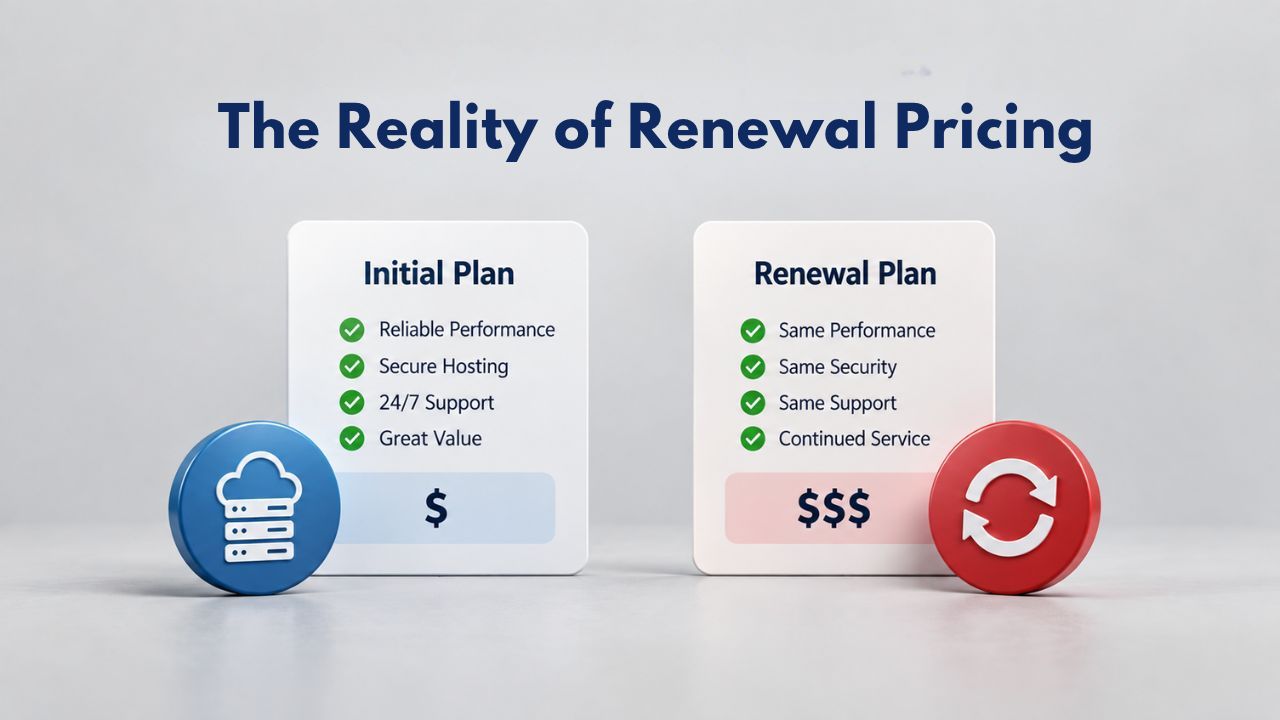
How Intro Pricing Works
Introductory pricing represents a deliberate business strategy, not a temporary discount applied to an otherwise normal price point. Hosting providers set these low introductory rates knowing they will lose money or, at best, break even on the initial sale to each new customer. They accept these terms because attracting a brand new customer is extraordinarily expensive in the hosting industry. Acquisition costs add up quickly: affiliate commissions paid to marketing partners, advertising spend across multiple channels, payment processor fees, and the overhead of onboarding and initial support for new accounts combine to create a significant customer-acquisition expense.
The introductory price subsidizes these acquisition costs upfront. A provider accepts a near-zero or even negative profit margin on the first term, betting that retaining you as a paying customer over many years will let them recover that initial investment and eventually become profitable on your account. It’s the same business model used by cable television companies offering promotional rates, gyms offering discounted first-month memberships, and cell phone carriers subsidizing devices with long-term contracts: loss-leader acquisition followed by retention-based profitability once the customer is locked in.
Why Renewal Costs More
At renewal time, the price structure changes because the hosting provider has already absorbed the acquisition costs associated with your account. They are no longer competing on price alone to win you as a new customer; instead, they shift focus to pricing the service to cover their real, ongoing operational expenses, plus a reasonable profit margin to sustain the business.
These costs run whether your website is actively generating revenue or sitting dormant. The hosting provider calculates the renewal rate to cover these costs plus a reasonable profit margin that lets them invest in infrastructure improvements, implement security enhancements, and maintain quality customer support.
Business Web Hosting Plans & Pricing
Choose the hosting plan that fits your website, WordPress site, or growing business. Compare features, storage, performance, security, and website capacity to find the right hosting environment for your needs.
cPanel Starter
cPanel Hosting that's easy, reliable and lightning-fast.
- 1 website
- 30 GB storage
- Unmetered bandwidth*

cPanel Economy
cPanel Hosting that's easy, reliable and lightning-fast.
- 1 website
- 100 GB space
- Unlimited bandwidth*
- 100 email accounts**
- 10 MySQL databases (1 GB ea.)
cPanel Deluxe
cPanel Hosting that's easy, reliable and lightning-fast.
- Unlimited websites
- Unlimited space
- Unlimited bandwidth*
- 500 email accounts
- 25 MySQL databases (1 GB ea.)
cPanel Ultimate
cPanel Hosting that's easy, reliable and lightning-fast.
- Unlimited websites
- Unlimited space
- Unlimited bandwidth*
- 1000 email accounts
- Unlimited MySQL databases (1 GB ea.)
- 2X Processing power & memory (available for Linux/cPanel only)
- Premium DNS
- 1-year SSL certificate to secure customer data and increase search rankings
*We don't limit the amount of storage and bandwidth your site can use as long as it complies with our Hosting Agreement. Should your website bandwidth or storage usage present a risk to the stability, performance or uptime of our servers, we will notify you via email and may be required to upgrade, or we may restrict the resources your website is using.
**Email account storage is limited to 100 email accounts with 100 MB of total storage.
WordPress Basic
A great way to get started.
- 1 website
- 10 GB NVMe storage
- Unmetered bandwidth
- Free SSL Certificate *
- WordPress pre-installed
- Weekly backups
- Web Application Firewall
- Daily malware scans
- One-time malware removal

WordPress Deluxe
Improve your site performance with Cloudflare CDN.
- 1 website
- 20 GB NVMe storage
- Unmetered bandwidth
- Free SSL Certificate *
- WordPress pre-installed
- Daily backups
- Web Application Firewall
- Daily malware scans
- One-time malware removal
- Up to 2x faster performance with global Cloudflare CDN **
- Enhanced security with DDoS protection
- Staging site
WordPress Ultimate
Add online marketing with more sites, storage and security.
- 1 website
- 30 GB NVMe storage
- Unmetered bandwidth
- Free SSL Certificate *
- WordPress pre-installed
- Daily + on-demand backups
- Web Application Firewall
- Daily malware scans
- Unlimited malware removal
- Up to 2x faster performance with global Cloudflare CDN **
- Enhanced security with DDoS protection
- Staging site
- WordPress code optimizer
- Smart WordPress plugin manager
- Sell online with WooCommerce
*An SSL certificate is included with every site and free for the life of the hosting plan. Certificates are automatically installed, validated and renewed.
Web Hosting Plus Launch
For multiple basic sites.
- 100 GB storage*
- 4 GB RAM
- 2 CPUs
- Unmetered traffic
- 50 websites & databases
- Free, unlimited SSL for all your websites**

Web Hosting Plus Enhance
For high-traffic WordPress, Joomla, and other sites.
- 200 GB storage*
- 8 GB RAM
- 4 CPUs
- Unmetered traffic
- 100 websites & databases
- Free, unlimited SSL for all your websites**
Web Hosting Plus Grow
For advanced eCommerce sites like Magento.
- 300 GB storage*
- 16 GB RAM
- 8 CPUs
- Unmetered traffic
- 150 websites & databases
- Free, unlimited SSL for all your websites**
Web Hosting Plus Expand
For multiple basic sites.
- 400 GB storage*
- 32 GB RAM
- 16 CPUs
- Unmetered traffic
- 200 websites & databases
- Free, unlimited SSL for all your websites**
*The total amount of usable storage capacity for your particular Hosting Service(s) may differ from the represented capacity as there is required space for the operating system(s), system file(s) and other supporting file(s).
**If you cancel the Web Hosting Plus product, you will lose the associated SSL certificate as well.
How Web Hosting Pricing Works
Understanding how web hosting is priced, the mechanics of introductory versus renewal rates, and what determines where each rate sits helps you make informed decisions at purchase and as renewal approaches. Most shared hosting plans follow a predictable pricing pattern: a tiered plan structure offering different resource levels, introductory pricing applied to your first term, a materially higher renewal rate that applies thereafter, and often additional costs (such as domain registration, SSL certificates, and email hosting) that are provided free for the first year but convert to paid services starting in year two.
Intro vs. Renewal Pricing Structure
The gap between introductory and renewal pricing varies significantly depending on the hosting provider you choose and which plan tier you select. A starter-level plan aimed at individuals and small blogs might see a doubling of the price at renewal (a 50–100% markup or more). In contrast, a higher-tier business plan might see a smaller percentage increase because the introductory rate was never as aggressive to begin with. The absolute dollar difference also matters psychologically: a plan that increases from a very low monthly amount to a moderate monthly amount feels more shocking than a plan that increases from a moderate amount to a higher amount, even if the percentage markup is mathematically similar.
The renewal rate is separate from the introductory rate and is locked in when you sign up. You can see both rates during checkout; most reputable providers display both prominently, though sometimes the renewal rate requires clicking through an additional detail section. This information should also be visible in your account dashboard at all times. If you cannot find your renewal rate in your account, contacting your provider’s support team should quickly get you an answer. Transparency about renewal pricing is a sign of a trustworthy hosting provider.
Why Prices Vary by Region and Plan Tier
The cost of operating web hosting infrastructure isn’t uniform worldwide or across service tiers. Web hosting expenses vary geographically because data-center costs differ by region, local labor rates differ by country, and compliance requirements vary significantly depending on where you store your data. For example, hosting a website in a European data center costs more than hosting in the United States because of the infrastructure and compliance overhead required to meet data-privacy regulations like GDPR.
Plan tiers also affect renewal pricing substantially because higher-tier plans naturally include more resources (greater storage allocation, higher bandwidth limits, more email accounts, support for more add-on domains) and typically include more hands-on support from the hosting provider. A managed shared hosting plan, where the provider handles security updates, patches, and WordPress plugin updates, costs significantly more to operate than unmanaged hosting, where you handle those tasks yourself.
What Drives the Renewal Price Jump
Several interconnected factors explain why renewal pricing is often dramatically higher than introductory pricing. Understanding these factors shows the gap isn’t arbitrary or unfair; it reflects real costs and business economics that don’t change between year one and year two and beyond.
Real Operational Costs and Hidden Add-On Renewals
The infrastructure costs that drive renewal pricing are substantial and ongoing. A shared hosting server might represent an initial capital expense of several thousand dollars, and that’s just the hardware. Monthly power and cooling costs run continuously, staffing costs for systems administrators and support personnel continue, and hardware replacement is inevitable within three to five years. Once a server reaches the end of its usable lifespan, you must replace it, creating a new capital expense. These costs don’t stop or reduce based on the monthly rate you pay as a customer.
Beyond the pure infrastructure costs, many web hosting plans include services for the first year that convert to paid add-ons starting in year two. These hidden renewals often come as surprises. Free domain registration typically renews at a registration renewal rate each year. Free SSL certificates either remain free for life (a strong value proposition) or free only for the first year and then renew as a paid service. Free email hosting often includes an introductory period before converting to a paid email service at renewal.
Compliance, Acquisition Costs, and Market Economics
Customer acquisition in the web hosting industry is expensive, and this economic reality is embedded in renewal pricing. Affiliate networks that refer new customers to hosting providers pay commissions for each new customer signup, often ranging from moderate to premium amounts depending on the hosting tier. Beyond affiliate commissions, hosting providers invest substantially in paid search advertising, content marketing, brand-building, and organic marketing to attract attention in a crowded, competitive marketplace.
This is why introductory pricing is often so aggressive; it’s engineered to win market share and convert browsers into paying customers despite intense competitive noise. The renewal rate, by contrast, is calculated to recover the upfront acquisition investment and keep the business economically viable. It’s the same principle governing cell phone contracts with device subsidies (which require long-term commitments to recover the upfront device cost), cable television companies’ promotional rates, and gym membership introductory offers: the introductory rate is not sustainable long-term; it’s specifically designed to convert a potential customer into a committed account holder.
Renewal Cost Drivers & Evaluation Points
| Cost Driver | Why It Affects Renewal | How to Evaluate |
|---|---|---|
| Server hardware & ongoing depreciation | Hosting providers must replace servers every 3–5 years; capital costs are recovered through renewal rates | Check whether renewal includes managed infrastructure updates and hardware maintenance |
| Network bandwidth & data-center facility costs | Real monthly expenses for power, cooling, network capacity, and physical space in secure facilities | Confirm your plan allocates the bandwidth and storage allocation you actually need |
| Compliance & data-residency overhead | GDPR, CCPA, HIPAA, and industry compliance require dedicated infrastructure and specialized monitoring | Choose a plan certified for your regulatory requirements; understand compliance costs |
| Add-on service renewals | Domain registration, SSL certificates, email hosting, and backup services often renew as paid services after year one | Check your plan details for which add-ons are free for life versus free for year one only |
| Customer-acquisition cost recovery | Affiliate commissions, advertising, and marketing costs are subsidized by intro pricing and recovered at renewal | Budget for multi-year costs when comparing renewal rates across providers |
| Support staffing and infrastructure | 24/7 support teams, ticketing systems, knowledge bases, and training resources require ongoing investment | Evaluate support quality and availability included with your plan tier |
Why Providers Use Intro Discounts
The introductory discount model dominates web hosting and appears in many other industries because it works: it lowers the barrier to purchase, creates customer lock-in (migration is expensive and risky), and generates predictable long-term revenue from retained customers. Understanding why providers use this pricing strategy helps you know what to expect when your renewal date arrives.
Customer Lock-In and Switching Costs
Once your website is live and operational on a hosting account, switching to a different hosting provider becomes expensive in time, technical complexity, and risk. You must move website files, databases, email accounts, and DNS records to a new host, a process that typically requires several hours to a day and, if mistakes occur, can take your website offline. Domain DNS records can take 24 to 48 hours to fully propagate after a change, creating a window when your site may be unreachable.
Hosting providers know about this switching friction. They understand that once you’re invested in their platform, you face real costs and risks if you try to move. This is why they can offer steep introductory discounts without fearing mass churn at renewal; most customers renew despite the price increase because leaving is harder than paying the higher renewal rate. The introductory price gets customers in the door; the switching costs keep them paying the renewal rate.
Market Segmentation and Competitive Pressure
Web hosting is a highly competitive, commoditized market with thousands of providers offering nearly identical shared hosting plans with similar feature sets. To differentiate themselves and stand out, providers use aggressive introductory pricing as a market signal: “We’re willing to offer rock-bottom pricing to win your business.” This creates a competitive race to the bottom on advertised introductory rates, which is why you see extremely low introductory pricing advertised everywhere in the market.
However, every provider engaged in this race relies on renewal rates for long-term profitability. If competitors’ renewal rates are similar across the industry, each provider can be aggressive with introductory pricing, knowing customers will renew because switching costs are high and renewal rates are comparable everywhere. If a competitor’s renewal rate is substantially lower, it puts pricing pressure on others in the market. This creates an industry-wide pattern that is difficult for any single provider to break: aggressive introductory rates that attract customers, combined with higher-but-industry-standard renewal rates that sustain operations and fund infrastructure investment.
When to Expect Renewal Notices
Understanding the renewal timeline, when you’ll be notified about the upcoming renewal, how much time you have to make a decision, and what happens if you don’t take action, helps you avoid surprises and gives you adequate time to evaluate alternatives or negotiate with your current provider.
Renewal Timeline and Notification
Most hosting providers send renewal notifications to customers 30 to 60 days before a plan is set to expire. The first notification is typically a courtesy email; a second reminder usually arrives 7 to 14 days before the renewal date arrives. In your account dashboard or control panel, you can ordinarily see your upcoming renewal date and the renewal price that will be charged well in advance; this information is not hidden or obscure. Auto-renewal is the industry standard. If you don’t actively cancel your account before a specified deadline (usually 30 days before your plan expires), your account will automatically renew at the published renewal rate, and you’ll be charged.
The exact timeline varies slightly by provider, with some sending earlier or later notifications. The important point is that you can see renewal pricing well in advance of the actual renewal date, usually by at least 30 to 45 days, often much longer. The real problem is not that renewal pricing is hidden or that you lack time to react. Rather, many customers don’t check their account dashboard, and the advertised introductory price is so prominent at the time of purchase that the renewal price, often shown in fine print or on a separate page, gets overlooked or forgotten over the course of a year or more.
What Happens at Renewal
When your renewal date arrives, your account renews automatically at the published renewal rate unless you cancel your account before the renewal deadline. The renewal charge is applied to the payment method on file, and your hosting continues uninterrupted; there is no downtime or service suspension during the normal renewal process. However, once the renewal charge has been processed and applied, canceling after that point typically does not result in a refund of the renewal fees (specific refund policies vary by provider, so check your provider’s terms).
If you decide you don’t want to renew with your current provider, you must cancel before the renewal deadline, typically 30 days before your plan expires. Canceling stops the auto-renewal charge, but your hosting will become inactive once your current term expires. The timeline for when access is cut off after expiration varies; some providers maintain inactive accounts for a grace period, while others suspend access immediately. You have until your hosting is suspended to migrate your site to a new provider or download your files and data.
Renewal Rate Terms and Auto-Renewal
The renewal rate shown in your account is what you will pay when your plan renews; that’s a binding commitment at renewal unless you explicitly cancel before the deadline. Some providers let you lock in a multi-year renewal rate, which can protect you against price increases during that period. Other providers require year-by-year renewals at their current published rates, which means your renewal rate could change each year if the provider adjusts pricing.
Auto-renewal is the default mechanism on virtually all hosting plans. If you prefer manual renewal, where you consciously choose to renew each year rather than having automatic charges applied, you may be able to request this in your account settings. Not all providers offer manual renewal, so if this matters to you, check whether your hosting provider offers it before signing up. Understanding your provider’s auto-renewal and cancellation policies protects you from unwanted charges and gives you control over renewal timing.
Renewal Management Timeline & Key Actions
| Timeline | Action | Why It Matters | Typical Outcome |
|---|---|---|---|
| 60 days before expiry | Receive renewal notification; check renewal price in account dashboard | Spot the renewal rate increase early and begin budgeting accordingly | Adequate time to evaluate options without rushing |
| 45 days before expiry | Compare competitor renewal rates; contact support if seeking a discount | Retention offers may be available for long-term customers with good payment history | Possible limited-time discount or rate negotiation window |
| 30 days before expiry | Finalize your decision: renew with current provider, upgrade plan, or migrate | Crossing this deadline may trigger auto-renewal charges if you want to cancel | Decision is locked in, and payment timing is confirmed |
| 7 days before expiry | Final renewal reminder arrives; confirm your renewal choice is active or canceled | Prevent accidental service interruption or unexpected renewal charge | Your decision is confirmed, and payment is scheduled or stopped |
| On or after expiry | Account renews at stated renewal rate or service ends if you canceled beforehand | Renewal charges are final; cancellations after this point typically don’t result in refunds | Next billing term is locked in, or your website hosting stops |
Get Ahead of Your Renewal Timeline
Don’t wait until your renewal notice arrives to start planning. Review your renewal pricing today and understand your options with time to spare. Niya Digital’s transparent approach to renewal rates and timeline means you’ll know exactly what to expect- no surprises. Whether you’re evaluating your current provider or exploring alternatives, getting informed now puts you in control when renewal approaches.
Transparency and What to Watch For
The difference between introductory and renewal pricing is disclosed at the time of purchase, typically displayed during checkout, though sometimes you must click additional links or sections to see it. However, marketing overwhelmingly emphasizes the low introductory rate, making renewal pricing easy to overlook. Being a savvy shopper means deliberately checking renewal pricing before you commit and understanding what services and add-ons will renew as paid services.
How to Check Renewal Pricing Before You Buy
When you’re shopping for hosting, always check the renewal rate before you decide to buy. This information should be displayed prominently during the checkout process; you may need to click a “details” link or expand an information section to view it. If the renewal price isn’t displayed, contact the provider’s support team and ask directly; any reputable provider will answer clearly and completely.
Also check carefully what’s included free for life and what renews as a paid service. Look for statements like “free SSL for life” (an excellent feature for long-term cost control) versus “free SSL for one year, then paid renewal annually” (costs that will add up over time). Similarly, confirm whether domain registration is free forever or free only for year one; whether backups are included automatically or offered only as a paid add-on; and whether email hosting is bundled in your plan or charged separately. These details matter significantly for understanding your true long-term costs.
Red Flags and Unclear Pricing
Be cautious of hosting providers that don’t clearly display renewal pricing, require you to log in to see renewal rates, or bury renewal costs in fine-print sections. Reputable providers, including established companies and newer entrants with strong reputations, show renewal rates prominently during checkout and in account settings. If a provider makes renewal pricing difficult to find or unclear, that’s a signal to look elsewhere for your hosting.
Watch out for promotional-pricing fine print that says the renewal rate is “subject to change” or doesn’t guarantee any specific renewal price. While some regional pricing variations are normal, a provider that says “renewal pricing will be whatever we decide at renewal time” offers no price security and creates unpredictability. By contrast, providers that publish and commit to specific renewal rates offer transparency and allow you to plan with confidence.
Transparency Checklist, What to Verify Before Purchasing
| Question | Why It Matters | Red Flag Signs |
|---|---|---|
| Is the renewal rate displayed prominently during checkout? | You need to know long-term costs before committing, not discover them later | Renewal rate hidden, requires clicking multiple links, or only visible after payment |
| Does the provider publish both intro and renewal rates together? | Transparent comparison helps you calculate true three-year cost | Rates shown separately or renewal rate in different location |
| Are free add-ons (domain, SSL, email, backups) free for life or just year one? | Hidden renewals can triple your cost in year two | Unclear descriptions like “free” without specifying lifetime vs. first-year |
| Can you contact support to confirm renewal pricing before purchasing? | Support responsiveness indicates the provider’s customer-service commitment | Support doesn’t answer, gives vague answers, or can’t provide renewal rates |
| Does the provider offer multi-year renewal rate locks? | Rate locks protect you from increases during your commitment | No option to lock rates; rates always subject to change |
| Are cancellation policies and auto-renewal terms clearly stated? | You need to know how to stop paying if you want to leave | Vague cancellation policies or no clear auto-renewal control |
How to Manage Renewal Costs
While you cannot eliminate renewal pricing, it’s an industry standard rooted in real business economics; you can strategically manage it through long-term planning, careful provider comparison, and thoughtful negotiation.
Multi-Year Commitments and Price Locks
One of the simplest ways to manage renewal costs is to commit to a longer initial term and lock in a fixed rate for the full period. Many providers offer discounts for longer upfront commitments because they value the certainty of retaining a customer for an extended duration. For example, committing to hosting for 36 months might yield a lower per-month rate than a 12-month commitment. While you pay a larger lump sum upfront, your per-month cost is lower, and you lock in that rate for the full 36-month period, protecting you from price increases during that time.
This strategy works best if you’re confident in your provider choice and fairly certain you’ll want to stay with them for the full commitment period. If you’re new to hosting and unsure whether you’ll stick with a provider for 3 years, a 12-month commitment gives you more flexibility, even if the per-month rate is slightly higher. The trade-off between lower long-term rates and flexibility is a personal decision that depends on how comfortable you are with the provider.
Upgrading Your Plan at Renewal
Counterintuitively, upgrading to a higher-tier plan at renewal time can sometimes reduce your effective long-term cost. Higher-tier plans often come with more aggressive introductory pricing for new billing terms; if you upgrade at renewal, you may be able to lock in a new introductory rate on the upgraded plan rather than being charged the renewal rate on your current lower-tier plan. This works especially well if you’ve genuinely outgrown your current plan and were considering an upgrade anyway.
For example, if you’re renewing a starter plan at a moderately higher renewal rate but upgrade to a mid-tier plan, you might get a new introductory rate on that upgraded plan that’s lower than your starter plan’s renewal rate, effectively paying less per month for more resources. The trade-off is that you commit to a new term length on the upgraded plan; if you value flexibility over rate optimization, this strategy might not suit your situation. However, if you’re staying with your provider anyway, exploring upgrade options at renewal time can reveal unexpected savings.
Evaluating Alternatives and Provider Comparison
Before your renewal date arrives, compare renewal rates across other hosting providers. Set up identical or comparable test plans on two or three competing providers, note the renewal rates, and calculate the three-year total cost (including any add-on renewals and domain renewals). Often, you’ll find that a competitor’s renewal rate is competitive enough to offset the cost of migrating to them.
Keep in mind that migration isn’t free; it takes time, carries risk (potential brief downtime, DNS propagation delays, email delivery interruptions during the transfer), and means learning a new control panel interface. If your current provider’s renewal rate is within 20 to 30 percent of competitors and your site runs smoothly with reliable support, staying put might offer better value than migrating just to save a modest amount. However, if you’re paying significantly more than alternatives and you find a provider with better features or support, migration might be worth the short-term inconvenience.
Negotiation and Retention Offers
If you’re a long-term customer with a positive payment history and good standing with your provider, contacting support 30 to 45 days before your renewal date sometimes yields a retention discount or limited-time promotional rate. Hosting providers understand that retaining an existing customer costs far less than acquiring a brand new customer; a customer service representative often has discretion to offer a limited-time discount to keep you from switching to a competitor.
This negotiation strategy works best when you can credibly reference a competitor’s lower renewal rate. Approach the conversation professionally: “I’ve been a customer for [X years] and want to renew, but I’ve found similar plans elsewhere at a lower renewal rate. Can you match or come close to that offer?” Some providers will work with you; others have fixed pricing policies. But it’s always worth asking; the worst response is “no,” and you might be pleasantly surprised by what a retention specialist can offer.
Renewal Timing and Planning
Understanding your renewal timeline- not just the calendar date, but your own readiness to switch providers potentially, your site’s performance and growth, and your budget situation- helps you make renewal decisions from a position of strength rather than reacting to a surprise invoice or letting auto-renewal happen by default.
Budgeting and Annual Planning
A straightforward approach to managing renewal costs is to include your annual hosting renewal in your business or personal budget and set aside the renewal amount gradually throughout the year. If your annual renewal is a set amount, set aside that total divided by 12 each month. When the renewal invoice arrives, the funds are already available, and the charge feels like a planned expense rather than a surprise.
For business websites and online stores, weigh the renewal cost against the revenue the site generates. If your website is central to your business, paying a reasonable renewal rate for reliable hosting, good support, and strong security makes clear business sense. If your website is a side project that you’re not actively developing, re-evaluating your plan tier or provider might be worth exploring to reduce expenses.
Evaluating Performance and Site Growth
Use the 30- to 60-day window before renewal to evaluate whether your current plan still meets your website’s actual needs. Has your traffic grown over the past year? Are you approaching or hitting your storage or bandwidth limits? Would a managed hosting plan with automatic updates and backups be worth the additional cost? Is your current provider’s support responsive and helpful when you contact them?
If you’re outgrowing your current plan, renewal is a great time to upgrade instead of sticking with an undersized plan that doesn’t serve your website well. If you’re happy with your provider and your plan is still appropriately sized for your needs, renewal is straightforward: either let auto-renewal proceed or renew manually, if you prefer. Taking this evaluation seriously ensures you’re not overpaying for resources you don’t use, or underpaying and running on a plan that’s too small for your needs.
Making the Renewal Decision
Renewing with your current provider is the path of least resistance if you’re satisfied with the service. Your website stays live, your data stays safe, and you avoid the complexity and risk of migration. The cost is that you’ll pay the renewal rate, which is higher than the introductory rate you initially paid. For most customers, especially those with well-performing sites and good support relationships, renewal is the right choice.
Switching to a different provider makes sense if a competitor offers significantly better renewal rates, more features for the same cost, or demonstrably better support. Trade-offs include the time spent on migration (typically four to twelve hours), the risk of brief service interruptions during the transfer, and the need to learn a new control panel and support system if something goes wrong. The migration is manageable but not frictionless. Most customers successfully migrate and are glad they did, especially if they save substantially on renewal rates or gain access to better support.
Niya Digital’s Approach to Renewals
Niya Digital operates as an authorized reseller of GoDaddy-powered web hosting infrastructure, combining transparent pricing practices with support-focused onboarding and renewal management. Rather than hiding renewal costs in fine print or making them difficult to locate, Niya Digital’s approach emphasizes ensuring customers understand the full cost picture before committing to any plan.
Transparent Renewal Pricing
Niya Digital’s plans display introductory and renewal rates side by side on its plans page, so you understand the full cost picture when you evaluate options. When you review your account before renewal, you’ll see the renewal rate prominently displayed in your account dashboard, not buried in a separate billing section or hidden behind extra clicks. This transparency is core to Niya Digital’s value proposition: you won’t be surprised by renewal pricing because you saw it clearly when you signed up.
During onboarding, Niya Digital’s support team walks new customers through their selected plan’s features, explains the first-year cost structure, and clarifies the renewal rate. If you’re unsure whether a plan tier fits your needs, that’s the time to discuss upgrades or downgrades before your first term is locked in. The goal is that no renewal should come as a surprise.
Renewal Support and Account Management
As your renewal date approaches, Niya Digital sends renewal notifications 30 to 45 days before expiration, giving you adequate time to plan and decide. If you want to upgrade, downgrade, pause your account, or discuss renewal options, Niya Digital’s support team is available 24/7 to help you make the best decision for your situation. If you’re considering switching providers and want to understand your options, support can help facilitate data exports or confirm what you’d lose by leaving. If you decide to stay, support can help you optimize your plan for your site’s current resource needs.
Niya Digital’s Web Hosting support is included with every plan as a standard feature, not positioned as an upsell or premium add-on. Whether you have questions about renewal timing, plan features, migration processes, or upgrading, support is available through multiple channels, not a premium service or afterthought.
Cost Justification and Feature Value
While Niya Digital cannot match the most aggressive introductory pricing in the market (because those deeply discounted rates often don’t reflect the true cost of operating the service), it focuses on offering renewal rates that genuinely justify the feature set and support level included in each plan. A Niya Digital plan at renewal often includes more bundled features (email hosting, backups, SSL, comprehensive support) than a cheaper competitor’s plan at the same renewal rate.
If you’re evaluating whether Niya Digital’s renewal rate makes financial sense for your needs, compare feature-by-feature renewal rates across equivalent plans, not introductory-rate comparisons (which misrepresent your long-term actual cost). When you factor in included features and support quality, Niya Digital’s renewal rates often offer competitive long-term value.
Making the Renewal Decision
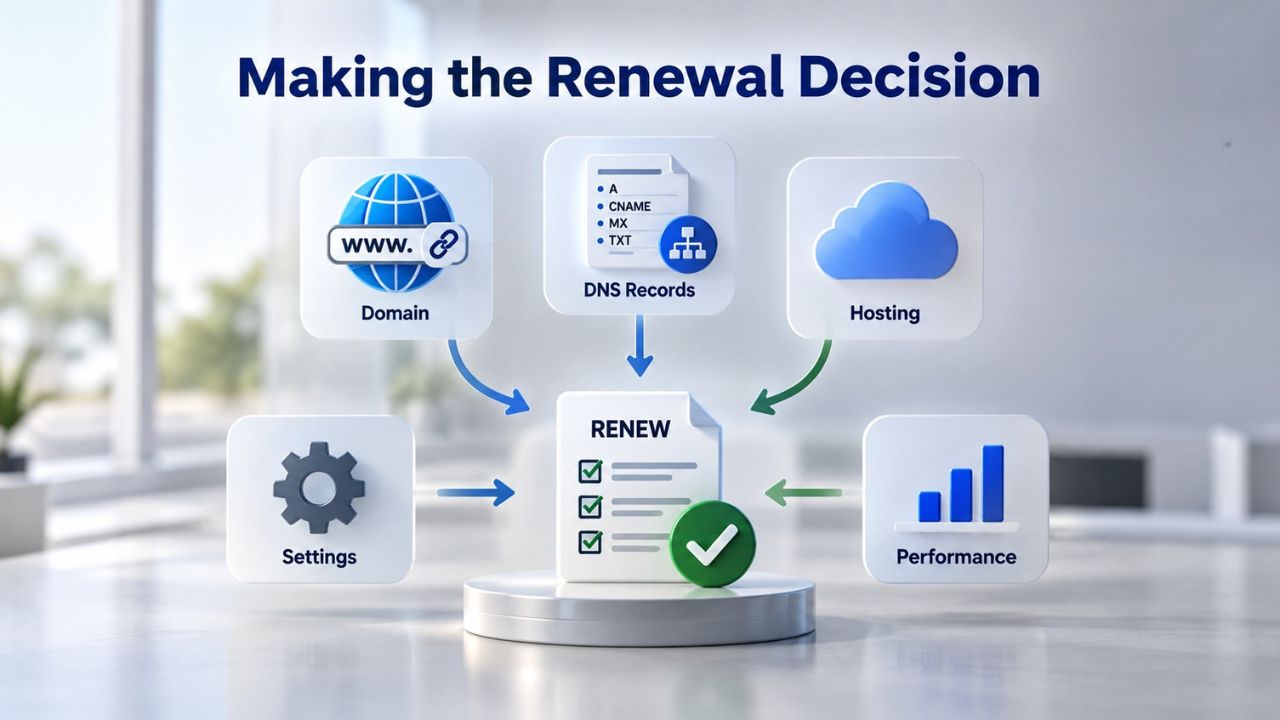
Your renewal moment is an opportunity to take stock, evaluate whether your hosting plan still serves your website’s needs, whether your provider delivers the value and support you expect, and whether your budget aligns with your long-term goals for your site. Instead of treating renewal as an unwelcome surprise or something to ignore until the last minute, treat it as a deliberate decision checkpoint where you consciously choose your path forward.
Questions to Ask Yourself Before Renewing
Before you renew, ask yourself a few questions to guide your decision.
First: Is my site still the right size for this plan? If your traffic or storage needs have changed substantially, upgrading to a higher-tier plan might make sense; you’d get better performance and resources. Conversely, if your site has shrunk in scope, downgrading could reduce unnecessary costs.
Second: Are you happy with the performance and support you’re receiving? If your site runs slowly, you consistently wait for support responses, or promised features don’t work as expected, renewal is a good time to switch providers.
Third: Is the renewal rate I’m facing competitive? Spend 15 to 20 minutes comparing your renewal rate to current offers from other providers. If you’re paying significantly more than alternatives, migration might be worthwhile.
Red Flags and Difficult Renewal Decisions
Some renewal decisions are straightforward: if you love your provider, your site runs smoothly, and the renewal rate seems fair, renew. If you’re frustrated with your provider, your site performance is suffering, or you’ve found a competitor with significantly better terms, switch. The hard decisions come when you’re genuinely uncertain. In those borderline cases, consider the switching cost (time, risk of brief downtime, learning curve for a new control panel) against the price savings. If a competitor’s renewal rate is 20 to 30 percent cheaper, the dollar savings usually don’t justify the switching risk unless you’re extremely confident in the new provider’s reliability. If the savings are 40 percent or more and the new provider offers features you need, migration is probably worth the effort.
Ready to Make Your Renewal Decision Confidently
Renewing web hosting doesn’t have to mean sticker shock or stress. Niya Digital’s Web Hosting service is built on transparent pricing, clear renewal communication, and genuine support to help you make the decision that makes sense for your situation. If you’re approaching a renewal or want to explore hosting options that prioritize transparency and customer support, reviewing your options now, with no immediate commitment required, helps you make a confident choice.
Frequently Asked Questions
Why is my renewal price so much higher than my introductory rate?
Introductory pricing is a customer-acquisition strategy that providers use to attract new customers, absorbing customer-acquisition costs and competing on advertised price. Renewal pricing reflects the actual cost of running the service, server hardware, electricity, network bandwidth, support staff, security tooling, and profit, without the acquisition subsidy. This is standard across the hosting industry and disclosed at purchase time, though often in fine print.
Can I get a renewal discount if I ask my provider?
Possibly. If you’re a long-term customer with a good payment history, contacting support 30 to 45 days before renewal can sometimes yield a limited-time retention discount. Providers recognize that keeping an existing customer costs less than acquiring a new one. The best approach: cite a competitor’s renewal rate and ask if your provider can match it. Some will offer a discount; others won’t.
How far in advance will I know my renewal price?
Most providers show your renewal price in your account dashboard at all times. You’ll also receive email notifications 30 to 60 days before renewal that clearly state the renewal rate. If you can’t find your renewal price, contact support; any reputable provider will disclose it without hesitation.
What happens if I don’t renew before the deadline?
If you don’t actively cancel before the renewal deadline (usually 30 days before expiry), your account automatically renews at the published renewal rate. It charges your payment method on file. Your hosting remains active throughout renewal; there’s no downtime. To avoid the charge, you must cancel before the deadline.
Can I lock in a lower renewal rate for multiple years?
Many providers offer multi-year renewal commitments at discounted per-month rates. Renewing for three years may cost less per month than renewing year by year. This locks in your renewal rate for the full term and protects you from price increases. Check with your provider about available renewal term lengths and any discounts.
What add-ons will renew as paid services after year one?
Common add-ons that are free for year one and paid from year two onward include: domain registration (typically yearly renewal), SSL certificates (some free for life, others paid after year one), email hosting (renews as a service after the first-year trial), and backup plans (premium versions renew as paid services). Check your plan details before purchasing.
Is it a good idea to switch providers at renewal to save money?
Switching makes sense if a competitor offers significantly lower renewal rates (40 percent or more savings) and you’re confident in their reliability and support. Account for migration time and effort. If you’re happy with your current provider and the renewal rate is reasonably competitive, switching costs usually outweigh modest savings.
What’s the difference between auto-renewal and manual renewal?
Auto-renewal is the default: your account automatically renews at the stated renewal rate unless you cancel. Manual renewal requires you to choose to renew each year actively; if you don’t, your hosting stops after your current term expires. Some providers let you switch to manual renewal in account settings; others only offer auto-renewal.
Can I upgrade my plan at renewal without penalties?
Most providers let you change plans at renewal. Upgrading to a higher-tier plan at renewal often gives you a new introductory rate on the upgraded plan rather than the renewal rate on your current plan, potentially reducing your effective cost while giving you more resources. Downgrading usually works similarly.
What’s the typical renewal rate across the hosting industry?
Renewal rates vary widely by provider, plan tier, and region. Shared hosting renewal rates typically range from moderate to high per month, depending on the tier. Managed or WordPress-specific hosting usually renews at a higher rate. The best approach is to compare renewal rates directly across providers rather than rely on industry averages.
Does my renewal rate ever go down?
Rarely. Renewal rates can increase due to inflation or infrastructure costs, and occasionally decrease as providers adjust to market competition, but substantial decreases are uncommon. If you’re seeking lower costs, you can switch providers, upgrade to a bulk-discount plan, or commit to a longer initial term.
Are there providers that charge the same price at renewal as at intro?
Yes, but they’re less common. Some providers advertise “transparent pricing” with the same renewal rate as the intro rate. However, these providers typically have higher introductory rates, not lower ones. Compare the total three-year cost across providers before deciding.
Can I negotiate my renewal rate if I’m paying multiple years upfront?
Some providers offer discounts for longer commitments or bulk purchases. If you’re considering a multi-year commitment or multiple plans, contact support and ask about available discounts. The answer depends on the provider’s policies, but negotiation is worth attempting.
What happens to my domain when my hosting expires?
Your domain and hosting are separate. When hosting expires, your website goes offline, but your domain remains yours if you own it separately. You can renew just the domain registration and keep it active while hosting elsewhere. If your domain is bundled with hosting, it renews with your hosting renewal.
How much advance notice should I give before switching providers?
Plan to start switching two to four weeks before your renewal date. This gives you time to set up an account with a new provider, back up your files and databases, test the new environment, and coordinate DNS changes. DNS can propagate in 24 to 48 hours, but extra buffer time reduces the risk of unexpected downtime.
Glossary
- Renewal Pricing: The price charged when your web hosting plan renews after the initial term expires. Renewal pricing is typically higher than introductory pricing and reflects the ongoing cost of operating the service.
- Introductory Pricing (Intro Rate): A discounted initial price offered to new customers designed to lower the barrier to purchase. This rate applies only to the first billing term and is followed by renewal pricing.
- Auto-Renewal: The automatic charging and plan extension at the renewal rate unless you explicitly cancel before the renewal deadline. Auto-renewal is the default mechanism for most hosting plans.
- SLA (Service Level Agreement): A provider’s stated commitment to uptime, expressing the percentage of time the service is expected to be available. SLAs often include service credits if the provider falls below the stated uptime commitment.
- Web Hosting: A service that allows individuals and businesses to make their websites accessible on the internet by renting server space, storage, and bandwidth from a provider.
- Bandwidth: The amount of data transferred between your website and visitors’ browsers per month. Plans typically range from limited allocations to unlimited monthly bandwidth depending on tier.
- Storage (Disk Space): The amount of space available on the server to store your website files, databases, email, and other data. Plans range from modest allocations to unlimited storage depending on plan tier.
- cPanel/Plesk: A control panel interface that lets you manage your hosting account, including domains, email accounts, databases, website files, and account settings, without requiring command-line access or technical server knowledge.


