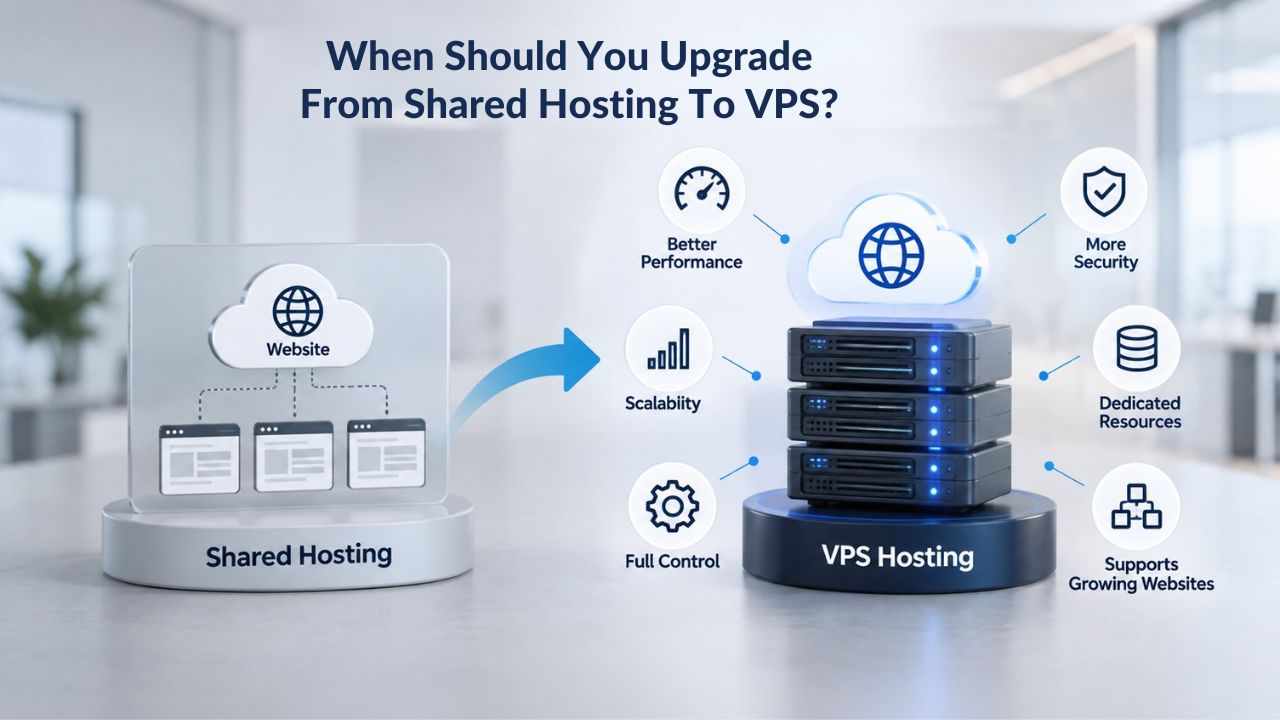
Shared hosting starts as an affordable way to get a website online, but as traffic grows, resource constraints become a real problem. Slow page loads, crashes during traffic spikes, and limits on the software you can install show your site has outgrown what a shared server can offer. A VPS (Virtual Private Server) provides the dedicated resources and control your growing site needs without the complexity of a dedicated server. Niya Digital handles the customer-facing onboarding, provisioning support, account management, and technical guidance, not the underlying data-center hardware or hypervisor. Website performance, uptime, and security depend on many factors outside any single provider’s control: application code, configuration choices, traffic patterns, and the security practices you, as the account holder, follow.
Understanding Shared Hosting’s Resource Limits
Shared hosting divides one physical server’s CPU, RAM, storage, and bandwidth among dozens or hundreds of websites. Your site gets an allocation, but when another website on the same server spikes in traffic or runs a resource-intensive task, your allocation shrinks. This design keeps costs low for entry-level sites, but it creates performance unpredictability as your site grows and your needs change.
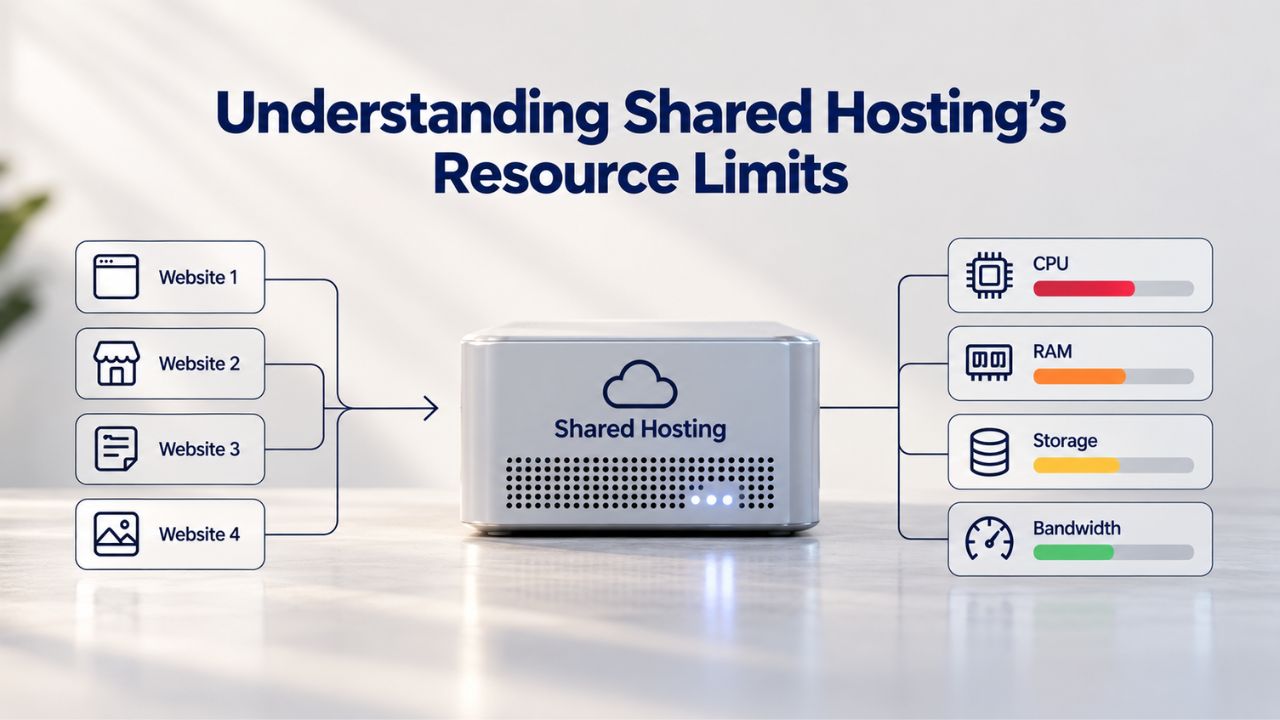
How Resource Caps Work in a Shared Environment
Every shared hosting account has limits on CPU processing time, memory (RAM), storage space, and monthly bandwidth. When your site reaches these limits, either through sustained high traffic or a sudden spike, the server enforces a hard stop. Your site may receive a 508 Resource Limit Reached error, slow dramatically until the offending process stops, or temporarily go offline. These limits protect all sites on the server from a single runaway account. Still, they also cap your growth based on someone else’s infrastructure policy and resource allocation decisions.
On shared hosting plans, CloudLinux LVE (Lightweight Virtual Environment) sets resource limits, a containerization technology that tracks CPU, memory, I/O, and process counts per account. Reaching 100% on any metric triggers throttling or an error. Checking your cPanel’s Resource Usage metrics- CPU usage, concurrent connections, and memory consumption- gives you early warning when you’re approaching a ceiling. At that point, optimization alone may not solve the problem; you’ve hit the architecture’s hard limit and can only scale by changing hosting tiers.
When Performance Degrades: Traffic Growth vs. Resource Constraints
Shared hosting typically handles moderate, well-optimized websites comfortably. A blog receiving 60,000 visits throughout a month may run fine because most visitors read cached pages, while an online store receiving fewer visits but with higher resource intensity (product searches, checkout, logins) may strain the server faster. The mix of traffic pattern and content type matters as much as raw visitor count. Some sites hit resource limits at 20,000 monthly visitors; others run smoothly at 100,000 if they’re properly cached and optimized.
As traffic increases steadily or during seasonal spikes, many sites first notice slower page load times, the first signal that CPU or memory is maxed out. If optimization (caching, image compression, plugin audits) doesn’t help, hitting 70% of shared hosting resource capacity is a clear signal to plan an upgrade before performance dips affect your users and revenue. Waiting until a traffic spike causes a crash means lost sales, frustrated visitors, and emergency fixes. Proactive upgrades preserve uptime during your busiest, most profitable periods.
VPS Hosting Plans & Pricing
Choose the VPS hosting plan that fits your website, application, or business requirements. Select a self-managed VPS for complete server control or a fully managed VPS with a dedicated team of experts to help manage your server.
Self Managed VPS 1 vCPU
1 GB RAM
Entry-level VPS hosting for lightweight websites and applications.
- 1 CPU Core
- 1 GB RAM
- 20 GB SSD Storage
- Linux only, no control panel

Self Managed VPS 2 vCPU
4 GB RAM
VPS hosting with additional CPU and memory for growing websites and applications.
- 2 CPU Cores
- 4 GB RAM
- 100 GB SSD Storage
Self Managed VPS 2 vCPU
8 GB RAM
Additional memory for more demanding websites and applications.
- 2 CPU Cores
- 8 GB RAM
- 100 GB SSD Storage
Self Managed VPS 4 vCPU
8 GB RAM
Increased processing power for business websites and applications.
- 4 CPU Cores
- 8 GB RAM
- 200 GB SSD Storage
Self Managed VPS 4 vCPU
16 GB RAM
High-memory VPS hosting for resource-intensive workloads.
- 4 CPU Cores
- 16 GB RAM
- 200 GB SSD Storage
Self Managed VPS 8 vCPU
16 GB RAM
Powerful VPS resources for demanding business applications.
- 8 CPU Cores
- 16 GB RAM
- 400 GB SSD Storage
Self Managed VPS 8 vCPU
32 GB RAM
Maximum self-managed resources for demanding workloads.
- 8 CPU Cores
- 32 GB RAM
- 400 GB SSD Storage
Fully Managed VPS 1 vCPU
2 GB RAM
Managed VPS hosting with expert server management.
- 1 CPU Core
- 2 GB RAM
- 40 GB SSD Storage
- Dedicated team of experts to fully manage your server
Fully Managed VPS 1 vCPU
4 GB RAM
Managed VPS resources for websites and business applications.
- 1 CPU Core
- 4 GB RAM
- 40 GB SSD Storage
- Dedicated team of experts to fully manage your server
Fully Managed VPS 2 vCPU
4 GB RAM
Managed VPS hosting with additional CPU resources.
- 2 CPU Cores
- 4 GB RAM
- 100 GB SSD Storage
- Dedicated team of experts to fully manage your server
Fully Managed VPS 2 vCPU
8 GB RAM
Managed VPS hosting with additional memory for growing workloads.
- 2 CPU Cores
- 8 GB RAM
- 100 GB SSD Storage
- Dedicated team of experts to fully manage your server
Fully Managed VPS 4 vCPU
8 GB RAM
Higher-performance managed VPS for demanding applications.
- 4 CPU Cores
- 8 GB RAM
- 200 GB SSD Storage
- Dedicated team of experts to fully manage your server
Fully Managed VPS 4 vCPU
16 GB RAM
High-memory managed VPS for resource-intensive workloads.
- 4 CPU Cores
- 16 GB RAM
- 200 GB SSD Storage
- Dedicated team of experts to fully manage your server
Fully Managed VPS 8 vCPU
16 GB RAM
Powerful managed VPS hosting for demanding business workloads.
- 8 CPU Cores
- 16 GB RAM
- 400 GB SSD Storage
- Dedicated team of experts to fully manage your server
Fully Managed VPS 8 vCPU
32 GB RAM
Maximum managed VPS resources for demanding workloads.
- 8 CPU Cores
- 32 GB RAM
- 400 GB SSD Storage
- Dedicated team of experts to fully manage your server
Six Signs You’re Ready to Upgrade to VPS
Not every growing site needs VPS immediately; some can optimize and stay on shared hosting much longer. But certain patterns reliably point to when shared hosting becomes the bottleneck rather than the solution.
| Use Case / Business Need | Shared Hosting Still Works | VPS Makes Sense |
|---|---|---|
| Small blog, under 10K visitors/month | ✓ Resource load is predictable and modest | — |
| Seasonal e-commerce spike to 100K+ visitors | Growing beyond 50K may strain shared limits | ✓ Dedicated resources handle traffic surge |
| Need to install custom runtime (Node.js, custom DB) | Most shared hosts restrict this | ✓ Full root access for custom software |
| Growing agency with 5+ client sites | Shared account isolation is limited | ✓ Isolated environments per client |
| Development/testing environment needed | Shared sandbox is basic | ✓ Full OS control for testing |
| Sensitive customer data requiring security hardening | Shared firewall is generic | ✓ Custom security policies, DDoS protection |
Performance Red Flags and Resource Limit Errors
When your site slows significantly during peak traffic, frequently hits limits for CPU, memory, disk space, or bandwidth, and experiences increasing slowness or timeouts, these are clear signals that shared hosting can’t keep pace. The first step is always optimization: enable caching, compress images, audit plugins for bloat, optimize database queries, and remove unnecessary features. Many sites gain significant performance improvements through these efforts alone. But if you’ve done that work and good TTFB (Time to First Byte) numbers stay slow even at quiet hours, after you’ve optimized, compressed, and pruned, and your host confirms the platform itself is the bottleneck, that’s a definitive signal.
Resource limit errors during your busiest moments are the second signal. If your hosting provider repeatedly warns you about hitting resource limits, if you see 508 errors, or if plugins and monitoring tools show you’re using 70%+ of your plan’s CPU, RAM, or disk, upgrading stops being optional. Each additional traffic surge brings the risk of downtime. Planned migration to a VPS is far cheaper and less disruptive than emergency fixes, revenue loss, or customer service crises triggered by repeated outages.
Functional Restrictions and Software Needs
Shared hosting restricts server access and custom software for stability and security; you can’t install Node.js, custom PHP versions, Redis, or other runtimes most hosts won’t allow. If your application or development workflow requires software or configuration your shared plan won’t permit, you’re blocked, not just slowed. VPS with root access lifts those restrictions completely, letting you build the infrastructure your project needs.
A second functional signal: needing to run multiple isolated websites for clients or properties. Shared hosting can host multiple sites on one account, but they share resource pools and have limited isolation. Agencies or resellers need true separation so one client’s traffic spike or security issue doesn’t affect others. VPS with multiple virtual environments provides that isolation within a single monthly bill, something shared hosting fundamentally can’t match no matter how much you pay for the plan.
Why Page Speed Directly Affects Your Bottom Line
The link between hosting performance and business revenue is direct and measurable. Slow pages don’t just frustrate visitors; they tank search rankings, reduce conversions, and compound over time as you lose both organic traffic and direct customers to competing sites with faster experiences.
How Load Time Impacts SEO and Organic Traffic
Page load time is a top-20 Google ranking factor. The difference is steep: sites loading in 1 second average a 2.3% conversion rate and score 100 in organic rankings; at 2 seconds, the ranking score drops to 92; by 4 seconds, it falls to 57; and at 5 seconds, rankings plummet to 19 (NP Digital, February 2025). Even a one-second improvement in load time can move your site up multiple ranking positions, driving organic traffic without paid ads or marketing spend. Conversely, slow pages lose both search visibility and direct traffic as users bounce before your content loads.
The bounce rate increases by 32% as page load time goes from 1 to 3 seconds, and hits 90% at 5 seconds. From a search engine perspective, high bounce rates signal poor user experience, which Google penalizes with lower rankings. From a user perspective, waiting more than 3 seconds for a page feels broken. Shared hosting’s unpredictable performance puts your ranking at risk every time traffic spikes or a neighbor’s server misbehaves. VPS dedicated resources keep your load times consistent regardless of other accounts’ activity.
Conversion Rate Decline and Revenue Impact
The business case is clearest for e-commerce and conversion-driven sites. For each second of additional page load time, conversion rates decrease by an average of 2.11%. E-commerce sites that load in 1–2 seconds have 3x higher conversion rates than slower sites. Put concretely: a 1-second delay in page load time reduces page views by 11%, and abandoned shopping carts cost about $18 billion annually, much of that driven by impatient users leaving slow checkout pages during peak times.
When pages load slower than 5 seconds, you lose significant organic traffic as bounce rates can rise to 90%. If your shared hosting plan causes frequent slowdowns during peak selling periods or seasonal campaigns, you’re leaving money on the table. Upgrading to VPS with guaranteed resources removes the performance gamble: your site stays fast during your busiest, most profitable moments, and visitors stay engaged instead of bouncing to faster competitors.
What You Get With VPS: Dedicated Resources That Stay Yours
VPS hosting carves out a dedicated slice of a physical server’s CPU, RAM, storage, and bandwidth and assigns it solely to your account. No sharing. No noisy neighbors hogging resources. That fundamental difference transforms performance predictability and enables reliable scaling as your business grows.
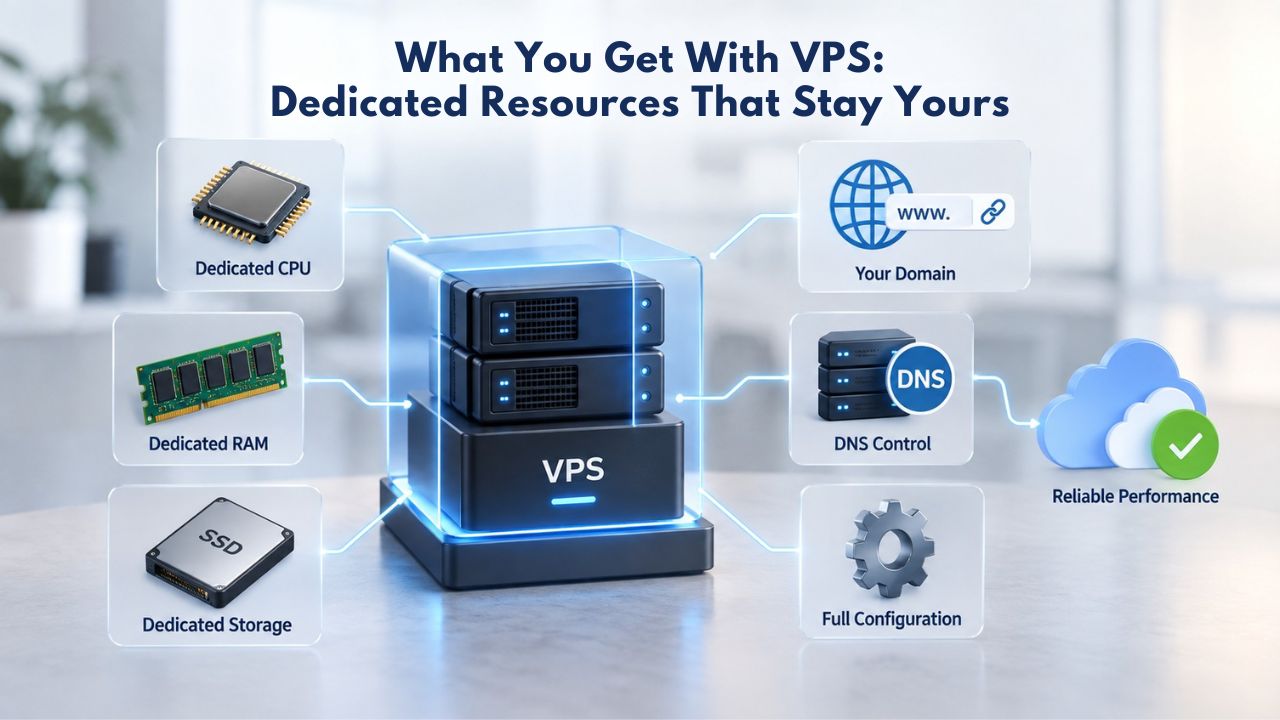
Guaranteed CPU, RAM, Storage, and Bandwidth Allocation
Unlike shared hosting, where resources are pooled and contested, VPS hosting provides dedicated CPU, RAM, and storage; each virtual server operates independently with guaranteed resources that aren’t shared with other websites on the same physical machine. Your VPS’s CPU cores, memory, and disk space are reserved for you. If another VPS on the same hardware has a traffic spike, your resources remain untouched. Your performance stays stable no matter what other accounts are doing, and you can plan capacity based on your own growth trajectory.
GoDaddy VPS plans include dedicated allocations ranging from 1 vCPU core and 1 GB RAM on entry plans to 4–8 vCPU cores and 16+ GB RAM on higher tiers, paired with dedicated NVMe SSD storage (ranging from 10–400 GB depending on plan) and unlimited outbound bandwidth. You know exactly what you have and can rely on it: no surprises, no resource contention, no performance degradation from neighbors. As your site grows, you can scale CPU, RAM, and storage within the same VPS plan or upgrade to a larger tier without migrating servers or changing your domain, giving you a smooth upgrade path as your traffic increases.
Predictable Performance During Traffic Spikes
The business value of dedicated resources shows up most clearly during peak moments. When a product launch goes viral, a marketing campaign drives unexpected traffic, or a seasonal sale brings a surge of shoppers, shared hosting struggles because resources are already divided among dozens of accounts. VPS holds firm: your allocated resources are yours, and traffic spikes don’t degrade your site for other account holders or pull resources away from your own services and data.
This reliability matters most for time-sensitive revenue: a flash sale that crashes on shared hosting loses sales and customer goodwill; the same sale on VPS with guaranteed resources captures every visitor and completes every checkout. VPS hosting avoids the noisy neighbor effect by allocating dedicated CPU, RAM, and storage to each virtual environment, so your site’s performance is independent of adjacent accounts. Predictable performance translates to consistent uptime during peak hours, which directly protects revenue, customer satisfaction, and your brand reputation.
Full Root Access: Install What You Need, Configure What You Want
Shared hosting restricts direct server access for stability and security. VPS with root access (Linux) or administrator access (Windows) gives you complete control over your environment; you can install any software, configure any setting, and optimize for your specific workload without provider approval or restrictions.
Custom Software, Runtimes, and Database Deployments
With shared hosting, you’re limited to what the provider pre-installs: PHP, MySQL, a few add-ons. Need Node.js, Python, custom PHP versions, a Redis cache layer, or a MongoDB instance? Most providers say no. On a VPS with root access, there are no restrictions: you can install any software, run any process, configure any port, and have complete control over server settings. This flexibility is essential for developers, custom applications, and unconventional tech stacks that shared hosting can’t accommodate.
VPS root access also means you can deploy databases (MySQL, PostgreSQL, MongoDB) with the exact versions and configurations your application requires, run queue workers and scheduled tasks, enable caching layers, and optimize the entire stack for your workload. A pre-built environment does not constrain you; you build the environment your application needs. For SaaS platforms, microservices architectures, and data-heavy applications, this control is non-negotiable and impossible on shared hosting.
Security Hardening and Server Customization
Beyond development, root access lets you harden security for your specific threat model and compliance requirements. With root access, you have no restrictions on the applications you install; you can access and edit system files, settings, and server logins to your exact preferences. You can configure a firewall with rules tailored to your traffic patterns, deploy fail2ban to block brute-force attacks, enable SELinux for mandatory access control, and apply security patches immediately rather than waiting for the host’s schedule.
For businesses handling sensitive customer data, e-commerce transactions, membership information, SaaS user accounts, and healthcare records, this level of security control is critical for compliance and risk management. Shared hosting’s generic firewall and security posture may not meet your compliance requirements or insurance standards. A VPS allows the admin more control over security hardening and is less vulnerable to hackers compared to shared hosting; with shared hosting, if a site gets hacked, there’s a greater chance that other websites on the server will also be compromised, while a VPS on the same hardware benefits from virtual isolation, so a hacked VPS won’t affect surrounding VPS environments.
Take Control of Your Server Environment With Niya Digital VPS
Ready to break free from shared hosting’s software restrictions and configuration limits? Niya Digital’s VPS Hosting puts you in command. Install the exact software your project needs, configure your server to your specifications, and deploy custom applications without waiting for provider approval. Whether you’re running a custom framework, database, or development stack, root access lets you build your infrastructure exactly how you need it. Start exploring your options today.
Isolation and Security: Your VPS Is Your Own
VPS security rests on virtualization technology that completely isolates each virtual server from its neighbors. A breach or crash in one VPS can’t reach another, and hardware- and kernel-level security mechanisms protect your data from adjacent account activity.
How Virtualization Isolation Works
VPS hosting uses KVM (Kernel-based Virtual Machine). This open-source hypervisor provides hardware-level isolation for each virtual machine. KVM is part of the Linux kernel and uses SELinux and sVirt (secure virtualization) for enhanced VM security and isolation. Each VM runs its own isolated kernel, separate from the host and from other VMs. This architecture means that even if malware or an attack compromises one VPS, the virtualization layer prevents it from escaping to the host system or neighboring VMs, limiting blast radius and protecting your data.
Hardware-level virtualization extensions (Intel VT-x and AMD-V CPU features) ensure that the hypervisor safely executes privileged instructions within a VPS without compromising the host OS or other guests. Combined with kernel-level controls (Linux control groups and namespaces), a VPS cannot consume excessive CPU, memory, or I/O bandwidth, and memory is isolated so each VM accesses only its allocated portion. This defense-in-depth approach makes cross-VM attacks extremely difficult and is why VPS is considered far more secure than shared hosting for sensitive applications.
DDoS Protection, Backups, and Recovery
GoDaddy VPS includes 24/7 network monitoring, advanced DDoS protection, and a free SSL certificate (for the first year) with a dedicated IP address. These aren’t afterthoughts; DDoS protection is critical for any public-facing application, and the dedicated IP isolates your reputation (email deliverability, security reputation) from shared IPs used by other sites. Backup and recovery are equally essential: you get 7 days of automated snapshot backups and can create on-demand snapshots to restore your entire VPS to any previous state instantly.
Snapshots are faster and more flexible than traditional backups; you can undo a failed update, test a configuration change, or recover from ransomware in minutes without involving support staff. For businesses where downtime costs money (e-commerce, SaaS, customer-facing apps), this recovery capability is essential insurance. Shared hosting offers backups, but VPS snapshots give you independent, user-controlled restoration without waiting for host support or negotiating recovery terms.
Managed vs. Unmanaged VPS: Choosing Your Support Level
VPS hosting comes in two flavors: managed, where a support team handles server updates and patches, and unmanaged (self-managed), where you take full responsibility. Your choice depends on your technical comfort level and how much time you want to spend on server administration.
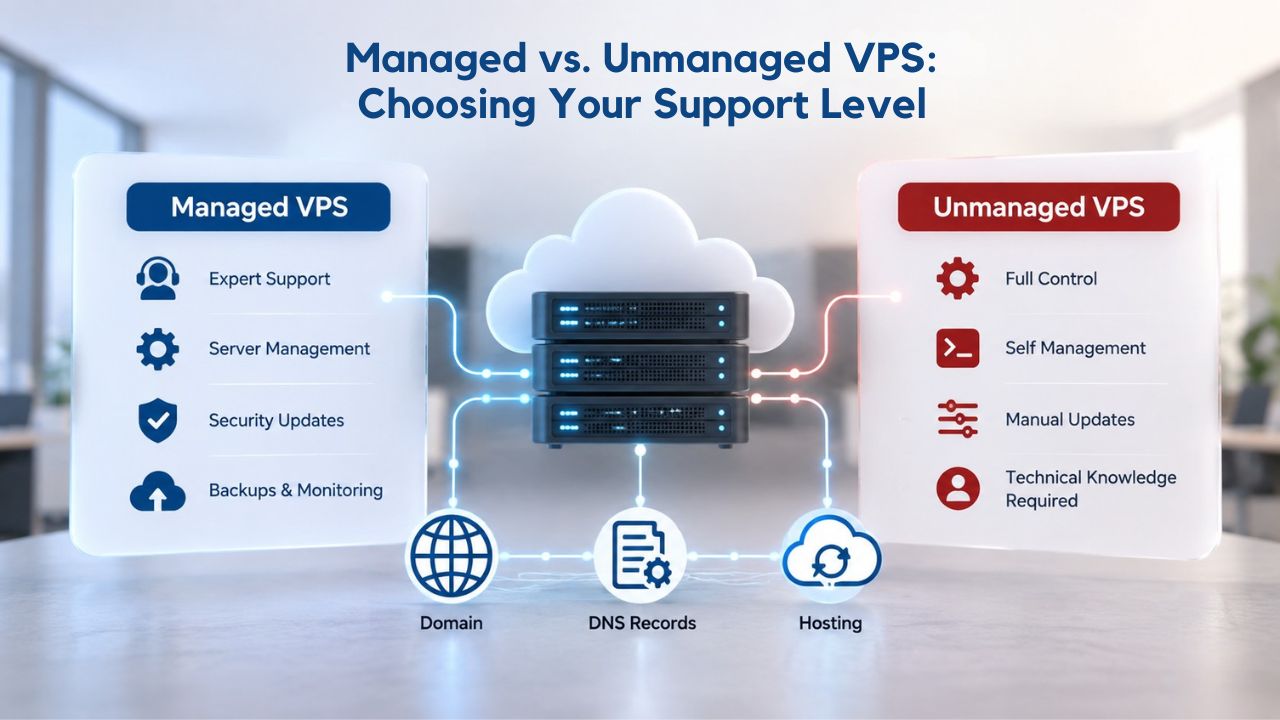
Managed VPS: Hands-Off Server Maintenance
Managed VPS gives you access to a provider expert (like GoDaddy) who will handle all the technical stuff, server updates, patches, monitoring, and configuration assistance, freeing you to focus on your business. The provider applies security patches as they’re released, monitors server resources and uptime continuously, provides around-the-clock support for technical issues, and can assist with OS-level configuration if needed. For non-technical business owners, agencies without dedicated DevOps staff, or anyone who values time over total control, managed VPS removes the server administration burden entirely.
Managed VPS costs more than unmanaged because provider overhead is real; they employ support staff, apply patches proactively, and monitor your infrastructure. But it’s typically far less than hiring a full-time systems administrator or outsourcing server management to a third party. The trade-off: you have less granular control than with an unmanaged VPS. The provider may restrict certain configurations for stability, and customizations beyond the provided tools may require support tickets. For most growing businesses, a managed VPS is the practical choice; you get dedicated resources and root access without becoming a server operator.
Unmanaged VPS: Full Control, Full Responsibility
Unmanaged VPS (also known as self-managed) requires advanced technical know-how and a basic understanding of the Linux command line or Windows Server administration. You provision your own OS, install your own web server and database, apply security patches on your schedule, monitor resources yourself, and troubleshoot all issues. The provider gives you the hardware and virtualization layer; you build and maintain everything else. This model appeals to developers, DevOps engineers, and technical teams who want to own every configuration decision and prefer automation (infrastructure-as-code tools like Terraform or Ansible) over relying on support staff.
Unmanaged VPS is cheaper upfront because the provider doesn’t staff support. It’s ideal for teams with the skills to manage production infrastructure. The cost savings, however, come with the cost of your time and the risk of misconfiguration. A poorly configured firewall can leave your site vulnerable; missed security patches create attack surfaces; you’re responsible for monitoring and alerting. Choose unmanaged only if you have the skills and time to manage your server like any production infrastructure in your data center.
Real-World VPS Use Cases
VPS is most valuable for specific workload types. Here’s where it genuinely makes sense, not in theory, but in production environments handling real traffic and real business requirements.
E-Commerce, High-Traffic Websites, and Multi-Site Hosting
E-commerce stores need consistent uptime, fast load speeds, and robust security to handle transactions and sensitive customer data. Shared hosting can’t reliably deliver this; a traffic spike during a flash sale or holiday season can slow checkout, increase cart abandonment, and reduce revenue. VPS with dedicated resources keeps checkout fast no matter the traffic volume, and the isolation ensures customer payment data is protected from neighboring accounts. High-traffic websites, blogs with 100,000+ monthly visitors, news sites, product launches, and social communities quickly outgrow shared hosting because traffic patterns are unpredictable and resource demands are heavy. VPS absorbs traffic spikes without slowdown, letting your content reach every reader.
Agencies and resellers benefit from VPS hosting’s flexibility, allowing them to host multiple client websites with proper isolation, each receiving dedicated resources without competing with others. Each client site is isolated in its own virtual environment; one client’s traffic surge or security issue doesn’t affect another. For service providers managing dozens of client properties, VPS is more cost-effective and reliable than separate shared accounts, and it delivers the performance clients expect.
Web Applications, Databases, and Developer Workflows
Web applications requiring custom stacks, databases running MySQL, PostgreSQL, or MongoDB with specific configurations, and development environments that need isolated server control all thrive on VPS. Shared hosting can’t support the customization or isolation these workloads need. Developers and technical teams use VPS for staging environments before production deployment, to test new features without risking live sites, and to run microservices or containerized applications that require specific OS-level configuration.
Niya Digital’s team has found that the transition to VPS is often driven by a single project: one site outgrowing shared hosting, one custom application shared hosting won’t support. Still, once teams experience the flexibility and performance of VPS, they scale their entire infrastructure around it. What starts as a single VPS for a critical application often becomes multiple VPS instances for clients, development, and production workloads, each tailored to its specific purpose and optimized for its workload.
The Upgrade Process: Timelines, Complexity, and Support
Moving from shared hosting to VPS involves more technical decisions than a shared hosting setup. Still, modern providers make the transition manageable with guided migration and comprehensive support options that handle most of the complexity.
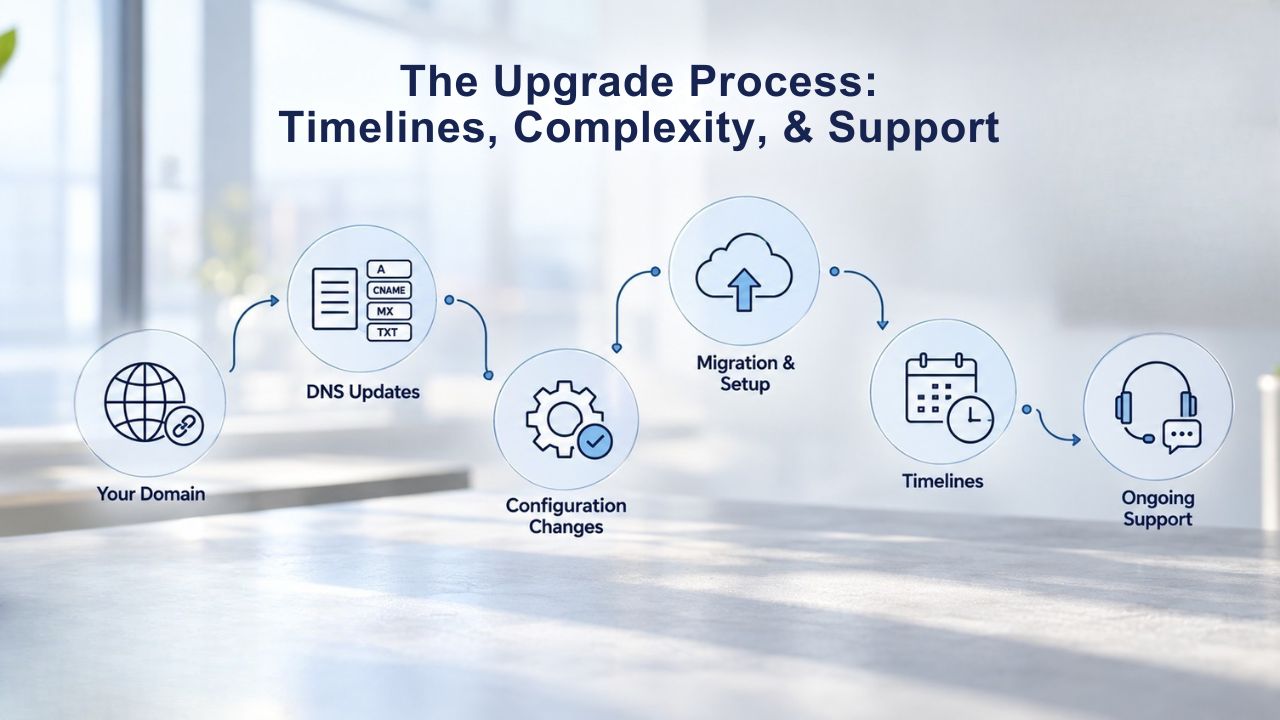
VPS Provisioning and Initial Setup
VPS servers typically deploy in under 15 minutes to 2 hours after order verification, depending on the operating system and provider’s automated setup process. Linux-based VPS often deploy faster (15–30 minutes); Windows-based servers may take 1–2 hours due to larger OS image size and additional configuration steps. Once provisioned, you (or your support team) need to configure the OS, install a web server, set up databases, configure firewalls, and migrate your site files. For an unmanaged VPS, this work is entirely yours; for a managed VPS, support can handle much of it or guide you through the process.
The real-time work is migration: backing up your shared hosting data, transferring files and databases to the VPS, pointing your domain to the new server, and testing everything before going live to ensure no data loss or service interruption. For a small site, this may take a few hours; for large sites with complex databases or multiple integrations, it can take days. Most hosting providers offer migration assistance; some include free migration services with managed VPS plans, which dramatically reduces your workload and risk.
Before You Upgrade: Preparation Checklist
Before upgrading, confirm your exact resource needs by analyzing your current site’s actual usage. Estimate your monthly traffic (visitors and data transfer), your database size, and any custom software your site requires. Shared hosting limits often force aggressive optimization; on VPS, choose a resource tier that matches your actual workload without excess. A tier that’s too small recreates the same performance issues you’re leaving; a tier that’s too large wastes resources. If you’re unsure, start with a mid-tier plan; most VPS plans let you upgrade seamlessly if you underestimated.
Decide on managed vs. unmanaged support early in your planning. If you’ll need server-level help, OS patches, configuration advice, performance tuning, security hardening, managed support is worth the cost and peace of mind. Finally, plan your cutover: schedule migration during a low-traffic window (early morning, weekend, or off-season), back up everything before starting, test the VPS thoroughly before pointing your domain to it, and keep your old shared hosting account active as a fallback for a few days until you’re confident the migration succeeded.
Sizing Your VPS and Making the Upgrade Decision
Choosing the right VPS tier is simpler than it sounds: match your resource allocation to your actual workload, with some headroom for growth, and upgrade when needed.
| Workload Type | Typical CPU | Typical RAM | Typical Storage | Best For | Typical Use |
|---|---|---|---|---|---|
| Small blog, light traffic | 1–2 cores | 1–2 GB | 20–50 GB | Single blogs, portfolios | Under 50K monthly visitors |
| Growing e-commerce / SaaS | 2–4 cores | 4–8 GB | 60–120 GB | Retail sites, membership platforms | 50K–200K monthly visitors |
| High-traffic store / complex app | 4–8 cores | 8–16 GB | 160–250 GB | Large online stores, multi-service SaaS | 200K–500K+ monthly visitors |
| Database-heavy / multiple apps | 8+ cores | 16+ GB | 250+ GB | Agencies hosting multiple client apps | Mission-critical multi-tenant |
| API / microservices infrastructure | 4–16+ cores | 8–32+ GB | 200–500+ GB | Containerized workloads, distributed systems | Auto-scaling consideration |
| Enterprise/mission-critical | 16+ cores | 32+ GB | 500+ GB | Large deployments, redundancy needs | Dedicated server alternative |
Right-Sizing Resources for Common Workloads
A small blog or portfolio site with under 50,000 monthly visitors typically needs 1–2 vCPU cores, 1–2 GB RAM, and 20–50 GB storage; an entry-level VPS is an affordable option. A growing e-commerce store, SaaS platform, or mid-traffic blog (50,000–200,000 monthly visitors) usually benefits from 2–4 vCPU cores, 4–8 GB RAM, and 60–120 GB storage; mid-tier options provide better value. High-traffic stores, complex applications, or multiple client sites call for 4–8 vCPU cores, 8–16 GB RAM, and 160–250+ GB storage; higher tiers ensure sustained performance during peak periods.
These are guidelines, not hard rules. A poorly optimized site with bloated plugins uses more resources than a lean, cached site receiving the same traffic. If you’re coming from shared hosting, you already have visibility into your resource consumption; check your hosting provider’s usage metrics, note your peak CPU and memory during high-traffic periods, and choose a VPS tier that matches or exceeds that by 25–50%. This headroom prevents you from hitting a new ceiling immediately; upgrade later if growth continues or if you add new features that require more capacity.
Next Steps: The Upgrade Checklist
Before committing to upgrade, confirm:
(1) which OS you need (Linux or Windows) based on your application stack;
(2) whether you want managed or unmanaged support based on your technical skills;
(3) whether the provider includes migration assistance or if you’ll manage it yourself;
(4) what backup and snapshot options are included and their retention periods;
(5) how the provider handles scaling if you need more resources mid-term without downtime.
Also ask about support quality, response times, and escalation paths; support matters during crises.
Document your current site’s resource usage, software dependencies, and any custom configurations you’ll need to recreate. Communicate with your team or support provider about the migration timeline and any expected downtime windows (most modern migrations achieve zero downtime, but confirm this is possible for your setup). Finally, remember that choosing VPS isn’t permanent; if you outgrow it, upgrade to a larger VPS tier or migrate to dedicated servers; if you migrated too early and don’t need the extra resources, you can step back. VPS is the practical next step for sites that have outgrown shared hosting and need more control than shared hosting provides.
Ready to Upgrade Your Hosting? Discover Niya Digital’s VPS Hosting
Niya Digital makes the transition straightforward with expert provisioning support, comprehensive onboarding guidance, and access to backup and snapshot tools powered by GoDaddy’s proven infrastructure. Choose managed support to stay hands-off, or self-managed to take full control. Either way, Niya Digital’s VPS Hosting service provides the dedicated resources your growing site deserves without the complexity of managing independent infrastructure.
Frequently Asked Questions
What is the practical difference between shared hosting and VPS that I’ll actually notice?
The biggest difference is consistency. On shared hosting, a spike from another site can slow yours down; on VPS, your performance is independent. You’ll notice faster page loads during traffic surges, fewer timeouts, and the ability to install custom software without provider restrictions. From a user perspective: your site stays fast and responsive regardless of what other hosting customers are doing on the same physical server.
How does VPS hosting pricing compare to shared hosting?
VPS hosting costs more than shared hosting because it offers dedicated resources and greater control, but pricing varies by provider, resource tier, and region. Check the provider’s current plan options for exact figures. The price difference reflects dedicated resources, root access, and independent performance. For growing sites, the investment is usually worth the benefits gained.
Can I move my site from shared hosting to VPS without downtime?
Most modern migrations can achieve zero downtime if planned carefully: provision the VPS in parallel, migrate files and databases, test thoroughly, then switch your domain DNS to point to the VPS. If you’re using managed migration services (often included with VPS plans), the provider handles the technical details and coordination to minimize risk and disruption.
Do I need to know Linux or Windows administration to use a VPS?
Not necessarily. If you choose a managed VPS, the provider handles OS updates, patches, and many configuration tasks so that you can treat it similarly to shared hosting but with more control. If you choose an unmanaged VPS, yes, you need technical skills or willingness to learn command-line administration. Most developers and agencies choose unmanaged; most non-technical business owners choose managed for peace of mind.
What happens if my VPS runs out of resources during a traffic spike?
Unlike shared hosting (which throttles or errors out), a VPS with adequate headroom handles spikes smoothly because you reserve resources. If you genuinely exceed your allocated resources, performance degrades, but your site stays online. To prevent this, choose a tier that accommodates your peak traffic plus 25% headroom, and plan to upgrade before peak seasons if you expect significant growth.
Can I upgrade my VPS resources (CPU, RAM, storage) without migrating to a new server?
Yes. Most VPS providers allow seamless resource scaling within the same VPS instance; you can upgrade CPU, RAM, or storage without downtime or DNS changes. This flexibility is one of VPS’s biggest advantages over dedicated servers. Check your provider’s scaling options and any policies around upgrade frequency or timing restrictions.
How often do I need to apply security patches and updates on a VPS?
On a managed VPS, the provider applies patches automatically on a regular schedule. On an unmanaged VPS, you’re responsible for patching the OS and applications, typically within days of critical security updates. Regular patching is essential; delaying creates vulnerabilities. Automation tools can simplify this, but you’re still responsible for staying up to date.
What backup and recovery options come with VPS hosting?
GoDaddy VPS includes 7-day automated snapshot backups and on-demand snapshots so you can restore your entire server to any previous state in minutes. This is faster and more flexible than traditional backups. Most VPS providers also support external backup services (like backup plugins) if you need longer retention or off-site copies for redundancy.
Is VPS hosting more secure than shared hosting?
Yes. Virtualization isolation means security issues in one VPS can’t spread to others or affect the host. You also get root access to configure firewalls, apply hardening, and control access at the OS level, far beyond what shared hosting allows. However, security is also your responsibility on an unmanaged VPS; you must apply patches and maintain security configurations proactively.
Can I host multiple websites on one VPS?
Yes. A single VPS can host dozens of websites, each with its own domain, SSL certificate, and database. This is why VPS is popular with agencies and resellers. You get better performance and isolation than shared hosting while avoiding the cost of separate hosting accounts per site.
What operating systems does VPS support?
Most VPS providers (including GoDaddy) offer Linux distributions (CentOS, Ubuntu, Debian, AlmaLinux, etc.) and Windows Server. Linux is more common and more affordable and powers most web applications and open-source stacks; Windows is required if you run .NET applications or Windows-specific software. Choose based on your application’s requirements and your team’s expertise.
How long does it take to deploy a new VPS once I order?
Deployment typically takes 15–30 minutes for a Linux VPS, and 1–2 hours for a Windows VPS once payment is verified. Once deployed, you receive login credentials and can begin configuration. Initial setup (OS hardening, web server installation, application deployment) varies; unmanaged setup can take hours or days, while managed support can handle much of it.
What happens if my VPS hosting provider experiences downtime?
VPS hosting relies on the provider’s data-center infrastructure and network. If that infrastructure goes offline, yes, your VPS is offline. Providers publish uptime SLAs (typically 99.9%, meaning 45 minutes of downtime/month); GoDaddy includes 24/7 network monitoring and DDoS protection to minimize disruptions. Regular backups and snapshots help you recover quickly if something goes wrong.
Can I use VPS hosting for development or testing, or is it only for production sites?
VPS is excellent for development and testing; many developers run staging VPS instances to test changes before deploying to production. You get isolated, full-control environments without impacting live sites. Some teams run multiple VPS instances for different purposes (production, staging, development databases, API testing).
When should I upgrade from VPS to dedicated server or cloud hosting?
Upgrade to a dedicated server when your VPS tier is fully utilized, you need guaranteed resources beyond what VPS offers, or you’re running mission-critical infrastructure that requires hardware redundancy. Upgrade to cloud hosting (AWS, Google Cloud, Azure) when you need automatic scaling, multi-region deployment, or complex infrastructure orchestration for global audiences.
Glossary
- VPS (Virtual Private Server): A virtualized server that allocates dedicated CPU, RAM, storage, and bandwidth to one website or account, isolated from other VPS instances on the same physical machine. You get root/administrator access and full control over server configuration.
- Shared Hosting: Multiple websites hosted on a single physical server, sharing its CPU, RAM, storage, and bandwidth. More affordable than VPS, but with unpredictable performance and functional restrictions.
- Root Access: Full administrative control over a Linux server’s operating system, allowing you to install any software, modify system files, and configure settings at the kernel level without restrictions.
- Hypervisor: The virtualization software layer (KVM, Xen, Hyper-V) that divides one physical server into multiple isolated virtual machines, managing resource allocation and isolation between them.
- KVM (Kernel-based Virtual Machine): An open-source virtualization technology built into the Linux kernel, providing hardware-level isolation and near-native performance for virtual servers. Used by GoDaddy VPS Hosting.
- Bandwidth: The amount of data a website can transfer to and from visitors per month (measured in GB or TB). VPS provides dedicated bandwidth allocation; shared hosting’s bandwidth is pooled across all accounts.
- Snapshot Backup: A point-in-time copy of your entire VPS (OS, applications, data) that can be restored instantly if needed, without waiting for file-by-file restoration from backups.