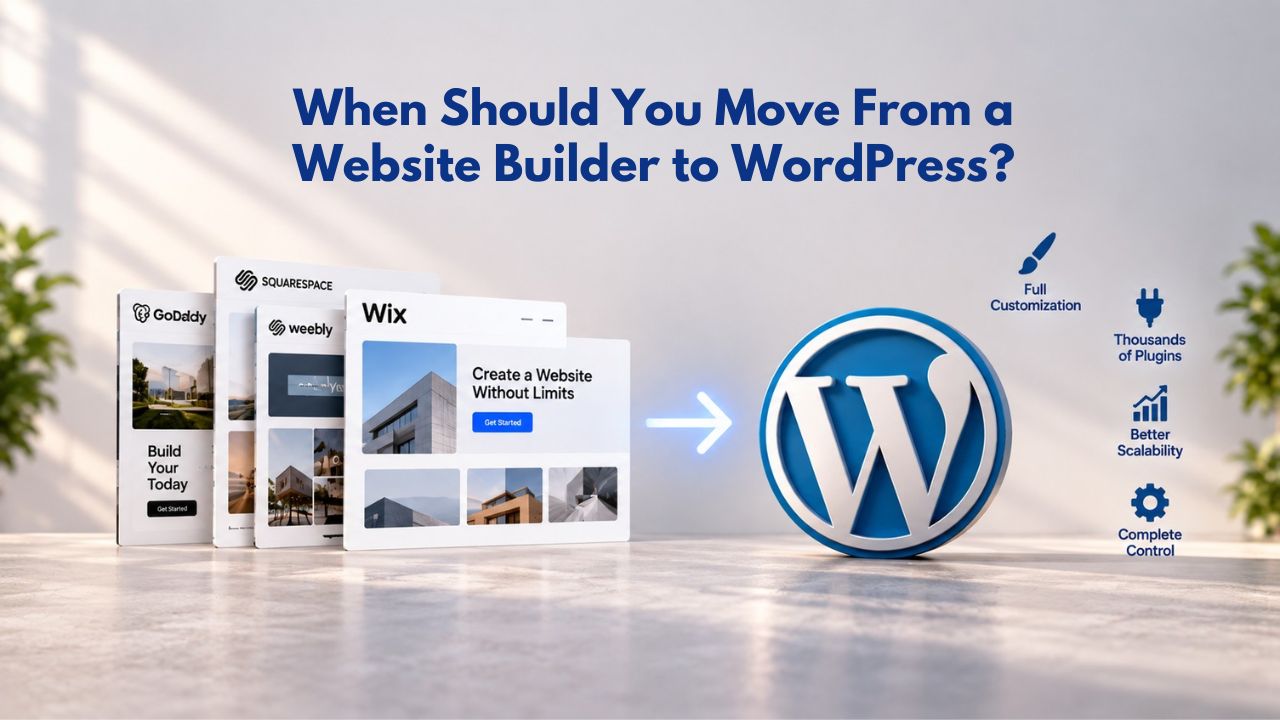
Most small business owners build their first website using a website builder: drag-and-drop editors, pre-designed templates, and bundled hosting make it fast and affordable. Yet as a business grows, or as its needs shift, a builder’s fixed architecture starts to feel limiting. WordPress, the world’s most-used content management system, offers a different model: unlimited customization, full data ownership, and a plugin ecosystem of 59,000+ tools.
Understanding when that trade-off makes sense is the difference between outgrowing your current platform and making an unnecessary, expensive switch. Niya Digital does not operate its own independent builder engine or hosting infrastructure. Overall site performance and results depend on many factors outside any single provider’s control, including design and content choices, ongoing SEO effort, the competitive landscape, and hosting conditions, and no provider can guarantee ranking, sales, or uptime outcomes.
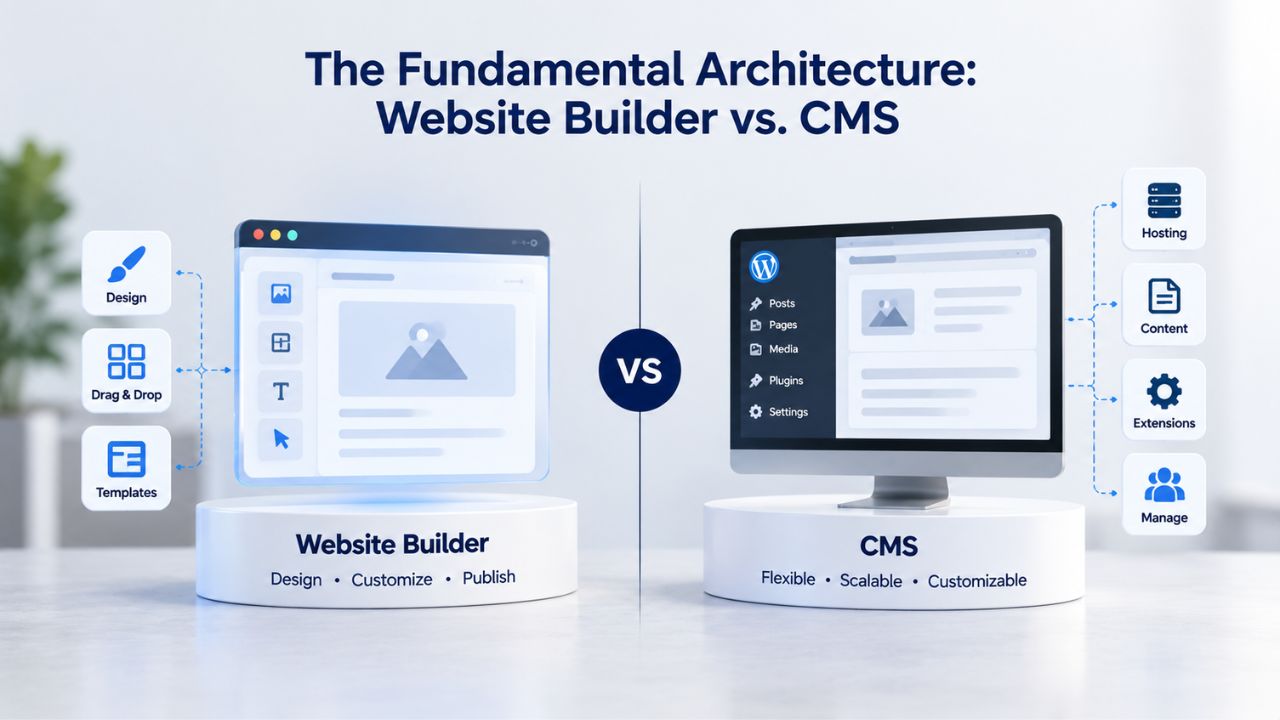
The Fundamental Architecture: Website Builder vs. CMS
Website builders and WordPress approach site creation from opposite angles, which shapes every choice that follows. Understanding these architectural differences helps clarify which platform fits your business model, growth trajectory, and technical comfort level.
How Website Builders Work
Website builders like GoDaddy Website Builder are fully managed SaaS platforms designed for speed and simplicity. You begin by selecting a pre-designed template from hundreds of industry-specific options. Within that template, you drag visual elements, text blocks, images, buttons, and sections onto a canvas using a point-and-click interface. Real-time preview shows exactly how your site will look on desktop, tablet, and mobile. When you’re satisfied, you publish directly to the builder’s servers with a single click. The entire process, from choosing a template to going live, takes hours to days.
The builder handles all infrastructure automatically: hosting servers, security updates, SSL certificates, domain connection, site backups, and performance optimization. You never access a server, configure a database, or manage software versions. Customization is constrained to template design choices, colors, fonts, layouts, content arrangement, and pre-built features. These features include contact forms, appointment booking, basic online store functionality with checkout, email capture, social media integration, and on-page SEO tools. You can’t add functionality beyond what’s built-in; you’re limited to the builder’s fixed ecosystem. Niya Digital’s reseller offering adds white-glove support: plan guidance, template customization assistance, ongoing account management, and human support during setup or migration.
How WordPress Works
WordPress is open-source CMS software that you install on a hosting account you control separately. Unlike a website builder (a complete, managed system), WordPress is software you run on your own server infrastructure. You choose a hosting provider, install WordPress on that hosting, and gain complete control over the entire stack: server configuration, database structure, theme and plugin architecture, and source code. This architectural difference is fundamental: you can extend WordPress in ways a builder cannot, but you also assume responsibility for maintenance and technical management.
WordPress themes are design templates; plugins add functionality. Unlike builder templates, which are fixed packages, WordPress themes are highly modular and can be swapped, forked, or heavily customized. The plugin ecosystem is vast: WordPress.org offers 59,000+ plugins, ranging from simple contact forms to complex e-commerce systems, membership platforms, and integrations with external services. You can write custom PHP code to extend WordPress further, access your database directly via SQL, build custom post types and workflows, or create custom integrations with third-party APIs. No architectural limits: if you can code it, you can build it.
Website Builder Plans & Pricing
Create a professional website with flexible website builder plans designed for businesses, portfolios, and growing online brands. Choose a plan that matches your needs and build, customize, and manage your website with easy-to-use tools, responsive designs, and essential features for a strong online presence.
Website Builder Personal
Share your passion online.
- Responsive mobile design
- Website hosting
- Rapid Page-Load performance
- Create a blog
- Security (SSL)
- 24/7 support

Website Builder Business
Create an online presence for your business.
- Responsive mobile design
- Website hosting
- Rapid Page-Load performance
- Create a blog
- Security (SSL)
- 24/7 support
- PayPal Buy Now or Donate button
- Search Engine Optimization (SEO)
Website Builder Business Plus
Attract more customers.
- Responsive mobile design
- Website hosting
- Rapid Page-Load performance
- Create a blog
- Security (SSL)
- 24/7 support
- PayPal Buy Now or Donate button
- Search Engine Optimization (SEO)
- Social Media Integration
- Share content to Facebook
- Online Appointments
Website Builder Online Store
Sell products and services.
- Responsive mobile design
- Website hosting
- Rapid Page-Load performance
- Create a blog
- Security (SSL)
- 24/7 Support
- PayPal Buy Now or Donate Button
- Search Engine Optimization (SEO)
- Social Media Integration
- Share content to Facebook
- Online Appointments
- Built-in shopping cart
- Sell physical and digital products
- Accept credit and debit cards, PayPal and more
- Flexible shipping options
- Discounts and promotions
- Manage inventory
When Custom Functionality Becomes Essential
The line between “a builder is sufficient” and “we need WordPress” is drawn at functional requirements the builder’s templates don’t support. Identifying this threshold early prevents overbuilding on a limited platform and unnecessarily complicating a simple site.
Scenarios Requiring WordPress-Level Customization
A builder’s e-commerce module works for most cases: product listings, shopping carts, PayPal and credit-card checkout, order tracking, and basic inventory management. But it breaks when you need subscription billing (recurring charges for memberships or SaaS products), complex order workflows (approve-before-fulfillment, stage-based pricing, conditional shipping), advanced inventory logic (product variants with different SKUs, bundled products with stock dependencies, low-stock alerts triggering supplier orders), or marketplace integrations beyond standard payment gateways.
Similarly, a builder’s contact and appointment system covers basic scheduling and single-staff booking. WordPress becomes necessary if you need multi-staff scheduling with individual availability, conditional availability rules (staff unavailable on certain days or for certain service types), integration with external calendar systems (Google Calendar, Calendly, Acuity Scheduling), or approval workflows where a manager must confirm bookings before they’re finalized.
Content workflows matter significantly for growing teams. A blog on a builder works fine for one or two authors publishing sequentially. A newsroom, editorial team, or multi-author content hub, where editors assign stories, writers draft, editors review and provide feedback, and schedulers queue posts for future publishing, requires WordPress’s native multi-author, role-based access control, and editorial workflow tools. Marketing teams running multi-channel content (blog, email, social channels, video platforms) need WordPress’s ability to syndicate content, trigger automations based on post category, or integrate with marketing platforms via API, features that go beyond a builder’s “share-to-social” button or email capture.
Hidden Limits and the Feature Gap
Technical integrations often drive the switch to WordPress. A builder can connect to pre-approved partners (Zapier, email services, lightweight CRM versions, payment processors). WordPress lets you build custom integrations: direct API connections to proprietary systems, real-time data syncing, custom webhooks, or middleware logic that aggregates data from multiple sources.
A builder can’t run server-side scripts or custom business logic; WordPress can do this natively through plugins or custom code. Niya Digital’s team has found that many business owners considering WordPress migration actually need only one specific feature, a custom form workflow, a subscription model, or a multi-approval process, which can often be accomplished within a website builder at far lower total setup time and cost than a WordPress rebuild.
E-Commerce Complexity and Online Store Readiness
Most small businesses selling online start in a website builder and remain satisfied for years. The pivot to WordPress happens when the builder’s commerce engine hits a hard ceiling and can’t be extended further.
What Website Builders Offer
GoDaddy Website Builder’s e-commerce capabilities include product listings with images and descriptions, inventory management with basic stock tracking, flexible tax and shipping configuration (set rates by region or shipping method), discount codes and promotional banners, abandoned-cart recovery emails, credit-card and PayPal payment processing, order tracking for customers, and the ability to sync your store to marketplaces like Amazon, eBay, Etsy, and Facebook Shop. For a solo seller or small shop with dozens to a few hundred products and a straightforward fulfillment process, you pack, ship, and send a tracking number; this is complete and competitive. Niya Digital’s Online Store plan bundles e-commerce functionality, plus appointment scheduling, social media integration, and SEO tools, in one interface.
The limits appear when your business model diverges from this straightforward path. You need product variants (size, color, material selections, each with unique SKUs, images, and prices), tiered pricing (bulk discounts at certain quantities, customer-level pricing tiers for wholesale buyers), subscription or recurring billing (charge customers monthly for a product subscription or membership), complex shipping rules (carrier-specific rates, region-based blackouts, real-time carrier API integration for dynamic pricing), or wholesale workflows (customer approval before purchase, Net-30 invoicing instead of immediate payment, purchase order integration with your accounting system).
WordPress and WooCommerce
WordPress combined with WooCommerce (the leading e-commerce plugin ecosystem for WordPress) supports all the above plus infinite custom logic. WooCommerce supports product attributes and variants out of the box; subscription management via plugins (allowing recurring billing, membership tiers, and renewal automation); marketplace commission splits and vendor management for multi-seller stores; dropshipping automation (auto-forwarding orders to suppliers); and direct ERP and accounting system integrations (syncing orders to QuickBooks, Xero, or a custom database).
The downside is added complexity: you choose, install, and maintain plugins; security updates arrive frequently and must be applied regularly; and performance tuning (caching, image optimization, database indexing) becomes your responsibility or your developer’s. Setup time typically doubles or triples compared to a website builder, and the ongoing management overhead is higher unless you use managed WordPress hosting.
Data Ownership, Portability, and Vendor Lock-In
Your relationship with the platform matters more as your business depends on that site. A platform change becomes less risky if you own your data completely and can move it easily.
Website Builders and Content Lock-In
Most website builders, including GoDaddy Website Builder, do not offer a one-click export tool. You can download your images and copy text content manually. Still, the site’s visual design, custom layout, and built-in functionality (checkout system, booking interface, form automation, contact database) exist only within the builder’s proprietary interface. Migrating to WordPress or another platform means manually recreating every page and design from scratch, which can take weeks or months for a large site.
The practical consequence is significant: your content is portable in pieces (text, images), but your site as a designed, functional entity is not. If you become unhappy with the builder’s roadmap, feature gaps, pricing increases, or customer support, the exit path is costly and time-consuming. You’re incentivized to stay, even if the platform no longer meets your needs. This isn’t predatory; it’s simply the nature of proprietary platforms, but it’s important to understand before committing.
WordPress and Full Portability
WordPress stores everything in a standard MySQL database and theme files. You have direct access to all source code, database exports, and site files. You can migrate to a different host by exporting your WordPress database and files, installing them on new hosting, and updating your domain’s DNS settings, typically a few hours of work for a technical person or a developer’s one-hour engagement.
You can fork the codebase, build a custom version tailored to your business, or port content to a new platform (Drupal, custom application, etc.) if your needs diverge from WordPress. You own the data absolutely. This freedom is especially valuable for businesses that plan to scale significantly or integrate their site with custom systems over time.
Hosting, Maintenance, and Ongoing Responsibility
Simplicity and hands-off management are the biggest advantages of a website builder. Moving to WordPress flips that equation entirely, shifting responsibility from the platform provider to you or your development team.
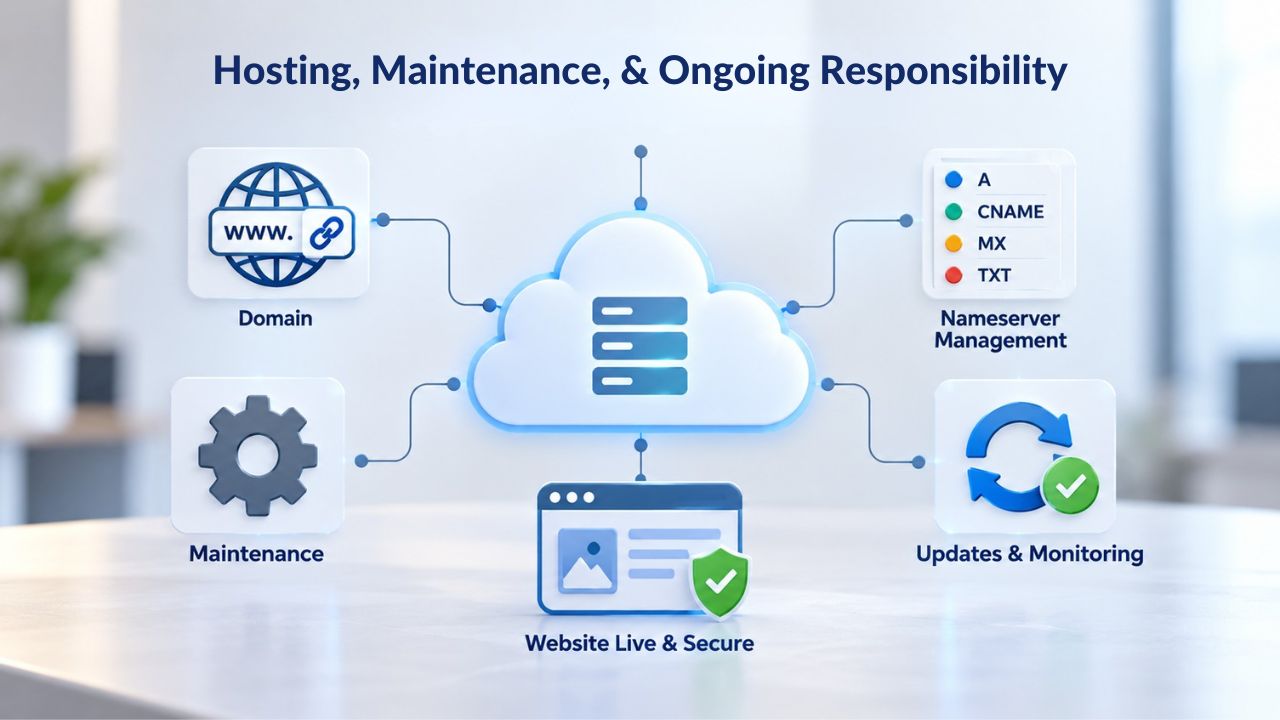
Website Builder Maintenance Model
Niya Digital’s Website Builder Service, like most SaaS builders, includes hosting, automatic updates, SSL security, backup and restore functionality, malware monitoring, and 24/7 customer support. You never touch server configuration, databases, security patches, or version management.
Updates happen silently behind the scenes; you wake up to new features and security improvements without lifting a finger. Support escalates directly to the provider or reseller without requiring developer knowledge or technical troubleshooting on your part. Costs are predictable and all-inclusive; one monthly fee covers everything. This model is ideal for business owners who want to focus entirely on their content, products, and customers, not infrastructure.
WordPress Maintenance Reality
Self-hosted WordPress requires a hosting account that you choose, set up, and pay for separately from WordPress itself. WordPress core updates are released regularly, often with security patches included. Theme and plugin updates are frequent (sometimes weekly for active plugins). You or your development team must continuously review, test, and apply these updates. Skipping updates exposes your site to known security vulnerabilities, compatibility breakage, and performance issues. Backups, SSL certificate renewal, performance monitoring, malware scanning, and emergency support during breaches are your responsibility or your developer’s.
Managed WordPress hosting (from providers like WP Engine, Kinsta, or Bluehost WordPress Hosting) handles updates and backups automatically, similar to a website builder’s approach, but requires a separate hosting budget. If you go with unmanaged budget hosting to save money, you inherit all maintenance overhead and technical responsibility. This is a key difference: a website builder removes complexity entirely; WordPress moves that complexity onto you, unless you pay for managed hosting to push it back onto a specialist provider.
Ready to Make the Right Choice for Your Business?
Choosing between a website builder and WordPress is one of the most important decisions for your online presence. A website builder gets you live quickly with minimal technical burden; WordPress offers unlimited growth potential at the cost of added responsibility. The right choice depends on your current needs, growth trajectory, and technical resources. Niya Digital’s team specializes in helping small businesses evaluate this decision, plan migrations when necessary, and optimize whichever platform you choose for maximum impact.
Total Cost of Ownership and Budget Realities
Comparing costs across platforms is straightforward in the first year but gets complex over time when you factor in developer time, training, and hidden infrastructure costs.
Website Builder vs. WordPress Cost Structures
| Component | Website Builder (Niya Digital example) | Self-Hosted WordPress | Managed WordPress Hosting |
|---|---|---|---|
| Monthly platform/hosting | Included in plan | Shared hosting $2–15/month | Managed hosting $50–150/month |
| Domain registration | Often included first year | ~$12/year (separate purchase) | ~$12/year (separate purchase) |
| SSL certificate | Included | Included in most hosts | Included |
| Premium themes/templates | Included in plan | Free to $500+/year (optional) | Free to $500+/year (optional) |
| Plugins/add-ons | Included in plan | Free to $500+/year (optional) | Free to $500+/year (optional) |
| Developer assistance setup | Reseller support included | $50–150/hour (if needed) | Support included in managed plans |
| Ongoing maintenance/updates | Automatic, included | Your responsibility or developer time | Automatic, included |
| Year 1 all-in (minimal setup) | ~$60–300 | $24–180 + variable dev time | $600–1,800 |
| Year 1 all-in (with professional setup) | ~$60–300 | $500–2,000+ (developer fees) | $600–1,800 + initial dev setup |
For most small businesses, Niya Digital’s plans deliver simpler, faster launches with lower total cost in year one and year two. WordPress becomes cost-competitive at scale; if you run five or more sites, WordPress costs less per site than a website builder. It’s also cheaper for teams with in-house developer resources who don’t need managed hosting’s premium support.
When WordPress Becomes Cost-Competitive
WordPress’s cost advantage emerges in specific scenarios. If you plan to operate multiple websites, installing WordPress once on a hosting account and running unlimited sites costs far less than buying multiple website builder subscriptions. If you have a full-time developer on staff, their time is already allocated, and WordPress maintenance overhead is absorbed into their existing workload. If you’re building for a large client willing to pay for custom development, WordPress’s flexibility justifies the higher setup cost because customization commands premium fees. For a solo entrepreneur or small business without developer resources, a website builder typically remains cheaper and simpler through the first three to five years of operation.
Migration Reality: Effort, Timeline, and Hidden Complexity
If you’ve decided WordPress is necessary, understanding the real migration path prevents surprise delays and budget overruns. Migration is more involved than many business owners anticipate.
The Export Problem and Manual Process
GoDaddy Website Builder does not offer an export feature. WordPress has built-in import tools for platforms like Blogger and Tumblr, but not for website builders. This means migration requires manual extraction: download your pages, images, and text by hand or using third-party tools, then reconstruct them in WordPress. For a small site (under 20 pages, minimal images), you can screenshot each page, copy text into WordPress, and re-upload images in one or two days. For a larger site, a tool like HTTrack can download your entire site as static HTML files, but you then manually extract content from those HTML files and rebuild it in WordPress, a time-consuming and error-prone process that can take weeks.
The export challenge is compounded because your website builder site’s interactive elements, checkout flows, appointment calendars, form automations, and member login systems don’t translate directly to static HTML. You must rebuild these features from scratch in WordPress using plugins or custom code. Additionally, if your builder site includes a database-backed store with hundreds of products, exporting product data (name, description, price, images, variants, inventory levels) and correctly importing it into WordPress’s WooCommerce system requires careful CSV formatting and testing to ensure no data is lost or corrupted during the transfer.
Design Recreation and Custom Styling
Your website builder’s visual design, layout, animations, hover effects, and custom responsive adjustments are baked into the builder’s proprietary template system. WordPress themes and page builders like Elementor or Beaver Builder offer similar visual capabilities, but recreating a complex builder site exactly requires custom CSS, JavaScript customization, or hiring a designer. This design recreation work can easily add $500–2,000 to your migration cost and one to two weeks to the timeline.
Redirect Planning and SEO Preservation
Once your site goes live on WordPress, your old builder site’s URLs stop working immediately. Your old site lives at URLs like mysite.com/pages/about or mysite.com/blog-post-one. Your WordPress site uses different URL structures. You must set up 301 redirects from every old URL to its new WordPress equivalent, so search engines know you’ve permanently moved the content and update their indexes. Without redirects, you lose all search rankings accumulated on those pages and send visitors to 404 errors.
Implementing redirects is straightforward (using the Redirection plugin or your hosting control panel), but it’s easy to miss during the rush to launch. You must also update your XML sitemap and notify Google Search Console and Bing Webmaster Tools about the migration so search engines crawl and index your new site promptly.
Total Migration Cost and Timeline
For a typical small business site (30–50 pages, basic e-commerce, some blog posts): DIY migration takes 40–60 hours spread over 2–4 weeks if you have WordPress and content management experience. Developer-assisted migration costs $1,500–3,000 and takes 3–4 weeks, including design recreation and redirect setup. Complex sites with e-commerce, product data cleanup, and custom integrations cost $3,000–7,000+ and take 4–8 weeks. During migration, your old site typically remains live, and you launch the WordPress version on a new domain or staging environment before switching the domain over, adding another week of testing and verification.
| Business Scenario | Recommend DIY Migration | Recommend Developer-Assisted | Key Consideration |
|---|---|---|---|
| Solo entrepreneur, 5–10 pages, no e-commerce | ✓ | – | Manageable in 1–2 days with WordPress basics knowledge |
| Small business, 20–30 pages, basic store, few products | ✓ (with support) | – | Feasible if you have 40–50 hours available; hire developer if timeline is tight |
| Medium business, 50+ pages, complex store, 100+ products | – | ✓ | Content extraction and product data import require expertise; design recreation warranted |
| Large site with custom forms, integrations, team workflows | – | ✓ | Custom features must be rebuilt; complexity justifies professional migration |
| Site with critical business data, compliance requirements (GDPR/CCPA) | – | ✓ | Risk of data loss or compliance gaps too high; professional expertise essential |
| Multi-site migration (multiple builder sites to WordPress) | – | ✓ | Developer-built automation saves time and reduces error across multiple sites |
Team Workflows, Multi-Author Publishing, and Editorial Control
Larger teams benefit from WordPress’s native editorial structures; builders’ single-author or simple-team models don’t scale well when multiple people contribute content or manage the site.
Website Builder Collaboration Model
Most builders let a small number of administrators edit pages and content simultaneously, but they lack structured permissions and workflows. There’s no formal “draft → review → publish” process, no role-based access control (author can only write; editor can publish; administrator controls settings), and no editorial calendar or scheduling queue.
This works fine for a solo entrepreneur or a two-person team with full trust. It breaks down immediately when a newsroom, agency, marketing department, or larger business needs to assign content tasks, set permissions (freelancers write only, staff editors review and approve, schedulers control publishing timing), or organize content calendars for the month ahead.
WordPress Editorial Workflows
WordPress supports unlimited users with granular roles built-in: Subscriber (view-only, can comment), Contributor (write posts, cannot publish), Author (write and publish their own posts), Editor (edit and publish all posts, manage categories, moderate comments), Administrator (full control). Editors can set post status (draft, pending review, scheduled, published), assign categories and tags, moderate comments, and approve changes from other authors. Editorial calendar plugins visualize content across the month; workflow plugins enforce approval gates (post must be approved before it can be scheduled). This scales to teams of 20+ content creators and reviewers without friction.
Teams valuing transparency and collaboration, marketing agencies, publications, SaaS companies with help-center wikis, nonprofits with distributed content teams, find this structure essential. Website builders don’t offer role separation or editorial workflows. The builder model is designed for one or two trusted admins; WordPress is designed for teams with delegated roles and responsibilities.
SEO Fundamentals, Search Visibility, and Performance Factors
Both website builders and WordPress support the on-page SEO fundamentals that search engines reward. The limits and strengths differ, but for most businesses, either platform can achieve strong search visibility with proper content and strategy.
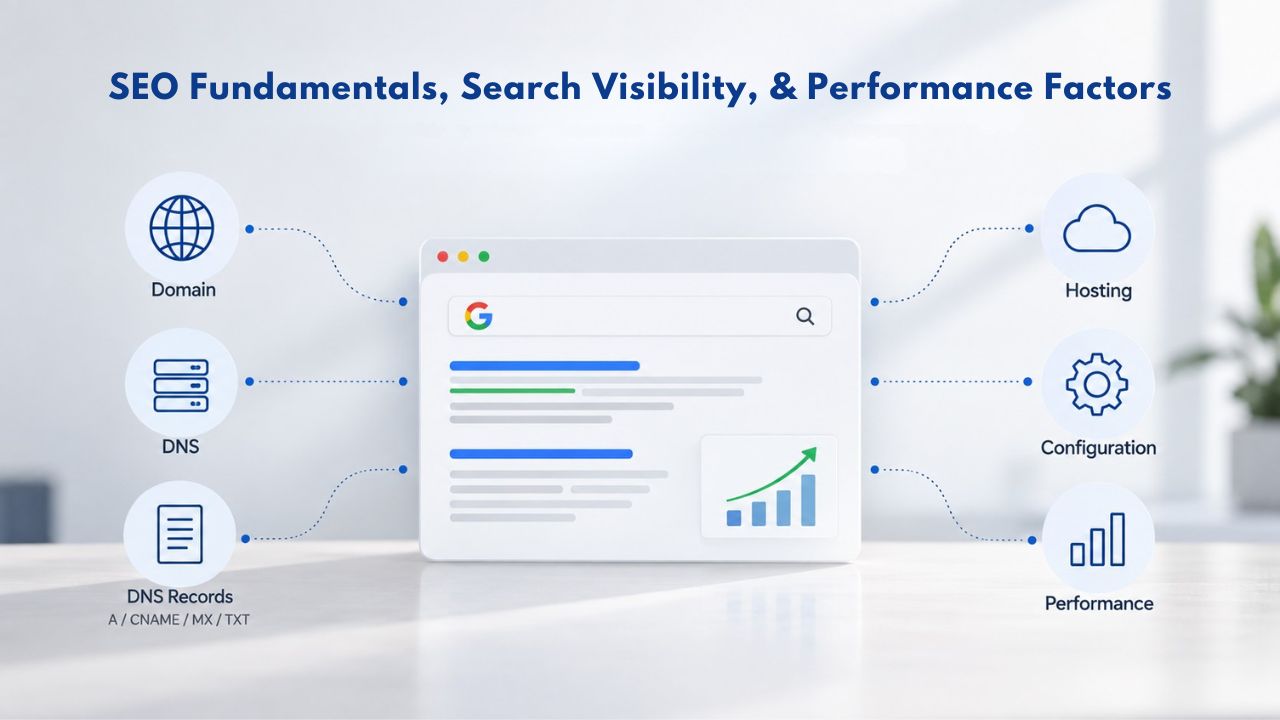
Website Builder SEO Capabilities
GoDaddy Website Builder includes SEO tools: meta-tag editing (title and description), XML sitemap generation, schema markup for business data (business name, address, phone), page-speed optimization, mobile responsiveness, SSL security (all ranking factors recognized by Google). For businesses targeting local keywords or a regional market, these built-in tools often deliver strong search results without extra plugins or configuration.
The constraint is architectural: website builders don’t expose the site structure fully to search engines. Advanced SEO tactics, canonicalization across subdomains, custom .htaccess rules and server-side redirects, dynamic schema based on user behavior, content clustering and internal linking strategies, require access to server configuration that builders don’t provide. For most small businesses competing in local or less competitive niches, this limitation is invisible. For competitive, high-volume keywords, it becomes a disadvantage over time.
WordPress SEO Power and Complexity
WordPress offers the same on-page basics. Plugins like Yoast SEO or All in One SEO add advanced features: advanced schema markup (Article, Product, Event, LocalBusiness, Organization, etc.), internal linking recommendations, readability and keyword analysis, bulk term replacement across posts, advanced redirect management, and XML sitemap refinement with priority levels.
You can write custom PHP to generate dynamic schema, implement custom canonical logic, or automate SEO tasks. For competitive, high-volume keywords or businesses with complex site architectures (multi-language sites, regional variations, complex category hierarchies), WordPress’s flexibility is a competitive advantage. For straightforward local SEO or niche markets, a website builder can achieve 80% of the results with 20% of the effort.
Importantly, ranking depends far more on content quality, link authority, and competition than on platform. No platform guarantees page-one rankings regardless of effort. Both website builders and WordPress can rank well if you create genuinely useful content, build authoritative backlinks, and optimize on-page elements thoughtfully.
Scaling for Growth: When a Site Outgrows Its Foundation
A site’s performance and stability under traffic growth differ between builders and WordPress, though for most small businesses, this difference is invisible until you reach significant scale.
Website Builder Scaling Limits
Website builders scale transparently: the provider manages load balancing, server capacity, and redundancy behind the scenes. You won’t run out of resources or experience downtime due to traffic spikes; the provider is responsible for keeping the platform running for all customers. Most builders can handle 10,000–50,000+ monthly visitors on basic plans without slowdown. Limits appear not in traffic capacity but in features and customization: if you need functionality beyond the builder’s ecosystem, you’ve hit a hard ceiling that no amount of traffic growth will solve.
WordPress Scaling Considerations
WordPress scales with your hosting choice. Budget shared hosting can serve a few thousand visitors monthly before becoming slow; with caching optimization, this can extend to 10,000–15,000 visitors. Managed WordPress hosting handles 100,000+ visitors monthly with built-in caching, CDN integration, and automatic optimization.
Dedicated servers or virtual private servers scale to millions of visitors if you optimize properly (caching layers, database tuning, media delivery via CDN). Scaling WordPress requires ongoing effort and often expertise: server monitoring, performance tuning, plugin optimization, and database cleanup. Website builders handle this automatically, so you don’t have to. If growth-related performance is your primary concern, a website builder often remains the simpler choice at any traffic level.
Security, Compliance, and Data Privacy Responsibility
Website builders and WordPress distribute security responsibility differently, which affects your peace of mind and your legal compliance obligations.
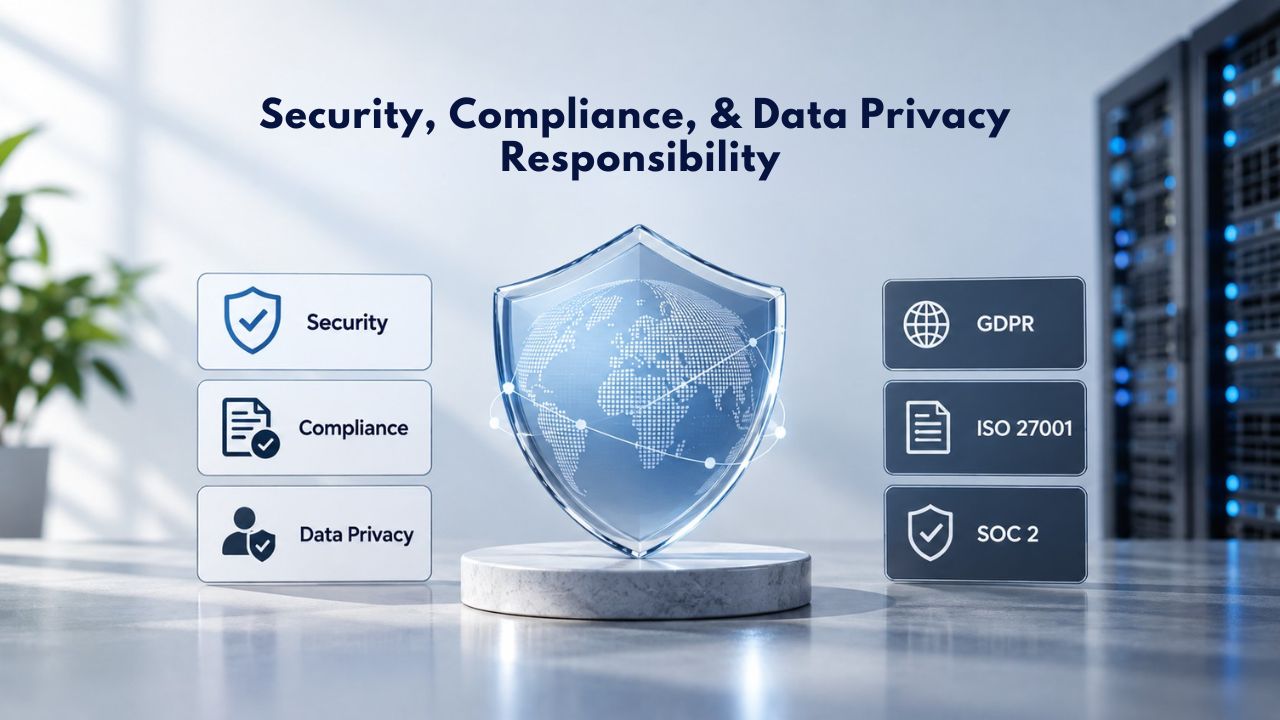
Website Builder Security Model
GoDaddy Website Builder and Niya Digital’s reseller platform handle security centrally: server hardening, DDoS protection, SSL certificates, automated backups, malware scanning, and emergency support. You’re responsible only for strong passwords and secure login practices.
Compliance with data privacy laws (GDPR, CCPA, and similar regional regulations) is simpler: the builder and host handle data processing agreements and retention policies; you configure settings within their interface. The platform’s privacy policy covers you, and the provider assumes liability for data breaches.
WordPress Security Distribution
WordPress core is well-maintained and regularly patched. The security burden falls on you or your managed host: keep WordPress, themes, and plugins updated (security patches are released weekly or more frequently), audit plugins for vulnerabilities, remove unused plugins, configure strong authentication (strong passwords, two-factor authentication), monitor logs for break-in attempts, maintain offsite backups in case of compromise, and set up a Web Application Firewall (WAF) if handling sensitive data.
Managed WordPress hosting shifts much of this burden back to the host, but you still monitor plugin security and configuration. For GDPR or CCPA compliance, you must actively configure privacy settings, data retention policies, and deletion tools; the infrastructure doesn’t do it for you. This is a significant responsibility for businesses handling customer data. Small businesses without IT staff often find this overwhelming. Large teams with dedicated security staff expect this responsibility. For most sole proprietors and freelancers, a website builder’s centralized security model is more reliable and requires less vigilance.
Ready to Explore Your Options?
Not every business needs WordPress’s complexity. Many companies considering a platform switch need only one specific feature, a custom form, a subscription model, or a multi-approval process, which can be accomplished within a website builder at far lower total cost and setup time than a WordPress rebuild. Before committing to the migration, clarify whether your use case truly requires custom code or if a higher-tier website builder plan with built-in features solves the problem. Niya Digital’s onboarding team can help assess your needs, walk you through the options, and guide you toward the right choice for your business stage and budget.
Frequently Asked Questions
Can I migrate my website builder site to WordPress without losing my content?
Most of your content- text, images, and blog posts- can be migrated, but the process is manual because website builders don’t offer export tools. Your site’s visual design is baked into the builder’s template system and must be recreated in WordPress themes. For a small site (5–10 pages), this takes a few days of your time. For a large site (50+ pages with complex design), hire a developer to handle the migration. No automated “one-click” export exists for builder-to-WordPress transfers.
Is WordPress really free?
WordPress software is free and open-source. You pay for hosting (required; builders include this automatically), domain registration (optional; builders often provide one free year), and optionally premium themes or plugins. Total startup cost is modest, but hidden costs (developer time, learning curve, security tools, backup services) add up. Website builders bundle everything, so total cost is more predictable upfront.
Do I need to know how to code to use WordPress?
No. WordPress has an intuitive admin interface for writing posts, uploading images, and managing settings. Page builders like Elementor or Beaver Builder let you design visually without code. Developers use code to extend functionality, but basic site management requires no coding. Website builders are slightly more beginner-friendly; WordPress has a steeper initial learning curve but more comprehensive documentation and community support.
How much does WordPress hosting cost compared to a website builder?
Website builders like Niya Digital include everything in one monthly plan. WordPress requires separate hosting (budget options available, managed options for premium support) plus optional plugins and themes. Costs vary widely depending on your hosting choice and site complexity. Managed WordPress hosting rivals a website builder’s all-in cost but offers more customization. Budget hosting is cheaper but requires more DIY maintenance and technical knowledge.
Will I lose my search engine rankings if I migrate from a website builder to WordPress?
Not if you plan well. Set up 301 redirects from old URLs to new WordPress URLs; search engines preserve rankings when redirects are configured correctly. Update your XML sitemap and notify Google Search Console. If you change URL structures significantly, you may lose some ranking momentum, but content migration with proper redirects typically preserves 80–95% of search visibility. Test redirects thoroughly before launching.
Can WordPress handle e-commerce as well as a website builder?
Yes, WordPress plus WooCommerce supports advanced features that builders don’t: subscriptions, product variants, custom post types, wholesale pricing, marketplace integrations. For a basic product catalog and checkout, both are equivalent. WordPress requires you to choose and install a plugin; builders include it and manage it. WooCommerce requires ongoing plugin updates and security monitoring.
Is WordPress secure?
Yes, if maintained properly. WordPress core is frequently updated with security patches. The risk is outdated plugins, weak passwords, and unpatched vulnerabilities. Managed hosting reduces this risk significantly. Website builders handle security centrally, reducing your responsibility. For most small businesses, a website builder’s security model is more reliable and less demanding.
What happens to my website builder site if the company shuts down or changes pricing?
You can’t easily move your site. Manual export of content is possible, but design recreation is required. This is why data portability and vendor lock-in matter. WordPress sites are fully portable: you own the code and data completely. Website builder sites are dependent on the platform’s continued existence and support. If the builder shuts down or becomes prohibitively expensive, you’re locked in.
How long does a WordPress site take to set up compared to a website builder?
Website builder: 1–4 hours (template selection, content entry, publish). WordPress with custom theme: 2–8 weeks (hosting setup, theme selection/customization, plugin configuration, content entry, security hardening). WordPress with page builder: 1–3 weeks. Website builders launch much faster. If time-to-market is critical, a builder is the clear choice.
Can I use a page builder like Elementor on WordPress to make it more beginner-friendly?
Yes. Elementor, Beaver Builder, and similar page builders bring drag-and-drop design to WordPress, similar to website builders. This reduces the learning curve and makes WordPress more accessible to non-technical users. You still handle WordPress’s backend responsibilities (updates, security, maintenance), but the design experience is significantly simplified. Premium versions have monthly subscription costs.
Do website builders have a free trial or money-back guarantee?
Most website builders offer free trials (14–30 days), free starter plans with limited features, or satisfaction guarantees. Niya Digital’s Website Builder Service includes 24/7 support during setup and onboarding assistance. Check the specific provider’s guarantee; many offer 30–60 day money-back guarantees. Use this period to test thoroughly before committing.
Can I switch from WordPress back to a website builder if I change my mind?
Technically, yes, but it’s painful. WordPress sites export as XML (posts/pages) or database dumps, but rebuilding on a website builder means manually copying content and recreating design. Website builders and WordPress are architecturally different, so reverse migration is as time-consuming as the original switch. Consider your choice carefully before migrating.
What’s the difference between WordPress.com and WordPress.org?
WordPress.com is a hosted blogging platform (similar to a website builder); you don’t manage hosting or installation. WordPress.org is free software you install on your own hosting. This guide discusses WordPress.org (self-hosted). WordPress.com is simpler but less flexible and typically more expensive long-term for growing businesses.
Does WordPress require ongoing maintenance like software on a computer?
Yes. WordPress core, themes, and plugins release updates regularly (often weekly or monthly). You must review and apply updates to maintain security and compatibility. Website builders handle this automatically behind the scenes. Managed WordPress hosting automates updates; unmanaged hosting requires you to do it. This is a key difference in responsibility and ongoing effort required.
Should I hire a developer to migrate to WordPress or do it myself?
For a small site (under 20 pages) with no e-commerce, DIY migration is feasible if you’re comfortable with WordPress basics and have time available. For larger sites, sites with complex e-commerce, or sites requiring design recreation, hire a developer. Developer-assisted migration reduces your time investment from weeks to days and reduces the risk of errors (broken redirects, missing pages, migration mishaps). Investing in professional help often saves money by avoiding costly mistakes.
Glossary
- Website Builder: A SaaS platform where you design and publish websites using a visual drag-and-drop interface, pre-designed templates, and built-in hosting; no coding required, and the provider handles platform maintenance automatically.
- CMS (Content Management System): Software that organizes, stores, and publishes digital content (pages, posts, media files, databases). WordPress is a CMS; website builders are also CMSs, but closed, proprietary platforms rather than open-source.
- WordPress: Free, open-source CMS software that runs on your own hosting account, offering unlimited customization via themes and plugins; you control all data, code, and server configuration.
- Plugin: A WordPress add-on (similar to an app) that adds or extends features; 59,000+ plugins available on WordPress.org, ranging from free to premium.
- Theme: A design template in WordPress that controls your site’s visual appearance and layout; you can swap themes without losing content, and you can heavily customize them.
- Hosting: The server infrastructure and computational resources where your website runs; website builders include hosting automatically, while WordPress requires you to purchase it separately from a hosting provider.
- Migration: The process of moving a website from one platform (builder) to another (WordPress); includes transferring content, recreating design, setting up redirects, and updating search engine settings.
- SSL Certificate: Security protocol (HTTPS) that encrypts data transmitted between your site and visitors’ browsers; both builders and WordPress include this, and it’s required for search ranking and customer trust.
- E-commerce: Online store functionality that enables you to display products, collect orders, process payments, track shipments, and manage inventory; builders offer basic e-commerce; WordPress offers advanced e-commerce via WooCommerce.