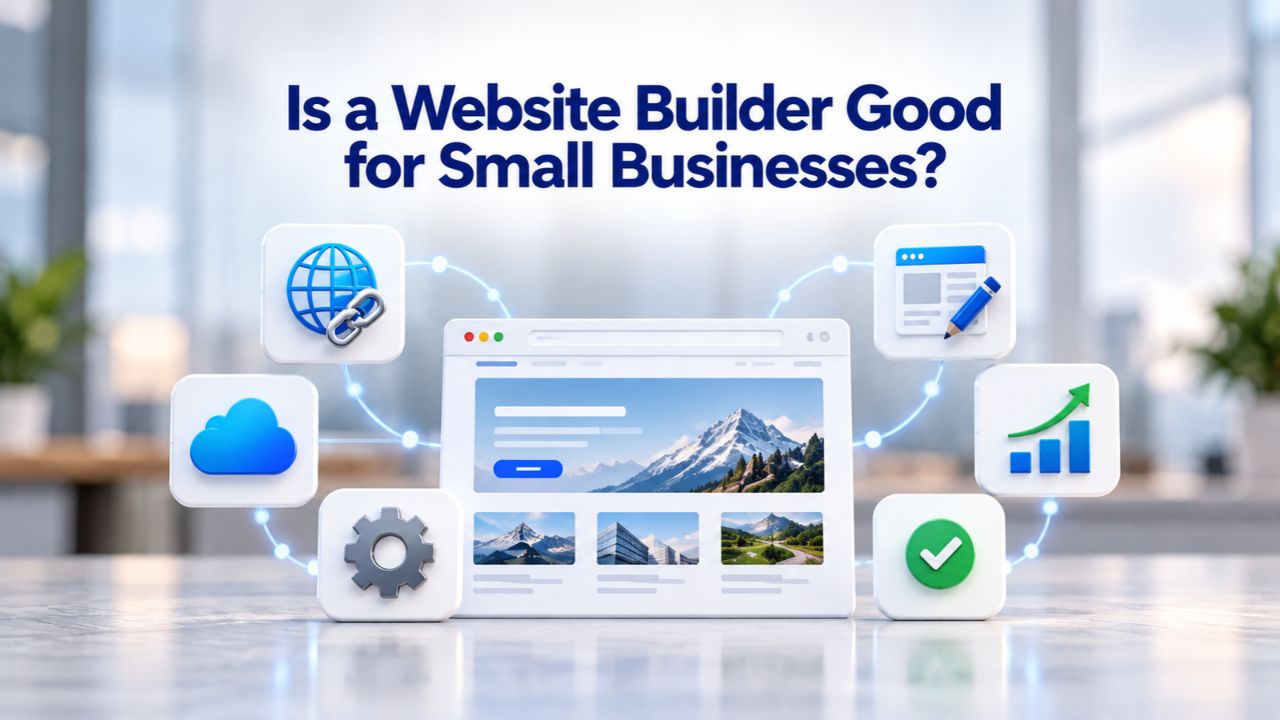
Almost two-fifths of small businesses still lack an online presence, missing customers who search for services online daily. A website builder can change that, letting owners launch a professional site in days rather than months, without extensive coding knowledge or major development investments. Whether a website builder is right for you depends on your business type, budget, and growth timeline.
Quick Launch Without the Development Wait
Website builders exist because hiring a custom developer takes considerable time. A professional website built through custom development typically spans 8 to 24+ weeks, demanding months of scoping, design iteration, and coding before your site goes live. Website builders compress that timeline by providing ready-made templates and intuitive tools you control, eliminating the waiting period that keeps many small businesses offline.
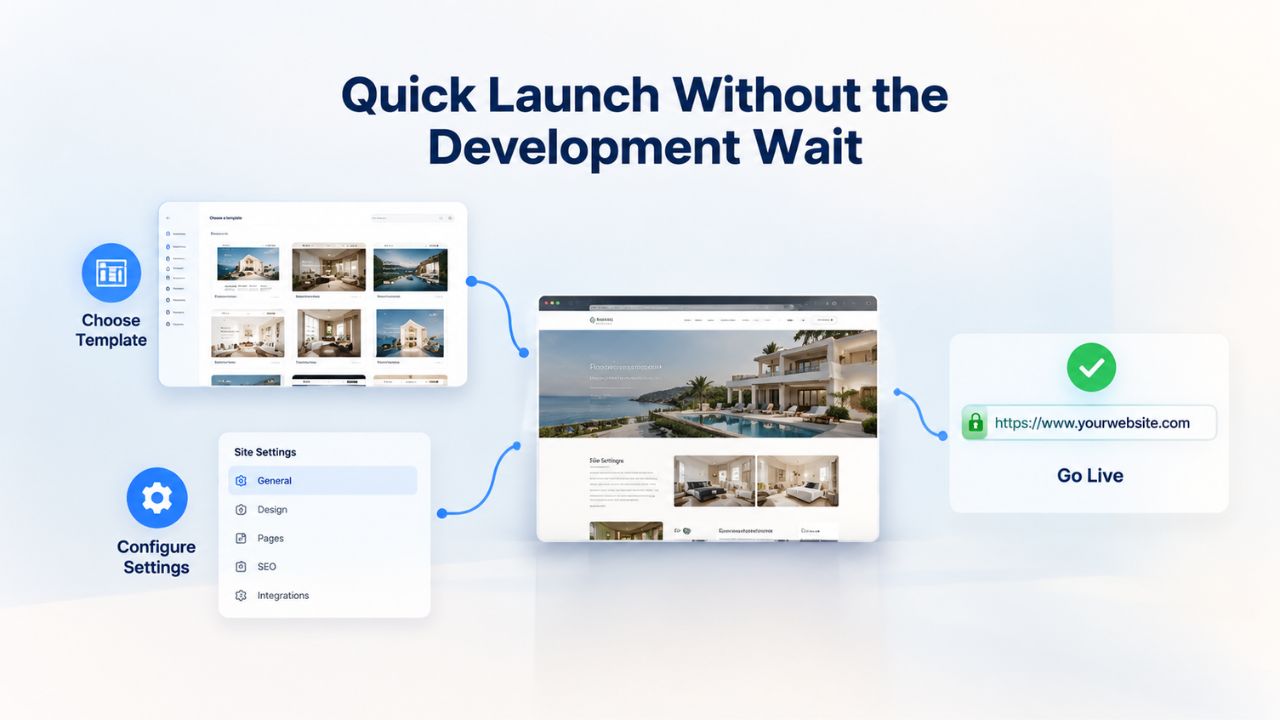
Launching in Days Instead of Months
A website builder gets you online in days to two weeks, sometimes even hours for a basic site structure. Drag-and-drop editors mean no waiting for developer availability or managing budgets that stretch into five figures. The setup process is straightforward and guided: you select a template that matches your industry, add your business information, connect your domain, customize colors and typography to fit your brand, and publish. Many small business owners complete a functional, branded website in a single afternoon or over a weekend. GoDaddy’s wizard-driven builder lets users create a basic site structure in about an hour. However, a polished, fully customized launch that truly reflects your brand typically requires several days of thoughtful refinement.
This speed matters because delays mean opportunity cost. While you wait for a developer’s schedule to open up or negotiate timelines and revisions, competitors are already ranking in search results and capturing customers searching for your services online. Every week your site remains offline is a week potential customers can’t find you or verify your business exists. A website builder lets you claim your digital space immediately and start building an online presence that works for you around the clock.
Ready-Made Designs Shorten Your Timeline
Template libraries give you hundreds of professionally designed starting points, each pre-built and tested for common business types. You’re not starting from a blank canvas or staring at a white screen; your template already has a proven layout structure, a harmonious color scheme, and an organized section framework. Customization takes hours: swap images, rewrite headlines to reflect your unique value proposition, and adjust colors to match your brand identity. Custom development, by contrast, requires a designer to mock up your vision, iterate on your feedback through multiple revision cycles, and build functionality from code. Each revision cycle adds weeks to the timeline, and scope creep is inevitable when starting from scratch.
The design foundation provided by templates means you’re building on proven layouts that have already been tested for user experience and conversions. This reduces risk and accelerates your path to a professional online presence that communicates your value to potential customers without requiring you to make every design decision from scratch.
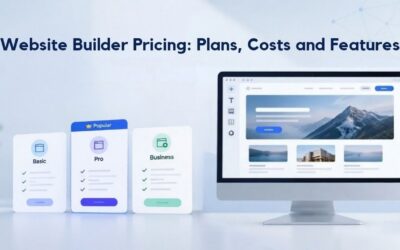
Website Builder Plans & Pricing
Create a professional website with flexible website builder plans designed for businesses, portfolios, and growing online brands. Choose a plan that matches your needs and build, customize, and manage your website with easy-to-use tools, responsive designs, and essential features for a strong online presence.
Website Builder Personal
Share your passion online.
- Responsive mobile design
- Website hosting
- Rapid Page-Load performance
- Create a blog
- Security (SSL)
- 24/7 support

Website Builder Business
Create an online presence for your business.
- Responsive mobile design
- Website hosting
- Rapid Page-Load performance
- Create a blog
- Security (SSL)
- 24/7 support
- PayPal Buy Now or Donate button
- Search Engine Optimization (SEO)
Website Builder Business Plus
Attract more customers.
- Responsive mobile design
- Website hosting
- Rapid Page-Load performance
- Create a blog
- Security (SSL)
- 24/7 support
- PayPal Buy Now or Donate button
- Search Engine Optimization (SEO)
- Social Media Integration
- Share content to Facebook
- Online Appointments
Website Builder Online Store
Sell products and services.
- Responsive mobile design
- Website hosting
- Rapid Page-Load performance
- Create a blog
- Security (SSL)
- 24/7 Support
- PayPal Buy Now or Donate Button
- Search Engine Optimization (SEO)
- Social Media Integration
- Share content to Facebook
- Online Appointments
- Built-in shopping cart
- Sell physical and digital products
- Accept credit and debit cards, PayPal and more
- Flexible shipping options
- Discounts and promotions
- Manage inventory
Affordability Without the Developer Budget
Cost is where website builders fundamentally change the equation for small businesses operating on lean budgets or bootstrapping their ventures. The financial barrier to entry transforms from “thousands of dollars and many weeks” to “accessible and manageable,” opening online presence to businesses that previously couldn’t afford it.
Subscription Model vs. Expensive Custom Development
Website builders operate on a subscription model that keeps costs predictable and manageable. Custom website development for a professional small business site requires a substantial upfront investment for design and development, plus ongoing maintenance expenses that add up over time. The difference is significant: a custom site costs much more upfront, making it out of reach for many startups and small business owners.
Website builders bundle hosting, security infrastructure, domain connection, and automatic updates into subscription plans. There’s no surprise $150/month hosting bill hiding in fine print or unexpected $500/year SSL certificate costs sneaking up on you. This all-inclusive approach means you know exactly what you’re getting and what you’re paying for, with no hidden expenses in separate vendor bills you discover after launch.
Predictable Monthly Costs and Financial Planning
You know exactly what you’ll pay each month, making budget planning straightforward. No emergency developer calls at hourly rates. No surprise security patches that cost hundreds. Platform updates happen automatically without your involvement, backups are handled systematically, and SSL certificates renew without manual intervention or additional invoices. This predictability is invaluable for small business cash flow management, especially when you’re managing multiple vendors and trying to forecast expenses accurately. Many small business owners find that the all-inclusive nature of website builders is refreshingly different from custom development, where costs often exceed initial estimates and hidden expenses appear unexpectedly.
No Coding Skills Required, Templates Do the Work
A fundamental barrier to business websites has always been technical skill and coding knowledge. Most small business owners know their business, their customers, and their value proposition far better than they know HTML, CSS, JavaScript, or server configuration. Website builders eliminate that technical barrier, making a professional web presence accessible to anyone, regardless of technical background.
Drag-and-Drop Editors for Non-Technical Users
Website builders are designed specifically for people without coding knowledge or web development experience. Drag-and-drop interfaces let you click elements and move them around visually, like arranging furniture in a room or organizing items on a bulletin board. Want to add a customer testimonial? Click the testimonial block, drag it into place, type the text, and it’s done. Want to add an image? Upload it, resize it by dragging a corner, and move on. No code required, no complex processes, no mysterious error messages.
GoDaddy Website Builder requires no HTML or programming knowledge, offering a near “wizard-driven” experience that works on a smartphone and is accessible to users with zero technical background. This means a freelance designer, a salon owner, or a solo consultant can build and maintain their site independently without hiring someone or spending weeks learning to code. The learning curve is shallow because the interface mirrors how most people already think about websites and how they organize content.
Pre-Built Sections Tailored to Your Industry
Templates come pre-populated with sections specifically relevant to your business type, saving you the mental work of designing from scratch. A service provider automatically gets a services section, testimonials area, and contact form built in. An e-commerce template provides product showcases, shopping carts, and checkout pages ready to customize. A consultant gets an about section, case studies showcase, and booking form for scheduling calls. You’re not building structure from nothing; you’re working with something already intelligently organized for your industry.
This pre-built structure lets you focus on your content and message instead of wondering how to organize your website or which sections you need. The builder has already solved those questions for thousands of businesses like yours, so you benefit from proven best practices without having to figure it out yourself.
Mobile-Responsive by Default
Mobile optimization is no longer optional; it’s essential for success. Over 50% of global web traffic originates from smartphones and tablets, and Google’s ranking algorithm now prioritizes the mobile version of websites first when determining search visibility. A website that looks good only on desktop is essentially invisible to half your potential customers and ranks poorly in search results.
Automatic Adaptation to Every Screen Size
Website builder templates are built to be responsive from the start, so they automatically adapt to any screen size without extra work. Responsive design automatically adjusts a website’s layout, images, and text size to look good on a desktop monitor, tablet, or phone. You don’t have to think about it or adjust anything manually; the technology handles it. The same site that shows a three-column layout on a desktop displays a single column on mobile, with text sized to be readable without zooming and buttons sized to be tappable on a small screen.
Mobile devices account for over 54% of global web traffic, and responsive websites provide a consistent, optimal experience across devices, directly influencing search rankings, making mobile-responsiveness essential rather than optional. Custom development requires a developer to intentionally code responsive behavior and test across multiple devices and screen sizes. Website builders include mobile-responsiveness by default in every template, eliminating that entire category of technical work and ensuring your site works beautifully for mobile visitors automatically.
Why Mobile-First Matters for Rankings and Visitor Behavior
Google’s mobile-first indexing means the mobile version of your site determines your search ranking in most cases. If your site doesn’t work well on phones, Google ranks it lower, making it harder for potential customers to find you. Additionally, 38% of visitors leave a website within 3 seconds if the design or load time is poor, and a poor mobile experience is a primary reason for that immediate bounce. A mobile-responsive website keeps visitors engaged, reduces bounce rates, and improves your chances of converting visitors into customers or leads.
This means mobile optimization isn’t a “nice to have” feature; it’s fundamental to whether your website actually works for you. Website builders ensure this from day one, while custom development requires specific attention to get right.
Built-In SEO Fundamentals for Search Visibility
Search engine optimization (SEO) drives organic traffic to your site- people actively searching for what you offer. Website builders include basic SEO tools that help search engines discover your site and rank it for relevant searches, without requiring you to hire an SEO specialist or learn technical SEO.
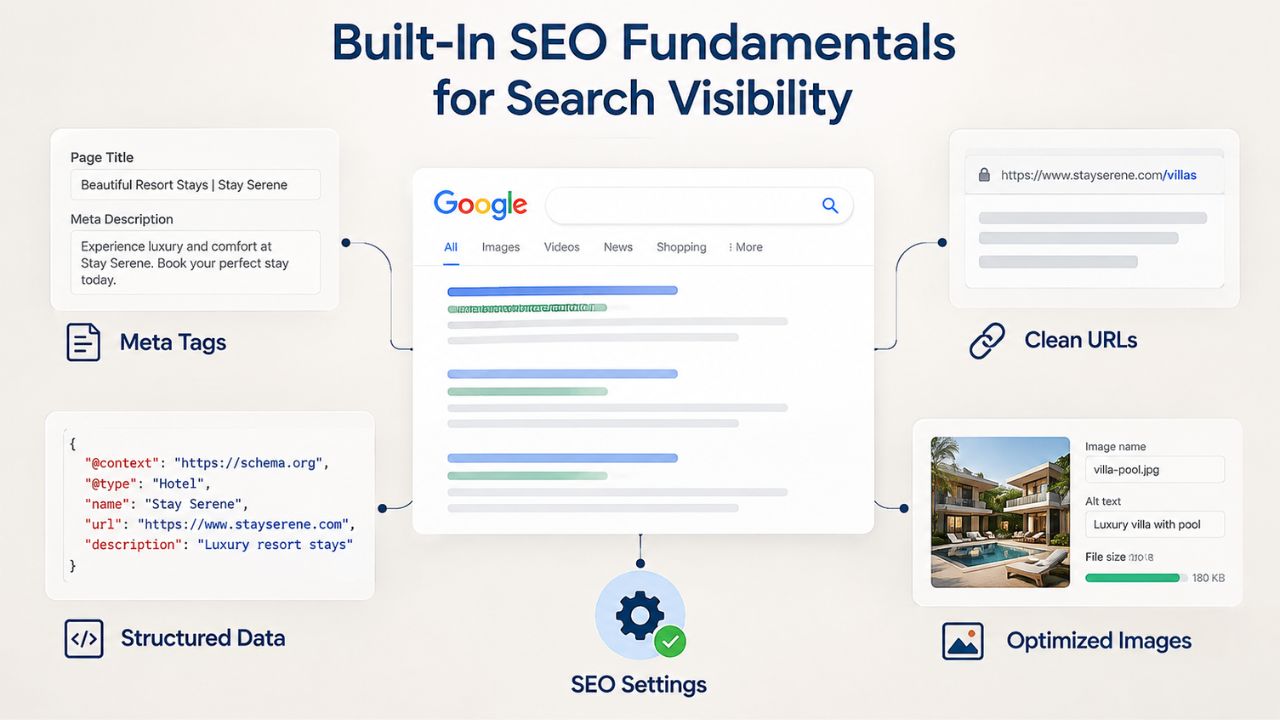
On-Page SEO Tools Without Technical Barriers
Website builders let you add title tags, meta descriptions, and alt text for images, core SEO elements that help search engines understand your site and rank it for relevant searches. You don’t write code or understand complex technical concepts; you fill in simple text fields with your information. Many platforms also offer automated sitemaps, mobile-friendly verification, and mobile-first indexing readiness to support your visibility in search results.
GoDaddy Website Builder and similar platforms include integrated SEO tools for on-page optimization, letting small business owners follow SEO best practices without hiring an SEO specialist or paying for extra tools. The barrier to entry for solid SEO fundamentals is accessibility and ease, not cost or technical expertise. You can optimize your site directly without intermediaries or additional expense.
Structured for Search Engines Out of the Box
Website builders are architecturally structured so search engines can crawl and index your content efficiently. Clean code, logical site structure, fast load times, and mobile responsiveness are built into the platform by default. You avoid many of the performance and technical SEO mistakes small business owners make when building sites without expertise- mistakes that tank search rankings and discourage visitors. This structural foundation makes it much easier to rank for relevant local and general keywords than a poorly built or outdated site.
The benefit is that you get a strong SEO foundation automatically, simply by using the platform. You’re not fighting against the tool’s limitations or overcoming poor default settings; the builder is designed to give you a head start with search visibility.
E-Commerce Capabilities for Small Shops
Many website builders include basic e-commerce functionality, allowing small business owners to sell products online without learning complex platform integrations, managing separate payment systems, or building inventory management from scratch.
Quick Online Store Setup Without a Specialized Platform
Website builder e-commerce features typically include product pages, shopping carts, and payment processing through major gateways. You add a product, set a price, upload photos, write a description, and customers can buy directly from your site. You don’t need to manage inventory on a separate platform, ship through a third-party system, or manually transfer data between systems. Everything is integrated into your website, making the process simpler.
This is particularly valuable for service businesses adding retail products (a yoga instructor selling branded mats or apparel), consultants offering digital products (templates, guides, or resources), or local shops starting online sales for the first time. Website builders support online stores and secure payment processing, making e-commerce setup accessible to small businesses looking to sell online. However, high-volume sellers eventually outgrow builder e-commerce capabilities and need more specialized platforms.
When Website Builder E-Commerce Makes Business Sense
Website builder e-commerce is perfect for businesses with a small product catalog (typically under 50 items), simple shipping needs, and manageable transaction volume. If you’re starting to sell online or testing whether products will sell before investing in a dedicated platform, a website builder gives you the infrastructure without the learning curve or complex setup. You can launch your online store quickly, test your market, and scale your approach based on real customer feedback and sales data.
The built-in e-commerce capability means you don’t need to choose between a website builder and an e-commerce platform; you get both in one integrated solution that simplifies your business operations.
Get Your Business Online Today
Whether you’re launching your first website or upgrading from an outdated site, a website builder makes a professional online presence achievable and fast. Most small businesses complete a launch in days, with full support and built-in features for search visibility, mobile optimization, and e-commerce capability. Niya Digital’s Website Builder Service supports you through setup and ensures a smooth, successful launch.
When Website Builders Hit Their Limits
Website builders excel for certain needs and business stages. But they’re not unlimited solutions, and understanding where they fall short can prevent costly missteps or frustration as your business grows.
Scalability Ceiling Around 50,000 Monthly Visitors
Website builder infrastructure is built for typical small business traffic patterns and visitor volumes. Performance caps typically emerge around 50,000 monthly visitors, beyond which custom architecture becomes necessary to maintain speed and reliability. If your site experiences sudden viral traffic, rapid growth, or visitor volumes beyond expected capacity, a website builder may slow down, leading to poor user experience and lost conversions.
The more complex your features become, the harder it is to stay within a builder’s capabilities. Add-ons, integrations, and custom functionality compound, creating a fragile, expensive patchwork of solutions. At that point, investing in custom development becomes necessary to support your growth properly.
Customization Locked Within Template Boundaries
Website builder customization only extends as far as the platform allows. You can change colors, fonts, and layout within the template framework, but you can’t add custom functionality beyond what the platform offers. If you need a unique workflow, a custom integration not offered by the builder, or a feature unavailable in any template, you’re blocked. Custom development gives you unlimited customization; website builders don’t.
Migrating from a builder to a custom platform requires transferring content while risking lost design, features, and integrations because builders use proprietary data structures. This limitation means you should plan your growth path carefully and consider whether a builder can support your long-term vision, or whether custom development makes sense now rather than later.
Website Builder vs. Custom Development Decision Framework
The choice between a website builder and custom development depends on your specific needs, timeline, and long-term business plans:
| Factor | Website Builder | Custom Development |
|---|---|---|
| Time to Launch | Days to 2 weeks | 8–24+ weeks |
| Technical Knowledge Required | None (visual, drag-and-drop) | Required or hire developer |
| Mobile Responsiveness | Built-in by default | Must be coded/designed |
| SEO Optimization | Basic on-page tools included | Full control, advanced options |
| E-Commerce Capability | Basic to mid-level (under 100 products) | Enterprise-scale possible |
| Scalability Limit | ~50,000 monthly visitors | Unlimited with proper architecture |
| Customization Options | Limited to platform features | Full control over code/design |
| Hosting & Maintenance | Included, fully managed | Self-managed or hire developer |
| Migration to Another Platform | Difficult, data loss risk | Owned data, easier portability |
Hands-Free Hosting and Maintenance
One of website builders’ most underestimated advantages is taking the entire technical burden of hosting and maintenance off your shoulders, so you can focus on running your business instead of managing servers.
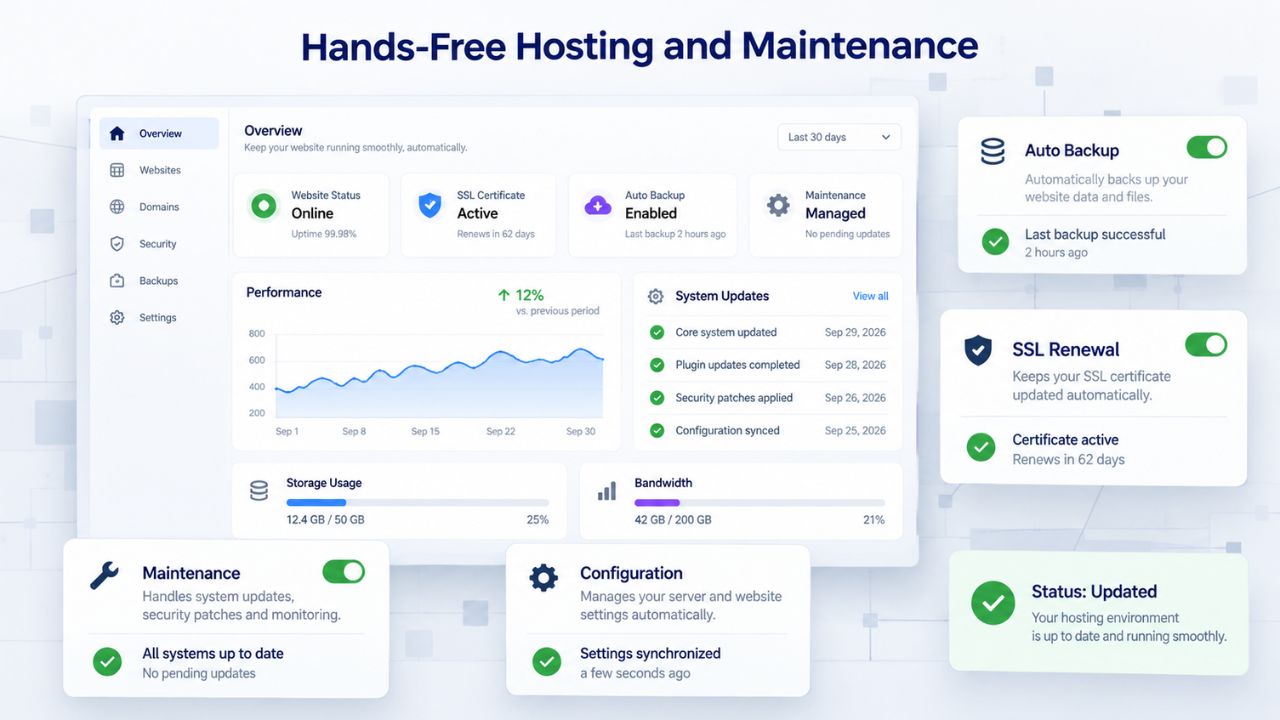
Automatic Security, Backups, and Updates
Website builders handle SSL certificates (which encrypt visitor data), backups (in case something goes wrong), and security patches automatically, without your involvement. You don’t get notices that your server is vulnerable and needs a patch; the platform patches it automatically. You don’t manually back up your site daily; backups happen automatically in the background and can be restored with one click if needed.
This removes an entire category of risk and responsibility that would otherwise fall on your shoulders. Small business owners without technical staff can’t manage server security independently; they’d need to hire someone or learn complex technical concepts. Website builders eliminate that need entirely, so you can focus your time and energy on running your business, serving customers, and growing revenue.
No Server Knowledge Required for Maintenance
Custom-developed sites require hosting management: choosing a server, configuring it properly, managing domains and DNS records, setting up email infrastructure, handling security updates, monitoring uptime, and troubleshooting issues when they arise. Server configuration mistakes can take your site offline, expose it to hackers, or cause data loss. Website builders abstract all of this away. You connect your domain, and the platform handles everything else automatically.
The barrier to entry for non-technical business owners drops from “hire a developer to manage this for me” to “sign up and start building.” This democratization of web presence is transformative for small businesses that previously needed to budget for expensive hosting management or technical expertise to keep their site running.
Choosing the Right Tool for Your Business Type
Website builders aren’t universally right or wrong; they’re right for certain businesses at certain growth stages. Understanding which category your business falls into helps you make the right investment decision.
Ideal Candidates for Website Builders
Freelancers, consultants, salon owners, and small local service businesses are ideal candidates for website builders. These businesses need credibility and online accessibility, but they don’t need complex back-end infrastructure. A lawyer building a website to explain services, share credentials and experience, and capture client inquiries doesn’t need anything a website builder can’t provide. A plumber in a small town needs a site that appears in local search results, shows hours and contact information, and reassures potential customers that they’re an established, legitimate business, all website builder territory.
Early-stage startups testing an idea benefit significantly from builders’ speed and affordability. Launch quickly, validate your business model with real customers, then decide whether to invest in custom development once you’ve proven product-market fit and growth justifies the additional investment. The builder serves as your proving ground and launch pad.
When Custom Development Becomes Necessary
A restaurant group with 10 locations needs centralized inventory management, per-location customization and local optimization, and integration with point-of-sale systems. These capabilities exceed what builder e-commerce typically offers. An online store selling 500+ products needs advanced filtering, inventory synchronization across channels, and complex shipping logic that goes beyond builder functionality. A SaaS company or web application needs custom application infrastructure, user dashboards, API integrations, and enterprise-level features that builders don’t support.
These businesses should invest in custom development from the start, or plan a deliberate transition to custom infrastructure as their growth demands it. The hybrid path, starting with a builder to validate demand, then migrating to custom development, reduces risk and allows you to justify custom development investment once growth is proven and requirements are clear.
Website Builder Fit by Business Type and Growth Stage
Different businesses have different needs at different stages of development:
| Business Type/Stage | Best Fit | Why This Approach Works |
|---|---|---|
| Freelancer or Solo Service Provider | Website Builder | Quick online credibility, contact forms, portfolio showcase, hands-on management |
| Local Retail Shop or Restaurant | Website Builder | Fast setup, basic e-commerce capability, hours/location display, local SEO foundations |
| Consultant or Coach | Website Builder | Professional appearance, low maintenance, booking forms and testimonials, brand control |
| Growing Multi-Location Business | Hybrid/Upgrade Path | Start with builder for speed and efficiency, add custom features as scale and complexity grow |
| High-Volume E-Commerce (100+ SKUs) | Custom Development | Complex inventory management, advanced filtering, multiple integrations, unlimited scalability |
| SaaS or Web Application | Custom Development | Custom functionality, user dashboards, API integrations, enterprise-level infrastructure |
| Startup Bootstrapping (0–6 months) | Website Builder | Launch fast on lean budget, validate business model, pivot without sunk cost, scale later |
Ready to Launch: Making the First Move
The biggest mistake small business owners make isn’t choosing the wrong website builder; it’s waiting too long to launch, waiting for perfection, or overthinking the decision until momentum stalls.
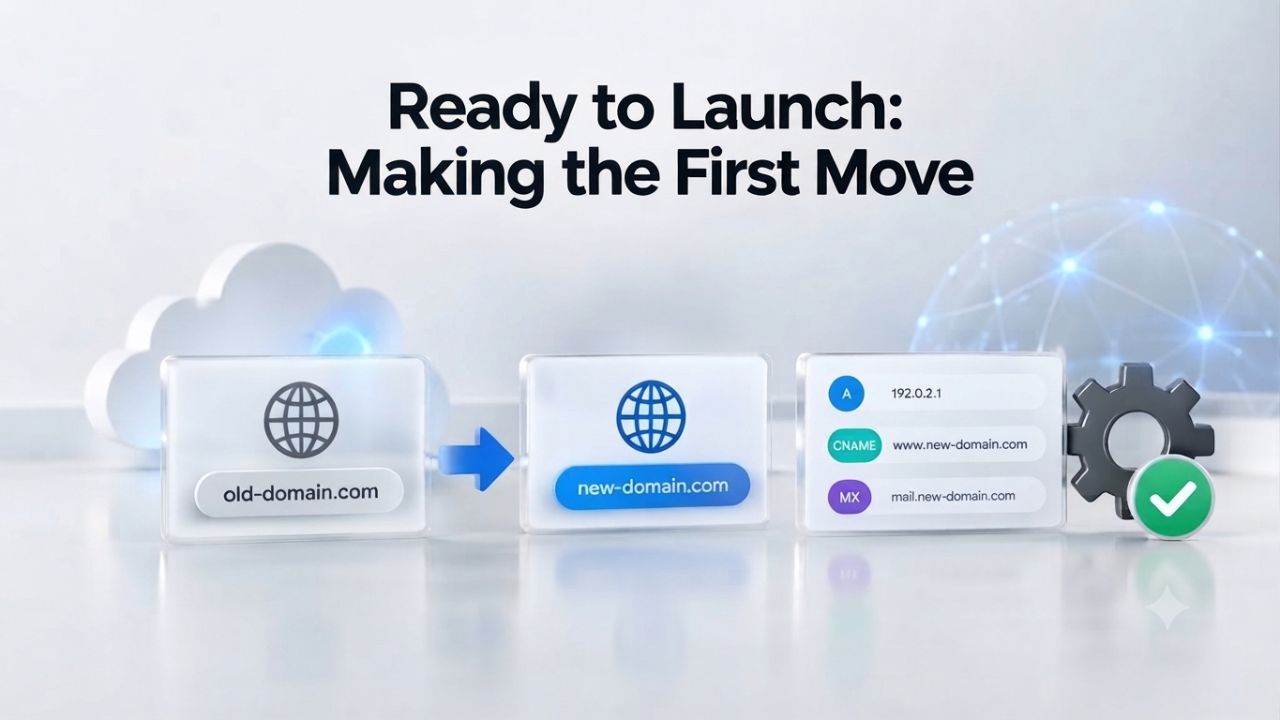
Done Is Better Than Perfect
A website that exists but isn’t perfect beats no website at all. Many small business owners delay launching because they’re waiting for the perfect design, photos, copy, or everything else. Meanwhile, months pass, competitors capture customers searching for services like yours, and your momentum stalls. Launch with a minimum viable website that works and communicates your value, then refine it based on real feedback and data.
Your first website doesn’t need every feature, flawless polish, or professional photography. It needs to exist, be mobile-friendly, clearly tell potential customers what you do and why they should care, and give them a clear way to contact you or buy from you. Website builders make that minimum viable website achievable in days, not months.
Key Setup Elements to Plan Before Building
Before you start building, clarify your purpose: What’s the main goal of your site? Are you generating leads, selling products, building credibility, or scheduling appointments? Who’s your target audience, and what’s the primary action you want a visitor to take? Clear intent makes design decisions easier, improves conversion rates, and helps you measure whether your site is working.
Also, secure your domain name early (ensure it matches your business name or primary keyword), prepare key content in advance (business description, services or products offered, customer testimonials if available), and gather images or photos (even smartphone photos work for a launch). Website builders make the creation process fast, but having raw materials prepared speeds everything up further and lets you launch quality faster.
Start Your Website Builder Journey with Niya Digital
Niya Digital’s Website Builder Service provides more than just access to the underlying builder technology. We guide you through plan selection based on your business needs, help customize templates to match your unique brand identity, ensure you’re set up for ongoing success, and provide hands-on support whenever you have questions during setup or need to make changes later. Explore how Niya Digital’s Website Builder Service support can guide you through every step of your launch and help you build a professional online presence that works for your business.
Frequently Asked Questions
Is a website builder suitable for professional businesses like law firms or consulting?
Yes, website builders are excellent for professional service businesses. Law firms, consultants, accountants, and similar businesses benefit significantly from a professional-looking website that showcases expertise, displays attorney or consultant biographies, explains practice areas, and features client testimonials. Website builders include sophisticated design elements that convey professionalism and competence without requiring custom development. If your primary need is to build credibility and generate leads rather than manage complex back-end systems, a website builder is a solid, cost-effective choice.
What’s the difference between a website builder and WordPress?
Website builders offer drag-and-drop visual interfaces and fully hosted solutions; hosting, security, and domain management are all included, and you don’t manage any server-side technical concerns. WordPress is open-source software; WordPress.com is a hosted WordPress service, while self-hosted WordPress requires you to manage hosting separately and handle technical maintenance yourself. Website builders are simpler and faster to launch for non-technical users; WordPress offers more customization and control for those willing to learn the platform or hire help managing it.
Do website builders include SEO tools?
Yes, most website builders include basic SEO tools built in: title tags, meta descriptions, alt text for images, XML sitemaps, and mobile optimization features. These built-in tools help search engines index and rank your site for relevant searches. However, website builder SEO capabilities are generally more basic than what custom development allows for advanced optimization. For most small businesses that need visibility for local searches or common industry keywords, built-in SEO tools are sufficient and effective.
Can I migrate my website builder site to a custom platform later?
Migration is possible but complex and time-consuming. You can transfer content, but design, custom features, and integrations don’t port cleanly to a new platform. You’ll likely need to rebuild your design on the new platform and may lose some functionality or SEO equity during the transition period. Plan for several weeks of effort and potential temporary downtime. If you anticipate needing custom development eventually, carefully consider whether building custom from the start makes more sense than building on a builder first and migrating later.
How long does it actually take to launch a site using a website builder?
A basic site structure can be ready in hours; a polished, fully customized site that truly represents your brand typically takes a few days to a week of focused work. The timeline depends heavily on how prepared you are with content, images, and a clear vision of what you want. If you’re organized and have materials ready, plan for one to two weeks of part-time work. If you’re starting from scratch gathering photos and writing content, allow two to four weeks of part-time effort.
Do website builders support e-commerce for selling products online?
Most website builders include e-commerce capabilities for small product catalogs, typically supporting up to 50-100 products. You can add products, set prices, accept payments, and manage orders all within your site. For high-volume e-commerce (500+ products), complex inventory management, or sophisticated integrations with shipping and fulfillment systems, a dedicated e-commerce platform or custom development is better suited to your needs.
What if my website builder runs slow or goes down?
Website builders use shared server infrastructure; traffic spikes or unusually high-volume sites may experience slowdowns during peak times. If your site is critical to your business, monitor performance and contact platform support when issues occur. Expect 99% uptime with most builders, but don’t expect guaranteed 100% uptime; that typically requires custom enterprise infrastructure. Read the platform’s service-level agreement (SLA) to understand uptime guarantees, support responsiveness, and what compensation is offered if they don’t meet their commitments.
Can I use my own custom domain name with a website builder?
Yes, all paid website builder plans support connecting your own custom domain name. Many builders allow you to register a new domain directly through their platform, or you can connect a domain you’ve registered elsewhere. During setup, you’ll point your domain to the builder’s hosting infrastructure, and your site becomes accessible at your custom domain rather than a builder subdomain.
Is a website builder secure enough for taking customer payments?
Website builders include SSL certificates (which encrypt data in transit), PCI compliance infrastructure for payment processing, and security measures suitable for small business e-commerce. However, security is a shared responsibility; you must keep your password strong, avoid phishing scams, and follow the platform’s security guidelines. For payment-heavy businesses or those handling particularly sensitive customer data, review the platform’s security documentation carefully and consider implementing additional protective measures.
What happens to my site if I stop paying my website builder subscription?
Your site will typically go offline within days of cancellation. Content may be deleted after 30-90 days depending on the platform’s specific retention policy. Always back up your content before canceling a subscription. Some builders allow data export in standard formats; if migration is a concern, ask the platform about export options and data portability before signing up.
Do I need to know coding or programming to build a site with a website builder?
No, not at all. Website builders are specifically designed for non-technical users. All interactions are visual: drag-and-drop, text fields, and clicking buttons. You’ll never write code or encounter programming concepts. If you want to add custom code later for specific functionality, some platforms allow HTML/CSS snippets in designated areas, but it’s optional, not required.
How often should I update my website after launching?
Keep content fresh by updating your products or services when they change, refreshing testimonials or case studies periodically, and ensuring your contact information and business details remain current. Plan for at least a monthly review to identify content that needs updating. Website builders make updates simple, no developer required, so you can make changes immediately whenever you identify something that needs attention.
What’s the main advantage of a website builder for a small business?
Speed and affordability combined with professional results. Website builders enable small business owners to launch a professional, mobile-responsive site in days without coding knowledge or large development budgets. This accessibility to a credible online presence is transformative for small businesses that previously couldn’t afford a website or didn’t have time to wait months for custom development.
How do I choose between a website builder and custom development?
Use your business type, timeline, and growth plan to guide the decision. Choose a website builder if you need to launch quickly on a lean budget, your traffic projections are moderate, and your feature needs fit within builder offerings. Choose custom development if you need unlimited customization, anticipate significant growth, require enterprise-level integrations, or have complex functionality requirements. Many businesses start with a builder to validate their model, then move to custom development as they scale.
Will my website builder site rank well in search results?
Yes, website builder sites can rank well in search results. The platform provides on-page SEO tools, mobile responsiveness by default, and a clean code structure that search engines favor. Your ranking depends primarily on your content quality, relevance to search queries, and ongoing SEO effort, not the platform itself. Many successful small businesses rank highly with website builder sites.
Glossary
- Website Builder: An online platform that enables users to create and publish a website without coding knowledge, typically using drag-and-drop visual interfaces and pre-designed templates customizable to your brand.
- Template: A pre-designed layout or framework for a website that users can customize with their own content, images, colors, and branding to create their unique site.
- Drag-and-Drop Interface: A user-friendly editor that allows users to click, drag, and place design elements (text, images, buttons, sections) onto a page without writing code or using complex tools.
- Responsive Design: A web design approach that automatically adapts a website’s layout, images, and content to look good and function properly across all devices (desktops, tablets, smartphones).
- Domain: A website’s unique address on the internet (e.g., www.mybusiness.com), registered and purchased annually from a domain registrar to establish your online identity.
- Hosting: The service that stores a website’s files on servers and makes the site accessible on the internet 24/7 for visitors to access from anywhere, anytime.
- SEO (Search Engine Optimization): The practice of optimizing a website’s content, structure, and technical elements so search engines like Google rank it higher in results, driving more organic traffic.
- E-Commerce: The ability to sell products or services directly on a website, including product pages, shopping carts, checkout processes, and payment processing for online transactions.