The Challenge: Why Your Appointment Business Needs a Web Presence
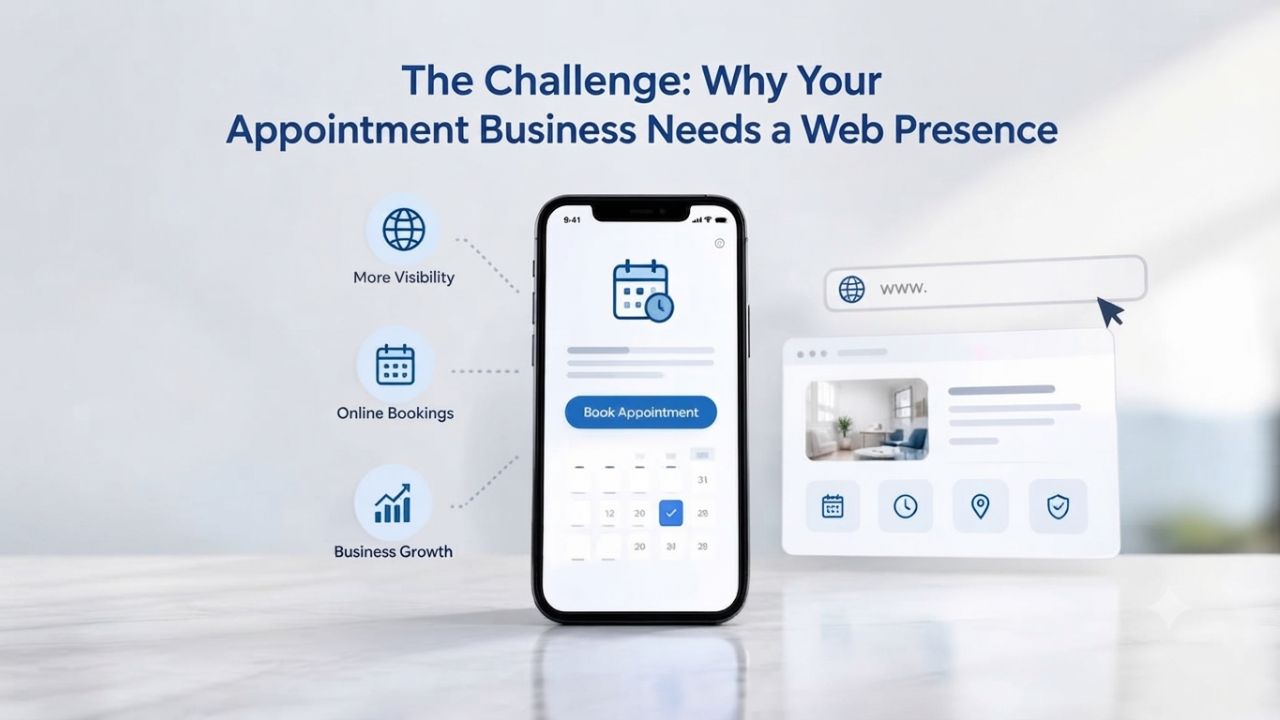
Service businesses face intensifying pressure to be discoverable online. When potential customers need your service, they start with a search engine or social media, not a phone book. Without a digital presence, you’re invisible to customers in the exact moment they’re looking for someone like you.
| Market Reality | Impact on Your Business |
|---|---|
| 83% of small businesses operate websites | Remaining 17% offline face competitive disadvantage |
| 89% of consumers switch to competitors after poor online experience | Professional presence signals credibility and professionalism |
| 60%+ of appointment searches happen on mobile | Mobile-friendly sites directly influence booking rates |
| Customers expect 24/7 booking availability | Manual phone-based scheduling loses customers who can’t reach you during business hours |
| Average setup time with developer: 2–4 weeks | No-code builders: 4–8 hours of actual work |
| Average developer cost: $2,000–$5,000+ | No-code builder ongoing costs: minimal monthly subscription |
The Cost of Being Invisible Online
Service-based businesses that lack a web presence face a persistent credibility gap. According to a Clutch Report, about 83% of small businesses now have websites, meaning the 17% that remain offline are already at a competitive disadvantage. When potential customers search for appointment services, salon haircuts, personal coaching, dental cleanings, or consulting advice, they expect to find a website. If they don’t, they often assume the business is either outdated, unreliable, or no longer operating. This assumption sends them directly to your competitor.
A professional online presence signals trustworthiness and professionalism to prospective customers. Studies show that 89% of consumers will switch to a competitor after a poor online experience. Still, the inverse is equally powerful: customers reward businesses that make booking simple, transparent, and accessible. For appointment-based businesses, a website with integrated booking doesn’t just provide information; it transforms casual interest into confirmed bookings. When customers can book a time slot immediately, see instant confirmation, and receive automatic reminders, the friction that typically causes them to abandon the booking process evaporates.
The Booking Friction Problem
Even when appointment businesses maintain a web presence, many still rely on phone calls, email inquiries, or SMS messages to confirm bookings. This manual workflow creates friction at every stage. A customer finds your website, sees a service they want, but then has to call during business hours, leave a voicemail if you’re busy, wait for a callback, negotiate scheduling over the phone, and then wait for a confirmation email. By the time that process completes, many customers have already booked with a competitor who offered immediate confirmation.
An online appointment booking system eliminates that entire friction chain. Customers see available time slots in real time, choose their preferred slot directly from the calendar, enter their contact information through a form, and receive an instant confirmation email, all without a single phone call. The system automatically sends reminders before the appointment, syncs booked times with your personal calendar to prevent double-bookings, and often integrates payment processing so customers can pay upfront or at booking. This self-service workflow dramatically improves the customer experience while freeing your team from scheduling calls and follow-up emails that consume hours each week.
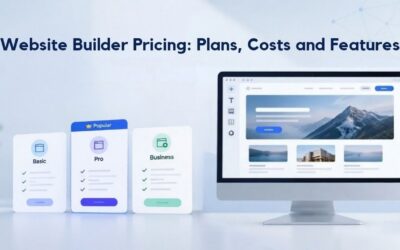
Website Builder Plans & Pricing
Create a professional website with flexible website builder plans designed for businesses, portfolios, and growing online brands. Choose a plan that matches your needs and build, customize, and manage your website with easy-to-use tools, responsive designs, and essential features for a strong online presence.
Website Builder Personal
Share your passion online.
- Responsive mobile design
- Website hosting
- Rapid Page-Load performance
- Create a blog
- Security (SSL)
- 24/7 support

Website Builder Business
Create an online presence for your business.
- Responsive mobile design
- Website hosting
- Rapid Page-Load performance
- Create a blog
- Security (SSL)
- 24/7 support
- PayPal Buy Now or Donate button
- Search Engine Optimization (SEO)
Website Builder Business Plus
Attract more customers.
- Responsive mobile design
- Website hosting
- Rapid Page-Load performance
- Create a blog
- Security (SSL)
- 24/7 support
- PayPal Buy Now or Donate button
- Search Engine Optimization (SEO)
- Social Media Integration
- Share content to Facebook
- Online Appointments
Website Builder Online Store
Sell products and services.
- Responsive mobile design
- Website hosting
- Rapid Page-Load performance
- Create a blog
- Security (SSL)
- 24/7 Support
- PayPal Buy Now or Donate Button
- Search Engine Optimization (SEO)
- Social Media Integration
- Share content to Facebook
- Online Appointments
- Built-in shopping cart
- Sell physical and digital products
- Accept credit and debit cards, PayPal and more
- Flexible shipping options
- Discounts and promotions
- Manage inventory
What Makes an Appointment Website Work: Core Components Explained
An appointment website isn’t just a static online business card. It’s a functional scheduling system that coordinates multiple layers of technology to create a seamless customer experience. Understanding these components helps you evaluate whether a website builder will meet your specific business needs.
| Feature / Component | What It Does | Why It Matters for Appointment Businesses |
|---|---|---|
| Service Listing | Displays offerings with descriptions, duration, and details | Customers understand what you offer and how long each service takes before booking |
| Availability Calendar | Shows open time slots; blocks booked or unavailable times | Prevents double-bookings and enables customers to book 24/7 without waiting for office hours |
| Booking Form | Collects customer name, email, phone, service preference, and selected time | Captures information needed to deliver the service (e.g., haircut preferences for salons) |
| Confirmation & Reminder System | Automatically sends confirmation emails and pre-appointment reminders | Reduces no-shows; improves attendance; eliminates manual reminder calls |
| Payment Processing | Accepts deposits, full upfront payment, or payment at appointment time | Streamlines billing, reduces invoicing overhead, improves cash flow |
| Calendar Integration | Syncs with personal calendar (Google, Outlook, Apple Calendar) to reflect real availability | Prevents booking conflicts; keeps website and personal calendar synchronized automatically |
| Mobile Responsiveness | Website and booking form adapt to phones, tablets, and desktops | Over 60% of bookings happen on mobile; poor mobile experience loses customers |
The Essential Building Blocks
A functioning appointment website requires several interconnected pieces working together in concert. First is a service listing: a clear, detailed description of what you offer, how long each service takes, and what customers can expect. A salon website needs service listings for haircuts, colors, treatments, and styling, each with pricing and duration. A coach’s website needs descriptions of different coaching packages or consultation types.
A medical practice needs to list appointment types with relevant information for each. The second foundational piece is an availability calendar, which shows customers exactly when you’re open and which time slots are available for booking. This calendar must stay synchronized with your personal calendar to prevent the nightmare scenario of overbooking or double-booking.
The third critical component is a booking form that captures essential customer information. This form collects basic contact details (name, email, phone) but can be customized to gather business-specific information. A hair salon might ask about hair type and color goals. A therapist might ask about chief concerns or previous therapy experience. A fitness trainer might ask about fitness level and specific goals.
The fourth piece is an automatic confirmation and reminder system: when a customer books, they immediately receive a confirmation email. Then, the system automatically sends reminders before the appointment (typically 24 hours before and 1 hour before), which dramatically reduces no-shows. Finally, payment-processing integration lets you collect payment directly through your website, either as a deposit to secure the appointment or as full payment upfront, eliminating the need for separate invoicing systems.
How Website Builders Handle Appointment Workflow
Website builders like GoDaddy Website Builder simplify this entire workflow by bundling these components into a single, integrated feature set. Instead of assembling separate tools and learning multiple systems, you configure your services once in the builder’s appointment interface. The builder then automatically syncs your website’s available slots with your personal calendar (Google Calendar, Outlook, Apple Calendar, etc.), ensuring that when you mark time as unavailable in your personal calendar, those slots immediately disappear from your booking widget. Customers see only your truly open times, eliminating the manual calendar management that causes confusion and frustration.
Once a customer books through your website, the automation takes over. Confirmation emails are sent automatically to both the customer and you. Appointment reminders go out before the scheduled time without you lifting a finger. Your personal calendar updates in real time with the new appointment. If you’ve integrated payment processing, it processes payments securely and immediately. The builder handles all the technical infrastructure, database storage, calendar synchronization, email delivery, security, and backup, so you can focus entirely on running your business. For most appointment businesses, these built-in features are sufficient. For those needing more advanced customization, you can embed third-party scheduling services within the builder’s framework, giving you deeper control over booking rules and customer workflows.
Why No-Code Appointment Websites Work: Eliminating the Coding Barrier
The traditional path to launching an appointment website involves hiring a freelance developer or engaging an agency. You explain your needs in a consultation call. The developer quotes 2–4 weeks of development time and a substantial project fee. You wait while they write custom code, create databases, build custom functions, and test the system. You review what they built, request revisions, wait for those revisions, and finally, weeks later, you have a live website. Throughout this process, you’re dependent on the developer for changes, maintenance, and troubleshooting. The moment you want to update your services or adjust your availability, you’re back to emailing the developer and waiting for changes.
No-code website builders completely invert this model. Instead of custom development, you start with a pre-built appointment template designed specifically for service businesses. The template already includes the core features, booking form, calendar integration, and confirmation system, all built in and ready to customize. Your job isn’t to build from scratch; it’s to customize a proven system with your business details.
You choose your template, upload your photos and logo, write your service descriptions, set your hours and pricing, configure your appointment settings, and launch. Most businesses complete this entire process in 4–8 hours of active work, spread across 1–3 days of part-time effort. First-time users might take longer, but the builder’s interface is intentionally designed for speed and ease.
From Freelancer Timelines to Hours-to-Launch
The traditional path to an appointment website involves hiring a freelance developer, explaining your needs, waiting weeks while they build custom code, testing, revisions, and finally, after a timeline that often stretches and a bill that exceeds estimates, launching. Even relatively simple sites take 2–4 weeks to develop, and the total investment is substantial. During this process, you have no control over development, no ability to make changes yourself, and complete dependence on your developer’s availability and priorities.
No-code website builders eliminate this entire pipeline. Instead of custom development, you start with a pre-built appointment template, customize the colors and text in a drag-and-drop interface, add your services and availability, and publish. Many appointment websites launch in 4–8 hours of actual work, spread across a day or two of part-time setup.
The cost model is also fundamentally different: instead of paying a large upfront development fee, you pay a small recurring monthly subscription for the builder itself. This shifts the economics entirely in your favor, especially for small businesses operating on limited budgets. You can launch, test your site with real customers, make adjustments based on feedback, and scale at your own pace, all without needing to hire developers or spend thousands upfront.
The Drag-and-Drop Workflow: No Developer Required
A no-code workflow looks deceptively simple because it actually is. First, you choose a template that matches your industry, perhaps a salon template, a coaching template, a medical practice template, or a general service template. Each template is pre-designed with the right sections and flow for that industry. Second, you drag blocks around to rearrange sections, move your booking form higher on the page if you want it to be the first thing visitors see, add a testimonials section below your service descriptions, and reorganize staff profiles.
The interface shows you exactly what each section looks like as you rearrange it. Third, you click to edit text, change “Services” to your actual service names, replace placeholder descriptions with your own, and update phone numbers and email addresses. Fourth, you upload your photos and logo, replacing placeholder images with your actual brand materials.
Fifth, you configure your appointment settings. This is where the builder’s interface shines; you don’t write any code here either. You add your services (haircut, color, styling, etc.), set the duration for each, mark your available hours and days, and connect your personal calendar. Many builders include step-by-step guides for this section, and support staff are available if you get stuck. Finally, you click Publish, and your site goes live.
At no step does the builder require you to write HTML, CSS, or JavaScript. The interface is entirely visual and conversational. Professional mobile-responsive design is baked into the template from the start; your site automatically adapts to phones, tablets, and desktops without any extra work. This accessibility is precisely why no-code builders have exploded in adoption over the past five years: they’ve lowered the barrier to a professional web presence from “hire an expensive developer” to “use a visual drag-and-drop editor.”
Design and User Experience Without Coding: Professional Results Built In
A common concern for business owners considering website builders is whether the final site will look professional or generic. Many worry that a template-based site will look indistinguishable from competitors’ sites or amateurish. In reality, modern website builders address both concerns through thoughtful design and extensive customization options.
Mobile-First Design Out of the Box
Over 60% of web traffic comes from mobile devices, and appointment bookings increasingly happen on phones. A customer is commuting to work and decides they need a haircut. They pull out their phone, search for salons, and try to book immediately. A customer is sitting in their office and realizes they need to schedule a consultation with a coach. They pull out their phone and look for available time slots.
A customer is in a waiting room and remembers they need to book a follow-up appointment with their doctor. They use their phone to find the practice website and make the appointment. Website builders recognize this reality entirely: all templates are designed mobile-first, meaning the phone version is optimized and tested before the desktop version is even created. This mobile-first approach ensures a smooth, fast, and accessible booking experience on the device where most of your customers will interact with you.
Drag-and-drop interfaces ensure that when you rearrange elements on the desktop view, the mobile layout adapts intelligently. You don’t have to manage two separate designs or worry about whether your changes will break the mobile version; the builder handles that automatically. Your appointment booking form, service gallery, staff profiles, testimonials, and contact information all render correctly and load quickly on any device. Buttons are sized for touch interaction on phones. Text is readable without zooming. Images scale appropriately. This mobile accessibility directly impacts conversion rates: businesses with fast, mobile-friendly booking sites see significantly higher booking rates than those with desktop-only or poorly optimized mobile experiences.
Customization Without Design Skills
Many business owners worry that using a template means their site will look identical to dozens of competitors’ sites using the same template. Website builders address this through extensive customization options available entirely within the no-code interface. You can change colors to match your brand, pick primary and accent colors that reflect your business personality. Upload your logo, and the builder automatically sizes and positions it appropriately.
Upload photos of your space, your team, your services, and your clients’ testimonials; these personalization elements make the template feel like your site, not a generic template. You can also reorder sections, resize images, adjust fonts, change button text, and modify layouts in ways that make the site feel uniquely yours. The builder’s underlying design system keeps all these changes cohesive; you can’t accidentally break the layout because the builder’s structure enforces consistency automatically.
Professional designers spend years learning typography, spacing, contrast, and layout principles; you don’t need to learn all that because the template has already applied those best practices. Your role is simply personalizing the well-designed template with your business details, photos, and voice. The result is a site that looks professionally designed (because it was) and feels personalized to your business (because you customized it with your own content and branding).
Getting Set Up Fast: Timeline and Support
One of the biggest advantages of no-code website builders is the dramatically compressed timeline from decision to live site. Understanding this timeline helps you plan your appointment website project and set realistic expectations for when you’ll start accepting online bookings.
From Sign-Up to Live Site: Realistic Timeline
Setup time depends primarily on how much content you prepare upfront. If you have your service descriptions written out, pricing confirmed, staff photos ready, and availability clearly defined, you can launch an appointment website in 4–8 hours of focused work. This timeline assumes no major customization complexity, a salon with five services, a solo coach with one offering, or a medical practice with three providers. The first 1–2 hours go to account creation and template selection: you create your builder account, explore available templates, choose one that matches your industry, and configure basic site settings like your business name and location.
The next 2–3 hours cover customization: you upload your photos and logo, write or paste your service descriptions, adjust colors to match your brand, and arrange sections so they tell your story in the order that makes sense for your business. The following 1–2 hours involve configuring your appointment settings: you add each service, set durations, mark your availability by day and time, connect your personal calendar, and test the booking flow.
The final 0.5–1 hour covers testing and going live: you walk through the booking process yourself to make sure everything works, verify that confirmation emails are formatted correctly, check how the site looks on mobile, and then publish your site. Many business owners spread this work across 2–3 days, working on the site for a couple of hours at a time, which also gives them time to think through each section and make deliberate choices about content and design.
Support and Onboarding Resources
Website builders offer multiple support channels to help you through the setup process. Most provide 24/7 chat support where you can ask a question and get an answer within minutes. Many offer email support for more complex questions. All include video tutorials for common setup tasks, step-by-step written guides that walk you through each section, and community forums where you can see how other business owners solved specific problems. Niya Digital’s Website Builder Service includes hands-on onboarding support: a dedicated guide walks you through setup, helps you customize your template to match your brand, and troubleshoots any issues that come up during launch.
If you’re new to website builders or feel uncertain about any step, you don’t have to figure it out alone. Builders have intentionally designed their workflows to be intuitive enough for non-technical users, while professional support is available when you need guidance or reassurance. Niya Digital’s team has found that most appointment-based business owners complete setup without extensive ongoing support once they understand the general workflow.
However, having that support available reduces anxiety and speeds decision-making. Many business owners find that the combination of intuitive tools and available support makes the experience surprisingly smooth and even enjoyable. The sense of accomplishment that comes from launching your own professional website without hiring anyone is genuinely valuable for small business owners.
Ready to Build Your Appointment Website? Start Today.
An appointment website is no longer a luxury for service businesses; it’s foundational to staying competitive. Niya Digital’s Website Builder Service makes launching one straightforward, affordable, and remarkably quick. Whether you’re a salon, coach, consultant, therapist, trainer, or medical practice, a professional appointment website starts your customers’ booking journey without friction. Explore Niya Digital’s website builder plans, browse appointment-ready templates, and get your bookable presence online in days, not weeks.
Appointment Features You Actually Need: Built-In vs. Third-Party
When evaluating website builders for your appointment business, you need to know which features come built in and which require integrating external tools. This distinction matters because it affects both ease of use and capability.
Built-In Booking Forms and Calendar Integration
Most website builders, including GoDaddy Website Builder (the platform powering Niya Digital’s service), include native appointment booking forms. These forms let customers select a service from your list, choose from available time slots displayed in a calendar, enter their contact details, and confirm the booking. The form automatically syncs with your personal calendar, preventing double-bookings by hiding slots you’ve already booked or marked as unavailable. When you add a new service, the form immediately includes it in the service dropdown. When you update your hours, the calendar updates instantly.
Built-in booking works well for straightforward appointment models: one provider with a handful of services at standard durations. The form collects the information you specify: name, email, phone, service type, preferred time, optional notes, and sends it automatically to you and to the customer. For most small appointment businesses, this functionality is completely sufficient and actually preferable to more complex systems because it requires no configuration beyond adding your services. Setup is built into the website builder’s interface using the same drag-and-drop tools you used to design the rest of your site. No external login needed. No additional subscription cost. No complicated integration process.
When to Add Third-Party Scheduling Integration
Some appointment businesses need more advanced features than built-in booking provides. Multiple providers with different calendars and availability rules require a more sophisticated system. Businesses that need complex booking rules, like consultants requiring a pre-call questionnaire or salons requiring 48-hour cancellation notice, often find that third-party scheduling services offer deeper customization. If your business needs to sell add-ons within the booking flow, automatically trigger follow-up sequences, or integrate with payment processors beyond basic upfront payment, third-party services often offer more flexibility.
Website builders support embedding third-party scheduling widgets directly on your site. You configure your availability and booking rules in the third-party system (services like Calendly, Acuity Scheduling, or Square Appointments), then generate an embed code and place it on your website. Customers see the third-party booking interface when they click “Book,” book through that system, and receive confirmation from that service. This approach adds an intermediate step: customers leave your site’s design and enter the third-party system, but it gives you access to much more advanced functionality. Niya Digital’s support team can guide you through third-party integrations if your workflow requires them, and many appointment businesses scale successfully by using built-in features for basic bookings and third-party services for advanced capabilities.
Making Your Appointment Site Discoverable: Built-In SEO for Service Businesses
Even the most beautiful, functional appointment website does no good if potential customers can’t find it. Modern website builders include built-in tools to help your site show up when people search for the services you offer. Understanding these SEO fundamentals helps you make decisions that improve your discoverability over time.
On-Page SEO Fundamentals: Services That Show Up in Search
When someone searches “salon near me” or “business coach in [city],” search engines scan your website to understand what services you offer and where you operate. Website builders support search-engine-friendly practices by letting you create detailed service pages that include the terms customers actually search for. Your hair salon’s service pages can include descriptions that mention “hair styling,” “balayage,” “color correction,” “hair cutting,” and other terms that align with how customers search. Your coaching website can include location information and keywords like “executive coaching,” “career coaching,” “business strategy,” and “consultation.”
The builder ensures these pages are structured so search engines can crawl and understand them. You can write custom page titles and descriptions, called meta tags, that tell search engines what each page is about. You can add alt text to images, which helps search engines understand image content and also helps people using screen readers. The builder optimizes your page load times automatically, since page speed is a ranking factor. Beyond these technical factors, the fundamental SEO practice is creating genuinely useful content that answers questions your potential customers are asking. A service page that details what your service includes, how long it takes, what customers can expect, and who it’s best for is inherently useful to both customers and search engines. The better your content answers real questions, the better your search engine visibility tends to be.
Local Business Markup and Appointment Booking Visibility
Website builders increasingly support local business schema, structured data that tells Google about your business, location, hours, services, and appointment availability. When a search engine reads this markup, it gains rich context about your business. It may display your business in local search results with a booking button directly in the search result. Someone searching for “schedule a haircut” might see your salon with an immediate “Book Now” button, dramatically increasing visibility and click-through. Enabling local business markup requires checking a few boxes in your builder’s SEO settings: telling the builder your business category (salon, coaching, medical), location, phone number, and hours. Many builders do this automatically once you fill in basic business information during setup.
As a result, your appointment availability appears in more places: Google Maps, local search results, business directories, and specialized booking search results. This boosts discoverability without requiring SEO expertise or additional cost. When customers search on their phones for appointment availability in your area, your business shows up in more search results and with more rich information (hours, services offered, booking button). This combination of better discoverability and reduced friction means customers can book directly from the search result rather than visiting your site first, which translates to more appointments booked.
Extending Your Site: From Appointments to Selling Services
Many appointment businesses also sell products or digital offerings alongside their core services. A salon sells hair products. A coach sells digital courses or workbooks. A fitness trainer sells workout plans and nutrition guides. A therapist sells recordings or digital resources. Website builders that support appointments often include basic e-commerce functionality, allowing you to add a products section to your appointment website without compromising the booking experience.
Adding E-Commerce to an Appointment Business
Website builders that support appointments often include e-commerce features: product pages, a shopping cart, and payment processing integration. You can add a products section to your appointment website without overwhelming your main appointment-booking call to action. A well-designed site flow lets customers land on your site, see your appointment booking prominently, but also discover and purchase products if they’re interested. The two features coexist naturally because they serve customers at different points in their journey. A new customer might book an appointment. An existing customer might purchase a product without booking. A customer might book an appointment and then purchase a complementary product.
Some website builders tier e-commerce access by plan; basic plans might include appointment booking but require a higher tier for online product sales, or charge a small transaction fee per sale. Understanding your plan’s e-commerce capabilities upfront prevents surprises and helps you decide whether to upgrade at launch or add e-commerce later as your business grows. For many appointment businesses, e-commerce capabilities provide a valuable revenue stream and deeper customer engagement. A customer who has purchased a product from you is more invested in your business and more likely to book an appointment or refer friends.
Bundling Appointments and Digital Products
A growing business model combines appointments with digital products: a consultant offers a strategy session (appointment) followed by a digital workbook (product). A therapist offers session bookings plus recorded meditation series. A trainer offers personal training sessions (appointments) plus video exercise libraries (digital products). Website builders increasingly support automation that links these offerings. When a customer books and completes an appointment, they can automatically gain access to a digital product, creating a seamless value chain.
For appointment businesses considering expansion into digital or product revenue, a website builder’s e-commerce capability provides a foundation without requiring a separate e-commerce platform. You maintain one unified site, one customer database, and one revenue stream. This simplicity reduces operational complexity and gives customers a cohesive experience. As your business grows and your needs become more complex, most platforms support data export so you can migrate to specialized platforms if needed. But for most appointment businesses, even those expanding into digital products, a single unified website builder handles both functions effectively and cost-efficiently.
Maintaining Your Site Without Coding: Ongoing Updates and Management
A website builder’s real value compounds over time through easy maintenance. After launch, you’ll update your availability weekly, add new services as your business evolves, adjust pricing, onboard new staff, or change business hours. None of these tasks require coding or developer involvement.
Updating Availability, Services, and Pricing
After your appointment website launches, you’ll make ongoing updates to keep it current. These updates happen frequently: adding new available time slots, marking days as fully booked, adding new services as you expand your offerings, adjusting pricing as market conditions change, onboarding new staff members with their own availability calendars, or changing business hours for holidays or seasonal periods. None of these tasks require coding. You log into your builder account, navigate to the appointment settings section, make your changes, and save. Changes go live immediately without any deployment process or waiting for a developer.
Availability management is particularly important for appointment sites. If your website calendar and your actual availability get out of sync, customers may book time slots that are already full or try to book when you’re unavailable, causing frustration. Most website builders prevent this through automatic real-time calendar synchronization. When you mark time as unavailable in Google Calendar, it immediately shows as booked on your website. When someone books through your website, the appointment instantly appears in your personal calendar. This automation removes the maintenance burden and ensures your website always reflects your actual availability.
Growing and Scaling Your Site
As your appointment business grows, your website may need to grow with it. New service categories, additional providers, expanded hours, new locations, or new offerings all require website updates. Website builders accommodate this scaling without requiring a rebuild from scratch. You add pages for new service categories. You integrate additional staff calendars so each team member has their own availability. You expand service menus, add business locations, or create separate booking flows for different services. All of this happens within your existing site structure using the same tools you used to build it initially.
At some point, a highly scaled business might outgrow a standard website builder. If you scale to a 50-person team across five locations with complex appointment rules, you might need enterprise scheduling software. But most appointment businesses operate comfortably on website builders for years without outgrowing them. Niya Digital’s support team can advise when an upgrade or migration makes sense. Most platforms support data export if you ever transition to specialized software, so you’re not permanently locked in. The ease of maintaining and updating your site, without coding, without developers, without complicated processes, is one of the most underrated benefits of website builders. The platform keeps working for you as your business grows.
Choosing the Right Builder and Plan for Your Appointment Business
Website builders typically offer multiple subscription tiers, each with different features and capabilities. Understanding what distinguishes tiers helps you choose the right plan for your appointment business and avoid paying for features you don’t need or underpaying and hitting limits later.
Comparing Plan Tiers: Features That Matter
Website builders typically offer multiple plan tiers. Basic plans include essential features: appointment booking, several pages, core design customization, basic email support. Standard or Professional plans add more advanced features: email marketing capabilities, advanced SEO tools, higher storage and bandwidth limits, priority support. Premium or Commerce plans unlock e-commerce functionality, higher transaction-processing limits, dedicated support, advanced analytics, and premium templates. For appointment businesses, the key question is: which tier includes the appointment features you need?
Some builders tier appointment capabilities: basic plans might include simple booking for a single provider with basic services. In contrast, premium plans add recurring appointments, group bookings, multiple staff members with separate calendars, payment processing, or advanced customization. You need to understand which appointment features matter for your specific business model. A solo coach might need only basic appointment booking.
A salon with multiple staff members needs multi-provider calendars. A medical practice needs patient history capture and insurance information. Ask yourself: what features do I genuinely need to run my business effectively? Niya Digital’s team can help you assess which tier aligns with your needs, so you don’t pay for unused features or underbuy and feel restricted later.
Ease of Onboarding and Long-Term Support
Not all website builders offer the same onboarding experience. Some provide guided setup wizards, video tutorials for each major feature, and templates optimized for specific industries. Others assume you’ll figure it out from documentation. For appointment businesses launching their first website, support quality matters significantly. During setup, having someone available to answer questions speeds the process and builds confidence. Long-term support also varies across builders. Chat availability, response time, issue-resolution quality, and knowledge-base quality differ meaningfully.
Before committing to a builder, test the support experience: submit a question and note how quickly you get a response. Evaluate whether the answer is helpful and complete. Read reviews to see what other users report about support quality. Responsive, knowledgeable support makes ongoing maintenance and updates less stressful. Niya Digital’s Website Builder Service includes dedicated support from a team that understands both the builder’s technology and the specific challenges appointment businesses face. The combination of intuitive tools and quality support means you can handle your site independently when you want to, while having expert help available when you need it.
Ready to Launch Your Appointment Website and Start Taking Bookings Online?
Stop losing customers because they can’t book online. Niya Digital’s Website Builder Service powers thousands of appointment businesses with integrated booking, professional templates, ongoing support, and a streamlined launch process. Whether you’re a solo provider or managing multiple staff members, launch a bookable website in days, not weeks. Choose your plan, customize your template, configure your appointment settings, and start accepting online bookings immediately. Your customers are ready to book; give them the tools to do it.
Frequently Asked Questions
How long does it take to build an appointment website from scratch?
Most appointment websites launch within 4–8 hours of active setup time. If you have your service descriptions, pricing, staff photos, and availability details ready before you start, you can complete the entire project in one focused day or spread it across two or three shorter sessions.
The builder’s template provides the fundamental structure, so you’re customizing and configuring existing features rather than building from scratch. First-time website users may need additional time to familiarize themselves with the interface, but the workflow is intentionally designed for speed and accessibility.
Do I need to know how to code to create an appointment website?
No. Website builders are purpose-built for non-technical users. Drag-and-drop interfaces, point-and-click configuration menus, and pre-built templates eliminate any need for coding knowledge. If you can use email and navigate the web, you can build and manage an appointment website on your own.
Support resources, including video tutorials, step-by-step written guides, and live support staff, are available when you have questions or need clarification on specific features or settings.
Will my appointment website work well on mobile devices?
Yes. All modern website builders, including GoDaddy Website Builder and Niya Digital’s service, design templates to be mobile-responsive by default. Your website automatically adapts to phones, tablets, and desktop computers.
Appointment booking, service listings, and contact information all render correctly and load quickly on mobile devices. This mobile-first approach is non-negotiable for appointment businesses because many customers will interact with your site on their phones, often while on the go.
Can I accept payments for appointments through my website?
Yes, if your plan includes payment processing capabilities. Website builders integrate payment gateways like Stripe, PayPal, Square, and others. You can require upfront payment for appointments, collect deposits to secure bookings, or accept payment at the time of the appointment.
Setup is typically straightforward: connect your payment processor account through the builder’s settings, choose which services require payment, and the payment flow integrates automatically into your booking system. Transaction fees vary by processor and plan.
How do I synchronize my website’s appointment calendar with my personal calendar?
Website builders support one-way or two-way synchronization with popular personal calendars including Google Calendar, Outlook, and Apple Calendar. During setup, you authorize the builder to access your calendar account. Once connected, your website automatically displays only truly available time slots.
When customers book through your website, appointments instantly add to your personal calendar. When you mark time as unavailable in your personal calendar, those slots immediately disappear from your website’s booking availability.
What if I need more advanced appointment features like recurring appointments or multiple staff members?
Most website builders offer these advanced features in higher-tier plans or premium tiers. Recurring appointments let customers book repeating sessions (weekly coaching, monthly check-ups) without booking each one individually. Multi-staff booking lets each team member have their own calendar, availability, and booking flow.
If your builder’s standard offering doesn’t include features you need, support staff can advise whether upgrading your plan, moving to a premium tier, or integrating a third-party scheduling service is the best approach for your specific business model.
Can I customize the appointment booking form to collect specific information from customers?
Yes. Most builders let you customize booking form fields entirely through the interface. You can add required fields like name, email, phone, service type, and preferred time. You can add optional fields like notes, dietary restrictions, medical history, or service-specific preferences.
Some advanced builders support conditional logic, where selecting one option reveals different follow-up questions; for example, selecting “haircut” shows questions about hair type and preferred length, while selecting “color” shows different questions about current color and desired color.
How do I prevent no-shows and reduce late cancellations?
Website builders often support automatic reminder systems that send emails or SMS messages to customers at set times before their appointment, commonly 24 hours before and 1 hour before. These reminders significantly reduce no-shows by keeping your appointment top of mind.
Some builders support booking rules that you can configure: require cancellation a certain number of hours in advance, charge a cancellation fee if canceled too close to the appointment time, or require a deposit to secure the booking. These features depend on your plan and the builder’s capabilities.
What happens if my appointment business grows and I need to scale significantly?
Website builders accommodate organic scaling within their platform. You can add more staff members with separate calendars and availability. You can expand service categories and offerings. You can upgrade to higher-capacity plans with more pages, storage, and bandwidth.
You can integrate additional business tools for analytics, marketing, and customer relationship management. Most builders support this growth smoothly. If you eventually reach a point where you need enterprise-level scheduling software or highly specialized features, most platforms support standard data export so you can migrate without losing information.
Can I export my appointment data and customer information if I want to switch builders in the future?
Many builders support data export, though the exact capabilities vary. Confirm export policies with your builder before committing. Niya Digital’s Website Builder Service supports standard data exports including your site data, appointment history, and customer contact information.
This option provides valuable peace of mind: you’re not locked into a platform permanently and can migrate to another system if your needs change significantly.
What’s the difference between a website builder and hiring a freelance developer?
A website builder is a DIY platform where you own the process, control the timeline, and pay ongoing monthly subscription costs that scale with usage. A freelancer builds a custom site, typically in 2–6 weeks, requires a substantial upfront investment, and creates ongoing reliance on the developer for changes and maintenance.
Website builders trade complete customization and pixel-perfect uniqueness for speed, affordability, and independence. For appointment businesses, website builders are almost always the right choice unless you have highly specialized requirements that exceed standard builder capabilities.
Can I integrate my appointment website with other business tools like email marketing, CRM, or accounting software?
Many builders support integrations with popular business tools. Email marketing platforms like Mailchimp and Klaviyo can pull customer contact information and booking data from your website. CRM systems can synchronize customer information from booking forms.
Accounting software can track and categorize revenue from appointment payments. Integration depth depends on your builder and plan tier. Niya Digital’s Website Builder Service documentation covers available integrations, and support staff can advise on connecting specific tools to your appointment website.
Is my appointment data and customer information secure on a website builder?
Website builders employ industry-standard security practices including SSL encryption for data in transit, encrypted storage for data at rest, regular automated backups, and compliance with data-protection regulations like GDPR and CCPA. You should also set a strong password for your builder account and enable two-factor authentication if available.
While no system is entirely risk-free, reputable builders invest heavily in security because customer trust is fundamental to their business. Review your builder’s privacy and security policies before signing up to understand exactly how your data is protected.
Can I use my own domain name with a website builder, or am I stuck with a subdomain?
You can use your own custom domain. Most builders let you register a new domain through them or connect a domain you already own from another registrar. Using your custom domain (e.g., yourbusiness.com instead of yourbusiness.buildersite.com) is strongly recommended for professionalism, brand consistency, and search engine optimization. Most builders include a free domain registration for the first year with annual plans, and domain transfers are straightforward if you already own a domain elsewhere.
How do I know if a website builder is right for my specific type of appointment business?
Different appointment businesses have different needs. A solo yoga instructor has simpler requirements than a multi-therapist mental health practice. A hair salon with walk-ins and appointments needs different features than an appointment-only medical practice.
Evaluate builders based on: whether they support the number of providers you need (one or multiple staff members), whether they include the appointment features you need (basic booking, recurring appointments, payment processing, etc.), whether they offer support resources appropriate to your technical comfort level, and whether they include appointment templates or examples for your specific industry. Many builders offer free trials; use the trial to test the appointment setup with your actual services and staff to see if the workflow feels right.
Glossary
- Appointment Website: A website specifically designed to let customers view your services and book available time slots directly without calling or emailing. Booking confirmations and automatic reminders are sent to customers automatically.
- Drag-and-Drop Editor: A visual website-building interface where you customize your site by clicking and dragging design elements (text blocks, images, buttons, forms) into place instead of writing code.
- Mobile-Responsive Design: A website design that automatically adjusts its layout, text size, and images to display correctly on any device, including phones, tablets, and desktop computers, without requiring separate versions.
- No-Code Platform: Software that lets you build websites, forms, and workflows using visual interfaces instead of writing programming code, specifically designed for non-technical users.
- CMS (Content Management System): The behind-the-scenes software that lets you edit, publish, and manage website content, including text, images, and pages, without requiring technical knowledge or coding skills.
- SEO (Search Engine Optimization): Techniques and tools that help your website appear in search results when potential customers search for services like yours on Google, Bing, or other search engines.
- Domain: Your website’s web address (e.g., yourbusiness.com). You can register a new domain through your builder or connect a domain you already own from another registrar.
- Hosting: The server infrastructure and services that keep your website live, accessible online, and running smoothly. Website builders include hosting as part of their service.