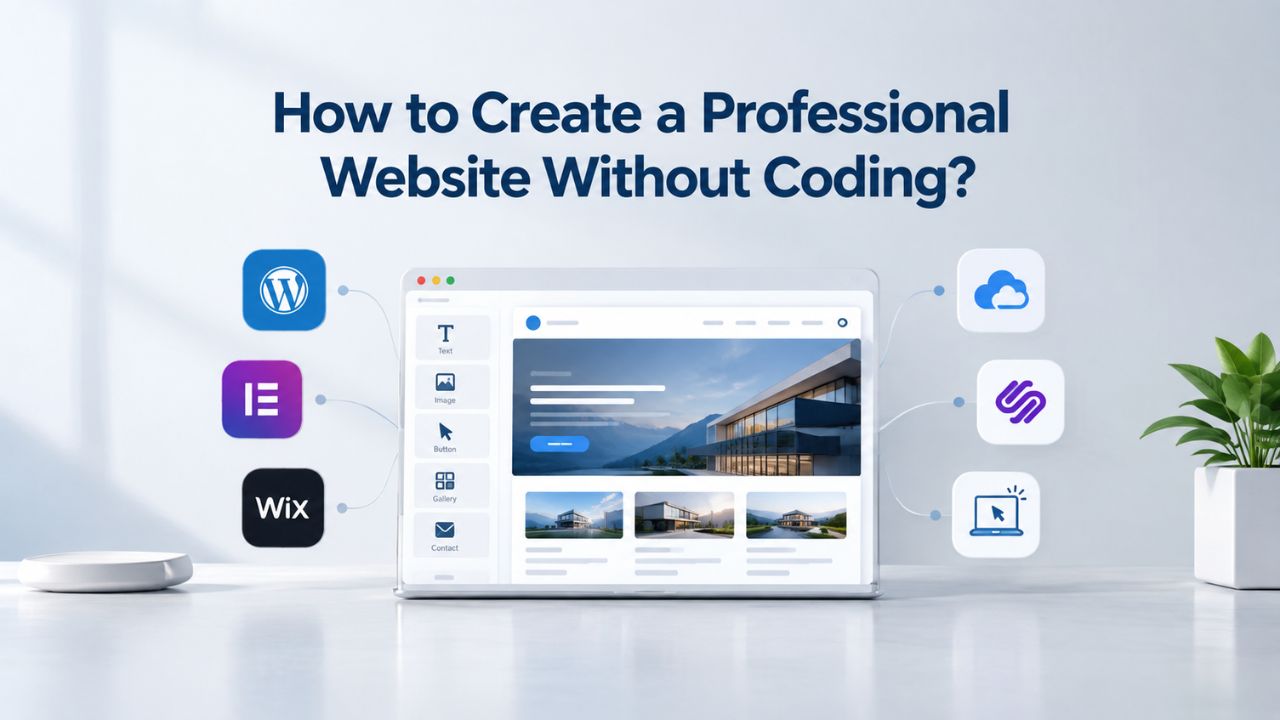
Most small business owners believe launching a website requires hiring a developer or mastering complex code. The reality is quite different. Modern website builders have democratized web creation, enabling thousands of entrepreneurs, service professionals, and small business owners to launch professional, mobile-friendly, credible websites in a matter of hours, without touching a single line of HTML.
Niya Digital’s Website Builder Service, powered by GoDaddy Website Builder’s site-building and hosting technology, represents an authorized reseller offering drag-and-drop website creation, customizable templates, built-in hosting, and 24/7 setup support. Overall site performance and business results depend on many factors outside any single provider’s control: design and content quality, ongoing optimization effort, your industry’s competitive landscape, and hosting/traffic conditions all play critical roles.
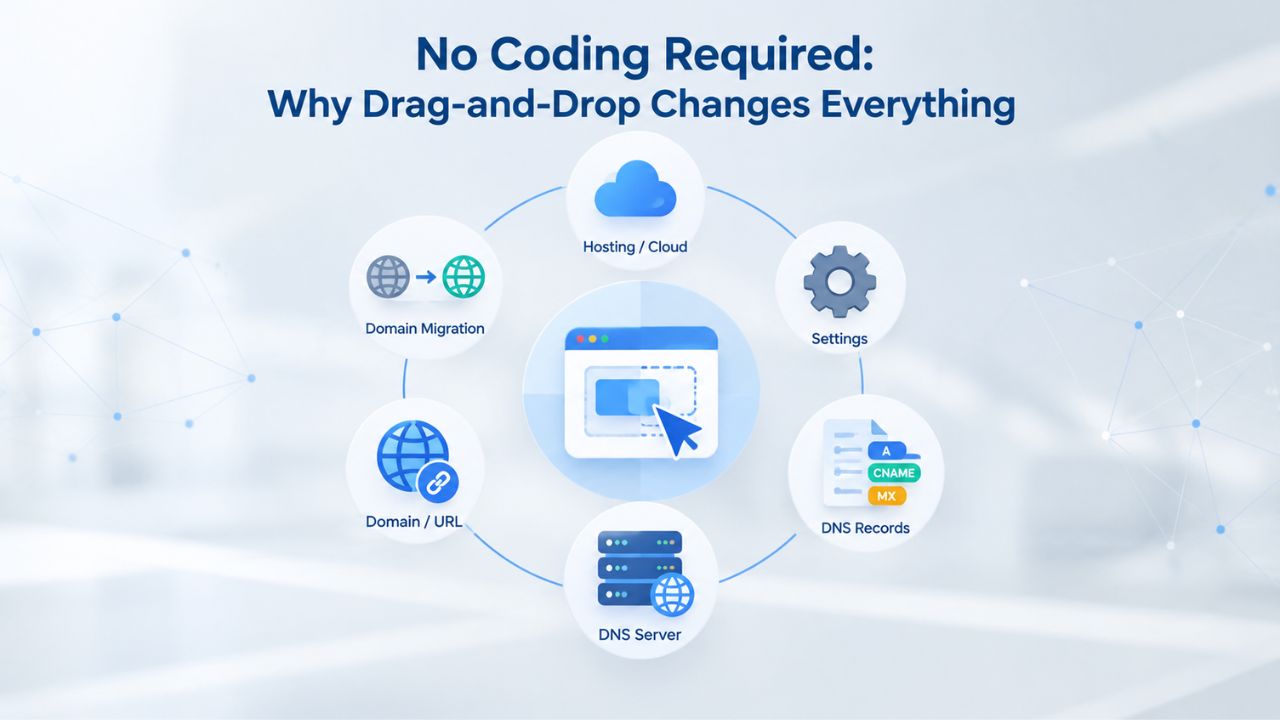
No Coding Required: Why Drag-and-Drop Changes Everything
Building a website used to be the exclusive domain of people with technical training. Drag-and-drop website builders have completely changed that equation. Instead of learning code or paying a developer thousands of dollars, you can now use a visual editor where every change appears on screen instantly, and the platform handles the technical complexity behind the scenes.
How the Visual Interface Works for Non-Technical Users
A drag-and-drop website builder uses a WYSIWYG editor, “what you see is what you get,” where you select pre-designed elements from a sidebar and place them directly onto your page canvas. You select text blocks, images, buttons, forms, and video embeds from a library, then drag them into place, resize them as needed, and customize their appearance with point-and-click controls for fonts, colors, alignment, and spacing.
The platform automatically generates the underlying HTML, CSS, and JavaScript code in the background, so you never need to write code yourself. According to Niya Digital’s team’s experience with their Website Builder Service, most first-time users go from template selection to their first live page in under two hours, even with no prior web design experience.
This simplicity is intentional. Professional web designers have spent decades creating templates with clean, well-structured layouts, readable typography choices, proven conversion patterns, and accessibility considerations. When you use a builder, you instantly inherit that professional design expertise. You’re not reinventing web design from scratch; you’re customizing a professionally designed foundation to match your brand identity and business needs. This means your website looks polished and credible from day one, not amateur or hastily assembled.
Why Non-Coders Can Still Build Professional Sites
Every template in GoDaddy Website Builder includes responsive design built in from the ground up, which means your site automatically adapts and reflows to display perfectly on mobile phones, tablets, and desktop computers without you writing any responsive CSS code. Research shows that properly implemented responsive design increases mobile conversion rates by 20–35% compared to poorly responsive sites, giving non-technical builders a real competitive advantage in converting visitors into customers. Your website will look professionally formatted and fully functional on every device because the underlying template architecture was engineered for that flexibility from the start.
Beyond design, website builders include hosting in their service package, eliminating another layer of technical complexity. You don’t purchase hosting separately or manage your own server infrastructure; instead, a single monthly subscription covers site-building tools, hosting infrastructure, automatic daily or weekly backups, SSL encryption for secure data transmission, and 24/7 technical support. The platform handles SSL certificate renewals, security patches, uptime monitoring, and performance optimization. You can focus on your business content and customer relationships while the builder handles operations and infrastructure.
Choosing the Right Website Builder Template for Your Business
Template selection is where your website’s visual identity truly begins. Modern website builders organize their template libraries by industry and business type, allowing you to start with a design that already aligns with how your industry communicates and what customers expect to see.
Finding an Industry-Specific Template That Fits Your Brand
GoDaddy Website Builder offers professionally designed templates across a wide range of industries and business types, including e-commerce stores, restaurants and food services, consulting firms, nonprofits and community organizations, creative portfolios, service-based businesses, and local retailers. Each template comes pre-built with proven sections: hero banner images with call-to-action buttons, testimonial blocks showcasing customer feedback, pricing or service tables, contact forms, appointment booking systems, and product showcases. Choosing a template that fits your industry saves you countless hours of structural design work because the navigation patterns, color schemes, typography choices, and layout hierarchy already follow industry best practices and user expectations.
Once you choose your starting template, the drag-and-drop editor lets you customize nearly every visual element, including colors, fonts, section layouts, background images, and content. You’re personalizing a proven structure rather than building from a blank canvas. This combination of having a professional starting point plus straightforward visual customization tools is exactly what enables non-designers to create credible, polished websites that compete with professionally designed sites.
Customizing Your Template Without Getting Stuck in Decision Paralysis
Website builder templates offer enough flexibility and customization to avoid looking generic or cookie-cutter, while staying simple enough that you won’t feel overwhelmed by endless choices and technical options. You can reorder sections, hide elements you don’t need, swap out images and videos, edit all text content, and change your brand’s primary colors and accent colors, all through click-and-configure controls without touching any code. The key to success is starting with a template that’s already 70–80% aligned with your vision, then fine-tuning and personalizing it instead of rebuilding the entire structure.
Most builders allow you to switch templates during the early stages of site creation at no penalty. If your first choice doesn’t feel right after an hour or two of editing, you can select a different template and your content transfers over automatically. This low-cost experimentation removes the psychological barrier of “picking the wrong template” and allows you to find the best visual starting point for your specific business.
Mobile-First Design: Why Responsive Design Matters for Revenue
Mobile phones now drive most website traffic globally, and this shift has changed how businesses approach web design. The difference between a site optimized for mobile viewing and one that isn’t directly impacts your business results and bottom line.
How Responsive Design Affects Customer Trust and Conversion
Research consistently shows that 75% of consumers judge a company’s credibility based on website design quality and functionality, making visual presentation a critical trust signal. When a site is hard to navigate on mobile devices, with cramped text that requires pinching to read, slow loading times that frustrate users, or unresponsive buttons that don’t work reliably, 89% of shoppers abandon the site and turn to competitors. Your website is frequently a customer’s very first interaction with your brand, and increasingly that interaction happens on a smartphone while they’re researching options on the go or commuting.
Responsive design automatically adjusts website layouts, text sizes, images, and navigation to perfectly fit each device’s screen size and orientation, creating a smooth, native-feeling experience whether someone visits from an iPhone, iPad, Android tablet, or desktop computer. This capability isn’t a feature you need to add or configure; it’s built into every template offered by GoDaddy Website Builder. You don’t need to code multiple versions of your site, understand technical breakpoints, or hire a developer to implement media queries. The builder handles mobile responsiveness automatically.
Why Page Speed Matters (And How Builders Keep Your Site Fast)
Website performance directly affects both user experience and search engine rankings. The average page load time for Google’s top-ranking search results is just 1.65 seconds, and research shows that each additional second of delay can reduce conversion rates by 7%. Visitors on mobile networks particularly suffer from slow pages, and slow page speeds harm your SEO rankings because Google explicitly uses site speed as a ranking factor.
Website builder platforms are engineered for speed by default; they host your site on content delivery networks (CDNs) that serve content from servers closest to each visitor, automatically optimize images, and minimize unnecessary code bloat. This infrastructure advantage gives you enterprise-grade server performance and optimization without the enterprise price tag or the need to hire infrastructure specialists. The builder’s platform handles performance tuning, caching strategies, and global content delivery, so you can focus on creating great content and serving your customers.
Building Professional Trust in Hours, Not Months
Trust is the currency that converts website visitors into customers, clients, and loyal supporters. Establishing professional online presence signals reliability, legitimacy, and competence, all the qualities that matter in a purchasing decision.
How Design Quality, SSL Security, and Contact Information Build Credibility
Research from the Edelman Trust Barometer shows that 71% of consumers now say trust in brands matters more than it did in the past, and your website is the primary place where that trust is established or lost in the digital world. Three factors matter immediately to website visitors: first, professional visual design that reflects your brand identity and industry; second, visible security signals showing the site protects visitor data; and third, accessible contact information showing real people stand behind the business. Website builders provide all three trust-building elements out of the box with no extra effort.
Every plan offered by Niya Digital includes SSL encryption, which encrypts all data transmitted between your website and visitor browsers, displaying a padlock icon in the browser address bar, a trust signal that online shoppers now expect and that is essential for credibility. Professional designers create website builder templates, so your site automatically looks legitimate and polished from the first 50 milliseconds of viewing. Most templates include contact forms and contact information sections, making it easy for potential customers to reach you with questions or inquiries.
Going from Invisible to Credible Faster Than Hiring a Designer
The traditional path to a professional website, hiring a web designer or agency, typically requires a significant financial investment and extended timeline. Designers and agencies usually take weeks to complete a project, from initial consultation through design, development, testing, and launch. A website builder, by contrast, lets you launch a credible, functional website in hours for a fraction of the cost.
Niya Digital’s Website Builder Service offers industry-specific templates and 24/7 setup support, helping you move from blank canvas to live website quickly. The trade-off is less design freedom and fewer opportunities for a truly unique look, but for small businesses competing for local customers, having a professional website online today outweighs waiting weeks or months for a custom-coded solution.
Website Builder Decision Matrix by Business Type
| Business Type / Goal | Best Plan Fit | Primary Features You’ll Use | Why This Plan Works |
|---|---|---|---|
| Freelancer or Creative Portfolio | Personal | Blog, contact forms, image galleries, mobile-responsive design | Showcase your work and attract clients without e-commerce complexity |
| Local Service Business (plumber, consultant, salon) | Business | Service descriptions, contact forms, appointment booking, SEO tools, business hours | Attract local customers, enable booking, rank for local searches |
| Professional Services Firm (accounting, law, consulting) | Business or Business Plus | Service pages, team member profiles, contact forms, social media integration, testimonials | Establish credibility, showcase expertise, enable client inquiries |
| Restaurant or Food Service | Business Plus | Menu pages, location maps, hours of operation, social media feeds, online reservations | Attract foot traffic, manage reservations, share content on social channels |
| Small Retail Store (online presence only) | Business Plus | Product showcase, contact information, directions, social media links, appointment booking | Drive awareness and foot traffic through online presence |
| E-Commerce: 1–50 Products | Online Store | Shopping cart, product management, payment processing, inventory tracking, shipping options | Sell products directly, process payments, manage orders and inventory |
| E-Commerce: Multi-Channel Seller | Online Store | Shopping cart, inventory management, multiple payment gateways, discount codes, shipping automation | Scale sales across channels, automate order management |
| Nonprofit or Community Organization | Personal or Business | Donation options, event information, volunteer signup forms, mission statement, team pages | Share mission, accept donations, coordinate community engagement |
| Personal Blog or News Site | Personal | Blogging platform, content categories, author profiles, social sharing, email subscriptions | Publish content regularly, build an audience, establish authority |
| Hybrid: Services + Product Sales | Online Store | Service booking + shopping cart, service pages + product listings, payments for both | Combine service offerings with product sales in one site |
Launching a Website Without Hosting Headaches
One invisible obstacle that has historically kept people from launching websites is the complexity of web hosting. Traditionally, you needed to find a hosting provider, configure domain name servers, monitor uptime, apply security patches, troubleshoot server issues, and manage multiple vendor relationships. Website builders eliminate that entire category of technical complexity.
Why Bundled Hosting Simplifies Website Ownership
Website builders streamline the process by including hosting in their monthly subscription, so you don’t need to buy hosting from a separate provider or manage multiple vendors. Your single monthly subscription covers website-building tools, hosting infrastructure, automatic backups, SSL certificates, and round-the-clock technical support. No separate control panel to learn, no DNS settings to configure, and no hosting company billing you separately for server resources. One vendor, one monthly bill, one support number, dramatically simpler than traditional hosting arrangements.
This bundled approach works because the builder was engineered end-to-end as an integrated system. The platform automatically optimizes your site’s code for the hosting infrastructure it runs on, keeps load times consistent regardless of traffic fluctuations, actively manages uptime through the hosting provider’s operations team, and applies security updates automatically without your involvement. Your responsibilities focus on creating and editing content and responding to customer inquiries; the builder’s engineering team handles all technical operations, server management, and infrastructure scaling.
Understanding Uptime, Backups, and Emergency Support
Website builders include automatic backup systems that protect your content against accidental data loss or technical failures. Most builders back up your website daily or weekly, and you can also manually trigger backups before making major changes. If something goes wrong, you can restore your site to a previous version with a single click, recovering from accidental deletions or unwanted changes. Niya Digital’s 24/7 support team can guide you through backup and recovery processes if needed, providing human assistance when technical issues arise.
Most reputable website builders target 99.9% uptime for their infrastructure, though this is an average target, not a guarantee. Real-world circumstances, unexpected traffic surges, distributed denial-of-service attacks, or infrastructure maintenance can occasionally cause brief downtime. Set realistic expectations: no platform can guarantee 100% uptime, but professional builders maintain high availability standards. For small businesses, the builder’s reliability is typically better than managing your own hosting infrastructure.
Ready to Build Your Professional Website?
Your website is often the difference between customers finding you and turning to competitors. Niya Digital’s Website Builder Service gives you everything needed to create, launch, and manage a professional website independently. Whether you’re a service provider, local business, creative professional, or product seller, there’s a plan designed for your business needs and growth stage.
Setting Up an E-Commerce Store (Without a Developer)
If you want to sell products online, website builders have evolved significantly beyond simple informational websites. Modern builders include comprehensive e-commerce features, shopping carts, payment processing, inventory management, and shipping integrations, all accessible through the same drag-and-drop interface that makes site building simple.
Building an Online Store With Product Listings and Checkout
For businesses wanting to sell products online, Niya Digital’s Website Builder Online Store plan includes a shopping cart system, product management tools, and payment processing capabilities. You add products to your store by uploading product images, writing detailed descriptions, and setting prices. The builder automatically generates individual product pages with all the necessary details, and you can configure product variants like sizes and colors. Customers browse your catalog, add items to their shopping cart, and proceed through a checkout process, all without you writing any backend code or managing payment infrastructure.
The builder handles payment processing through integrations with established payment gateways so that you can accept credit cards, debit cards, and PayPal payments securely. You don’t manage payment security directly or store sensitive payment data on your servers; the builder’s payment infrastructure handles encryption and compliance with financial security standards. The payment processor processes transactions and deposits funds into your business account on its regular schedule. Order notifications are sent automatically to both you and customers, keeping everyone informed about purchase status.
Managing Shipping, Discounts, and Customer Communication
The e-commerce capabilities include flexible shipping options, allowing you to configure flat-rate shipping, weight-based shipping calculations, or zone-based shipping rules that vary by destination. You set shipping rules once in your dashboard, and the system automatically calculates and applies appropriate shipping costs to every customer order. Similarly, you can create discount codes and promotional offers for specific products or store-wide sales, manage them through an administrative dashboard, and track redemption rates.
Customer communication happens automatically through the builder’s systems. Customers receive order confirmations with purchase details, shipping updates as orders are processed, and delivery notifications once items ship. You can customize email templates to add your branding, special promotional messages, or personalized notes. Managing an online store without requiring a developer or e-commerce developer on staff becomes realistic for small product businesses. You’re competing on product quality, customer service, and marketing, not wrestling with payment processing code or database management.
On-Page SEO Fundamentals Every Builder Provides
Search engine optimization often seems like mysterious technical wizardry to small business owners, but the fundamentals are straightforward and accessible. Website builders provide the tools to handle core SEO practices without requiring specialized knowledge.
How Website Builders Support Basic On-Page SEO
Website builders include built-in SEO tools that allow you to edit page titles, meta descriptions (the snippet that appears under your page title in search results), image alt text (descriptions of images for accessibility and search engines), and custom URLs for each page. These elements help search engines understand your content. A page title like “Custom Wedding Photography in Portland, Oregon” helps search engines understand the topic better than generic titles like “Home” or “Page 1.” Meta descriptions. While not direct ranking factors, compelling meta descriptions that accurately describe the page content can significantly influence click-through rates from search results.
Website builders automatically generate XML sitemaps, a structured map of all your website pages, and submit them to Google Search Console, which helps Google discover and index your content faster. Builders automatically generate clean, crawlable URLs and include mobile-responsive design throughout, both important ranking factors that Google prioritizes. Most of this SEO infrastructure works automatically; you don’t need to understand how it functions under the hood. For elements requiring your input, page titles, descriptions, and image alt text, the builder provides simple form fields with guidance.
Realistic Expectations for Search Visibility
Website builders support on-page SEO best practices and provide the technical foundation for search visibility. Still, they don’t replace ongoing SEO strategy and content creation. Ranking highly for competitive search keywords requires keyword research, high-quality content creation, earning backlinks from other authoritative websites, and consistent optimization, not just built-in SEO tools. A builder gives you the technical foundation and best-practice guidance, but first-page rankings depend on content quality, topic authority, niche competition, and ongoing optimization.
Set realistic expectations: a website builder helps you follow SEO fundamentals and doesn’t guarantee search rankings. It doesn’t guarantee rankings or generate search traffic. If you’re targeting highly competitive keywords or need advanced keyword targeting, competitive analysis, or sophisticated ongoing optimization, consider consulting an SEO professional. Some builders support SEO plugins that offer additional analysis and optimization guidance for users wanting more advanced capabilities.
| SEO Factor | What Builders Provide | What Requires Your Effort |
|---|---|---|
| Page Titles & Meta Descriptions | Built-in editor fields with guidance | Writing compelling, keyword-relevant titles and descriptions |
| Image Alt Text | Easy-to-add fields for every image | Writing descriptive alt text for accessibility and SEO |
| URL Structure | Clean, customizable URLs | Choosing descriptive, keyword-relevant URL slugs |
| Mobile Responsiveness | Automatic in all templates | Ensuring content looks good on all device sizes |
| XML Sitemaps | Automatic generation and submission | None, handled automatically |
| Page Speed | Optimized infrastructure and CDN | Minimizing large image files and excess content |
| Content Quality | Tools to publish content | Creating original, authoritative, well-researched content |
| Keyword Targeting | Basic guidance through builder | Research and content strategy for relevant keywords |
| Backlinks | None provided by builder | Earning links through quality content and outreach |
| Technical SEO | SSL, clean code, mobile-first | Ongoing optimization and monitoring |
Ongoing Maintenance & Staying Fresh
A website isn’t a set-it-and-forget-it asset you launch once and never touch again. Regular updates, fresh content, and ongoing optimization keep your site ranking well in search results and signal to visitors that your business is active, current, and engaged with customers.
Updating Content, Adding Pages, and Publishing Blog Posts
Website builders make it easy to add new pages, update existing content, and publish blog posts without developer help or technical knowledge. You can add a blog section to your website in minutes, then publish articles that showcase your expertise, answer frequently asked customer questions, or announce company news and updates. Blog content provides fresh material for search engines to crawl and index, which can gradually improve your site’s visibility in search results. Helpful blog content also establishes your authority in your industry and gives visitors reasons to return.
Updating your website regularly, refreshing customer testimonials, adding new services or products, updating hours and contact information, and announcing promotions or seasonal changes signals to both search engines and human visitors that your business is current and actively managed. You don’t need to hire someone for each small content change or design update; you log into your builder dashboard, make edits, and publish instantly.
Backups, Security, and Performance Monitoring
Website builders handle security and maintenance tasks automatically, eliminating responsibilities that would otherwise fall on you. Automatic backup systems protect your content against accidental data loss, technical failures, or security incidents. SSL certificate renewals happen automatically, security patches for the underlying platform are deployed without your involvement, and malware scanning monitors your site for threats. You receive alerts through your builder’s dashboard if performance issues are detected or security concerns arise.
This ongoing management is included as part of your website builder subscription: no separate security contracts, no surprise server bills, no outdated software leaving your site vulnerable to attacks. Your responsibilities focus on keeping your content fresh and responding to customer feedback and inquiries; the builder’s infrastructure team handles all technical operations, security updates, and performance optimization in the background.
When and Why to Upgrade Your Plan (Or Platform)
Website builders are designed to support business growth, but every platform has practical limits. Knowing when to upgrade your plan or switch platforms helps you make smart decisions before technical roadblocks frustrate users or limit revenue.
Outgrowing Templates: Recognizing When You Need More Customization
As your business grows, you may want design elements or functionality that exceed what your builder’s templates and customization options allow. For example, you might want a completely custom checkout flow that matches your specific business model, advanced member-only content sections with permissions and access controls, or integrations with specialized industry tools that your business requires. Most website builders reach a customization ceiling, a point where available templates and features can’t deliver the specific vision you’ve developed.
At that point, you have three paths available: first, accept the builder’s limitations and optimize your business within those constraints; second, upgrade to a higher-tier plan if your builder offers more advanced versions; or third, migrate to a more flexible platform like WordPress or pursue a custom-coded solution. The decision depends on your available budget, timeline constraints, and how critical the missing features are to your business success. Niya Digital’s support team can assess whether upgrading within their builder plans meets your needs or whether migration to another platform is the better choice.
Scaling from Solo Seller to Multi-Vendor: When a Builder Platform Becomes a Bottleneck
If your business grows from a single-seller online store to managing multiple vendors, complex inventory with tracking across warehouses, or white-label operations where you resell other businesses’ products, you’ll likely need a platform purpose-built for that complexity, such as Shopify or WooCommerce running on WordPress. Website builders excel at rapid launch and simplicity; they’re less optimized for high-complexity scenarios or enterprise-level multi-vendor operations.
Plan for this possibility early in your business growth. Don’t let a builder’s limitations constrain your ambitious business plans; instead, treat the builder as a starting point for launch and validation. Launch quickly on a builder, test your business model, gather real customer data, and upgrade platforms when you outgrow the builder’s architecture. Most builders provide export tools to help you move your content, images, and metadata to another platform if that time comes.
Making the Business Case: Cost vs. Custom Development
The financial comparison between using a website builder and hiring a custom developer or agency is stark. Understanding that comparison helps you choose the path that fits your business stage and resources.
Builder: Speed and Affordability for Day-One Launch
Niya Digital’s Website Builder Service provides fully functional, mobile-responsive, hosted websites with SEO tools, contact forms, and e-commerce capabilities, all at a monthly subscription rate significantly lower than hiring a freelancer or agency. Over a year, the total investment is far less than a custom development engagement. Compare that to hiring a freelancer or agency: design and development typically cost thousands of dollars, with hosting purchased separately, and the timeline stretches across weeks or months before launch.
The builder’s advantage is speed to market and affordability. You can launch a credible online presence today, start attracting customers tomorrow, and iterate and improve based on real customer feedback. If your business doesn’t yet exist or isn’t generating revenue, waiting weeks or months for a custom-coded solution is often not viable. Builders let bootstrapped founders and early-stage entrepreneurs launch immediately without depleting their budget.
Custom Development: Justifiable Only If You Have Specific Needs It Meets
Custom development makes business sense when you need functionality that website builders fundamentally can’t deliver, complex integrations with specialized industry software, white-label solutions for reselling, or highly specialized workflows unique to your business model. For most small businesses launching online, these edge cases don’t apply. If you’re launching a plumbing business, a consulting firm, a yoga studio, a hair salon, or a small e-commerce brand selling products, a website builder is almost always the faster and more affordable choice.
The hidden cost of custom development extends beyond the upfront design and coding investment. You’ll likely need a developer on retainer for future updates, security patches, hosting infrastructure management, and performance optimization. A builder’s monthly subscription covers all of that maintenance and updates. For bootstrapped founders and small business owners, this difference in total cost of ownership over multiple years often justifies choosing a builder, even if a developer could theoretically create something marginally more tailored to your specific vision.
Start Your Professional Website Today
A successful online business starts with a professional website visitors trust. With Niya Digital’s Website Builder Service, you have everything required to build, launch, and manage that website independently. Whether you’re establishing credibility as a service provider, selling products online, showcasing your portfolio, or sharing your expertise, your first step is the same: choose a template, customize it to reflect your brand, and launch your website.
Frequently Asked Questions
Do I really need a website for my small business?
Yes. Research shows 75% of consumers judge a company’s credibility based on its website design and functionality. Approximately 17% of small businesses still operate without a website, putting them at a significant competitive disadvantage. A website serves as your storefront, sales channel, marketing asset, and credibility signal all in one. Without one, you’re invisible to online searches and may lose customers to competitors with an established online presence.
What’s the difference between a website builder and hiring a web designer?
A website builder is a self-service platform where you use templates and drag-and-drop tools to create your own website. Hiring a designer means paying someone to design and build a custom site. Builders are faster (hours to days to launch) and dramatically more affordable.
Designers offer more customization and specialized expertise but require weeks of work and significant financial investment. Choose a builder if you need to launch quickly with limited budget; hire a designer if you have a substantial budget and specific design requirements that templates can’t accommodate.
Will my website look professional if I build it myself with a website builder?
Absolutely. Professional designers create modern website builders’ templates and embody industry best practices for layout, typography, and user experience. You’re personalizing a proven, professional template, not designing from scratch. The result looks credible and polished. The trade-off is design uniqueness: your site may share structural similarities with other sites using the same template, but that’s an acceptable trade for launching quickly without hiring a designer.
Can I really build an online store without knowing how to code?
Completely. Website builder e-commerce plans include shopping carts, product management systems, payment processing, and inventory tracking, all managed through visual interfaces. You upload product images, write descriptions, set pricing, and the builder automatically generates product pages, shopping carts, and checkout flows. No coding required. The complexity is business operations, photography, descriptions, and pricing decisions, not technical infrastructure.
How long does it take to launch a website with a website builder?
Most small businesses launch their first website within 2–4 hours using a website builder. Template selection takes about 15 minutes, content entry (business name, description, contact info, images) takes 30–60 minutes, and customization (colors, fonts, section reordering) takes another 30–60 minutes. You can publish immediately. More complex sites with 10+ pages or extensive product catalogs take longer, but drag-and-drop editing keeps timelines dramatically shorter than hiring a developer.
Do website builders include hosting, or do I need to buy it separately?
Website builders include hosting in their monthly plan, so you don’t buy hosting separately from a different company. Your monthly subscription covers site-building tools, hosting infrastructure, automatic backups, SSL encryption, and 24/7 support. This bundled approach eliminates managing multiple vendors and simplifies billing to one vendor and one monthly fee.
Will my website rank in Google with a website builder?
Website builders provide on-page SEO tools (meta tags, alt text, sitemaps, mobile responsiveness) that support good SEO practices. However, ranking in Google depends on many factors: content quality and originality, topic authority, backlinks from other sites, search competition in your industry, and ongoing optimization.
A builder enables SEO fundamentals but doesn’t guarantee rankings. Treat the builder’s SEO features as a foundation; achieving top rankings requires ongoing content strategy and potentially professional SEO consultation.
Can I move my website to a different platform later if I outgrow the builder?
Most website builders provide export tools that let you download your content, images, and metadata for migration to another platform like WordPress or Shopify. Migration isn’t seamless; design and some functionality may not transfer perfectly, but your core content is portable. Plan for this possibility from the start by keeping content organized and backing up your data regularly.
What if my website gets hacked or my data is lost?
Website builders include automatic backups (typically daily or weekly) and security monitoring. You can manually restore to a previous version if your site is compromised. Reputable builders automatically implement SSL encryption, malware scanning, and security patches.
Website builder security is often superior to custom sites because the platform’s operations team manages security centrally and applies updates platform-wide. You still need good password practices and common sense about what content you upload.
Do I need to understand SEO, copywriting, or design to use a website builder successfully?
No. Website builders are explicitly designed for non-experts. You don’t need to understand SEO mechanics to benefit from built-in SEO tools; the builder provides guidance and handles technical setup. Templates provide design structure, so you don’t need knowledge of layout or design principles. Copywriting, describing your services or products clearly, is business knowledge you already possess, not technical expertise.
What’s included in website builder plans, and how do I choose between them?
Website builders offer tiered plans: Personal plans for basic websites and blogs, Business plans adding e-commerce basics and SEO tools, Business Plus plans with appointment booking and social media integration, and Online Store plans with full shopping cart and inventory management. Choose based on your business needs: Personal if you’re sharing information, Business/Plus if you offer services, Online Store if you’re selling products.
Can I use my own domain name with a website builder?
Yes. All website builders allow you to connect your own custom domain name to your website. You can transfer an existing domain or register a new one through the builder. Your custom domain connects to the builder’s hosting infrastructure, and customers access your site by typing your chosen domain. This is standard across reputable builders and makes your site appear professional and branded.
How much does a website builder cost compared to hiring a developer?
Website builder subscriptions are substantially less expensive than hiring a developer or agency. Developers and agencies typically charge thousands of dollars for initial design and development, require weeks of work, and often charge additional fees for hosting and maintenance. Builders cost a fraction of that amount monthly, launch immediately, and include hosting and support. The cost difference is dramatic, often 10–100 times less than custom development.
What happens if I stop paying for my website builder plan?
Your website goes offline, and you lose access to the builder. Before canceling, export your content and images so you have them locally. Most builders provide a grace period (30 days) before permanently deleting your site, so you can reactivate it if you change your mind. Treat website hosting as a fixed business expense, like phone service, to keep your site live.
Can I switch website builders after I’ve started building my site?
You can migrate, but it won’t be seamless. You’ll need to export content, images, and metadata from your current builder and import them into a new builder. Some design and functionality may not transfer perfectly, so you may need to re-customize.
To minimize migration hassle, choose your builder carefully initially and commit for at least 1–2 years. Migration is time-consuming, so invest in the right initial choice rather than switching between platforms frequently.
Glossary
- Website Builder: A no-code platform providing pre-designed templates and drag-and-drop tools for creating and publishing websites without coding knowledge. Website builders typically include hosting, domain connection, backup systems, and customer support.
- Drag-and-Drop Editor: A visual interface allowing you to click and drag design elements (text, images, buttons, forms, videos) onto a page canvas to compose layouts. Changes appear in real-time without writing code.
- Responsive Design: A web design approach that automatically adapts website layout, text, and images to fit the screen size and orientation of the device viewing the site (mobile, tablet, desktop). Responsive design ensures optimal viewing and usability on any device.
- Hosting: The server infrastructure and services keeping a website live and accessible 24/7. Website builders include hosting in their plans, eliminating the need to buy hosting separately.
- Domain: The custom web address (e.g., yourbusiness.com) users enter in a browser to reach your website. Website builders allow you to connect your own custom domain to your site.
- SSL (Secure Sockets Layer): Encryption technology protecting data transmitted between a website visitor’s browser and the website server. SSL is indicated by a padlock icon in the browser address bar and is included in website builder plans.
- Search Engine Optimization (SEO): The practice of optimizing website content, structure, and technical elements so search engines can crawl, index, and rank your site higher for relevant searches. Website builders provide basic SEO tools.
- Template: A pre-designed website layout provided by a website builder, including structure, color schemes, typography, and placeholder sections you customize with your content and branding.