

Your website is central to your business. If it’s slow, frequently offline, or your renewal bill shocks you with unexpected increases, your current hosting may be working against you. Knowing when to switch providers can mean the difference between sustained growth and lost revenue. As an authorized reseller of GoDaddy-powered web hosting infrastructure, Niya Digital does not operate independent data centers or hardware; GoDaddy manages the underlying server, network, and data-center infrastructure.
Signs of Poor Performance Are Your First Red Flag
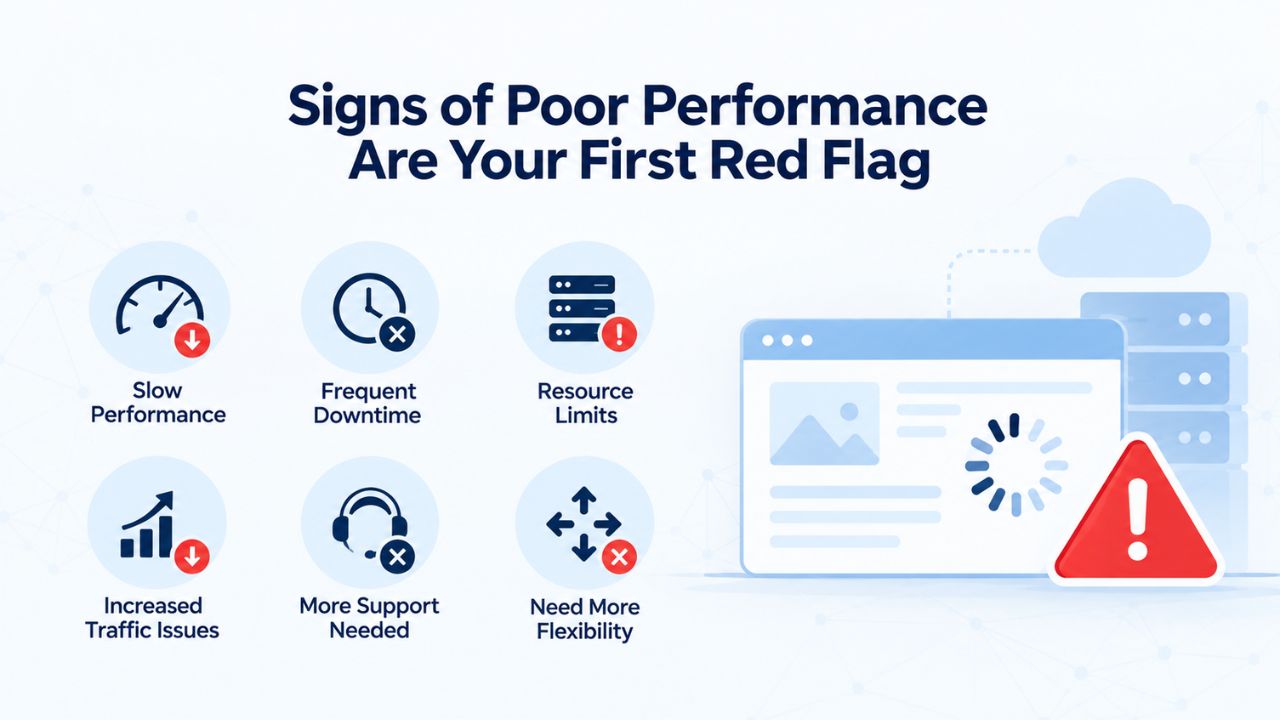
Website speed isn’t a luxury feature; it’s a core business metric that directly affects how customers experience your site and how search engines rank it. When your hosting can no longer handle your site’s demands, both your visitors and your search rankings suffer. Slow page load times and unreliable uptime signal that something needs to change, and they often compound as your site grows beyond its current plan’s capacity.
Slow Load Times and Declining Conversions
Sites loading in 1 second average a 2.3% conversion rate and score 100 in organic rankings; at 4 seconds, the ranking score drops to 57 and conversion to 1.8%; at 5 seconds, rankings fall to 19 and conversions to 1.5% (Neil Patel). This isn’t theoretical; every additional second costs you real conversions and real revenue. If your site consistently loads in 3+ seconds despite optimization efforts like caching, image compression, and CDN integration, the hosting server itself is likely the bottleneck. Your code and design are probably fine; your infrastructure is struggling.
A 1-second delay in page load time can drop conversion rates by 7%, and 79% of shoppers who have trouble with site performance say they won’t return to buy DEV Community again. Beyond the immediate loss from that single session, it can also damage customer perception. Visitors who experience slowness once are less likely to trust your brand, and they’re likely to choose a faster competitor next time. This loss compounds over weeks and months.
Google has confirmed that page speed and Core Web Vitals are ranking factors; a site that loads quickly signals to search engines that it is optimized and reliable. Slow pages get pushed down in search results, which means fewer potential customers find you through organic search. If your pages are slow and your shared hosting plan is already at or near its resource limits, upgrading hosting or moving to a better-resourced provider becomes essential to stay competitive.
Frequent Downtime and Reliability Gaps
Occasional downtime is inevitable in any hosting environment, but repeated outages, multiple times per month or even per week, are a clear sign your hosting plan is inadequate. If your website goes offline regularly, or if you’re experiencing 508 errors (which indicate your account has hit resource limits), your current plan has reached its ceiling. Each outage costs you in multiple ways: lost sales during downtime, frustrated customers who can’t access your site when they need it, damage to your brand’s reliability reputation, and search-engine penalties when Google’s crawlers hit the downtime.
Frequent downtime is a clear sign your current web hosting provider may not meet your expectations, since uninterrupted online access is crucial for businesses, especially online stores. The cumulative effect of intermittent downtime is often worse than a single major outage, because it erodes customer confidence without giving you a clear, urgent moment to act.
Niya Digital’s team has found that many site owners tolerate occasional downtime for months because they believe switching is complicated or risky, often more risky in their minds than staying with an unreliable host. The reality is the opposite: a well-planned migration is far less disruptive than months of intermittent outages. If your current provider’s unreliability costs you more than the effort of switching, it’s time to move.
Business Web Hosting Plans & Pricing
Choose the hosting plan that fits your website, WordPress site, or growing business. Compare features, storage, performance, security, and website capacity to find the right hosting environment for your needs.
cPanel Starter
cPanel Hosting that's easy, reliable and lightning-fast.
- 1 website
- 30 GB storage
- Unmetered bandwidth*

cPanel Economy
cPanel Hosting that's easy, reliable and lightning-fast.
- 1 website
- 100 GB space
- Unlimited bandwidth*
- 100 email accounts**
- 10 MySQL databases (1 GB ea.)
cPanel Deluxe
cPanel Hosting that's easy, reliable and lightning-fast.
- Unlimited websites
- Unlimited space
- Unlimited bandwidth*
- 500 email accounts
- 25 MySQL databases (1 GB ea.)
cPanel Ultimate
cPanel Hosting that's easy, reliable and lightning-fast.
- Unlimited websites
- Unlimited space
- Unlimited bandwidth*
- 1000 email accounts
- Unlimited MySQL databases (1 GB ea.)
- 2X Processing power & memory (available for Linux/cPanel only)
- Premium DNS
- 1-year SSL certificate to secure customer data and increase search rankings
*We don't limit the amount of storage and bandwidth your site can use as long as it complies with our Hosting Agreement. Should your website bandwidth or storage usage present a risk to the stability, performance or uptime of our servers, we will notify you via email and may be required to upgrade, or we may restrict the resources your website is using.
**Email account storage is limited to 100 email accounts with 100 MB of total storage.
WordPress Basic
A great way to get started.
- 1 website
- 10 GB NVMe storage
- Unmetered bandwidth
- Free SSL Certificate *
- WordPress pre-installed
- Weekly backups
- Web Application Firewall
- Daily malware scans
- One-time malware removal

WordPress Deluxe
Improve your site performance with Cloudflare CDN.
- 1 website
- 20 GB NVMe storage
- Unmetered bandwidth
- Free SSL Certificate *
- WordPress pre-installed
- Daily backups
- Web Application Firewall
- Daily malware scans
- One-time malware removal
- Up to 2x faster performance with global Cloudflare CDN **
- Enhanced security with DDoS protection
- Staging site
WordPress Ultimate
Add online marketing with more sites, storage and security.
- 1 website
- 30 GB NVMe storage
- Unmetered bandwidth
- Free SSL Certificate *
- WordPress pre-installed
- Daily + on-demand backups
- Web Application Firewall
- Daily malware scans
- Unlimited malware removal
- Up to 2x faster performance with global Cloudflare CDN **
- Enhanced security with DDoS protection
- Staging site
- WordPress code optimizer
- Smart WordPress plugin manager
- Sell online with WooCommerce
*An SSL certificate is included with every site and free for the life of the hosting plan. Certificates are automatically installed, validated and renewed.
Web Hosting Plus Launch
For multiple basic sites.
- 100 GB storage*
- 4 GB RAM
- 2 CPUs
- Unmetered traffic
- 50 websites & databases
- Free, unlimited SSL for all your websites**

Web Hosting Plus Enhance
For high-traffic WordPress, Joomla, and other sites.
- 200 GB storage*
- 8 GB RAM
- 4 CPUs
- Unmetered traffic
- 100 websites & databases
- Free, unlimited SSL for all your websites**
Web Hosting Plus Grow
For advanced eCommerce sites like Magento.
- 300 GB storage*
- 16 GB RAM
- 8 CPUs
- Unmetered traffic
- 150 websites & databases
- Free, unlimited SSL for all your websites**
Web Hosting Plus Expand
For multiple basic sites.
- 400 GB storage*
- 32 GB RAM
- 16 CPUs
- Unmetered traffic
- 200 websites & databases
- Free, unlimited SSL for all your websites**
*The total amount of usable storage capacity for your particular Hosting Service(s) may differ from the represented capacity as there is required space for the operating system(s), system file(s) and other supporting file(s).
**If you cancel the Web Hosting Plus product, you will lose the associated SSL certificate as well.
Outgrowing Your Shared Hosting Resources
As your website grows in traffic or complexity, shared hosting resource limits become an artificial ceiling on your growth. Knowing when you’ve hit that ceiling is critical to choosing your next step. The warning signs are measurable, and catching them early gives you time to plan a methodical move rather than being forced into a reactive crisis migration.
When Traffic Growth Exceeds Your Plan’s Capacity
Experts agree that when you reach around 70% of your shared hosting resources (CPU, RAM, disk, bandwidth), it’s a clear sign to plan an upgrade before performance dips affect your users. Monitor your hosting control panel’s resource usage regularly; most hosts display this data prominently. If you’re consistently in the 60–80% range, or if you hit 90%+ during traffic spikes, your current plan is becoming a constraint on growth. The 70% threshold is critical because it gives you a planning window: you’re still stable, but you have clear visibility that change is coming.
Once you consistently get 50,000+ monthly visitors, shared hosting struggles to keep up; e-commerce sites with 100+ products and real-time inventory also need dedicated resources beyond what shared hosting provides (DomainIndia). At this traffic level, every shared hosting account on your server competes for the same CPU and memory pool. One resource-hungry neighbor running an unoptimized script or experiencing a traffic spike can slow everyone down. VPS hosting allocates dedicated resources to your site, eliminating that contention and delivering faster, more predictable performance during traffic peaks. The jump from shared to VPS is often the most noticeable performance upgrade a site owner can make.
Choosing Your Next Tier: Managed Hosting or VPS
The jump from shared to VPS is often the next logical step. However, some providers offer a managed “premium shared” tier as a middle ground. A VPS gives you your own dedicated portion of a server’s power, memory, and storage, meaning better performance, more control, and increased reliability without the cost of a full dedicated server.
If you value simplicity and managed support, a managed VPS or managed premium plan keeps hands-on administration to a minimum while still giving you the resources you need. If you need direct control over server configuration, custom software, specific language or database versions, or custom security policies, an unmanaged VPS is the way forward. However, it requires more technical expertise or additional support costs.
Niya Digital’s Web Hosting service offers managed support across its plan tiers, which means your team can focus on your site and business rather than server maintenance. Whether you stay with your current provider or move to Niya Digital, the key is choosing a plan tier that matches your actual traffic, not just today’s traffic but next year’s projected growth. Undersizing again forces another migration shortly after; oversizing wastes money. Right-sizing at upgrade time is cheaper and less disruptive than undersizing again.
Hosting Tier by Traffic Level, Use Case, and Resource Indicators
| Site Type / Traffic Level | Recommended Plan Tier | Key Resource Signals | Typical Timeline Before Upgrade Needed |
|---|---|---|---|
| Small blog or portfolio (0–5K monthly visitors) | Shared Hosting | Low CPU/RAM/bandwidth usage (under 20% of plan); occasional traffic spikes handled well | 1–2 years of growth; remains stable indefinitely if traffic plateaus |
| Growing small business website (5–20K monthly visitors) | Shared Hosting to Managed Shared | Moderate usage (30–50% of plan); increasing complexity with databases or e-commerce; may need email or backup enhancements | 6–12 months before upgrade to managed hosting or VPS |
| High-traffic blog or small online store (20–50K monthly visitors) | Managed Hosting or Entry VPS | Higher usage (60–70% of plan); resource limits beginning to constrain during peaks; faster support response times needed | 2–6 months before upgrade to full VPS or managed plan |
| Popular e-commerce site or SaaS application (50K–100K+ monthly visitors) | VPS or Managed VPS | Consistent high resource usage (80%+); complex checkout and payment processing; growing databases; multiple third-party integrations | Upgrade now to VPS; plan for cloud or dedicated if growth continues |
| Enterprise or multi-application platform (100K+ monthly visitors) | Dedicated Server or Cloud Hosting | All resources maxed out; need root access for custom software; compliance and security isolation critical; 24/7 monitoring required | Already over capacity; migration is urgent priority |
The Renewal Price Shock Trap
One of the most painful reasons people switch hosting is discovering, at renewal time, that their bill has increased dramatically. This “shock” is so common it’s almost industry standard, but you can avoid it if you know what to look for. Understanding the difference between introductory pricing and renewal rates is essential to making a smart long-term hosting decision.
Hidden Introductory Pricing and Renewal Increases
Renewal rates across the hosting industry are typically much higher than introductory rates, often 100% to 300% above what you paid in year one. These increases are not typos or special circumstances; they’re built into the business model of many hosting providers. Renewal pricing averages 100% to 300% higher than introductory rates across the hosting sector, and 70% of website owners never change their web host after the first year despite these price increases, becoming trapped by the switching cost and fear of breaking something that works (Webfort. The introductory rate is bait; the renewal rate is what you’ll pay for years to come.
Before signing up for any hosting plan, whether Niya Digital’s Web Hosting service or any other provider, compare both the first-year rate and the renewal rate. That second number matters for your long-term budget. Many website owners compare the first price they see but don’t realize the long-term cost until the first renewal invoice arrives. Mark your calendar six weeks before renewal is due so you can reassess: either negotiate a better rate with your current provider, or switch to a host with more transparent, stable pricing. This proactive approach helps prevent sticker shock.
Add-On Costs That Push Total Cost Higher
Beyond renewal pricing surprises, watch for hidden add-ons that aren’t included by default. SSL certificates: Let’s Encrypt is free, and most managed hosts include it automatically, but some budget hosting plans push toward paid SSL; domain renewals often inflate if the “free” first-year domain renews at inflated rates (365i. Email accounts, automated backups, and SSL certificates are often bundled at no extra cost on better-designed plans, but cheaper plans may charge separately for each feature. Once you add up all the add-ons you actually need, the total cost can be far higher than the advertised base rate.
Calculate your total three-year cost: (intro price × 12 months × years on intro term) + (renewal price × 12 months × remaining years) + SSL + domain renewal + any email or backup add-ons you need. Compare that sum across providers, not just the advertised first-month rate. This exercise often reveals that the “cheapest” host is actually far more expensive than a provider with transparent, stable pricing and bundled features from day one. A slightly higher base rate with stable renewal pricing and included features often costs significantly less over three years.
Customer Support Quality Directly Affects Resolution Speed
When your website is down, or your email stops working, the quality of your hosting provider’s support can mean the difference between a 30-minute fix and a 24-hour nightmare. Yet many people choose hosts based on advertised features and pricing alone, ignoring support quality until disaster strikes and they need help immediately.
What Good Support Looks Like and Why It Matters
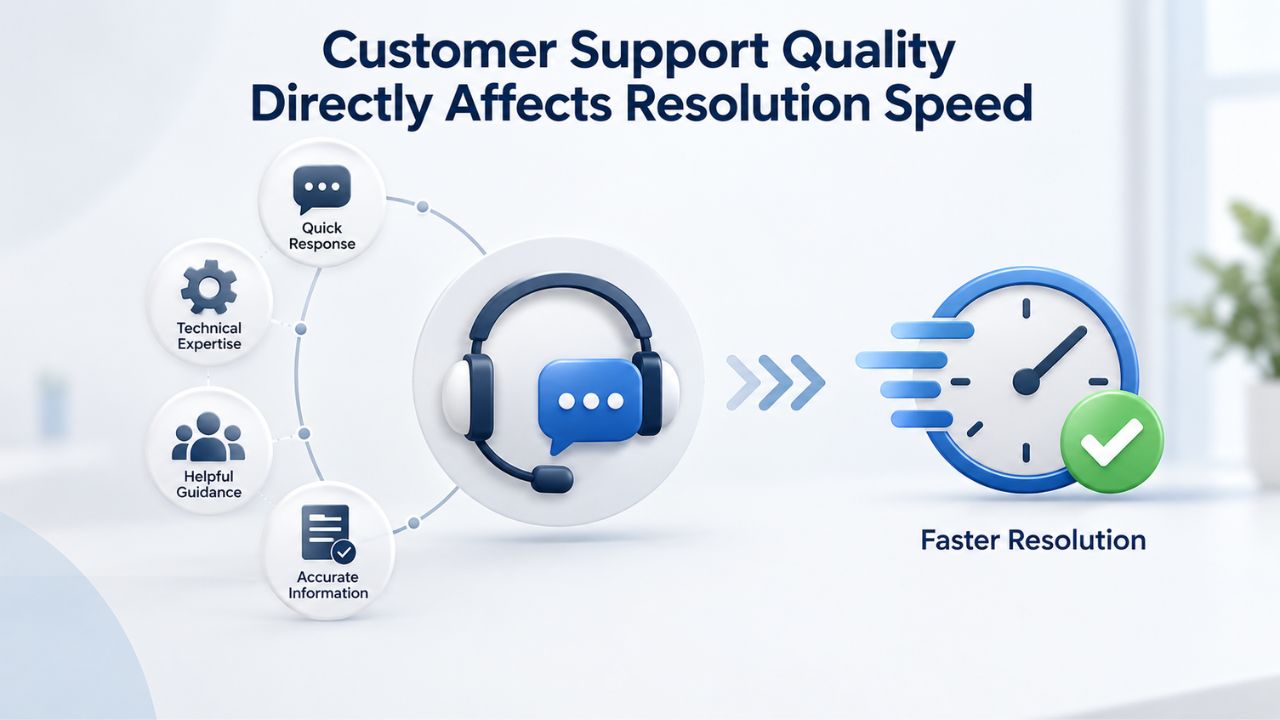
When selecting a hosting provider, look for 24/7 availability, quick response times (ideally within minutes rather than hours), support across multiple channels (live chat, email, and phone), and a comprehensive knowledge base for independent troubleshooting. Most of the time, a good support team can resolve your issue in less than 30 minutes. Still, if you choose a web host with poor support, you could be waiting up to 24 hours for a response (HostEase). For a business that depends on your website, a 24-hour response delay can cost far more than the price difference between a cheaper host and a better-supported one.
Before committing to a new provider, test their support by asking a question through live chat or email. A prompt, knowledgeable response within an hour is a good sign. A vague response, or one that takes a full day, is a red flag. If possible, ask a slightly technical question (not a presales question) to gauge whether the support team can actually help when you need real assistance. This test often reveals more about actual support quality than marketing claims ever could.
Red Flags in Support that Signal a Bad Match
Common red flags include promises of 24/7 support with very slow replies, only one way to contact support, no clear response-time expectations, hidden fees for assistance that should be basic, confusing or outdated documentation, weak communication during outages, and support staff who cannot explain technical issues clearly. If a provider advertises 24/7 support but your test question goes unanswered for days, that’s a signal. If they offer only email support and no live chat or phone, getting help during an outage becomes harder. If their knowledge base is outdated or sparse, you’ll be stuck waiting for support even for common, straightforward problems.
Niya Digital prioritizes responsive, knowledgeable account support during setup, migration, and ongoing management. That support is worth evaluating carefully when you’re deciding whether to stay with your current host or move. Poor support is often the final straw that pushes people to switch after months of tolerating slow performance or pricing frustration.
Security and Compliance Needs Often Exceed Shared Hosting Capabilities
As your website handles more customer data, payment information, or sensitive business content, security becomes non-negotiable. Shared hosting’s inherent limitations can become a real liability for your business and your customers’ data.
Isolation and Protection Limits on Shared Servers
On shared hosting, your website shares a server with dozens or hundreds of others. If one of those neighbors runs insecure code or gets hacked, your site is at risk. With shared hosting, if any one of those sites starts requiring extra bandwidth, all of the websites hosted by that server will start to run slower or might even crash due to the overload, which will result in a hardware or network failure causing downtime for your site.
While not a direct security breach, performance degradation from a compromised neighbor is a real risk to your business. More importantly, with a VPS platform, a website owner can customize security policies, firewall rules, and access controls for their website only, which is especially important when a business needs to allow employees access to email through a secure connection.
If your site handles customer payments, stores email addresses, or manages client files, shared hosting’s lack of isolation and customization becomes a compliance and liability risk. You may need fine-grained control over who can access your data, where backups are stored, and how your server is hardened against attacks, controls that shared hosting doesn’t offer. These capabilities are essential for businesses handling regulated or sensitive information.
Compliance and Data Handling Requirements
Data-privacy regulations like GDPR (Europe) and CCPA (California, USA) impose requirements on where and how you store customer data, and how you handle backups and encryption. GoDaddy Web Hosting provides options and resources for migrating your website, backing up a database or website using tools in the control panel, and installing SSL certificates. If your business operates in multiple jurisdictions or handles regulated data (health information, financial records, personally identifiable information), you’ll want a hosting provider that clearly explains its data handling, backup practices, and compliance framework. Shared hosting providers often have vague compliance policies; more transparent providers offer managed or dedicated options with explicit compliance details.
Before choosing a hosting tier, confirm with your legal or compliance team what requirements apply to your business. If shared hosting doesn’t meet those requirements, moving to managed or dedicated hosting isn’t a discretionary expense; it’s a compliance requirement. Document this decision and keep records of your provider’s compliance statements for your own regulatory documentation.
Explore Scalable Web Hosting Plans for Your Growing Business
Ready to stop tolerating slow performance or budget surprises? Niya Digital’s Web Hosting service offers transparent pricing, managed support, and scalable plan tiers that grow with your business. Whether you’re outgrowing shared hosting or looking for a more reliable provider, our team can guide your migration with zero-downtime planning and expert support throughout the process.
When Business Growth Requires Scaling Beyond Your Current Plan
Growth is good, but it often outpaces your hosting plan. Recognizing the signs of growth-driven scaling needs helps you move proactively instead of reactively. Planned upgrades are far less stressful and risky than emergency migrations when your site is already struggling.
Traffic Spikes, Feature Expansion, and Resource Bottlenecks
Traffic doesn’t grow smoothly; it comes in waves. A successful product launch, a viral social media post, or seasonal sales can send traffic through the roof in days. If your hosting plan is already at 70% capacity, a traffic spike can push you to 150%+ or beyond, and suddenly your site goes offline or crawls.
Signs you’ve outgrown shared hosting include high traffic regularly, increased load times despite optimization, e-commerce requirements with 100+ products, and custom software needs that shared hosting control panels don’t support (DomainIndia. Feature expansion has the same effect: adding a database, integrating payment processing, running email campaigns, or deploying new applications all consume additional server resources. A plan that worked for a basic website won’t work for a complex web application.
Niya Digital’s Web Hosting plans are scalable, but the right plan at upgrade time prevents a second migration shortly after. When you evaluate a move, factor in not just current traffic but expected growth over the next 12–24 months. Right-sizing at upgrade time is cheaper and less disruptive than undersizing again and facing another migration within six months.
Planned vs. Reactive Upgrades: The Risk of Waiting Too Long
The best time to upgrade is when you’re approaching your limits but still have buffer space, are stable, and can plan a methodical move. The worst time is when you’re already over your limits and your site is crashing or unavailable. As a website grows, the factors that informed its original choice may no longer apply; some businesses will grow so fast in their first two years that their current provider falls woefully short. If you wait until performance crashes to start looking for a new host, you’re making a reactive, stressful decision instead of a thoughtful one. You’ll rush the migration process, skip testing, and increase the risk of problems.
The strategic win is monitoring your resources monthly and planning your move when you’re at 60–70% capacity, not when you’ve hit 100% and your site is down. That planning window gives you time to choose a provider carefully, test the migration in a staging environment, and move on your schedule instead of your crisis’s schedule.
Migration Timing and Planning: Minimize Downtime
The fear of downtime often keeps people stuck with poor hosting. In reality, downtime during migration is manageable, even near-zero, with the right plan and preparation. Understanding migration mechanics removes much of the anxiety and risk from the switching process.
Scheduling Migrations During Low-Traffic Windows
If you’ve got a retail website, it’s probably not wise to move in the run-up to Christmas or during a sales period; ultimately, it depends on your business and its needs, ITPro. Timing is everything. If you run a seasonal business (ecommerce, hospitality, event ticketing), there are clear windows when traffic is lightest. Schedule your migration during those windows: a Tuesday night in your off-season, not a Thursday before a major promotion.
For a 24/7 business with no off-season, tell your team and customers a brief migration window is coming, and target the slowest hour of the slowest day. For most websites, that’s 2–5 AM on a Tuesday. Even if you hit a small amount of downtime during that window, the impact is minimal because few visitors are active then. The key: do not migrate during peak hours or major sale periods.
DNS Propagation, Staging, and Testing Strategy
DNS propagation can take anywhere from a few minutes to 24 to 48 hours; in most situations, downtime is minimal or avoided completely if the migration is done correctly, and proper planning can significantly reduce interruptions (Domains.co.za). The safest migration strategy is:
(1) Set up and fully test your site on the new host in a staging environment;
(2) Lower your domain’s DNS TTL (Time To Live) to 300 seconds 24–48 hours before the migration;
(3) At your planned migration window, move your site files and databases;
(4) Update DNS to point to the new host;
(5) Monitor DNS propagation and test your site from multiple locations;
(6) Keep your old host active for a few days in case you need to roll back.
Most migration-related downtime comes from the DNS cutover, the moment traffic redirects from the old site to the new site; if the new environment isn’t fully tested, visitors land on a broken or incomplete page. SiteGround Academy. The critical step: never cut over DNS before your new environment is fully tested. Email, all site features, redirects, and integrations must work on the new host first. DNS is the final switch, not the first step. Niya Digital’s migration support includes guidance on staging, testing, and DNS cutover planning. A reputable provider should walk you through each step, not just move files and wish you luck.
Technical Compatibility and Control Panel Features
Different hosting providers use different control panels and support different technology stacks. Choosing the right platform matters as much as choosing the right plan tier. Compatibility issues discovered after migration are far more disruptive than evaluating them before you move.
cPanel vs Plesk: Control Panel Differences and Learning Curve
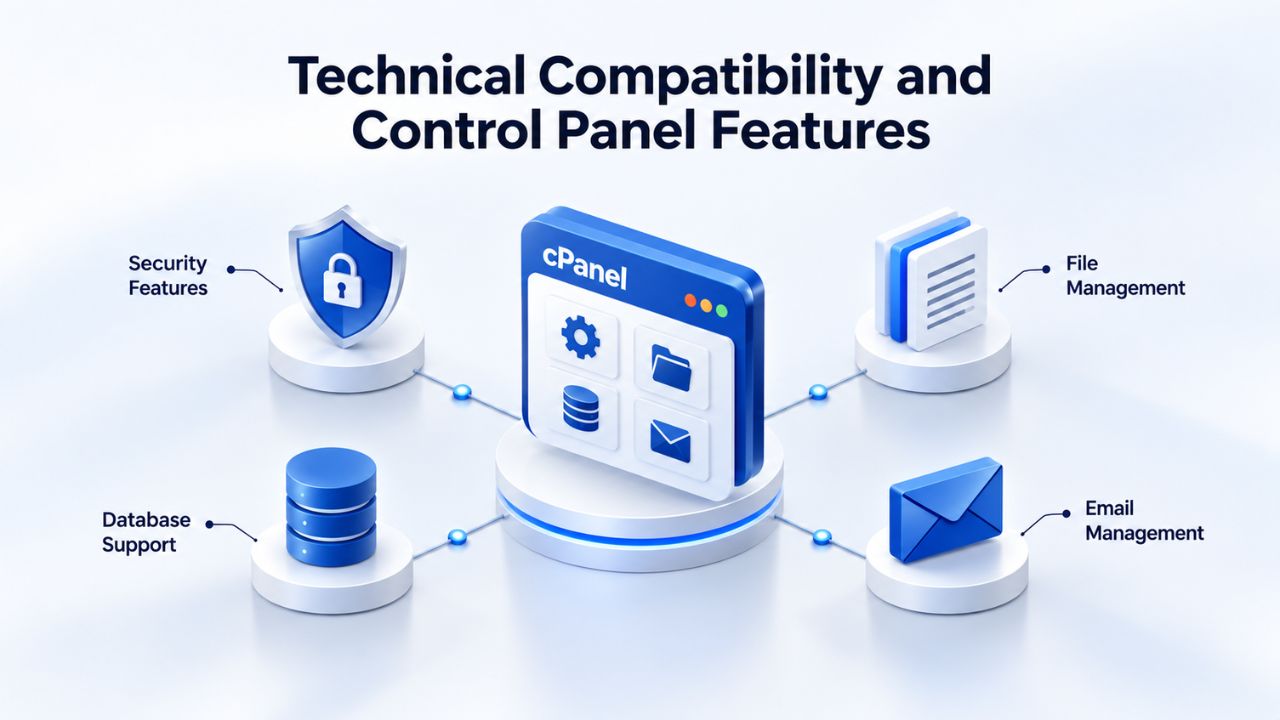
GoDaddy Web Hosting provides options and resources for navigating control panels, managing DNS settings, and installing third-party apps through the GoDaddy control panel installer. cPanel and Plesk are the two dominant web hosting control panels; both offer similar core features (file management, email, database creation, DNS) but with different interfaces and terminology. If you’re moving from cPanel to Plesk (or vice versa), the learning curve is brief; the features are there, just in different menus. Your new provider’s support team and knowledge base should guide you through the differences. Most site owners adjust within a few hours.
For most small business sites and blogs, control panel choice matters less than plan tier and support quality. For developers who need full root access, command-line tools, or custom server configurations, the gap between shared hosting (cPanel or Plesk, limited access) and VPS (full root access) is the real change. You gain direct control over software versions, custom configurations, and system-level tools, but you also take on responsibility for server maintenance and security hardening. Understand what level of control you actually need before choosing a plan.
WordPress, E-commerce Platforms, and Framework Support
Your hosting must support the technology stack your site runs on. GoDaddy Web Hosting supports installing third-party apps through the control panel, including WordPress, e-commerce platforms, and similar one-click installers. Most shared and managed hosting plans include one-click installers for WordPress, WooCommerce, PrestaShop, and other popular platforms. If you’re running a custom-built site or a framework like Django, Rails, or Node.js, you’ll need VPS or dedicated hosting where you can install runtimes and dependencies yourself.
Before moving, confirm your new provider supports your specific platform or framework. Ask during the sales process, and if the answer is vague, request a staging account to test before committing. A provider who can’t confidently answer “can I run WordPress on your hosting?” is not a safe choice for your business.
Total Cost of Ownership Over Three Years
The true cost of hosting isn’t the monthly bill; it’s the total you’ll pay over three years, including renewals, add-ons, domain fees, and migration costs. Many people choose hosting based on the first-year rate, then face budget surprises when renewal or upgrade costs hit.
Calculating Long-Term Cost vs. Introductory Pricing
Consider this: if a provider charges less in year one but more at renewal, you’ll pay more over three years than with a provider that offers consistent, transparent pricing. Create a spreadsheet: list your current host’s intro rate, renewal rate, and all add-ons; do the same for 2–3 alternative providers you’re considering. Calculate the three-year total for each. The comparison often shows that price per month is misleading; total cost matters. If you’re paying significantly more at renewal than you pay now, the “deal” has already expired; switching may be the better financial choice.
This three-year view also exposes the hidden-cost problem. A host might advertise a low base rate but charge extra for SSL, email, or backups. A provider with a slightly higher base rate but bundled features often costs less overall. Include all costs you actually need in your calculation, not just the base hosting fee.
Hidden Costs and Migration Considerations
Most reputable hosts offer free or low-cost migration. Some hosts charge extra, or worse, hold your data hostage unless you pay. 365i includes a free Migration Center with every plan; pick your old host, enter your details, and the system transfers your site automatically. You can run it any time without uptime risk, 365i. Check your prospective new host’s migration process and cost before signing up. A host that charges hundreds for migration or requires you to do all the work yourself is less attractive than one that handles it.
The financial decision to switch often becomes clear once you calculate total cost of ownership. A slightly higher monthly rate with stable renewal pricing, bundled features, and good support often costs far less over three years than a “bargain” host with shock renewal pricing and frequent hidden charges.
Making the Final Decision: Evaluation Criteria and Green Lights
The decision to switch isn’t just about one factor; it’s a combination. A checklist helps you weigh all the signals and confirm it’s the right time. This framework gives you a structured way to compare your current situation against your options.
Evaluation Checklist for Choosing Your Next Host
Before you move, answer these questions honestly:
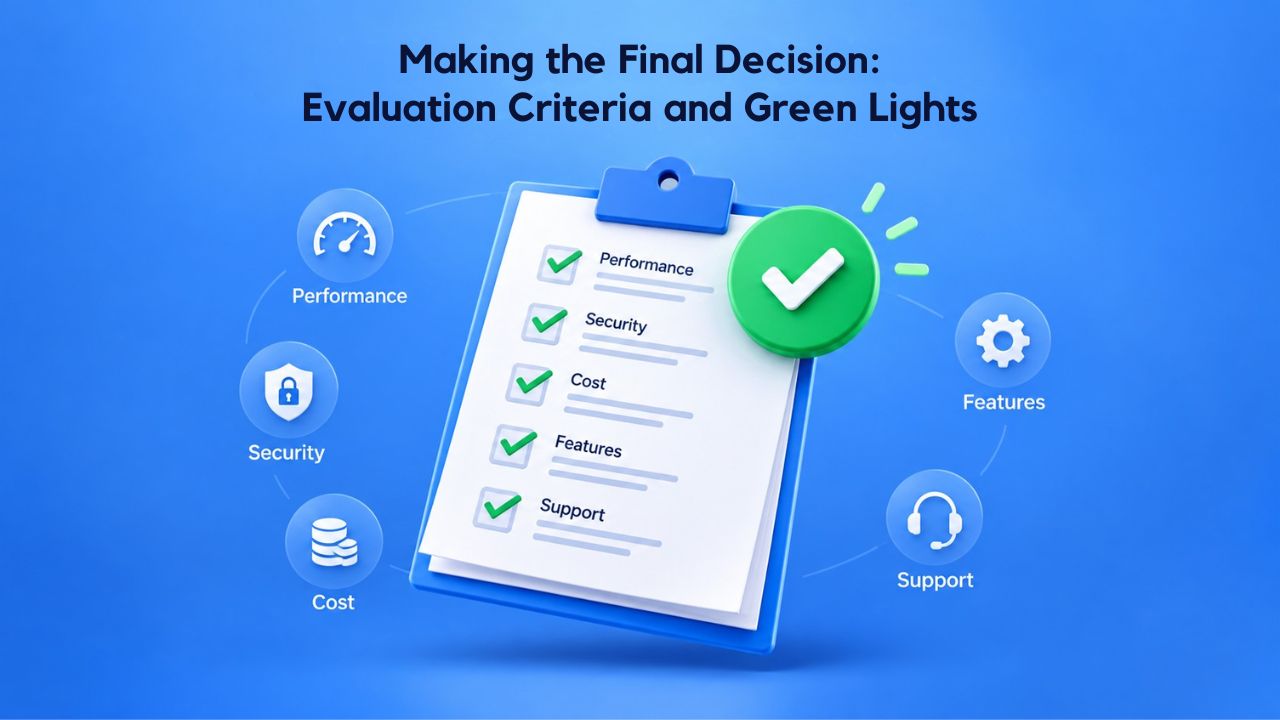
- Performance: Is your site slow, or experiencing frequent downtime? (Y/N)
- Resources: Are you consistently using 70%+ of your hosting plan’s CPU, RAM, or bandwidth? (Y/N)
- Cost: Are renewal costs significantly higher than your current rate? (Y/N)
- Support: Does your current provider have poor support response times or unhelpful staff? (Y/N)
- Security: Do you need customizable security settings or compliance features shared hosting doesn’t offer? (Y/N)
- Growth: Do you expect traffic or feature growth that your current plan won’t handle? (Y/N)
- Control: Do you need root access or software configuration your current plan doesn’t allow? (Y/N)
Red Flags and Green Lights in a New Provider
Before signing a contract with a new host, look for these green lights: transparent pricing where renewal rates are listed clearly, responsive support that answers your test questions within an hour, easy migration with free migration included or clear instructions, bundled features where email, backups, and SSL are included, scalability where plans are clearly explained, and track record where customer reviews on independent sites mention reliability, support, and fair pricing.
Red flags that should make you hesitate: vague promises like “unlimited” storage or bandwidth with no limits policy explained, hard-to-cancel terms or complicated cancellation processes, slow support that takes hours to respond, overpromising with “guaranteed 100% uptime” or other unverifiable superlatives, and pressure tactics where sales teams push you to sign before you’ve tested their support or reviewed the migration plan. The right provider feels professional, transparent, and genuinely interested in your success, not just closing the sale.
Common Reasons to Switch Web Hosting and Their Business Impact
| Switching Reason | Performance Impact | Resource/Cost Impact | Timeline to Crisis |
|---|---|---|---|
| Slow page load times (3+ sec) | Conversions drop with each additional second; SEO ranking score declines significantly; mobile visitors abandon sites quickly | Server CPU/RAM at capacity; bandwidth limitations during traffic spikes | Gradual decline over weeks; crisis when rankings drop |
| Frequent downtime (weekly or more) | Lost revenue during outages; customer trust damage; SEO penalties if Google cannot crawl the site | Hosting plan resource limits exceeded during peak traffic; poor uptime track record | Immediate revenue loss per outage; urgent after multiple incidents per month |
| Approaching resource limit (70%+ of plan) | Intermittent slowness and user frustration; risk of resource limit errors during traffic peaks | Current plan at ceiling; no room for growth or traffic spikes | Becomes critical within 2–4 weeks if traffic continues growing |
| Renewal costs increase significantly | No immediate performance impact; gradual customer loss due to budget constraints | Budget strain; multi-year cost escalation; switching effort deferred due to financial resistance | Surprise at renewal; decision paralysis for 1–2 renewal cycles |
| Poor customer support (delayed responses) | Issue resolution extends from minutes to hours or days; extended business downtime | Support tickets accumulate; internal team spends time escalating instead of growing | Crisis when outage occurs and support is unavailable or slow |
| Security and compliance gaps | Risk of data breach; non-compliance with regulations; liability exposure | No customizable firewalls or audit capabilities; customer data isolation at risk | Urgent once compliance audit or regulatory notice arrives |
| Feature gaps (unsupported CMS or framework) | Blocker for site redesign or technology upgrade; missed growth opportunities | Cannot deploy new features without migration; development team blocked | Becomes bottleneck once new features are planned |
Start Your Migration to Reliable, Transparent Web Hosting Today
Choosing the right hosting provider is one of the best investments you can make in your website’s performance and your peace of mind. Niya Digital’s Web Hosting service combines GoDaddy’s reliable infrastructure with our dedicated support team, transparent pricing, and a seamless migration process. Get a clear view of your options and start planning your move today.
Frequently Asked Questions
How Much Downtime Should I Expect During a Site Migration?
A properly executed migration causes near-zero downtime for your visitors. We build and test your site on the new host first, in a staging environment. The actual cutover happens via a DNS switch that routes traffic to the new server once everything is ready. DNS propagation typically takes 24–48 hours, but during that time, most of your visitors see the new site immediately; a small portion may see the old site for a few hours while their ISP’s DNS cache updates. This is normal and not a “down” period. If you schedule the migration during low-traffic hours and lower your DNS TTL 24–48 hours beforehand, you can reduce the inconsistency window to near zero.
What’s the Difference Between Shared Hosting, Managed Hosting, and VPS?
Shared hosting places your website on a server with many others, sharing CPU, RAM, and bandwidth. It’s affordable but has performance limits and less isolation. Managed hosting is often a premium shared plan with better resources, automated backups, and often included security scanning or updates. VPS (Virtual Private Server) allocates dedicated resources just to your site- your own portion of CPU, RAM, and storage- so you get much better performance and isolation without the full cost of a dedicated server. For most growing sites, the path is shared → managed shared → VPS, with each step offering more resources and control.
Is It Really Worth Switching Hosts If My Current Provider Works Fine?
If your current provider is working fine, no need to switch. However, “fine” and “good” are different. If your site loads in 2 seconds, has zero downtime over the past year, and your renewal rates are stable and fair, stay. But if you’re tolerating slow speeds, occasional outages, or price increases, or if you know your site is reaching resource limits, switching is worth the effort. The cost of staying with a provider that’s dragging you down is often higher than the cost and effort of moving.
How Do I Know When I’ve Outgrown Shared Hosting?
Watch three metrics:
(1) Resource usage: if you’re consistently at 60–70%+ of your CPU, RAM, or bandwidth, plan an upgrade soon.
(2) Traffic level: once you consistently hit 50,000+ monthly visitors, shared hosting starts to strain.
(3) Performance: if pages load in 3+ seconds and optimization hasn’t helped, your server resources are likely the bottleneck.
Most hosts provide resource usage data in your control panel; check it monthly. If two of these three are concerning, VPS or managed hosting is your next step.
Should I Move During a Busy Season or Wait for a Slow Period?
Wait for a slow period if possible. Schedule your migration during low-traffic hours and low-traffic seasons for your business. For a retail site, avoid migrating during sales, promotions, or holidays. For a services business with consistent traffic, pick a quiet night. For a 24/7 business, pick your slowest day and slowest hours. The goal: minimize the chance that the migration window affects active visitors or conversions. A few hours of preparation and planning are worth the risk reduction.
What Happens to My Email During a Migration?
Email can be tricky during migration because DNS includes MX (Mail eXchange) records that point to your email server. If you’re migrating to a new host that handles email, update your MX records after the migration. If you’re using an external email provider (Google Workspace, Microsoft 365), your email doesn’t move; your MX records stay pointed to that provider, regardless of where your web hosting is. Ask your new host whether they handle email or if you’ll need an external provider, and get clear instructions on MX record changes before migrating.
Can I Test the New Host Before Migrating My Live Site?
Absolutely. Most hosts offer a staging environment or a test domain. Create a copy of your live site on the new host, run every feature through its paces, test forms, check email, confirm all plugins or integrations work, and verify page load times. Only after full testing do you cut over DNS and make the new host your live site. This testing phase typically takes a few days but prevents surprises and rollbacks. If a new host won’t let you test on their servers before migrating, that’s a red flag.
What’s the Total Cost of Switching Hosting Providers?
The direct cost is often zero; most reputable hosts offer free migration. The indirect costs are your time and the small window of risk during DNS propagation. If you hire someone to manage the migration, that’s a cost (typically a few hundred dollars), but most site owners with basic technical skills can handle migration with their new host’s guidance. Compare that cost to what you’d save in renewal pricing or gain in performance; often, switching saves you thousands over three years.
How Do I Keep My Domain Name If I Change Hosts?
Your domain registration and your web hosting are separate. If your domain is registered at your current host, you can transfer it to a new registrar or keep it where it is; it doesn’t matter where it’s registered. It just needs to point to your new host’s nameservers via DNS. If you want to keep your domain at the same registrar, update the nameserver records. If you want to transfer the domain to a new registrar, initiate the transfer and update the nameservers there. Either way, your domain stays yours; you’re just changing where the hosting points.
What Should I Ask a Potential New Host Before Signing Up?
Ask:
(1) What is your renewal pricing? (not just intro pricing)
(2) What support channels do you offer, and what are typical response times?
(3) Do you offer free migration, and how long does it take?
(4) What is your uptime track record?
(5) Do you include SSL certificates, backups, and email accounts, or are these add-ons?
(6) Can I test your platform on a staging domain before migrating my live site?
(7) What is your cancellation process?
(8) Do you have documented compliance or data handling policies if I need them?
A provider who answers these clearly and confidently is a good sign; vagueness is a red flag.
How Long Does the Entire Migration Process Take?
Preparation and testing typically take 3–7 days. The actual data transfer usually takes a few hours to a day, depending on your site size. DNS propagation takes 24–48 hours globally. So, from decision to fully live on the new host: about one week if everything goes smoothly. However, build in a buffer. If you discover an issue during testing, troubleshooting may extend the timeline. Choose a migration start date that’s at least 10 days before any critical business event.
What’s an SLA, and Why Does It Matter?
An SLA (Service Level Agreement) is a formal commitment from a hosting provider stating their uptime guarantee (e.g., “99.5% uptime”) and what credit or compensation you get if they fall short. An SLA of 99% means your site can be down 7.2 hours per month; 99.5% means 3.6 hours per month; 99.9% means 43 minutes per month. Most shared hosting doesn’t offer SLAs; managed plans and VPS often do. If your business depends heavily on your website, ask about the host’s SLA and what happens if they miss it. No provider offers “100% uptime guaranteed”; anyone claiming that isn’t being truthful.
Is Switching Hosts Hard for Someone Without Technical Skills?
No. Most hosts provide step-by-step migration guides, and support staff can walk you through the process. If you’re moving from one cPanel host to another cPanel host, the control panels look nearly identical. The DNS cutover is a single step: you update a record in your domain registrar’s panel and wait 24–48 hours. The most technical part is testing email and confirming redirects work, but your new host’s support team can guide you. If you’re not comfortable doing it yourself, a reputable host may offer paid migration assistance (typically a few hundred dollars), which is cheaper and less risky than learning on the job with a live site.
Can I Switch Hosts Without Losing My Search Rankings?
Yes, if you plan correctly. The key is: keep your site’s URLs the same (do not change domain or page paths unless necessary), set up 301 redirects for any URLs that do change, and submit a change-of-address notice to Google Search Console so search engines know your site has moved but the content is the same. DNS change does not hurt rankings; content migration handled correctly maintains rankings. In fact, if your old host was slow, moving to a faster host may improve rankings over time because site speed is a ranking factor.
What’s the First Step if I’ve Decided to Switch?
Start by creating a list of potential new hosts and testing their support. Ask a technical question through their live chat or contact form and see how they respond. Request information about their plans and renewal terms, not just intro pricing. Ask about their migration process and any limits you should know about. Once you’ve found a host that feels like a good fit, request a staging account to test before committing. Get clarification on your domain transfer process, email setup, and timeline. Only once you’re confident in the new host should you sign up for a plan and begin the migration process.
Glossary
- Web Hosting: Server space and resources rented to store website files and databases, making them accessible to visitors via the internet. Web hosting comes in multiple tiers: shared, managed, VPS, and dedicated, each offering different levels of resources and control.
- Shared Hosting: A web hosting plan where multiple websites share the same physical server and its resources (CPU, memory, bandwidth). It’s affordable and simple but has performance limits and less isolation than higher tiers.
- cPanel: A widely used control panel software that hosting providers use to let customers manage their accounts, including file uploads, email accounts, databases, domain DNS records, and backups, via a graphical interface rather than command-line commands.
- Uptime: The percentage of time a hosting server is operational and serving your website to visitors without interruption. Typical web hosting uptime is 99% to 99.9%, which translates to a few hours to 43 minutes of acceptable downtime per month.
- DNS (Domain Name System): The system that translates a domain name (e.g., example.com) into the IP address of the server hosting that website. When you type a domain in a browser, DNS tells the browser where to find the site.
- DNS Propagation: The time it takes for DNS changes (like pointing your domain to a new host) to spread across internet service providers and devices globally. Typical propagation is 24–48 hours, though some changes can propagate faster.
- TTL (Time To Live): A value in DNS records that determines how long servers cache DNS information before checking for updates. Lower TTL (300 seconds) means faster propagation during migration but slightly higher query load; typical TTL during normal operation is 3600+ seconds.
- VPS (Virtual Private Server): A hosting plan where a website has dedicated CPU, memory, and storage resources, not shared with other accounts, offering better performance and scalability than shared hosting but requiring more technical knowledge or paid managed support.


