
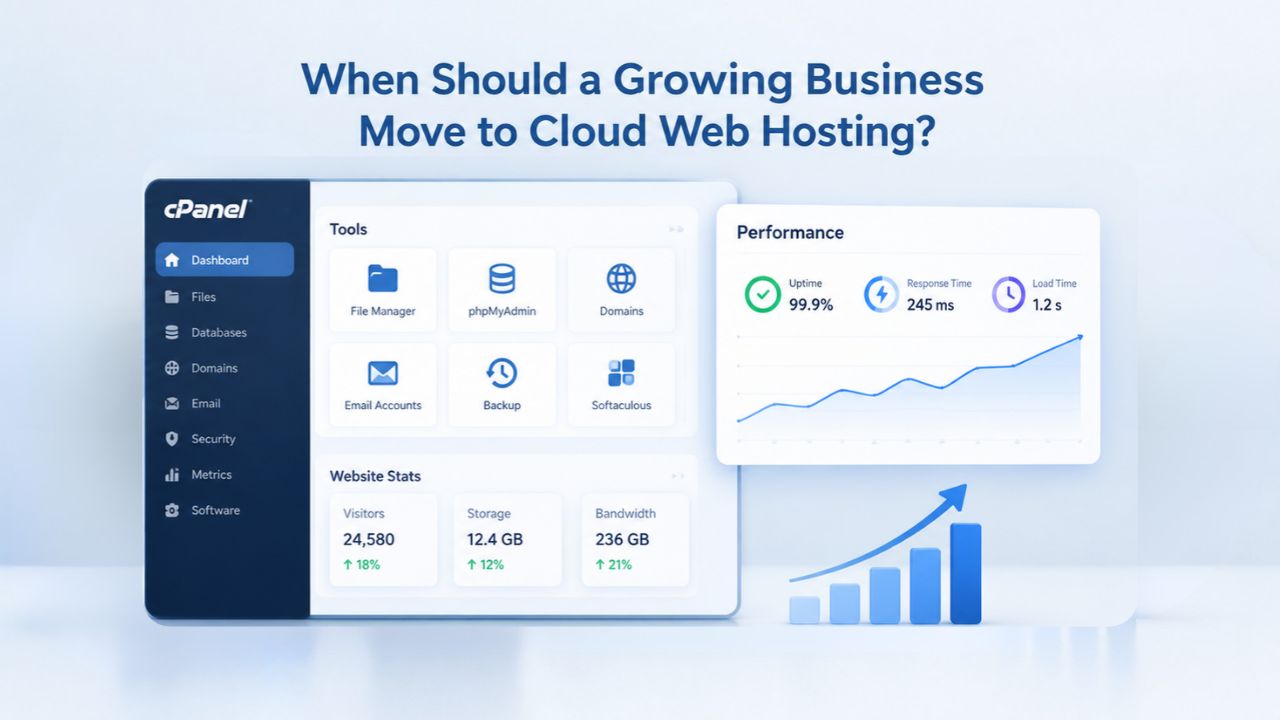
Your website loads fine on Tuesday morning. By Thursday afternoon during your busiest hours, pages crawl. You’ve optimized images, cleared plugins, and tried caching, yet traffic spikes still hurt performance. At some point, shared hosting hits a ceiling that optimization cannot overcome. Knowing when to move to a scalable hosting tier helps keep your business running predictably as you grow. Niya Digital is an authorized reseller of GoDaddy-powered web hosting infrastructure; we do not operate our own independent data centers or hardware. Overall website performance, uptime, and security depend on many factors beyond any single provider’s control, including your site configuration, application code, traffic patterns, and your own security practices.
The Business Impact of Hosting Limitations
When your website runs on shared hosting, providers pool server resources across many websites to keep costs low. This arrangement creates a fundamental limit: you compete for CPU, RAM, and bandwidth with potentially hundreds of other sites on the same physical server. When those neighbors experience traffic surges, your site slows regardless of what you’ve done. The cost of this slowdown goes far beyond frustration; it directly impacts your revenue and search visibility.
The Real Cost of Shared Hosting Bottlenecks
Shared hosting works well for small sites because costs remain low, but the shared infrastructure creates an unavoidable performance ceiling. When neighboring websites experience traffic spikes, your site slows down through no fault of your own. The underlying physical server’s total capacity becomes stretched, and all sites on it suffer proportionally. This isn’t a bug or a limitation you can fix through optimization alone.
The financial impact of slow hosting is measurable and direct. Research from NP Digital (February 2025) shows that sites loading in 1 second average a 2.3% conversion rate and a ranking score of 100 in organic search, while sites taking 4 seconds drop to a ranking score of 57 and conversions fall to 1.8%. At 7 seconds, conversion rates collapse to just 1.4%, and rankings drop to a score of 3. For an e-commerce store, a seconds-long slowdown during peak hours translates directly to abandoned shopping carts and lost revenue.
Performance problems compound quickly in ways that cost calculations rarely capture. A single one-second delay in page load time can reduce conversions by 7 percent. If your hosting expense is minimal but slowdowns cost hundreds in lost sales monthly, the “savings” of shared hosting evaporate entirely. This is why growing businesses migrate, not for prestige, but because staying on inadequate infrastructure now costs more than upgrading.
Business Web Hosting Plans & Pricing
Choose the hosting plan that fits your website, WordPress site, or growing business. Compare features, storage, performance, security, and website capacity to find the right hosting environment for your needs.
cPanel Starter
cPanel Hosting that's easy, reliable and lightning-fast.
- 1 website
- 30 GB storage
- Unmetered bandwidth*

cPanel Economy
cPanel Hosting that's easy, reliable and lightning-fast.
- 1 website
- 100 GB space
- Unlimited bandwidth*
- 100 email accounts**
- 10 MySQL databases (1 GB ea.)
cPanel Deluxe
cPanel Hosting that's easy, reliable and lightning-fast.
- Unlimited websites
- Unlimited space
- Unlimited bandwidth*
- 500 email accounts
- 25 MySQL databases (1 GB ea.)
cPanel Ultimate
cPanel Hosting that's easy, reliable and lightning-fast.
- Unlimited websites
- Unlimited space
- Unlimited bandwidth*
- 1000 email accounts
- Unlimited MySQL databases (1 GB ea.)
- 2X Processing power & memory (available for Linux/cPanel only)
- Premium DNS
- 1-year SSL certificate to secure customer data and increase search rankings
*We don't limit the amount of storage and bandwidth your site can use as long as it complies with our Hosting Agreement. Should your website bandwidth or storage usage present a risk to the stability, performance or uptime of our servers, we will notify you via email and may be required to upgrade, or we may restrict the resources your website is using.
**Email account storage is limited to 100 email accounts with 100 MB of total storage.
WordPress Basic
A great way to get started.
- 1 website
- 10 GB NVMe storage
- Unmetered bandwidth
- Free SSL Certificate *
- WordPress pre-installed
- Weekly backups
- Web Application Firewall
- Daily malware scans
- One-time malware removal

WordPress Deluxe
Improve your site performance with Cloudflare CDN.
- 1 website
- 20 GB NVMe storage
- Unmetered bandwidth
- Free SSL Certificate *
- WordPress pre-installed
- Daily backups
- Web Application Firewall
- Daily malware scans
- One-time malware removal
- Up to 2x faster performance with global Cloudflare CDN **
- Enhanced security with DDoS protection
- Staging site
WordPress Ultimate
Add online marketing with more sites, storage and security.
- 1 website
- 30 GB NVMe storage
- Unmetered bandwidth
- Free SSL Certificate *
- WordPress pre-installed
- Daily + on-demand backups
- Web Application Firewall
- Daily malware scans
- Unlimited malware removal
- Up to 2x faster performance with global Cloudflare CDN **
- Enhanced security with DDoS protection
- Staging site
- WordPress code optimizer
- Smart WordPress plugin manager
- Sell online with WooCommerce
*An SSL certificate is included with every site and free for the life of the hosting plan. Certificates are automatically installed, validated and renewed.
Web Hosting Plus Launch
For multiple basic sites.
- 100 GB storage*
- 4 GB RAM
- 2 CPUs
- Unmetered traffic
- 50 websites & databases
- Free, unlimited SSL for all your websites**

Web Hosting Plus Enhance
For high-traffic WordPress, Joomla, and other sites.
- 200 GB storage*
- 8 GB RAM
- 4 CPUs
- Unmetered traffic
- 100 websites & databases
- Free, unlimited SSL for all your websites**
Web Hosting Plus Grow
For advanced eCommerce sites like Magento.
- 300 GB storage*
- 16 GB RAM
- 8 CPUs
- Unmetered traffic
- 150 websites & databases
- Free, unlimited SSL for all your websites**
Web Hosting Plus Expand
For multiple basic sites.
- 400 GB storage*
- 32 GB RAM
- 16 CPUs
- Unmetered traffic
- 200 websites & databases
- Free, unlimited SSL for all your websites**
*The total amount of usable storage capacity for your particular Hosting Service(s) may differ from the represented capacity as there is required space for the operating system(s), system file(s) and other supporting file(s).
**If you cancel the Web Hosting Plus product, you will lose the associated SSL certificate as well.
When Shared Resources Stop Being a Strength
Shared hosting environments reveal their limits as your business grows. Pages that load quickly during off-hours lag significantly during business hours when traffic increases. Transaction processes and form submissions begin timing out. Administrative interfaces become sluggish or unresponsive. These symptoms don’t indicate code problems or design flaws; they signal that the underlying server cannot handle your actual traffic pattern.
The core problem: you cannot fix it yourself. On shared hosting, you have no control over server-level resources. You cannot allocate more RAM to your application or dedicate faster processors to your database. Your hosting provider manages the physical server, and if they oversell it to maximize profit, your business suffers during peak hours. You’re essentially renting a fixed amount of processing power in an uncontrolled environment where other tenants’ activities directly affect your availability.
When to Move: The Warning Signs
As your business grows, your infrastructure may fall behind. The challenge is recognizing when shared hosting is no longer adequate before problems start damaging your reputation and revenue. Several clear signals indicate it’s time to upgrade to a more robust hosting environment that scales with your needs.
Performance Metrics That Signal an Upgrade
The clearest upgrade signal arrives when optimization hits a plateau. If you’ve optimized your site thoroughly, caching enabled, images compressed, plugins audited, and server response time remains slow even during quiet hours, then a proper speed workup points at the platform itself. At that point, the bottleneck isn’t your code or design. It’s the hosting tier.
Look for patterns in your performance data, not one-off slowdowns. Watch whether pages load well at 6 AM but crawl during business hours when traffic increases. This “noisy neighbor” effect defines shared hosting behavior; your resources diminish when other sites spike. Shared hosting environments frequently show server response times of 1,000 milliseconds or more under moderate traffic loads. By comparison, VPS environments maintain response times under 400 milliseconds even during peak traffic. This difference directly affects user experience and conversions.
Server metrics provide concrete evidence that upgrade decisions need attention. Monitor your Time to First Byte (TTFB) and page load times regularly. When optimization no longer improves these metrics during off-peak hours, you’ve likely hit shared hosting’s ceiling. Your host may offer detailed reports showing resource consumption patterns. If you see consistent slowdowns during normal business hours rather than occasional spikes, start planning migration within the next quarter.
Resource Limit Alerts Are a Direct Signal
Your hosting provider will warn you when you approach limitations. If you regularly see errors such as “503 Resource Limit Reached” or experience slow site loading despite optimization efforts, these are direct signals that your plan has reached capacity. Check your Resource Usage section in your control panel under the “Metrics” area. These warnings aren’t intermittent glitches; they’re your host telling you that you’ve hit the ceiling of what your plan provides.
Frequent 508 errors indicate you’re consistently hitting CloudLinux resource limits, meaning your site needs more CPU and RAM than shared hosting provides. If you’re seeing these errors during normal business hours rather than only during unexpected traffic spikes, move up your migration timeline. The pattern matters more than the frequency. One error per month might be ignorable. Multiple errors per week signal a real problem that’s affecting your business.
Traffic Growth: The Predictable Trigger
As your audience grows, hosting environment demands increase proportionally. Shared hosting handles moderate traffic adequately, but struggles when you attract steady visitor streams or experience traffic spikes. Because you share resources like CPU and RAM with many other websites on the same server, performance depends on what other sites do, not just your own usage. Your growth trajectory becomes predictable if you track analytics and plan infrastructure upgrades before growth forces a reactive change during an outage.
Once your website consistently receives 50,000 or more monthly visitors, shared hosting struggles to keep up reliably. For e-commerce specifically, the threshold arrives much earlier. Online stores with 100 or more products and real-time inventory systems need dedicated resources to function properly. The limiting factor isn’t just visitor count; it’s the combination of traffic volume and operational complexity. A store with 10,000 monthly visitors managing 5,000 products in real time will outgrow shared hosting faster than a blog with 100,000 monthly visitors delivering straightforward content.
Performance and Conversion Impact
Website speed directly determines whether visitors become customers or abandon your site. This relationship between hosting performance and business results isn’t theoretical; you can measure it through conversion data and search rankings. Understanding these connections helps justify infrastructure investments to leadership and stakeholders.
Why Page Speed Directly Affects Revenue
Page load speed directly determines business outcomes. A B2B website that loads in 1 second achieves a conversion rate 3 times higher than one that loads in 5 seconds. If your current hosting shifts the typical user experience from 1.5 seconds to 3.5 seconds, you’ve essentially cut your conversion rate roughly in half. This isn’t speculation based on averages; this is the direct relationship between server performance and customer behavior.
Consider this from your visitors’ perspective: 40 percent of people will leave a website if it takes longer than 3 seconds to load. That’s not a preference or a mild preference. It’s a hard boundary. Visitors with better options elsewhere don’t wait. Your hosting choice directly determines whether those potential customers stay long enough to engage with your offer or bounce to a competitor. This margin shrinks further on mobile devices, where network conditions are less predictable.
For e-commerce, the impact compounds across your entire funnel. Slow loading on product pages increases bounce rate. Slow loading on checkout pages increases cart abandonment. Slow loading on confirmation pages makes customers question whether their order went through. Each slowdown multiplies abandonment at different stages. Upgrading to VPS hosting, where your resources are dedicated and consistent rather than variable and shared, can lift conversion rates measurably across your entire business funnel.
Search Engine Ranking Follows Performance
Google now uses page speed as an official ranking factor in its search algorithm. Websites that meet Core Web Vitals benchmarks, especially Largest Contentful Paint (the metric for when main content becomes visible) under 2.5 seconds, rank higher in search results. This directly influences your organic visibility and traffic. Slow hosting doesn’t just hurt immediate conversions; it damages your long-term organic search position.
This creates a reinforcing cycle that becomes expensive if left unaddressed: slower hosting leads to lower rankings, which leads to fewer organic visitors, which leads to slower revenue growth. By the time you notice the ranking decline, you’ve often been penalized for months and lost traffic to competitors. Upgrading to a faster hosting tier, where VPS environments maintain response times under 400 milliseconds even during peak load, improves user experience today. It helps you compete for search visibility and traffic tomorrow, protecting your organic growth trajectory.
Shared Hosting vs Cloud and VPS: The Resource Difference
Understanding what changes when you upgrade from shared to VPS hosting helps clarify whether migration makes sense for your business. The shift is more fundamental than a simple upgrade; it represents a different architectural approach to resource allocation and performance reliability.
What Actually Changes When You Upgrade
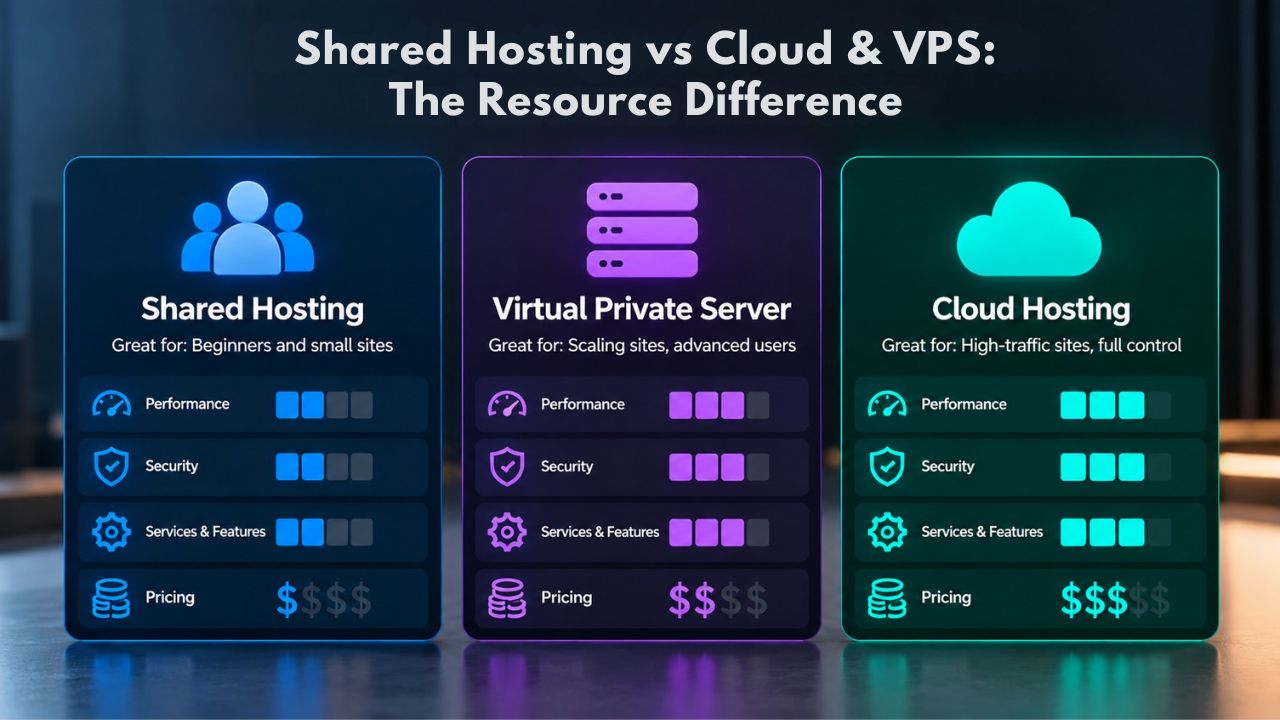
The shift from shared to VPS represents a fundamental architectural difference, not a minor adjustment. Shared hosting works like apartment-buildingliving: your website has its own space but shares resources with many other sites. When another website consumes resources, your site’s performance degrades because that capacity is no longer available to you. VPS hosting works more like owning a townhouse: you still share the physical server hardware, but your website receives dedicated resources such as CPU and RAM that are yours alone.
On GoDaddy’s Web Hosting service, which runs on GoDaddy’s server and network infrastructure, the shared hosting tier uses pooled resources while the VPS tier provides scalable resources with guaranteed allocation. Moving to VPS reserves CPU cores for your account. Your RAM allocation is yours and cannot be consumed by other sites. Your storage space doesn’t vary based on neighboring usage. This isolation creates the consistency that growing businesses need.
The difference in performance behavior becomes immediately apparent. With shared hosting, your response times vary throughout the day depending on overall server load from all sites. During peak hours when other sites see traffic spikes, your performance inevitably suffers. With VPS, your performance remains consistent because your resources are isolated. The server can be busy with overall activity, but your allocation- the CPU and memory your site receives- stays constant.
Control and Customization Become Possible
Shared hosting locks you into rigid configurations set by your hosting provider. You cannot install custom software, run specialized applications, or modify server-level settings. VPS hosting opens up possibilities: you can control your server configuration to support whatever your application needs. Whether you need specific software, stronger security settings, or performance optimizations tailored to your stack, VPS hosting lets you configure your environment.
This matters significantly when your site has special requirements. If you’re running a custom application built to your specifications, need specific database versions, or require non-standard modules, shared hosting won’t cut it. VPS gives you the infrastructure keys. That control comes with responsibility, unless you choose managed VPS, where your provider handles OS updates and patches so you can focus on your application.
Customization extends beyond software to operational practices. You can install monitoring tools to track your own performance metrics. You can configure automated backups on your preferred schedule. You can implement security tools aligned with your compliance requirements. You can run multiple isolated environments if you need to separate staging and production. These capabilities matter for agencies, development teams, and businesses with specific compliance or performance requirements.
| Feature and Resource | Shared Hosting | VPS Hosting | Key Difference |
|---|---|---|---|
| CPU Allocation | Shared pool (first-come-first-served) | Dedicated vCPU cores (1–8+) guaranteed | VPS guarantees your CPU; shared degrades under load |
| RAM Memory | Shared pool (limited by plan cap) | Dedicated RAM (1–32GB+) always available | VPS RAM is yours; shared RAM shrinks when neighbors use resources |
| Storage Space | Shared/limited per plan tier | Dedicated SSD/NVMe (40GB–2TB+) | VPS storage doesn’t shrink based on other sites |
| Bandwidth Capacity | Shared limit by plan | Dedicated or metered allocation | VPS separates bandwidth from other users |
| Root-Level Access | None (security isolation enforced) | Full root access available | VPS allows complete server configuration |
| Operating System | Fixed choice (Linux or Windows) | OS selection and switching available | VPS supports OS changes if needed |
| Performance Variability | High (neighbor-dependent) | None (isolated from other users) | VPS consistency enables predictable performance |
| Scaling Options | Plan upgrades only (limited tiers) | Instant CPU/RAM/storage upgrades seamlessly | VPS scales without migration |
| Management Responsibility | Host manages everything | Managed (host handles OS) or Unmanaged (you handle admin) | VPS choice depends on your team capacity |
Managed vs Unmanaged VPS: Which Fits Your Team
Choosing between managed and unmanaged VPS isn’t primarily a technical decision; it’s about how much operational overhead your team can sustain. Each approach offers trade-offs between control and simplicity that organizations should evaluate honestly.
The Tradeoff Between Control and Simplicity
Managed VPS hosting means your provider handles the heavy operational lifting: server setup, security patches, operating system updates, monitoring, and regular maintenance. You focus on your application and content while your provider manages the infrastructure underneath. Unmanaged VPS hosting provides maximum control and flexibility but requires your team to handle all server administration tasks, security hardening, and troubleshooting.
If you have an in-house systems administrator or work with a development team comfortable with server management, unmanaged VPS offers more flexibility and control at lower cost. If you’re a small team of non-technical founders, an agency managing many client sites, or a business without dedicated operations staff, managed VPS often provides better value. Managed VPS hosting is ideal for individuals and businesses that want the power and flexibility of a Virtual Private Server without the complexity of server administration, especially those running WordPress sites or e-commerce stores with moderate to high traffic.
The decision often comes down to internal capacity and strategic priorities. If your team’s expertise lies in building your product rather than managing infrastructure, managed VPS lets you focus where you create value. If you have deep infrastructure expertise and prefer complete control, unmanaged VPS rewards that investment with flexibility and cost savings.
The Hidden Cost of Unmanaged
Unmanaged VPS appears cheaper until you factor in operational labor. Independently managing a VPS server affects your efficiency, time, and IT budget in ways initial cost comparisons miss. If your team spends 5 hours per week on server patching, security hardening, backup verification, and maintenance, that’s roughly the equivalent of a substantial operational cost on a typical business salary, far exceeding what a managed VPS would cost.
Niya Digital’s team has found that growing businesses consistently underestimate the operational burden of unmanaged hosting. The few monthly dollars saved on server fees quickly disappear into emergency fixes, late-night patching cycles, and opportunity costs as your technical staff maintains infrastructure instead of building your product. A single security incident caused by a missed patch can cost thousands in recovery work. A backup failure can cost your entire business if you need disaster recovery.
Assess Your Team’s Hosting Needs
Choosing between managed and unmanaged VPS depends on your team’s technical capacity and priorities. Niya Digital’s managed support handles infrastructure complexity, so your team focuses on your business. Get guidance on which approach fits your situation and what support level matches your needs without overbuying or underinvesting in infrastructure management.
E-commerce and High-Traffic Site Scaling
E-commerce sites face different scaling pressures than general websites because they combine traffic demands with real-time operational requirements. Understanding when and why e-commerce outgrows shared hosting helps prevent the performance failures that directly cost revenue.
Why E-commerce Outgrows Shared Hosting Faster
E-commerce websites are inherently more resource-intensive than general websites. E-commerce sites must handle product catalogs, customer accounts, payment processing, and real-time inventory updates, operational requirements that demand reliable, consistent hosting infrastructure. A blog with 10,000 monthly visitors may thrive on shared hosting indefinitely. An e-commerce store with 10,000 monthly visitors but a 1,000-product catalog with live inventory will likely struggle significantly.
The scaling question for stores isn’t purely “how many visitors?” but rather “how many database queries? How many inventory updates per second? How many simultaneous shoppers during peak sales events?” A small shop testing its concept can start on shared hosting, while growing businesses usually benefit from VPS hosting as complexity increases. Large stores with heavy traffic and complex operations may require dedicated resources. The traffic threshold matters less than operational complexity; a store hitting 10,000 visitors but maintaining 5,000 products with real-time inventory syncs will outgrow shared hosting faster than a blog receiving 100,000 monthly visitors with straightforward content.
Resource intensity increases dramatically as inventory complexity grows. Each product page load likely queries your inventory database. Each checkout process updates inventory in real time. Each visitor viewing multiple products multiplies database load. Add seasonal sales promotions and suddenly your database gets hit with hundreds of queries per second from your customers alone, before factoring in what other sites on your shared server are doing to compete for resources.
The Seasonal Traffic Spike Problem
Shared hosting becomes genuinely dangerous for e-commerce during high-traffic periods. If you share server resources with other sites and you all hold promotional sales simultaneously, the influx of customers to the server, not just to your store but to all sites on it, can degrade everyone’s performance catastrophically. Your hosting capacity during Black Friday remains the same whether you’re the only one running a sale or if multiple other sites on your server are also promoting.
Shared hosting’s fixed resource ceiling means you have no flexibility during your most important revenue periods. When your store experiences traffic spikes from marketing campaigns or seasonal demand, your site doesn’t just slow; it can crash if traffic exceeds the server’s total capacity shared across all tenants. If you run frequent promotional sales, expect large monthly traffic fluctuations, or display multimedia content extensively, you need dedicated resources to handle traffic spikes without your site becoming a bottleneck that blocks revenue.
VPS hosting lets you handle traffic spikes gracefully because your resource allocation doesn’t shrink when other sites experience load. Your CPU stays available to your store. Your bandwidth doesn’t get consumed by neighboring sites’ traffic surges. For e-commerce, this difference between “shared capacity that degrades under load” and “dedicated capacity that remains consistent” translates directly into the difference between successful holiday sales and lost revenue when your site underperforms at your most important moments.
| Store Type and Size | Expected Monthly Traffic Range | Resource Intensity Level | Recommended Hosting Tier | Primary Reason for Tier |
|---|---|---|---|---|
| Starter Store (1–50 products) | Under 20K monthly visitors | Low to moderate | Shared or VPS transition | Low complexity; inventory updates infrequent |
| Growing Store (50–500 products) | 20K–100K monthly visitors | Moderate to high | Managed VPS | Real-time inventory; increasing payment volume |
| Established Store (500–2K products) | 100K–500K monthly visitors | High | Dedicated or managed VPS | Complex database queries; frequent inventory syncs |
| Enterprise Store (2K+ products) | 500K–millions monthly visitors | Very high | Dedicated or cloud infrastructure | High availability, automatic failover, custom scaling |
Control Panel and Technology Stack Considerations
Your choice of control panel and operating system affects both your day-to-day operations and your ability to run specialized applications. Understanding these options helps ensure your infrastructure matches your technical stack and team capabilities.
cPanel vs Plesk: Which Panel Suits Your Workflow
Both cPanel and Plesk are industry-standard control panels that simplify server and hosting account management, but they serve slightly different operational contexts. cPanel is available exclusively for Linux-based servers and features a graphical user interface paired with server management through Web Host Manager (WHM). This combination allows users to set up most content management systems with simple installers and enables hosting platforms to scale across multiple accounts. Plesk runs on Windows and Linux, features a modern interface many administrators find intuitive, integrates server and account management in a single dashboard, and provides CMS installers for popular platforms.
On shared hosting, your control panel choice is often locked in by your provider. Many plans don’t allow you to switch between panels; this limitation is most common on shared hosting. Once you move to customizable plans like VPS and dedicated servers, you can usually choose your preferred control panel. GoDaddy’s VPS plans let you choose cPanel or Plesk, depending on your operating system preference and your team’s existing expertise.
The control panel becomes part of your daily operations workflow. If your team already knows cPanel, starting fresh with Plesk creates learning friction and can reduce efficiency. If you manage multiple sites across your infrastructure, consistent control-panel choices simplify delegation and reduce support complexity. Consider your team’s existing expertise alongside technical requirements when making this decision.
Operating System and Framework Compatibility
Your operating system choice constrains your control panel options and determines which applications you can run. If you’re committed to Windows-based server technology, Plesk becomes your primary control panel choice since cPanel supports only Linux environments. Most web applications run on Linux, making it the dominant choice for WordPress, Drupal, Magento, and similar popular platforms. If you require Windows-specific technologies (.NET Framework, MSSQL Server, ASP.NET), a Windows VPS with Plesk becomes your necessary path forward.
Don’t overlook the infrastructure-level implications of operating system choice. Some hosting providers force you to choose between operating systems at specific tier levels, shared hosting on one OS, VPS only available on another. GoDaddy offers a choice between Linux and Windows servers starting with shared hosting plans, making it one of the few providers offering Windows hosting without forcing an upgrade to VPS or dedicated tiers. Most competitors lock you into Linux for shared hosting and only offer Windows at the VPS level, which effectively adds $100+ monthly to access Windows technology.
Your application stack, the languages, frameworks, and databases your site uses, should drive this decision, not the reverse. If your site runs WordPress (PHP on Linux), choose Linux. If your site uses .NET technologies, choose Windows. If your site uses Python or Node.js, both operating systems work, but Linux is more common and easier to manage. Let your application requirements determine your infrastructure choices, not infrastructure limitations that constrain your development options.
Recognizing When Your Current Hosting Reaches Its Limits
Understanding your own infrastructure constraints helps you make proactive upgrade decisions before problems start damaging your business. Several quantifiable metrics help identify when your current hosting no longer fits your operational needs.
Performance Under Peak Load Becomes the Primary Concern
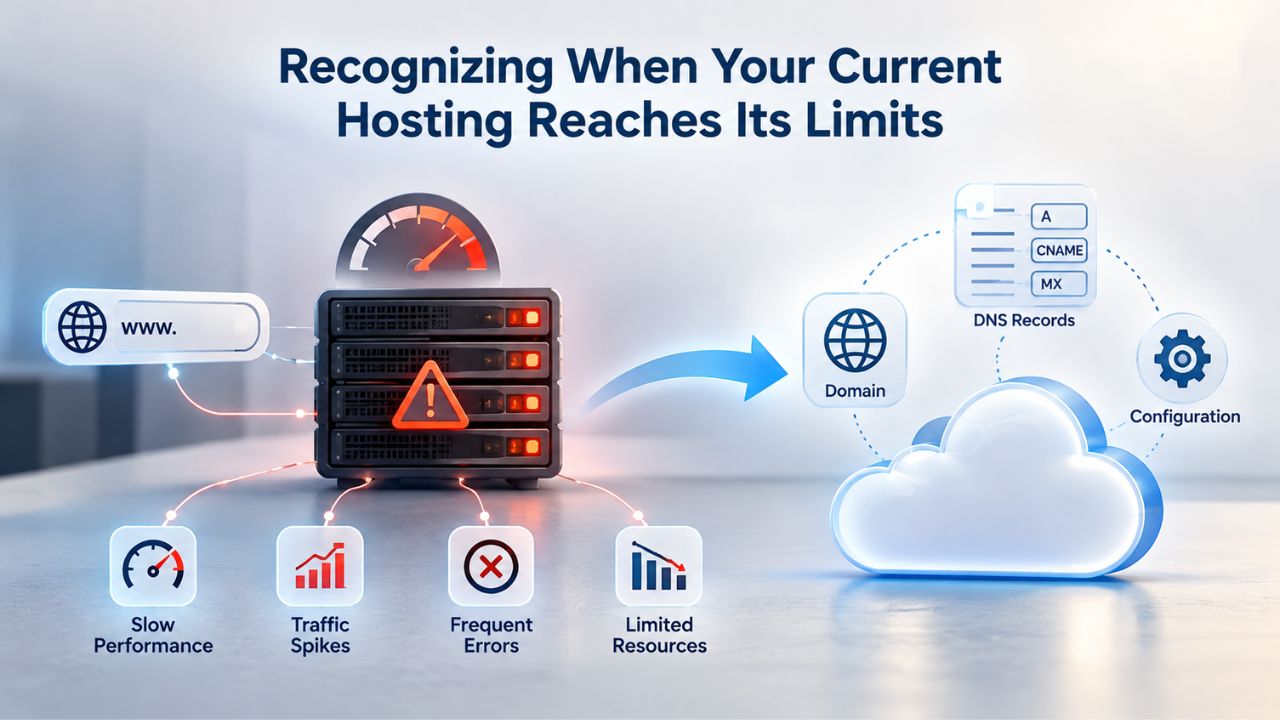
Peak hour performance reveals your hosting tier’s true capacity. How does your site behave during your busiest hours when legitimate traffic spikes occur? If pages that load in 2 seconds at midnight load in 6 seconds at 2 PM, you have a capacity problem. If your administrative interface slows during peak hours, making it hard to respond to customer issues or operational problems, your hosting limits your ability to run your business effectively.
Track your metrics consistently during peak traffic hours rather than focusing on average metrics. Your site might have an acceptable average response time across the day while experiencing unacceptable slowdowns during peak business hours. A store might perform well Tuesday evening but poorly Friday evening. A SaaS application might run fine at midnight but become unreliable at 9 AM when customers log in. These peak-hour patterns reveal your true scaling limit more accurately than daily averages.
Measure not just speed but reliability during spikes. Does your site slow down gracefully and recover, or does it crash when traffic exceeds a threshold? Does your database connection pool get exhausted, leaving new customers unable to connect? Does your mail system queue grow unbounded because it can’t process fast enough? These failure modes reveal infrastructure limits that upgrades would resolve.
Planning for Predictable Growth Creates Stability
If your traffic grows 20 percent monthly consistently, you can predict when you’ll hit shared hosting limits and plan your upgrade timeline accordingly. If your site served 40,000 visitors last month and you’re adding 8,000 visitors monthly, you’ll hit 50,000 visitors in about one month. If industry data or your own business projections suggest growth will continue, plan your infrastructure upgrade before growth forces a reactive change during an outage.
Document your growth metrics monthly. Visitor growth, page requests, database entries, email volume: track the metrics that drive resource consumption. Plot them forward. When do they predict you’ll exceed your current plan’s limits? Build in a buffer. Start your upgrade process when you reach 70 percent of your plan’s limits, not when you hit them. This gives you time to research options, test migration, and execute without emergencies.
The cost of reactive upgrades, migrating during an outage or emergency failure, far exceeds the cost of planned upgrades. You pay rush migration fees. Your site experiences downtime, costing sales and trust. Your team works under stress with higher error rates. Your customers experience service interruption. Plan to avoid these costs.
Avoiding Scaling Mistakes: Common Pitfalls
Every business makes hosting decisions on imperfect information. Learning from common pitfalls helps you avoid expensive mistakes that many others have made before you.
Waiting Too Long Before Upgrading
The most expensive hosting mistake is delaying migration until failure forces your hand. Many businesses wait until an outage or performance crisis forces a change. By then, costs include lost revenue during downtime, damaged customer trust from unavailability, and emergency fixes instead of planned migrations. Recognizing warning signs early helps you make intentional decisions on your schedule, not reactive choices in a crisis.
An unplanned migration during an outage is organizational chaos. Your team works under pressure. Testing is minimal. Mistakes happen that wouldn’t occur during calm planning. Your customers experience service interruption during the migration process. A planned migration during quiet hours is routine, boring even. Both take similar effort, but the outcomes differ dramatically.
Track your resource usage monthly. If you hit 70 percent of your plan’s limits, start planning migration. You won’t move immediately, but you won’t be caught flat-footed when growth accelerates unexpectedly. This approach gives you control over timing and reduces emergency risk.
Overbuying Too Aggressively
The opposite mistake is equally costly: jumping to dedicated hosting when a VPS would meet your needs. The decision test is straightforward: count your warning signs from earlier sections. If you identify zero to one warning sign, continue optimizing and spend the difference on marketing. Two or more warning signs, or a critical sign (such as e-commerce requirements or compliance mandates) alone, means you should plan your migration within the quarter on your schedule, not during an outage.
A managed VPS often delivers 80 percent of dedicated hosting’s benefits at roughly 40 percent of the cost. You don’t need dedicated server resources until traffic volumes genuinely require them. Overbuying creates unnecessary costs that drain resources from growth investment, product development, or marketing. Right-sizing your infrastructure, choosing the minimum that meets your needs plus a reasonable growth buffer, preserves capital for higher-impact investments.
Align your infrastructure tier with your business stage. Startups need scrappy, lean hosting that grows with them. Established businesses need stability and reliability. Enterprise businesses need redundancy and failover. Don’t buy enterprise infrastructure for startup problems.
Underestimating Operational Overhead
Fragmentation in hosting infrastructure creates hidden costs beyond monthly fees. If your team keeps a spreadsheet to remember where everything lives, that’s a warning sign. If onboarding a new website feels like rebuilding the entire process from memory each time, that’s another signal. If support questions take extra time because information is scattered across multiple providers and panels, the cost is already real in lost productivity.
Consolidating hosting into one managed platform, one control panel, one backup system, one support channel, might cost marginally more per month than a fragmented setup. But it saves your team countless hours and eliminates the single biggest source of migration mistakes: forgotten details. Simpler infrastructure means fewer errors, faster troubleshooting, and more time spent on your actual business rather than infrastructure management.
Plan Your Migration with Confidence
Hosting migrations don’t need to cause stress when you approach them methodically. Understanding the process reduces anxiety and helps you avoid the common errors that derail transitions.

What Hosting Migration Actually Costs in Time and Resources
Migration costs vary based on site complexity, not a universal formula. Small websites with simple setups are usually completed via plugin-based migration or freelancer assistance. CMS-to-CMS changes, including redesign and theme setup, require more involved work. Complex sites with custom code, multiple integrations, or heavy databases require planning, testing, and extended timelines. Many hosting providers now offer free migration assistance to reduce this barrier; if you’re switching to their VPS platform, they often handle the technical work at no cost.
Approach migration as a project that requires planning and testing, not a flip-of-the-switch event. Document your current setup completely: which domains you use, what databases you’re running, which applications are installed, what plugins you depend on, how your email is configured. Create that documentation before migration begins because you’ll reference it constantly during testing.
Test your migration thoroughly on the new server before going live. Run parallel testing where both servers run your site simultaneously. This lets you debug problems on the new server without affecting production. Once testing confirms everything works, you can switch DNS during off-hours. Most migrations complete in hours with both-servers-live techniques. Your site remains accessible throughout.
| Migration Type and Scope | Typical Cost Range | Typical Timeline | Primary Complexity Factor |
|---|---|---|---|
| Simple host-to-host transfer (same platform) | Free–limited cost | Hours to 2 days | Straightforward file and database transfer |
| Shared hosting to VPS (simple site) | Minimal to moderate | 1–7 days | Testing and DNS propagation delay |
| Shared to VPS with WordPress and custom setup | Moderate | 3–14 days | Plugin compatibility and caching optimization |
| Complex site or heavy e-commerce store | Moderate to substantial | 2–8 weeks | Custom code, many integrations, SEO preservation |
Timeline and Downtime Expectations
Migration timelines depend primarily on site complexity and how thoroughly you test. A single application update might take hours. A full platform rebuild can take weeks. Most projects fall somewhere in between. The good news: modern migration techniques mean you don’t have to take your site offline. You can run both servers live, test the migration on the new server, and switch DNS during off-hours using both-servers-live migration techniques.
Both-servers-live migration works straightforwardly: copy your files and database to the new server, test everything thoroughly, then switch your DNS to point to the new server. Your domain remains accessible throughout. Some visitors might see the old site briefly during DNS propagation (typically 24–48 hours), but your site never goes fully offline. This approach eliminates the risk of emergency repairs during high-stress situations.
Start Your Migration Journey Today
You’ve identified whether your business needs to scale. Now find the right hosting tier to support your next growth phase without overbuying capacity you won’t use. Niya Digital’s web hosting plans support every business stage, from shared hosting for growing sites to managed VPS for complex applications. Explore plans and get support planning your migration timeline.
Frequently Asked Questions
What’s the difference between a VPS and cloud hosting?
VPS (Virtual Private Server) carves out dedicated resources, specific CPU cores, RAM allocation, and storage, from a single physical server. You get guaranteed capacity that’s always yours. Cloud hosting distributes your site across multiple servers and lets you scale resources dynamically as needs change, so you pay only for what you use that month. For most growing businesses, VPS offers simpler planning and more predictable monthly costs. Cloud hosting suits businesses with highly variable traffic or those rapidly expanding beyond single-server capacity.
How do I know if my site is ready for VPS hosting?
Look for consistent warning signs: pages loading over 3 seconds during peak business hours, repeated “Resource Limit” errors in your control panel, or monthly traffic exceeding 50,000 visitors. If you’re seeing one or two of these signs consistently (not just once), request a resource-usage report from your current host and research VPS plans. If you see only one warning sign once, continue optimizing further before moving. Two or more consistent signs mean start planning your migration seriously.
Will migration cause my site to go offline?
Modern migration techniques minimize downtime to near-zero. Your hosting provider can run both servers live, thoroughly test your migration on the new server, and switch DNS during off-hours. This process typically takes hours total, with DNS propagation continuing over 24–48 hours. Some visitors might temporarily see the old site during DNS propagation, but your site won’t experience true downtime.
Is managed VPS always more expensive than unmanaged?
Managed costs more per month, but often costs less overall once you factor in labor. If your team spends 5+ hours weekly managing server updates, security, and backups, a managed plan usually pays for itself. If you have experienced sysadmins on staff who enjoy server management and already handle these tasks, an unmanaged VPS saves money. Choose based on your team’s actual capacity and priorities, not just the advertised monthly cost.
What hosting should an e-commerce startup begin with?
Start with shared hosting if you’re testing your store concept and expect under 10,000 monthly visitors. As soon as consistent traffic exceeds 20,000 monthly visitors, you maintain real-time inventory, or you plan frequent sales events, plan your move to a managed VPS. E-commerce is resource-intensive, and shared hosting’s resource limits hit you faster than they would on a blog or informational site.
Can I upgrade my hosting without moving to a new provider?
Yes, if your current provider offers higher tiers. You can often upgrade from shared hosting to a VPS plan without changing domains or restructuring. But compare features and support levels across options; sometimes migrating to a new provider’s VPS actually costs less and offers better performance or features than upgrading within your current one.
How long does a typical migration take?
Simple migrations on the same platform take 1–7 days. Complex sites with custom code and integrations take 2–8 weeks. Always budget extra time for testing and unexpected issues. Never schedule migration immediately before major product launches or sales events; give yourself buffer time.
Do I lose search rankings when I change hosting?
No, as long as your domain stays the same and you maintain HTTP redirects. Your domain authority and rankings follow your domain, not your hosting company. If you change domains during migration, you face SEO penalties and ranking loss; avoid this if possible. If you must change domains, set up 301 redirects immediately and notify Google Search Console.
What’s included with managed VPS support?
Typically: automatic operating system and security patches, automated backups, 24/7 server monitoring, technical support, and basic performance optimization. You remain responsible for your application, database, and content; your provider manages the infrastructure beneath. Clarify this division of responsibility before committing.
Should I upgrade to VPS if I’m using WordPress?
WordPress runs well on shared hosting until traffic increases or your plugin setup becomes complex. If you run many plugins, manage multiple sites, or operate a WooCommerce store, a managed VPS (especially WordPress-optimized plans) delivers better performance and reliability. Many hosting providers offer WordPress-specific managed VPS with caching, staging, and WordPress support included.
What happens to my email when I migrate hosting?
Email can move with you if you switch to a provider offering email hosting, or you can separate email hosting from your web hosting. MX records (DNS entries routing email) point to your email server independently from your website server. Plan your email transition carefully to prevent lost messages during the switch; this is a common migration mistake.
Is dedicated hosting necessary for growing businesses?
Dedicated hosting is rarely necessary for businesses under several million dollars in annual revenue. A managed VPS handles 95 percent of requirements at substantially lower cost. Reserve dedicated servers for high-traffic e-commerce, SaaS platforms, or compliance-heavy industries requiring absolute performance guarantees and complete control. For most growing businesses, managed VPS represents the sweet spot between capability and cost.
How often should I review my hosting plan?
Review quarterly if you’re growing actively, or annually if your traffic is stable. Check resource usage, peak-hour performance, and feature needs. Many businesses review annually and miss growth signals in between. If traffic increases predictably, start planning your upgrade before you hit capacity limits, not after.
What if I can’t migrate right now but need better performance?
You can optimize your existing site significantly before upgrading. Implement caching, optimize images, minimize plugins, use a content delivery network, and clean up your database. These optimizations often improve performance noticeably. If optimization plateaus, migration becomes necessary, but you’ve bought time and confirmed it makes sense.
Can I migrate between hosting providers without losing my domain?
Yes, as long as you follow the process correctly. Your domain remains yours regardless of hosting provider. Update your nameservers (DNS) to point to your new hosting provider. Your domain stays registered where it is; only the DNS records change to point to your new host. This process typically completes within hours, though full DNS propagation takes 24–48 hours.
Glossary
- Bandwidth: The amount of data transfer allowed per month between your website and your visitors’ browsers, measured in gigabytes. Many VPS plans offer unmetered bandwidth, meaning you won’t hit artificial transfer caps during traffic spikes.
- Control Panel: A graphical web interface such as cPanel or Plesk that simplifies managing your hosting account without command-line access. Use it to set up domains, create email accounts, manage databases, install applications, and configure backups.
- Managed Hosting: A hosting tier where your provider handles server maintenance, operating system updates, security patches, backups, and basic technical support. You focus on your website; the provider focuses on infrastructure.
- Noisy Neighbor Effect: The performance degradation you experience on shared hosting when other sites on the same server consume resources, leaving less capacity available for your site.
- SLA (Service Level Agreement): A formal guarantee from your hosting provider stating their uptime commitment (typically 99.9% or higher), and what compensation you receive if they fail to meet it.
- Uptime: The percentage of time your website remains accessible and operational. Ninety-nine point nine percent uptime means your site is down roughly 43 minutes per month; 99.99% means roughly 4 minutes per month.
- VPS (Virtual Private Server): A virtualized server environment that gives you dedicated CPU cores, RAM, and storage resources, unaffected by other sites sharing the underlying physical hardware. Performs like owning your own server while costing significantly less.
- Web Hosting: A service that provides server infrastructure, storage, and network connectivity, keeping your website continuously accessible online. Your hosting provider owns and maintains the physical servers; you own your domain and content.


