
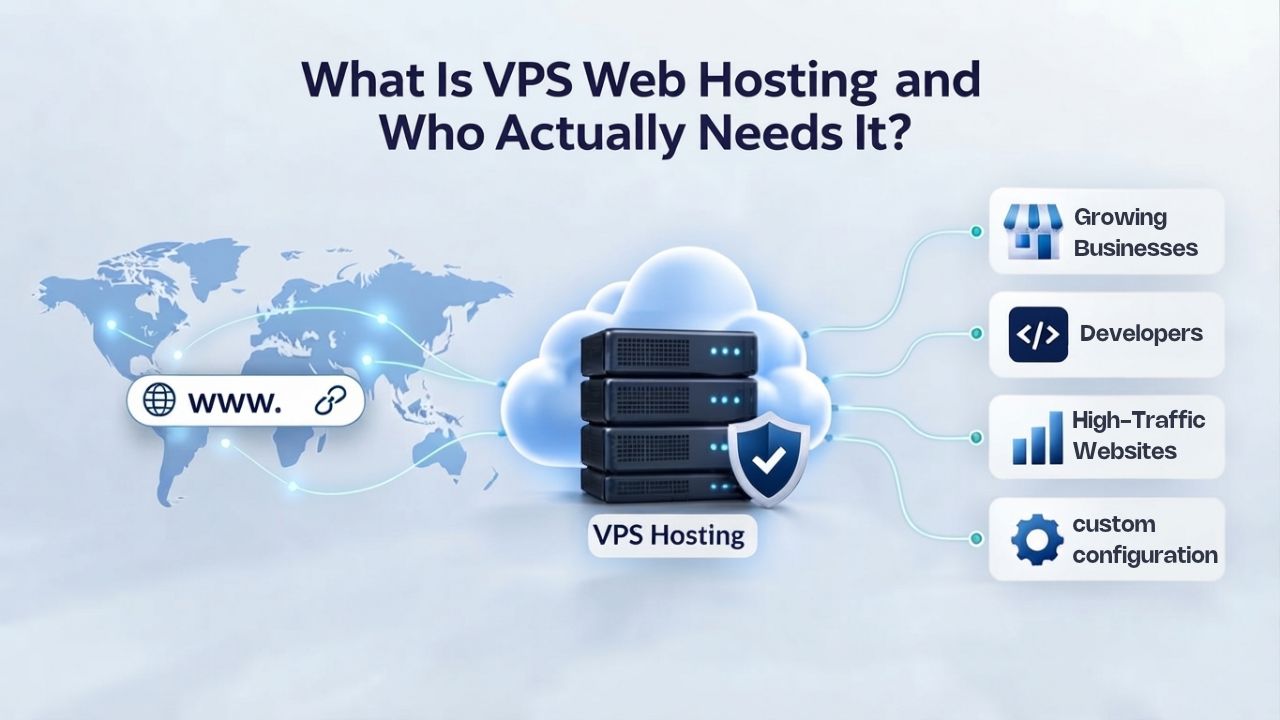
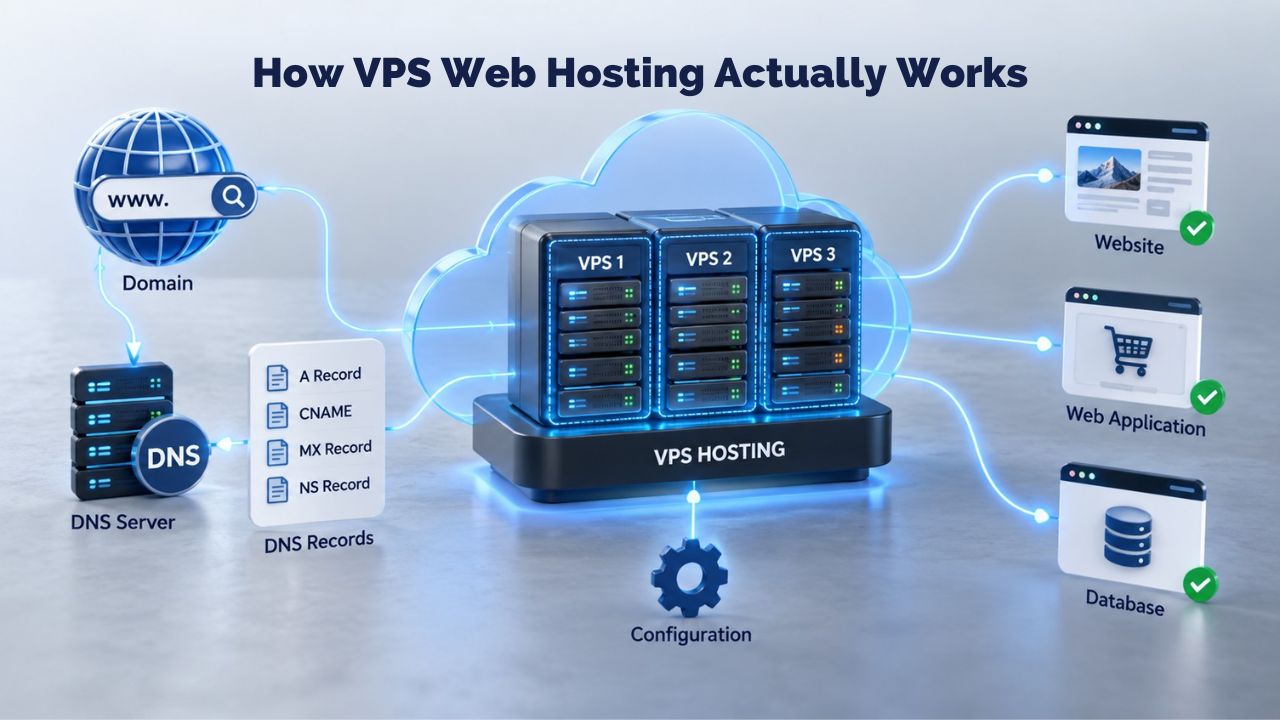
How VPS Web Hosting Actually Works
Virtual Private Server hosting divides one physical server into multiple isolated virtual environments using virtualization technology. Each partition operates independently with its own dedicated CPU, RAM, storage, and operating system, completely separate from other VPS instances on the same hardware. This isolation is fundamental: activity on one VPS, such as traffic spikes, resource-heavy processes, or security issues, does not affect any other VPS on that machine.
Understanding the Virtualization Layer
The virtualization layer, called a hypervisor, allocates each VPS its own CPU cores, RAM, and storage slice while preventing any single customer from monopolizing shared resources. When you run a VPS, you receive a fresh copy of Linux or Windows Server, your own file system, and your own set of running processes. The hypervisor creates hard boundaries between virtual servers at the operating system level.
If a security vulnerability affects one VPS, it does not automatically compromise others because virtualization technology enforces that isolation. This isolation is a key advantage of VPS hosting over shared hosting, providing stronger data privacy and more predictable performance. Unlike shared hosting where hundreds of websites compete for identical resources, a VPS guarantees that your allocated capacity remains yours alone.
Dedicated Resources and Scaling Flexibility
Resource allocation on a VPS is explicit and measurable: you know exactly how many CPU cores, how much RAM, and how much storage you have, and you can typically add more as your site grows. Shared hosting pools resources and limits how much any single account can consume; VPS gives you a fixed slice that’s yours, with the option to upgrade that slice when needed. This predictability drives businesses to choose VPS over shared hosting as soon as their traffic or application complexity exceeds what shared hosting can comfortably handle.
Scaling upward is straightforward: add resources, restart the VPS if needed, and your larger allocation takes effect. Scaling downward is also possible; if your site shrinks or consolidates, you can reduce your plan tier to lower monthly costs. The flexibility to right-size your infrastructure as your business evolves means VPS often costs less over time than guessing resource needs on a fixed dedicated server.
Business Web Hosting Plans & Pricing
Choose the hosting plan that fits your website, WordPress site, or growing business. Compare features, storage, performance, security, and website capacity to find the right hosting environment for your needs.
cPanel Starter
cPanel Hosting that's easy, reliable and lightning-fast.
- 1 website
- 30 GB storage
- Unmetered bandwidth*

cPanel Economy
cPanel Hosting that's easy, reliable and lightning-fast.
- 1 website
- 100 GB space
- Unlimited bandwidth*
- 100 email accounts**
- 10 MySQL databases (1 GB ea.)
cPanel Deluxe
cPanel Hosting that's easy, reliable and lightning-fast.
- Unlimited websites
- Unlimited space
- Unlimited bandwidth*
- 500 email accounts
- 25 MySQL databases (1 GB ea.)
cPanel Ultimate
cPanel Hosting that's easy, reliable and lightning-fast.
- Unlimited websites
- Unlimited space
- Unlimited bandwidth*
- 1000 email accounts
- Unlimited MySQL databases (1 GB ea.)
- 2X Processing power & memory (available for Linux/cPanel only)
- Premium DNS
- 1-year SSL certificate to secure customer data and increase search rankings
*We don't limit the amount of storage and bandwidth your site can use as long as it complies with our Hosting Agreement. Should your website bandwidth or storage usage present a risk to the stability, performance or uptime of our servers, we will notify you via email and may be required to upgrade, or we may restrict the resources your website is using.
**Email account storage is limited to 100 email accounts with 100 MB of total storage.
WordPress Basic
A great way to get started.
- 1 website
- 10 GB NVMe storage
- Unmetered bandwidth
- Free SSL Certificate *
- WordPress pre-installed
- Weekly backups
- Web Application Firewall
- Daily malware scans
- One-time malware removal

WordPress Deluxe
Improve your site performance with Cloudflare CDN.
- 1 website
- 20 GB NVMe storage
- Unmetered bandwidth
- Free SSL Certificate *
- WordPress pre-installed
- Daily backups
- Web Application Firewall
- Daily malware scans
- One-time malware removal
- Up to 2x faster performance with global Cloudflare CDN **
- Enhanced security with DDoS protection
- Staging site
WordPress Ultimate
Add online marketing with more sites, storage and security.
- 1 website
- 30 GB NVMe storage
- Unmetered bandwidth
- Free SSL Certificate *
- WordPress pre-installed
- Daily + on-demand backups
- Web Application Firewall
- Daily malware scans
- Unlimited malware removal
- Up to 2x faster performance with global Cloudflare CDN **
- Enhanced security with DDoS protection
- Staging site
- WordPress code optimizer
- Smart WordPress plugin manager
- Sell online with WooCommerce
*An SSL certificate is included with every site and free for the life of the hosting plan. Certificates are automatically installed, validated and renewed.
Web Hosting Plus Launch
For multiple basic sites.
- 100 GB storage*
- 4 GB RAM
- 2 CPUs
- Unmetered traffic
- 50 websites & databases
- Free, unlimited SSL for all your websites**

Web Hosting Plus Enhance
For high-traffic WordPress, Joomla, and other sites.
- 200 GB storage*
- 8 GB RAM
- 4 CPUs
- Unmetered traffic
- 100 websites & databases
- Free, unlimited SSL for all your websites**
Web Hosting Plus Grow
For advanced eCommerce sites like Magento.
- 300 GB storage*
- 16 GB RAM
- 8 CPUs
- Unmetered traffic
- 150 websites & databases
- Free, unlimited SSL for all your websites**
Web Hosting Plus Expand
For multiple basic sites.
- 400 GB storage*
- 32 GB RAM
- 16 CPUs
- Unmetered traffic
- 200 websites & databases
- Free, unlimited SSL for all your websites**
*The total amount of usable storage capacity for your particular Hosting Service(s) may differ from the represented capacity as there is required space for the operating system(s), system file(s) and other supporting file(s).
**If you cancel the Web Hosting Plus product, you will lose the associated SSL certificate as well.
VPS vs. Shared Hosting vs. Dedicated Hosting: Understanding the Tiers
Web hosting options exist along a spectrum of cost, control, and capability. Shared hosting requires the least commitment but offers minimal control. Dedicated hosting provides absolute control but demands significant investment. VPS hosting bridges this gap, offering a balanced approach for growing businesses.
Shared Hosting and Entry-Level Solutions
Shared hosting places multiple websites on one physical server, with a control panel managing everything: databases, email, SSL certificates, and site files. The hosting provider manages the operating system, security patches, and server-level software; you don’t need Linux knowledge, and you’re not responsible for anything below the application layer. This arrangement keeps costs low because providers spread hardware and support expenses across hundreds or thousands of accounts.
Shared hosting suits brochure sites, blogs, small business websites, and projects with low traffic and modest resource requirements. The trade-off is inflexibility: you cannot install custom software, cannot access the underlying operating system, and remain limited by the shared environment’s security and performance settings. If another account on your shared server is compromised, attackers may access your data. If another site experiences a traffic spike, your site may slow because both draw from identical resource pools.
VPS Hosting: The Practical Middle Ground
A VPS provides a virtualized slice of a physical server with dedicated CPU, RAM, and storage, typically including full root access to configure that environment. VPS represents the practical middle ground between shared hosting and dedicated hosting, offering increased performance and scalability while simultaneously isolating your site from those of other users, available at a much more affordable cost than dedicated hosting. This tier attracts growing websites, developers, small agencies, and online stores needing more control than shared hosting provides.
With VPS, you install custom software, run Docker containers, set up caching layers like Redis or Memcached, configure your own firewall rules, and host multiple websites on a single plan. You receive an IP address, an operating system you control, and the ability to customize your environment to exact specifications. The trade-off is responsibility: managing a VPS requires at least basic server administration knowledge if you choose an unmanaged plan, or you pay more for a managed VPS, where the provider handles updates and routine maintenance.
Dedicated Hosting and Enterprise Scale
A dedicated server is a physical machine reserved entirely for you, with complete resource ownership and full control over configuration. Dedicated hosting suits enterprise-scale applications, high-traffic e-commerce sites with complex custom software, and organizations with strict security and compliance requirements. Most small businesses and developers don’t need dedicated hosting, as a well-configured VPS handles most real-world use cases.
| Hosting Tier | Resource Model | Ideal For | Control Level | Server Management |
|---|---|---|---|---|
| Shared Hosting | Multiple sites share CPU, RAM, storage on one server | Blogs, brochure sites, low-traffic business sites | Limited (control panel only) | Provider manages all aspects |
| VPS Hosting | Dedicated CPU, RAM, storage; isolated environment on shared hardware | Growing sites, developers, e-commerce, custom applications | Full (root access on Linux, admin on Windows) | Managed or unmanaged options |
| Dedicated Server | Full physical machine reserved exclusively for you | Enterprise applications, massive traffic, specialized compliance | Complete (entire physical machine) | Provider or customer manages |
| Cloud VPS | Virtual server on distributed cloud infrastructure with failover | High-availability workloads, enterprise reliability needs | Full (with automatic redundancy) | Managed by provider with auto-scaling |
Managed VPS vs. Unmanaged VPS: Choosing Your Support Model
Once you’ve determined that a VPS fits your needs, the next critical decision is who manages the server: do you want the provider to handle all technical administration, or do you prefer full control and responsibility?
Managed VPS: Provider Handles Infrastructure
With a managed VPS, the provider owns the server layer: operating system updates, kernel patches, control panel maintenance, security monitoring, and around-the-clock infrastructure support. You manage your websites and applications; the provider manages everything underneath them. This tier includes automated backups, security patch application, software updates, and 24/7 monitoring for performance and uptime.
Managed VPS costs more because the provider handles ongoing system administration tasks. This premium often saves money long-term: you avoid learning Linux server administration, reduce security risk through professional monitoring and patching, and get human support when problems arise. Managed VPS suits small business owners, developers without system administration experience, and anyone preferring to focus on their website rather than server configuration.
Unmanaged VPS: You Control Everything
Unmanaged VPS places responsibility for server management and maintenance entirely on you: software installation, security patches, backups, and troubleshooting become your jobs. The hosting provider keeps the physical machine and network online; everything above the hypervisor layer remains your responsibility. You rent infrastructure only, without ongoing management services, which keeps monthly costs lower.
Unmanaged VPS suits experienced Linux or Windows system administrators, development teams managing custom applications, and anyone comfortable with SSH access, cron jobs, and server configuration files. You gain maximum flexibility and customization potential, but you also own every operational risk. If you miss a security patch and your server is compromised, that responsibility is yours. If a disk fills and your site goes down, you diagnose and fix it.
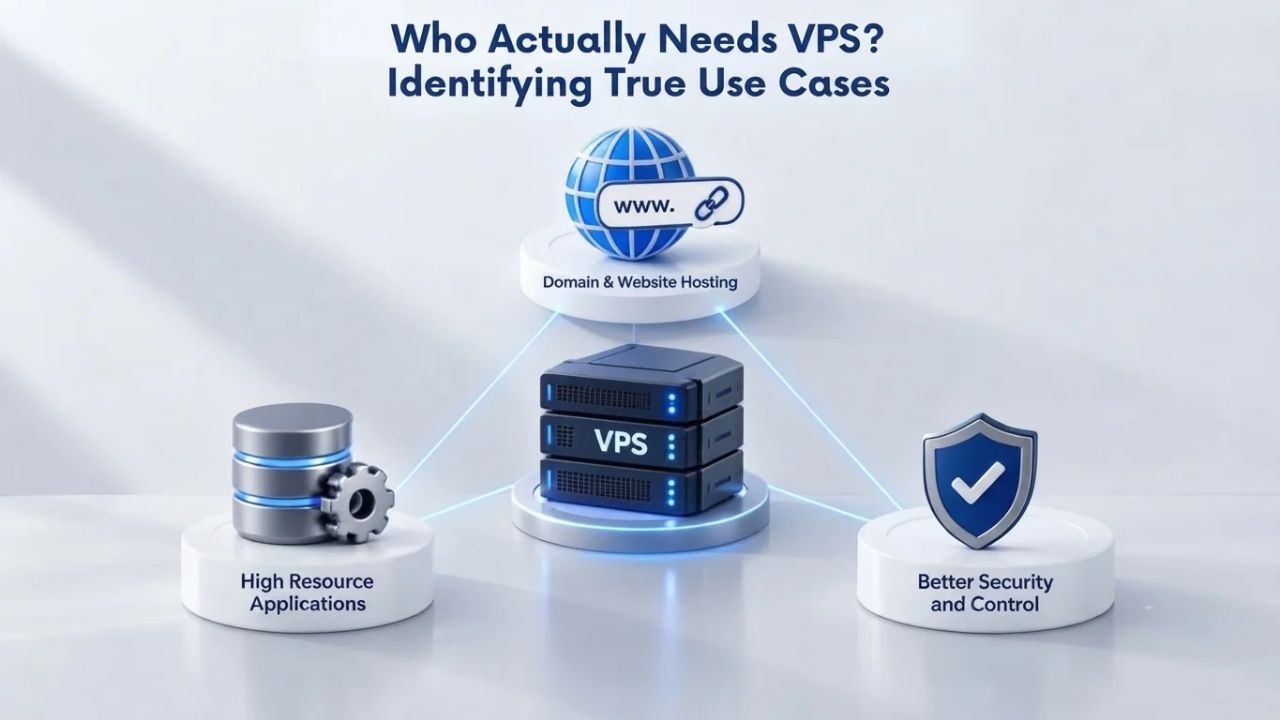
Who Actually Needs VPS? Identifying True Use Cases
Not every site requires VPS. Not every developer needs unmanaged root access. The correct question is not “is VPS powerful?” but “does my actual use case require the control and resources that VPS provides?”
Growing Websites and Traffic Escalation
The most common trigger for upgrading to VPS is straightforward: a website launches on shared hosting, performs well for months, then traffic grows faster than expected. A seasonal business peaks, a social media post goes viral, a press mention arrives, or organic growth accelerates. On shared hosting, this traffic growth means slower pages, timeout errors, and frustrated visitors. A one-second delay in page load time can drop conversions by 7%; 53% of mobile users abandon sites that take longer than 3 seconds to load.
VPS provides immediate relief: your allocated resources become unshared, so traffic spikes on other accounts no longer affect you. If your business depends on online conversions, e-commerce, lead generation, SaaS signups, VPS frequently pays for itself through improved conversion rates alone. Dedicated resources keep checkout processes fast during peak shopping periods, product pages load quickly for every visitor, and your infrastructure grows with your business rather than constraining it.
E-Commerce Platforms and Online Stores
E-commerce websites demand strong performance, superior reliability, and, above all, high security; these are core benefits VPS delivers. A slow checkout page directly costs sales. A security breach exposes payment card data and customer information. An outage during peak shopping season impacts revenue immediately and damages reputation long-term.
VPS provides dedicated resources so checkout performance remains consistent even during traffic surges. It provides root access so you can install custom security tools, configure your own firewall rules, and implement PCI compliance measures. It provides isolation so a breach on a neighboring VPS cannot compromise your customer data. For online stores processing hundreds of daily transactions, the difference between shared and VPS hosting often determines whether the business thrives or merely survives.
Developers, Agencies, and Custom Applications
Developers require root access, custom software installation, custom server configurations, development and testing environments, and the ability to run Docker containers or custom stacks, capabilities that shared hosting does not provide. Web designers building client sites benefit from a VPS’s ability to host multiple domains on one plan without performance cross-contamination and to customize the server to match each client’s specific technology stack.
| Use Case | Shared Hosting Adequate? | VPS Recommended? | Reasoning |
|---|---|---|---|
| Personal blog with modest traffic | Yes | Not necessary | Shared hosting satisfies typical requirements |
| Small business brochure website | Yes | Not necessary | Shared hosting sufficient for static content |
| Growing e-commerce store (traffic increasing monthly) | No | Yes | Requires isolated resources and security features |
| WordPress site with 100k+ monthly visitors | No | Yes | Exceeds shared hosting resource capacity |
| Web agency managing 10+ client websites | No | Yes | Needs isolation and customization per client |
| Custom application (non-WordPress) | No | Yes | Demands root access and OS-level setup |
| Beginner learning HTML and site management | Yes | Not recommended | Managed VPS possible if needed, avoid unmanaged |
| Experienced developer needing full control | No | Yes (unmanaged) | Requires root access and infrastructure control |
When VPS Is NOT the Right Choice
As important as knowing when VPS fits is recognizing when it’s overkill or the wrong solution.
Low-Traffic Sites and Shared Hosting Sufficiency
Shared hosting remains the better fit for low-traffic websites, brochure sites, simple blogs, and small business sites with basic needs; sites not requiring custom server-level software, unable to justify installing unusual packages, and not needing OS-level modifications. Shared hosting also suits beginners without server administration experience who want to learn basic website management through cPanel interfaces and WordPress dashboards.
Purchasing a VPS as a beginner is like renting a commercial kitchen when learning to bake: you pay for capabilities you don’t yet need and likely won’t use. The learning curve proves steeper, the monthly commitment feels unnecessary, and you might become frustrated with unfamiliar system administration concepts. Shared hosting offers the right balance of simplicity and control for getting started online.
Unmanaged VPS and Technical Skill Gaps
Unmanaged VPS specifically represents a poor fit for anyone uncomfortable with command-line administration, system troubleshooting, or on-call infrastructure support. Many small business owners choose unmanaged VPS for lower monthly costs, then discover within months that they’re spending 10+ hours monthly on server maintenance and security updates. They lack the expertise to diagnose and resolve OS-level issues, cannot quickly implement security patches, and feel anxious about infrastructure stability.
Managed VPS costs more but eliminates these problems. The time savings, recovering 10+ hours monthly, represent significant value for non-technical business owners. Professional patch management and monitoring also reduce the risk of costly breaches. Reduced anxiety about infrastructure reliability lets you focus on business activities instead of server administration. For most businesses, managed VPS represents the smarter financial choice despite higher monthly costs.
Explore VPS Web Hosting Options
Ready to determine if VPS fits your growing website’s needs? Niya Digital’s Web Hosting service offers managed and unmanaged VPS plans alongside shared hosting, helping you choose the tier and support level that match your actual requirements. The team can discuss your traffic patterns, application needs, and technical comfort level to identify the plan that works for your situation.
VPS Resource Tiers and Capacity Planning
VPS plans come in different resource levels, and matching your site’s actual traffic and application complexity to the right tier represents the third critical decision after “do I need VPS?” and “managed or unmanaged?”
Entry-Level VPS for Small Projects
Entry-level plans with 1 vCPU, 1–2 GB RAM, and 40–100 GB storage suit small blogs, personal projects, development testing environments, and low-traffic business sites. These plans handle WordPress, Joomla, and similar CMS installations for sites with under 10,000 monthly visitors. They often represent the right stepping stone for a site outgrowing shared hosting but not yet at significant scale.
Entry-level plans provide enough resources for a single WordPress site with modest traffic, a small business website receiving occasional visitor surges, or a development environment where you test code changes before deploying to production. The allocated resources prove sufficient for most static content sites and blogs where page views remain predictable, and visitors stay relatively few during peak periods.
Mid-Range VPS for Growing Businesses
Mid-range plans with 2–4 vCPU, 4–8 GB RAM, and 100–200 GB storage represent the most common tier for businesses experiencing steady growth. They handle WordPress sites with 50,000+ monthly visitors, small online stores with growing product catalogs, custom applications with moderate traffic demands, and development teams managing multiple projects. They provide sufficient headroom for traffic growth and application complexity without overshooting your actual needs.
This tier suits web agencies hosting multiple client sites on a single plan, small SaaS applications serving growing user bases, membership sites with active communities, and businesses running resource-intensive plugins or custom code. The additional resources compared to entry-level plans mean you can handle traffic spikes without degradation, run background processes without impacting site responsiveness, and implement caching strategies that improve performance.
High-Performance VPS for Demanding Workloads
High-performance plans with 4+ vCPU cores, 8–32 GB RAM, and 200–500+ GB storage handle high-traffic sites, resource-heavy applications, and databases requiring significant memory. These support e-commerce sites processing thousands of daily transactions, content sites with millions of monthly visitors, development teams running complex custom software, and applications requiring substantial processing power for intensive operations.
Oversizing your plan is expensive, but undersizing is painful. Buying a high-performance plan for a 5,000-visitor blog wastes resources. Running a 50,000-visitor site on an entry-level plan causes timeouts and visitor frustration. The right plan matches your actual traffic and application complexity with room for modest growth before the next upgrade.
Scaling and Growth Flexibility
One reason VPS is a better fit than dedicated hosting for growing businesses is that you can scale resources on the fly without major disruptions or expensive rebuilds.
Adding Resources Without Major Disruptions
GoDaddy’s VPS offering and most major VPS providers allow you to increase CPU cores, RAM, or storage without rebuilding the entire server or experiencing significant downtime. Scaling upward is straightforward: you add resources, sometimes restart the VPS, and your larger allocation takes effect immediately.
The scaling process typically takes 15-30 minutes and happens during a brief maintenance window you schedule. Your site stays online throughout most of the process, and you can plan scaling for low-traffic periods to minimize impact on the visitor experience. This flexibility means you don’t need to predict your needs years in advance; you can right-size your infrastructure every few months as your business evolves.
Long-Term Cost Efficiency Through Right-Sizing
Scaling down is less common but equally possible; if your site shrinks or consolidates, you can move to a lower plan tier to reduce monthly costs. This flexibility means VPS often costs less over time than guessing your resource needs on a fixed dedicated server plan. Many businesses use VPS for flexibility: scaling up or down when needed and benefiting from dedicated storage, high-speed connectivity, and modern CPUs.
You’re not locked into a fixed monthly cost if your needs change. A seasonal business can upgrade during peak months and downgrade during slower periods. A growing startup can start small and expand resources as revenue supports it. This gradual scaling approach matches your infrastructure investment to your business growth, uses hosting budgets efficiently, and maintains performance through each stage.
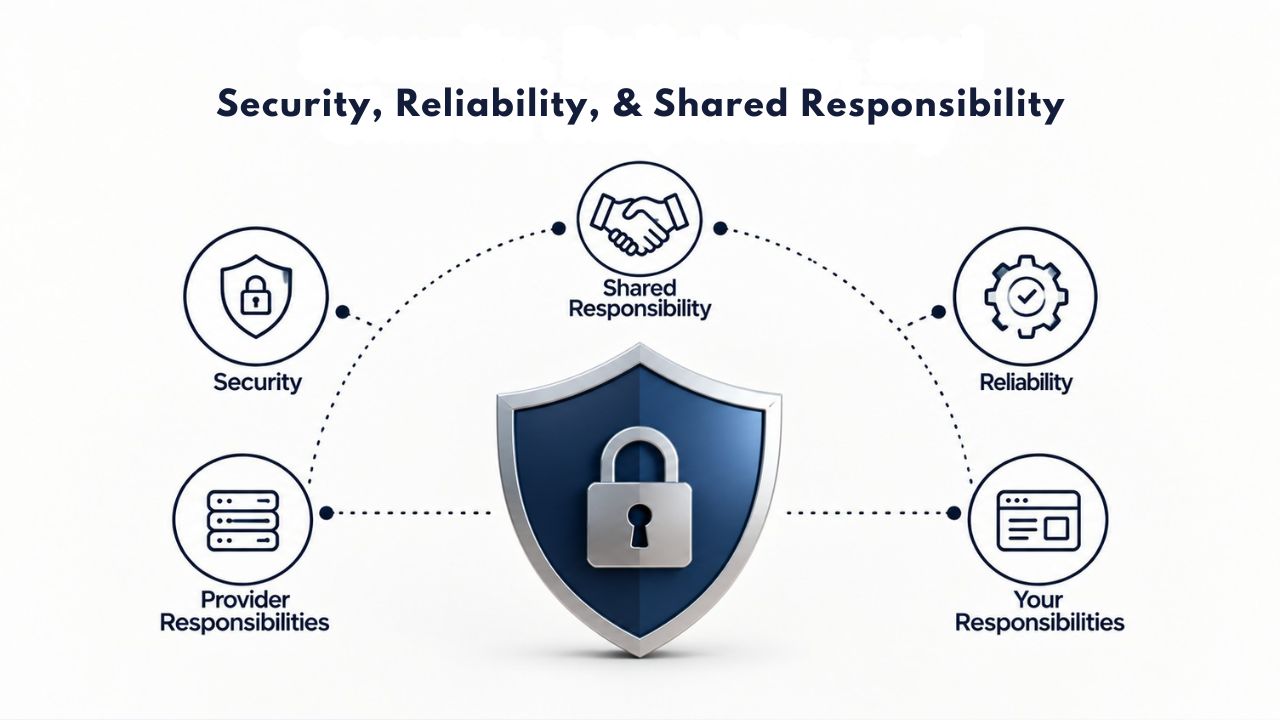
Security, Reliability, and Shared Responsibility
VPS provides better isolation and control than shared hosting, but security remains a shared responsibility: the provider secures the infrastructure, and you secure your application and data.
Provider-Level Infrastructure Security
GoDaddy’s VPS infrastructure includes DDoS protection, 24/7 network monitoring, firewall configuration capabilities, and automatic snapshot backups. These are baseline protections the provider builds into the service. As a customer, you are responsible for using them effectively: enabling firewall rules, maintaining backup configurations, and implementing additional security measures appropriate for your application.
The provider invests in network-level security to protect all customers on their infrastructure. They monitor for unusual traffic patterns, implement DDoS mitigation systems, maintain redundant network connections, and keep physical infrastructure secure in data centers. These infrastructure protections exist independently of what you do on your VPS.
Your Application-Level Security Responsibilities
You remain responsible for keeping your operating system, control panel, and applications patched and up to date. Strong passwords, two-factor authentication, regular backups, firewall configuration, and keeping your CMS and plugins current are baseline security practices for any hosted website. On a managed VPS, the provider handles patches automatically; on an unmanaged VPS, you manage the schedule.
You’re also responsible for your application’s security posture: review custom code for vulnerabilities, store and encrypt sensitive data properly, and understand and meet compliance requirements. If you process payments, you need to understand PCI compliance obligations. If you store customer information, you need to know data protection requirements. A hacked site can go offline as quickly as a broken server; infrastructure security cannot protect against application-level vulnerabilities.
Understanding Uptime Commitments and SLAs
VPS providers typically publish Service Level Agreements (SLAs) that guarantee a certain uptime percentage, often 99.9%, meaning about 45 minutes of downtime per month is acceptable. An SLA represents a promise with teeth: if the provider fails to meet that uptime, you’re entitled to service credits, usually 10% of your monthly fee per 0.1% shortfall. It doesn’t mean your site never goes down; it means the provider has designed infrastructure to minimize downtime and commits to compensation if it fails.
Your application’s actual uptime depends on infrastructure quality, but also on your code, your database performance, and your security practices. A well-maintained, properly configured site on a VPS experiences excellent uptime. A poorly configured site with security vulnerabilities experiences outages regardless of provider quality.
Migration Path: Moving from Shared to VPS
Most websites follow this trajectory: start on shared hosting, outgrow it, migrate to VPS. The migration process is generally smooth but requires careful planning to avoid downtime or data loss.
Planning Your Migration
Before migrating, identify everything your site needs: databases, email accounts, SSL certificates, DNS records, file backups, and any custom configurations. Document your current control panel settings, including PHP version, installed extensions, database configuration, and scheduled backup arrangements. If you’re on shared hosting with cPanel or Plesk, you’re accustomed to a visual control panel; VPS offers the same control panels, so the user interface doesn’t change significantly.
Research your new VPS provider’s migration assistance options. Many offer free or low-cost migration services where their technicians handle file copying, database importing, DNS configuration, and testing. This professional assistance reduces the risk of errors that might cause downtime or data loss. Some providers offer temporary FTP access or rsync tools that let you copy files yourself if you prefer hands-on control.
Execution and Cutover Strategy
Most VPS providers offer migration assistance or tools to make the process smooth. The basic process involves: setting up the new VPS with your chosen OS and control panel, copying your website files and databases to the new server, updating your domain’s DNS records to point to the new VPS’s IP address, and thoroughly testing everything before fully switching traffic. The migration process typically happens without downtime if planned properly, but it requires careful DNS coordination to prevent visitors from hitting the old server while you’re still copying files.
Timing matters significantly. If possible, perform the migration during low-traffic periods: early morning hours, mid-week, or slow seasons. Test thoroughly on the new VPS before switching DNS: verify all pages load, all functionality works, email routing is correct, and SSL certificates function properly. Once you’re confident in the new setup, update DNS records and monitor closely during the first hours after cutover. Most DNS changes propagate within minutes to hours, though some cached records may briefly point to the old server.
Common Pitfalls and How to Avoid Them
The most common mistakes include forgetting to copy SSL certificates, importing databases incorrectly, pointing DNS too early and splitting traffic between two servers, and not testing the new site thoroughly before switching traffic. Many providers offer managed migration services that handle this work professionally, often a worthwhile investment to avoid downtime and configuration mistakes. Budget a few hours for the migration process itself, plus several hours of testing before fully switching traffic.
Have a rollback plan in case something goes wrong. Ensure your old shared hosting account remains active until several days after migration succeeds, allowing you to revert DNS if needed quickly. Take a final backup of your shared hosting account before migration to provide a safety net if you discover missing data or configurations hours or days into the new setup.
Managed vs. Unmanaged: Making Your Decision
The managed-versus-unmanaged choice substantially shapes your entire VPS experience, influencing costs, responsibilities, support availability, and ongoing operational demands.
Managed VPS: Right For Most Businesses
Choose managed VPS if you’re a small business owner, freelancer, or non-technical founder. You have a development team but no dedicated system administrator. You value your time more than the cost premium managed VPS carries. You want to focus on your website and business rather than spending evenings reading about server patches. You’re uncomfortable with Linux command-line tools and SSH access, or you don’t want to develop those skills.
Managed VPS provides peace of mind through expertise and responsiveness. Your provider monitors your infrastructure continuously, applies security patches the same day they’re released, manages backup retention and testing, and troubleshoots issues as they arise. If your server experiences issues at 3 AM, your managed VPS provider investigates and resolves them while you sleep. This hands-off approach lets you focus entirely on your business while professionals handle infrastructure management.
Unmanaged VPS: For Experienced Administrators
Choose an unmanaged VPS if you’re an experienced system administrator or have one on your team. You want maximum flexibility and control over every aspect of the server. You’re comfortable with patching, backups, security configuration, and troubleshooting. You’re willing to be on-call when something breaks or needs attention. Cost is a primary driver, and you have the expertise to justify the savings through efficient infrastructure management.
Unmanaged VPS provides complete control and maximum flexibility. You decide exactly which software runs, how it’s configured, and how it’s optimized for your specific workloads. You implement custom security measures beyond standard firewall configuration. You architect your infrastructure to meet your application requirements. This level of control enables sophisticated deployments that managed providers might not support.
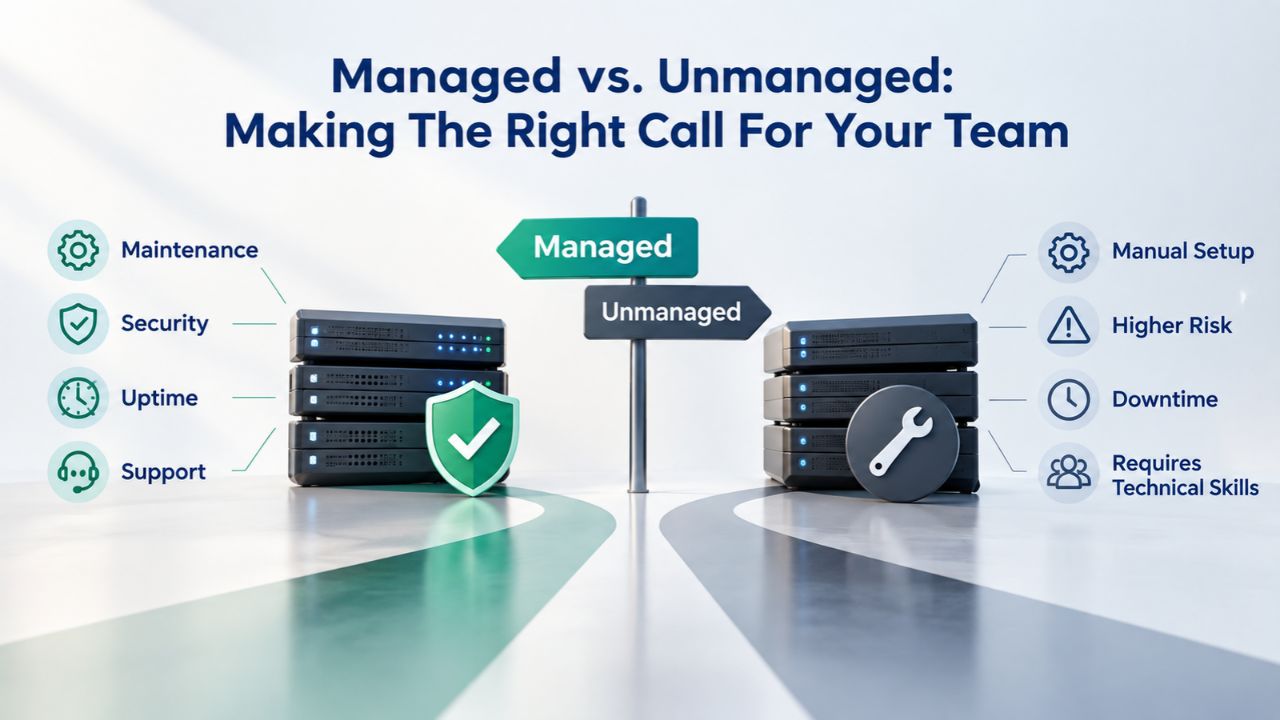
Managed vs. Unmanaged: Making the Right Call for Your Team
The managed-versus-unmanaged decision matters because it shapes your entire VPS experience, influencing not just costs but also daily operational responsibilities and access to support.
When Managed VPS Makes Sense
Managed VPS makes sense if you’re a small business owner, freelancer, or non-technical founder managing your own website. You might have a development team building custom features, but you lack a dedicated system administrator handling infrastructure. You value your time and prefer focusing on business growth rather than server patch schedules. You’ve experienced the frustration of Linux command-line interfaces and prefer graphical control panels instead.
The managed model means your provider handles every infrastructure responsibility: OS patches appear automatically, security updates install without your action, backups run on schedule, and 24/7 monitoring watches for problems. When issues arise- rare but inevitable over months of operation- you contact support, and professionals resolve them. This peace of mind lets you sleep soundly knowing experts monitor your infrastructure around the clock.
When Unmanaged VPS Makes Sense
Unmanaged VPS makes sense if you’re an experienced system administrator, you have sysadmin staff on your team, or you’ve specifically decided to develop these skills. You want maximum control over every infrastructure detail and don’t mind spending considerable time on optimization. You’re comfortable with SSH sessions, configuration files, package managers, and troubleshooting OS-level issues. You’ve read enough about servers that system administration doesn’t intimidate you.
The unmanaged model gives you complete freedom. You decide which software versions run, how you configure every service, and how you optimize resources. You implement custom monitoring, deploy unconventional software combinations, and architect your infrastructure exactly as your application demands. This flexibility enables sophisticated deployments that managed providers might not support.
Talk to the Team About Your VPS Needs
Whether you’re outgrowing shared hosting today or planning growth next quarter, understanding your traffic patterns, application requirements, and technical confidence matters. Niya Digital’s Web Hosting team can walk you through the shared-versus-VPS decision, discuss managed-versus-unmanaged options, and help you choose the resource tier that fits your budget and growth plan.
Frequently Asked Questions
What is the main difference between VPS and shared hosting?
Shared hosting places multiple websites on one server where they share CPU, RAM, and storage; one site’s traffic spike can slow others down. VPS provides a dedicated slice of a server with isolated resources; your allocated CPU and RAM are yours alone, and other VPS instances cannot affect your performance. This resource isolation is the fundamental difference that impacts stability, speed, and scalability as your traffic grows.
How much technical knowledge do I need to use VPS hosting?
Managed VPS requires similar knowledge to shared hosting; comfort with control panels, basic file management, and CMS operation is usually enough. Unmanaged VPS requires comfort with SSH, command-line tools, OS-level configuration, and server troubleshooting. If you lack system administration experience, start with a managed VPS or stay with shared hosting until you’re ready to develop those skills.
Can I upgrade from shared hosting to VPS without downtime?
Yes, with proper planning. Migrate your files and databases to the new VPS, test everything thoroughly, then update your domain’s DNS records. The cutover happens when DNS propagates, which can take minutes to hours. Most providers offer migration assistance or services, which reduces the risk of errors that could cause downtime or data loss. Many businesses experience zero downtime with careful planning and professional migration support.
What resources do I actually need in a VPS plan?
That depends on your traffic and application. A low-traffic WordPress site (under 10k monthly visitors) fits on entry-level plans. A growing business site (50k+ visitors) needs mid-range plans. An e-commerce site with thousands of daily transactions needs high-performance plans. Monitor your actual usage and upgrade when you consistently hit 70%+ of capacity, rather than guessing at your needs.
Is a managed VPS worth the extra cost?
For non-technical site owners and small business teams, yes. Managed VPS costs more but eliminates time investment (10+ hours monthly for unmanaged) and reduces security risk from delayed patching. For experienced system administrators with available time, unmanaged VPS offers cost savings and control justifying the overhead.
What happens if my VPS runs out of resources?
Your site slows, pages time out, and visitors encounter errors. Most providers alert you as you approach capacity limits. You then upgrade to a higher plan, add resources, and typically don’t need to rebuild the server. Proactive monitoring prevents this situation by identifying capacity needs before you hit limits.
Can I host multiple websites on one VPS?
Yes. With root access, you install multiple website instances and run them all on one VPS. You need sufficient resources for all sites’ combined traffic, and you configure separate accounts for each site. Web agencies commonly use one VPS to host 5–20 client websites, saving costs while maintaining proper isolation between clients.
How do backups work on VPS hosting?
Managed VPS typically includes automatic daily or weekly backups. Unmanaged VPS leaves backup configuration to you through automated backup tools or manual snapshots. GoDaddy’s VPS includes 7-day automatic snapshot backups with on-demand snapshots available anytime. Backups support disaster recovery; without them, data loss or breaches can become permanent.
What’s the difference between cloud VPS and traditional VPS?
Cloud VPS runs on virtualized infrastructure across multiple servers with automatic failover if one fails. Traditional VPS runs on a single physical server. Cloud VPS costs more but offers higher redundancy and automatic scaling. For small businesses, a traditional VPS is often enough; large enterprises often prefer cloud VPS for reliability and elasticity.
Do I need a dedicated IP address on VPS?
Not always. A dedicated IP is useful if you’re running a mail server, installing SSL certificates for specific domains, or configuring custom firewall rules tied to an IP. For standard website hosting, a shared IP works fine. Most VPS plans include one or two dedicated IPs; additional IPs cost extra if needed.
How is VPS different from cloud hosting?
VPS offers fixed resource allocation; your plan includes specific CPU cores, RAM, and storage. Cloud hosting is flexible and scalable; you pay for what you use, and resources auto-scale based on demand. Cloud suits unpredictable traffic; VPS suits predictable patterns where you want stable monthly costs.
What security features should I look for in a VPS provider?
Look for DDoS protection, 24/7 network monitoring, automated backups, firewall configuration options, and SSL certificate support. The provider should offer two-factor authentication, account isolation, and regular security updates. For managed VPS, ensure they automatically patch systems and monitor for threats. For unmanaged VPS, ensure the infrastructure supports custom security tools.
How long does migration from shared hosting to VPS take?
The migration itself takes 1-4 hours, depending on your site’s size and complexity. DNS propagation takes 15 minutes to 24 hours. Most modern migrations target 2-hour windows, with testing completing before switching DNS. Professional migration services speed up the process and reduce risk.
What’s the typical uptime performance of VPS hosting?
Providers typically guarantee 99.9% uptime through SLAs, which means about 45 minutes of potential downtime per month. Actual uptime often exceeds this significantly when infrastructure is well-maintained, and sites are properly configured. Your application’s uptime also depends on your code quality, database performance, and security practices.
Can I switch VPS providers later if I want?
Yes. Your data belongs to you, not the provider. Most providers can export your VPS as a portable image. You can migrate to a different provider using migration tools or professional services. Always keep backups and confirm data portability before signing long-term contracts.
Glossary
- Virtual Private Server (VPS): A virtualized server environment created by partitioning one physical server into multiple isolated virtual servers, each with dedicated CPU, RAM, storage, and operating system resources, providing control and isolation between users while sharing underlying hardware.
- Hypervisor: The virtualization technology software layer that manages and isolates virtual servers on a single physical machine, allocating resources to each VPS while ensuring that each operates independently without affecting others.
- Root Access: Full administrative control over a Linux server, allowing you to install custom software, configure all system settings, and manage the entire operating system without restrictions from the hosting provider.
- Uptime and SLA: Uptime is the percentage of time a server remains online and accessible; an SLA (Service Level Agreement) is the provider’s formal commitment to a specific uptime percentage, typically 99.9%, with service credits if they fail to meet stated commitments.
- Managed VPS: A Virtual Private Server where the hosting provider handles operating system updates, security patches, backups, and 24/7 infrastructure support, freeing you to focus on your applications while professionals manage the server layer.
- Unmanaged VPS: A Virtual Private Server where you handle all server administration, software updates, backups, and troubleshooting; the provider maintains only the physical machine and network infrastructure while you retain complete control.
- Bandwidth: The amount of data that can be transferred in and out of your server, typically measured in gigabytes per month and representing the network capacity available for your site’s visitors and operations.
- Firewall: A security barrier that filters incoming and outgoing network traffic, allowing authorized connections while blocking unauthorized access attempts and protecting your VPS from external threats.


