Your website is growing, visitor numbers are climbing, transactions are increasing, and your development team needs custom tools. Shared hosting, which served you well at startup, now feels restrictive. You need resources that don’t disappear when others get busy, control over your environment, and room to scale. VPS hosting is the next step for most growing websites and applications. Niya Digital is an authorized reseller of GoDaddy-powered VPS hosting infrastructure, not an operator of its own independent data centers or hardware.
What Is VPS Hosting and How It Works
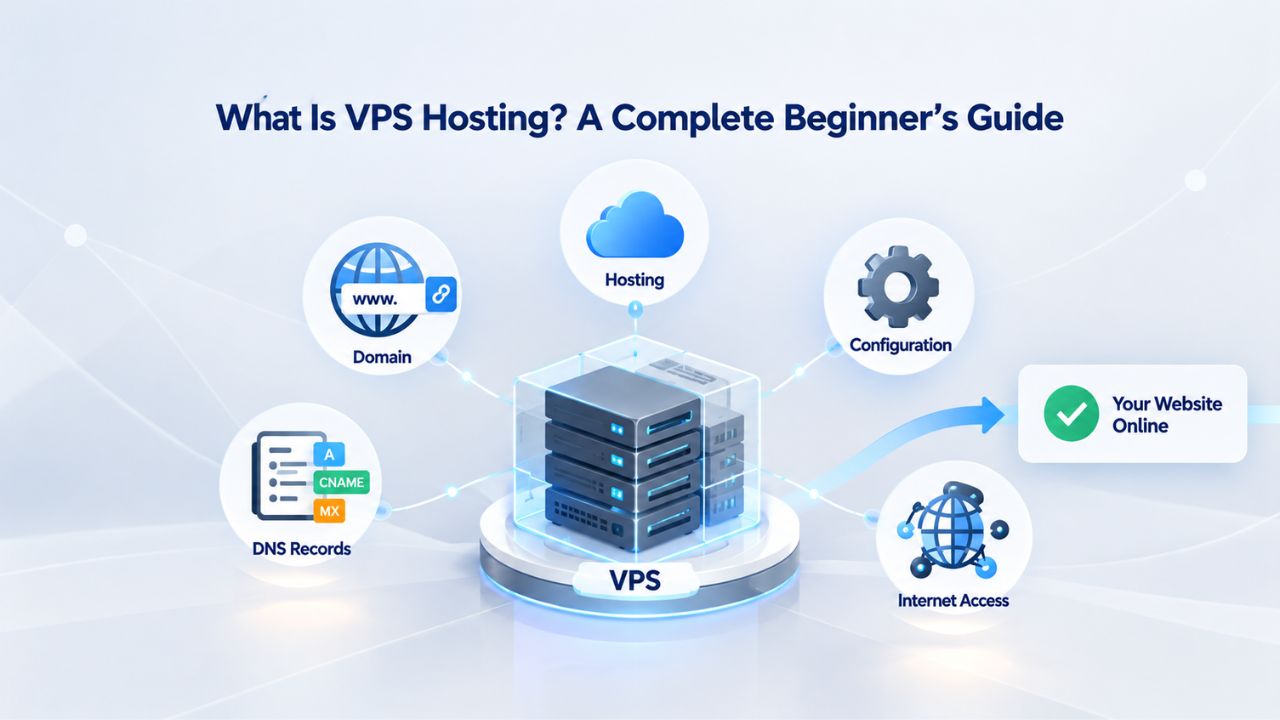
VPS stands for Virtual Private Server, a hosting model where a single physical server is divided into multiple independent virtual machines using virtualization technology. Each virtual machine functions as its own dedicated server, with guaranteed CPU cores, RAM, and storage that no other customer can access or interfere with. Unlike shared hosting, where dozens of websites compete for resources on the same hardware, VPS hosting gives you a defined, reserved slice that’s yours alone.
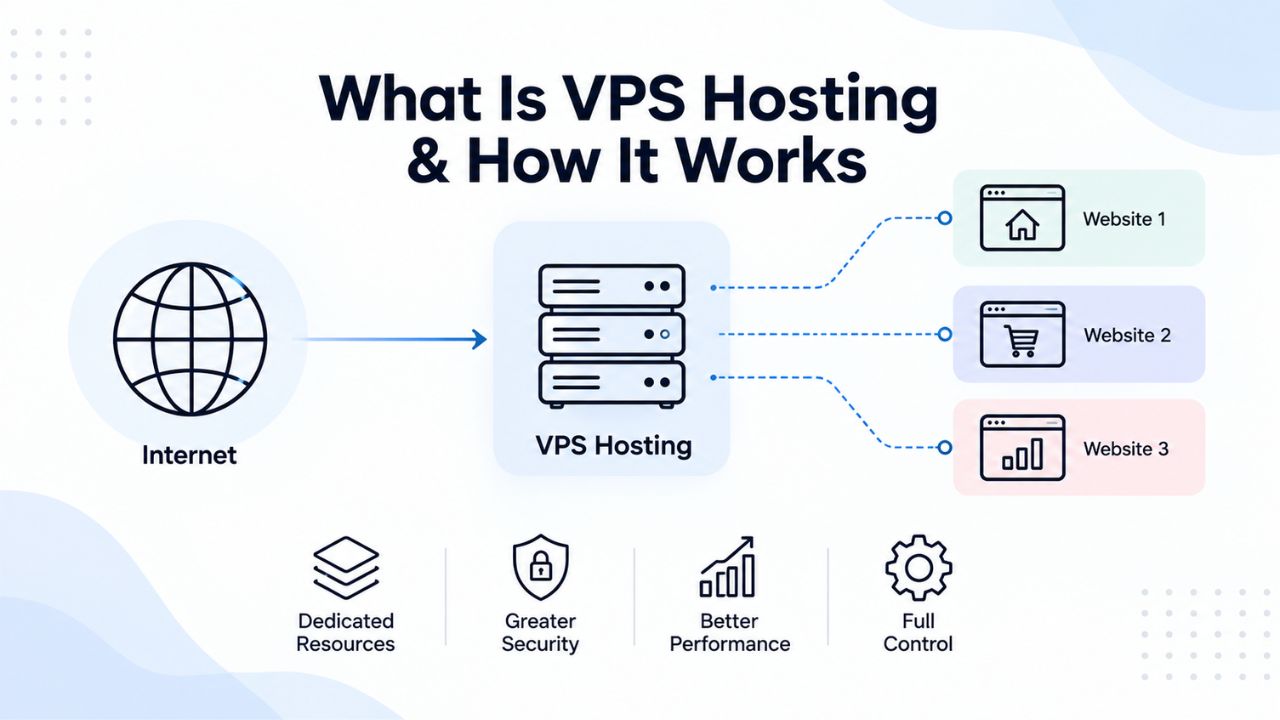
How Virtualization Technology Partitions Resources
The technology that enables VPS hosting is called a hypervisor: software that sits between physical server hardware and each virtual machine’s operating system. GoDaddy’s VPS Hosting infrastructure uses KVM (Kernel-based Virtual Machine) virtualization, an open-source hypervisor built directly into the Linux kernel. This integration means KVM delivers near-native performance; your virtual machine runs at speeds very close to dedicated hardware because the virtualization layer is lightweight and efficient.
KVM was first announced in 2006 and merged into the mainline Linux kernel in 2007, making it one of the most mature and trusted virtualization technologies deployed worldwide. When your VPS launches, KVM allocates specific CPU cores, a dedicated block of RAM, and a storage partition exclusively to your machine. Each virtual machine is completely isolated from others on the same physical server; if a neighboring customer’s site experiences a massive traffic spike, your resources remain untouched and reserved only for your workload.
The Physical Server and the Virtual Layer
Behind the scenes, GoDaddy operates the underlying data-center infrastructure, physical servers, network connectivity, and DDoS protection that powers Niya Digital’s VPS hosting. Niya Digital provides the customer-facing storefront, plan selection guidance, onboarding support, and technical assistance built on top of that infrastructure. The hypervisor creates a secure boundary between your virtual server and all others on the physical machine, a separation so complete that even system administrators of neighboring VPS customers cannot access your files or configuration.
VPS Hosting Plans & Pricing
Choose the VPS hosting plan that fits your website, application, or business requirements. Select a self-managed VPS for complete server control or a fully managed VPS with a dedicated team of experts to help manage your server.
Self Managed VPS 1 vCPU
1 GB RAM
Entry-level VPS hosting for lightweight websites and applications.
- 1 CPU Core
- 1 GB RAM
- 20 GB SSD Storage
- Linux only, no control panel

Self Managed VPS 2 vCPU
4 GB RAM
VPS hosting with additional CPU and memory for growing websites and applications.
- 2 CPU Cores
- 4 GB RAM
- 100 GB SSD Storage
Self Managed VPS 2 vCPU
8 GB RAM
Additional memory for more demanding websites and applications.
- 2 CPU Cores
- 8 GB RAM
- 100 GB SSD Storage
Self Managed VPS 4 vCPU
8 GB RAM
Increased processing power for business websites and applications.
- 4 CPU Cores
- 8 GB RAM
- 200 GB SSD Storage
Self Managed VPS 4 vCPU
16 GB RAM
High-memory VPS hosting for resource-intensive workloads.
- 4 CPU Cores
- 16 GB RAM
- 200 GB SSD Storage
Self Managed VPS 8 vCPU
16 GB RAM
Powerful VPS resources for demanding business applications.
- 8 CPU Cores
- 16 GB RAM
- 400 GB SSD Storage
Self Managed VPS 8 vCPU
32 GB RAM
Maximum self-managed resources for demanding workloads.
- 8 CPU Cores
- 32 GB RAM
- 400 GB SSD Storage
Fully Managed VPS 1 vCPU
2 GB RAM
Managed VPS hosting with expert server management.
- 1 CPU Core
- 2 GB RAM
- 40 GB SSD Storage
- Dedicated team of experts to fully manage your server
Fully Managed VPS 1 vCPU
4 GB RAM
Managed VPS resources for websites and business applications.
- 1 CPU Core
- 4 GB RAM
- 40 GB SSD Storage
- Dedicated team of experts to fully manage your server
Fully Managed VPS 2 vCPU
4 GB RAM
Managed VPS hosting with additional CPU resources.
- 2 CPU Cores
- 4 GB RAM
- 100 GB SSD Storage
- Dedicated team of experts to fully manage your server
Fully Managed VPS 2 vCPU
8 GB RAM
Managed VPS hosting with additional memory for growing workloads.
- 2 CPU Cores
- 8 GB RAM
- 100 GB SSD Storage
- Dedicated team of experts to fully manage your server
Fully Managed VPS 4 vCPU
8 GB RAM
Higher-performance managed VPS for demanding applications.
- 4 CPU Cores
- 8 GB RAM
- 200 GB SSD Storage
- Dedicated team of experts to fully manage your server
Fully Managed VPS 4 vCPU
16 GB RAM
High-memory managed VPS for resource-intensive workloads.
- 4 CPU Cores
- 16 GB RAM
- 200 GB SSD Storage
- Dedicated team of experts to fully manage your server
Fully Managed VPS 8 vCPU
16 GB RAM
Powerful managed VPS hosting for demanding business workloads.
- 8 CPU Cores
- 16 GB RAM
- 400 GB SSD Storage
- Dedicated team of experts to fully manage your server
Fully Managed VPS 8 vCPU
32 GB RAM
Maximum managed VPS resources for demanding workloads.
- 8 CPU Cores
- 32 GB RAM
- 400 GB SSD Storage
- Dedicated team of experts to fully manage your server
VPS vs Shared Hosting: When You’ve Outgrown the Entry Level
Shared hosting is where most websites begin, and for good reason: it’s affordable, requires no technical knowledge, and includes pre-configured software stacks ready to launch in minutes. But as your site gains traffic and your application grows in complexity, shared hosting’s limitations become serious obstacles to growth and performance. Understanding when and why to upgrade is essential for any growing business.
Resource Isolation: The Key Difference
On shared hosting, you don’t receive a specific allocation of CPU cores or gigabytes of RAM; they’re distributed dynamically based on overall server demand at any given moment. If another website on your shared server launches a marketing campaign and suddenly receives 100,000 visitors, your site’s performance suffers because all accounts on that server draw from the same resource pool. You have no root access, so you cannot install custom software, run background processes, or configure firewall rules; the hosting provider controls everything at the system level.
With VPS hosting from Niya Digital, you receive a defined resource guarantee; for example, a plan specifying 2 vCPU / 4 GB RAM means exactly 2 processor cores and 4 gigabytes of memory are reserved for your server regardless of what other customers do. Your website won’t slow down from “noisy neighbor” interference. You get root access to your operating system, so you can install any software, run background processes like scheduled tasks or workers, configure firewall rules, and manage your entire server stack the way you need. This approach also means security vulnerabilities on a neighboring VPS are far less likely to affect you because the hypervisor enforces strict separation between virtual machines.
When to Upgrade from Shared Hosting
You’re ready for a VPS when several situations apply: your website experiences slow load times during traffic surges; you need to run background jobs, cron tasks, or automated workflows that shared hosting forbids; you want to install custom software or frameworks that shared hosts don’t support; you need a specific operating system configuration; your site handles sensitive transactions (e-commerce, payments, user data) and you want your own isolated environment; or you’re managing multiple websites and need separate server instances for each. At that point, the modest extra cost of VPS hosting pays for itself through improved performance, reliability, and operational flexibility.
VPS vs Dedicated Servers: Power vs Cost
A dedicated server provides the entire physical machine; all CPU cores, RAM, storage, and network bandwidth are yours alone. Performance is maximized because there’s no virtualization layer, no competing workloads, and no resource sharing. Dedicated servers are ideal for extremely high-traffic websites, specialized hardware configurations, or workloads demanding every ounce of available computing power. However, dedicated servers cost significantly more than comparably-specced VPS plans, often three to five times as much, because you’re paying for capacity you might not use.
Performance Reality: The Virtualization Overhead
It’s true that a dedicated server with identical CPU, RAM, and storage specs will slightly outperform a VPS with the same specs, since the VPS’s virtualization layer adds minimal overhead. For most real-world workloads, websites, web applications, databases, game servers, and development environments, this difference is negligible, typically just 5 to 10 percent. The performance gap matters only for highly specialized applications like high-frequency trading systems or real-time data processing at massive scale. For typical business and development use cases, VPS performance is more than adequate while costing a fraction of dedicated server pricing.
For websites, web applications, databases, game servers, and development environments, VPS’s small overhead is offset by major cost savings and scalability advantages. If you eventually outgrow VPS capacity, you can upgrade to a larger plan or migrate to a dedicated server when the workload truly demands it. Most growing businesses find VPS to be the sweet spot between cost, control, and performance for years of growth.
Scalability: A Clear VPS Advantage
Scaling a VPS is straightforward: you increase your plan’s resource allocation, and the upgrade typically takes effect within minutes to hours with zero downtime. Most providers allow such upgrades without data loss or service interruption. Scaling a dedicated server, by contrast, usually means provisioning new hardware, performing a full backup and migration, and potentially experiencing downtime during the transition. For growing businesses, this difference matters enormously: a VPS lets you match your server’s resources to current demand, then easily scale up as traffic increases, your database grows, or your customer base expands.
Key VPS Hosting Features Explained
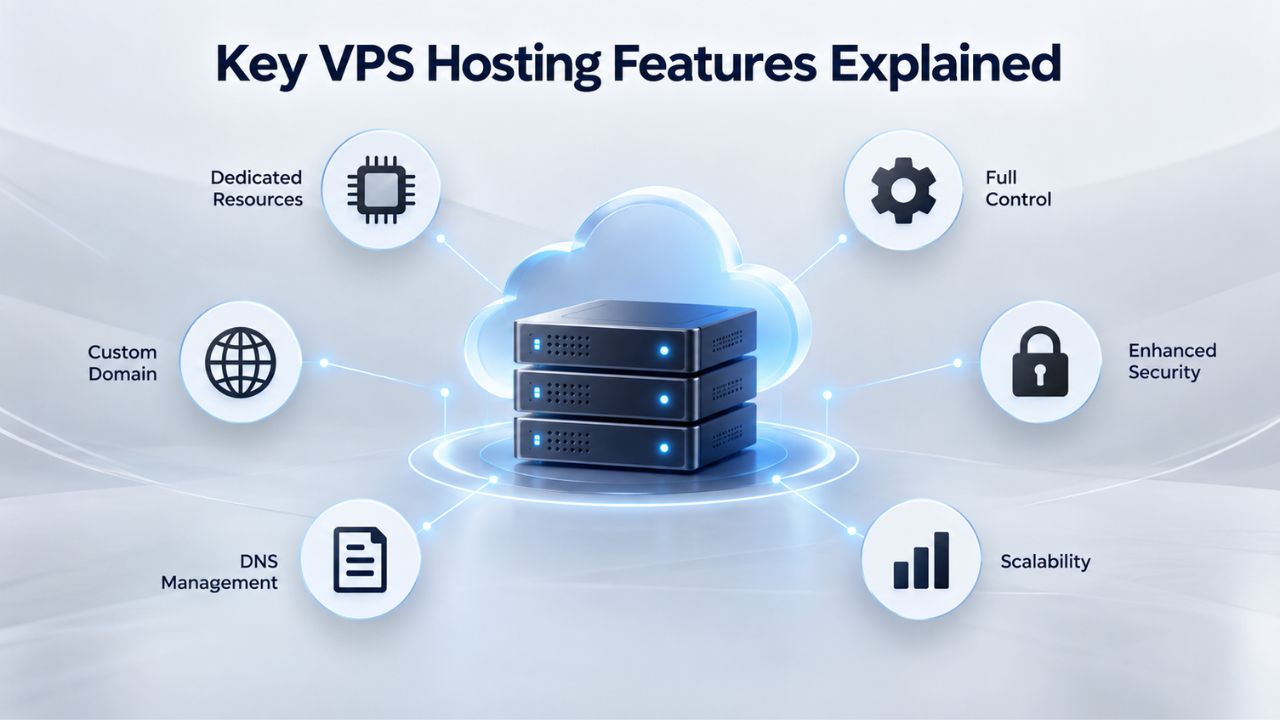
When you compare VPS hosting plans from any provider, you’ll encounter several features that define what your server can do and how well it performs. Understanding these core capabilities helps you choose the right plan for your workload and expected growth. The most important features fall into several categories: access and control, storage and performance, backup and recovery, and scalability.
Root Access and Full Server Control
Root access, also called administrator or superuser access, grants permission to modify anything on your server, from the operating system kernel to installed software to system configuration. Without root access, you’re limited to what the hosting provider pre-installs and configures. With root access, you can install a custom Linux distribution (Ubuntu, Debian, CentOS), compile software from source code, modify system settings, manage user permissions, and configure firewalls and security policies exactly as your application requires.
This freedom is essential for developers, DevOps teams, and anyone running custom applications or frameworks. Root access also introduces responsibility; you can misconfigure your server and break it if you don’t understand what you’re doing. That’s why many users, particularly those without deep systems administration experience, choose managed VPS plans where the hosting provider handles OS updates, security patches, and routine maintenance while you focus on your applications.
NVMe SSD Storage and Performance
GoDaddy’s VPS hosting plans include NVMe SSD (solid-state drive) storage, not older HDD (hard disk drive) technology. NVMe drives are significantly faster, delivering up to 3 times the speed of traditional mechanical drives. This performance difference matters for any workload involving database queries, file input/output operations, or application startup times. A website with a large database, a development environment running heavy build processes, or a learning platform with thousands of concurrent users will notice the performance improvement immediately.
Storage speed also affects backups and restores. When you need to recover your server from a backup or migrate data to a new system, NVMe storage can compress what might take hours on HDD into minutes. This speed translates to less downtime, faster disaster recovery, and reduced business impact during critical operations.
| Hosting Type | CPU Guarantee | RAM Allocation | Root Access | Resource Isolation | Best For |
|---|---|---|---|---|---|
| Shared Hosting | No (dynamic) | No (dynamic) | No | Minimal | Small sites, beginners |
| VPS Hosting | Yes (vCPU cores) | Yes (GB allocated) | Yes | High (hypervisor) | Growing sites, developers |
| Dedicated Server | Yes (all cores) | Yes (all RAM) | Yes | Complete | High-traffic, enterprise |
| Cloud Hosting | Scalable (auto) | Scalable (auto) | Yes | High | Auto-scaling, enterprise |
Managed vs Unmanaged VPS: Which Support Level Fits You?
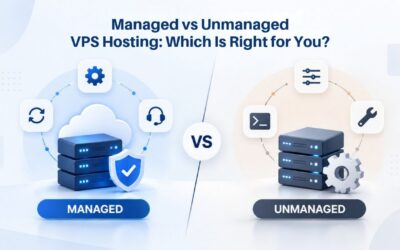
VPS hosting comes in two distinct flavors: managed and self-managed (also called unmanaged). The difference is who handles server administration, maintenance, updates, and technical support. This choice often matters more than the hardware specs because it determines whether you focus on your application or the server infrastructure.
Self-Managed VPS: Full Control, Full Responsibility
With a self-managed VPS, the hosting provider delivers a fresh operating system and root access, then steps back. It’s your responsibility to install and configure everything else: the web server (Apache, Nginx), database software (MySQL, PostgreSQL), runtime environments (PHP, Node.js, Python), security patches and OS updates, firewall rules, performance monitoring, log analysis, and ongoing maintenance and troubleshooting. Any problem that occurs is your responsibility to diagnose and resolve.
Self-managed VPS costs significantly less than managed alternatives because the hosting provider isn’t providing 24/7 technical support or routine administration services. This approach makes sense if you or your team have strong Linux or Windows systems administration experience, enjoy configuring and optimizing infrastructure, and want maximum flexibility and cost savings. The savings can be substantial, but they require competency and time investment from your team.
Fully Managed VPS: Convenience Over Cost
A fully managed VPS reverses the responsibility model entirely. The hosting provider handles OS updates and security patches, monitors your server for performance issues and resource constraints, provides 24/7 technical support through multiple channels, manages backups and snapshots, and helps troubleshoot common configuration problems. You focus on your application code and business logic; the provider focuses on keeping the server healthy, secure, and available.
Managed VPS is more expensive than self-managed options because you’re paying for expert administration and support. This model is ideal for teams without dedicated systems administrators, businesses where server downtime is costly or damaging to revenue, or anyone who’d rather invest those hours in product development than infrastructure maintenance. The choice often boils down to skill level and business priorities: if you have the expertise and want maximum control and lowest cost, choose self-managed; if you lack expertise or prefer to outsource server administration, choose managed and pay for professional support and peace of mind.
Explore Your VPS Hosting Options
Niya Digital’s VPS Hosting service offers both self-managed and fully managed plans, giving you the flexibility to choose the support level that matches your expertise and business needs. Whether you’re a developer seeking maximum control or a business owner preferring hands-off management, explore how different VPS configurations can support your growth without breaking your budget. Start building on infrastructure designed to scale with your success.
Common VPS Hosting Use Cases
VPS hosting isn’t a one-size-fits-all solution, but it excels in scenarios where you need more control and resources than shared hosting provides without needing a full dedicated server. Understanding common use cases helps you decide whether a VPS fits your situation and workload.
Growing Websites and E-Commerce Stores
A blog or small business website typically starts on shared hosting at a low monthly cost. As the site gains organic search traffic and adds features (a shopping cart, customer reviews, a booking system), shared hosting’s resource limits become a serious bottleneck. Pages load slowly, checkout processes time out, and the site crashes during traffic spikes, damaging customer trust and causing lost sales during peak periods.
A VPS solves this performance problem completely. With guaranteed resources and the ability to scale CPU and RAM as traffic grows, an e-commerce site can handle customer transactions reliably, even during seasonal surges (Black Friday, holiday shopping, back-to-school). The site owner gains root access to install analytics tools, marketing plugins, and payment gateways, things that shared hosting providers often forbid. For retailers where every second of load time impacts conversion rates, VPS hosting is the natural step between shared hosting and the complexity of cloud platforms.
Software Development and Testing
Developers frequently use VPS hosting for staging environments (test versions of production applications), continuous integration pipelines (automated build, test, and deployment systems), or running custom development tools. Root access lets you install exact versions of databases, compilers, and frameworks that match the production environment for accurate testing. A VPS can run multiple development projects simultaneously, each in its own isolated container or virtual machine, making it ideal for digital agencies managing dozens of client websites or companies with multiple product lines.
Game Servers and Real-Time Applications
Online game servers (Minecraft, Rust, Counter-Strike, Valheim) demand low latency (quick response times) and dedicated resources reserved just for gameplay. Shared hosting is unsuitable because resource-sharing causes lag that ruins the gaming experience, and providers usually forbid long-running game server processes. A VPS provides both the performance and the freedom to run a game server 24/7, and you can scale the server’s resources as your player base grows. VPN services, proxy servers, real-time chat applications, and other latency-sensitive applications similarly benefit from VPS hosting’s isolation and reliability.
VPS Security and Hardening Basics
VPS hosting is inherently more secure than shared hosting because your server is isolated; if another customer’s website gets hacked, the attacker cannot easily reach your server across the hypervisor boundary. However, “more secure than shared” doesn’t mean “secure by default.” Security is a shared responsibility: the hosting provider secures the infrastructure, but you’re responsible for your operating system, applications, and configurations. Understanding this model is essential for running a secure VPS.
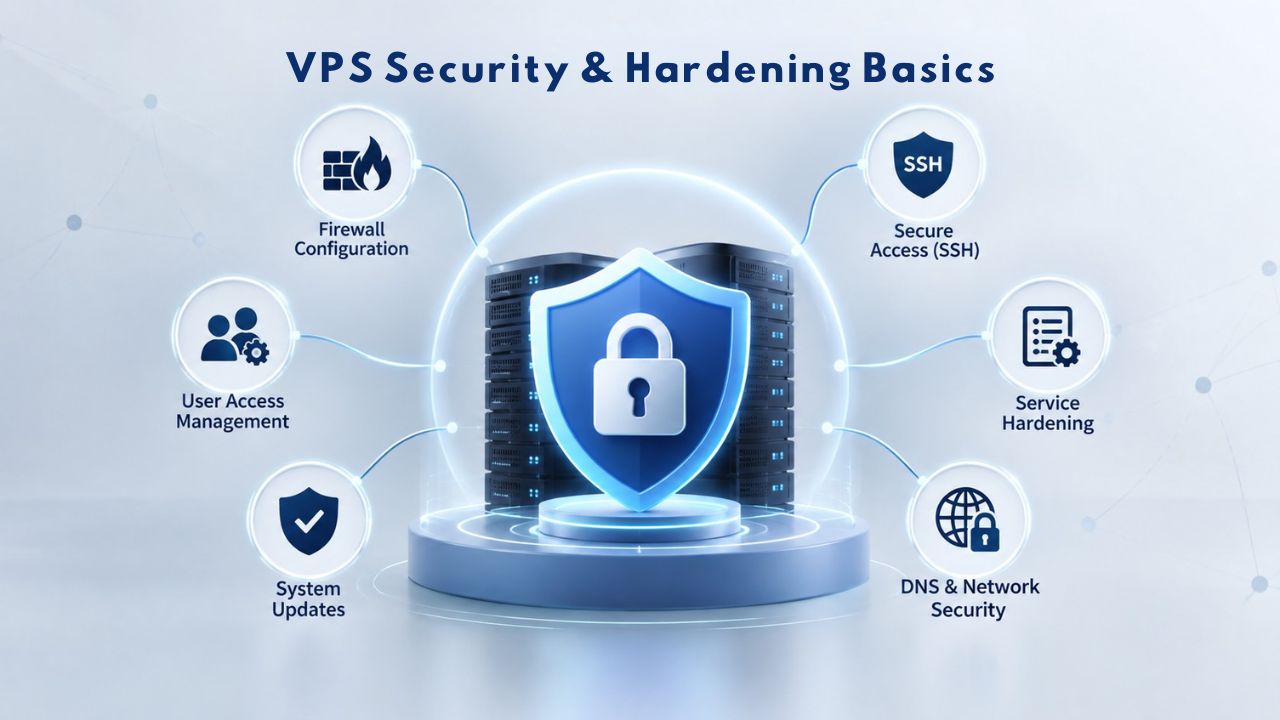
Shared Responsibility Security Model
GoDaddy’s VPS hosting infrastructure includes baseline DDoS protection and automated backups, meaning the provider monitors network health, applies hypervisor-level security patches, and maintains physical data-center security. You’re responsible for everything running on your server: keeping your OS and software up to date with security patches, configuring a firewall to block unauthorized access, securing SSH keys and user credentials, monitoring your applications for vulnerabilities, and detecting suspicious activity in server logs.
Think of it like renting a house in a secure neighborhood with surveillance cameras and police patrols (infrastructure security provided) versus locking your doors, installing an alarm system, and not leaving valuables on the porch (application-level security, your responsibility). The neighborhood’s security doesn’t protect against a burglar with your key, just as data-center security doesn’t prevent attacks on poorly configuredpoorly configured applications or unpatched software running on your server.
Firewall Configuration and Access Control
A firewall controls which inbound and outbound network traffic your server allows. By default, you should block all inbound traffic except what you explicitly need: SSH for remote administration access, HTTP and HTTPS for web traffic, or specific database ports if other services connect to your database. Tools like UFW (Uncomplicated Firewall) on Linux make configuring these rules straightforward and maintainable.
Firewall rules aren’t a one-time setup-and-forget task. As your application evolves and you add services (email, background job queues, API servers), you’ll need to open ports for those services. Regularly audit and prune old firewall rules as part of ongoing server maintenance. Document your firewall rules so you remember why each rule exists and what it protects.
Scaling and Resource Allocation: Growing Without Downtime
One of VPS hosting’s strongest advantages is the ability to scale resources as your demand grows, adding CPU cores, RAM, or storage without migrating to a different server or experiencing downtime. This flexibility makes VPS ideal for businesses with uncertain or rapidly growing traffic patterns, allowing you to match infrastructure investment to actual usage.
Right-Sizing Your Initial Plan
Choosing the right VPS plan from the start saves money and frustration. A website with a few thousand monthly visitors doesn’t need a 4 vCPU / 16 GB RAM server; a 1 or 2 vCPU plan with 2 to 4 GB RAM is usually sufficient and more cost-effective. A busy e-commerce site or development environment with heavy builds might need 4 vCPU and 8 GB RAM. Most hosting providers offer resource monitoring tools, cPanel, Plesk, or command-line utilities that show real-time CPU usage, RAM consumption, and disk space.
Monitor your actual resource usage for the first few weeks after launching your VPS. If you’re consistently using 80 percent or more of your allocated resources, upgrade before you hit the ceiling and experience slowness or application crashes. It’s better to upgrade proactively than to run out of resources during a critical period or traffic spike.
| Workload Type | Recommended CPU | Recommended RAM | Recommended Storage | Best OS |
|---|---|---|---|---|
| Small blog / portfolio | 1-2 vCPU | 2 GB | 40-80 GB | Linux |
| Growing business site | 2 vCPU | 4 GB | 100 GB | Linux |
| E-commerce store | 2-4 vCPU | 4-8 GB | 100-200 GB | Linux |
| Web app / SaaS platform | 4 vCPU | 8+ GB | 200+ GB | Linux |
| Game server (50-100 players) | 2-4 vCPU | 4-8 GB | 80-150 GB | Linux |
| Development environment | 4 vCPU | 8 GB | 200 GB | Linux |
| Digital agency (multi-site) | 8 vCPU | 16 GB | 400+ GB | Linux |
Handling Traffic Spikes and Seasonal Growth
VPS hosting’s resource guarantee means traffic spikes on other servers won’t affect your performance. But if your site suddenly receives 10 times its normal traffic (due to viral social media, press coverage, or a successful marketing campaign), your VPS resources might be constrained if you haven’t provisioned enough. The solution is to scale up, upgrade to a larger plan for the duration of the spike, or keep a larger plan permanently if the spike turns into sustained growth.
Niya Digital and most VPS providers allow plan upgrades with minimal or zero downtime, so you can add capacity within hours if needed. This flexibility means you don’t have to guess your peak capacity six months from now and pay for unused resources; you start with what you need today and scale as demand grows.
Getting Started: How to Choose a VPS and What to Look For
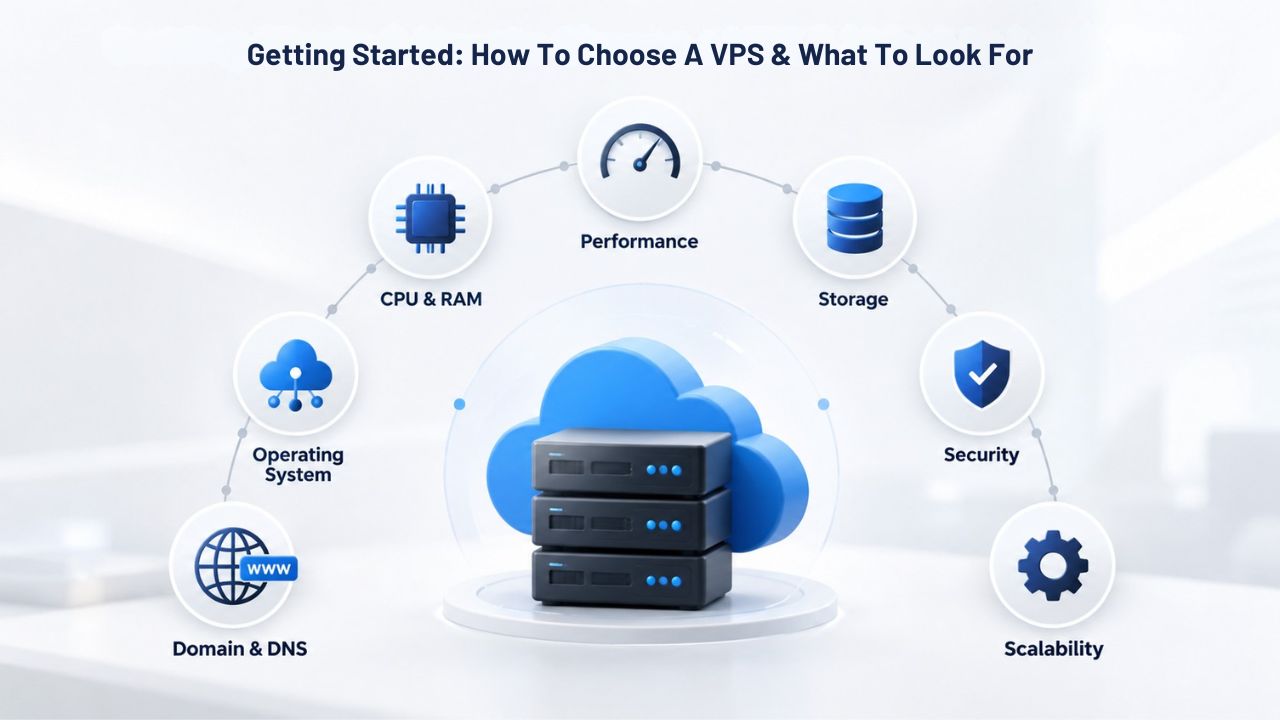
If you’ve decided VPS hosting is right for you, here’s how to evaluate options and choose a plan that matches your needs, skill level, and growth expectations. Making the right choice at the start prevents costly mistakes and unnecessary migrations later.
Define Your Workload and Requirements
Start by answering concrete questions about what you’ll run: Is it a website? If so, what platform (WordPress, a custom application, a static site)? What’s the expected number of concurrent visitors? Is it database-heavy or mostly static content? Do you need to run background processes or scheduled tasks? A WordPress blog with 5,000 monthly visitors needs far less than a SaaS application with 1,000 simultaneous users, even if both are called “websites.” Articulating your actual workload helps you choose the right resource level and avoids over-provisioning or under-provisioning mistakes.
Choose Your Operating System and Control Panel
Niya Digital’s VPS hosting offers both Linux and Windows Server options. Linux (Ubuntu, Debian, CentOS) is free, open-source, and widely used for web servers, databases, and custom applications. You only need Windows Server if you’re running .NET applications, Windows-only software, or specific enterprise tools. Linux plans are typically more cost-effective because the hosting provider doesn’t pass through Windows licensing fees. If you don’t have a specific reason to run Windows, Linux is the better choice and has a larger ecosystem of free, open-source tools.
Evaluate the Provider’s Support and Reliability
Look for a provider offering 24/7 support through phone, email, or chat with documented response times. Read reviews from current customers about support quality and speed. Check the provider’s stated uptime SLA (Service Level Agreement). Niya Digital commits to 99.9% uptime on its VPS hosting infrastructure, meaning the server should be online and accessible 99.9% of the time (about 43 minutes of potential downtime per month, accounting for planned maintenance). Be wary of providers promising 100% uptime or other unrealistic guarantees; power outages, network maintenance, and hardware failures happen.
Ready to Build on a VPS You Control
VPS hosting represents the ideal balance for growing businesses and developers who’ve outgrown shared hosting but don’t need the complexity or cost of cloud platforms and dedicated servers. It provides the control, scalability, and performance required to build reliable applications and websites that can grow with your business. Whether you’re launching an e-commerce store, hosting multiple client projects, or running a custom development environment, VPS hosting delivers the infrastructure you need to succeed without unnecessary overhead or expense.
The VPS Advantage Over Other Hosting Models
VPS hosting combines the best aspects of shared and dedicated hosting while minimizing their drawbacks. You get the cost-efficiency and ease of shared hosting without the resource contention and limitations that stifle growth. You gain the control and performance of dedicated servers without the premium price tag or the difficulty of scaling resources. This middle ground makes VPS the natural next step for websites experiencing sustained growth, applications requiring custom configurations, and teams that need reliable, professional-grade infrastructure.
The flexibility of VPS hosting also means you’re not locked into a single hosting model forever. If your business grows to the point where you fully utilize a VPS, you can migrate to dedicated hosting or cloud platforms as your team’s expertise grows. But for most websites and applications, a well-sized VPS provides the exact resources and control needed for years of operation without requiring expensive overprovisioning or complex multi-server setups.
Taking Action: Your Next Step Forward
The shift from shared hosting to VPS hosting is often the critical inflection point where a side project, small business website, or developer’s application becomes a reliable, professional platform. VPS hosting empowers you to make that transition confidently, knowing you have the tools, resources, and support to build something that scales. Whether you choose self-managed VPS for maximum control or managed VPS for professional support, you’re investing in infrastructure that grows with your ambitions.
The time to move beyond shared hosting’s limitations is when you first feel them, when your site slows under traffic spikes, when you need software that shared hosts forbid, or when you want your own isolated environment for security and compliance reasons. VPS hosting makes that transition straightforward and affordable. Take the next step today and discover what your website or application can achieve with infrastructure built for growth.
Start Your VPS Hosting Journey Today
VPS hosting gives you control over your server environment, performance tailored to your actual workload, and the ability to scale resources as your traffic and complexity grow. Niya Digital’s VPS Hosting service provides everything you need to move beyond shared hosting’s constraints, whether you’re migrating an existing website or building something new from scratch. Get started today and take ownership of the infrastructure that powers your success.
Frequently Asked Questions
What is VPS hosting, and how does it differ from other hosting types?
A VPS is a virtual machine running on shared physical hardware but isolated from other virtual machines through virtualization technology. Unlike shared hosting, where you compete for resources with dozens of websites, a VPS gives you guaranteed CPU, RAM, and storage that no other customer can access. Unlike dedicated hosting, you don’t rent the entire physical server; you share the hardware cost with other VPS customers, making VPS more affordable while still offering isolation and control.
When should I upgrade from shared hosting to a VPS?
Consider upgrading when you experience slow page load times during traffic spikes, need to run background jobs or custom software that shared hosting forbids, manage multiple websites and want separate instances, handle sensitive customer data and want your own isolated environment, or anticipate significant traffic growth. If your website or application is outgrowing shared hosting’s restrictions and resource limits, VPS is the logical next step.
What is root access, and why does it matter?
Root access (also called superuser or administrator access) lets you modify anything on your server: the operating system, installed software, system configuration, user permissions, and firewall rules. Without root access, you’re limited to what the hosting provider allows. With root access, you can install custom software, configure your stack exactly as your application needs, and fully control security and performance settings.
Do I need to be a systems administrator to use a self-managed VPS?
Not necessarily, but some experience helps. A self-managed VPS requires basic Linux or Windows administration knowledge, installing software, managing users, applying security patches, and troubleshooting common problems. If you’re comfortable with command-line interfaces and learning through documentation, you can manage a self-managed VPS. If you lack this experience, a managed VPS or hiring a systems administrator is a better choice.
What’s the difference between managed and self-managed VPS?
Managed VPS means the hosting provider handles OS updates, security patches, backups, monitoring, and 24/7 technical support so that you can focus on your applications. Self-managed VPS means the provider gives you an OS and root access; you handle everything else. Managed VPS costs more but requires less technical knowledge. Self-managed VPS costs less but requires more expertise and time.
Can I host multiple websites on a single VPS?
Yes, you can configure your VPS to host multiple websites by installing a web server (Apache or Nginx) and configuring virtual hosts. Each website gets its own domain, directory, and resource allocation. A control panel like cPanel or Plesk makes this easier. However, all websites share the VPS’s total CPU and RAM; if one site experiences a traffic surge, it can affect others’ performance.
Can I use a VPS to host a game server?
Yes, VPS hosting is popular for game servers (Minecraft, Rust, Counter-Strike). A VPS provides dedicated resources, low latency, 24/7 uptime, and the ability to run a game server process continuously. You have full root access to configure server settings and install mods. Make sure your VPS plan has enough CPU and RAM for your game’s requirements and expected player count.
What are snapshots, and how are they useful?
A snapshot is a point-in-time backup of your entire server, operating system, software, configuration, and data. If something goes wrong (a bad update, a configuration mistake, a security breach), you can restore your server to an earlier snapshot and recover to a known-good state without rebuilding from scratch. Snapshots are essential for any production workload and should be part of your backup strategy.
How is VPS security different from shared hosting?
VPS is more secure because your server is virtualized and isolated from other customers’ servers. If a neighboring website gets hacked, the attacker cannot easily cross the hypervisor boundary to reach your server. Shared hosting lacks this isolation; a hacked website can potentially affect other sites on the same physical server. However, security is a shared responsibility; the provider secures infrastructure, but you must secure your OS and applications.
Can I upgrade my VPS resources if my traffic grows?
Yes, most VPS providers allow straightforward upgrades, adding CPU cores, RAM, or storage without downtime or data migration. Scaling up usually takes effect within minutes to hours. This flexibility means you don’t have to over-provision resources upfront; you start with what you need and upgrade as demand grows.
What operating systems are available for VPS hosting?
Niya Digital’s VPS hosting supports Linux (Ubuntu, Debian, CentOS, AlmaLinux) and Windows Server. Linux is free, lightweight, and widely used for web servers and development. Windows Server is necessary for .NET applications and Windows-only software. Linux plans are typically more cost-effective; Windows plans carry additional licensing costs.
Is VPS hosting suitable for beginners?
That depends on whether you choose managed or self-managed VPS. Self-managed VPS requires systems administration knowledge and comfort with command-line tools. Beginners without that experience are better served by managed VPS (the provider handles administration) or by staying with shared hosting until they gain expertise. A fully managed VPS removes the technical barrier and lets beginners focus on their applications.
How does VPS compare to cloud hosting like AWS or Google Cloud?
VPS is simpler and more affordable than cloud platforms for straightforward hosting needs. Cloud platforms offer more flexibility (auto-scaling, managed databases, serverless functions) but come with complexity and learning curves. VPS is an excellent choice for websites, web applications, game servers, and development environments. Cloud platforms are better if you need auto-scaling, complex integrations, or enterprise-level features.
What happens if my VPS runs out of disk space?
If your VPS runs out of storage, your applications may stop functioning, databases can’t write data, file uploads fail, and the server’s OS may become unstable. Most hosting providers send alerts when disk usage approaches 80–90 percent, giving you time to upgrade or delete unnecessary files. Upgrade storage proactively before you hit the limit to avoid service interruptions.
Do I need a VPS, or would shared hosting or dedicated hosting be better?
Choose shared hosting if you’re a beginner, have a small website, and don’t need root access or advanced features. Choose VPS if you’ve outgrown shared hosting, need root access, manage multiple sites, or expect significant growth. Choose dedicated hosting if you need maximum performance, have an extremely high-traffic site, or need custom hardware configurations. For most growing businesses, VPS is the sweet spot.
Glossary
- Bandwidth: The volume of data that can move in and out of your server per unit time. VPS plans typically include unlimited or very high bandwidth allocations, meaning you won’t be charged overage fees for normal web traffic generated by your applications and users.
- Control Panel: Software that provides a graphical interface for server administration tasks without requiring command-line expertise. cPanel and Plesk are the most common; they let you create email accounts, manage domains, install applications, and configure hosting settings through a visual dashboard.
- Firewall: Network security software that controls which inbound and outbound traffic your server allows. A well-configured firewall blocks unauthorized access while allowing legitimate traffic (HTTP/HTTPS for web, SSH for remote access, etc.), forming the first line of defense against network-based attacks.
- Hypervisor: Software that creates and manages virtual machines on a physical server by allocating hardware resources and enforcing isolation between virtual environments. KVM (Kernel-based Virtual Machine) is the hypervisor used by GoDaddy’s VPS infrastructure; it partitions physical resources and enforces strict separation between virtual servers.
- NVMe SSD: Storage technology that is significantly faster than traditional hard drives, providing up to 3x the speed of older mechanical drives. NVMe stands for “Non-Volatile Memory Express”; SSDs (solid-state drives) have no moving parts and deliver data much faster, dramatically improving application performance and backup/restore times.
- Root Access: Full administrator-level permission to modify anything on a server, the operating system, installed software, configuration files, user permissions, and more. Root access is essential for custom applications and specialized configurations but requires responsibility, since misconfiguration can damage your server.
- Snapshot: A point-in-time backup of your entire server (OS, software, configuration, and data) that can be restored quickly if something goes wrong. Snapshots let you recover without rebuilding your server from scratch, making them essential for business continuity and disaster recovery planning.
- SLA (Service Level Agreement): A provider’s formal commitment to server availability and uptime performance, often expressed as a percentage like 99.9%. A 99.9% SLA means the server should be online and accessible 99.9% of the time (approximately 43 minutes of potential downtime per month, accounting for planned maintenance).