
Switching website builders feels like a fresh start: new design, new features, new possibilities. But for your search engine rankings, a platform change can feel like a setback. Discover why SEO often drops during a website builder migration, what causes the damage, and how careful planning can protect your organic traffic from the most common pitfalls. Niya Digital operates an authorized reseller storefront built on GoDaddy Website Builder’s site-building and hosting technology.
The SEO Risk of Switching Website Builders
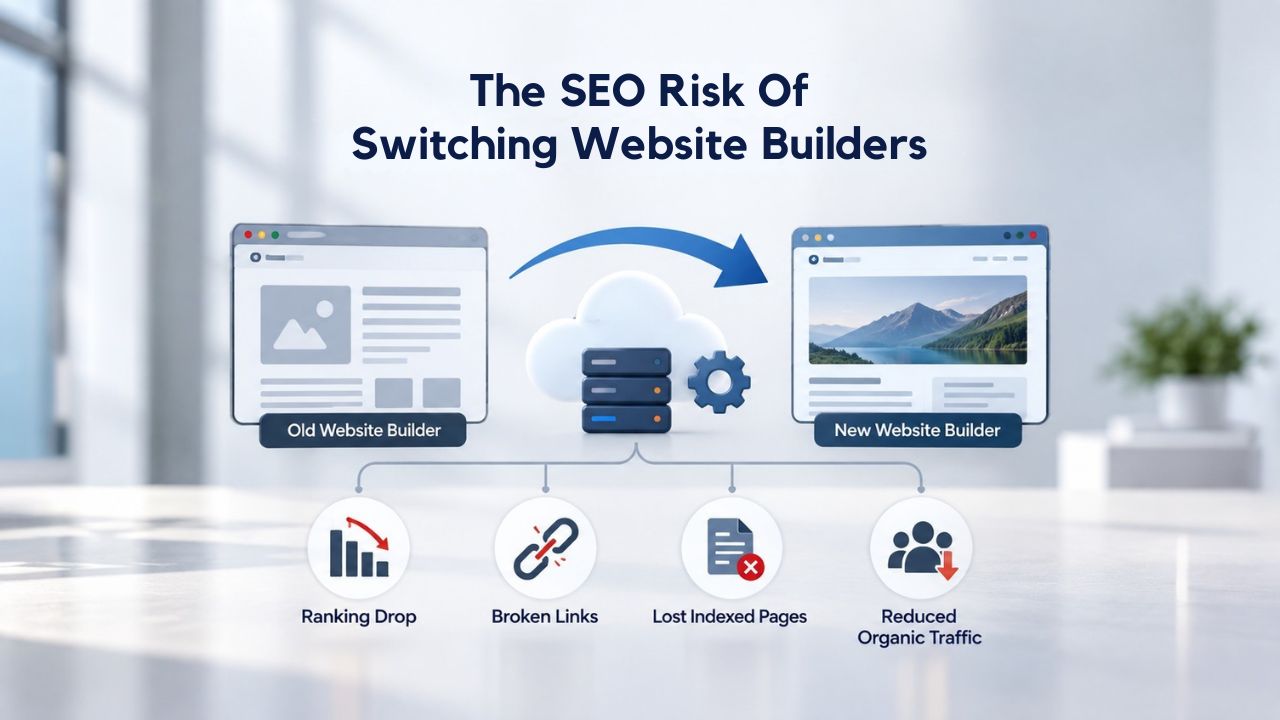
Changing website builders is one of the highest-risk events for organic search visibility. Most businesses assume a platform switch is just a technical task: move files, update the domain, go live. But search engines see something fundamentally different: a changed website. Every URL can shift, page structure can change, and hosting infrastructure can change. Research analyzing 892 domain migrations found that about 60% of platform changes result in measurable organic traffic loss.
The real cost becomes clear weeks later. A business that ranked for “website builder for small business” suddenly disappears from page one. Phone calls and inquiries dry up. Revenue dips. The cause rarely feels obvious because the site looks great, the new builder is faster, and nothing feels broken to a visitor. But to Google, something fundamental has changed, and it must reprocess your entire site before deciding whether your content still deserves its old rankings.
Why Website Builders Trigger SEO Volatility
Website builders, whether GoDaddy Website Builder, Wix, Squarespace, or WordPress, each generate URLs in their own way. When you move from one builder to another, those URLs change fundamentally. An old page address like example.com/services/plumbing might become example.com/pages/plumbing or get restructured entirely into something completely different. Search engines have already indexed hundreds or thousands of your old URLs over months or years. When those URLs vanish without a forwarding mechanism, search engines treat them as deleted pages.
This creates a cascade of problems. Backlinks pointing to old URLs now lead nowhere instead of to your new site. Internal links within your site break because they still point to old addresses. Keyword rankings disappear because the ranked page no longer exists at the old address search engines expect. If the new builder creates even slightly different URL patterns, naming conventions, structures, or parameters, search engines must recrawl your entire site, re-index new pages from scratch, and reassess which content ranks for which keywords.
The Cost of Unplanned Migrations
Research on website migrations without proper planning reveals stark and sobering numbers. Sites losing 40% or more of organic traffic typically lack proper redirect setup. The recovery window stretches painfully long. While well-managed migrations recover in 30–60 days, the average recovery time across all migrations is 523 days, with 17% of sites never regaining their previous traffic levels.
For a small business generating half its leads from organic search, 523 days of diminished visibility equals a potential revenue loss in the six figures, money the business doesn’t earn because customers can’t find it online. And 17% never recover, meaning permanent damage to the business’s search presence and competitive position. These aren’t theoretical scenarios; they’re common outcomes when migrations are treated as routine technical tasks rather than high-stakes strategic events requiring planning and precision.
Website Builder Plans & Pricing
Create a professional website with flexible website builder plans designed for businesses, portfolios, and growing online brands. Choose a plan that matches your needs and build, customize, and manage your website with easy-to-use tools, responsive designs, and essential features for a strong online presence.
Website Builder Personal
Share your passion online.
- Responsive mobile design
- Website hosting
- Rapid Page-Load performance
- Create a blog
- Security (SSL)
- 24/7 support

Website Builder Business
Create an online presence for your business.
- Responsive mobile design
- Website hosting
- Rapid Page-Load performance
- Create a blog
- Security (SSL)
- 24/7 support
- PayPal Buy Now or Donate button
- Search Engine Optimization (SEO)
Website Builder Business Plus
Attract more customers.
- Responsive mobile design
- Website hosting
- Rapid Page-Load performance
- Create a blog
- Security (SSL)
- 24/7 support
- PayPal Buy Now or Donate button
- Search Engine Optimization (SEO)
- Social Media Integration
- Share content to Facebook
- Online Appointments
Website Builder Online Store
Sell products and services.
- Responsive mobile design
- Website hosting
- Rapid Page-Load performance
- Create a blog
- Security (SSL)
- 24/7 Support
- PayPal Buy Now or Donate Button
- Search Engine Optimization (SEO)
- Social Media Integration
- Share content to Facebook
- Online Appointments
- Built-in shopping cart
- Sell physical and digital products
- Accept credit and debit cards, PayPal and more
- Flexible shipping options
- Discounts and promotions
- Manage inventory
How URLs and Redirects Determine Migration Outcomes
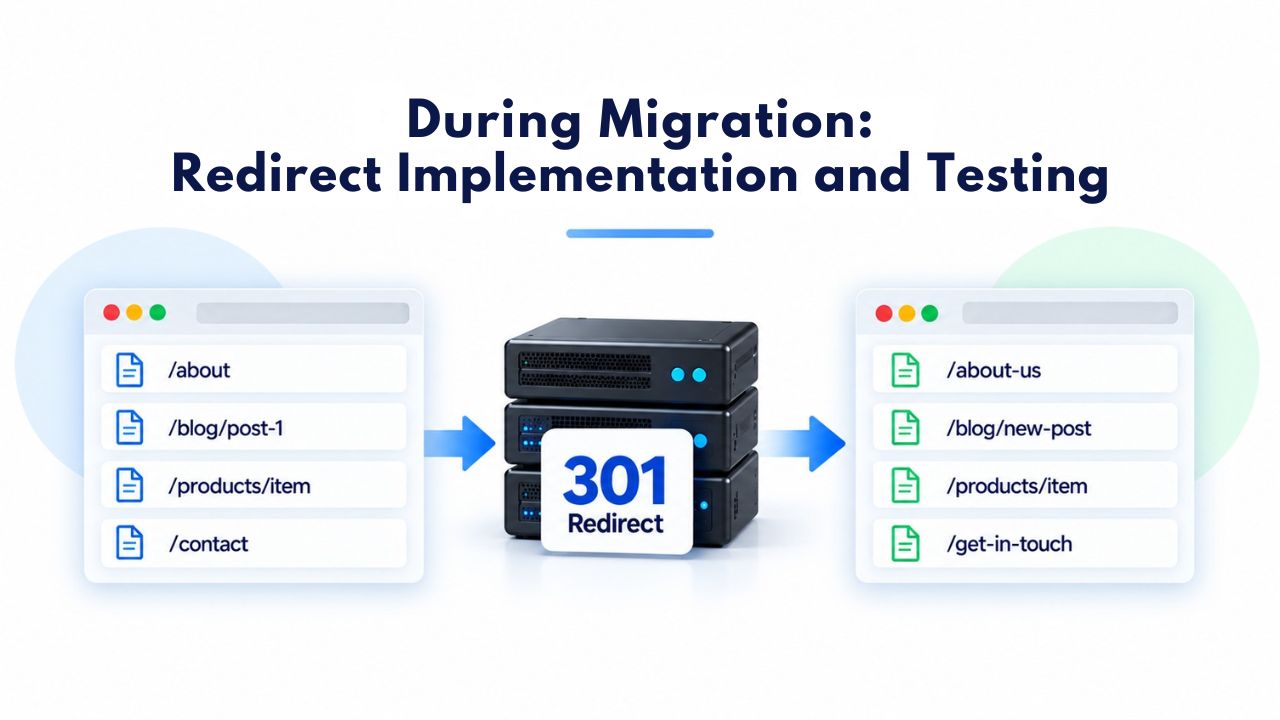
The single most important factor separating a smooth migration from a catastrophic one is redirect setup. A redirect is a technical instruction that tells search engines and browsers where to find a page that has moved to a new address. The most effective SEO redirect is a 301 (permanent) redirect, which transfers ranking authority and link equity from the old URL to the new one. Without redirects, old URLs become broken links (404 errors), and all the authority they accumulated vanishes.
Redirect mapping, creating a complete one-to-one list matching every old URL to its new destination, is the single biggest determinant of migration success or failure. A site with 500 pages requires 500 accurate redirect mappings. A site with 2,000 pages requires 2,000. A single missed page becomes a dead link, ranking loss, and lost search traffic that compounds over time. The technical work is straightforward, but the completeness and accuracy requirements are absolute.
The Mechanics of 301 Redirects and Link Equity
Google confirmed that 301 redirects do not cause PageRank loss, a myth the company itself has finally put to rest. When a page at example.com/old-page redirects to example.com/new-page via a 301, the backlinks and ranking authority accumulated at the old URL transfer to the new one over time. This happens automatically as search engines recrawl and reprocess the redirected pages. The process isn’t instantaneous; it can take weeks for search engines to recognize the redirect and fully complete the authority transfer, but it works.
However, redirect implementation must be absolutely flawless. Common errors include redirect chains (old URL → intermediate URL → final URL), orphaned pages (pages with no redirect), and incorrect destination mappings. A redirect chain slows authority transfer because the search engine must follow multiple hops before reaching the final destination. An orphaned page loses all traffic because visitors and search engines hit a 404 error. An incorrect mapping sends visitors to the wrong page entirely, destroying user experience and making the redirect useless for SEO.
Temporary vs. Permanent Redirects and SEO Impact
Not all redirects are created equal in search engines’ eyes. A 302 redirect is temporary; it tells search engines, “this page has moved for now, but the original URL might return.” Search engines keep the original URL in their index and don’t pass full authority to the new destination. A 301 redirect is permanent; it signals “this page has permanently moved to a new address, and everything here now belongs at the new location.” Search engines update their index, recognize the new page, and pass authority forward immediately.
During a website builder migration, using 302 (temporary) redirects instead of 301 (permanent) redirects is one of the biggest mistakes businesses make. Search engines continue treating the old URL as the “real” page and don’t fully transfer rankings to the new one, keeping your site stuck in recovery limbo. Migration specialists always recommend 301 redirects for platform changes, and GoDaddy Website Builder supports setting them up. If your new builder doesn’t support 301 redirects, you face ongoing ranking problems and extended recovery periods.
Metadata, Titles, and On-Page SEO in Builder Transitions
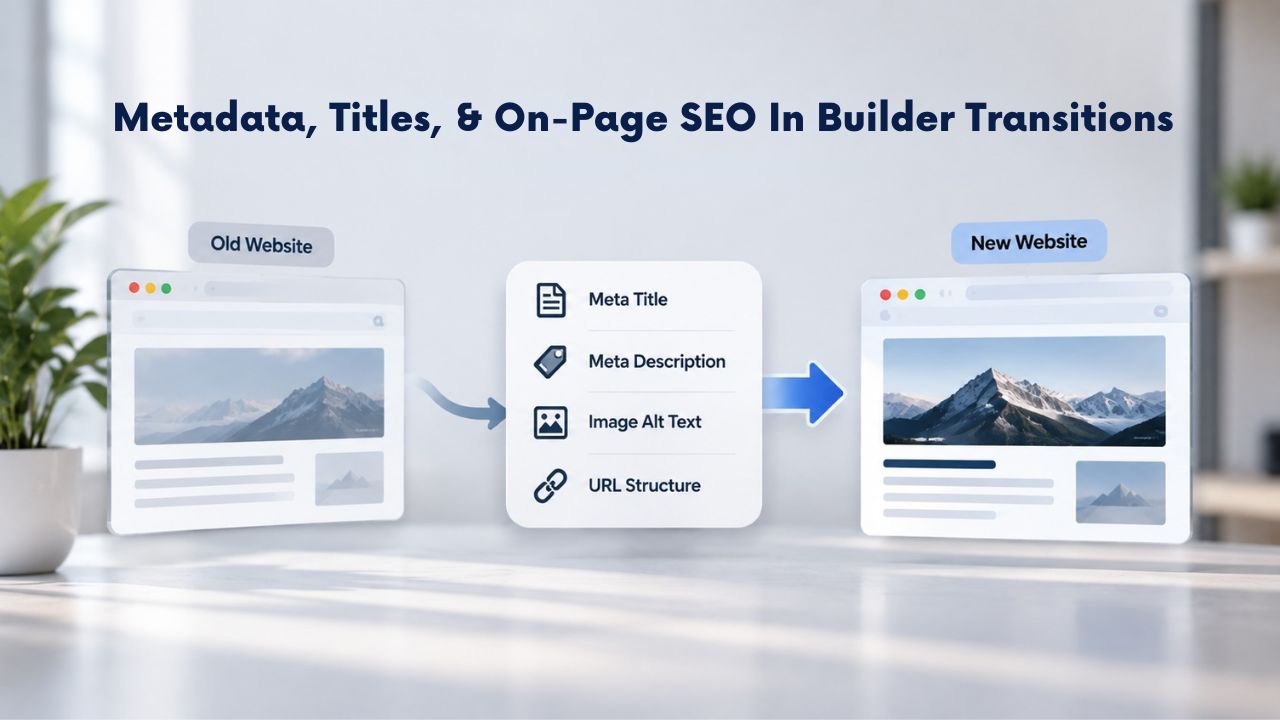
A URL redirect tells search engines where a page has moved. But on-page SEO signals- the title tag, meta description, heading structure, and schema markup- tell search engines what the page is actually about and why it should rank for specific keywords. When builders migrate content, these elements often get left behind or stripped out, causing ranking drops even when redirects are correct. You can have perfect redirects, but if the new page’s title is generic or missing entirely, search engines won’t understand what the page is about.
GoDaddy Website Builder and most other website builders allow you to customize these elements manually. But during an automatic migration from an older builder or a hand-coded site, the new builder might not preserve titles, descriptions, and headings. If the new platform generates default or generic titles, like “Page 1” instead of “Best Website Builder for Small Businesses”, search engines no longer understand the page’s relevance to the keywords it used to rank for. Rankings drop because the page now appears to be about something different.
Titles, Meta Descriptions, and Heading Tags in Migrations
Page titles and meta descriptions are often lost or changed during migrations because each builder stores and renders this information differently. A builder might store titles in one system, while another builder looks for them in a completely different location. When content is transferred automatically, these elements don’t always make the journey. A proper migration process includes pre-migration documentation: exporting every page’s current title, meta description, and heading hierarchy before cutover begins.
Then, during setup in the new builder, you must manually configure these elements for each page, or import them via bulk upload if the builder supports it. This is time-consuming work for large sites, but it’s non-negotiable for SEO. Headings (H1, H2, H3 tags) serve both users and search engines. They structure the content and signal hierarchy to search engines. If a new builder strips out custom headings or replaces them with generic formatting, the page loses a key SEO signal. Search engines use headings to understand what a page is about, and users use them to scan content.
Schema Markup and Structured Data Loss
Schema markup is code embedded in a page that tells search engines exactly what the content represents, whether it’s a product, a local business, an article, an event, or a FAQ. If you don’t recreate schema markup and structured data on the new site during migration, rich snippets disappear from search results. Click-through rates plummet even when the page’s ranking position stays the same. A search result that displays a star rating and product review gets clicked more often than one without. A search result that shows a business address and phone number gets called more often than one without.
Many website builders don’t make it easy to add or manage schema markup. GoDaddy Website Builder includes built-in SEO tools for on-page optimization, but confirming that your structured-data schema carries over to the new platform is critical. A local business might lose its “Local Business” schema, causing the address and phone number to stop appearing in local search results. An e-commerce site might lose product schema, meaning product reviews, ratings, and pricing no longer display in search snippets. This loss of visibility continues even after rankings recover.
Page Speed, Core Web Vitals, and Performance After Migration
Search engines care about how fast your pages load and how responsive they are to user interaction. Google’s Core Web Vitals metrics, Largest Contentful Paint (how quickly the main content loads), First Input Delay (how fast the page responds to clicks), and Cumulative Layout Shift (how stable the visual layout is as the page loads), directly affect search rankings. A migration that moves your site to slower infrastructure or a builder with heavier code can cause Core Web Vitals to degrade, triggering ranking drops as a negative user-experience signal.
Different website builders have different infrastructure and optimization approaches. GoDaddy Website Builder hosts your site on GoDaddy’s servers, which include built-in performance optimizations. Older builders or poorly managed hosting can slow page load times. During a migration, performance often dips immediately after launch because the new server or platform needs time to optimize caching, compress images, distribute content efficiently, and warm up its various optimization systems.
Mobile Responsiveness and Device Performance
Mobile devices now account for over 52% of web traffic globally, and search engines prioritize mobile experience heavily in their ranking algorithms. A website builder that doesn’t render mobile pages quickly or responsively will suffer ranking penalties. GoDaddy Website Builder offers mobile-responsive templates, meaning your site automatically adjusts to phones and tablets without requiring separate mobile-specific work. But during migration, if the new builder renders pages less efficiently on mobile, you’ll see ranking declines for mobile search results even if desktop rankings hold.
Testing mobile performance is essential during migration. Benchmark page speed metrics on mobile devices before migration, measure immediately after launch, and monitor for 90 days as the new platform optimizes. A 1-second improvement in load time can recover 5–10% of lost rankings; a 1-second delay can deepen losses. Mobile performance testing should include real-world conditions, not just lab measurements, but actual performance on mid-range devices with slower connections.
Server Infrastructure and Crawl Efficiency
Search engines crawl your website to discover and index pages. If your new builder’s server responds slowly, crawlers spend more time crawling fewer pages overall. This reduces the crawl budget, the amount of time and resources Google allocates to crawling your site. A reduced crawl budget means fewer pages get indexed, and updates to existing pages take longer to appear in search results. A slow server response time can cut your crawl budget in half, meaning half your pages won’t get indexed as often as they should.
Niya Digital’s team has found that businesses migrating to well-optimized infrastructure often see improved crawl efficiency, which can accelerate recovery and even lead to ranking gains post-migration. Reliable, fast hosting is foundational to a successful migration. You can have perfect redirects and metadata, but if the server is slow, search engines will deprioritize your site and recovery will stall.
Common SEO Migration Mistakes (and How to Avoid Them)
Most SEO migration disasters aren’t the result of sabotage or incompetence; they result from missed steps and oversights. A business launches a beautifully redesigned website without realizing they haven’t set up redirects for any URLs. Another migrates content to a new builder and discovers that all internal links are broken. A third changes URL structures without mapping old URLs to new ones. Each mistake cascades into traffic loss that compounds over time.
The most common migration failures are: URLs changed without 301 redirects (mass 404 errors), titles and metadata not transferred, schema and structured data not recreated, internal links not updated, and Core Web Vitals degradation. Understanding these mistakes now helps you avoid them during migration and protect your organic traffic from preventable loss.
Missing Redirects, Orphaned Pages, and 404 Errors
The number-one cause of migration-related SEO loss is missing or broken redirects. A page that ranked for a valuable keyword but wasn’t redirected now returns a 404 (Page Not Found) error. Search engines see the 404, understand the page is gone, and remove it from their index. Backlinks pointing to that old URL become broken links; they’re still there, but they point to nothing. The ranking authority built at that URL evaporates, and you lose both traffic and SEO value.
Orphaned pages, pages that existed on the old site but have no redirect on the new site, are particularly dangerous because they’re easy to miss. A business might forget about an old FAQ page, a discontinued product page, or a blog post from years ago. Search engines continue crawling these old URLs for weeks or months, find 404 errors, and gradually stop crawling your site altogether.
This signals to Google that your site’s structure is unstable and maintenance is poor, which can lower overall site rankings. Avoiding this mistake requires a complete pre-migration URL audit: crawl the old site, export every URL, create a mapping document listing every old URL and its corresponding new URL, and verify that every one has a redirect.
Migration Mistake Prevention Table
| Migration Mistake | What Goes Wrong | SEO Impact | How to Prevent It |
|---|---|---|---|
| Missing or broken 301 redirects | Old URLs return 404 errors; search engines deindex pages | 40%+ organic traffic loss; authority evaporates | Create complete URL mapping; test all redirects in staging; verify 301 status codes |
| Orphaned pages (no redirect) | Pages exist on old site but have no equivalent on new site | Broken backlinks; lost rankings; crawl budget wasted | Audit old site exhaustively; map every URL; test for 404s post-launch |
| Generic or missing titles | New builder auto-generates “Page 1” or default titles | Pages lose keyword relevance; ranking drops despite redirect | Export all titles pre-migration; manually configure each page title on new builder |
| Missing metadata & descriptions | Meta descriptions stripped during content transfer | Reduced click-through rates; lower CTR impacts rankings indirectly | Document all metadata pre-migration; transfer manually or via import if supported |
| Schema markup loss | Structured data (reviews, ratings, addresses) not recreated | Rich snippets disappear; search result visibility drops | Audit old schema markup; recreate on new builder; test with Rich Results tester |
| Broken internal links | Links within content point to old URLs or missing pages | User frustration; crawl inefficiency; navigation broken | Audit internal linking structure; update links to new URLs; use redirects as backup |
| Slow server performance | New builder’s infrastructure causes page speed degradation | Core Web Vitals penalties; reduced crawl frequency | Benchmark speed pre-migration; test new builder performance; monitor first 90 days |
| Redirect chains | Old URL → intermediate URL → final URL (multiple hops) | Delayed authority transfer; wasted crawl budget; slower recovery | Map old URLs directly to final destinations; eliminate intermediary redirects |
| Using 302 temporary redirects | Search engines treat old URL as “real” page; authority doesn’t transfer | Rankings stuck on old URL; extremely slow recovery | Always use 301 permanent redirects; never 302 for migrations |
| No pre-migration baseline | Don’t know current traffic/rankings before migration launches | Can’t measure recovery; can’t identify problems; chaos | Export Search Console data; crawl site; document traffic/rankings; create baseline |
Metadata Loss and Generic Replacement Titles
Another common mistake: the new builder generates default or generic page titles during migration. “Page 1,” “Untitled Page,” “Services,” or auto-generated titles lose all keyword relevance and semantic meaning. A page that previously ranked for “website builder for small business” might become “Services” on the new platform, and rankings drop immediately because the page no longer matches the search queries it used to capture. Users searching for “website builder for small business” see a different page in the results, one that is more relevant to the new competitor’s improved content.
Pre-migration documentation must include every page’s title, meta description, heading structure, and any schema markup. During setup in the new builder, you must manually configure these elements for each page, or import them via bulk upload if the builder supports it. Skipping this step trades optimized, ranking pages for generic ones, guaranteeing organic traffic loss. The best approach is to export all metadata from your old site before migration, create a spreadsheet with old URLs and their metadata, and then use that spreadsheet as a checklist during setup on the new builder.
Ready to Protect Your SEO During a Website Builder Migration?
Planning a migration to a new website builder? The difference between success and disaster comes down to preparation and technical precision. Niya Digital’s Website Builder Service, powered by GoDaddy Website Builder, includes comprehensive onboarding and setup support to help you plan and execute a smooth migration that protects your rankings. Our team guides you through the audit, redirect strategy, and post-launch monitoring, ensuring your organic traffic stays protected every step of the way.
Pre-Migration: Planning, Audit, and Baseline Documentation
The difference between a successful migration and a disastrous one usually comes down to preparation and planning. Businesses that invest time in understanding their current site before cutover recover quickly and often see improved rankings post-migration. Those that migrate on a whim often spend months or years recovering, if they recover at all. The planning phase is where you establish your baseline, identify your risks, and create the roadmap you’ll follow during cutover.
A proper pre-migration process includes: crawling the existing site to identify all indexable URLs, exporting current Search Console data (rankings, traffic, queries), identifying high-value pages that must be prioritized for protection, mapping current URLs to their new equivalents, and auditing the internal linking structure. This baseline documentation becomes the foundation for the entire migration process and the benchmark you’ll measure recovery against.
Site Audit, URL Inventory, and High-Value Page Identification
Start by understanding what you have and what it’s worth. Use a site crawl tool to generate a complete inventory of every URL on your current site, not just pages you remember, but every accessible URL. Export your Google Search Console data, which shows current rankings, organic traffic by page, and the keywords you rank for. This data is invaluable because it tells you which pages drive the most value and which URLs carry the most SEO authority.
Identify your high-value pages: pages that rank for valuable keywords, drive organic traffic, have backlinks, or generate conversions. These pages deserve extra attention during migration. Redirect them correctly to their exact new equivalents, preserve or improve their on-page SEO, and monitor their performance closely post-launch. A page that drives 100 organic sessions per month is more critical than one that drives 5. Create a “priority” list within your spreadsheet so the technical team knows which URLs to test thoroughly before launch.
Creating a Redirect Map and Testing Strategy
With your URL inventory complete, create a redirect mapping document: old URL → new URL, one row per page. This document should be reviewed by both the person managing content and the technical team implementing redirects. Errors in the redirect map get built into the production site, so accuracy is essential. A common approach is to use a spreadsheet with columns for old URL, new URL, status code (should be 301), and verification checkbox.
Before launch, redirects should be tested in a staging environment. A staging site is a copy of the new website that isn’t live yet; it lets you verify that redirects work correctly, page speed is acceptable, and nothing is broken. Only after thorough staging testing should the site go live to the public. Many hosting providers offer staging environments for exactly this purpose; if yours doesn’t, the staging cost is well worth the protection it provides.
During Migration: Redirect Implementation and Testing
Migration day arrives. The technical team activates the new builder, publishes the site with all redirects in place, and updates DNS (Domain Name System) records to point your domain to the new host. This cutover phase typically takes minutes to hours depending on your hosting setup and domain registrar. But the work doesn’t end there; in fact, it intensifies. The first hours and days after launch are critical.
During the cutover and first hours after launch, real-time crawl monitoring is essential. Search bots may crawl old URLs and follow redirects to new ones, but they’re also checking for errors, broken links, and misconfigured redirects. Catching issues early means you can fix them before search engines deprioritize your site or stop crawling altogether.
Redirect Chain and Loop Prevention
A redirect chain occurs when a page redirects to another page, which redirects to yet another page. For example: old-page → intermediate-page → final-page. This creates friction for both users and search engines. Users experience a noticeable delay as their browser follows multiple hops. Search engines must follow multiple redirects before reaching the final destination, wasting crawl budget. A direct 301 redirect (old-page → final-page) is always better than a chain.
A redirect loop is even worse: old-page → new-page → old-page (back and forth infinitely). This breaks the site entirely: users see error messages, pages may not load, and search engines stop crawling that section of your site. During the technical implementation phase, the team must validate that all redirects are direct (no chains) and that no loops exist. A crawl tool configured to follow redirects will quickly identify any problems, but validation should happen before launch, not after.
Post-Launch Validation and Quick Fixes
The site goes live to the public. Search Console must be configured with the new site URL if the domain changed, or linked to the new site version if you stayed on the same domain. Submit a new XML sitemap listing all new URLs. Monitor Google Search Console and crawl errors for the first 24–48 hours continuously.
Common issues to watch for: pages returning 404 errors when they should be redirecting, redirects pointing to the wrong destination, or pages that load but show server errors. Identify and fix each of these immediately. A broken redirect left unfixed for a week causes search engines to stop recrawling that page; the longer an error persists, the deeper the ranking damage. Have your technical team available on standby for the first 48 hours after launch, and check Search Console every few hours for new crawl errors.
Post-Migration: Monitoring, Recovery, and Quick Fixes
The first 90 days post-migration are critical to long-term success. Search engines actively recrawl your site, reindex pages, and reassess rankings during this time. Close monitoring during this period helps you catch and fix problems before they cause permanent ranking loss. Think of this as the “healing” phase for your website; you need to be vigilant and responsive.
A typical migration sees initial traffic decline for 3–4 weeks while search engines process changes. This is normal because search engines take time to recognize the new URLs, process the redirects, and reassign rankings. What matters is whether the decline stabilizes after three to four weeks and traffic begins recovering by week six to eight. If traffic continues to fall after 60 days, you missed a problem or didn’t fix it completely.
Search Console Monitoring and Crawl Error Response
Check Google Search Console daily for the first week, then weekly for the next 30 days after launch. Look for crawl errors (pages returning 404, 5xx server errors, or connection timeouts), coverage issues (pages marked as “excluded” or “indexed but not shown”), Core Web Vitals problems, and security warnings. Each issue needs immediate investigation and response. If Search Console shows 404 errors, those URLs need redirects added or fixed. If Core Web Vitals are poor, pages need optimization to improve loading speed.
Fixing issues in this 90-day window is far more effective than trying to recover months later. Search engines already closely monitor your site and actively process changes. When you fix an issue within days, search engines notice and update their assessment quickly. When you fix the same issue three months later, it takes longer for the correction to propagate through the index.
Identifying and Fixing Broken Redirects and Dead Links
Beyond Search Console, perform your own crawl of the new site to verify redirects are working. Use a site crawl tool configured to follow redirects and report on redirect status codes (should all be 301 for migrations). Fix any redirect returning a different code or pointing to a 404 immediately. Make a list of these issues and assign them to your technical team as a priority.
Check internal links within your content: do they point to updated URLs on the new site, or do they still reference old URLs? Broken internal links hurt both user experience and SEO. If an internal link within a blog post points to a page that no longer exists, update the link to the new URL on the new site. If you can’t find the equivalent new page, add a redirect for that URL so the link works temporarily while you decide on a permanent fix.
Realistic Recovery Timelines and What to Expect
The question every business asks after launching a migration is: “How long until my traffic recovers?” The honest answer depends on how well you execute the migration and how quickly you fix post-launch issues.
Best-case scenario (well-managed migration with proper redirects, complete metadata transfer, and good server performance): 19–33 days for the fastest recovery sites. Typical scenario (careful execution, minor issues identified and fixed quickly): 3–6 months. Worst-case scenario (poor redirect setup, metadata loss, slow server, errors not fixed): 523 days average, with 17% of sites never recovering at all. The difference often comes down to a single factor: whether every old URL has a correct 301 redirect to its new destination.
Cumulative Recovery Data and Typical Timelines
Research analyzing 1,052 domain migrations provides clear cumulative recovery data showing how traffic typically rebounds over time. By day 30, typical sites have recovered only 5% of lost traffic, meaning 95% is still missing. By day 90, recovery reaches 23%. By day 180 (six months), 35% recovery is typical. The recovery curve is steepest in months two and three for well-managed migrations, then gradually flattens as recovery approaches completion.
| Time Since Migration Launch | Typical Organic Traffic Recovery |
|---|---|
| Week 1 | Initial 5–10% decline (normal) |
| Day 30 (1 month) | 5% recovered (95% still below baseline) |
| Day 60 (2 months) | 13% recovered |
| Day 90 (3 months) | 23% recovered |
| Day 180 (6 months) | 35% recovered |
| Day 365 (1 year) | 60% recovered |
| Day 547 (18 months) | 76% recovered |
| Day 730 (2 years) | 84% recovered |
In this dataset of 1,052 migrations, 14% of sites showed no full recovery even after 3 years, suggesting severe migration errors or subsequent site issues prevented full recovery. The key takeaway: recovery is gradual and takes time, but most well-managed sites reach 35–50% recovery by month six and 60% or more by the one-year mark.
Why Recovery Timelines Vary and How to Speed Recovery
Recovery speed depends on redirect accuracy, site authority, content freshness, crawl frequency, and technical SEO quality. Older, more established sites with substantial backlinks recover more slowly from a higher baseline but face a bigger impact. Sites that are actively crawled more frequently (because they have many backlinks) recover faster than new or low-authority sites. Search engines crawl high-authority sites multiple times per week; they may crawl new sites only once per month.
A business that updates 10% of its content in the first month post-migration, maintains technical excellence throughout the recovery period, and fixes crawl errors immediately can recover toward the faster end of the range (30–60 days). A site that launches and then ignores monitoring will slide toward the slower end (6 months or longer). Fresh content and active optimization signal to search engines that the site is alive, maintained, and worth crawling more frequently, which accelerates recovery.
Getting Expert Guidance on Builder Migration
Some businesses have the in-house expertise to plan and execute a migration themselves. Most do not, especially small businesses running lean teams. When a website generates significant revenue from organic search, the risk of doing it wrong is too high. Hiring expert guidance often costs far less than the traffic loss from a botched migration and can pay for itself within weeks.
Migration specialists (SEO agencies, technical consultants, or the builder’s own support team) can manage the audit, redirect mapping, staged testing, and post-launch monitoring. Some website builders, including GoDaddy Website Builder, offer onboarding and setup support to help minimize migration risk. These services guide you through each phase of the migration process, reducing your risk of critical errors.

When to Hire Professional Migration Support
Consider professional support if your site has 200 or more pages (redirect mapping becomes complex and error-prone at scale), generates significant organic traffic or revenue (the risk is too high to DIY), is migrating from a very different platform with incompatible URL structures (URLs may not map 1:1, requiring custom solutions), or your team lacks in-house technical SEO expertise. Migration specialists can provide services including a complete pre-migration SEO audit, redirect-mapping document creation, staging-environment testing, post-launch monitoring, and recovery support.
Professional support is often available as a project engagement, a defined scope completed over a set timeframe, or as ongoing consultation during the migration and recovery phases. The cost varies based on site size and complexity, but the investment typically breaks even almost immediately if it prevents even one month of significant traffic loss.
Niya Digital’s Migration and Onboarding Support
Niya Digital’s Website Builder Service, powered by GoDaddy Website Builder’s technology, includes comprehensive onboarding and setup support designed to help businesses plan and execute smooth migrations. The team guides pre-migration audits, redirect strategy, on-page SEO preservation, and post-launch monitoring. For customers migrating from another builder or a custom-coded site, Niya Digital’s support helps protect high-value pages, maintain technical SEO fundamentals, and prioritize recovery throughout the transition.
The support includes education on why each step matters, access to migration checklists and templates, and troubleshooting when issues arise. This hands-on guidance transforms migration from a stressful, risky event into a managed, strategic transition that protects your business’s organic search presence. Niya Digital’s team has supported numerous migrations and understands the common pitfalls that derail recovery.
Ready to Migrate Confidently and Protect Your Organic Traffic?
A website builder migration doesn’t have to mean ranking loss. With proper planning, technical precision, and expert guidance, you can transition to a new platform while maintaining or even improving your search visibility. Niya Digital’s Website Builder Service includes onboarding and setup support to help you navigate the migration process successfully. Our team guides you through every phase, from pre-migration audit to post-launch recovery, ensuring your business doesn’t lose organic traffic during the transition.
Frequently Asked Questions
Will my website ranking drop if I change website builders?
Ranking changes during a platform migration depend on how carefully you execute the migration. If you set up 301 redirects from every old URL to its new equivalent, preserve your page titles and descriptions, maintain page speed, and monitor for errors in the first 90 days, you can substantially minimize ranking loss. Research shows well-executed migrations can recover rankings within 30–60 days, while poorly executed ones take six months to three years or never fully recover. The outcome is almost entirely within your control through planning and execution precision.
How long does SEO recovery typically take after a website migration?
Recovery time varies widely based on execution quality. Best-case (proper redirects, metadata preserved, fast server): 19–33 days. Typical (careful execution, quick issue fixes): 3–6 months. Worst-case (missing redirects, poor setup, slow response): six months to three years or permanent loss. Data from 1,052 domain migrations shows cumulative recovery of 35% by six months and 60% by one year. The fastest recoveries come from sites with accurate 301 redirects, minimal metadata loss, and stable server performance.
What’s the most important thing to do before migrating website builders?
Create a complete URL inventory and redirect map before touching anything on the new builder. Crawl your current site to list every URL, export your Google Search Console data (rankings and traffic), and identify high-value pages needing priority protection. Create a mapping document: old URL → new URL, one per row. This single document is your source of truth for redirect implementation and prevents the most common disaster: orphaned pages and missing redirects causing 404 errors.
Do I need to use 301 redirects or will 302 redirects work?
Always use 301 (permanent) redirects during a platform migration. A 301 tells search engines “this page has permanently moved” and transfers SEO authority from the old to the new URL. A 302 is temporary and tells search engines to keep indexing the old URL as the “real” page; authority doesn’t transfer fully. Search engines take weeks to recognize a 302, so ranking recovery is significantly delayed. For any website builder migration, 301 redirects are mandatory to protect SEO.
What happens if I forget to set up redirects for some pages?
Pages without redirects return 404 (Page Not Found) errors. Search engines see the 404, understand the page is deleted, and remove it from their index. Backlinks pointing to that URL become broken links, harming your site’s credibility. The SEO authority accumulated at that URL vanishes completely. Forgetting redirects for 10% of your pages can result in 40% or more organic traffic loss. A complete pre-migration URL audit and redirect mapping is non-negotiable for success.
Can I preserve my Google ranking position if I change URL structures?
Yes, but only with 301 redirects and preserved metadata. If your old site uses example.com/services/plumbing and your new builder uses example.com/pages/plumbing, set up a 301 redirect from old to new. Ensure the title, meta description, and heading tags remain the same or improve. These steps signal search engines that content moved, not disappeared. Without them, rankings will drop while search engines reprocess the page over weeks.
Should I update my website content during a migration?
Avoid making major content changes on the same day you migrate platforms. Content updates and platform migrations are two separate SEO events; combining them makes it impossible to isolate which change affected rankings. Migrate first, let search engines stabilize for two to four weeks, then update content. This separation helps you identify problems quickly and makes recovery faster and more predictable.
Will moving to a faster website builder improve my SEO?
Yes, if the new builder significantly improves page speed and Core Web Vitals metrics. A one-second improvement in load time or reduction in Cumulative Layout Shift can recover 5–10% of lost rankings post-migration. However, speed improvements only help if the migration itself doesn’t destroy rankings through broken redirects and metadata loss. You need both: a faster platform and a properly executed migration to see SEO gains.
How do I monitor SEO recovery after a migration?
Check Google Search Console daily for the first week, then weekly for 30 days. Monitor for crawl errors (404s, timeouts), coverage issues, and Core Web Vitals problems. Use a site crawl tool to verify redirects work and that pages are accessible. Track rankings for priority keywords using a rank tracking tool. By day 30, you should see signs of recovery; by day 60, the trajectory should be clearly upward. By day 90, recovery should be solidly established.
Can metadata changes during a migration hurt my rankings?
Absolutely. If page titles, meta descriptions, or heading tags are lost or changed to generic versions during migration, ranking drops are almost guaranteed. Search engines use these elements to understand page relevance to search queries. A page ranking for “affordable website builder for small business” loses relevance if the title becomes “Web Services.” Pre-migration documentation of every page’s metadata is essential to preserve rankings.
What is a 404 error and why does it hurt SEO?
A 404 error means “Page Not Found.” It occurs when a URL no longer exists or isn’t accessible. During migration, 404 errors happen when pages aren’t redirected to their new locations. Search engines see the 404, understand the page is deleted, and remove it from their index. If that URL had backlinks, they’re now broken and harming your site’s trustworthiness. If the page ranked for keywords, those rankings disappear completely. Preventing 404 errors requires complete, accurate redirect setup.
Should I change my domain name during the migration?
Avoid changing domains during migration if possible. Changing domains is higher-risk than staying on the same domain, even if you change URL structures. If you must change domains, implement careful redirect mapping and expect longer recovery (six months or more). If you stay on the same domain but change URL structures, recovery will be faster. Separate changes into different projects when possible; don’t combine a domain change with a URL restructure.
Does a website redesign without changing URLs still count as a migration?
No. A pure visual redesign keeping every URL the same is not a migration for SEO purposes. Search engines don’t care about design changes; they care about URL or content structure changes. A redesign that also changes URL structures is a migration requiring redirects. A redesign that preserves URLs but updates content can improve SEO, as long as the updated content stays high-quality and relevant to the topics pages previously ranked for.
How long should I wait before making SEO changes post-migration?
Wait at least 60 days before making major SEO changes (content rewrites, on-page optimization, link building campaigns) post-migration. During the first 60 days, search engines process the migration and stabilize rankings. Making changes during this period makes it impossible to isolate which change affected rankings: the migration or your SEO update. After 60 days, once recovery is clearly underway, resume normal SEO work.
Is professional migration support worth the cost?
Professional migration support, when needed, typically pays for itself within weeks if it prevents even minor traffic loss. If your site generates significant organic traffic or revenue, professional guidance is trivial compared to losing one month of organic traffic. For very small sites with minimal traffic, DIY migration with careful planning might work, but the risk is high. For any business depending on organic search for customer acquisition, professional support is a wise investment.
Glossary
- 301 Redirect: A permanent redirect that tells search engines and browsers that a page has moved to a new URL, and passes SEO authority from the old URL to the new one. 301 redirects are essential during website builder migrations.
- 404 Error: A “Page Not Found” error that occurs when a URL no longer exists or is inaccessible, typically resulting in lost organic traffic and broken backlinks that harm credibility.
- Metadata: HTML elements (such as the title tag and meta description) that describe a page’s content to search engines and browsers, typically displayed in search results above the page description.
- Website Builder: A platform (like GoDaddy Website Builder, Wix, or Squarespace) that allows users to create and publish websites using templates and drag-and-drop tools, without requiring coding skills.
- Domain Authority: A measure of SEO value a website’s domain accumulates over time through backlinks, content quality, and user engagement signals, which influences ranking potential for new content.
- Core Web Vitals: Google’s key metrics for page experience, including Largest Contentful Paint (loading speed), First Input Delay (interactivity), and Cumulative Layout Shift (visual stability).
- Canonical Tag: An HTML tag that tells search engines which version of a page is the “official” version, preventing duplicate content issues when multiple URLs contain similar content.