
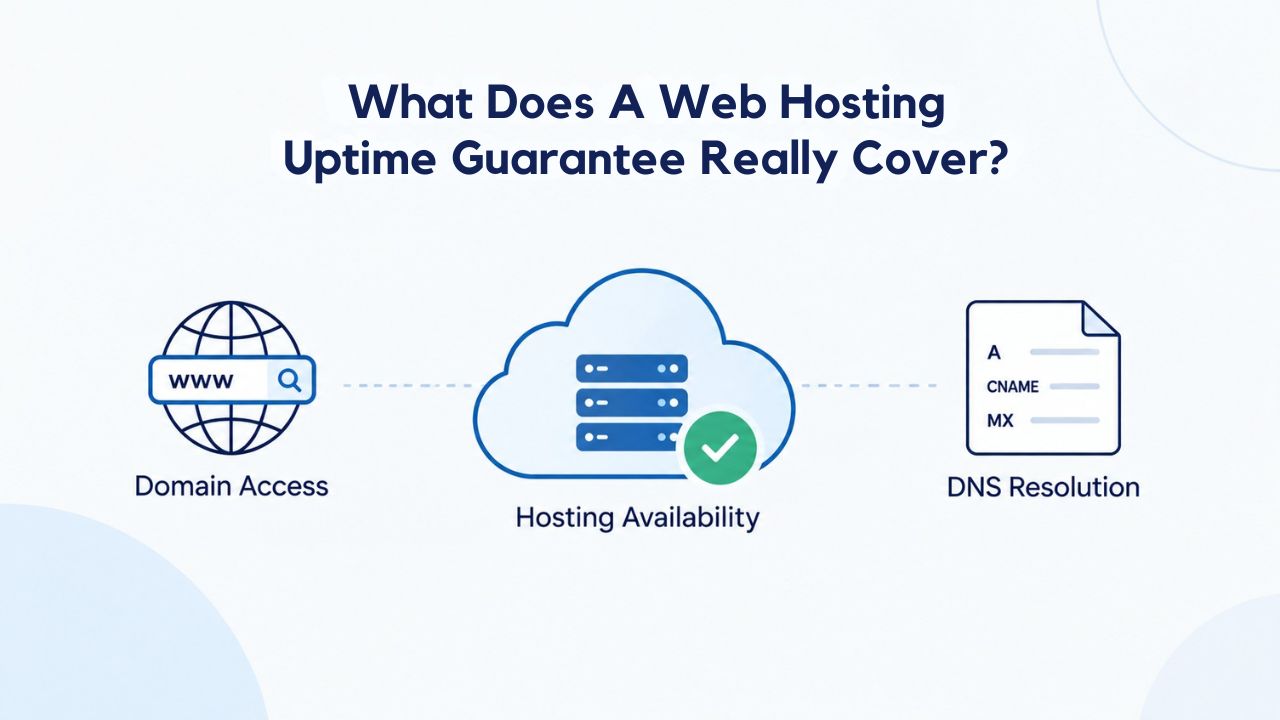
Understanding Uptime Guarantees at the Infrastructure Level
An uptime guarantee is a formal commitment, typically expressed as a Service Level Agreement (SLA), that your hosting provider’s infrastructure will remain available for a specified percentage of time. This percentage, commonly 99.9% or 99.99%, defines exactly how much downtime is contractually acceptable within a billing period, and outlines what happens if the provider falls short of that target.
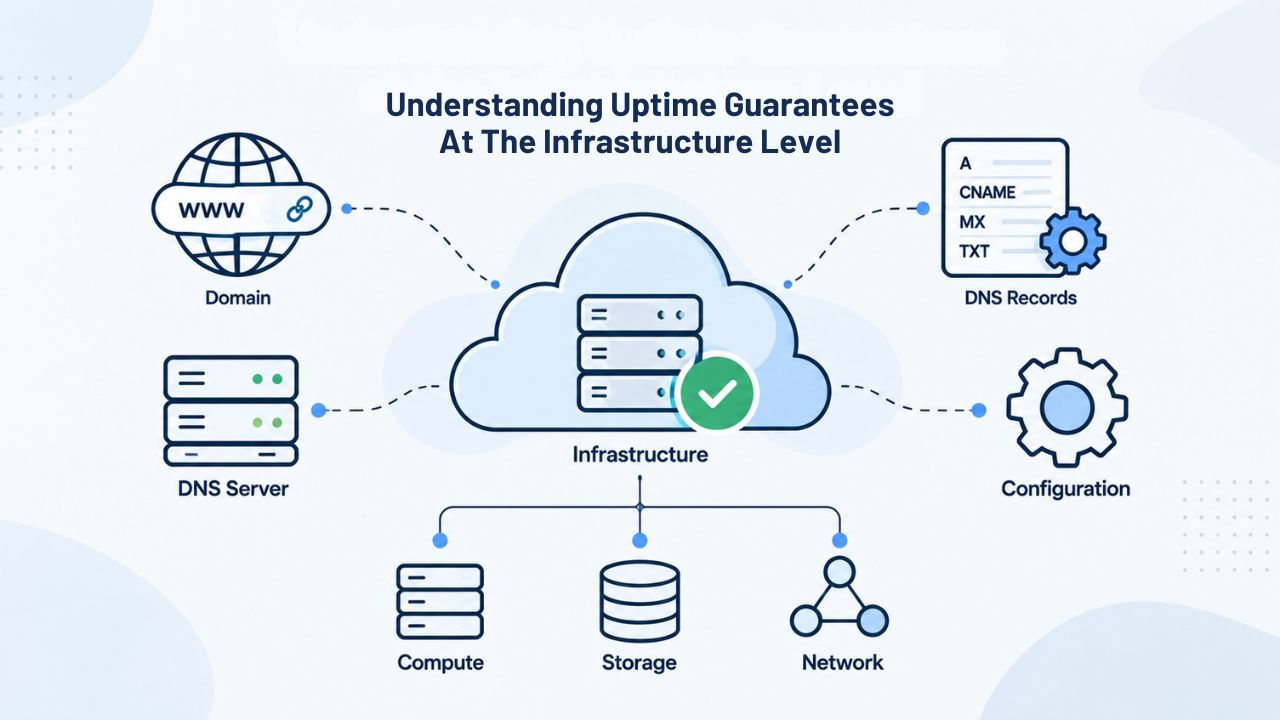
What the Provider’s Infrastructure Commitment Actually Covers
A hosting provider’s uptime commitment applies only to the physical servers and network infrastructure the provider owns and operates. This includes the hosting servers themselves, redundant network connections between data centers, routing equipment that directs traffic, and monitoring systems that detect and alert on infrastructure failures. Meeting an uptime SLA means these core components are functioning and connected to the public internet.
This commitment also includes backup power systems that keep servers running during local power outages, cooling infrastructure that prevents heat-related hardware damage, and physical security systems that protect data centers from unauthorized access. It also covers the automated failover mechanisms that redirect traffic to backup servers if a primary server fails, and the redundant internet connections that ensure connectivity even if one link goes down. When these infrastructure elements are operational, the hosting provider meets its uptime SLA.
What Remains Outside the SLA’s Scope
Many critical factors affecting your site’s availability are explicitly excluded from uptime guarantees because they fall outside the provider’s control or responsibility. Your site’s code quality, application architecture, database query efficiency, and application configuration are your responsibility, not the provider’s. If a WordPress plugin has a memory leak, a custom script consumes excessive server resources, or a database query times out, the hosting provider’s SLA has not been violated; the issue originates in your site’s layer, not the infrastructure layer.
External services and third-party dependencies also sit completely outside the SLA’s scope. If a payment gateway you rely on goes down, a shipping API becomes unavailable, or an email service experiences an outage, your site may be unreachable to customers even though your hosting provider’s servers and network are fully operational. Your domain registrar’s DNS servers, CDN providers, API endpoints, and any other external service your site depends on remain your responsibility to monitor and manage.
Business Web Hosting Plans & Pricing
Choose the hosting plan that fits your website, WordPress site, or growing business. Compare features, storage, performance, security, and website capacity to find the right hosting environment for your needs.
cPanel Starter
cPanel Hosting that's easy, reliable and lightning-fast.
- 1 website
- 30 GB storage
- Unmetered bandwidth*

cPanel Economy
cPanel Hosting that's easy, reliable and lightning-fast.
- 1 website
- 100 GB space
- Unlimited bandwidth*
- 100 email accounts**
- 10 MySQL databases (1 GB ea.)
cPanel Deluxe
cPanel Hosting that's easy, reliable and lightning-fast.
- Unlimited websites
- Unlimited space
- Unlimited bandwidth*
- 500 email accounts
- 25 MySQL databases (1 GB ea.)
cPanel Ultimate
cPanel Hosting that's easy, reliable and lightning-fast.
- Unlimited websites
- Unlimited space
- Unlimited bandwidth*
- 1000 email accounts
- Unlimited MySQL databases (1 GB ea.)
- 2X Processing power & memory (available for Linux/cPanel only)
- Premium DNS
- 1-year SSL certificate to secure customer data and increase search rankings
*We don't limit the amount of storage and bandwidth your site can use as long as it complies with our Hosting Agreement. Should your website bandwidth or storage usage present a risk to the stability, performance or uptime of our servers, we will notify you via email and may be required to upgrade, or we may restrict the resources your website is using.
**Email account storage is limited to 100 email accounts with 100 MB of total storage.
WordPress Basic
A great way to get started.
- 1 website
- 10 GB NVMe storage
- Unmetered bandwidth
- Free SSL Certificate *
- WordPress pre-installed
- Weekly backups
- Web Application Firewall
- Daily malware scans
- One-time malware removal

WordPress Deluxe
Improve your site performance with Cloudflare CDN.
- 1 website
- 20 GB NVMe storage
- Unmetered bandwidth
- Free SSL Certificate *
- WordPress pre-installed
- Daily backups
- Web Application Firewall
- Daily malware scans
- One-time malware removal
- Up to 2x faster performance with global Cloudflare CDN **
- Enhanced security with DDoS protection
- Staging site
WordPress Ultimate
Add online marketing with more sites, storage and security.
- 1 website
- 30 GB NVMe storage
- Unmetered bandwidth
- Free SSL Certificate *
- WordPress pre-installed
- Daily + on-demand backups
- Web Application Firewall
- Daily malware scans
- Unlimited malware removal
- Up to 2x faster performance with global Cloudflare CDN **
- Enhanced security with DDoS protection
- Staging site
- WordPress code optimizer
- Smart WordPress plugin manager
- Sell online with WooCommerce
*An SSL certificate is included with every site and free for the life of the hosting plan. Certificates are automatically installed, validated and renewed.
Web Hosting Plus Launch
For multiple basic sites.
- 100 GB storage*
- 4 GB RAM
- 2 CPUs
- Unmetered traffic
- 50 websites & databases
- Free, unlimited SSL for all your websites**

Web Hosting Plus Enhance
For high-traffic WordPress, Joomla, and other sites.
- 200 GB storage*
- 8 GB RAM
- 4 CPUs
- Unmetered traffic
- 100 websites & databases
- Free, unlimited SSL for all your websites**
Web Hosting Plus Grow
For advanced eCommerce sites like Magento.
- 300 GB storage*
- 16 GB RAM
- 8 CPUs
- Unmetered traffic
- 150 websites & databases
- Free, unlimited SSL for all your websites**
Web Hosting Plus Expand
For multiple basic sites.
- 400 GB storage*
- 32 GB RAM
- 16 CPUs
- Unmetered traffic
- 200 websites & databases
- Free, unlimited SSL for all your websites**
*The total amount of usable storage capacity for your particular Hosting Service(s) may differ from the represented capacity as there is required space for the operating system(s), system file(s) and other supporting file(s).
**If you cancel the Web Hosting Plus product, you will lose the associated SSL certificate as well.
How Uptime Percentages Translate to Real Downtime
The numbers behind an uptime percentage can be deceptive at first glance, so it’s essential to understand what they mean in practice. A 99.9% uptime guarantee sounds nearly perfect, but the math shows it allows roughly 43 minutes of total downtime over an entire month. Translating this percentage into minutes helps you assess whether an uptime commitment meets your site’s needs.
Reading the Numbers: 99% vs. 99.5% vs. 99.9%
A 99% uptime guarantee translates to roughly seven hours of downtime per month, well below the industry standard for professional hosting and a significant cumulative risk for business-critical sites. Fewer hosting providers offer 99% SLAs, and those that do typically serve lower-traffic websites, personal projects, or non-critical sites where occasional downtime is acceptable. A 99.5% SLA allows approximately 3.6 hours per month and sits in the mid-market range, appropriate for small business sites with moderate traffic and moderate availability requirements.
The 99.9% standard, common across Niya Digital’s Web Hosting plans and GoDaddy’s infrastructure SLA, allows roughly 43 minutes of downtime per month. This threshold is the baseline expectation for small business sites, blogs, and e-commerce operations. It accounts for occasional maintenance, isolated hardware issues, and network anomalies while keeping downtime brief enough that most visitors will see your site as up and running almost every day. For many site owners, 99.9% offers a good balance between availability commitment and cost.
Why the Math Matters: Practical Impact
The absolute number of downtime minutes is far less meaningful than when the downtime occurs and how many users it affects. An hour of infrastructure downtime at 3 a.m. on a Sunday affects far fewer users than 10 minutes of downtime at 2 p.m. on a Tuesday during your peak business hours. An uptime percentage is an aggregate monthly figure that doesn’t tell you anything about the timing, frequency, or duration of individual outage incidents.
A 99.9% SLA also doesn’t guarantee your site will respond quickly to requests, that visitors can load pages without delay, or that you won’t see performance degradation under heavy traffic. The uptime percentage guarantees only that the server is powered on and connected to the network, not that performance will be optimal, responsive, or fast. A site can be “up” under the provider’s SLA while still delivering a poor user experience because of slow database queries, large unoptimized images, or code that doesn’t scale well under load.
| Uptime % | Minutes/Month | Hours/Month | Typical Use Case | Business Suitability |
|---|---|---|---|---|
| 99% | \~440 | \~7.3 | Personal projects, hobby sites | High risk for business operations |
| 99.5% | \~220 | \~3.6 | Small blogs, modest-traffic sites | Acceptable for non-critical operations |
| 99.9% | \~44 | \~0.73 | Business sites, blogs, e-commerce | Industry standard for professional hosting |
| 99.95% | \~22 | \~0.37 | High-traffic sites, SaaS platforms | Suitable for revenue-critical operations |
| 99.99% | \~4.3 | \~0.07 | Mission-critical applications | Appropriate for business-critical systems |
What an SLA Explicitly Covers: The Provider’s Responsibility
An uptime SLA commits the hosting provider to maintaining infrastructure-level availability and functions as a legal contract that defines both sides’ responsibilities. The provider commits to keeping physical servers powered and operational, maintaining redundant network connections, ensuring data center security and environmental controls, and providing the monitoring systems needed to detect and respond to outages. GoDaddy’s own hosting SLA documentation specifies exactly what it monitors, how it measures availability, and what commitments back the uptime percentage.
How Providers Measure Uptime
Uptime is measured from the hosting provider’s perspective using automated monitoring systems that check server health and network connectivity at regular intervals throughout each month. These health checks typically originate from multiple geographic locations to ensure a server is truly unreachable from the broader internet, not just temporarily unavailable from one specific location due to a localized network issue. Providers record measurements continuously and calculate the cumulative uptime percentage at the end of each billing period.
Some providers publish real-time uptime dashboards where customers can see current infrastructure status and view historical uptime records. Many providers also send automatic outage notifications to affected customers, helping them understand what happened, when the issue was detected, and when services were restored. Niya Digital’s support and account management services include proactive communication during incidents, ensuring you’re informed about infrastructure-level events affecting your service.
Measurement Exclusions and Scheduled Maintenance
The uptime percentage measurement deliberately excludes scheduled maintenance windows announced in advance. If a provider publishes a maintenance notification, “Server maintenance scheduled Sunday 2 to 3 a.m. for infrastructure updates”, that hour is typically not counted against the uptime percentage. This exclusion is standard across reputable providers and allows them to perform necessary updates, security patches, hardware replacements, and infrastructure improvements without artificially damaging their uptime record.
Providers announce scheduled maintenance windows well in advance and typically schedule them during known low-traffic periods when fewer users are likely to be accessing sites. Excluding announced maintenance from SLA calculations incentivizes providers to do necessary work proactively rather than letting infrastructure age and go unmaintained. Some providers list maintenance windows as a benefit; being able to schedule your own site maintenance during a provider’s announced maintenance window ensures coordinated updates.
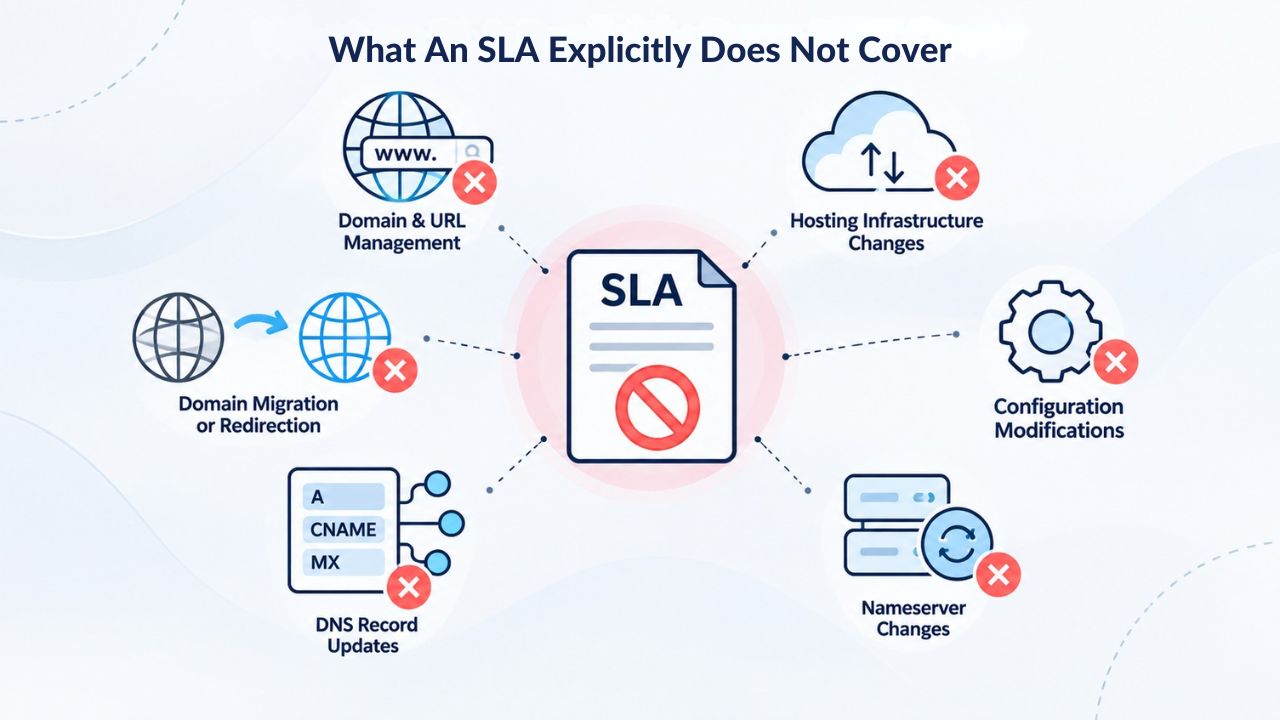
What an SLA Explicitly Does NOT Cover
An uptime guarantee does not cover your site’s own code, application logic, or configuration. If a WordPress theme consumes excessive memory, a custom script creates an infinite loop, or a database query returns millions of rows and times out, your site may slow dramatically or crash completely even though the server is technically “up” and the hosting provider’s SLA remains unviolated. These are site-level issues originating in your application, not infrastructure-level failures.
Security, Attacks, and Your Own Configuration
Security incidents caused by your own site configuration, weak credentials, or vulnerable code are not the provider’s liability under the uptime SLA. If attackers compromise your site and take it offline through malicious activity, the hosting provider’s infrastructure may have been available the entire time; the downtime occurred because of an application-level security issue, not an infrastructure failure. Niya Digital’s website security services can help reduce security risk through monitoring and hardening. Still, the hosting company’s uptime guarantee covers only its own systems.
An uptime SLA also typically excludes the impact of large-scale distributed denial-of-service (DDoS) attacks as “force majeure,” events beyond the provider’s reasonable control. During a sophisticated DDoS attack, a provider might implement traffic filtering or rate limiting that slows legitimate users, and this response is not counted as downtime under the SLA. However, reputable providers offer DDoS protection services to help mitigate this risk, and many include baseline DDoS mitigation as part of standard hosting plans.
External Dependencies and Force Majeure
Third-party services are explicitly outside the SLA’s scope. If your site depends on a payment gateway for checkout, a shipping carrier API for order fulfillment, or an email marketing service for customer communication, and that service experiences an outage, your site may be unreachable to customers or unable to function properly even though your web server is running. The hosting provider is not responsible because the service failure originates outside their infrastructure.
Domain Name System (DNS) configuration often remains your responsibility or your domain registrar’s responsibility. If your domain registrar’s DNS servers experience an outage or you misconfigure your DNS records, your domain may not resolve to your hosting server’s IP address, making your site unreachable through the usual URL. This is a DNS infrastructure failure, not a web hosting uptime failure. Most SLAs also explicitly exclude large-scale natural disasters, regional power outages, wars, and other truly extraordinary events beyond the provider’s reasonable control.
Common Misconceptions About Uptime Guarantees
Many site owners misunderstand what an uptime guarantee means in practice, leading to disappointment when real-world incidents occur or unfounded support claims when downtime has other causes. One widespread belief is that 99.9% uptime means your site experiences no downtime except for one specific hour per month. In reality, 43 minutes of downtime can occur as multiple brief outages distributed throughout the month, or as one longer incident during a critical time, or as several incidents scattered across different days.
Clarifying the Real Meaning of Uptime
Uptime means the hosting provider’s server and network infrastructure were functional and reachable from the public internet. It does not mean your site performed well, loaded quickly, satisfied requests successfully, or delivered the user experience you intended. A site can be “up” under an SLA while still delivering a poor experience because of performance issues, security problems, application bugs, or failing external service dependencies.
An uptime guarantee is a commitment to infrastructure availability; it is fundamentally not a promise about your site’s code quality, application performance, security posture, or business outcomes. A site can be down or extremely slow for reasons entirely outside the provider’s control, and the SLA provides no coverage or remedy for those situations. Understanding this distinction prevents frustration and helps you build a more complete reliability strategy that addresses performance, security, and application issues alongside infrastructure availability.
Why SLA Claims Require Documentation
A third common misconception is that service credits are automatic and unlimited. Most SLAs require you to file a formal claim with the provider, often within a specific window (typically 30 days of the incident), and provide evidence documenting the outage. You may need to provide logs showing when the hosting server became unreachable, references to the provider’s incident reports, or evidence that the downtime fell within the provider’s responsibility rather than being caused by your configuration.
Service credits are also capped; most SLAs limit the maximum credit for a single month to a small percentage of that month’s fees, often 10% or up to 100% of one month. Multiple outages in a month might accumulate toward the cap, but the total credit is limited and will not exceed the specified maximum. This structure means the SLA remedies are meaningful but not unlimited, incentivizing providers to maintain high availability while protecting them from catastrophic liability.
Explore Niya Digital’s Web Hosting Plans
Understanding the full picture of hosting reliability, infrastructure, performance, security, backups, and support lets you build a site that your users trust and that supports your business. Explore Niya Digital’s Web Hosting Plans today to find the right tier for your site, review the features included at each level, and understand how your hosting provider and your site work together to deliver reliability.
SLA Claims, Credits, and What Happens When Providers Fall Short
If a hosting provider misses its uptime target in a billing period, the contractual remedy is usually a service credit, a dollar amount or account credit applied to your next bill instead of a refund for the current month. This is not an automatic refund or direct compensation; most SLAs clearly state that service credits are the sole and exclusive remedy for missing uptime targets. You typically must submit a claim with supporting evidence rather than receiving credits automatically.
| Scenario | SLA Covers? | Reason | Typical Remedy |
|---|---|---|---|
| Server becomes unreachable for 2 hours | Yes | Infrastructure-level | Service credit per SLA terms |
| Your site code crashes (server up) | No | Application-level | No credit; requires code fix |
| Payment gateway goes down | No | Third-party service | No credit; independent of hosting |
| DDoS attack on your site | Partial/No | Usually force majeure | No credit unless attack is massive scale |
| Scheduled maintenance window | No | Explicitly excluded | No credit; advance notice required |
| Database query times out | No | Application performance | No credit; requires optimization |
| DNS misconfiguration by registrar | No | Third-party responsibility | No credit; fix via registrar |
| Network connectivity restored in 15 min | Yes | Infrastructure restored | May be too brief for credit; depends on SLA |
Niya Digital’s Support Process During Outages
Niya Digital’s team communicates about incidents affecting customer accounts and clarifies whether an outage is at the hosting infrastructure level or within your site’s application. When you contact Niya Digital’s support during an outage, their team can help diagnose whether the issue is infrastructure-related (covered by the SLA) or application-related (requiring your intervention). This diagnostic support helps you respond appropriately and understand your next steps.
Understanding your provider’s claims process before an outage ensures you can respond quickly and provide the necessary documentation if something goes wrong. Reviewing your hosting agreement, saving the outage documentation, and knowing your provider’s claim deadline helps you obtain the service credit you’re entitled to. Some providers make claiming simple with online forms; others require email communication. Knowing the process ahead of time removes friction when you’re stressed about site downtime.
Evaluating Service Credits and Their Real Value
Service credits provide recourse but are typically modest. A 10% credit on a month’s hosting fee might equal a few dollars on a shared hosting plan, which is meaningful but not dramatic compensation for a significant outage. For business-critical sites, this modest credit structure might feel insufficient, which is why many businesses carry site monitoring systems, redundancy infrastructure, or insurance to cover potential losses from downtime.
Service credits do motivate providers to maintain infrastructure carefully; they have a financial incentive to avoid downtime and honor their SLA commitments. However, the remedy is contractually limited, and claims require your action to file and document. Don’t assume credits will apply automatically; treat claims as part of your incident response process.
Shared Responsibility: What the Provider Does vs. What You Must Do
Web hosting reliability depends fundamentally on both the provider and the site owner fulfilling their respective responsibilities. The provider commits to keeping servers running, networks connected, and infrastructure monitored. You commit to writing reliable code, keeping software updated, securing your credentials, maintaining backups, and managing your configuration responsibly.
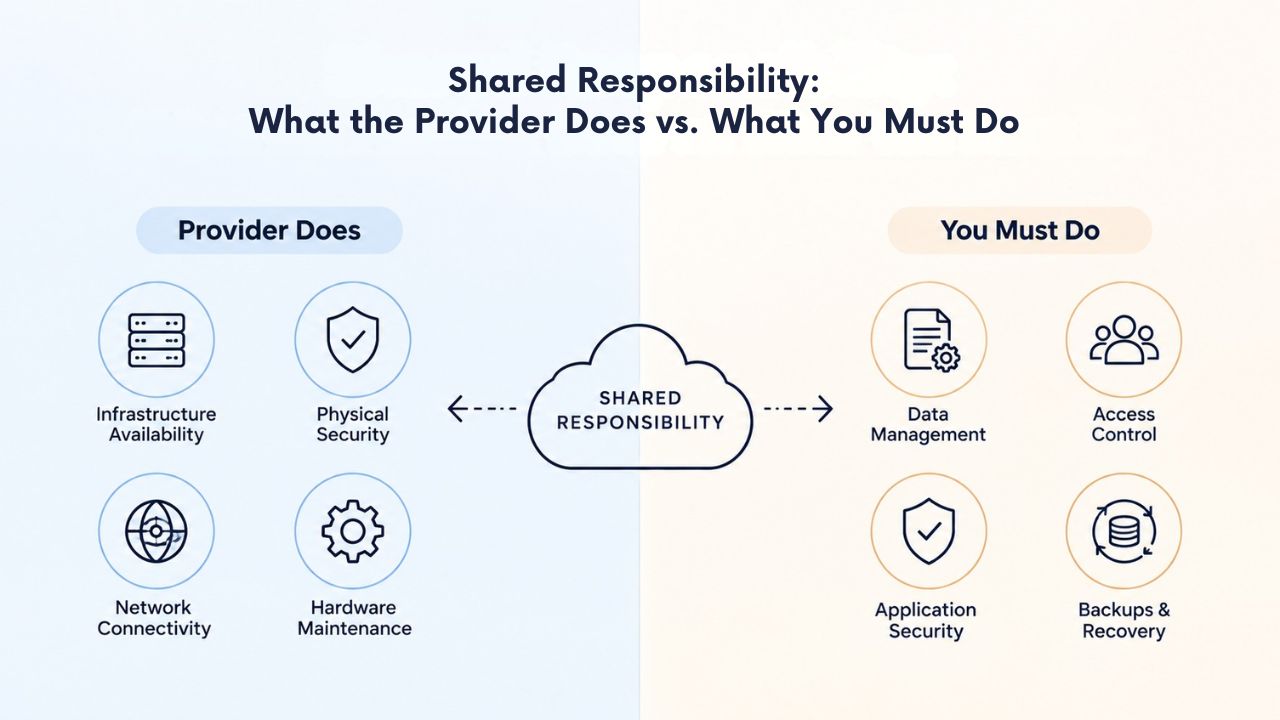
Understanding the Shared Responsibility Model
You also choose which plan tier to purchase; a plan with too few resources for your site’s traffic will struggle regardless of uptime guarantees because you’ve undersized it. If you host a high-traffic site on a starter plan, you’ll experience performance issues not because of the provider’s infrastructure but because you’ve allocated insufficient resources. Right-sizing your plan, monitoring your resource usage, and upgrading when your site grows are your responsibilities.
The hosting provider provides the tools and platform, but how you use those tools remains your responsibility. A cPanel control panel gives you access to database management, file uploads, email configuration, and application installation. Still, you decide which applications to install, how to configure them, and how to secure them. The provider gives you the capability; you provide the execution and care.
Backups as a Shared Concern
Backups illustrate shared responsibility well. The hosting provider typically includes daily automated backups as part of the service, making it convenient to restore a site if something goes wrong. But backups aren’t a substitute for your responsibility to understand when they’re taken, how to access and restore them, whether they match your recovery needs, and whether you’ve tested the restore process to confirm it works.
Niya Digital’s website backup services provide automated daily backups with one-click restore capability, removing technical complexity from the backup process. You can configure backup frequency and retention based on your site’s content update rate and risk tolerance. But the choice to use backups, the decision to test restores regularly, and the responsibility to ensure you can recover from a data loss are yours. Never assume a backup exists or works without testing it yourself.
Evaluating an Uptime Guarantee: How to Read an SLA
A real SLA includes specific numbers, defined exclusions, and stated remedies, not vague language. If a hosting provider says “99.9% uptime” but doesn’t explain what that percentage measures, how it’s calculated, whether it includes your plan level, or what happens if it’s not met, that’s a significant red flag. A credible provider publishes its full SLA terms for customers to review.
Questions to Ask Before Choosing a Provider
Does the uptime guarantee apply to your specific plan level? Some providers offer SLAs only on certain tiers like VPS and dedicated servers but not on shared hosting. Niya Digital’s cPanel Linux Web Hosting plans include uptime commitments across multiple plan tiers. However, the supporting infrastructure details are sourced from GoDaddy’s published infrastructure SLA. Verify the guarantee applies to your plan before purchasing.
What is the SLA measurement period? Monthly is the industry standard, but some providers offer quarterly or annual averages, which can hide individual outages behind better performance in other months. A monthly calculation means each month stands alone, so poor performance in January won’t be masked by excellent performance in February. How long do you have to file a claim, and what documentation is required? Some providers require claims within 30 days; others allow 60 or 90 days. Missing the claim window forfeits your credits, so understand these deadlines upfront.
Understanding SLA Loopholes and Limitations
Who actually files the claim, do you contact support, do credits apply automatically, or must you submit documentation through a specific process? Some providers make claims simple; others require detailed technical documentation. Understanding the process before you need it removes friction during stressful situations. Also ask whether the provider publishes its historical uptime record so you can see whether it consistently meets its stated guarantee, or whether the guarantee is just a contractual limit.
Can you verify the SLA terms in writing before purchasing? Some providers publish full terms on their website; others provide them only after you sign up. Never rely on sales promises; always ask to review the actual contractual SLA language. Check whether the SLA covers all hours or only business hours. A few providers offer SLAs that apply only Monday through Friday during stated business hours, excluding weekends and nights; this limitation sounds fine until your site goes down on Saturday morning.
Uptime, Performance, and Security: Three Separate Concerns
An uptime guarantee addresses only one dimension of hosting quality, and treating it as the sole measure of hosting reliability leads to disappointment. A site can be up but slow, up but compromised by attackers, or up but delivering a poor user experience due to application issues. Combining infrastructure uptime with performance optimization and security hardening creates a comprehensive reliability strategy.
Performance as Separate from Availability
Response time, page-load speed, and how quickly your site processes requests are performance concerns, not availability concerns. You must optimize your site’s code, configure caching appropriately, use a content delivery network if needed, and size your plan adequately for your traffic volume. The hosting provider’s infrastructure can support performance, but it can’t guarantee fast responses if your application is inefficient.
Security is also completely separate from uptime. A site under a sophisticated attack can be “up” (the server is running and connected) while still inaccessible to legitimate users because DDoS mitigation blocks traffic, rate limiting protects the site, or security measures are implemented in response to malicious activity. SSL certificates encrypt data in transit; website security tools monitor and detect attacks. An uptime SLA covers neither, but both are essential for a secure site.
Evaluating Hosting Beyond Uptime Alone
When choosing a web hosting plan, consider uptime as one important factor among several. Response time, security features, backup options, customer support quality, plan scalability, resource allocation, and how well the plan fits your site’s traffic profile all matter as much as the SLA percentage. A 99.9% uptime guarantee is only valuable if the provider also delivers responsive support when incidents occur, maintains current and tested backups, provides security hardening tools, and helps you migrate your site if you outgrow the plan.
A site owner pursuing reliability should evaluate the provider’s track record, read customer reviews about support experiences, understand what tools are included for backups and security, and assess whether the plan tier provides adequate resources. Uptime is important, but it’s one piece of a larger puzzle that includes performance optimization, security hardening, backup recovery, and responsive support.
Moving from Uptime Guarantees to Real-World Reliability Practices
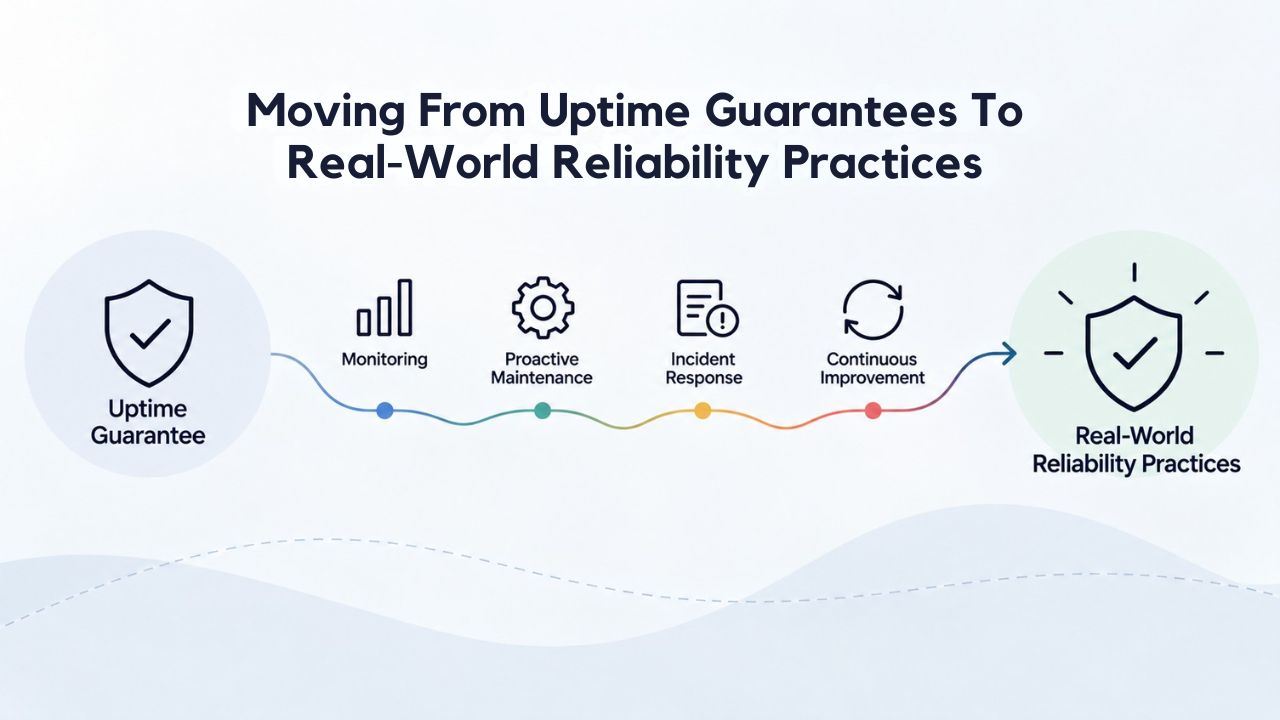
Understanding what uptime guarantees cover is the essential first step toward building a truly reliable website. The next step is implementing practices on your side of the equation: monitoring your site’s availability from the visitor’s perspective, regularly testing backups to confirm they work, keeping your application code updated, and hardening your site’s security against common attacks.
Beyond the Provider’s SLA
Beyond the provider’s SLA, your own monitoring significantly strengthens reliability. Use third-party uptime monitoring services to check your site from the visitor’s perspective, not just from your hosting provider’s vantage point. A monitoring service measures whether your site’s URL loads and returns a successful response, catching application-level issues, a crashed process, a hanging database query, or an overloaded server that the provider’s infrastructure health checks would miss.
Set up alerts so you’re notified immediately if your site becomes unreachable, rather than learning about the outage from customer complaints. Implement performance monitoring to understand how your site responds under load and identify bottlenecks before they cause user-facing slowness. Use security scanning to detect vulnerabilities in your code and configuration. These practices, combined with adequate resource planning and regular updates, build resilience on top of the provider’s infrastructure commitment.
Scaling Reliability as Your Site Grows
A shared hosting plan with a 99.9% uptime SLA works well for personal blogs and small business sites with modest traffic and non-critical operations. As traffic grows or your site becomes more critical to your business, VPS hosting options offer more control, dedicated resources, and often higher uptime guarantees (99.95% or higher). The right plan tier, combined with a clear understanding of what the uptime guarantee covers, gives you a realistic picture of hosting reliability.
When you add your own good practices, updating plugins and code regularly, optimizing database queries, implementing caching, securing credentials, maintaining backups, and monitoring performance, you build a site that stays up, responds quickly, and resists attacks. The provider’s infrastructure provides the foundation; your practices and planning provide the structure on top. Together, they create reliability that serves your site’s purpose and your business goals.
Scaling Your Site with Confidence
Niya Digital’s commitment to transparent communication, reliable infrastructure, and responsive support means you can scale your site with confidence, knowing that your hosting foundation is solid and that your provider will help you move to a more powerful plan when the time comes. Understanding what your uptime guarantee covers is the first step toward making informed hosting decisions, and having a partner who explains those guarantees clearly is equally valuable.
Frequently Asked Questions
What does 99.9% uptime mean in simple terms?
99.9% uptime means your hosting provider’s servers are available approximately 99.9% of the time during each month. On a 30-day calendar month, this allows roughly 43 minutes of total downtime spread throughout the month, not necessarily in a single continuous outage, but potentially distributed across multiple brief incidents.
The key point is that 99.9% guarantees infrastructure availability, not application performance, site responsiveness, or feature availability. Many outages lasting minutes matter far less than a single hour-long outage during peak traffic.
Can my website be “up” according to the SLA but still unreachable to visitors?
Yes, absolutely. A hosting provider’s uptime SLA measures only whether the server and network infrastructure are operational and reachable from the internet.
Your site can be unreachable to visitors due to DNS misconfiguration, a third-party service it depends on failing, DDoS mitigation blocking traffic, or your own site code crashing. In all those scenarios, the provider technically didn’t violate its SLA because the infrastructure itself was available and functioning normally.
Who pays for service credits if a provider misses its uptime guarantee?
Service credits come from the hosting provider’s business operations; it’s part of the cost of failing to meet their contractual commitment. You don’t pay anything extra; instead, you file a claim and receive a credit toward your next month’s hosting bill.
However, credits are usually capped at a small percentage of your monthly fees and require you to submit documentation proving the outage, so you must take action to claim credits rather than receiving them automatically.
Does an uptime guarantee cover my site’s backup and recovery?
Not directly. An uptime guarantee covers the provider’s infrastructure availability, while backups are a separate service. Most providers include daily automated backups, but the guarantee to restore your site within a specific timeframe is usually separate from the uptime SLA. Niya Digital’s website backup service provides automated daily backups with one-click restore capability, making recovery convenient even though backup services are distinct from uptime guarantees.
What’s the difference between 99.9% and 99.99% uptime?
The difference amounts to about 39 minutes of additional downtime per month. 99.9% uptime allows roughly 43 minutes of downtime monthly, while 99.99% allows only about 4 minutes. Both are strong guarantees, but 99.99% is significantly stricter and is rare on shared hosting plans.
Most shared hosting providers offer 99.9%; VPS and dedicated server plans may offer 99.95% or higher. The practical difference depends on how critical your site is to your business and whether the cost difference justifies the improvement.
Are service credits automatic, or do I have to claim them?
Most SLAs require you to file a formal claim within a specified window, typically 30 days of the incident. You’ll need to document the outage duration, provide evidence that it was within the provider’s responsibility scope, and submit your claim through the provider’s designated process.
Credits don’t apply automatically; you must track incidents and submit claims. Reading your SLA before an outage helps you understand what documentation you’ll need and your deadline.
Does an uptime guarantee cover DDoS attacks?
Most SLAs explicitly exclude large-scale DDoS attacks as “force majeure,” events beyond the provider’s reasonable control, and therefore don’t provide service credits if an attack causes downtime.
However, reputable providers, including those operating GoDaddy’s infrastructure, offer DDoS protection as part of standard hosting or as optional add-ons to help mitigate this risk. If DDoS protection is important for your site, verify it’s included or available before purchasing your hosting plan.
If my site goes down, can I get a full refund?
Service credits are typically capped well below a full refund of your hosting fees. You might receive 10–50% of a month’s fees if an outage is within the provider’s responsibility, but a complete refund for a single incident is extremely rare.
The hosting agreement specifies the credit cap, so review it carefully before signing up. The credit structure means the SLA provides a meaningful remedy without unlimited liability, and it also means uptime is just one factor in choosing a provider; support quality and tools matter equally.
Does uptime performance vary by server location?
An uptime percentage is usually a monthly average across the provider’s entire infrastructure, not location-specific. However, the actual user experience can vary by geography.
If your server is located in Europe but most of your visitors are in Asia, latency and perceived performance might lag even though uptime is high. Choosing a hosting plan with servers in or near your primary audience’s region helps overall performance, though it doesn’t change the uptime percentage itself or the SLA commitments.
Can I monitor my own site’s uptime separately from the provider’s SLA?
Yes, using third-party uptime monitoring services. These tools check your site from external locations and alert you if it becomes unreachable, measuring uptime from a visitor’s perspective rather than the provider’s perspective.
They catch application-level issues, like a crashed process or hanging database query, that the hosting provider’s infrastructure health checks would miss. This practice complements your provider’s SLA and gives you confidence in your site’s real-world availability.
Is it worth paying for a higher uptime guarantee, like 99.99%?
It depends entirely on your site’s criticality to your business. For personal blogs or low-traffic business sites, 99.9% (43 minutes per month) is typically sufficient.
For e-commerce sites generating significant revenue, SaaS platforms, or mission-critical applications, 99.95% or 99.99% reduces business risk. Weigh the business impact of downtime against the cost difference to decide whether a higher tier is worth the investment.
What should I do if I think my hosting provider violated its uptime SLA?
First, document the outage: when it started, how long it lasted, and how you verified the server was unreachable. Check your provider’s incident reports or status page; they often publish details of major outages after investigation.
Then, review your SLA terms to confirm the downtime qualifies for a credit claim and that the incident isn’t in an excluded category. File your claim within the required window (typically 30 days) with supporting evidence of the outage and its impact on your site.
Does Niya Digital’s Web Hosting include an uptime guarantee?
Yes, Niya Digital’s hosting plans include uptime commitments aligned with GoDaddy’s infrastructure SLA, backed by the underlying server and network infrastructure.
The specific terms and credit process depend on your plan level and the hosting agreement. Contact Niya Digital’s support team to review the exact SLA for your chosen plan and understand the claim process.
Can I upgrade my hosting plan if I need higher uptime guarantees?
Yes, absolutely. If your site outgrows shared hosting or needs stronger uptime commitments, Niya Digital offers VPS hosting with dedicated resources and often higher SLA commitments.
Upgrades are straightforward; your provider can guide you through the migration process, often with minimal downtime using their migration tools. As your site grows, scaling to a more powerful plan ensures your infrastructure keeps pace with your needs.
What’s the relationship between uptime guarantees and website security?
They’re separate but complementary concerns. An uptime guarantee covers infrastructure availability; security covers protection from attacks and data breaches.
A site can be up and insecure, up and secure, or even temporarily down due to security mitigation measures like DDoS blocking. Both matter for overall reliability: uptime keeps your site reachable, and security keeps it safe from compromise. Implement both for a complete reliability strategy that addresses availability and protection.
Should uptime guarantees be my only factor when choosing a hosting provider?
No, uptime matters, but it shouldn’t be your only consideration. Also evaluate support responsiveness, backup capabilities, security features, plan scalability, ease of use, and how well each plan fits your site’s needs.
A provider with a 99.9% SLA but slow support, outdated tools, and poor documentation may be less helpful than a provider with 99.9% uptime and excellent support. Evaluate the full package, infrastructure, tools, support, and service quality, not just the SLA percentage.
Glossary
- Uptime: The percentage of time a hosting provider’s servers and network infrastructure remain operational and reachable from the internet during a billing period. Measured as a percentage over a month or year, uptime reflects infrastructure availability, not application performance or site responsiveness.
- Service Level Agreement (SLA): A formal contract between a hosting provider and a customer specifying the uptime percentage the provider commits to maintain, how it’s measured, what’s excluded, and what remedies apply if the target is missed. An SLA is a binding legal document, not marketing language.
- Downtime: Any period during which a hosting provider’s servers or network infrastructure are unavailable or unreachable, preventing visitors from accessing your website. Downtime is measured in minutes or hours and counted against the uptime percentage for SLA compliance.
- Service Credit: A dollar amount or account credit applied to your next bill if a hosting provider misses its uptime SLA target. Service credits are the standard contractual remedy for SLA violations and are typically capped at a percentage of monthly fees.
- Infrastructure: The physical servers, network connections, data centers, power systems, cooling equipment, and monitoring systems that hosting providers operate to deliver web hosting services. Infrastructure-level availability is what uptime SLAs measure and commit to.
- Force Majeure: Extraordinary events outside a provider’s reasonable control, such as natural disasters, regional power outages, wars, or acts of government. Most SLAs explicitly exclude force majeure events from uptime guarantee calculations.
- DNS (Domain Name System): The service that translates human-readable domain names like yourdomain.com into the IP addresses that direct visitors to your hosting server. DNS misconfiguration can make your site unreachable even if your server is functioning normally.
- Failover: Automated switching from a primary server to a backup server when the primary becomes unavailable. Failover minimizes downtime during hardware failures or maintenance by redirecting traffic without manual intervention.


