Modern businesses can no longer rely on word-of-mouth alone. A professional online presence has become essential for reaching customers, building credibility, and competing in your market. Yet many small business owners lack the technical skills, time, or budget to hire a developer or learn to code. An AI website builder bridges that gap by combining drag-and-drop simplicity with AI-powered design and content tools, letting anyone launch a professional website in hours rather than weeks. Niya Digital is an authorized reseller of GoDaddy Website Builder-powered website builder services, not an independent operator of builder infrastructure.
Understanding What an AI Website Builder Actually Is
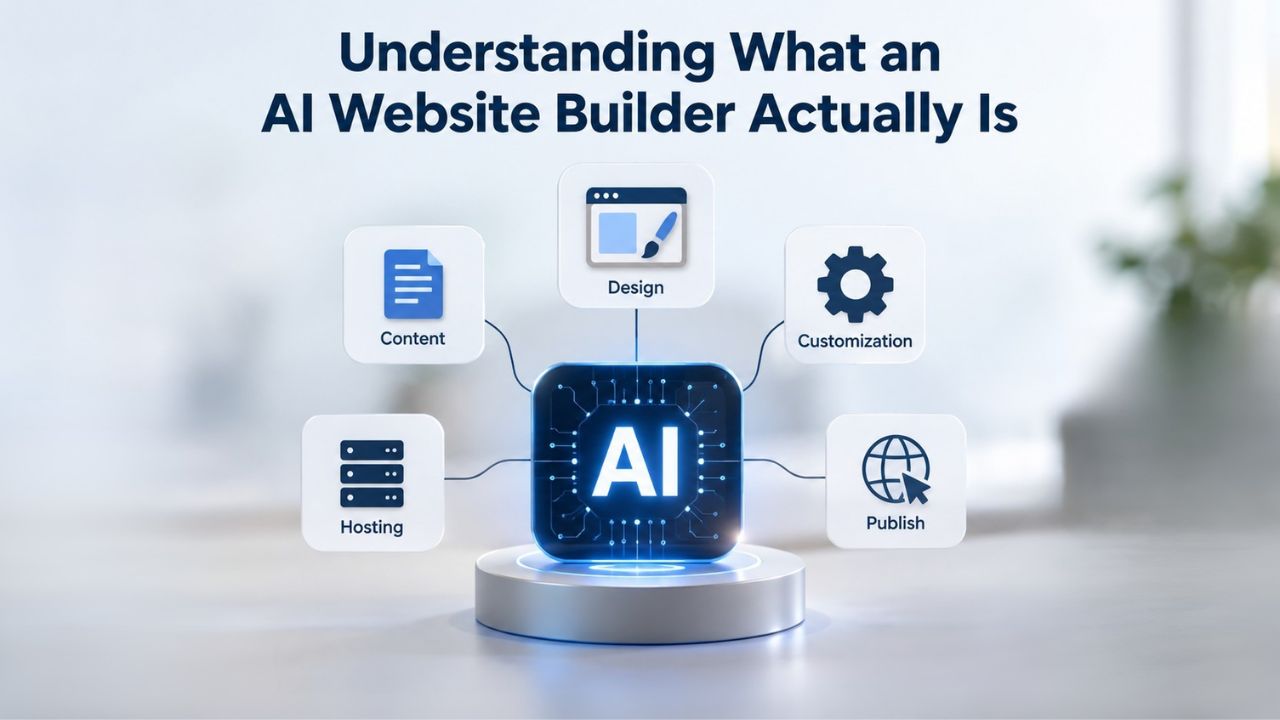
An AI website builder is a no-code platform that combines drag-and-drop design tools with machine-learning capabilities to help users create, customize, and publish websites without technical knowledge or coding experience. The “AI” element doesn’t refer to fully autonomous site creation. Instead, it describes the platform’s ability to auto-generate layout suggestions, page copy, color schemes, and design recommendations based on your business type, keywords, or user preferences. Think of AI as a brainstorming partner that helps you get started faster, not a replacement for human decision-making.
How AI-Assisted Builders Differ From Traditional Drag-and-Drop
Traditional website builders have relied on templates and manual drag-and-drop editing since the early 2000s. Users selected a template, then manually placed every text block, image, and button. It was faster than hiring a developer, but still required design judgment and could take days or weeks. GoDaddy Website Builder’s AI-powered approach adds a conversational layer that changes the workflow entirely. Instead of starting with a blank canvas, you describe your business, what you do, who you serve, your key selling points, and the platform suggests complete page layouts, starter copy, and design directions tailored to your industry.
Both traditional and AI-assisted builders are no-code, meaning neither requires you to write code or understand technical infrastructure. The difference is in how fast you move from idea to launch. AI tools compress the design phase by offering personalized starting points. A freelancer, consultant, or small retailer can move from zero to a professional-looking website with real content in a few hours instead of spending days manually arranging individual elements. The trade-off is straightforward: speed and accessibility in exchange for AI-generated suggestions you still need to review and refine to match your brand voice and accuracy standards.
Why Speed Matters for Small Business Launch
Time-to-market often determines whether you seize a business opportunity or lose it to a competitor. When you have an idea for a product, service, or business, being able to test it online immediately is invaluable. Bluehost research in 2025 found that small businesses using AI tools were 2.5 times more likely to publish their sites within their first month than those using traditional manual design approaches. For solopreneurs and small teams operating with limited resources, eliminating multi-week developer handoffs or endless design iteration cycles dramatically lowers barriers to entry. You can test ideas online immediately, gather customer feedback, and refine without months of preparation or significant upfront investment.
Website Builder Plans & Pricing
Create a professional website with flexible website builder plans designed for businesses, portfolios, and growing online brands. Choose a plan that matches your needs and build, customize, and manage your website with easy-to-use tools, responsive designs, and essential features for a strong online presence.
Website Builder Personal
Share your passion online.
- Responsive mobile design
- Website hosting
- Rapid Page-Load performance
- Create a blog
- Security (SSL)
- 24/7 support

Website Builder Business
Create an online presence for your business.
- Responsive mobile design
- Website hosting
- Rapid Page-Load performance
- Create a blog
- Security (SSL)
- 24/7 support
- PayPal Buy Now or Donate button
- Search Engine Optimization (SEO)
Website Builder Business Plus
Attract more customers.
- Responsive mobile design
- Website hosting
- Rapid Page-Load performance
- Create a blog
- Security (SSL)
- 24/7 support
- PayPal Buy Now or Donate button
- Search Engine Optimization (SEO)
- Social Media Integration
- Share content to Facebook
- Online Appointments
Website Builder Online Store
Sell products and services.
- Responsive mobile design
- Website hosting
- Rapid Page-Load performance
- Create a blog
- Security (SSL)
- 24/7 Support
- PayPal Buy Now or Donate Button
- Search Engine Optimization (SEO)
- Social Media Integration
- Share content to Facebook
- Online Appointments
- Built-in shopping cart
- Sell physical and digital products
- Accept credit and debit cards, PayPal and more
- Flexible shipping options
- Discounts and promotions
- Manage inventory
AI-Powered Design and Layout Generation
One of the most visible and useful AI features in a website builder is automatic layout generation. Instead of staring at a blank page wondering where to start, the platform analyzes your business description, industry, and goals, then proposes full-page layouts, section ordering, and visual hierarchy. This accelerates the creative phase and helps non-designers avoid common mistakes like unbalanced spacing, unclear information flow, or poor visual hierarchy that undermines credibility.
How Layout Suggestions Work in Practice
GoDaddy Airo’s layout engine trains on thousands of successful website designs across different industries and business models. When you describe your business, say, a local yoga studio offering classes and private sessions, the AI recognizes patterns in how yoga studios typically structure their sites. It knows that visitors want to see class schedules first, learn about instructor credentials next, understand pricing, and find the booking link prominently displayed. It then generates a full-page layout with placeholder images and text positioning that follows those proven patterns.
Users can accept the AI-generated layout wholesale, tweak individual sections to better fit their vision, or regenerate alternatives and compare them side by side. This flexibility is crucial because the AI serves as a starting point, not the final product. Design professionals still hand-refine colors, typography, image selection, and brand alignment to ensure the site reflects their company’s personality. Niya Digital’s team has found that clients spend far less time on layout decisions when AI suggestions provide a professional baseline than when starting from a blank page. Instead of hours of trial and error, users refine something that already looks polished and organized.
Mobile Responsiveness Built-In
All modern website builders, including GoDaddy Website Builder, automatically render responsive designs that adapt seamlessly to mobile devices. The layout reflows for phones and tablets without extra work or a separate mobile design. This is not an AI feature per se; it’s table stakes in the builder category, but it’s worth emphasizing because mobile-friendly design is now a documented Google ranking factor and a baseline consumer expectation. Websites that don’t work on phones lose customers immediately.
When the layout AI generates a design, it inherently respects mobile-first principles, meaning the design starts with phones in mind rather than adding mobile support as an afterthought. Users can preview their site on phones, tablets, and desktops within the builder editor and make mobile-specific refinements if needed. Older custom-coded websites often shipped desktop-first, causing mobile rendering issues, broken navigation, or unreadable text on small screens. AI builders sidestep this problem entirely by building mobile responsiveness into every template from the start.
AI-Generated Copy and Content Suggestions
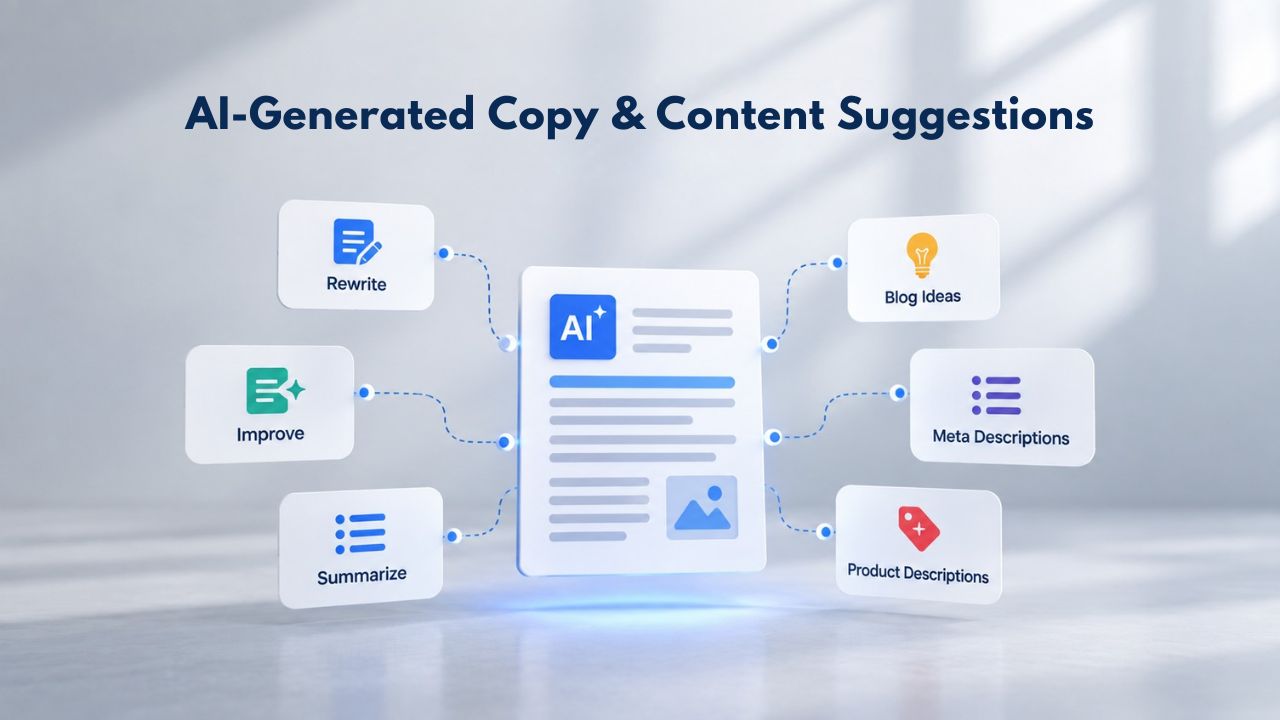
Beyond layout and design, modern builders offer AI copywriting tools that can dramatically speed up content creation. You provide business details, product names, key selling points, target audience, company values, and the AI generates page copy for headlines, service descriptions, product listings, calls to action, and other common sections. This can cut content-creation time in half or more, but human review and refinement are non-negotiable to maintain credibility and brand consistency.
Starting Points, Not Final Copy
GoDaddy’s AI copy assistant creates recommended text for any section of your site, but businesses must edit and refine for accuracy, brand voice, tone, and compliance. A fitness studio’s AI-generated class description might be generic or miss what makes their coaching approach unique. A gym owner should refine it to highlight their coaching style, music choices, community culture, or specialized training methods. E-commerce sites often use AI to generate product descriptions from uploaded images, but prices, inventory levels, and shipping details still require manual verification and updates.
The efficiency gain is genuinely substantial. An owner drafting an entire website’s copy by hand might spend 10 to 15 hours on copywriting, revision, and refinement. AI-assisted drafting cuts that to 2 to 3 hours of creation plus review. However, treating AI copy as automatically publishable is a common mistake that undermines credibility and brand voice. Professional brand messaging requires human judgment, familiarity with your customers, and understanding of what makes your business different from competitors. AI can draft, but you must refine.
Integration With SEO Principles
AI copy tools in modern builders also surface SEO guidance as you write. When you write a headline, the tool suggests keyword placement, character length, readability scoring, and other on-page fundamentals. Google’s ranking algorithm values clear, keyword-relevant headings and well-structured content; AI copy assistants ensure page structure supports these fundamentals without requiring manual SEO expertise. A small-business owner doesn’t need to hire an SEO consultant to follow on-page best practices; the builder surfaces these recommendations automatically.
Building and Managing an Online Store
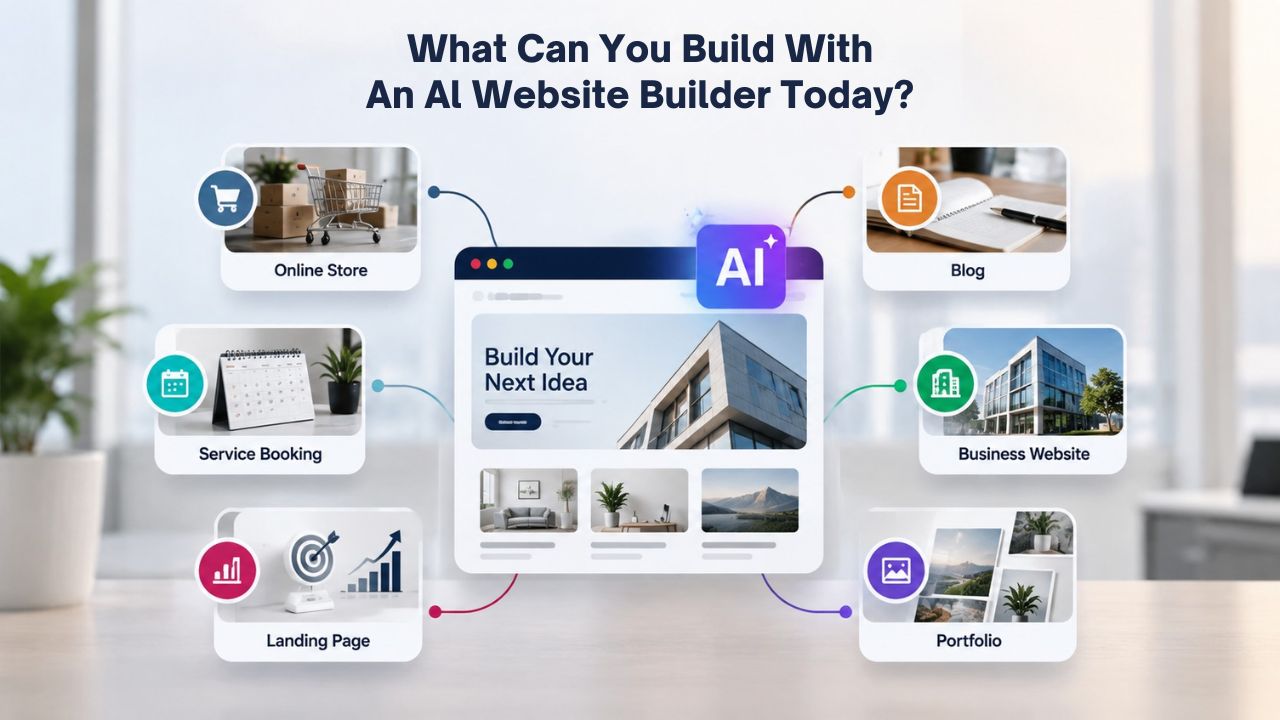
E-commerce is now table stakes for any business that sells products or services. Website builders have evolved to support full online store functionality without requiring custom code, expensive specialized platforms, or technical knowledge. You can manage product catalogs, shopping carts, secure checkout, inventory tracking, and order management all within the same interface where you designed your site.
Core E-Commerce Capabilities
Niya Digital’s Website Builder Online Store plan includes a built-in shopping cart, product management dashboard, and integration with major payment gateways including credit cards, PayPal, and debit options. Inventory updates in real timereal time as customers purchase, preventing overselling and automating stock management. Businesses can apply discounts and promotional codes, set shipping rules for different regions, and track orders from a unified dashboard that shows customer information, payment status, and fulfillment progress.
This level of e-commerce functionality once required custom code or an expensive specialized platform costing thousands per month. Today, non-technical retailers can launch fully functional online stores without touching code. You manage product photos, descriptions, pricing, and inventory through the same builder interface you used to design your site’s homepage and pages. Checkout is secured with encryption, protecting customer payment data and building customer confidence. You maintain complete control over pricing, product presentation, and customer communication.
Selling Physical vs. Digital Products
Website builders handle both business models seamlessly. Physical-product retailers use built-in shipping integrations and carrier APIs to calculate rates dynamically based on weight, destination, and shipping method, then automatically generate shipping labels. Digital-product sellers upload files and configure instant delivery; customers purchase a PDF, software license, template, or other digital asset and receive access immediately after payment clears, without any manual fulfillment from you. Some builders also support subscription models, allowing customers to sign up for recurring shipments, subscription boxes, membership access, or recurring software licenses.
For service-based businesses- cleaning, consulting, personal training, therapy- many builders integrate with online appointment scheduling, allowing customers to book services directly through your site, optionally paying deposits or full amounts upfront to confirm their commitment.
Key Capabilities Across AI Website Builders
| Capability | What You Can Build | Typical Setup Effort |
|---|---|---|
| Drag-and-drop design + AI layout suggestions | Professional homepage and multi-page site | Visual editing, no coding required |
| Product catalog + shopping cart | Fully-functional online store and sales site | Add products, set details, configure payment |
| Appointment booking + payment processing | Service booking site for salon, coaching, therapy | Configure booking calendar and payment options |
| Blog + SEO tools | Content site, news feed, professional portfolio | Write posts, optimize for search engines |
| Contact forms + email notifications | Lead-capture site and customer inquiry forms | Build form fields, route to email and CRM |
| Mobile-responsive templates | Mobile-friendly site for phones, tablets, desktops | Automatic; preview and refine as needed |
| SSL certificate + 24/7 hosting | Secure, always-on website with backup systems | Automatic setup and ongoing maintenance |
Setting Up Appointment Booking and Contact Forms
Service businesses and consultants rely on managing availability and handling customer inquiries. Website builders now include appointment booking systems and form tools that capture leads, send confirmations, prevent double-booking, and sync with calendar platforms to keep your schedule organized across devices.
Online Appointment Scheduling
Niya Digital’s Business Plus plan and higher include online appointment functionality that transforms customer booking workflows. Customers visit your site, see available time slots in real-time, book a service, whether a massage, haircut, coaching session, or therapy appointment, and optionally pay a deposit or full amount upfront to confirm their commitment. Confirmation emails go automatically to both the customer and the business owner. Calendar integrations with Google Calendar, Outlook, or Apple Calendar prevent double-booking and keep your schedules synchronized across devices and platforms.
This automation eliminates back-and-forth emails and phone tag that waste time for you and your customers. For a salon, coaching practice, or therapy office, reducing scheduling friction directly increases booking volume and customer satisfaction. The booking system captures detailed customer contact information, building your email list for future marketing and follow-up communications. Customers can reschedule or cancel from their confirmation email, and you receive automatic notifications.
Custom Contact and Lead-Capture Forms
Every website needs a way for visitors to contact you. Website builders include intuitive form builders with drag-and-drop field creation, allowing you to add name, email, phone, message, service type, and any custom fields you need. Forms can route submissions to your email inbox, integrate with CRM systems, or feed into third-party automation platforms like Zapier for workflow automation. Conditional logic allows you to show or hide fields based on previous answers, keeping forms short and user-friendly so visitors actually complete them.
Lead-capture forms are especially valuable for B2B sites, service providers, and e-commerce sites offering consultations. You can use form data for follow-up email campaigns, sales outreach, and customer relationship management. SSL security on the builder encrypts form data in transit, protecting customer information and building trust that you take privacy seriously.
Start Building Your Website Today
Your site is ready to launch. Niya Digital’s Website Builder Service puts all the tools you need in one place: design, hosting, domain connection, and expert support. From drag-and-drop customization to AI-assisted content, you can go from idea to live website in hours, not weeks. Get started now and see how easy it is to build a professional online presence.
Connecting Your Domain and Publishing a Live Site
A website must be reachable on the public internet so customers can find and visit it. This requires a domain name (your website address like “yourcompany.com”), hosting (server space where your files are stored), and SSL security (an encrypted connection that protects visitor data). Website builders bundle these essential components into one subscription, eliminating the complexity of juggling multiple vendors and technical configurations.
Domain Registration and Connection
Niya Digital offers domain registration and connection services to point your domain name to your builder site. You can register a completely new domain or connect an existing domain you already own elsewhere. The builder automatically manages DNS settings, so your domain points to your published site with no technical configuration. No FTP clients, server configuration files, or deployment scripts required.
Custom domains, rather than builder-provided subdomains, convey professionalism and are essential for brand trust. A customer is far more likely to book or buy from shop.yourcompany.com than from yourname.builders.example.com. Custom domains also perform better in search engines and look professional in marketing materials, emails, and social media. Most website builder plans include free or discounted domain registration for the first year, bundling the costs into one convenient annual or monthly subscription.
One-Click Publishing and SSL
Once your site is ready, publishing is a single action. The builder compiles your site, uploads it to hosted servers, and makes it live online. No FTP clients, server configuration, or deployment scripts required; you click a publish button, and your site is live. GoDaddy Website Builder’s hosting infrastructure handles uptime, backups, and server maintenance behind the scenes. At the same time, you access your site through a simple, intuitive admin dashboard. You never need to think about server configurations or technical infrastructure.
SSL certificates, which encrypt visitor data and display a padlock icon in browsers, are included automatically with all plans. Visitors see “https://” in the address bar, signaling that the site is secure and their data is protected. This is non-negotiable for any site collecting payment information or personal data, and builders now include it as a standard, automatic feature rather than an expensive add-on.
Leveraging SEO Tools for Search Visibility
A website exists to be found. While beautiful design matters, search engine visibility is what brings customers to your site. Modern builders include search engine optimization fundamentals, keyword-relevant titles, mobile-friendly design, fast loading times, and clear site structure. These tools help you apply proven practices without hiring an SEO specialist or learning technical SEO concepts.
On-Page SEO and Meta Tag Editing
GoDaddy Website Builder includes SEO tools that let you set page titles, meta descriptions (the text shown in search results), and keyword focus for each page. The builder suggests keyword placement and checks for common SEO errors, such as missing alt text on images, duplicate page titles, or thin content. It also supports internal linking, connecting related pages within your site and helping search engines crawl and understand your site structure. For example, you can link from a blog post about “how to choose a yoga style” to your class schedule page, guiding both visitors and search engines to relevant information.
These features support Google’s documented ranking factors: mobile responsiveness (already built-in), page speed (optimized by the builder’s hosting infrastructure), and keyword-relevant content structure. A small-business owner doesn’t become an SEO expert by using a builder, but the platform makes it straightforward to follow established fundamentals that Google rewards. You focus on writing clear, helpful content; the builder handles the technical foundations.
XML Sitemaps and Search Console Integration
Most builders auto-generate an XML sitemap, a file listing all your pages, that search engines use to discover and index your content. The platform integrates with Google Search Console and Bing Webmaster Tools, which tell search engines your site exists and when content changes, speeding up indexing. Console dashboards show which search queries drive traffic to your site, which pages rank in search results, and any technical issues Google encounters when crawling your site. This feedback loop helps you understand what’s working and where to focus content efforts.
A non-technical owner doesn’t need to understand XML or server configuration. You submit your site to Search Console and monitor performance reports showing impressions, clicks, and average ranking position. The builder handles all the technical work behind the scenes.
Responsive Design and Mobile-First Viewing
Mobile devices now account for more than half of global web traffic. Customers browse websites, read reviews, and make purchase decisions on their phones while on the go. A website that doesn’t work on phones is effectively invisible to half your potential customers and signals that your business isn’t modern or customer-focused.
How Mobile Responsiveness Works in Builders
Website builders generate responsive sites by default, using the same underlying website to automatically adapt layout, font size, and interactive elements for phones, tablets, and desktops. You design once; the platform automatically adapts to each device. You can preview your site on different screen sizes within the builder editor and make mobile-specific tweaks if needed, adjusting image scaling, hiding certain elements on small screens, or reorganizing sections for mobile viewing. This approach eliminates the old problem of desktop-only websites that broke on phones, making navigation difficult and content unreadable.
This mobile-first approach reflects how most people actually use the web. A customer might see your business on their phone while commuting. If your site isn’t mobile-friendly, they’ll bounce to a competitor’s site within seconds. Google’s search algorithm rewards mobile-friendly sites. Mobile users convert at higher rates when the experience is smooth and fast. Builders abstract away the technical complexity- flexbox layouts, media queries, viewport settings- into visual editing that you can understand and control without technical knowledge.
Touch-Friendly Navigation and Forms
Phones use touchscreens, not cursors. Website builders ensure buttons are large enough to tap accurately, forms are keyboard-friendly and don’t require tiny inputs, and menus collapse into mobile-friendly hamburger navigation that doesn’t overwhelm small screens. These practices aren’t just nice-to-haves; they directly impact user engagement, conversion rates, and customer satisfaction on mobile devices, where customers increasingly shop and browse. A customer can’t buy from you if they can’t easily tap your checkout button or fill out your contact form on their phone.
Exporting Your Site and Migrating to Another Platform
One common concern about any hosted platform: What if you outgrow the builder or decide to move to a different solution? Website builders vary in data portability, but the trend is improving as the industry recognizes that users want ownership and flexibility over their content and data.
Understanding Site Export Options
Most website builders allow you to export your site’s content, pages, images, blog posts, and contact form data in formats compatible with other platforms like WordPress or custom developers. However, exporting design-heavy sites built with visual editors can produce messy code if you plan to use a developer to rebuild the site elsewhere. Export formats vary significantly between builders, so check your builder’s documentation for specifics before committing long-term. Some builders export clean HTML; others produce code that requires significant cleanup.
A few builders also offer API access or direct WordPress integration, which can make switching easier. The key insight: your content belongs to you, but migration difficulty depends on how deeply your design relies on the builder’s proprietary visual system and components. A simple content site with standard layouts exports more cleanly than a heavily customized design with many custom features.
When Migration Makes Sense
You typically outgrow a builder when you need advanced customization that requires custom code, specialized features like complex membership systems or advanced CRM integrations, or traffic scaling beyond the builder’s plan capabilities. At that point, migrating to a self-hosted WordPress site or custom-built application becomes worthwhile. But for most small businesses, online shops, service providers, consultants, and nonprofits, website builders remain the simplest and most cost-effective option through early and mid-stage growth. Many successful businesses run on builders indefinitely and never need more advanced infrastructure.
Choosing the Right AI Website Builder for Your Business
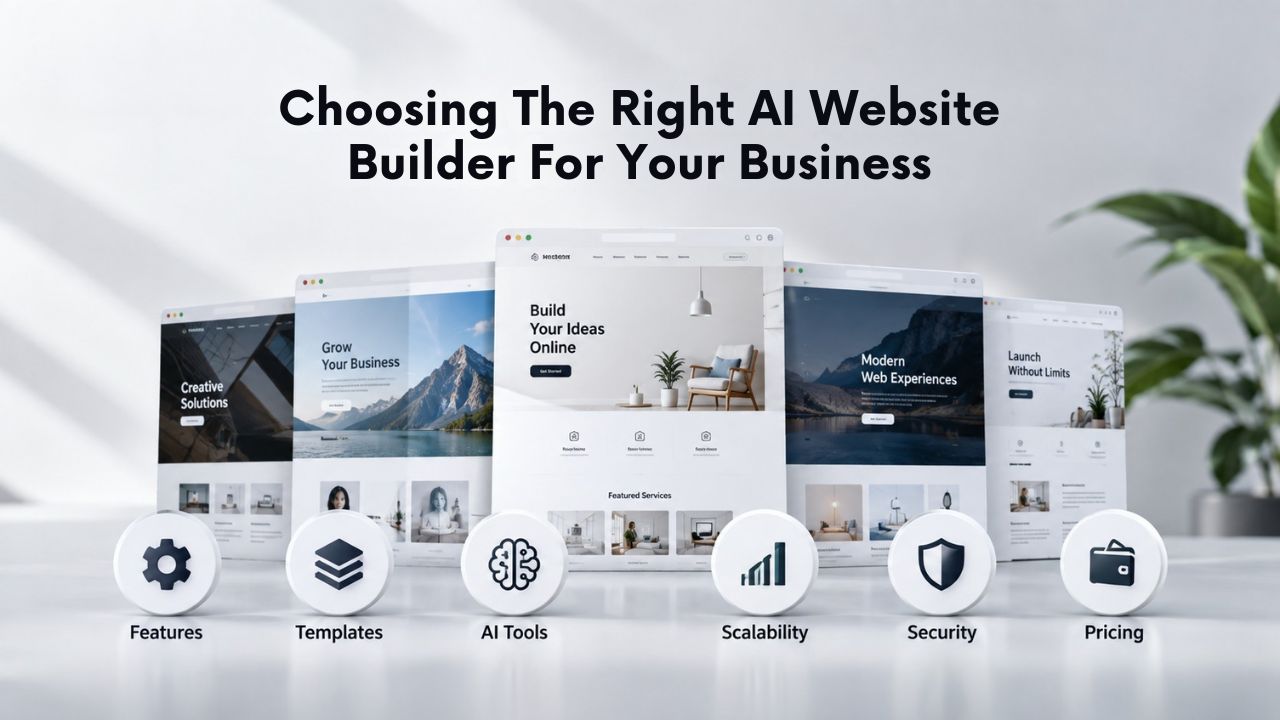
Many website builders exist in the market. The right choice depends on your business needs, budget, technical comfort level, and growth plans. Different builders excel in different areas, so matching your business type to the right platform ensures you get what you need without paying for features you’ll never use.
Matching Business Type to Plan Tier
Different business types benefit from different feature sets. A solo consultant or freelancer building a portfolio site needs design flexibility, professional templates, and a contact form to receive inquiries; Niya Digital’s Website Builder Personal plan covers this perfectly. A local service business like a salon, repair shop, or coaching practice benefits from appointment booking, client testimonials, and social media integration; the Business Plus tier adds those capabilities. Retailers selling multiple products online need inventory management, multiple payment processing options, and shipping integrations; the Online Store plan is built specifically for e-commerce operations.
The decision-making process is straightforward: start with the lowest plan that includes the features you need today, then upgrade if growth demands new capabilities. Most builders make this easy: you design in one plan, upgrade with a single click, and features activate immediately without rebuilding your site. This flexibility means you never pay for more than you need, and you can scale up as your business grows.
Evaluating Support Quality and Community
Website builder quality also depends on support responsiveness and available resources. When you’re stuck on a design decision or troubleshooting a payment integration, slow or unhelpful support is frustrating and costly. Reputable builders offer 24/7 support via chat, email, or phone. Community forums and comprehensive knowledge bases add self-service options for common questions, reducing wait times.
Niya Digital, as an authorized reseller of GoDaddy Website Builder, combines its own direct support with access to GoDaddy’s extensive documentation and community resources. This dual-layer support means you have local reseller support for account and onboarding issues, plus the broader ecosystem of the underlying platform for technical questions. You get personalized, responsive support without sacrificing access to an enterprise-scale platform’s resources.
Balancing Cost, Features, and Customization
Website builder costs vary widely depending on features and capabilities. General-purpose website builders are far cheaper than hiring a freelancer or agency, but offer less flexibility for custom design. For most businesses, the trade-off is worth it because builders provide professional templates, fast implementation, and built-in hosting. In contrast, a custom developer site requires significant upfront investment and ongoing maintenance.
Hybrid approaches exist if you need additional customization: use a builder for rapid initial launch, then hire a developer to customize the code once you have budget and clearer requirements. Many builders allow this, letting you export your site so a developer can refine the design, add custom features, or integrate specialized tools. This approach gives you the speed-to-market advantage of a builder plus the customization flexibility of custom code when you actually need it.
Choosing the Right Builder for Your Business Model
| Business Need | Recommended Approach | Best-Fit Features |
|---|---|---|
| Solo consultant or freelancer | Portfolio site with contact form and SEO | Designer-friendly templates, form builder, SEO tools |
| Local service business (salon, repair, coaching) | Service site with appointments and social proof | Booking system, review showcase, social media sharing |
| Online retailer | E-commerce store with inventory and payments | Product catalog, shopping cart, tax and shipping |
| Content creator or blogger | Blog with newsletter signup and audience reach | Blog CMS, email capture, social sharing, analytics |
| Nonprofit or community organization | Information site with donations and events | Responsive design, donation payments, event calendar |
| B2B service provider | Lead-generation site with case studies and forms | Professional templates, blog, form analytics, CRM |
Launch Your Website Today
Niya Digital’s Website Builder Service combines drag-and-drop simplicity, AI-assisted design and copy tools, integrated hosting, and 24/7 expert support, all on one platform. Explore industry-specific templates, see your site come to life in hours, and go live with a custom domain and SSL security included in every plan. Start building your online presence today.
Frequently Asked Questions
What is an AI website builder?
An AI website builder is a no-code platform that uses machine learning to suggest page layouts, copy, colors, and design direction based on your business description. You describe your business, the AI generates a starting layout, then you customize it using drag-and-drop editing. It’s not fully automated site creation; you guide the AI’s suggestions and refine details to match your brand, but it dramatically accelerates design compared to starting from a blank page.
How does AI-generated copy differ from hiring a copywriter?
AI-generated copy serves as a starting point, not final content. The platform suggests headlines, service descriptions, and product copy based on keywords you provide. You must review, edit, and refine for brand voice, accuracy, and tone. A professional copywriter creates original, strategically crafted messaging; AI copy jumpstarts the process, saving time but requiring human judgment to finish. For small budgets, AI copy saves significant time.
Do I need technical skills to use a website builder?
No. Website builders are designed for non-technical users. Drag-and-drop editing, pre-built templates, and visual dashboards mean you never touch code. Publishing, hosting, and security updates happen automatically. If you can use email and social media, you can use a website builder.
Can I sell products online with a website builder?
Yes. Most builders include e-commerce features: product catalogs, shopping carts, payment processing (credit cards, PayPal), inventory tracking, and shipping integration. Builders like Niya Digital’s Online Store plan include everything you need to launch a small- to mid-size online retail operation without custom development.
Will my site rank on Google?
A website builder provides SEO fundamentals, mobile-responsive design, page-speed optimization, and on-page SEO tools that support ranking. However, ranking depends on many factors: keyword competition, content quality, backlinks from other sites, and ongoing SEO effort. A builder gives you the foundation, but you must create valuable content and build visibility to rank competitively.
How secure is my website on a builder platform?
Website builders handle security through SSL certificates (encrypting visitor data), regular software updates, backups, and malware scanning. Your site is hosted on professional servers with 24/7 monitoring. However, security also depends on your actions: use strong passwords, avoid suspicious links, and keep account credentials private. The builder secures the infrastructure; you secure your account.
Can I move my site to another platform later?
Most builders allow you to export your content (pages, images, blog posts) in standard formats (HTML, XML). Exporting a design-heavy site built with visual editors may result in code that needs refinement if you move to a developer-built platform. For pure content export, most builders support this well. Check your builder’s export options before committing.
What’s included in website builder hosting?
Builders bundle hosting into the subscription price. This includes server space, uptime guarantees, automatic backups, SSL certificates, security updates, and domain management. You don’t purchase hosting separately; it’s all-in-one pricing. Niya Digital’s plans include GoDaddy Website Builder’s hosting infrastructure, giving you enterprise-grade reliability.
How long does it take to launch a site?
Most businesses launch a basic website in 2–4 hours. You can choose templates, customize the layout, add content, and publish in a single afternoon. More complex sites (large product catalogs, custom integrations) may take 1–2 days. This is dramatically faster than hiring a developer (weeks to months).
Can I use my own domain name with a builder?
Yes. You can register a new domain through the builder or connect an existing domain. The builder manages DNS settings automatically. Using a custom domain instead of a builder-provided subdomain is essential for brand credibility and SEO performance.
Do website builders offer real AI tools, or is it marketing hype?
Website builders offer real AI tools, including layout generation, copy suggestions, and image selection, that speed up design and content creation. These tools are useful starting points that reduce time to launch. However, they’re not fully autonomous; human review and refinement are essential for accuracy and brand alignment.
What’s the difference between website builders and WordPress?
Website builders are managed platforms that include visual editors, hosting, and customer support. WordPress is a free, open-source CMS that runs on self-hosted servers and offers deeper customization via code and plugins. Builders are simpler and cheaper upfront; WordPress is more flexible long-term for sites needing custom code.
Can I create a blog with a website builder?
Yes. All modern builders include blogging tools, a CMS for writing and publishing posts, built-in SEO features, and RSS feed generation. A blog helps with SEO (fresh, keyword-relevant content), audience building (email subscription), and brand authority.
How do I measure traffic and performance on my website?
Website builders integrate with Google Analytics or include built-in analytics dashboards. You can track visitor counts, traffic sources, time on page, bounce rate, and conversion metrics. Analytics help you understand what content resonates and where to optimize.
Can I add custom code or integrations to a website builder site?
This varies by builder. Some allow custom HTML/CSS editing, third-party app integrations (Zapier, Stripe, CRM tools), and API access. Others lock you into the builder’s proprietary system with no code access. Check your builder’s documentation if custom integrations are important.
Glossary
- AI Website Builder: A no-code platform combining drag-and-drop visual editing with machine-learning tools that suggest layouts, copy, and design direction.
- Drag-and-Drop: A method of building websites by visually dragging elements (text, images, buttons) onto a canvas and dropping them into position, no coding required.
- Responsive Design: A website layout that automatically adjusts font size, spacing, and element positioning to fit different screen sizes (phones, tablets, desktops).
- SSL Certificate: A security protocol that encrypts data between a visitor’s browser and your website, displayed by a padlock icon and https:// in the address bar.
- SEO (Search Engine Optimization): Practices and tools that help your website rank higher in Google and other search results, including keyword-relevant titles, mobile-friendly design, and page speed.
- Domain Connection: Linking a custom domain name (yourname.com) to your website so visitors reach your site by typing your domain instead of a builder-provided URL.
- E-Commerce: Online buying and selling of products or services, including shopping carts, payment processing, and inventory management.
- Site Migration: Moving your website’s content and data from one platform or hosting provider to another.