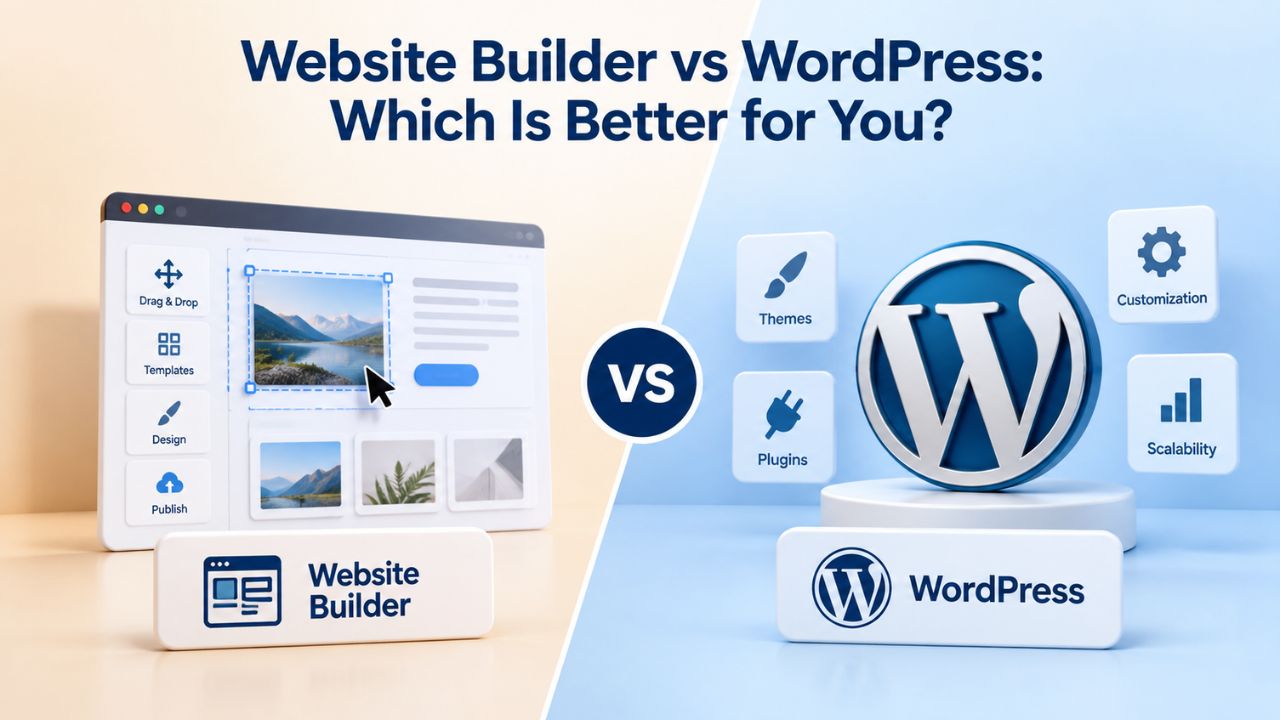
Small businesses lose customers to competitors with professional websites every day. WordPress powers millions of sites worldwide, but learning curves and maintenance demands slow non-technical founders. Website builders offer a faster alternative: templates, drag-and-drop editors, and built-in hosting mean you launch in hours, not weeks, and without hiring developers or learning code. Niya Digital is an authorized reseller of website builder services powered by GoDaddy Website Builder’s site-building engine, hosting infrastructure, and publishing technology, not an operator of its own independent builder infrastructure.
How Website Builders and WordPress Actually Work
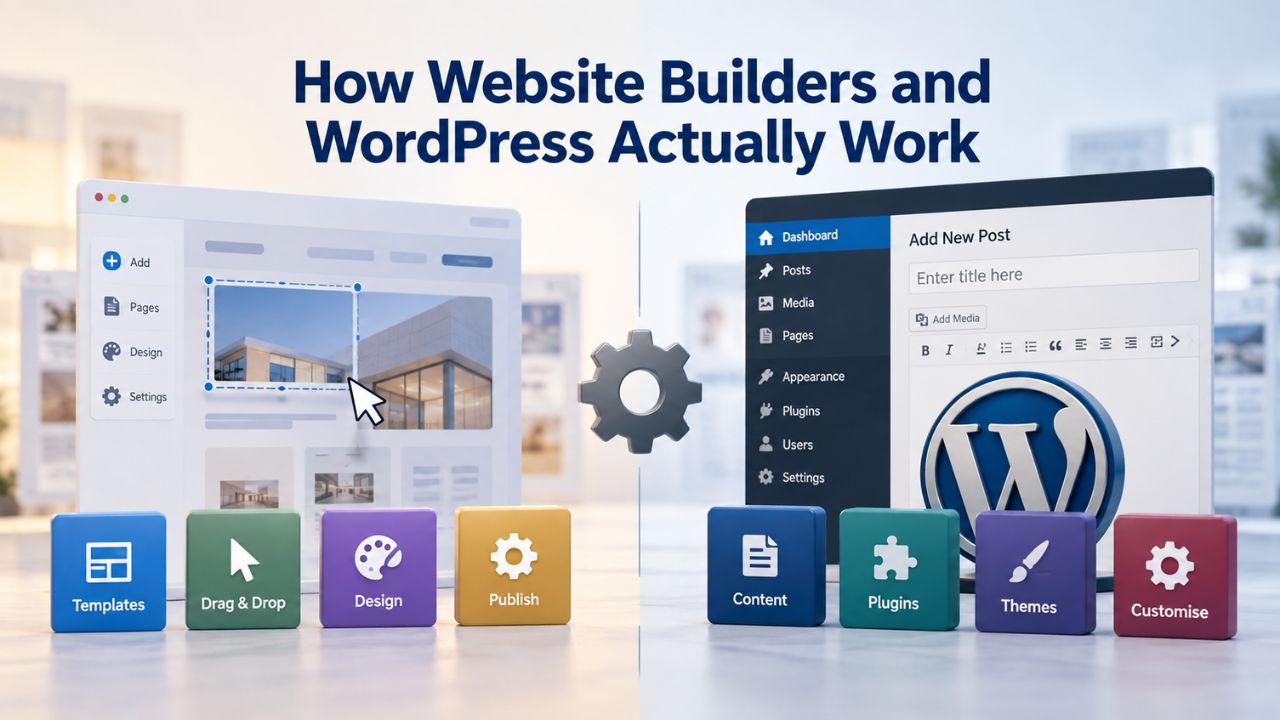
Website builders and WordPress take fundamentally different approaches to site creation. Understanding how each works is the foundation for choosing the right one.
Website Builders: Hosted, All-in-One Design
Website builders like Niya Digital’s Website Builder Service give you everything in one subscription. You get a drag-and-drop editor, pre-designed templates, hosting, domain connection, and publishing, all included. GoDaddy Website Builder’s infrastructure handles hosting and publishing automatically, so you focus only on design and content.
You choose a template, customize it with your text and images, connect a domain, and publish. No server setup, no file management, no separate hosting account required. Niya Digital’s onboarding support guides you through template selection and early customization, reducing setup friction. Every template is mobile-responsive by default, so your site adapts automatically to phones, tablets, and desktops without manual adjustments or separate mobile versions.
WordPress: Self-Hosted CMS Requiring Manual Setup
WordPress is a free, open-source content management system (CMS) that powers roughly 43% of all websites. Unlike a website builder, WordPress is not hosted for you. You rent server space from a hosting provider, install WordPress on that server, manage your database, select themes, add plugins, and maintain security and backups yourself.
Setup is manual and layered. You register a domain, choose a hosting provider, access your hosting control panel, and run a WordPress installation. Then you select a theme, install plugins for features like SEO and e-commerce, and configure each one separately. For non-technical users, this multi-step process involves patience and learning. After launch, ongoing maintenance becomes your responsibility.
Website Builder Plans & Pricing
Create a professional website with flexible website builder plans designed for businesses, portfolios, and growing online brands. Choose a plan that matches your needs and build, customize, and manage your website with easy-to-use tools, responsive designs, and essential features for a strong online presence.
Website Builder Personal
Share your passion online.
- Responsive mobile design
- Website hosting
- Rapid Page-Load performance
- Create a blog
- Security (SSL)
- 24/7 support

Website Builder Business
Create an online presence for your business.
- Responsive mobile design
- Website hosting
- Rapid Page-Load performance
- Create a blog
- Security (SSL)
- 24/7 support
- PayPal Buy Now or Donate button
- Search Engine Optimization (SEO)
Website Builder Business Plus
Attract more customers.
- Responsive mobile design
- Website hosting
- Rapid Page-Load performance
- Create a blog
- Security (SSL)
- 24/7 support
- PayPal Buy Now or Donate button
- Search Engine Optimization (SEO)
- Social Media Integration
- Share content to Facebook
- Online Appointments
Website Builder Online Store
Sell products and services.
- Responsive mobile design
- Website hosting
- Rapid Page-Load performance
- Create a blog
- Security (SSL)
- 24/7 Support
- PayPal Buy Now or Donate Button
- Search Engine Optimization (SEO)
- Social Media Integration
- Share content to Facebook
- Online Appointments
- Built-in shopping cart
- Sell physical and digital products
- Accept credit and debit cards, PayPal and more
- Flexible shipping options
- Discounts and promotions
- Manage inventory
Ease of Setup and Time to Launch
Speed matters when you need a professional site quickly. Website builders win decisively on setup simplicity. Getting live fast means you start attracting customers and selling sooner.
Website Builder Setup: Hours, Not Days
With a website builder, your path to launch is direct and clear. You sign up, browse templates, pick one that matches your industry, and start editing text and swapping images in the drag-and-drop editor. GoDaddy Website Builder includes mobile-responsive templates and automatic hosting, so you can skip infrastructure entirely. Connecting your domain takes a few clicks; publishing is one button. For a small-business owner, setup typically takes one to three hours total.
E-commerce setup follows the same pattern: add products, set prices, connect a payment gateway like Stripe, PayPal, or Square, and go live. No plugin installation, no payment processor configuration to struggle through. You can be selling products online the same day you sign up. These built-in features work together from day one.
WordPress Setup: Technical Barriers and Ongoing Overhead
WordPress setup requires navigating several technical layers. After registering a domain and choosing a hosting provider, you access your hosting account, run the WordPress installer, and create a database. WordPress’s installation process differs slightly by provider, adding confusion at each step.
Then you select a theme, install plugins, and configure each one independently. For non-technical users, this multi-step process takes five to fifteen hours or more, even with good documentation. You then take on ongoing responsibility: keeping WordPress, themes, and plugins updated, backing up your database, and monitoring security. Something breaks? You fix it or pay someone else to.
Pricing and Total Cost of Ownership
Website builder and WordPress pricing look different because one bundles everything, while the other adds cost over time. Understanding total cost matters more than the sticker price.
Website Builder Costs: Transparent Tiered Plans
Website builders use straightforward tiered pricing: a basic plan for simple sites, a standard plan adding features like booking or analytics, and a store-ready plan for e-commerce. Check Niya Digital’s current plans for exact features and current offerings. Website builder market pricing varies by provider, plan, region, and features. What you see is what you pay: no surprise hosting bills, no plugin costs, no separate domain registrar fees. Niya Digital’s reseller model includes built-in support, reducing your need to hire external help for setup.
The all-in-one nature means you budget once, know your monthly commitment, and avoid unexpected expenses that creep up over time. Support is included, so you don’t pay hourly rates for developer help during troubleshooting.
WordPress: Cheap Upfront, Expensive Over Time
WordPress itself is free, but total ownership costs accumulate. A domain costs money annually; hosting ranges from modest amounts for basic shared hosting to significantly higher amounts for managed WordPress hosting that handles maintenance for you. Themes range from free to substantial investments; popular page-builder plugins cost money annually. Essential plugins for SEO, backups, security, and forms add another layer of expense. If you’re not technical, hiring a WordPress developer to customize your site costs hourly rates or larger project fees.
A small business building a WordPress site from scratch spends hundreds per year on hosting, themes, and plugins alone. A managed WordPress host adds significant monthly expense but removes the maintenance burden; essentially, you’re paying for the convenience of not maintaining it yourself. Security issues, plugin conflicts, or lost data due to poor backups can turn into expensive emergencies.
| Cost Category | Website Builder (Niya Digital) | WordPress |
|---|---|---|
| Domain | Often included in higher-tier plans | Annual registration fee (user responsibility) |
| Hosting | Included; handled by GoDaddy Website Builder infrastructure | Shared hosting or premium managed hosting (separate cost) |
| Themes/Templates | Included with plans | Free to significant investment per theme |
| Plugins | Built-in (SEO, backups, e-commerce) | Annual fees for essential plugins accumulate quickly |
| Setup Labor | One to three hours; Niya support included | Five to fifteen or more hours, or a significant fee if hiring help |
| Monthly Maintenance | Automatic updates, backups, security | Manual updates, backups, security monitoring required by user |
Design, Customization, and Visual Control
Both platforms let you create professional sites, but customization differs significantly. Your design flexibility depends on your technical skills and willingness to learn.
Website Builders: Template-Based Simplicity
Website builders start with a template, a professionally designed layout, color scheme, and component structure, and let you customize within that framework. You change text, upload images, adjust colors and fonts, rearrange sections, and add features like contact forms or galleries via drag-and-drop. GoDaddy Website Builder’s template collection is mobile-optimized and professionally designed, so your finished site looks polished without design experience.
Customization stays within the template’s design system. You cannot change the underlying code structure or add custom HTML/CSS/JavaScript without a higher-tier plan that permits code injection. This is intentional: the framework prevents accidental site-breaking changes. For small businesses, service providers, e-commerce stores, and blogs, template constraints rarely feel limiting because templates cover common layouts and design patterns well. Niya Digital’s template customization guidance helps you maximize visual possibilities within the builder’s framework, ensuring your site looks unique to your brand.
WordPress: Full Code Control, Steep Learning Curve
WordPress gives you complete source-code access. Themes are PHP templates you can heavily customize; child themes let you override parent-theme code without breaking core functionality. WordPress plugin development opens unlimited design and functionality possibilities through custom code. This is where WordPress shines for developers and agencies building complex, specialized sites.
This power requires PHP, CSS, JavaScript, and database knowledge, or hiring a developer. A complex WordPress build costs thousands and takes weeks or months. For a five-page brochure site or blog, this complexity is unnecessary overhead; for enterprises with unique requirements, it’s invaluable. You’re trading ease for unlimited flexibility.
E-Commerce and Selling Online
If you’re selling products online, how each platform handles checkout and payment processing matters tremendously. The difference between launching in days versus weeks affects when you start earning revenue.
Website Builders: Built-In Checkout
Niya Digital’s Website Builder Service includes e-commerce on store-ready plans: product galleries, inventory tracking, order management, and integrated checkout. GoDaddy Website Builder’s e-commerce features support multiple payment gateways with a few clicks, no plugin installation required. You upload product photos, set prices, and customers check out directly on your site. Niya’s setup support walks you through getting your first products live.
This is particularly valuable if you’re non-technical: the entire sales workflow is built in, designed to work together, and ready to launch. No integration headaches, no payment processor setup confusion, no waiting for plugins to update and conflict with each other. You get a complete store without assembling pieces.
WordPress: Plugins, Setup, Configuration
WordPress requires a separate e-commerce plugin. WooCommerce is the most popular and free, but requires setup: install the plugin, configure payment gateways, set up tax rules, create product listings, and test checkout. WordPress’s e-commerce plugin directory shows the depth of options available, but each requires independent configuration.
For a small store testing product sales, WordPress feels overbuilt and unnecessarily complex. For a complex, high-volume operation with special requirements, WooCommerce’s flexibility and vast plugin ecosystem provide the control needed. The tradeoff is time investment upfront and ongoing maintenance responsibility.
Ready to Start Building?
Niya Digital’s Website Builder Service bundles built-in checkout, product management, and payment processing so you can launch an online store without plugin complexity or developer costs. Start with an e-commerce-ready template, add your products, and publish. Niya’s onboarding support walks you through every setup step, answers questions, and guides your decisions.
SEO Tools and Search Engine Visibility
A beautiful site is worthless if customers cannot find it in search results. Website builders and WordPress offer different SEO support models. Both can rank well; the difference is in how much effort you put in and whether the platform helps or hinders you.
Website Builder SEO: Built-In Fundamentals
Niya Digital’s Website Builder Service includes built-in SEO tools: meta title and description fields, automatic XML sitemaps, alt text fields for images, heading hierarchy, mobile-responsive design by default, and fast loading speeds via GoDaddy Website Builder’s infrastructure. These tools cover SEO fundamentals, the technical foundation that helps search engines crawl and index your site properly.
Ranking well still requires quality content, relevant keywords, and backlinks from other sites. No builder guarantees that. But a website builder removes technical SEO friction, letting you focus on writing good content. You don’t have to worry about site speed, mobile optimization, or hosting reliability harming your rankings; the platform handles that automatically. Search engines favor fast, mobile-friendly sites, and website builders deliver both by default.
WordPress: Plugin-Based, Hands-On SEO
WordPress requires plugins for comprehensive SEO management. Yoast SEO and Rank Math are the most popular; both are free with optional paid upgrades for advanced features. They guide you through on-page optimization, XML sitemap generation, structured data, and redirect management. They’re powerful; developers and agencies rely on them, but they add complexity: you must install, configure, and maintain them.
Additionally, WordPress server performance, page speed, uptime, and server location depend on your hosting provider. A slow hosting plan can harm search rankings despite perfect on-page SEO. Website builders handle hosting performance automatically; WordPress delegates this responsibility to you or requires you to pay for managed hosting. Either way, SEO success adds another variable to manage.
Support, Maintenance, and Ongoing Care
Launching a site is half the battle. Keeping it running, secure, and updated is the other half. The difference between hands-off and hands-on support matters after launch.
Website Builder Support: Managed and Hands-Off
Niya Digital’s Website Builder Service includes direct customer support for onboarding, account issues, and troubleshooting. Behind the scenes, GoDaddy Website Builder handles all infrastructure maintenance: server updates, security patches, SSL certificate management, backups, and uptime monitoring. You never manage a server, worry about security vulnerabilities, or maintain a database. Platform maintenance is automatic and invisible.
Niya Digital’s team has found that one-on-one onboarding support during template selection and initial customization significantly reduces the time to a polished, live site and cuts the number of questions that arise after launch. When you hit an issue, real people help you solve it quickly rather than searching forums.
WordPress: Community Support, User Responsibility
WordPress has robust community support, forums, tutorials, YouTube guides, and Stack Overflow threads. Responses are volunteered and unpredictable. If you encounter a critical issue late on a weekend, there’s no guarantee someone will answer quickly. Official support doesn’t exist; your only paid-support option is a managed WordPress host with support teams.
You remain responsible for keeping WordPress, your theme, and all plugins updated. Updates are released regularly and sometimes break compatibility; you must test updates in a staging environment before applying them to your live site. Schedule backups via a plugin or your hosting provider. Security monitoring requires plugins or a managed host. This is doable for technically inclined founders, but it’s ongoing work, or an ongoing cost if you hire someone.
Data Ownership, Portability, and Site Migration
If you ever want to leave a platform, what can you take with you? This question matters if you’re concerned about vendor lock-in or future platform changes.
Website Builders: Portable Export Options
Website builders typically support data export. Niya Digital’s Website Builder Service, powered by GoDaddy Website Builder’s infrastructure, allows you to export your site’s content and structure. Export gives you a way out if you outgrow the builder or want to switch platforms, though moving a site from one builder to another or to WordPress requires technical work (you’ll likely need a developer to reformat content).
Niya Digital’s support team guides you through export and migration planning, but the process is manual and time-intensive compared to staying on the platform. You’re not locked in forever, but switching platforms isn’t painless. For most small businesses, this is acceptable because they don’t anticipate needing to leave.
WordPress: Full Portability by Design
WordPress is built for portability. You can back up your database completely; your files are stored on your hosting provider’s server and can be downloaded. You can move your WordPress site to a different host, export your database and move it to another WordPress installation, or export your content as XML and import it elsewhere. No vendor lock-in: you fully own everything.
This is WordPress’s strongest competitive advantage: you’re never trapped. Migrate freely to another host, export to a different CMS, or keep your site exactly as is on your own server forever. If platform concerns matter to you philosophically or strategically, WordPress’s open-source nature and complete portability win decisively.
Scalability and Growing Your Site
As your business grows, does your website scale with you? The path forward differs between platforms.
Website Builders: Plan-Based Upgrades
Website builders scale through plan tiers. A basic plan suits a simple site; as you add features (online store, advanced analytics, team members, email marketing), you upgrade to a standard or store-ready plan. Each tier includes more resources, more features, and higher monthly costs. Check Niya Digital’s plans for the specific feature progression and upgrade path as your needs evolve.
For most small and mid-size businesses, under a few thousand monthly visitors, plan upgrades handle growth smoothly. Larger sites or highly specialized needs may exceed what a website builder supports, at which point migration to a custom platform becomes necessary. This is rare for small businesses; most hit a growth plateau where the builder plan matches their ongoing needs perfectly.
WordPress: Infinite Customization, Requires Developer Effort
WordPress scales through plugin additions and custom development. A blog is simple; a multi-category marketplace with vendor management and commission tracking requires custom plugins or hired developers. An agency can build virtually anything on WordPress, but the cost and complexity grow with your ambitions. This scalability is why enterprises use WordPress.
WordPress powers enterprise sites, but enterprise WordPress requires serious investment: managed hosting, custom plugin development, and dedicated operations and security teams. For a solo founder, this is overkill. For a growing mid-market business, WordPress’s scalability can justify the cost and complexity as you demand features builders can’t provide.
Making the Right Choice for Your Business
Choosing between a website builder and WordPress depends on your technical comfort, timeline, budget, and customization needs. Different business situations map to each platform clearly. Honest self-assessment of your situation guides the right choice.
Matching Your Business Type to the Right Platform
Certain business models fit naturally with website builders; others demand WordPress’s flexibility. Aligning use cases is the fastest way to narrow your choice. The table below shows where each platform excels for different business situations.
If you’re launching a brochure site, online store, or blog without complex integrations, a website builder meets your needs right away. Template-based customization is faster and cheaper than WordPress setup, and built-in hosting means no server management. You’re selling simplicity and speed for slightly less customization.
| Your Situation | Better Choice | Why |
|---|---|---|
| Non-technical founder, launch ASAP | Niya Digital’s Website Builder Service | Fastest path to live, built-in support, no hosting headaches |
| Small service business or creator | Website Builder | Templates fit well, affordable, all-in-one hosting and domain |
| Simple e-commerce store with basic products | Website Builder | Built-in checkout, easier setup than plugin-based solutions |
| Complex e-commerce with custom workflows | WordPress with e-commerce plugin or custom platform | Flexibility and plugin ecosystem justified by complexity |
| Blog with future plugin and automation needs | WordPress | Plugin ecosystem gives you growth runway as needs evolve |
| Multi-vendor marketplace or specialized platform | WordPress with developer or custom CMS | Too specialized for a builder; requires code-level control |
| Developer who wants full code control | WordPress | Unlimited customization, no platform constraints |
| Business concerned about vendor lock-in | WordPress | Full data portability is built in; you own everything |
Making the Final Decision
The decision usually comes down to a simple question: do you prioritize speed to launch and simplicity, or unlimited customization and code access? These two goals are in tension; you must choose which matters more to your business right now. If you’re a small business with no coding background and a tight timeline, Niya Digital’s Website Builder Service, powered by GoDaddy Website Builder’s infrastructure and Niya’s hands-on support, is the fastest path to a professional, functioning website.
If you’re a developer or you need infinite customization for a specialized use case, WordPress’s power is worth the setup effort and ongoing maintenance. You gain complete control but sacrifice ease and speed. Website-builder features, plans, and offerings change frequently. This comparison reflects information available at publication; confirm current details on each provider’s website before deciding.
Ready to Launch Your Website?
Niya Digital’s Website Builder Service is designed for small businesses, creators, and entrepreneurs who want a professional site without the overhead of WordPress maintenance or hiring a developer. Browse templates, connect your domain, and go live in hours. Direct support is available every step of the way to answer questions and guide your setup.
Frequently Asked Questions
What is a website builder, and how is it different from WordPress?
A website builder is an all-in-one platform where you design, host, and publish a site using a visual drag-and-drop editor, no coding required. WordPress is a free, open-source CMS requiring you to arrange hosting, install themes and plugins, and handle ongoing updates yourself. Builders prioritize speed and simplicity; WordPress prioritizes customization and control.
Can I build a professional-looking website as a beginner with a website builder?
Yes. Website builder templates are professionally designed and mobile-responsive by default. You customize text, images, colors, and layout within the template’s framework. No design or coding experience is necessary. Niya Digital’s Website Builder Service includes onboarding support to help you get started quickly.
Is WordPress truly free?
WordPress.org’s software is free, but you pay for hosting, a domain, themes, and plugins. Total annual costs for a basic site range from modest amounts to hundreds, depending on your choices and whether you hire help. Website builders bundle these costs into one transparent monthly plan, making budgeting easier and more predictable.
How long does it take to launch a site on each platform?
Website builders: one to three hours for a basic site if you have content ready. WordPress: five to fifteen or more hours for setup, configuration, and customization for a non-technical user. Hiring a WordPress developer takes one to four weeks depending on complexity and custom work.
Which platform is better for SEO?
Both support SEO fundamentals. Website builders have built-in SEO tools and fast hosting; WordPress offers more granular SEO plugin options but requires manual configuration. Search rankings depend mainly on content quality, keywords, backlinks, and user experience, not the platform you choose.
Can I sell products online with a website builder? What about WordPress?
Website builders offer built-in e-commerce on store-ready plans: product galleries, inventory tracking, and checkout. WordPress requires a separate plugin (typically WooCommerce) and configuration. Both work; builders are faster to set up and let you start selling immediately.
What happens to my site if a website builder goes out of business?
Website builders typically allow you to export your site’s content. Moving it elsewhere requires technical work, but you’re not completely trapped. That is why WordPress’s full portability matters if lock-in concerns you philosophically.
Do I need technical skills to run a website builder?
No. Website builders are designed for non-technical users. Drag-and-drop editing, one-click publishing, and automatic hosting updates mean you never touch code or a server. Niya Digital’s support team is available if you have setup questions or need guidance.
Do I need technical skills to run WordPress?
Yes, moderate technical knowledge helps significantly. WordPress’s control panel and plugin ecosystem are manageable for someone comfortable following online guides, but troubleshooting, plugin conflicts, and security updates require patience and learning. Hiring a managed host or developer reduces this burden substantially.
Can I switch from a website builder to WordPress later?
Yes, but it’s not seamless or quick. You can export your site’s content and hire a developer to convert it to WordPress. This is time-consuming and may cost significantly. Choose carefully upfront to avoid migration costs and downtime.
Can I switch from WordPress to a website builder?
Yes, but similarly requires exporting your data and likely developer work to reformat it for the builder. WordPress’s portable, but each move takes effort and can cause downtime during migration.
Which is cheaper: a website builder or WordPress?
Website builders are transparent: one monthly plan covers everything, including hosting and support. WordPress might seem cheaper initially but adds hosting, themes, plugins, and potential developer costs that accumulate over time. Over a year, website builders often cost less for small businesses.
Is my data safe on a website builder?
Yes. Niya Digital’s Website Builder Service, powered by GoDaddy Website Builder, includes automatic backups, SSL encryption, and security monitoring. You don’t manage security yourself; it’s handled automatically.
Can I use my own domain with a website builder?
Yes. Website builders let you connect a custom domain to your site. Higher-tier plans often include a free domain for one to two years, saving you registration fees.
What if I outgrow my website builder plan?
Upgrade to a higher tier with more features, bandwidth, and storage. Niya Digital’s plans scale from simple brochure sites to full e-commerce stores. Most small and mid-size businesses find a plan that fits their needs as they grow.
Glossary
- Website Builder: A no-code platform providing drag-and-drop visual tools, pre-designed templates, built-in hosting, and one-click publishing, designed for non-developers to create and launch professional websites quickly without technical knowledge.
- WordPress: A free, open-source content management system (CMS) powering roughly 43% of websites. Requires self-hosted or managed hosting, manual theme and plugin management, and ongoing user maintenance; offers unlimited customization in exchange for technical complexity.
- CMS (Content Management System): Software that lets users create, edit, organize, and publish digital content (text, images, media) without directly editing code or managing a database.
- Template: A pre-designed website layout, color scheme, typography, and component structure that users customize with their own content, images, and branding to match their unique business.
- Hosting: Server infrastructure and disk space where a website’s files and database live, making the site accessible on the internet 24 hours a day, seven days a week.
- Domain: A website’s address (e.g., yoursite.com), registered with a domain registrar and pointed to your hosting server; owned and managed by the site owner permanently.
- Responsive Design: A website design that automatically adjusts its layout, images, and content to fit different screen sizes, desktop, tablet, and mobile, without manual resizing or separate mobile versions.
- Plugin: A software add-on that extends WordPress functionality by adding features like SEO optimization, backups, security, contact forms, e-commerce, or analytics without modifying WordPress’s core code.
- SEO (Search Engine Optimization): Practices that improve a website’s visibility in search engine results by optimizing on-page elements (titles, meta descriptions, headings, images), site speed, content quality, and technical structure.