Beginners without a website often watch competitors with a professional online presence attract customers they can’t reach. Building a site yourself once meant hiring a developer or learning to code, both costly and time-consuming. Niya Digital is an authorized reseller of website builder services powered by GoDaddy Website Builder’s site-building and hosting infrastructure. Website builder features, plans, and capabilities change frequently, so verify current details on each vendor’s site before deciding.
What Makes a Website Builder Beginner-Friendly?
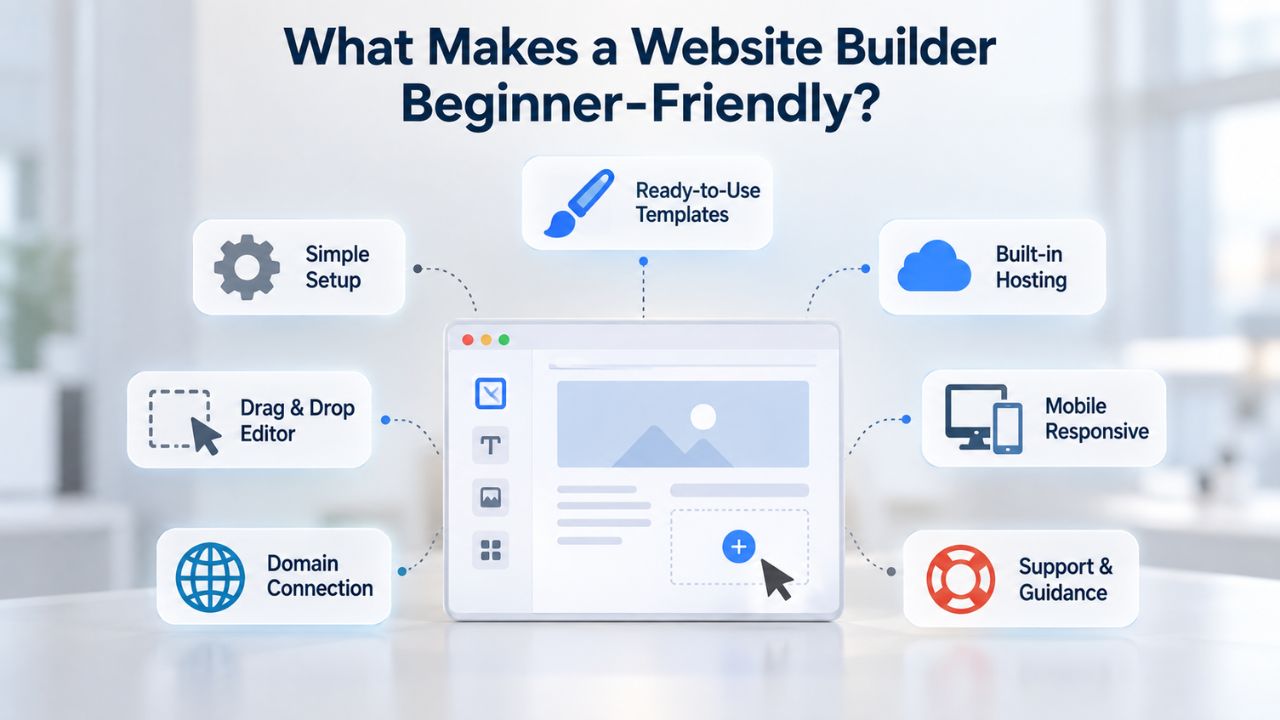
Beginners prioritize simplicity, professional results without design training, and accessible support when needed. A genuinely beginner-friendly website builder combines drag-and-drop simplicity with helpful guidance, responsive templates that display beautifully across all devices, and responsive customer support. The platform should bundle essentials, hosting, domain connection, and site publishing, so you don’t manage multiple services or worry about technical backend details.
Setup Speed and Onboarding Approaches
Wix’s AI Website Builder, powered by GPT-4o, guides users through setup by asking targeted questions about business type, goals, and content preferences. The system generates a complete, customized website in under 60 minutes, with many users seeing a functional draft while the coffee is still hot. The AI chatbot asks specific, thoughtful questions like “What is your unique selling point?” and then automatically structures pages, sections, and calls to action based on the answers provided. This approach is ideal for beginners who feel overwhelmed by endless design choices and who want artificial intelligence to reduce decision fatigue.
GoDaddy Website Builder, the underlying engine that Niya Digital’s Website Builder Service resells, emphasizes straightforward simplicity over automation. The platform describes its philosophy as “dead simple design tools” where “going from a napkin doodle to a published website has never been easier.” Beginners select a template, drag and drop content into place, and publish with a single click. Setup time is comparable to Wix, typically under an hour for a basic site, but the workflow feels more hands-on: you maintain direct control over every element rather than letting AI suggest layouts. This approach appeals to beginners who prefer to steer their design choices and trust their judgment over algorithmic suggestions.
All-in-One Integration Versus Flexible Workflows
Wix bundles site building, hosting, domain management, and site publishing into one unified account, allowing you to manage everything from a single dashboard. For beginners, this unified approach removes numerous friction points: no separate hosting bill to track, no confusing DNS configuration, no need to navigate an external domain registrar. The integrated design means you don’t have to juggle multiple services or learn several different platforms. However, Wix’s ecosystem is somewhat enclosed, so customization beyond templates requires either deeper platform knowledge or paid add-ons from Wix’s extensive app store.
GoDaddy Website Builder similarly includes hosting and publishing in one platform, bundling web hosting with each plan rather than requiring separate purchase. Niya Digital’s Website Builder Service adds a meaningful reseller layer on top: personalized onboarding support, professional template customization guidance tailored to your industry, and direct account management beyond what the core builder provides. Niya Digital’s team has discovered through years of onboarding that beginners often benefit significantly from human guidance when matching their brand identity to a template during the critical setup phase; this is precisely where reseller-side support reduces friction compared to attempting setup entirely alone.
Website Builder Plans & Pricing
Create a professional website with flexible website builder plans designed for businesses, portfolios, and growing online brands. Choose a plan that matches your needs and build, customize, and manage your website with easy-to-use tools, responsive designs, and essential features for a strong online presence.
Website Builder Personal
Share your passion online.
- Responsive mobile design
- Website hosting
- Rapid Page-Load performance
- Create a blog
- Security (SSL)
- 24/7 support

Website Builder Business
Create an online presence for your business.
- Responsive mobile design
- Website hosting
- Rapid Page-Load performance
- Create a blog
- Security (SSL)
- 24/7 support
- PayPal Buy Now or Donate button
- Search Engine Optimization (SEO)
Website Builder Business Plus
Attract more customers.
- Responsive mobile design
- Website hosting
- Rapid Page-Load performance
- Create a blog
- Security (SSL)
- 24/7 support
- PayPal Buy Now or Donate button
- Search Engine Optimization (SEO)
- Social Media Integration
- Share content to Facebook
- Online Appointments
Website Builder Online Store
Sell products and services.
- Responsive mobile design
- Website hosting
- Rapid Page-Load performance
- Create a blog
- Security (SSL)
- 24/7 Support
- PayPal Buy Now or Donate Button
- Search Engine Optimization (SEO)
- Social Media Integration
- Share content to Facebook
- Online Appointments
- Built-in shopping cart
- Sell physical and digital products
- Accept credit and debit cards, PayPal and more
- Flexible shipping options
- Discounts and promotions
- Manage inventory
Wix: AI-Powered Guidance and Automation
Wix holds 45 percent of the DIY website builder market share and powers over 200 million websites globally. This dominance stems from intuitive design, extensive template variety, ongoing AI innovation, and strong community resources. For beginners, Wix’s main appeal is its comprehensiveness: access to over 900 templates spanning virtually every industry vertical, dozens of AI features available even on the first plan tier, and a robust ecosystem of apps to extend functionality.
AI Tools and Content Generation
Wix’s AI toolkit extends far beyond simple site layout assistance. The platform offers over 20 distinct AI features, including an AI text creator for headlines and descriptions, an AI image creator and editor with auto-enhancement and resolution upscaling, an AI portfolio creator for creative professionals, and an AI Site-Chat feature, an on-site chatbot for customer support launched in late 2024.
Many of these powerful AI tools are available for free on Wix’s no-cost plan, making it genuinely accessible for beginners to test before making any financial commitment. Beginners who struggle with copywriting benefit immensely from AI text suggestions; self-taught photographers can use AI image enhancement tools to refine stock photos without needing specialized software skills. This depth and breadth of AI-powered assistance represents Wix’s most compelling differentiator in the market.
The meaningful trade-off is that feature abundance can overwhelm inexperienced users. Wix’s dashboard presents numerous options, more than many beginners actually need or want to navigate. The app store charges for many genuinely useful add-ons and premium features, so costs accumulate if you need advanced SEO capabilities, sophisticated e-commerce tools, or specialized integrations. Additionally, beginners sometimes invest more time exploring features than actually building their sites. For cost-conscious beginners, knowing which premium features are truly necessary versus nice-to-have matters, since optional upgrades add up quickly.
Pricing and Plan Progression
Wix offers website plans ranging from a free option to paid tiers, with most small-business owners choosing mid-range plans. The first plan includes AI tools and core website features but shows Wix branding and lacks a custom domain. Plans progress through several tiers, each adding capabilities such as custom domains, increased storage, e-commerce features, and advanced marketing tools. Wix’s pricing structure scales with business growth, so a consultant launching a simple portfolio can start affordably. In contrast, a growing e-commerce business can upgrade to plans with more storage and advanced selling features. This tiered approach appeals to beginners because they can launch on a budget and upgrade only when they need additional capabilities.
The platform frequently offers promotional codes and annual billing discounts, making plans more accessible to budget-conscious beginners. Wix also includes a domain registration on many plans, reducing total first-year costs. Website builder pricing and promotions change regularly across regions, so beginners should verify current plan details and features directly on Wix’s website rather than relying on information that may have shifted since publication.
GoDaddy Website Builder: Simplicity and Speed
GoDaddy Website Builder prioritizes accessibility and ease over sheer feature abundance. The platform’s underlying philosophy emphasizes that builders require absolutely no technical skills and that anyone can “drag and drop your text, images, and apps anywhere you like” to create a professional website. The template library includes 300+ professionally designed templates plus access to 8,700+ stock images, a curated selection that helps beginners find a strong starting point without experiencing decision paralysis from overwhelming options.
Mobile-Responsive Design and Automatic Optimization
GoDaddy Website Builder handles mobile optimization automatically through DudaMobile technology, ensuring “your site will look great even on the small screen” without manual configuration. The system automatically converts your site for mobile devices, optimizing it for iPhones, Android phones, and all standard mobile devices. Beginners don’t need to understand responsive design principles, CSS media queries, or mobile-first development approaches; the builder handles everything behind the scenes. Real user reviews confirm this simplicity: beginners consistently report that their sites are “super easy to maintain and build,” and many specifically mention that GoDaddy Website Builder significantly outperforms managing a traditional WordPress installation, which requires ongoing plugin management and technical upkeep.
This straightforward approach to mobile responsiveness is a genuine strength for beginners because it eliminates an entire category of technical concern. The automatic mobile conversion works reliably across the template library, so beginners can publish with confidence, knowing their site will function beautifully on phones and tablets. GoDaddy Website Builder’s approach is narrower than Wix’s on AI-powered features; the builder doesn’t currently offer the extensive AI-assisted content creation tools Wix provides. For beginners who prioritize simplicity and direct control over extensive automation, GoDaddy’s focused toolkit feels liberating rather than limiting. However, for beginners who want AI to generate copy or create images, Wix remains the stronger choice.
Niya Digital’s Reseller Advantage: Onboarding and Support
Niya Digital’s Website Builder Service extends GoDaddy Website Builder’s core platform with an additional layer of human-centered support that genuinely differentiates the experience. Instead of navigating GoDaddy’s standard support system independently, beginners working with Niya Digital receive direct, personalized setup assistance: expert guidance on selecting a template that aligns with their brand identity, professional recommendations for industry-specific layout customizations, and ongoing account management throughout their site’s lifecycle.
This reseller model allows Niya Digital to add white-glove onboarding services on top of GoDaddy’s proven builder technology. For beginners who value personal guidance and direct communication during their website launch, this support layer meaningfully reduces launch anxiety and increases confidence in their setup choices.
Mobile Experience and Responsive Design
Both builders automatically optimize websites for mobile devices, an essential feature since most website traffic comes from smartphones and tablets. A site that looks great on desktop but breaks or looks poor on mobile will lose visitors and potential customers to competitors who invested in proper mobile design. This non-negotiable requirement ensures that regardless of which platform beginners choose, their sites will function well across all device sizes.
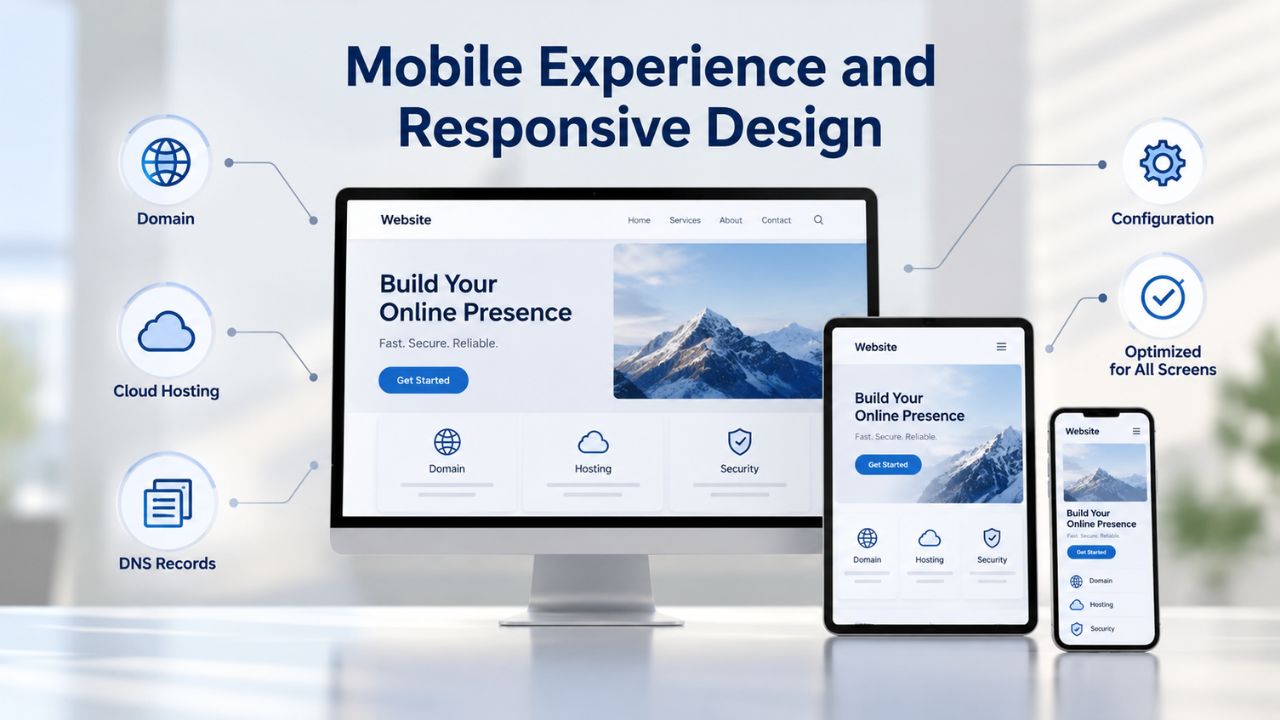
How Each Builder Handles Mobile Responsiveness
GoDaddy Website Builder automatically converts websites for mobile devices through its DudaMobile partnership, with mobile responsiveness built into every template and no manual configuration required. The platform handles mobile optimization invisibly, ensuring content displays correctly on iPhones, Android devices, tablets, and all standard mobile screens without intervention from beginners. This automatic conversion approach eliminates an entire category of technical concern that might otherwise intimidate beginners unfamiliar with responsive web design concepts.
Wix similarly offers mobile-responsive templates paired with a dedicated mobile editor for users who want more fine-tuning. Both platforms eliminate the need for beginners to understand responsive design principles, CSS media queries, or mobile-first development methodology. Select a template, add your content, and the site automatically adapts beautifully to phones, tablets, and desktop screens across all device sizes and screen orientations.
Mobile Editing and Customization Control
The practical difference between the two approaches centers on workflow and control. Wix provides a dedicated mobile editor where users can fine-tune exactly how content displays on smaller screens, adjust spacing, and customize mobile-specific layout decisions for pixel-perfect presentation. This level of control appeals to users who want to optimize every detail of the mobile experience and who plan to invest significant effort in mobile customization.
GoDaddy’s approach assumes that automatic mobile conversion is sufficient for most use cases and doesn’t require user intervention or additional configuration. For most beginners creating portfolios, small business sites, or basic online stores, automatic responsive design provides adequate functionality and a professional appearance. Advanced users who want pixel-perfect control over mobile layouts or plan to customize site appearance significantly may appreciate Wix’s additional mobile editing tools. Still, most beginners will find automatic mobile optimization more than adequate.
E-Commerce Fundamentals for Beginner Sellers
Both platforms support online store creation, but they approach e-commerce functionality with different levels of depth and complexity. A beginner seller fundamentally needs to list products, accept customer payments reliably, and manage orders without extensive technical knowledge or building custom checkout systems from scratch. Both Wix and GoDaddy Website Builder-powered services meet these core requirements.
Starting an Online Store
Wix includes e-commerce capabilities across its mid-tier and higher plans, providing product listing interfaces, shopping cart functionality, payment processing integration with multiple payment providers, automated inventory tracking, and shipping integration tools. The platform’s e-commerce features scale intelligently from side-hustle sellers to serious entrepreneurs managing thousands of products. A beginner selling crafts or digital goods can launch affordably on entry-level plans, then upgrade to higher tiers as their business grows and requires more advanced inventory management, shipping automation, or multiple payment processor integrations.
GoDaddy Website Builder also includes full e-commerce functionality, including product listing interfaces, payment gateway integration, and order management. Niya Digital’s Website Builder Service provides the same GoDaddy-powered e-commerce engine while adding specialized onboarding support to help beginners set up their first online store correctly. For someone launching a side business selling handmade items, digital products, or services, both platforms offer enough e-commerce tools without overwhelming technical complexity or unnecessary advanced features.
Payment Processing and Integration Options
Wix supports multiple payment processors and gateways, allowing customers to choose between Wix Payments, PayPal, Stripe, Apple Pay, Google Pay, and other options. This flexibility means beginners aren’t locked into a single payment solution and can choose the processor that works best for their business model and customer preferences. GoDaddy Website Builder also supports multiple payment gateways, reducing friction in payment setup. Neither platform requires technical expertise to enable payments; both provide guided configuration that walks beginners through setup step by step, making the process straightforward even for users with zero e-commerce experience.
Get Started with Your Beginner-Friendly Website
Both Wix and Niya Digital’s Website Builder Service remove the technical barriers that keep beginners from launching professional websites. Wix excels for creative beginners who want extensive AI assistance and maximum design flexibility; Niya Digital’s Website Builder Service suits beginners who prefer straightforward simplicity paired with personalized human support during launch. Ready to explore your options? Discover Niya Digital’s Website Builder Service and benefit from personalized onboarding to launch your professional site with confidence.
Template Quality and Professional Customization
Professional templates create the crucial first impression that shapes whether visitors see your business as credible and trustworthy. A beginner’s initial template choice often shapes whether the final site looks polished and established or amateur and hastily assembled. Both builders offer professionally designed templates, though their curation philosophy and customization approach differ meaningfully.
Template Selection and Visual Quality Across Industries
Wix provides access to over 900 templates organized across dozens of industry-specific categories, including business services, professional portfolios, e-commerce stores, blogs, event promotion, and creative fields. Extensive testing confirms that Wix’s template library is the largest among major builders and includes thoughtful designs for nearly every conceivable business niche. A beginner photographer can find gallery-focused templates optimized for displaying images; a yoga studio owner can find service-focused layouts with class schedules and instructor bios. This breadth of curated options substantially reduces the frustration of searching endlessly for something that fits your specific business model.
GoDaddy Website Builder offers 300+ professional templates plus 8,700+ included stock images, representing a deliberately curated selection rather than overwhelming abundance. This focused approach emphasizes quality and versatility across all major industry types rather than offering dozens of minor variations on identical themes.
A beginner comparing these two philosophies faces a genuine choice: Wix offers maximum visual variety and the highest probability of finding an industry-specific design, while GoDaddy emphasizes fewer, higher-quality starting points that adapt flexibly to customization. Neither approach is objectively superior; the better choice depends on whether you prefer exploring many options before committing to a template (Wix) or working from a carefully selected set that doesn’t overwhelm you with too many choices (GoDaddy via Niya Digital).
Customization Without Technical Knowledge
Both builders offer drag-and-drop customization that requires no coding knowledge. Users click on template elements, replace text, drag sections to reorder them, adjust colors and fonts, and upload custom images, all through intuitive visual interfaces. Wix’s documentation emphasizes “total creative control,” indicating that users can customize virtually every element of their template down to precise pixel-level detail if they choose. GoDaddy’s approach similarly enables complete customization through straightforward drag-and-drop interfaces that don’t require any technical knowledge. For beginners, both platforms are highly accessible, with visual feedback as edits are made and instant publishing when users are satisfied.
One meaningful practical difference exists between the platforms regarding template modification after launch. Wix does not allow you to change your chosen template once your website goes live, requiring beginners to commit to their template selection before publishing. GoDaddy Website Builder’s policies around template switching after launch are more permissive, allowing greater flexibility for post-launch experimentation if beginners change their minds about their initial design choice.
For first-time website builders who haven’t yet seen how their site performs with actual visitors, this difference matters: Wix requires confidence in your template choice before publishing. At the same time, GoDaddy permits more post-launch design iteration. Niya Digital’s hands-on onboarding support can help beginners make that critical initial template decision with genuine confidence, substantially reducing launch anxiety and second-guessing.
Plan Comparison: Features, Scalability, and Growth
Budget is a major concern for most beginners, who often see website builders as cheaper alternatives to hiring professional developers but remain realistic about costs that can add up through plan upgrades, premium features, and add-on apps over time.
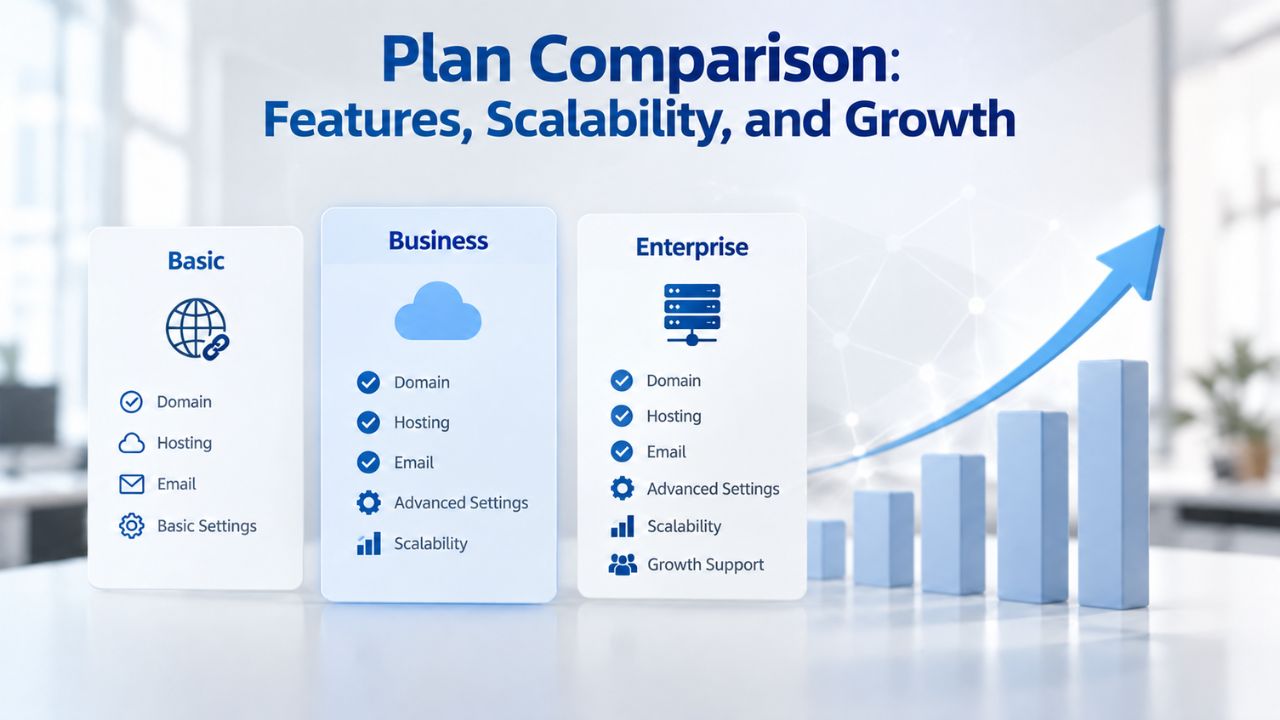
Feature Tiers and Beginner Entry Points
Wix offers plans with basic website-building capabilities, alongside progressively more capable plans designed to support different business stages. The first plan includes core website-building features and AI tools but displays Wix branding and lacks custom domain functionality. Paid tiers progressively unlock features including custom domains, increased storage capacity, e-commerce capabilities, advanced marketing and SEO tools, and expanded functionality for growing businesses. This tiered structure appeals fundamentally to beginners because they can launch affordably without financial commitment, test whether website ownership fits their needs, and upgrade only when they identify features they genuinely need for business growth.
Niya Digital’s Website Builder Service pricing aligns with GoDaddy Website Builder’s plan structure, with additional reseller-side support included at each tier. The tiered approach also lets beginners launch affordably and scale as their business grows. For cost-conscious beginners, this progressive capability structure represents a genuine advantage: launch without high cost, prove your website works for your business, and invest in additional features only when specific business needs justify the expense. As beginners evaluate upgrade decisions, understanding which features are necessary versus nice-to-have matters, since optional add-ons and premium features can add up quickly.
Feature Scaling and Long-Term Value
Most website builder pricing includes hosting, domain connection management, and core site publishing features at all tiers, so beginners aren’t surprised by hidden costs for services they expected to be bundled. Both Wix and GoDaddy Website Builder-powered services scale intelligently as business needs expand: a freelancer with a simple portfolio site needs different capabilities than an e-commerce business selling hundreds of products monthly. The tiered approach ensures you pay only for features you use, rather than buying enterprise-level capabilities you don’t need.
Website builder pricing and plan details change frequently across different regions and time periods, so beginners should verify current capabilities, plan features, and any promotional offers directly on the vendors’ websites rather than relying on information that may have shifted since original publication. Always confirm plan features, included domains, storage allowances, and support options before committing to a purchase.
Business Type Matching Guide
| Business Type | Website Needs | Recommended Approach | Why |
|---|---|---|---|
| Freelancer or Consultant | Portfolio showcasing work samples, services overview, client contact method, testimonials display | Either builder handles portfolio needs excellently; Niya Digital’s onboarding can accelerate template selection | Both provide portfolio templates; neither requires e-commerce; reseller guidance helps establish professional presentation |
| Local Service Business | Service listing, appointment booking, testimonials, location map, contact information | Either builder works; Wix offers more scheduling app options; Niya Digital’s reseller support ensures professional service page setup | Both support appointment booking on appropriate tiers; local businesses benefit from professional presentation |
| Product-Based Small Business | Online product store, shopping cart, payment processing, inventory management, shipping calculation | Either builder; Wix’s higher plans may offer more e-commerce features; Niya Digital provides setup guidance | Both include e-commerce; Wix’s app ecosystem adds options; reseller helps optimize checkout process |
| Content Creator or Blogger | Blog platform, portfolio, subscriber list building, media galleries, newsletter integration | Wix with AI content assistance or either builder; Wix’s AI tools generate content ideas | Both support blogging; Wix’s AI text generation helps content production; neither imposes special limitations |
| Creative Professional | Portfolio displaying work (photography, design, art), gallery pages, client testimonials, project details | Wix for maximum design flexibility and customization; Niya Digital for simplified workflow | Wix’s 900+ templates offer more creative options; Niya Digital’s simplicity suits straightforward portfolio needs |
| Beginner Seeking Personalized Support | Any business type, plus hands-on guidance during setup and template selection | Niya Digital Website Builder Service | Reseller advantage: human guidance matches beginners with appropriate templates and customization for their industry |
Customer Support Quality and Learning Resources
Beginners benefit greatly from responsive, accessible customer support when they run into obstacles or have questions during setup and site management. Both platforms provide support services, though they offer support through different channels and with varying response speeds and depth.
Support Accessibility and Availability Options
Wix provides 24/7 customer support through multiple channels including live chat, email, and phone (with phone support available on plans). This multi-channel availability is a real strength for solo entrepreneurs and small business owners who may need help at unconventional hours. Beyond direct support, Wix offers extensive online documentation, abundant video tutorials (both on Wix’s official YouTube channel and from countless third-party creators), and an active community forum where beginners often find answers to common questions without needing direct support. This ecosystem of learning resources meaningfully reduces stress for beginners who may feel unsupported.
GoDaddy Website Builder provides customer support through standard GoDaddy support channels, including live chat, phone, and email. Niya Digital’s Website Builder Service adds another layer of support by providing direct account managers who can help with onboarding, template selection, and ongoing account questions. This human-facing support differentiates the reseller experience from standalone GoDaddy use: beginners with questions about customizing their template or configuring e-commerce features can contact Niya Digital’s team directly rather than navigating a large impersonal support queue. This subtle distinction proves meaningful for beginners who value personalized communication and prefer explaining their situation to someone who understands their specific business context.
Documentation, Knowledge Bases, and Community Resources
Wix maintains a comprehensive knowledge base covering nearly every platform feature, supplemented by extensive video tutorials and an active community forum where beginners find solutions to common challenges. Most beginners can find answers independently without contacting support. GoDaddy Website Builder’s documentation and knowledge resources are similarly comprehensive and accessible. For beginners particularly concerned about support access, both platforms provide genuinely adequate resources for independent problem-solving, meaning you won’t face abandoned-customer situations where help becomes unavailable.
Side-by-Side Comparison: Strengths and Limitations
Choosing between Wix and Niya Digital’s Website Builder Service ultimately comes down to understanding what each platform does best and recognizing which limitations matter most to your specific situation. Both are genuinely capable builders that help beginners launch professional websites, but they make different trade-offs to support their respective philosophies.
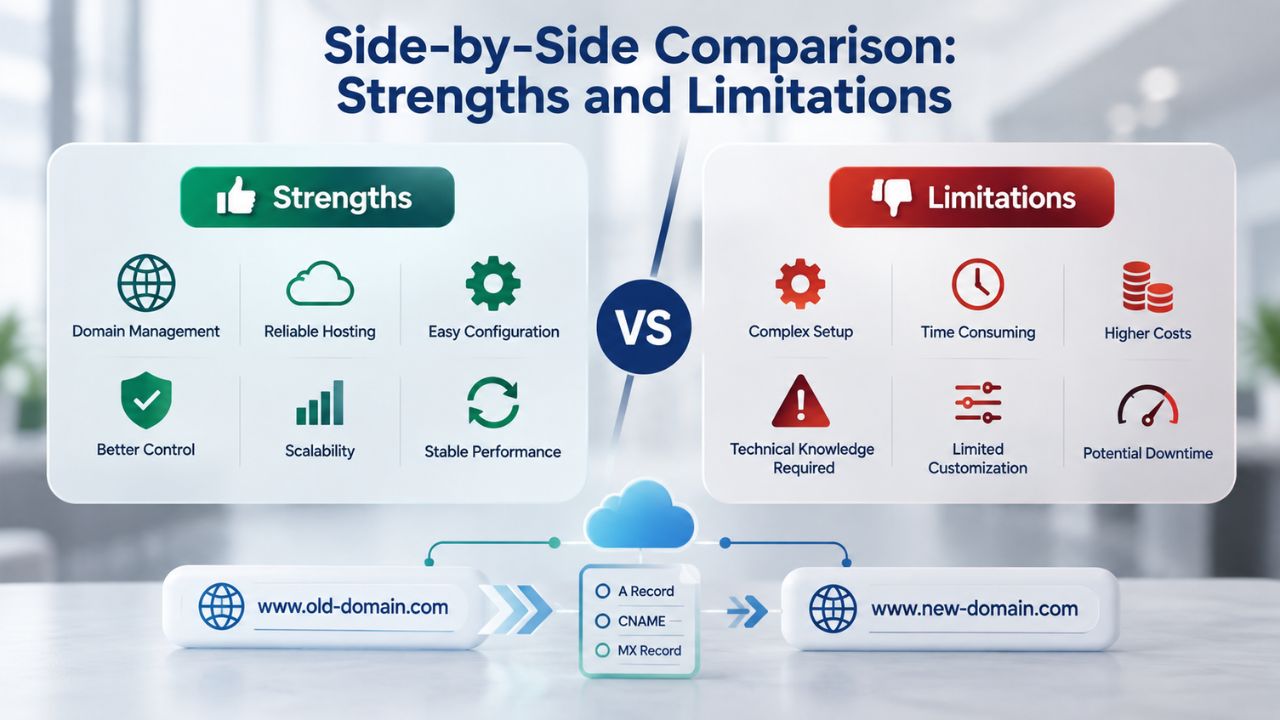
Wix’s Demonstrated Strengths
Wix’s market leadership and scale stem from genuine strengths that matter to beginners. The platform leads in AI-powered features, with over 20 distinct tools available, providing strong automation and content support. The 900+ template library offers breadth and specialization that appeals to diverse business types, ensuring most beginners find a design that fits their vision. The platform’s 45 percent market share and 200 million user base create a vibrant ecosystem with abundant community-created tutorials, third-party resources, and proven reliability at scale. For beginners who want maximum automation, extensive design flexibility, and access to thriving online communities, Wix represents the market-leading option.
The trade-offs of choosing Wix include higher overall costs than some alternatives. In this closed ecosystem, customization beyond templates requires either platform mastery or paid apps, and you can’t switch templates after your site goes live. For many beginners, these trade-offs prove entirely acceptable in exchange for Wix’s AI depth and creative freedom. However, cost-conscious beginners should carefully evaluate whether Wix’s premium features justify the higher investment compared to simpler alternatives.
Niya Digital’s Differentiating Approach
Niya Digital’s Website Builder Service, powered by GoDaddy Website Builder, represents a distinctly different value proposition centered on simplicity and personalized support. The 300+ curated templates eliminate decision paralysis while ensuring quality across all options. Drag-and-drop simplicity appeals to beginners who prefer direct control over AI-generated suggestions and who trust their own design judgment. Critically, Niya Digital’s reseller model adds human support during setup, expert guidance on template selection, industry-specific customization recommendations, and ongoing account management that meaningfully differentiates the experience from using GoDaddy’s platform independently.
This approach trades maximum AI automation and design flexibility for straightforward simplicity, manageable options, and personalized human support. For beginners overwhelmed by too many features and who value direct communication with someone who understands their business context, Niya Digital’s website builder service offers a genuine, compelling alternative to market-leading platforms.
| Comparison Factor | Wix | Niya Digital Website Builder Service |
|---|---|---|
| Setup Speed | Approximately one hour with AI guidance; or traditional drag-and-drop if preferred | Under one hour with drag-and-drop; reseller onboarding accelerates template selection decisions |
| Template Selection | Over 900 templates across all industries with extensive customization | 300+ professional templates via GoDaddy; curated selections eliminate overwhelming choice |
| AI Features | Over 20 AI tools including text generation, image creation, chatbot, and design assistance | GoDaddy’s built-in tools; focused on core functionality rather than extensive AI automation |
| Drag-and-Drop Editor | Yes; full creative control with pixel-level customization capability | Yes; intuitive interface; simple and accessible without overwhelming options |
| Mobile Optimization | Automatic responsive design plus dedicated mobile editor for fine-tuning | Automatic via DudaMobile; no separate mobile configuration required |
| Hosting Included | Yes; no separate hosting purchase required | Yes; bundled with all plan tiers |
| E-Commerce Capability | Yes; comprehensive suite with payment gateways, inventory, shipping integration | Yes; product listings, payments, order management through GoDaddy’s system |
| Onboarding Support | Self-guided with AI chatbot assistance; extensive documentation and tutorials | Reseller advantage: human guidance throughout setup and template selection |
| Market Position | 45% of DIY website builder market; 200+ million users; industry leadership | GoDaddy Website Builder has a 4.2/5 ease-of-use rating; established and proven |
| Template Changes | Not permitted after site launch; commit to design before publishing | Flexibility for post-launch template changes; experimentation permitted |
| Core Strengths | Comprehensive AI tools; extensive template variety; strong community and third-party resources | Curated simplicity; personalized reseller support; straightforward feature set |
Reseller Support Advantage: Hands-On Guidance Through Launch
The difference between using a website builder platform directly and working with an authorized reseller service goes beyond branding or pricing. Niya Digital’s reseller model fundamentally changes the onboarding experience by layering personalized human support onto GoDaddy Website Builder’s proven technology.
How Reseller Onboarding Differentiates the Experience
Niya Digital’s fundamental value proposition centers not on builder technology itself- that comes from GoDaddy Website Builder- but on the reseller-side support experience layered atop the core platform. While both Wix and GoDaddy-powered website builders offer self-service paths for independent users, Niya Digital provides human-guided onboarding that removes the need for beginners to navigate setup alone. This layer includes expert template selection assistance, customization guidance specifically tailored to your business type, and direct account management that extends beyond the core builder’s standard support. For beginners who want to avoid the self-serve learning curve and prefer confident guidance through their launch, this support layer creates measurable value by reducing time-to-launch and substantially decreasing launch anxiety.
The reseller advantage shines brightest when beginners feel uncertain about template selection or worry about whether their customization choices align with industry best practices. Rather than researching independently or relying on generic platform guidance, Niya Digital’s team brings years of accumulated experience from onboarding countless beginners and can provide context-specific recommendations. Someone launching an accounting practice receives different guidance than a yoga instructor, even though both use the same underlying GoDaddy Website Builder platform. This personalization transforms a generic self-service experience into something tailored and confidence-building.
Choosing Between Self-Service Platform or Guided Reseller Experience
The decision between Wix’s self-service model and Niya Digital’s guided reseller approach fundamentally depends on your comfort level with technology decisions and your preference regarding guidance versus autonomy. Wix excels for beginners who enjoy exploring platform features, experimenting with design options, and building independently with support documentation as backup. The platform’s self-service model appeals to those comfortable making their own decisions and who want maximum creative flexibility.
Conversely, Niya Digital’s guided approach suits beginners who prefer talking to someone who understands their business before choosing templates, want confidence that their setup meets professional standards, and value personalized guidance throughout their journey. Neither approach is universally correct; your ideal choice depends on your preferences for guidance, autonomy, and access to support.
Launch Your Website with Confidence
Wix leads the market in AI-powered automation and template variety, making it excellent for creative beginners who want maximum design control and sophisticated automation. Niya Digital’s Website Builder Service emphasizes approachable simplicity paired with genuine human support, making it ideal for beginners who prefer straightforward setup and personalized guidance throughout their launch journey. Ready to build your professional website? Explore Niya Digital’s Website Builder Service and get personalized onboarding support to help you launch successfully.
Frequently Asked Questions
How long does it realistically take a beginner to build and launch a website?
Most beginners successfully launch a functional website within one to three hours using either Wix or a website builder service. Wix’s AI chatbot can generate a complete site structure in under 60 minutes, while traditional drag-and-drop approaches take slightly longer but offer more hands-on control throughout the process. The exact timeline varies based on project complexity: a simple portfolio or professional profile launches faster than a multi-page e-commerce store with detailed product listings. After initial launch, ongoing updates like adding blog posts, updating product information, or refreshing photos typically require only minutes per editing session.
Can I use a free domain name, or do I need to purchase a custom domain?
Both Wix and website builders like Niya Digital’s service offer free subdomains (similar to yourname.wix.com) that work perfectly well for testing and personal projects. Custom domains offer several advantages: they look more professional and trustworthy for business purposes, are easier for customers to remember, and help establish your brand identity. Many website builders include a custom domain for the first year on plans, reducing your first-year costs. For personal portfolios or hobby sites, free subdomains are completely adequate. For business websites, a custom domain is highly recommended and is typically a small investment that adds professional credibility.
Will my website be secure with SSL/HTTPS protection?
Yes, absolutely. Both Wix and GoDaddy Website Builder-powered sites automatically include free SSL certificates that encrypt visitor data and signal to search engines that your site maintains security standards. This encryption happens invisibly, with no technical configuration required on your part. Beginners don’t need to understand SSL certificates, purchase separate security, or manage any technical security details; the builder handles everything automatically. Security is a foundational feature, not an optional upgrade requiring additional investment.
What happens if I want to switch website builders later?
Switching platforms is possible but involves exporting your content, rebuilding your site on the new platform, and updating any links or references. Most builders allow content export as HTML or structured data files, though design formatting may not transfer perfectly and often requires manual reconstruction. For most beginners, staying with one platform long-term is simpler and less time-consuming than attempting migration. If you anticipate needing custom code or think rapid growth might require features unavailable on your current builder, consider these options before committing to a specific platform.
How much does e-commerce capability cost, and can I start selling without upgrading to a paid plan?
Both Wix and GoDaddy Website Builder offer e-commerce features on mid-tier and higher plans. You’ll pay transaction fees to the payment processor (typically two to three percent per transaction) in addition to any plan costs. There’s no hidden fee to add store functionality; you’re paying for the plan tier plus normal payment processing costs. Wix intentionally gates e-commerce features behind mid-range plans because they require more platform resources.
Will I get my money back if I’m dissatisfied with my website?
Wix offers a 14-day money-back guarantee on plans, allowing you to try the service risk-free and request a refund if it doesn’t meet your needs. Most website builder subscriptions become non-refundable after the initial guarantee period; canceling your subscription stops future charges but doesn’t recover fees you’ve already paid. Review the refund policy details before committing to any plan, as policies vary by region and plan type.
What if I need professional design help? Is hiring a designer necessary?
No, hiring a designer is completely optional. Both Wix and Niya Digital’s Website Builder Service include sufficient templates and customization options for beginners to create genuinely professional-looking websites independently. Wix’s AI tools further reduce the design burden by automatically generating layouts and content suggestions. If you want a completely custom design beyond template customization, you can hire a freelance designer or agency, but this is optional, not required. Most beginners create attractive, functional sites without any professional design assistance.
Do I actually own my website, or does the builder company own it?
You own your website and all its content. The website builder provides tools and hosting infrastructure; you own your content, any custom domain you register, and the legal right to export your site. If you cancel your subscription, your site goes offline because hosting ends, but you can still download your files and move them elsewhere. Read the terms of service for your specific platform, but generally, website builders respect user ownership of content and provide reasonable export options.
Which builder is better for search engine visibility and ranking?
Both include fundamental SEO tools like meta tag customization, sitemap generation, and keyword optimization assistance. Wix offers more advanced SEO capabilities on higher plan tiers, while GoDaddy Website Builder provides solid built-in SEO tools. For most beginners, on-page SEO fundamentals matter most: writing genuinely useful content, using relevant keywords naturally throughout your site, optimizing image descriptions, and ensuring fast load speeds. Both platforms support these fundamental practices equally well. Advanced SEO apps available through plans help if you’re aggressively pursuing search traffic, but beginners can achieve respectable search visibility through fundamental practices alone.
Can I use a professional email domain like name@yourname.com with my website?
Yes, both builders allow you to connect a custom domain and set up professional email forwarding or full email hosting. If you register yourname.com through a domain registrar, you can configure email forwarding to send messages from yourname@yourname.com to your personal email account at minimal cost. This looks significantly more professional than using a personal Gmail address for business communications. Some builders include email hosting options, though these sometimes involve additional fees.
How frequently can I update my website after it’s live?
Anytime you want. Both builders allow you to log in and edit your site instantly, with updates publishing immediately or within seconds. Beginners can add blog posts, modify product listings, update photos, revise text, and make design changes as often as they like, with no restrictions. There’s no update limit and no waiting period for changes to appear live. This flexibility is a genuine advantage of website builders over static websites: you maintain complete control over your site’s evolution as your business develops.
Do I need any coding knowledge to create and manage a website with these builders?
No coding knowledge is required whatsoever. Both Wix and Niya Digital’s Website Builder Service are genuinely no-code platforms where you never write HTML, CSS, JavaScript, or any programming language. Everything operates through visual editing interfaces: click elements, type text, drag sections, upload images, adjust colors and fonts. If you decide to add custom code later, Wix lets you do so on higher plans; most beginners never need it. For beginners, the no-code requirement removes barriers rather than limiting you.
Which builder offers the lowest total cost of ownership?
Plans scale upward, with most small businesses selecting mid-range tiers. Niya Digital’s Website Builder Service pricing aligns with GoDaddy Website Builder’s entry pricing and offers competitive value. “Cheapest” depends on which features you need; it costs the least but includes limitations. Starter plans offer the best value for small businesses launching their online presence. Website builder pricing and promotional offers change regularly across different regions, so verify current pricing directly on vendors’ websites before making purchase decisions.
What if I run a service-based business offline and don’t need e-commerce?
Both builders accommodate service-based and non-selling businesses perfectly well. A consultant, freelancer, or local service provider can use professional portfolio pages, detailed service descriptions, client testimonials, contact forms, and appointment scheduling features (available on some plans) without needing any e-commerce functionality. Wix and Niya Digital’s services include contact forms, appointment booking capabilities, and email capture tools- everything a non-selling business needs to generate leads and manage customer inquiries.
Can I try the builder for free before making any financial commitment?
Yes, absolutely. Wix offers a plan available indefinitely with basic website features, plus free trials of plans to test premium capabilities before purchasing. Niya Digital’s Website Builder Service offers similar trial capabilities, letting you build and preview your site before committing financially. Both let you design and preview your entire website before publishing, so you can test the editor, explore templates, and confirm the platform suits your needs before committing to payment.
Glossary
- Website Builder: Software that empowers users to create and publish websites without writing code. Website builders combine pre-designed templates, visual editing interfaces, web hosting, and publishing tools into unified platforms.
- Drag-and-Drop Editor: A visual interface allowing users to click and drag website elements (text, images, buttons, sections, content blocks) to design pages without coding knowledge. Changes display in real time as users edit.
- Template: A pre-designed website layout that users customize with their own content, branding, colors, and images. Templates serve as professional starting points, dramatically reducing design work required.
- Hosting: The server infrastructure that stores website files and keeps them continuously accessible on the internet. Hosting is automatically bundled with both Wix and Niya Digital’s Website Builder Service.
- Domain: Your custom web address (like yourname.com) that users type into browser address bars to visit your site. Domains are optional; free subdomains are available, but custom domains look more professional and trustworthy.
- Mobile-Responsive Design: Websites that automatically adapt their layout, text sizing, and element positioning to look great on phones, tablets, and desktop computers. Both builders include mobile-responsive templates as standard features.
- E-Commerce: Online store functionality that lets users list products, process customer payments, and manage orders directly through their website without separate store platforms.
- AI Website Builder: Website-creation tools that use artificial intelligence to guide setup with automated content generation, intelligent layout suggestions, and design assistance. Wix’s AI chatbot is a prominent example.