Choosing the right website builder is one of the most important decisions for your online presence. Whether you’re a freelancer, small-business owner, or creative professional, the platform you select will shape how quickly you launch, how easily you can customize your site, and how well you can support your business goals. Two popular options are Squarespace and modern website builder services like Niya Digital’s Website Builder Service, which can help you choose confidently.
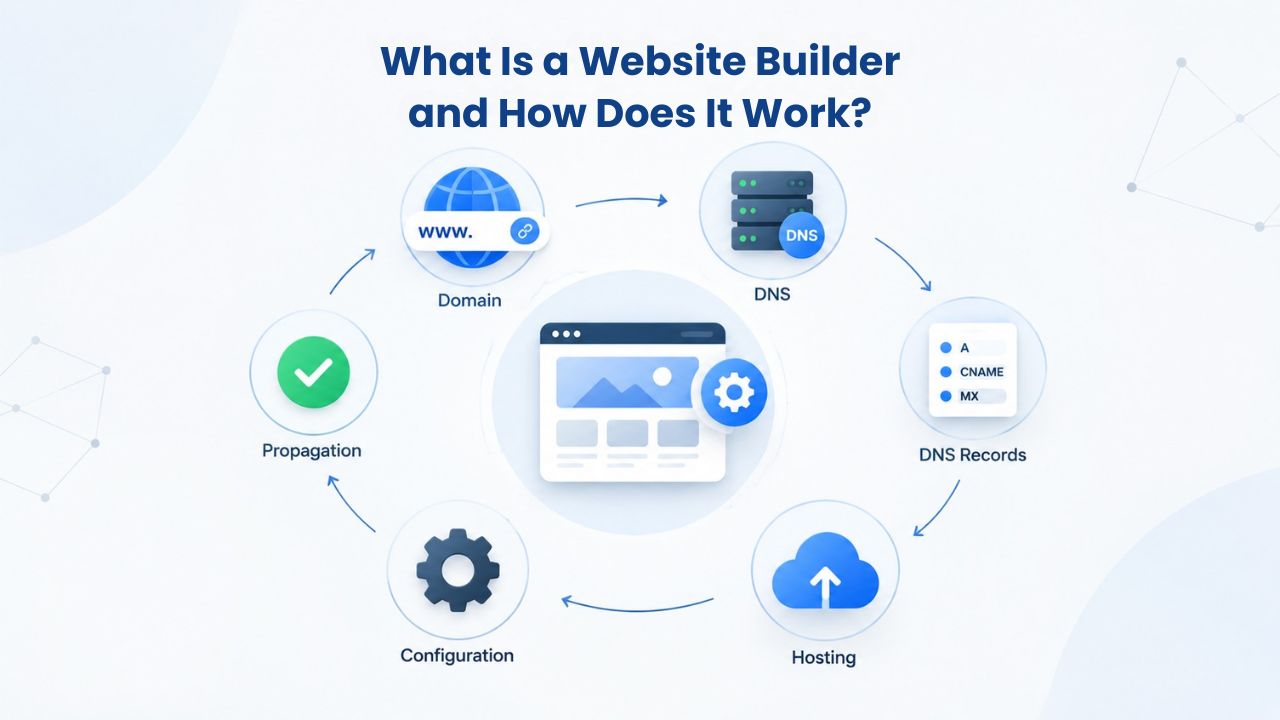
What Is a Website Builder and How Does It Work?
A website builder is a cloud-based platform that enables anyone to create, customize, publish, and manage a professional website without writing code. Instead of hiring a developer or learning HTML, you work within a visual editor where you select templates, add content, customize layouts, and publish your site. The builder handles all the technical complexity, hosting, security updates, domain management, and performance optimization behind the scenes.
Drag-and-Drop Editors Make Design Accessible to Everyone
Both Squarespace and Niya Digital’s Website Builder Service, powered by GoDaddy Website Builder’s site-building engine, feature drag-and-drop editors that eliminate the need for technical knowledge. These visual editors let you select content blocks (text, images, buttons, forms, video players), drag them onto your page layout, and customize their appearance in real time. You see your design update instantly as you work, with no lag between editing and preview.
The drag-and-drop approach democratizes website design by letting non-technical users achieve professional results. Squarespace’s Fluid Engine provides flexible, mobile-responsive layouts with grid-based customization; GoDaddy Website Builder’s editor emphasizes simplicity and on-the-go mobile editing. Both allow full-page customization without touching a single line of code, making them ideal for solopreneurs and small teams managing their online presence in-house.
Templates Provide Professional Starting Points
Templates are pre-designed website layouts that serve as your foundation. Rather than building from a blank canvas, you start with a professionally designed template in your chosen industry category, then customize it with your colors, fonts, images, and content. This approach dramatically reduces time to launch and keeps your site visually coherent across all pages.
Squarespace offers 180+ industry-specific templates tailored to photography, e-commerce, hospitality, portfolios, services, and more. Each template reflects current design trends and industry best practices. GoDaddy Website Builder provides 20+ professionally designed themes with customizable filters that let you instantly adjust layouts, color palettes, fonts, and spacing to match your brand. The template library you have access to matters; more templates mean more starting points to find one that closely aligns with your vision, reducing later customization work.
Website Builder Plans & Pricing
Create a professional website with flexible website builder plans designed for businesses, portfolios, and growing online brands. Choose a plan that matches your needs and build, customize, and manage your website with easy-to-use tools, responsive designs, and essential features for a strong online presence.
Website Builder Personal
Share your passion online.
- Responsive mobile design
- Website hosting
- Rapid Page-Load performance
- Create a blog
- Security (SSL)
- 24/7 support

Website Builder Business
Create an online presence for your business.
- Responsive mobile design
- Website hosting
- Rapid Page-Load performance
- Create a blog
- Security (SSL)
- 24/7 support
- PayPal Buy Now or Donate button
- Search Engine Optimization (SEO)
Website Builder Business Plus
Attract more customers.
- Responsive mobile design
- Website hosting
- Rapid Page-Load performance
- Create a blog
- Security (SSL)
- 24/7 support
- PayPal Buy Now or Donate button
- Search Engine Optimization (SEO)
- Social Media Integration
- Share content to Facebook
- Online Appointments
Website Builder Online Store
Sell products and services.
- Responsive mobile design
- Website hosting
- Rapid Page-Load performance
- Create a blog
- Security (SSL)
- 24/7 Support
- PayPal Buy Now or Donate Button
- Search Engine Optimization (SEO)
- Social Media Integration
- Share content to Facebook
- Online Appointments
- Built-in shopping cart
- Sell physical and digital products
- Accept credit and debit cards, PayPal and more
- Flexible shipping options
- Discounts and promotions
- Manage inventory
Plan Tiers and Pricing: Understanding What You Get at Each Level
Website builder platforms organize their offerings into plan tiers, each unlocking different features and capabilities. A basic plan suits a simple portfolio or blog; mid-tier plans add e-commerce tools and advanced analytics; premium tiers unlock enterprise features like priority support and advanced integrations. Both Squarespace and Niya Digital’s Website Builder Service offer tiered plans designed for different business stages.
Squarespace Plan Structure and Feature Distribution
Squarespace offers four main plans: Basic, Core, Plus, and Advanced. The Basic plan is designed for personal sites, portfolios, and blogs with core features like unlimited pages, SEO tools, and basic analytics. The Core plan adds e-commerce functionality, allowing you to sell products directly from your site with built-in checkout and inventory management. The Plus plan is built for growing online stores with advanced features like abandoned cart recovery, advanced shipping options, and subscription product support. The Advanced plan serves established businesses and large stores with the most powerful tools and highest transaction thresholds.
Each plan tier includes hosting, a custom domain connection, SSL security, and mobile-responsive design as baseline features. Squarespace provides a 14-day free trial so you can explore features and build a test site before committing. Additional services like Acuity Scheduling (appointment booking), advanced email campaigns, and premium integrations may require separate subscriptions beyond the base plan cost.
Niya Digital’s Website Builder Service Plan Options
Niya Digital’s Website Builder Service, powered by GoDaddy Website Builder, offers tiered plans designed for individuals and small businesses seeking guided setup and ongoing support. Niya Digital’s reseller model combines GoDaddy Website Builder’s platform technology with Niya Digital’s onboarding, template customization, and account management services. This hybrid approach differs from purchasing GoDaddy Website Builder directly: you gain access to Niya Digital’s team during setup, design customization, and ongoing questions.
Exact plan names and feature tiers are available on Niya Digital’s plans page. All plans include GoDaddy Website Builder’s hosting, drag-and-drop editor, mobile-responsive templates, and built-in SEO tools. Niya Digital’s team provides personalized onboarding to help you choose the right plan, customize your template to your brand, and set up key features like e-commerce, appointment booking, or contact forms.
Ease of Use and Design Learning Curve: Onboarding and Support Access
Getting your first site live requires balancing ease of use with support availability. Some builders prioritize self-service tools and community learning; others offer hands-on guidance. Your comfort level with independent problem-solving and your preference for personal support should guide this decision.
Self-Service Learning with AI Assistance (Squarespace)
Squarespace’s drag-and-drop editor and intuitive interface are straightforward for beginners. The platform offers Blueprint AI, which begins building your site after you answer just two onboarding questions about your business, allowing first-time builders to generate a basic multi-page site in minutes. The AI-generated site includes a homepage, about page, services or portfolio section, and contact form, all written, designed, and ready for customization.
However, design flexibility comes with a trade-off. Squarespace uses a grid-based design system that keeps layouts aligned and visually cohesive, but this can feel restrictive to users seeking highly flexible or unconventional layouts. Independent learners typically appreciate Squarespace’s self-service approach. The platform features an active community forum where users provide peer support and design tips. An extensive knowledge base covers most common tasks. Squarespace does not offer a customer service phone line, so support relies on community forums, email, and live chat during business hours; response times vary.
Hands-On Support Through Onboarding (Niya Digital)
Niya Digital’s Website Builder Service differs fundamentally in its support model. Rather than relying on community forums and self-guided learning, Niya Digital’s team provides guided onboarding to help you choose the right plan, select a template that aligns with your brand, and understand key features. This hands-on approach is especially valuable for small-business owners who prefer direct guidance over self-service learning.
GoDaddy Website Builder’s underlying platform includes 24/7 customer support, accessible through Niya Digital’s customer-facing support channel. This hybrid model means you have both personalized guidance from Niya Digital’s team during setup and around-the-clock technical support for backend platform issues. Niya Digital’s team has found that providing hands-on guidance during the first few weeks significantly reduces the likelihood that customers hit roadblocks and abandon their projects mid-build.
Template Selection and Customization: Quality, Variety, and Design Flexibility
Your site’s visual appeal depends on the template library’s quality and the depth of customization options available. Different builders prioritize different design philosophies; some emphasize design polish and coherence, while others prioritize maximum flexibility.
Polished, Industry-Specific Templates (Squarespace)
Squarespace’s 180+ professionally designed templates are tailored for specific industries, photography, e-commerce, restaurants, galleries, coaching, creative services, and more. Each template reflects Squarespace’s design philosophy: clean layouts, sophisticated typography, generous whitespace, and cohesive color palettes. The templates look premium out of the box, making them popular with creatives like photographers, designers, and artists who want their portfolios to showcase aesthetic polish.
Customization is possible but works within Squarespace’s design system. You can change fonts, colors, and layout widths, but the grid-based structure means you can’t radically reposition elements or create unconventional layouts. This trade-off prioritizes visual consistency and professional appearance over total design freedom. For users seeking a polished, magazine-quality aesthetic without deep design customization, Squarespace’s templates deliver immediate visual impact.
Diverse Templates with Guided Customization Support (GoDaddy Website Builder)
GoDaddy Website Builder provides 20+ professionally designed themes with customizable filters to instantly adjust layouts, fonts, colors, and spacing. This approach gives you flexibility to personalize the template to your brand while maintaining the underlying professional structure. Niya Digital adds a critical service layer by offering template customization guidance, helping you select a template that fits your business type, then walking you through initial customization to align it with your brand colors, fonts, and messaging.
This combination of flexible templates and expert guidance appeals to small-business owners who want professional results but may not feel confident making design decisions independently. GoDaddy Website Builder’s drag-and-drop editor lets you add custom elements, reorder sections, and modify individual components without locking you into a rigid grid. For businesses seeking a balance between guided simplicity and design control, this model reduces setup decision fatigue while preserving flexibility.
| Feature | Squarespace | Niya Digital Website Builder Service |
|---|---|---|
| Template library size | 180+ industry-specific designs | 20+ customizable themes with filters |
| AI-assisted site generation | Blueprint AI (generates multi-page site in 2 questions) | Template selection guidance from Niya Digital team |
| Mobile-responsive by default | Yes, all templates responsive | Yes, all themes built for mobile-first viewing |
| Customization approach | Grid-based system with design constraints | Flexible drag-and-drop with customization support |
| Design assistance | Community forums, knowledge base | Niya Digital’s onboarding team and design guidance |
| Setup support model | Self-service with community peer help | Personalized onboarding with expert guidance |
| Free trial or test period | 14-day free trial (no credit card required) | Check Niya Digital’s plans page for trial details |
Building an Online Store: E-Commerce Features and Selling Capability
For businesses planning to sell products or services online, e-commerce functionality is critical. Both platforms offer selling tools, but feature availability, integrations, and support differ significantly.
Squarespace E-Commerce and Marketplace Integration
Squarespace includes comprehensive e-commerce functionality with inventory management, payment processing via Stripe and PayPal, abandoned cart recovery, and subscription product selling. A major advantage is that all plan tiers, including the most basic one, allow unlimited product sales. This means a bootstrapped store owner can start selling immediately without upgrading to a higher tier based on inventory size. Squarespace’s built-in checkout supports multiple payment methods. It handles shipping calculations automatically based on customer location.
The platform also provides marketing tools within the dashboard, including email campaign templates, discount code creation, and customer management, so that you can run the entire store operation from one interface. However, some advanced e-commerce features like advanced order fulfillment automation, complex subscription management, or multi-vendor marketplace setup may require add-ons or third-party integrations, which can add complexity and cost to your setup.
GoDaddy Website Builder’s Online Store with Marketplace Connections
GoDaddy Website Builder’s Online Store feature supports physical and digital product sales, inventory management, and flexible payment options including Stripe, Square, PayPal, Apple Pay, and Google Pay. A standout capability is syncing your inventory directly with popular marketplaces like Amazon, Etsy, and Walmart so that you can sell across multiple channels from a single dashboard. This omnichannel approach is particularly valuable for sellers who want to reach customers on major marketplaces without managing multiple separate inventory systems.
Niya Digital’s team provides onboarding support during store setup, helping you understand product configuration, payment processing options, and marketplace connection procedures. GoDaddy’s platform also supports digital product sales, including downloadable files, courses, and other digital content you can sell directly through your site.
| E-Commerce Capability | Squarespace | Niya Digital Website Builder Service |
|---|---|---|
| Product sales | Unlimited on all plans | Unlimited via GoDaddy Online Store |
| Payment gateways | Stripe, PayPal | Stripe, Square, PayPal, Apple Pay, Google Pay |
| Marketplace integration | Limited; may require third-party tools | Amazon, Etsy, Walmart sync built-in |
| Physical product support | Yes, with shipping calculations | Yes, with tax and shipping configuration |
| Digital product sales | Yes, downloads and deliverables | Yes, downloadable files and courses |
| Inventory management | Yes, with order tracking | Yes, with multi-channel sync |
| Abandoned cart recovery | Yes, Plus plan and above | Yes, via GoDaddy Online Store |
| Email marketing integration | Built-in with basic tools | Integration support via Niya Digital |
| Subscription products | Yes, Plus plan and above | Yes, via GoDaddy Online Store |
Build Your Business Website With Expert Support
Creating a professional website becomes easier when the right tools are backed by practical guidance. Niya Digital’s Website Builder Service, powered by the GoDaddy Website Builder platform, combines flexible website-building technology with personalized support to help you create a polished online presence without navigating every step alone. Get the tools, guidance, and support needed to turn your business ideas into a website ready for visitors.
Platform Features and Technical Capabilities: What Drives the Difference
Understanding each platform’s technical foundation helps explain why certain features work the way they do and where each platform excels. The underlying architecture shapes everything from design flexibility to performance to feature availability.
Squarespace’s Proprietary Platform Architecture
Squarespace operates its own cloud infrastructure and designs every aspect of the platform from the ground up: the visual editor, template rendering engine, hosting stack, security systems, and domain management. This vertical integration lets Squarespace control the entire experience and optimize features for consistency. The trade-off is that customization and extensibility are limited by what Squarespace’s team has built into the platform.
Squarespace’s cloud-based hosting uses content delivery networks (CDNs) to distribute your site globally, ensuring fast load times regardless of visitor location. The platform handles automatic security updates, SSL certificates, and backups without requiring user intervention. This all-in-one approach simplifies management but also limits your ability to add custom code, install third-party plugins, or migrate your site elsewhere; these design decisions keep the platform simple and secure.
GoDaddy Website Builder’s Infrastructure and Niya Digital’s Reseller Layer
Niya Digital’s Website Builder Service is powered by GoDaddy Website Builder’s site-building engine, hosting infrastructure, and publishing technology. Niya Digital is an authorized reseller of these services, not the operator of the underlying platform. This means GoDaddy handles the builder technology, server infrastructure, and hosting operations. At the same time, Niya Digital provides the customer-facing reseller experience, plan selection guidance, onboarding, template customization support, and account management.
This two-layer model provides a distinct advantage: you get the robust technology and infrastructure of a major platform (GoDaddy) combined with personalized support from a reseller team (Niya Digital) that understands small-business needs. GoDaddy’s hosting infrastructure includes automatic updates, security patches, and SSL encryption. GoDaddy Website Builder supports data export, giving you greater portability than some builders if you decide to migrate to another platform later.
SEO Tools and Search Visibility: On-Page Optimization Built In
Search engine optimization (SEO) is the practice of structuring your site so search engines can crawl, understand, and rank it in results. Every website builder claims to support SEO, but what that means varies. Both platforms provide on-page SEO fundamentals, customizable titles, meta descriptions, sitemaps, and structured data, but neither can guarantee rankings or organic traffic.
Squarespace’s SEO Capabilities and Limitations
Squarespace includes built-in SEO features, including customizable page titles, meta descriptions, and automatic XML sitemaps. The platform automatically generates social media preview cards when you share content on social networks, helping your posts look professional. You can write blog posts with SEO-friendly URLs, add alt text to images, and control heading hierarchy- the technical foundations of on-page SEO.
However, SEO success depends primarily on content quality, topical relevance, backlinks, and user engagement, factors no builder controls. Squarespace provides the infrastructure to implement SEO best practices, but you must create valuable, keyword-relevant content and build your site’s authority over time. The platform’s template structure and mobile responsiveness support SEO, but they don’t automate the strategic work required for ranking.
GoDaddy Website Builder’s SEO Tools and Niya Digital’s Guidance
GoDaddy Website Builder’s site-building engine includes SEO tools for on-page optimization: customizable titles, meta descriptions, automatic XML sitemaps, and structured data. Niya Digital’s team can guide you during onboarding on setting up your site structure for search engines, choosing an appropriate heading hierarchy, writing compelling page descriptions, and planning content organization.
This guidance is particularly valuable for first-time site builders who may not understand SEO terminology or strategy. Rather than learning SEO independently, you can ask Niya Digital’s team questions about how to structure your site for search visibility during setup. Over time, long-term SEO success still depends on your content effort and promotion, but starting with a properly structured site gives you a foundational advantage.
Domain Connection and Hosting: Getting Your Site Online and Discoverable
A domain is your website’s address (www.yourbusiness.com). Hosting is the server infrastructure that stores your site’s files and makes them accessible to visitors. Both Squarespace and Niya Digital’s Website Builder Service include hosting with your plan; the question is how straightforward domain connection is and how much control you have if you need to migrate later.
Squarespace Domain Registration and Hosting Management
Squarespace provides two pathways for domains: register a new domain directly through Squarespace, or connect an existing domain you own elsewhere. Squarespace provides cloud-based hosting with a content delivery network (CDN) to distribute your site globally, ensuring fast loading speeds regardless of visitor geography. The platform automatically handles SSL certificate installation, security updates, and regular backups; you don’t need to manage these manually.
Migrating a Squarespace site to another builder is technically possible, but it requires exporting your content and rebuilding it on the new platform. Squarespace doesn’t provide built-in migration tools, so the process is manual and time-consuming. This can create vendor lock-in; the longer your site lives on Squarespace, the more effort it takes to move elsewhere. Consider this if long-term platform flexibility matters.
Niya Digital’s Domain Connection and GoDaddy’s Hosting
Niya Digital’s Website Builder Service includes web hosting and supports both domain registration through Niya Digital and connection of existing domains. GoDaddy’s hosting infrastructure handles SSL certificates, automatic security patches, and ongoing maintenance. Niya Digital’s team provides domain connection support during onboarding, ensuring your domain is properly linked to your site and everything is configured correctly.
GoDaddy Website Builder supports data export, giving you a mechanism to take your content if you decide to migrate to another platform. While migration still requires rebuilding on the new platform, data export at least gives you access to your content instead of locking it into a proprietary format. This portability matters if platform flexibility or independence is a priority.
Customer Support and Getting Help: Channels, Responsiveness, and Expertise
When you hit a roadblock, whether it’s a technical issue, a design question, or uncertainty about a feature, support access determines how quickly you resolve the problem and get back to building your site.
Squarespace Support Through Community and Knowledge Base
Squarespace features an active community forum where users provide peer support, share design tips, and troubleshoot common issues. The platform maintains an extensive knowledge base covering setup, customization, e-commerce, SEO, and common problems. For many issues, the community forum and knowledge base provide solutions quickly. However, Squarespace does not offer a customer service phone line, so support relies on community forums, email tickets, and live chat during business hours.
This self-service model works well for independent learners comfortable searching for answers and learning from peer experiences. Response times vary depending on community activity and email support volume. If you need immediate help with a complex issue, response times may be slower than phone support. The trade-off is lower support costs, which helps Squarespace maintain competitive pricing.
Niya Digital’s Personalized Support and GoDaddy’s Backend Access
Niya Digital’s team is available for onboarding guidance, template customization questions, and ongoing account management, providing support directly from a person who understands your business needs. GoDaddy Website Builder’s underlying platform provides 24/7 customer support, accessible through Niya Digital’s customer-facing support channel. This hybrid model means you can contact Niya Digital’s team for strategic questions and design guidance, while backend technical issues are escalated to GoDaddy’s 24/7 support team.
This dual-layer support is particularly valuable for small-business owners who prefer human guidance over self-service learning. You’re not left to navigate a community forum alone; you have direct access to a team member who can answer your questions, offer recommendations, and help you troubleshoot issues. For businesses with limited time and a need for guidance, this support model can justify the platform choice.
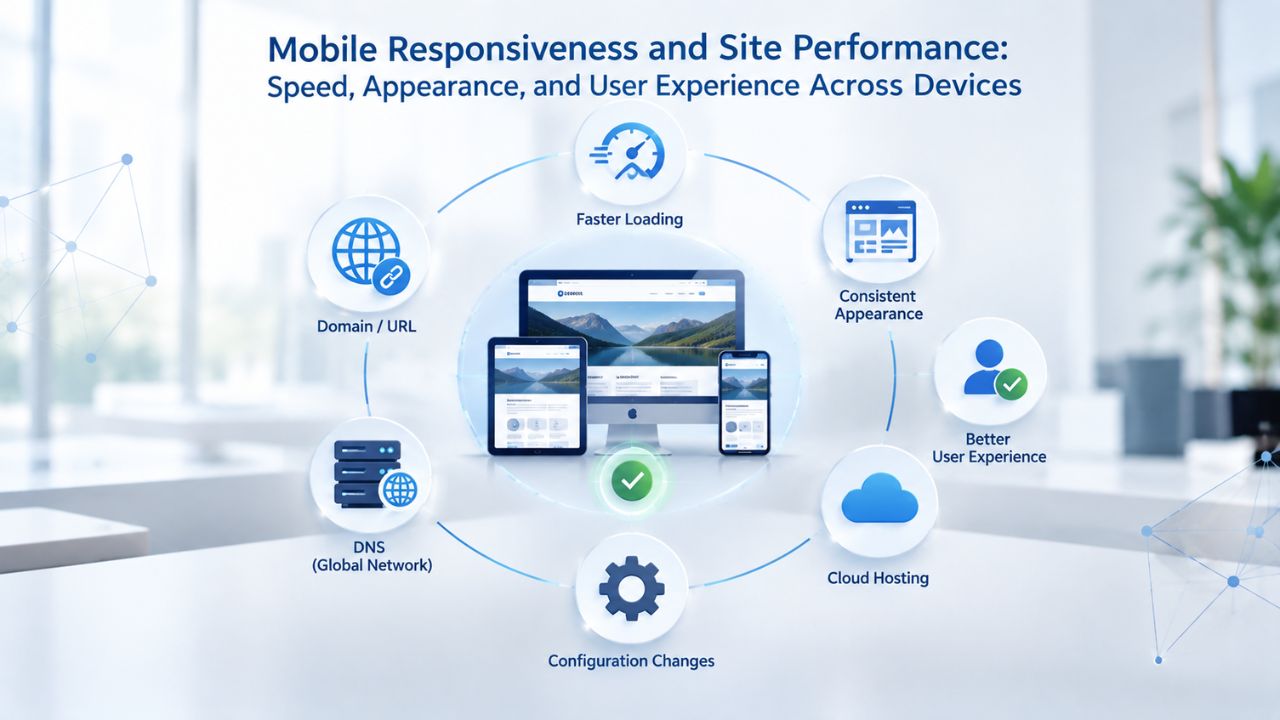
Mobile Responsiveness and Site Performance: Speed, Appearance, and User Experience Across Devices
Mobile traffic now exceeds desktop traffic for most websites. A site that doesn’t display properly on phones and tablets loses visitors and rankings. Both platforms prioritize mobile responsiveness, but implementation and performance optimization differ.
Squarespace’s Mobile-First Design Approach
Squarespace provides sleek, professionally designed templates that automatically adjust to any screen size, ensuring your website looks great on phones, tablets, and desktops. The Fluid Engine drag-and-drop editor lets you preview your site on mobile as you customize it, seeing real-time changes without publishing. This mobile preview helps you catch design issues before your site goes live.
Squarespace’s cloud hosting infrastructure uses a content delivery network (CDN) to distribute content globally, supporting fast load times across geographies. However, page speed also depends on your content choices; large uncompressed images, autoplaying videos, and embedded third-party widgets can slow sites down. Squarespace provides performance tools and optimization tips in the knowledge base, but you must actively manage image sizes and content choices to maintain speed.
GoDaddy Website Builder’s Mobile Editing and Performance
GoDaddy Website Builder’s templates are mobile-friendly by default. The platform lets you edit directly from your smartphone, making it easy to make updates on the go. Each theme uses mobile-responsive layouts that automatically adapt to phones, tablets, and desktops without requiring separate mobile design work.
GoDaddy’s hosting infrastructure optimizes site speed through its server network and content delivery systems. Niya Digital’s team can guide you during onboarding on image optimization, content structure, and performance best practices, helping you start with a fast-loading foundation. Like all builders, your site speed also depends on content choices (image file sizes matter), but the underlying infrastructure provides a solid baseline.
Making Your Decision: Comparing on What Matters Most
Choosing between Squarespace and Niya Digital’s Website Builder Service comes down to your priorities, learning style, and support preferences. Both platforms let you build professional websites without coding. The differences come down to design flexibility, support availability, and customization guidance.
When Squarespace Is the Right Choice
Squarespace suits independent learners who value design polish and are comfortable with self-service setup. If you’re a creative professional (photographer, designer, artist, freelancer) who wants a beautiful portfolio with minimal customization, Squarespace’s templates deliver immediate visual impact. If you prefer learning independently through documentation and community forums, Squarespace’s knowledge base is extensive. If you want maximum design flexibility within a grid-based system, Squarespace’s customization options are robust. If you’re budget-conscious and prefer self-service over hands-on support, Squarespace’s pricing reflects the lower-touch support model.
When Niya Digital’s Website Builder Service Is the Right Choice
Niya Digital’s Website Builder Service suits small-business owners who value personalized guidance and prefer hands-on support during setup and customization. If you’re building your first site and want expert input on template selection, brand customization, and feature setup, Niya Digital’s onboarding team provides that guidance. If you run a service business and want to set up appointment booking or contact forms correctly, Niya Digital’s team can walk you through configuration. If you plan to sell products online and want to ensure your store is set up properly, Niya Digital’s onboarding includes e-commerce guidance. If you value ongoing account management and post-launch support, Niya Digital’s customer-facing team is available to answer questions.
Ready to Launch Your Website?
You now have a comprehensive understanding of how Squarespace and Niya Digital’s Website Builder Service compare across setup, design, e-commerce, support, and performance. Your decision should reflect your comfort with independent learning, your preference for hands-on guidance, and your specific business needs. Niya Digital’s Website Builder Service, powered by GoDaddy Website Builder’s platform, combines robust technology with personalized support, ideal for small-business owners seeking guided expertise alongside professional tools.
Frequently Asked Questions
What is a website builder, and do I actually need one instead of WordPress or a custom site?
A website builder is a cloud-hosted platform that lets you create, customize, and publish a website without hiring a developer or learning to code. You drag and drop elements on a page, customize colors and fonts, and publish live. Website builders suit small businesses and solopreneurs who want professional results without technical complexity. WordPress requires more technical knowledge but offers greater flexibility and control. Custom development is expensive and time-consuming. Website builders are ideal if you want professional results quickly without technical overhead.
Can I really sell products and manage inventory on a website builder?
Yes, both Squarespace and Niya Digital’s Website Builder Service include full e-commerce functionality. You can upload products, set prices, manage inventory, accept payments via credit card and digital wallets, calculate shipping, and track orders all within the platform. For small online stores and digital product sales, website builder e-commerce is sufficient. For massive inventory or complex fulfillment workflows, specialized e-commerce platforms may be necessary.
Is there a free plan, or do I have to pay?
Neither Squarespace nor Niya Digital’s Website Builder Service offers a free plan forever. Both provide trials; Squarespace offers a 14-day free trial without requiring a credit card. After the trial, you must subscribe to a paid plan to keep your site live. Free website builders exist (Wix, Weebly, etc.), but they typically include ads, watermarks, or significant feature limitations. For serious business use, we recommend a paid plan.
How long does it take to launch a website using a builder?
This depends on site complexity and how prepared you are. A basic single-page site can go live in hours if you have content ready. A multi-page business site typically takes 1-2 weeks with part-time work. An e-commerce site with product setup and payment configuration takes 2-4 weeks. Niya Digital’s onboarding support can speed this up by helping you avoid common setup mistakes. The time investment depends on how polished you want your site and how organized your content is.
Can I move my site to a different builder later if I outgrow my current platform?
Technically yes, but with effort. You can export your content, but you’ll rebuild your site structure on the new platform; it’s not a one-click migration. GoDaddy Website Builder supports data export, making the process somewhat easier. Squarespace’s migration process is more manual. Plan your builder choice with the long term in mind, but know migration is possible if your needs change significantly.
Which builder is better for beginners with no design experience?
Both work for beginners. Squarespace is easier if you’re comfortable learning independently through documentation and community forums. Niya Digital’s Website Builder Service is better if you want expert guidance during setup and design customization. Your learning preference and comfort with independent problem-solving should guide this choice.
Do both platforms handle security and SSL certificates automatically?
Yes. Both Squarespace and Niya Digital’s Website Builder Service (via GoDaddy) handle SSL certificates, security updates, and ongoing maintenance automatically. You don’t need to manage server security yourself. This is one major advantage of website builders: security is handled behind the scenes.
What if I need help with design or advanced customization after my site launches?
On Squarespace, you’d use community forums or hire a freelance designer. Niya Digital’s ongoing account management includes support for post-launch design questions and optimization. If you need professional design services, you can use both platforms alongside freelancers or agencies, but Niya Digital’s team is available for direct consultation.
Are there hidden costs or add-ons I should know about?
Both platforms include hosting and domain connection in their base plans. However, Squarespace charges separately for Acuity Scheduling (appointment booking), advanced email marketing features, and some integrations. Niya Digital’s plans include domain connection and hosting; ask their team what add-ons are available for your specific plan. Request a full feature and pricing breakdown before committing.
Can I use my own domain that I registered elsewhere?
Yes. Both Squarespace and Niya Digital’s Website Builder Service let you register a new domain or connect an existing domain you own elsewhere. The process is straightforward: update your domain’s DNS records to point to the builder’s servers. Both platforms handle SSL and security automatically for connected domains.
Which platform is better for creative portfolios and visual work?
Squarespace is traditionally stronger for creative portfolios due to its design-focused templates and aesthetic polish. However, GoDaddy Website Builder (via Niya Digital) also supports portfolio sites well, especially with Niya Digital’s design guidance during setup. Your choice should reflect whether you want beautiful templates and design system polish (Squarespace) or personalized guidance with flexible templates (Niya Digital).
Do both platforms support appointment booking for service businesses?
Squarespace offers Acuity Scheduling, but it requires a separate subscription beyond the base plan. GoDaddy Website Builder supports appointment booking and service management as a built-in feature (availability depends on plan tier). If appointment booking is core to your business, clarify which platform’s implementation matches your needs during your evaluation.
What if the platform shuts down or goes out of business?
Squarespace and GoDaddy are large, established companies unlikely to disappear. However, platform risk is real for any hosted service. GoDaddy Website Builder’s data export capability provides some protection; you can download your content if needed. Squarespace’s export is more limited. Plan for this risk by backing up your site content regularly.
Can I integrate email marketing, CRM, or other business tools?
Both platforms support email campaigns and social media integration. Squarespace’s third-party integrations are more limited than those of open platforms. Niya Digital’s team can advise during setup about which integrations are available for your specific business tools. For businesses with complex tool requirements, compatibility should be a selection factor.
Which platform has the fastest, most performant sites?
Both use modern hosting infrastructure with content delivery networks for speed. Performance depends more on your content choices (large images slow everything down) than the platform. Optimize images, minimize third-party widgets, and follow each platform’s performance guidelines for best results. Neither platform is inherently faster than the other if you implement best practices.
Glossary
- Website builder: A cloud-based platform that lets you create and manage a website using a visual editor without writing code.
- Drag-and-drop editor: A visual interface where you select content blocks and drag them onto your page to arrange layout without coding.
- Template: A pre-designed website layout you customize with your own content, colors, fonts, and images, a starting point rather than a finished design.
- Domain: Your website’s web address (e.g., www.yourbusiness.com); you register it with a domain registrar and connect it to your hosted site.
- Hosting: The server infrastructure that stores your website files and makes them accessible to visitors online; included in website builder plans.
- Mobile-responsive design: A website that automatically adjusts its layout, text size, and navigation to display properly on phones, tablets, and desktops without requiring a separate mobile site.
- SEO (Search Engine Optimization): The practice of optimizing your website’s structure, content, and technical setup so search engines can crawl it, understand it, and rank it in search results for relevant queries.
- E-commerce: The ability to sell products or services directly from your website, including product listings, shopping carts, checkout, and payment processing.
- Disclosure: Niya Digital’s Website Builder Service, powered by GoDaddy Website Builder’s site-building engine, hosting infrastructure, and publishing technology, is the platform featured in this comparison. Niya Digital is an authorized reseller of GoDaddy Website Builder-powered website builder services, not the operator of the underlying builder engine, hosting stack, or template infrastructure. Website performance, search rankings, and business results depend on many factors beyond any builder’s control, including your design and content quality, ongoing optimization effort, market competition, product or service appeal, and visitor behavior. No builder guarantees search rankings, visitor conversion, or sales.