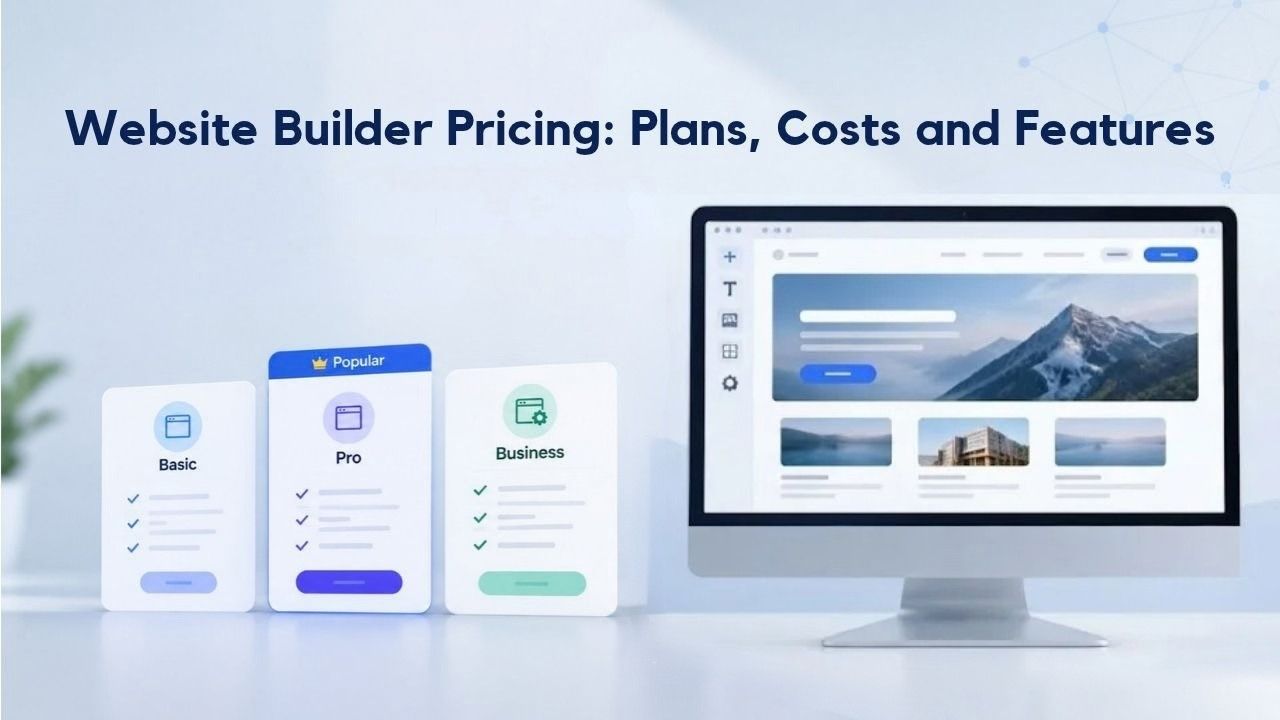
Without a professional online presence, growing businesses risk losing customers to competitors who invest in a polished website. Many business owners hesitate, assuming they need to hire expensive developers or pay steep hosting fees to launch online, but modern website builders have fundamentally changed that equation. Understanding pricing tiers, hidden costs, and which plan matches your business needs is the first step toward getting online affordably and quickly. Niya Digital’s Website Builder Service, powered by GoDaddy Website Builder’s site-building and hosting technology, offers subscription-based plans tailored to different business types and goals.
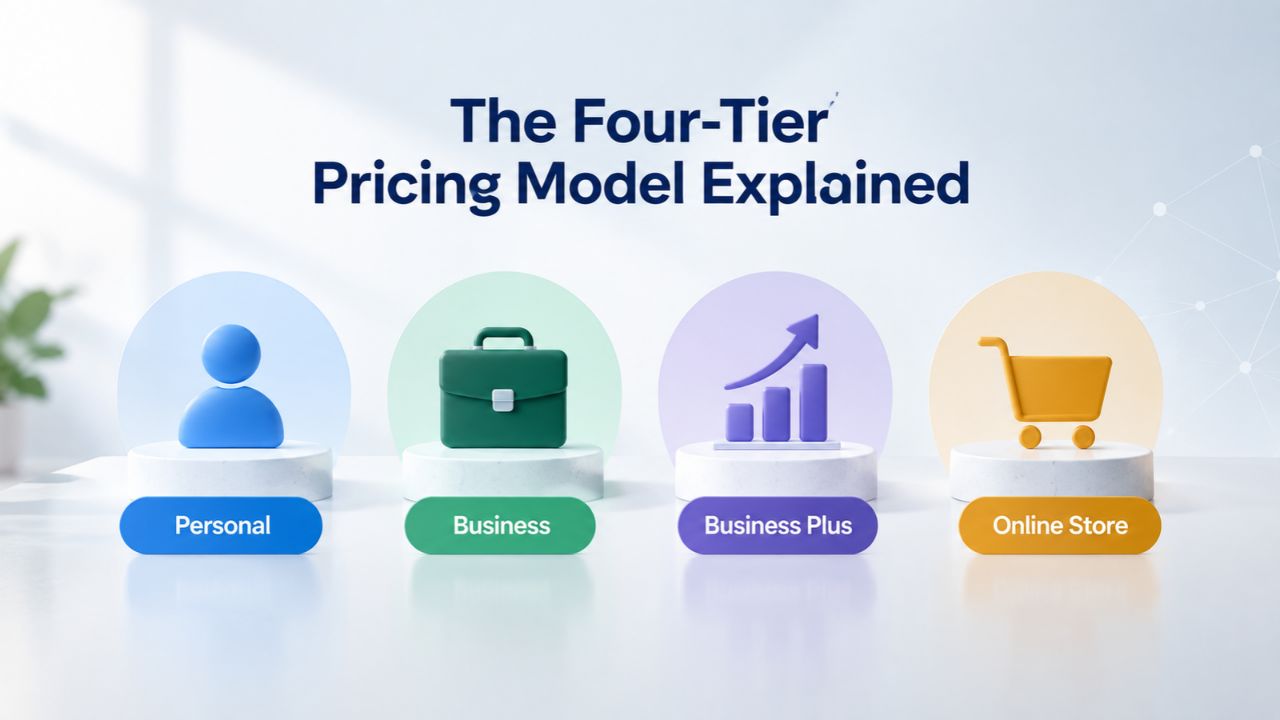
The Four-Tier Pricing Model Explained
Website builders operate on a predictable tiered structure, where each plan level adds features and capacity as your business grows. Knowing how these tiers work helps you avoid overpaying for features you don’t need or underpaying and hitting limitations mid-launch.
How Tier Progression Works
The typical progression moves from Free or Personal plans (testing and small projects) through Basic or Business plans (small business and service sites), Professional or Premium plans (growing companies with more traffic and features), and E-Commerce or Store plans (online selling with inventory and payments). Each tier unlocks features relevant to the next phase of growth: a freelancer portfolio needs different tools than a salon booking site, which needs different tools than an online store selling products.
Most website builders price aggressively on entry-level plans to attract new users, then increase costs as you add features and storage capacity. This approach lets you start affordably and scale without outgrowing the platform. Understanding what each tier includes prevents the frustration of discovering mid-launch that your chosen plan doesn’t support a feature you need.
Where Niya Digital Fits
Niya Digital’s Website Builder Service offers four subscription tiers designed to grow with your business. The Personal plan is ideal for portfolios, blogs, and freelancers; the Business plan adds search engine optimization and payment tools for local services and small businesses; the Business Plus plan introduces social media integration and appointment booking; and the Online Store plan includes full e-commerce with product management, inventory, and multiple payment methods. Each plan includes the same core foundation: mobile-responsive design, website hosting, SSL security, and 24/7 support from Niya Digital’s US-based team.
All Niya Digital plans come pre-built on GoDaddy Website Builder’s infrastructure, which handles the technical operations, server management, template rendering, domain publishing, and site uptime. This allows Niya Digital to focus on what it does best: onboarding guidance, plan selection support, and hands-on customer care during setup and ongoing account management.
| Plan Tier | Best For | Core Features | Advanced Features | Support |
|---|---|---|---|---|
| Personal | Portfolios, blogs, freelancers | Drag-and-drop editor, templates, mobile-responsive, hosting, SSL, basic analytics | — | 24/7 US support |
| Business | Small business, local services, info sites | All Personal + SEO tools, PayPal buttons, basic blog functionality, site analytics | — | 24/7 US support |
| Business Plus | Service businesses, appointment-based work | All Business + appointment booking, social media integration, email marketing fundamentals, Facebook sharing | — | 24/7 US support |
| Online Store | E-commerce, product-based businesses | All Business Plus + unlimited product listings, shopping cart, inventory management, multiple payment methods, shipping integration | Abandoned-cart recovery, discount codes, bulk product import | 24/7 US support |
Website Builder Plans & Pricing
Create a professional website with flexible website builder plans designed for businesses, portfolios, and growing online brands. Choose a plan that matches your needs and build, customize, and manage your website with easy-to-use tools, responsive designs, and essential features for a strong online presence.
Website Builder Personal
Share your passion online.
- Responsive mobile design
- Website hosting
- Rapid Page-Load performance
- Create a blog
- Security (SSL)
- 24/7 support

Website Builder Business
Create an online presence for your business.
- Responsive mobile design
- Website hosting
- Rapid Page-Load performance
- Create a blog
- Security (SSL)
- 24/7 support
- PayPal Buy Now or Donate button
- Search Engine Optimization (SEO)
Website Builder Business Plus
Attract more customers.
- Responsive mobile design
- Website hosting
- Rapid Page-Load performance
- Create a blog
- Security (SSL)
- 24/7 support
- PayPal Buy Now or Donate button
- Search Engine Optimization (SEO)
- Social Media Integration
- Share content to Facebook
- Online Appointments
Website Builder Online Store
Sell products and services.
- Responsive mobile design
- Website hosting
- Rapid Page-Load performance
- Create a blog
- Security (SSL)
- 24/7 Support
- PayPal Buy Now or Donate Button
- Search Engine Optimization (SEO)
- Social Media Integration
- Share content to Facebook
- Online Appointments
- Built-in shopping cart
- Sell physical and digital products
- Accept credit and debit cards, PayPal and more
- Flexible shipping options
- Discounts and promotions
- Manage inventory
Free Plans and Why They Matter
Free website builder plans serve a critical purpose: they let you test the platform, learn the interface, and validate your idea before spending money. But knowing their limitations is equally important for making an informed decision.
What Free Plans Offer
Most free plans include drag-and-drop editing, basic templates, and a subdomain (e.g., yourname.wix.com). You can create multiple pages, add images and text, and publish a live site that visitors can access. Some builders even offer free SSL certificates and basic analytics to monitor traffic and visitor behavior. Free tiers are genuinely useful for hobby projects, personal blogs, and small portfolios where testing the concept matters more than professional branding.
The psychological value of free plans is often underestimated. Starting free removes the risk barrier and lets you spend time understanding how website builders actually work before committing financially. Many users find that building a test site on free plans teaches them more about their own website needs than reading feature lists ever could. The hands-on experience clarifies which features matter and which are nice-to-have.
Key Limitations
Free plans typically restrict customization; you often cannot use a custom domain (a domain you own, like myshop.com), upload as many pages or images, or access advanced features like SEO tools, email marketing, or e-commerce functionality. Some free plans display the builder’s branding on your site, which can undermine credibility with potential customers. If your goal is a professional business presence or any online selling, free plans are usually a stepping stone, not a destination.
Limitations extend beyond features to support and performance. Free plans often receive lower hosting priority, which can mean slower page load times during peak traffic periods. Email support may be the only option, with response times measured in days rather than hours. For serious business use, free plans’ constraints become apparent quickly, and upgrading to a paid tier becomes necessary to maintain credibility and functionality.
Basic Plans: Affordable Entry for New Websites
Basic plans are the entry point for serious websites. They cover the essentials for a professional online presence without unnecessary features, making them ideal for new business owners and freelancers launching their first website.
Who Basic Plans Fit Best
Basic plans work well for new small businesses, service providers, freelancers, and anyone launching their first professional website. If your site’s primary goal is to establish credibility, share information about your business, and give customers a way to contact you, a basic tier usually has everything you need. The low monthly cost also makes them attractive for side businesses or startups testing a market before scaling up.
Many business owners overestimate the features they need when starting. A basic plan focused on clear messaging, professional design, and customer contact options often outperforms a complex site with advanced features that confuse visitors. Starting simple and adding features later as you learn what drives results is smarter than building everything at once.
What You Get at This Level
Basic plans typically include a custom domain (often free for the first year), a professional email address (@yourname.com), a drag-and-drop website builder, 100+ industry-specific templates, mobile-responsive design, basic analytics, SSL security, and rapid page-load performance. Niya Digital’s Website Builder Business plan adds built-in SEO optimization tools and payment buttons, so you can accept donations or sell a few items without upgrading to a full e-commerce plan.
These foundational features cover 80% of what small businesses actually need to launch online and start acquiring customers. The drag-and-drop editor means you don’t need coding skills or a designer. Mobile responsiveness ensures your site works on phones, which is critical since over 50% of web traffic now comes from mobile devices. SSL certificates protect you and your visitors, build trust, and meet security standards that search engines increasingly reward.
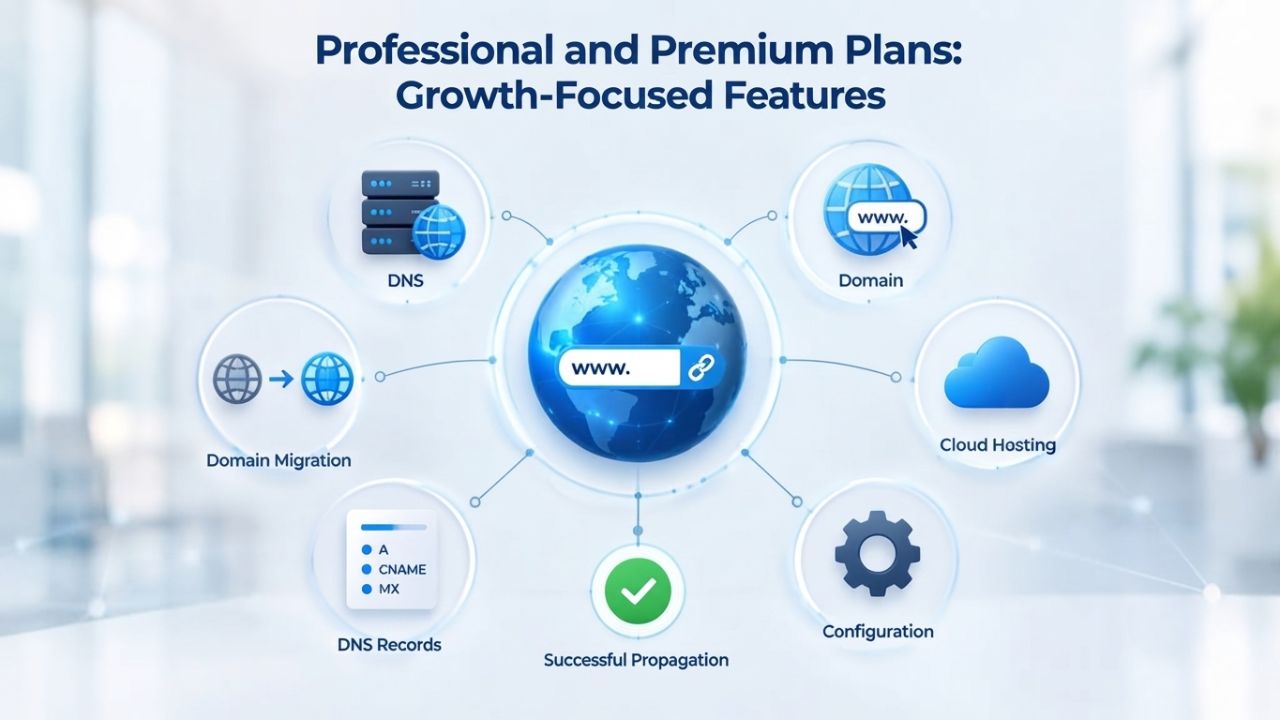
Professional and Premium Plans: Growth-Focused Features
Professional or Premium plans step up performance, marketing tools, and customer-engagement features. These plans target businesses with steady traffic, service-based offerings, or ambitious growth plans looking to automate customer interactions.
Best For Growing Businesses and Service Providers
If you run a salon, consulting firm, coaching practice, or any service business that relies on customer inquiries or appointments, professional tiers justify their cost through automation and marketing capabilities. Service businesses typically spend significant time managing appointment scheduling, client follow-up, and marketing; professional tiers can automate much of this work. With built-in appointment booking, email reminders, and automated confirmations, your team saves hours each week that can be redirected to client work.
Niya Digital’s Website Builder Business Plus plan includes appointment booking, social media integration, and the ability to share content across Facebook and other platforms. This tier automates time-intensive manual features, freeing you to focus on serving clients rather than managing administrative overhead.
Key Features at This Level
Professional plans expand email marketing capabilities, add advanced analytics for deeper visitor insights, offer better customization options, and enable integrations with popular third-party tools. Appointment booking, calendar syncing, and form builders for customer inquiries become standard features. Mobile-responsive design is refined to ensure flawless viewing across all devices and screen sizes. Storage and bandwidth allowances increase to handle growing traffic without performance hits that would otherwise frustrate visitors.
The analytics available at professional tiers shift from “who visited your site” to “what did they do, and where did they come from?” Understanding which pages drive the most engagement, which traffic sources convert best, and how visitors move through your site helps you make smarter decisions about content and marketing strategy. This data-driven approach becomes increasingly valuable as your business grows.
E-Commerce Plans: Features for Online Stores
E-Commerce plans are purpose-built for businesses selling products or services online. They include inventory management, payment processing, shipping automation, and features that basic tiers simply cannot support.
What E-Commerce Plans Unlock
E-Commerce tiers add built-in shopping carts, product management dashboards, inventory tracking, multiple payment gateway options (PayPal, Stripe, credit cards), shipping integrations with carriers (USPS, UPS, FedEx), tax calculation by location, and abandoned-cart recovery. Niya Digital’s Website Builder Online Store plan includes all of these, allowing you to list unlimited products, sell physical and digital items, accept credit and debit cards, manage flexible shipping options, and run promotions or discount codes.
These features eliminate manual work that would otherwise consume your time. Without inventory automation, you’d need to manually update product quantities as orders come in, a painful process that leads to overselling mistakes. Without shipping integrations, you’d need to enter carrier information for each order manually. Without abandoned-cart recovery, you’d lose sales to customers who started checkout but got distracted. E-commerce plans automate these processes so you can focus on sourcing products and serving customers.
Transaction Fees and Hidden Costs
One critical difference between basic and e-commerce plans is transaction fees. While some payment methods carry lower or no processing fees, credit and debit card payments typically carry a fee (e.g., 2.7% + 30¢ per transaction). If you plan to process $5,000 in online sales per month, those fees add up; factor them into your pricing strategy and overall profitability. Understanding transaction fees upfront prevents sticker shock when your first few months of sales receipts arrive.
Beyond payment processing, e-commerce plans often require additional investments in product photography, content creation, and marketing to drive traffic and sales. The platform provides the store, but you’re responsible for filling it with compelling product descriptions, professional photos, and an active marketing strategy. Many business owners find that e-commerce success requires ongoing effort and investment beyond the plan fee.
Get Started With Expert Plan Selection and Support
Choosing the right plan tier is the foundation of a successful website launch. Niya Digital’s Website Builder Service offers transparent plan options, upfront guidance on the tier that matches your business needs, and 24/7 US-based support throughout setup and beyond. When you’re ready to explore plans and get personalized recommendations tailored to your business goals, Niya Digital’s team is available to answer questions and walk you through the setup process with hands-on support.
Hidden Costs Beyond the Monthly Subscription
Understanding the true cost of building and maintaining a website is critical to accurate budgeting. The advertised monthly price is rarely the total cost of ownership.
Domain Renewal Rates: The First Surprise
Your first year often includes a free or deeply discounted custom domain, but renewal pricing is substantially higher. Domain renewal typically costs $12–$17 per year after the first year, and adding domain privacy (which keeps your personal information off public domain registries) costs an additional $9.99 per year. If you have five domains across multiple projects, these fees compound quickly. Many business owners are surprised at renewal time to discover their total cost has increased significantly.
Plan for domain renewal during the initial signup process. If you run a business domain for five years, that “free first year” domain will cost you $60–$85 in renewal fees. Add domain privacy, and you’re looking at $100+ over five years. For businesses where the domain is core to their brand identity, this is worthwhile; for experimental projects, it may push you toward using a subdomain initially.
Plan Renewal Rates Increase
All website builders price aggressively for first-year subscribers to compete, then increase costs at renewal. Renewal pricing is typically 25–50% higher than the promotional first-year rate. This is standard industry practice: you might pay a certain rate in year one but significantly more at renewal. Always confirm the renewal rate before purchasing a plan; providers must disclose it, but it’s often in fine print. Pricing varies by region, currency, and provider, and can change; confirm renewal rates on the provider’s site before committing.
Building this renewal cost into your annual budget prevents surprises. If you plan to keep your website for five years, the long-term monthly cost is higher than what you pay in year one. Calculate the five-year total cost divided by 60 months to understand your true average monthly investment. This perspective often clarifies whether a higher-tier plan with better features is worth the additional cost over time.
Setup and Launch: Time Investment vs. Timeline Reality
Realistic timelines help you plan your launch without disappointment. Website builders are fast, but “fast” means different things depending on how involved you want to be.
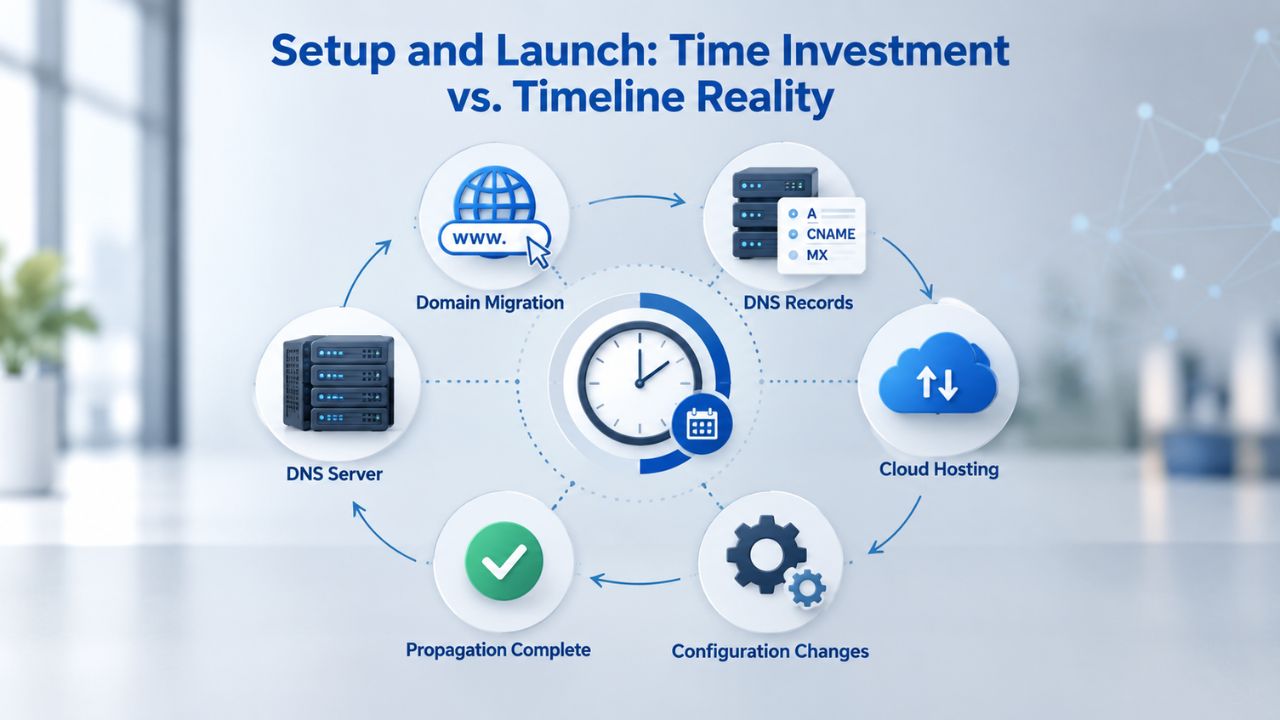
From Signup to Live Site
Using a drag-and-drop website builder, a simple brochure website (1–5 pages with basic content) typically launches in 1–3 days of active work. A small business website (5–15 pages, multiple service descriptions, contact forms) takes 1–2 weeks. These timelines assume you have your content ready (text and images) and don’t need extensive customization. If you’re starting from scratch, writing content is the bottleneck; design is fast, but copywriting and image sourcing take time.
The key to fast launches is having your material ready before you start building. Gather your business information, write your service descriptions or product information, take photos or find placeholder images, and outline your site structure before opening the builder. This preparation step cuts actual building time in half and prevents the common trap of getting halfway through and realizing you don’t know what to say about your business.
What Slows Down the Process
Common delays include not having content ready when you start building, over-customizing every page (unnecessary for small sites), perfectionism delaying launch, or integrating third-party tools (email lists, calendars, payment processors) without testing. The average DIY website builder user spends 8–12 hours total on initial setup, though this varies widely based on complexity and customization goals.
A frequent mistake is trying to make your site “perfect” before launch. In reality, good enough now beats perfect later. You can always refine pages, add features, and optimize based on visitor feedback once your site is live. Many successful business websites went live with basic content and evolved over months; striving for perfection before launch often causes delays that hurt your business more than minor imperfections.
Feature Comparison Across Tiers: What Comes When
Knowing which features appear at each tier helps you avoid paying for capabilities you don’t need or missing critical tools that justify an upgrade.
SEO and Search Visibility
Free and basic tiers typically include on-page SEO fundamentals: editable meta titles, descriptions, URL customization, and basic structured data support. Professional tiers add advanced SEO tools: site-wide SEO analysis, keyword recommendations, competitor comparison, and integration with Google Search Console. E-Commerce tiers include all of this plus product-specific SEO optimization.
The difference between basic and advanced SEO tools can significantly affect search visibility. Basic tiers let you optimize existing pages, but advanced tiers help you identify which pages and content topics would drive the most search traffic. For competitive niches where search engine rankings matter to your bottom line, professional SEO tools are worth the investment.
Email Marketing and Bandwidth Allocation
Basic plans typically include limited email marketing sends per month (often 100), with simple email templates and basic list management. Professional tiers expand to 500–25,000 sends per month, advanced segmentation, A/B testing, automation workflows, and sync with external email services. E-Commerce tiers include full email marketing with customer behavior triggers (e.g., abandoned cart, post-purchase follow-up).
Storage and bandwidth scale predictably across tiers. Free plans offer 500MB–1GB storage and limited bandwidth; basic tiers provide 1–3GB storage and 5GB bandwidth; professional tiers offer 5–15GB storage and 15GB+ bandwidth; e-commerce tiers include 15GB+ storage and unlimited bandwidth. For most small sites, basic storage is sufficient; high-traffic sites and e-commerce operations need professional+ allocations.
| Feature | Free/Personal | Business | Business Plus | Online Store |
|---|---|---|---|---|
| Custom Domain | No | Yes (year 1 free) | Yes (year 1 free) | Yes (year 1 free) |
| Drag-and-Drop Editor | Yes | Yes | Yes | Yes |
| Mobile-Responsive Templates | Yes | Yes | Yes | Yes |
| Basic Analytics | Yes | Yes | Yes | Yes |
| SSL Certificate (Secure) | Yes | Yes | Yes | Yes |
| SEO Tools | No | Yes | Yes | Yes |
| Email Marketing | Limited | 100/month | 25,000/month | 25,000/month |
| Appointment Booking | No | No | Yes | Yes |
| Shopping Cart | No | No | No | Yes |
| Product Inventory | No | No | No | Yes |
| Payment Processing | No | PayPal only | PayPal + cards | Full e-commerce |
| Social Media Integration | No | No | Yes | Yes |
Choosing the Right Plan for Your Business Type
Different business models have different tool priorities. Matching your business to the right tier saves money and eliminates frustration when you hit feature walls mid-launch.
Freelancers, Creators, and Service Businesses
Freelancers, writers, designers, photographers, and coaches typically need a portfolio and contact form. Email marketing and appointments are nice-to-have. Niya Digital’s Business plan is ideal for most: it’s affordable, includes a blog, SEO optimization, and payment buttons for selling digital products or services. Many freelancers never need to upgrade beyond this tier unless they run a high-volume consulting or coaching business that requires appointment management.
Service businesses, salons, plumbing, consulting, and personal training live or die on customer appointments and local search visibility. The Business Plus plan unlocks appointment booking and social media integration, which are critical for customer acquisition. Local SEO is built into all paid plans so that you can optimize for location-based search (“plumber near me,” “salon in [city]”). Many service businesses stay at this tier for years because they don’t need e-commerce functionality.
E-Commerce and Publishing Businesses
If you’re selling physical products, digital goods, or services with upfront payment, the Online Store tier is necessary. It includes inventory management, payment processing, shipping integration, and location-based tax calculation. The monthly investment is significantly higher, but it’s still cheaper than hiring a developer or using alternative platforms, which often charge higher transaction fees on top of subscription costs.
Content and publishing businesses, blogs, news sites, and content libraries need robust publishing tools, good SEO, and analytics. Basic to professional tiers are appropriate depending on traffic volume. All tiers include blogging; professional tiers add advanced analytics and content scheduling. Start at the business tier, upgrade to plus if you’re publishing daily and tracking detailed visitor metrics to understand audience engagement.
Renewal Pricing and Long-Term Cost Planning
Understanding the full cost picture over multiple years prevents budget surprises and helps you plan sustainable growth.
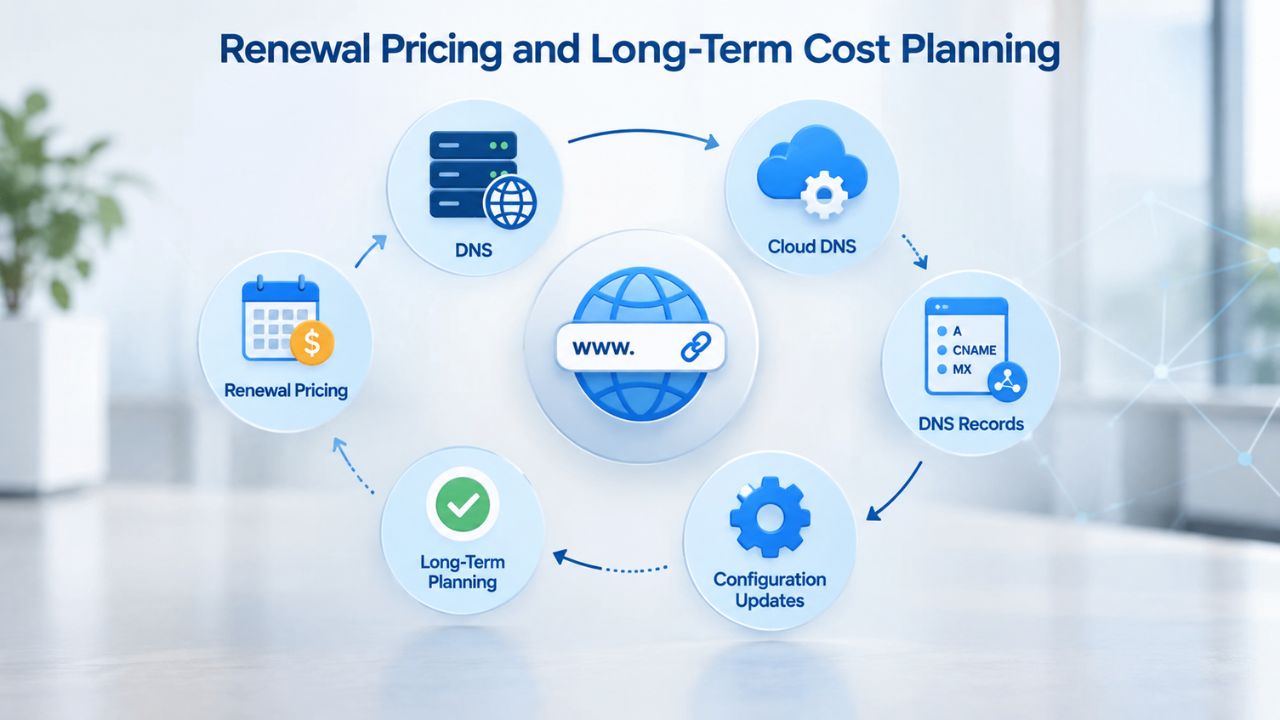
Understanding Year-to-Year Changes
The lowest advertised price is rarely what you’ll pay year after year. Understanding renewal costs prevents sticker shock and lets you budget accurately. Renewal pricing is typically 25–50% higher than promotional first-year rates. Calculate the five-year total cost of ownership, plan fee, domain renewal, email hosting (if not included), and any add-ons, then divide by 60 months to find your true average cost per month.
Many business owners make decisions based on first-year pricing alone and then face budget constraints at renewal. Building renewal costs into your business model from day one ensures your website investment remains sustainable as your business grows. If first-year pricing is unsustainable at renewal, the plan tier might not be right for you long-term.
Budgeting for Total Cost of Ownership
Website builder plans are simple to understand at first glance, but informed buyers evaluate total cost of ownership, setup, renewal, transaction fees, and domain costs. Transaction fees on e-commerce platforms can equal or exceed your monthly plan fee once you’re processing regular sales. Domain renewal, email hosting, and premium features add up over years.
Niya Digital’s transparent plan structure and 24/7 support team help you understand all costs upfront. If you’re ready to get your business online with clear pricing, expert guidance throughout setup, and ongoing support beyond launch, explore Niya Digital’s Website Builder Service and speak with a support specialist about which plan matches your goals and budget.
Launch Your Website With Transparent Pricing and Expert Guidance
Niya Digital’s Website Builder Service makes it simple to match your business to the right plan tier, understand true costs, and launch with confidence. Whether you’re starting your first website, migrating from another platform, or upgrading your current presence, Niya Digital’s US-based support team provides hands-on guidance during setup and ongoing account management. Ready to explore plans tailored to your business needs and get expert assistance throughout your website journey?
Frequently Asked Questions
What’s the difference between a website builder and custom coding?
Website builders are drag-and-drop tools that let anyone launch a site in days without coding knowledge; custom coding requires a developer, costs significantly more, and takes weeks or months. Builders are faster and cheaper but offer less design flexibility. Choose a builder if you need to launch quickly and affordably; choose custom coding if you need unique functionality or a highly specialized design. Most small businesses thrive with builders and never need to upgrade.
Can I upgrade or downgrade my plan anytime?
Yes, most builders, including Niya Digital’s Website Builder Service, let you change plans month to month with no penalties. Upgrades are immediate; downgrades typically take effect at your next renewal. Some features tied to higher tiers may be disabled if you downgrade (e.g., e-commerce shopping cart on lower tiers), but your content remains intact. Always confirm the provider’s policy, as terms vary by builder.
What happens to my website if I stop paying?
Your website goes offline and becomes inaccessible to visitors. You typically cannot access your content or export it after a certain period (often 30–60 days). Always pay your bill on time, and set up auto-renewal if your builder offers it, to avoid accidentally losing your site. Keeping regular, off-platform backups of your content is a best practice for all website owners.
Are there any plans without renewal rate increases?
Most builders raise renewal prices after year one; this is standard industry practice to remain competitive on first-year pricing. Some offer multi-year discounts (e.g., 20% off if you pay for three years upfront) that lock in a lower rate longer. Compare renewal rates on the builder’s pricing page before signing up. Niya Digital’s support team is transparent about renewal rates; clarify this during setup to avoid surprises.
Do I need to buy a domain separately?
No, most builder plans include a free custom domain for the first year, then renewal fees apply annually. Some builders offer free domains permanently with higher-tier plans. If you already own a domain elsewhere, you can connect it to most builders without buying a new one. Check the builder’s domain policies before purchasing to understand your options and long-term costs.
What’s the average monthly cost to run a website long-term?
Plan fees typically range from free to under $30 per month for most small businesses. Add domain renewal, and optional email hosting or premium features if needed. Total first-year cost for a small business website might be $50–$200; renewal years are typically 25–50% higher. E-commerce sites add transaction fees (usually 2–3% per sale), which can significantly increase total cost as sales volume grows.
Can I export my website if I want to switch builders?
This depends on the builder. Most let you export your content (text, images) in basic formats, but custom designs and integrations don’t always transfer cleanly. Switching builders typically requires rebuilding your site or hiring a developer to migrate it. Choose a builder you’re comfortable with for the long term to avoid this hassle and the cost of migration services.
How do I know which plan is right for my business?
Start by identifying your primary goal: credibility and information (business tier), customer appointments and marketing (business plus tier), or selling products (e-commerce tier). Then list your must-have features (email marketing, appointments, blog, payment buttons) and cross-reference the plan comparison. Niya Digital’s support team can help match your business to the right tier during setup consultation.
Is there a money-back guarantee if I’m unsatisfied?
Most builders offer a free trial (7–14 days) or a free plan to test before paying. Refund policies vary; some offer 30-day refunds, others none. Check the specific policy before committing. Niya Digital’s Website Builder Service gives you time to evaluate plans; contact support to clarify the trial and refund process for your specific situation.
What’s included in 24/7 support?
24/7 support typically means email, chat, or phone assistance available around the clock. Response times vary: some respond in minutes, others in a few hours. Niya Digital offers 24/7 support from its US-based team, which can help with setup, feature questions, and technical issues. Premium or enterprise plans sometimes offer priority support with faster response times.
Can I add more features later if I start with a basic plan?
Yes, you can upgrade anytime. Start with a basic plan, get comfortable with the builder, and upgrade when you identify features you need (e-commerce, email marketing, appointment booking). This approach lets you grow without overcommitting to features you don’t use. Niya Digital’s support team can recommend upgrades based on your evolving business needs.
Do all plans include SEO tools?
No. Free and entry-level basic plans often don’t include on-page SEO tools or optimization advice. Professional tiers and above typically include SEO features: meta tag editing, keyword recommendations, site structure analysis, and Google Search Console integration. Niya Digital’s Website Builder Personal plan does not include SEO; the Business tier and above do.
What’s a transaction fee, and why do some plans have them?
A transaction fee is a percentage (typically 2–3%) charged on each online purchase made through your store. It covers payment processing costs (credit card networks, security, fraud prevention). Some e-commerce tiers charge 0% transaction fees for PayPal or in-store payments but charge a percentage for credit card sales. Factor these into your product pricing to maintain healthy profit margins.
Are there annual plans with significant discounts?
Yes, most builders offer 20–60% discounts if you pay annually instead of monthly. These discounts are substantial and worthwhile if you’re committed to your builder long-term. Renewal rates often revert to full or reduced pricing, so clarify renewal terms with support. Annual prepayment also locks in your rate even if the builder raises prices during your first year.
Can I use the same builder for multiple websites?
It depends on the builder and plan. Some allow one site per plan; others let you add multiple sites on professional or enterprise tiers. With Niya Digital’s Website Builder Service, clarify whether your plan covers one site or multiple. If you run multiple projects, you may need to buy separate plans or upgrade to a higher tier.
Glossary
- Website Builder: A no-code platform that lets you create and publish a professional website without coding, using drag-and-drop tools and pre-built templates.
- Plan Tier: A pricing level (Free, Personal, Business, Professional, E-Commerce) that determines which features, storage, support, and capabilities you access.
- Drag-and-Drop Editor: A visual interface where you design a website by moving text, images, and buttons directly on screen with your mouse, with no coding knowledge required.
- E-Commerce: The ability to sell products or services directly on your website, including shopping carts, payment processing, and order management functionality.
- SEO Tools: Built-in features that help your website rank in search engines: meta tag editing, site structure optimization, keyword guidance, and analytics integration.
- Mobile-Responsive: A website that automatically adjusts layout and content to display correctly on phones, tablets, and desktop computers of all screen sizes.
- Transaction Fee: A percentage charge (e.g., 2.7%) taken from each online sale processed through your website’s payment system by the payment provider.
- Hosting: The backend servers and infrastructure that keep your website live and accessible to visitors online; most builders include this automatically.