
Understanding the Core Distinction Between Web Hosting and Website Builders
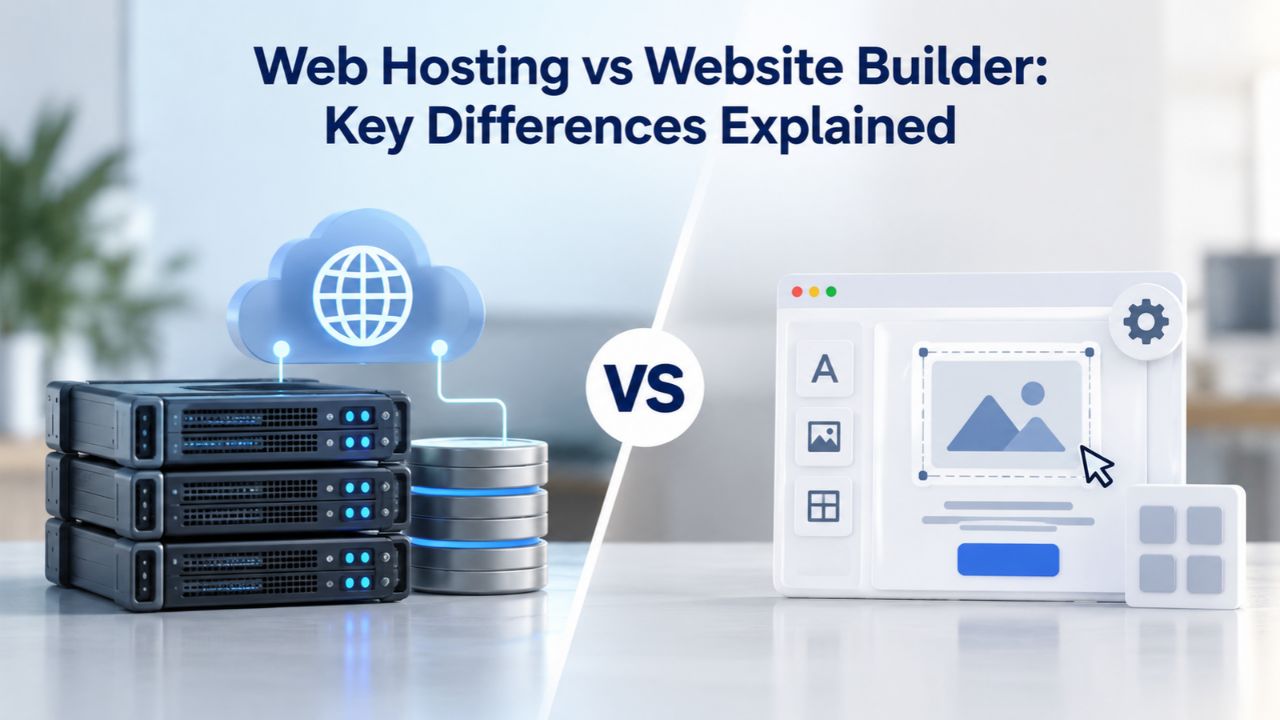
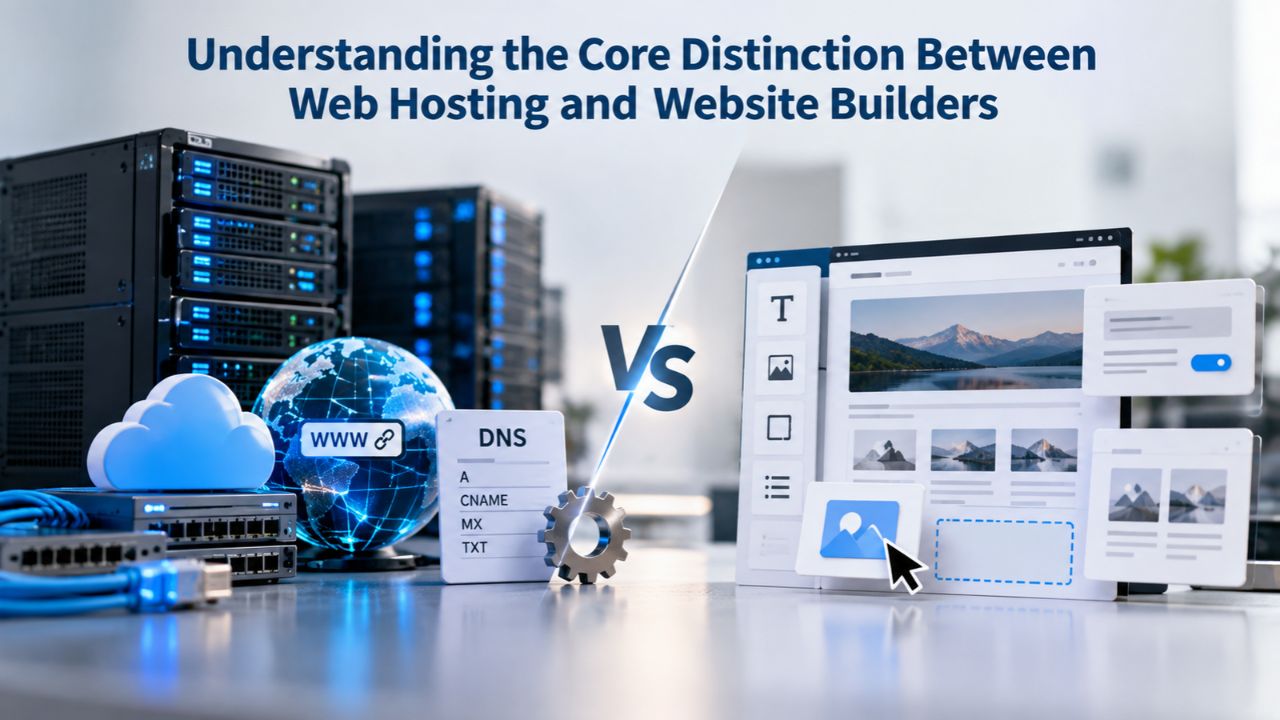
Choosing between web hosting and a website builder requires understanding what each fundamentally offers. While both get your site online, the mechanisms and capabilities differ significantly. Web hosting is server infrastructure; a website builder is a complete platform. Understanding this distinction clarifies which solution matches your situation.
What Web Hosting Really Means
Web hosting is fundamentally a rental service: you lease server space on a remote computer to store your website’s files and make them accessible online. The hosting provider maintains the physical servers, network infrastructure, and data centers; you control what goes on that server. When you choose web hosting, you rent computing resources, storage, bandwidth, and processing power. Still, you’re responsible for installing the software that runs your site, such as WordPress or another content management system.
Web hosting services typically come in three tiers: shared hosting (where your site shares a server with multiple other websites), VPS or virtual private server (where you get dedicated resources allocated on a shared physical server), and dedicated hosting (where an entire server runs only your site). Niya Digital’s Web Hosting service runs on GoDaddy’s server and network infrastructure and includes shared and managed tiers designed to fit different traffic levels and technical requirements. GoDaddy operates the underlying infrastructure; Niya Digital provides the reseller-side storefront, onboarding guidance, support, and domain/email configuration assistance to make hosting accessible to site owners who want control without managing servers directly.
Website Builders as All-in-One Platforms
A website builder is a fundamentally different category. Instead of renting just server space, you’re buying an all-in-one platform that bundles design tools, pre-built templates, hosting, email functionality, and website features into a single subscription. Website builders use drag-and-drop interfaces that require no coding; you click, drag, and customize templates in your browser, and the platform’s infrastructure handles servers, backups, updates, and other technical details behind the scenes.
Website builders appeal to people who want to launch a professional site quickly without technical knowledge or involvement. You don’t choose hosting separately, install software, or manage server updates. The service manages everything, and your monthly subscription covers both the builder platform and its hosting infrastructure. The trade-off is that you’re locked into that platform’s design system, feature set, and architectural limitations; you can only do what the builder allows, and moving away later becomes complicated and time-consuming.
Business Web Hosting Plans & Pricing
Choose the hosting plan that fits your website, WordPress site, or growing business. Compare features, storage, performance, security, and website capacity to find the right hosting environment for your needs.
cPanel Starter
cPanel Hosting that's easy, reliable and lightning-fast.
- 1 website
- 30 GB storage
- Unmetered bandwidth*

cPanel Economy
cPanel Hosting that's easy, reliable and lightning-fast.
- 1 website
- 100 GB space
- Unlimited bandwidth*
- 100 email accounts**
- 10 MySQL databases (1 GB ea.)
cPanel Deluxe
cPanel Hosting that's easy, reliable and lightning-fast.
- Unlimited websites
- Unlimited space
- Unlimited bandwidth*
- 500 email accounts
- 25 MySQL databases (1 GB ea.)
cPanel Ultimate
cPanel Hosting that's easy, reliable and lightning-fast.
- Unlimited websites
- Unlimited space
- Unlimited bandwidth*
- 1000 email accounts
- Unlimited MySQL databases (1 GB ea.)
- 2X Processing power & memory (available for Linux/cPanel only)
- Premium DNS
- 1-year SSL certificate to secure customer data and increase search rankings
*We don't limit the amount of storage and bandwidth your site can use as long as it complies with our Hosting Agreement. Should your website bandwidth or storage usage present a risk to the stability, performance or uptime of our servers, we will notify you via email and may be required to upgrade, or we may restrict the resources your website is using.
**Email account storage is limited to 100 email accounts with 100 MB of total storage.
WordPress Basic
A great way to get started.
- 1 website
- 10 GB NVMe storage
- Unmetered bandwidth
- Free SSL Certificate *
- WordPress pre-installed
- Weekly backups
- Web Application Firewall
- Daily malware scans
- One-time malware removal

WordPress Deluxe
Improve your site performance with Cloudflare CDN.
- 1 website
- 20 GB NVMe storage
- Unmetered bandwidth
- Free SSL Certificate *
- WordPress pre-installed
- Daily backups
- Web Application Firewall
- Daily malware scans
- One-time malware removal
- Up to 2x faster performance with global Cloudflare CDN **
- Enhanced security with DDoS protection
- Staging site
WordPress Ultimate
Add online marketing with more sites, storage and security.
- 1 website
- 30 GB NVMe storage
- Unmetered bandwidth
- Free SSL Certificate *
- WordPress pre-installed
- Daily + on-demand backups
- Web Application Firewall
- Daily malware scans
- Unlimited malware removal
- Up to 2x faster performance with global Cloudflare CDN **
- Enhanced security with DDoS protection
- Staging site
- WordPress code optimizer
- Smart WordPress plugin manager
- Sell online with WooCommerce
*An SSL certificate is included with every site and free for the life of the hosting plan. Certificates are automatically installed, validated and renewed.
Web Hosting Plus Launch
For multiple basic sites.
- 100 GB storage*
- 4 GB RAM
- 2 CPUs
- Unmetered traffic
- 50 websites & databases
- Free, unlimited SSL for all your websites**

Web Hosting Plus Enhance
For high-traffic WordPress, Joomla, and other sites.
- 200 GB storage*
- 8 GB RAM
- 4 CPUs
- Unmetered traffic
- 100 websites & databases
- Free, unlimited SSL for all your websites**
Web Hosting Plus Grow
For advanced eCommerce sites like Magento.
- 300 GB storage*
- 16 GB RAM
- 8 CPUs
- Unmetered traffic
- 150 websites & databases
- Free, unlimited SSL for all your websites**
Web Hosting Plus Expand
For multiple basic sites.
- 400 GB storage*
- 32 GB RAM
- 16 CPUs
- Unmetered traffic
- 200 websites & databases
- Free, unlimited SSL for all your websites**
*The total amount of usable storage capacity for your particular Hosting Service(s) may differ from the represented capacity as there is required space for the operating system(s), system file(s) and other supporting file(s).
**If you cancel the Web Hosting Plus product, you will lose the associated SSL certificate as well.
How Fast Can You Actually Get Online?
Getting online quickly matters for site owners eager to establish their presence. Setup time varies dramatically between the two approaches, which influences which option suits different timelines and urgency levels.
Platform Comparison at a Glance
| Dimension | Website Builder | Web Hosting |
|---|---|---|
| Setup Speed | 10 minutes to 2 hours using templates | 2–8 hours for CMS installation and configuration |
| Design Customization | Template-based with limited code access | Full code access and unlimited customization |
| Growth & Scalability | Capped by platform plan tiers | Seamless scaling from shared to VPS to dedicated |
| SEO Control | Basic built-in tools; restricted backend access | Advanced plugins and full code-level optimization |
| Data & Portability | Locked to platform; difficult export | Complete portability; download and migrate anytime |
| Technical Skills Needed | Zero coding knowledge required | Basic technical literacy for CMS and plugin management |
| Support & Management | Platform handles all technical aspects | You manage updates; provider handles infrastructure |
Website Builders Get You Live in Hours
Website builders are engineered for speed. Using a pre-designed template, a non-technical person can have a functional website live in 10 minutes to 2 hours, depending on how much customization they apply. You select a template that matches your industry or style, customize colors and fonts to match your brand, add your business information and photos to the pages, connect your domain, and you’re done. No software to install, no command-line configuration, no waiting for database setups or server provisioning. The entire process feels intuitive because the interface guides you through each step visually.
This speed-to-launch is the primary attraction for individuals, small service businesses, bloggers, and anyone who needs a web presence immediately and isn’t concerned about deep customization. Niya Digital’s team has found that when site owners ask which option launches fastest, the answer is unambiguous: website builders win decisively on speed. You can literally have a live website within an afternoon of starting.
Web Hosting Requires More Time Upfront
Setting up a web hosting account with a CMS like WordPress takes substantially more time. You’ll spend 2 to 8 hours on initial setup tasks: purchasing a web hosting plan, creating your hosting account, installing WordPress or another content management system, selecting and installing a theme that fits your vision, configuring essential plugins for functionality and security, setting up email accounts, and connecting your domain to point to your hosting correctly. Each step requires some technical literacy: understanding DNS records, knowing the difference between themes and plugins, feeling comfortable with a control panel interface, and troubleshooting installation errors when something doesn’t work immediately.
That upfront investment in setup time and learning pays dividends later when you want to expand features or customize your site. Once your site is configured and running, you control every aspect of its technology, appearance, and functionality. But for someone in a hurry or uncomfortable with technical processes, this learning curve and time investment can feel like a significant barrier to getting online quickly. The choice becomes whether you prioritize speed now or control later.
Customization and Control: The Central Trade-Off
The difference between customization capabilities sits at the heart of the choice between builders and hosting. One maximizes ease, the other maximizes control. Understanding which you truly need determines the better path.
Web Hosting Gives You Granular Control
With web hosting and a platform like WordPress running on your Niya Digital account, you own the entire technology stack. You can modify code directly, install any plugin in the WordPress ecosystem, swap themes and customize them to any specification, change hosting providers entirely if you choose, and adjust settings at a technical level. Your site is not confined to a platform’s template system, preset design options, or feature limitations. If WordPress doesn’t support something natively, plugins extend functionality in nearly every direction imaginable.
This control extends to your website’s architecture and data structure. You can create custom post types and content models, build complex database structures to support specific business logic, integrate third-party services via code and APIs, and optimize every technical detail. For businesses building a unique brand or requiring specific functionality, such as a custom appointment booking system with automated reminders, complex inventory management with multiple warehouse support, and advanced reporting and analytics tied to your business metrics, this complete freedom is essential. You’re not asking “does the builder allow this?” but rather “how do we build this?”
Website Builders Lock You Into Templates and Features
Website builders offer hundreds or thousands of professionally designed templates and a visual editor where you customize layouts by dragging elements around: buttons, text blocks, image areas, contact forms. But you cannot edit the underlying code, and you cannot add features the builder hasn’t anticipated and made available. If you want a specific design interaction that doesn’t fit the platform’s structure, or if you need a feature not available in the builder’s ecosystem of approved apps, you’re functionally stuck. The builder has made deliberate technical choices about what’s possible, and you cannot override them.
This restrictiveness is fine, even preferable, for many use cases: a small business website, a professional portfolio, a blog, a simple online store. The template system makes it straightforward to look professional without design or coding skills. But as your business evolves and your needs become more ambitious or specific, template constraints can get frustrating. Builders intentionally restrict backend access and code-level customization to keep the platform simple and their support workload manageable. This design decision means you sacrifice flexibility for ease of use, which is a conscious trade-off, not a flaw.
Scalability and Growing Your Site
As websites grow, infrastructure and platform capabilities must grow with them. Scalability determines whether your chosen platform supports expansion or forces you to rebuild.
Web Hosting Supports Seamless Upward Movement
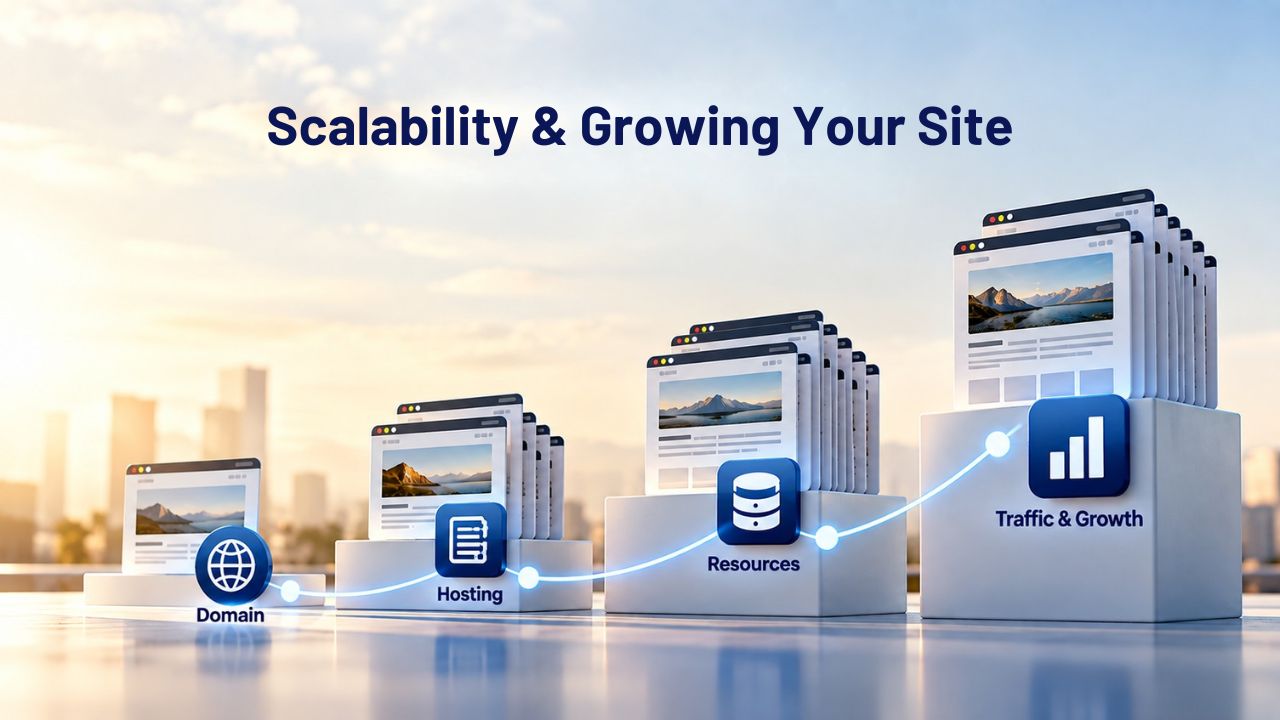
Web hosting is architecturally built for growth at every level. When your shared hosting plan’s resources become tight because your site’s traffic or complexity increases, you upgrade to a VPS for dedicated resources without rebuilding your site or migrating your data. Then, as traffic continues to grow, you upgrade from VPS to a dedicated server or cloud hosting infrastructure for maximum power and reliability, again, without architectural changes. You scale resources independently of your platform choice, and your site’s codebase, database, and content remain completely portable throughout this growth trajectory.
This growth pathway helps explain why WordPress powers 43.6% of the web: businesses can start small and lean on shared hosting with Niya Digital’s Web Hosting service, then grow vertically without architectural constraints. As traffic increases, feature needs become more complex, and your data grows, the hosting environment adapts beneath your site. A startup can grow into an enterprise on the same platform and same CMS.
Website Builders Hit a Ceiling
Website builders have built-in scalability limits baked into their architecture. You can upgrade within the platform’s tier structure, moving from a basic plan to a professional plan to an enterprise plan, but that’s the extent of your growth options. An eCommerce business that outgrew Wix when trying to implement custom inventory management, personalized checkout experiences, and advanced order filtering eventually migrated to WordPress on managed hosting to support the complexity. The builder’s platform reached its limit. No further upgrade path existed within that ecosystem.
More fundamentally, website builders don’t separate your content from the platform itself. As your site grows in ambition and you realize the builder’s feature ecosystem doesn’t support what you’re trying to build, migration becomes necessary, but also painful. Many builders either restrict data export entirely or offer it only in manual, fragmented formats that require painstaking reconstruction on the new platform. The longer you’ve invested in a builder, the costlier an eventual migration becomes.
Search Engine Rankings and Organic Traffic Growth
Building organic visibility through search engines requires both technical capability and platform support. The platforms differ in how they support this critical business channel.
Web Hosting Offers Full SEO Control
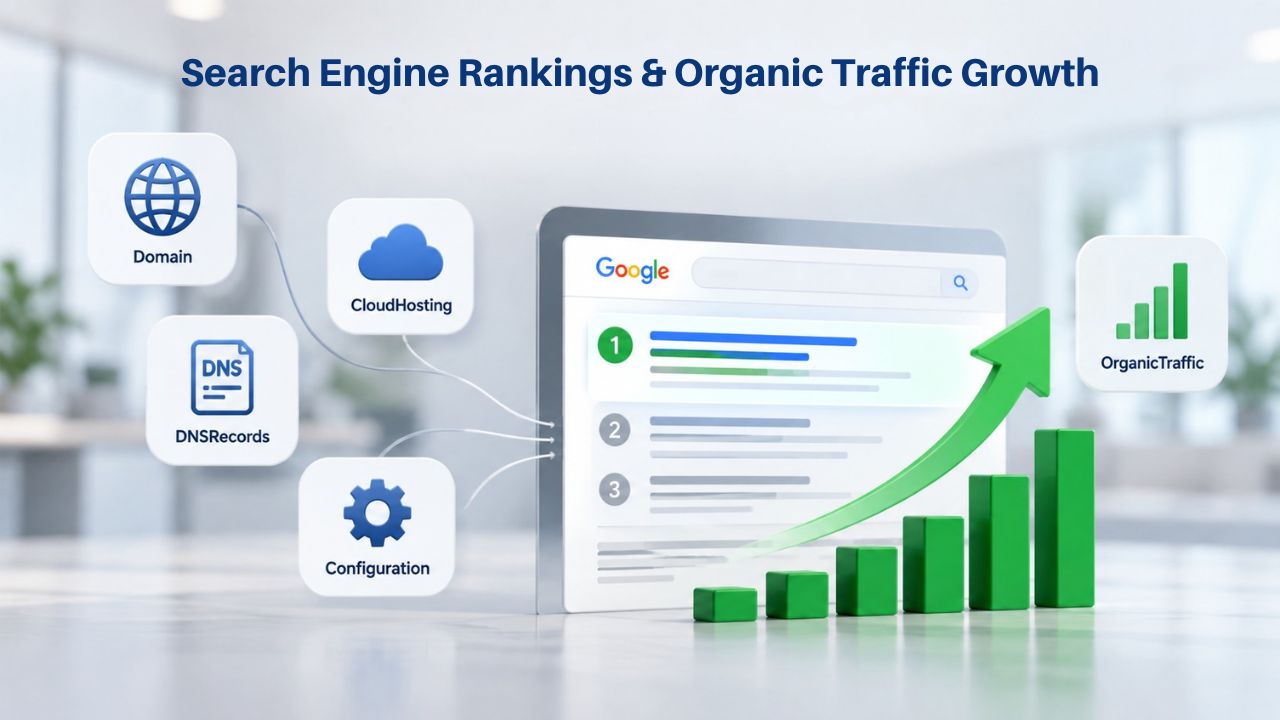
When your site runs on WordPress or another CMS on a web hosting platform, you have granular control over every element that influences search visibility. Tools like Yoast SEO and Rank Math give you access to advanced settings for meta descriptions, schema markup, robots.txt configuration, canonical URLs, and XML sitemaps. You can optimize every technical aspect without platform restrictions, giving your site competitive advantages in search rankings that builder-restricted sites cannot achieve.
This control extends to code-level performance optimization. You can implement caching strategies, optimize images, minimize CSS and JavaScript files, and control server-side caching headers, all factors that Google explicitly uses in ranking algorithms. You have access to your server logs to understand how search engines crawl your site, and you can test and implement changes knowing exactly what they do.
Website Builders Offer Basic SEO Tools but Limited Depth
Website builders include basic SEO features, customizable titles, meta descriptions, automatic sitemaps, mobile responsiveness, and image alt text fields. For simple sites, these basics work. But builders restrict access to the advanced technical levers that drive competitive search visibility. You cannot edit configuration files, modify backend code, or implement sophisticated caching and performance strategies that serious search-focused sites require.
Take Control of Your Site’s Search Visibility
If search engine rankings matter to your business, you need a platform that gives you the technical control to optimize every element. Niya Digital’s Web Hosting service puts you on WordPress with full access to advanced SEO plugins, code-level optimization, and the flexibility to implement the strategies that drive organic traffic. Stop being limited by a builder’s SEO ceiling; start building search visibility with tools that work.
Cost Structure and Long-Term Investment
The financial model underlying each option shapes total cost of ownership and long-term viability for different site types.
Website Builders Offer Bundled Monthly Pricing
Website builders present simple, bundled pricing: one monthly or annual subscription that includes everything, design tools, hosting, templates, email functionality, SSL certificates, and basic support. The all-in-one model is straightforward: you pick a plan tier and know exactly what you get. There are no separate bills for hosting, no domain registration bills, no SSL certificate renewals, no hosting support tickets.
The bundled approach reduces decision-making complexity and eliminates surprise infrastructure bills. Site owners budget a single line item that includes everything. This predictability appeals to small businesses and individuals who want simplicity and prefer not to manage multiple vendors and invoices for their web presence.
Web Hosting Follows Traditional Infrastructure Pricing
Web hosting follows the traditional internet infrastructure model: you pay separately for server space, and additional services are optional add-ons. Your primary cost is the hosting plan itself, scaled by the resources you need. You may also purchase additional services separately, a premium SSL certificate (though many hosts include basic SSL), additional email accounts, or extra storage. Your domain registration is separate from hosting, purchased either through your hosting provider or another registrar.
This model can feel more complex because you’re managing multiple vendors and bills. But it also means you pay only for what you need, and you can upgrade individual components without paying for bundled features you don’t use. For growing businesses with specific infrastructure needs, this itemized approach often costs less than bundled builders with similar capability levels.
Data Ownership and Site Portability
The ability to own your site’s data and move it between platforms is a critical long-term consideration often overlooked until migration becomes necessary.
Web Hosting Keeps Your Site Portable
When your site runs on web hosting, your data and code are legally and technically yours. You can download your entire WordPress installation, all files, database backups, themes, plugins, and content, at any time. You can export your database as a standard SQL file and restore it on any other WordPress-compatible hosting provider. You can export your content in WordPress’s standardized WXR (WordPress eXtended RSS) format.
This portability is powerful and liberating. If you’re unhappy with Niya Digital’s service for any reason, you can switch to another web hosting provider without losing your site, losing your domain authority with search engines, or starting over. You can take your site’s code and host it independently, even outside traditional hosting if you choose. Your site isn’t tied to any single provider’s proprietary platform. WordPress and other open-source CMS platforms are deliberately designed to avoid vendor lock-in; your data belongs to you.
Website Builders Lock Your Site Into Their Platform
Website builders do not allow full site export or code download in their default models. Wix doesn’t allow you to download your site’s HTML, CSS, and JavaScript files. Squarespace restricts export to XML format, which captures only structure and basic metadata, not the actual functional, styled website. Moving your site away from a builder is manual, time-consuming, and often incomplete; your design work may not transfer cleanly, and you’ll likely need to rebuild significant portions.
This lock-in isn’t accidental; it’s fundamental to the builder’s business model. The business depends on keeping you on its platform so it can monetize your presence. Once your site is built there and you’ve invested months of effort customizing it, the friction of leaving discourages you from switching, even if a competitor offers better features or service. Research shows that 81% of agencies won’t manually migrate sites out of closed ecosystems because of the effort and risk of data loss, which means site owners become de facto locked in once they’ve invested significant time building their site on that platform.
Security, Backups, and Infrastructure Reliability
Website uptime, data protection, and recovery from failures are business-critical. The security models and backup approaches differ between hosting and builder approaches.
Web Hosting Includes Industry-Standard Protections
Web hosting platforms like Niya Digital’s, running on GoDaddy’s infrastructure, include daily automatic backups by default. You can restore your entire site from a previous backup if something goes wrong, whether that’s a failed software update, corrupted data, or a security issue. DDoS protection operates at the network level to prevent malicious traffic from overwhelming your site. Firewall protection filters traffic before it reaches your server. Additional security measures, such as SSH key access and two-factor authentication, are available for accounts that need enhanced security.
GoDaddy Web Hosting operates data centers in North America, Europe, and Asia-Pacific regions, and maintains a 99.9% uptime service level agreement. This infrastructure redundancy and geographic distribution means that if one data center experiences an issue, your site remains accessible from other locations. The security model is explicit about shared responsibility: the hosting provider secures the server infrastructure and network layer; you secure your site by keeping WordPress and plugins updated, using strong passwords, implementing security plugins, and following hardening best practices.
Website Builders Manage Security for You, but with Less Transparency
Website builders handle all server-level security, backups, and DDoS protection automatically as part of their service. You don’t configure a firewall or think about server hardening; the builder’s infrastructure team manages it for you. Site backups happen automatically, with no action required on your part. For most small sites, this fully managed security approach is sufficient and significantly reduces your operational burden.
The downside is limited transparency into how security actually works. You don’t know the builder’s backup frequency, how many backup versions it retains, how it specifically mitigates DDoS attacks, where it stores your data geographically, what happens if a breach occurs, or what recovery procedures exist. You’re entrusting the platform’s security decisions entirely, without visibility. For sites handling sensitive customer data, credit card information, or medical records, this opacity can create compliance and business risk; you may not meet regulatory requirements for security documentation and controls.
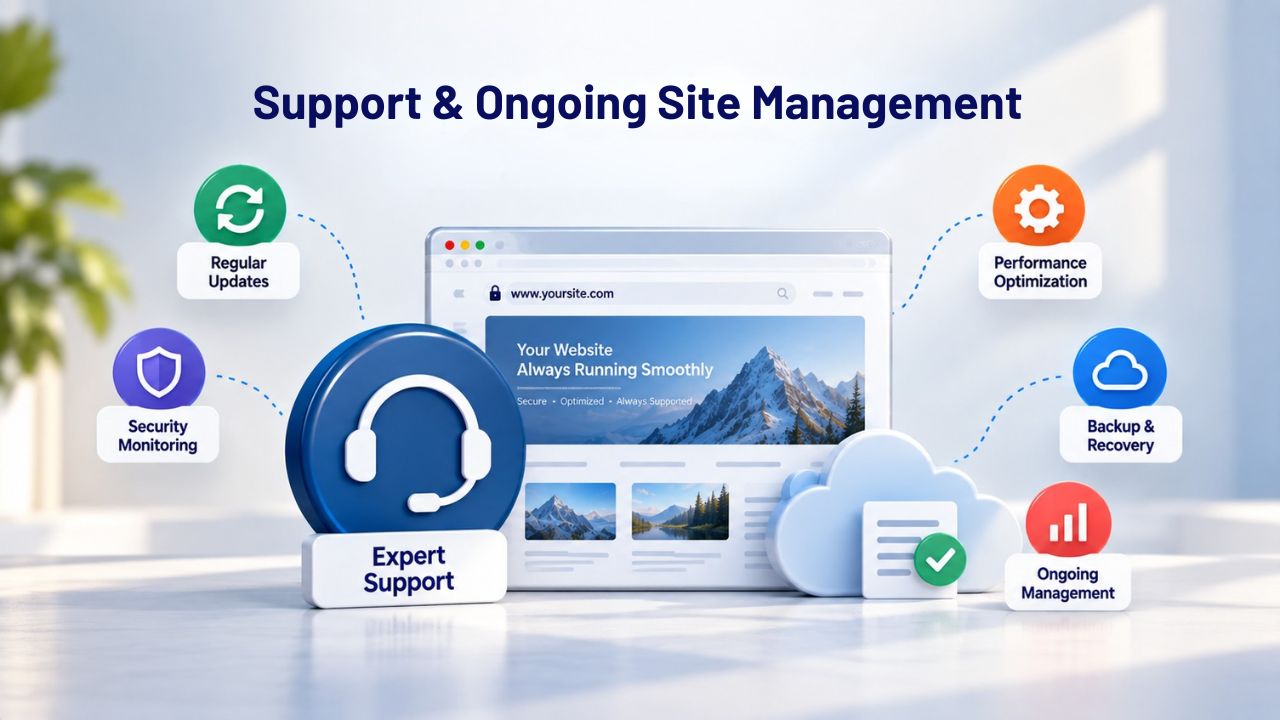
Support and Ongoing Site Management
Once your site is live, ongoing maintenance, troubleshooting, and scaling requires support. The two approaches differ dramatically in what support covers and what you still manage.
Web Hosting Requires You to Manage Most Updates and Troubleshooting
With web hosting, you must keep WordPress, themes, and plugins updated when security patches or feature updates are released. You troubleshoot broken plugins or theme issues when they arise. You manage SSL certificate renewals if you use custom certificates. You monitor and optimize database performance as your site’s content grows. The hosting provider offers support for server-level issues, database access problems, email configuration, domain DNS setup, and control panel access issues, but application-level problems (a broken plugin, a misconfigured theme, a custom code error) are your responsibility or require hiring a developer.
Niya Digital’s Web Hosting team provides excellent onboarding support, cPanel configuration guidance, domain and DNS setup assistance, and backup restoration help. But the WordPress site itself and everything running on it is in your hands. This model suits site owners who want control and don’t mind learning, or businesses large enough to hire a developer or agency to manage updates and troubleshooting.
Website Builders Handle Everything, Reducing Your Responsibility
Website builders manage the technical details automatically: server updates, SSL certificate renewals, plugin compatibility checks, security patching, and performance optimization. You focus entirely on content and design. When something goes wrong, you contact the builder’s support team, and they diagnose and resolve the issue. This hands-off approach is why beginners and solo entrepreneurs prefer builders: one monthly subscription, zero technical headaches, no late-night server emergency calls.
The cost of this convenience is that you cannot optimize technical details yourself, and you depend entirely on the builder’s support team quality and response time. If the builder’s infrastructure goes down, you wait for the builder’s engineering team to fix it; you have no option to hire a specialist or temporarily switch providers. If the builder discontinues a feature you rely on, you adapt or leave. Your site’s technical destiny is entirely dependent on the builder’s priorities and engineering roadmap.
Choosing the Right Platform for Your Needs
The decision between builder and hosting ultimately depends on your current situation, technical comfort, and how you expect your site to evolve.
| Use Case | Best Platform | Reasoning |
|---|---|---|
| Portfolio or Personal Blog | Website Builder | Quick launch, professional appearance, zero technical complexity |
| Small Local Service Business | Website Builder or Shared Hosting | Builder for simplicity; hosting if you want advanced SEO |
| Growing eCommerce Store | Managed Web Hosting (VPS or higher) | Custom features, scalability as sales grow, no per-transaction fees |
| High-Traffic Website or App | Web Hosting (VPS or Dedicated) | Full customization, advanced integrations, performance optimization |
| Agency or Multi-Client Business | Web Hosting | Client isolation, white-label capability, complete control |
| Content-Heavy Publication | Web Hosting with CMS | Unlimited custom post types, complex workflows, search optimization |
Website Builders Work Best for These Scenarios
A website builder is the right choice if you’re launching a personal blog or portfolio to showcase your work. A small service business site, a local consultant, freelancer, or professional benefits from the speed and simplicity builders offer. A startup landing page designed to validate an idea before full development works well on builders. A simple online store with a limited product catalog under 100 items can be managed effectively on a builder platform.
You have minimal technical skills and no interest in learning server administration or coding. You need to be online this week, not next month. You don’t expect your site’s architecture to change radically; growth will be within the platform’s existing structure and plan tiers. You’re budget-conscious and want one predictable monthly bill with no separate vendor invoices.
Small businesses and creators often find builders perfect for exactly these scenarios. A freelance designer’s portfolio, a local service business highlighting expertise, a hobby store run by a couple of people, a consultant’s presence site- these rarely need custom database structures, complex third-party integrations, or deep technical SEO optimization. The builder’s templates and pre-built features are genuinely sufficient.
Web Hosting Suits Growing and Ambitious Sites
Web hosting is the right choice if you expect your site to evolve significantly, growing from a blog into an eCommerce store, or from a simple portfolio into a complex client management tool. You’re building a brand you own completely, and you may want to switch hosting providers or scale to much larger infrastructure in the future without rebuilding. You plan to hire developers or integrate custom functionality that builders don’t support.
You process transactions regularly or collect sensitive customer data and need visibility into security practices and compliance controls. You’re serious about search engine optimization and need granular control over technical SEO settings and performance optimization. Your business model depends on standing out through unique features or capabilities that off-the-shelf builders cannot provide.
For eCommerce sites with complex operations, software and SaaS platforms, agencies serving clients with custom needs, publications with substantial content archives and complex workflows, and businesses building competitive advantages through unique technical capabilities, web hosting paired with WordPress or another open-source CMS is the long-term winner. The upfront time investment and learning curve pay substantial dividends as you scale and your needs become more sophisticated.
Ready to Launch Your Website on a Platform You Control?
If you’re ready to build a site with the flexibility to grow and scale, Niya Digital’s Web Hosting service provides everything you need: cPanel access for straightforward management, one-click WordPress installation to get your CMS running immediately, daily automatic backups so you never lose your work, responsive support for setup questions and configuration, and comprehensive guidance on domain connection and email configuration. Start with an affordable shared hosting plan, and scale to managed VPS or higher tiers as your traffic and feature complexity grow, all without rebuilding your site or moving to a different provider.
Frequently Asked Questions
What is the actual difference between a website builder and web hosting?
A website builder is an all-in-one platform that bundles design tools, templates, and hosting into a single service; you subscribe monthly and get everything included. Web hosting is just server space where your website’s files live; you install and manage the software (like WordPress) that creates your site. Builders handle all technical details for you; with hosting, you have control but more responsibility for updates and troubleshooting.
Can I switch from a website builder to web hosting later?
Switching is technically possible but difficult and time-consuming. Most builders don’t allow full site export; you’ll need to manually copy content and rebuild the design on WordPress or another platform. Some builders like Webflow allow code export, making migration easier, but Wix and Squarespace make it very hard. Planning for portability from the start is much smarter than attempting to migrate after months or years of investment.
Why do people choose web hosting if website builders are faster?
Web hosting offers control, scalability, SEO flexibility, and data portability that builders fundamentally cannot. If you expect your site to grow, need custom functionality, process transactions regularly, or want full ownership of your site, web hosting’s initial setup investment pays off substantially. For simple, static sites that won’t change much, builders are genuinely faster and easier, but most successful sites grow beyond builder capabilities eventually.
What is cPanel and why does it matter?
cPanel is a control panel, a graphical user interface that hosting providers use to let customers manage their accounts without touching command-line code or server terminals. With cPanel, you click buttons to create email accounts, install WordPress with one click, manage databases, configure DNS records, and handle routine administrative tasks. It dramatically simplifies hosting management for non-technical users.
Do website builders include backups?
Yes, website builders automatically back up your site as part of the service. With web hosting, automatic backups vary by plan and provider. Niya Digital’s Web Hosting includes daily backups so you can restore your site if something goes wrong. Always verify backup frequency, retention period, and restoration procedures with any provider you consider.
Is web hosting more secure than website builders?
Both are reasonably secure for typical small business sites. Website builders handle all security for you but give you less visibility into how that security works. Web hosting splits responsibility: the provider secures the server and network infrastructure, and you secure the site by updating software and using strong passwords. For sites handling sensitive data, web hosting’s transparency about security controls is often preferable.
What are hidden costs in website builders?
Website builders often charge extra for premium themes, advanced apps beyond the base plan, domain privacy protection, enhanced email hosting, and advanced analytics or reporting features. Your base plan price can double or triple as you add desired features. Web hosting typically has fewer surprise costs, though you may purchase additional email accounts, premium SSL certificates, or extra storage separately.
Can I use my own domain with both options?
Yes. Both website builders and web hosting allow you to connect a custom domain (like yourname.com or businessname.com). Some builders include a free domain for the first year; web hosting requires you to purchase a domain separately or transfer one you already own. Connection and DNS setup are straightforward with either approach.
Why does WordPress power so much of the web?
WordPress on web hosting gives site owners full control, access to thousands of plugins that extend functionality, complete data portability, and the ability to take the site anywhere. WordPress powers 43.6% of all CMS-based websites because it avoids lock-in, supports unlimited customization, and works with any hosting provider. Builders appeal to a smaller segment because of their inherent limitations.
Which is cheaper long-term?
For simple sites that never grow significantly, builders may be more economical with one bundled monthly cost. For eCommerce sites or sites that grow in complexity, web hosting often costs less over several years because hosting avoids per-transaction fees that scale with your business. The answer depends entirely on your site type and growth trajectory.
Do I need technical skills to use web hosting?
You need basic technical literacy, an understanding of DNS concepts, the ability to install and update plugins, comfort with a control panel interface, and the ability to troubleshoot when something breaks. You don’t need to know server administration, command-line code, or system programming. Niya Digital’s support team helps with cPanel setup, domain configuration, and onboarding so that you won’t be learning alone.
What happens if my site gets hacked?
With a website builder, the builder’s security team handles the breach response. With web hosting, you restore from a backup using your control panel; the process is straightforward. Niya Digital’s Web Hosting includes daily backups, so recovery is typically quick. Keeping WordPress and plugins updated to prevent hacks is your responsibility.
Can I sell products on both?
Yes. Website builders include eCommerce features with built-in payment processing. Web hosting works with WooCommerce (a free WordPress plugin) or other eCommerce solutions for selling products and services. Both approaches support eCommerce; the difference is in flexibility and whether per-transaction fees apply.
What if I want to grow my site significantly?
Web hosting scales with you; upgrade from shared to VPS to dedicated servers as traffic grows, without rebuilding your site or switching providers. Website builders can upgrade within their platform tiers, but fundamental architecture changes require migration. Web hosting is designed specifically for this growth path, while builders hit ceilings.
Which platform is best for SEO?
Web hosting with WordPress wins for SEO flexibility. You have access to advanced plugins like Yoast SEO, the ability to optimize code and server performance for speed, and full control over technical SEO elements. Website builders offer basic SEO tools but restrict backend customization that competitive search visibility requires.
Should I choose based on my current needs or future growth?
Both. Assess your needs for the next 12-24 months. If you’re truly just starting and want the simplest, fastest path online, builders work. But if you have any chance of growing, adding features, or caring about search visibility, the initial complexity of web hosting is worth it. Most successful sites eventually outgrow builders, and the switch can be painful. Starting on hosting avoids that pain later.
Glossary
- Web Hosting: A service that rents server space and computing infrastructure to store and serve your website’s files online. The hosting provider manages and maintains the physical servers, network connections, and data centers; you control what software and content runs on them.
- Website Builder: An all-in-one platform that bundles design tools, pre-built templates, hosting infrastructure, and website features into a single subscription service. Users build sites visually without coding, and the platform handles all technical management and maintenance.
- cPanel: A graphical control panel used by web hosting providers to simplify account and site management. Through cPanel, customers can create email accounts, install applications like WordPress, manage databases, and configure DNS settings without using command-line code or terminal access.
- Content Management System (CMS): Software like WordPress that allows non-technical users to create, edit, publish, and manage website content without writing code. A CMS separates content from design and structure, making it easy for multiple people to collaborate on a site.
- Scalability: The ability to increase a website’s computing resources, features, and functionality as traffic grows or business needs expand. Scalable platforms support growth from a small startup to a large operation without requiring architectural rebuilding.
- Vendor Lock-In: A situation where switching to a different platform or provider becomes difficult or impossible because your site, data, or design is tied to a proprietary platform that doesn’t allow export or migration.
- Uptime: The percentage of time a website remains online and accessible to visitors. Uptime guarantees (like 99.9% uptime) represent a commitment to minimal downtime, though no provider guarantees 100% availability.
- DNS (Domain Name System): The system that translates your domain name (like businessname.com) into the server address where your website actually lives. Configuring DNS correctly ensures your domain points to your hosting and your site is accessible.


