

What Do Small Businesses Actually Pay for Web Hosting?
The advertised price on a hosting provider’s homepage represents only the starting point of your investment. True web hosting costs depend on your plan tier, your site’s actual resource needs, and the long-term commitment your business makes to its online presence.

Entry-Level Shared Hosting: Accessible Starting Point
Shared hosting remains the most common choice for small business websites. On shared hosting, you share a server with many other customer websites. Server resources, processing power, memory, storage, and data transfer capacity are divided among all accounts. Because infrastructure costs are spread across numerous customers, shared hosting delivers affordability without sacrificing reliability for typical business workloads.
Industry research shows that shared hosting accounts for a significant portion of the web hosting market, reflecting its popularity among budget-conscious small business owners and startups. Web Hosting Market Report, Hostopia. Entry-level shared plans typically start at accessible monthly rates. In contrast, mid-tier business plans offer expanded resources at moderate cost increases. These foundational tiers support most small business operations effectively.
Plan Tiers and Resource Allocation
Shared hosting plans increase in capability as you move upward through provider offerings. Starter plans include modest storage allocations, typically enough for a simple website with text content and basic images. Standard business tiers expand storage significantly, accommodating growing content libraries, more product pages, and larger media collections. Premium shared plans provide ample storage for extensive catalogs and media-rich operations.
Each tier increase reflects proportional improvements in processing resources, email account quantities, and database support. Higher tiers also typically include additional features like advanced backup options, staging environments for safe update testing, and enhanced support access. Understanding which tier matches your site’s current needs, without overpaying for unused capacity, is central to managing web hosting investment effectively.
Hosting Tiers: Features and Typical Use Cases
| Hosting Type | Resource Allocation | Best For | Key Characteristics | Upgrade Indicators |
|---|---|---|---|---|
| Shared Hosting | Shared CPU, RAM, storage across many sites | Blogs, small businesses, startups, informational sites | Affordable, easy to manage, cPanel included, limited customization | Resource warnings, performance slowdowns, custom software needs |
| VPS (Virtual Private Server) | Dedicated resources in an isolated environment | Growing businesses, multiple sites, custom applications | More control, better performance assurance, self-managed or managed options available | Traffic exceeding 50,000–100,000 monthly, revenue-dependent operations, specialized software needs |
| Dedicated Server | Entire physical server reserved exclusively | High-traffic sites, complex applications, data-sensitive operations | Complete control and responsibility, highest performance and customization, significant technical requirements | Sites exceeding 200,000+ monthly visitors, enterprise-level requirements, highly specialized needs |
Business Web Hosting Plans & Pricing
Choose the hosting plan that fits your website, WordPress site, or growing business. Compare features, storage, performance, security, and website capacity to find the right hosting environment for your needs.
cPanel Starter
cPanel Hosting that's easy, reliable and lightning-fast.
- 1 website
- 30 GB storage
- Unmetered bandwidth*

cPanel Economy
cPanel Hosting that's easy, reliable and lightning-fast.
- 1 website
- 100 GB space
- Unlimited bandwidth*
- 100 email accounts**
- 10 MySQL databases (1 GB ea.)
cPanel Deluxe
cPanel Hosting that's easy, reliable and lightning-fast.
- Unlimited websites
- Unlimited space
- Unlimited bandwidth*
- 500 email accounts
- 25 MySQL databases (1 GB ea.)
cPanel Ultimate
cPanel Hosting that's easy, reliable and lightning-fast.
- Unlimited websites
- Unlimited space
- Unlimited bandwidth*
- 1000 email accounts
- Unlimited MySQL databases (1 GB ea.)
- 2X Processing power & memory (available for Linux/cPanel only)
- Premium DNS
- 1-year SSL certificate to secure customer data and increase search rankings
*We don't limit the amount of storage and bandwidth your site can use as long as it complies with our Hosting Agreement. Should your website bandwidth or storage usage present a risk to the stability, performance or uptime of our servers, we will notify you via email and may be required to upgrade, or we may restrict the resources your website is using.
**Email account storage is limited to 100 email accounts with 100 MB of total storage.
WordPress Basic
A great way to get started.
- 1 website
- 10 GB NVMe storage
- Unmetered bandwidth
- Free SSL Certificate *
- WordPress pre-installed
- Weekly backups
- Web Application Firewall
- Daily malware scans
- One-time malware removal

WordPress Deluxe
Improve your site performance with Cloudflare CDN.
- 1 website
- 20 GB NVMe storage
- Unmetered bandwidth
- Free SSL Certificate *
- WordPress pre-installed
- Daily backups
- Web Application Firewall
- Daily malware scans
- One-time malware removal
- Up to 2x faster performance with global Cloudflare CDN **
- Enhanced security with DDoS protection
- Staging site
WordPress Ultimate
Add online marketing with more sites, storage and security.
- 1 website
- 30 GB NVMe storage
- Unmetered bandwidth
- Free SSL Certificate *
- WordPress pre-installed
- Daily + on-demand backups
- Web Application Firewall
- Daily malware scans
- Unlimited malware removal
- Up to 2x faster performance with global Cloudflare CDN **
- Enhanced security with DDoS protection
- Staging site
- WordPress code optimizer
- Smart WordPress plugin manager
- Sell online with WooCommerce
*An SSL certificate is included with every site and free for the life of the hosting plan. Certificates are automatically installed, validated and renewed.
Web Hosting Plus Launch
For multiple basic sites.
- 100 GB storage*
- 4 GB RAM
- 2 CPUs
- Unmetered traffic
- 50 websites & databases
- Free, unlimited SSL for all your websites**

Web Hosting Plus Enhance
For high-traffic WordPress, Joomla, and other sites.
- 200 GB storage*
- 8 GB RAM
- 4 CPUs
- Unmetered traffic
- 100 websites & databases
- Free, unlimited SSL for all your websites**
Web Hosting Plus Grow
For advanced eCommerce sites like Magento.
- 300 GB storage*
- 16 GB RAM
- 8 CPUs
- Unmetered traffic
- 150 websites & databases
- Free, unlimited SSL for all your websites**
Web Hosting Plus Expand
For multiple basic sites.
- 400 GB storage*
- 32 GB RAM
- 16 CPUs
- Unmetered traffic
- 200 websites & databases
- Free, unlimited SSL for all your websites**
*The total amount of usable storage capacity for your particular Hosting Service(s) may differ from the represented capacity as there is required space for the operating system(s), system file(s) and other supporting file(s).
**If you cancel the Web Hosting Plus product, you will lose the associated SSL certificate as well.
Understanding Shared, VPS, and Dedicated Hosting
Small businesses choose among three foundational hosting architectures. Each tier offers distinct resources, control levels, and operational characteristics suited to different business stages and requirements.
Shared Hosting: The Right Fit for Most Small Sites
Shared hosting means your website occupies an allocated space on a server that hosts hundreds of other customer sites. All accounts on that server share the underlying infrastructure, processing capacity, available memory, storage space, and bandwidth throughput. This resource-sharing model is what makes shared hosting economically accessible for small businesses with modest online needs.
The shared hosting model works exceptionally well for typical small business websites. A standard company site with 5–10 informational pages, product or service descriptions, a contact form, and a regularly updated blog operates reliably on shared hosting without hitting resource constraints. Performance remains fast and stable unless your site experiences unexpected growth or you approach your plan’s allocated resources. The standard control panel included with shared hosting, typically cPanel, provides a straightforward, visual interface for managing domains, email accounts, databases, and file uploads. New site owners typically become comfortable with cPanel’s functionality within their first few weeks of use.
VPS Hosting: Dedicated Resources for Growing Operations
A virtual private server (VPS) sits architecturally between shared hosting and dedicated servers. Your website still shares a physical server with other VPS accounts, but each VPS operates in its own isolated environment. You receive guaranteed allocations of processing power, memory, and storage that remain reserved exclusively for your account; other users’ activity cannot consume your resources or degrade your site’s performance.
VPS hosting becomes the logical upgrade path when shared hosting reaches its limits. Clear signals for upgrading include consistent performance warnings in your control panel (CPU usage, memory usage, or I/O throttling), noticeably slower page load times during peak traffic periods, or the need to install custom software that your shared hosting provider won’t support (such as specific database versions, caching layers like Redis, or containerization platforms). Most small businesses don’t require VPS resources until their websites reach significant monthly visitor counts or support business-critical operations where performance consistency directly impacts revenue.
Dedicated Servers: Complete Control and Full Responsibility
Dedicated server hosting means renting an entire physical computer reserved exclusively for your business. You control every aspect of the server, the operating system, installed software, security configurations, and performance tuning. This level of control enables specialized setups for complex applications, custom frameworks, or environments handling particularly sensitive data.
Dedicated hosting introduces operational complexity that most small businesses don’t need. You (or a systems administrator on your team) must manage security patches, software updates, performance monitoring, and troubleshooting. The server itself becomes your responsibility, not your hosting provider’s. This makes dedicated hosting best suited to high-traffic websites, resource-intensive applications, and businesses with specialized technical requirements. For most small business websites, shared hosting or VPS hosting offers the best balance of performance and manageability.
Website Types and Hosting Requirements
| Website Type | Typical Visitor Volume | Storage Needs | Bandwidth Needs | Recommended Tier |
|---|---|---|---|---|
| Personal Blog (text-focused) | Under 5,000/month | 500 MB – 1 GB | 1–5 GB | Shared Starter |
| Small Business Brochure Site | 5,000–20,000/month | 2–3 GB | 10–50 GB | Shared Standard |
| Photography Portfolio | 5,000–20,000/month | 3–5 GB | 20–50 GB | Shared Standard |
| E-commerce Store (50–200 products) | 10,000–50,000/month | 5–10 GB | 50–100 GB | Shared Plus / Entry VPS |
| E-commerce Store (500+ products) | 50,000–200,000/month | 10–20+ GB | 100–200+ GB | VPS or higher |
| Content-Heavy Business Site | 20,000–100,000/month | 5–10 GB | 50–150 GB | Shared Plus / Entry VPS |
Storage and Bandwidth: How Much Does Your Site Actually Need?
One of the most common sources of confusion for small business owners involves understanding storage and bandwidth requirements. These concepts seem abstract until you measure them for your specific situation and understand what they actually mean for your site’s operation.
Storage: The Space Your Website Occupies
Storage (also called disk space) is the permanent allocation where your website’s files, images, databases, and email accounts reside on the hosting provider’s servers. Think of it as the permanent filing cabinet where everything your site needs to operate lives. Storage differs fundamentally from bandwidth, which measures data flowing to and from visitors.
Different website types require different storage amounts based on their content and complexity. A personal blog made up of text articles with occasional photos fits comfortably within 500 megabytes to 1 gigabyte of storage. A typical small business website with 5–10 informational pages, company photos, staff bios, and a monthly blog column typically requires 1–3 gigabytes. Photography and portfolio websites with high-resolution images can reach 3–5 gigabytes as image files accumulate. E-commerce sites require substantially more: a store with 50–200 products, each with multiple high-resolution product images from different angles, typically needs 5–10 gigabytes. Larger stores with hundreds of products, customer reviews, and order history can easily exceed 10–20 gigabytes.
Understanding “Unlimited” Storage Claims: Many hosting providers advertise “unlimited storage” as a plan feature, but this marketing language masks actual limitations buried in acceptable-use policies. Most unlimited plans impose hidden limits on the number of files and folders you can store (typically capped at 250,000–500,000 items per account), throttle CPU usage if you process data too intensively, or restrict file types. Exceeding these hidden limits can trigger account suspension or forced upgrades. Before signing up for any hosting plan, confirm the actual storage limits and file count limits by asking support directly.
Bandwidth: Data Transferred to Your Visitors
Bandwidth measures the total amount of data transferred monthly between your hosting server and your visitors’ browsers. This differs from storage; it’s data movement, not permanent files. A page consisting of text and a few images might be 2 megabytes total. A product page with high-resolution photography and embedded video could be 10 megabytes or larger. If 10,000 visitors view that page once monthly, you’ve consumed 10,000 × 10 megabytes = 100 gigabytes of monthly bandwidth.
Most small business websites operate comfortably within 20–200 gigabytes of monthly bandwidth, depending on your visitor volume, average page size, and content type. Text-heavy blogs with modest traffic typically consume 5–20 gigabytes monthly. E-commerce sites with large product catalogs and high-resolution images consume substantially more, often 50–200 gigabytes or beyond. A practical rule of thumb: websites attracting fewer than 50,000 monthly visitors typically find shared hosting’s bandwidth allocation sufficient. Sites expecting 50,000–200,000 monthly visitors should evaluate whether shared hosting remains adequate or VPS resources would provide better performance assurance. Websites exceeding 200,000 monthly visitors generally benefit from VPS or higher infrastructure.
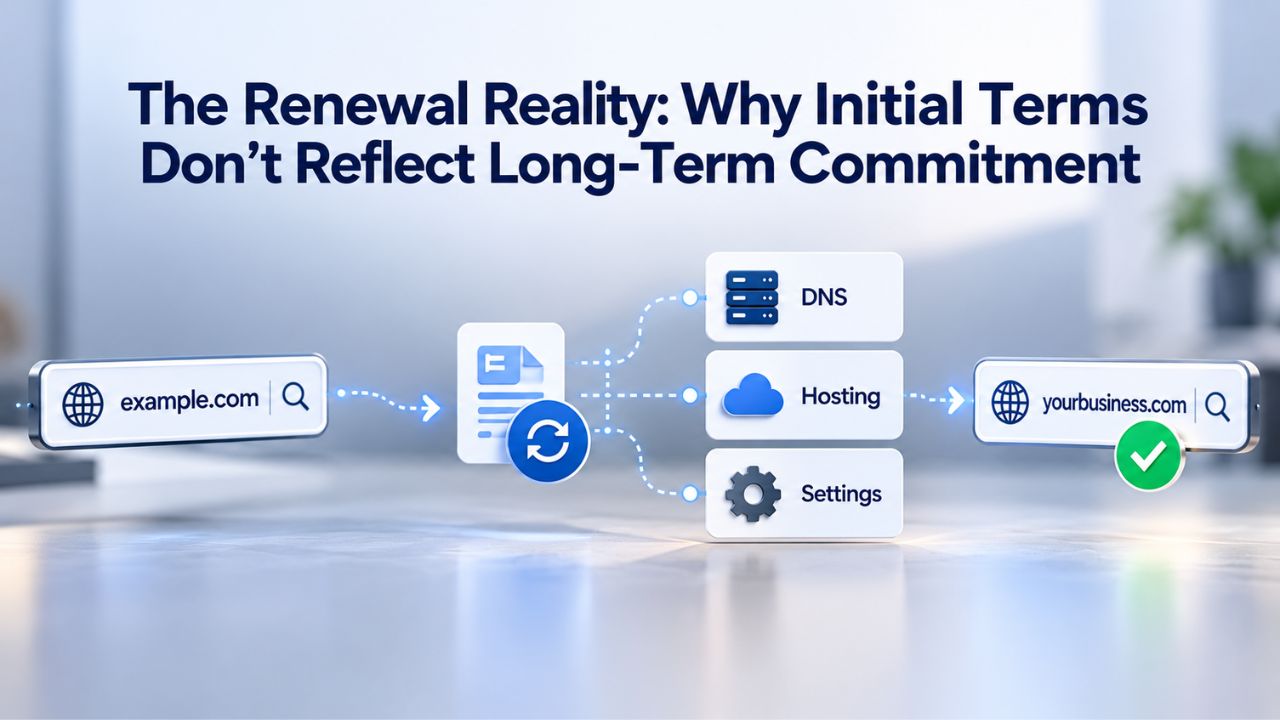
The Renewal Reality: Why Initial Terms Don’t Reflect Long-Term Commitment
To understand the full cost of web hosting, consider what happens when your initial subscription term expires, and you renew for continued service. Many small business owners see surprising invoice amounts at renewal, not because of fraud, but because of industry-standard promotional practices that aren’t always clearly disclosed upfront.
How Promotional Pricing Works in the Hosting Industry
The web hosting industry adopted a business model from gyms, insurance companies, and other subscription services: offer promotional pricing for the first term to attract new customers, then increase rates at renewal to standard pricing. This practice is consistent across virtually every hosting provider globally. The cheapest first invoice rarely represents the cheapest plan over multiple years of service. Understanding this model matters because it affects how you evaluate hosting value.
When comparing two hosting providers, comparing only introductory rates provides an incomplete picture. A provider with aggressive introductory pricing but steep renewal increases may ultimately cost more over three years than a provider with higher initial rates and modest renewal increases. Before selecting a hosting provider, confirm the renewal rate, usually shown in small grey text near the bottom of the pricing page or next to an asterisk. If renewal pricing isn’t published, contact support directly and ask them to provide the renewal rate in writing before you decide.
Renewal Timing and Automatic Renewal
Web hosting subscriptions renew automatically unless you actively cancel or switch providers before the renewal date. Most hosting companies send renewal invoices 30 days before renewal, but if the email goes to spam or you miss the notification, the charge processes to your payment method without additional notice.
Setting a calendar reminder one month before your renewal date prevents surprises and gives you time to evaluate whether to stay with your current provider, switch to a competitor, or upgrade to different resources.
Planning Your Hosting Budget: Factors Beyond Monthly Fees
The monthly hosting subscription represents only one component of your total web hosting investment. Domain registration, email accounts, SSL certificates, site migration, and other add-ons can significantly increase your first-year hosting expenditure and affect renewal costs.
Domain Registration and Annual Renewal
When you sign up for hosting, you can typically register a domain name as part of the package. Many providers offer discounted or free domain registration for the first year to encourage sign-ups. However, domain renewal in year two follows your hosting provider’s standard rates, which are often higher than rates at dedicated domain registrars. A strategic approach to domain management is to register your domain separately from your hosting provider through a dedicated domain registrar.
This separation offers several advantages: you keep independent control of your domain if you need to switch hosting providers, you can compare renewal rates across registrars and choose the most affordable option, and you avoid vendor lock-in when your domain and hosting are intertwined. Many registrars offer competitive renewal rates that remain stable year after year. Pointing your separately registered domain to your hosting provider’s servers takes just a few minutes through DNS configuration.
Email Hosting and Additional Services
Most shared hosting plans include multiple email accounts, typically 5–25 mailboxes depending on your plan tier, tied to your domain. If your business needs grow and you exceed your plan’s email account limit, additional mailboxes incur charges. Premium SSL certificates (beyond the standard free SSL included with all modern hosting) cost additional annual fees if you need extended validation for e-commerce payment processing. Advanced backup services, website builders, and other optional features may be offered as paid add-ons.
Review your hosting plan documentation carefully before signing up to understand exactly which features are included in your base monthly cost and which require additional payments. Some providers include robust backup systems and website builders in all plans; others offer them only on higher tiers or as paid upgrades. Knowing what’s included prevents unexpected expenses as your site evolves.
Site Migration and Transition Costs
Moving an existing website from one hosting provider to another sometimes incurs migration fees. Progressive hosting companies now offer free migration assistance for new customers, recognizing that switching costs represent a barrier to changing providers.
However, some providers charge $50–$150 per site to transfer your files, databases, and email configuration from your old host to their servers. If you’re considering switching providers, factor potential migration costs into your decision. Many customers find that switching to a provider with better renewal rates and customer support pays for migration fees within the first few months of cost savings.
Get Your Website Online with Expert Support
Choosing the right hosting is just the first step in your online journey. If you’re new to web hosting, configuring your domain, setting up email, installing applications, and optimizing performance can be overwhelming. Niya Digital’s Web Hosting service, powered by GoDaddy’s reliable infrastructure, connects you with support that helps you navigate setup, configure your site for success, and scale as your business grows. Let our team help you build the online presence your business deserves.
When Should You Upgrade to Better Hosting?
Staying on shared hosting after your site has outgrown it wastes resources and degrades user experience. Upgrading too early wastes budget on unnecessary resources. Recognizing the right signals for upgrading helps you invest wisely at precisely the right time.
Resource Constraints and Performance Degradation
The clearest signal that your site has outgrown shared hosting appears in your control panel as resource limit warnings. Most shared hosting control panels display your CPU usage, memory consumption, and input/output performance metrics. If you regularly see warnings that you’ve exceeded resource allocation limits, or if your site experiences noticeably slower response times during peak traffic hours, shared hosting can no longer support your site’s needs.
Performance impacts revenue directly. Research consistently shows that a one-second delay in page load time reduces conversions by measurable percentages and damages search engine rankings. If your site loads slowly and you’ve already optimized images, removed unnecessary plugins, and cleared caches, the hosting environment itself represents the bottleneck. Your site needs more resources than shared hosting provides. Upgrading to VPS hosting allocates dedicated resources that won’t degrade when other customers’ sites experience traffic spikes.
Business-Critical Performance Requirements
When your website generates revenue through e-commerce, service bookings, subscription sales, or lead generation, website downtime and slowness have direct financial consequences. Shared hosting environments typically provide 99.9% uptime but cannot guarantee that percentage. VPS hosting, by contrast, operates in isolated environments and offers true uptime commitments.
If slowness or occasional downtime causes abandoned shopping carts, missed appointment bookings, or lost leads, the monthly cost of VPS hosting quickly pays for itself through recovered revenue. Business owners often underestimate the financial impact of website unreliability. Calculate what one hour of downtime costs your business in lost revenue, and compare that against the monthly cost of better hosting infrastructure; the comparison typically supports upgrading.
Multiple Site Management and Custom Requirements
If you manage multiple client websites or host multiple business projects on one account, or need specific software, frameworks, or database versions your shared host won’t support, shared hosting becomes limiting. VPS hosting provides the customization and isolation necessary to run diverse projects safely. Managing multiple sites on shared hosting risks one site affecting others. With VPS, each project occupies its own isolated environment.
Control Panels and Website Management Tools
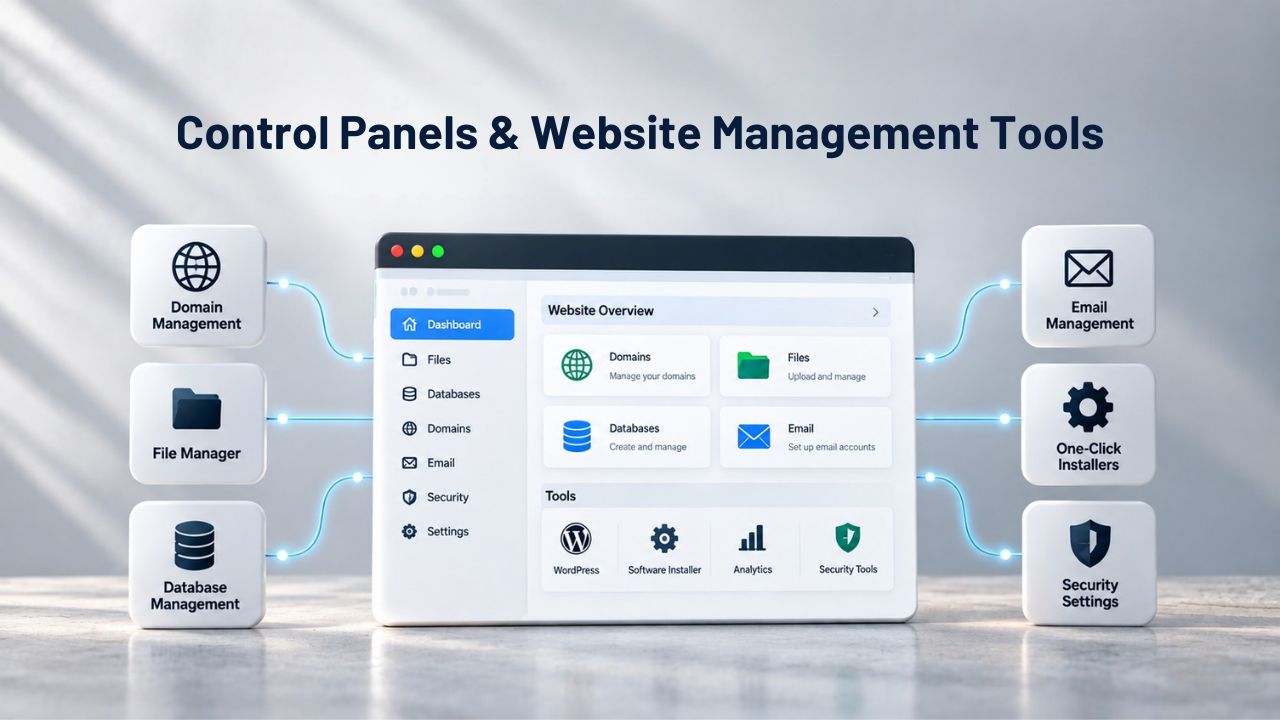
Running a website requires managing domains, email accounts, website files, databases, and backups. Most small business owners aren’t server administrators; they need a clear, visual interface that makes technical tasks straightforward.
cPanel: The Hosting Industry Standard
cPanel represents the most widely used control panel in web hosting. Founded in 1997, it became the de facto industry standard through consistent refinement of its user interface and a comprehensive feature set. Most hosting providers offer cPanel as their standard control panel, and most small business owners quickly become familiar with its interface.
From cPanel’s main dashboard, you access domain management (point new domains to your hosting, create subdomains for testing or staging environments), email account management (create and configure mailboxes, forwarding rules, and autoresponders), website file management (upload and organize your site’s files through a file manager or FTP), database management (create MySQL databases for WordPress and other applications), backup configuration (schedule daily or weekly backups and restore specific files or your entire site), and resource monitoring (view your CPU usage, memory consumption, and bandwidth utilization to identify problems early). Thousands of online tutorials and support articles document cPanel functionality, so help is readily available when you need it.
One-Click Application Installation
Most hosting providers bundle Softaculous with cPanel, a one-click installer featuring 400+ applications ready to deploy instantly. WordPress, Joomla, Drupal, Magento, OpenCart, PrestaShop, and dozens of other platforms install in minutes, with no technical knowledge required. You don’t need to upload files, create databases, or configure settings manually; Softaculous handles everything automatically.
This automation is invaluable for small business owners who want to launch WordPress blogs, online stores, or portfolio sites quickly. What previously required hiring a developer or spending hours on technical setup now takes minutes. This democratization of website publishing has made creating a professional online presence accessible to business owners of any technical background.
Standard Features and Optional Add-Ons
Understanding what hosting providers include in their base plans versus what they charge extra for prevents budget surprises and helps you choose the right tier for your needs.
Included in Every Modern Hosting Plan
Contemporary web hosting providers now include several features that were once premium add-ons. Every plan includes an SSL certificate, the security protocol that encrypts data between visitors’ browsers and your server, indicated by the padlock icon in address bars. This is now free and automatic across all reputable providers. Automatic backups (typically daily or weekly) are included on all plans, providing a critical safety net against data loss, security breaches, or accidental deletion. The cPanel control panel itself comes included at no additional cost, giving you access to domain management, email configuration, and website file organization.
Additionally, bandwidth on modern plans is either unlimited or provided in generous quantities sufficient for typical traffic. Email accounts are included (typically 5–25 mailboxes depending on tier), along with 24/7 support access, and one-click application installers for quick WordPress and other platform deployment. These features are now expected baseline inclusions, not differentiators between providers.
Common Additional Features and Upgrades
Beyond baseline inclusions, hosting providers offer optional enhancements. Premium SSL certificates with extended validation provide additional security verification for e-commerce sites handling payment information. Enhanced backup services might offer off-site backup redundancy, longer retention periods, or multiple restore points. Website builders (drag-and-drop design tools) are sometimes included on higher plan tiers and charged separately on starter plans. Advanced email features, staging environments for safe testing, or managed WordPress optimization services appear as paid upgrades.
Before signing up, review your plan documentation and confirm exactly which features your chosen tier includes and which require additional fees. This helps prevent unexpected charges on your invoice.
Evaluating Hosting Providers: Factors That Matter
Dozens of web hosting companies compete for small business attention. Meaningful comparison requires understanding which differences truly affect your website’s performance and reliability.
Infrastructure Reliability and Performance
Website uptime directly affects your business operations. Look for providers offering specific uptime guarantees, typically 99.9%, which allows approximately 43 minutes of downtime per month. Back this guarantee with service-level agreements that provide credits or compensation if the provider falls below the stated percentage.
Infrastructure quality matters significantly. Modern hosting providers use NVMe SSD drives (far faster than older hard drives) for file storage and databases, ensuring quick page loads. Redundant power supplies, backup generators, and multiple network connections protect against infrastructure failures. 24/7 network monitoring and DDoS protection protect your site against malicious attacks. These aren’t optional features; they’re foundational to any quality hosting provider.
Support Quality and Accessibility
The cheapest hosting becomes expensive if support takes days to respond when problems arise. Look for hosting providers offering 24/7 support through multiple channels (phone, email, live chat). Before signing up, test their responsiveness: call their sales line, submit a pre-sale question, or reach out through chat. See how quickly they respond and how knowledgeable their responses are.
Good support often prevents small issues from becoming major problems. When your site errors out, or you can’t figure out how to complete a technical task, responsive support staff can save hours of frustration. This is particularly valuable for small business owners without dedicated IT staff.
Transparent Pricing and Renewal Policies
Some hosting providers clearly publish renewal rates on their pricing pages; others bury renewal information or decline to disclose it. If a provider won’t tell you renewal costs upfront, treat it as a red flag. Transparent providers have nothing to hide and want customers to make informed decisions. Review their published acceptable-use policies to understand hidden limits on storage, inode count, and resource usage.
Migration and Upgrade Flexibility
When your website outgrows shared hosting, can you upgrade to a VPS on the same control panel and with the same support team, or do you need to rebuild everything from scratch? Can you easily migrate your site to another provider if you need to switch? Free migration assistance for new customers, consistent control panels during upgrades, and the same support teams managing your account at all tiers make scaling and switching significantly easier.
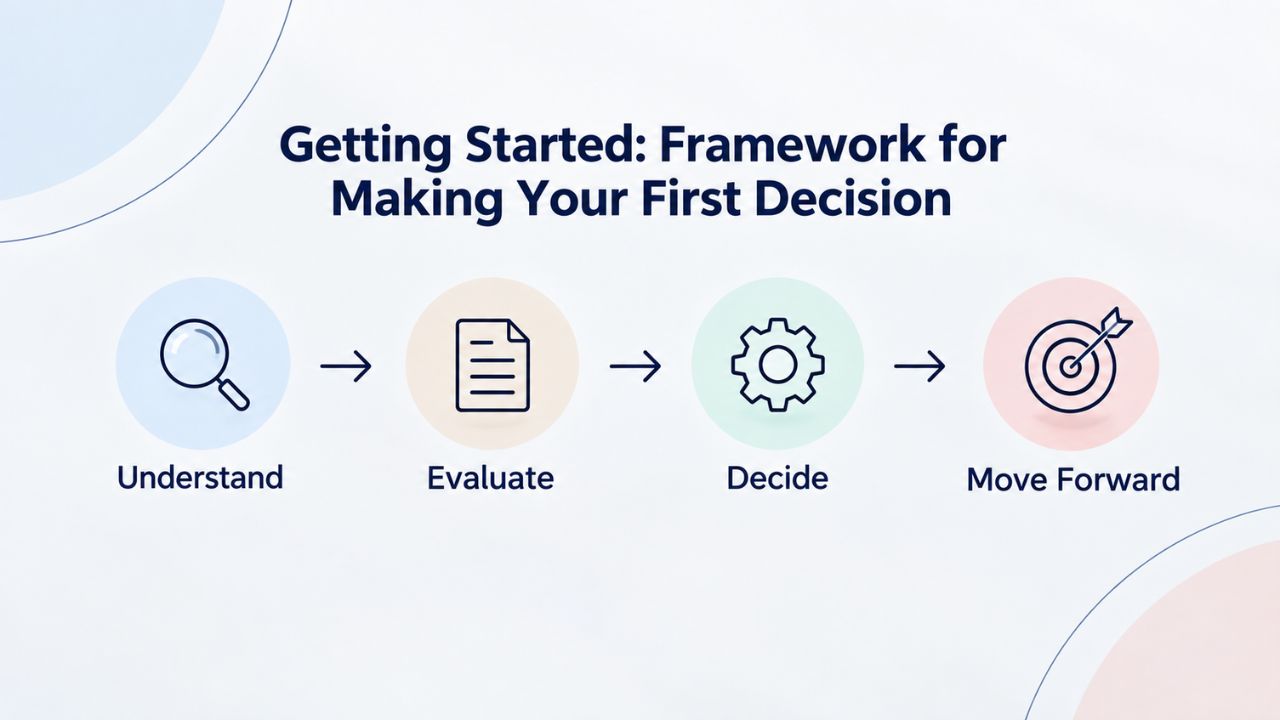
Getting Started: Framework for Making Your First Decision
If you’ve never hosted a website before, the terminology, pricing models, and feature lists feel overwhelming. A simple decision framework helps clarify what matters.
Most Small Businesses Start with Shared Hosting
Unless you know for sure you need custom software, specialized infrastructure, or guaranteed performance for revenue-generating operations, shared hosting is the right starting point. It’s affordable, includes everything you need to launch, and scales easily as your business grows. You can always upgrade later when growth demands it.
Most successful small business websites operate on shared hosting indefinitely, never needing to upgrade. Shared hosting supports blogs, e-commerce stores with hundreds of products, booking systems, and information-rich sites with thousands of pages. You don’t need to pay for VPS or dedicated resources “just in case” you grow; upgrade when growth actually occurs.
Choose Providers Committed to Transparent Communication
Select a hosting provider that publishes renewal rates, clearly explains hidden limits, and responds quickly to pre-sale questions. Transparency signals that the company respects customer relationships and isn’t trying to hide unfavorable terms. This simple criterion eliminates many problematic providers and focuses your choice on providers likely to deliver good experiences.
Confirm Support Quality Before Committing
Send a presale question and note how quickly they respond. Call their support phone line and observe their professionalism and knowledge. If presale support is slow or unhelpful, production support will be too. Support quality becomes increasingly valuable as your business depends more heavily on your website. Choosing based on price alone can lead to regret when problems arise.
Looking Ahead: Infrastructure That Grows with Your Business
The right hosting provider doesn’t just rent you server space; it partners with you in your online success. From your first day online through years of business growth, the hosting decisions you make today shape the reliability, performance, and cost-effectiveness of your web presence.
Frequently Asked Questions
What’s the difference between a renewal rate and an introductory rate, and why do they differ?
Hosting providers offer promotional (introductory) rates to attract new customers, with higher rates at renewal when the initial term expires. This model is industry-standard, similar to insurance or gym memberships. Always confirm the renewal rate before signing up, not just the introductory offer. Ask your provider for renewal rates in writing or scroll to find them in fine print on pricing pages. Set a calendar reminder before renewal, so you have time to decide whether to stay, switch providers, or upgrade.
How do I calculate how much storage and bandwidth my website actually needs?
Consider your website type and content. Text-focused blogs with occasional images typically fit in 1–3 gigabytes of storage and use 5–20 gigabytes of monthly bandwidth. E-commerce stores with hundreds of high-resolution product images need 5–20+ gigabytes of storage depending on catalog size.
Bandwidth depends on monthly visitor volume and average page size; 10,000 monthly visitors accessing 2-megabyte pages generates roughly 20 gigabytes of bandwidth. Start with a mid-tier shared plan and upgrade if you hit resource limits; don’t overpay for unused capacity.
When is the right time to upgrade from shared hosting to VPS?
Upgrade when you experience specific problems: consistent resource-limit warnings in your control panel, noticeably slow page loads during peak traffic, need for custom software your host won’t support, or multiple websites requiring isolated environments. Most small business sites never need to upgrade.
Traffic exceeding 50,000–100,000 monthly visitors or business-critical operations where downtime costs money are clear upgrade signals. Don’t upgrade prematurely; shared hosting handles far more than most small businesses require.
What’s included in a standard web hosting plan, and what typically costs extra?
Standard inclusions on all modern hosting plans are SSL certificates (free, automatic, renewable), cPanel control panel, email accounts (typically 5–25 mailboxes), automatic backups, 24/7 support access, and one-click application installers. Bandwidth is unlimited or generously allocated. Premium SSL certificates (extended validation), advanced backup services, website builders, additional email accounts beyond your plan limit, and specialized optimization services typically cost extra. Review your plan documentation to confirm exactly what’s included in your tier.
What does “unlimited storage” or “unlimited bandwidth” really mean if there are actual limits?
“Unlimited” is marketing language masking actual limits disclosed in acceptable-use policies. Most unlimited plans cap file count (typically 250,000–500,000 items per account), implement CPU throttling if you process data too intensively, or restrict certain file types. These limits don’t affect 95% of small business websites but can trigger account suspension if exceeded. Ask support directly about actual storage and file limits before signing up, and get the answer in writing if possible.
How long does website setup take once I sign up for hosting?
Your hosting account is typically active within minutes of signup. Installing WordPress or other platforms via a one-click installer takes 10–15 minutes. Pointing your domain to your hosting and configuring email takes another 30 minutes if you’re familiar with DNS; more if it’s your first time. Many providers offer free setup assistance or migration help for new customers, which can cut this time significantly. Most sites are fully operational within a few hours of signup.
Should I register my domain with my hosting provider or keep them separate?
Registering your domain separately from hosting gives you more flexibility; you can change hosts without losing your domain, compare renewal rates across registrars, and avoid vendor lock-in. Many hosting providers charge higher domain renewal rates than dedicated registrars. The best approach is to register through a specialized domain registrar and point it to your hosting provider’s servers through DNS configuration. This takes minutes and gives you maximum control.
What should I do if my website gets hacked or data is accidentally deleted?
Automatic backups included in every hosting plan provide protection. If your site is hacked or accidentally deleted, you can restore from a recent backup through cPanel, usually within minutes. Keep WordPress and plugins updated, use strong passwords, and install security plugins for additional protection. Backups are your safety net, not a substitute for prevention. Regular updates and security practices prevent most problems; backups protect you when problems do occur.
How do I know it’s time to upgrade my hosting plan?
Clear signals include regular resource-limit warnings in your control panel, noticeably slower site performance during peak hours, difficulty adding new site features, or need for custom software. If your site works well, don’t upgrade. If you run into specific problems, upgrading typically solves them immediately, without downtime. Contact your provider’s support team; they can review your resource usage and recommend whether you need to upgrade.
Is free hosting ever a good idea for a business website?
Free hosting is rarely recommended for business sites. Free platforms often include intrusive advertising, severely limit customization, provide minimal support, and offer no uptime guarantees or data protection commitments. A modest monthly investment in shared hosting from a reputable provider gives you real support, reliable uptime, a professional appearance, and the freedom to customize. Free hosting costs your business credibility and control; investing in real hosting pays dividends.
How often should I back up my website files beyond the automatic provider backups?
Hosting providers handle automatic daily or weekly backups, protecting you against server-level failures. For maximum security, download a local copy of critical files to your computer monthly. This provides redundancy: if your hosting provider experiences catastrophic failure, you still have your own backup. Automated backups + occasional manual local backups give you complete peace of mind.
What should I look for when comparing different hosting providers?
Focus on infrastructure reliability (uptime guarantees, SSD drives, redundancy), support quality (24/7 availability, responsiveness to pre-sale questions), transparent pricing (published renewal rates), and upgrade flexibility (same control panel and support team as you scale). Avoid providers that are reluctant to disclose renewal rates or have hidden limits. Read recent customer reviews focusing on support quality and actual uptime experience, not just promised features.
How does website speed affect my business, and does hosting affect speed?
Page speed directly impacts user experience, conversion rates, and search engine rankings. One-second slowdowns reduce conversions measurably. Hosting affects speed through server quality (SSD vs. older drives), resource allocation (shared vs. dedicated resources), and data center infrastructure. If your site loads slowly and you’ve optimized images and removed unnecessary plugins, upgrading to better hosting often solves the problem. Speed is a legitimate reason to choose more capable hosting.
What’s the difference between managed and unmanaged hosting?
Managed hosting means your provider handles software updates, security patches, performance optimization, and backups automatically. You focus on your business; they handle technical infrastructure. Unmanaged hosting requires you (or your IT staff) to handle all updates and maintenance. Most shared hosting is managed; your provider handles everything. VPS and dedicated hosting can be either managed or self-managed. Choose based on your technical capability and available time.
Can I move my website to a different host if I’m unhappy with my current one?
Yes, and most quality providers offer free migration assistance for new customers. You own your website files, databases, and domain name; you can move them anytime. The process typically takes 24–48 hours with minimal downtime. If your current host charges migration fees, choosing a new provider that offers free migration can offset that cost immediately. Site migration is straightforward for most small business websites.
Glossary
- Web Hosting: A service providing server storage and internet connectivity for your website files, databases, and email, making your site accessible to visitors worldwide 24/7.
- Bandwidth: The total amount of data transferred monthly between your hosting server and your visitors’ web browsers, measured in gigabytes, reflecting data movement rather than permanent storage.
- Storage / Disk Space: The permanent allocation of server hard drive capacity where your website files, images, databases, and email accounts are stored permanently.
- Shared Hosting: A hosting arrangement where your website shares server resources (processing power, memory, storage, bandwidth) with many other customer websites on the same physical machine.
- Control Panel: A visual, web-based interface (typically cPanel) enabling you to manage domains, email accounts, website files, databases, and backups without requiring technical server knowledge.
- Uptime / SLA: The percentage of time your website remains online and operational; an SLA (Service-Level Agreement) guarantees a specific uptime percentage and may provide service credits if the provider falls short.
- Renewal Pricing: The hosting cost charged when your initial contract term expires and you renew service, typically higher than introductory promotional rates.


