
Hostinger’s user-friendly interface and widespread appeal have made it a popular choice for beginners launching their first websites. However, rising renewal prices and inconsistent support responsiveness push many users to explore alternatives that offer better long-term value and reliability. If you’re reconsidering your hosting provider, understanding what competitors offer and which solution genuinely fits your needs is essential. Niya Digital is an authorized reseller of GoDaddy-powered web hosting infrastructure, not an operator of its own independent data centers or hardware infrastructure.
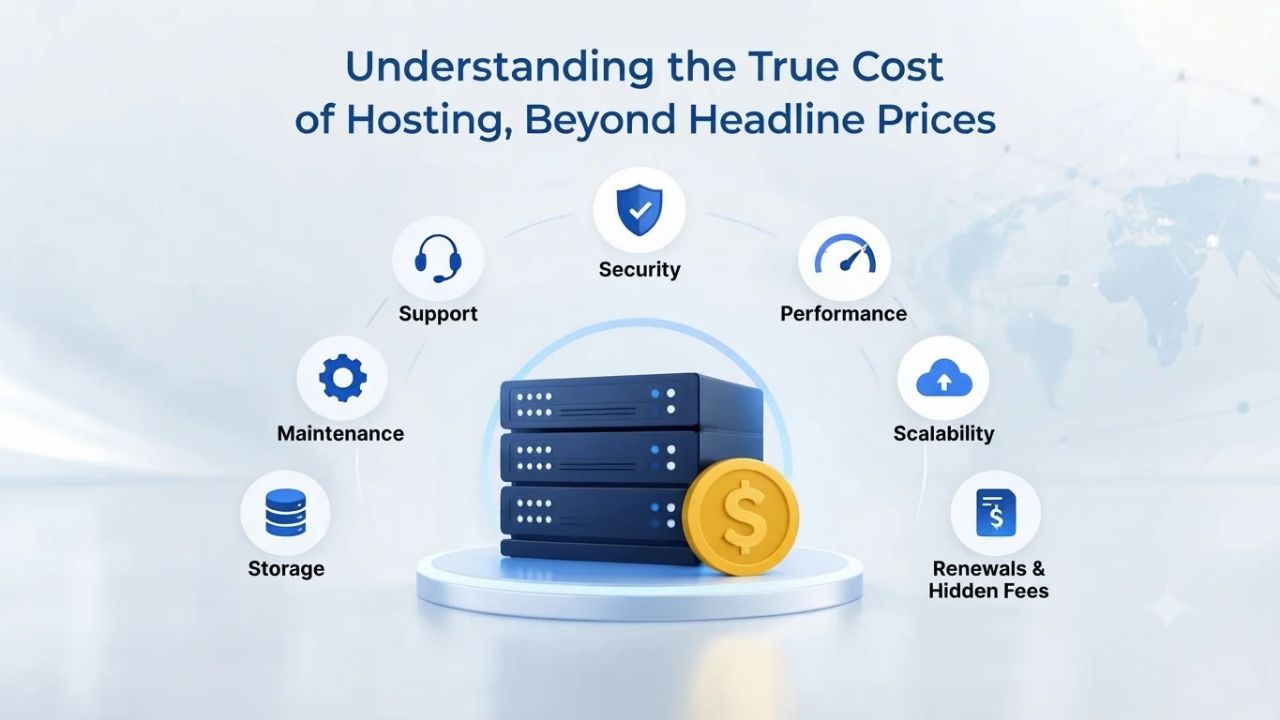
Understanding the True Cost of Hosting, Beyond Headline Prices
Hostinger’s headline pricing is genuinely attractive to beginners, but it masks significant cost increases at renewal time. Understanding the real long-term cost of hosting matters far more than comparing introductory month-one charges. Many site owners learn this only when renewal invoices arrive, often pushing them to seek alternatives with more transparent, predictable pricing.
The Renewal Cost Jump That Catches Site Owners Off Guard
Hostinger’s shared hosting plans attract users with exceptionally low introductory rates, particularly on long-term contracts. However, when the introductory period ends and renewal approaches, many customers face significant price increases that can substantially impact their annual hosting budgets. According to independent reviews analyzing Hostinger’s 2025-2026 pricing structure, renewal rates can increase by 200 to 300 percent compared to what new customers pay on promotional offers. This pricing pattern is common across the hosting industry, but Hostinger’s gap between intro and renewal rates ranks among the steepest documented across major shared hosting platforms WebsiteRating Hostinger Review 2026.
Site owners often set calendar reminders for renewal dates and are shocked to discover their annual costs have tripled when billing statements arrive. Many users report this experience across review sites including G2, Trustpilot, and independent hosting evaluation platforms. This renewal pricing pattern has become the top reason users cite when switching from Hostinger to competitors with more transparent or gradual pricing structures. Understanding this pattern upfront helps you decide whether Hostinger’s initial appeal justifies the long-term cost commitment.
Calculating Your Actual Three to Five Year Cost of Ownership
Evaluating hosting decisions requires looking beyond first-month pricing and calculating your total expenditure over a realistic ownership period of three to five years. When you factor in both introductory and renewal periods across multiple contract cycles, the apparent savings from the lowest intro offer often disappear entirely. Some alternatives with modestly higher introductory rates may deliver substantially lower total costs when you account for renewal increases, because their gap between intro and renewal pricing is significantly smaller.
For example, a competitor platform offering a slightly higher introductory rate but with renewal increases of only 50 to 100 percent may cost substantially less over five years than a provider with rock-bottom intro pricing, but 200+ percent renewal jumps. This is why long-term cost comparison, not headline pricing, should drive your hosting provider decision. Projecting your actual expenditure across multiple years reveals which provider offers the best true value, helping you avoid budget shocks and unnecessary provider switches later.
Business Web Hosting Plans & Pricing
Choose the hosting plan that fits your website, WordPress site, or growing business. Compare features, storage, performance, security, and website capacity to find the right hosting environment for your needs.
cPanel Starter
cPanel Hosting that's easy, reliable and lightning-fast.
- 1 website
- 30 GB storage
- Unmetered bandwidth*

cPanel Economy
cPanel Hosting that's easy, reliable and lightning-fast.
- 1 website
- 100 GB space
- Unlimited bandwidth*
- 100 email accounts**
- 10 MySQL databases (1 GB ea.)
cPanel Deluxe
cPanel Hosting that's easy, reliable and lightning-fast.
- Unlimited websites
- Unlimited space
- Unlimited bandwidth*
- 500 email accounts
- 25 MySQL databases (1 GB ea.)
cPanel Ultimate
cPanel Hosting that's easy, reliable and lightning-fast.
- Unlimited websites
- Unlimited space
- Unlimited bandwidth*
- 1000 email accounts
- Unlimited MySQL databases (1 GB ea.)
- 2X Processing power & memory (available for Linux/cPanel only)
- Premium DNS
- 1-year SSL certificate to secure customer data and increase search rankings
*We don't limit the amount of storage and bandwidth your site can use as long as it complies with our Hosting Agreement. Should your website bandwidth or storage usage present a risk to the stability, performance or uptime of our servers, we will notify you via email and may be required to upgrade, or we may restrict the resources your website is using.
**Email account storage is limited to 100 email accounts with 100 MB of total storage.
WordPress Basic
A great way to get started.
- 1 website
- 10 GB NVMe storage
- Unmetered bandwidth
- Free SSL Certificate *
- WordPress pre-installed
- Weekly backups
- Web Application Firewall
- Daily malware scans
- One-time malware removal

WordPress Deluxe
Improve your site performance with Cloudflare CDN.
- 1 website
- 20 GB NVMe storage
- Unmetered bandwidth
- Free SSL Certificate *
- WordPress pre-installed
- Daily backups
- Web Application Firewall
- Daily malware scans
- One-time malware removal
- Up to 2x faster performance with global Cloudflare CDN **
- Enhanced security with DDoS protection
- Staging site
WordPress Ultimate
Add online marketing with more sites, storage and security.
- 1 website
- 30 GB NVMe storage
- Unmetered bandwidth
- Free SSL Certificate *
- WordPress pre-installed
- Daily + on-demand backups
- Web Application Firewall
- Daily malware scans
- Unlimited malware removal
- Up to 2x faster performance with global Cloudflare CDN **
- Enhanced security with DDoS protection
- Staging site
- WordPress code optimizer
- Smart WordPress plugin manager
- Sell online with WooCommerce
*An SSL certificate is included with every site and free for the life of the hosting plan. Certificates are automatically installed, validated and renewed.
Web Hosting Plus Launch
For multiple basic sites.
- 100 GB storage*
- 4 GB RAM
- 2 CPUs
- Unmetered traffic
- 50 websites & databases
- Free, unlimited SSL for all your websites**

Web Hosting Plus Enhance
For high-traffic WordPress, Joomla, and other sites.
- 200 GB storage*
- 8 GB RAM
- 4 CPUs
- Unmetered traffic
- 100 websites & databases
- Free, unlimited SSL for all your websites**
Web Hosting Plus Grow
For advanced eCommerce sites like Magento.
- 300 GB storage*
- 16 GB RAM
- 8 CPUs
- Unmetered traffic
- 150 websites & databases
- Free, unlimited SSL for all your websites**
Web Hosting Plus Expand
For multiple basic sites.
- 400 GB storage*
- 32 GB RAM
- 16 CPUs
- Unmetered traffic
- 200 websites & databases
- Free, unlimited SSL for all your websites**
*The total amount of usable storage capacity for your particular Hosting Service(s) may differ from the represented capacity as there is required space for the operating system(s), system file(s) and other supporting file(s).
**If you cancel the Web Hosting Plus product, you will lose the associated SSL certificate as well.
When Hostinger Hosting Actually Works Well
Hostinger genuinely excels in several dimensions. For beginners launching their first website with minimal technical knowledge and a tight initial budget, Hostinger remains a reasonable starting point, provided you understand and budget for renewal price increases. Knowing where Hostinger delivers real value helps you decide whether it still fits as your site needs evolve.
Beginner-Friendly Interface and Rapid Site Setup
Hostinger’s proprietary control panel, called hPanel, was specifically designed for users without technical backgrounds who find traditional hosting interfaces intimidating or overwhelming. The interface prioritizes visual clarity, reduces unnecessary complexity, and consolidates common tasks into one centralized dashboard where you can manage domains, configure email accounts, install applications with a single click, and access support resources. Users consistently praise this approach as substantially more intuitive than traditional cPanel or Plesk installations, according to Hostinger reviews (PC World, Tooltester).
Website setup is notably fast on Hostinger’s platform; new users regularly report having a functioning WordPress blog running within minutes, not hours. Hostinger includes an AI-powered website builder with over 150 pre-designed templates and AI tools such as an AI writing assistant and heat mapping functionality, allowing non-technical users to launch professional-looking websites without writing any code. This combination of simplicity, speed, and built-in design assistance makes Hostinger particularly appealing to bloggers, freelancers, and small business owners who want to get online quickly without hiring developers Hostinger official documentation.
Global Data Center Infrastructure and Performance Advantages
One of Hostinger’s strongest strengths is its extensive geographic footprint, which sets it apart from many competitors focused on single-region deployments. The platform operates nine global data centers strategically positioned across the United States, United Kingdom, France, Netherlands, Indonesia, Lithuania, Singapore, India, and Brazil. This geographic distribution means users in each region experience lower latency and faster page load times compared to providers operating from a single central location. For bloggers, small businesses, and content creators with international audiences, this geographic reach translates directly into better performance.
Hostinger’s servers utilize LiteSpeed web server technology, which is included on all plans by default and serves cached content substantially faster than traditional Apache-based stacks without requiring users to install separate caching plugins or additional optimization tools. The company guarantees 99.9 percent uptime on shared plans, with some higher-tier offerings claiming even stronger availability commitments Hostinger official. This combination of global infrastructure reach and performance-optimized server technology delivers measurably better speed than many budget hosting alternatives, particularly for users with geographically distributed audiences (Hostinger.com tutorials).
What Hostinger Falls Short On: The Support and Security Reality Check
While Hostinger’s feature set and initial appeal attract many new users, real limitations emerge when technical problems arise, or websites grow beyond entry-tier resource allocation. Understanding these limitations helps you determine whether Hostinger can support your site’s long-term success or whether an alternative better matches your priorities.
Support Responsiveness and Communication Delays
Hostinger offers 24/7 support through live chat, email, and a knowledge base. Yet, independent reviews consistently cite slow response times as a major pain point that affects user satisfaction and problem resolution. On G2’s review platform, over 100 users cite poor customer support quality, with 38 reviews highlighting slow live chat response times as a major frustration (G2.com Hostinger Reviews). Users report waiting 15 or more minutes for a chat agent to respond, which becomes increasingly frustrating when a website outage causes revenue loss or a migration window is closing.
Unlike many competitors offering 24/7 telephone support at comparable entry-level pricing, Hostinger relies primarily on chat-based support as its main contact channel. While chat support can respond quickly during peak business hours, a critical website problem occurring at 2 a.m. may encounter significant delays, and chat-only interaction sometimes lacks the technical depth needed for complex troubleshooting. For small business owners whose websites generate direct revenue or for users managing business-critical applications, access to phone support with knowledgeable technical staff often justifies paying slightly more monthly for hosting that prioritizes rapid response and phone availability HostGator Blog.
Account Security Concerns and Feature Reductions
Hostinger users have reported account suspensions and lockouts without clear warning or explanation, and some customers later couldn’t access their websites or retrieve backups after cancellation. While these incidents are not universal across the Hostinger customer base, they highlight trust issues that push risk-averse business owners to seek platforms with better-documented security practices and more transparent account-management policies. WebsiteRating Hostinger Review 2026.
Additionally, Hostinger implemented significant plan reductions in 2025 that affected existing customer offerings: email account allocations dropped dramatically, and storage allocations were reduced substantially on the same plan tiers. These feature cuts, combined with renewal price increases, created negative sentiment among existing customers who expected consistent plan value. These documented changes highlight the importance of choosing hosting providers with transparent feature commitments and stable, predictable plan structures that don’t erode over time. WebsiteRating Hostinger Review 2026.
Global Performance and Scalability, Why Data Center Distribution Matters
When your website’s audience spans multiple countries or regions, hosting location directly impacts page load speed, user experience, and search engine visibility. Beginners often overlook this aspect of hosting provider selection, but it becomes critical as websites grow and serve increasingly global audiences. Understanding how data center distribution affects real-world performance helps you choose a provider that supports your site’s growth.

Latency, Page Load Speed, and Search Engine Ranking Impact
The physical distance between your website’s server and your users’ location directly affects page load speed through a metric called latency. Users accessing a website from Australia while the server is in a single U.S. data center experience 150 to 300 milliseconds of additional delay purely from geographic distance, and this latency compounds with other performance factors. Google’s search ranking algorithms increasingly favor fast-loading websites, so latency differences translate directly to search visibility and user experience. Smallbiztrends.com WordPress Hosting Methodology.
Hostinger’s nine-center geographic distribution across multiple continents provides a genuine advantage over competitors like Bluehost that operate from a single U.S. data center TechRadar Hostinger Review. However, SiteGround operates 11 strategically positioned global data centers backed by Google Cloud infrastructure and includes automatic content delivery network caching on all plans, delivering even lower latency for internationally distributed audiences. For businesses serving customers across multiple continents, this data center coverage difference can measurably impact conversion rates, user satisfaction, and search engine rankings.
Handling Traffic Growth and Planning Your Scaling Path
As your website grows and traffic increases, you may quickly outgrow shared hosting’s resource limitations and need to upgrade to virtual private servers or dedicated hosting. Hostinger offers VPS and cloud hosting for customers ready to scale, but moving between hosting tiers typically requires data migration and can involve temporary downtime. DreamHost and SiteGround integrate scaling more seamlessly, letting you upgrade within similar hosting tiers and feature families without the friction and technical complexity of full-scale migrations.
If you anticipate growth beyond a single-site blog or small business presence, selecting a host with clear, frictionless scaling pathways (from shared to VPS to dedicated options) reduces future migration costs and complexity. Hostinger’s documented limitations for developers and scaling businesses are consistently cited across independent reviews as a reason users eventually outgrow the platform Gizmodo. Choosing a provider with transparent upgrade paths helps you avoid costly re-migrations as your site matures.
Comparing True Value Across Six Hosting Alternatives
Evaluating hosting providers requires comparing multiple factors beyond just introductory pricing. The table below compares how six credible Hostinger alternatives perform across key dimensions: ease of use, support quality, performance infrastructure, and feature depth. This comparison helps you choose the provider that best fits your priorities and use case.
Understanding Each Provider’s Strengths and Target Audience
Each hosting platform excels for different user types and website needs, so identifying the provider that matches your situation matters more than chasing the lowest price. SiteGround targets agencies and WordPress professionals who need advanced features like staging environments, Git integration, and managed WordPress optimization, justifying higher pricing through productivity gains and professional-grade support. DreamHost appeals to users who prioritize long-term stability and transparent pricing, having operated as an independent company for 29 years with 1.5 million hosted websites and a track record of consistent service. Bluehost serves users specifically seeking WordPress optimization, benefiting from official WordPress.org recommendation status and purpose-built WordPress compatibility.
InMotion Hosting targets support-conscious users who prioritize responsive assistance, offering 24/7 phone support at entry-level pricing tiers, a rarity in the shared hosting market PC World InMotion Review. A2 Hosting appeals to developers and technical users seeking performance optimization and custom configurations, while HostGator serves budget-conscious users managing multiple websites who prioritize affordable, familiar hosting environments. Niya Digital’s Web Hosting service, operating as a reseller of GoDaddy-powered infrastructure, targets users seeking guided onboarding, transparent account management, and personal support during setup and configuration, differentiating itself through service rather than technical differentiation.
Feature Allocation and Resource Availability Across Plans
Different hosting providers allocate features and resources differently across their plan tiers, affecting which plan tier provides the best value for your specific needs. DreamHost distinguishes itself by including NVMe SSD storage on all plan tiers, including entry-level offerings, whereas Hostinger reserves this faster storage technology for Business and higher-tier plans. This storage difference matters substantially for WordPress sites running databases such as WooCommerce stores or membership platforms, where database performance directly impacts page speed Hostinger.com tutorials. SiteGround includes automated content delivery network caching and staging environments across most plan tiers, supporting professional workflows without requiring expensive upgrades.
HostGator stands out with website allocation, letting entry-level plans host 10 or more separate websites, while many competitors limit entry plans to single-site hosting. This multi-site capability makes HostGator particularly attractive to freelancers, agencies, and users managing multiple client websites on tight budgets. InMotion Hosting uniquely offers a 90-day refund guarantee, substantially longer than the industry-standard 30 days, reducing risk for users unsure about switching providers. A2 Hosting reserves its most advanced features (Git integration, advanced PHP controls, SSH access on all plans) for higher tiers. In contrast, HostGator includes SSH and advanced controls more broadly across plan levels. Understanding these feature allocations helps you identify which provider’s plan structure best matches your actual needs.
| Provider | Best For | Standout Strength | Support Type | Data Centers |
|---|---|---|---|---|
| Hostinger | Beginners, global audiences | 9 data centers, LiteSpeed, AI builder | Live chat, email | 9 locations worldwide |
| SiteGround | Agencies, WordPress pros | Google Cloud, staging, managed WordPress | Phone, chat, email | 11 locations worldwide |
| DreamHost | Long-term users, WordPress | 100% uptime guarantee, NVMe all tiers | Phone, chat, email | 2 US data centers |
| Bluehost | WordPress-focused sites | WordPress.org official recommendation | Phone, chat, email | 1 US data center |
| InMotion Hosting | Support-conscious users | 24/7 phone, 90-day refund, security-first | Phone, chat, email, ticket | Multiple global locations |
| A2 Hosting | Developers, performance seekers | Guru Crew support, Turbo servers, Git | Phone, chat, email | Multiple global locations |
| HostGator | Multi-site budget users | 10+ sites on entry plan, cPanel standard | Phone, chat, email | Multiple global locations |
Compare Hosting Plans with Transparent, Honest Guidance
Choosing a hosting provider shouldn’t require decoding hidden renewal costs or guessing at true long-term value. Niya Digital’s Web Hosting service offers straightforward pricing, clear feature allocation, and upfront support so you know exactly what you’re getting before you commit. Stop playing hosting roulette and start with a provider that respects your budget.
Support Quality and Reliability, Where Responsive Help Actually Makes a Difference
When website problems occur, and they inevitably do, the quality and responsiveness of hosting provider support becomes absolutely critical. The difference between responsive, knowledgeable support and slow or unhelpful responses can determine whether a problem is resolved in minutes or causes days of lost revenue. Support quality is often underestimated in hosting provider selection, yet it profoundly affects long-term satisfaction.
Phone Support Availability and Technical Depth
InMotion Hosting distinguishes itself by offering 24/7 telephone support starting at entry-level pricing, a rarity in budget-focused shared hosting where most competitors offer chat as the primary support channel PC World InMotion Review. This phone accessibility means you can reach a human agent during critical emergencies rather than waiting in a chat queue at 3 a.m. when your website is down. A2 Hosting’s support team, branded as “Guru Crew,” is known throughout the hosting community for technical depth and quick response times, particularly valued by developers managing complex configurations Gizmodo.
HostGator provides round-the-clock phone, chat, and email support, plus 24/7/365 dedicated server monitoring, giving users multiple contact pathways to match their communication preferences (HostGator Blog). In contrast, Hostinger’s primary support channel is live chat, which works well during business hours but may have longer wait times and less technical depth after hours. For small business owners whose websites directly generate revenue, having phone access to technically qualified support staff often justifies paying slightly more monthly; the cost of support responsiveness during a critical outage typically exceeds the monthly price premium within a single incident.
Uptime Guarantees and Documented Reliability Records
DreamHost uniquely backs its service with a 100 percent uptime guarantee, significantly stronger than the industry-standard 99.9 percent commitment offered by most competitors. This guarantee comes backed by 29 years of independent operation as a privately held company, 1.5 million hosted websites, and a publicly available track record demonstrating consistent service delivery. SiteGround built its infrastructure on Google Cloud Platform with multilevel caching, geographic redundancy, and distributed servers, resulting in consistent 99.9+ percent uptime even during traffic spikes or infrastructure challenges.
Hostinger’s 99.9 percent uptime commitment is standard within the industry. Still, independent user reviews cite occasional DNS issues and service suspensions affecting real customers’ availability, raising questions about whether actual uptime matches advertised commitments. For mission-critical websites generating revenue or supporting essential business operations, providers with documented uptime records, third-party verification, or stronger guarantees substantially reduce operational risk. The difference between a provider with consistent uptime history and one with sporadic issues might seem minor statistically. Still, single outages that cost your business money or damage your reputation make this difference highly consequential. WebsiteRating Hostinger Review 2026.
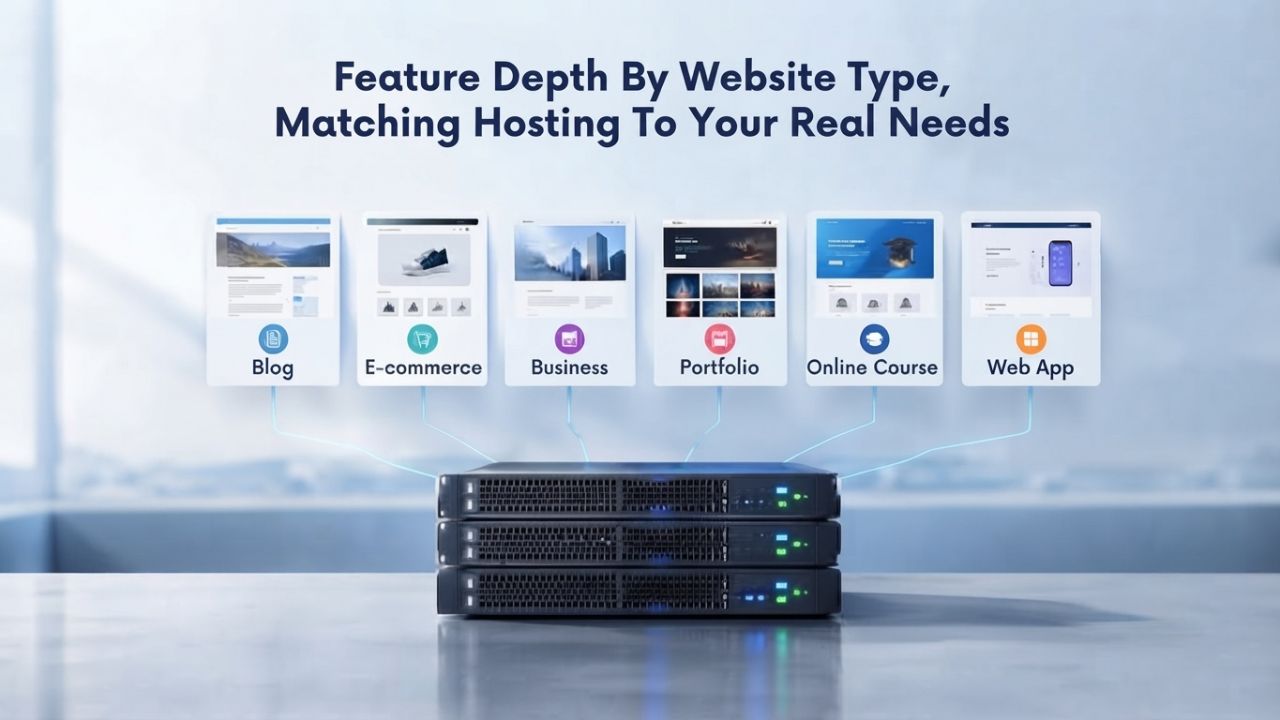
Feature Depth by Website Type, Matching Hosting to Your Real Needs
Different websites have fundamentally different hosting requirements. A personal blog has entirely different needs than a WordPress e-commerce store, an agency managing multiple client sites, or a developer building custom applications. Choosing a provider whose features match your website type ensures you get the functionality you need without paying for unnecessary premium features.
WordPress Optimization and Content Management Support
Bluehost maintains official WordPress.org recommended status with purpose-built WordPress integration and dedicated WordPress support specialists, making it particularly appealing to site owners specifically building WordPress blogs. DreamHost runs over 1.5 million WordPress installations and includes NVMe SSD storage on every plan tier, a key advantage for WordPress sites with large databases, such as WooCommerce stores or membership platforms, where database performance directly affects page load speed. SiteGround’s managed WordPress tier includes 30 percent faster PHP processing specifically optimized for WordPress workloads, automated staging environments for safely testing theme and plugin updates, and Git integration for version control, features built specifically for WordPress agencies managing multiple client sites.
Hostinger’s WordPress support is competent at the entry level, providing one-click installation and basic WordPress compatibility, but lacks the optimization depth and specialized tools available through Bluehost’s official recommendation partnership or SiteGround’s managed WordPress tier. If WordPress optimization, security updates, and performance tuning are your primary concerns, Bluehost or DreamHost offer superior long-term value through dedicated WordPress expertise and purpose-built feature sets.
Developer Tools and Multi-Site Hosting Capability
A2 Hosting attracts developers by prioritizing speed optimization, including Turbo servers that deliver enhanced performance for resource-intensive applications, and by offering SSH access, Git integration, and support for multiple programming languages, including PHP, Python, and Ruby, across all plan levels. The support team’s expertise with developer workflows and complex configurations, branded as “Guru Crew,” helps technical users troubleshoot custom setups and implement advanced optimizations.
HostGator’s entry-level plans support hosting 10 or more separate websites, with unlimited additional websites on higher tiers, making it ideal for agencies managing multiple client sites and freelancers hosting portfolios, service sites, and client projects simultaneously (HostGator Blog). Both platforms use industry-standard cPanel, which developers migrating from other hosts recognize and which reduces the learning curve for technical users accustomed to traditional control panels.
Hostinger’s hPanel is beginner-friendly but lacks the granular controls developers expect, with restricted SSH access on lower tiers, limited role management for agency workflows, and constraints on custom domain and subdomain controls. For development work, custom application hosting, or agency reselling models, A2 Hosting and HostGator provide substantially more flexibility and developer-focused features. Niya Digital’s reseller positioning and emphasis on guided onboarding support appeal particularly to agencies seeking white-label opportunities or hands-off account management rather than deep technical control.
Migration and Switching Process, Understanding Transition Friction
Moving from one hosting provider to another creates real technical friction and requires careful planning. Understanding the migration process, potential downtime risks, and control panel differences helps you decide whether switching now is worthwhile or whether it makes more sense to wait until your contract renewal approaches.
Control Panel Differences and Technical Learning Curves
Hostinger’s proprietary hPanel is visually designed, intuitive, and beginner-friendly, specifically reducing complexity for non-technical users uncomfortable with traditional hosting control panels. When you switch to SiteGround, DreamHost, Bluehost, A2 Hosting, InMotion Hosting, or HostGator, you’ll encounter cPanel, the industry-standard control panel used by most web hosting providers worldwide. The transition is typically straightforward for most users. Still, it involves learning different menu structures, terminology, and workflows: email setup, DNS record management, database creation, and file management all follow different pathways in cPanel than in hPanel.
HostGator uses cPanel, so migrating from Hostinger to HostGator means moving from proprietary hPanel to industry-standard cPanel, which creates a brief learning period but builds familiarity with tools widely used across hosting providers. This cPanel familiarity reduces future migration friction if you ever need to switch platforms again, since cPanel skills transfer across hosting companies. The cPanel learning curve is manageable; most users learn the core features within a few days, but it requires initial adjustment and causes a temporary productivity dip during the migration window.
Free Migration Services and Downtime Minimization
Most major hosting alternatives, including Bluehost, SiteGround, DreamHost, InMotion Hosting, A2 Hosting, and HostGator, include free migration services, sometimes with expert technical assistance to minimize downtime during the transfer process Hostinger.com tutorials. DreamHost’s migration team works around the clock and allows you to schedule transfers during your preferred low-traffic windows to minimize impact on site visitors. SiteGround’s migration includes staging environment setup and rollback capability, reducing the risk of botched transfers by allowing you to test the migrated site before finalizing the DNS switch.
Niya Digital’s onboarding team provides hands-on assistance with domain connection, email setup, and control-panel orientation during the transition period, helping ensure a smooth switchover from your previous hosting provider. Expert migration assistance matters more if your website handles business-critical functions or e-commerce transactions where even brief downtime creates direct financial loss. Platforms with experienced migration teams and clear communication throughout the process reduce the stress and technical risk of changing hosting providers.
Decision Framework for Different Site Owner Profiles
The best hosting provider is the one that genuinely fits your specific situation, priorities, and technical requirements. Rather than chasing the lowest price, matching your needs to a provider’s strengths supports long-term satisfaction and reduces the risk of costly mid-contract provider switches.
Beginners and Hobby Bloggers Seeking Simple Setup
If you’re launching your first personal blog, portfolio site, or hobby project, you need straightforward setup, intuitive management, and minimal ongoing technical work. Hostinger remains viable at entry level, provided you understand and budget for renewal cost increases beyond the initial period. However, HostGator’s entry-level plans offer comparable ease of use, lower renewal increases, and multi-site capability, letting you expand to additional projects without contract changes or migrations. InMotion Hosting’s combination of intuitive setup, 24/7 phone support access, and an extended 90-day refund guarantee provides a safety net if the hosting experience doesn’t meet expectations; the extended refund period and support accessibility reduce risk for nervous first-time site owners testing the hosting waters (HostGator Blog).
For hobbyists and casual bloggers prioritizing low cost and simplicity over advanced features, the entry-level offerings from Hostinger, HostGator, or InMotion Hosting all work adequately. The key difference is how you prioritize secondary factors: if support quality matters, InMotion’s phone access is worth the modest difference; if you anticipate expanding to multiple sites, HostGator’s multi-site entry plans offer better value; if simplicity and AI-assisted setup are priorities, Hostinger’s interface remains compelling despite eventual renewal increases.
WordPress Professionals and Managed Agencies
If you’re running WordPress sites for clients, managing agency hosting for multiple client accounts, or operating as a professional hosting reseller, DreamHost or SiteGround pull substantially ahead of other options. DreamHost’s 100 percent uptime guarantee and NVMe storage on all tiers appeal to professionals who cannot afford downtime affecting client sites or revenue. SiteGround’s staging environments, Git integration, managed WordPress tier with enhanced PHP performance, and professional-level support set it apart for agency workflows where efficiency and advanced features translate directly into billable client value.
For technical teams managing many websites, A2 Hosting’s Guru Crew support combined with developer-friendly features (SSH access, Git, custom stack support) justifies mid-tier costs through reduced manual management overhead and responsive support for custom requirements. Niya Digital’s positioning as a reseller offering guided onboarding, account management, and domain/DNS configuration support aligns well with agency workflows, especially for teams prioritizing white-label opportunities or hands-off hosting management over direct control-panel administration. The difference between self-managed hosting and a reseller emphasizing support and guidance becomes more valuable as hosting complexity increases and support responsiveness becomes business-critical.
Taking Action, Migration Steps and Long-Term Provider Selection
If you’ve decided to move beyond Hostinger, a structured approach minimizes technical risk, ensures data completeness, and helps guarantee a successful transition without losing site files, email, or visitor traffic during the switchover.

Pre-Migration Planning and Backup Verification
Before initiating any provider switch, download complete backups of your site files and database directly from Hostinger’s control panel, storing these backups in at least two separate locations as insurance against data loss or incomplete migrations. Most alternative providers include free migration services and provide clear step-by-step guidance or assign migration specialists; confirm upfront whether your new provider will manage the transfer or provide detailed instructions if you’re handling the migration yourself. Create your account with your chosen provider and verify that you have full access to their control panel environment before initiating any DNS changes or cancellations with Hostinger.
Update your domain’s nameservers to point to your new provider’s DNS servers, a critical step that makes the switchover permanent. This DNS change propagates globally within 24 to 48 hours, though DNS caching can delay propagation for some users in specific geographic regions. Schedule your migration during a planned low-traffic window, late evening or weekend hours in your primary audience’s timezone, to minimize the impact if any technical issues occur during the transition. Complete this pre-migration planning before finalizing your Hostinger cancellation to avoid becoming locked out of your account or losing access to backups and configuration data.
Post-Migration Validation and Long-Term Provider Relationship Strategy
After your site goes live on the new provider, systematically verify that all critical systems work correctly: test email forwarding, confirm SSL certificates are active, Website connections display as secure, and verify that any permanent redirects (if applicable) point to correct destinations. Monitor your site’s uptime using a free uptime monitoring service for the first week post-migration to immediately detect any lurking technical issues before they impact visitors or search engine rankings.
When selecting a long-term hosting provider, prioritize support quality and transparent renewal pricing over the lowest introductory offers. Web hosting is typically a multi-year relationship spanning three to five contract cycles: choosing a provider with stable pricing, responsive support, and transparent feature commitments often saves thousands in unexpected costs or lost revenue from avoidable downtime. Niya Digital’s emphasis on documented support during onboarding, account management continuity, and transparent service practices aligns with this longer-term relationship philosophy, valuing partnership stability over short-term cost minimization.
| Use Case / Priority | Recommended Provider | Key Reason | Best Tier to Start |
|---|---|---|---|
| Absolute lowest cost entry | HostGator | Multi-site capability on budget plans | Entry-level Hatchling |
| WordPress-first optimization | Bluehost | Official WordPress.org recommendation, tight integration | WordPress Basic tier |
| Long-term stability & uptime | DreamHost | 100% uptime guarantee, 29-year independent track record | Launch or higher |
| Global audience performance | Hostinger | 9 data centers worldwide, LiteSpeed default | Premium or Business |
| Support quality paramount | InMotion Hosting | 24/7 phone support at entry pricing, 90-day refund | Core or Launch tier |
| Developer-focused control | A2 Hosting | Guru Crew support, Git/SSH on all plans, speed-optimized | Starter tier minimum |
| Managed WordPress agencies | SiteGround | Staging, Git integration, managed WordPress tier | GrowBig tier minimum |
| Transparent, guided onboarding | Niya Digital | Reseller model emphasizes account management & setup support | Niya Digital Plans |
Explore Niya Digital’s Web Hosting Service
Niya Digital’s Web Hosting service, built on GoDaddy’s proven infrastructure, eliminates surprise costs and provides responsive support when you need it. Whether you’re migrating from Hostinger or launching your first website, our team understands that transparent service and reliable support matter more than rock-bottom introductory rates alone. Start hosting with confidence, knowing your provider prioritizes your success from day one.
Frequently Asked Questions
Why do hosting providers offer such low introductory rates if renewal prices are much higher?
Web hosting companies use introductory pricing to attract new customers, particularly beginners unfamiliar with industry pricing norms. The discounted intro rate covers hosting costs, assuming high customer lifetime value across multiple renewal cycles. At renewal, providers charge closer to actual market rates for comparable resources. This pricing model is industry-wide, but the gap varies; some providers keep smaller gaps, while others (like Hostinger) use wider gaps as a primary customer acquisition strategy. Knowing the renewal rate before you buy protects your budget from surprise increases.
Is Hostinger still worth choosing if I budget for higher renewal rates?
For beginners with modest websites attracting under 10,000 monthly visitors, Hostinger remains viable if you deliberately account for renewal increases in your budget planning. The nine global data centers, LiteSpeed performance infrastructure, and AI website builder deliver genuine value; however, if long-term support quality and pricing stability matter as much as upfront savings, alternatives like DreamHost or InMotion Hosting may offer better value despite modestly higher introductory costs.
Which hosting alternative is best for WordPress specifically?
Bluehost maintains official WordPress.org recommendation status and offers tight integration with WordPress security and update systems. DreamHost runs 1.5 million WordPress installations and includes fast NVMe storage on all plan tiers, beneficial for database-heavy sites. For agencies managing multiple WordPress client sites, SiteGround’s managed WordPress tier includes staging environments and Git integration supporting professional workflows.
Do all these hosting alternatives provide free migration from Hostinger?
Yes. Bluehost, SiteGround, DreamHost, InMotion Hosting, A2 Hosting, and HostGator all offer free migration with expert assistance. Most let you schedule migrations during low-traffic windows. Verify the specific migration process with your chosen provider before finalizing your Hostinger cancellation to ensure nothing is overlooked.
What’s the practical difference between cPanel and Hostinger’s hPanel?
hPanel is Hostinger’s proprietary, visually designed control panel emphasizing beginner simplicity. cPanel is the industry-standard interface used across hundreds of hosting providers. cPanel offers more granular controls that appeal to developers but comes with a steeper learning curve. Both accomplish core tasks identically- email management, file uploads, database creation, DNS configuration- just through different interface designs.
Is paying more for phone support actually worth the expense?
For small business owners whose websites generate revenue, phone support access during critical emergencies often justifies modest monthly premiums. Chat-only support works for non-urgent issues, but a website outage at 2 a.m. requires immediate phone contact with technical staff who can troubleshoot quickly. InMotion Hosting and HostGator offer phone support at competitive entry rates.
What does the “99.9% uptime” guarantee actually mean in practical terms?
Ninety-nine point nine percent uptime translates to approximately 44 minutes of acceptable downtime per month, or about 8.76 hours annually spread across the entire year. Service-level agreements commit providers to this standard and typically include service credits if actual uptime falls below commitment. A 100 percent uptime guarantee (like DreamHost offers) is stronger but much rarer in the hosting market.
How many data centers and global locations do I realistically need?
One data center location is enough if your entire audience is in a single country or region. Multi-continent audience distribution benefits from geographic spread: Hostinger’s nine centers and SiteGround’s 11 centers improve page load speed for geographically distributed users compared to single-location providers. Data center proximity directly affects page load performance and search engine ranking factors.
What’s the technical difference between shared hosting and VPS hosting?
Shared hosting allocates resources across many websites on single servers; you pay less but have fewer performance guarantees and limited control. Virtual Private Server (VPS) hosting allocates dedicated resources to your account specifically, improving performance and providing administrative access for custom configurations. Upgrade to VPS when traffic exceeds 50,000+ monthly visitors or when applications need custom server configurations beyond shared hosting capabilities.
Should account lockout reports make me nervous about Hostinger?
Account suspensions are reported sporadically but not systematically across all Hostinger users. Terms-of-service violations or billing issues typically trigger them, though some users report unclear triggering circumstances. If account security and data availability peace of mind matter, InMotion Hosting’s 90-day refund guarantee and SiteGround’s transparent support policies add confidence.
What’s the importance of NVMe SSD storage versus standard SSD?
NVMe (Non-Volatile Memory Express) storage is a substantially faster technology than standard SSD, reducing database query latency, which is particularly important for WordPress sites with substantial database activity like WooCommerce stores or membership platforms. For static-content blogs, a standard SSD performs adequately. DreamHost and SiteGround include NVMe on entry-level plans, while Hostinger reserves it for higher tiers.
Is there actually a “best” hosting provider across all situations?
No single provider excels universally. Hostinger wins for entry-cost and beginner simplicity. DreamHost wins for long-term stability and uptime guarantees. SiteGround wins for agencies needing advanced features. InMotion wins for support quality prioritization. HostGator wins for multi-site budget hosting. Your best choice depends on your specific needs: budget constraints, support preferences, technical skill level, website type, and anticipated growth trajectory.
How fast can I actually get a website live after purchasing hosting?
Beginner-friendly platforms like Hostinger, Bluehost, and InMotion let you install WordPress in 15 to 30 minutes with one-click installers. Custom design work or migrations from other hosts extend this timeline to one to seven days depending on complexity. All major alternatives include free migration, reducing setup friction when switching providers.
What’s my protection if a hosting company goes completely out of business?
Reputable providers like DreamHost (29 years independent), Bluehost, and SiteGround have long track records and financial stability, making closure unlikely. Most companies provide advance notice for shutdowns and assist with migrations. Daily automated backups available through all major hosts serve as insurance: even if a provider closes unexpectedly, you can restore your site within hours on alternative hosting.
Glossary
- Web Hosting: A service storing your website files on always-on servers and making them accessible to visitors globally via internet connections, typically offered as monthly or annual subscriptions.
- Uptime/SLA (Service Level Agreement): A provider’s commitment to maintain your website’s availability for a specified percentage of time. Ninety-nine point nine percent represents approximately 44 minutes of acceptable monthly downtime.
- Renewal Price: The hosting fee you pay when your initial contract expires, typically higher than introductory rates and potentially subject to increases over time.
- Data Center: The physical facility housing servers storing your website. Proximity to your audience affects page load speed by reducing latency.
- cPanel/hPanel: Control panels are dashboard interfaces for managing hosting accounts, including domain configuration, email setup, file management, and database administration. cPanel is industry-standard; hPanel is Hostinger’s proprietary alternative.
- NVMe SSD: Fast storage technology that improves database performance, especially for WordPress stores and database-heavy applications. Standard SSD storage works adequately for simpler websites.
- Bandwidth: Data transferred between your website and visitors’ browsers. Unlimited bandwidth (subject to fair-use policies) is standard on modern shared hosting plans.
- Migration: The technical process of transferring your website files, databases, email accounts, and configurations from one hosting provider to another, typically requiring DNS changes and temporary propagation delays.


