
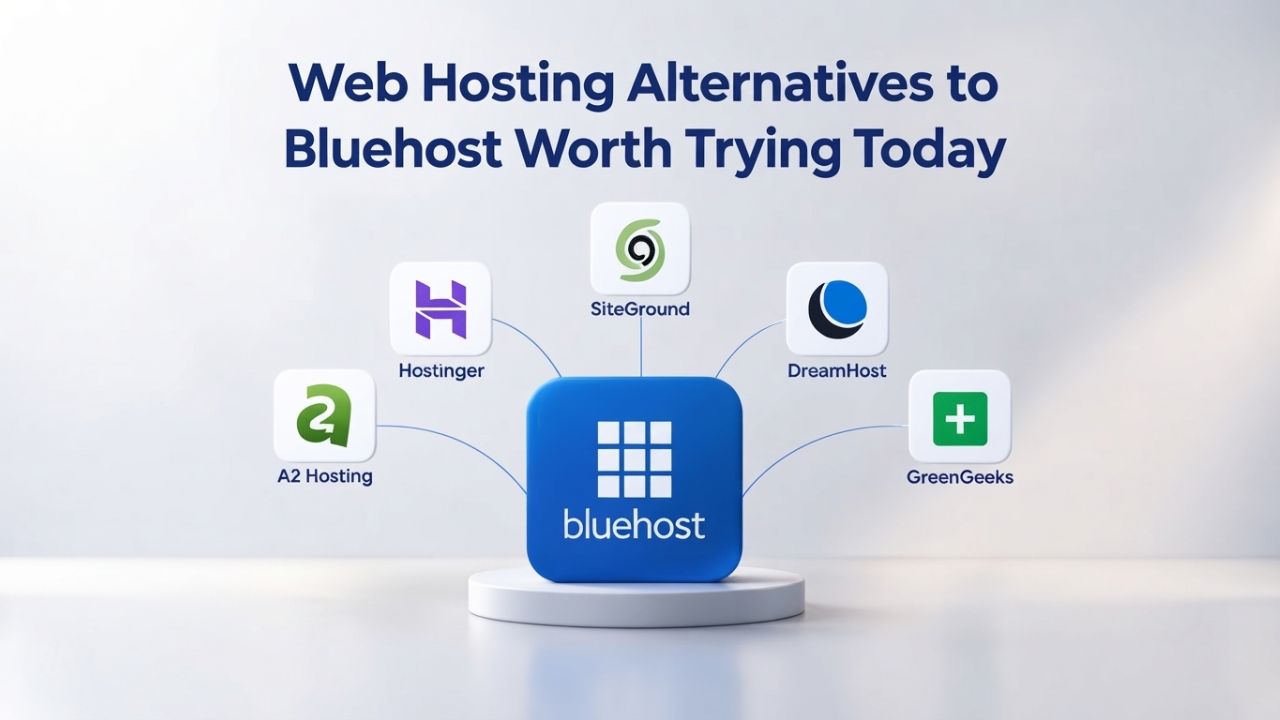
Bluehost remains one of the most recognized web hosting names online, trusted by WordPress.org and powering millions of websites. However, renewal pricing shock has pushed many users to explore alternatives, sites offering lower renewal rates, transparent billing, or stronger feature parity at competitive entry points. Niya Digital is an authorized reseller of GoDaddy-powered web hosting infrastructure; the servers, network, and data-center technology that power its hosting service are operated by GoDaddy, not by Niya Digital independently.
Why Bluehost’s Renewal Pricing Catches Users Off Guard
Bluehost offers some of the market’s most aggressive introductory offers. A starter shared hosting plan can begin at a deeply discounted rate during the initial contract term, making it an appealing entry point for budget-conscious website builders and small businesses launching their first online presence. The company has built its reputation on easy WordPress setup, abundant one-click installers, and straightforward onboarding, features that make it the go-to recommendation for beginners. However, renewal rates tell a dramatically different story, and this disconnect has become a defining pain point driving user complaints across major review platforms.
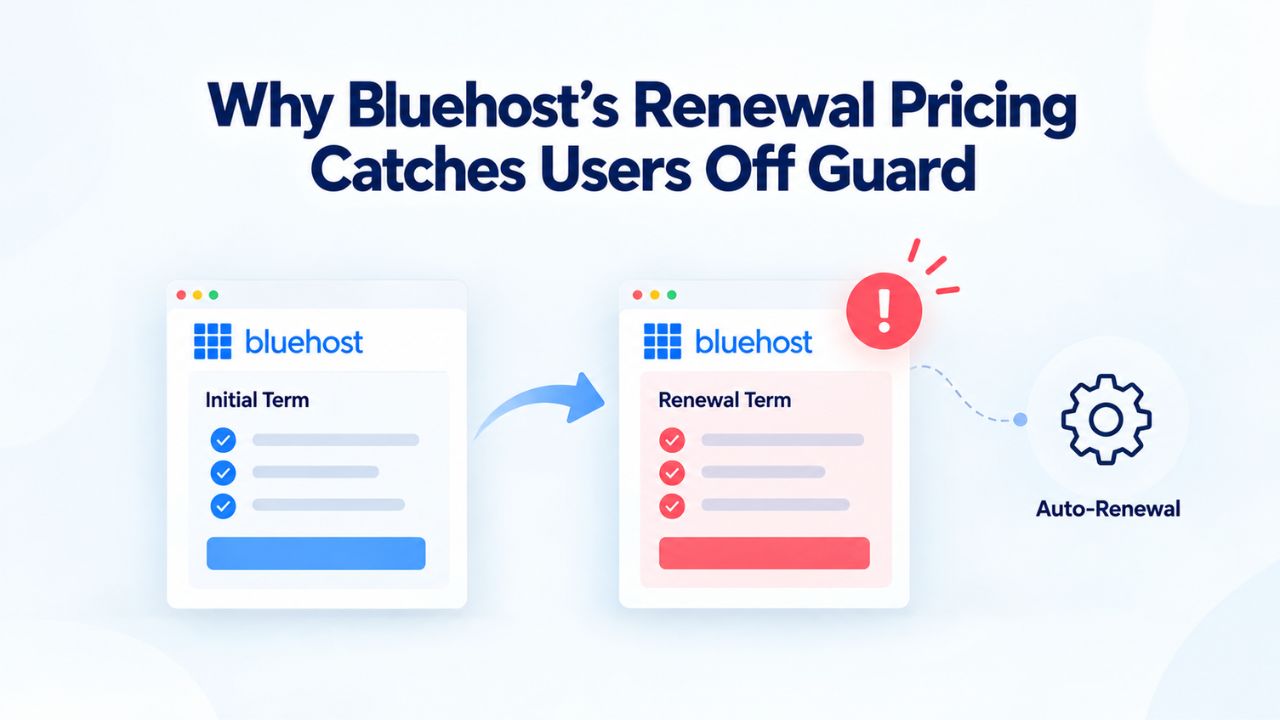
Introductory Rates vs. Renewal Rate Structures Across Plan Tiers
Bluehost’s Basic plan delivers most core features, social media, and form-building capabilities. The four main shared hosting tiers, Basic, Plus, Choice Plus, and Pro, range from one website on the entry plan to unlimited websites on higher tiers. Entry-level storage starts at a modest allocation and scales to unlimited storage on mid-tier plans. All tiers include free domain registration for the first year, free SSL certificates, and free CDN access through a content delivery network partnership. This bundled approach makes the initial offer feel comprehensive and well-rounded.
The renewal-rate jump, however, dwarfs the introductory discount across all tiers, creating a significant cost shock. One customer in Australia reported a Bluehost Basic hosting renewal notice that increased from a low initial amount to substantially more for hosting alone in the second year. This pattern surfaces repeatedly across user forums and review sites: the introductory rate is loss-leader pricing designed to attract new customers, and the renewal rate is where the provider expects to earn meaningful margin. By contrast, competitors discussed below maintain lower renewal-rate multipliers or offer transparent, predictable rate structures from month one, giving users confidence that what they sign up for is what they’ll pay on renewal.
Feature Comparison Table
| Feature | Bluehost | SiteGround | Hostinger | DreamHost | InMotion | A2 Hosting | Niya Digital |
|---|---|---|---|---|---|---|---|
| WordPress.org Endorsed | ✓ Yes | ✓ Yes | No | ✓ Yes | No | No | No |
| Free Domain (Year 1) | ✓ Yes | No | ✓ Yes | No | ✓ Yes | No | No |
| Unlimited Email Accounts | Limited | ✓ Yes | ✓ Yes | ✓ Yes | ✓ Yes | ✓ Yes | Scaled |
| Free Site Migration | ✓ Yes | ✓ Yes | ✓ Yes | ✓ Yes | ✓ Yes | Limited | Support available |
| 24/7 Phone Support | ✓ Yes | ✓ Yes | Chat/Email | ✓ Yes | ✓ Yes | ✓ Yes | Email/Chat |
| Money-Back Guarantee | 14 days | 30 days | 97 days | 97 days | 30 days | 97 days | Contact support |
| Multiple Websites | Plus tier | ✓ Yes (all) | ✓ Yes (all) | ✓ Yes (all) | ✓ Yes (all) | ✓ Yes (all) | Deluxe+ tier |
| Free SSL Certificate | ✓ Yes | ✓ Yes | ✓ Yes | ✓ Yes | ✓ Yes | ✓ Yes | ✓ Yes |
| Control Panel | cPanel | Site Tools | hPanel | Custom | Custom | cPanel | cPanel |
Auto-Renewal Mechanics and Hidden Add-On Complications
Bluehost enables auto-renewal by default, meaning your hosting automatically renews at the end of the contract term unless you disable it in your account settings. The main issue is auto-renewal: if you forget to disable it for your basic plan, you may end up committing to significant annual renewal costs. While Bluehost sends renewal reminders via email, the default auto-renewal creates friction for users who change email addresses, delete messages without reading them, or miss notifications buried in their inboxes.
Business Web Hosting Plans & Pricing
Choose the hosting plan that fits your website, WordPress site, or growing business. Compare features, storage, performance, security, and website capacity to find the right hosting environment for your needs.
cPanel Starter
cPanel Hosting that's easy, reliable and lightning-fast.
- 1 website
- 30 GB storage
- Unmetered bandwidth*

cPanel Economy
cPanel Hosting that's easy, reliable and lightning-fast.
- 1 website
- 100 GB space
- Unlimited bandwidth*
- 100 email accounts**
- 10 MySQL databases (1 GB ea.)
cPanel Deluxe
cPanel Hosting that's easy, reliable and lightning-fast.
- Unlimited websites
- Unlimited space
- Unlimited bandwidth*
- 500 email accounts
- 25 MySQL databases (1 GB ea.)
cPanel Ultimate
cPanel Hosting that's easy, reliable and lightning-fast.
- Unlimited websites
- Unlimited space
- Unlimited bandwidth*
- 1000 email accounts
- Unlimited MySQL databases (1 GB ea.)
- 2X Processing power & memory (available for Linux/cPanel only)
- Premium DNS
- 1-year SSL certificate to secure customer data and increase search rankings
*We don't limit the amount of storage and bandwidth your site can use as long as it complies with our Hosting Agreement. Should your website bandwidth or storage usage present a risk to the stability, performance or uptime of our servers, we will notify you via email and may be required to upgrade, or we may restrict the resources your website is using.
**Email account storage is limited to 100 email accounts with 100 MB of total storage.
WordPress Basic
A great way to get started.
- 1 website
- 10 GB NVMe storage
- Unmetered bandwidth
- Free SSL Certificate *
- WordPress pre-installed
- Weekly backups
- Web Application Firewall
- Daily malware scans
- One-time malware removal

WordPress Deluxe
Improve your site performance with Cloudflare CDN.
- 1 website
- 20 GB NVMe storage
- Unmetered bandwidth
- Free SSL Certificate *
- WordPress pre-installed
- Daily backups
- Web Application Firewall
- Daily malware scans
- One-time malware removal
- Up to 2x faster performance with global Cloudflare CDN **
- Enhanced security with DDoS protection
- Staging site
WordPress Ultimate
Add online marketing with more sites, storage and security.
- 1 website
- 30 GB NVMe storage
- Unmetered bandwidth
- Free SSL Certificate *
- WordPress pre-installed
- Daily + on-demand backups
- Web Application Firewall
- Daily malware scans
- Unlimited malware removal
- Up to 2x faster performance with global Cloudflare CDN **
- Enhanced security with DDoS protection
- Staging site
- WordPress code optimizer
- Smart WordPress plugin manager
- Sell online with WooCommerce
*An SSL certificate is included with every site and free for the life of the hosting plan. Certificates are automatically installed, validated and renewed.
Web Hosting Plus Launch
For multiple basic sites.
- 100 GB storage*
- 4 GB RAM
- 2 CPUs
- Unmetered traffic
- 50 websites & databases
- Free, unlimited SSL for all your websites**

Web Hosting Plus Enhance
For high-traffic WordPress, Joomla, and other sites.
- 200 GB storage*
- 8 GB RAM
- 4 CPUs
- Unmetered traffic
- 100 websites & databases
- Free, unlimited SSL for all your websites**
Web Hosting Plus Grow
For advanced eCommerce sites like Magento.
- 300 GB storage*
- 16 GB RAM
- 8 CPUs
- Unmetered traffic
- 150 websites & databases
- Free, unlimited SSL for all your websites**
Web Hosting Plus Expand
For multiple basic sites.
- 400 GB storage*
- 32 GB RAM
- 16 CPUs
- Unmetered traffic
- 200 websites & databases
- Free, unlimited SSL for all your websites**
*The total amount of usable storage capacity for your particular Hosting Service(s) may differ from the represented capacity as there is required space for the operating system(s), system file(s) and other supporting file(s).
**If you cancel the Web Hosting Plus product, you will lose the associated SSL certificate as well.
SiteGround, Performance-Focused WordPress Hosting at Enterprise Scale
SiteGround was established in 2004 in Bulgaria and hosts more than two million domains. The platform has become synonymous with performance-first shared hosting and holds official WordPress.org endorsement status, one of only four hosting providers recognized by the WordPress project’s core team. The company operates six data centers across strategic global locations: the United States, Netherlands, UK, Germany, Australia, and Singapore, enabling geographic proximity for audiences worldwide. This infrastructure investment reflects SiteGround’s commitment to speed and reliability as core brand values.
WordPress.org Endorsement and Built-In Managed WordPress Features
SiteGround is one of only three hosting services officially endorsed by WordPress.org. This endorsement reflects the platform’s deep commitment to WordPress-native features: one-click installation that takes minutes to complete, automatic core updates that keep WordPress secure without manual intervention, staged development environments that let you test changes before going live, and WordPress-specific security hardening configured by default. Unlike Bluehost, which reserves managed WordPress features for higher-tier plans, SiteGround includes these tools on all shared hosting tiers, democratizing access to professional-grade WordPress management regardless of budget.
The platform includes SuperCacher, an in-house caching layer optimized for WordPress that meaningfully reduces load times; daily backups with flexible retention limits by plan tier; and free Let’s Encrypt SSL certificates plus Cloudflare CDN integration on all shared plans. For developers and agencies managing multiple WordPress sites, SiteGround’s multi-site support and free migrations reduce the switching friction that often locks users into their current provider. The Site Tools control panel includes a WordPress-specific dashboard that shows health metrics, security status, and performance data without requiring developers to navigate complex menus or interpret server statistics.
Money-Back Guarantee and Transparent Renewal Pricing
SiteGround offers a 30-day money-back guarantee on all shared plans, giving new customers a full month to evaluate performance before fully committing. This window is sufficient to test site speed under real traffic, verify uptime performance over multiple days, and assess support quality when you need help- critical factors for WordPress-powered sites where downtime or slow load times directly impact user experience and search visibility.
SiteGround’s primary weakness mirrors an industry-wide trend: renewal pricing increases from promotional introductory rates. However, the percentage increase is more modest than Bluehost’s dramatic jumps. SiteGround’s introductory rates do increase on renewal; introductory rates are lower than renewal rates, but the company publishes renewal rates upfront, allowing buyers to calculate long-term costs before committing. This transparency reduces the “sticker shock” that defines Bluehost complaints, letting informed customers decide with full information rather than discovering surprises later.
Hostinger, Budget-Friendly Hosting With Modern Control Panel and Website Builder
Hostinger was established in 2004 in Lithuania and today counts more than 1.2 million users worldwide. The platform has rapidly expanded its feature set through strategic acquisitions and development, particularly a 2022 merger with Zyro, a website builder subsidiary, creating an integrated “Website Builder + Hosting” product tier alongside traditional shared hosting. This merger let Hostinger offer a unified experience where customers can build websites, host them, and manage everything from a single dashboard without jumping between platforms.
Integrated Website Builder and User-Friendly Control Panel Design
Unlike traditional hosting providers that partner with third-party website builders or force users to learn industry-standard cPanel, Hostinger offers integrated website building as part of its core hosting product. Hostinger merged with its subsidiary Zyro in 2022, which focuses on providing users with an easy-to-use, quick website builder. This integration lets new users start building immediately after signup without navigating to external tools, learning new platforms, or managing multiple vendor relationships. The drag-and-drop builder works directly within the hosting control panel, streamlining the entire setup process.
Hostinger’s proprietary control panel, hPanel, is intuitive and easy to navigate, even for those with limited technical knowledge, and simplifies tasks like creating websites, managing domains, and installing applications. For users migrating from page-builder platforms like Wix or Squarespace, hPanel’s visual approach feels familiar and substantially reduces the learning curve. Hostinger’s “Hostinger Website Builder with AI” feature, available on higher tiers, automatically generates site structure and content recommendations based on user input, further accelerating setup for complete beginners who feel overwhelmed by starting from a blank canvas.
Affordability and Global Presence With Modern Infrastructure
Hostinger’s sustained focus on low entry costs makes it compelling for resource-constrained startups, bloggers, freelancers, and students building their first websites. Hostinger excels at simplifying the complexities of migrating a WordPress site, even one customized over many years, which matters for users switching from Bluehost who want to avoid technical migration headaches. The platform’s global presence, with servers across multiple regions, supports international audiences without requiring separate CDN add-ons, making it suitable for small publishers with geographically distributed readers.
The tradeoff is feature depth on lower tiers and, notably, a lack of WordPress.org official endorsement status. While WordPress doesn’t officially recommend Hostinger like Bluehost, DreamHost, or SiteGround, you’ve likely encountered the name online. For users whose primary need is low cost and ease of setup rather than enterprise-grade WordPress optimization or advanced developer tools, Hostinger fills a distinct and valuable market segment. The company’s rapid growth and continuous feature additions suggest it’s becoming increasingly competitive even in categories where it initially lagged.
DreamHost, Transparent Pricing and Uptime Guarantees
DreamHost has more than two decades of hosting experience and focuses on high-performance sites for bloggers, developers, web designers, and online businesses. Founded in 1997, the company predates most modern web hosting providers. It has built a reputation on transparent billing practices and customer-friendly terms, traits that directly address Bluehost’s primary pain point. DreamHost’s longevity in an industry known for rapid consolidation and service degradation signals a commitment to independence and customer focus.

100% Uptime Guarantee Backed by Service Credits
DreamHost’s 100% uptime guarantee is service-credit backed, meaning if your site goes down, DreamHost issues account credits rather than empty promises. This approach differs substantially from industry-standard “99.9% uptime SLA” language, which technically permits approximately 43 minutes of downtime each month. DreamHost’s guarantee has real teeth: if the company can’t deliver 100% availability, they refund you, which incentivizes operational diligence and gives customers confidence that DreamHost takes uptime seriously.
Monthly billing is available, distinguishing DreamHost from competitors that lock customers into annual or multi-year terms to achieve promotional rates. DreamHost lets you pay monthly, enabling budget-conscious users to start without a 12-36 month commitment. While monthly rates are higher than annual-plan rates (as is standard industry-wide), the flexibility to cancel without penalty or long-term lock-in reduces switching costs and appeals to users hesitant to commit to any single host after experiencing Bluehost’s renewal-rate shock. This flexibility means you can try DreamHost with low financial risk.
Extended Money-Back Guarantee and One-Click WordPress Installation
DreamHost’s 97-day money-back guarantee is the longest in the hosting category, granting new customers a full quarter to evaluate the service thoroughly. This window is significantly longer than SiteGround’s 30 days or Bluehost’s 14 days, giving you time to run real production traffic, stress-test uptime performance over weeks, assess customer support quality through multiple interactions, and ensure your sites perform as expected before fully committing. The extended window reflects DreamHost’s confidence in their service quality.
DreamHost is one of only four web hosts WordPress.org officially endorses, alongside Bluehost, SiteGround, and Pressable. All DreamHost plans include one-click WordPress installation, automatic core updates that keep WordPress secure without manual intervention, staged development environments for testing changes before deployment, and daily backups for data protection. For WordPress-centric users, feature parity with Bluehost is assured, though DreamHost targets customers prioritizing predictable billing transparency and uptime reliability over feature abundance or cutting-edge performance metrics.
InMotion Hosting, Full-Featured Plans With Included Migration and U.S.-Based Support
InMotion Hosting is known for robust feature options that meet the hosting needs of companies at various growth stages. The company’s shared hosting plans come in multiple tiers with escalating resources and capabilities, each tier offering substantially more than the previous one. InMotion Hosting has carved out a niche by bundling premium features into lower-tier plans rather than reserving them for enterprise customers willing to pay significantly more.
Free Site Migration and Unlimited Storage on All Plan Tiers
For users migrating from Bluehost, free site migration removes a major barrier to switching. Both InMotion Hosting and DreamHost offer a WordPress website builder on all plans. Still, only InMotion Hosting will migrate an existing site for free when you choose a shared hosting plan. This service alone can save you significant professional migration fees, offsetting the slightly higher entry point compared to budget-focused competitors. InMotion’s migration team handles the technical details while you focus on your business, making the switch virtually painless.
InMotion Hosting includes its best features on most shared hosting plans, while DreamHost makes you upgrade to its Shared Unlimited plan for the same benefits. Unlimited storage on all plans means you won’t outgrow entry-level tiers as quickly as you might with Bluehost’s limited storage starter plans. For small e-commerce sites, portfolios with extensive media galleries, or growing blogs with years of content archives, unlimited storage removes the upgrade pressure that Bluehost uses to encourage customers to move to higher tiers and pay more.
24/7 U.S.-Based Customer Support and Competitive Money-Back Guarantee
InMotion Hosting offers 24/7/365 U.S.-based customer service experts who respond to calls, chats, or emails anytime. This human availability contrasts with Bluehost, which uses tiered support and increasingly automated systems, and appeals to users who value live phone support for technical emergencies. U.S.-based support also reduces language barriers and aligns time zones for North American customers, so you’re not calling support at 3 a.m. your time or communicating across a language divide when you need urgent help.
InMotion Hosting’s lower-tier plans require a one-year minimum contract, while DreamHost allows month-to-month billing without long-term commitments. InMotion offers competitive money-back guarantees, though its refund window is shorter than DreamHost’s. Year-to-year renewal surprises remain an industry-wide issue, but InMotion’s included-features approach reduces the temptation to upsell add-ons at renewal, keeping your total costs more predictable than Bluehost’s approach of bundling extra fees on top of higher renewal rates.
Ready to Move Beyond Bluehost’s Renewal Surprises?
Switching hosts doesn’t have to be complicated. Niya Digital’s Web Hosting service offers cPanel control panel access you’re already familiar with if you’ve used Bluehost, one-click app installers for WordPress and other platforms, free domain connection and DNS management, built-in email hosting, free SSL certificates, website backups, and responsive account support, all designed to streamline setup and ongoing management. Whether you’re migrating from Bluehost or starting fresh, Niya Digital’s plans scale from simple blogs to growing e-commerce stores, with transparent policies and direct guidance through setup, migration, and support.
A2 Hosting, Performance-Obsessed Shared Hosting With Turbo Servers
A2 Hosting was founded in 2003 in Ann Arbor, Michigan, and has built a loyal following among performance-focused users and developers. The platform emphasizes speed and reliability through purpose-built infrastructure: SSD drives exclusively, dedicated Turbo Servers that allocate resources more generously than standard shared hosting, server-side caching to reduce database load, and real-time performance monitoring tools included on all plans. The company positions itself as a hosting provider specifically engineered for speed.
Turbo Servers and Advanced Dual-Firewall Security Architecture
A2 Hosting uses SSD drives exclusively, dedicated turbo servers, site caching, and additional optimization techniques to deliver lightning-fast website performance. The Turbo Server tier, available on mid-range and premium plans, doubles or triples performance compared to standard shared hosting by allocating dedicated resources within a shared environment. This hybrid approach provides VPS-like speed without the complexity of managing a virtual private server yourself, making it ideal for growing sites that have outgrown entry-level shared hosting but don’t need full server management responsibilities.
All A2 Hosting plans are covered by an advanced security protocol that includes dual firewalls, brute-force attack detection, virus scanning, server hardening, and additional protection measures. For users concerned about baseline security, a legitimate worry in shared hosting environments where neighboring sites can pose potential risk, A2’s aggressive firewall and DDoS protection stack provides reassurance that your site won’t suffer from other customers’ security lapses. The company’s security-first mindset appeals to businesses that handle customer data or process payments.
Windows and Linux Hosting Options (Rare in Shared Hosting)
A2 Hosting offers the rare option of Windows-based hosting alongside the usual Linux-powered plans. Most shared hosting providers offer only Linux environments (with Apache, PHP, MySQL) or Windows/.NET stacks through third-party integrations. A2’s native Windows support appeals powerfully to developers building .NET applications, using ASP.NET frameworks, or leveraging Windows-specific technologies, a demographic typically underserved by Bluehost’s Linux-first approach and most other mainstream hosts.
Offering both operating system options makes A2 Hosting particularly attractive for agencies juggling multiple client projects with different technology stacks. Rather than managing hosting relationships with multiple providers, an agency can consolidate on A2 and access both Linux and Windows environments seamlessly. This flexibility reduces administrative overhead and billing complexity while maintaining consistent support and infrastructure standards across all client sites.
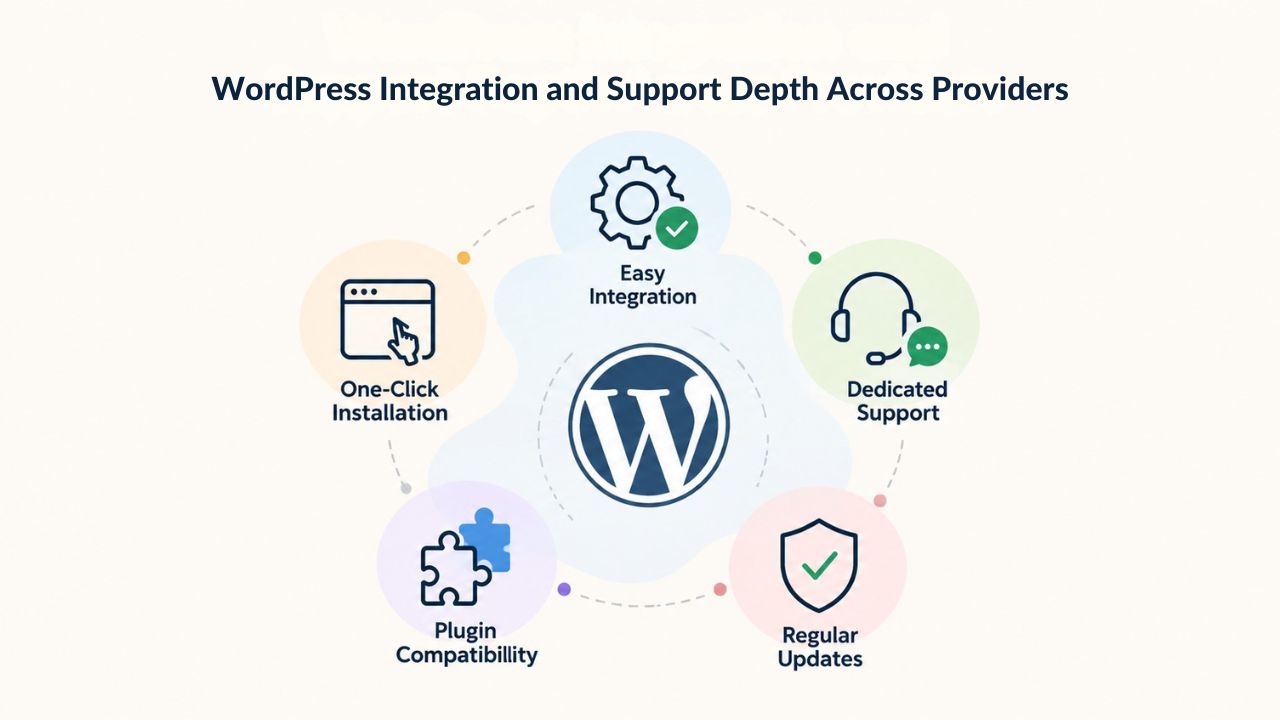
WordPress Integration and Support Depth Across Providers
All providers discussed above support WordPress through one-click installers and include essential management tools. However, the depth and breadth of WordPress-specific features vary significantly. Understanding these differences helps you choose a host that matches your WordPress experience level and development needs.
Official WordPress.org Endorsement and Native Platform Integration
SiteGround is one of only three hosting providers officially endorsed by WordPress. Bluehost and DreamHost also carry this prestigious recognition, each demonstrating native WordPress support through automatic core updates that keep WordPress secure without manual intervention, staged development environments for testing changes before going live, and plugin/theme management tooling built directly into control panels. This endorsement signals to WordPress users that the hosting provider meets WordPress.org’s technical standards and participates actively in the WordPress community.
The WordPress.org endorsement process is rigorous and evaluates hosting performance, security practices, developer support, and overall WordPress-friendliness. When WordPress officially recommends a host, it signals that real WordPress users benefit from that provider’s hosting. Hostinger, InMotion, and A2 Hosting aren’t officially endorsed but support WordPress installation and management thoroughly. For most practical use cases, blogs, small business sites, online stores, and portfolio sites, the difference between endorsed and non-endorsed hosts is negligible; all provide equally competent WordPress support and performance.
WordPress Feature Depth and Niya Digital’s WordPress Capabilities
Niya Digital’s web hosting runs on GoDaddy infrastructure. It includes one-click WordPress installation to get your site live in minutes, automatic WordPress updates to keep your installation current without manual intervention, and basic WordPress tooling through cPanel’s Softaculous installer. While Niya Digital is not WordPress-endorsed (since it operates as a reseller focusing on customer-facing support rather than deep platform-level integration), its cPanel hosting supports WordPress deployment thoroughly. It includes free SSL certificates and CDN access, meeting baseline requirements for WordPress sites of any size and complexity.
For users needing advanced managed WordPress features like SuperCacher (WordPress-specific caching), AI-powered security scanning, or automated performance optimization, Niya Digital’s standard cPanel plans provide a foundation any technical user can build on through plugins and careful configuration. The hosting relationship is transparent because GoDaddy operates the infrastructure. At the same time, Niya Digital provides support and management, appealing to developers who prefer to understand exactly what they’re getting rather than opaque “managed WordPress” offerings from other providers.
Control Panel and User Experience, cPanel, Custom Panels, and Managed Interfaces
Control panel choice fundamentally shapes the hosting experience, affecting how easily you manage your website, create email accounts, install apps, and troubleshoot problems. The right control panel feels intuitive; the wrong one feels like an obstacle between you and your goals.
Industry-Standard cPanel versus Custom and Simplified Interfaces
Hostinger’s hPanel, InMotion Hosting’s custom interface, and DreamHost’s simplified control panel prioritize visual clarity and task-oriented workflows over comprehensive feature lists. These interfaces recognize that most users need to accomplish a few specific tasks- create email accounts, install WordPress, set up domains- rather than access every possible hosting feature. They hide complexity behind intuitive wizards, appealing strongly to non-technical users and small business owners who find traditional cPanel intimidating.
For users migrating from Bluehost, Niya Digital’s cPanel choice means minimal learning curve since you’re using the same control panel you already understand. Niya Digital’s documentation and support can focus on explaining Niya-specific features rather than teaching cPanel basics. This familiarity reduces friction when switching, addressing a practical barrier that keeps some users locked into their current provider even when they’re dissatisfied.
Learning Resources and Community Support Infrastructure
All providers include documentation and knowledge bases covering control-panel basics and common tasks. cPanel benefits from over 20 years of online tutorials, third-party guides, YouTube videos, and community forums. Custom panels rely on the provider’s documentation, which can be either very thorough or frustratingly sparse, depending on the company’s documentation priorities. For beginners, Hostinger’s hPanel tutorials and SiteGround’s WordPress-specific help articles may feel more targeted than generic cPanel documentation.
External learning resources matter when you’re stuck and need help outside business hours. cPanel’s established ecosystem means you can find answers on forums, in blog posts, and in third-party tutorials. Custom panels provide less external support, though good providers compensate with excellent in-house documentation. When evaluating control panels, consider whether you prefer cPanel’s ecosystem support or the streamlined simplicity of custom panels; the right choice depends on your technical comfort level.
Money-Back Guarantees and Cancellation Policies
Money-back guarantees reduce switching risk by giving you a trial period to evaluate whether a hosting provider actually delivers on its promises. The longer the trial period, the more meaningful the guarantee becomes.
Extended Trial Windows for Comprehensive Performance Testing
Hostinger and InMotion offer standard 30-day refund windows, which provide moderate reassurance but are shorter than DreamHost or A2. Niya Digital’s guarantees aren’t detailed in publicly available information; contacting support will clarify the company’s refund policy and any conditions, such as minimum activity requirements or performance criteria, before approving returns. The refund policy affects how much financial risk you’re assuming when trying a new provider.
The distinction between refund windows matters significantly when switching from Bluehost: a 14-day window is barely sufficient to complete initial setup, install WordPress, and do basic testing. A 30-day window lets you run a small amount of production traffic and assess uptime performance over weeks. A 97-day window allows genuine long-term testing: running your actual site on the new host, experiencing customer support over multiple interactions, testing seasonal traffic patterns (if applicable), and ensuring everything works reliably before committing to stay.
Refund Terms, Conditions, and Approval Processes
When evaluating a money-back guarantee, confirm whether refunds apply only to the hosting fee or include add-ons you purchased, and whether you must provide written notice by a specific date to be eligible. Most providers process refunds within 5-10 business days once approved, though some take longer. Some guarantees require minimal account activity to prevent abuse and catch people using free hosting for unintended purposes, so check the fine print before signing up to understand exactly what disqualifies you from refunds.
How easy it is to get a refund also matters. Some providers make refunds automatic once requested; others require you to jump through hoops like contacting support, explaining why you’re leaving, and waiting for approval. When comparing hosts, check recent customer reviews to see whether users report getting their money back easily or having to fight for it. The “money-back guarantee” only protects you if you can claim it without excessive friction.
Long-Term Value and True Total Cost of Ownership
Renewal pricing is ultimately the most important decision factor because it determines your long-term costs. A site that costs very little in year one but renews at much higher rates costs more over five years than a site that costs slightly more initially but renews at predictable rates. Understanding the complete financial picture helps you make decisions based on real long-term value rather than introductory pricing alone.

Multi-Year Cost Projections and Provider Comparison Framework
Comparing providers requires looking beyond first-year costs to understand how expenses evolve as your contract renews. The following framework shows how different hosting providers structure their renewal economics, helping you make informed long-term decisions. Rather than comparing introductory offers, which are inherently temporary, this framework examines what you’ll actually pay at renewal: the core cost drivers that determine whether you’ll stay or switch.
| Provider | Best For | Standout Feature | Key Consideration |
|---|---|---|---|
| Bluehost | WordPress beginners & WordPress.org users | Official WordPress.org endorsement for 20+ years | Renewal pricing shock creates switching pressure; transparent renewal rates are published but often come as a surprise |
| SiteGround | Performance-conscious WordPress users | Google Cloud infrastructure and 92ms server response times | Moderate renewal pricing increase; transparent rates published upfront let you calculate long-term costs |
| Hostinger | Budget-focused builders and beginners | Integrated Website Builder + AI for one-click site creation | Lacks official WordPress endorsement; entry-level pricing attracts budget buyers |
| DreamHost | Reliability-focused users and developers | 100% uptime guarantee backed by service credits | Monthly billing available; extended 97-day money-back guarantee; transparent long-term value |
| InMotion Hosting | Small businesses and e-commerce sites | Free site migration on all tiers; unlimited storage; U.S.-based 24/7 support | One-year minimum contract; renewal rates increase but less steeply than some competitors |
| A2 Hosting | Performance-focused users and developers | Turbo Servers and Windows + Linux hosting options | High renewal rates after introductory period; 97-day money-back guarantee for evaluation |
| Niya Digital | Users seeking simple, transparent hosting | Familiar cPanel interface; reseller of GoDaddy infrastructure | Transparent policies; scales from basic blogs to e-commerce; onboarding and migration support |
Understanding Provider Economics and Long-Term Decision-Making
The renewal-pricing structure reflects how each provider thinks about customer relationships. Some providers view customers as temporary, extract maximum value in the first year, expect many to switch at renewal because of sticker shock, and rely on new customer acquisition to replace churned customers. Other providers view hosting as a long-term relationship, keeping renewal prices reasonable to maximize customer lifetime value and reduce churn.
When choosing a host, consider which philosophy aligns with your values. Do you want a provider that’s transparent about future costs and values your loyalty, or are you comfortable with a provider that uses aggressive introductory pricing as a hook? Neither approach is inherently wrong; they’re just different business models. However, understanding which model you’re choosing helps you avoid surprises later. If you value predictability and long-term transparency, look for providers that publish renewal rates upfront and maintain consistent pricing philosophies. If you’re comfortable shopping for new deals every few years, aggressive introductory pricing might appeal. The key is making informed choices based on complete information rather than reacting to renewal-rate shocks later.
Start Fresh With Transparent, Predictable Web Hosting
Tired of Bluehost’s renewal-rate surprises? Niya Digital’s cPanel Web Hosting gives you the control panel you’re already familiar with from Bluehost, transparent and predictable billing at every tier, free SSL certificates and domain management, built-in email hosting, website backups, and responsive support for setup and migration. Whether you’re running a single blog or managing multiple sites, Niya Digital’s Starter, Economy, Deluxe, and Ultimate plans scale with your growth- no hidden add-ons, no surprise renewal jumps. Ready to make the switch? Explore plans today and discover hosting that works with you, not against your budget.
Frequently Asked Questions
What’s the main difference between Bluehost and alternatives in how renewal pricing works?
Bluehost introduces new customers at steep promotional discounts, with renewal rates jumping significantly at contract end. SiteGround, DreamHost, and Hostinger also use promotional introductory rates, but the renewal multipliers are more moderate. Several alternatives like DreamHost offer month-to-month billing without long-term commitment penalties, giving you flexibility if renewal rates exceed your comfort level. The key difference is whether the provider views you as a temporary customer to extract value from or a long-term relationship to nurture.
Which alternative is best for WordPress beginners?
SiteGround and DreamHost both hold WordPress.org official endorsement and include one-click WordPress installation, automatic updates, and managed WordPress features on all plans. Bluehost is also beginner-friendly, but reserves premium WordPress features for higher-tier plans. For absolute beginners overwhelmed by hosting terminology, Hostinger’s Website Builder integration and simplified hPanel control panel may feel most approachable. Consider your comfort level with technology; the “best” host depends on how much technical support you need.
Can I migrate my site from Bluehost without downtime?
Most providers listed here offer free or assisted site migration. Hostinger, InMotion, and SiteGround explicitly include free migration assistance. Niya Digital offers migration support through account management; contact the company for current migration terms and timelines. Migrations typically involve updating domain DNS records, and downtime is minimized if DNS updates are managed carefully, usually under one hour of disruption. Professional migration services ensure your site moves safely without losing data or functionality.
Are renewal prices guaranteed to stay the same each year?
No. Renewal rates may change based on promotions, market conditions, and plan updates. Reputable providers typically honor renewal rates published at signup for your next renewal term, but may adjust rates for renewals beyond the first renewal. Always check renewal pricing before committing to annual contracts. Request written confirmation of renewal rates before signing up to have documented proof of what to expect when renewing.
Which alternative offers the best uptime guarantee?
DreamHost offers a 100% uptime guarantee backed by account service credits. SiteGround and most others guarantee 99.9%, which is industry standard and allows about 43 minutes of downtime per month. A2 Hosting also matches DreamHost’s 100% guarantee. Real uptime depends on many factors: site code quality, traffic patterns, neighboring sites on shared infrastructure, and provider data-center operations, and no provider can truly guarantee perfect availability. However, a provider that offers service credits if uptime falls short shows confidence in its infrastructure.
Do I need to know cPanel to use these hosting services?
No. cPanel is included on Niya Digital, Bluehost, and A2 Hosting, but it’s intuitive enough for non-technical users once you spend a few minutes exploring menus and finding common tasks. SiteGround, Hostinger, DreamHost, and InMotion offer custom control panels or simplified interfaces designed for beginners, further reducing the learning curve. All providers include documentation and tutorials. Spend an hour exploring the control panel during your trial period to determine whether it feels intuitive or frustrating for your needs.
Which host is most affordable overall?
A2 Hosting and Hostinger offer the lowest initial rates, making them attractive for budget-conscious buyers launching their first sites. However, A2’s renewal rates are substantially higher. Niya Digital, DreamHost, and Hostinger offer competitive first-year rates AND more predictable renewal pricing, making them strong value picks for three-to-five-year timelines. Consider whether you want the absolute lowest entry cost or the best long-term value over multiple years of ownership.
What happens if I change my mind after signing up?
All providers listed offer money-back guarantees. DreamHost and A2 Hosting offer extended 97-day trial periods. SiteGround and most others offer 30-day guarantees. Bluehost offers a shorter 14-day guarantee. These guarantees typically require you to request a refund before the window closes; the company then processes the return within 5-10 business days. Use your trial period to thoroughly test the host before committing, run production traffic, contact support to gauge responsiveness, and make sure everything performs as expected.
Do I have to buy a domain separately, or is it included?
Bluehost, Hostinger, SiteGround, and InMotion include one free domain registration for the first year with hosting plans. DreamHost and A2 do not include free domains. Niya Digital does not include a free domain with cPanel hosting plans, but domain registration is available through the company. You can register domains elsewhere and point them to your hosting account with any provider, giving you flexibility in choosing your domain registrar separately from your hosting provider.
Is email hosting included with web hosting plans?
Yes. Bluehost, SiteGround, Hostinger, InMotion, and Niya Digital all include email accounts with web hosting plans. The number of email accounts varies by plan tier; entry-level plans typically limit email accounts more than higher tiers. DreamHost and A2 also include email hosting, though account limits depend on your plan tier. Email is essential for professional communication, so confirm the number of email accounts included in your chosen plan meets your actual needs.
How do I know if a provider will raise prices randomly between contract renewals?
Read the hosting provider’s service agreement and terms of service for clauses permitting price increases at renewal. Reputable providers typically honor renewal rates published at signup for your next term. Ask support directly whether the published renewal rate is guaranteed, and request written confirmation before signing up. Check recent customer reviews to see whether users report fair treatment at renewal or surprise rate increases beyond published terms.
What’s Niya Digital’s infrastructure relationship with GoDaddy?
Niya Digital is an authorized reseller of GoDaddy Web Hosting infrastructure. GoDaddy operates the underlying servers, networks, and data centers. Niya Digital’s value is the customer-facing storefront, onboarding support, account management, control-panel setup guidance, and responsive support during migration or troubleshooting. This relationship is common in hosting; many “brands” are resellers of larger infrastructure providers. Understanding this relationship clarifies who manages what and where to direct technical inquiries.
Can I host multiple websites on Niya Digital’s starter plans?
Niya Digital’s cPanel Starter plan allows one website. The cPanel Deluxe plan allows unlimited websites, making it suitable for agencies, freelancers, or users managing multiple projects. Bluehost’s plus-tier plans also scale to multiple sites. If you plan to host multiple sites, factor this into your plan selection from the start rather than discovering the limitation later.
Are there any hidden costs or add-ons I should budget for?
All providers offer optional add-ons, domain privacy, advanced security scanning, premium SSL certificates, professional backup services, or site monitoring. Budget for these separately from base hosting. Bluehost’s auto-enrollment of add-ons is a particular pain point; other providers require explicit opt-in. Always review what’s included in base plans before assuming you’ll need paid add-ons. Some add-ons are valuable; others are unnecessary. Evaluate based on your actual needs rather than default recommendations.
What support channels are available if I have issues?
All providers listed offer 24/7 support through multiple channels. DreamHost and InMotion emphasize phone support for complex issues. SiteGround and Hostinger focus on live chat and ticket systems. Niya Digital offers support through its website; contact their support team to understand available channels and response times. Test support responsiveness during your trial period by asking a question and noting how quickly you receive a helpful response.
Glossary
- Bandwidth: The amount of data transferred between your website and visitors’ browsers each month. “Unmetered” or “unlimited” bandwidth means the provider doesn’t cap data transfer, though extremely high usage may trigger account review per hosting agreements to prevent abuse.
- cPanel: A graphical control panel for managing web hosting accounts, allowing you to upload files, create email accounts, manage databases, configure domains, and create backups. The industry standard for Linux-based shared hosting across most providers.
- Renewal Rate: The monthly or annual price charged when your hosting contract renews after the introductory term expires. Often substantially higher than introductory rates, renewal pricing is the true cost of hosting after the initial promotional period ends.
- SSD: Solid-state drive; faster storage technology than traditional hard drives, improving website load times and overall performance since data access is nearly instantaneous rather than requiring mechanical disk rotation.
- SSL Certificate: A digital certificate that enables HTTPS encryption, displays a security padlock icon in browsers, and secures data transmitted between your site and visitors. Critical for protecting sensitive information and maintaining visitor trust.
- Uptime: The percentage of time a hosting service is online and accessible to visitors. Industry-standard 99.9% uptime allows about 43 minutes of downtime per month, while 100% guarantees mean no downtime.
- WordPress.org: The non-profit organization behind WordPress open-source software; it maintains a carefully curated list of officially recommended hosting providers who meet specific integration and support standards verified through vetting.


