Your site is growing faster than shared hosting can handle. Traffic climbs, and CPU and memory run low. Now you face a choice: upgrade to a VPS or shift to cloud infrastructure. Both are an upgrade from shared hosting but take different approaches to resource management and traffic response. The right call depends on your traffic patterns, technical skill, budget, and control needs. Niya Digital is an authorized reseller of GoDaddy-powered VPS hosting, not an operator of its own data centers.
Understanding VPS Hosting Fundamentals
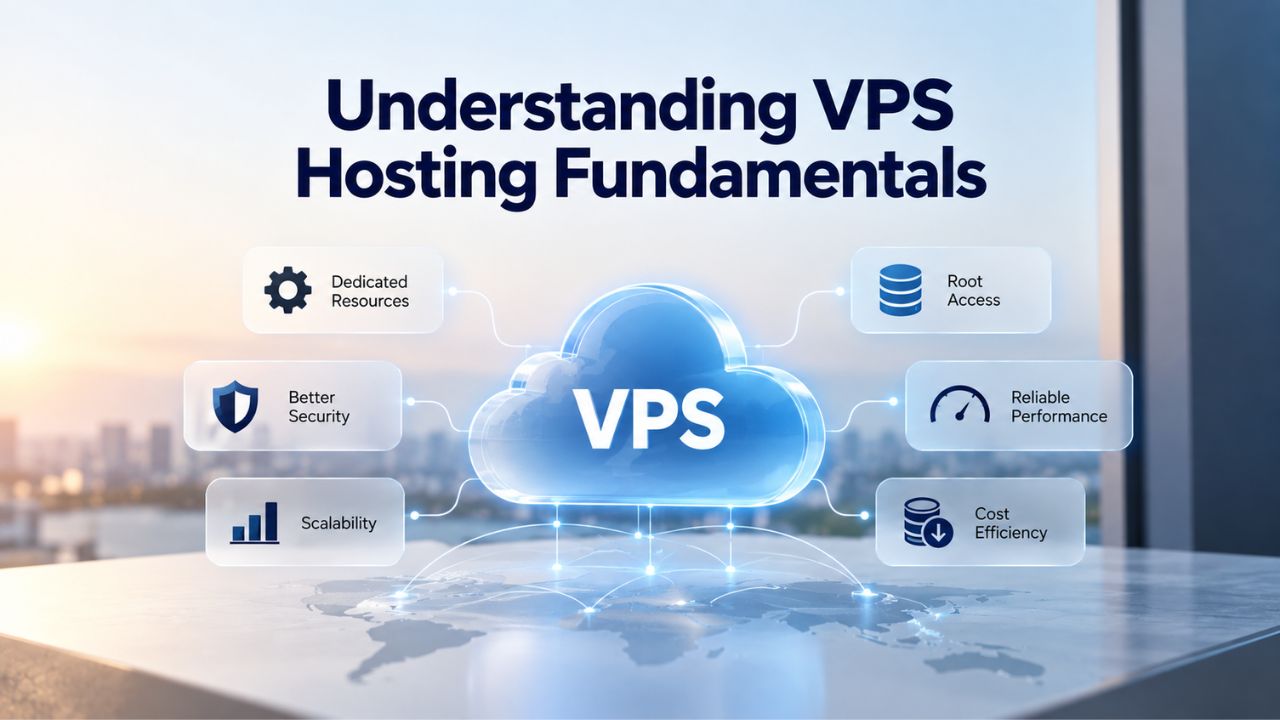
A Virtual Private Server takes one physical server and divides it into isolated virtual machines using virtualization technology. Your VPS gets a fixed allocation of CPU cores, RAM, storage space, and bandwidth; those resources are yours alone, not shared with other websites on the same machine. The isolation means other users’ traffic spikes don’t slow your site, and their security issues don’t bleed into your environment. In return, you’re responsible, or your managed provider is, for keeping your server patched, secured, and tuned to your workload. This straightforward model has made VPS Hosting a popular choice for growing businesses, developers, and agencies for more than a decade.
VPS Fundamentals
A Virtual Private Server (VPS) is a virtualized server partitioned from a single physical machine, allocated dedicated CPU, RAM, storage, and bandwidth resources that no other user can claim. Think of it as renting your own apartment in a building: you have your own space, utilities, and lease, but still share the building’s foundation and infrastructure with neighbors. The virtualization layer isolates your environment, meaning your performance isn’t affected by what other users on the same physical server are running or how much traffic their sites receive.
Niya Digital resells VPS Hosting plans built on GoDaddy’s infrastructure, giving you a choice of Linux or Windows operating systems, root or admin access for full server configuration, and options for managed (provider-handled updates and monitoring) or unmanaged (you manage everything) support. Common plan sizes range from 1–4 vCPU cores, 2–8 GB RAM, and 40–200 GB of SSD storage, with bandwidth allocations or unlimited options depending on the tier you select. Each tier is designed to serve different workload sizes, from small blogs to medium-traffic applications and online stores.
How VPS Virtualization Works
VPS hosting uses virtualization technology, most commonly KVM or VMware ESXi, to carve one physical server’s resources into multiple isolated virtual machines. A hypervisor sits between the physical hardware and each VPS instance, managing resource allocation and enforcing isolation boundaries between users. Each VPS gets its own kernel, operating system, and filesystem, so a crash or security breach in one VPS doesn’t cascade to others on the same physical server. This hypervisor-level separation is a core security advantage of VPS hosting over shared hosting.
When you upgrade or configure your VPS, you’re working with a fixed slice of that physical server’s total capacity. If the server has 16 CPU cores and 64 GB of RAM, and you have a 2-core, 8 GB plan, you own those exact resources. The remaining capacity is allocated to other users. This predictability means your resource allocation never shrinks, but it also means you can’t exceed your plan’s limits on the fly without manual intervention and a potential server restart. For applications with predictable resource requirements, this fixed model provides stability and cost certainty.
VPS Hosting Plans & Pricing
Choose the VPS hosting plan that fits your website, application, or business requirements. Select a self-managed VPS for complete server control or a fully managed VPS with a dedicated team of experts to help manage your server.
Self Managed VPS 1 vCPU
1 GB RAM
Entry-level VPS hosting for lightweight websites and applications.
- 1 CPU Core
- 1 GB RAM
- 20 GB SSD Storage
- Linux only, no control panel

Self Managed VPS 2 vCPU
4 GB RAM
VPS hosting with additional CPU and memory for growing websites and applications.
- 2 CPU Cores
- 4 GB RAM
- 100 GB SSD Storage
Self Managed VPS 2 vCPU
8 GB RAM
Additional memory for more demanding websites and applications.
- 2 CPU Cores
- 8 GB RAM
- 100 GB SSD Storage
Self Managed VPS 4 vCPU
8 GB RAM
Increased processing power for business websites and applications.
- 4 CPU Cores
- 8 GB RAM
- 200 GB SSD Storage
Self Managed VPS 4 vCPU
16 GB RAM
High-memory VPS hosting for resource-intensive workloads.
- 4 CPU Cores
- 16 GB RAM
- 200 GB SSD Storage
Self Managed VPS 8 vCPU
16 GB RAM
Powerful VPS resources for demanding business applications.
- 8 CPU Cores
- 16 GB RAM
- 400 GB SSD Storage
Self Managed VPS 8 vCPU
32 GB RAM
Maximum self-managed resources for demanding workloads.
- 8 CPU Cores
- 32 GB RAM
- 400 GB SSD Storage
Fully Managed VPS 1 vCPU
2 GB RAM
Managed VPS hosting with expert server management.
- 1 CPU Core
- 2 GB RAM
- 40 GB SSD Storage
- Dedicated team of experts to fully manage your server
Fully Managed VPS 1 vCPU
4 GB RAM
Managed VPS resources for websites and business applications.
- 1 CPU Core
- 4 GB RAM
- 40 GB SSD Storage
- Dedicated team of experts to fully manage your server
Fully Managed VPS 2 vCPU
4 GB RAM
Managed VPS hosting with additional CPU resources.
- 2 CPU Cores
- 4 GB RAM
- 100 GB SSD Storage
- Dedicated team of experts to fully manage your server
Fully Managed VPS 2 vCPU
8 GB RAM
Managed VPS hosting with additional memory for growing workloads.
- 2 CPU Cores
- 8 GB RAM
- 100 GB SSD Storage
- Dedicated team of experts to fully manage your server
Fully Managed VPS 4 vCPU
8 GB RAM
Higher-performance managed VPS for demanding applications.
- 4 CPU Cores
- 8 GB RAM
- 200 GB SSD Storage
- Dedicated team of experts to fully manage your server
Fully Managed VPS 4 vCPU
16 GB RAM
High-memory managed VPS for resource-intensive workloads.
- 4 CPU Cores
- 16 GB RAM
- 200 GB SSD Storage
- Dedicated team of experts to fully manage your server
Fully Managed VPS 8 vCPU
16 GB RAM
Powerful managed VPS hosting for demanding business workloads.
- 8 CPU Cores
- 16 GB RAM
- 400 GB SSD Storage
- Dedicated team of experts to fully manage your server
Fully Managed VPS 8 vCPU
32 GB RAM
Maximum managed VPS resources for demanding workloads.
- 8 CPU Cores
- 32 GB RAM
- 400 GB SSD Storage
- Dedicated team of experts to fully manage your server
Cloud Hosting: Architecture and Operations
Cloud hosting removes single-server dependency; instead of one physical machine divided among users, it pools resources across a distributed network of interconnected servers in a cluster. Your website runs across multiple servers simultaneously; load balancers route incoming traffic to the best-available node, and if one server fails or becomes overloaded, workloads shift to others with minimal downtime. Infrastructure scales automatically as demand changes, and you pay only for the resources you actually consume. This elastic approach is fundamentally different from the fixed allocation model of traditional VPS hosting.
Understanding Cloud Hosting
Cloud hosting is a web hosting service that uses a network of interconnected servers across multiple data centers to host websites and applications. Rather than your website living on a single physical server, cloud infrastructure spreads your workload across multiple nodes. A load balancer sits in front, analyzes incoming requests, and sends them to the server node with the most available capacity. If one node fails, another instantly takes over; no manual failover required, no support ticket necessary, just automatic handoff behind the scenes.
The cloud model is built on Infrastructure as a Service (IaaS) frameworks and virtualization technologies like containers and orchestration systems. However, most mainstream cloud hosting providers abstract these technical details behind a user-friendly control panel. From your perspective, you’re provisioning compute resources, vCPU, RAM, storage, and bandwidth, and the cloud platform manages the physical servers, redundancy, and failover in the background. This abstraction allows you to focus on deploying and running your application without worrying about the underlying infrastructure.
Multi-Server Distributed Model
Cloud hosting pools resources across multiple physical servers in a cluster, offering built-in redundancy and automatic failover. If the hypervisor on one node becomes unresponsive or a hardware component fails, your virtual server automatically migrates to a healthy hypervisor elsewhere in the cluster, often in seconds or minutes, with minimal user-facing impact. Load balancers distribute incoming traffic across available nodes, preventing any single server from becoming a bottleneck and ensuring consistent performance even during demand surges.
Cloud hosting replicates data across multiple servers by default. When you store a file, it’s typically written to at least two or three separate physical locations within the cluster, ensuring that a single hardware failure doesn’t destroy your data. This multi-layer redundancy is why cloud providers often advertise higher uptime Service Level Agreements (SLAs), typically 99.9% or higher, compared to traditional VPS providers who rely on single-server availability. The distributed architecture fundamentally changes how cloud hosting achieves reliability.
Scalability: Growing with Your Website
The biggest operational difference between VPS and cloud hosting shows up when your traffic grows or spikes unexpectedly. A VPS is a fixed resource allocation on a single physical server; if your site exhausts that allocation, performance degrades until you manually upgrade or migrate. Cloud hosting automatically pulls additional resources from the network pool as demand rises, then releases them when demand falls, all without a restart or any action from you. Understanding these scalability differences is crucial when choosing which hosting model matches your website’s growth trajectory.
VPS Resource Limitations
The physical server’s total capacity constrains VPS scalability; upgrading CPU, RAM, or storage requires manual intervention from the provider and typically takes minutes to hours. Many upgrades trigger a brief server restart. If your physical server is running near total capacity and you need 50% more CPU, the provider may have to migrate your VPS to a different, less-crowded physical server, which can cause downtime ranging from 15 minutes to several hours, depending on how the migration is handled.
Because your VPS occupies a fixed slice of one physical server, once that server hits its capacity ceiling, you’re constrained. You can’t request a dynamic boost to handle a temporary traffic spike; you must either manually upgrade to a higher-tier plan or accept degraded performance during peak periods. For predictable, steady-state workloads, this limitation isn’t a problem. For volatile or rapidly growing applications, it becomes a recurring pain point. Niya Digital’s team has found that growing businesses often hit VPS capacity limits after 6–12 months of steady growth, prompting a choice between cloud scaling and a larger VPS tier, depending on traffic volatility.
Cloud Autoscaling in Action
Cloud hosting automatically scales resources in real time based on demand; if your site’s CPU usage spikes, the platform provisions additional compute from the cluster pool within seconds, and when demand falls, it releases those resources with no manual action from you. Autoscaling is often transparent; your application keeps running at normal speed throughout the spike because extra compute is silently allocated behind the scenes. This automatic elasticity means your site stays responsive even when traffic unexpectedly triples or quadruples.
The elastic behavior is particularly useful for unpredictable workloads: a news site that gets 100x traffic when a major story breaks, an e-commerce store that surges during a flash sale, or a SaaS platform where user signups accelerate seasonally. With cloud hosting, your infrastructure flexes automatically to match demand. With a VPS, you’d either overprovision capacity year-round and waste money most of the time, or accept that peak moments will be slow and frustrating for users. This fundamental difference in scaling approach is one of the most important factors when deciding between scalable VPS hosting and cloud infrastructure.
Reliability and Uptime: Staying Online
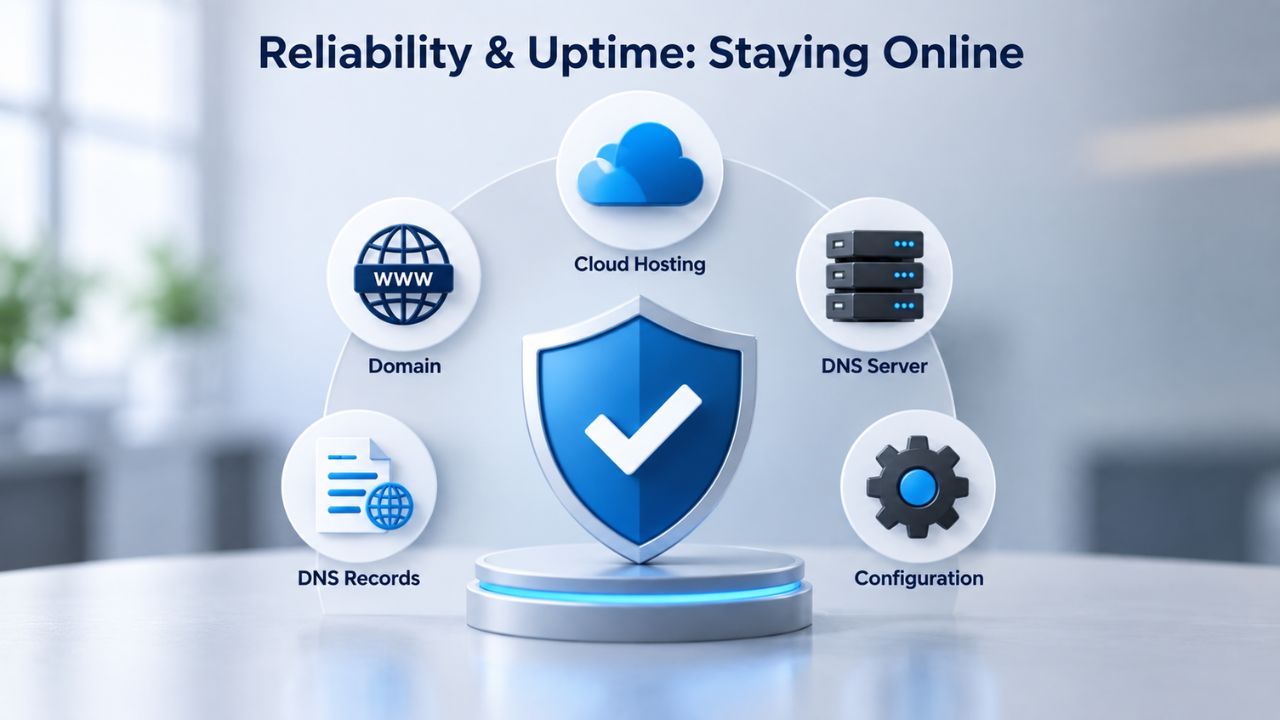
VPS hosting ties uptime to a single physical server. If that server’s power supply fails, its network connection drops, or its hypervisor crashes, all VPS instances on it go down until the provider fixes the issue. Cloud hosting distributes workloads across multiple servers; if one fails, others continue running without interruption. For businesses where every minute of downtime means lost revenue or damaged reputation, this reliability difference is critical.
Single-Server Risk vs. Multi-Server Redundancy
A traditional VPS is hosted on a single physical server, making it vulnerable to that server’s failure. If the server’s hardware fails, its network connection drops, or its power supply fails, your VPS goes offline until the provider either replaces the component (potentially hours) or migrates your VPS to another server (potentially much longer, depending on incident response procedures). During that window, your website is unavailable to visitors, and depending on your business, every minute of downtime costs you. In contrast, cloud hosting distributes resources across multiple servers, so if one fails, workloads automatically shift to another server in the network with minimal downtime.
This difference translates directly into uptime guarantees. Cloud hosting providers typically advertise uptime SLAs of 99.9% or higher, backed by multi-server redundancy and automatic failover. Traditional VPS providers often claim 99.5% uptime or less, directly tied to a single server’s reliability statistics. Over a month, that difference amounts to meaningful minutes of downtime- the difference between imperceptible brief blips and noticeable service interruptions that users notice and remember.
Automatic Failover and Recovery
Cloud hosting includes automatic failover: if a hypervisor becomes unresponsive, your virtual server is migrated to another healthy hypervisor in the cluster without manual intervention or downtime. The process happens behind the scenes, completely transparent to you and your users. With a VPS, an administrator or support team must migrate your server to new hardware, which causes downtime. Even if your provider is highly responsive, the administrative steps and data migration take time.
Additionally, cloud infrastructure typically replicates data across multiple servers by default, ensuring that even if one server fails, data remains accessible from another location. A VPS usually stores data on a single server’s storage system, increasing the risk of data loss if that storage fails before you recover it. For this reason, cloud hosting’s built-in redundancy is often more resilient for mission-critical workloads without requiring you to purchase expensive backup and disaster-recovery services manually.
Control, Root Access, and Customization
A VPS gives you full root (Linux) or admin (Windows) access to your server, allowing you to install any software, modify system settings, and configure security exactly as you need. Cloud hosting varies by provider; managed cloud offerings often restrict root access or provide it but shift responsibility to you when you make root-level changes. Unmanaged cloud options offer full root access like a VPS, but require you to manage all OS updates and security. Understanding the control-and-customization trade-offs is essential when choosing between these hosting types.
Full Administrator Access on VPS
VPS hosting grants full root access (on Linux) via SSH or admin access (on Windows) via Remote Desktop, giving you unrestricted control over the server environment. You can install custom software, tweak kernel parameters, adjust firewall rules, create user accounts, and build the exact server configuration your application requires. For developers and system administrators who know what they’re doing, this freedom and root access VPS hosting provides are the primary appeal over shared hosting.
Root access also lets you install application-specific tools, security utilities, and monitoring software without asking the provider for permission. Many Niya Digital VPS plans include root access, enabling full customization of your environment; however, with managed VPS plans, any root-level changes shift support responsibility back to you. This trade-off is important: full control comes with full responsibility for the consequences of your configurations.
Managed vs. Unmanaged Options
Managed VPS hosting typically restricts root access or allows it only if the provider won’t support custom configurations. Instead, the provider handles OS patching, security updates, DDoS mitigation, firewall configuration, and performance monitoring around the clock. Managed VPS significantly reduces operational complexity and is ideal for businesses without in-house sysadmin expertise. Unmanaged VPS requires you to handle all updates, security, and monitoring yourself; it’s ideal if you’re a sysadmin or have DevOps expertise, but it’s a major time commitment if you don’t.
Managed cloud offerings work similarly: the cloud provider manages infrastructure, patching, and monitoring, while you focus on application deployment and business logic. Unmanaged cloud gives you root access and full control but expects you to manage the operating system like you would with an unmanaged VPS. Neither approach is universally “better”; it depends entirely on your skill level and how much operational overhead you’re willing to own. The managed option trades control for peace of mind and reduced complexity.
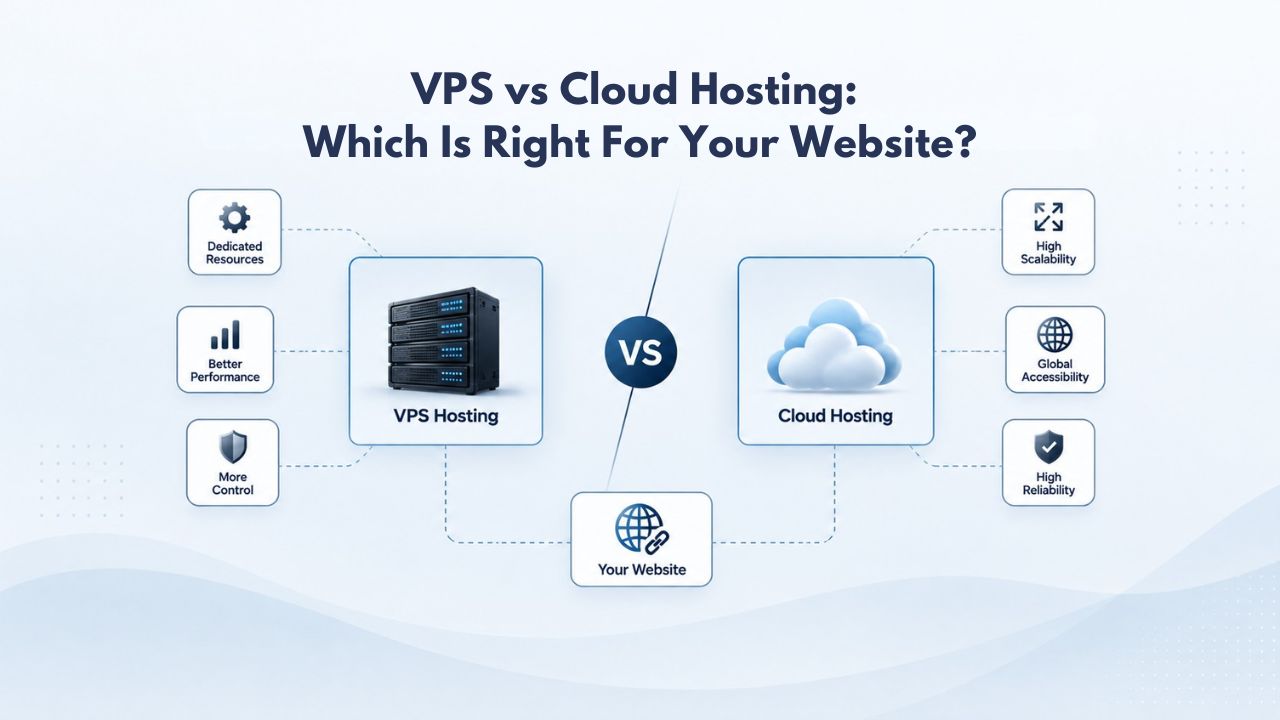
| Feature/Factor | VPS Hosting | Cloud Hosting |
|---|---|---|
| Architecture | Single physical server divided into isolated virtual machines | Distributed cluster of interconnected servers across multiple locations |
| Resource Allocation | Fixed CPU, RAM, storage, bandwidth per plan | Dynamic, scales up/down automatically based on demand |
| Scalability | Manual upgrades required; potential downtime | Automatic elastic scaling; no downtime during resource increases |
| Failover | Manual intervention needed; downtime until recovery | Automatic failover to healthy node; minimal user-facing downtime |
| Typical Uptime SLA | 99.5–99.9% (single-server dependent) | 99.9%+ (multi-server redundancy) |
| Root/Admin Access | Full access included on most plans | Varies by provider; managed plans often restrict; unmanaged plans grant access |
| Data Redundancy | Depends on your backup strategy | Built-in across multiple servers by default |
| Cost Model | Fixed monthly rate regardless of usage | Pay-as-you-go; variable based on resource consumption |
Ready to Find Your Perfect Hosting Fit?
If you’re outgrowing shared hosting or need more control over your server environment, Niya Digital’s VPS Hosting combines the dedicated resources and root access of a virtual private server with expert provisioning support and guidance. Explore the available plans to see which tier fits your traffic, technical needs, and growth trajectory.
Pricing and Cost Structure
VPS pricing is fixed: you pay one monthly or annual rate for a specific resource tier, and that rate doesn’t change based on actual usage. Cloud pricing is typically variable: you pay for the resources you consume each hour or month, so a month of heavy use costs more than a month of light use. Understanding these cost models is critical for budgeting. Pricing varies by provider, plan, region, and resource consumption; check each provider’s website for current prices and exact figures.
Fixed VPS Pricing Model
VPS hosting offers fixed monthly or annual pricing regardless of actual resource usage. You know exactly what you’ll pay each month, with no surprise overages or hidden per-operation costs. This predictability makes budgeting simple and makes VPS cost-effective for steady, predictable workloads where you use close to your allocated resources most of the time. The fixed model is particularly appealing to businesses with static IT budgets that can’t accommodate variable costs.
The downside is that you’re paying for resources even if you don’t use them in a given month. A seasonal business overpays during slow months and still may hit resource limits during peak season without additional upgrades. If you need to upgrade, most providers require a manual request and charge pro-rated fees, plus potential downtime during the migration. For applications with consistent, predictable resource needs, this straightforward pricing model is ideal and often offers better value than cloud hosting with variable costs.
Pay-as-You-Go Cloud Costs
Cloud hosting uses pay-as-you-go or hourly billing: you pay only for the compute, storage, and bandwidth you actually use each hour or month. For variable workloads, this is efficient: during slow months, you pay less, and autoscaling means you don’t pay for unused resources. During traffic spikes, you pay more, but you’re also getting the extra compute you need to keep your site responsive and operational. This flexibility appeals to businesses with unpredictable growth or seasonal demand patterns.
However, cloud platforms often charge for data egress (outbound traffic), API calls, load-balancer usage, and storage operations (read/write), which can add high costs not immediately visible in the base price. Understanding these potential hidden costs before committing to a cloud provider is essential for accurate budget planning. Pricing varies significantly by region, provider, and resource tier. For example, a server in Europe typically costs more than the same server in the US because of stricter regulations and higher operating costs. Always ask your cloud provider for a detailed cost breakdown.
Performance During Traffic Spikes
When traffic suddenly doubles, triples, or spikes 10x, whether from a viral post, a news story, a sale launch, or a marketing campaign, how each hosting type responds differs dramatically. A VPS with fixed resources may slow down, time out requests, or crash if the application exhausts CPU, RAM, or bandwidth. Cloud hosting automatically provisions additional resources in seconds, keeping response times consistent. For customer-facing applications, this performance difference during peaks is crucial.
VPS Behavior Under Load
When traffic surges on a VPS, the server’s fixed resource allocation is a hard ceiling that can’t be breached without manual intervention. If your VPS has 2 CPU cores and a traffic spike causes 200 concurrent requests, all requiring heavy computation, the CPU usage maxes out, request queues grow, and users experience timeouts or slow response times. Database connections may hit their limit, web server workers may exhaust their thread pool, and the application essentially becomes unresponsive until traffic subsides or you manually scale up.
A managed provider might monitor the spike and manually scale you to a higher plan, but that takes time, often 30 minutes or more, and usually requires a restart. An unmanaged VPS is entirely your problem: you see the slow site, realize you’re out of resources, and then scramble to either upgrade (downtime) or optimize your application (time-consuming troubleshooting). For predictable traffic, this limitation isn’t a concern. For a high-traffic or rapidly growing site, spikes cause real operational pain and revenue impact.
Cloud Elastic Response
Cloud infrastructure automatically scales during demand spikes; if your site’s CPU usage spikes, the platform provisions additional compute from the cluster pool within seconds, and when demand falls, it releases those resources automatically. Users experience consistent response times because extra compute is silently allocated behind the scenes. This automatic elasticity is one of cloud hosting’s strongest selling points for traffic-unpredictable workloads. The entire process is seamless and invisible to both you and your users.
The cloud platform’s load balancer distributes incoming requests across multiple server nodes, so no single node becomes a bottleneck. If one node is saturated, the load balancer sends new requests to a less-busy node. This distributed request handling, combined with autoscaling, helps your application stay responsive even under extreme traffic spikes, assuming your application is reasonably well-designed. The difference in user experience during traffic surges can be significant, turning potential negative experiences into seamless, fast interactions.
Security, Isolation, and Data Protection
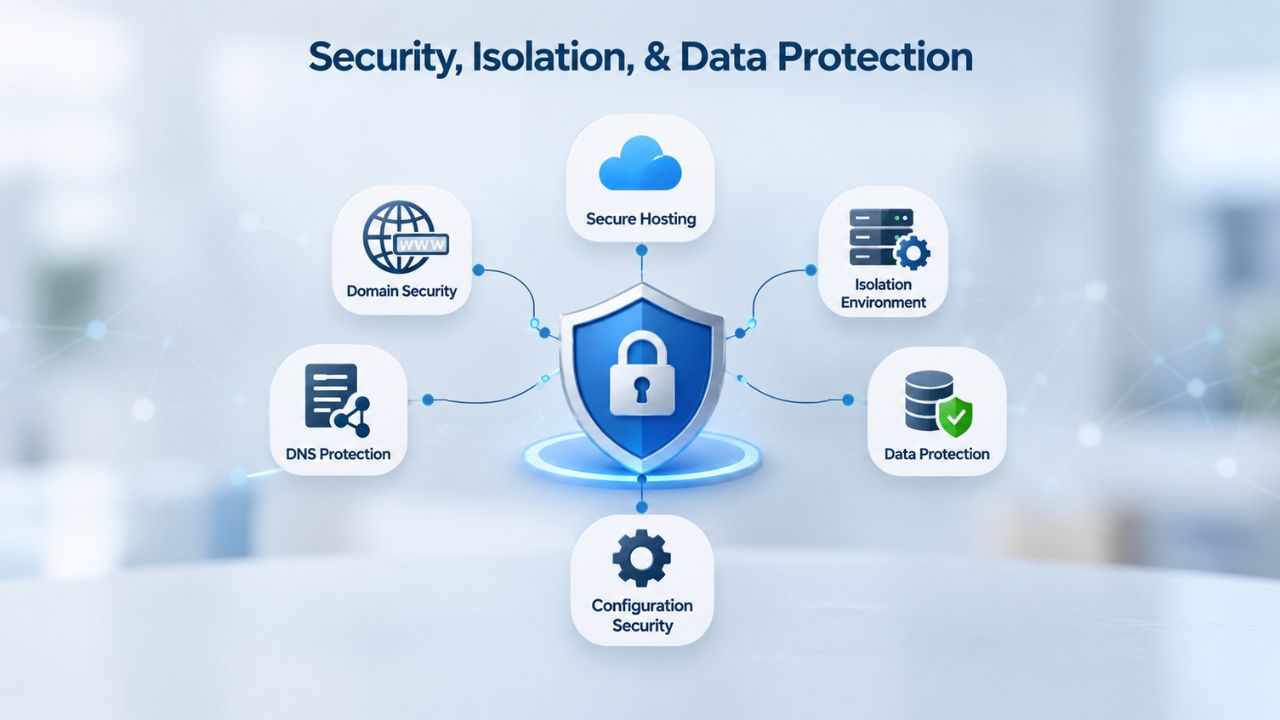
Both VPS and cloud hosting provide isolation; your environment is separated from other users’, but they achieve it differently and carry different risks. A VPS isolates you on a single physical server; cloud hosting isolates you across a distributed cluster. Both support backups and snapshots; cloud’s multi-server redundancy is built in, while VPS redundancy depends on your backup strategy. Both models share security responsibilities between the provider and the customer.
Hypervisor-Level Isolation
The hypervisor virtualizes and isolates each VPS from other VPS instances on the same physical server; a security breach or performance issue on one VPS does not directly impact neighboring VPS instances because of hypervisor-level separation. The hypervisor enforces resource and security boundaries, preventing one user’s actions from affecting another’s. With root access, you can harden your server’s firewall, disable unnecessary services, implement intrusion detection, and apply custom security policies.
Cloud hosting uses shared, multi-tenant infrastructure across a cluster; if one customer’s VM is compromised, hypervisor and network isolation mitigate the risk of lateral movement between tenants, but the larger pool of users means a larger potential attack surface than a dedicated server. In either hosting model, you still own much of the security responsibility; misconfigured firewalls, weak passwords, unpatched software, and poor application code are the primary attack vectors. VPS hosting security is a shared responsibility between provider and customer.
Backup, Redundancy, and Recovery
VPS hosting supports on-demand snapshots: a point-in-time image of your entire server (OS, settings, installed software, data) that you can restore instantly if you make a mistake or experience an incident. Snapshots are stored in the same data center (typically with 3x replication across a cluster). You can restore them with one click. Automated backup options capture data on a schedule (daily/weekly) and replicate it to separate servers or off-site locations, providing recurring restore points without manual intervention.
Cloud hosting automatically replicates data across multiple servers in the cluster; if one server fails, data is immediately accessible from another node, and data redundancy is built into the infrastructure, not an add-on option you must purchase. You don’t need to buy an additional backup service to achieve redundancy; cloud hosting includes it by design. However, the cloud’s data replication doesn’t protect against accidental deletion or application-level corruption; you still need point-in-time backups for those scenarios. Data protection requires planning in both hosting models.
Setup, Provisioning, and Ongoing Management
Getting your site online differs between VPS and cloud hosting in terms of complexity, time to availability, and ongoing operational requirements. Both provision quickly, but cloud typically abstracts more infrastructure management. Your choice here depends on whether you prefer hands-on control or delegated management.
Getting Your VPS Online
VPS provisioning is typically instant or within minutes after purchase; you receive login credentials and can begin configuration immediately. For a managed VPS, the provider may pre-install the OS and control panel (e.g., cPanel); for an unmanaged VPS, you get a bare OS and configure everything yourself. If you’re not familiar with Linux command-line administration, provisioning and initial setup can take an hour or more; if you’re experienced, it typically takes 15–30 minutes to get a basic web stack running.
Once online, an unmanaged VPS requires you to handle OS patching, security updates, DDoS mitigation, firewall configuration, monitoring, and performance tuning. This ongoing operational burden never stops; you’re always responsible for keeping your server current and secure. Niya Digital offers managed VPS plans where the provider handles these tasks, freeing you to focus on your application and business instead of server maintenance. The managed option is ideal if you want a VPS Hosting solution without the sysadmin overhead.
Cloud Deployment and Operations
Cloud provisioning is also typically fast (minutes to hours), but complexity increases with advanced features like multi-zone redundancy, load balancers, or automated scaling policies. A simple cloud instance can be ready in minutes; a fully resilient, multi-region setup takes longer to architect and configure. Managed cloud platforms abstract away infrastructure management; the provider handles OS updates, DDoS protection, and monitoring. You focus on deploying and maintaining your application, not managing servers.
Unmanaged cloud options offer root access and full control but shift OS and security management to you, much like unmanaged VPS. The cloud platform handles the physical infrastructure (hardware, network, data-center operations), but you’re responsible for the OS layer up. In practice, this means cloud is simpler than VPS for customers who prefer managed services, and equally complex for those who choose unmanaged and want root access. The operational complexity you take on depends on which managed/unmanaged option you select.
When to Choose VPS vs. Cloud: Decision Guide
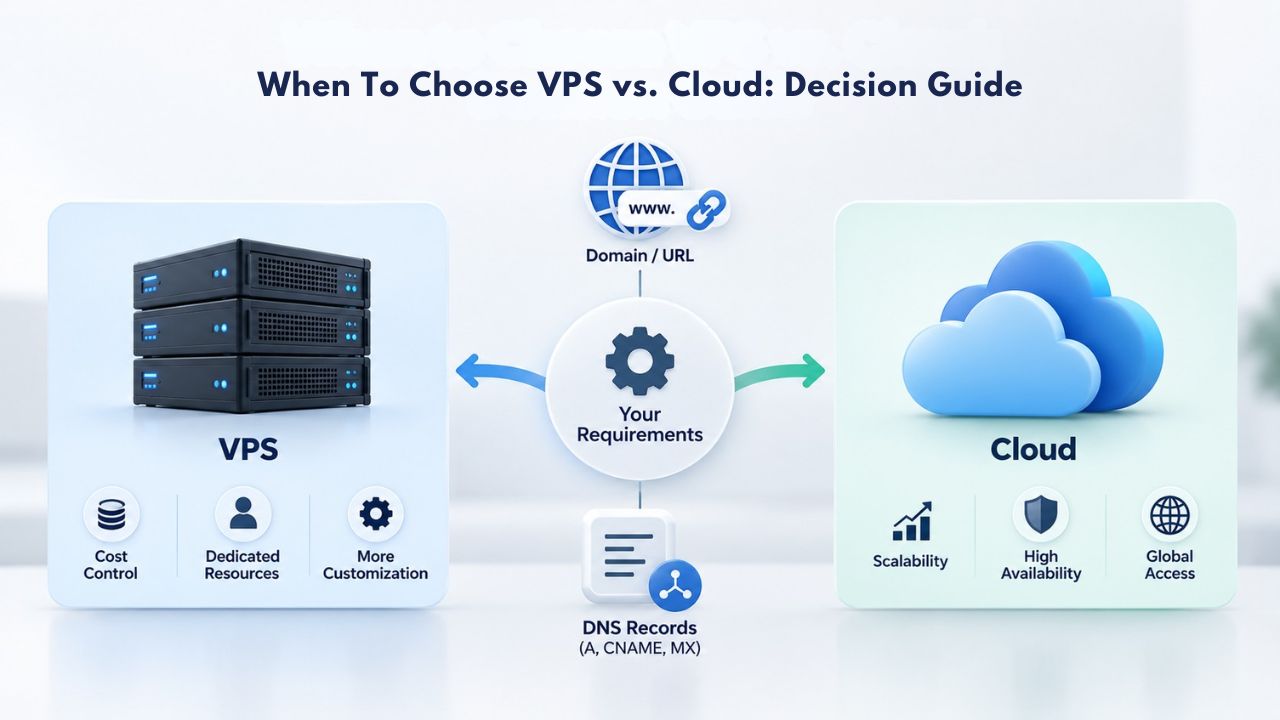
Your choice depends on three key factors: traffic patterns (steady vs. variable), budget constraints and cost flexibility, and how much control and technical management you want. If your site has predictable traffic, you know your resource needs, and you want simple, fixed pricing, VPS is a strong fit. If your traffic is volatile, you’d rather not pay for idle capacity, or you want automatic scaling without manual upgrades, cloud is worth the extra operational complexity and cost variability.
VPS Best For Steady Workloads
VPS hosting is ideal for websites and applications with predictable, steady traffic. Typical cases include blogs with consistent readership, small-to-medium e-commerce stores outside peak seasons, internal business applications, agency hosting of multiple client sites with stable visitor counts, and development environments where you need a stable platform. Scalable VPS hosting works particularly well for e-commerce platforms with moderate traffic because dedicated resources ensure consistent checkout performance without the cost overhead of cloud autoscaling infrastructure.
VPS also suits anyone who values full root access and configuration control, developers building custom technology stacks, sysadmins running specific services, and teams managing mission-critical applications that need OS-level tuning and optimization. The fixed pricing model also appeals to businesses with tight, unchanging IT budgets; you know exactly what you’re paying each month, with no surprise overages or hidden per-operation costs. For teams with in-house expertise, a VPS Hosting solution offers unmatched control and cost predictability.
Cloud Best For Variable Demand
Cloud hosting excels when traffic is unpredictable or volatile: high-traffic news portals that spike when big stories break, SaaS applications where user sign-ups fluctuate seasonally, e-commerce stores that surge during Black Friday or holiday shopping, and marketplaces where transaction volumes are hard to forecast. Cloud hosting’s automatic scaling handles these surges without downtime or manual intervention, and the pay-as-you-go pricing means you only pay for the extra capacity when you actually need it.
Cloud is also excellent for development and testing environments where you spin up servers temporarily, run tests, and destroy them when done. With the cloud’s hourly billing and instant provisioning, a few hours of compute costs little compared to keeping a VPS running month to month for a short-lived test. Similarly, teams building microservices or container-based architectures often prefer cloud platforms’ native orchestration and scaling capabilities. If you’re unsure of your infrastructure needs, the cloud’s flexibility lets you scale up or down as you learn what your application actually needs.
| Workload/Use Case | Traffic Pattern | Better Fit | Why |
|---|---|---|---|
| Small-to-medium blog | Steady, predictable | VPS | Consistent resource needs; fixed costs ideal |
| E-commerce (off-season) | Stable baseline | VPS | Moderate, predictable traffic; dedicated resources reliable |
| High-traffic news portal | Volatile spikes | Cloud | Sudden traffic surges require autoscaling; VPS would struggle |
| SaaS platform | Variable user base | Cloud | Unpredictable concurrent users; elastic scaling matches demand |
| Internal business app | Steady load | VPS | Predictable employee base; no need for autoscaling |
| Development/testing | Short-lived, temporary | Cloud | Hourly billing; instant provisioning; no monthly commitment waste |
| Agency hosting (multi-client) | Multiple steady sites | VPS | Each client isolated; fixed VPS pricing simplifies billing |
| E-commerce (Black Friday peak) | Extreme seasonal spikes | Cloud | Holiday surges overwhelm fixed VPS; cloud auto-scales for peaks |
Need Expert Guidance on Your Hosting Choice?
Whether you’re building a new application or migrating from shared hosting, the right infrastructure decision impacts performance, reliability, and your bottom line. Niya Digital’s team can walk you through sizing, performance optimization, and ongoing support to help your business thrive on scalable hosting infrastructure.
Frequently Asked Questions
What is the main difference between VPS and cloud hosting, and how does it affect my website?
The main difference is architecture: a VPS runs on a single physical server split into isolated virtual machines, while cloud hosting spreads resources across a network of interconnected servers. This architectural difference affects scalability, reliability, and cost. VPS offers fixed resources and predictable pricing, making it ideal for steady workloads. Cloud hosting offers elastic scaling and pay-as-you-go costs, making it better for variable demand. Your choice should align with your traffic patterns and growth expectations.
Does VPS hosting include root access, and what can I do with it?
Yes, VPS hosting typically grants full root access on Linux (via SSH) or admin access on Windows (via Remote Desktop), giving you complete control over server configuration, software installation, and security settings. With root access, you can install custom applications, modify kernel parameters, adjust firewall rules, create user accounts, and build the exact environment your application requires. This level of control isn’t always available on managed cloud platforms, which often restrict root access to simplify management and shift support responsibility.
Which hosting type handles unexpected traffic spikes better, and why?
Cloud hosting handles traffic spikes more gracefully. It automatically provisions additional resources within seconds, keeping your site responsive during demand surges without any action on your part. A VPS with fixed resources may slow down or crash during major spikes unless you manually upgrade, a process that causes downtime and requires planning. For websites with unpredictable traffic, cloud hosting’s automatic elasticity offers a major advantage in user experience and reliability during peaks.
Is cloud hosting always more expensive than VPS hosting, or can it actually save money?
Not necessarily. For steady workloads where you consistently use most of your allocated resources, VPS fixed pricing is often cheaper than cloud’s variable costs. However, for volatile workloads, cloud’s pay-as-you-go model can be cheaper because you don’t pay for unused capacity during slow periods. Also, factor in hidden cloud costs like data egress charges and API call fees. For accurate comparison, request detailed cost breakdowns from providers and model your typical usage pattern.
Can I migrate my website from VPS to cloud hosting later if my needs change?
Yes, most VPS and cloud providers support migration tools or data-transfer services. Migration typically involves backing up your website files, database, and configurations, then restoring them on the new hosting platform. Many providers offer free or low-cost migration assistance to smooth the process and minimize downtime. This flexibility means you can start with a VPS and move to the cloud as your traffic grows and becomes more unpredictable, or vice versa.
What is the difference between managed and unmanaged VPS, and which should I choose?
Managed VPS includes provider-handled OS updates, security patches, DDoS protection, and 24/7 monitoring. An unmanaged VPS gives you full root access and responsibility for all OS and security management. A managed VPS reduces operational complexity significantly and is ideal for businesses without in-house sysadmin expertise. An unmanaged VPS is ideal if you’re a sysadmin or have DevOps expertise, but demands significant time commitment. Your choice depends on your technical skills and available staff.
How much uptime can I realistically expect from VPS and cloud hosting?
VPS hosting typically offers 99.5–99.9% uptime, directly tied to the single physical server’s reliability. Cloud hosting often promises 99.9% or higher uptime due to multi-server redundancy and automatic failover. However, real-world uptime depends on many factors: provider infrastructure quality, your application’s stability, network conditions, and configuration choices. A hosted application can perform better or worse than the provider’s SLA depending on how well it’s architected and maintained.
What happens if my VPS server experiences a hardware failure or network outage?
If your VPS’s physical server fails, your site goes offline until the provider either repairs the server or migrates your VPS to another physical machine. This process can take 30 minutes to several hours depending on the severity and the provider’s incident response procedures. During this window, your website is completely unavailable to visitors. Cloud hosting’s automatic failover shifts workloads to another node in seconds, providing significantly better resilience for mission-critical applications.
Is VPS hosting suitable for e-commerce stores, and what considerations should I keep in mind?
Yes, VPS hosting is commonly used for e-commerce stores with moderate, steady traffic. Dedicated resources ensure reliable checkout performance and fast database speed, which are crucial for converting customers. However, for high-traffic e-commerce stores or stores with unpredictable seasonal demand (Black Friday, holiday shopping), cloud hosting’s automatic scaling is often a better fit to handle peak loads without downtime or performance degradation that could lose sales.
Do I need advanced technical skills to manage and maintain a VPS?
An unmanaged VPS requires Linux command-line expertise (or hiring someone with that skill) to handle OS updates, security configuration, performance tuning, and troubleshooting. A managed VPS lowers the technical barrier by letting the provider handle infrastructure; you can focus on your website or application instead. Cloud hosting, especially managed offerings, is even more abstracted and accessible to non-technical users. Your choice should match your team’s technical capabilities.
How do I back up my data on VPS and cloud hosting, and what’s the difference?
VPS hosting supports on-demand snapshots (point-in-time images you create manually) and automated backups (scheduled by you or your provider, stored off-site). You control your backup strategy. Cloud hosting automatically replicates data across multiple servers, providing built-in redundancy without your intervention. However, cloud replication doesn’t protect against accidental deletion or application-level corruption; you still need point-in-time backups for those scenarios.
Can I scale up resources on a VPS without causing downtime or service interruption?
Most VPS upgrades require a server restart, causing brief downtime (15 minutes to several hours depending on the provider and migration complexity). Some managed VPS providers offer in-place resource upgrades with minimal downtime. Cloud hosting scales automatically without downtime, a key advantage for high-availability applications where every minute of downtime matters to your business. This is one of the most practical differences between the two models.
What are the main security differences between VPS and cloud hosting platforms?
Both VPS and cloud hosting provide hypervisor-level isolation from other users’ environments. VPS isolates you on a single physical server; cloud isolates you across a distributed cluster of servers. Cloud’s multi-server setup includes built-in data redundancy and automatic failover, which improves disaster recovery. Both hosting models require security discipline: strong passwords, patched software, configured firewalls, and secure application code. Security is a shared responsibility in both cases.
Is cloud hosting genuinely more reliable than VPS hosting for mission-critical applications?
Cloud hosting is generally more reliable due to multi-server redundancy, automatic failover, and built-in data replication. Cloud providers’ uptime SLAs are typically higher (99.9% or higher). VPS reliability depends on a single server’s health; if that server fails, your site goes offline until it is recovered. For mission-critical applications where downtime has serious business consequences, cloud architecture and automatic failover provide better peace of mind and real reliability.
How do I choose between VPS and cloud hosting if my traffic is growing unpredictably?
If growth is truly unpredictable, you don’t know if you’ll need 2x or 10x current resources in six months; start with cloud hosting. Automatic scaling means you pay for growth as it happens, without guessing resource needs or facing downtime during manual upgrades. Once your traffic patterns stabilize and become more predictable, you can optimize costs by switching to VPS if your traffic is steady and your resource needs plateau.
Glossary
- Virtual Private Server (VPS): A virtualized server partitioned from a single physical machine, with dedicated CPU, RAM, storage, and bandwidth resources isolated from other VPS instances on the same hardware.
- Hypervisor: Virtualization software (e.g., KVM, VMware ESXi) that partitions one physical server’s resources into multiple isolated virtual machines, enforcing resource and security boundaries between each VPS instance.
- Cloud Hosting: Web hosting infrastructure spread across a distributed network of interconnected servers in a cluster, with automatic load balancing, elastic resource scaling, and redundancy across multiple physical locations.
- Root Access: Administrator-level permissions on a Linux VPS, allowing unrestricted control over server configuration, software installation, firewall rules, user accounts, and OS-level settings.
- Autoscaling: Automatic increase or decrease of server resources (CPU, RAM, bandwidth) in real-time based on demand, allowing cloud platforms to provision resources during traffic spikes and release them during low-traffic periods.
- Failover: Automatically redirects workloads from a failed server or node to a healthy backup server, ensuring continuous service availability without manual intervention or downtime.
- Snapshot: A point-in-time backup image of an entire VPS (OS, settings, installed software, data) that can be restored instantly to recover from errors, test changes, or roll back after updates.
- Uptime SLA: Service Level Agreement promise of minimum server availability (e.g., 99.9% means the hosting provider commits to availability at least 99.9% of the time, allowing roughly 43 minutes of downtime per month).