Choosing the right web hosting can feel overwhelming when you’re deciding between VPS Hosting and shared hosting. Your website is growing, traffic is climbing, or you need capabilities your current plan doesn’t support. Understanding how each hosting model works and which one fits your actual needs will help you avoid expensive mistakes and pick an option that scales with your business. Niya Digital does not operate its own independent data centers or virtualization infrastructure; GoDaddy operates the underlying server hardware, network, and data-center technology. Website performance, uptime, and security depend on many factors including your configuration choices, application code, traffic patterns, and security practices, not solely on the hosting provider.
How VPS Hosting and Shared Hosting Actually Work
Every website needs a server, a computer connected to the internet that stores your files and delivers them to visitors’ browsers. The question is how that server is organized and managed. Shared hosting and VPS hosting offer two fundamentally different answers, each with distinct advantages and trade-offs that affect performance, control, and cost.
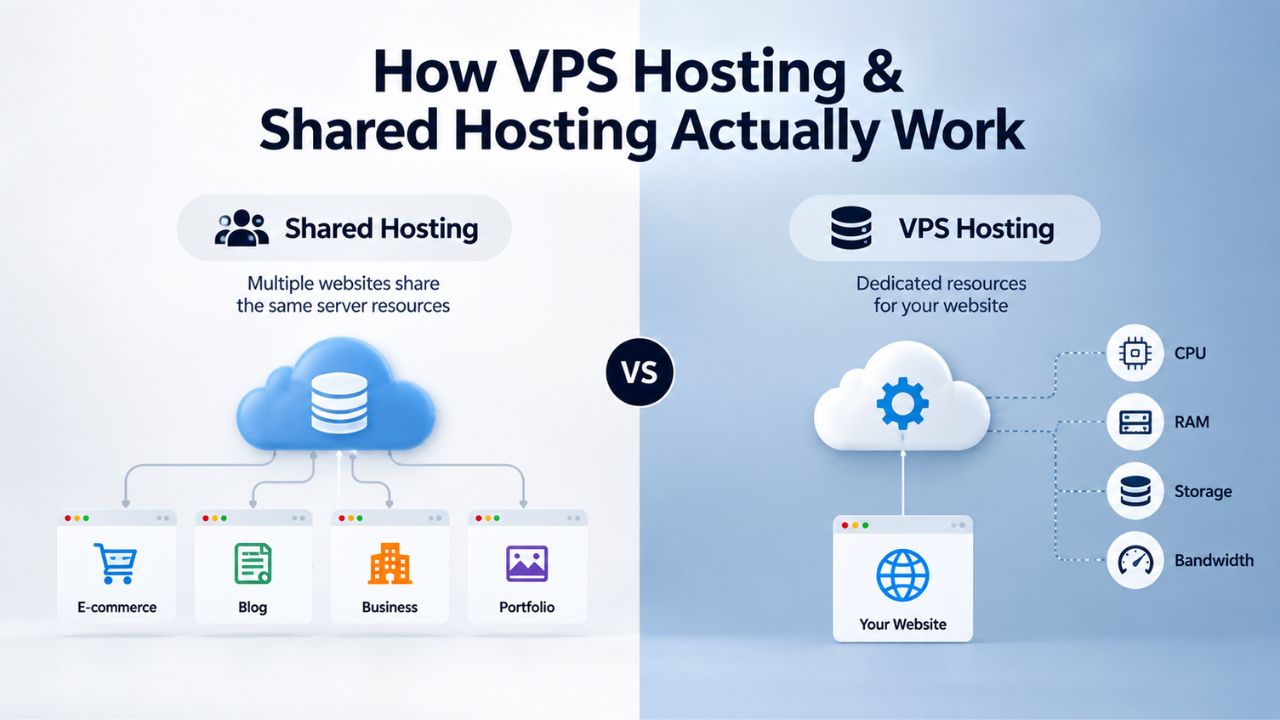
Shared Hosting: One Server, Many Websites
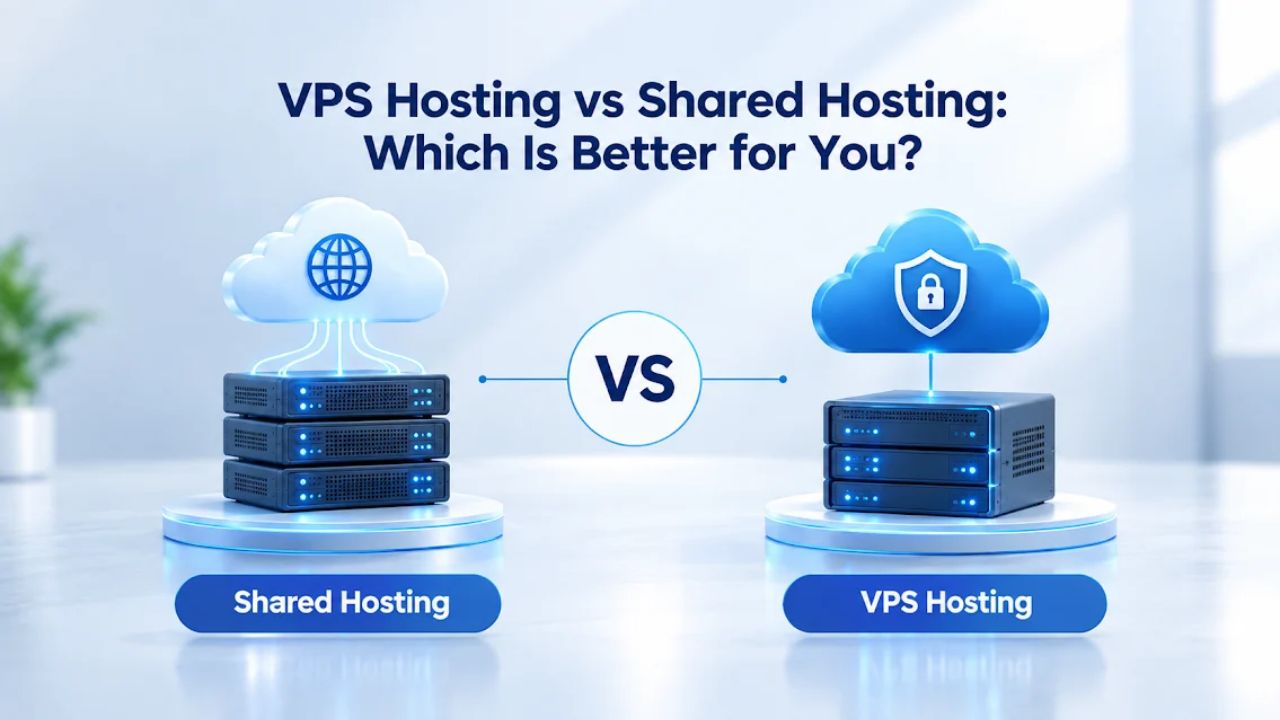
Shared hosting places multiple websites on a single physical server, and all of those sites share the same pool of CPU, RAM, storage, and bandwidth. Think of it as an apartment building: each tenant has their own unit with a lock, but everyone shares the building’s water, electricity, and elevator. The hosting provider manages all server maintenance, security updates, and hardware; you focus only on your website content. This model keeps costs low because infrastructure expenses are divided among dozens or hundreds of users.
The trade-off is that your site’s performance depends partly on what your neighbors are doing. If another website on your server experiences a traffic spike or uses excessive resources, it can slow down your site too. A site running resource-intensive database queries might consume the server’s CPU, or another account processing large files might deplete available RAM. Your site doesn’t just share physical hardware; it competes for every byte of available processing power.
Shared hosting works well for blogs, portfolios, small business websites, and e-commerce stores with predictable, moderate traffic. A WordPress blog with steady monthly readership, a freelancer’s portfolio site, or a small retail store with consistent, manageable traffic can operate reliably on shared hosting for years. But as soon as your traffic grows or your application demands more processing power, shared hosting’s resource ceiling becomes a problem that no configuration change can solve.
VPS Hosting: Dedicated Resources in a Virtualized Environment
VPS Hosting stands for Virtual Private Server; it takes a single physical server and partitions it into isolated virtual environments using virtualization technology (a hypervisor). Each VPS gets its own dedicated CPU cores, RAM, storage, and bandwidth. You’re still sharing a physical server with other VPS instances, but your allocated resources are reserved exclusively for you. No other account can consume them, and no other site’s traffic spike will slow your site down.
This fundamental isolation changes everything. When your VPS is allocated four CPU cores and eight gigabytes of RAM, those resources are yours alone. Another VPS on the same physical hardware might use two cores and five gigabytes, but there’s no competition between the two; the virtualization layer keeps them completely separate. Your application gets the exact amount of processing power you’ve allocated, regardless of what neighbors are doing.
This is where control changes dramatically. With VPS Hosting, you have full root access, can install custom software, modify the operating system, configure security settings, and manage your server like your own dedicated machine. The hosting provider still maintains the physical hardware, network, and data center, but you’re responsible for server administration on top of that infrastructure. VPS Hosting is ideal for growing businesses, developers, agencies, and anyone whose website or application has outgrown shared hosting’s limitations.
Choosing Between VPS Hosting and Shared Hosting: A Practical Summary
| Factor | Shared Hosting | VPS Hosting |
|---|---|---|
| Resource Model | Multiple websites share CPU, RAM, bandwidth, storage | Each VPS gets dedicated, isolated resources |
| Performance | Unpredictable; depends on other sites’ traffic | Consistent; guaranteed resources for your site |
| Root/Admin Access | Limited control panel only | Full administrative access and control |
| Customization | Pre-configured; limited changes possible | Complete flexibility; install any software |
| Scaling | Difficult; must upgrade hosting tier | Easy; add resources on-demand without migration |
| Security Isolation | Multi-tenant; higher cross-contamination risk | Fully isolated; breach in other VPS won’t affect yours |
| Uptime Guarantee | Typical SLA 99.9%; shared responsibility | Typical SLA 99.9%–99.99%; better isolation supports reliability |
| Backups | Provider-managed; limited user control | Automated daily backups + manual snapshots you control |
| Setup Complexity | Simple; instant account, minimal configuration | Moderate; requires OS/software setup; managed options available |
| Technical Expertise Required | Minimal; beginner-friendly | Moderate to high; managed plans reduce requirements |
| Best For | Blogs, portfolios, small sites, testing | Growing sites, e-commerce, SaaS, agencies, developers |
| Common Upgrade Signal | Traffic exceeds 3,000–5,000/month; performance degrades | Site needs dedicated resources or custom software |
VPS Hosting Plans & Pricing
Choose the VPS hosting plan that fits your website, application, or business requirements. Select a self-managed VPS for complete server control or a fully managed VPS with a dedicated team of experts to help manage your server.
Self Managed VPS 1 vCPU
1 GB RAM
Entry-level VPS hosting for lightweight websites and applications.
- 1 CPU Core
- 1 GB RAM
- 20 GB SSD Storage
- Linux only, no control panel

Self Managed VPS 2 vCPU
4 GB RAM
VPS hosting with additional CPU and memory for growing websites and applications.
- 2 CPU Cores
- 4 GB RAM
- 100 GB SSD Storage
Self Managed VPS 2 vCPU
8 GB RAM
Additional memory for more demanding websites and applications.
- 2 CPU Cores
- 8 GB RAM
- 100 GB SSD Storage
Self Managed VPS 4 vCPU
8 GB RAM
Increased processing power for business websites and applications.
- 4 CPU Cores
- 8 GB RAM
- 200 GB SSD Storage
Self Managed VPS 4 vCPU
16 GB RAM
High-memory VPS hosting for resource-intensive workloads.
- 4 CPU Cores
- 16 GB RAM
- 200 GB SSD Storage
Self Managed VPS 8 vCPU
16 GB RAM
Powerful VPS resources for demanding business applications.
- 8 CPU Cores
- 16 GB RAM
- 400 GB SSD Storage
Self Managed VPS 8 vCPU
32 GB RAM
Maximum self-managed resources for demanding workloads.
- 8 CPU Cores
- 32 GB RAM
- 400 GB SSD Storage
Fully Managed VPS 1 vCPU
2 GB RAM
Managed VPS hosting with expert server management.
- 1 CPU Core
- 2 GB RAM
- 40 GB SSD Storage
- Dedicated team of experts to fully manage your server
Fully Managed VPS 1 vCPU
4 GB RAM
Managed VPS resources for websites and business applications.
- 1 CPU Core
- 4 GB RAM
- 40 GB SSD Storage
- Dedicated team of experts to fully manage your server
Fully Managed VPS 2 vCPU
4 GB RAM
Managed VPS hosting with additional CPU resources.
- 2 CPU Cores
- 4 GB RAM
- 100 GB SSD Storage
- Dedicated team of experts to fully manage your server
Fully Managed VPS 2 vCPU
8 GB RAM
Managed VPS hosting with additional memory for growing workloads.
- 2 CPU Cores
- 8 GB RAM
- 100 GB SSD Storage
- Dedicated team of experts to fully manage your server
Fully Managed VPS 4 vCPU
8 GB RAM
Higher-performance managed VPS for demanding applications.
- 4 CPU Cores
- 8 GB RAM
- 200 GB SSD Storage
- Dedicated team of experts to fully manage your server
Fully Managed VPS 4 vCPU
16 GB RAM
High-memory managed VPS for resource-intensive workloads.
- 4 CPU Cores
- 16 GB RAM
- 200 GB SSD Storage
- Dedicated team of experts to fully manage your server
Fully Managed VPS 8 vCPU
16 GB RAM
Powerful managed VPS hosting for demanding business workloads.
- 8 CPU Cores
- 16 GB RAM
- 400 GB SSD Storage
- Dedicated team of experts to fully manage your server
Fully Managed VPS 8 vCPU
32 GB RAM
Maximum managed VPS resources for demanding workloads.
- 8 CPU Cores
- 32 GB RAM
- 400 GB SSD Storage
- Dedicated team of experts to fully manage your server
Why Website Speed Matters: The Conversion Impact
Website performance isn’t just a technical detail; it directly affects whether visitors stay on your site, complete a purchase, or move to a competitor. Every extra second a page takes to load represents a moment when your visitor might lose patience and leave. Understanding this relationship, and how your hosting choice affects speed, is crucial for any business that depends on its website.
Load Time and User Experience
A 1-second delay in page load time can reduce conversions by up to 20%, and 53% of mobile users will leave a site that takes more than 3 seconds to load. This is not theoretical; it directly affects your bottom line. Every extra second a visitor waits is a moment they might give up, switch to a competitor, or bounce back to search results without taking action. For an e-commerce store, a slow checkout page means abandoned carts and lost revenue. For a service business, a slow contact form means potential clients moving to competitors. For a content site, slow load times increase bounce rate and reduce engagement metrics that affect ad revenue.
Shared hosting’s shared-resource model means your site’s speed is unpredictable. When other sites spike in traffic, your pages slow down even if your own traffic is steady. Resource-hungry processes on neighboring accounts consume the server’s CPU. Available memory fills up with cached data from other websites. Your site’s database queries start queuing because multiple accounts use the server’s disk I/O bandwidth at the same time. VPS Hosting delivers more consistent, faster load times because your resources are reserved exclusively for you. Your CPU doesn’t compete with neighbors’ workloads. Your RAM isn’t fragmented across dozens of other accounts. Other sites’ backup processes don’t block your disk I/O operations. The result: faster, more predictable response times that keep visitors engaged and improve your conversion metrics.
SEO and Search Ranking
Google now uses page speed as a core ranking factor, and faster sites see higher search visibility. Slow-loading websites tend to have higher bounce rates and shorter session durations, both of which signal a poor experience to search engines. If you’re investing in SEO, content marketing, or paid advertising, a slow hosting platform undermines all that effort. You might be creating excellent content and running effective campaigns, but if your site takes six seconds to load, search engines will penalize your rankings, and visitors will leave before engaging with your content.
Upgrading to VPS Hosting can improve load times enough to impact both user experience and search rankings. Even a -one- or two-second improvement in page load time can lead to measurable gains in search visibility, user engagement, and conversion rates. The speed gain isn’t just theoretical; it’s the difference between appearing on page one of search results and page two, between keeping a visitor engaged and losing them to a faster competitor.
Control and Customization: What Each Model Offers
The level of control you have over your hosting environment determines what you can do technically and how much you can customize your infrastructure to meet your specific needs. For many website owners and businesses, this distinction is the deciding factor between shared hosting and VPS Hosting.
Limited Flexibility on Shared Hosting
Shared hosting provides a standardized server environment that the hosting provider manages entirely. You access a control panel (usually cPanel or Plesk) where you can manage your website files, databases, email accounts, and install popular applications with one click. But you cannot modify the server’s operating system, install custom software that requires root access, or change core server settings. If your application needs a specific version of a programming language or a custom daemon to run continuously, shared hosting won’t allow it.
This is intentional: shared hosting providers lock down configurations to prevent one user from destabilizing the server for everyone else. It’s secure and simple for beginners, but it’s a hard ceiling on what you can do technically. You’re limited to what the provider has pre-installed and configured. You cannot adjust PHP settings globally, modify web server configuration, run background processes, or install server-level security tools. The hosting provider makes these decisions for all users on the server, and you must live within those constraints.
Full Administrative Control on a VPS
With VPS Hosting, you have complete root access, which means you can install any software, modify system libraries, change kernel parameters, and configure the server exactly as your application needs. You can choose your operating system (Linux or Windows), select a control panel, or skip the control panel entirely and manage the server from the command line. You have the same level of control you would have if you owned the physical server yourself.
This flexibility is invaluable for developers, custom applications, SaaS platforms, and agencies managing client sites with specialized requirements. Niya Digital’s team has found that developers and agencies most often upgrade to VPS hosting when they need to install a specific framework version, run a background job processor, or configure advanced security settings that shared hosting won’t permit. The trade-off is that you’re now responsible for maintaining that configuration and keeping software updated. With great control comes great responsibility; you’re now managing your own infrastructure, which requires technical knowledge or a willingness to learn.
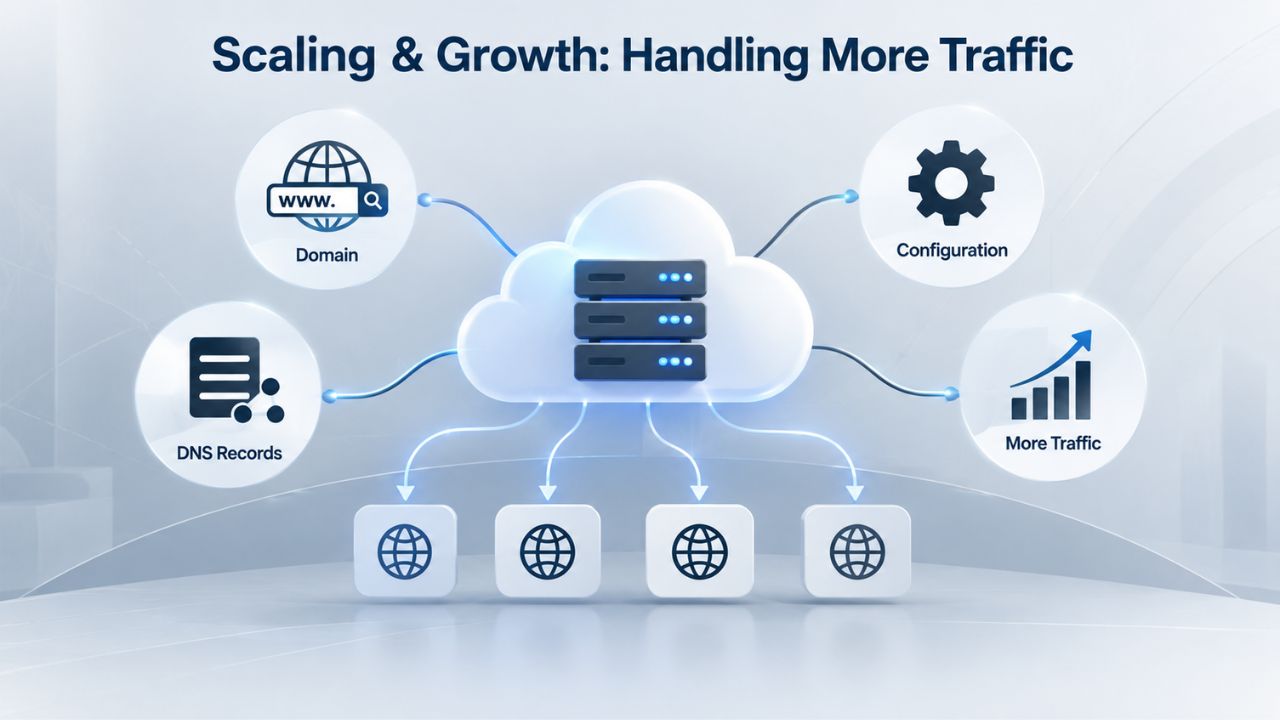
Scaling and Growth: Handling More Traffic
As your website or business grows, your hosting infrastructure needs to grow with it. Shared hosting and VPS Hosting handle growth differently, and that difference often determines whether your platform can support your ambitions or becomes a bottleneck.
The Hard Ceiling of Shared Hosting
Shared hosting plans come with fixed resource allocations: a set amount of monthly bandwidth, disk space, and CPU/RAM time. As your website grows and traffic increases, you’ll eventually hit these limits. Some hosting providers will slow your site down or temporarily suspend it if you exceed your allocation. Others let you upgrade to a higher shared hosting tier, but you’re still sharing server resources with other accounts, so performance remains unpredictable.
If your site experiences seasonal traffic spikes, a holiday promotion, a viral social media post, or a press feature, shared hosting can buckle under the load. You’re competing for server resources in real time, and you can’t reserve extra capacity just for your peak periods. Scaling on shared hosting usually means either accepting slower performance during busy times or switching to an entirely different hosting model. This binary choice is shared hosting’s real limitation: it works fine until it doesn’t, and when it stops working, you often have to migrate your entire site to a different platform under time pressure.
Seamless Resource Scaling on VPS
VPS Hosting lets you scale resources (CPU, RAM, storage) on the fly without migrating to a new server. Is your business growing, and traffic climbing? Add more CPU cores and RAM in a few clicks or via API. Do your backup storage needs grow? Expand disk allocation instantly. This flexibility means you pay for only the resources you actually use and can upgrade before performance degrades, not after your site crashes.
Scaling on a VPS is much simpler than moving to a dedicated server, and it’s far more responsive than waiting for a shared hosting provider to migrate you to the next tier. Whether you’re a growing e-commerce store preparing for a seasonal surge or a SaaS app adding new users daily, VPS hosting’s elasticity keeps your infrastructure aligned with demand without unnecessary downtime. You can handle unexpected traffic spikes without your site slowing to a crawl, and you can add capacity as you grow rather than waiting for a performance crisis to force your hand.
Security and Isolation: Protecting Your Data and Your Site
Security in a shared hosting environment looks fundamentally different from security on a VPS, and this difference becomes critical as soon as your site handles sensitive data or must meet compliance requirements.
Multi-Tenant Risk in Shared Hosting
Shared hosting’s biggest security weakness is the multi-tenant model: dozens or hundreds of websites on the same server. If an attacker compromises one of those websites, the breach could spread to neighboring accounts. An attacker with access to one site might exploit server-level vulnerabilities to access files from other sites or insert malicious code that affects the shared server broadly. The server’s operating system, web server software, and database system are shared; a vulnerability in any of these layers could potentially expose files from multiple sites.
You also have limited control over security settings. The hosting provider applies baseline firewall rules and security patches, but you cannot configure advanced firewalls, custom security policies, or application-level encryption. If your business handles sensitive customer data or payment information, shared hosting’s lack of isolation and control creates compliance and security risks you may not be willing to accept. A breach that compromises your customers’ information could damage your reputation, trigger legal liability, and destroy trust in your business.
Isolation and Control on a VPS
With VPS Hosting, your environment is completely isolated; even if another VPS on the same physical server is compromised, your VPS cannot be accessed or affected. The virtualization layer keeps the environment independent, with data, processes, and system resources completely separated. You have full administrative control over firewall rules, SSL certificates, security patches, and hardening configurations. If your application requires PCI-DSS compliance (for e-commerce payments) or HIPAA compliance (for healthcare data), a VPS gives you the isolation and control needed to meet those standards.
Configuring your own security settings, enabling specific ports, installing intrusion detection, running security audits, and setting encryption policies shifts your responsibility from “hope the provider has it locked down” to “I control my security posture.” This is essential for any site handling sensitive information or operating under compliance obligations. While security is always a shared responsibility between you and your hosting provider, VPS hosting puts meaningful security tools in your hands. It keeps your data isolated from other customers’ environments.
Protect Your Site with VPS Hosting’s Isolated Environment
If your website handles customer data, processes payments, or must meet compliance standards, shared hosting’s multi-tenant risks aren’t worth taking. Niya Digital’s VPS Hosting service provides the isolated, secure infrastructure your business needs to protect sensitive information and operate with confidence. Explore how a VPS gives you the control to implement the security measures your site demands.
Cost Considerations: Budget vs. Capability
When comparing shared hosting and VPS Hosting, the cost difference is immediate and obvious. But understanding the true cost of each option requires looking beyond the monthly subscription fee to consider the total cost of ownership over time.
Shared Hosting: Entry-Level Access, Limited Capacity
Shared hosting is the most accessible hosting option for getting a website online. The monthly cost is minimal, making it ideal for launching your first website, testing an idea, or hosting a personal blog. The provider’s infrastructure costs are spread across many customers, so your portion is minimal. You get a working website online quickly without a steep investment, and you can focus entirely on your content and business rather than server administration.
The hidden cost appears as your site grows. Shared hosting plans come with resource limits, and as you approach or exceed them, performance degrades. If you hit bandwidth or storage limits, you face painful choices: pay for overage fees, upgrade to a higher shared hosting tier (which costs more but still doesn’t guarantee performance), or migrate to a different hosting platform entirely. A retail site that loses sales during a traffic spike because shared hosting can’t keep up loses far more money than the monthly hosting difference. The true cost of shared hosting includes not just the subscription fee, but also lost revenue, a damaged customer experience, and the stress of emergency migrations.
VPS Hosting: Higher Investment, Scalable Resources
VPS Hosting costs more than shared hosting because you’re paying for dedicated resources and the infrastructure to support them. However, you’re paying for resources you control completely and can scale as demand increases. You’re not paying for shared capacity that competes with other users’ needs.
For growing businesses, the math usually favors VPS Hosting: invest in reliable infrastructure that matches your current needs and can scale as you grow, avoiding the cost of lost sales, downtime, or emergency migrations later. Agencies hosting multiple client sites almost always find a single VPS more cost-effective and professional than managing multiple shared hosting accounts across different providers. The investment in VPS infrastructure pays for itself through better performance, higher reliability, and the ability to support your business growth without surprises.
Technical Complexity: Who Manages What
The technical expertise required for shared hosting versus VPS Hosting varies dramatically, and choosing the wrong option for your skill level can lead to frustration, security vulnerabilities, or both.
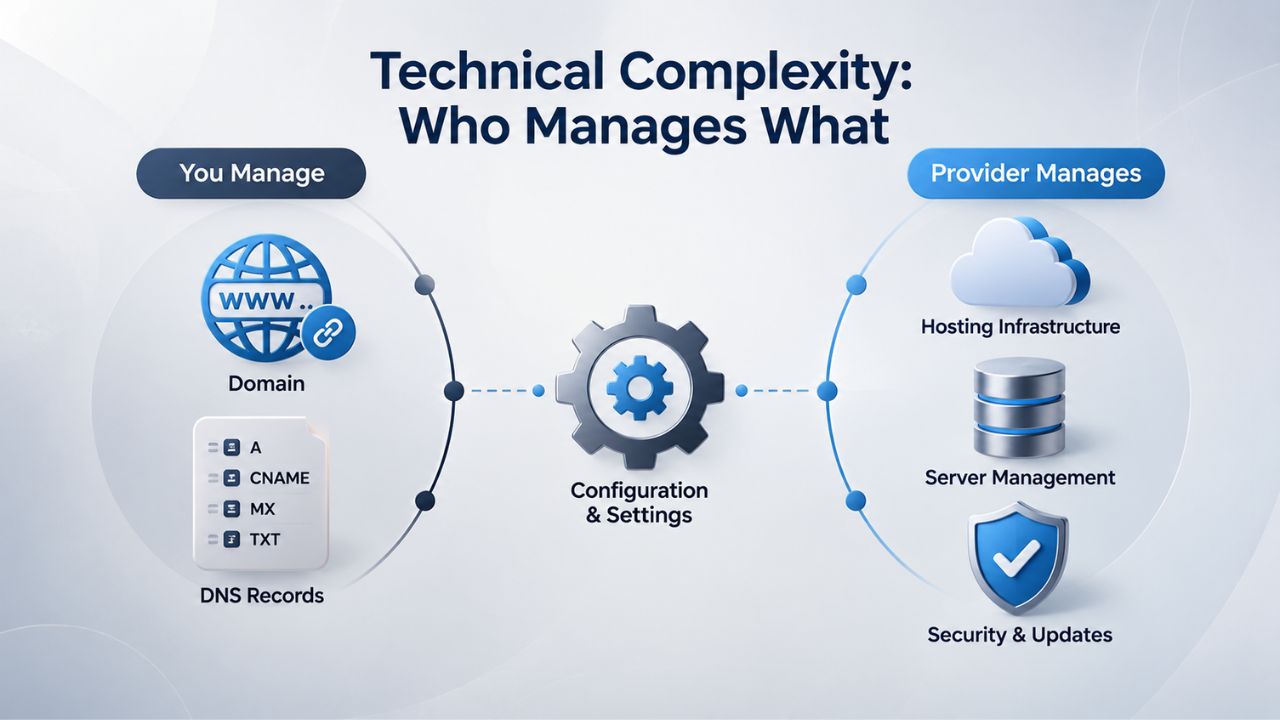
Simplicity of Shared Hosting
Shared hosting is designed for non-technical users. You sign up, your account is created instantly, and you start publishing content within minutes. The hosting provider handles software updates, security patches, server monitoring, and backups. If something breaks, you contact support, and they fix it. You never have to think about server administration; focus on your website content, your marketing, and your business.
This simplicity comes at a cost: inflexibility. You can’t customize the server because that requires technical skill the average user doesn’t have. And if a server-level problem occurs, you wait for provider support instead of fixing it yourself. For a small business owner or blogger who wants a hands-off hosting solution, shared hosting is ideal. For a developer or technical team that needs control, it’s too restrictive. You’re trading flexibility for simplicity and outsourcing server management to the hosting provider in exchange for limited customization options.
VPS Requires More Hands-On Management
With VPS Hosting, you’re in the driver’s seat, but that means you’re responsible for server administration unless you opt for a managed VPS plan. You need to patch the operating system, install and update software, monitor resource usage, configure backups, and troubleshoot issues. If you’re unfamiliar with Linux or Windows server administration, the learning curve is steep. Understanding how web servers work, managing permissions, securing services, and monitoring system health requires technical knowledge that many business owners don’t have.
Many VPS providers, including GoDaddy’s fully managed VPS plans, handle these tasks for you in exchange for a higher investment. The provider monitors your server, applies patches, manages backups, and provides 24/7 support. This bridges the gap: you get VPS control and performance without needing to become a server administrator. For teams without in-house DevOps expertise, managed VPS is a practical middle ground between the simplicity of shared hosting and the complexity of self-managed infrastructure.
Typical Use Cases: When to Use Each
The “best” hosting option depends entirely on your website’s current needs, your technical skills, and your growth trajectory. Understanding which hosting model fits which situation helps you make a decision you won’t regret six months later.
Shared Hosting Is Best For
Shared hosting is the right choice if you’re launching a blog, portfolio, or small business website with modest traffic expectations. Freelancers, photographers, consultants, and small retailers often find shared hosting perfectly adequate, fast enough for their traffic volume, simple enough to manage without hiring a developer, and affordable enough not to strain startup budgets. A personal blog with a few hundred monthly readers, a freelancer’s portfolio showcasing work samples, or a local business’s informational website all thrive on shared hosting.
Static websites, content sites that don’t need custom backends, and WordPress blogs with predictable, low-to-moderate traffic all thrive on shared hosting. If you have a small email list, stable visitor traffic, and no need for custom software or compliance features, shared hosting is a cost-effective and maintainable choice that lets you focus on your business, not server administration. Shared hosting is also excellent for learning; you can experiment with web technologies, launch projects, and understand how websites work without the complexity of server management.
VPS Hosting Is Best For
VPS Hosting is ideal for growing e-commerce stores that handle payment processing and need PCI-DSS compliance, SaaS applications that require custom software stacks or background job processing, agencies hosting multiple client sites that need isolation and customization, developers building and testing applications, and businesses preparing for or already experiencing rapid traffic growth. A growing online store that sees increasing transaction volume, a SaaS platform that needs to run background jobs for users, or an agency managing ten client websites all benefit from VPS Hosting’s isolation and control.
High-traffic blogs, streaming platforms, real-time applications, and any site running resource-intensive software (video encoding, large databases, machine learning models) benefit from a VPS’s dedicated resources. If your website drives business revenue, handles sensitive customer data, or requires control over software and security configurations, VPS Hosting is the professional-grade infrastructure your operation deserves. VPS Hosting is also suitable for experimentation; developers often use VPS to test new technologies, run staging environments, or build applications before moving to production infrastructure.
| Scenario | Best Fit | Why | Upgrade Signal |
|---|---|---|---|
| Small Blog/Portfolio | Shared Hosting | Affordable, simple, no custom software needed | Traffic grows to 3,000+/month; pages slow during spikes |
| Growing E-Commerce Store | VPS Hosting | Needs performance, PCI-DSS compliance, payment security | Heavy traffic, slow checkout, compliance requirements, growth planned |
| Agency with Multiple Client Sites | VPS Hosting | Isolation between clients, customization per site, professional appearance | Managing 5+ shared hosting accounts; clients need custom configurations |
| Custom SaaS Application | VPS Hosting | Requires specific software, background processors, custom OS setup | Shared hosting won’t allow required software or configurations |
| High-Traffic Content Site | VPS Hosting | Consistent performance, resource guarantees, scalability | Traffic exceeds 10,000+/month; page speed impacts SEO/ad revenue |
| New Startup Testing an Idea | Shared Hosting | Minimal investment, fast launch, no maintenance | Ready to scale after MVP validation or hitting traffic threshold |
The Decision Framework: When It’s Time to Upgrade
Knowing when to upgrade from shared hosting to VPS Hosting is crucial for avoiding both premature investment and crisis-driven migrations. Several clear signals indicate that your shared hosting has reached its limits and that VPS Hosting is necessary for your growth.
Five Signs Your Shared Hosting Can’t Keep Up
Growing Traffic. If your site is consistently receiving 3,000–5,000+ unique visitors per month, and you expect that to keep growing, shared hosting will eventually hit a performance wall. Traffic predictability matters too: if you’re planning seasonal campaigns or expecting traffic surges, shared hosting’s inability to scale for peak periods becomes a real risk. A retail site planning a holiday sale, a news site expecting traffic spikes around major events, or a SaaS company experiencing user acquisition will all benefit from VPS Hosting’s scalability.
Slow Load Times or Frequent Downtime. If your pages load slowly even with moderate traffic, or your site goes offline during traffic spikes, shared hosting is the bottleneck. You might have optimized your code, compressed your images, and implemented caching, but if other sites consume the underlying server resources, optimization can only help so much. Upgrading to VPS Hosting often solves this overnight because your resources are no longer competing with other sites.
Resource Limit Warnings. Hosting providers send warnings when you’re approaching bandwidth, disk space, or CPU limits. If you’re regularly hitting these limits, you’re outgrowing the plan. Upgrading to a higher shared hosting tier is a temporary fix, but VPS Hosting’s scalability lets you grow without hitting hard ceilings. You can add resources gradually as your needs grow rather than making sudden, expensive jumps to higher tiers.
Application Complexity. If you need to run custom software, a specific programming language version, a background job processor, or specialized security configurations that shared hosting doesn’t allow, VPS Hosting is the only option. Shared hosting’s restrictions will keep you stuck. A developer wanting to run Node.js or a custom Python framework, a business needing to run scheduled reports at specific times, or a site requiring specialized security hardening will quickly outgrow shared hosting’s constraints.
Compliance or Data Sensitivity. If your business handles payment data (PCI-DSS compliance), health information, or other sensitive customer data, shared hosting’s multi-tenant isolation and your limited security control create risk. VPS Hosting’s isolated environment and your ability to configure security settings meet compliance requirements shared hosting cannot. Financial services, healthcare, and any industry handling regulated data need the security and isolation VPS Hosting provides.
The Right Time to Upgrade
The best time to upgrade is before performance degrades to the point where it costs you customers. If your traffic is trending upward or you’re planning a marketing campaign, upgrading to VPS Hosting preemptively avoids the panic of emergency migration or downtime during your busiest periods. Agencies and growing businesses often find that upgrading at 50–75% of shared hosting’s capacity limits is the sweet spot: enough growth to justify the move, and enough time to configure the new infrastructure before you need it.
Upgrading too late, after your site has crashed during peak traffic or your shared hosting provider has throttled your account, is expensive and stressful. You’ll manage a migration under time pressure, potentially lose customers during the transition, and deal with frustration from your team or customers. Upgrading too early, before you have real traffic to justify it, wastes resources on infrastructure you don’t need. Monitoring your hosting metrics (traffic, resource usage, page load times) and watching for the five signs above will tell you when it’s time to upgrade.
Making Your Decision: Key Factors for Choosing VPS Hosting Over Shared Hosting
Deciding between shared hosting and VPS Hosting ultimately comes down to understanding your website’s trajectory and your infrastructure requirements. Several factors should inform this decision beyond just current cost.
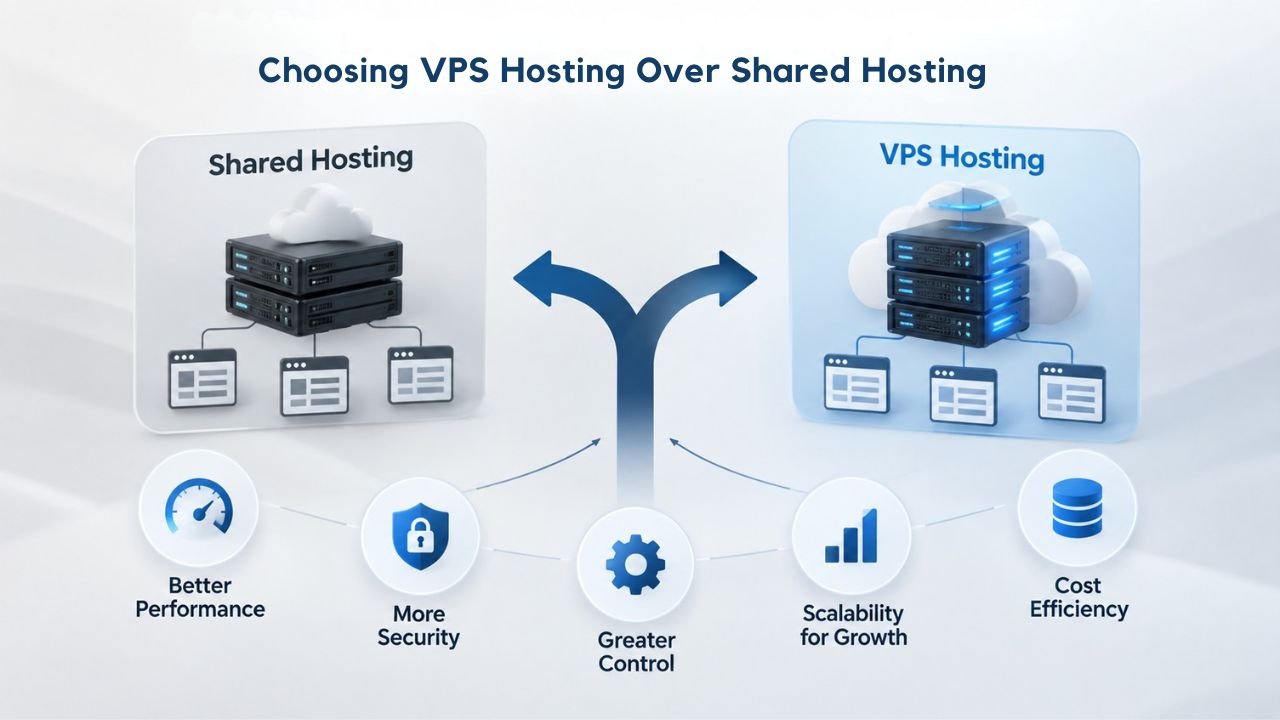
Performance and Growth Prospects
As your website or business grows, VPS hosting’s performance guarantees and scalability become increasingly valuable. Shared hosting can serve you well for months or years, but at some point, whether triggered by traffic growth, application complexity, or compliance needs, you’ll reach a limit that shared hosting simply cannot overcome. At that moment, VPS Hosting’s ability to scale resources and maintain consistent performance becomes essential.
The upgrade is also about planning. If you’re confident in your business’s growth trajectory, whether you’re ramping marketing campaigns, launching new features, or scaling to new markets, upgrading to VPS Hosting before a crisis hits gives you breathing room. You avoid the disruption of emergency migration and the reputation damage of downtime during peak season. By planning and upgrading proactively, you demonstrate professional operations to your team, customers, and business partners.
Professional Support and Infrastructure
Niya Digital’s VPS Hosting service, powered by GoDaddy’s infrastructure, combines the professional-grade servers and network uptime of a major infrastructure provider with personalized account management and provisioning support tailored to your transition. Whether you choose a self-managed VPS (where you handle server administration and have full control) or a fully managed plan (where provider experts handle updates, backups, and support), you’ll work with a team that understands the hosting business and can support your growth.
The difference between DIY infrastructure and professionally managed hosting becomes clear when you need uptime, speed, and reliable security. Your business depends on your website staying online and performing well. VPS Hosting from a reseller like Niya Digital ensures you have access to enterprise-grade infrastructure and responsive technical support when you need it. You’re not just renting server resources; you’re gaining access to a team of infrastructure professionals who understand how to support growing businesses.
Ready to Upgrade to VPS Hosting?
If your website has outgrown shared hosting or you need the control that a VPS provides, Niya Digital’s VPS Hosting service offers the performance, security, and flexibility growing businesses need. Explore plans designed for different use cases, from growing websites to complex applications, and see how easily you can scale resources as your traffic and needs evolve. Your business doesn’t have to stay trapped on shared hosting. Professional-grade VPS infrastructure supports your growth.
Frequently Asked Questions
What is the difference between VPS Hosting and shared hosting?
Shared hosting places your website on a server with dozens of other sites sharing the same resources (CPU, RAM, bandwidth). VPS Hosting partitions a server into isolated virtual environments, each with dedicated resources reserved only for you. Shared hosting is simpler for beginners and requires no technical management; VPS Hosting offers better performance, control, and security but requires more technical expertise. With shared hosting, you sacrifice flexibility for affordability; with VPS Hosting, you accept a higher investment for professional-grade infrastructure. The choice depends on your traffic level, technical skills, and growth plans.
When should I upgrade from shared hosting to VPS Hosting?
Upgrade when your website consistently receives 3,000–5,000+ monthly visitors, experiences slow load times during traffic spikes, frequently hits resource limits, needs custom software or security settings shared hosting won’t allow, or handles sensitive data (payment info, customer records) requiring compliance. Upgrading before performance degrades is better than migrating in an emergency during your peak season or after your site crashes and you lose customers. Watch for warning signs like frequent provider notifications about resource usage or customer complaints about slow load times.
Will VPS Hosting make my website faster?
Yes. VPS Hosting delivers dedicated resources that aren’t shared with other sites, so your pages load faster and more consistently. Load time directly affects user experience and conversions; a one-second improvement can increase sales, and faster sites rank higher in search results. The performance improvement often pays for itself in retained customers and higher revenue. Most sites see measurable improvements within days of switching from shared hosting to VPS Hosting.
Is VPS Hosting more secure than shared hosting?
VPS Hosting is more secure because each environment is fully isolated; a breach in one VPS cannot affect others. You also have full control over firewall rules, security patches, and hardening configurations. Shared hosting’s multi-tenant nature means a compromised neighboring site poses a higher risk to your account, and your limited security control reduces your ability to meet compliance requirements. If your site handles sensitive customer data or must meet regulatory standards, VPS Hosting’s isolation and your security control are essential.
Can I manage a VPS if I’m not technical?
Yes. Many VPS providers, including GoDaddy, offer fully-managed VPS plans where the provider handles server maintenance, patching, backups, and 24/7 support. You get the power of a VPS without needing to learn server administration. Managed plans cost more than self-managed options, but they offer the simplicity of shared hosting with the control and performance of a VPS. This is an excellent option for business owners who want professional infrastructure without becoming system administrators.
How much does VPS Hosting cost?
VPS Hosting pricing varies significantly by provider, plan resources (CPU, RAM, storage), and whether you choose self-managed or managed support options. Entry-level VPS generally costs more than shared hosting but remains affordable for most growing businesses. Pricing also varies by region and data center location. The best approach is to compare plans from multiple providers, considering not just monthly cost but also what resources you get, whether backups are included, what support is available, and how easily you can scale resources as your needs grow.
Can I migrate my website from shared hosting to VPS Hosting?
Yes. Most VPS providers offer free or low-cost migration assistance. The migration process typically takes 24–48 hours with minimal downtime. Your hosting provider’s migration team transfers your website files, databases, email accounts, and configurations to your new VPS. You don’t need technical expertise; the provider’s specialists handle the entire process. Some providers even help you update DNS records and test the migration before going live.
Does VPS Hosting include backups?
Yes. Most VPS providers, including GoDaddy, include automated daily backups and manual snapshot functionality. Snapshots let you create point-in-time backups before making changes, and you can restore your server to any previous state quickly if needed. Some plans offer extra backup storage or geographic replication for an added cost. Regular backups are essential; they protect against data loss, security breaches, and accidental deletion. Check what backup features are included in any VPS plan you’re considering.
What is root access, and do I need it?
Root access gives you full administrator control over your server, including the ability to install software, modify system settings, change the operating system, and configure security rules. You need it if you run custom applications, use specific software not pre-installed by the provider, or manage security configurations yourself. Shared hosting doesn’t offer root access; VPS Hosting does, giving you full control over your server environment. Root access also means you’re responsible for security; you must keep software updated and apply patches.
How long does it take to set up a VPS?
VPS Hosting servers typically deploy within minutes to a few hours, depending on the provider and whether you choose self-managed or fully managed. Once provisioned, you can begin configuring your environment immediately. If you’re migrating from another host, the migration process typically takes 24–48 hours. If you choose a managed VPS plan with onboarding support, the provider guides you through initial setup and configuration, ensuring everything is set up correctly before you go live.
Can I choose my operating system on VPS Hosting?
Yes. Most VPS providers offer Linux (Ubuntu, CentOS, AlmaLinux) or Windows Server, so you can choose the OS that fits your application requirements. You can even change your operating system later if your needs evolve. Shared hosting offers no OS choice; you use whatever the provider has pre-installed, which limits your application options. Choosing the right operating system for your application is important for performance and compatibility.
Is VPS Hosting suitable for e-commerce?
Yes. VPS Hosting is ideal for e-commerce because it provides the isolated environment, performance, and security controls needed to handle payment data safely and meet PCI-DSS compliance requirements. Shared hosting’s multi-tenant structure and your limited security control create unacceptable risk for sites processing payments. VPS Hosting gives you the infrastructure and control compliance requires. E-commerce sites also benefit from VPS Hosting’s performance; fast checkout processes reduce cart abandonment and increase sales.
How does VPS Hosting handle traffic spikes?
Your dedicated resources are always available, so moderate traffic spikes don’t degrade performance. If you consistently need more resources during peak periods, you can scale CPU, RAM, and bandwidth on the fly without migration. Shared hosting can’t handle unexpected traffic surges; your site slows down along with everyone else sharing the server, and you can’t scale within the plan. VPS Hosting’s scalability means you can handle promotional events, seasonal peaks, or unexpected viral traffic without your site crashing.
Do I have to manage software updates on a VPS?
It depends on your plan type. On a self-managed VPS, you’re responsible for patching the OS, updating software, and managing security. On a fully managed VPS, the provider handles all patches and updates. Niya Digital’s GoDaddy-powered VPS plans offer both options, so you can choose the level of hands-on management that fits your technical skills and time. Managed updates ensure your server stays secure and compatible without requiring your attention.
What support is available if I have problems with my VPS?
VPS Hosting typically includes 24/7 technical support from the hosting provider. If you have a self-managed plan, support helps with infrastructure-level issues (server hardware, network, provisioning). Fully-managed VPS plans include support for server administration tasks like software installation, patching, and backup management. Niya Digital’s VPS Hosting service offers account management and provisioning support to help you transition smoothly from shared hosting. Good support is crucial; hosting problems can affect your entire business.
Glossary
- VPS (Virtual Private Server): A virtualized server environment that partitions one physical server into isolated virtual machines, each with dedicated resources (CPU, RAM, storage) and independent operating systems. Each VPS operates independently and is fully isolated from others on the same hardware.
- Hypervisor: Software technology that creates and manages virtual machines on a physical server, isolating each VPS so resources and processes cannot be shared or accessed across environments. It enables multiple independent operating systems to run on a single computer.
- Root Access: Full administrator-level control over a server’s operating system and configuration, allowing users to install custom software, modify system settings, manage security policies, and access all server-level functions without restrictions.
- Bandwidth: The amount of data that can be transferred between your website and visitors’ browsers, typically measured in gigabytes per month. Exceeding bandwidth limits can slow or suspend your site during high-traffic periods, making it a critical resource to monitor.
- Snapshot: A point-in-time backup image of your VPS’s entire state (files, database, configuration, operating system) that can be restored quickly if you need to recover from changes, failed updates, or problems. Snapshots are essential for safe testing and experimentation on production servers.
- SLA (Service Level Agreement): A contract between a hosting provider and customer specifying uptime guarantees (e.g., 99.9% uptime) and remedies (service credits or refunds) if the provider fails to meet those commitments. Understanding an SLA helps you evaluate reliability claims.
- Scaling: Adding resources (CPU cores, RAM, storage, bandwidth) to your server to handle increasing traffic, data, or application demands without migrating to a different server or experiencing downtime. Scaling is a core VPS advantage over shared hosting.
- Virtualization: Technology that creates isolated virtual environments on a physical server, allowing multiple independent operating systems and applications to run simultaneously without interfering with each other. Virtualization underpins VPS Hosting.