How VPS Hosting Works: Virtualization Fundamentals
VPS hosting sits in the middle of the hosting spectrum, balancing cost efficiency with performance and control. The model divides a single physical server into multiple isolated virtual environments using hypervisor technology, a sophisticated virtualization layer that manages hardware resource allocation across many customers.
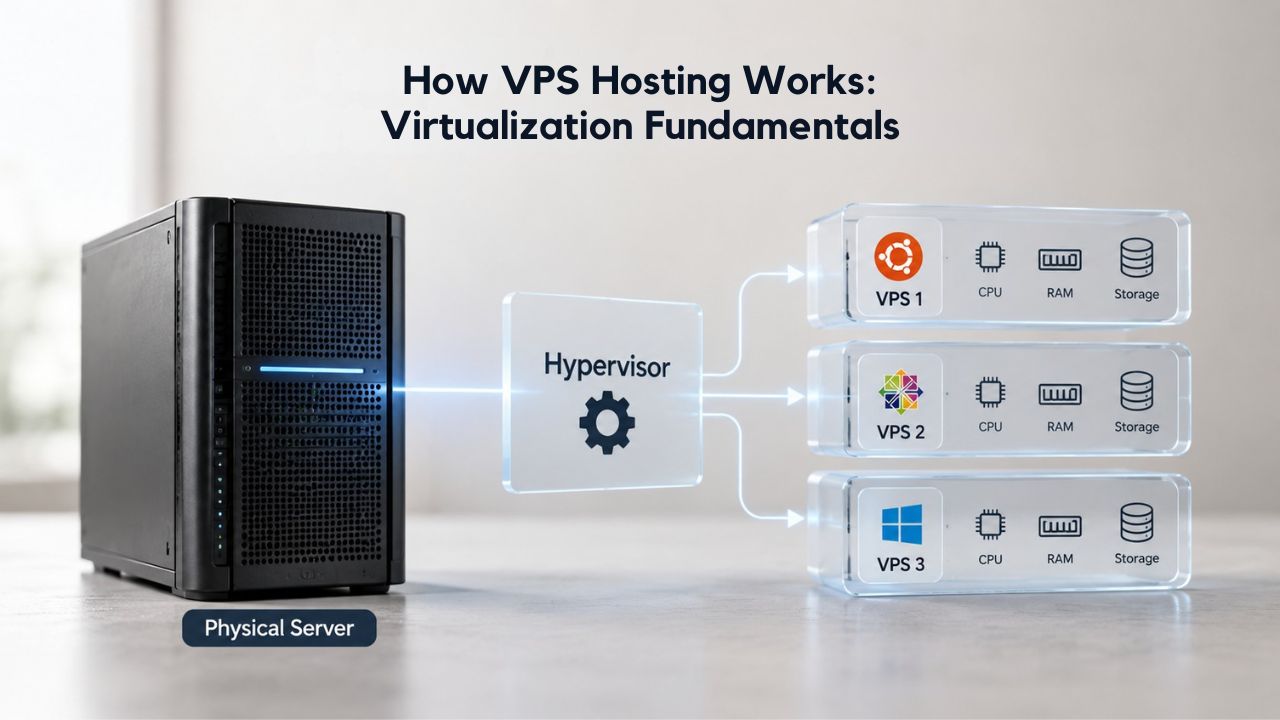
Resource Allocation and Isolation in Virtual Environments
Each VPS receives dedicated portions of CPU cores, RAM, and disk space, logically isolated from other instances on the same host. The hypervisor enforces strict boundaries, ensuring that one VPS cannot consume another’s allocated resources. In practice, this logical isolation proves very strong for CPU and RAM allocations. If your VPS is allocated two CPU cores and four gigabytes of RAM, you get precisely that amount of computational resource without interference from neighboring instances. The hypervisor maintains scrupulous accounting and scheduling to deliver this guarantee.
Storage and network resources, however, remain shared at the physical level, creating a potential vulnerability point for performance variance. Your VPS’s disk I/O operations share the same physical SSD or storage array with other tenants’ operations, and network traffic shares the host machine’s uplink to the internet backbone. This shared-resource architecture is where the concept of “noisy neighbor” problems originates.
GoDaddy’s VPS Hosting, which powers Niya Digital’s service, uses modern KVM virtualization technology with NVMe solid-state storage and offers flexible vCPU options from 1 to 32 cores, RAM from 2GB to 128GB, and Linux (Ubuntu, AlmaLinux, Debian) and Windows Server operating system choices. Niya Digital’s VPS Hosting service adds flexible plan selection, guided onboarding, and customizable managed or unmanaged support tiers to match your team’s technical expertise and bandwidth.
The Noisy Neighbor Problem: When Shared Resources Conflict
The noisy neighbor effect is the central trade-off in VPS architecture: performance degradation occurs when other VPS instances on the same host consume shared physical resources aggressively enough to impact your workload. Imagine a scenario where another tenant’s database runs a massive backup, saturating the shared disk I/O channel with hundreds of write operations per second, or where a neighbor experiences a traffic spike that exhausts the host’s network bandwidth. Your application’s queries might slow noticeably, page loads might lag, and API response times might climb, even though your own VPS resource allocation remains untouched and perfectly adequate for your workload.
Technical metrics help diagnose whether contention is actually occurring. CPU steal time, measured as the percentage of time your virtual CPU wanted to execute instructions, but the hypervisor scheduled a different guest’s workload instead, provides a quantifiable signal of CPU-level contention. On properly provisioned hypervisors with conservative overcommit ratios, brief periods of contention are normal and rarely noticeable to users. Sustained contention that materially impacts your workload is uncommon on reputable providers who monitor their infrastructure carefully and refuse to oversubscribe resources aggressively. However, on cost-focused hosts that pack too many VPS instances onto each physical server to maximize revenue, noisy neighbor effects can become chronic and problematic.
VPS Hosting Plans & Pricing
Choose the VPS hosting plan that fits your website, application, or business requirements. Select a self-managed VPS for complete server control or a fully managed VPS with a dedicated team of experts to help manage your server.
Self Managed VPS 1 vCPU
1 GB RAM
Entry-level VPS hosting for lightweight websites and applications.
- 1 CPU Core
- 1 GB RAM
- 20 GB SSD Storage
- Linux only, no control panel

Self Managed VPS 2 vCPU
4 GB RAM
VPS hosting with additional CPU and memory for growing websites and applications.
- 2 CPU Cores
- 4 GB RAM
- 100 GB SSD Storage
Self Managed VPS 2 vCPU
8 GB RAM
Additional memory for more demanding websites and applications.
- 2 CPU Cores
- 8 GB RAM
- 100 GB SSD Storage
Self Managed VPS 4 vCPU
8 GB RAM
Increased processing power for business websites and applications.
- 4 CPU Cores
- 8 GB RAM
- 200 GB SSD Storage
Self Managed VPS 4 vCPU
16 GB RAM
High-memory VPS hosting for resource-intensive workloads.
- 4 CPU Cores
- 16 GB RAM
- 200 GB SSD Storage
Self Managed VPS 8 vCPU
16 GB RAM
Powerful VPS resources for demanding business applications.
- 8 CPU Cores
- 16 GB RAM
- 400 GB SSD Storage
Self Managed VPS 8 vCPU
32 GB RAM
Maximum self-managed resources for demanding workloads.
- 8 CPU Cores
- 32 GB RAM
- 400 GB SSD Storage
Fully Managed VPS 1 vCPU
2 GB RAM
Managed VPS hosting with expert server management.
- 1 CPU Core
- 2 GB RAM
- 40 GB SSD Storage
- Dedicated team of experts to fully manage your server
Fully Managed VPS 1 vCPU
4 GB RAM
Managed VPS resources for websites and business applications.
- 1 CPU Core
- 4 GB RAM
- 40 GB SSD Storage
- Dedicated team of experts to fully manage your server
Fully Managed VPS 2 vCPU
4 GB RAM
Managed VPS hosting with additional CPU resources.
- 2 CPU Cores
- 4 GB RAM
- 100 GB SSD Storage
- Dedicated team of experts to fully manage your server
Fully Managed VPS 2 vCPU
8 GB RAM
Managed VPS hosting with additional memory for growing workloads.
- 2 CPU Cores
- 8 GB RAM
- 100 GB SSD Storage
- Dedicated team of experts to fully manage your server
Fully Managed VPS 4 vCPU
8 GB RAM
Higher-performance managed VPS for demanding applications.
- 4 CPU Cores
- 8 GB RAM
- 200 GB SSD Storage
- Dedicated team of experts to fully manage your server
Fully Managed VPS 4 vCPU
16 GB RAM
High-memory managed VPS for resource-intensive workloads.
- 4 CPU Cores
- 16 GB RAM
- 200 GB SSD Storage
- Dedicated team of experts to fully manage your server
Fully Managed VPS 8 vCPU
16 GB RAM
Powerful managed VPS hosting for demanding business workloads.
- 8 CPU Cores
- 16 GB RAM
- 400 GB SSD Storage
- Dedicated team of experts to fully manage your server
Fully Managed VPS 8 vCPU
32 GB RAM
Maximum managed VPS resources for demanding workloads.
- 8 CPU Cores
- 32 GB RAM
- 400 GB SSD Storage
- Dedicated team of experts to fully manage your server
Dedicated Server Architecture: Exclusive Hardware Access
A dedicated server represents the opposite end of the hosting spectrum from shared hosting: one physical machine leased or rented exclusively to a single user or organization, with no resource sharing and no virtualization layer between your operating system and the hardware. You have complete and absolute control over all resources, every CPU core, every gigabyte of RAM, all the storage capacity, and the full bandwidth allocation, without any other tenant’s workload competing for those resources.
Guaranteed Resource Availability and Performance Consistency
Dedicated servers eliminate the noisy-neighbor risk by giving a single tenant exclusive access to the hardware. All CPU resources, RAM, and I/O bandwidth are available to you alone, without contention from other organizations or workloads. Performance remains predictable regardless of what other customers do on other physical servers in the datacenter, because no other customers share your hardware. If your application demands stable, low-latency response times, for real-time financial trading platforms, competitive multiplayer game servers, media streaming services, or high-concurrency SaaS platforms serving thousands of simultaneous users, dedicated hardware provides the consistency and predictability that VPS hosting cannot guarantee.
Dedicated servers’ performance guarantees extend across the entire computing stack. You get unparalleled performance because users have access to all physical resources, including CPU cores, RAM, storage arrays, and network interfaces, ensuring high performance and reliability with zero risk of resource contention from other users. You can fine-tune the operating system, network stack, and storage layer for your exact workload requirements without worrying that hypervisor overhead will steal CPU cycles or that neighboring workloads will saturate shared I/O channels during peak demand periods. Database query latency, API response times, and throughput all remain predictable and consistent under load.
No Hypervisor Overhead or Cross-Tenant Risk
Dedicated infrastructure eliminates the virtualization abstraction layer, removing an entire category of latency and overhead that VPS hosting cannot avoid. Your operating system runs directly on physical processors without surrendering any CPU time to the hypervisor, which on a VPS must constantly manage multiple virtual machines’ resource allocation, context switching, and isolation. Disk I/O goes directly from your application to physical storage arrays without queueing behind other tenants’ operations. Network packets traverse physical network interfaces and uplinks exclusively assigned to your server, not shared facilities splitting bandwidth among dozens of neighboring VPS instances during peak usage periods.
This raw efficiency and elimination of virtualization overhead matter most for latency-sensitive or throughput-critical workloads where every millisecond of latency and every percentage point of overhead compounds into meaningful business impact. For real-time applications like game servers demanding sub-100ms latency, streaming media platforms requiring consistent throughput, financial trading systems where microseconds determine profitability, or media transcoding operations where throughput determines operational costs, the raw power and efficiency of bare metal hardware is essential. Media transcoding jobs complete faster without hypervisor overhead, database query processing becomes more efficient, and API response times remain consistent and predictable.
Cost Comparison: Affordability vs. Peak Performance
VPS hosting offers compelling cost efficiency for most small-to-medium businesses, making it the pragmatic choice for organizations building infrastructure gradually. Typical VPS hosting costs range from modest entry-level tiers to premium managed plans, with total cost of ownership remaining significantly lower than dedicated infrastructure across nearly all traffic ranges under one million monthly visitors.
VPS Affordability for Small-to-Medium Businesses and Startups
Small businesses rarely need or can afford a dedicated server at launch. A mid-tier VPS with two to four gigabytes of RAM and forty to sixty gigabytes of SSD storage handles most WordPress sites, small e-commerce stores running WooCommerce, and development environments efficiently without requiring significant capital expenditure.
An agency managing ten to twenty client WordPress sites can consolidate them on a single VPS, each with its own cPanel account, SSL certificate, and isolated databases, dramatically reducing per-site costs while maintaining security isolation between clients. This ability to run multiple websites on a single VPS makes it exceptionally valuable for digital agencies and freelancers managing diverse portfolios.
Dedicated Server Premium for High-Traffic and Resource-Intensive Workloads
Dedicated servers justify their higher cost when you consistently use the hardware to its full potential. A high-traffic e-commerce site processing thousands of concurrent transactions, a SaaS platform with thousands of active users, or a media streaming service handling millions of daily requests will quickly recoup the dedicated server premium through reduced resource contention and more consistent performance.
At potentially double or triple the cost of a high-tier VPS, a dedicated server costs more than many organizations’ web infrastructure budgets, but downtime or performance variance during peak traffic can cost far more in lost transactions, customer churn, or reputational damage.
Scalability and Flexibility: Incremental Growth Without Hardware Swaps
One of VPS hosting’s strongest competitive advantages is its frictionless scalability, the ability to adjust your infrastructure in response to changing business needs without significant downtime or operational disruption. VPS resources, including CPU cores, RAM, and storage, can be scaled up or down on-demand without moving your application to a new machine or performing major hardware overhauls. You pay as you grow, adjusting resource allocations incrementally as traffic and application demands increase naturally over months and years.
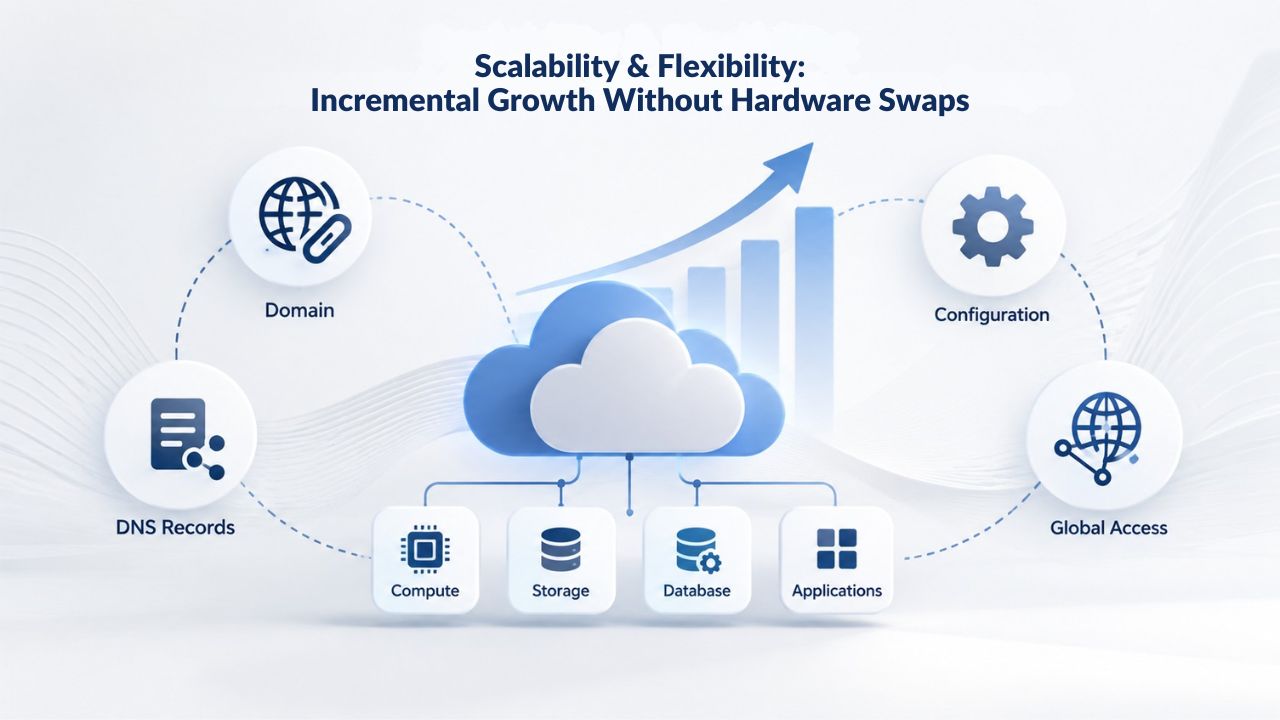
VPS Resource Scaling in Response to Business Growth
A small startup hosting its SaaS application on a single vCPU and two gigabytes of RAM can respond to early customer growth by clicking an “upgrade” button in the control panel, instantly provisioning two vCPUs and four gigabytes of RAM, completing the operation in minutes with no downtime. Weeks later, when the customer base expands further, the same startup can upgrade again to four vCPUs and eight gigabytes of RAM without any risk or operational burden. This incremental path lets growing businesses match infrastructure costs to revenue, avoiding expensive overprovisioning that sits idle for months while staying ahead of capacity constraints that degrade user experience.
Dedicated Server Upgrade Complexity and Operational Burden
Outgrowing a dedicated server triggers complex migration projects that demand careful planning and testing. When you need more CPU cores or RAM than your current dedicated server provides, you face a binary choice: purchase a larger dedicated server and migrate everything to it, or continue running on undersized hardware while performance degrades. The migration process itself introduces operational risk: you must copy data perfectly, test DNS changes thoroughly, and execute the production cutover flawlessly during a maintenance window. If something goes wrong during migration, your service is down, and your customers experience outages. These factors make dedicated servers better suited to workloads with predictable, stable resource demands that won’t fluctuate significantly over time.
Management Burden: Hands-On vs. Managed Support
Every VPS offering comes in two operational models: unmanaged and managed, representing a spectrum of responsibility and operational burden. Unmanaged VPS puts complete responsibility on your team: operating system patches, security updates, backup scheduling, performance monitoring, and troubleshooting all fall to your engineering staff. This model suits experienced sysadmins and developers who want complete control over every aspect of their infrastructure and prefer not to pay for management overhead.
Unmanaged VPS Model: Full Responsibility and Control
Unmanaged VPS is for experienced DevOps engineers or technical teams with dedicated sysadmins who enjoy infrastructure work and want complete control over every variable. You control everything: kernel version selection and updates, security configurations and firewall rules, backup schedules and restore procedures, monitoring tools and alerting thresholds. You also own every failure: a missed security patch leaves you vulnerable, a forgotten backup means lost data, a monitoring alert at two in the morning goes unnoticed, and a slowly degrading disk fills up silently. Unmanaged VPS costs less than managed alternatives but demands genuine expertise, discipline, and continuous attention.
Managed VPS Model: Operational Simplicity and Peace of Mind
Managed VPS handles ongoing infrastructure headaches, so your team can focus on product development. The provider applies operating system patches automatically according to published schedules, schedules backups without your intervention, monitors disk space and CPU load continuously, and alerts you before problems cascade into outages. You gain peace of mind knowing security updates are applied automatically, your data is backed up regularly without you having to remember, and infrastructure failures are detected and escalated to experts immediately.
Niya Digital’s team has found that small businesses and agencies often dramatically underestimate the real labor cost of unmanaged server maintenance, monitoring, patching, backup management, and incident response at two in the morning, which consume significant technical resources. For many organizations, managed VPS support recoups its cost premium by freeing engineering talent to focus on product features that drive business value.
Hidden Operational Cost of Unmanaged Infrastructure
Unmanaged VPS carries hidden costs that go far beyond the hosting bill: your team’s time. Monitoring your VPS’s health, applying patches regularly, managing backups, responding to off-hours alerts, and troubleshooting incidents all consume real labor hours. If your developers earn fifty to one hundred dollars per hour, and unmanaged infrastructure consumes ten to fifteen hours monthly, that translates into five hundred to fifteen hundred dollars monthly in hidden labor costs, often exceeding the cost difference between unmanaged and managed VPS plans. When calculated honestly, managed VPS frequently represents better value than unmanaged options.
Ready to Find Your Infrastructure Fit?
Whether your application is a growing WordPress site, a multi-client agency portfolio, a development team’s testing platform, or an e-commerce store, Niya Digital’s VPS Hosting service combines GoDaddy-powered infrastructure with guided plan selection, flexible managed and unmanaged support options, and hands-on onboarding to get you live fast. Our team helps you choose the right resource tier and support level for your workload, so you don’t underprovision and face performance issues or overprovision and waste resources. Start small, scale incrementally as your business grows; that’s the VPS advantage for growing organizations.
VPS Hosting: Best Use Cases and Typical Workloads
VPS hosting excels in diverse scenarios, including small business websites with steady growth, agency environments hosting portfolios of client sites, and development teams needing isolated testing servers and staging environments. The service is ideal for small-to-medium business websites with steady visitor traffic, agency client hosting where one VPS supports multiple sites, WordPress/Laravel/Node.js applications built on common frameworks, moderate e-commerce stores running WooCommerce or similar platforms, development and testing environments that need isolation, and SaaS applications with moderate concurrent user counts.
Small Business Websites and Agency Environments
A regional service business, plumbing company, law firm, medical practice, or local retailer needs a web presence that converts visitors to customers without overinvesting in infrastructure at early growth stages. A VPS with two to four gigabytes of RAM, forty to sixty gigabytes of SSD storage, and managed support reliably handles ten thousand to fifty thousand monthly visitors and provides sufficient performance for most small business websites. Digital agencies managing ten to twenty client WordPress sites can consolidate them onto a single robust VPS, each with its own cPanel account, SSL certificate, isolated databases, and separate user access, dramatically reducing per-site hosting costs while maintaining security isolation between different clients’ data.
Development Teams and Moderate E-Commerce Applications
Developers use VPS instances as laboratory environments: test databases, staging environments for code changes before production deployment, CI/CD runners for automated testing pipelines, and integration testing environments where all components interact before release. Each development environment runs isolated from others on its own VPS or container, scaled independently without affecting production systems or other team members’ work. A small e-commerce store handling ten thousand to fifty thousand dollars in monthly revenue runs efficiently on a four- to eight-gigabyte VPS: product inventory, shopping cart functionality, payment processing, order management, and customer analytics operate smoothly under moderate concurrency without dedicated infrastructure overhead.
Performance Expectations on VPS: Reliable for Most Applications
VPS hosting delivers strong, reliable performance for most websites and applications under typical operating conditions. Average page load times remain fast under normal traffic patterns, databases respond with acceptable latency, and API endpoints deliver results quickly. The risk emerges during traffic spikes or when neighbors’ workloads saturate shared resources: if another tenant’s backup operation saturates disk I/O, your database queries might slow briefly; if a neighbor’s traffic spike consumes available bandwidth, your users might experience slightly slower page loads. Reputable providers monitor for overloading and refuse to oversell capacity aggressively, minimizing these events. For most applications, noisy neighbor effects are rare annoyances rather than chronic problems that significantly degrade user experience.
Dedicated Servers: High-Traffic and Compliance-Critical Workloads
Dedicated servers suit high-traffic e-commerce sites attracting millions of monthly page views, large databases with intensive I/O patterns requiring sustained throughput, SaaS platforms with thousands of concurrent active users, multiplayer game servers, high-volume transaction processing where latency is critical, and media streaming services.
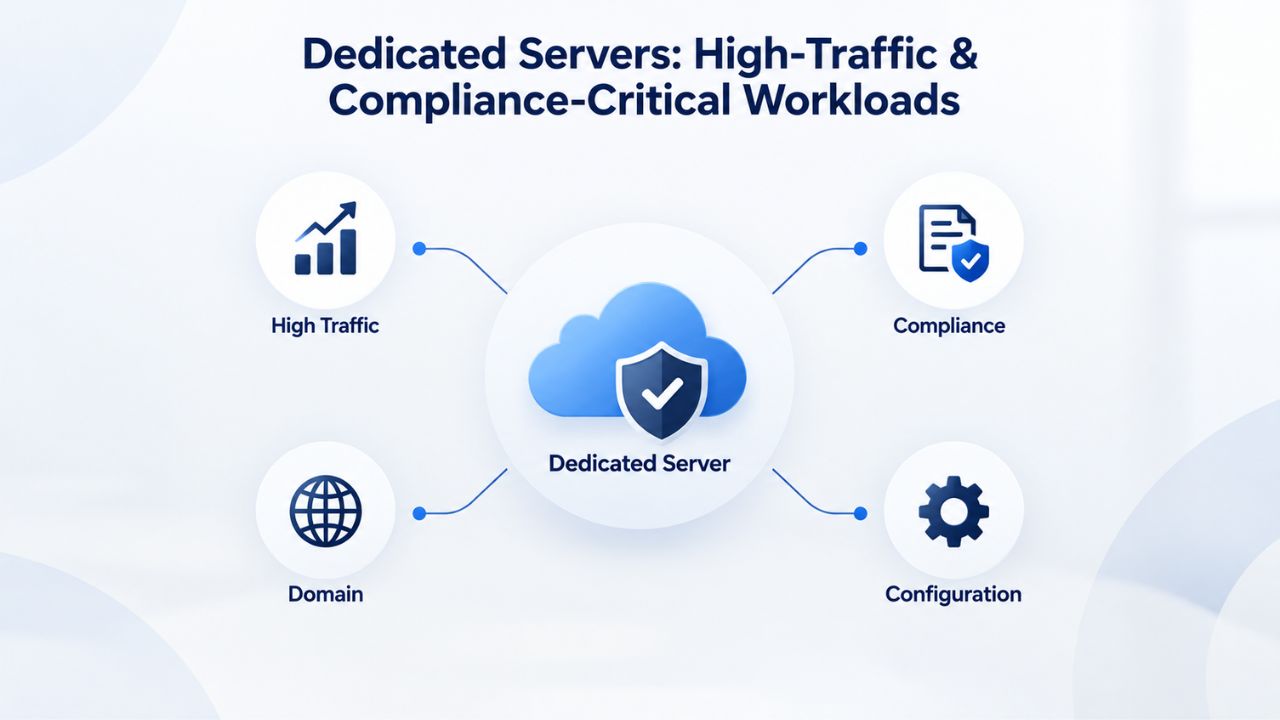
Resource-Intensive Workloads Requiring Specialized Hardware
Dedicated servers are necessary for GPU-accelerated workloads, including machine learning model training and inference, video encoding and transcoding at scale, scientific computing simulations, and cryptocurrency mining operations that require sustained GPU access. If your application requires direct access to multiple GPUs, custom RAID controller tuning for specific I/O patterns, or specialized network appliances like load balancers or firewalls integrated directly into your infrastructure, a dedicated server is your only viable option. You configure hardware down to the firmware level; no hypervisor abstractions sit between you and the metal, and you retain absolute control over every aspect of your computing environment.
Large, mature databases benefit profoundly from dedicated infrastructure. Database servers for demanding applications benefit from dedicated hardware and the ability to tune operating system parameters like huge pages, CPU affinity, and I/O schedulers for optimal performance. If your database is one hundred gigabytes or larger and growing monthly, or if it serves thousands of concurrent queries from multiple applications, dedicated hardware lets you tune every layer- storage arrays, kernel parameters, connection pooling, query caching- without worrying that hypervisor overhead or neighboring workloads will steal I/O cycles during peak database operations.
Compliance Requirements: PCI DSS, HIPAA, SOC 2, and Data Residency
Payment processors, healthcare providers, and financial institutions often face regulatory requirements that favor or mandate physical isolation. PCI DSS compliance for handling credit card data requires documented data separation and comprehensive access control, goals easier to demonstrate and audit on single-tenant infrastructure where you control all variables. HIPAA compliance for healthcare data demands physical or technical isolation mechanisms designed specifically for healthcare workloads, which are difficult to implement and audit on multi-tenant infrastructure. SOC 2 Type II audits are significantly simpler to pass when you can demonstrate exclusive hardware control without shared-tenancy risks that introduce additional security considerations.
Performance Consistency and Resource Contention: The Core Difference
The single most significant performance difference between VPS and dedicated infrastructure is predictability and consistency under load, a subtle distinction with profound business implications. A VPS guarantee states “you get two gigabytes of RAM,” but that RAM sits on physical hardware shared with other tenants. If the hypervisor is heavily loaded managing its virtual machines, or if a neighbor’s traffic spike creates sustained demand for CPU and memory, your allocated two gigabytes might face contention from hypervisor overhead or competing instances’ requirements.
VPS Performance Reliability Under Normal Load and Traffic Spikes
VPS hosting is genuinely reliable for most applications under normal operating conditions. Average page load times remain fast under standard traffic patterns, databases respond with acceptable latency, and API endpoints deliver results quickly. The typical scenario unfolds as follows: your application runs fast most of the time, delivering a good user experience and earning conversion rates you expect. During peak traffic spikes or when a neighbor’s backup job runs concurrently with your peak hours, brief slowdowns happen occasionally. For many workloads, these intermittent events are infrequent enough that users never notice, or notice only occasional slowness without understanding the cause. E-commerce sites see conversion impacts measured in basis points rather than percentages, and most applications can tolerate occasional variance.
Dedicated Server Elimination of Noisy Neighbor Variance
Dedicated servers eliminate noisy-neighbor risk by giving a single tenant exclusive access to hardware. All CPU cores, RAM, and I/O bandwidth are available to you and you alone, without contention from other tenants or even from the hypervisor itself. Performance becomes perfectly linear and predictable: double your application’s load, and you know exactly how response times will scale because no hidden multitenancy dynamics complicate the picture. This predictability and consistency are worth premium pricing for applications where performance variance carries genuine business risk or where regulatory requirements demand it.
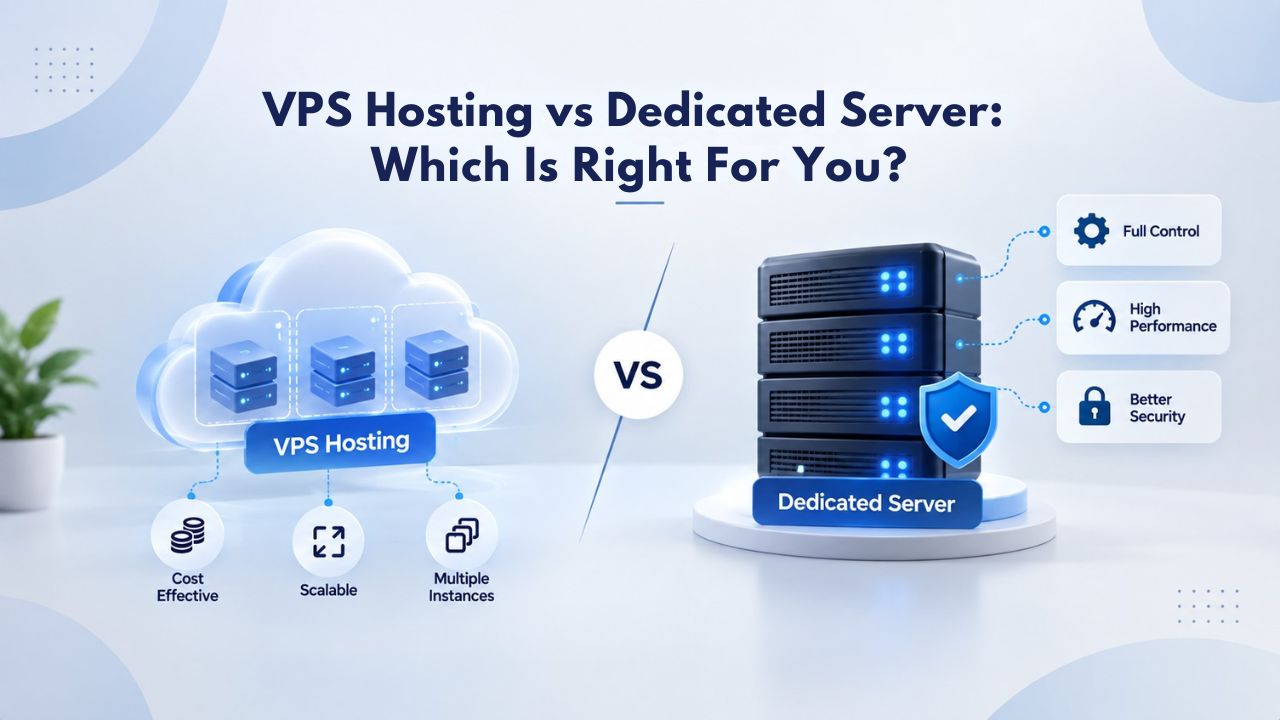
VPS vs Dedicated Server Feature Matrix
| Feature | VPS Hosting | Dedicated Server |
|---|---|---|
| Physical Hardware | Shared with other customers | Exclusive to your organization |
| Resource Guarantee | Allocated portion (CPU/RAM/Storage) | All hardware resources available |
| Cost Model | Low to moderate cost | High cost, exclusive expense |
| Performance Consistency | Good, with occasional variance | Guaranteed, zero contention |
| Scalability | Flexible, scales on-demand | Fixed hardware, requires migration |
| Management Burden | Low (managed) or high (unmanaged) | Requires dedicated DevOps expertise |
| Compliance Isolation | Limited; compensating controls required | Excellent; physical isolation standard |
| Typical Traffic Range | Up to 1 million monthly visits | 1 million+ monthly visits |
| Setup Time | 15 minutes to 1 hour | 1 to 3 days |
| Best For | SMBs, agencies, startups, development | High-traffic, resource-intensive, compliance-critical workloads |
Security and Isolation: Hypervisor vs. Physical Hardware
VPS isolation removes the noisy neighbor performance risk entirely, but it does not eliminate shared-tenancy vulnerability risk, a subtle but important distinction. VPS isolation removes “noisy neighbor” performance risk but retains shared-tenancy vulnerability risk; cross-tenant exploits at the hypervisor level are rare but theoretically possible. In practice, hypervisor security flaws are infrequent, and vendors patch them quickly.
Shared-Tenancy Vulnerabilities in VPS Environments and Mitigations
In theory, a rare hypervisor bug could let one VPS read or modify another’s memory or disk, or an exploit could leak information across VM boundaries. Specter and Meltdown-class CPU flaws have, in certain configurations, leaked information across virtualization boundaries. These scenarios are well-documented, mitigations and patches exist, and reputable providers apply them. The attack surface exists in a way it does not on dedicated servers where there are no neighboring VMs. However, for most organizations and most workloads, this risk is theoretical rather than practical, and properly maintained VPS infrastructure provides adequate security.
Baseline Security Practices Apply to Both Infrastructure Models
Both VPS and dedicated servers require the same fundamental hardening practices: operating system patching, firewall configuration, SSH key-based authentication instead of passwords, regular backups, and proactive monitoring. Both VPS and dedicated servers support root or admin access, comprehensive firewall configuration, and custom security hardening; the difference is isolation level, not the available security controls. Niya Digital’s managed VPS support includes automated patching and monitoring, so your team can focus on application-level security and business logic rather than infrastructure upkeep.
Making the Decision: Framework and Migration Path
Start by answering these fundamental questions: How much monthly traffic does your application receive currently, and how quickly do you expect it to grow? Is consistent, predictable performance critical to your business success, or can you tolerate occasional variance? Do your compliance requirements mandate physical isolation, or can you implement compensating controls on shared infrastructure?
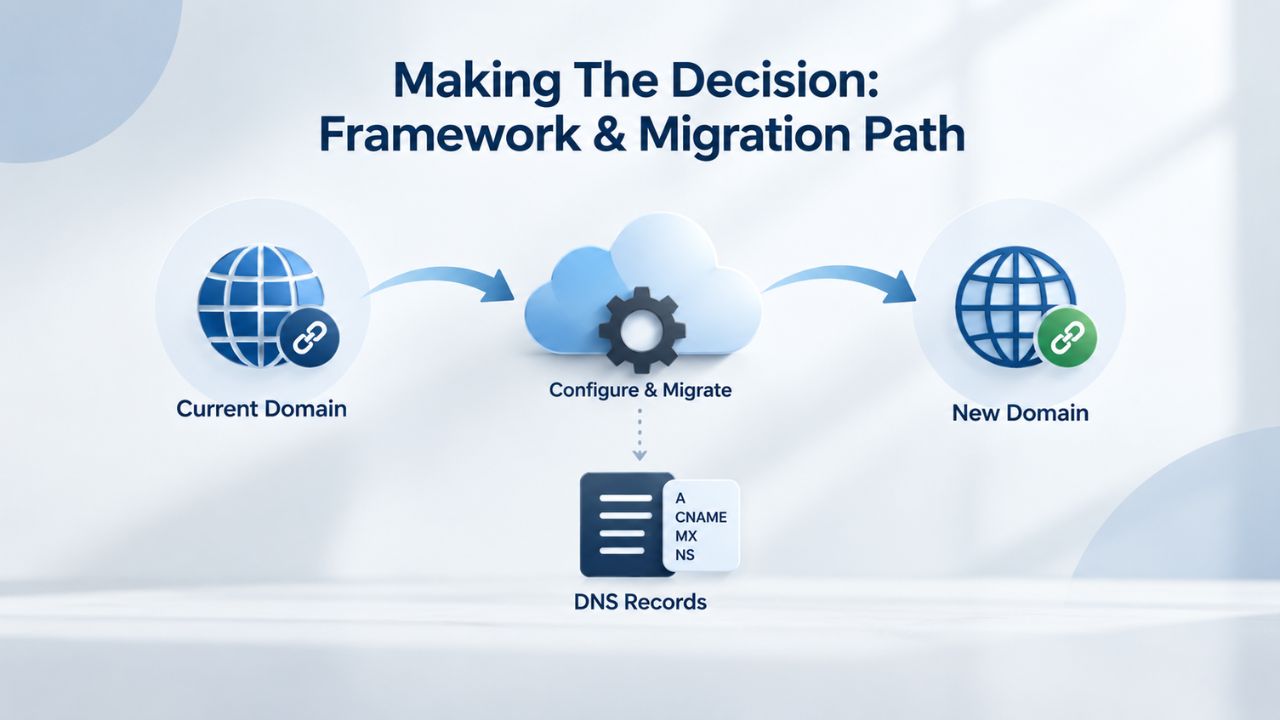
Decision Criteria: Traffic Volume, Compliance, Performance Needs, and Growth Trajectory
Quantify your requirements objectively. Traffic volume is the easiest metric to measure: a site with 100,000 monthly visits needs VPS; a video streaming service with 100 million daily video streams needs dedicated infrastructure. Compliance is binary: if regulators or auditors require single-tenant infrastructure, dedicated servers are mandatory. Performance consistency matters critically for latency-sensitive applications; variance is acceptable for batch processing or background jobs. Growth trajectory matters too: if you expect to outgrow your current infrastructure within three to six months, planning for that growth now saves migration work later.
Signs You’ve Outgrown Your VPS and Planning the Migration Path
Watch for specific signals indicating you’ve outgrown VPS hosting: Your VPS CPU utilization consistently sits above eighty percent even outside peak traffic periods. Memory pressure forces caching trade-offs or triggers out-of-memory errors, causing application restarts. Disk I/O wait times climb steadily on shared storage, slowing database queries noticeably.
Page speed fluctuates unexpectedly due to noisy neighbor activity, with performance degradation correlating with neighbors’ backup jobs. Database backups run longer than your maintenance window allows, and restore procedures take longer than acceptable. Compliance auditors flag shared-tenancy architecture as a finding requiring remediation. These signs don’t always mean “dedicated server now”; sometimes they mean “upgrade to a higher VPS tier first,” but they warrant immediate reassessment of your hosting model and planning for next-tier infrastructure.
When you reach this point, migration to dedicated infrastructure is straightforward and relatively safe. Most hosting providers, including those reselling through Niya Digital, offer comprehensive migration assistance: your data, applications, and configurations move to dedicated hardware with minimal downtime, typically measured in minutes rather than hours. Plan the migration during a scheduled maintenance window, test thoroughly in a staging environment before production cutover, and have rollback plans ready in case something unexpected occurs.
Choosing Between VPS and Dedicated Based on Your Requirements
| Scenario | Best Choice | Reasoning |
|---|---|---|
| Small business website, <100K monthly visitors | VPS | Cost-effective, scales easily, managed support available |
| Agency managing multiple client sites | VPS | Consolidate multiple sites on single VPS, reduce costs |
| E-commerce store, 100K-500K monthly visitors | VPS | Adequate performance, cost-effective, room for growth |
| E-commerce store, 1M+ monthly visitors | Dedicated | High traffic demands consistent performance |
| Startup with uncertain resource needs | VPS | Flexibility to scale incrementally as business grows |
| SaaS platform with thousands of users | Dedicated | Consistent performance critical for user experience |
| Handles payment card data (PCI DSS) | Dedicated | Regulatory isolation requirements favor single-tenant |
| Healthcare data (HIPAA) | Dedicated | Compliance mandates physical isolation |
| Development and testing environments | VPS | Cost-effective isolation for testing without production risk |
| Real-time trading or gaming platform | Dedicated | Low-latency consistency requirements demand dedicated |
| Media transcoding and video streaming | Dedicated | GPU access and throughput demands require dedicated |
| Small business without DevOps staff | Managed VPS | Managed support handles operational concerns |
Ready for Dedicated Infrastructure Power and Isolation?
If your traffic and compliance requirements point clearly to dedicated infrastructure, Niya Digital’s reseller relationship with GoDaddy gives you access to dedicated server options alongside your VPS choices, with consistent onboarding, support, and migration assistance. We help you plan the infrastructure migration path so your application transitions smoothly without downtime or data loss. Dedicated infrastructure is worth the premium when performance consistency and regulatory compliance drive measurable business value, and our team can help you make that transition seamlessly.
Frequently Asked Questions
What is the main difference between VPS and a dedicated server?
A VPS shares one physical server among multiple virtual instances using a hypervisor, each with allocated CPU, RAM, and storage, while a dedicated server is a single physical machine exclusively assigned to one customer. VPS costs less and scales incrementally but carries noisy-neighbor risks; dedicated servers guarantee exclusive hardware access at a significantly higher cost, with no resource sharing or performance contention from other tenants.
Can I upgrade from VPS to a dedicated server later if my application grows?
Yes, most hosting providers, including those reselling through Niya Digital, allow straightforward migration from VPS to a dedicated server once your traffic and resource demands justify the cost. You can migrate your data, applications, and configurations to dedicated infrastructure, typically with brief downtime measured in hours rather than days. Plan the migration during a scheduled maintenance window and test thoroughly before switching production traffic.
Does VPS or a dedicated server offer better security?
Dedicated servers offer stronger physical isolation, eliminating cross-tenant vulnerability risks where one customer’s compromise could affect others. VPS provides adequate security for most applications with proper hardening (firewalls, OS patching, SSH key-based authentication) and suits workloads without compliance-critical requirements. Both models require active security management from your team and ongoing attention to updates and monitoring.
What traffic level makes sense for upgrading to a dedicated server?
Dedicated servers become cost-effective around one million or more monthly visits, or for consistently high-resource workloads including large databases, real-time processing, or GPU-accelerated tasks. Below one million monthly visits, VPS is typically more economical and flexible. Your threshold depends on application architecture, resource efficiency, and whether you consistently use the server’s full capacity.
Is managed or unmanaged VPS better for a small business or agency?
Managed VPS is usually better for small teams without dedicated DevOps staff on payroll. The cost premium buys automatic patching, monitoring, backups, and support, letting your team focus on product and business rather than infrastructure upkeep. Unmanaged VPS suits experienced sysadmins who want complete control and lower hosting costs, and who understand they’re trading money for time.
What is the difference in uptime between VPS and dedicated servers?
Both can achieve 99.9% uptime through proper provisioning, monitoring, and redundancy. The real difference is consistency: dedicated hardware is less susceptible to noisy-neighbor-induced performance variance that, while not causing complete outages, degrades user experience. Uptime depends primarily on provider infrastructure quality and monitoring, not fundamentally on hosting model.
Can I run multiple websites on a single VPS?
Yes, a single VPS can host multiple websites efficiently, each with separate user accounts and resource limits. This approach is common for agencies managing client portfolios. Each site remains isolated; one site’s traffic spike theoretically doesn’t affect others, though all websites share the physical server’s ultimate capacity limits.
What compliance requirements favor or mandate dedicated servers?
PCI DSS (payment card data), HIPAA (protected health information), SOC 2 Type II audits, and certain GDPR implementations often mandate or strongly recommend single-tenant infrastructure. Compliance auditors prefer physical isolation to meet regulatory requirements, reduce shared-tenancy risks, and simplify audits and evidence collection.
How long does it take to provision a new VPS vs. a dedicated server?
VPS provisioning is typically instant to fifteen minutes; the provider allocates virtual resources and boots your chosen operating system, with setup largely automated. Dedicated servers take longer, typically one to three days, because providers must physically configure hardware, run tests, and ensure everything functions before granting access.
Can I customize the operating system on a VPS?
Yes, VPS hosting provides root access, allowing you to install any software your operating system supports, whether Linux or Windows. You can compile custom kernels, deploy containers, run databases, run development tools, or host custom applications. Your customization depth matches dedicated servers; the only constraint is the resource tier you’ve chosen.
What happens if my VPS experiences a hardware failure on the underlying physical server?
If the physical server fails, your VPS automatically migrates to another healthy physical server, typically with brief downtime measured in minutes to an hour. Your data and configurations remain intact; the migration is transparent to users. Dedicated server hardware failures are handled by the provider with notification and repair time, not automatic failover.
Is VPS hosting suitable for running small e-commerce stores and online shops?
Yes, VPS hosting suits small-to-moderate e-commerce stores running WooCommerce, Shopify integrations, or Magento. A mid-tier VPS with four to eight gigabytes of RAM and SSD storage handles product catalogs, shopping carts, payment processing, and customer management efficiently. High-traffic e-commerce sites processing millions in monthly sales volume benefit from dedicated infrastructure or multi-server architectures.
What is the hidden cost of unmanaged VPS hosting?
Unmanaged VPS has hidden labor costs: your team’s time. Monitoring, patching, backup management, and incident response consume real hours monthly. If developers earn fifty to one hundred dollars per hour and unmanaged infrastructure consumes ten to fifteen hours monthly, that’s five hundred to fifteen hundred dollars in hidden labor monthly, often exceeding managed VPS support premiums.
Can I run a game server or application that requires very low latency on a VPS?
Single-player or small-group game servers can run on VPS with acceptable latency (fifty to one hundred milliseconds). Competitive games or platforms that require very low latency (sub-thirty milliseconds) are better served by dedicated infrastructure to eliminate CPU steal time variance and ensure consistent packet delivery without noisy-neighbor interference.
How do I monitor my VPS and know when I need to migrate to dedicated infrastructure?
Monitor your VPS metrics continuously: CPU percentage, RAM percentage, disk I/O wait times. If CPU regularly exceeds eighty percent, RAM is consistently above eighty-five percent, or disk I/O wait climbs steadily, upgrade your VPS tier or migrate to dedicated infrastructure. Also assess compliance needs: if regulations change (e.g., you start processing payment data), dedicated infrastructure may become necessary.
Glossary
- Bandwidth: The maximum amount of data your server can transfer to visitors’ browsers per month or per second, measured in gigabits or gigabytes. Dedicated servers typically offer more generous bandwidth allocations than VPS plans, reflecting their higher cost and exclusive nature.
- Hypervisor: Virtualization software that creates and manages multiple virtual machines on a single physical server, handling resource allocation, isolation, and scheduling. KVM, Xen, and Hyper-V are common hypervisors used in production environments.
- Managed Hosting: A hosting service model where the provider handles operating system patching, security updates, automated backups, and proactive monitoring. You manage your application and business logic; the provider manages infrastructure operational concerns.
- Noisy Neighbor: A VPS instance on the same physical server that aggressively consumes shared resources (disk I/O, CPU cache, network bandwidth), degrading performance for neighboring instances beyond their allocated resources.
- Root Access: Full administrator-level control over your VPS or dedicated server, allowing you to install software, modify the operating system, configure every system setting, and manage all aspects of your infrastructure.
- Uptime/SLA: Uptime is the percentage of time your server is online and accessible to users; SLA (Service Level Agreement) is the provider’s written guarantee (typically ninety-nine point nine percent) and compensation terms if uptime falls below that level.