Your website has outgrown shared hosting. Traffic spikes are slowing performance, and you need root access to install custom software. You’re ready to move to a Virtual Private Server (VPS), but the pricing landscape feels confusing. Entry-level plans advertise ultra-affordable rates; production setups command premium fees. Niya Digital’s VPS Hosting service runs on GoDaddy’s server and network infrastructure and operates as an authorized reseller storefront built on that partner’s underlying virtualization and data-center technology.
What You’re Actually Paying For: The Real Cost Drivers
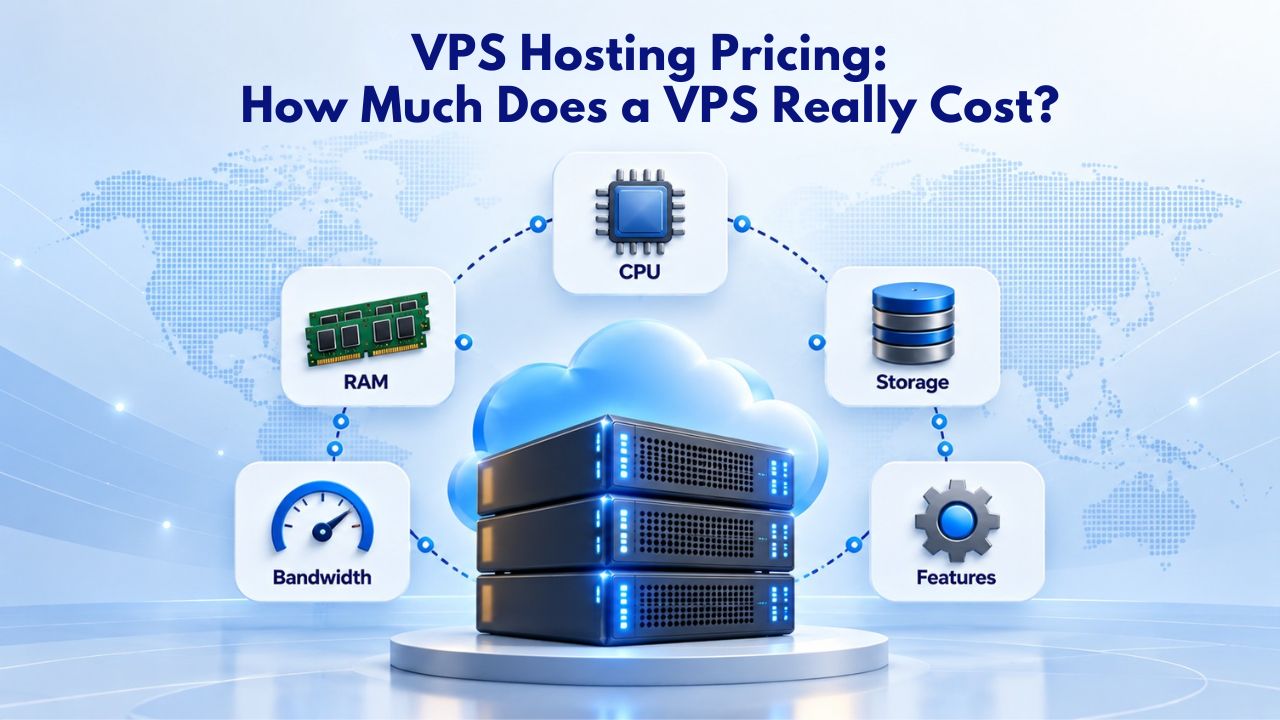
VPS pricing isn’t a single number. It’s a sum of hardware resources, management level, geographic tier, and the provider’s operational expenses. When you see a VPS plan offered, you’re paying for specific allocations of CPU, memory, storage type, and bandwidth, plus the team and infrastructure required to keep it running reliably. Understanding what feeds into that total cost helps you avoid overpaying for unnecessary resources or undersizing and facing performance problems.
The Six Core Cost Factors
CPU cores determine how many concurrent tasks your server can handle. Each virtual CPU core adds measurable cost to the base price. A single-core plan costs less than a dual-core; moving to four cores typically costs significantly more. More cores let your server handle sustained traffic without throttling or becoming unresponsive during peak demand.
RAM (memory) is often the first bottleneck in production environments. Insufficient RAM forces your server to use disk storage as a substitute, a process called disk thrashing, which crushes performance and makes your site slow. Database-heavy applications, content management systems that host multiple websites, and multi-user platforms all need adequate RAM to run at acceptable speeds. The cost difference between 1 GB and 4 GB of RAM is substantial, but the performance difference is even more dramatic once you exceed memory capacity.
Entry-Level Pricing Hides a Real Trap
Ultra-low-cost VPS plans exist and are aggressively advertised. According to market data from 2025–2026, entry-level promotional pricing can start below industry norms. But those tiers are often severely underprovisioned: 512 MB to 1 GB RAM, minimal CPU allocation, and shared-hosting-like restrictions disguised as a “VPS.” For a personal blog, a brochure site, or a temporary development environment, entry pricing works as a learning tool. For any production workload, a business website, an e-commerce store, a SaaS application, or anything generating revenue, entry-level VPS is a false economy.
A realistic production VPS typically lands in a middle range. According to hosting industry analysis, most businesses land on configurations with 2–4 vCPU, 4–8 GB RAM, and SSD or NVMe storage. At that tier, you get the performance stability needed to handle normal traffic, run databases without bottlenecks, and scale gracefully as your business grows. GoDaddy’s offering, which powers Niya Digital’s service, provides these mid-tier configurations across both self-managed and fully managed support levels, with NVMe SSD storage included as standard.
VPS Hosting Plans & Pricing
Choose the VPS hosting plan that fits your website, application, or business requirements. Select a self-managed VPS for complete server control or a fully managed VPS with a dedicated team of experts to help manage your server.
Self Managed VPS 1 vCPU
1 GB RAM
Entry-level VPS hosting for lightweight websites and applications.
- 1 CPU Core
- 1 GB RAM
- 20 GB SSD Storage
- Linux only, no control panel

Self Managed VPS 2 vCPU
4 GB RAM
VPS hosting with additional CPU and memory for growing websites and applications.
- 2 CPU Cores
- 4 GB RAM
- 100 GB SSD Storage
Self Managed VPS 2 vCPU
8 GB RAM
Additional memory for more demanding websites and applications.
- 2 CPU Cores
- 8 GB RAM
- 100 GB SSD Storage
Self Managed VPS 4 vCPU
8 GB RAM
Increased processing power for business websites and applications.
- 4 CPU Cores
- 8 GB RAM
- 200 GB SSD Storage
Self Managed VPS 4 vCPU
16 GB RAM
High-memory VPS hosting for resource-intensive workloads.
- 4 CPU Cores
- 16 GB RAM
- 200 GB SSD Storage
Self Managed VPS 8 vCPU
16 GB RAM
Powerful VPS resources for demanding business applications.
- 8 CPU Cores
- 16 GB RAM
- 400 GB SSD Storage
Self Managed VPS 8 vCPU
32 GB RAM
Maximum self-managed resources for demanding workloads.
- 8 CPU Cores
- 32 GB RAM
- 400 GB SSD Storage
Fully Managed VPS 1 vCPU
2 GB RAM
Managed VPS hosting with expert server management.
- 1 CPU Core
- 2 GB RAM
- 40 GB SSD Storage
- Dedicated team of experts to fully manage your server
Fully Managed VPS 1 vCPU
4 GB RAM
Managed VPS resources for websites and business applications.
- 1 CPU Core
- 4 GB RAM
- 40 GB SSD Storage
- Dedicated team of experts to fully manage your server
Fully Managed VPS 2 vCPU
4 GB RAM
Managed VPS hosting with additional CPU resources.
- 2 CPU Cores
- 4 GB RAM
- 100 GB SSD Storage
- Dedicated team of experts to fully manage your server
Fully Managed VPS 2 vCPU
8 GB RAM
Managed VPS hosting with additional memory for growing workloads.
- 2 CPU Cores
- 8 GB RAM
- 100 GB SSD Storage
- Dedicated team of experts to fully manage your server
Fully Managed VPS 4 vCPU
8 GB RAM
Higher-performance managed VPS for demanding applications.
- 4 CPU Cores
- 8 GB RAM
- 200 GB SSD Storage
- Dedicated team of experts to fully manage your server
Fully Managed VPS 4 vCPU
16 GB RAM
High-memory managed VPS for resource-intensive workloads.
- 4 CPU Cores
- 16 GB RAM
- 200 GB SSD Storage
- Dedicated team of experts to fully manage your server
Fully Managed VPS 8 vCPU
16 GB RAM
Powerful managed VPS hosting for demanding business workloads.
- 8 CPU Cores
- 16 GB RAM
- 400 GB SSD Storage
- Dedicated team of experts to fully manage your server
Fully Managed VPS 8 vCPU
32 GB RAM
Maximum managed VPS resources for demanding workloads.
- 8 CPU Cores
- 32 GB RAM
- 400 GB SSD Storage
- Dedicated team of experts to fully manage your server
Resource Allocation & Pricing Structure: CPU, RAM, Storage
The relationship between resources and cost is linear but not perfectly proportional. Each resource category has its own pricing curve; when you upgrade one, the cost increase depends on how much of that resource you add and whether other components scale alongside it.
How Resource Combinations Affect Monthly Cost
CPU scaling is straightforward in terms of cost: each additional core adds a predictable increment to the bill. But CPU is not always the limiting factor. According to infrastructure hosting research, RAM is often the real constraint in production. A four-core plan with only 2 GB of memory will perform worse than a two-core plan with 8 GB of RAM when running database-intensive workloads, WordPress with heavy plugins, or any scenario where applications are holding data in memory. Buyers often focus on CPU because it’s easier to understand, but RAM determines whether your server stays responsive under real load.
Most hosting providers structure their plans in “tiers” where CPU and RAM scale together in logical combinations. For example, Niya Digital’s self-managed tier progresses from minimal configurations suitable for testing and hobby projects, through mid-tier plans for small e-commerce and business applications, to performance tiers for high-traffic sites or data-intensive operations. Each step represents a thoughtful balance of resources, not arbitrary bundling. Understanding your actual workload before choosing a tier prevents both overpaying and undersizing.
Storage: The Hidden Cost Multiplier
Storage type affects total cost far more than raw capacity. Hosting industry pricing guides confirm that HDD storage is cheapest, SSD is moderately priced, and NVMe commands a premium. For most VPS providers, moving from SSD to NVMe adds a meaningful monthly increment. This cost reflects real performance differences: NVMe dramatically reduces disk latency, which matters for databases, e-commerce checkouts, and any I/O-intensive workload where disk speed directly affects user experience.
The storage decision often determines whether your site can scale. A slow storage tier means your database queries take longer, your backups consume more peak-time resources, and your site feels sluggish to users regardless of CPU or RAM capacity. Conversely, fast NVMe storage lets your database respond instantly, backups complete quickly without impacting live traffic, and your application feels snappy even under load. For businesses where site speed directly affects revenue, prioritize the storage upgrade over raw CPU or RAM.
Resource Pricing Structure by Tier
| Use Case/Workload | Recommended Configuration | Typical vCPU | Typical RAM | Typical Storage | Best For |
|---|---|---|---|---|---|
| Testing & Development | Entry Configuration | 1 | 1–2 GB | 20–40 GB SSD | Learning VPS concepts, staging environments, hobby projects |
| Small Business & Blog | Mid-Tier Configuration | 2–4 | 4–8 GB | 60–120 GB SSD | Growing websites, small e-commerce, WordPress with plugins |
| High-Traffic Site | Performance Configuration | 4–8 | 8–16 GB | 120–250 GB NVMe | Busy e-commerce, SaaS applications, database-heavy workloads |
| Mission-Critical Infrastructure | Advanced Configuration | 8+ | 16–32 GB | 250–500 GB NVMe | Enterprise applications, APIs handling high volume, real-time data processing |
| Media-Heavy Workload | Optimized Configuration | 4–8 | 8–16 GB | 200–400 GB NVMe | Video hosting, image processing, large file downloads, content delivery |
| Database Server (Dedicated) | Memory-Optimized | 4–6 | 16–32 GB | 100–200 GB NVMe | Dedicated database servers, caching layers, in-memory applications |
Storage Types Matter: HDD vs. SSD vs. NVMe
Choosing the right storage type directly impacts both your monthly bill and your site’s real-world performance under load. This decision often separates hosting that “works” from hosting that “performs well.”
HDD: Cheap but Slow
Hard disk drives (HDD) are the cheapest storage option, sometimes significantly less per month than solid-state alternatives. But they’re slow in ways that compound under load. According to market research, HDD storage has latency measured in milliseconds per operation; when your server handles backups, multiple database queries, or traffic spikes simultaneously, that latency multiplies. A visitor waiting for a webpage becomes multiple waiting visitors as the disk struggles to keep up. Most production VPS plans have moved away from HDD entirely because the performance penalties exceed any cost savings.
HDD remains relevant only for specific use cases: long-term archival storage, historical data you rarely access, or test environments where performance doesn’t matter. For any customer-facing or revenue-generating workload, HDD storage is a false economy that drives customers away faster than the small monthly savings are worth.
SSD: The Standard Baseline
SSD (Solid State Disk) storage is the modern baseline for any serious hosting. GoDaddy VPS Hosting includes SSD or NVMe as standard across all plans, and Niya Digital follows suit. SSDs are fast enough for most workloads and cost moderately more than HDDs. For a small business website, a growing e-commerce store, or a content-heavy blog, SSD is the break-even point between cost and performance; you get acceptable speed without premium pricing.
SSD storage makes databases responsive, lets backups run without slowing your site, and keeps your application performing predictably even during traffic spikes. For most small to mid-sized operations, SSD is sufficient and strikes a reasonable balance between cost and capability. The difference in user experience between HDD and SSD is so pronounced that any business serious about their online presence should insist on SSD as a minimum.
NVMe: Premium for I/O-Intensive Work
NVMe (Non-Volatile Memory Express) is several times faster than SSDs. GoDaddy advertises “up to 3X speed” with NVMe compared to traditional storage. For e-commerce sites with heavy checkout load, database-driven applications handling thousands of queries per minute, or media-heavy workloads where storage speed directly impacts user experience, NVMe justifies the premium cost. The added monthly expense prevents downtime and bottlenecks that would cost far more in lost sales, customer frustration, or emergency scaling.
NVMe matters most when your success depends on speed. A marketplace handling thousands of concurrent shoppers, a SaaS application processing real-time data, or a content platform serving media at scale all benefit dramatically from NVMe. The premium cost is typically justified by the first instance your site almost crashes under load, and NVMe prevents it, or the first customer you retain because their experience was fast rather than frustrating.
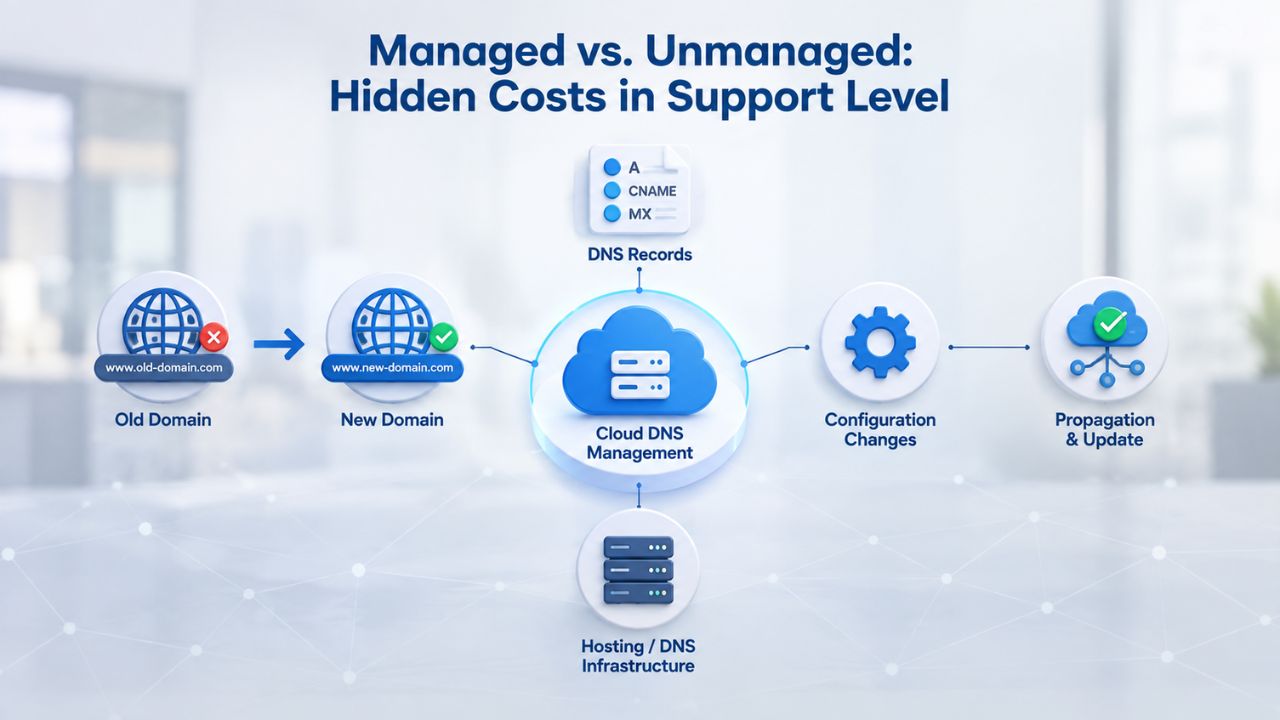
Managed vs. Unmanaged: Hidden Costs in Support Level
The most overlooked cost driver is the management level. Two VPS plans with identical hardware can cost very differently depending on whether you (or your team) handle patching, monitoring, backups, and day-to-day operations, or the provider does.
Self-Managed (Unmanaged) VPS: Cheaper Upfront, Expensive in Reality
A self-managed VPS requires you or your in-house team to handle everything: installing the operating system, managing security updates, monitoring resource usage, performing and verifying backups, troubleshooting issues, and optimizing performance, all around the clock. Niya Digital’s self-managed tier offers full configurations across all resource levels, giving you complete control and a lower monthly fee than managed alternatives.
The true cost of self-managed hosting includes labor. If your team spends five to ten hours monthly on server maintenance (patches, backups, security fixes, performance tuning), that’s real money. Even at a modest internal rate, that time adds up quickly. A full-time systems administrator in most markets costs significantly per year; even a part-time allocation of ten hours monthly across your team is expensive when you calculate the true internal cost. For teams with existing infrastructure expertise, self-managed is sensible. For teams without dedicated IT staff, hidden labor costs often outweigh the monthly savings.
Fully Managed VPS: Higher Monthly Fee, Lower Hidden Cost
A fully managed VPS shifts the operational burden to the provider. GoDaddy’s Fully Managed VPS includes 24/7 expert monitoring, proactive patching, automated backups, and application support. Niya Digital’s managed tier provides a dedicated team that handles all technical operations, freeing your business to focus on code, content, and revenue.
The higher monthly fee reflects genuine value: all the labor a small team would need to replicate in-house, plus the provider’s experience, liability, and around-the-clock availability. For businesses without dedicated IT staff, for companies that prefer to focus engineering resources on product rather than infrastructure, or for organizations that need 24/7 support and can’t staff it internally, managed VPS often has a substantially lower total cost of ownership. The monthly premium disappears when you calculate the internal cost of hiring staff, managing on-call rotations, and maintaining expertise across your team.
What Each Cost Driver Contributes to Total VPS Cost
| Cost Driver | Impact Level | Typical Difference | Why It Matters | Optimization Strategy |
|---|---|---|---|---|
| CPU Cores (vCPU) | High | Significant per core added | More cores enable concurrent task handling and better peak performance | Right-size to expected workload; upgrade if CPU consistently approaches limits |
| RAM (Memory) | High | Substantial per GB increment | Prevents disk thrashing; allows databases and applications to keep data in memory | Budget adequate RAM; insufficient RAM makes other resources ineffective |
| Storage Type | High | SSD vs. NVMe difference is material | Storage speed directly impacts database response time and application feel | Use NVMe for I/O-intensive work; SSD sufficient for most business use |
| Bandwidth Limit | Medium | Varies with metered vs. unlimited | Metered bandwidth creates overage risk; unlimited provides budget certainty | Choose unlimited to avoid surprise charges; essential for traffic-variable sites |
| Support Level (Managed vs. Unmanaged) | High | Substantial monthly difference | Managed includes labor; unmanaged requires internal expertise and time | Choose managed if no in-house IT; choose unmanaged if team has sysadmin skills |
| Data Center Region | Low–Medium | Premium regions cost more | Some regions have higher energy and real estate costs; compliance requirements vary | US/EU cost more; choose based on audience location and compliance needs |
| Operating System | Medium | Windows significantly more than Linux | Windows requires Microsoft licensing; Linux is free and open-source | Use Linux unless Windows-specific software is required |
| Contract Length | Medium | Multi-year discounts are meaningful | Longer commitment reduces provider churn risk; you get cost reduction in exchange | Choose 1-year or 3-year based on business stability and flexibility needs |
Data Center Location & Bandwidth: Why Geography Adds Cost
VPS pricing varies significantly by geographic region. US and European data centers typically cost more than those in emerging markets because of higher energy costs, premium real estate, and stricter facility certification standards. Understanding these regional differences helps you choose infrastructure that balances cost, compliance, and performance.
Regional Price Variation in 2025
According to industry analysis, US and EU data centers are seeing electricity and cooling costs rise well above historical trends. Asia-Pacific regions face even steeper operational challenges in high-demand areas like Singapore and Japan, where real estate and power constraints drive costs higher. Emerging markets like India and Brazil remain more cost-effective operationally but may offer lower bandwidth, different compliance certifications, or latency trade-offs for certain geographic regions.
GoDaddy offers global data center availability, allowing you to provision a server near your primary audience. Choosing a closer region measurably improves Time to First Byte (TTFB) for your end users and reduces latency for real-time interactions. However, premium regions cost more. The cost difference can be significant if you compare a US data center to an emerging-market location. Still, the performance and compliance benefits often justify the premium for businesses serving primarily US or EU customers.
Bandwidth Limits & Overage Fees
Most VPS plans bundle a monthly data-transfer limit or quota. Exceeding that limit triggers overage charges, sometimes calculated per extra gigabyte. For sites with unpredictable traffic patterns, seasonal spikes, viral content potential, media-heavy applications, or API-driven workloads, overage fees can surprise you. GoDaddy VPS Hosting advertises unlimited traffic, removing the risk of overage shock and letting you focus on traffic growth rather than managing per-gigabyte costs.
Unlimited bandwidth bundled into the price provides peace of mind and eliminates a common source of billing surprises. For businesses with variable traffic or those optimizing for growth, unlimited bandwidth simplifies financial planning and removes a potential ceiling on success. You can drive traffic, run ad campaigns, and scale your user base without worrying about hitting a bandwidth limit and triggering unexpected charges.
Choose Your VPS Region & Bandwidth
Global presence demands global infrastructure. Niya Digital’s VPS Hosting lets you select data center regions that match your audience, with unlimited bandwidth included to eliminate overage surprises. No need to optimize for cost per GB; focus instead on performance, compliance, and growth. Compare regions and configurations that fit your business.
Entry vs. Production VPS: Why “Cheap” Pricing Can Be Misleading
A bottom-tier VPS price is real and is aggressively marketed. But it comes with trade-offs that make it unsuitable for serious business workloads. Understanding what “entry-level” means prevents expensive mistakes.
Entry-Tier Limitations
Entry-level plans are designed for low-risk, low-resource use cases: a personal blog receiving modest traffic, a development or staging environment for testing, or a hobby project where downtime doesn’t matter. Typical entry specs include minimal RAM, a single shared CPU core (not dedicated), and modest storage. Market research shows these plans cost very little, making them attractive to budget-conscious buyers.
Under real traffic, entry-tier VPS performs like shared hosting with a “root access” label attached. CPU throttles when your workload exceeds the allocated share, RAM runs out and forces disk thrashing, and the site slows or becomes unresponsive during traffic spikes. Customer complaints about slowness follow, conversions drop, and support tickets accumulate as users report problems. Entry-level VPS is honest about its limitations; the trap is assuming it’s suitable for business use simply because it has the VPS label.
Production-Tier Reality
Production VPS typically starts at a meaningful cost threshold and includes dedicated CPU cores (not shared), substantial RAM, and fast storage. ARPHost’s 2026 guide confirms that a realistic production VPS falls into a moderate price range for the resources needed to handle normal e-commerce, content sites, or applications. At that level, you get the performance stability needed to handle sustained traffic, run databases without bottlenecks, and scale gracefully as your business grows.
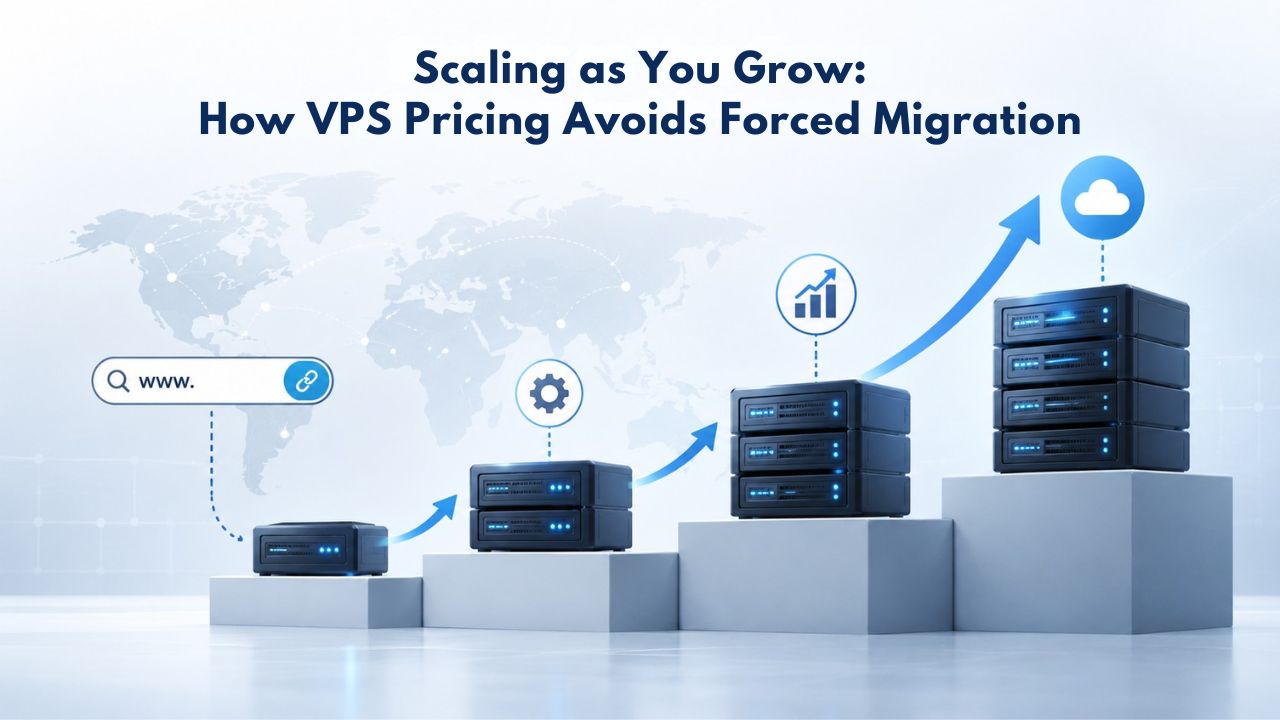
Scaling as You Grow: How VPS Pricing Avoids Forced Migration
One overlooked advantage of VPS pricing structure is the ability to scale without catastrophic migration projects. As your business grows, your hosting grows with it, incrementally and without disruption.
The Shared Hosting Upgrade Trap
On shared hosting, you start at Plan A. Traffic grows, Plan A throttles, and you’re forced to upgrade to Plan B, which might include exponentially more resources than you actually need because the provider’s tiers are fixed blocks. Migration is risky: if something breaks during the move, your site is down. You’re charged the same price whether you use a fraction of the new tier’s capacity or all of it. A business needing 50% more RAM gets charged for 100% more resources.
Shared hosting upgrade tiers create a “stair-step” problem where each upgrade is much larger than your actual growth. This wastes money on unused resources and creates technical risk. Migrating between shared hosting accounts is also risky; a botched migration can cause downtime, lost data, or misconfigured services that are hard to debug.
VPS Scaling: Pay Only for What You Add
VPS providers typically allow you to scale resources independently. You can add RAM without upgrading your CPU tier. You can upgrade storage separately from memory. This flexibility means you pay for only what your actual growth demands, not arbitrary tier boundaries. Resources grow with your traffic, not in step-function jumps.
GoDaddy’s VPS documentation confirms support for individual resource upgrades, and Niya Digital’s platform reflects this flexibility. No forced migrations, no unused capacity fees, no huge billing jumps, just proportional scaling as your needs grow. This means you can add resources on Thursday when you notice CPU approaching limits, rather than waiting until Friday when your site crashes and you’re scrambling for an emergency migration.
Operating System Choice: Linux vs. Windows Licensing
The operating system you choose affects cost structure due to licensing and includes trade-offs worth understanding before you commit.
Linux: Open-Source, Included
Linux (Ubuntu, CentOS, Debian, AlmaLinux) is open-source; licensing is free or fully bundled into the VPS cost. GoDaddy offers multiple Linux distributions at no additional cost, and Niya Digital does the same. For most VPS buyers, Linux is the default choice and the most economical path. Linux hosts most web applications, databases, and infrastructure tools because it’s free, flexible, and supremely stable.
Linux is the standard for PHP, Node.js, Python, Ruby, Go, and most open-source frameworks. If your application runs on any of these platforms, Linux is your natural choice. WordPress, Drupal, Magento, and most content platforms run flawlessly on Linux. There’s no licensing cost, no vendor lock-in, and no recurring renewal fees. For cost-conscious businesses and developers, Linux eliminates an entire category of expense.
Windows Server: Licensing Premium
Windows Server requires a Microsoft license. According to hosting industry data, Windows Server VPS typically costs notably more per month than an equivalent Linux plan because of Microsoft licensing. If you need Windows-specific software, SQL Server for databases, Exchange for email, ASP.NET Framework for web applications, or any legacy Windows service, the premium is often necessary. You can’t run Windows Server legally without paying for it.
The decision between Linux and Windows should be technical, not cost-driven. If your application requires Windows, you pay for Windows. If Linux can handle your workload, choosing Linux saves that monthly licensing cost and eliminates a recurring expense. For most modern web applications, Linux is sufficient and often superior. Windows is right when you have specific Windows requirements, not as a default choice.
Industry Context: Why VPS Costs Have Risen in 2025
VPS pricing has trended upward in 2025, and understanding the drivers helps explain why “cheap” VPS has become harder to find and why quality hosting costs more.
Energy & Infrastructure Costs
Data centers consume enormous amounts of electricity, not only to power servers but also for cooling and redundancy systems. Global electricity costs have surged, particularly in Europe and Asia, as renewable energy transitions and grid constraints push prices up. US and EU data centers face significant year-over-year increases in electricity, cooling, and facility operations costs. These costs flow directly to customer pricing because there’s no way to absorb them without sacrificing service quality.
Energy represents one of the largest operational expenses for data centers. A single server rack running 24/7 for years can cost more in electricity than many small businesses spend on their entire IT infrastructure. Data centers add redundant cooling systems, power conditioning, and backup generators to ensure reliability. Those operational costs are real, substantial, and rising. Provider pricing increases reflect these genuine infrastructure expenses, not margin expansion.
Capacity-Demand Imbalance
Cloud service demand is forecast to grow significantly in 2025 while available capacity expands more slowly. That imbalance between growing demand and constrained capacity puts upward pressure on pricing globally, especially in prime regions (US, EU, Singapore) where businesses want to host. When demand exceeds supply, prices rise until equilibrium returns.
This capacity constraint is real. Data centers take months to plan and build. Businesses can’t instantly expand data center footprint when demand spikes. During periods of shortage, pricing increases to manage demand; some potential customers choose to wait or scale back rather than accept higher costs. This dynamic explains why “cheap VPS” has become harder to find; the market is sorting between providers competing on quality and reliability versus those competing on headline price alone.
AI Workload Demand
GPU-accelerated VPS for AI and machine learning workloads is pushing demand for premium server configurations. While this doesn’t directly affect standard CPU-based VPS pricing, it increases overall competition for prime data-center resources. GPUs are scarce, and deploying them ties up physical space, power budgets, and cooling capacity that could otherwise host CPU-only servers. This competition for resources indirectly raises baseline costs across hosting categories as data centers navigate allocation decisions.
Making the Business Case: When VPS Cost Becomes a Value Play
The real question isn’t “Is VPS expensive?” but rather “What’s the total cost of ownership (TCO) of staying on shared hosting versus moving to VPS?” When you factor in all costs- infrastructure, downtime, lost conversions, staff time- VPS becomes not a cost but an investment in stability and growth.
Shared Hosting True Cost
Shared hosting headline pricing looks cheap. But the bill doesn’t include downtime costs, performance penalties, or lost business. If your site slows during traffic spikes, you lose conversions; studies show every second of page delay costs measurable percentage points in revenue. If your site crashes because a neighboring customer misconfigures something or a security breach occurs, you lose customers and trust. If a shared hosting provider suffers a security incident, your site is at risk even if your own security is flawless.
These indirect costs are real and often exceed the savings from cheap shared hosting. A site making meaningful revenue could lose far more than shared hosting saves in a single hour of slowness. Customer support costs rise as users report problems. Your team spends time troubleshooting issues caused by shared hosting constraints. A security incident, however rare, can damage your business far beyond any hosting discount.
VPS Break-Even
VPS hosting costs meaningfully more than shared hosting monthly fees. But when you calculate total cost of ownership, the math shifts dramatically. If VPS prevents even one day of meaningful downtime per year, it pays for itself many times over. For businesses that rely on their website for revenue (e-commerce, SaaS, agencies, professional services), VPS becomes a cost reduction, not a cost increase, once you include the full cost of shared hosting failures.
VPS also includes intangible benefits: you own your platform, can install whatever software your business needs, can optimize configuration for your specific workload, and never worry that another customer’s problems will affect your site. For growing businesses, these benefits compound. You can experiment, scale, and optimize without fighting shared hosting constraints. The monthly cost is an investment in your business’s technical foundation, not a pure expense.
Ready to Explore VPS Hosting?
Niya Digital’s VPS Hosting service gives you root access, SSD storage, 99.9% uptime, and 24/7 support on GoDaddy’s global server and network infrastructure. Both self-managed and fully-managed plans are available, tailored to growing websites, e-commerce stores, and development teams. Your hosting grows with your business, with no forced migrations or resource tier traps. Explore the plans that match your needs.
Frequently Asked Questions
What does “unmetered bandwidth” on a VPS mean?
Unmetered (or unlimited) bandwidth means the provider doesn’t charge overage fees based on data transfer volume. You can handle traffic spikes without worrying about per-gigabyte surcharges or billing shocks. GoDaddy VPS Hosting includes unlimited traffic, which is standard for most quality VPS providers and removes a source of billing uncertainty.
Can I upgrade a VPS plan without downtime?
Yes. Most providers, including those using GoDaddy’s infrastructure, allow seamless resource upgrades (CPU, RAM, storage) without migrating to a new server. Downtime is minimal or zero, depending on the provider’s live-migration capability. This flexibility is a major advantage over shared hosting upgrades, which often require risky migrations.
Is self-managed VPS really cheaper than fully managed?
Self-managed has lower monthly fees than fully managed, but fully managed has lower total cost of ownership when you factor in labor. A fully managed VPS avoids hiring staff or spending your team’s time on server administration, which can cost far more per year. For teams without existing infrastructure expertise, managed is often the sensible choice.
Why does Windows Server VPS cost more than Linux?
Windows Server requires a Microsoft license, which hosting providers must purchase and pass to customers. Linux is open-source and free, so VPS costs include only infrastructure expenses. Linux is the standard choice for most web workloads (WordPress, PHP, Node.js, Python frameworks) and handles most business applications effectively.
What’s a reasonable budget for a small business VPS?
Budget moderately for a production-ready self-managed plan with 2–4 vCPU and 4–8 GB RAM, or meaningfully more for a fully-managed plan with the same hardware and expert support included. This covers most small e-commerce sites and business applications with room to grow. Avoid entry-level plans for production workloads; they create more problems than they solve.
How do I know if my site needs a VPS?
Move to VPS if you experience regular slowdowns during traffic spikes, need to install custom software (common for agencies and developers), require dedicated resources for security or compliance reasons, or want to host multiple sites with resource isolation. Shared hosting constraints become painful before VPS becomes expensive.
Does Niya Digital offer a money-back guarantee on VPS Hosting?
Check Niya Digital’s VPS page and contact support for current terms. Most VPS providers offer trial periods or satisfaction guarantees, but terms vary by provider and plan level.
Can I run Docker, Kubernetes, or custom applications on a VPS?
Yes. VPS with root access lets you install any software you need: Docker, container runtimes, databases, custom applications, and development frameworks. This flexibility is a core advantage over shared hosting and a key reason developers choose VPS.
What’s included in a “managed” VPS package?
A fully managed VPS typically includes 24/7 monitoring, automatic security patching, operating system updates, backup management, basic application support, and performance optimization. The provider handles technical operations; you handle your application code and business logic. This separation lets you focus on your product, not infrastructure.
Is there a difference between VPS Hosting and Cloud Hosting?
VPS is a virtual partition of a single physical server with dedicated resources. Cloud hosting is typically a pooled, on-demand model where your instance can run on any of many servers. Both offer flexibility, but VPS scales vertically (more resources on one server) while cloud scales horizontally (more instances). Both are valid; your choice depends on architecture needs.
What happens to my data if a VPS provider shuts down?
Reputable providers maintain backups and offer migration assistance. GoDaddy, which powers Niya Digital’s service, is an established company with industry-standard data protection policies and backup practices. Always confirm backup terms and migration assistance before signing up with any provider.
Can I migrate from shared hosting to VPS without downtime?
Most migration services offer near-zero-downtime transfers by copying files, databases, and configuration to the new VPS before updating DNS pointers. If you plan the migration carefully, downtime is measured in minutes, not hours. Niya Digital support can coordinate this process to minimize disruption.
Are there hidden fees in VPS pricing?
Read the fine print carefully. Common extras include domain registration renewal, SSL certificate renewal (though many providers include the first year), control panel licensing, and resource overages if you exceed stated limits. Niya Digital’s pricing is transparent on its plans page, but always clarify terms before committing.
Why do multi-year VPS contracts offer significant discounts?
Long-term commitments reduce the provider’s churn risk and let them plan capacity more accurately. The discount reflects genuine cost savings because the provider has greater certainty and better resource planning. Short-term plans cost more but offer flexibility. Choose the contract length that matches your business stability and commitment level.
Can I use a VPS for databases, APIs, or backend services only?
Absolutely. VPS is perfect for database servers, application backends, API services, and infrastructure that doesn’t serve end users directly. Many businesses use one VPS for a WordPress front end and another for a MySQL database, keeping databases isolated and scalable. The flexibility and root access make this architecture straightforward.
Glossary
- Virtual Private Server (VPS): A virtualized server environment partitioned from a physical server, providing dedicated CPU, RAM, storage, and operating system for a single customer. VPS combines the affordability of shared hosting with the control of dedicated servers.
- vCPU (Virtual CPU): A virtual processor core allocated to your VPS, determining how many concurrent processes the server can handle simultaneously. More vCPUs allow for greater multitasking and better performance under load.
- Root Access: Full administrator-level control of your server’s operating system, allowing you to install any software, modify system settings, configure security, and run custom applications. Root access is what separates VPS from shared hosting.
- Bandwidth: The amount of data transferred from your server to users over the internet. “Unlimited bandwidth” means no overage charges based on data volume, so costs stay predictable even as traffic grows or spikes.
- KVM (Kernel-based Virtual Machine): A virtualization technology that creates true hardware-level isolation between virtual servers, as used on GoDaddy’s VPS infrastructure. KVM is more robust than older virtualization methods and provides better security isolation.
- SLA (Service Level Agreement): A formal guarantee by the provider of uptime percentage (e.g., 99.9% uptime) and remedies if that standard isn’t met. SLA terms vary by provider and plan, so review them carefully before choosing hosting.
- Snapshot: An instant backup of your entire VPS at a specific point in time, used to restore your server if something breaks quickly, a database becomes corrupted, or you need to roll back a misconfiguration. Snapshots enable rapid recovery without manual restoration processes.