
Finding the right web hosting provider is a critical decision that directly affects your site’s performance, security, and your ability to grow. Your website’s speed, uptime, and security depend on your provider’s infrastructure and support quality, as well as how responsive your support team is when unexpected issues arise. Whether you’re launching a blog, scaling an e-commerce store, managing multiple client sites as an agency, or deploying custom web applications, the fit between your specific needs and your provider’s strengths matters far more than any simple ranking.
Choosing a Web Hosting Provider: What Really Matters
Not all web hosting fits every use case. Niya Digital’s Web Hosting service, alongside other established providers in this roundup, caters to distinct audiences and technical comfort levels. Niya Digital is an authorized reseller of GoDaddy Web Hosting infrastructure; GoDaddy manages the underlying servers, network, and data-center operations. At the same time, Niya Digital operates its own customer-facing storefront, onboarding support, domain configuration assistance, and account management on top of that infrastructure relationship.

Best-For Positioning Over One-Size-Fits-All Ranking
Each provider in this roundup excels in a specific niche or use case. Bluehost and SiteGround dominate WordPress-focused hosting with optimized environments and one-click installation. Liquid Web serves agencies and businesses that prioritize high-touch support and managed services; HostGator and Hostinger target budget-conscious builders and startups with tight resource constraints.
A2 Hosting appeals to developers who want control, performance optimization, and modern technology stacks. AWS Lightsail bridges the gap between traditional shared hosting and full cloud infrastructure for applications that need scalability. No single provider is objectively “best” across all dimensions; the right choice depends on your site type, budget, technical comfort level, and priorities.
Key Decision Factors
| Factor | Why It Matters | What to Check |
|---|---|---|
| Control Panel | Determines how easily you manage domains, email accounts, databases, and one-click app installations | Does the provider use cPanel, Plesk, or a proprietary interface? Is it intuitive for your skill level? Does it support one-click installers? |
| Support Tier | Email and chat support alone may leave you waiting during crises; phone support and proactive monitoring speed resolution | Are support hours 24/7 or business hours only? What are typical response times? Is phone support available at higher tiers? |
| Scalability Path | Can you grow from shared hosting to VPS or dedicated without major migration headaches? | Does the provider offer shared, VPS, managed, and dedicated tiers? Can you upgrade and keep your site running? |
| Feature Breadth | One-click installers, backup frequency, included SSL, email hosting, and staging environments reduce setup friction | Are essentials included in base plans or sold as add-ons? What CMS platforms are supported out of the box? |
| Security Posture | Baseline firewall and malware scanning are table stakes; what differentiates is backup retention and monitoring | Does the provider offer 24/7 monitoring? How frequently are backups taken and for how long are they retained? |
| Transparent Pricing | Entry-level cost is only part of the equation; renewal rates and hidden add-ons affect total cost of ownership | Are renewal rates published upfront? Which features are included vs. paid extras? |
Business Web Hosting Plans & Pricing
Choose the hosting plan that fits your website, WordPress site, or growing business. Compare features, storage, performance, security, and website capacity to find the right hosting environment for your needs.
cPanel Starter
cPanel Hosting that's easy, reliable and lightning-fast.
- 1 website
- 30 GB storage
- Unmetered bandwidth*

cPanel Economy
cPanel Hosting that's easy, reliable and lightning-fast.
- 1 website
- 100 GB space
- Unlimited bandwidth*
- 100 email accounts**
- 10 MySQL databases (1 GB ea.)
cPanel Deluxe
cPanel Hosting that's easy, reliable and lightning-fast.
- Unlimited websites
- Unlimited space
- Unlimited bandwidth*
- 500 email accounts
- 25 MySQL databases (1 GB ea.)
cPanel Ultimate
cPanel Hosting that's easy, reliable and lightning-fast.
- Unlimited websites
- Unlimited space
- Unlimited bandwidth*
- 1000 email accounts
- Unlimited MySQL databases (1 GB ea.)
- 2X Processing power & memory (available for Linux/cPanel only)
- Premium DNS
- 1-year SSL certificate to secure customer data and increase search rankings
*We don't limit the amount of storage and bandwidth your site can use as long as it complies with our Hosting Agreement. Should your website bandwidth or storage usage present a risk to the stability, performance or uptime of our servers, we will notify you via email and may be required to upgrade, or we may restrict the resources your website is using.
**Email account storage is limited to 100 email accounts with 100 MB of total storage.
WordPress Basic
A great way to get started.
- 1 website
- 10 GB NVMe storage
- Unmetered bandwidth
- Free SSL Certificate *
- WordPress pre-installed
- Weekly backups
- Web Application Firewall
- Daily malware scans
- One-time malware removal

WordPress Deluxe
Improve your site performance with Cloudflare CDN.
- 1 website
- 20 GB NVMe storage
- Unmetered bandwidth
- Free SSL Certificate *
- WordPress pre-installed
- Daily backups
- Web Application Firewall
- Daily malware scans
- One-time malware removal
- Up to 2x faster performance with global Cloudflare CDN **
- Enhanced security with DDoS protection
- Staging site
WordPress Ultimate
Add online marketing with more sites, storage and security.
- 1 website
- 30 GB NVMe storage
- Unmetered bandwidth
- Free SSL Certificate *
- WordPress pre-installed
- Daily + on-demand backups
- Web Application Firewall
- Daily malware scans
- Unlimited malware removal
- Up to 2x faster performance with global Cloudflare CDN **
- Enhanced security with DDoS protection
- Staging site
- WordPress code optimizer
- Smart WordPress plugin manager
- Sell online with WooCommerce
*An SSL certificate is included with every site and free for the life of the hosting plan. Certificates are automatically installed, validated and renewed.
Web Hosting Plus Launch
For multiple basic sites.
- 100 GB storage*
- 4 GB RAM
- 2 CPUs
- Unmetered traffic
- 50 websites & databases
- Free, unlimited SSL for all your websites**

Web Hosting Plus Enhance
For high-traffic WordPress, Joomla, and other sites.
- 200 GB storage*
- 8 GB RAM
- 4 CPUs
- Unmetered traffic
- 100 websites & databases
- Free, unlimited SSL for all your websites**
Web Hosting Plus Grow
For advanced eCommerce sites like Magento.
- 300 GB storage*
- 16 GB RAM
- 8 CPUs
- Unmetered traffic
- 150 websites & databases
- Free, unlimited SSL for all your websites**
Web Hosting Plus Expand
For multiple basic sites.
- 400 GB storage*
- 32 GB RAM
- 16 CPUs
- Unmetered traffic
- 200 websites & databases
- Free, unlimited SSL for all your websites**
*The total amount of usable storage capacity for your particular Hosting Service(s) may differ from the represented capacity as there is required space for the operating system(s), system file(s) and other supporting file(s).
**If you cancel the Web Hosting Plus product, you will lose the associated SSL certificate as well.
WordPress & Blogging Hosting: Optimized Platforms
WordPress powers approximately 40% of all websites globally, making WordPress-specific hosting increasingly important. Three providers dominate this category and are officially endorsed: Bluehost, SiteGround, and DreamHost. All three earn recommendations from WordPress.org’s official hosting directory, a significant trust signal for WordPress users.
Bluehost: WordPress-First Simplicity
Bluehost positions itself as the entry point for WordPress users, particularly those setting up their first site. The control panel is simplified specifically for WordPress setup and management, hiding advanced cPanel options that might overwhelm beginners. One-click WordPress installation happens in minutes, and integrated WordPress optimization tools handle updates, backups, and basic security tasks automatically. Bluehost includes automatic daily backups, integrated malware scanning, and dedicated WordPress support staff who specialize in WordPress-specific issues rather than generic hosting questions.
A major strength is Bluehost’s aggressive introductory rate and money-back guarantee on entry plans, making it a genuinely low-risk choice for first-time site builders who want to test the platform before committing long-term. The limitations are real: renewal rates increase after the promotional period ends, and shared-hosting resource limits (CPU, RAM, concurrent connections) can constrain rapidly growing WordPress sites. For a blog or portfolio site that stays relatively static, this matters less; for a site experiencing viral growth or high seasonal traffic, upgrading becomes necessary.
SiteGround: Performance & Support Quality
SiteGround earns official recommendations from both WordPress.org and Drupal.org, signaling strong open-source platform alignment and commitment. Standout features include proactive security monitoring that scans for threats 24/7, automatic daily backups with long retention periods, a proprietary control interface layered over cPanel (offering both simplicity for beginners and power for advanced users), and phone support available around the clock. SiteGround’s infrastructure is specifically tuned for WordPress workloads, with caching technologies, automatic updates, and resource allocation sized for WordPress at scale.
Performance-conscious WordPress users prefer SiteGround because its managed shared hosting tier is built specifically for WordPress, and the resources reserved for your account scale with WordPress traffic patterns. The trade-off is a higher monthly cost than budget providers like HostGator or Hostinger. If you’re running a professional WordPress site where downtime costs revenue or damages your business reputation, SiteGround’s combination of performance, monitoring, and support makes the premium worthwhile.
E-Commerce & High-Traffic Hosting: Performance Tier
Building an online store or scaling a high-traffic site requires more than entry-level shared hosting can reliably deliver. Liquid Web, SiteGround’s managed tier, and A2 Hosting’s performance-focused plans address this segment where business continuity and page speed directly impact revenue.
Liquid Web: Managed Services for Agencies & Professional Stores
Liquid Web specializes in managed WordPress and WooCommerce hosting, with white-label options for agencies reselling hosting under their own brand. Its standout value proposition is human support, phone, email, and chat available 24/7 with a focus on proactive server monitoring and rapid incident response. Liquid Web includes automated backups, proactive malware removal, automatic security updates, and server optimization as part of the managed service. Your site’s server performance and security aren’t your problem to solve; the Liquid Web team handles it.
The value proposition is time: you offload server management, security patching, and performance tuning, freeing you to focus on your site’s business and content. This premium positioning reflects in the cost structure, making it best suited for professional agencies, established e-commerce stores generating meaningful revenue, and businesses where downtime directly costs money. For a small store just starting, this level of service is likely overkill; for a store handling thousands of daily transactions, it’s essential.
A2 Hosting: Performance for Developers & High-Traffic Sites
A2 Hosting emphasizes speed and a developer-friendly experience across all plans. SSD storage is standard (not optional), caching technologies come pre-configured for immediate performance gains, and every tier includes SSH access, Git deployment, and built-in real-time performance monitoring. The cPanel interface is familiar to developers, and the platform supports modern technology stacks including Node.js, Python 3, Ruby, and PHP 8+ with configurable versions. A2’s higher-tier “Turbo” plans promise significant performance improvements through resource reservation and server-level optimization.
This resonates strongly with developers and technical teams running high-traffic sites on shared hosting before moving to dedicated infrastructure. The platform gives you both the simplicity of managed hosting and the control developers expect. If your site needs to be fast and you’re comfortable with a command line, A2 Hosting delivers both performance and flexibility without the premium pricing of fully managed services.
Budget Hosting: Entry-Level & Value Positioning
HostGator and Hostinger occupy the aggressive-pricing segment of the web hosting market, targeting small businesses, hobbyists, and founders with tight budget constraints. Both compete primarily on introductory rates and feature breadth rather than support quality or premium performance.
HostGator: Affordability & Reseller Hosting
HostGator’s entry plans carry some of the lowest opening rates in the industry, paired with a 45-day money-back guarantee that’s longer than most competitors’ standard 30 days. The platform also offers a dedicated reseller hosting tier, making it particularly popular with agencies and developers building white-label hosting offerings for their own clients. It includes cPanel access, one-click installers for popular apps, and basic security features.
The limitations are real: support on budget plans is usually email and chat, with phone support available only on higher-tier plans. Resource limits are tighter than managed or premium shared hosting, meaning your site shares server capacity with more neighbors, which can affect peak-load performance. Most critically, renewal rates often double or triple after the first year, which matters if you’re building your budget around introductory pricing.
Hostinger: Global Scale & Rapid Growth
Hostinger has grown explosively to become one of the world’s largest hosting providers by customer count, particularly dominant in Asia, Europe, and the Americas. Its proprietary hPanel control panel prioritizes simplicity over advanced customization, making it approachable for non-technical users. Hostinger offers managed WordPress hosting at higher tiers, an international payment option structure that works globally, and genuine affordability that extends to renewal periods, a rarity in budget hosting.
Hostinger’s strength is consistent pricing and international accessibility, with support for dozens of currencies and payment methods. The limitation is that support is primarily chat and email; deeper technical support requires escalation. The proprietary control panel, while simple, is less familiar to developers than cPanel, which can create friction if you ever migrate to another provider or need advanced configuration.
Developer-Focused Hosting: Control & Modern Stacks
Developers prioritize SSH access, version control integration, database flexibility, and framework support. A2 Hosting, DreamHost, and AWS Lightsail serve this segment with distinctly different approaches and philosophies.
DreamHost: Open-Source & Privacy-Conscious
DreamHost is independently operated and positions itself as an advocate for open-source technologies; WordPress, Drupal, and Joomla all receive first-class support and optimization. The control panel is proprietary rather than cPanel, but you get full SSH access, SFTP, and Git integration out of the box so that you can treat your hosting account as a development environment. Notably, DreamHost publishes a strong privacy commitment, operates data centers with renewable energy, and avoids upselling aggressive monitoring or premium add-ons that inflate hosting costs.
A defining trait is the lack of overage penalties. If your site experiences a sudden traffic spike, you won’t get throttled mid-request or forced to upgrade immediately, a genuinely developer-friendly approach to unpredictable workload behavior. The trade-off is that DreamHost’s proprietary interface is less intuitive than cPanel for non-developers, and the support model emphasizes self-service documentation and knowledge bases over hand-holding.
AWS Lightsail: Cloud Hosting for Scalability
AWS Lightsail is Amazon’s simplified cloud hosting product, bridging the gap between traditional shared hosting and the full complexity of AWS infrastructure. You get a Linux server instance, fixed, predictable monthly pricing, and automatic scaling as your traffic grows. It’s controlled via the AWS Management Console, not cPanel, and integrates seamlessly with the full AWS ecosystem of databases, monitoring, and other services.
Lightsail appeals to developers comfortable with cloud concepts and those running containerized workloads, microservices, or applications that demand dynamic scaling beyond what shared hosting supports. The barrier to entry is higher; you need AWS familiarity and comfort reading documentation, but the scalability and cost predictability are unmatched for applications that start small and grow large without hitting a hard resource ceiling.
Get Developer-Ready Web Hosting
Developers and technical teams need control, modern stacks, and performance tools built in from day one. Niya Digital’s Web Hosting plans include SSH access, Git deployment, cPanel management, and support for Node.js, Python, PHP 8+, and Ruby across all tiers, giving you a powerful foundation without the complexity overhead. Start exploring your options today.
Support Quality & Service Models: When Help Matters
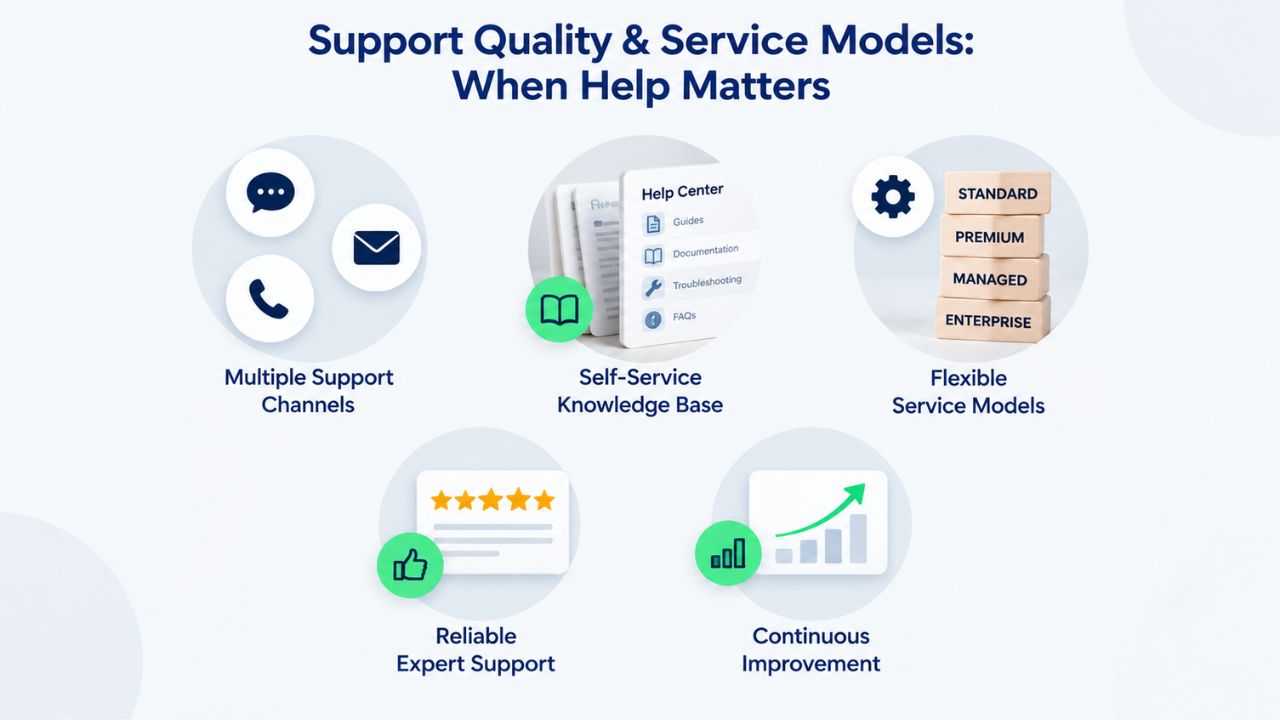
Support tier directly correlates with uptime during crises and resolution speed when things go wrong. Providers fall into distinct brackets that align with their positioning and target audience.
24/7 Phone Support & Proactive Monitoring
Liquid Web, SiteGround, and A2 Hosting provide around-the-clock phone support and proactive security monitoring that detects threats before they become customer-facing problems. Liquid Web and SiteGround go further with dedicated on-call escalation for critical infrastructure issues, ensuring rapid response to site-threatening outages. These tiers cost more because they employ larger support teams and invest in monitoring infrastructure. For revenue-generating sites where downtime directly impacts business, faster incident response pays for itself by avoiding lost sales and maintaining customer trust.
Chat & Email Support
Bluehost, HostGator, and Hostinger offer chat support during business hours and 24/7 email support. Response times vary significantly; Hostinger’s chat is quick on simple setup questions, but deeper technical issues often move to email queues with longer waits. This tier suits sites where a few hours of downtime is manageable, hobby projects, portfolios, small blogs. For growing e-commerce or professional services sites, the wait times can become problematic during peak traffic periods when issues are most likely.
Community & Self-Service
AWS Lightsail relies on AWS documentation and community forums, with direct support available only through premium AWS support plans you purchase separately. DreamHost includes email support but emphasizes self-service documentation and knowledge bases. This works well for technically proficient teams that can troubleshoot independently and read documentation, but it’s not suitable for non-technical users or situations requiring immediate expert help.
Control Panels Explained: cPanel Dominance vs. Alternatives
Most shared hosting providers standardize on cPanel because it’s the industry-wide de facto standard, but several competitors have moved to proprietary interfaces with different trade-offs. Understanding the difference matters for ease of use and potential future provider switching.
cPanel Prevalence & Ecosystem
cPanel is used by Niya Digital, GoDaddy Web Hosting, Bluehost, HostGator, A2 Hosting, and Liquid Web. It’s a graphical, menu-driven interface for managing domains, email accounts, databases, file uploads, SSL certificates, app installation via Softaculous, and server resources. The major advantage is portability: if you learn cPanel’s interface with one provider, switching to another cPanel-based host involves a minimal learning curve. cPanel skills transfer directly, and many automation tools and development workflows assume cPanel’s standard directory structure and configuration paths.
Niya Digital’s cPanel Web Hosting plans include control panel access at all tiers with one-click installers for WordPress, Drupal, Joomla, WooCommerce, PrestaShop, and dozens of other popular applications. The Deluxe and Ultimate plans support unlimited websites on a single account, making it cost-effective for managing multiple projects.
Proprietary Alternatives & Custom Interfaces
SiteGround uses a proprietary control interface layered over cPanel infrastructure, combining visual simplicity for common tasks with access to deeper cPanel functionality when needed. Hostinger’s Hpanel is proprietary and designed specifically for beginners, offering fewer advanced options but a gentler learning curve. DreamHost’s proprietary panel is command-line adjacent, leaning toward SSH and Git workflows rather than GUI point-and-click management.
For most non-technical users, proprietary panels work fine and often feel more intuitive than cPanel’s dense menu structure. The lock-in concern is real only if you plan frequent provider switches or need specialized automation tools built around cPanel’s standard structure. Developers typically prefer cPanel’s familiarity or direct SSH access over any GUI, proprietary or standard.
Scalability & Growth: From Shared to VPS to Dedicated
A hosting provider’s true value extends far beyond launch day. Can you seamlessly upgrade without migrating to a different company and learning a new control panel?
Tiered Scaling Within One Provider
Niya Digital, GoDaddy Web Hosting, Bluehost, and Liquid Web offer clear upgrade paths from shared hosting → Business Hosting → VPS → dedicated infrastructure. You can upgrade your plan often, with the provider or automated tools handling data migration to minimize downtime and reduce friction. This reduces switching costs and support learning curves because your domain, SSL certificate, and email remain exactly where they are; you’re just moving to a more powerful plan within the same ecosystem.
This is a significant competitive advantage for businesses and sites that expect to grow over time. The alternative, outgrowing a provider and being forced to migrate to a different company entirely, is disruptive and risky.
Cloud-Native Scaling
AWS Lightsail and similar cloud platforms support seamless scaling from small instances to large multi-instance deployments. Infrastructure scales automatically with traffic, and you pay for what you use rather than committing to fixed plan tiers. This is ideal for applications with unpredictable traffic patterns, sudden spikes from media coverage, or seasonal demand swings. Traditional tiered hosting requires manual upgrades; cloud platforms adjust on the fly.
Niya Digital’s Team Experience
Niya Digital’s team has observed that websites often outgrow entry-level shared plans within 6 to 18 months of launch, particularly e-commerce stores experiencing growth and agency portfolios managing multiple client sites. This is why access to scalable plans within a single provider relationship reduces future migration hassles and unexpected downtime during growth transitions.
Security, Backups & Compliance: Protecting Your Site
Web hosting security is a shared responsibility. The provider secures the infrastructure, network, and baseline server hardening; you secure your application code, passwords, and user data handling. Core security features to verify include SSL certificates, firewall configuration, backup frequency, and compliance support.

Baseline Protections & Universality
All major providers in this roundup include free SSL certificates (either Let’s Encrypt or managed), basic firewall configuration, and password-protected directories. Differences come down to backup frequency and retention periods. Whether backups are included or require paid add-ons. Niya Digital includes automated daily backups and 24/7 security monitoring with all cPanel plans, plus one-click restore if your site is compromised or loses data. GoDaddy Web Hosting provides similar baseline protection standards across its shared hosting tiers.
Every provider supports SSL certificate installation, but some charge for premium certificates while others include them. Automatic certificate renewal (ACME protocol) is now standard, eliminating the common problem of sites going dark when SSL certificates expire mid-month.
Proactive Monitoring & Advanced Protection
SiteGround and Liquid Web add daily automated malware scanning with removal capabilities, going beyond passive firewall protection. Liquid Web includes managed backups as part of the service, reducing your restore-time risk if a site is compromised. For GDPR, CCPA, or industry-specific compliance requirements (e-commerce PCI, healthcare HIPAA), all major providers support the technical infrastructure needed; verify current compliance documentation and data-residency options before signing up, as regulations vary by jurisdiction and industry.
Making Your Decision: A Comparison Framework
| Your Profile | Best Fit | Why | Runner-Up |
|---|---|---|---|
| First-time WordPress blogger | Bluehost or Niya Digital WordPress hosting | Lowest barrier to entry, one-click WordPress setup, integrated WordPress optimization from day one | SiteGround if you prioritize support quality and long-term growth potential over initial cost |
| Small business website | Niya Digital Business Web Hosting or SiteGround | Balance of features, support responsiveness, and scalability; simple upgrade path if you grow | HostGator if budget is the primary constraint |
| E-commerce store at scale | Liquid Web or SiteGround managed tier | High-touch support, performance tuning, uptime prioritization, managed backups and security | A2 Hosting if you want control plus performance without paying for fully managed service |
| Agency managing multiple client sites | HostGator reseller hosting or Liquid Web | Reseller and white-label options for client account management and billing separation | Niya Digital cPanel plans if you prefer a simpler control-panel approach at a comparable cost |
| Developer or technical founder | A2 Hosting, DreamHost, or AWS Lightsail | SSH access, modern language/framework support, Git integration, no hand-holding required | AWS Lightsail if you anticipate rapid scaling; DreamHost if you prefer simplicity and privacy focus |
| Budget-conscious startup | Hostinger or HostGator | Lowest entry cost, reasonable uptime, room to grow before serious upgrade costs | Niya Digital at similar price point with US-based support and cPanel familiarity |
| Mission-driven nonprofit | DreamHost or A2 Hosting | Privacy-conscious positioning, transparent pricing, community focus, no aggressive upselling | Bluehost if you qualify for nonprofit discounts or WordPress.org special offerings |
Setup, Migration & Getting Started With Your Chosen Provider
Choosing a hosting provider is one decision; actually moving your site and getting it live is another. Most providers handle setup similarly, but migration complexity depends on whether you’re starting fresh or moving an existing site. Understanding the practical process before you buy helps you choose a provider with migration support that matches your technical comfort level and budget.
Onboarding for New Sites: Quick Start
Setting up a new website with any major provider takes minutes for basic setup and hours for a complete, secure launch. After purchasing a hosting account, you’ll receive login credentials and typically a welcome email with a link to your control panel. From there, one-click installers (available on cPanel hosts like Niya Digital, Bluehost, HostGator, and A2 Hosting) let you install WordPress, Joomla, or other platforms in under two minutes without touching code. The installer creates the database, configures the application, and generates initial login credentials, you’re left with a live site running on your domain.
After installation, the remaining setup involves configuration: setting up your site’s title and tagline, installing a security plugin, configuring backup automation, and adding your content. For WordPress, most of this happens in the WordPress admin dashboard, not the hosting control panel. Total time from purchase to a live, properly configured site is typically 1–4 hours depending on your comfort level and how much content you’re adding. Niya Digital’s onboarding support includes guidance on initial configuration and security best practices.
Migrating an Existing Site: Understanding the Process
Migrating a site from one host to another is more complex than initial setup because you’re moving live data, databases, and email accounts without downtime. The process involves three main steps: preparing your current host for export, importing your data into the new host, and updating DNS records to point to the new server. For WordPress sites, migration plugins like All-in-One WP Migration automate much of this, handling database exports, file transfers, and URL rewrites in a single operation.
Many providers offer free migration assistance, particularly for mid-to-large sites where the provider has technical staff available to help. Niya Digital and SiteGround both offer migration support for qualifying accounts. The real-time investment is in planning: scheduling the migration during low-traffic hours, testing the migrated site before switching DNS, and having rollback plans if something fails. DNS propagation (the process of internet-wide DNS updates) typically completes within 24 hours but can take up to 48 hours for all ISPs globally. During propagation, some visitors may see your old site while others see the new one, this is normal and not a sign of problems.
Start Hosting Today
Ready to move forward and launch your site or migrate to a platform that better serves your growth? Niya Digital’s Web Hosting service combines GoDaddy-powered infrastructure with dedicated onboarding support, 24/7 security monitoring, automatic backups, and flexible plan scaling. Whether you’re launching a single WordPress blog or managing multiple client sites as an agency, explore which plan tier aligns with your current needs and growth trajectory.
Frequently Asked Questions
What is the difference between shared hosting and VPS hosting?
Shared hosting divides a single physical server among many users, keeping costs low but limiting the resources (CPU, RAM, storage) available to your account. VPS (Virtual Private Server) allocates dedicated server resources to your account on a shared physical machine, offering significantly more power and control without the premium cost of a dedicated server. Most small-to-medium websites start with shared hosting and scale to VPS as traffic grows. Niya Digital offers both shared cPanel hosting and VPS tiers, allowing you to upgrade within the same provider relationship.
Which web hosting provider is best for WordPress?
WordPress.org officially recommends Bluehost, SiteGround, and DreamHost. Bluehost is best for beginners because of one-click setup and affordable entry pricing. SiteGround excels in performance optimization and support quality for growing sites. DreamHost appeals to users who prioritize an open-source philosophy and privacy. Niya Digital’s WordPress Web Hosting plans offer WordPress-specific optimization, automatic daily backups, malware scanning, and 24/7 support at competitive prices.
How important is 24/7 support for web hosting?
For revenue-generating sites or businesses where downtime costs money, 24/7 phone support is crucial. A critical issue at 2 AM can be diagnosed and fixed in minutes by a live person, rather than waiting for an email response during business hours. For hobby sites, blogs, and portfolios, email and chat support during business hours is usually sufficient because downtime is inconvenient but not catastrophic to your business.
What should I look for in a web hosting control panel?
A good control panel feels intuitive for your skill level, includes one-click app installers for popular platforms, and provides straightforward management of domains, email accounts, databases, and security settings. cPanel is the industry standard and available through Niya Digital, Bluehost, A2 Hosting, and others. Proprietary panels (SiteGround, Hostinger) work just as well if they match your workflow; the key is usability, not brand familiarity.
How often should my website be backed up?
Daily backups are the industry standard for shared and managed hosting. Premium providers like SiteGround and Liquid Web offer automated daily backups with 30+ days of retention. Some providers allow on-demand backup creation and restoration. Niya Digital includes automatic backup protection with all plans and offers one-click restore if your site is compromised.
Can I migrate my site from one hosting provider to another?
Yes, most migrations are straightforward for experienced users; many providers offer free or paid migration assistance. Tools like All-in-One WP Migration (for WordPress), FTP clients, and database export/import handle the technical steps. The main friction is DNS propagation time (typically 24 hours) and coordinating timing to minimize downtime. Choosing a provider with scalable plans within one company (shared → VPS → dedicated) eliminates future migration needs.
What is an SLA, and why does it matter?
An SLA (Service-Level Agreement) is a formal commitment from your hosting provider on uptime percentage and compensation if they miss it. A typical shared-hosting SLA is 99.9% uptime, which allows roughly 43 minutes of downtime per month. Premium managed services commit to 99.95% or higher. Read the fine print: some SLAs exclude scheduled maintenance windows, which can limit real-world applicability.
Do I need a dedicated IP address for my website?
Most websites do not need a dedicated IP. Shared IPs work fine for standard websites, WordPress blogs, and small e-commerce stores. You may need a dedicated IP if your site uses SSL client certificates, runs on an IP whitelist, or has complex security configurations requiring isolation. cPanel hosting like Niya Digital offers dedicated IPs as paid add-ons if you need them later.
What is the typical cost progression for web hosting as my site grows?
Entry-level shared hosting starts affordably but has resource limits. Upgrading to VPS typically doubles or triples the cost but provides a significant increase in resources. Dedicated servers or managed hosting for agencies can cost 5–10× more than shared hosting. The key is finding a provider with clear upgrade paths so you’re not forced to migrate entirely as your site grows.
How does web hosting affect website speed and SEO rankings?
Page load speed directly impacts user experience and search engine rankings. Google and other search engines factor Core Web Vitals (loading speed, interactivity, visual stability) into ranking algorithms. A hosting provider’s server performance, CDN integration, and caching capabilities significantly affect speed. Premium providers like SiteGround and A2 Hosting optimize for speed by default; budget options may require additional CDN services for competitive performance.
What is DNS, and why does my hosting provider manage it?
DNS (Domain Name System) translates human-readable domain names into IP addresses, routing browsers to your server. Hosting providers typically manage authoritative DNS for your domain, allowing you to add or edit DNS records through your control panel. You can also use third-party DNS services if needed, but most users rely on their provider’s DNS for simplicity.
Can I host multiple websites on a single shared hosting account?
Many shared hosting providers allow add-on domains or subdomains, letting you host multiple sites on one account. Niya Digital’s Deluxe and Ultimate cPanel plans support unlimited websites on a single account. Resource allocation remains shared, so multiple high-traffic sites compete for bandwidth and CPU. For true isolation, separate accounts or a VPS is better.
What is SSL/TLS, and why should my website have it?
SSL (Secure Sockets Layer) and TLS (Transport Layer Security) encrypt data between a visitor’s browser and your server, showing a padlock icon next to your URL. This is now standard for all websites; Google flags non-HTTPS sites as not secure. All major hosting providers include free or managed SSL certificates. Niya Digital includes SSL with all cPanel plans; the Ultimate tier includes a premium certificate.
How do I know if my hosting provider has been hacked or breached?
Reputable hosting providers monitor for intrusions and notify customers immediately if they discover a breach. Choose providers with 24/7 security monitoring (SiteGround, Liquid Web) or automated malware scanning (Niya Digital, Bluehost). If your site shows signs of compromise (injected ads, malware warnings), contact your provider’s support immediately and restore from a recent backup.
What should I do if my website goes down?
First, check your hosting provider’s status page for infrastructure outages. If the outage is on the provider’s end, log a support ticket and request an ETA. If the outage is on your site (plugin conflict, database error), restore from a recent backup or contact support. Providers with 24/7 support respond faster; budget providers may take longer. Niya Digital offers 24/7 support for account-level emergencies.
Glossary
- Bandwidth: The amount of data transferred between your website and visitors’ browsers each month. Shared hosting typically includes generous or “unmetered” bandwidth allowances; excessive usage may trigger warnings or require upgrading to a higher tier.
- cPanel: A graphical control panel for managing web hosting accounts, including domain management, email account creation, database administration, file uploads, SSL installation, and one-click application installation.
- Control Panel: A web-based interface provided by your hosting company to manage account settings, domains, email accounts, and website files without requiring command-line or terminal access.
- DNS (Domain Name System): The system that translates human-readable domain names (yoursite.com) into numerical IP addresses, routing web browsers to your website’s server when a visitor enters your URL.
- Uptime: The percentage of time your website remains accessible without interruption. Standard SLAs commit to 99.9% uptime, allowing roughly 43 minutes of downtime per month, though actual uptime is often higher.
- SLA (Service-Level Agreement): A formal contract between you and your hosting provider specifying uptime guarantees, performance commitments, and compensation if the provider fails to meet those commitments.
- SSL Certificate: A security protocol that encrypts data transmitted between your website and visitors’ browsers, displaying a padlock icon in the address bar to indicate a secure connection.
- VPS (Virtual Private Server): A server instance that allocates dedicated resources including CPU, RAM, and storage to your account on a shared physical server, offering more control and power than shared hosting without the cost of a fully dedicated server.


