
Ruby is a powerful programming language for building dynamic web applications. If you’re running a Ruby on Rails site, a Sinatra framework app, or another Ruby-based project, you’ll need a hosting environment that supports persistent application processes. Many developers assume Ruby requires expensive VPS or managed platform-as-a-service hosting. Niya Digital’s Web Hosting service runs on GoDaddy’s server and network infrastructure and includes cPanel with built-in Passenger support, the application server that runs Ruby code persistently.
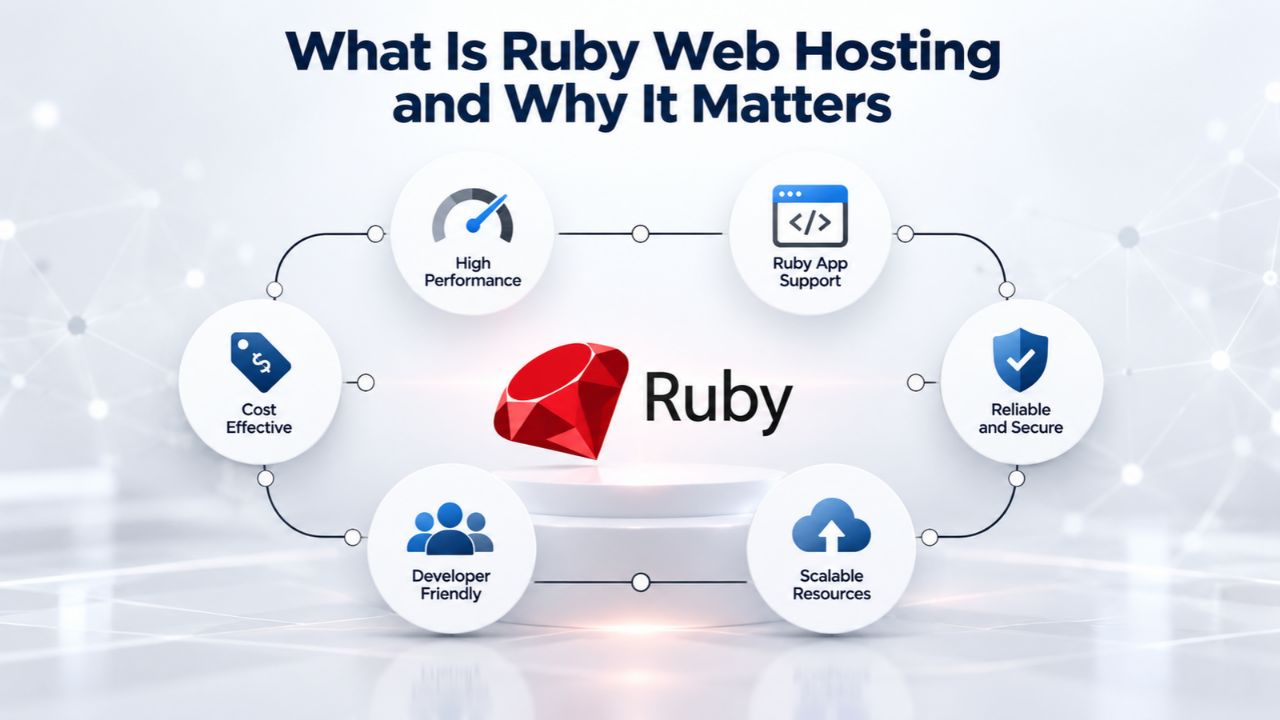
What Is Ruby Web Hosting and Why It Matters
Ruby is a dynamic, open-source programming language designed for rapid web application development. Ruby on Rails, built on Ruby, powers everything from MVPs and startup prototypes to established business applications and internal tools. Unlike static HTML sites or traditional PHP applications, Ruby web apps require an application server to keep code running and responding to requests in real time, even when traffic fluctuates or users interact with the application simultaneously.
When Shared cPanel Hosting Works for Ruby
Shared web hosting suits Ruby applications serving under 1,000 concurrent users, performing simple-to-moderate database queries, and not requiring heavy background job processing. Examples include blogs with steady readership, small business websites, internal company tools and dashboards, early-stage SaaS MVPs, and online portfolios built in Rails. If your site gets consistent but not extreme traffic and your code runs efficiently, shared cPanel hosting delivers fast, stable performance without the overhead and complexity of managing a VPS or vendor lock-in on managed platforms.
The appeal is straightforward and practical: cost is reasonable and predictable, cPanel handles routine tasks automatically (email management, DNS configuration, backups, SSL certificates), and deployment is point-and-click without needing specialized DevOps knowledge. Niya Digital’s Web Hosting plans include one-click SSL certificates, automated daily backups, domain connection tools, professional email hosting, and 24/7 account support, all features developers traditionally rely on shared hosting to provide without extra effort. For Ruby specifically, cPanel’s Setup Ruby App means you no longer sacrifice application server power for that convenience and simplicity.
Why Shared Hosting Availability for Ruby Has Improved
Historically, shared hosting was a poor fit for Ruby because typical setups lacked application server integration. Early attempts to run Rails on shared hosting used Mongrel or FastCGI, which didn’t integrate smoothly with modern Rack-based frameworks and created permission conflicts with cPanel’s management structure. Many developers gave up and moved to expensive VPS or specialized Ruby hosting providers. Modern cPanel’s Setup Ruby App feature, combined with Phusion Passenger, automates the setup and scaling of Ruby processes, work that once required hours of manual SSH configuration, deep Linux knowledge, and trial-and-error troubleshooting.
This shift in hosting technology makes shared hosting worth reconsidering if you’ve tried it before and found it wanting. The burden of application server setup has moved from your shoulders to your hosting provider’s infrastructure. If you’re a developer who wants to deploy your Rails app and focus on features rather than server configuration, modern shared cPanel hosting with Passenger delivers exactly that, without paying a premium or dealing with platform lock-in.
Business Web Hosting Plans & Pricing
Choose the hosting plan that fits your website, WordPress site, or growing business. Compare features, storage, performance, security, and website capacity to find the right hosting environment for your needs.
cPanel Starter
cPanel Hosting that's easy, reliable and lightning-fast.
- 1 website
- 30 GB storage
- Unmetered bandwidth*

cPanel Economy
cPanel Hosting that's easy, reliable and lightning-fast.
- 1 website
- 100 GB space
- Unlimited bandwidth*
- 100 email accounts**
- 10 MySQL databases (1 GB ea.)
cPanel Deluxe
cPanel Hosting that's easy, reliable and lightning-fast.
- Unlimited websites
- Unlimited space
- Unlimited bandwidth*
- 500 email accounts
- 25 MySQL databases (1 GB ea.)
cPanel Ultimate
cPanel Hosting that's easy, reliable and lightning-fast.
- Unlimited websites
- Unlimited space
- Unlimited bandwidth*
- 1000 email accounts
- Unlimited MySQL databases (1 GB ea.)
- 2X Processing power & memory (available for Linux/cPanel only)
- Premium DNS
- 1-year SSL certificate to secure customer data and increase search rankings
*We don't limit the amount of storage and bandwidth your site can use as long as it complies with our Hosting Agreement. Should your website bandwidth or storage usage present a risk to the stability, performance or uptime of our servers, we will notify you via email and may be required to upgrade, or we may restrict the resources your website is using.
**Email account storage is limited to 100 email accounts with 100 MB of total storage.
WordPress Basic
A great way to get started.
- 1 website
- 10 GB NVMe storage
- Unmetered bandwidth
- Free SSL Certificate *
- WordPress pre-installed
- Weekly backups
- Web Application Firewall
- Daily malware scans
- One-time malware removal

WordPress Deluxe
Improve your site performance with Cloudflare CDN.
- 1 website
- 20 GB NVMe storage
- Unmetered bandwidth
- Free SSL Certificate *
- WordPress pre-installed
- Daily backups
- Web Application Firewall
- Daily malware scans
- One-time malware removal
- Up to 2x faster performance with global Cloudflare CDN **
- Enhanced security with DDoS protection
- Staging site
WordPress Ultimate
Add online marketing with more sites, storage and security.
- 1 website
- 30 GB NVMe storage
- Unmetered bandwidth
- Free SSL Certificate *
- WordPress pre-installed
- Daily + on-demand backups
- Web Application Firewall
- Daily malware scans
- Unlimited malware removal
- Up to 2x faster performance with global Cloudflare CDN **
- Enhanced security with DDoS protection
- Staging site
- WordPress code optimizer
- Smart WordPress plugin manager
- Sell online with WooCommerce
*An SSL certificate is included with every site and free for the life of the hosting plan. Certificates are automatically installed, validated and renewed.
Web Hosting Plus Launch
For multiple basic sites.
- 100 GB storage*
- 4 GB RAM
- 2 CPUs
- Unmetered traffic
- 50 websites & databases
- Free, unlimited SSL for all your websites**

Web Hosting Plus Enhance
For high-traffic WordPress, Joomla, and other sites.
- 200 GB storage*
- 8 GB RAM
- 4 CPUs
- Unmetered traffic
- 100 websites & databases
- Free, unlimited SSL for all your websites**
Web Hosting Plus Grow
For advanced eCommerce sites like Magento.
- 300 GB storage*
- 16 GB RAM
- 8 CPUs
- Unmetered traffic
- 150 websites & databases
- Free, unlimited SSL for all your websites**
Web Hosting Plus Expand
For multiple basic sites.
- 400 GB storage*
- 32 GB RAM
- 16 CPUs
- Unmetered traffic
- 200 websites & databases
- Free, unlimited SSL for all your websites**
*The total amount of usable storage capacity for your particular Hosting Service(s) may differ from the represented capacity as there is required space for the operating system(s), system file(s) and other supporting file(s).
**If you cancel the Web Hosting Plus product, you will lose the associated SSL certificate as well.
Understanding cPanel’s Setup Ruby App and Passenger
cPanel’s Setup Ruby App tool is the gateway to Ruby hosting on shared plans. It’s a web-based interface that automates what used to require hours of SSH configuration, manual environment variable setup, permission corrections, and troubleshooting. The tool does the heavy lifting behind the scenes while keeping you in control through a straightforward graphical interface.
How Passenger Powers Ruby on cPanel
Phusion Passenger is an application server for Ruby, Node.js, and Python code. On cPanel systems, Passenger integrates directly with Apache (the web server) to run your Ruby application as a persistent background process. When a request arrives at your domain, Apache routes it to Passenger. Passenger then runs your Rails, Sinatra, or Rack application and returns a response to the user. This handoff happens hundreds or thousands of times per day, all transparently to your users.
Passenger also manages the full lifecycle of your application processes. It automatically restarts crashed processes without downtime, spawns additional worker processes to handle traffic spikes, allocates memory efficiently, and cleans up idle resources when traffic drops. The historical challenge was that cPanel’s older Ruby implementation used a different tool called Mongrel, which didn’t integrate smoothly with Rails 3+ and created permission conflicts with cPanel’s account isolation. Passenger solved this by becoming the industry-standard application server for shared hosting Ruby apps, replacing Mongrel entirely and making modern Ruby frameworks practical on shared plans.
The Setup Ruby App Interface and Gem Installation
The Setup Ruby App interface appears in cPanel under the Software section. You fill in a simple form: select your desired Ruby version (typically 2.7, 3.0, 3.1, or 3.2, depending on your hosting provider’s server configuration), specify the directory where your application code lives (e.g., /home/username/railsapp/), and choose the domain or subdomain your app should be served on. cPanel then handles the infrastructure work: creating the necessary directories, installing your gem dependencies with Bundler, configuring Passenger to monitor and serve requests, and registering your app in the system.
The typical time from form submission to a running app is 1–2 minutes for initial setup, plus 5–10 minutes for Bundler to download and install all your gems (depending on how many you have and whether any require compilation). Once registered, you can manage the app from the same cPanel interface: install additional gems as your project grows, set environment variables for configuration, restart the application when you deploy updates, and review logs if something goes wrong. The interface also provides the SSH command you can use to work from the terminal if you prefer it to the graphical interface.
Setting Up Your First Ruby App on cPanel, A Practical Walkthrough
Getting your Ruby application running on cPanel involves a series of small, logical steps. This section covers the control-panel-level decisions and expectations without diving into terminal syntax. cPanel handles most of the heavy lifting so that you can focus on your application code rather than server administration.
Preparation and Initial Setup
Before opening cPanel’s Setup Ruby App, prepare your application code with a standard structure. Your Ruby project needs an application root directory (e.g., railsapp), a Gemfile that lists all your dependencies, and an entry point file (config.ru for Rails or Sinatra, which tells the application server how to start your app). If you’re migrating an existing Rails application, ensure you’ve tested it locally and know which Ruby version you’re targeting and whether you need any special gems or database adapters.
Upload your code to your hosting account using SSH, SFTP, or your hosting provider’s File Manager tool. Store code in a directory under your home directory (e.g., /home/username/railsapp/), not in the public web root (public_html or public; keep these separate). This separation is important for security and organization. cPanel’s Setup Ruby App handles public folder routing automatically, so you don’t need to manually move files or worry about exposing sensitive code directories.
Ruby Version Selection and Configuring Your App
Log in to cPanel and navigate to Software → Setup Ruby App. The form asks you to select a Ruby version. Versions available depend on your hosting provider’s server configuration and what they’ve installed. Common options are Ruby 2.7 (older, but compatible with older Rails versions and many legacy projects), Ruby 3.0, Ruby 3.1, and Ruby 3.2 (newest, fastest, with the latest language features). If you’re unsure which version your application targets, check your local Gemfile or Rails version lockfile. Rails 7 and later require Ruby 3.0 or higher, while Rails 6 works with Ruby 2.7 through 3.1.
Ruby App Setup and Deployment on cPanel, Step-by-Step
| Step | Action | Location in cPanel | What Happens | Timeframe |
|---|---|---|---|---|
| 1. Prepare code | Upload app directory with Gemfile | Home directory via SFTP or File Manager | Code is now accessible to cPanel | 5–15 minutes |
| 2. Create Ruby app | Log in, navigate to Setup Ruby App, select version, directory, domain | Software → Setup Ruby App | cPanel creates environment, configures Passenger | 1–2 minutes |
| 3. Install gems | Click “Run Bundler” or use SSH bundle install | Setup Ruby App interface or Terminal | All dependencies download and compile | 5–10 minutes |
| 4. Set secrets | Add database credentials, API keys, environment variables | Setup Ruby App → Environment Variables | Your app can access secrets securely | 1 minute |
| 5. Initialize database | Run bundle exec rails db: create db: migrate | cPanel Terminal or SSH | Database schema created, migrations applied | 1–3 minutes |
| 6. Compile assets | Run bundle exec rails assets: precompile | cPanel Terminal or SSH | CSS, JavaScript optimized for production | 2–5 minutes |
| 7. Start application | Click “Restart” in Setup Ruby App or the app auto-starts | Setup Ruby App → Existing applications | Passenger loads your app; it’s now live | 30 seconds |
Creating the Environment and Installing Dependencies
Once you click Setup, cPanel creates the application environment automatically. It installs a fresh Ruby environment for your app, configures Passenger to monitor and serve requests to that specific application, and creates the necessary Apache configuration to route requests correctly. On modern servers, this entire process takes 1–2 minutes. Your app isn’t live yet; gems still need installing, but the infrastructure foundation is ready.
After setup completes, you’ll see your app listed under “Existing applications” on the Setup Ruby App page. Expand it to reveal management options. The first practical step is installing the gems. Click “Run Bundler” (or use the Terminal if you prefer working via SSH). cPanel runs bundle install, which reads your Gemfile and installs all dependencies, including their dependencies recursively. Typical gem installation takes 5–10 minutes depending on how many gems you have and whether any include native C code that needs compilation. Watch the progress in cPanel’s interface or the Terminal output until it completes.
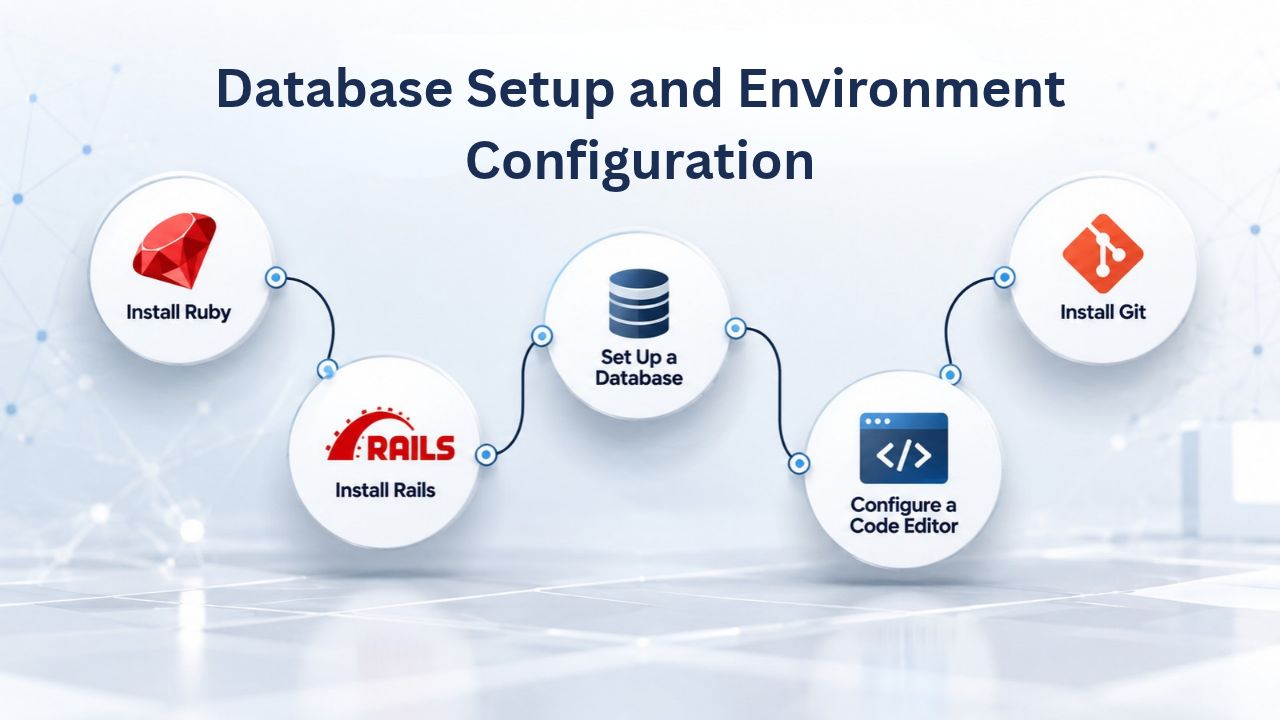
Database Setup and Environment Configuration
Your Ruby application needs a database and a secure way to pass credentials to your code without hardcoding them or committing them to version control.
MySQL and MariaDB Setup
cPanel’s MySQL database tools let you create databases and manage users through the control panel without using the command line. Navigate to Databases → MySQL Databases. Create a new database and give it a meaningful name related to your app (for example, myblog_production or appname_prod). Then create a database user and assign them full privileges to that specific database. cPanel generates a strong password automatically for security.
Ruby on Rails and most Ruby ORMs (like Sequel or DataMapper) work seamlessly with MySQL/MariaDB. The gem mysql2 is the standard Rails database adapter for MySQL. Your Gemfile should already include it; if not, add gem ‘mysql2’ to the appropriate section and re-run Bundler. Write down the database name, username, and password; you’ll need these in your application’s environment variables. Store these credentials in cPanel’s Setup Ruby App environment variables section (not in your code), which keeps them secure and makes it easy to rotate credentials if needed.
PostgreSQL Limitations and Alternative Database Options
PostgreSQL is a more advanced and feature-rich database system, and many production Rails applications prefer it over MySQL. Unfortunately, PostgreSQL is typically not available on shared cPanel hosting because it requires a dedicated database server process that consumes significant system resources. If your application specifically requires PostgreSQL (perhaps because you’re using advanced PostgreSQL-only features, JSON columns, or full-text search capabilities), you’ll need to upgrade to a VPS or higher-tier plan. This is a genuine limitation to check before choosing shared hosting for a production app.
Most modern Rails applications work equally well with MySQL/MariaDB, so consider using MySQL on shared hosting and planning a migration to PostgreSQL if and when you scale to VPS later. You can always export your MySQL data and import it into PostgreSQL on a more powerful plan. The Rails ORM abstracts away most database differences, so the code changes needed are minimal. Choose your database based on your application’s current requirements, not theoretical future needs.
Shared Hosting vs. VPS vs. Cloud, When Each Makes Sense
Choosing the right hosting tier depends on your Ruby application’s resource needs and traffic profile. There’s no one-size-fits-all answer; it depends on your specific app and how much traffic it receives.
Shared cPanel Hosting for Small-to-Moderate Applications
Shared web hosting allocates resources (CPU, RAM, disk space) across multiple customer accounts on the same physical server. Passenger runs your app’s processes within your account’s allocated share. This model works well when your app is the only significant consumer of resources on your account and doesn’t need more than 1 GB of RAM to run comfortably. Shared hosting is ideal for developers who want simplicity, predictability, and lower costs.
Typical workloads well-suited to shared hosting include blog engines (even with thousands of posts and daily visitors), small e-commerce sites (under 10,000 products, under 1,000 concurrent shoppers), internal business applications (used by dozens of employees), SaaS MVPs in early stages (hundreds of users), and online portfolios or agency sites. Shared hosting’s appeal is straightforward: setup is fast, cost is predictable and reasonable, cPanel handles routine tasks automatically, and deployment is graphical without needing DevOps expertise. Niya Digital’s Web Hosting plans include comprehensive support, automated backups, email hosting, and domain management, all conveniences that matter when you’re focused on growing your application.
VPS and Cloud Platforms When Scaling Beyond Shared Resources
A Virtual Private Server (VPS) allocates dedicated CPU cores and guaranteed RAM to your account, with no sharing with other customers and no resource contention. With a VPS, you have full root access to the server, can install any software you need, run any application server configuration, and process background jobs via Sidekiq or Resque without hitting account-level process limits. VPS is necessary when your Ruby app hits resource limits on shared hosting: when you need more than 1 GB of RAM consistently, when you want to run multiple independent Ruby applications on one account, when you need background job processing or WebSocket connections, or when you’re preparing for high traffic and can’t risk resource contention with other customers.
Cloud platforms like Heroku, Render, or Fly.io handle scaling automatically. You push code via Git, and the platform provisions the right amount of compute, routes traffic, and scales dynamically as your traffic grows or shrinks. This approach trades operational complexity for higher per-unit cost. For startups and small teams that want to eliminate server administration and focus on product development, managed platforms are often worth the expense. Start with shared hosting for cost-effectiveness during development and early growth, migrate to VPS when you need more control, and consider PaaS when you want to eliminate infrastructure management.
Ruby Application Hosting Tier Suitability
| Use Case | Shared cPanel | VPS | Cloud PaaS | Dedicated Server |
|---|---|---|---|---|
| Small blog, <100 visits/day | Excellent fit | Overkill for needs | Overkill for needs | Far too much |
| Small business site, <500 concurrent users, simple queries | Excellent fit | Also works well | Also works well | Far too much |
| Medium app, 1K–5K concurrent users, moderate database complexity | Limited (may hit resource caps) | Recommended | Recommended | Probably overkill |
| High-traffic app or background jobs (Sidekiq, ActionCable WebSockets) | No, not supported | Yes, perfect | Yes, ideal | Yes, works well |
| Development and staging environment | Excellent for testing | Overkill but works | Unnecessary cost | Far too much |
| Team of 1–3 developers | Best choice | Good choice | Acceptable if budget allows | Not recommended |
| Team of 10+ or distributed DevOps | Acceptable for staging | Ideal | Ideal | Good if needed |
Explore Web Hosting Plans
Niya Digital’s Web Hosting plans include everything you need to run your Ruby application: cPanel with Setup Ruby App, Passenger application server, MySQL databases, email hosting, SSL certificates, and 24/7 support. Choose the resource tier that fits your application’s size, from small hobby projects to growing business applications. Get started in minutes with an intuitive control panel and professional support whenever you need it.
Managing Gems and Dependencies on Shared Hosting
Bundler is Ruby’s package manager and handles all your project dependencies. Your Gemfile lists all the gems (Ruby libraries and packages) your app needs; Bundler ensures exact versions are installed consistently and resolves and installs each gem’s dependencies.
Installing Gems via Bundler and Handling Compilation
When you first create your app in cPanel’s Setup Ruby App, Bundler runs automatically during the initial setup. Bundler reads your Gemfile and installs all dependencies, including their own dependencies recursively. This ensures complete consistency between your local development environment and production. If you later add new gems to your Gemfile (which you’ll do frequently as your app evolves), click “Run Bundler” again from the Setup Ruby App interface. Bundler is smart; it only installs genuinely new gems or updates versions you’ve explicitly changed, saving time and avoiding unnecessary reinstalls.
Some gems require compilation because they include C code that must be compiled into native libraries for your system architecture. Examples include the mysql2 gem (which connects to MySQL), nokogiri (for parsing HTML/XML), and bcrypt (for password hashing). Bundler compiles these automatically during installation. This works fine on shared hosting as long as your account has compiler access (most hosts enable this by default, though some restrict it for security). If gem installation fails with a permission error about gcc or make, contact your hosting provider’s support; they can enable compilers for your account, often at no cost.
Memory Limits, Large Gem Sets, and Practical Workarounds
Shared hosting allocates a fixed amount of memory to your account. Bundler uses memory during installation, and if you have dozens of gems or very large gems, installation can consume a significant chunk of that allocation. If Bundler hits a memory limit during installation, you’ll see an error about exhausted memory. Your options include contacting your hosting provider to increase your account’s resource limits during gem installation temporarily (this is a common request and is often approved quickly), or reducing your gem set by removing unused dependencies if possible.
Once gems are installed, they stay installed on the server; they don’t consume ongoing memory unless your application actually loads them into memory at runtime. Passenger will only load the gems your code actually uses, not every gem in your Gemfile. In rare cases, if gem compilation fails repeatedly, or your gem set is unusually large and pushes memory limits, you can vendor gems: commit them directly to your code repository and use bundle install –local to skip the online installation step. This adds significant weight to your codebase and slows deployments, so it’s a last resort, but it’s an option if you hit insurmountable installation issues despite support.
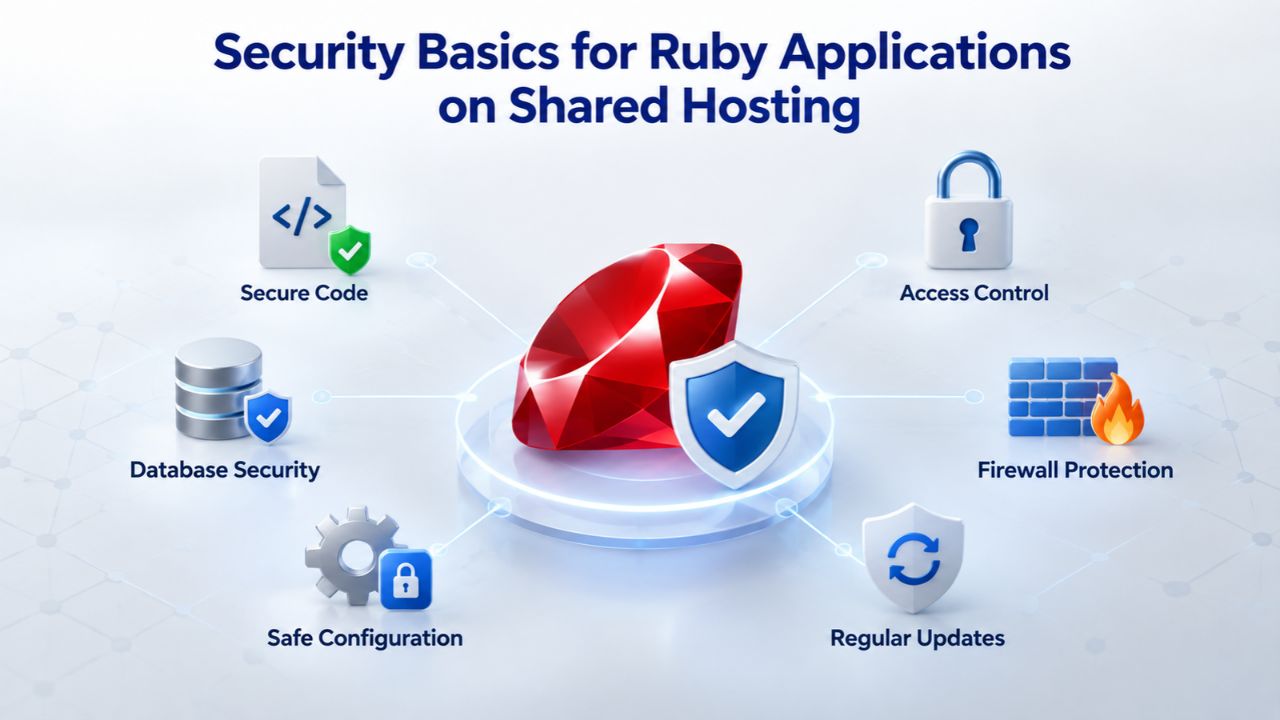
Security Basics for Ruby Applications on Shared Hosting
Shared hosting means your account shares a physical server with other accounts. This is normal and secure by design; cPanel isolates accounts at the file system and process level, so other customers can’t access your code or data. You are responsible for your application’s security.
SSL/HTTPS, Certificates, and Basic Hardening
All modern hosting should include free SSL certificates as standard. cPanel includes AutoSSL or Let’s Encrypt integration, which automatically provisions and renews free HTTPS certificates for your domain. These are real, trusted certificates (not self-signed), and they renew automatically before expiration. Ensure SSL is enabled for your app’s domain; cPanel typically automates this, but confirm in the SSL/TLS section.
Your Ruby application should force HTTPS in production by setting config.force_ssl = true in Rails’ config/environments/production.rb. This ensures every request is encrypted and no one can eavesdrop on user sessions or steal credentials. Never commit API keys, database passwords, or secrets to your Git repository. Instead, use environment variables (set in cPanel’s Setup Ruby App interface, as described in earlier sections). Rails provides a built-in credentials.yml.enc system for encrypted configuration; use it or follow a similar pattern with gems like dotenv for local development and environment variables in production. This approach keeps sensitive data out of version control and makes it trivial to rotate secrets without code changes.
Keeping Dependencies Updated and Managing Vulnerabilities
Security vulnerabilities in gems are discovered regularly and fixed by maintainers. Run bundle audit regularly (at least monthly, ideally weekly for production apps) to check for known vulnerabilities in your installed gems and their dependencies. When vulnerabilities are found, update the offending gems via bundle update gem_name and redeploy immediately if the vulnerability is critical. Most hosting providers allow you to pull updates via Git or by uploading new code; re-running Bundler ensures new versions are installed with security patches.
Keep Rails and key dependencies current; they’re updated frequently with security fixes and performance improvements. Plan to upgrade Rails and major dependencies at least quarterly or when critical security patches are released. cPanel’s Setup Ruby App makes this easy: update your Gemfile, click “Run Bundler,” and restart your app. File permissions on shared hosting are restrictive by design: only your account can access your code and database; other users cannot read or modify them. Don’t rely on cPanel alone for security; application-level security practices (validating user input, protecting against SQL injection, using parameterized queries) are equally important.
Performance Tuning and Common Bottlenecks
Ruby applications on shared hosting are typically fast, but you can hit performance limits if your app receives traffic spikes, your code becomes inefficient, or your database grows large. Here’s what to watch for and how to address it.
Passenger Process Scaling and Recognizing Limits
Passenger spawns multiple Ruby processes to handle concurrent requests. On shared hosting, the number of processes is typically limited (often 2–4 by default, depending on your plan). If your app gets traffic spikes, requests may queue while waiting for a free process, causing slow response times. This is a sign you’ve outgrown shared hosting and need a VPS or higher tier, where you can configure more worker processes and have more memory available.
Slow database queries are the most common performance bottleneck in Rails applications. Use Rails’ built-in query logging (enable it in config/environments/production.rb with config.log_level =: debug) to identify slow queries. Look for N+1 queries where you fetch an object, then loop through its associations, triggering a database query for each one. Add includes or join statements to combine queries and reduce database round trips. Create database indexes on columns that are frequently queried or used in WHERE clauses; Rails migrations make this easy with add_index:table_name,:column_name statements.
Asset Compilation, Caching, and Static File Serving
Rails compiles stylesheets and JavaScript into optimized, minified files during deployment. Ensure config.assets.compile = false in production (which prevents dynamic compilation, which is slow) and precompile assets during deployment with bundle exec rails assets: precompile RAILS_ENV=production. Static assets served by Apache via cPanel don’t consume Ruby processes, so page load times improve significantly. Browser caching of static assets (CSS, JavaScript, images) is automatic when you set proper HTTP cache headers.
Implement fragment caching in your Rails views to cache expensive HTML sections that don’t change frequently. Set cache_store =:memory_store in your production config for a basic in-memory cache on shared hosting; this stores frequently-accessed data in RAM so database queries are skipped entirely. You can add more sophisticated caching with Redis (an in-memory data store) later if your app grows and needs higher performance. Small sites typically don’t need Redis; Rails’ built-in in-memory caching is sufficient and doesn’t require extra software or dependencies.
Migrating an Existing Ruby Application to cPanel Hosting
If you’re running your Ruby app elsewhere and want to move to Niya Digital’s Web Hosting, the process is straightforward. Still, it requires attention to a few important details to minimize downtime and avoid data loss.
Database and Code Migration
Export your current database (typically as a SQL dump). On your current host, use command-line tools (like mysqldump) or your host’s GUI tools to export your database. This creates a single SQL file containing all your data and schema. On your new cPanel host, create a new database and database user (via cPanel’s Databases section), then import your SQL dump file using phpMyAdmin (available in cPanel) or the command line. phpMyAdmin makes this graphical and straightforward; you upload your SQL file, and it imports automatically.
Update your new Rails database.yml or environment variables to point to the new database credentials (the new database name, username, and password you just created). Upload your code via Git, SFTP, or File Manager. Option 1 (recommended): Clone your repository to the app directory via SSH or cPanel’s Git integration. Option 2: Download code locally, remove the .git directory and any local configuration files (.env, secrets, credentials), then upload everything to your app directory via SFTP or File Manager. Option 3: Deploy via Capistrano or another automated deployment tool if you’re already using one.
Deployment, Migrations, and Zero-Downtime Cutover
Once code is in place and gems are installed, use cPanel’s Terminal (or SSH) to run pending database migrations: bundle exec rails db: migrate RAILS_ENV=production. This applies any pending database schema changes. Then run bundle exec rails assets: precompile RAILS_ENV=production to compile CSS and JavaScript. Click “Restart” in Setup Ruby App to reload the application with all changes and new code.
For zero-downtime migration of an app that’s already live, coordinate your DNS cutover carefully. Ensure the app works perfectly on the new host before changing DNS. Point your domain’s DNS to your new host only when you’re confident everything is working. Modern hosting propagates DNS changes within minutes; downtime is typically minimal. Some hosting providers offer managed migration services if you want professional assistance with the process.
Scaling Beyond Shared Hosting: When and How
Shared hosting has real limits. When your Ruby application consistently hits them, upgrading to VPS or another tier isn’t a failure; it’s a sign of success and growth that your app has outgrown starter-level infrastructure.

Recognizing When You’ve Outgrown Shared Hosting
Watch for these signals: Passenger worker processes are maxed out (requests sit in queue, users report slow load times), Bundler runs out of memory during gem installation, your database grows beyond the shared plan’s disk limit, or you want to run background jobs (Sidekiq workers, Resque jobs) alongside your web app without hitting account-level process limits. Any of these means it’s time to scale to a more powerful tier.
As your app grows, don’t wait until you’re completely broken. When you hit 70–80% of shared hosting’s resource capacity, start planning a migration. This gives you time to test the new environment, update deployment procedures, and make the switch without rushing. You can migrate during low-traffic times and minimize impact on your users. Planning also helps prevent sudden outages that force an emergency migration without proper testing.
VPS Migration, Managed Platforms, and Long-Term Architecture
A Virtual Private Server (VPS) gives you dedicated resources and full root access. You can run multiple independent Ruby applications on one VPS, use any application server configuration (Puma with multiple workers, Unicorn, or multiple Passenger processes), configure Nginx or Apache exactly as you need, and run background job processors like Sidekiq without account-level limits. Many VPS providers offer managed cPanel on VPS, so the control panel experience stays familiar even as your infrastructure grows.
Managed platforms like Heroku, Render, or Fly.io handle scaling automatically. You push code via Git, and the platform provisions the right amount of compute, routes traffic, and scales dynamically as your needs change. This approach trades operational complexity for higher per-unit costs and less control over infrastructure details. For teams focused on product development rather than infrastructure management, managed platforms are often worth the expense. The path forward is clear: start with shared hosting for cost-effectiveness and simplicity during development, migrate to VPS when you need more control and capacity, and consider PaaS platforms when you want to eliminate infrastructure administration.
Start Hosting Ruby Today
If you’re ready to move your project live or test your first Rails app, Niya Digital’s Web Hosting plans include everything you need: cPanel with Setup Ruby App, Passenger application server, MySQL databases, email hosting, SSL certificates, and 24/7 support to help when you need it. Start hosting your Ruby application today with infrastructure and support built for your success.
Frequently Asked Questions
Can I host a Ruby on Rails app on shared cPanel hosting?
Yes. Modern cPanel’s Setup Ruby App feature with Passenger support makes shared hosting viable for Rails applications serving under 1,000 concurrent users with typical resource needs. Smaller sites, blogs, MVPs, and business applications run reliably on shared plans from providers like Niya Digital. The key is matching your app’s resource needs to the plan’s capabilities.
What Ruby versions are supported on cPanel hosting?
Most modern cPanel servers support Ruby 2.7, 3.0, 3.1, and 3.2. Availability depends on your hosting provider’s configuration and what they’ve installed on their servers. When setting up your app in cPanel’s Setup Ruby App interface, you’ll see which versions are available. Choose the version your application targets; Rails 7 and later require Ruby 3.0 or higher, while Rails 6 works with 2.7 through 3.1.
Do I need SSH access to deploy a Ruby app on cPanel?
No. cPanel’s graphical interface (Setup Ruby App, File Manager, Databases) is sufficient for basic deployment and management. SSH access is convenient for running migrations, precompiling assets, and using Bundler from the terminal if you prefer CLI tools. Most cPanel hosts allow SSH by default; you can enable it in cPanel’s Terminal section if needed.
What database should I use with Ruby on cPanel hosting?
MySQL or MariaDB are standard on shared cPanel hosting and work perfectly with Ruby on Rails and other Ruby frameworks. PostgreSQL typically requires a VPS or higher-tier plan because it needs a dedicated database server process. Choose MySQL unless your app specifically requires PostgreSQL’s advanced features; you can migrate to PostgreSQL later if you scale to a VPS.
Can I run Sidekiq or other background jobs on shared hosting?
Background job processing (Sidekiq, Resque) requires persistent processes beyond your main web app. Shared hosting typically doesn’t support this because it limits the number of processes per account. Upgrade to a VPS or a managed platform if you need background jobs for email processing, image optimization, or other asynchronous work.
How long does gem installation take on shared hosting?
Typical gem installation takes 5–10 minutes, depending on the number and size of gems your application uses. Large native extensions (like nokogiri for HTML parsing or mysql2 for database connections) might take longer to compile. If installation hits memory limits, contact your hosting provider to increase resource limits or temporarily reduce your gem set.
Is shared cPanel hosting secure for a Ruby production app?
Yes, cPanel isolates accounts securely at the file system and process level. Your responsibility is application-level security: use HTTPS (enabled via one-click SSL), protect secrets with environment variables, validate all user input, keep gems updated with security patches, and follow Rails security best practices. Hosting security and application security are equally important.
Can I switch from shared hosting to VPS without downtime?
Yes, with proper planning. Migrate your database, code, and configuration to the new host. Test thoroughly. Update your domain’s DNS to point to the new host only when you’re confident everything works. DNS propagation takes a few minutes; downtime is typically minimal. Some hosting providers offer managed migrations if you want professional assistance.
What happens if my app uses more resources than my shared plan allows?
Passenger limits your app to the CPU and memory your account is allocated. If you consistently hit limits, requests queue while waiting for a process to free up, response times slow, and users experience degraded performance. This is your signal to upgrade to a higher-tier plan or VPS with more guaranteed resources.
Do I own my code and data on Niya Digital’s shared hosting?
Yes. Your code, database, and files are yours entirely. You can download everything at any time via SFTP, File Manager, or SSH. You can migrate to another host whenever you choose. Niya Digital does not have a claim to your data or lock you into their service.
How often should I update my Ruby gems for security?
Run bundle audit regularly (at least monthly) to check for known vulnerabilities in your gems and their dependencies. Update gems as vulnerabilities are discovered. Update critical vulnerabilities immediately; minor updates can be batched into a quarterly cycle. Keep Rails and key dependencies current; they’re updated frequently with security patches and performance improvements.
Can I test a Ruby app on shared hosting before going live?
Yes. Niya Digital’s Web Hosting plans support staging environments. Deploy your app to a subdomain or separate cPanel account to test thoroughly before production. Once confident, update your domain’s DNS to point to the production setup, or use cPanel’s domain pointer feature to test without permanent DNS changes.
What’s the difference between Passenger and Puma, and which should I use on shared hosting?
Passenger is the application server integrated into cPanel’s Setup Ruby App on shared hosting. It’s pre-configured and automatically managed by cPanel. Puma is another popular application server that offers more configuration options but typically requires a VPS or PaaS platform with root access to set up and manage. Stick with Passenger on shared hosting; it’s the right choice for managed hosting.
Can I run multiple Ruby apps on one shared cPanel hosting account?
Yes, if your account has enough resources. Create a separate Setup Ruby App entry for each application, each with its own directory and domain/subdomain. However, all apps share the account’s resources (CPU, RAM); if one app consumes resources heavily, others may slow down. For multiple production apps, consider a VPS or multiple shared accounts.
Is there a way to automatically deploy updates to my Ruby app on cPanel hosting?
Yes. Use Git hooks, webhooks from GitHub/GitLab, or deployment tools like Capistrano. Set up a post-receive hook on your cPanel server to pull updates automatically when you push code, run Bundler, precompile assets, and restart the app. Many hosting providers offer managed Git integration to simplify continuous deployment workflows.
What support does Niya Digital provide for Ruby hosting issues?
Niya Digital’s Web Hosting plans include 24/7 account support for hosting infrastructure, cPanel issues, database problems, and domain/DNS configuration. For application-specific issues (Ruby code bugs, Rails framework questions, debugging app logic), you’ll rely on community resources, documentation, or hire a Ruby developer. Niya Digital’s support helps with the hosting layer; application troubleshooting is your responsibility as the developer.
Glossary
- Web Hosting: A service that provides server space, computing resources, and network bandwidth so that websites and applications are accessible on the internet. Shared hosting means multiple customers’ websites run on the same physical server with shared resources, keeping costs low while isolation keeps accounts secure.
- cPanel: A web-based control panel for managing hosting accounts. It provides graphical interfaces for domain management, email configuration, database creation, file uploads, and application deployment, including cPanel’s Setup Ruby App tool for deploying Ruby applications.
- Passenger (Phusion Passenger): An application server that runs Ruby, Node.js, and Python web applications. On cPanel systems, Passenger integrates directly with Apache to run persistent application processes, automatically spawning workers to handle concurrent requests and restarting failed processes.
- Rack: A Ruby web application interface standard that defines how Ruby web frameworks communicate with application servers. Most modern Ruby frameworks (Rails, Sinatra, Hanami) are Rack-based; they use a config.ru file as the entry point for the application server.
- Bundler: A Ruby dependency manager that reads your application’s Gemfile (which lists required Ruby libraries), resolves version conflicts, and installs exact versions into an isolated environment. Bundler ensures consistency between development and production environments.
- Gem: A packaged Ruby library, framework, or tool that adds functionality to your Ruby application. Gems are distributed via rubygems.org and installed using Bundler or the gem command, making it easy to add features without writing everything from scratch.
- Migration (Database): A version-controlled database schema change (adding tables, columns, indexes, or other structural changes) managed by Rails’ ActiveRecord or another ORM. Migrations allow your database structure to evolve alongside your application code.
- SLA (Service Level Agreement): A formal commitment by a hosting provider regarding uptime, response time, and support availability. Most shared hosting providers publish an SLA (e.g., a 99.9% uptime guarantee), meaning they commit to being available that percentage of the time.


