
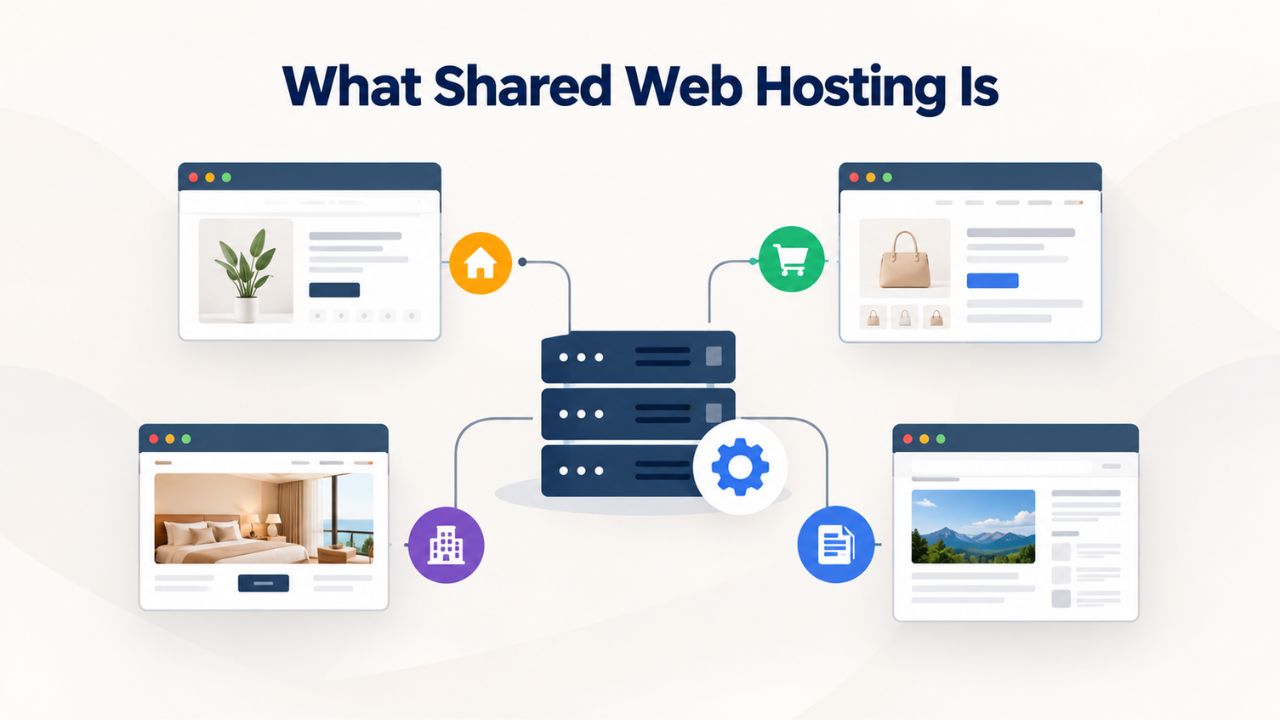
What Shared Web Hosting Is
Shared Web Hosting is the entry point for most new websites. Multiple customer websites live on a single physical server and share resources, including bandwidth, storage, CPU, and memory, in divided portions. The hosting provider manages all server-level operations: operating system updates, security patches, hardware maintenance, and infrastructure uptime.
How Shared Hosting Works
On a shared server, your website’s files live in a directory alongside hundreds of other sites. All sites share the same server hardware, server IP address (though you get your own domain), and basic software environment, typically managed through cPanel or Plesk. Resource allocation is dynamic; the provider sets per-plan limits like 50 GB storage and 500 GB monthly bandwidth, distributing the server’s total capacity among all customers. When your site needs CPU power during traffic spikes, the server handles requests if resources are available, but if another site uses most of the CPU, your site’s performance may slow.
Resource sharing means provisioning is fast, often 15 minutes to 2 hours, and fully automated. You log into your control panel, point your domain to the server, install WordPress via a one-click installer, and start building. You don’t need expertise in server configuration or command-line tools. The provider owns responsibility for server security, updates, backups, and infrastructure reliability.
Shared Hosting Pros and Entry-Level Affordability
Shared hosting excels at simplicity. The hosted environment comes preconfigured, and common tasks like email setup, database creation, and SSL activation are GUI-driven, not command-line based. You focus on managing your site; the provider manages infrastructure. This hands-off approach appeals to bloggers, small business owners, and first-time builders. Niya Digital’s team has found that most first-time site owners prefer this approach, allowing them to focus on content and marketing instead of server administration.
The trade-off is constraints. You cannot install custom server software, change PHP settings globally, or run resource-intensive background jobs. Your storage, bandwidth, and CPU allocations are fixed per plan. A traffic spike might slow your site not because of your mistakes, but because another site on your server went viral. For blogs, small business sites, and stores under 10,000 to 20,000 monthly visitors, these constraints rarely matter, but as traffic grows, you will eventually hit a ceiling.
Business Web Hosting Plans & Pricing
Choose the hosting plan that fits your website, WordPress site, or growing business. Compare features, storage, performance, security, and website capacity to find the right hosting environment for your needs.
cPanel Starter
cPanel Hosting that's easy, reliable and lightning-fast.
- 1 website
- 30 GB storage
- Unmetered bandwidth*

cPanel Economy
cPanel Hosting that's easy, reliable and lightning-fast.
- 1 website
- 100 GB space
- Unlimited bandwidth*
- 100 email accounts**
- 10 MySQL databases (1 GB ea.)
cPanel Deluxe
cPanel Hosting that's easy, reliable and lightning-fast.
- Unlimited websites
- Unlimited space
- Unlimited bandwidth*
- 500 email accounts
- 25 MySQL databases (1 GB ea.)
cPanel Ultimate
cPanel Hosting that's easy, reliable and lightning-fast.
- Unlimited websites
- Unlimited space
- Unlimited bandwidth*
- 1000 email accounts
- Unlimited MySQL databases (1 GB ea.)
- 2X Processing power & memory (available for Linux/cPanel only)
- Premium DNS
- 1-year SSL certificate to secure customer data and increase search rankings
*We don't limit the amount of storage and bandwidth your site can use as long as it complies with our Hosting Agreement. Should your website bandwidth or storage usage present a risk to the stability, performance or uptime of our servers, we will notify you via email and may be required to upgrade, or we may restrict the resources your website is using.
**Email account storage is limited to 100 email accounts with 100 MB of total storage.
WordPress Basic
A great way to get started.
- 1 website
- 10 GB NVMe storage
- Unmetered bandwidth
- Free SSL Certificate *
- WordPress pre-installed
- Weekly backups
- Web Application Firewall
- Daily malware scans
- One-time malware removal

WordPress Deluxe
Improve your site performance with Cloudflare CDN.
- 1 website
- 20 GB NVMe storage
- Unmetered bandwidth
- Free SSL Certificate *
- WordPress pre-installed
- Daily backups
- Web Application Firewall
- Daily malware scans
- One-time malware removal
- Up to 2x faster performance with global Cloudflare CDN **
- Enhanced security with DDoS protection
- Staging site
WordPress Ultimate
Add online marketing with more sites, storage and security.
- 1 website
- 30 GB NVMe storage
- Unmetered bandwidth
- Free SSL Certificate *
- WordPress pre-installed
- Daily + on-demand backups
- Web Application Firewall
- Daily malware scans
- Unlimited malware removal
- Up to 2x faster performance with global Cloudflare CDN **
- Enhanced security with DDoS protection
- Staging site
- WordPress code optimizer
- Smart WordPress plugin manager
- Sell online with WooCommerce
*An SSL certificate is included with every site and free for the life of the hosting plan. Certificates are automatically installed, validated and renewed.
Web Hosting Plus Launch
For multiple basic sites.
- 100 GB storage*
- 4 GB RAM
- 2 CPUs
- Unmetered traffic
- 50 websites & databases
- Free, unlimited SSL for all your websites**

Web Hosting Plus Enhance
For high-traffic WordPress, Joomla, and other sites.
- 200 GB storage*
- 8 GB RAM
- 4 CPUs
- Unmetered traffic
- 100 websites & databases
- Free, unlimited SSL for all your websites**
Web Hosting Plus Grow
For advanced eCommerce sites like Magento.
- 300 GB storage*
- 16 GB RAM
- 8 CPUs
- Unmetered traffic
- 150 websites & databases
- Free, unlimited SSL for all your websites**
Web Hosting Plus Expand
For multiple basic sites.
- 400 GB storage*
- 32 GB RAM
- 16 CPUs
- Unmetered traffic
- 200 websites & databases
- Free, unlimited SSL for all your websites**
*The total amount of usable storage capacity for your particular Hosting Service(s) may differ from the represented capacity as there is required space for the operating system(s), system file(s) and other supporting file(s).
**If you cancel the Web Hosting Plus product, you will lose the associated SSL certificate as well.
What VPS Web Hosting Is
A Virtual Private Server (VPS) sits between Shared and Dedicated hosting. A single physical server runs multiple customer virtual machines, each isolated in its own operating system partition. Each VPS gets guaranteed bandwidth, storage, and fixed CPU and memory allocation- resources you do not share with other customers. Unlike shared hosting, you receive root-level administrative access, meaning you can install any software and configure the server environment.
How VPS Differs from Shared Web Hosting
VPS provisioning typically takes 15 minutes to 4 hours; you’ll receive root-level login credentials and instructions for connecting via SSH or a control panel. From that point, the VPS is yours to configure. You are responsible for the operating system (usually Linux or Windows) and all installed software. If a security patch is released, you must apply it. If you want to install a custom framework, database, or application, you install it yourself.
This shift in responsibility is the core difference from Shared hosting. The provider no longer automatically patches customer-installed software or monitors your resource usage. Some offerings include “managed VPS,” where the provider handles OS updates and basic security patches, reducing overhead. However, even on managed VPS, you own your site’s code, application updates, and custom software security. VPS flexibility requires either technical skills to manage these responsibilities or budget for managed services to handle OS-level maintenance.
VPS Performance, Control & Root Access Benefits
With guaranteed resources, your site’s performance is no longer affected by other customers’ traffic spikes. A VPS with 4 CPU cores and 8 GB of RAM guarantees those resources are available, isolated from other VPS instances. This isolation is crucial for growing sites facing unpredictable traffic, CPU-intensive applications, or custom software that shared hosting doesn’t support. Root access lets you optimize the server for your stack, run Node.js applications, tune database settings, or deploy containerized services.
For developers and technical site owners, VPS is where server control becomes genuinely valuable and enables capabilities shared hosting cannot offer. For non-technical owners, this shift in responsibility means learning server management or paying for managed VPS, which raises costs but preserves performance and control benefits. Either path delivers meaningful improvements compared to shared hosting.
What Dedicated Server Hosting Is
A Dedicated Server is one physical machine assigned entirely to one customer. You own the entire server’s processing power, memory, storage, and network bandwidth. No other customer’s site runs on your server, so you never contend with another tenant for resources. A dedicated server typically costs 10 to 50 times more than entry-level shared hosting, but offers maximum performance and complete control.
Dedicated Server Setup, Provisioning & Full Management Responsibility
Provisioning a Dedicated Server typically takes 24 to 48 hours; the provider configures hardware, loads the operating system, and hands it over with root access. From that point, the entire server is yours to manage. You are responsible for the OS, all software, security patches, backups, monitoring, and troubleshooting. Some providers offer “managed Dedicated Server” services, where the provider handles OS-level updates, basic monitoring, and security hardening, reducing workload, but you still own application and site-level responsibility.
Dedicated servers are ordered with specific hardware in mind: CPU cores, RAM, disk type and capacity, network speed. Custom configurations can be costly, but for mission-critical sites or high-traffic applications, the investment is routine. The provider typically delivers the server fully configured and ready to use, and you deploy your applications on top.
Dedicated Server Complete Control & Multi-Site Scalability
Control is complete. You can run any operating system, any software stack, any database configuration, and host any number of websites from a single Dedicated server, limited only by storage and bandwidth. Many agencies and high-traffic e-commerce stores run multiple client sites from one Dedicated server, maximizing infrastructure investment. Performance is limited only by physical hardware specs and application efficiency, with no shared constraints and no noisy neighbors.
The cost and responsibility mean Dedicated hosting suits serious operations: websites generating significant revenue where downtime costs money, mission-critical applications where extended downtime is catastrophic, proprietary software requiring specific OS versions, or agencies consolidating multiple client sites. Operating a Dedicated server requires in-house expertise or a budget to hire professional support. Without technical knowledge or managed services, server ownership becomes burdensome.
Resource Allocation and Performance Expectations
Understanding how resources differ across tiers helps you predict whether a tier will work for your site. Each tier trades control and capacity for simplicity and cost.
Storage, Bandwidth & Resource Guarantees Across Tiers
Shared hosting allocates fixed storage per customer, typically 50 GB to 500 GB depending on plan, and sets monthly bandwidth limits. “Unlimited” on shared hosting includes an undisclosed per-account soft limit; if your account consumes abnormally high bandwidth, the provider may contact you or throttle performance. CPU and memory available to your account are dynamic and unspecified; you get whatever remains after other customers’ sites consume their share. During peak traffic, available CPU fluctuates based on what others are doing.
VPS hosting provides guaranteed, isolated resources. Your plan specifies exactly how much storage (100 GB to 2 TB), guaranteed monthly bandwidth (1 TB to 10+ TB), guaranteed CPU cores (1 to 8+), and guaranteed RAM (2 GB to 16+ GB). These resources are reserved solely for your VPS; other instances cannot consume them. This isolation ensures predictable, consistent performance regardless of other customers. Dedicated servers provide access to all the physical server’s resources, full storage, complete bandwidth on the network interface, all CPU cores, and all installed RAM. You use all resources as your applications need them.
Resource Allocation Table and Implications
| Resource / Factor | Shared Web Hosting | VPS Web Hosting | Dedicated Server |
|---|---|---|---|
| Storage | 50–500 GB per plan (capped, shared) | 100 GB–2 TB per plan (guaranteed, isolated) | Full server disk (often 1–4+ TB, all yours) |
| Monthly Bandwidth | 500 GB–unlimited per plan (soft capped) | Guaranteed 1–10+ TB per month (isolated) | Full server network (typically unrestricted) |
| CPU Cores | Shared, dynamic (1–4 virtual cores across server) | Guaranteed 1–8+ cores (fixed, isolated) | All physical cores (typically 8–64 cores available) |
| RAM (Memory) | Shared, dynamic (typically 1–2 GB across server) | Guaranteed 2–16+ GB (fixed, isolated) | All server RAM (typically 16–256+ GB available) |
| Setup Time | 15 min – 2 hours (automated) | 15 min – 4 hours (automated, some manual steps) | 24–48 hours (hardware config, OS load) |
| Typical Use Case | Blogs, small business sites, e-commerce under 20k visitors/month | Growing sites, custom apps, developers, 20k–100k visitors/month | Mission-critical sites, high traffic (100k+ visitors), agencies, proprietary software |
The key distinction: Shared resources are dynamic and capped; VPS resources are guaranteed and isolated; Dedicated resources are unrestricted. A shared plan labeled “unlimited bandwidth” still has an undisclosed per-account threshold; a VPS or Dedicated service labeled “unlimited bandwidth” means you can use all server network capacity without a per-account limit.
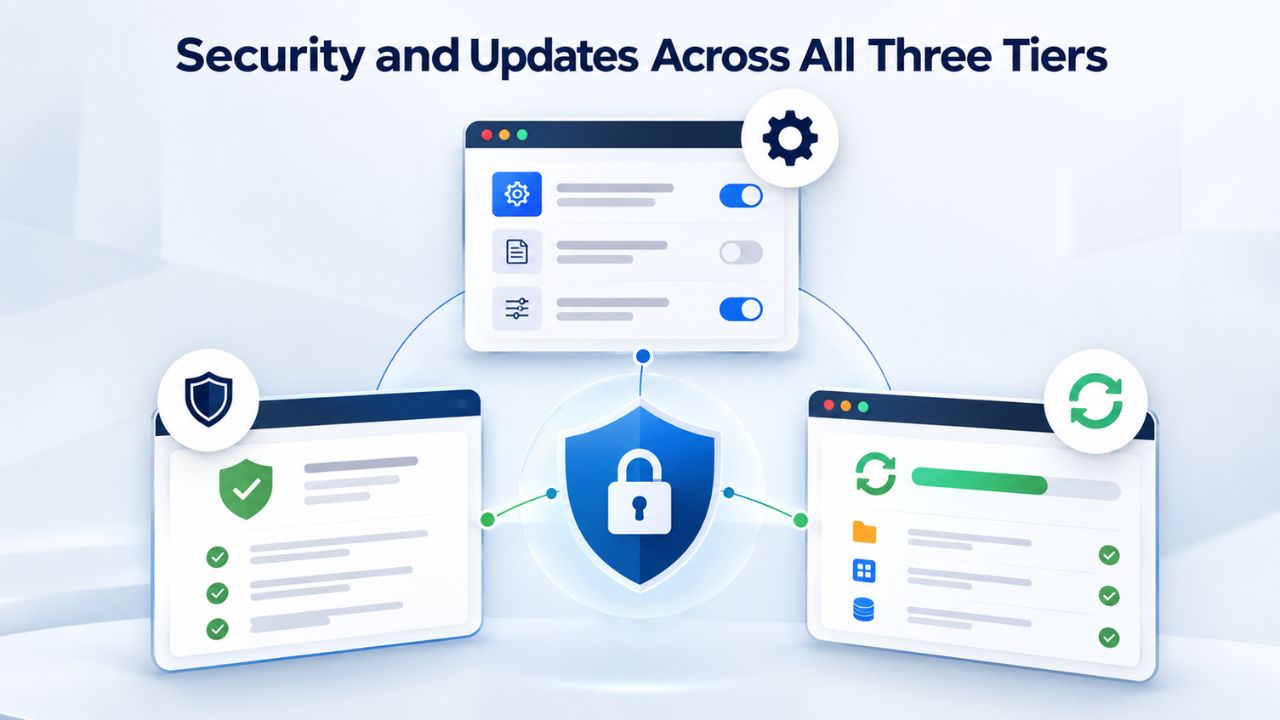
Security and Updates Across All Three Tiers
Security responsibilities differ across the three tiers. Understanding this division is critical to securing your website properly.
Shared Hosting Security Model & Baseline Protection
On Shared hosting, the provider automatically patches the operating system, web server software (Apache or Nginx), PHP, and database server (MySQL). You are responsible for your site’s code, installed plugins, theme updates, and administrative passwords. The security model is clearly divided: the provider maintains the foundation; you maintain your application. This arrangement works because each party controls what they can directly influence.
Shared hosting includes baseline security protections: a firewall blocking unauthorized access, DDoS protection mitigating volume-based attacks, and intrusion detection monitoring for suspicious activity. Your account isolation is enforced through the file system (your files are accessible only to your user account) and process isolation (other sites’ PHP processes cannot access your database credentials). Security is a shared responsibility: a provider can implement strong infrastructure security, but weak passwords, outdated plugins, or poor password habits can still leave your site vulnerable regardless of host security.
VPS & Dedicated: Operating System Patching Becomes Your Responsibility
On VPS and Dedicated, you inherit operating system security. The provider no longer automatically patches the OS kernel, system libraries, or core services; you must monitor announcements, download patches, and apply them yourself. If you don’t patch, attackers can exploit known vulnerabilities. This is the single largest security responsibility difference between Shared and VPS/Dedicated. For many organizations, this shift justifies paying for managed hosting where the provider handles OS patching.
However, VPS and Dedicated grant you direct control over security hardening. You can install a firewall directly on the server and configure it to your specifications, install intrusion detection software, disable unnecessary services, and implement security configurations tailored to your application. Many VPS/Dedicated customers implement stricter security than Shared allows, and the responsibility-to-control tradeoff is worthwhile. Managed VPS and Managed Dedicated reduce OS-level burden by patching the operating system. However, you still own application security: your site’s code, third-party software you’ve installed, SSH key management, and backup strategy. Reference OWASP Web Application Security for baseline hardening principles applicable to all tiers.
Ready to Choose Your Hosting Tier?
Choosing the right hosting tier depends on where your site stands today and where you expect it to grow. Niya Digital offers Shared, VPS, and Dedicated Web Hosting plans, each designed for different stages of website maturity. Explore Niya Digital’s hosting tiers to find the option that fits your needs, and get personalized guidance on when to upgrade as your site scales.
Scaling and Growth Path: When to Upgrade Between Tiers
Most websites follow a predictable growth arc: they start on Shared, outgrow it, move to VPS, and some eventually move to Dedicated or cloud infrastructure. Understanding the triggers for each upgrade helps you avoid premature scaling costs and prevents performance crises.
When to Upgrade from Shared to VPS Web Hosting
You are likely outgrowing shared hosting when you experience any of the following: your site regularly exceeds 15,000 to 20,000 monthly visitors, page load times are visibly slow during traffic spikes even though your code is optimized, you’ve hit your plan’s storage or bandwidth cap and require frequent upgrades, you need to run custom software your shared control panel doesn’t support, or you need root-level access to optimize your server environment.
The cost difference is real: shared hosting renewal typically costs $10 to $30 per month, while VPS typically costs $40 to $100+ per month depending on resources. However, the performance and control gains are substantial. Many site owners delay upgrading because of cost. Still, once traffic or complexity exceeds shared hosting’s capabilities, the upgrade frequently resolves long-standing performance issues that frustrate visitors and hurt conversion rates. Most providers support seamless migration: your domain, files, databases, and email accounts move from shared to VPS automatically, usually with less than one hour of downtime.
When to Upgrade from VPS to Dedicated Server Hosting
VPS remains viable even for quite large sites; traffic alone is not the trigger. You are likely ready for Dedicated when your site consistently exceeds 100,000 monthly visitors, you operate mission-critical infrastructure where downtime costs money, you host multiple client sites and want to consolidate infrastructure, your application demands significant CPU or requires specific OS configurations you cannot achieve on VPS, or you’ve hit VPS resource limits and optimization efforts are exhausted.
The cost increase from VPS to Dedicated is steeper: VPS typically costs $50 to $150 per month, while Dedicated ranges from $150 to several hundred dollars monthly depending on hardware. This significant increase usually means the upgrade is driven by business success: your traffic has grown enough to justify the investment, or you operate infrastructure for multiple customers. For many organizations, this upgrade decision is clear once traffic reaches these levels; the business case is obvious.
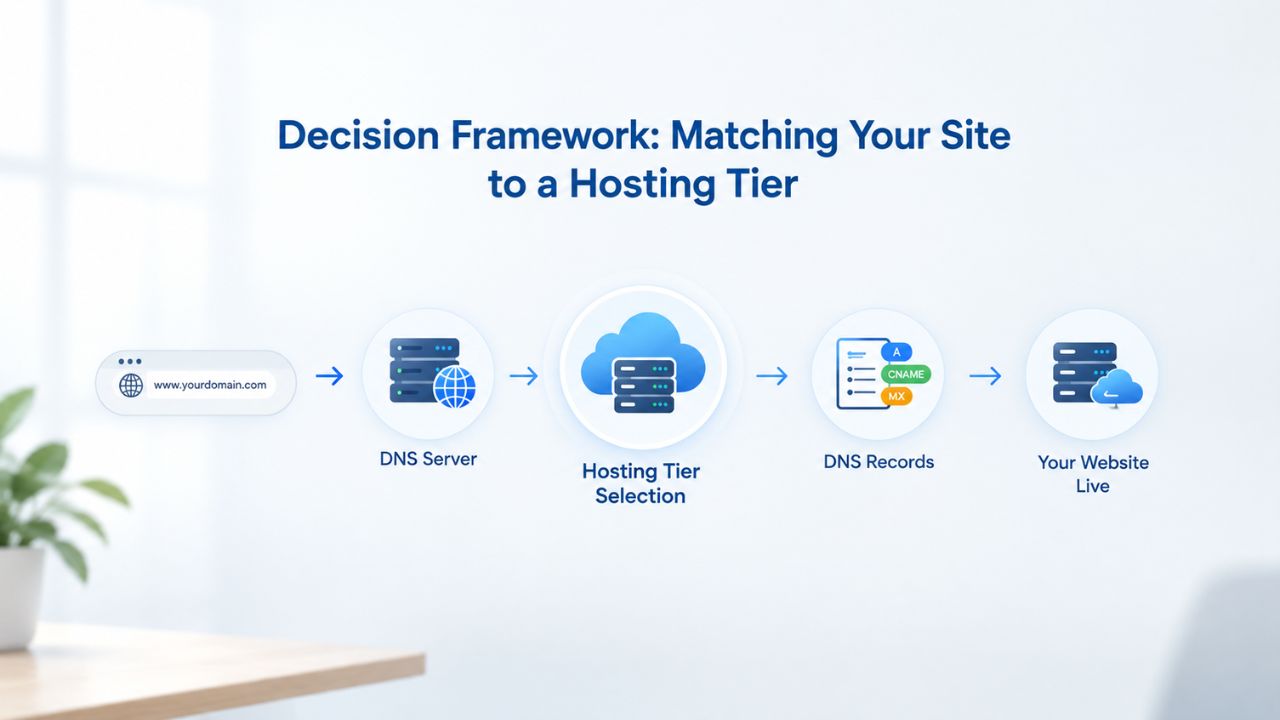
Decision Framework: Matching Your Site to a Hosting Tier
Selection becomes straightforward once you map your use case, traffic, and technical capabilities to the appropriate tier. Most websites fall into distinct categories, each with a clear best-fit solution.
Small Blogs, Portfolios, Personal Sites & Starting Out
If you are launching a personal blog, professional portfolio, or personal brand site, Shared hosting is the obvious choice. Your site likely gets 1,000 to 5,000 monthly visitors; you don’t need custom server software; and you want minimal cost and complexity. Shared Web Hosting provides a control panel, domain management, email hosting, and one-click WordPress installation. You focus on creating quality content; the provider handles infrastructure, server management, security patching, and maintenance. If your blog grows to 20,000 visitors and starts showing performance issues, you can upgrade to a VPS without losing data or domain.
Content-focused websites benefit from Shared hosting’s simplicity. A well-optimized WordPress blog with quality caching can serve 10,000+ monthly visitors on Shared hosting without performance problems. The decision to upgrade comes when you actually hit real resource constraints, typically when CPU usage during traffic spikes noticeably slows the site, not when you theoretically anticipate needing more. Starting small on Shared hosting and upgrading only when necessary keeps early costs low and lets you invest site revenue into content and marketing.
Small Business Sites & Growing E-Commerce Stores
Small business websites and online e-commerce stores serving fewer than 10,000 to 20,000 monthly visitors often fit well on Shared hosting, especially if you use standard platforms like WordPress with WooCommerce or pre-built e-commerce software. Resource allocation is sufficient, costs are low, and support is comprehensive. If your business sells in volume or expects traffic to climb rapidly, VPS is the safer choice. Guaranteed resources help your store maintain strong performance during flash sales, holiday spikes, or viral marketing campaigns.
VPS also provides more control over customizations, third-party integrations, and unique business requirements. Small business owners frequently discover that moving to VPS at 15,000 to 20,000 monthly visitors prevents slow-performance complaints that damage reputation and hurt conversion rates. The mid-tier cost increase is usually modest relative to business revenue, and performance improvements often translate directly into customer satisfaction and retention gains.
Website Hosting Tier Selection Guide
| Scenario / Business Need | Recommended Starting Tier | When to Upgrade | Key Consideration |
|---|---|---|---|
| Personal blog or portfolio | Shared Hosting | If pages slow during traffic spikes (15k–20k+ visitors/month) | Low cost, no maintenance required |
| Small business website | Shared Hosting → VPS | After 10k–20k monthly visitors or if custom features are needed | Balance cost with growth expectations |
| E-commerce store (starter) | Shared Hosting or VPS | When traffic exceeds 20k monthly visitors or during seasonal spikes | Performance during sales is critical; VPS is safer if rapid growth is expected |
| Custom web application | VPS | When you exceed CPU/memory limits or need more customization | Root access necessary from start |
| Web agency (multiple client sites) | Dedicated Server or VPS | Move to Dedicated once managing 20+ client sites | Consolidation saves costs and improves control |
| Mission-critical application | Dedicated Server | N/A, start here due to reliability needs | Uptime and performance are business-critical |
| High-traffic site (100k+ monthly visitors) | Dedicated Server or Cloud | N/A, Dedicated or cloud needed at launch | Standard infrastructure for this traffic level |
| Development/testing environment | Shared Hosting or VPS | Move to production tier when launching live | Low-cost way to build before going live |
Technical Requirements and Application Needs
Different applications have different hosting requirements. Understanding your site’s technology stack helps you select the right tier from the start.
Developers & Custom Web Applications
If you are deploying a custom web application, a specific framework (Node.js, Django, Ruby on Rails, Flask), or any software not supported by shared hosting’s control panel, VPS is the logical starting point. Root access gives you the ability to install exactly what you need, and the cost is reasonable, typically $40 to $100 per month, relative to the flexibility and control you gain. Developers appreciate VPS for the autonomy: you are not constrained by what a shared control panel offers.
VPS also makes sense if you need a staging environment separate from your live website to test new features or major updates before production. You can also run background jobs (cron tasks, scheduled reports, data processing) that shared hosting limits or forbids. The technical skills required for VPS management are modest for developers comfortable with command-line tools; for non-developers, managed VPS services bridge the gap by handling OS administration while you focus on application code.
High-Traffic Sites, Agencies & Mission-Critical Infrastructure
High-traffic websites consistently exceeding 100,000 monthly visitors almost always need dedicated server infrastructure. Mission-critical applications where extended downtime would cost significant money, websites hosting multiple customer sites (web agencies consolidating client infrastructure), and revenue-dependent operations all justify the cost and management complexity. The performance isolation and resource availability support these demanding use cases.
Web agencies benefit substantially from consolidating many client websites onto one Dedicated server; the infrastructure cost per client site decreases dramatically, and you maintain full control over performance, security, and customization for each client. E-commerce companies with millions in annual revenue typically run on Dedicated infrastructure or cloud platforms, because performance degradation or unplanned downtime directly translates into lost revenue. For these operations, Dedicated hosting is a necessary business investment, not an optional luxury.
Scaling Without Crisis: Planning Your Growth
Scaling does not have to be stressful or surprise you with performance problems. Most reputable providers support straightforward tier migrations with minimal disruption.

Cost-Benefit of Each Upgrade
Each upgrade trades higher cost for performance, control, and isolation. Shared to VPS often delivers the biggest perceived gain: your site stops slowing during traffic spikes, and performance-sensitive metrics like page load time and SEO rankings often improve noticeably. VPS to Dedicated delivers continued performance gains and full isolation, but it often costs more without a dramatic performance leap unless your workload truly needs it. Evaluate each upgrade based on whether it solves a current problem or prepares you for foreseeable growth.
Most hosting providers, including Niya Digital, support seamless migration: your domain, files, databases, and email accounts move between tiers automatically, usually with minimal downtime (often well under one hour with proper procedures). Plan by monitoring your site’s resource usage, leaving headroom in your current plan, and upgrading proactively as growth approaches your tier’s limits. This prevents sudden performance problems that can surprise you and disappoint visitors.
Realistic Growth Expectations and Long-Term Planning
Shared hosting can reliably host a small website for five to ten years without requiring an upgrade. Growth is healthy, and millions of successful websites have followed the path from Shared to VPS to Dedicated. Each upgrade delivers genuine performance gains and expanded control; each is justified by real growth in traffic or functionality, not speculation. Starting conservatively on Shared hosting and upgrading only when you actually need to keeps early costs low. It allows you to invest site revenue into the site itself, content creation, marketing, and features, rather than unnecessary infrastructure.
Understanding this growth path means you can start small with confidence. You will not outgrow your hosting tier without warning; you will notice performance degradation, monitor your resource usage, and upgrade deliberately. This approach lets you prove your business model before investing heavily in infrastructure, and maximizes the return on your hosting investment at each stage of growth.
Management, Support & Ongoing Responsibilities
Every hosting tier comes with ongoing responsibilities beyond the initial setup and configuration. Understanding what managing each tier actually looks like helps you choose based not just on initial cost, but on the workload and expertise you’ll need to maintain your site long-term. Support quality, help availability when problems arise, and the day-to-day management burden are critical factors many site owners overlook when comparing tiers.
Management Responsibilities and Support Levels by Tier
On Shared hosting, your management responsibilities are minimal and focused entirely on your website’s content and functionality. The hosting provider’s support team handles server problems, infrastructure issues, software updates, security patches, and system crashes. When something breaks at the infrastructure level, you contact support, and they fix it. This support model is typically ticket-based, with response times ranging from hours to a day depending on the plan and provider. Many shared hosting plans include phone support during business hours and 24/7 knowledge base articles.
You manage your WordPress plugins, theme updates, database optimization, and website security practices, but the provider handles everything below the application layer. VPS support changes significantly. The provider still responds to infrastructure-level issues on the physical server and the virtualization layer, but you now own OS-level problems. If your server runs out of disk space, needs an OS security patch, or a service crashes, you must either handle it yourself or pay for managed services.
Many VPS providers offer support with response times similar to shared hosting, but they expect you to handle certain responsibilities yourself. Some providers offer managed VPS support that includes OS patching and monitoring, similar to shared hosting support, but you typically pay more for this convenience. The support boundary is clear: the provider supports the virtualization and hardware; you support (or manage support for) the OS and everything above.
Planning for Ongoing Maintenance and Monitoring
On Dedicated servers, you are largely responsible for everything except the physical hardware and network infrastructure. The provider responds to hardware failures, network issues, and power problems, but you handle OS crashes, failed services, security vulnerabilities, disk space issues, and your backup strategy. Some providers offer managed Dedicated services that include OS monitoring and patching, similar to managed VPS, but the basic expectation is that you manage the server, either with in-house expertise or by hiring a system administrator or managed services provider. Support response times tend to be excellent for infrastructure issues (hardware failures warrant immediate attention), but that support is for the physical layer, not your applications.
Planning for ongoing maintenance means understanding these responsibility boundaries before you commit to a tier. If you don’t have the technical staff or budget for managed services, shared hosting is the practical choice; you get 24/7 support for any server-level problem. If you have basic Linux knowledge and can handle OS updates yourself, VPS is manageable without additional support. If you lack technical expertise and need Dedicated hosting, budget for either an in-house systems administrator or a managed Dedicated service; attempting to manage a Dedicated server without expertise leads to security vulnerabilities, missed updates, and unexpected crashes.
Choose Your Hosting Tier Today
Your website’s growth depends on your business, audience, and technical requirements. Niya Digital’s Web Hosting service spans Shared, VPS, and Dedicated tiers, each configured for different site maturity levels. It includes expert migration support to move your site between tiers as your needs evolve. Contact Niya Digital to discuss which hosting tier best fits your current needs and plan your growth path.
Frequently Asked Questions
What exactly is a Virtual Private Server (VPS), and how does it differ from shared hosting?
A VPS is a virtual machine on a shared physical server, isolated from other customers through virtualization technology. You receive guaranteed CPU cores, RAM, and storage that no other customer can consume, plus root administrative access to configure the server as you wish. VPS differs from shared hosting in resource isolation (others cannot steal your resources), control level (you manage the OS), and responsibility (you handle security patches). The middle-ground cost and control make VPS suitable for growing websites that have outgrown shared hosting.
Is shared hosting secure, or is my site at risk from other websites on the same server?
Shared hosting is genuinely secure if configured correctly. The provider patches the server OS and core software; you secure your site’s code and administrator passwords. Security is shared responsibility. Shared hosting includes baseline firewalls, DDoS protection, and file-system isolation. The primary risk is your own weak passwords, outdated plugins with vulnerabilities, or poor security practices, not the shared architecture itself. File-system isolation prevents other sites from accessing your data.
How much traffic can a shared hosting plan handle before performance becomes a problem?
Most shared hosting plans handle 5,000 to 20,000 monthly visitors comfortably. Above 20,000 visitors, resource limits, especially CPU during peak traffic, often cause noticeable slowdowns. This depends heavily on your site’s code efficiency and caching strategy. A well-optimized WordPress site with proper caching can handle significantly more; a poorly optimized site might max out earlier. Monitor your site’s page load times; if pages slow during traffic spikes, upgrade to a VPS.
Do I need root access to my server? Is that a reason to choose VPS?
You need root access only if you need to install custom server software, compile code, modify kernel parameters, or run services your shared control panel doesn’t support. If you use WordPress, Drupal, or pre-built platforms, shared hosting’s control panel is sufficient. VPS is worth the cost increase only if your application or performance optimization truly requires it. Do not upgrade just for the option of root access if you will not use it.
What is the difference between managed VPS and unmanaged VPS hosting?
Managed VPS: the provider patches the OS, monitors infrastructure health, and handles routine maintenance; you manage your website and applications. Unmanaged VPS: you manage everything, including OS updates, patches, monitoring, backups, and security hardening. Managed VPS costs more but saves time and requires less expertise; unmanaged VPS is cheaper but demands command-line skills or hiring a system administrator. Choose managed VPS if you lack server expertise; choose unmanaged if you have skills and want to minimize costs.
How much does Dedicated server hosting typically cost, and what factors affect pricing?
Dedicated servers vary in cost based on CPU cores, RAM amount, storage type and capacity, network interface speed, and whether management services are included. Many providers offer flexible monthly or annual billing; annual commitments often include discounts. Costs vary significantly across providers and configurations. Request custom quotes from providers for accurate pricing information specific to your needs.
Can I upgrade from shared hosting to VPS without losing my website, domain, or experiencing extended downtime?
Yes, absolutely. Hosting providers support migrations: your domain, files, databases, and email accounts move from shared to VPS automatically. Migrations typically result in under one hour of downtime, often much less. Plan the migration with your provider’s support team; do not attempt it yourself unless you have hands-on database and server experience. Migration is routine for professional hosting companies.
What is the meaningful difference between a Dedicated Server and cloud hosting services?
Dedicated Server: one physical machine assigned to you, fixed hardware specs, you manage it or pay for management, predictable monthly costs. Cloud hosting: virtual servers on shared cloud infrastructure, resources scale up or down as needed, pay-as-you-go pricing. Dedicated offers cost predictability and straightforward management; cloud offers flexibility and efficiency for variable workloads. For consistent, predictable traffic, Dedicated is simpler; for variable traffic, cloud is more cost-efficient.
Do I need to manage website backups on shared hosting, or does the provider handle them?
Shared hosting providers typically include automated backups, usually daily or weekly, depending on the plan and provider. However, confirm your provider’s specific backup retention policy and test restore procedures before disaster strikes. Additionally, maintain your own backups independently; use plugins like UpdraftPlus for WordPress. Never rely solely on the provider’s backups; redundancy is essential for data security.
Will my site automatically be faster if I move to a Dedicated Server?
Not automatically, no. Site speed depends on code efficiency, caching strategy, database optimization, content delivery networks, visitor location, and browser caching, not just server type. A poorly coded WordPress site on Dedicated can be slower than a well-optimized site on VPS. That said, Dedicated hosting removes resource contention, so given equal code quality, Dedicated usually performs better, particularly for high-traffic or CPU-intensive applications.
What level of technical skill do I need to manage each hosting tier?
Shared hosting: no technical skills required; use the graphical control panel. VPS (managed): basic Linux familiarity helpful but not required. VPS (unmanaged): command-line knowledge essential; systems administration experience valuable. Dedicated Server (managed): operational knowledge of your application; systems administration not required. Dedicated Server (unmanaged): deep systems administration skills required or hire professional support. Managed services reduce skill requirements at any tier.
Can I host multiple websites on a single Dedicated Server, and is that a good idea?
Yes, absolutely. A Dedicated Server runs a full operating system and web server; you can host dozens, hundreds, or thousands of websites on it, limited only by storage and bandwidth. Many agencies and resellers consolidate all client websites on one Dedicated server, maximizing infrastructure investment and centralizing management. This approach makes economic sense for multiple websites.
Is “unlimited bandwidth” on shared hosting truly unlimited, or is there a hidden cap?
No, it is not truly unlimited. “Unlimited bandwidth” on shared hosting includes an undisclosed per-account threshold or soft limit; if your account consumes abnormally high bandwidth, the provider will contact you, throttle performance, or require an upgrade. VPS and Dedicated “unlimited bandwidth” means you can use the full server’s bandwidth capacity without a per-account cap. Read your provider’s terms of service for specifics.
How long does it typically take to set up and activate each hosting tier?
Shared hosting: 15 minutes to 2 hours; automated provisioning makes it fast. VPS: 15 minutes to 4 hours, automated plus some manual steps. Dedicated Server: 24 to 48 hours, hardware configuration, OS installation, and custom setup. Actual times vary by provider, demand, and customization requests. Once provisioned, you typically start uploading files and configuring immediately.
What should I do if I outgrow my current VPS and need more resources?
Monitor your VPS’s CPU usage, memory consumption, and disk space regularly using control panel tools. As you approach limits, you can upgrade your VPS plan to larger resources (more CPU and RAM on the same server) or migrate to a Dedicated Server. Most providers support in-place upgrades or assisted migrations with minimal downtime. Plan instead of waiting until you’re maxed out.
Glossary
- Bandwidth: The total amount of data, measured in gigabytes or terabytes, that can transfer between your hosted website and visitors’ browsers during a specified period, usually one month. Once consumed, it resets at the beginning of the next billing period.
- Control Panel: A web-based graphical interface (such as cPanel or Plesk) allowing you to manage your hosting account without technical knowledge: create email accounts, set up databases, install applications, manage domain settings and DNS, and upload website files.
- Managed Hosting: A service model where the provider handles operating system updates, security patches, routine maintenance, basic monitoring, and infrastructure-level support. You manage website content and applications; the provider manages the underlying server.
- Root Access: Full administrative-level control over a server’s operating system and all installed software. Root access allows you to install custom software, modify system-level configurations, and manage low-level server settings. Available on VPS and Dedicated; not available on shared hosting.
- Scalability: The ability to increase your server’s resources, storage capacity, bandwidth allocation, CPU processing power, and RAM, as your website traffic grows and technical demands increase, typically without losing data or significant downtime.
- Shared Hosting: A hosting model where multiple customer websites run on a single physical server, sharing that server’s resources in allocated portions. The provider manages the server; customers manage their websites.
- Uptime SLA: A Service Level Agreement specifying the percentage of time a provider guarantees service will be operational; for example, 99.9% uptime means no more than about 43 minutes of downtime per month on average.
- Virtual Private Server (VPS): A virtual machine on a shared physical server, isolated from other customers through virtualization technology. A VPS provides guaranteed resource allocation, root administrative access, and customer responsibility for OS management.


