

What Is Reseller Web Hosting & How Does It Work?
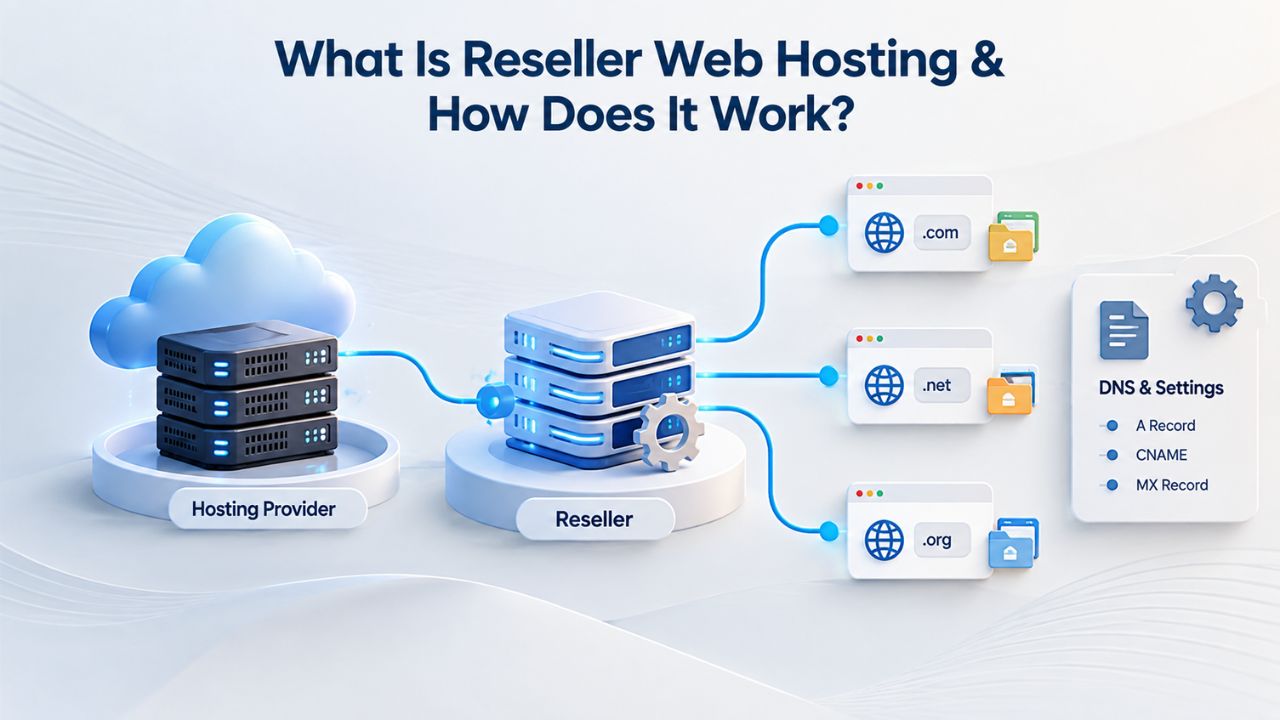
Reseller hosting is a business model in which you buy hosting resources in bulk from a provider and resell smaller allocations to your clients under your own brand. You act as an intermediary, managing your clients’ accounts while the hosting provider handles the underlying server infrastructure. This model has grown substantially because it removes the major barrier of building your own data center infrastructure while still letting you run your own branded hosting business.
The Core Reseller Model
Reseller hosting lets individuals and companies buy a large hosting plan from a provider and split it into smaller plans to resell to customers. You provide first-line customer support and billing while the hosting provider manages server maintenance, hardware replacements, security patching, and backend infrastructure. This division of labor lets you focus on customer relationships and business growth instead of managing physical servers or worrying about data center operations. You control what you charge each client and how you position the service; it becomes your offering, branded exactly how you choose, without your clients ever knowing about your upstream provider.
Unlike shared hosting, where unrelated customers share the same server and you have no control over the environment, reseller hosting gives you your own resource allocation for the duration of your plan. You can subdivide this into separate client accounts, so your clients’ sites run in isolated spaces you manage. This separation matters significantly for both customer experience and liability. One client’s misconfiguration or resource overuse won’t affect another client’s site reliability, and you maintain a clear picture of who has access to what resources at all times.
White-Label & Control Panel Access
A reseller typically receives access to a professional-grade control panel, usually cPanel, Plesk, or a custom interface, that lets you create independent hosting accounts for each of your clients. Each client receives their own login credentials, resource limits, domain management dashboard, and email configuration tools. Your control panel becomes the interface between you and your customers. Many resellers customize the control panel’s appearance and branding with their own logos and company colors, so clients never see the underlying provider’s name or branding elements. The control panel is where you’ll spend most of your operational time, creating accounts, managing resources, handling support issues, and monitoring usage.
This structure creates a genuine business separation between you and your upstream provider. You manage the reseller account relationship and billing with the provider. Your clients manage only their own individual accounts within the system. As your business grows, you can create additional staff accounts with limited permissions, letting team members help clients with specific tasks without giving them access to your entire reseller account or allowing them to see other clients’ information. This granular permission system scales well as you add support staff or delegate specific responsibilities.
Business Web Hosting Plans & Pricing
Choose the hosting plan that fits your website, WordPress site, or growing business. Compare features, storage, performance, security, and website capacity to find the right hosting environment for your needs.
cPanel Starter
cPanel Hosting that's easy, reliable and lightning-fast.
- 1 website
- 30 GB storage
- Unmetered bandwidth*

cPanel Economy
cPanel Hosting that's easy, reliable and lightning-fast.
- 1 website
- 100 GB space
- Unlimited bandwidth*
- 100 email accounts**
- 10 MySQL databases (1 GB ea.)
cPanel Deluxe
cPanel Hosting that's easy, reliable and lightning-fast.
- Unlimited websites
- Unlimited space
- Unlimited bandwidth*
- 500 email accounts
- 25 MySQL databases (1 GB ea.)
cPanel Ultimate
cPanel Hosting that's easy, reliable and lightning-fast.
- Unlimited websites
- Unlimited space
- Unlimited bandwidth*
- 1000 email accounts
- Unlimited MySQL databases (1 GB ea.)
- 2X Processing power & memory (available for Linux/cPanel only)
- Premium DNS
- 1-year SSL certificate to secure customer data and increase search rankings
*We don't limit the amount of storage and bandwidth your site can use as long as it complies with our Hosting Agreement. Should your website bandwidth or storage usage present a risk to the stability, performance or uptime of our servers, we will notify you via email and may be required to upgrade, or we may restrict the resources your website is using.
**Email account storage is limited to 100 email accounts with 100 MB of total storage.
WordPress Basic
A great way to get started.
- 1 website
- 10 GB NVMe storage
- Unmetered bandwidth
- Free SSL Certificate *
- WordPress pre-installed
- Weekly backups
- Web Application Firewall
- Daily malware scans
- One-time malware removal

WordPress Deluxe
Improve your site performance with Cloudflare CDN.
- 1 website
- 20 GB NVMe storage
- Unmetered bandwidth
- Free SSL Certificate *
- WordPress pre-installed
- Daily backups
- Web Application Firewall
- Daily malware scans
- One-time malware removal
- Up to 2x faster performance with global Cloudflare CDN **
- Enhanced security with DDoS protection
- Staging site
WordPress Ultimate
Add online marketing with more sites, storage and security.
- 1 website
- 30 GB NVMe storage
- Unmetered bandwidth
- Free SSL Certificate *
- WordPress pre-installed
- Daily + on-demand backups
- Web Application Firewall
- Daily malware scans
- Unlimited malware removal
- Up to 2x faster performance with global Cloudflare CDN **
- Enhanced security with DDoS protection
- Staging site
- WordPress code optimizer
- Smart WordPress plugin manager
- Sell online with WooCommerce
*An SSL certificate is included with every site and free for the life of the hosting plan. Certificates are automatically installed, validated and renewed.
Web Hosting Plus Launch
For multiple basic sites.
- 100 GB storage*
- 4 GB RAM
- 2 CPUs
- Unmetered traffic
- 50 websites & databases
- Free, unlimited SSL for all your websites**

Web Hosting Plus Enhance
For high-traffic WordPress, Joomla, and other sites.
- 200 GB storage*
- 8 GB RAM
- 4 CPUs
- Unmetered traffic
- 100 websites & databases
- Free, unlimited SSL for all your websites**
Web Hosting Plus Grow
For advanced eCommerce sites like Magento.
- 300 GB storage*
- 16 GB RAM
- 8 CPUs
- Unmetered traffic
- 150 websites & databases
- Free, unlimited SSL for all your websites**
Web Hosting Plus Expand
For multiple basic sites.
- 400 GB storage*
- 32 GB RAM
- 16 CPUs
- Unmetered traffic
- 200 websites & databases
- Free, unlimited SSL for all your websites**
*The total amount of usable storage capacity for your particular Hosting Service(s) may differ from the represented capacity as there is required space for the operating system(s), system file(s) and other supporting file(s).
**If you cancel the Web Hosting Plus product, you will lose the associated SSL certificate as well.
Who Actually Chooses Reseller Hosting?
Reseller hosting works best for businesses with an existing customer base or a clear, documented path to acquiring one. The model succeeds when you already serve clients in a way that hosting naturally fits into your value proposition. Without existing relationships or a realistic customer acquisition strategy, reseller hosting becomes a cash drain rather than a revenue source. The businesses that thrive with reseller hosting tend to have built something else first, a service, reputation, or audience, and then add hosting as a natural extension.
Agencies & Freelance Web Professionals
Digital agencies, web design and development freelancers, and marketing firms have found reseller hosting a natural fit for generating ongoing revenue from client relationships. If you run a web development business or digital agency, reseller hosting can be an integral part of a profit-boosting strategy. When you’re already building websites for clients, offering white-label hosting as part of your bundled service keeps clients coming back to you month after month. Project work is often feast-or-famine: a big project lands, then nothing for weeks, but hosting revenue arrives predictably every month, smoothing income volatility and building a more stable business foundation.
The “sticky” nature of hosting means clients renew subscriptions automatically or semi-automatically, creating predictable recurring revenue. An agency that designs a website for a one-time fee of $2,500 can add $30–50 per month of hosting revenue indefinitely. Multiply that across 10, 20, or 50 clients, and hosting becomes a substantial portion of your business. This recurring revenue transforms your business model from project-based (feast or famine, high sales effort) to subscription-based (predictable revenue, lower acquisition cost per dollar earned over time).
Small Business Entrepreneurs & Niche Resellers
E-commerce consultants, WordPress theme developers, service providers, and online business coaches sometimes launch hosting as a standalone offering or bundle it with their core services to create a more complete value proposition. Web hosting business demand continues to rise as more businesses go online to expand their reach and remain competitive. If you already have an audience, blog readers, course students, email subscribers, or social media followers, reseller hosting becomes a natural product to offer them without much extra marketing effort. They already trust you, so introducing hosting as a service feels like a logical next step.
Some entrepreneurs build their entire business around reseller hosting, offering white-label hosting plus professional setup services, migrations, security hardening, or ongoing maintenance. Others treat hosting as a secondary revenue stream that enhances their main offering without requiring significant sales effort or competing for your attention with your primary business. Both approaches work; the difference is scale and ambition. Many successful resellers started with hosting as a side offering, grew a strong customer base, then eventually hired staff to run the hosting business. At the same time, they focused on client acquisition and strategic growth.
Key Decision Factors Before Choosing Reseller Hosting
Deciding whether reseller hosting is right for you requires brutal honesty about several operational and financial realities. Many people are attracted to reseller hosting because it sounds passive: set it up, get recurring revenue with minimal work. The reality is more nuanced. Reseller hosting is more passive than running your own servers but significantly more active than pure product-based income. You’ll support clients, manage accounts, handle occasional technical issues, and deal with the unexpected. Before you sign up, make sure you understand what you’re actually committing to.
The Pricing & Margin Reality
A reseller plan costs a fixed monthly or annual fee based on the resource allocation you need. You then set your own retail prices and keep the difference as profit. Sustainability depends on attracting enough clients and pricing those accounts high enough to cover your costs and time while still leaving you a profit margin. Many new resellers dramatically underestimate how much time supporting clients actually takes or how much they need to charge to make the business worthwhile.
Reseller hosting appeals to entrepreneurs because it’s an affordable way to start a hosting business without investing in expensive server infrastructure. However, many new resellers underprice to compete, cutting their margins to unsustainable levels. The mistake usually looks like this: you pay a certain amount per month for your reseller plan, then you charge clients significantly less than that per account, figuring you’ll make it up with volume.
The problem is that volume alone doesn’t make the math work. If your base reseller plan costs $50 per month and you’re selling client hosting for $20 per month, you need at least three clients to break even on the plan cost, and you haven’t accounted for your time, payment processing fees, or business overhead. Sustainable reseller businesses typically charge $25–75 or more per client monthly, or they bundle hosting with additional value-added services (setup, migration assistance, ongoing maintenance, security hardening) that justify premium pricing.
Support Responsibility & Technical Readiness
As a reseller, you are your clients’ first-line support contact. When a client can’t access their email, can’t upload files to their account, their website is running slowly, or they’ve misconfigured their DNS settings and their domain isn’t resolving, they contact you. The hosting provider (GoDaddy, in Niya Digital’s case) provides backend infrastructure support, but a gap exists between your clients and that provider; you bridge it, either by solving issues yourself or by escalating them efficiently. You must either develop hands-on technical knowledge or maintain a fast, professional escalation path to the provider’s support team while keeping your client informed.
This requires either hands-on technical knowledge (how to navigate a control panel, what DNS actually does, basic email configuration, how to create and manage databases, common WordPress issues) or the budget to hire support staff who have that knowledge. Resellers without hosting knowledge and support capacity often struggle. They get a reputation for poor support, even if the underlying provider’s infrastructure is rock-solid.
Clients get frustrated because the reseller doesn’t know how to help, and communication breaks down. Planning your support capacity before launch is critical to long-term success. If you plan to handle support yourself, invest time upfront learning your control panel and basic hosting concepts. If you plan to hire support staff, build that cost into your business plan and make sure your pricing will support those salaries.
Common Pitfalls & How to Avoid Them
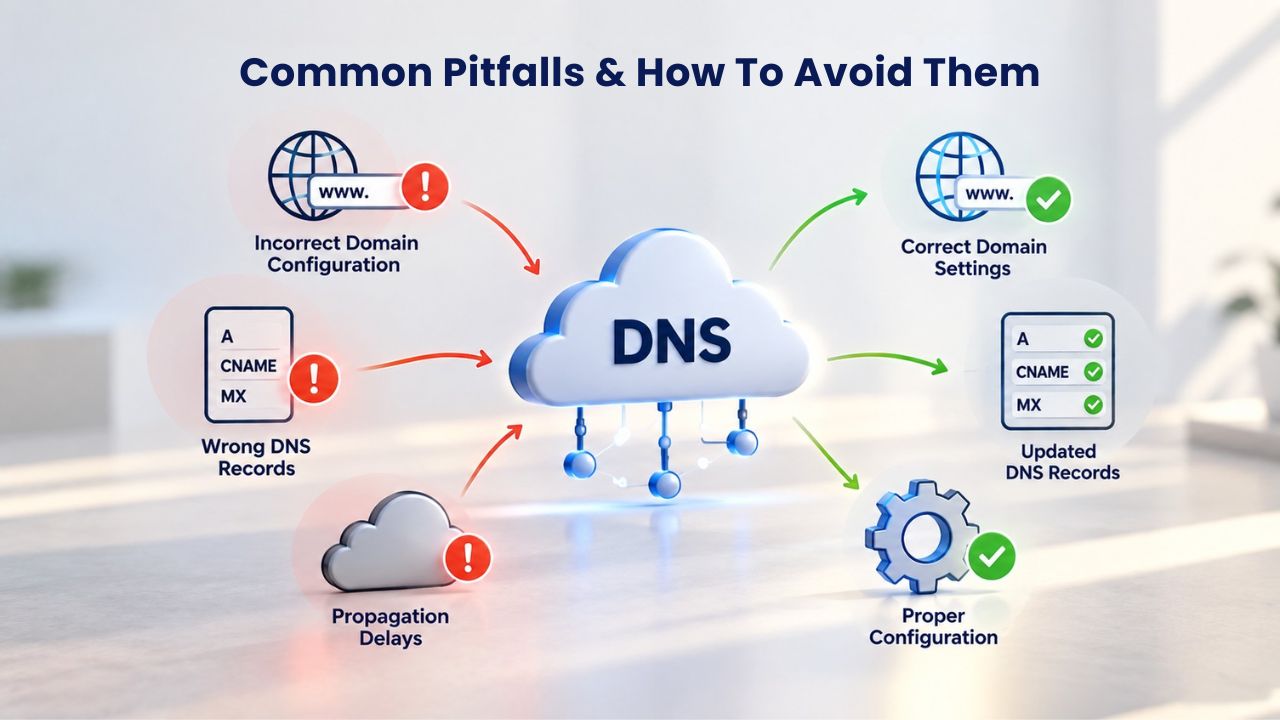
Understanding realistic expectations and common mistakes that derail reseller hosting businesses helps you position your offering as a sustainable revenue stream, not quick money that falls apart after six months. Learning from others’ failures is much cheaper than learning from your own. The patterns are consistent enough that you can avoid most of the major pitfalls if you go in with your eyes open.
Underpricing & Unsustainable Margins
The single most common mistake resellers make is pricing client accounts too low. The reasoning is usually sound on the surface: “If I charge less than the big competitors, I can grab market share quickly and build a customer base.” The problem is that this strategy only works if you actually have enough volume to justify the low margin. If your reseller plan costs $50 per month and you’re selling client hosting for $10 per month, you lose money on every sale until you hit five clients. Then maybe you break even.
Then, with six or seven clients, you might start making a tiny profit. But here’s the reality: acquiring each of those five to seven clients takes time, effort, and money. You’re probably spending 5–15 hours per month supporting each client after they’re onboarded. At $10 per month per client, that support time is practically free.
Real sustainability requires pricing that genuinely covers your costs, your support time, and profit. Many successful resellers charge $25–75 or more per client monthly and position their offering as “managed hosting” or “agency hosting packages” that include professional setup, free SSL certificates, domain management, email setup, automated backups, and priority support. The bundling justifies higher pricing because clients see they’re getting services, not just a cheap hosting account. They compare you to managed hosting services at the same price rather than the cheapest commodity hosting on the market.
Weak Client Acquisition Strategy
Reseller hosting profitability depends fundamentally on having enough clients to justify the fixed cost of your reseller plan. A common mistake is launching a reseller offering without a realistic path to customers. You might have a list of 10 past clients from freelance work, but past clients without an ongoing relationship won’t automatically buy hosting from you just because you’re now offering it.
Activating them requires sales effort and relationship rebuilding. You have to reach out, explain why hosting matters to them, remind them of the value of working with someone they trust, and overcome objections about switching providers or changing their current setup. Successful reseller businesses typically grow hosting revenue from an existing service offering. An agency has its web-design clients and naturally adds hosting to that relationship. A consultant offers hosting to current coaching or consulting students. A developer offers it to users of their SaaS product. In each case, an existing relationship and mutual trust matter.
Alternatively, some resellers invest in marketing to build customer acquisition before or alongside launching reseller services. They might start a blog about WordPress optimization and offer hosting to readers, or build a YouTube channel about web design and mention their hosting in the description. Building customer acquisition from scratch takes time and effort. Plan for it from the beginning, or plan for slow growth in your first 3–6 months.
Reseller Hosting vs. Shared, VPS & Dedicated, Which Tier Is Right?
Understanding how reseller hosting compares to other hosting models helps you position it correctly for your own business needs and for your customers’ needs as they grow. Each hosting tier has a natural fit based on technical requirements, control needs, support tolerance, and business model. The hosting landscape can look confusing from the outside because there are many options. Still, the decision tree is fairly straightforward once you understand what each tier does and doesn’t offer.
Hosting Model Comparison & When to Choose Each Tier
Reseller hosting occupies a distinct and valuable position in the hosting landscape. Unlike shared hosting, where you’re one account among thousands on a server (with no control and no ability to subdivide resources), reseller hosting gives you a dedicated resource allocation you can manage. Unlike VPS hosting, where you get full root access but must handle server administration yourself, reseller hosting keeps the provider handling infrastructure management. Meanwhile, you focus on client support and account management. Unlike dedicated servers, reseller hosting doesn’t require enterprise-level budgets or server administration expertise.
Each tier has a natural constituency. Solo freelancers and bloggers running single sites benefit from shared hosting’s simplicity and low cost. Agencies and service businesses running multiple client sites benefit from reseller hosting’s white-label control and resource isolation without the complexity of managing servers.
Developers and technically sophisticated users who need custom server configuration benefit from VPS hosting’s root access and can take on server administration. Large e-commerce operations and SaaS platforms benefit from dedicated servers’ isolation and performance, accepting the cost and administrative burden. Managed hosting services (often WordPress-specific) appeal to non-technical website owners who want convenience and support, accepting less control in exchange for peace of mind.
Finding Your Tier Sweet Spot
The reseller model strikes a practical balance for service businesses: it offers more control and white-label capability than managed hosting services, less technical overhead than VPS, and better scalability than shared hosting. If you’re building a business around selling hosting to multiple clients under your own brand, reseller hosting provides the account isolation, branding options, and control you need.
If you’re a solo site owner, shared hosting is simpler and cheaper. If you need granular server control for custom applications or configurations, VPS is the right choice. Most service businesses, agencies, consultants, theme developers, and specialized hosting resellers find that reseller hosting provides the balance they need: it scales with client growth, doesn’t require server administration expertise, keeps you in control of the customer experience, and generates meaningful revenue relative to the time investment.
| Hosting Model | Best For | Resource Control | Scalability | Support Burden | Typical Scale |
|---|---|---|---|---|---|
| Shared Hosting | Solo freelancers, bloggers, small sites | Limited (provider controls server) | Upgrade within same plan tier, then move to VPS | Minimal (single account) | 1–5 sites |
| Reseller Hosting | Agencies, freelancers with multiple clients | High (you manage client accounts) | Add clients up to plan limit, then upgrade plan | High (you support your own clients) | 5–50+ client sites |
| VPS Hosting | Developers, medium-traffic sites, custom config | Very high (root/admin access) | Vertically scale resources or launch additional VPS | Very high (self-managed server) | 1–10 sites with custom setups |
| Dedicated Server | Large e-commerce, SaaS, high-traffic sites | Complete (full hardware control) | Horizontal scaling (add servers), high complexity | Extremely high (full admin responsibility) | Enterprise-scale operations |
| Managed Hosting | WordPress sites, non-technical owners | Medium (optimized for specific CMS) | Limited (vendor controls optimization) | Low (vendor manages maintenance) | 1–10 WordPress sites |
Ready to Launch Your Reseller Hosting Business?
Niya Digital’s reseller hosting plans offer white-label control, professional account management, and enterprise infrastructure to grow your reseller business. Start with a plan that matches your current client base, then scale as you add customers. Most resellers report hitting profitability within 3–6 months with the right pricing strategy and customer acquisition plan.
Technical & Operational Requirements for Resellers
Running a reseller business successfully requires technical knowledge and operational discipline beyond simply signing up for a plan. You need to understand your tools, manage accounts responsibly, and maintain security. Many resellers underestimate this component and find themselves in over their heads when their first real customer issue arises. Taking time upfront to build competence pays massive dividends in reduced stress, faster issue resolution, and better client relationships.
Control Panel & Account Management Skills
A reseller gets access to a control panel designed to manage multiple client accounts, with automated account creation, resource allocation, usage monitoring, and billing integration. Competence with this interface is essential because you’ll spend most of your operational time there. You need to be comfortable creating new accounts for clients, allocating storage and bandwidth appropriately, resetting forgotten passwords, managing domain registrations and DNS settings, setting up email accounts and forwarders, creating and managing databases, configuring backups, and troubleshooting common issues that arise.
Most major hosting providers, including GoDaddy, whose infrastructure powers Niya Digital’s reseller offering, provide comprehensive documentation and support for control panel operations. Investing time upfront to learn your control panel before taking on paying clients is one of the best investments you can make. Create test accounts, practice the common tasks you’ll do regularly, read your provider’s documentation, and watch tutorial videos. This upfront learning prevents expensive mistakes and reduces the stress when your first real client needs help with something. You’ll move faster, make fewer errors, and give clients better support because you know your way around the interface.
Security, Backups & Shared Responsibility
Hosting security depends on both the provider’s infrastructure and the reseller’s (and client’s) own practices; security is a shared responsibility. As a reseller, you’re responsible for several critical security tasks. Secure your own reseller account login with a strong, unique password and two-factor authentication if available. Configure your clients’ accounts with appropriate security settings. Enable automatic backups for client accounts and verify that backups are actually working. Advise clients on basic security practices, such as choosing strong passwords, enabling SSL on their domains, and keeping WordPress and plugins updated.
The hosting provider secures the underlying server hardware, network, and data-center infrastructure. They manage physical security, network-level firewalls, DDoS protection, and infrastructure-level redundancy. Your clients are responsible for their application code and maintenance. If their WordPress installation is three versions out of date and gets hacked, that’s not a security failure on your or the provider’s part; it’s a maintenance issue on their end. Clear documentation of these responsibilities in your terms of service protects you legally and sets proper expectations with clients. When clients understand that security is shared and that their own maintenance is part of the equation, they’re less likely to blame you when issues arise.
Building & Managing Your Client Base as a Reseller
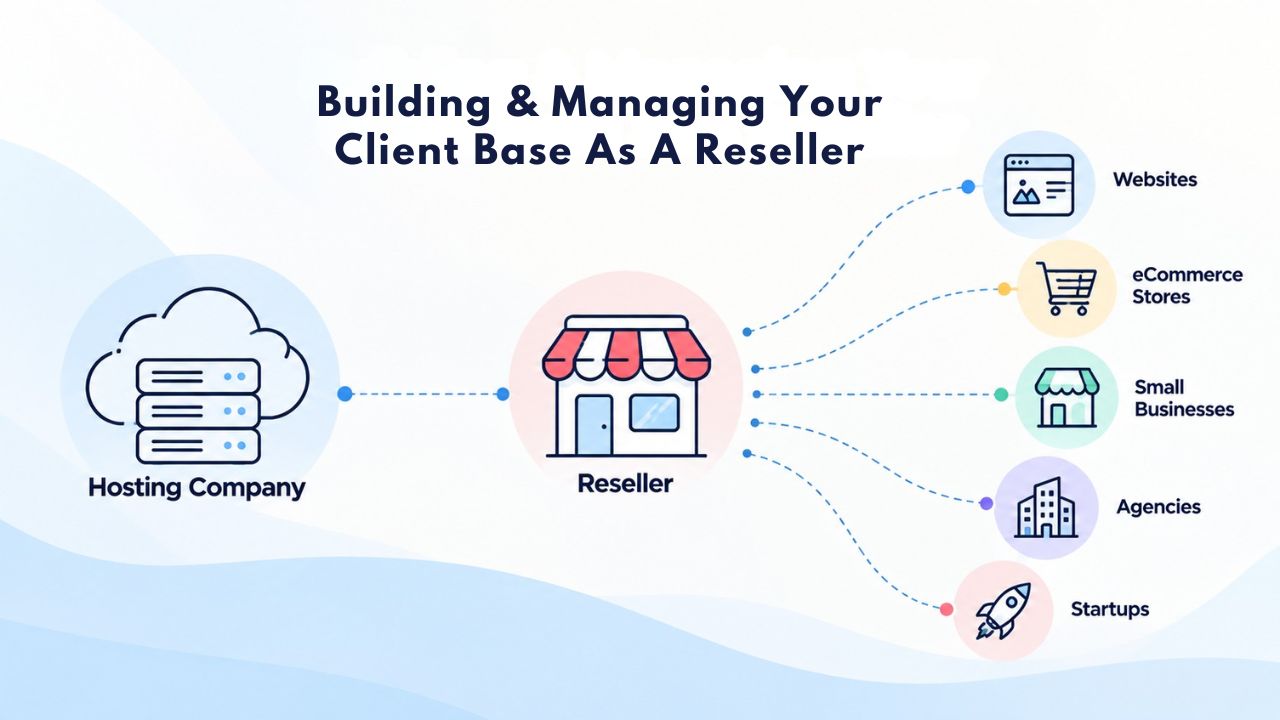
Attracting and retaining clients requires positioning reseller hosting as a genuine value-add to your business, not just a commodity hosting package. The most successful resellers treat hosting as part of a broader service package, not as a standalone product competing on price. Your positioning, pricing, and service quality determine whether hosting becomes a sustainable business model or a perpetual struggle for margins and clients.
Positioning & Acquisition Strategy
Reseller hosting works best when positioned as a complete, managed service rather than a bare-bones hosting package. The most successful agencies market “agency hosting packages” or “WordPress-optimized managed hosting” that include professional setup, domain and DNS configuration, email setup, SSL certificates, regular backups, and priority support. Bundling services justifies premium pricing and attracts clients willing to pay for convenience and peace of mind rather than hunting for the cheapest commodity hosting on the internet.
Successful acquisition tactics typically leverage existing relationships. Agencies contact past web-design clients and offer hosting as an add-on service. Consultants offer hosting to current coaching or consulting students. Developers offer it to users of their apps or tools. In each case, there’s existing trust and an existing relationship. Alternatively, some resellers invest in content marketing, starting a blog about web hosting for their niche, building a YouTube channel about website performance, or creating educational content that attracts people interested in hosting. Building customer acquisition from scratch takes months and consistent effort, but it creates a sustainable pipeline of inbound leads.
Pricing, Renewal & Retention
Successful reseller pricing typically ranges from $25–$75+ per client per month, depending on the services you include, your market positioning, and local market conditions. This range lets you cover wholesale costs, allocate time for support (5–15 hours per month per client), handle occasional refunds or account issues, and actually make a profit. Pricing in this range means you need 2–5 clients to break even on a typical reseller plan, and 5–10 clients to achieve meaningful profitability.
Retention depends on delivering reliable hosting, providing responsive support when issues arise, and not surprising clients with unexpected price increases at renewal time. Many resellers find that clients who stay past the first renewal become long-term, sticky customers. These clients have adapted to your support process, learned how to manage their accounts, and developed trust in you. The “stickiness” of hosting, the fact that it renews automatically unless explicitly canceled, creates powerful retention dynamics. Investing heavily in acquisition and support for your first 3–6 months pays dividends through years of renewals from satisfied customers.
Infrastructure, Uptime & Support: What Resellers Rely On
Your reseller hosting quality depends entirely on the underlying provider’s infrastructure and support quality. You can provide excellent customer service and support, but your provider’s reliability caps your success. This is why choosing a provider carefully matters more than most people realize. You’re not just buying disk space and bandwidth; you’re buying reliability, security, and support infrastructure that your reputation depends on.
Provider Infrastructure & Responsibility
Niya Digital’s reseller hosting service runs on infrastructure operated by GoDaddy. Niya is an authorized reseller of GoDaddy-powered web hosting, not an operator of its own independent data centers or hardware. This means your reseller account’s uptime, network reliability, and infrastructure-level security measures reflect GoDaddy’s commitments and technical capability, not Niya Digital’s independent build. When you sign up for Niya Digital hosting, your clients’ data is stored in GoDaddy’s data centers, backed by their network infrastructure, and protected by their security practices. This is a key point to understand: Niya Digital’s value is in the customer-facing experience, account setup support, control panel guidance, and business integration, while GoDaddy provides the underlying infrastructure that makes it all work.
GoDaddy’s web hosting infrastructure includes redundant networks, multiple data-center locations, automated failover systems, enterprise-grade security measures, and professional monitoring. Most major hosting providers operate similar infrastructure. But confirming these details with your provider matters. Before committing to a provider, ask specific questions about their SLA (uptime guarantee), backup frequency and restore processes, security practices, data center redundancy, and support response times. Read reviews from other resellers, not just individual customers, because reseller experiences often differ from shared hosting customer experiences. A hosting provider might have excellent shared hosting service but inadequate reseller support, or vice versa.
SLA Expectations & What You Promise Clients
An SLA (Service Level Agreement) is a provider’s formal commitment regarding uptime percentage and support response times. When a provider says “99.9% uptime,” they’re committing that their service will be unavailable no more than approximately 43 minutes per month, though that number can vary based on how they measure it. Most mainstream hosting providers offer 99.9% to 99.99% uptime guarantees for shared and reseller hosting, and higher percentages for dedicated servers and managed services.
As a reseller, your SLA to clients should reflect your provider’s actual SLA or be more conservative. If your provider guarantees 99.9% uptime, don’t promise clients 99.99% uptime; you cannot guarantee better performance than your provider, no matter how excellent your support is. Many resellers promise “based on our provider’s infrastructure” or match their provider’s SLA. Be transparent with clients about what uptime you’re committing to and what factors outside everyone’s control can affect it: network outages beyond the provider’s infrastructure, DDoS attacks, client misconfiguration, or security incidents. Setting proper expectations prevents disappointment and disputes down the road.
Scaling Your Reseller Business
As your client base grows, you’ll face natural decisions about whether reseller hosting still fits your business model or whether different hosting tiers or business structures make more sense. Scaling is a good problem to have, but it requires deliberate choices about which direction to grow.
Upgrading Your Reseller Plan & Resource Limits
Reseller plans have fixed resource pools: total storage (ranging from 50 GB to 500+ GB for most plans), bandwidth (from 500 GB to unlimited, depending on the plan), and limits on the number of domains, subdomains, and databases you can create. As you add clients, you consume these resources. When you approach your plan’s limit, typically when you’ve allocated 70–80% of available resources, you need to make a decision. You can upsell some of your current clients to higher-tier plans (moving them to VPS or dedicated servers if they’ve outgrown shared reseller resources), negotiate with clients to accept lower resource allocations, or upgrade your own reseller plan to a higher tier with more total resources.
Most successful resellers plan their resource allocation carefully and upgrade before they hit limits and create problems for clients. Knowing your average client’s resource usage, how much storage they typically use, and how much bandwidth they consume lets you calculate how many clients a plan can comfortably handle. A basic reseller plan with 100 GB storage might handle 10–15 small sites comfortably, but not 50 sites. Planning prevents emergency upgrades and keeps the client experience smooth and stable.
When to Transition Beyond Reseller
Some reseller hosting businesses eventually transition to VPS or managed-hosting offerings as their client base matures. If you’re managing 50+ clients and each client needs custom server configuration or your support team has grown significantly, VPS hosting (where each client gets their own isolated virtual server) might make more economic and operational sense than packing all clients into a shared reseller plan. VPS lets you offer more advanced features and customization to sophisticated clients while maintaining the isolation and security they may need.
Other resellers stay profitably in the reseller hosting space for years or decades because it works at their scale. Some find they don’t have the interest in learning VPS management or the desire to support clients with more complex technical needs. Reseller hosting can be sustainable and profitable indefinitely if you’re positioned well and running your business efficiently. Neither path, staying with reseller hosting or transitioning to VPS, is inherently better. The right choice depends on your clients’ needs, your own technical interests, how much support work you want to handle, and your business growth ambitions.
Getting Started With Reseller Hosting
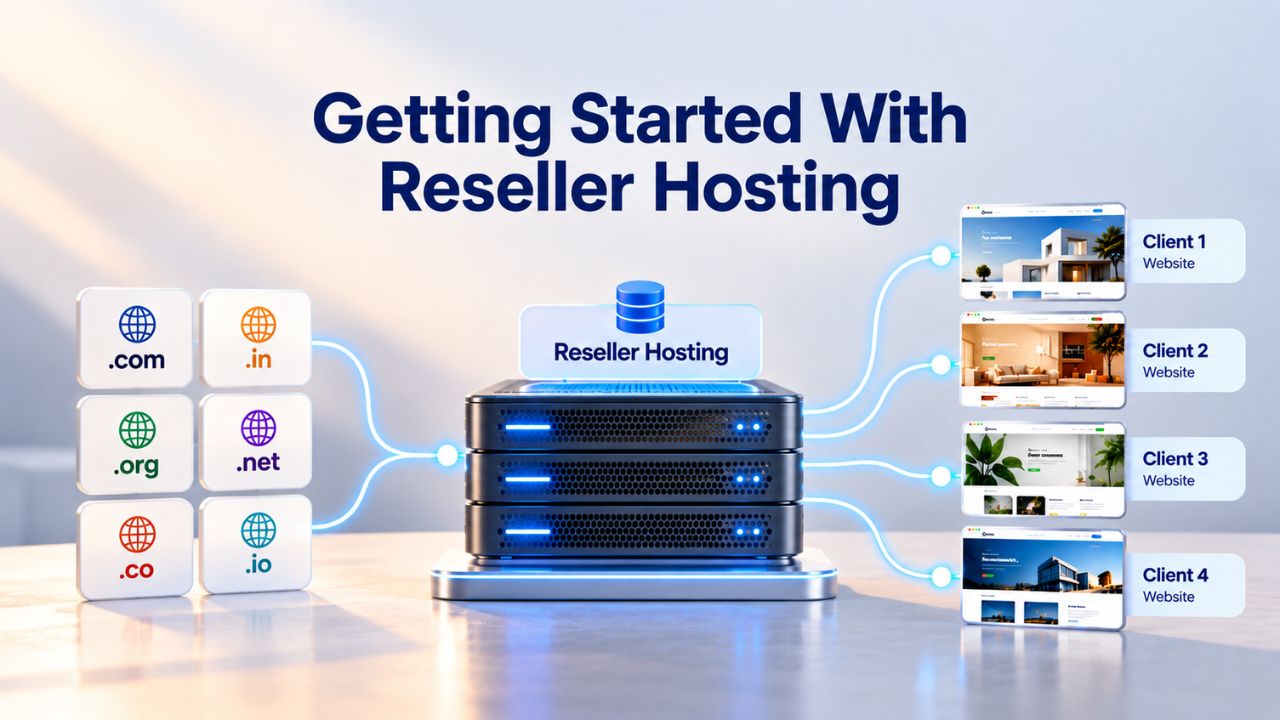
Launching a reseller hosting business requires clear upfront planning, realistic expectations about timeline and profitability, and deliberate attention to the fundamentals. Many resellers fail not because reseller hosting doesn’t work but because they didn’t plan properly or didn’t understand what they were committing to. Going in with clear eyes and a solid plan dramatically improves your odds of success.
Pre-Launch Checklist & Provider Selection
Before signing up for reseller hosting, confirm you have the foundations in place. First, do you have an existing customer base or a documented strategy for acquiring customers? This is critical. Reseller hosting is for people who already have relationships with potential clients, not a shortcut to building them. Second, do you have baseline technical knowledge or realistic plans to gain it? You need to understand how hosting works at a functional level: control panels, DNS, email, databases, backups.
You don’t need a server administration degree, but you need to be comfortable enough to help clients with common issues. Third, have you thought through your support plan? Will you handle support yourself, or hire someone? Will you offer 24/7 support, or only business hours? Fourth, have you developed a pricing strategy that covers your costs and leaves profit? Work backward from your plan cost and your estimate of how many clients you can service, then price accordingly.
When selecting a provider, evaluate their SLA, support responsiveness, control panel features and usability, backup practices and reliability, and uptime track record. Don’t just read vendor marketing materials; read reviews from other resellers who’ve actually used the service. Ask potential providers about their reseller community, training resources, and documentation. Ask about their escalation process when a client has a complex technical issue. Some providers have excellent reseller support; others treat resellers as a secondary concern. Choosing a provider that’s invested in reseller success makes a massive difference in your experience.
Setup, Onboarding & First Clients
Once you’ve chosen a provider and signed up for your reseller plan, spend time getting familiar with your control panel before bringing on your first paying customers. Create test accounts and practice the common tasks: creating new hosting accounts, managing domains, setting up email, creating databases, configuring backups. Read your provider’s documentation carefully. Most providers offer reseller training resources, video tutorials, or partner communities where you can ask questions and learn from experienced resellers.
Your first customers often come from existing relationships, past web-design clients you’ve worked with before, networking contacts who already know you, or referrals from satisfied customers. Don’t expect organic reseller hosting sales in your first month. Most successful resellers report that the first 2–3 months are about establishing operations, refining your support processes, and learning what works and what doesn’t. Real client growth usually happens in months 3–12 as you refine your offering, word-of-mouth spreads, and you get faster and more efficient at onboarding and supporting clients.
Your Reseller Launch Readiness Checklist
| Pre-Launch Factor | Ready to Launch | Needs Work |
|---|---|---|
| Customer Base | Have 5+ active clients or a documented acquisition strategy | No current customers or acquisition plan in place |
| Technical Knowledge | Comfortable navigating control panels, DNS, email setup | No hosting experience; no budget to hire support staff |
| Support Capacity | Can dedicate 5–15 hours/month per client to support | Cannot commit support time; cannot hire help |
| Pricing Strategy | Planned 2–3× wholesale cost or value-added service bundle | Planning below-wholesale pricing to undercut competitors |
| Financial Runway | Can sustain business 3–6 months before profitability | Require immediate first-month profitability |
| Growth Expectations | Realistic target: 5–10 clients in first 6–12 months | Expecting 20+ clients in first 60 days |
Start Your Reseller Hosting Business Today
You now understand reseller hosting’s real potential and the operational readiness it requires. Niya Digital’s reseller hosting plans are designed to grow with your business: start small with white-label branding and scale as you add clients. Review the readiness checklist above, select a plan that matches your launch stage, and start building your hosting business.
Frequently Asked Questions
Can I resell hosting without technical knowledge?
You need baseline technical knowledge (control panel navigation, DNS, email setup, basic troubleshooting) or budget to hire support staff. You don’t need to be a server administrator, but you can’t be a complete novice; clients will have technical questions. Most hosting providers offer reseller training to get you started.
What’s the typical profit margin on reseller hosting?
Margins depend on your wholesale cost and retail pricing. Successful resellers charge $25–75+ per client monthly, generating 2–3× their wholesale cost as gross margin. After support time and overhead, net profit is typically 30–50% of gross margin. A properly priced plan becomes profitable at 5–10 active clients.
How many clients do I need before reseller hosting is profitable?
It depends on your wholesale cost and pricing strategy. At a 2–3× markup, most resellers break even with 2–3 clients and achieve meaningful profitability at 5–10 active, paying clients. Your first clients often come from existing relationships. Most resellers report that 5–10 active clients make hosting feel like a real business.
What happens if one of my clients gets hacked?
Security is shared responsibility. You secure your reseller account; your provider secures infrastructure; clients secure their application code and maintenance. If a site is hacked because of outdated WordPress, that’s the client’s responsibility, not a reseller failure. Document these responsibilities clearly in your Terms of Service to protect yourself.
Do I need to provide 24/7 support as a reseller?
No. You set your own support terms. Many resellers offer business-hours support (Monday–Friday, 9 AM–5 PM) or email-only support with a 24-hour response time. Your support commitment should match what you’ve promised clients and what your team can realistically provide.
Can I resell hosting to clients in other countries?
Yes, in most cases, if your provider serves international clients. However, confirm geographic restrictions in your provider’s terms. Some countries have data-residency requirements (e.g., GDPR for European customers). If serving regulated jurisdictions, confirm your provider’s compliance and document responsibilities in your Terms of Service.
What’s the difference between reseller and managed hosting?
Managed hosting means the provider handles setup, updates, backups, and maintenance. Reseller hosting means you manage client accounts and support while the provider manages infrastructure. Choose managed for less operational work; choose reseller for more control and lower per-client cost.
Should I start with a high-tier reseller plan or a basic one?
Start small; a basic plan (50–100 GB storage) handles 5–15 small client sites. Upgrade as you grow. Starting too big wastes money; starting too small forces scrambling later. Most resellers plan for 5–10 clients initially and upgrade at 12–18 months.
Can reseller hosting handle high-traffic sites?
Reseller hosting is shared infrastructure, not ideal for high-traffic sites (100,000+ monthly visitors). It works well for bloggers, small e-commerce sites, and most SMB websites. If clients outgrow their resources, upsell them to VPS or dedicated hosting; many resellers charge upgrade fees to facilitate this.
What’s included in a typical reseller plan?
Typical reseller plans include a control panel (cPanel or Plesk), storage and bandwidth allocations, unlimited domains and subdomains, email hosting, databases (MySQL), SSL certificates, automated daily backups, and one-click app installers (WordPress, Joomla, etc.). Features vary significantly; compare specific plans on your provider’s site before committing to ensure the right fit.
How do I market reseller hosting to my clients?
Market reseller hosting as a complete service, not a commodity. Emphasize included benefits (free setup, free SSL, automated backups, priority support, domain/email management) and your white-label branding. Position it as “managed hosting” or “agency-grade hosting” rather than generic reseller hosting. Case studies and testimonials from satisfied clients help with sales.
Can I resell hosting and keep my other business?
Yes, reseller hosting is designed to complement existing businesses (agencies bundling hosting with design, consultants offering hosting to clients, developers reselling to other developers). You don’t need to make it your full-time business; many resellers manage it part-time at first, then scale it into a full business over time if they choose.
When should I upgrade to VPS or dedicated hosting?
Consider VPS when you’re managing 20+ clients, individual clients need advanced customization, or your support team is large enough to handle server administration. Consider dedicated servers only if you have enterprise clients with extreme security or performance needs. Most successful resellers stay with reseller hosting profitably for years.
What support can I expect from my reseller hosting provider?
Quality providers offer reseller-specific support channels, documentation, training resources, and partner communities. Before choosing a provider, ask about their reseller support availability, typical response times, and what’s included. Some providers have 24/7 support; others offer business-hours support. Confirm their support matches your needs before signing up.
How long does it typically take to break even on a reseller plan?
With proper pricing (2–3× wholesale cost) and a reasonable customer acquisition strategy, most resellers break even within 3–6 months. Some faster, some slower, depending on how many customers you bring in and how efficiently you support them. Plan for 6–12 months before reseller hosting becomes a meaningful source of profit.
Glossary
- Web Hosting: A service that stores website files and makes them accessible on the internet via a domain name using server infrastructure.
- Reseller Hosting: A hosting service where you purchase resources in bulk from a provider and resell smaller allocations to your own clients under your own brand.
- Control Panel: A web-based interface (cPanel, Plesk, etc.) where hosting account owners manage domains, email, databases, files, and server settings.
- Bandwidth: The amount of data transferred between a website and its visitors in a given period; typically measured in gigabytes (GB) per month.
- SLA (Service Level Agreement): A provider’s formal commitment regarding uptime percentage and support response times; e.g., “99.9% uptime SLA” means availability at least 99.9% of the time.
- White-Label: Hosting or services branded and presented to end clients under your own company name, rather than the underlying provider’s name.
- DNS (Domain Name System): The system that translates domain names (e.g., example.com) into IP addresses so browsers can locate and access websites.


